UFT Automation Framework
2012
Zhang Yu Tao
AUTOMATIONTESTING FRAMEWORK
2
Description:
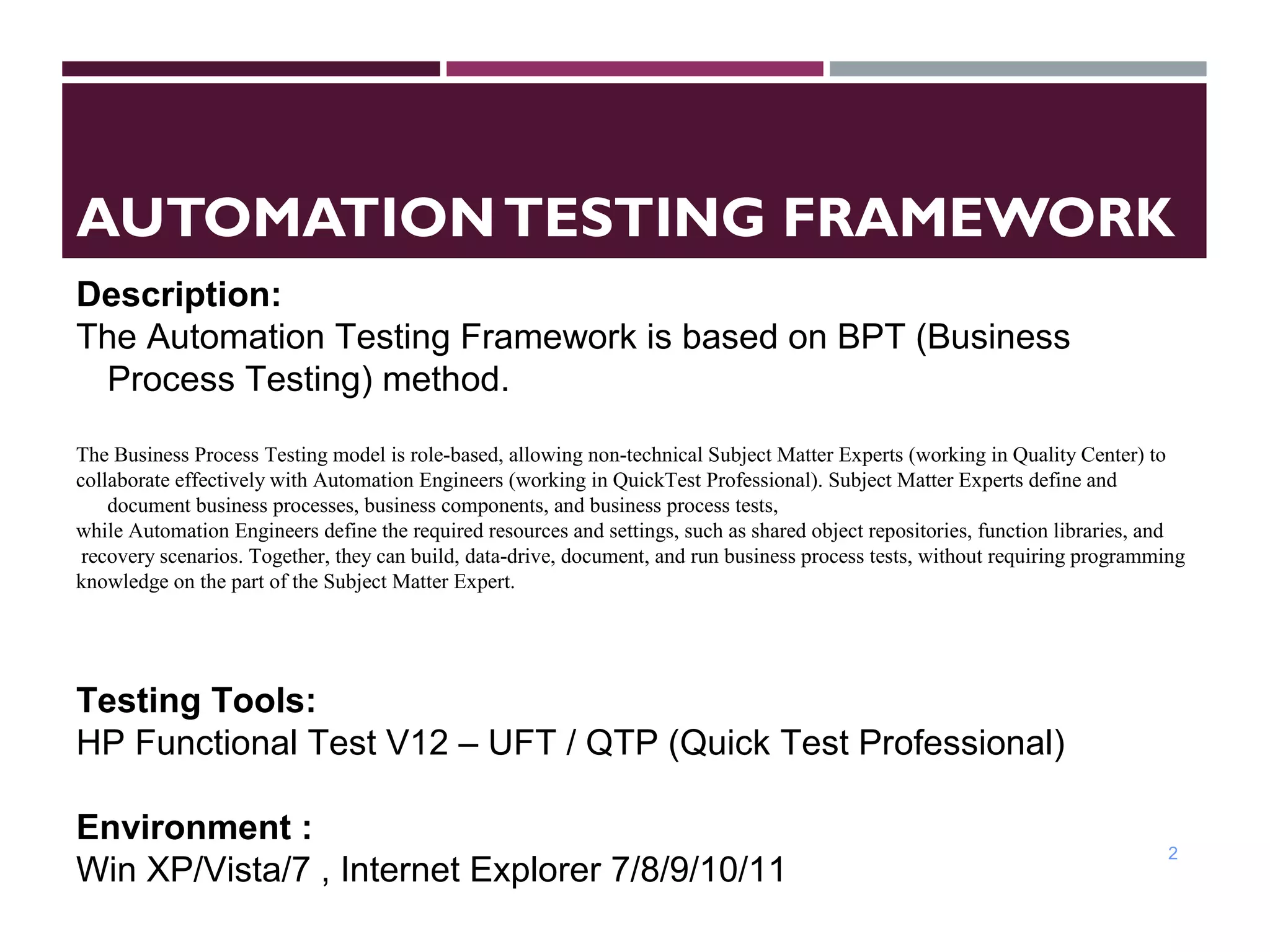
The Automation Testing Framework is based on BPT (Business
Process Testing) method.
The Business Process Testing model is role-based, allowing non-technical Subject Matter Experts (working in Quality Center) to
collaborate effectively with Automation Engineers (working in QuickTest Professional). Subject Matter Experts define and
document business processes, business components, and business process tests,
while Automation Engineers define the required resources and settings, such as shared object repositories, function libraries, and
recovery scenarios. Together, they can build, data-drive, document, and run business process tests, without requiring programming
knowledge on the part of the Subject Matter Expert.
Testing Tools:
HP Functional Test V12 – UFT / QTP (Quick Test Professional)
Environment :
Win XP/Vista/7 , Internet Explorer 7/8/9/10/11
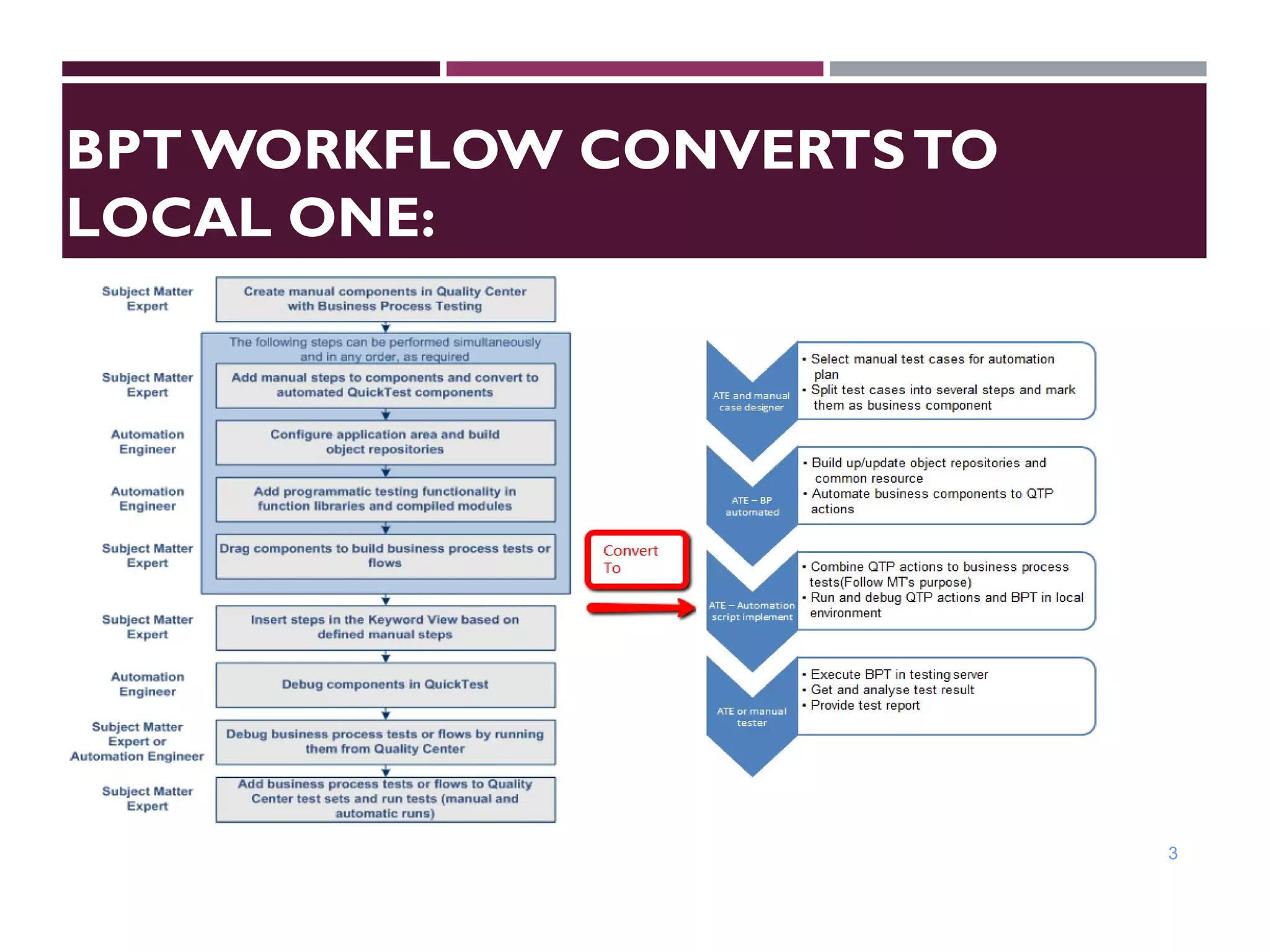
BPT WORKFLOW CONVERTSTO
LOCAL ONE:
3
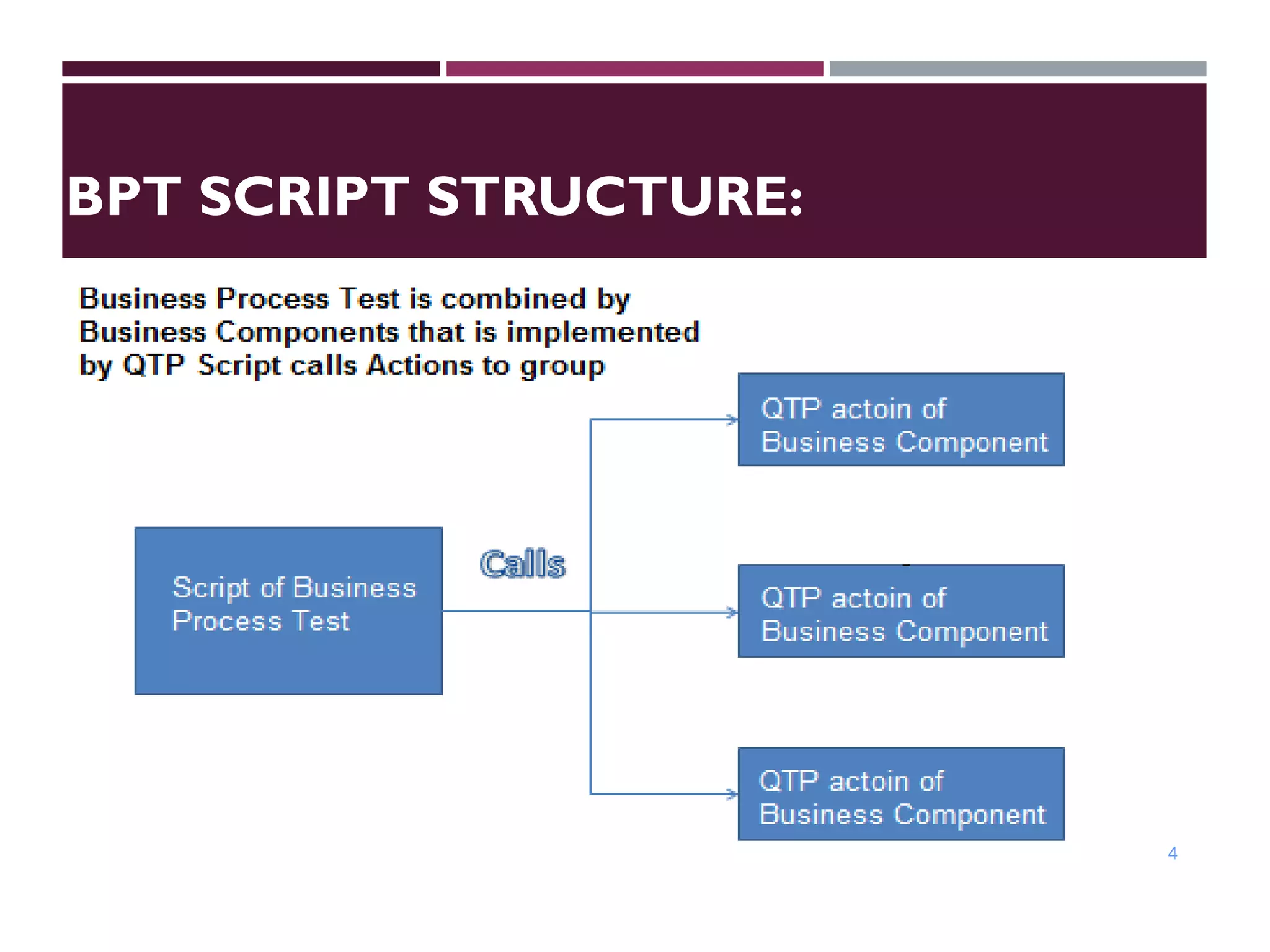
BPT SCRIPT STRUCTURE:
4
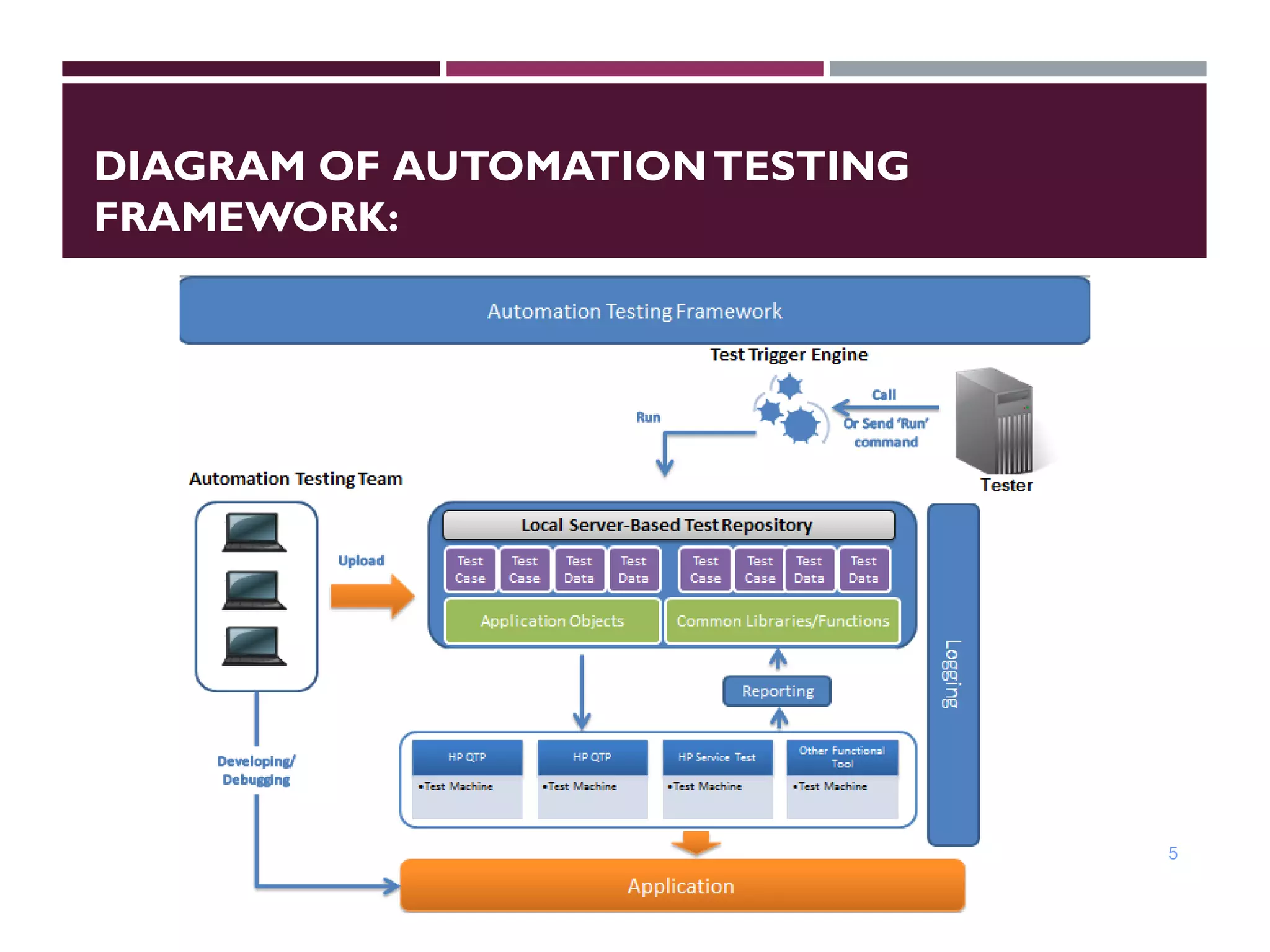
DIAGRAM OF AUTOMATIONTESTING
FRAMEWORK:
5
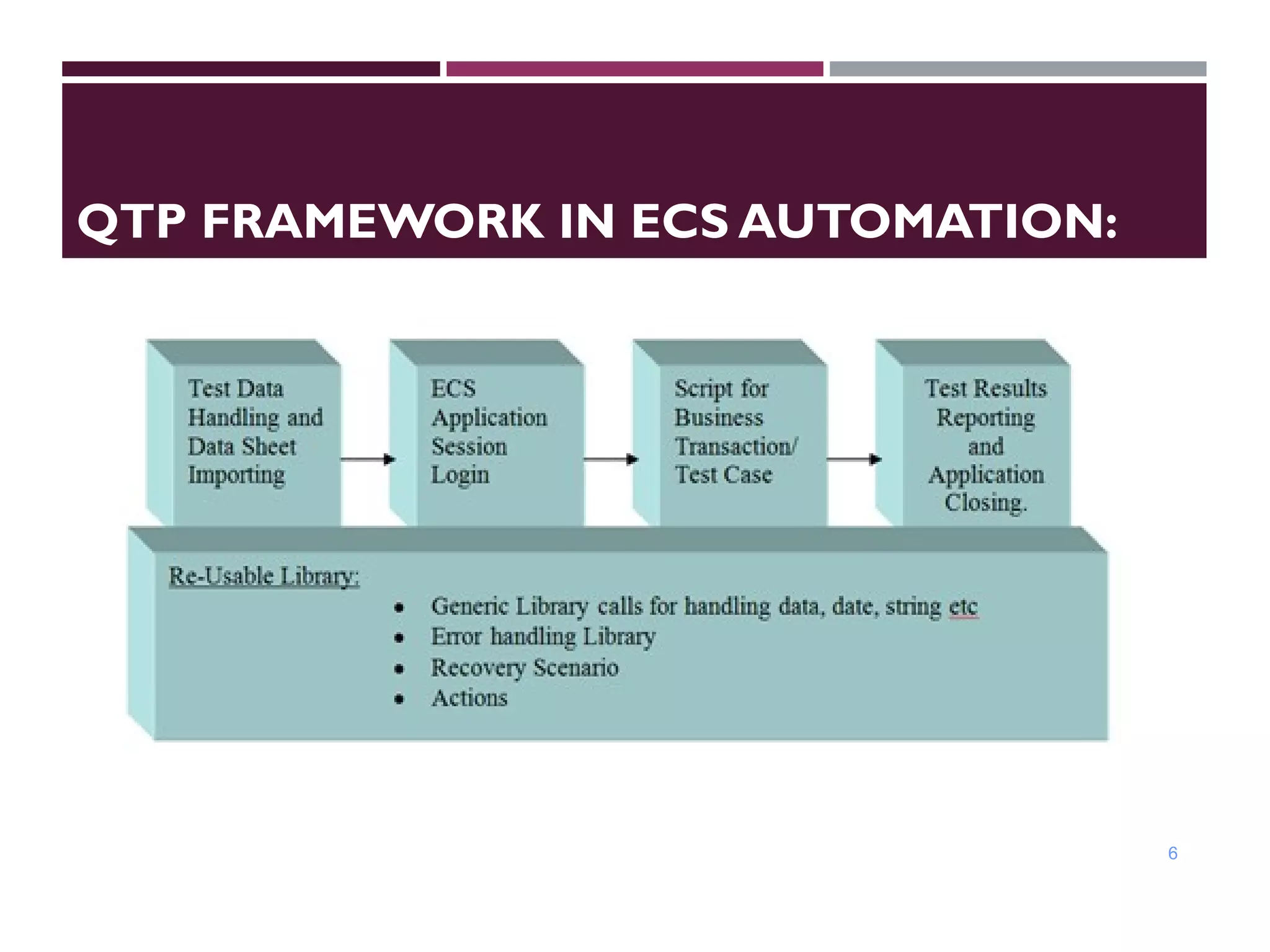
QTP FRAMEWORK IN ECS AUTOMATION:
6
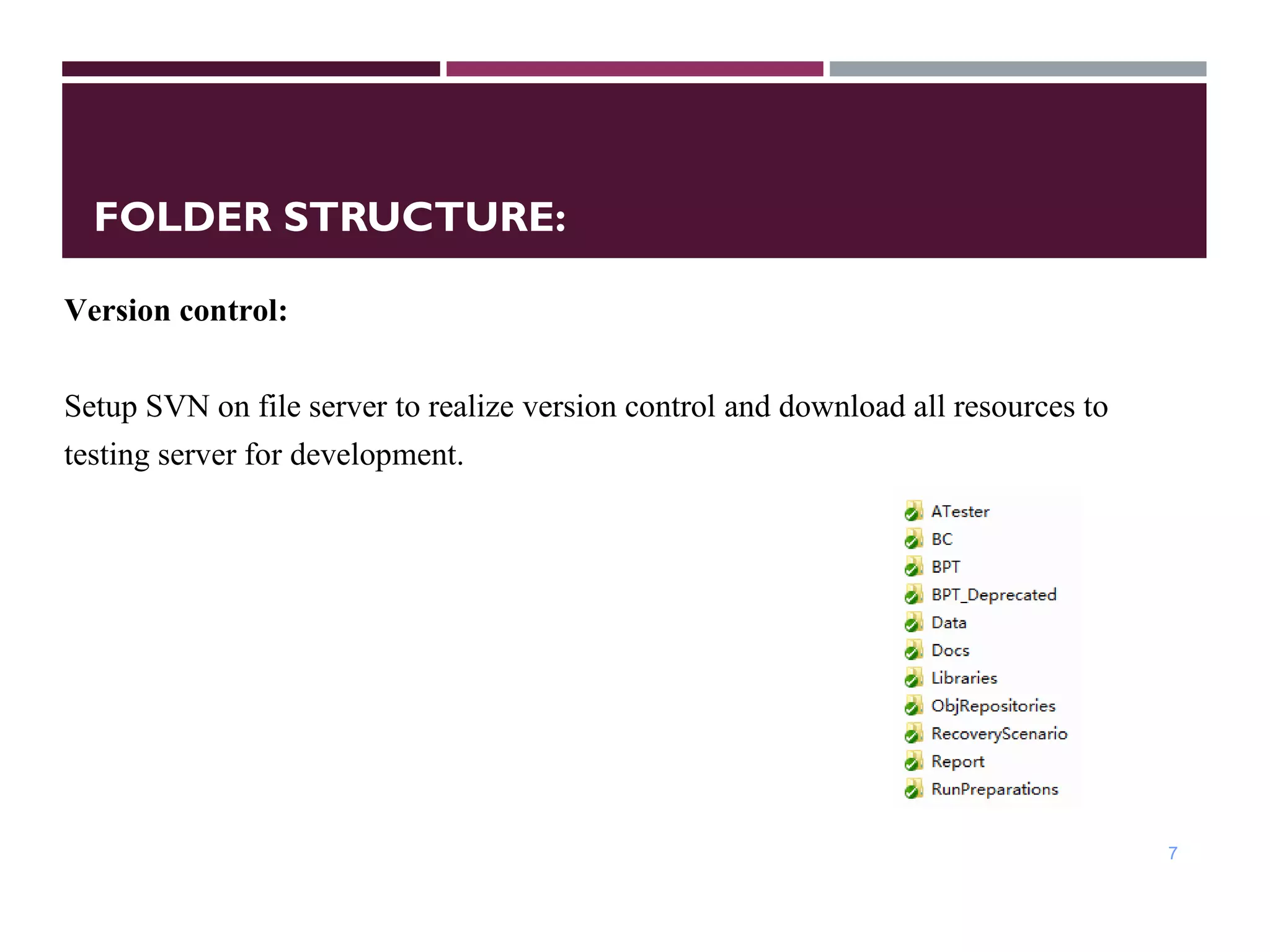
FOLDER STRUCTURE:
7
Version control:
Setup SVN on file server to realize version control and download all resources to
testing server for development.
APPROACH FORTEST AUTOMATION
8
Description
 
Approach for Test Automation is used for building a strategy for
automation starting from the Requirement phase till the deployment
phase. Approach for automation begins with finding out the conditions
and business rules given by the client and grouping similar conditions,
business rules together as Test Scenarios.
Q&A
• Requirement gathering from Client
• Understanding and Analyzing the Requirement
• Grouping the requirement into Test cases
• Select manual case for Automation
• Preparing the Design for Automation
• Building Scripts depending on the Design
• Review of Scripts at Offshore
• Run and debug Scripts
• Run automation scripts / scenarios
• Delivery test report to the Client
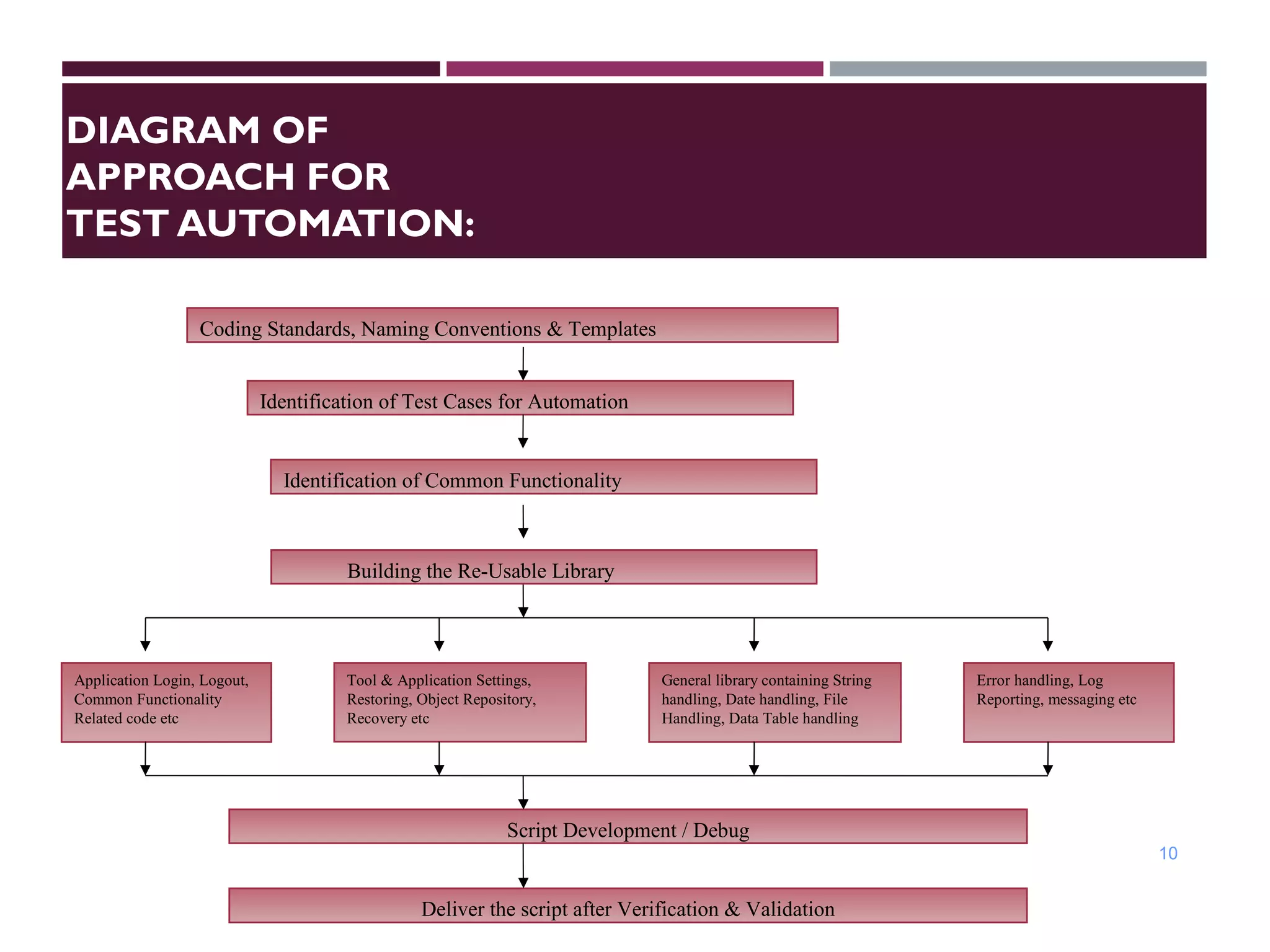
DIAGRAM OF
APPROACH FOR
TEST AUTOMATION:
10
Identification of Test Cases for Automation
Identification of Common Functionality
Coding Standards, Naming Conventions & Templates
Application Login, Logout,
Common Functionality
Related code etc
Tool & Application Settings,
Restoring, Object Repository,
Recovery etc
General library containing String
handling, Date handling, File
Handling, Data Table handling
Error handling, Log
Reporting, messaging etc
Script Development / Debug
Building the Re-Usable Library
Deliver the script after Verification & Validation
REPORTING
 Description
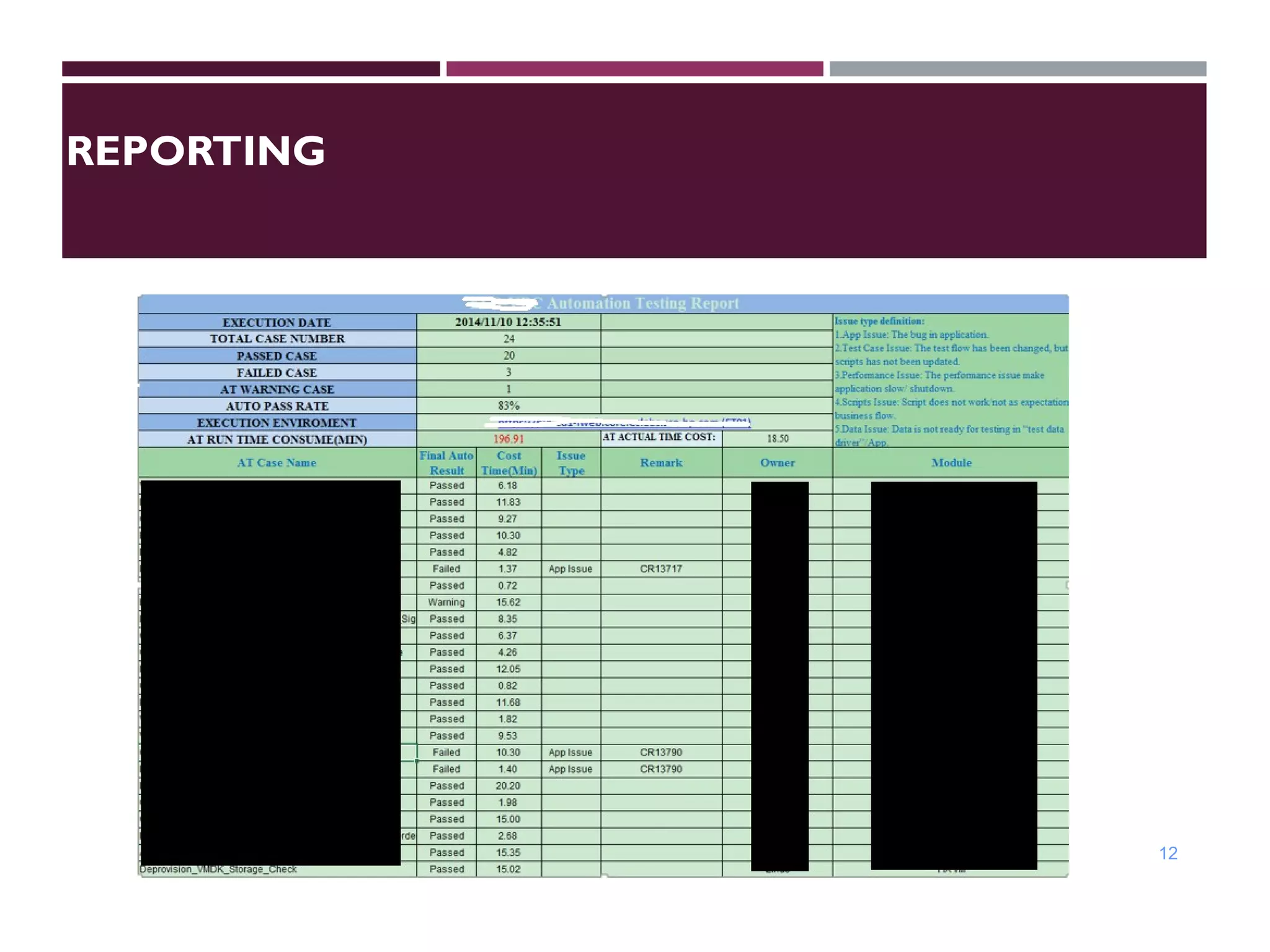
 Run all scripts by self-development tool in Test Server. Save results file into local
servers’ folder. Generate result’s data and send standard format report via email.
The report can be stored in an EXCEL file:
11
12
REPORTING
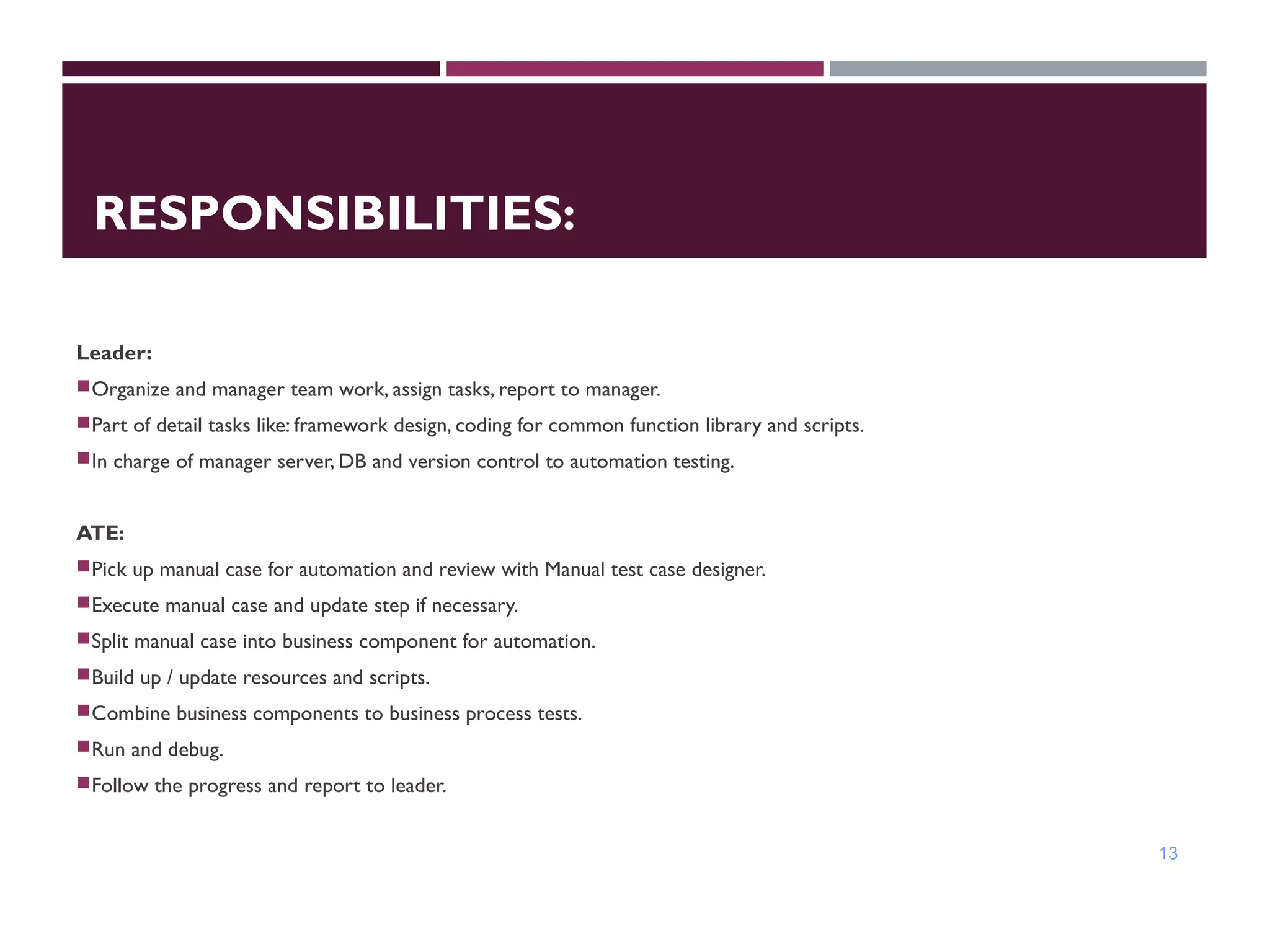
RESPONSIBILITIES:
Leader:
Organize and manager team work, assign tasks, report to manager.
Part of detail tasks like: framework design, coding for common function library and scripts.
In charge of manager server, DB and version control to automation testing.
ATE:
Pick up manual case for automation and review with Manual test case designer.
Execute manual case and update step if necessary.
Split manual case into business component for automation.
Build up / update resources and scripts.
Combine business components to business process tests.
Run and debug.
Follow the progress and report to leader.
13
Q&A

QTP&UFT Automation Framework

  • 1.
  • 2.
    AUTOMATIONTESTING FRAMEWORK 2 Description: The AutomationTesting Framework is based on BPT (Business Process Testing) method. The Business Process Testing model is role-based, allowing non-technical Subject Matter Experts (working in Quality Center) to collaborate effectively with Automation Engineers (working in QuickTest Professional). Subject Matter Experts define and document business processes, business components, and business process tests, while Automation Engineers define the required resources and settings, such as shared object repositories, function libraries, and recovery scenarios. Together, they can build, data-drive, document, and run business process tests, without requiring programming knowledge on the part of the Subject Matter Expert. Testing Tools: HP Functional Test V12 – UFT / QTP (Quick Test Professional) Environment : Win XP/Vista/7 , Internet Explorer 7/8/9/10/11
  • 3.
  • 4.
  • 5.
  • 6.
    QTP FRAMEWORK INECS AUTOMATION: 6
  • 7.
    FOLDER STRUCTURE: 7 Version control: SetupSVN on file server to realize version control and download all resources to testing server for development.
  • 8.
    APPROACH FORTEST AUTOMATION 8 Description   Approachfor Test Automation is used for building a strategy for automation starting from the Requirement phase till the deployment phase. Approach for automation begins with finding out the conditions and business rules given by the client and grouping similar conditions, business rules together as Test Scenarios.
  • 9.
    Q&A • Requirement gatheringfrom Client • Understanding and Analyzing the Requirement • Grouping the requirement into Test cases • Select manual case for Automation • Preparing the Design for Automation • Building Scripts depending on the Design • Review of Scripts at Offshore • Run and debug Scripts • Run automation scripts / scenarios • Delivery test report to the Client
  • 10.
    DIAGRAM OF APPROACH FOR TESTAUTOMATION: 10 Identification of Test Cases for Automation Identification of Common Functionality Coding Standards, Naming Conventions & Templates Application Login, Logout, Common Functionality Related code etc Tool & Application Settings, Restoring, Object Repository, Recovery etc General library containing String handling, Date handling, File Handling, Data Table handling Error handling, Log Reporting, messaging etc Script Development / Debug Building the Re-Usable Library Deliver the script after Verification & Validation
  • 11.
    REPORTING  Description  Runall scripts by self-development tool in Test Server. Save results file into local servers’ folder. Generate result’s data and send standard format report via email. The report can be stored in an EXCEL file: 11
  • 12.
  • 13.
    RESPONSIBILITIES: Leader: Organize and managerteam work, assign tasks, report to manager. Part of detail tasks like: framework design, coding for common function library and scripts. In charge of manager server, DB and version control to automation testing. ATE: Pick up manual case for automation and review with Manual test case designer. Execute manual case and update step if necessary. Split manual case into business component for automation. Build up / update resources and scripts. Combine business components to business process tests. Run and debug. Follow the progress and report to leader. 13
  • 14.