How to fill out  the UCAS form?
Watch this presentation  in  FULL SCREEN MODE to see all details   Full Screen
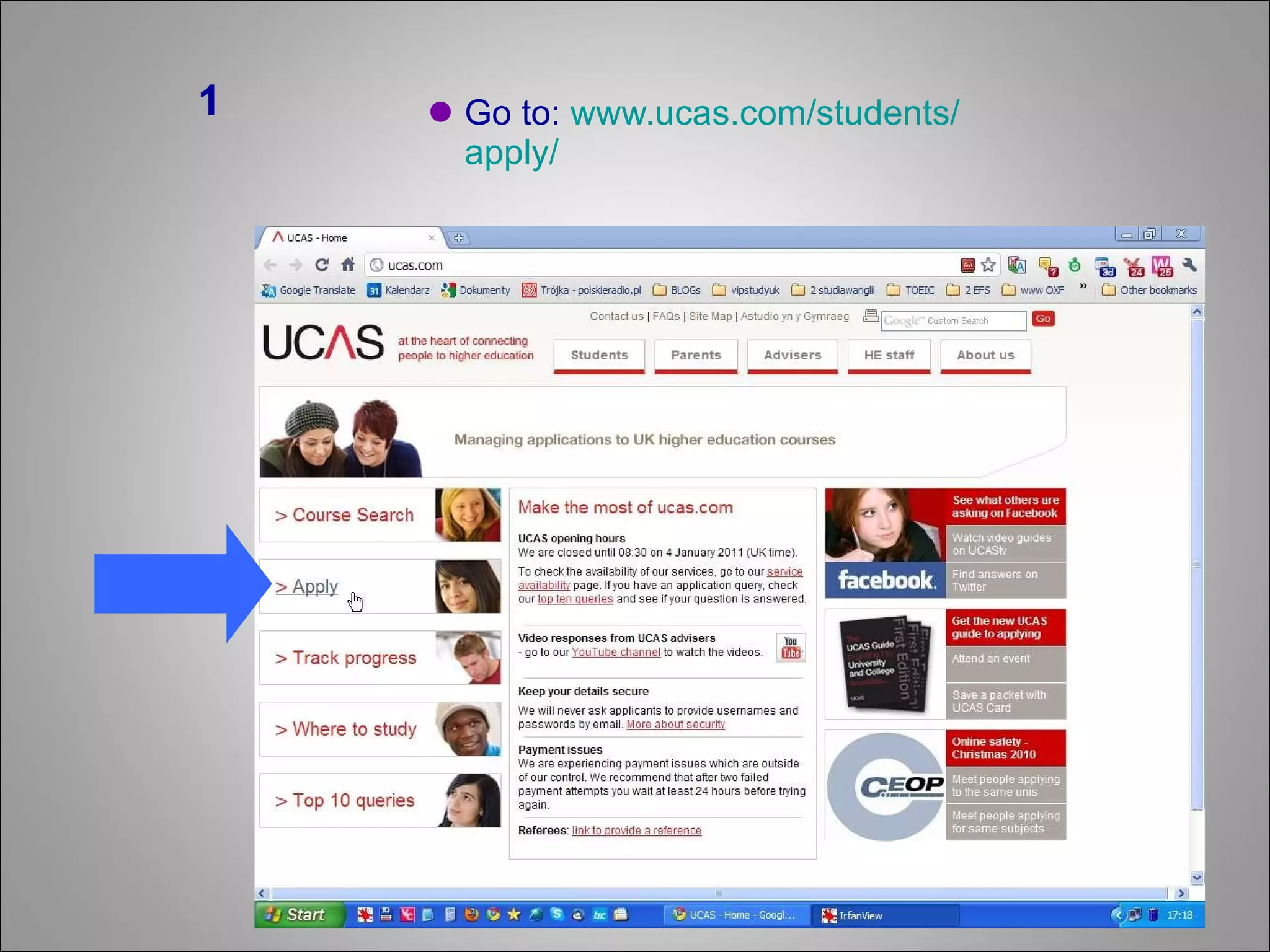
Go to:  www.ucas.com / students / apply / 1
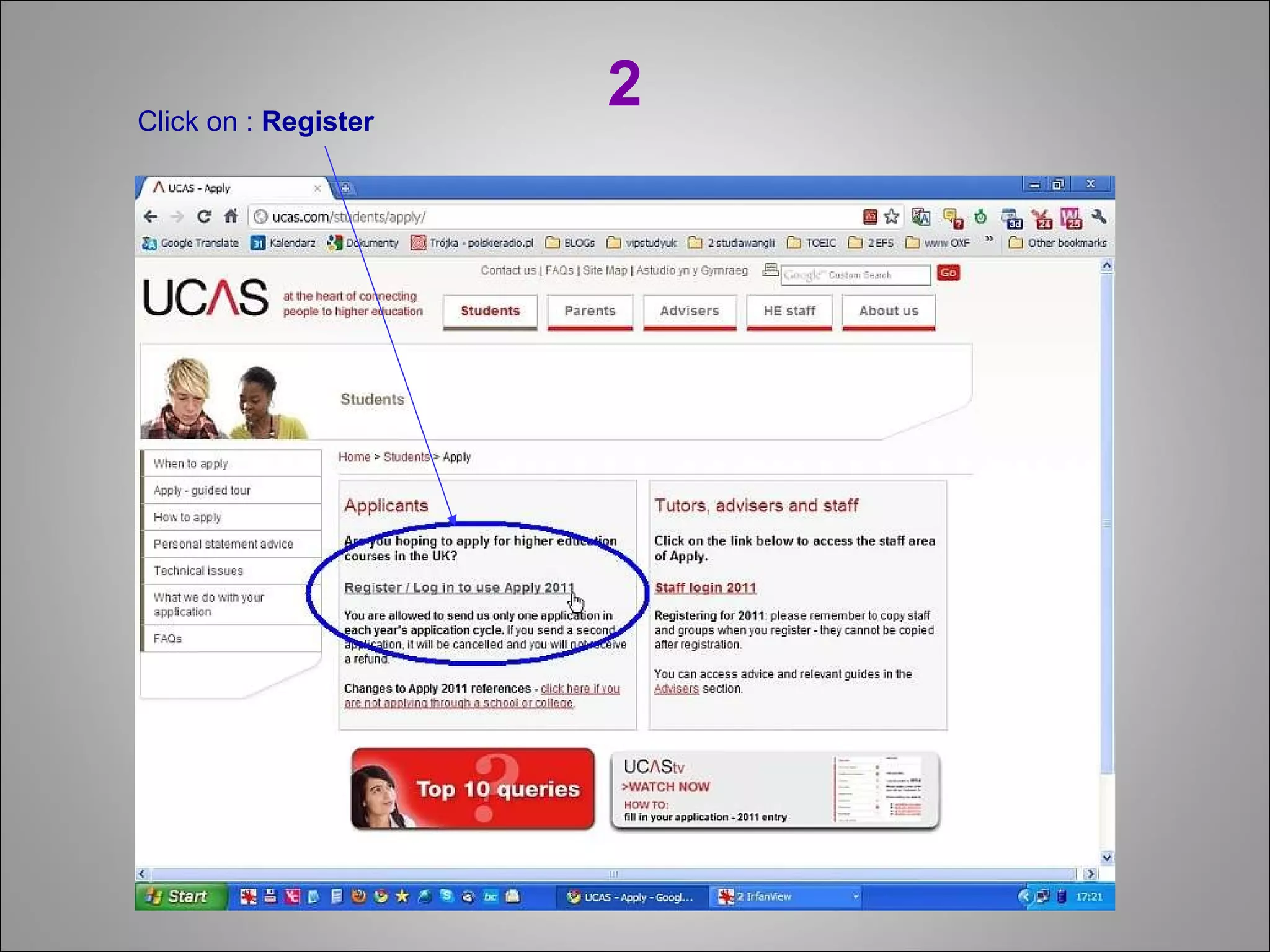
2 Click on :  Register
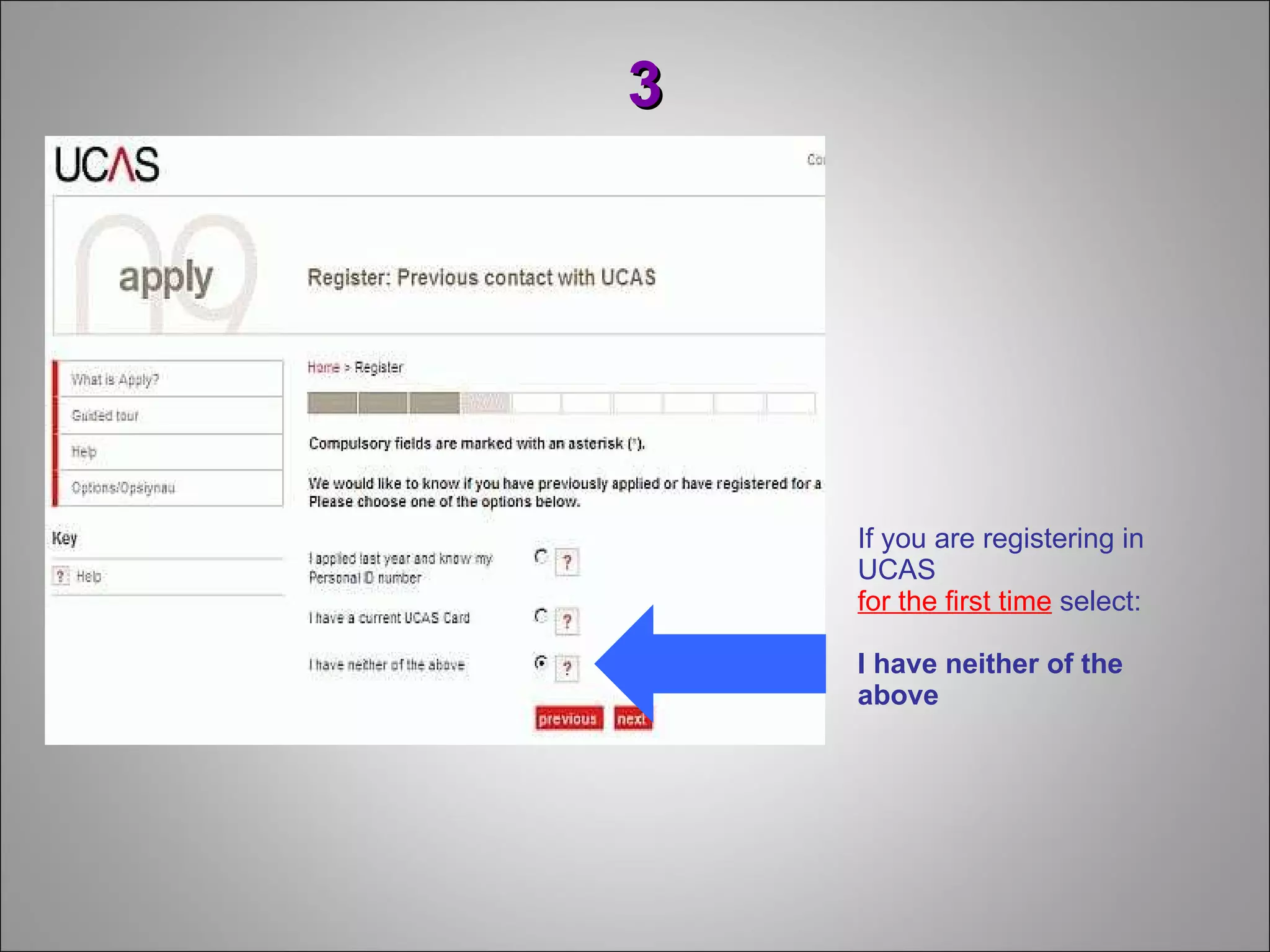
If you are registering in UCAS  for the first time  select: I have neither of the above 3
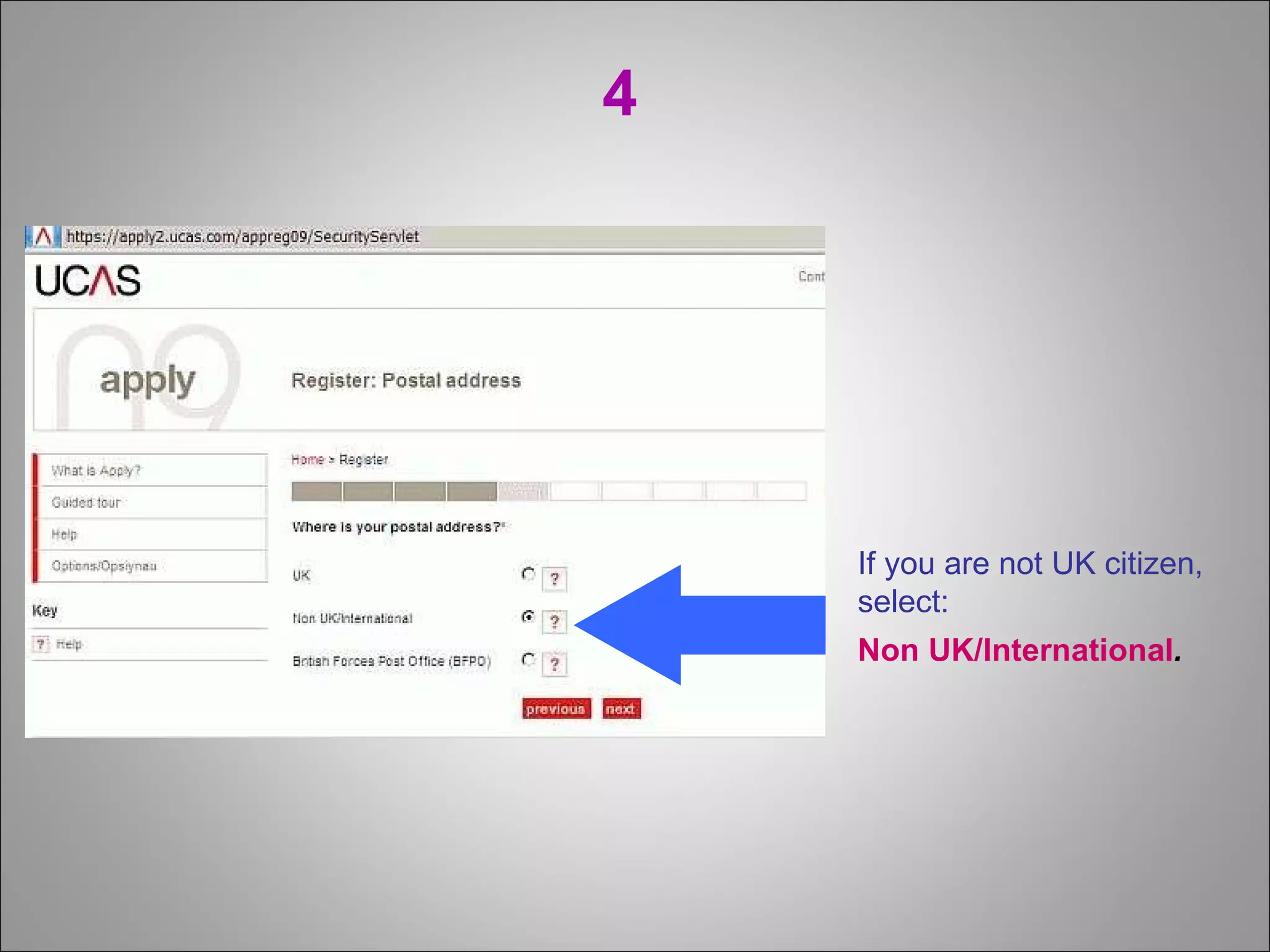
4 If you are not UK citizen, select: Non UK/International .
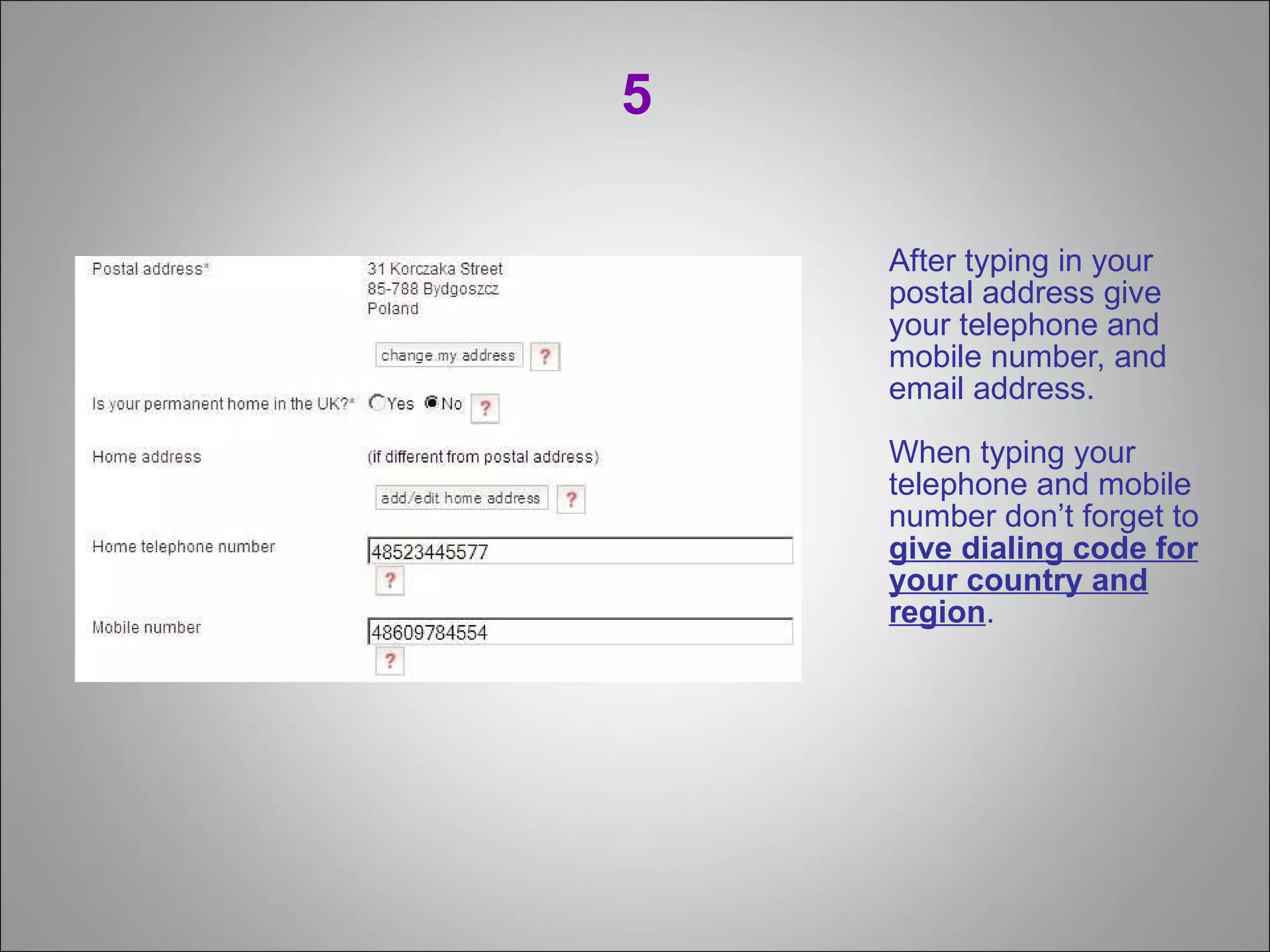
5 After typing in your postal address give your telephone and mobile number, and email address. When typing your telephone and mobile number don’t forget to  give dialing code for your country and region .
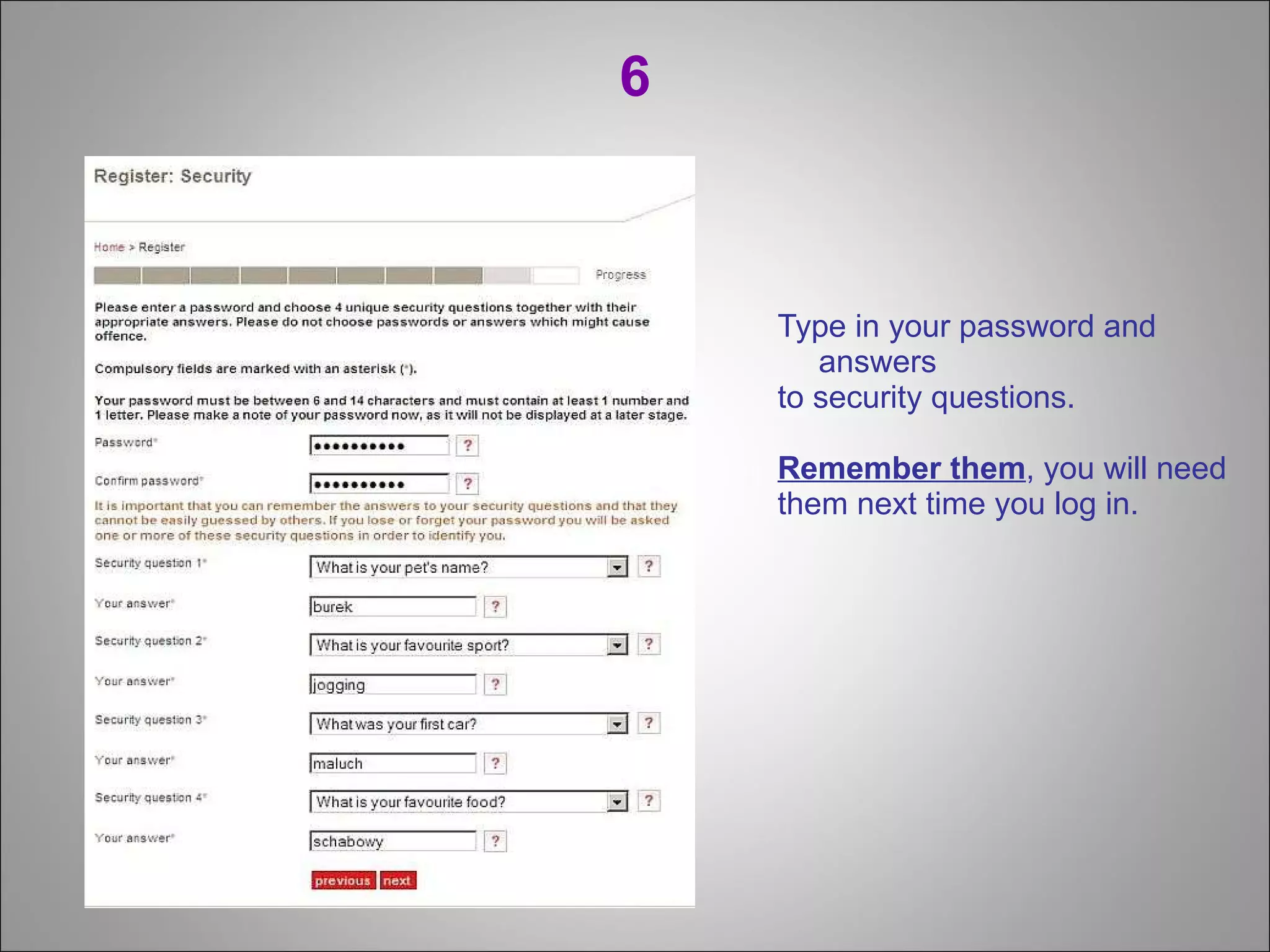
6 Type in your password and answers  to security questions.  Remember them , you will need  them next time you log in.
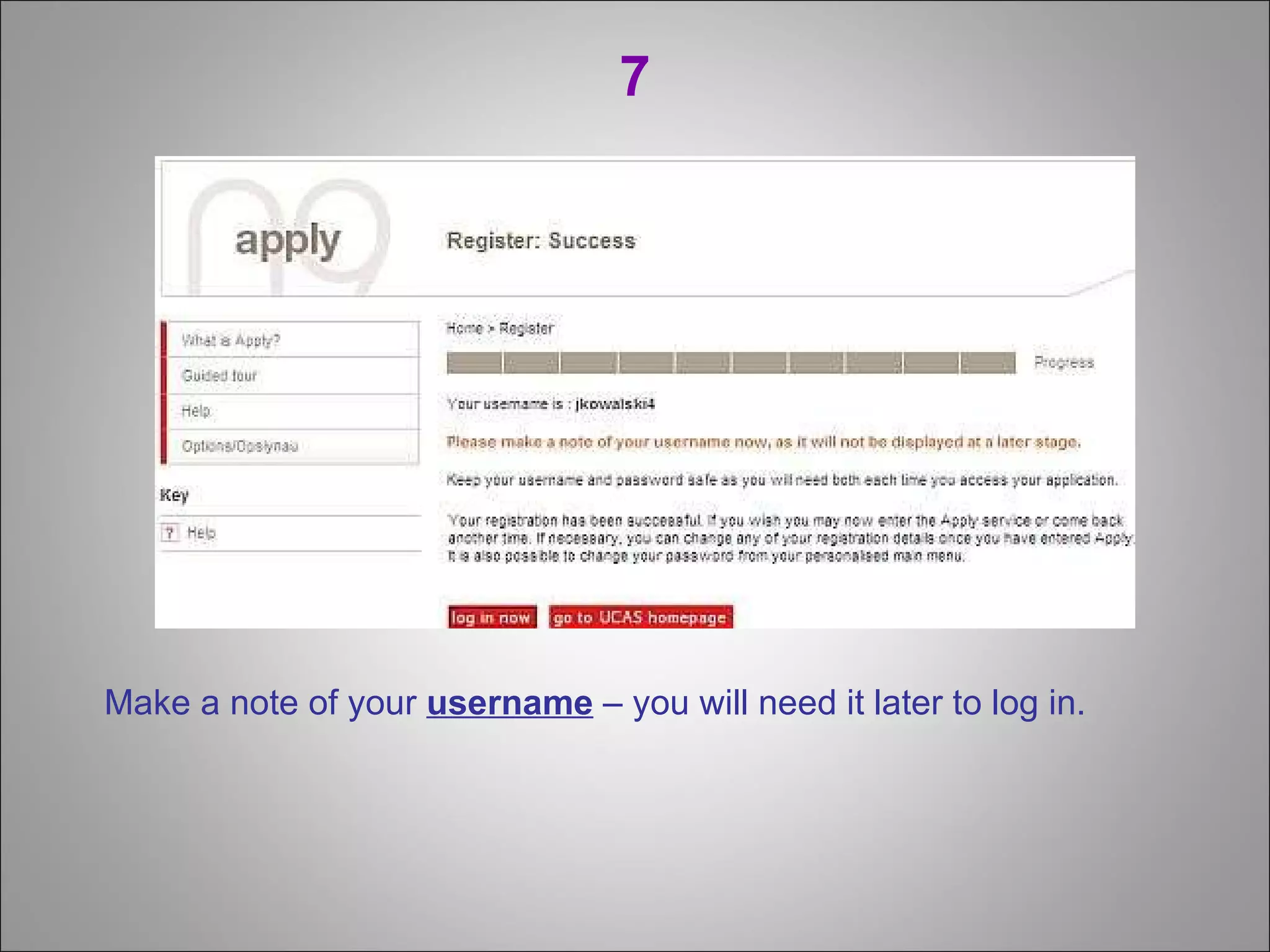
7 Make a note of your  username  – you will need it later to log in.
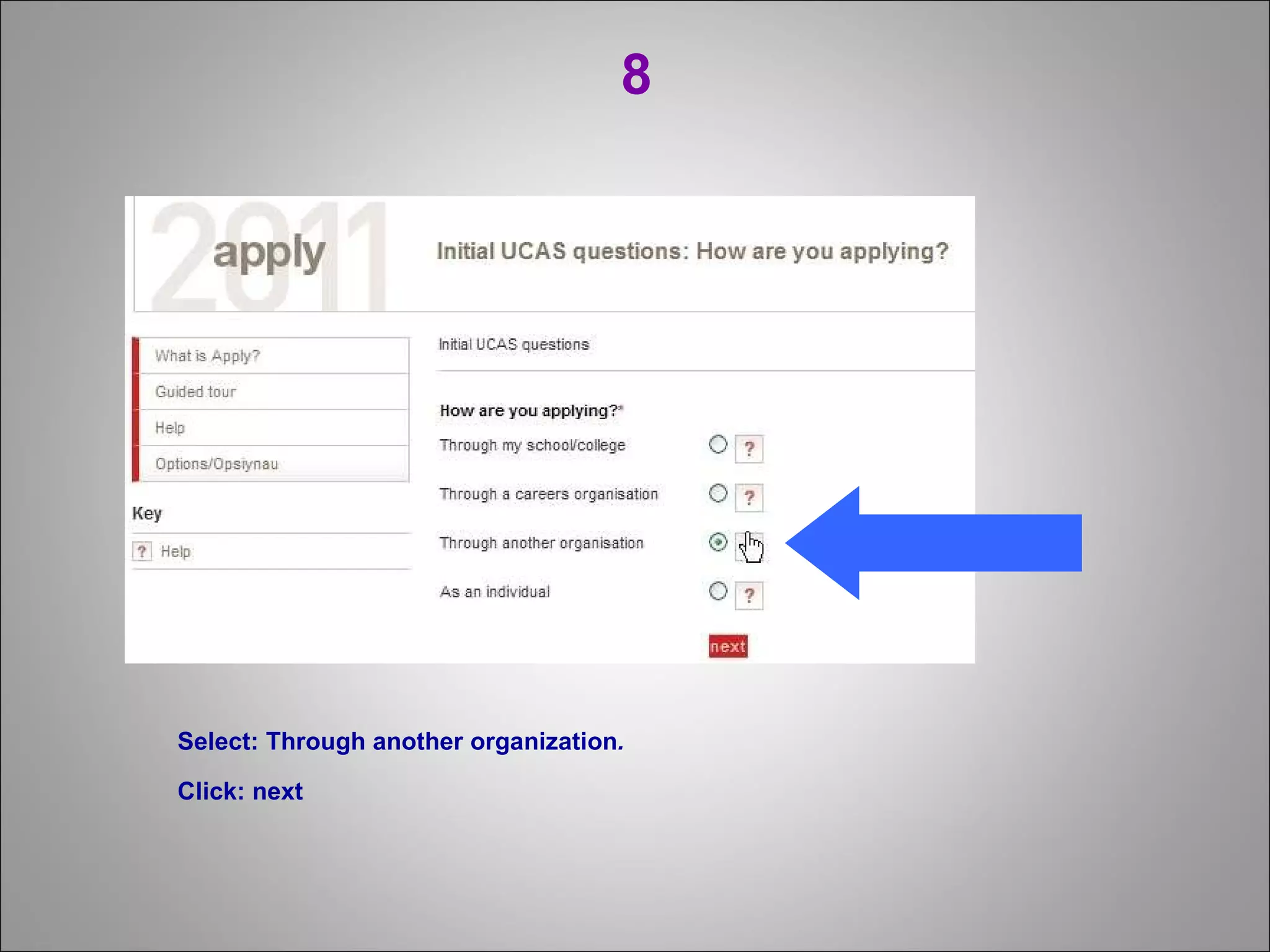
8 Select : Through  another organization .   Click: next
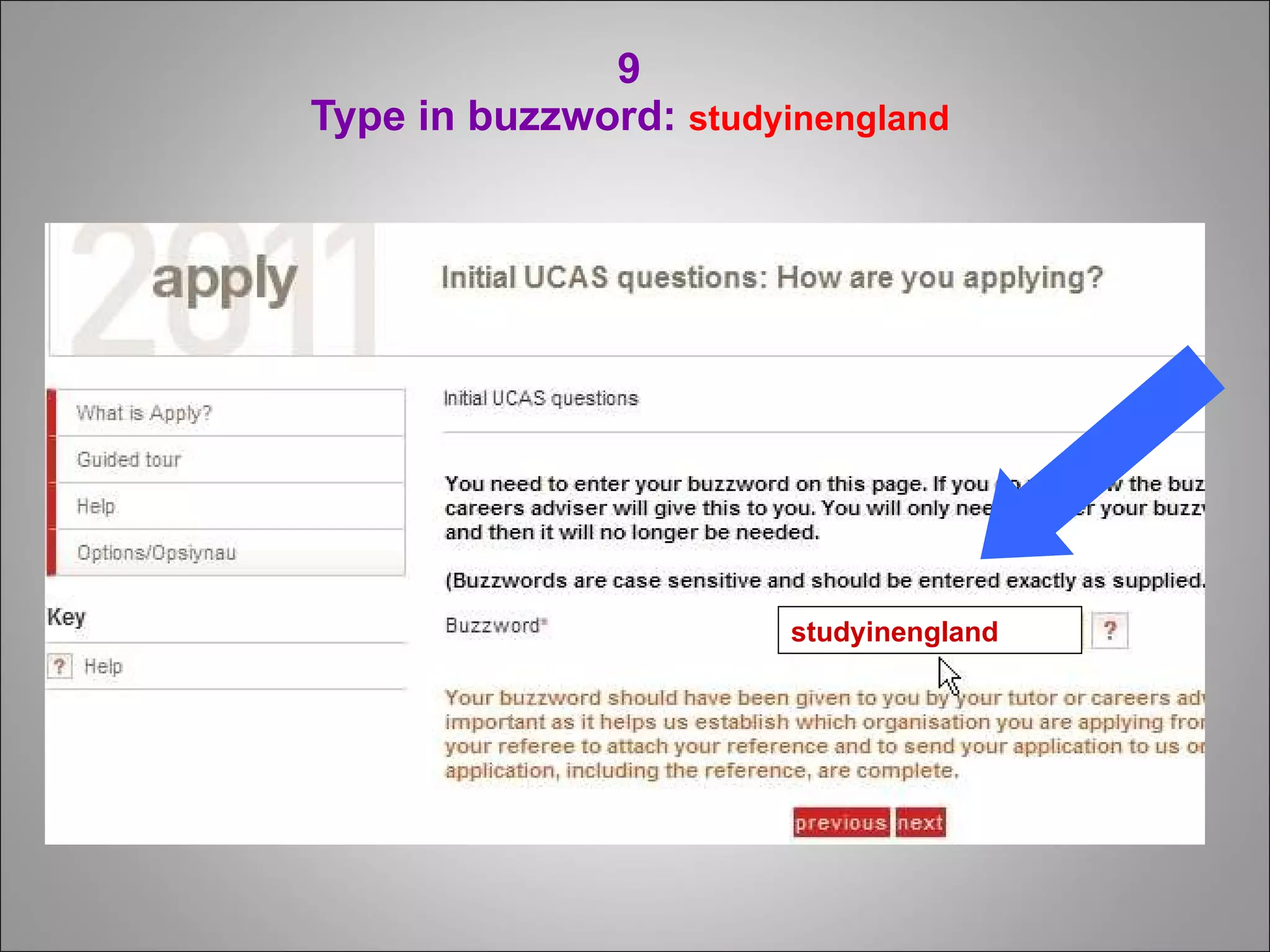
9  Type in buzzword:  studyinengland  studyinengland
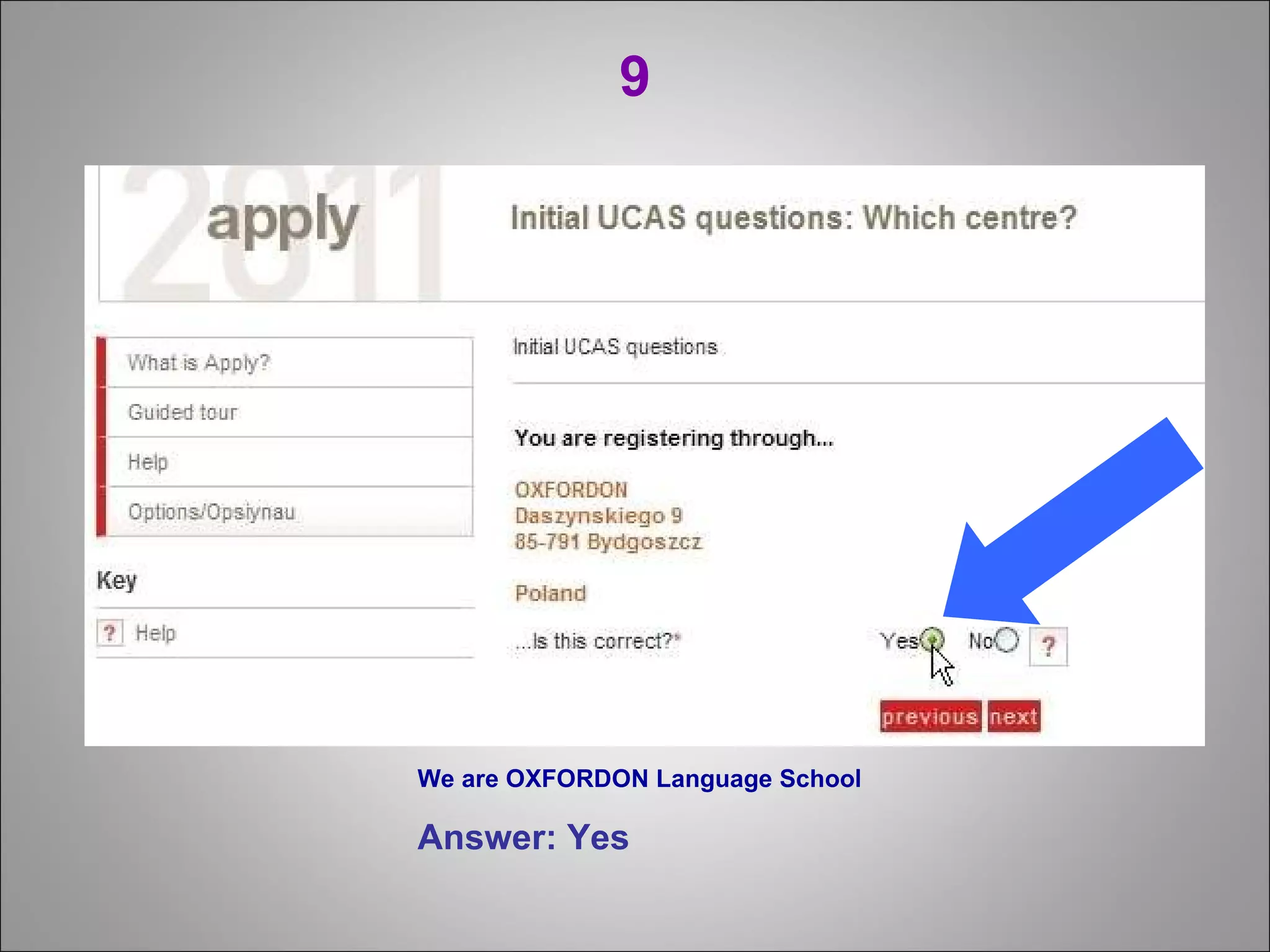
9 We are OXFORDON Language School Answer: Yes
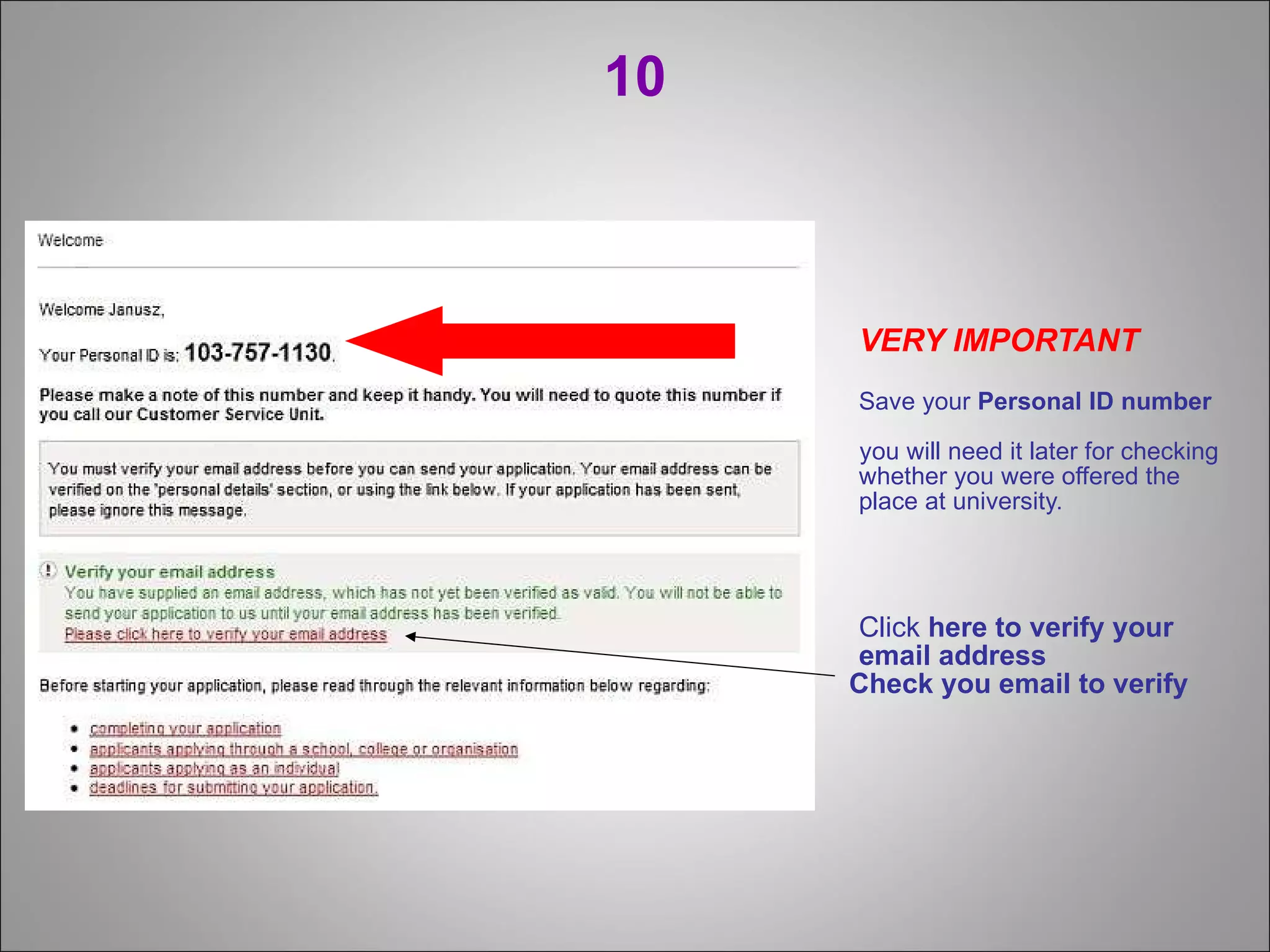
10 VERY IMPORTANT Save your   Personal ID number   you will need it later for checking whether you were offered the place at university. Click  here to verify your email address Check you email to verify
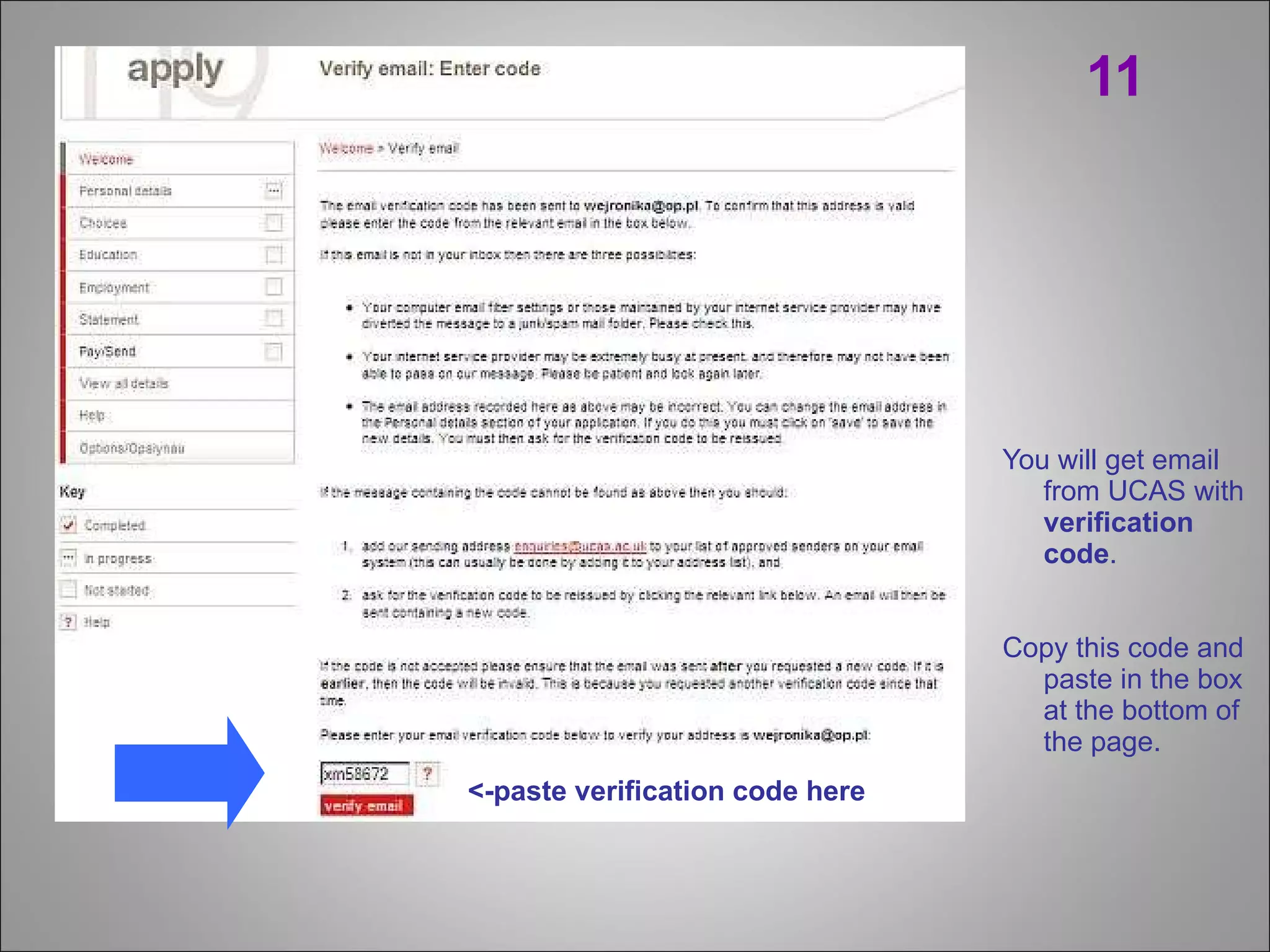
11 You will get email from UCAS with  verification code .  Copy this code and paste in the box at the bottom of the page. <-paste verification code here
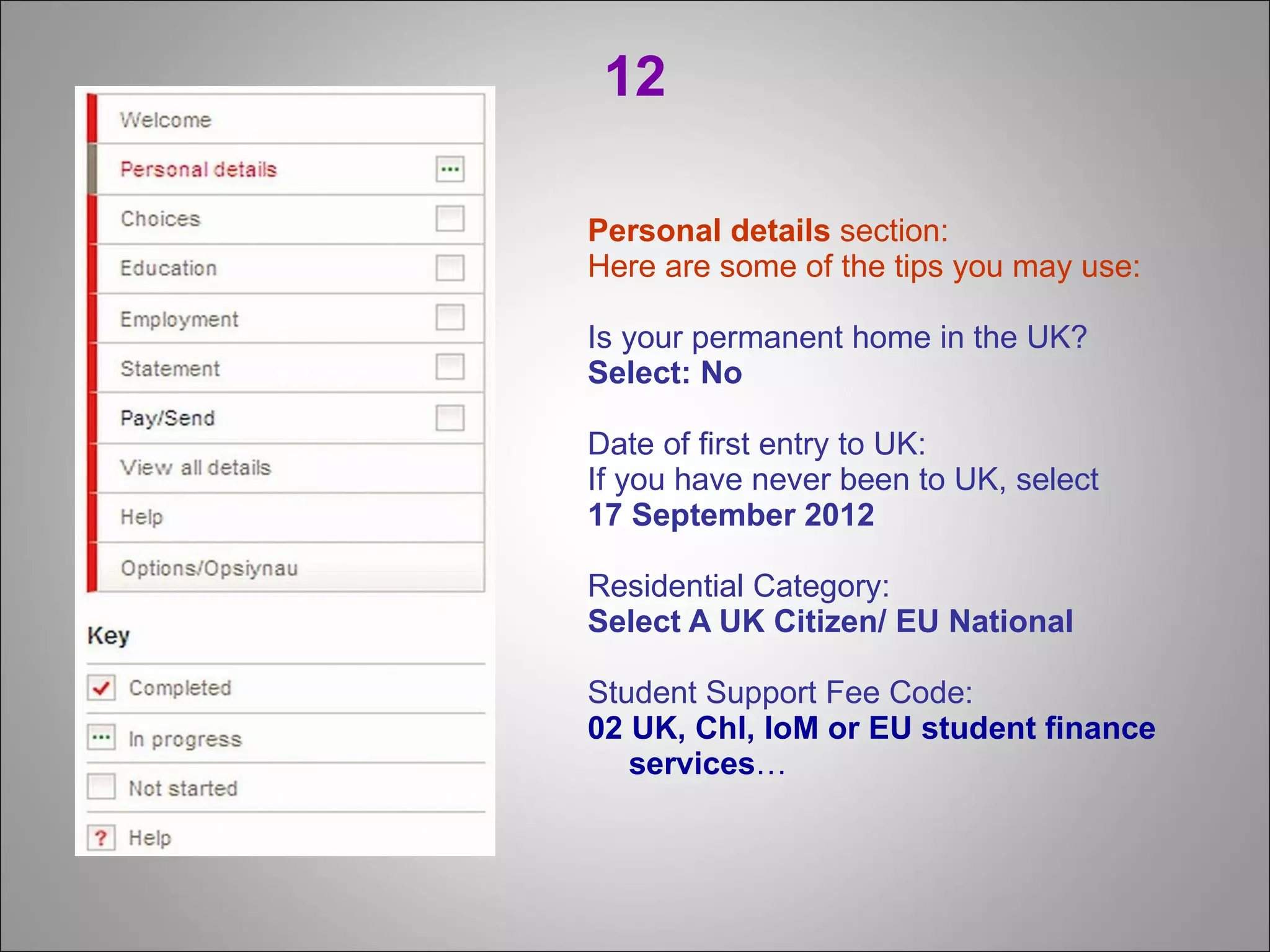
12 Personal details  section: Here are some of the tips you may use: Is your permanent home in the UK? Select:   No   Date of first entry to UK: If you have never been to UK, select  17 September 2012 Residential Category: Select A UK Citizen/ EU National Student Support Fee Code: 02 UK, Chl, IoM or EU student finance services …
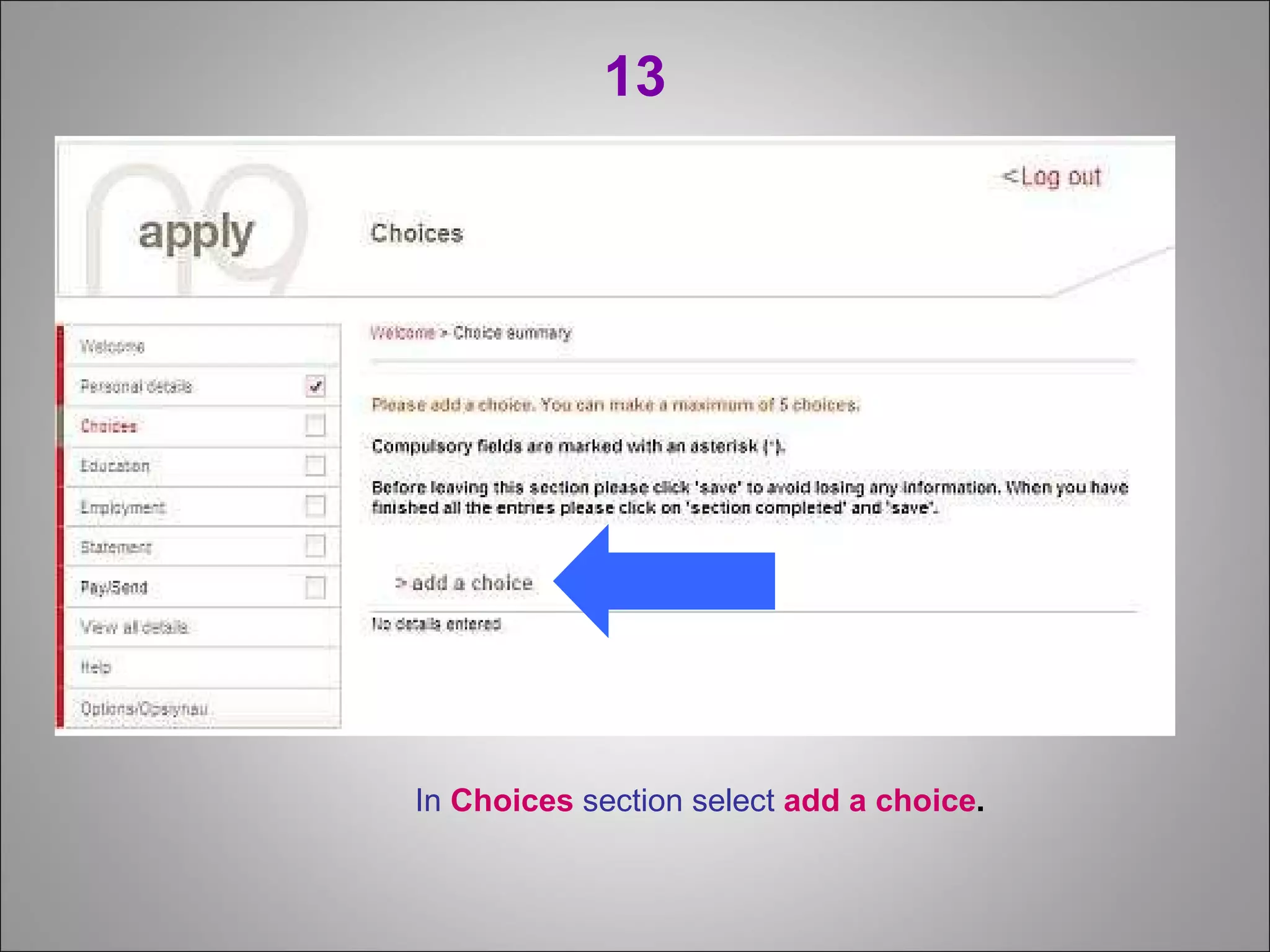
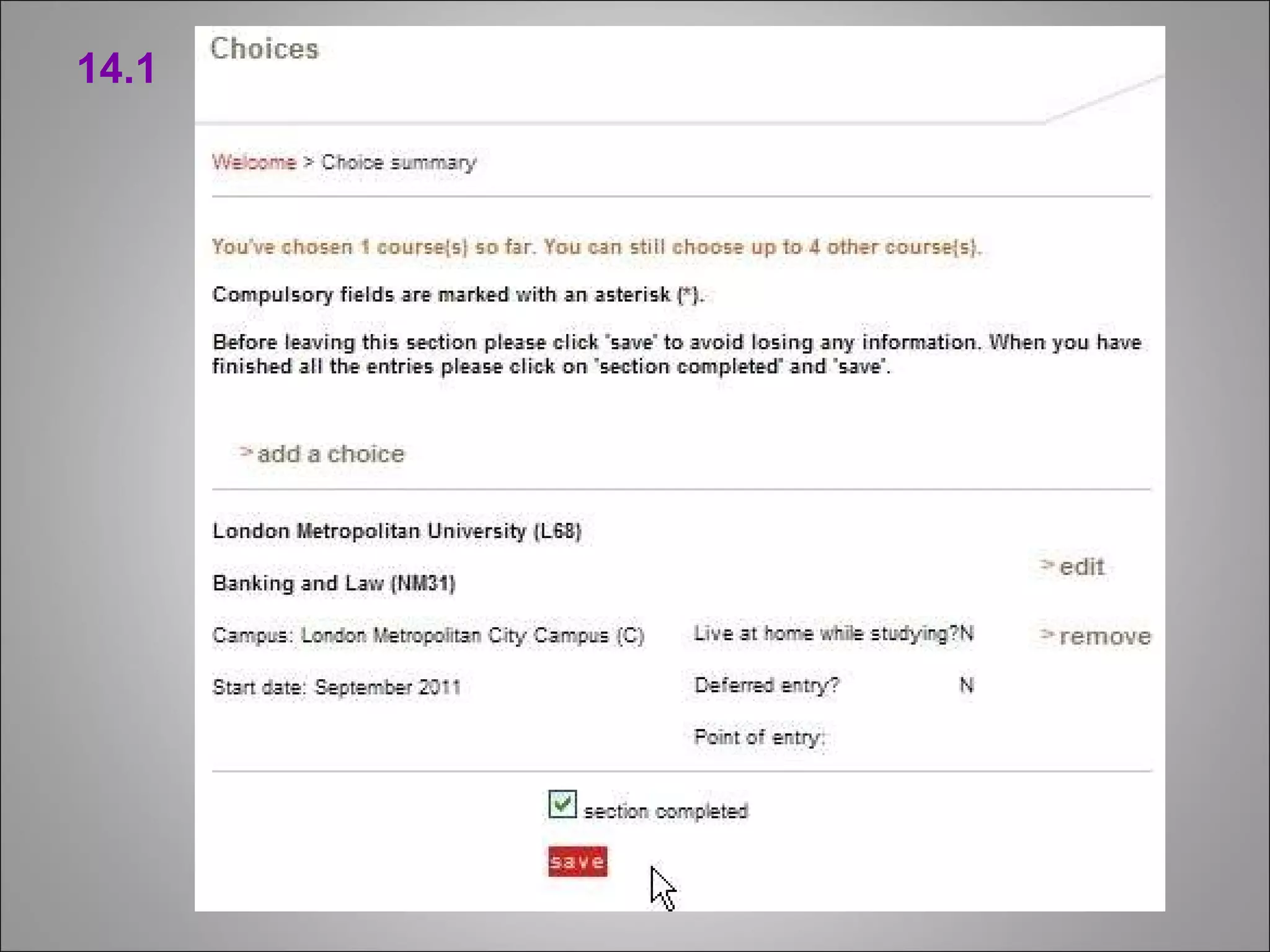
13 In  Choices  section select   add a choice .
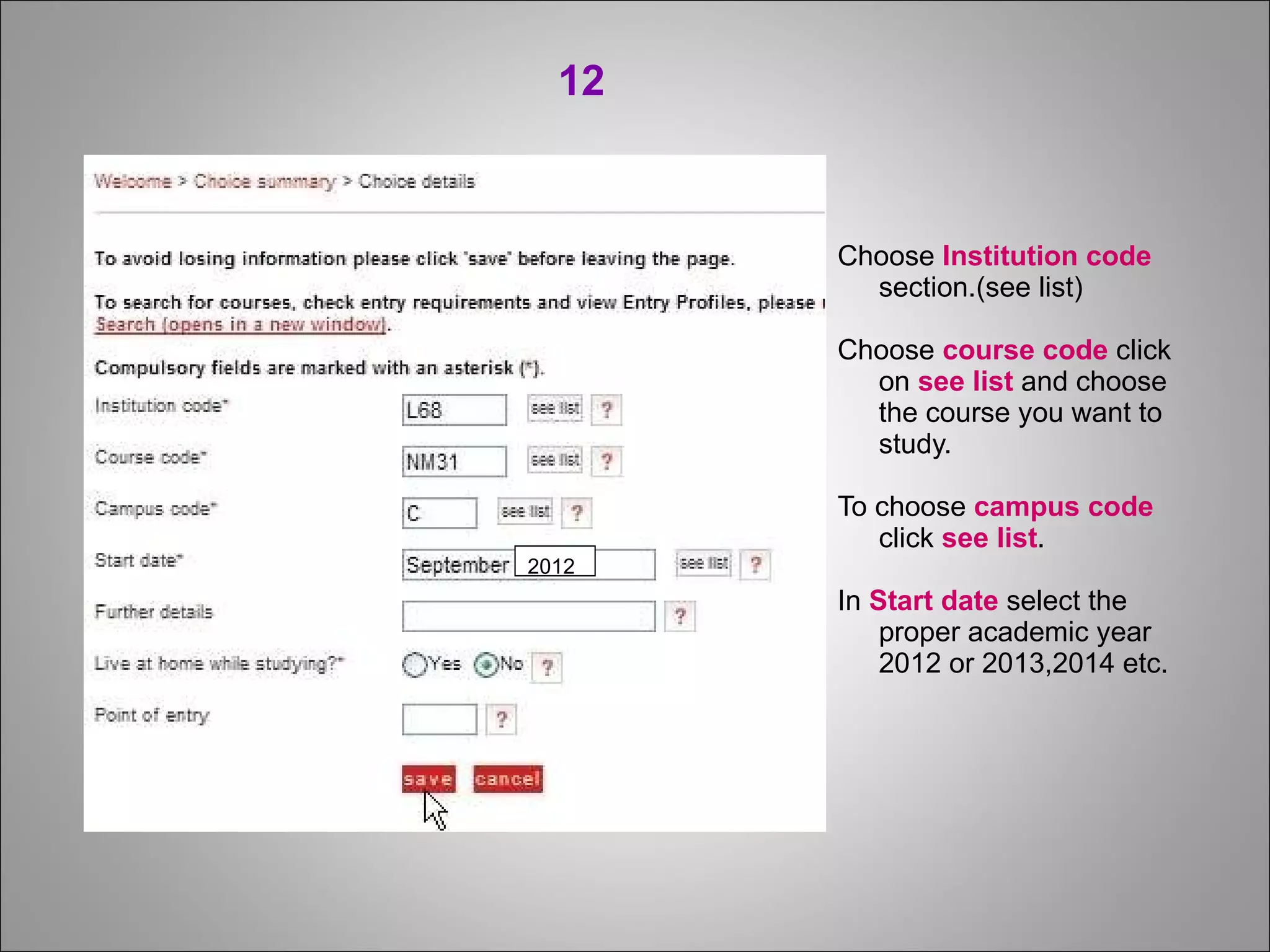
Choose  Institution code  section.(see list)  Choose  course code  click on  see list  and choose the course you want to study. To choose  campus code  click  see list . In  Start date  select the proper academic year 2012 or 2013,2014 etc. 2012 12
14.1
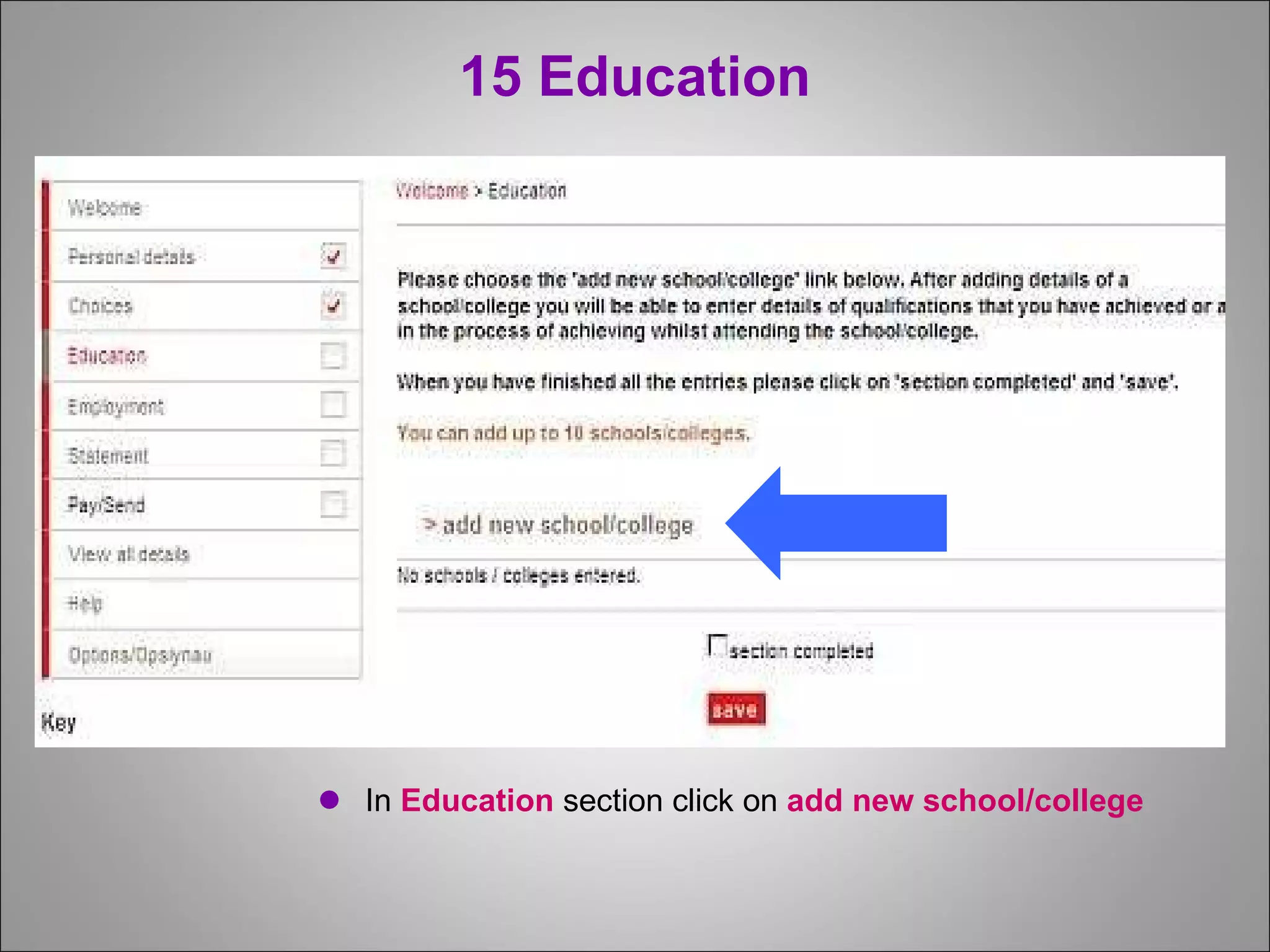
15 Education In  Education  section   click on  add new school/college
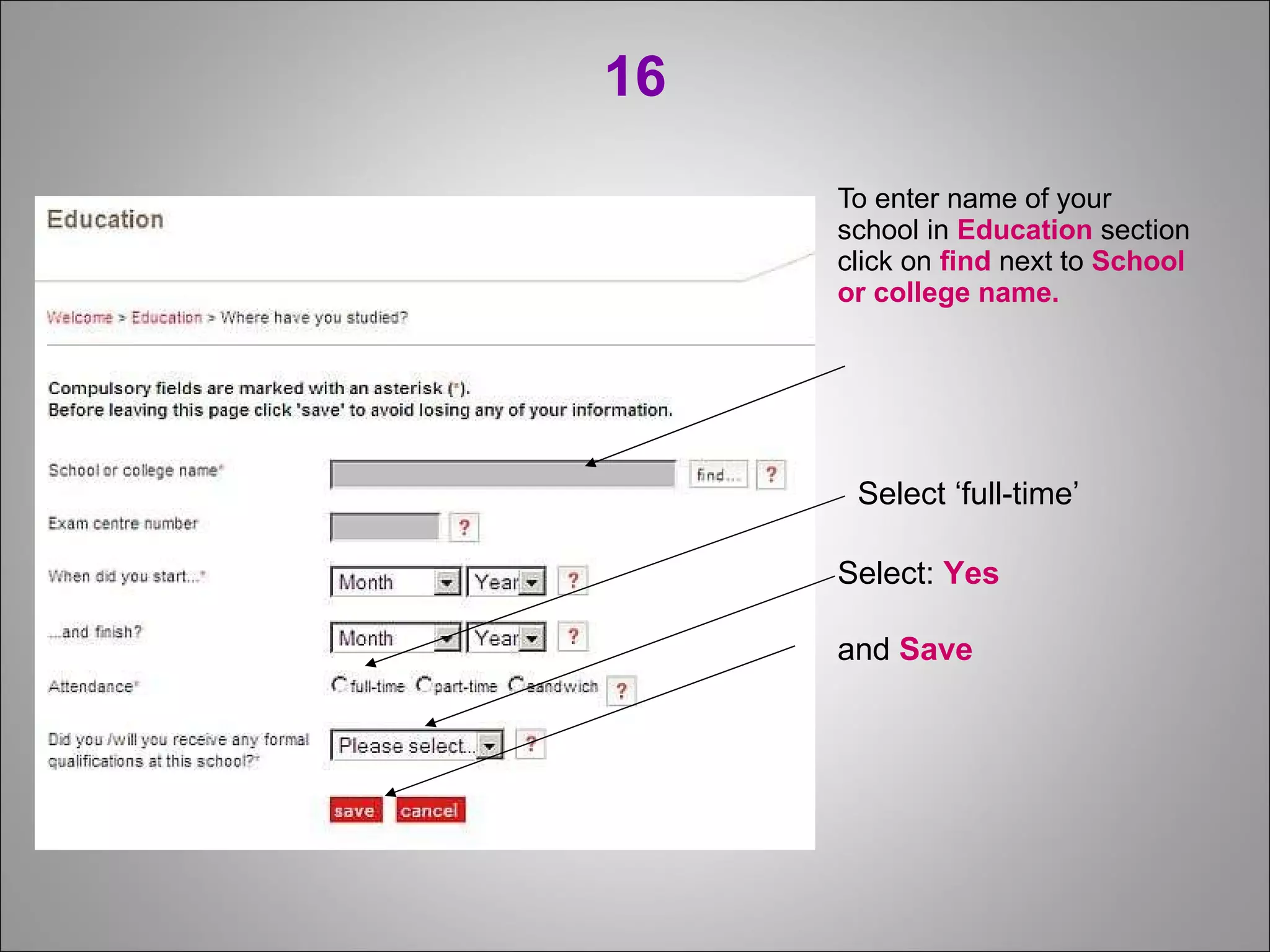
16 To enter name of your  school in  Education  section click on  find  next to  School  or college name. Select ‘full-time’ Select:  Yes  and  Save
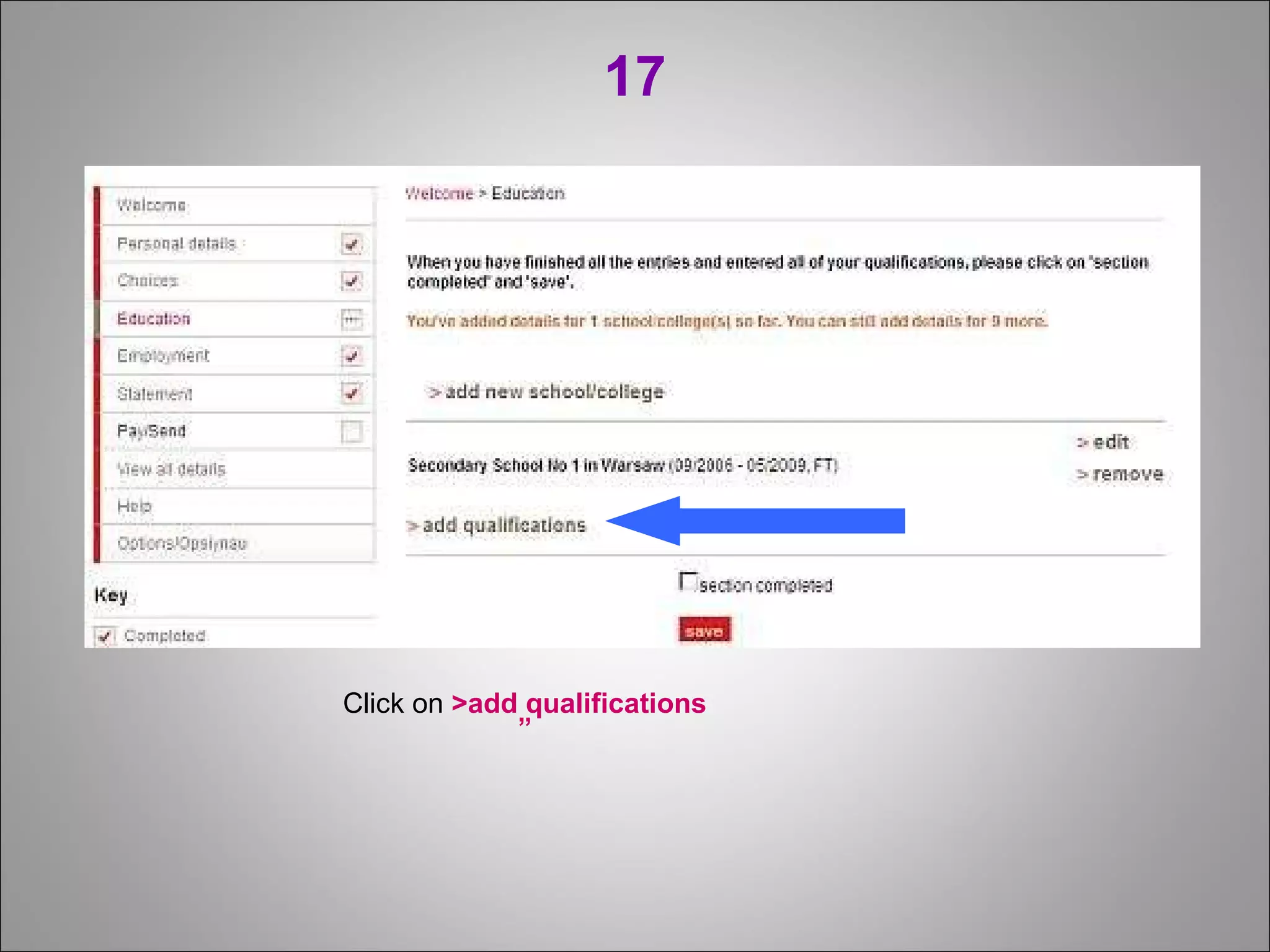
17 Click on  >add qualifications ”
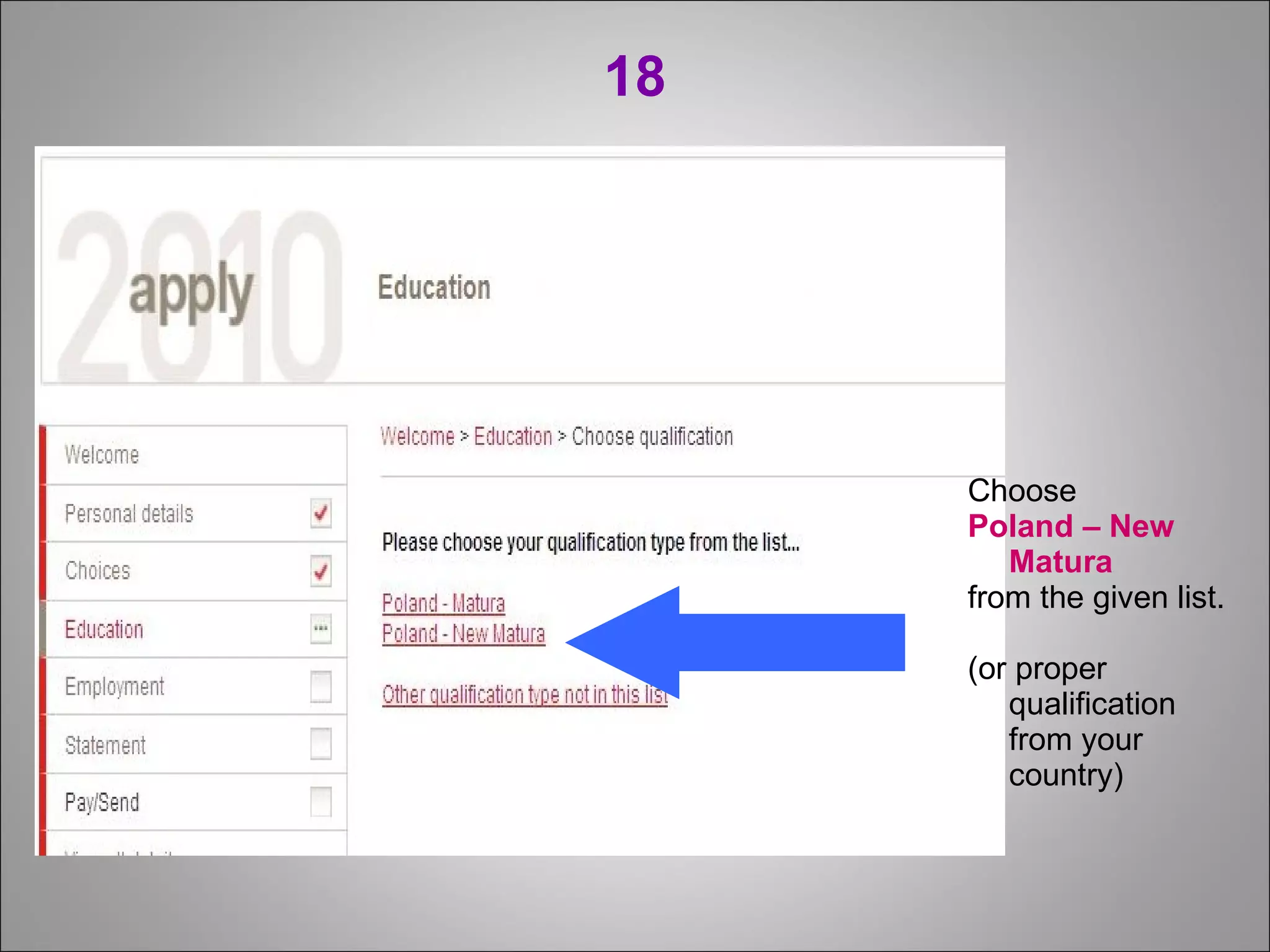
18 Choose  Poland – New Matura from the given list. (or proper qualification from your country)
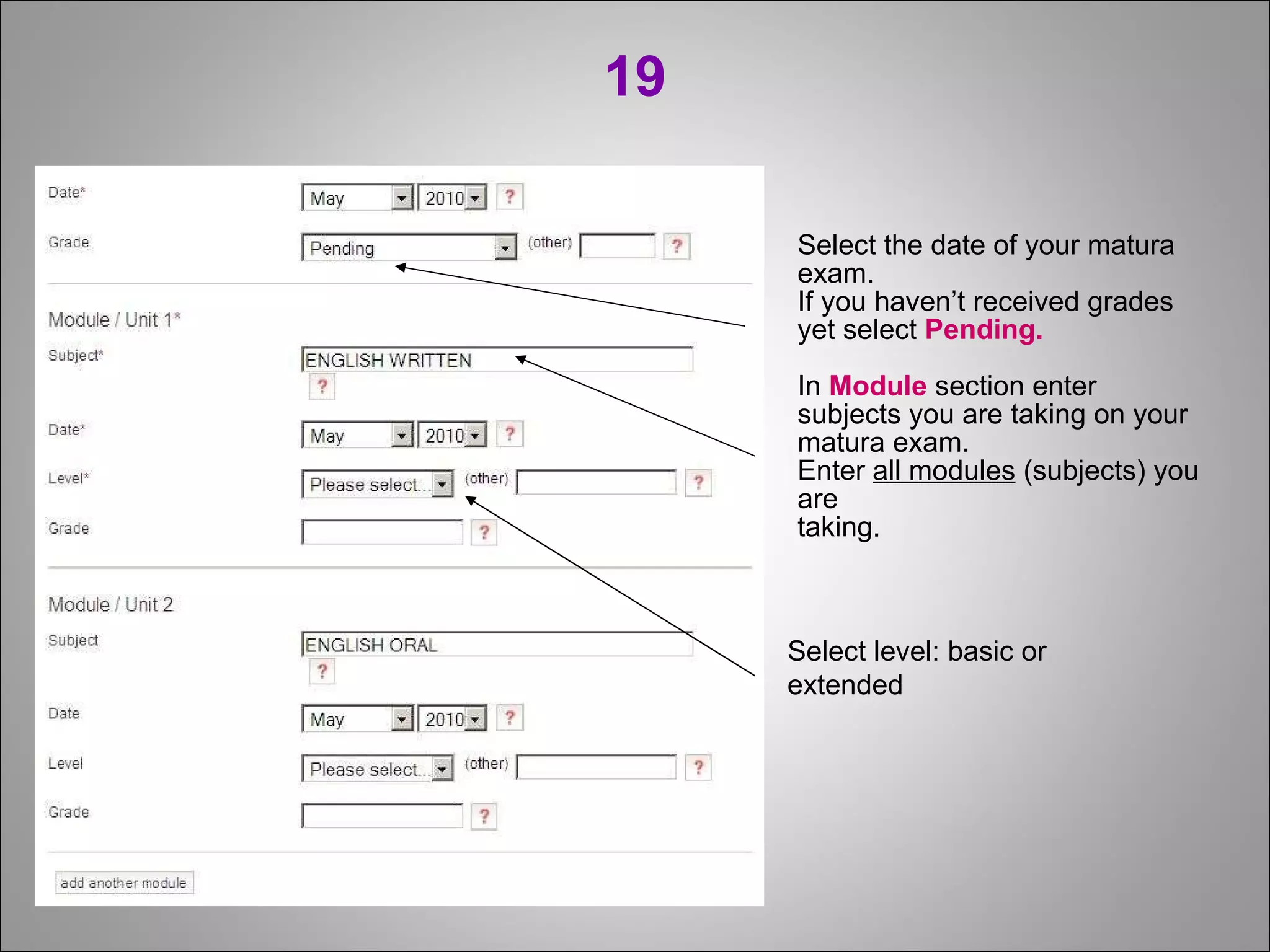
19 Select the date of your matura exam. If you haven’t received grades yet select  Pending. In  Module  section enter subjects you are taking on your matura exam.  Enter  all modules  (subjects) you are taking. Select level: basic or extended
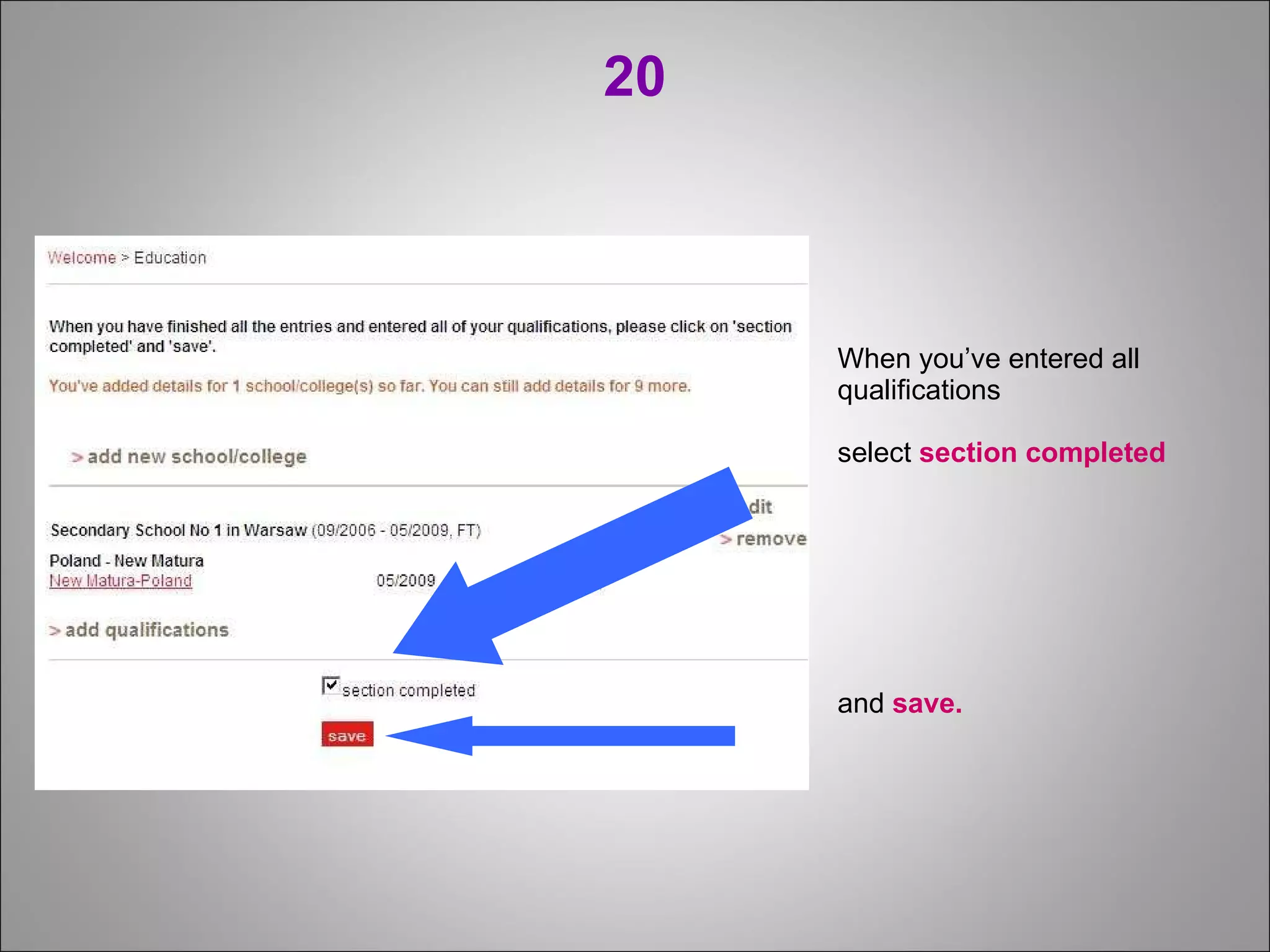
20 When you’ve entered all qualifications  select  section completed   and  save.
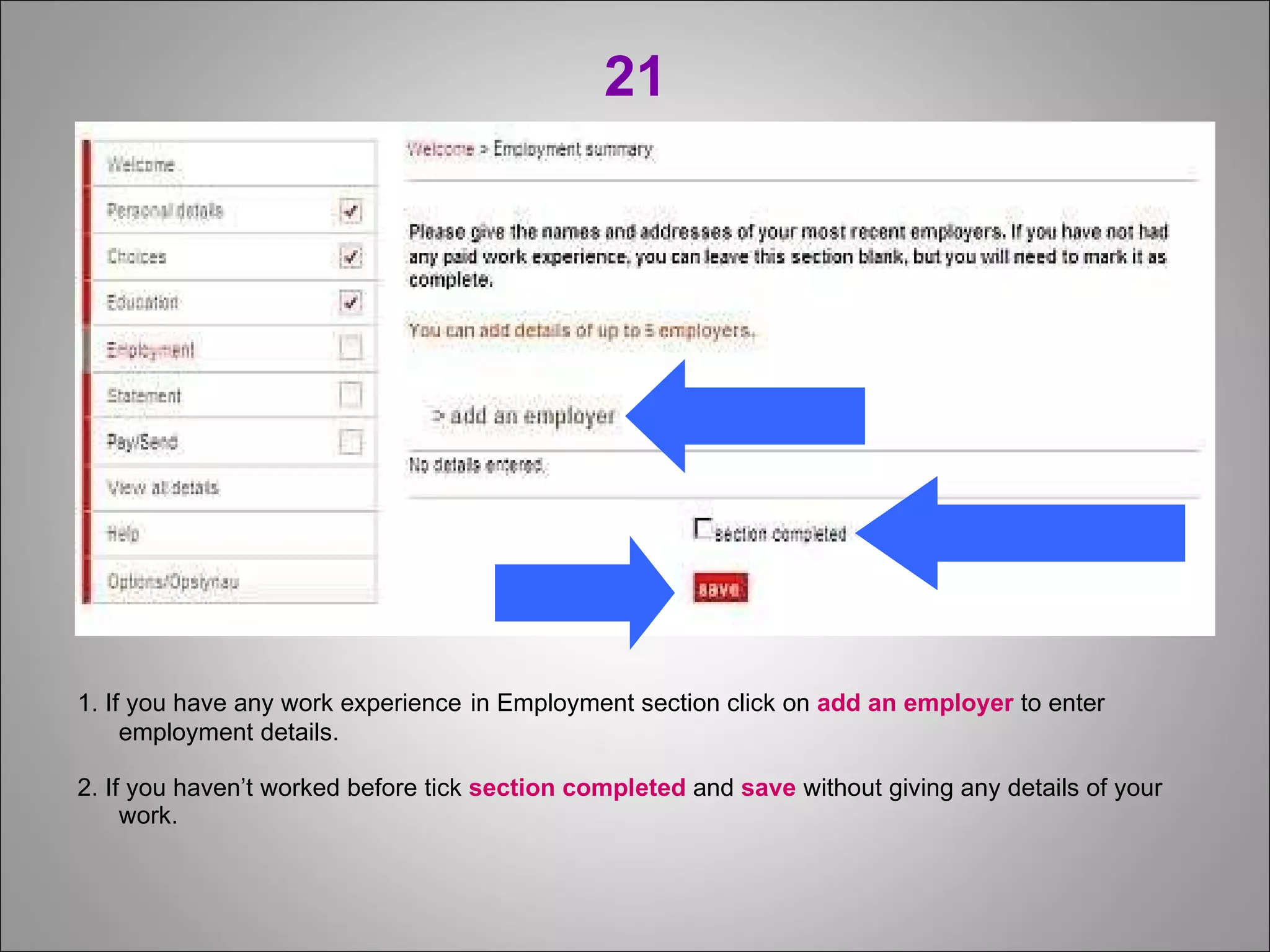
21 1. If you have any work experience   in Employment section click on  add an employer  to enter employment details. 2. If you haven’t worked before tick  section completed  and  save  without giving any details of your work.
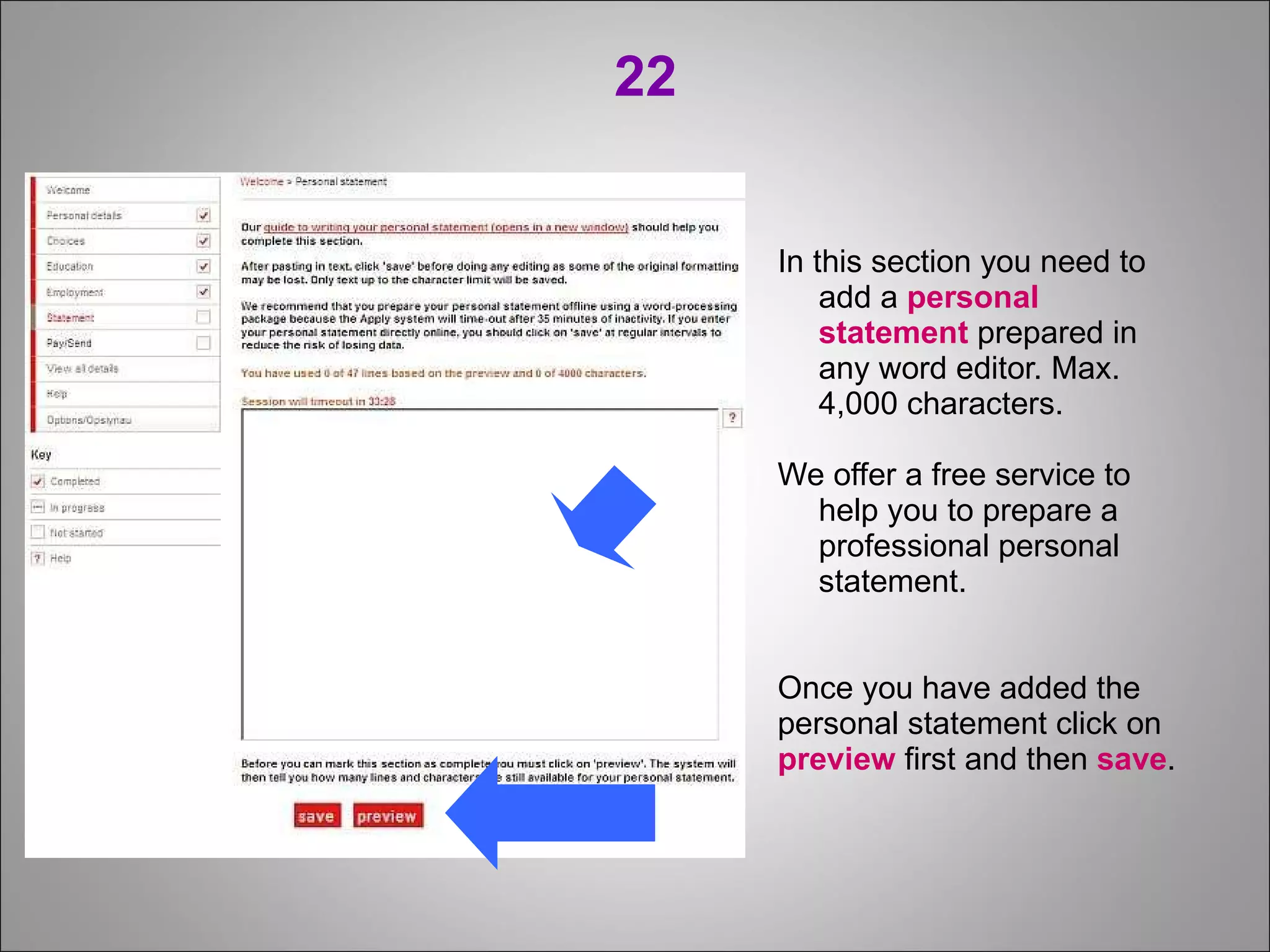
22 In this section you need to add a  personal statement  prepared in any word editor. Max. 4,000 characters. We offer a free service to help you to prepare a professional personal statement. Once you have added the personal statement click on preview  first and then  save .
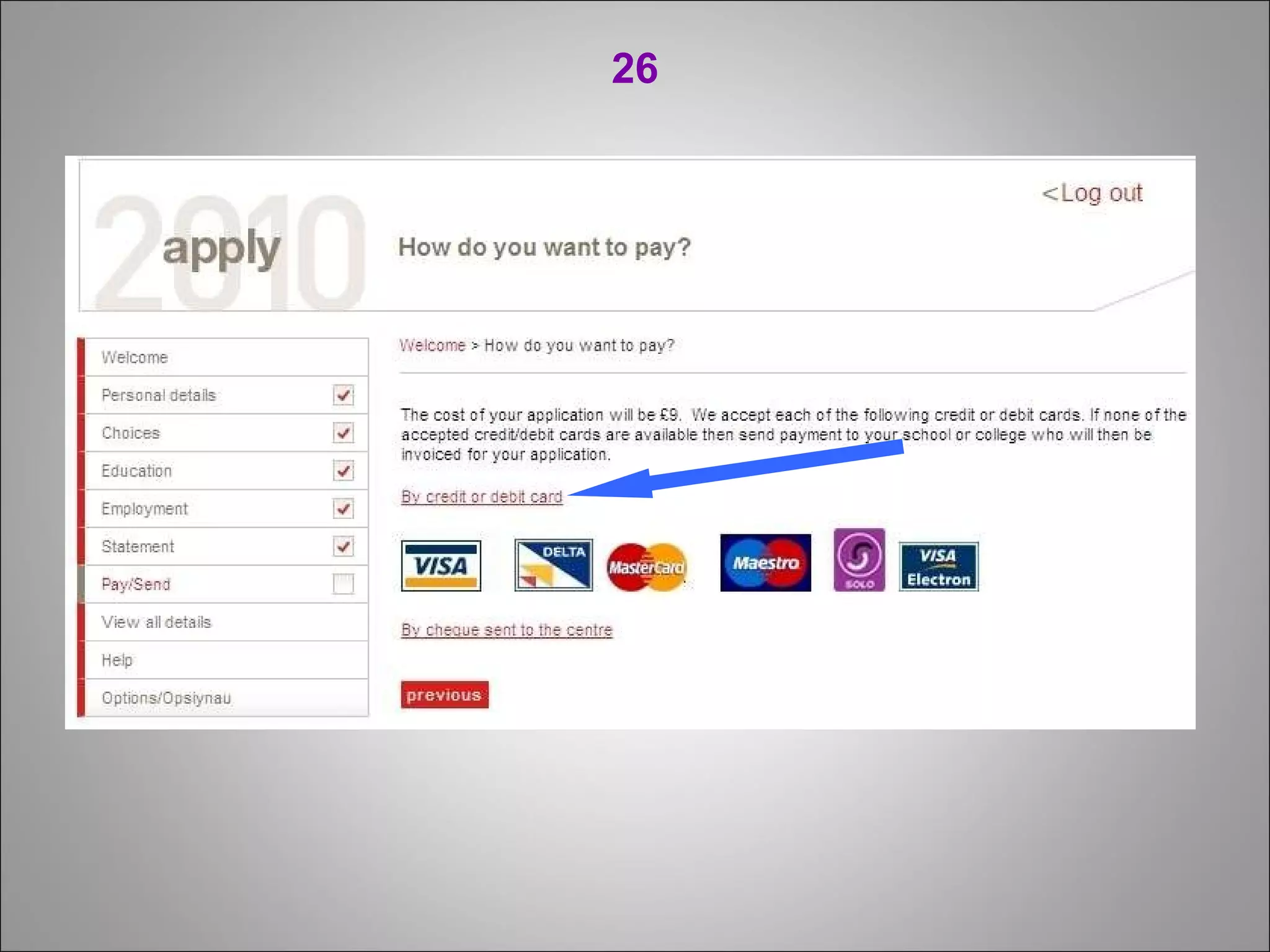
23 WARNING! Before making a UCAS payment please send us an email at: [email_address] , informing us that your application is ready. We will check if your application is OK, mostly your Personal Statement. Once you pay UCAS, there is no option to edit! ------------------------------------------------------------- The UCAS fee is £11 (for a single ourse/university   choice) or £22 (for up to 5 courses/universities). You can only pay with a Visa/VisaElectron (with   allowed Internet transactions)/MasterCard credit    cards.
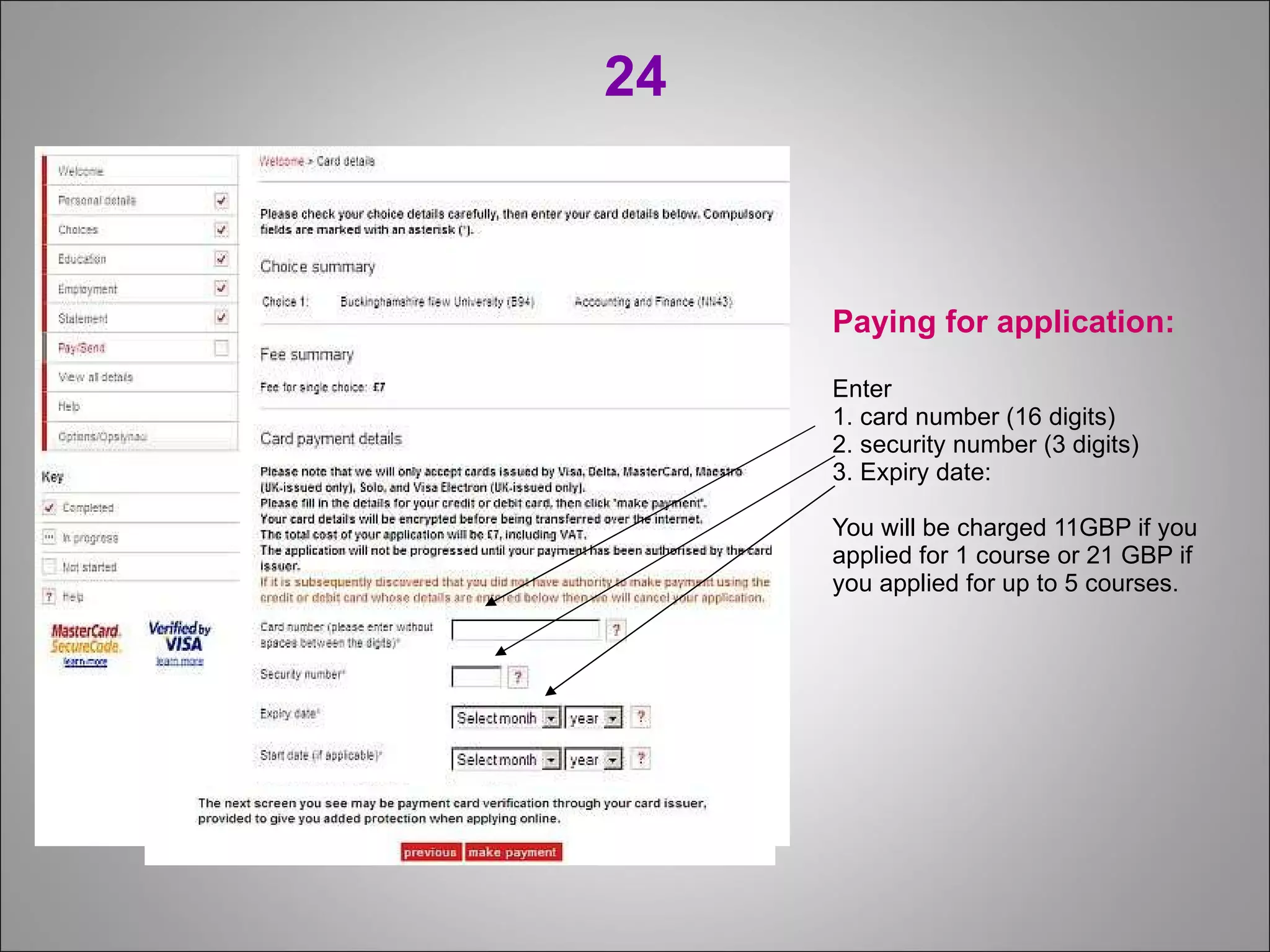
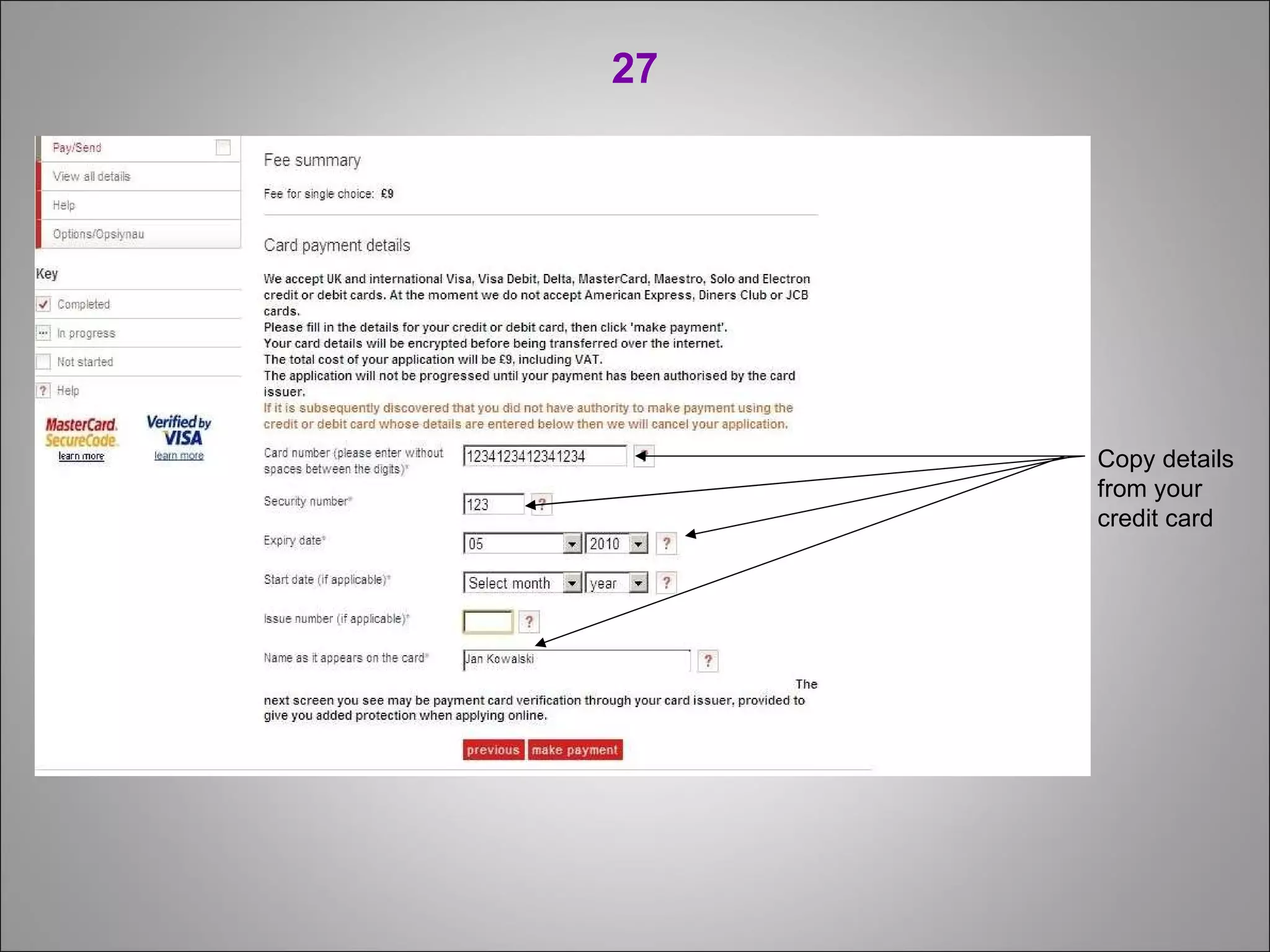
24 Paying for application: Enter  1. card number (16 digits) 2. security number (3 digits) 3. Expiry date: You will be charged 11GBP if you applied for 1 course or 21 GBP if you applied for up to 5 courses.
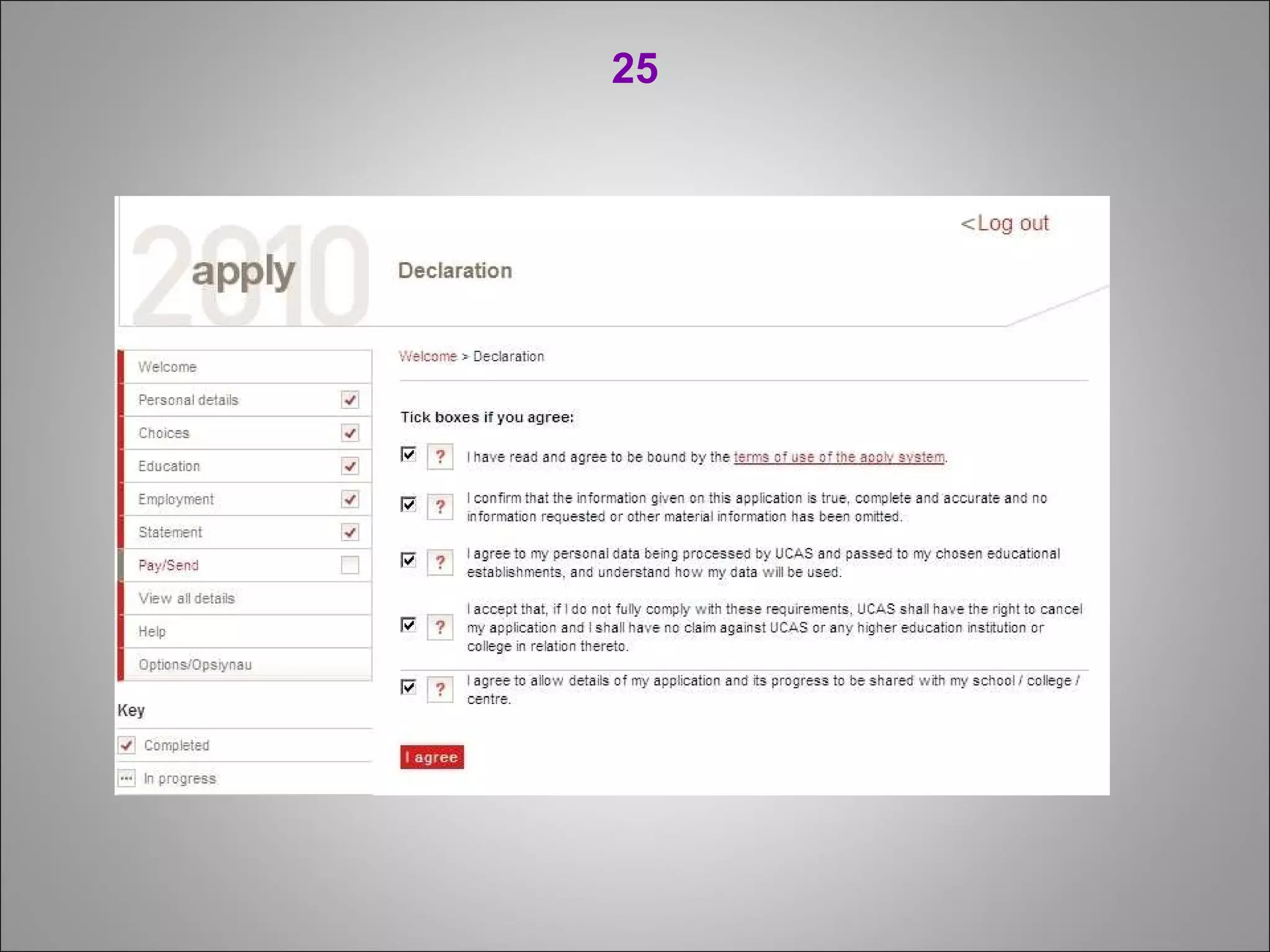
25
26
27 Copy details from your credit card
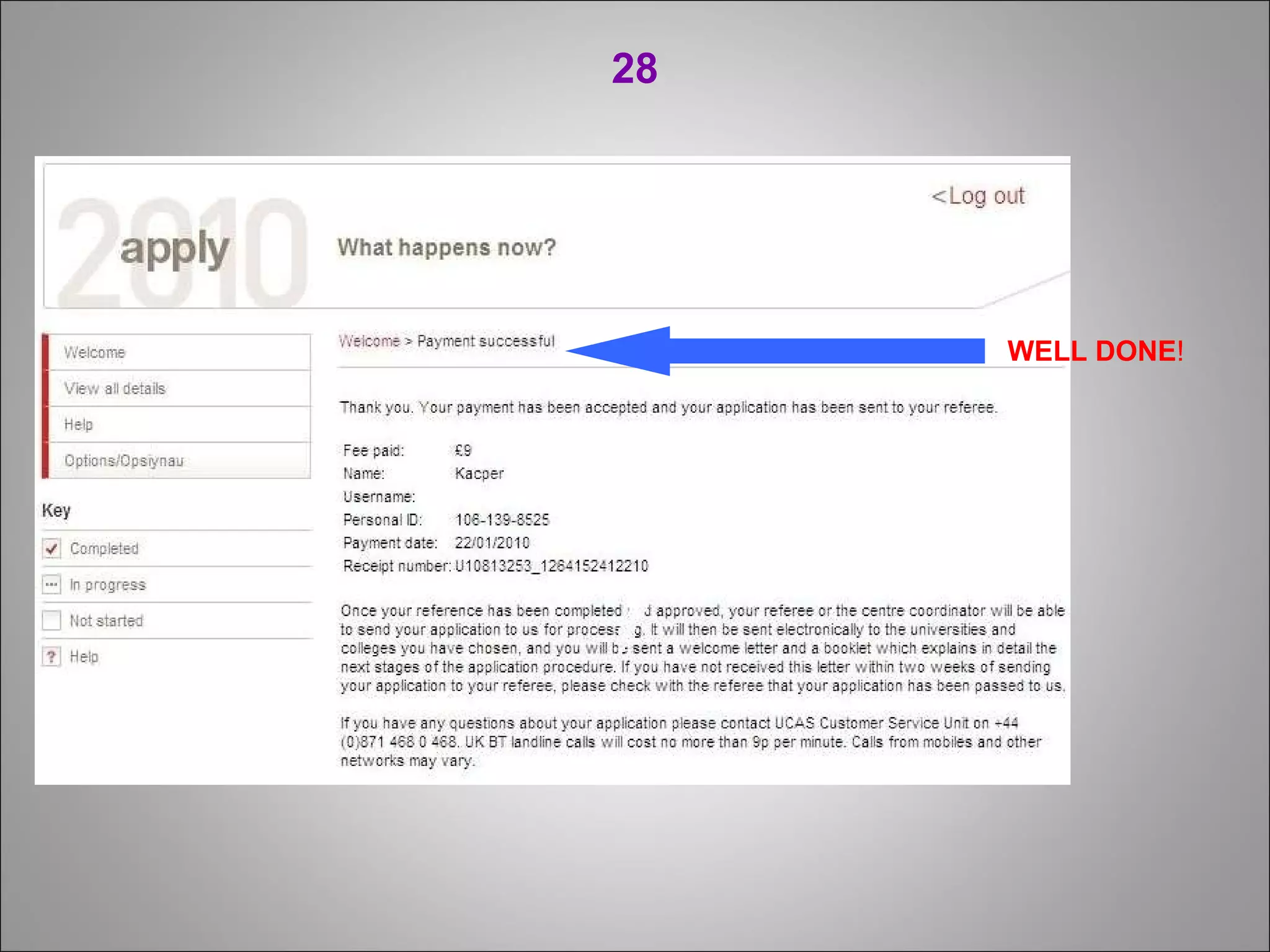
28 WELL   DONE !
www.st udyengland.info

How to fill out a UCAS application?

  • 1.
    How to fillout the UCAS form?
  • 2.
    Watch this presentation in FULL SCREEN MODE to see all details  Full Screen
  • 3.
    Go to: www.ucas.com / students / apply / 1
  • 4.
    2 Click on: Register
  • 5.
    If you areregistering in UCAS for the first time select: I have neither of the above 3
  • 6.
    4 If youare not UK citizen, select: Non UK/International .
  • 7.
    5 After typingin your postal address give your telephone and mobile number, and email address. When typing your telephone and mobile number don’t forget to give dialing code for your country and region .
  • 8.
    6 Type inyour password and answers to security questions. Remember them , you will need them next time you log in.
  • 9.
    7 Make anote of your username – you will need it later to log in.
  • 10.
    8 Select :Through another organization . Click: next
  • 11.
    9 Typein buzzword: studyinengland studyinengland
  • 12.
    9 We areOXFORDON Language School Answer: Yes
  • 13.
    10 VERY IMPORTANTSave your Personal ID number you will need it later for checking whether you were offered the place at university. Click here to verify your email address Check you email to verify
  • 14.
    11 You willget email from UCAS with verification code . Copy this code and paste in the box at the bottom of the page. <-paste verification code here
  • 15.
    12 Personal details section: Here are some of the tips you may use: Is your permanent home in the UK? Select: No Date of first entry to UK: If you have never been to UK, select 17 September 2012 Residential Category: Select A UK Citizen/ EU National Student Support Fee Code: 02 UK, Chl, IoM or EU student finance services …
  • 16.
    13 In Choices section select add a choice .
  • 17.
    Choose Institutioncode section.(see list) Choose course code click on see list and choose the course you want to study. To choose campus code click see list . In Start date select the proper academic year 2012 or 2013,2014 etc. 2012 12
  • 18.
  • 19.
    15 Education In Education section click on add new school/college
  • 20.
    16 To entername of your school in Education section click on find next to School or college name. Select ‘full-time’ Select: Yes and Save
  • 21.
    17 Click on >add qualifications ”
  • 22.
    18 Choose Poland – New Matura from the given list. (or proper qualification from your country)
  • 23.
    19 Select thedate of your matura exam. If you haven’t received grades yet select Pending. In Module section enter subjects you are taking on your matura exam. Enter all modules (subjects) you are taking. Select level: basic or extended
  • 24.
    20 When you’veentered all qualifications select section completed and save.
  • 25.
    21 1. Ifyou have any work experience in Employment section click on add an employer to enter employment details. 2. If you haven’t worked before tick section completed and save without giving any details of your work.
  • 26.
    22 In thissection you need to add a personal statement prepared in any word editor. Max. 4,000 characters. We offer a free service to help you to prepare a professional personal statement. Once you have added the personal statement click on preview first and then save .
  • 27.
    23 WARNING! Beforemaking a UCAS payment please send us an email at: [email_address] , informing us that your application is ready. We will check if your application is OK, mostly your Personal Statement. Once you pay UCAS, there is no option to edit! ------------------------------------------------------------- The UCAS fee is £11 (for a single ourse/university choice) or £22 (for up to 5 courses/universities). You can only pay with a Visa/VisaElectron (with allowed Internet transactions)/MasterCard credit cards.
  • 28.
    24 Paying forapplication: Enter 1. card number (16 digits) 2. security number (3 digits) 3. Expiry date: You will be charged 11GBP if you applied for 1 course or 21 GBP if you applied for up to 5 courses.
  • 29.
  • 30.
  • 31.
    27 Copy detailsfrom your credit card
  • 32.
    28 WELL DONE !
  • 33.