
Android and REST


Roman Woźniak
Roman Woźniak
SignlApps, Lead Android Developer


  roman@signlapps.com
  @wozniakr
Agenda

• REST – what is it?
• REST – how to use it
• HTTP communication on Android
• Libraries to write apps faster
• HTTP communication and databases
REST


          REST


imgsrc: https://sites.google.com/site/sleepasandroid/
REST – what is it?


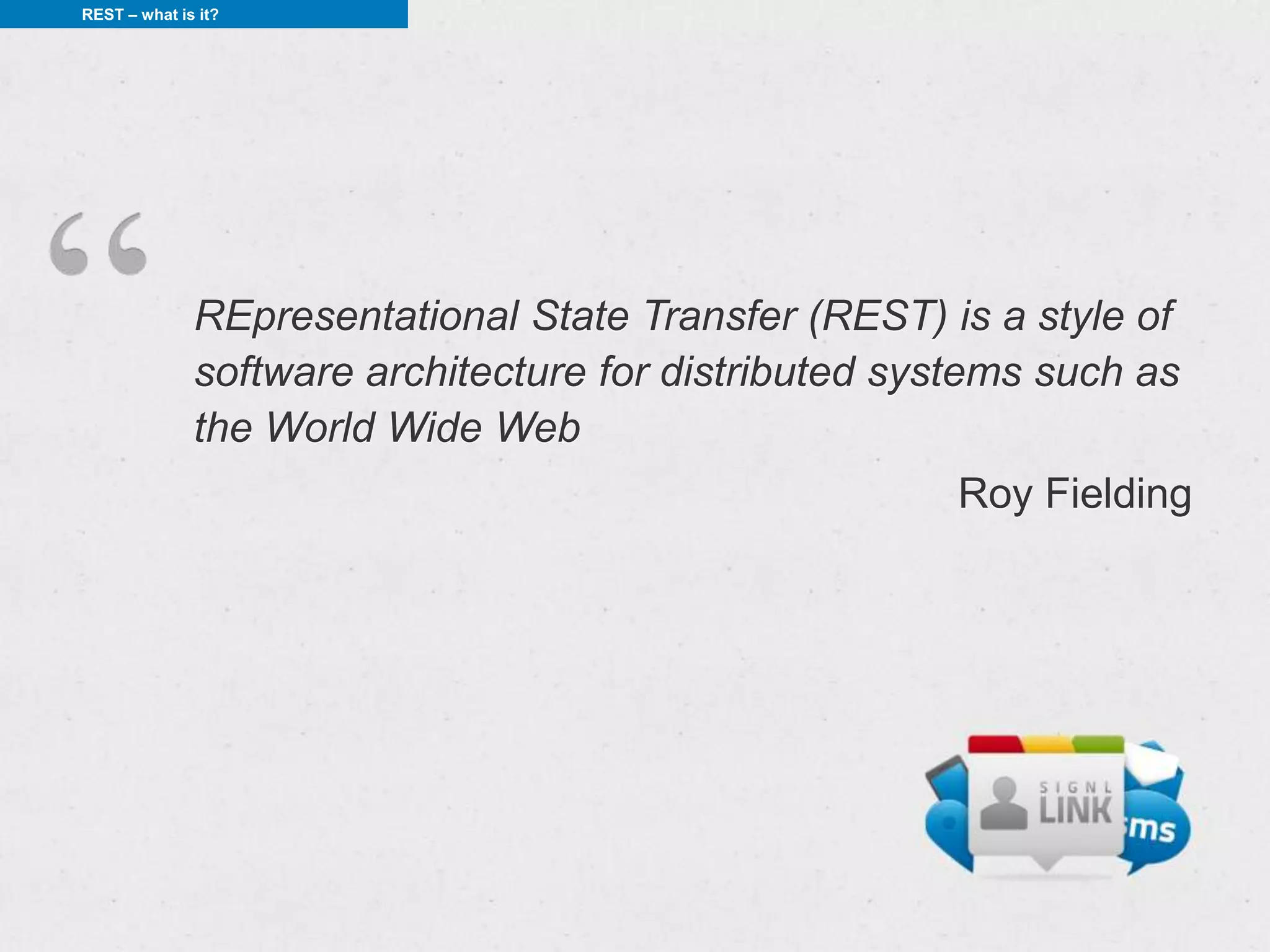
              REpresentational State Transfer (REST) is a style of
              software architecture for distributed systems such as
              the World Wide Web
                                                       Roy Fielding
REST – what is it?


RESTful service features


• client-server architecture
• stateless
• resposne caching
• layered system
• uniform interface
REST – what is it?


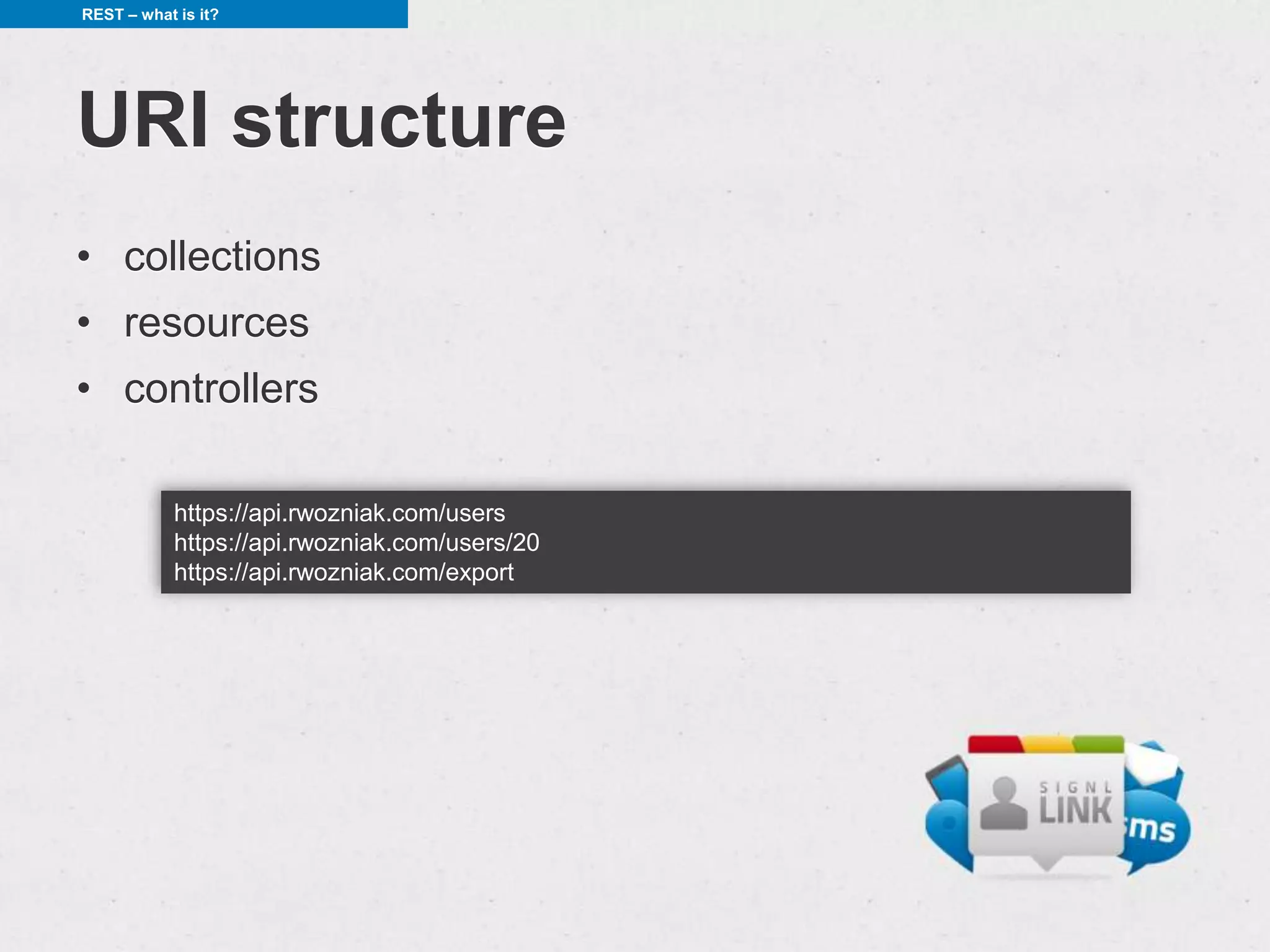
URI structure
• collections
• resources
• controllers

            https://api.rwozniak.com/users
            https://api.rwozniak.com/users/20
            https://api.rwozniak.com/export
REST – what is it?


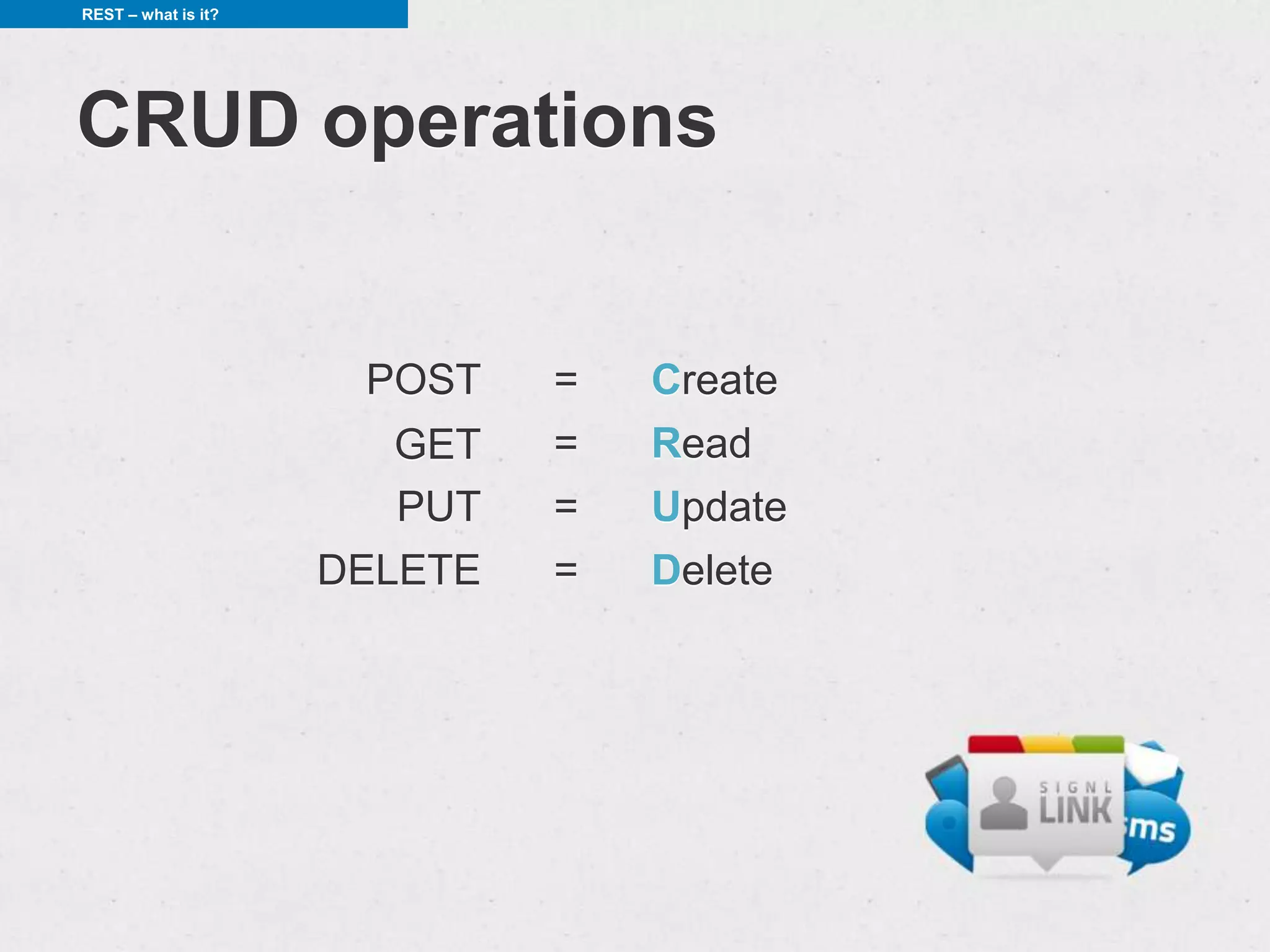
CRUD operations


                      POST    =   Create
                        GET   =   Read
                        PUT   =   Update
                     DELETE   =   Delete
REST – what is it?


Create

       $ curl -v -X POST -d "..." https://api.rwozniak.com/users

       > POST /users HTTP/1.1
       >
       < HTTP/1.1 201 Created
       < Location /users/113
       < Content-Length: 57
       < Content-Type: application/json
       <
       [{"id":113,"firstname":"John","lastname":"Doe","age":31}]
REST – what is it?


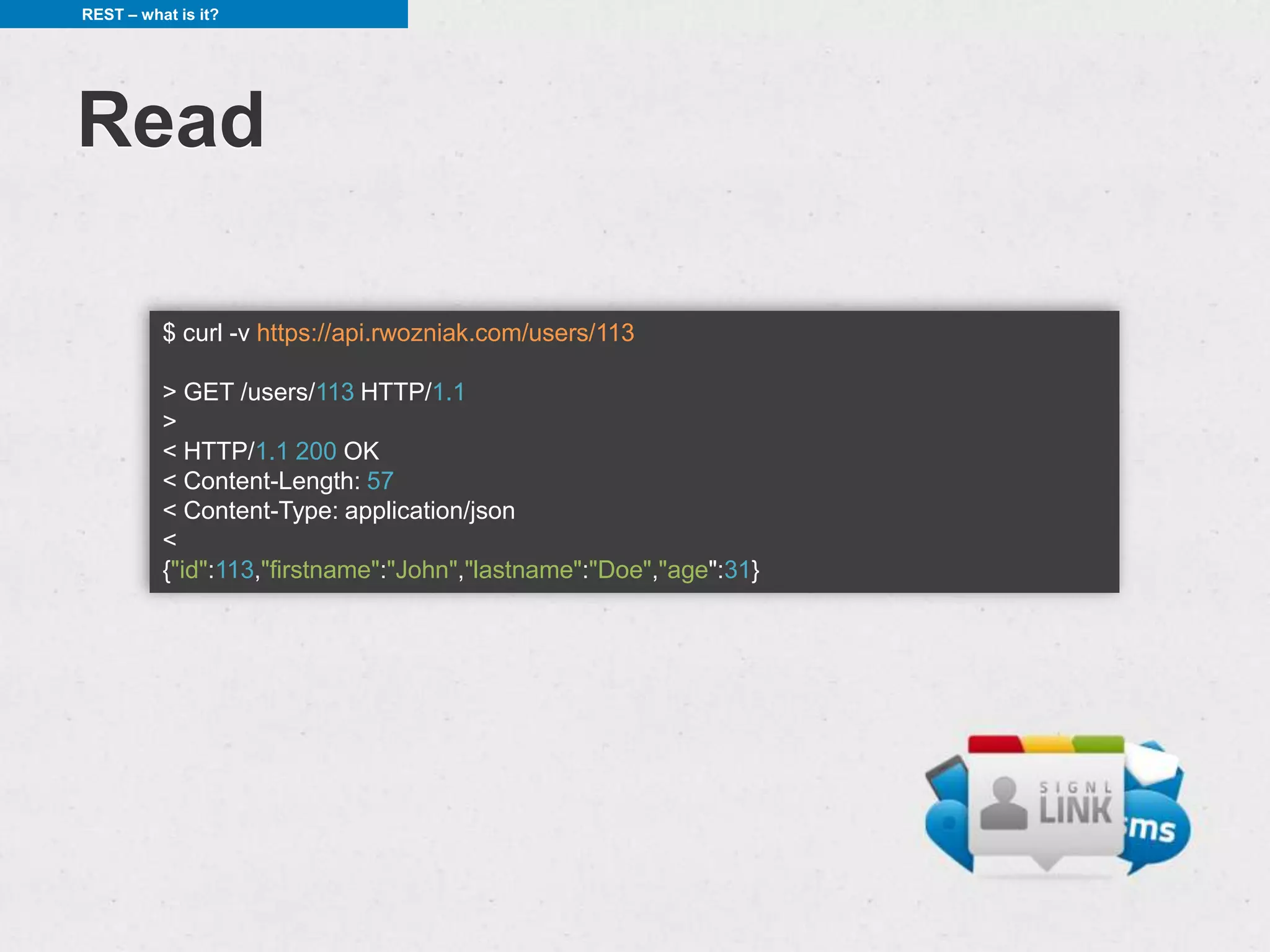
Read

          $ curl -v https://api.rwozniak.com/users/113

          > GET /users/113 HTTP/1.1
          >
          < HTTP/1.1 200 OK
          < Content-Length: 57
          < Content-Type: application/json
          <
          {"id":113,"firstname":"John","lastname":"Doe","age":31}
REST – what is it?


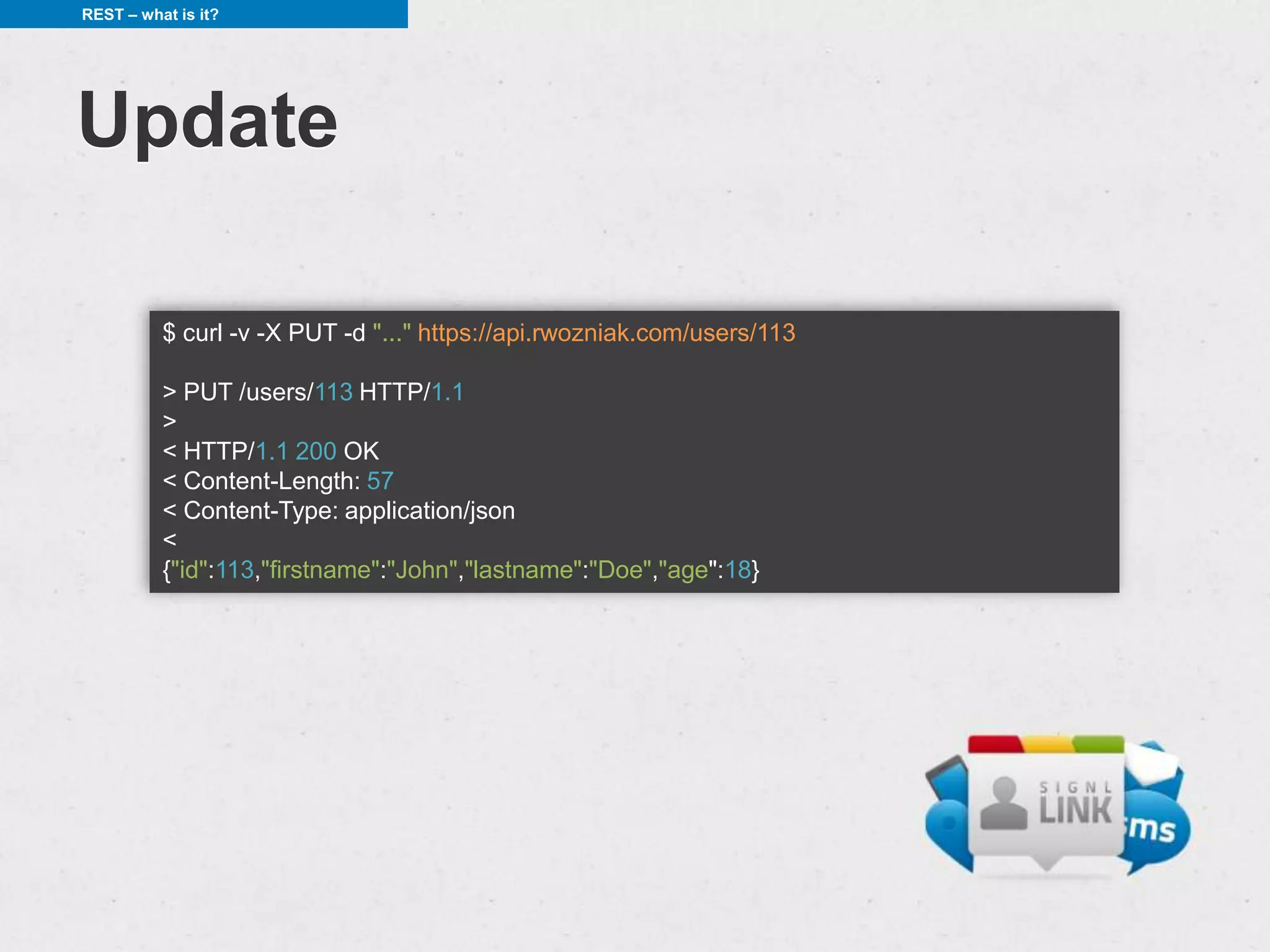
Update

          $ curl -v -X PUT -d "..." https://api.rwozniak.com/users/113

          > PUT /users/113 HTTP/1.1
          >
          < HTTP/1.1 200 OK
          < Content-Length: 57
          < Content-Type: application/json
          <
          {"id":113,"firstname":"John","lastname":"Doe","age":18}
REST – what is it?


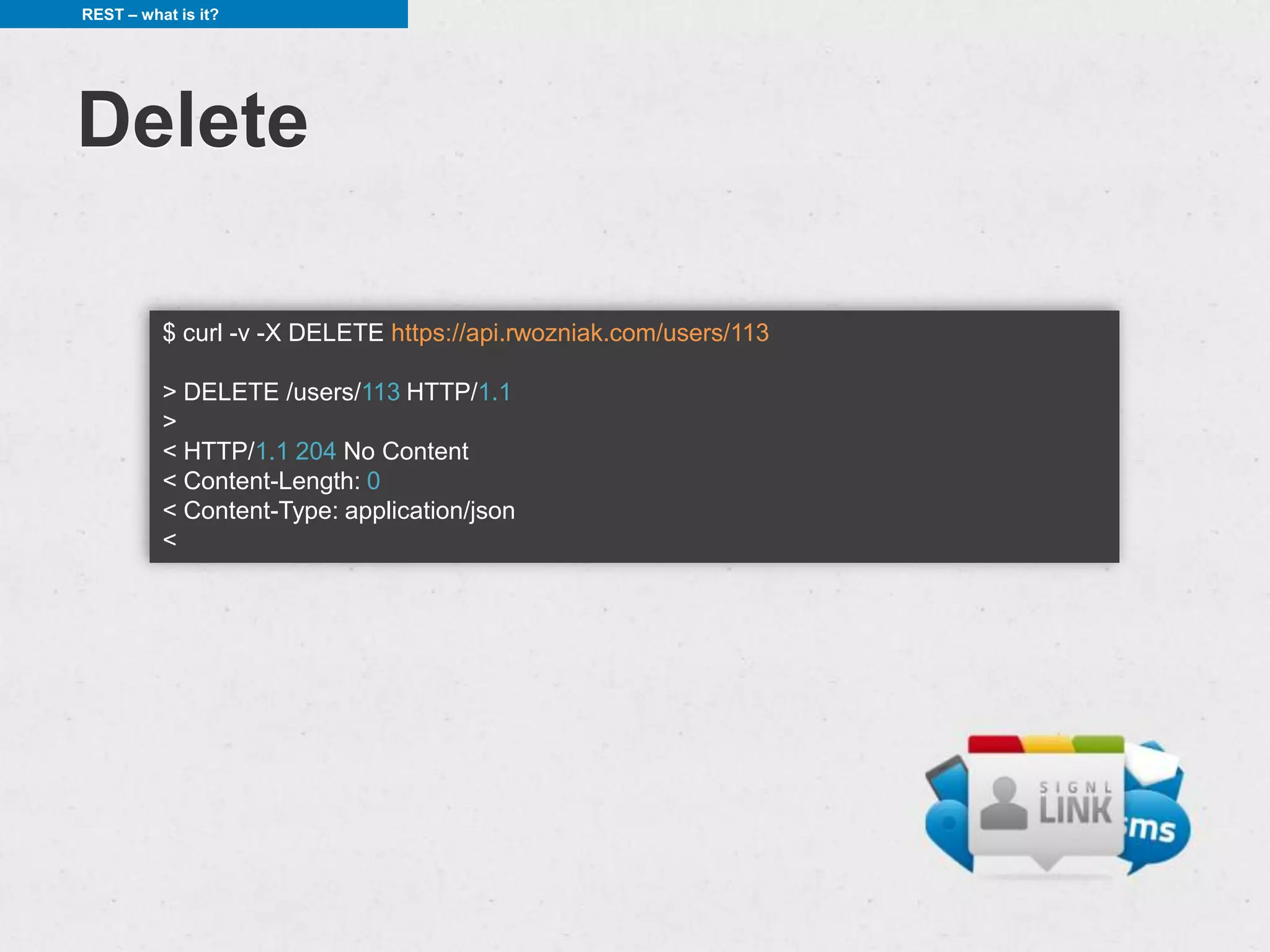
Delete

          $ curl -v -X DELETE https://api.rwozniak.com/users/113

          > DELETE /users/113 HTTP/1.1
          >
          < HTTP/1.1 204 No Content
          < Content-Length: 0
          < Content-Type: application/json
          <
REST – more


REST - more

• HTTP resposne codes


• usage of HTTP headers
REST – more


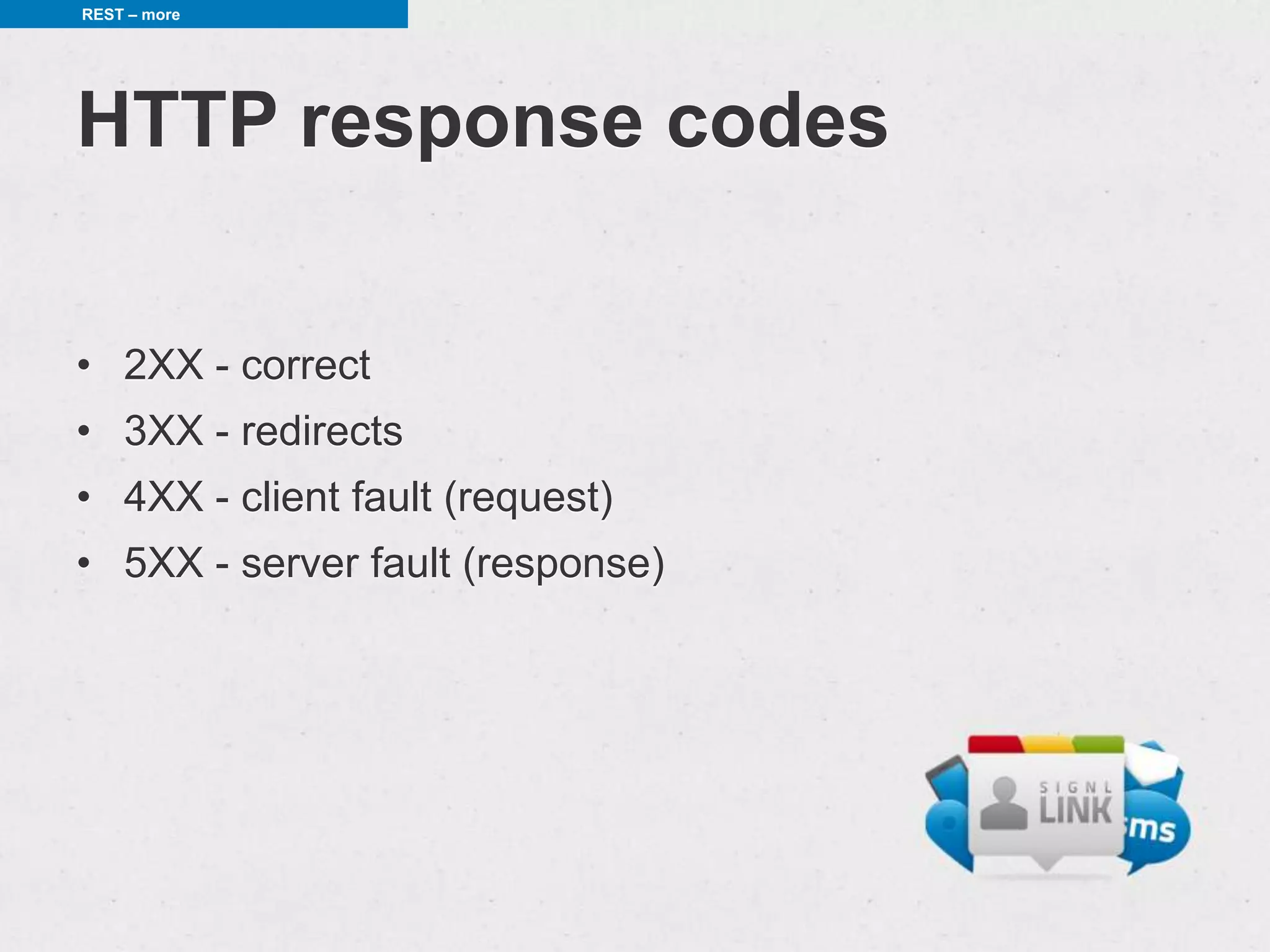
HTTP response codes

• 2XX - correct
• 3XX - redirects
• 4XX - client fault (request)
• 5XX - server fault (response)
REST – more


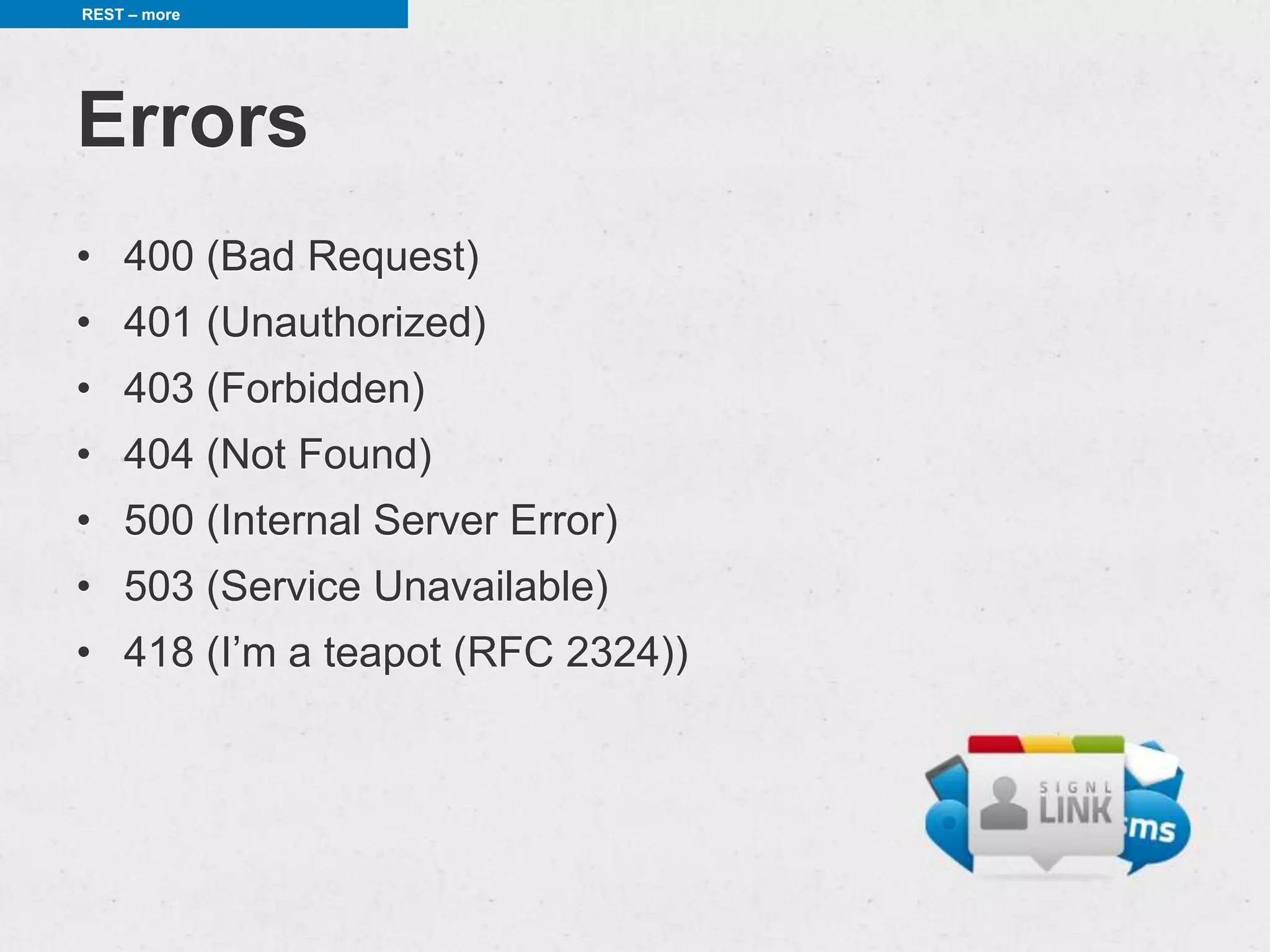
Errors
• 400 (Bad Request)
• 401 (Unauthorized)
• 403 (Forbidden)
• 404 (Not Found)
• 500 (Internal Server Error)
• 503 (Service Unavailable)
• 418 (I’m a teapot (RFC 2324))
REST – more


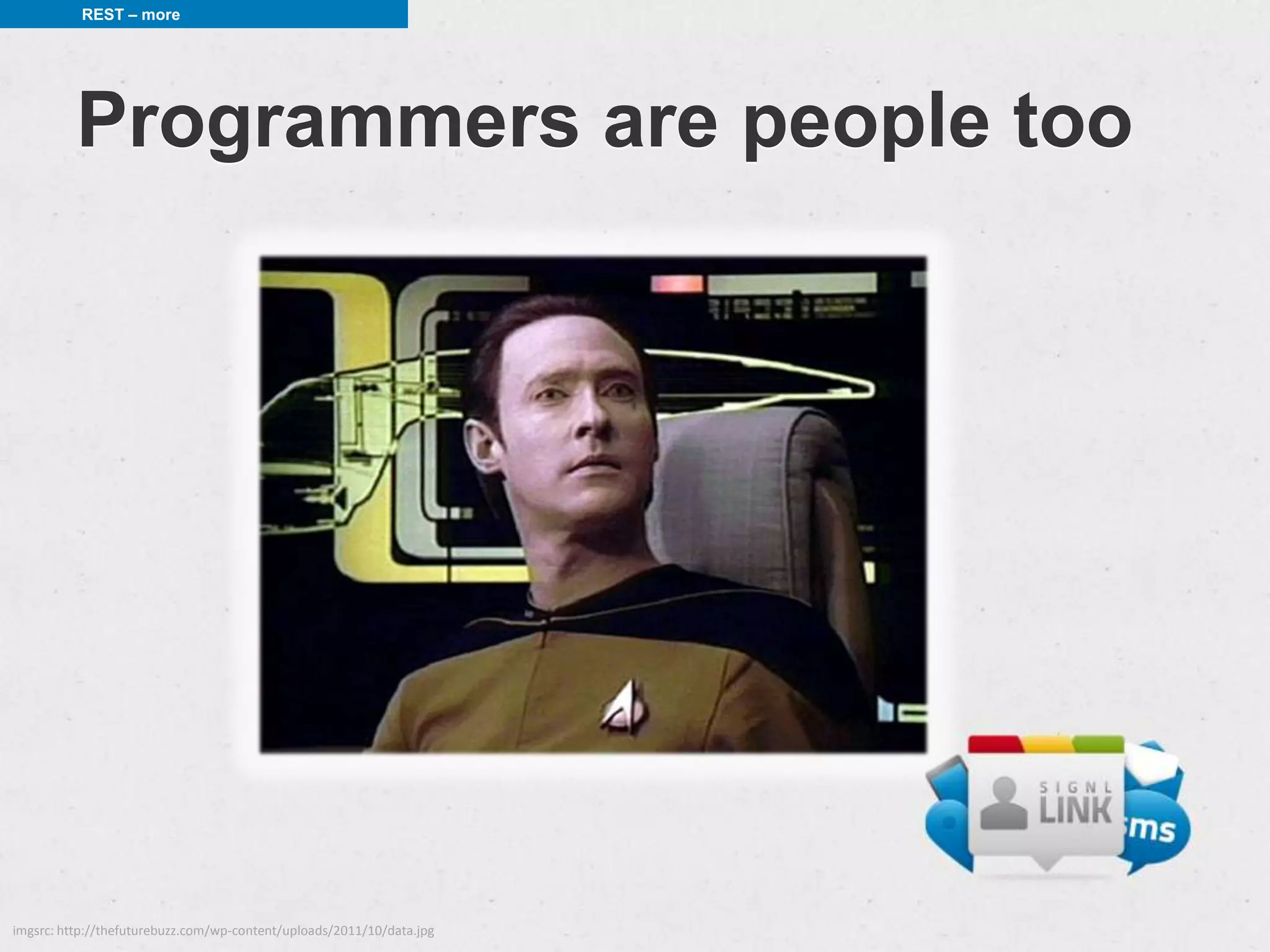
          Programmers are people too


imgsrc: http://thefuturebuzz.com/wp-content/uploads/2011/10/data.jpg
REST – more


           Programmer-friendly

                  {
                    "http_code": 400,
                    "error": "validation_errors",
                    "error_title": "Set Creation Error",
                    "error_description": "The following validation errors occurred:nYou must have a
                  titlenBoth the terms and definitions are mandatory",
                    "validation_errors": [
                       "You must have a title",
                       "Both the terms and definitions are mandatory",
                       "You must specify the terms language",
                       "You must specify the definitions language"
                    ]
                  }


src: https://quizlet.com/api/2.0/docs/api_intro/
REST – more


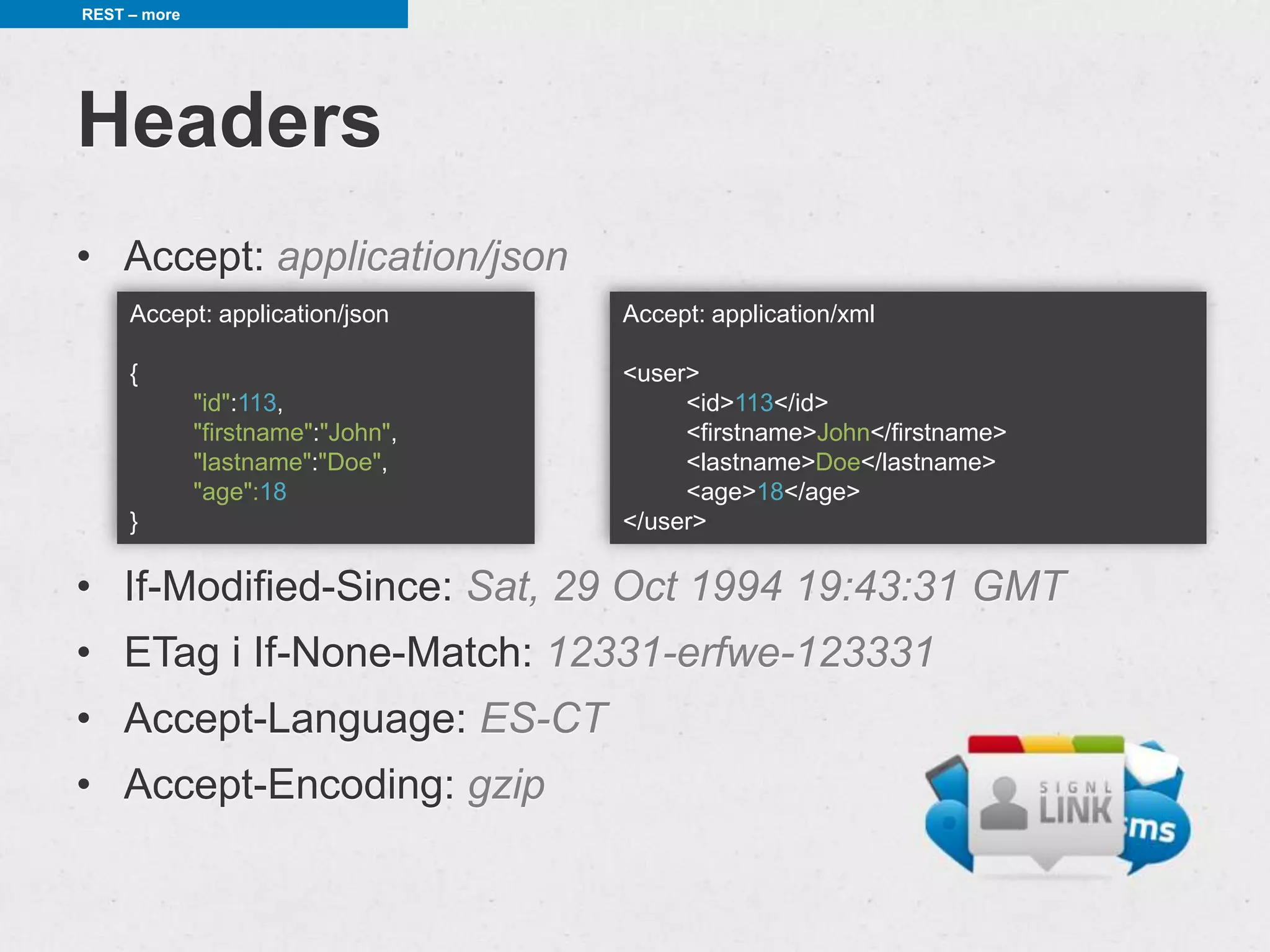
Headers
• Accept: application/json
     Accept: application/json       Accept: application/xml

     {                              <user>
              "id":113,                  <id>113</id>
              "firstname":"John",        <firstname>John</firstname>
              "lastname":"Doe",          <lastname>Doe</lastname>
              "age":18                   <age>18</age>
     }                              </user>

• If-Modified-Since: Sat, 29 Oct 1994 19:43:31 GMT
• ETag i If-None-Match: 12331-erfwe-123331
• Accept-Language: ES-CT
• Accept-Encoding: gzip
Android and HTTP


Android and HTTP
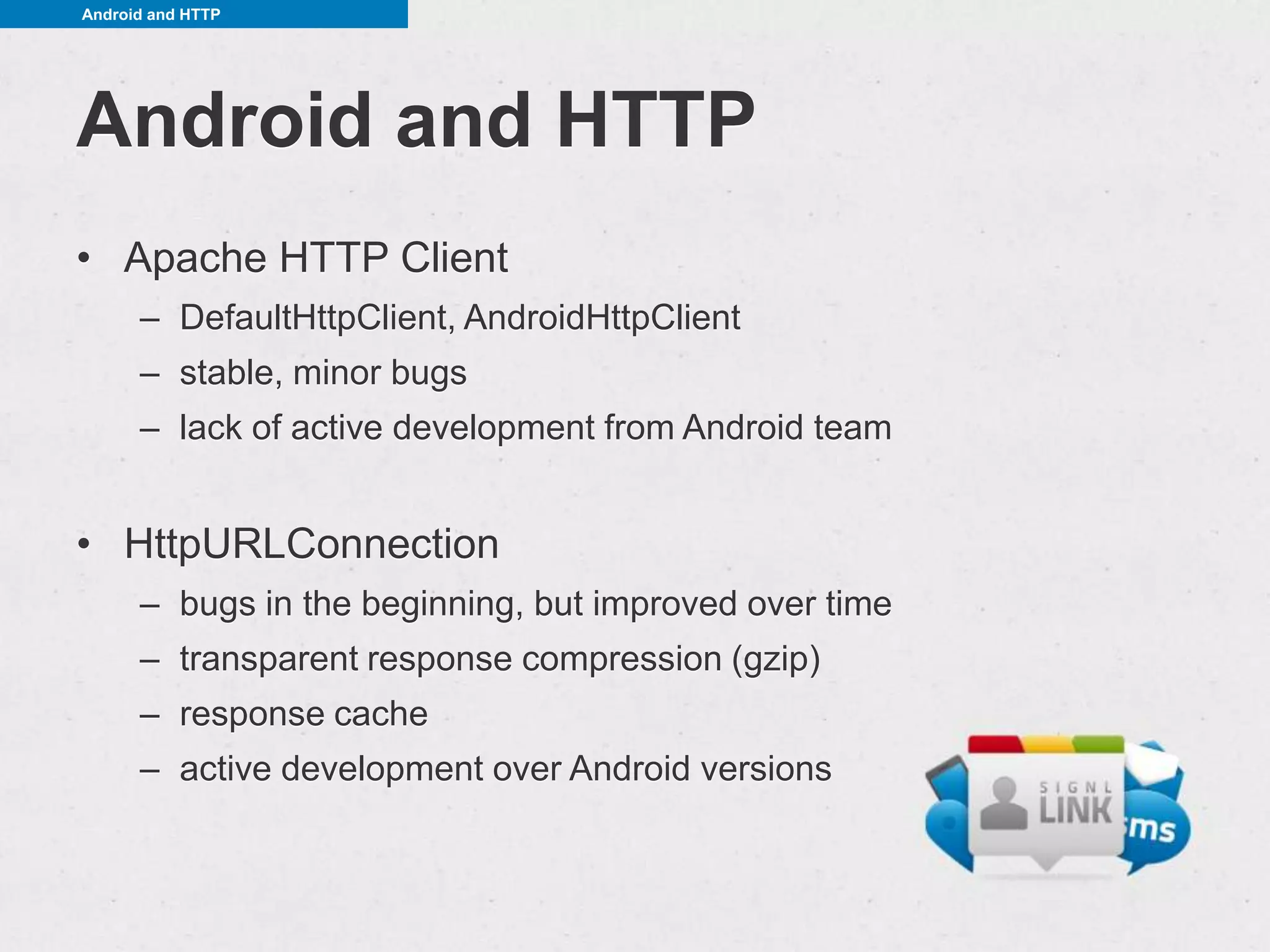
• Apache HTTP Client
      – DefaultHttpClient, AndroidHttpClient
      – stable, minor bugs
      – lack of active development from Android team


• HttpURLConnection
      – bugs in the beginning, but improved over time
      – transparent response compression (gzip)
      – response cache
      – active development over Android versions
Android and HTTP


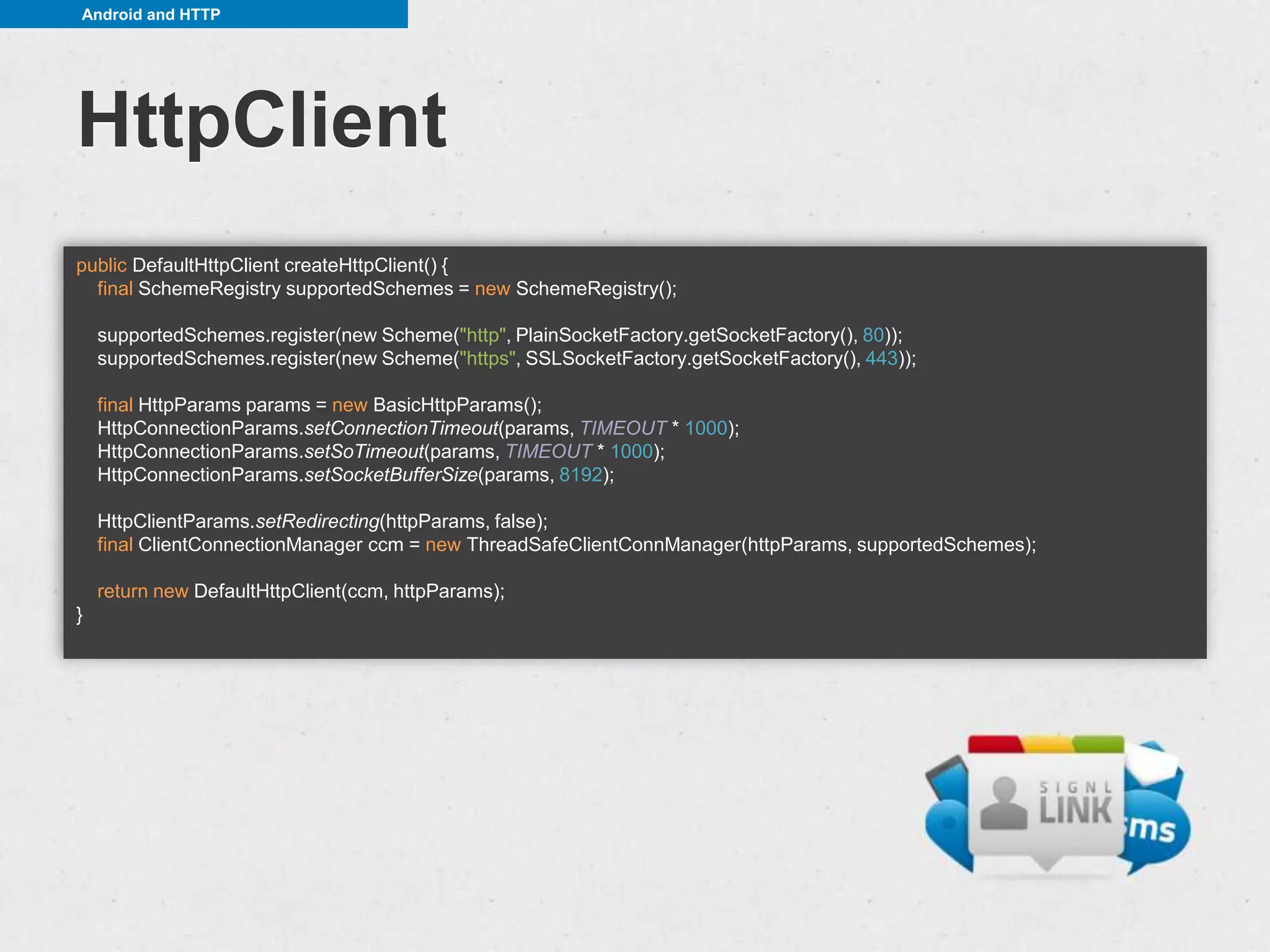
HttpClient
public DefaultHttpClient createHttpClient() {
  final SchemeRegistry supportedSchemes = new SchemeRegistry();

    supportedSchemes.register(new Scheme("http", PlainSocketFactory.getSocketFactory(), 80));
    supportedSchemes.register(new Scheme("https", SSLSocketFactory.getSocketFactory(), 443));

    final HttpParams params = new BasicHttpParams();
    HttpConnectionParams.setConnectionTimeout(params, TIMEOUT * 1000);
    HttpConnectionParams.setSoTimeout(params, TIMEOUT * 1000);
    HttpConnectionParams.setSocketBufferSize(params, 8192);

    HttpClientParams.setRedirecting(httpParams, false);
    final ClientConnectionManager ccm = new ThreadSafeClientConnManager(httpParams, supportedSchemes);

    return new DefaultHttpClient(ccm, httpParams);
}
Android and HTTP


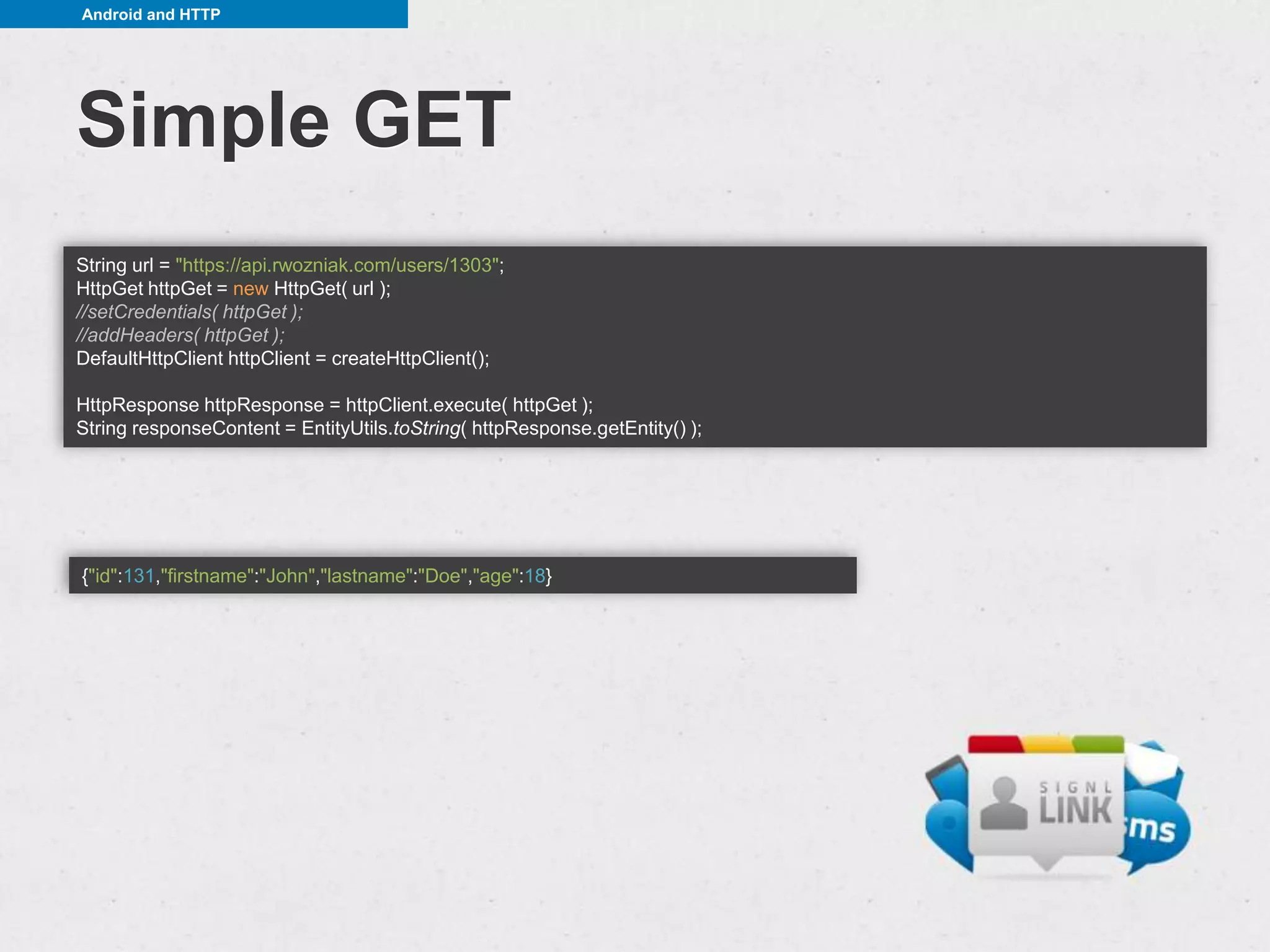
Simple GET
String url = "https://api.rwozniak.com/users/1303";
HttpGet httpGet = new HttpGet( url );
//setCredentials( httpGet );
//addHeaders( httpGet );
DefaultHttpClient httpClient = createHttpClient();

HttpResponse httpResponse = httpClient.execute( httpGet );
String responseContent = EntityUtils.toString( httpResponse.getEntity() );


{"id":131,"firstname":"John","lastname":"Doe","age":18}
Android and HTTP


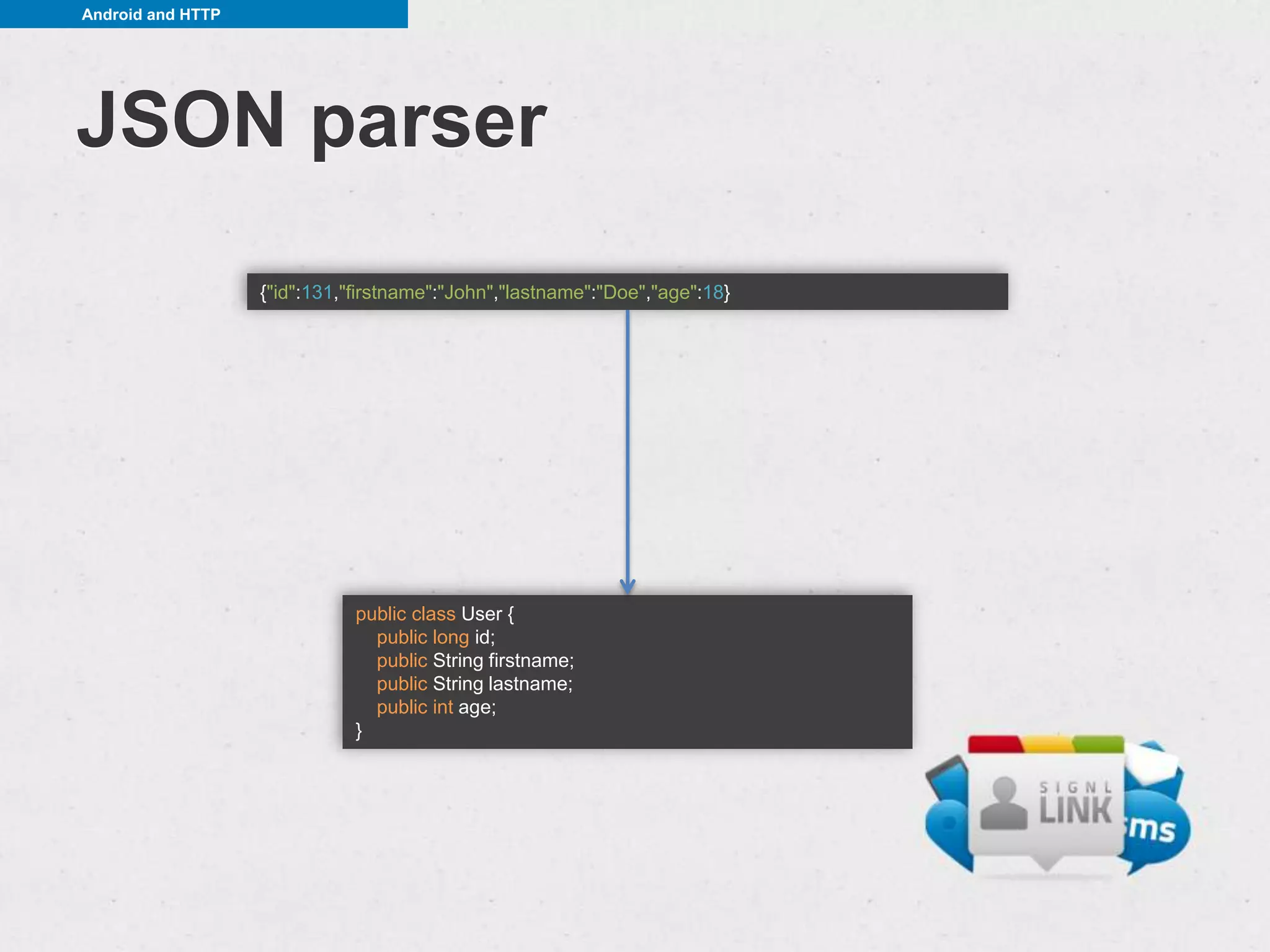
JSON parser
                   {"id":131,"firstname":"John","lastname":"Doe","age":18}


                              public class User {
                                public long id;
                                public String firstname;
                                public String lastname;
                                public int age;
                              }
Android and HTTP


JSON parser

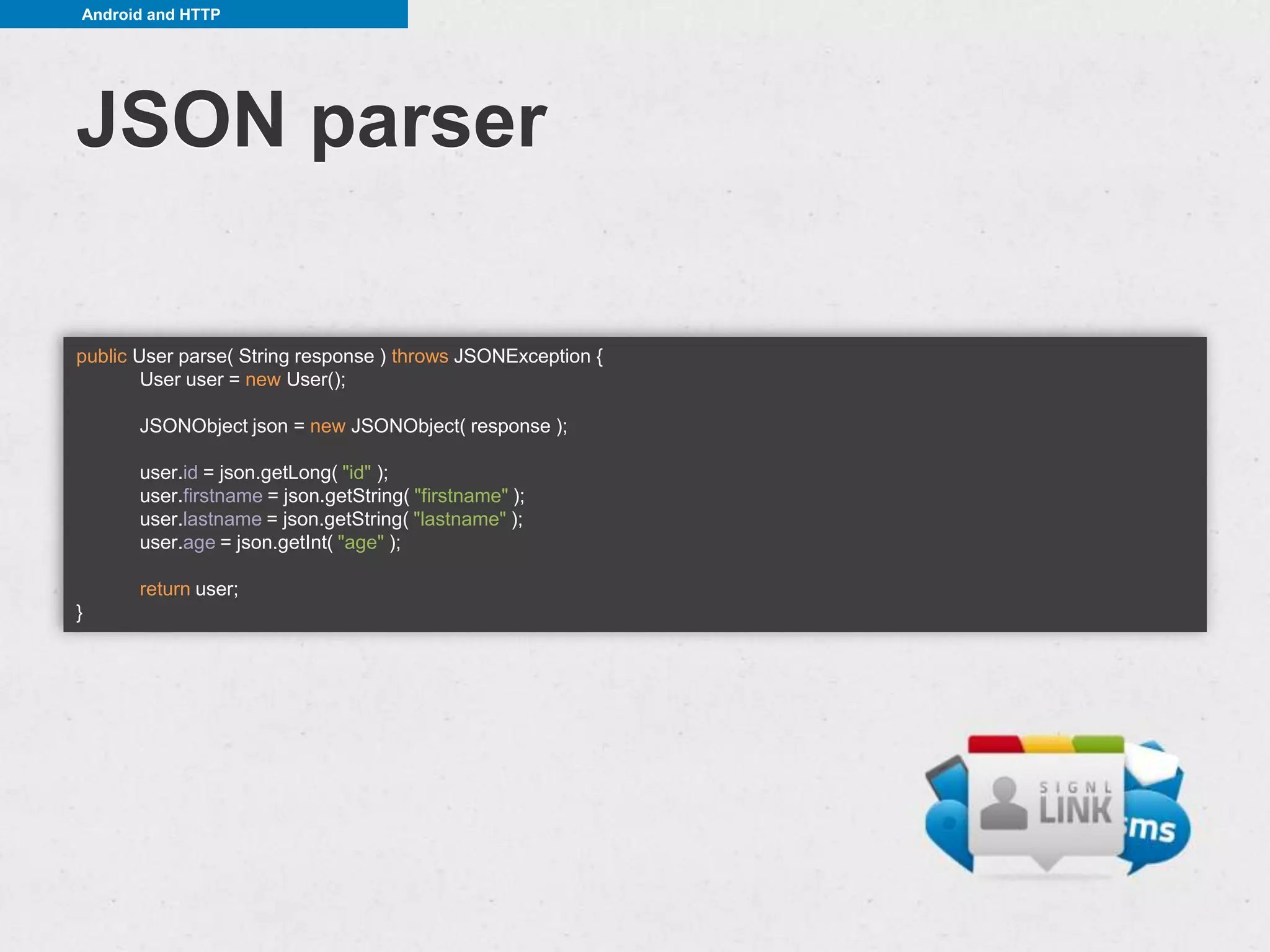
public User parse( String response ) throws JSONException {
        User user = new User();

       JSONObject json = new JSONObject( response );

       user.id = json.getLong( "id" );
       user.firstname = json.getString( "firstname" );
       user.lastname = json.getString( "lastname" );
       user.age = json.getInt( "age" );

       return user;
}
Android and HTTP


imgsrc: http://www.quickmeme.com/meme/3rxotv/
Helpful libraries - Gson


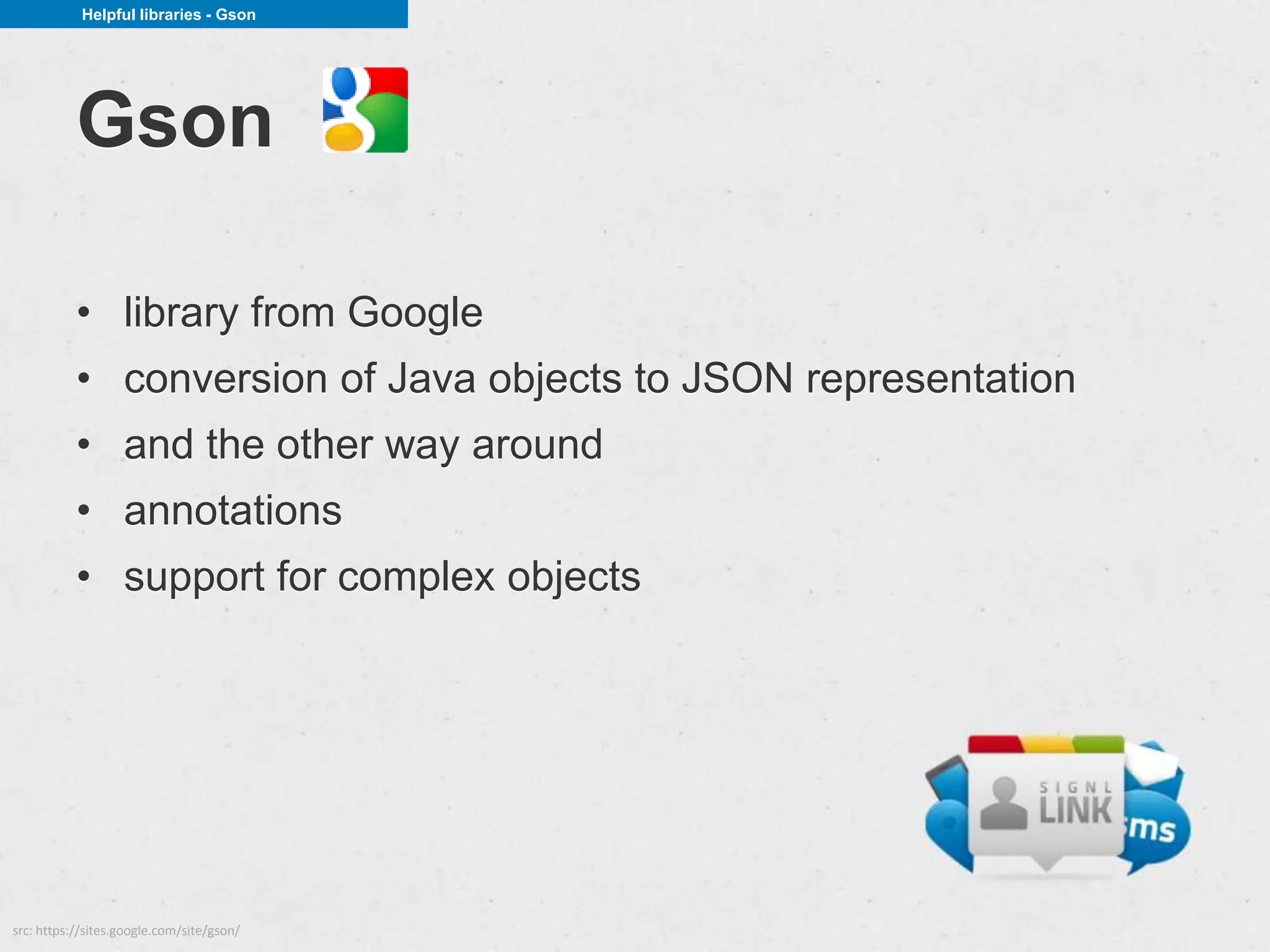
           Gson

           • library from Google
           • conversion of Java objects to JSON representation
           • and the other way around
           • annotations
           • support for complex objects


src: https://sites.google.com/site/gson/
Helpful libraries - Gson


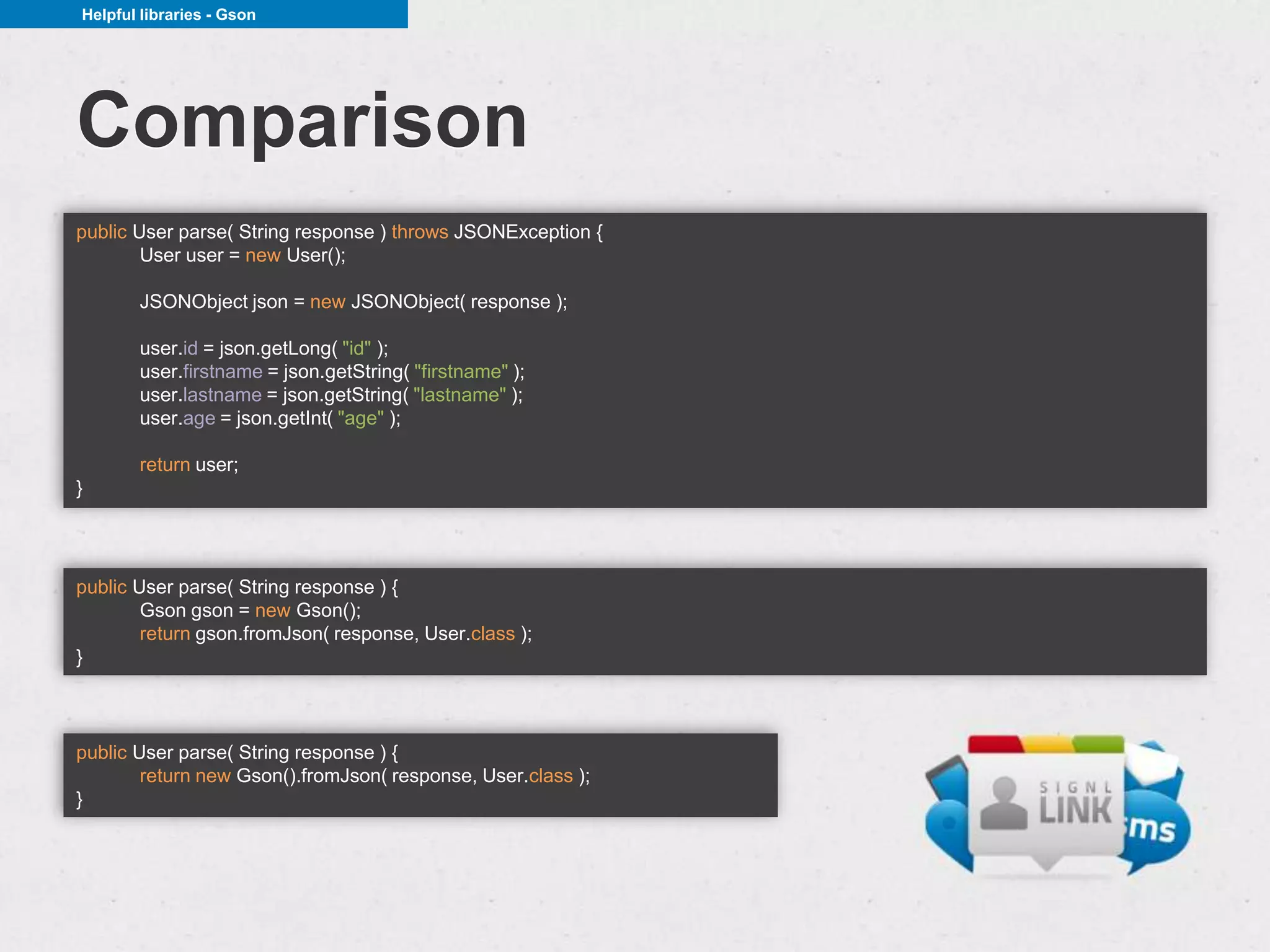
Comparison
public User parse( String response ) throws JSONException {
        User user = new User();

       JSONObject json = new JSONObject( response );

       user.id = json.getLong( "id" );
       user.firstname = json.getString( "firstname" );
       user.lastname = json.getString( "lastname" );
       user.age = json.getInt( "age" );

       return user;
}


public User parse( String response ) {
        Gson gson = new Gson();
        return gson.fromJson( response, User.class );
}


public User parse( String response ) {
        return new Gson().fromJson( response, User.class );
}
Helpful libraries - Gson


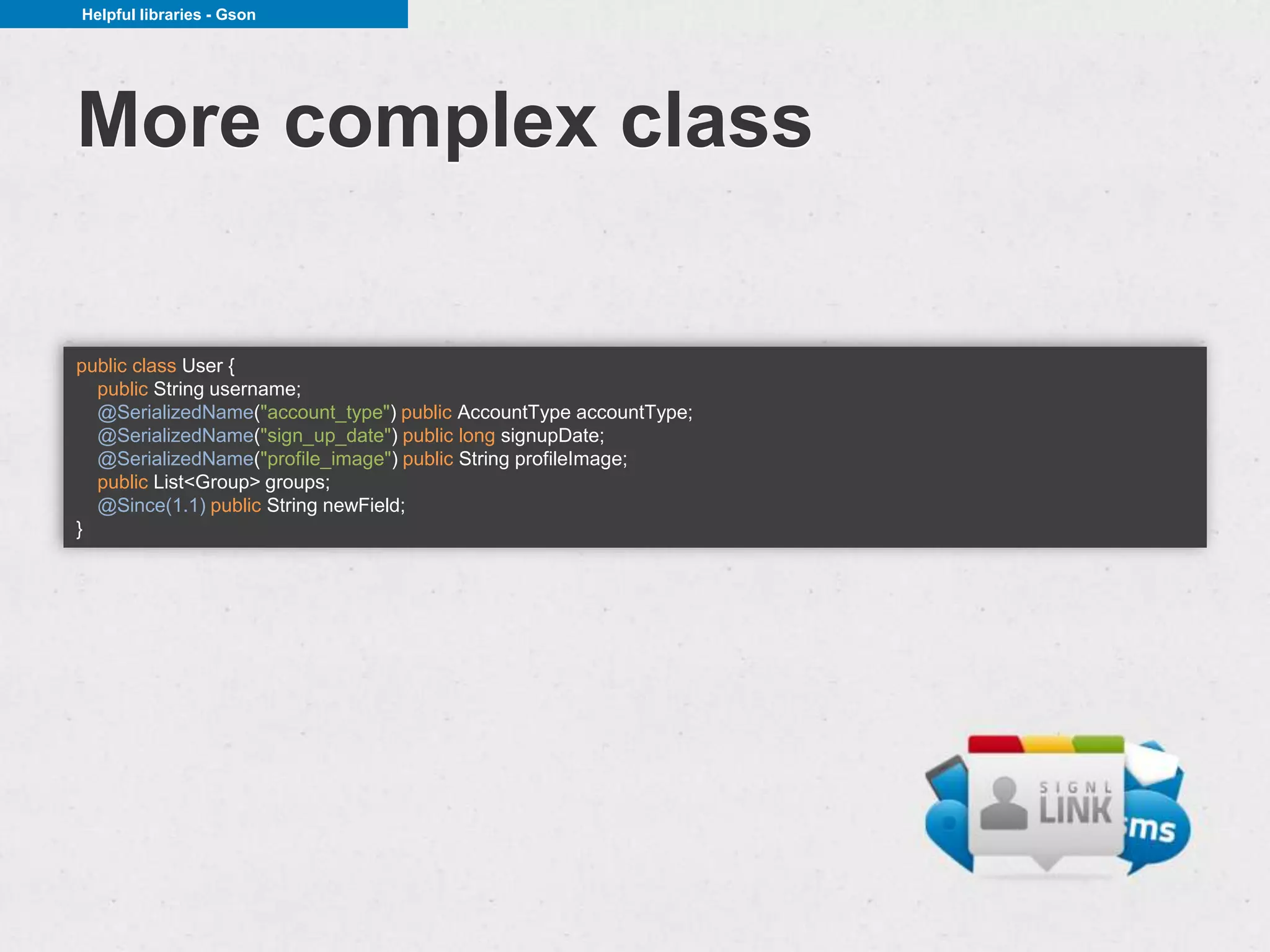
More complex class

public class User {
  public String username;
  @SerializedName("account_type") public AccountType accountType;
  @SerializedName("sign_up_date") public long signupDate;
  @SerializedName("profile_image") public String profileImage;
  public List<Group> groups;
  @Since(1.1) public String newField;
}
Helpful libraries - CRest


           CRest

           • just Client REST
           • makes communication with RESTful services easier
           • annotations
           • rich configurability


src: http://crest.codegist.org/
Helpful libraries - CRest


Example
@EndPoint("http://api.twitter.com")
@Path("/1/statuses")
@Consumes("application/json")
public interface StatusService {

    @POST
    @Path("update.json")
    Status updateStatus(
         @FormParam("status") String status,
         @QueryParam("lat") float lat,
         @QueryParam("long") float longitude);

    @Path("{id}/retweeted_by.json")
    User[] getRetweetedBy(
        @PathParam("id") long id,
        @QueryParam("count") long count,
        @QueryParam("page") long page);

    @Path("followers.json")
    User[] getFollowers(@QueryParam("user_id") long userId);

}


CRest crest = CRest.getInstance();
StatusService statusService = crest.build(StatusService.class);
User[] folowers = statusService.getFollowers(42213);
Helpful libraries - CRest


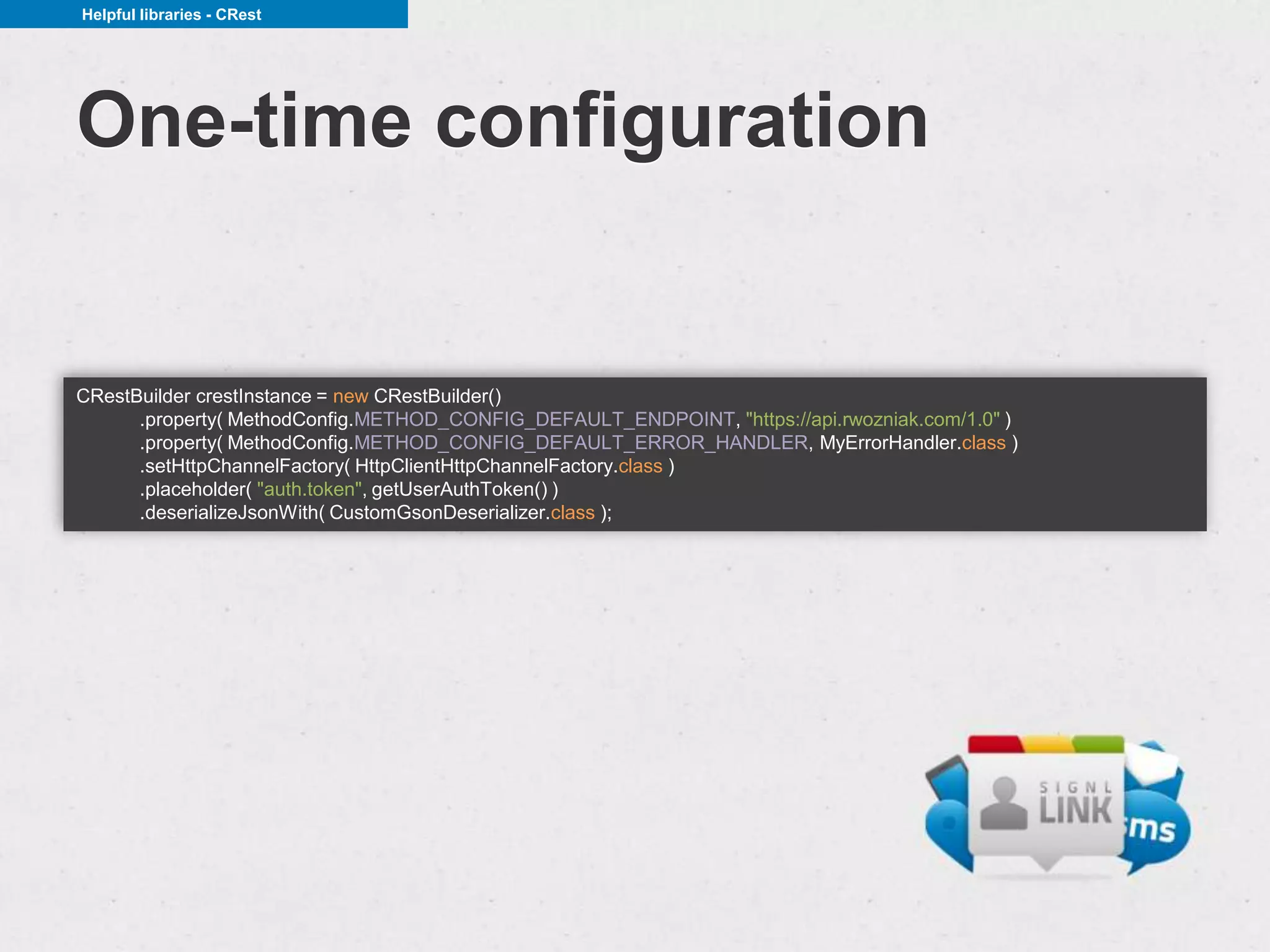
One-time configuration


CRestBuilder crestInstance = new CRestBuilder()
      .property( MethodConfig.METHOD_CONFIG_DEFAULT_ENDPOINT, "https://api.rwozniak.com/1.0" )
      .property( MethodConfig.METHOD_CONFIG_DEFAULT_ERROR_HANDLER, MyErrorHandler.class )
      .setHttpChannelFactory( HttpClientHttpChannelFactory.class )
      .placeholder( "auth.token", getUserAuthToken() )
      .deserializeJsonWith( CustomGsonDeserializer.class );
Helpful libraries - CRest


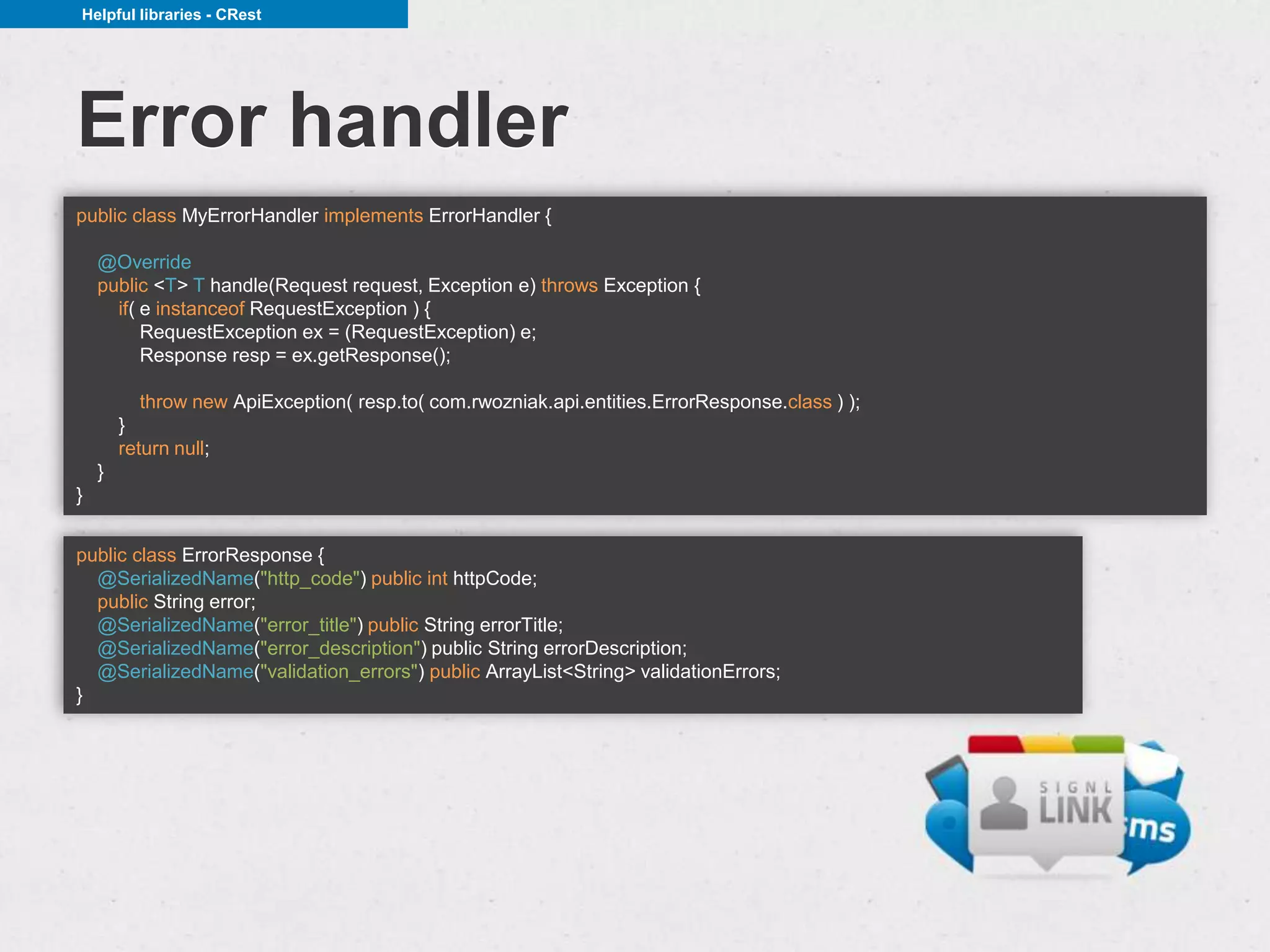
Error handler
public class MyErrorHandler implements ErrorHandler {

    @Override
    public <T> T handle(Request request, Exception e) throws Exception {
      if( e instanceof RequestException ) {
          RequestException ex = (RequestException) e;
          Response resp = ex.getResponse();

          throw new ApiException( resp.to( com.rwozniak.api.entities.ErrorResponse.class ) );
        }
        return null;
    }
}


public class ErrorResponse {
  @SerializedName("http_code") public int httpCode;
  public String error;
  @SerializedName("error_title") public String errorTitle;
  @SerializedName("error_description") public String errorDescription;
  @SerializedName("validation_errors") public ArrayList<String> validationErrors;
}
Helpful libraries - CRest


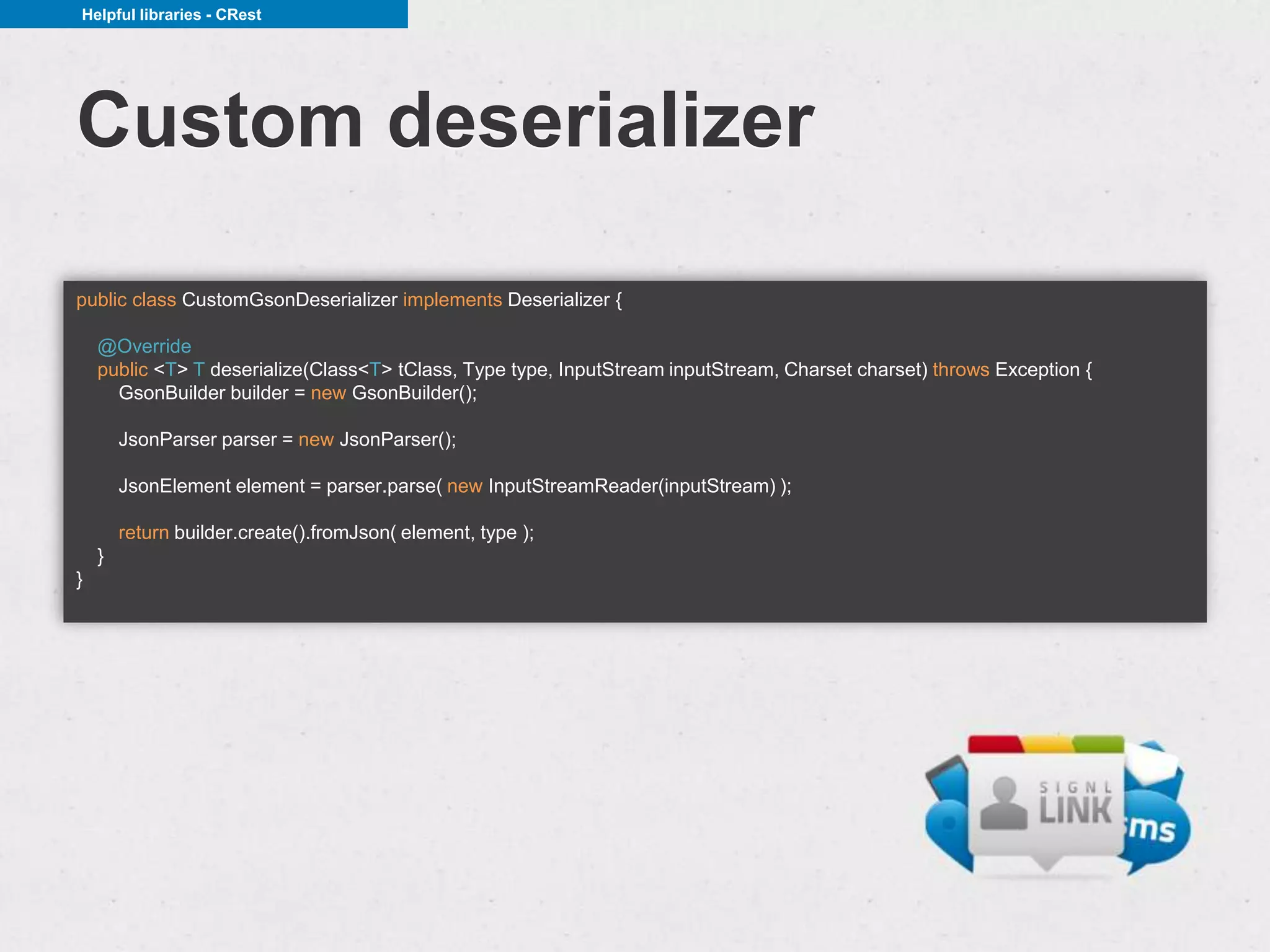
Custom deserializer

public class CustomGsonDeserializer implements Deserializer {

    @Override
    public <T> T deserialize(Class<T> tClass, Type type, InputStream inputStream, Charset charset) throws Exception {
      GsonBuilder builder = new GsonBuilder();

        JsonParser parser = new JsonParser();

        JsonElement element = parser.parse( new InputStreamReader(inputStream) );

        return builder.create().fromJson( element, type );
    }
}
Helpful libraries - CRest


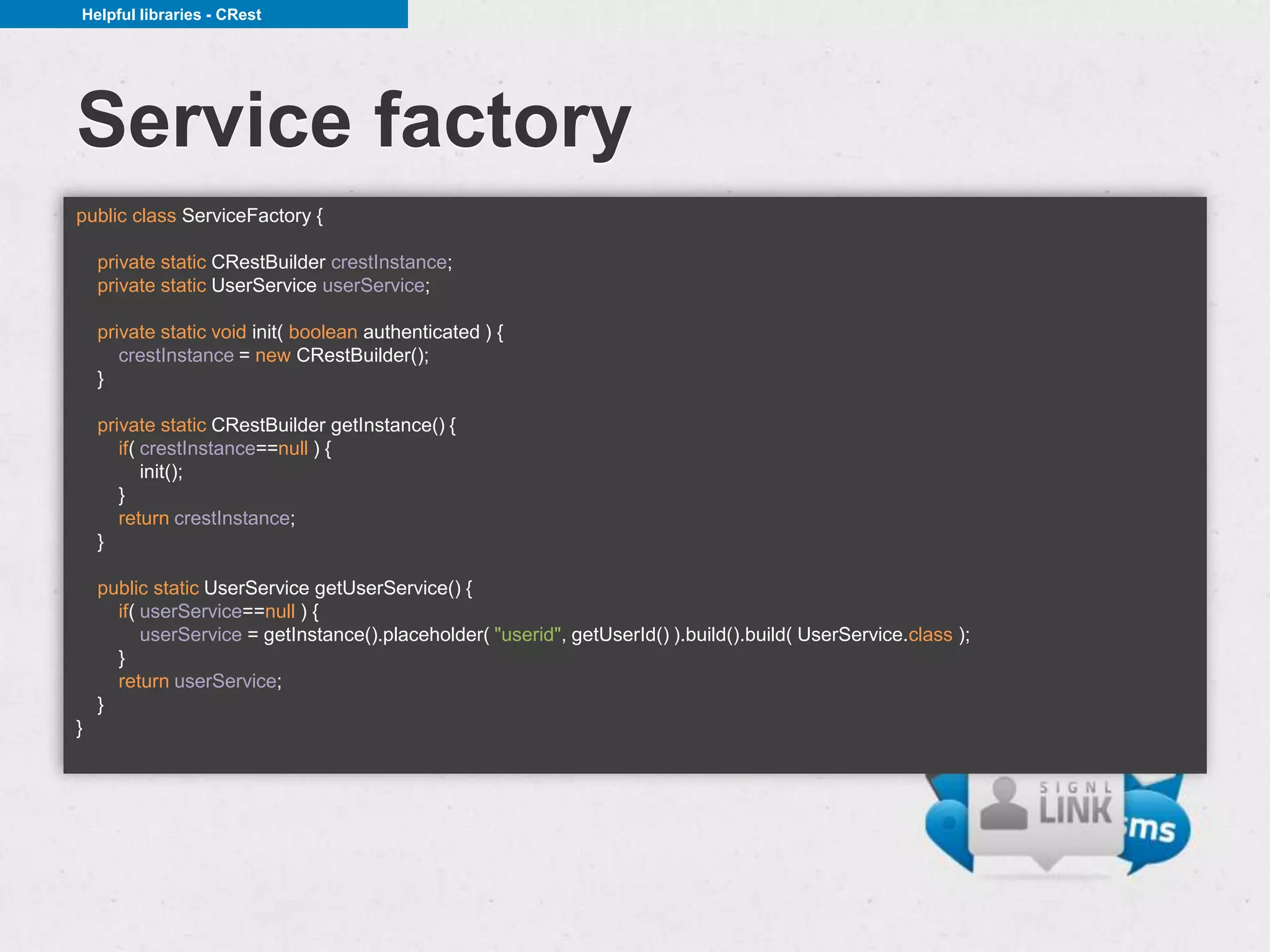
Service factory
public class ServiceFactory {

    private static CRestBuilder crestInstance;
    private static UserService userService;

    private static void init( boolean authenticated ) {
       crestInstance = new CRestBuilder();
    }

    private static CRestBuilder getInstance() {
       if( crestInstance==null ) {
           init();
       }
       return crestInstance;
    }

    public static UserService getUserService() {
      if( userService==null ) {
          userService = getInstance().placeholder( "userid", getUserId() ).build().build( UserService.class );
      }
      return userService;
    }
}
Helpful libraries - CRest


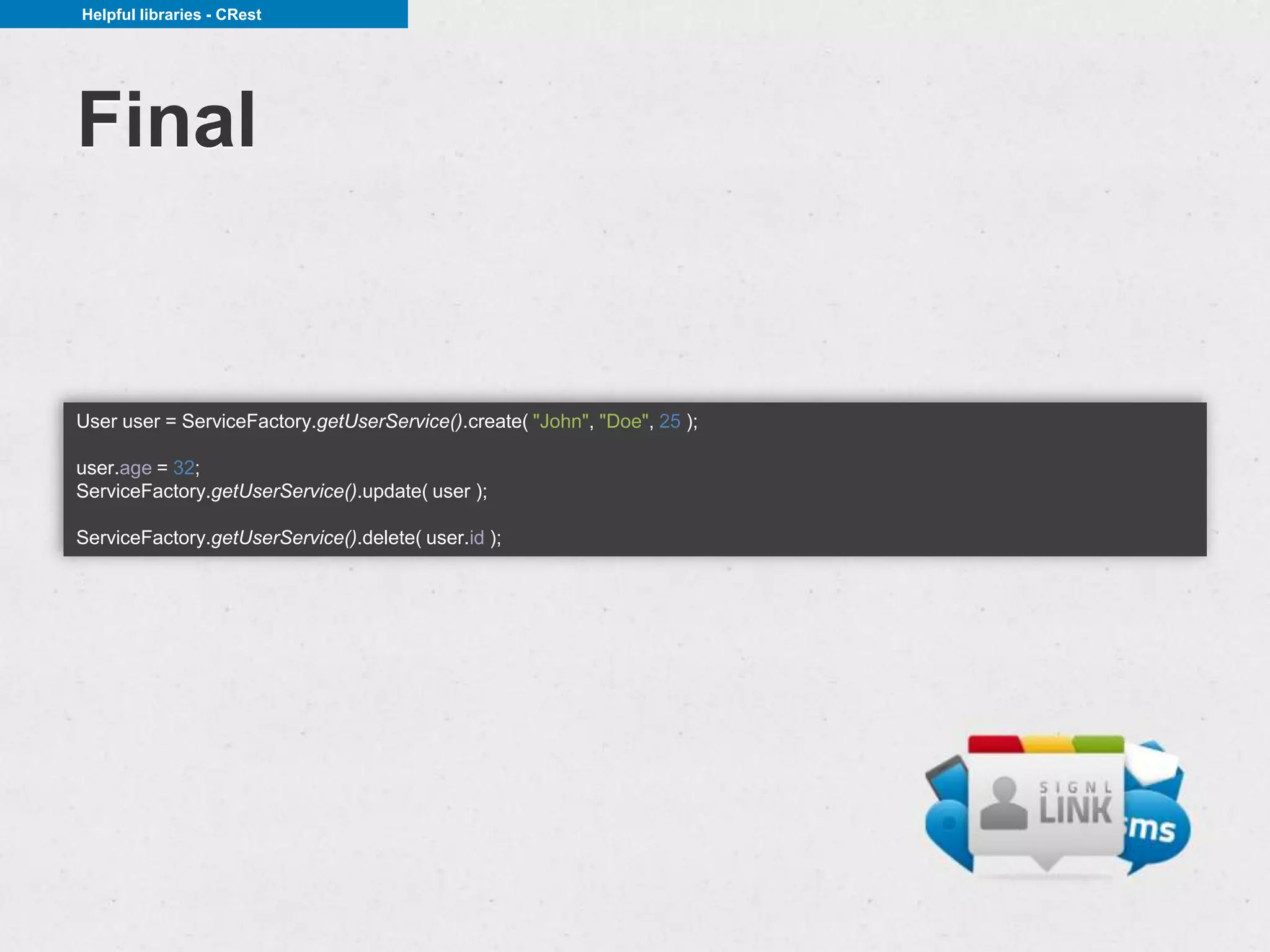
Final


User user = ServiceFactory.getUserService().create( "John", "Doe", 25 );

user.age = 32;
ServiceFactory.getUserService().update( user );

ServiceFactory.getUserService().delete( user.id );
Persistence and REST


Persistence and REST

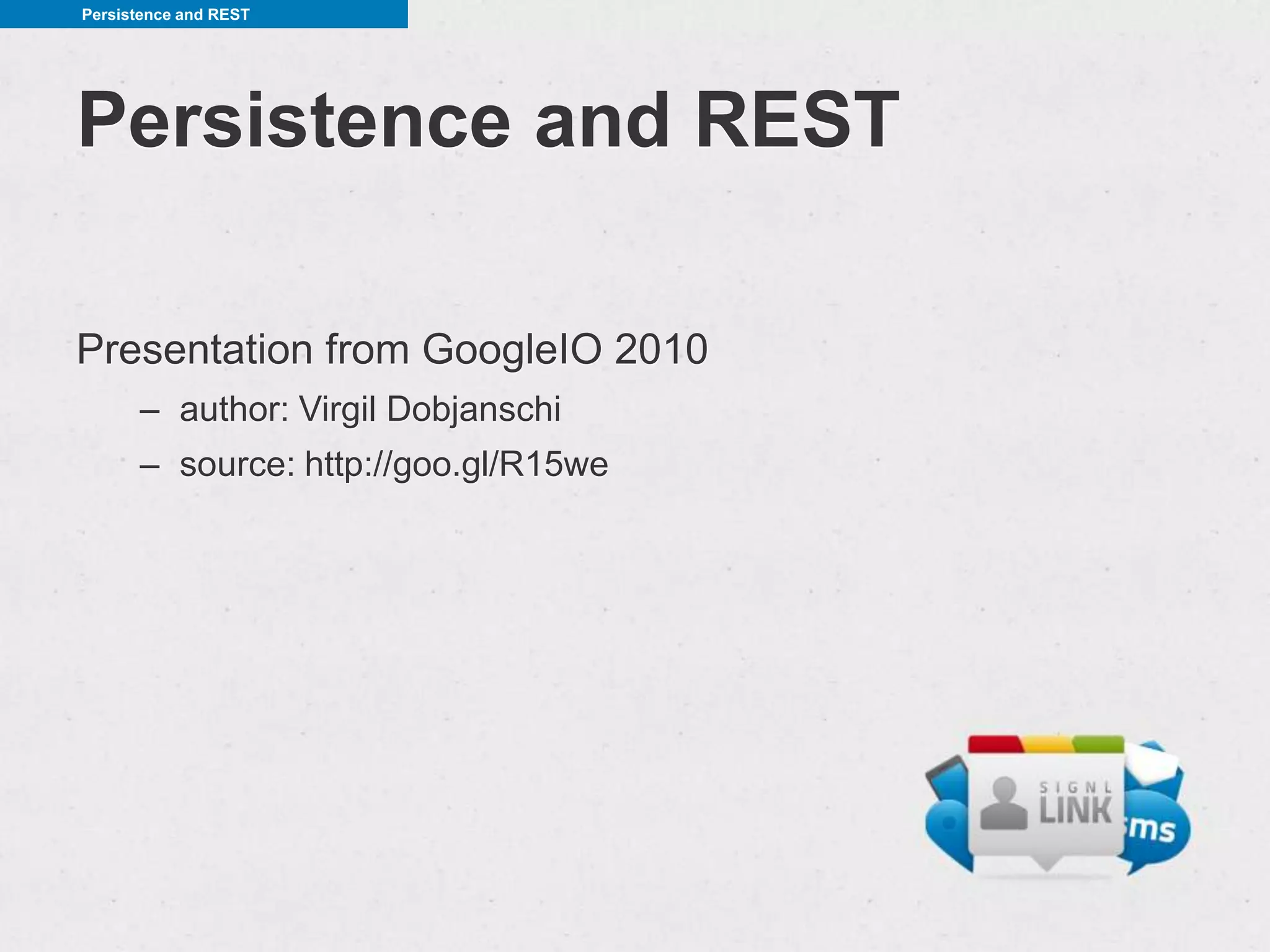
Presentation from GoogleIO 2010
      – author: Virgil Dobjanschi
      – source: http://goo.gl/R15we
Persistence and REST


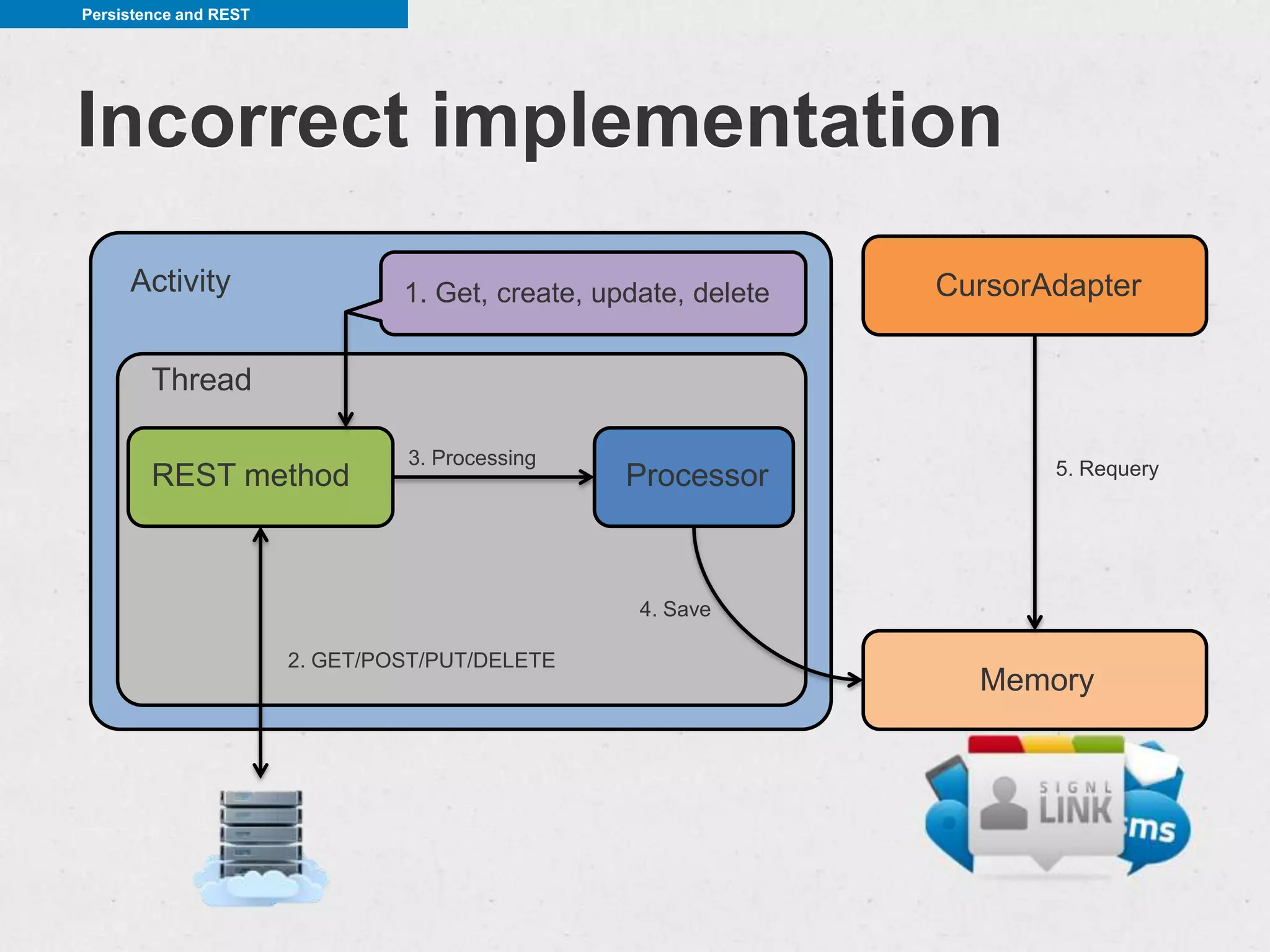
Incorrect implementation
     Activity                   1. Get, create, update, delete   CursorAdapter

        Thread

                                3. Processing
        REST method                               Processor             5. Requery


                                                   4. Save

                       2. GET/POST/PUT/DELETE
                                                                   Memory
Persistence and REST


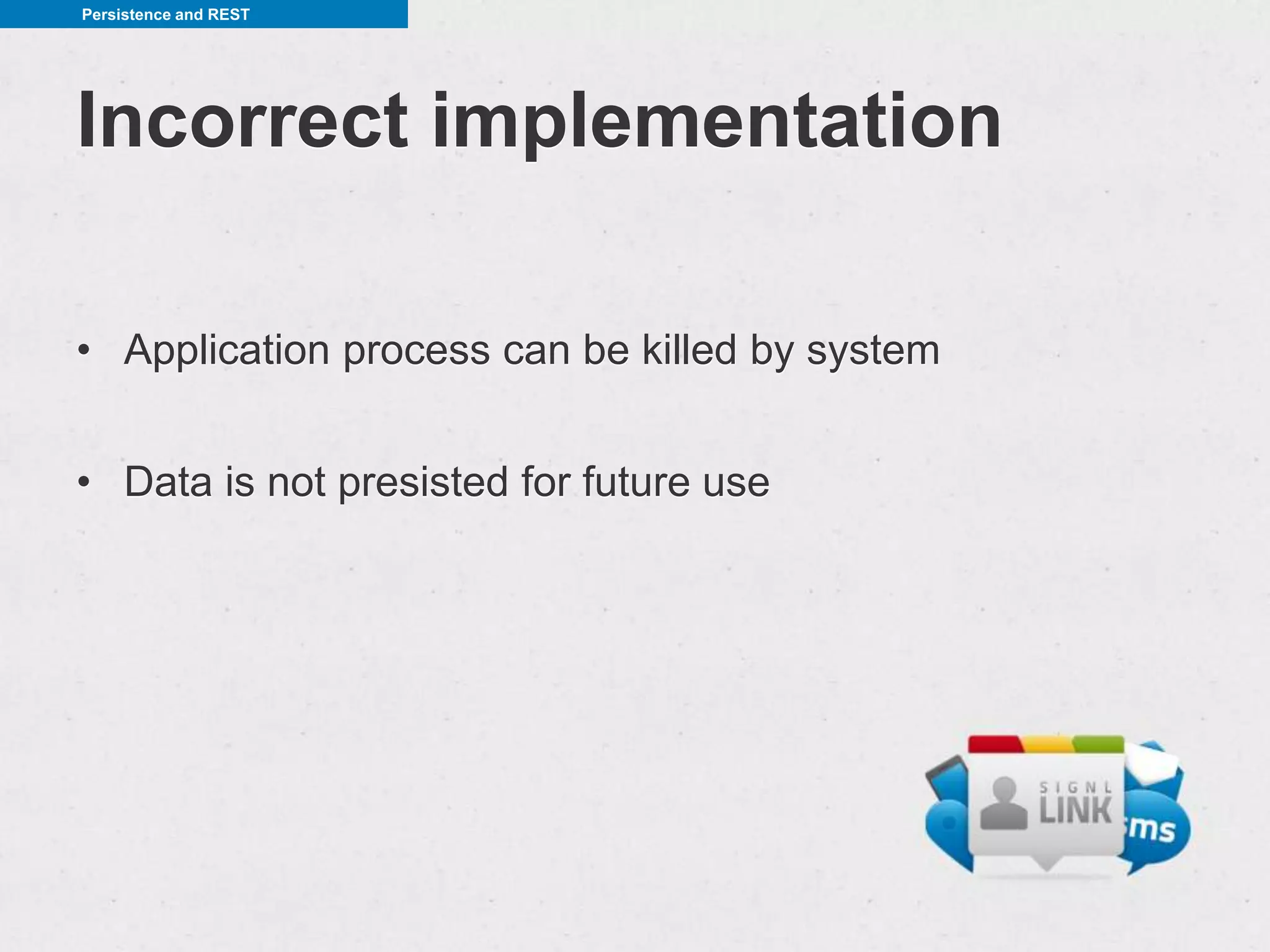
Incorrect implementation

• Application process can be killed by system


• Data is not presisted for future use
Persistence and REST


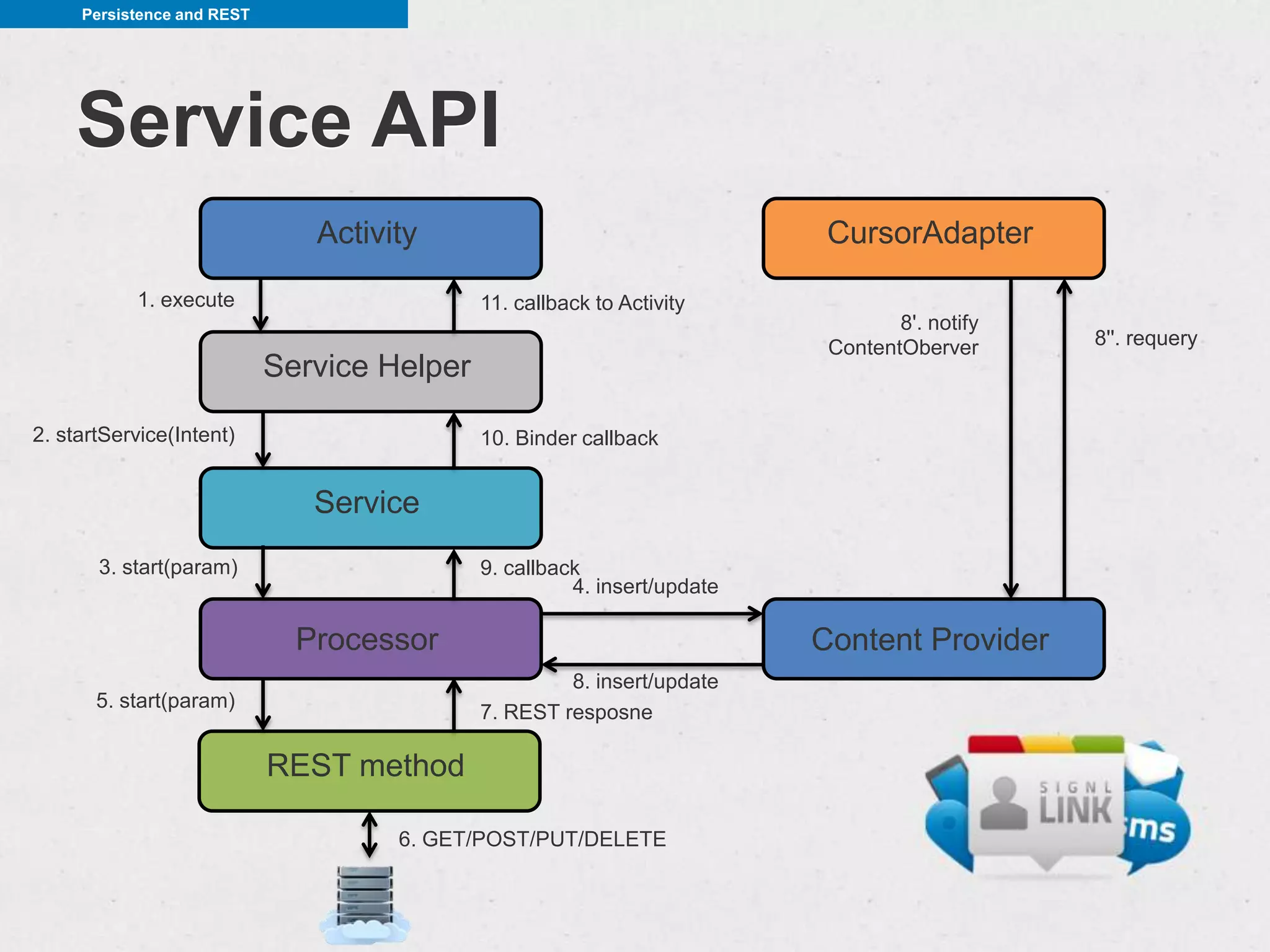
    Service API
                               Activity                                    CursorAdapter
           1. execute                        11. callback to Activity
                                                                                  8'. notify
                                                                           ContentOberver      8''. requery
                            Service Helper

2. startService(Intent)                      10. Binder callback


                               Service
       3. start(param)                       9. callback
                                                       4. insert/update

                              Processor                                   Content Provider
                                                      8. insert/update
       5. start(param)
                                             7. REST resposne

                            REST method

                                     6. GET/POST/PUT/DELETE
Persistence and REST


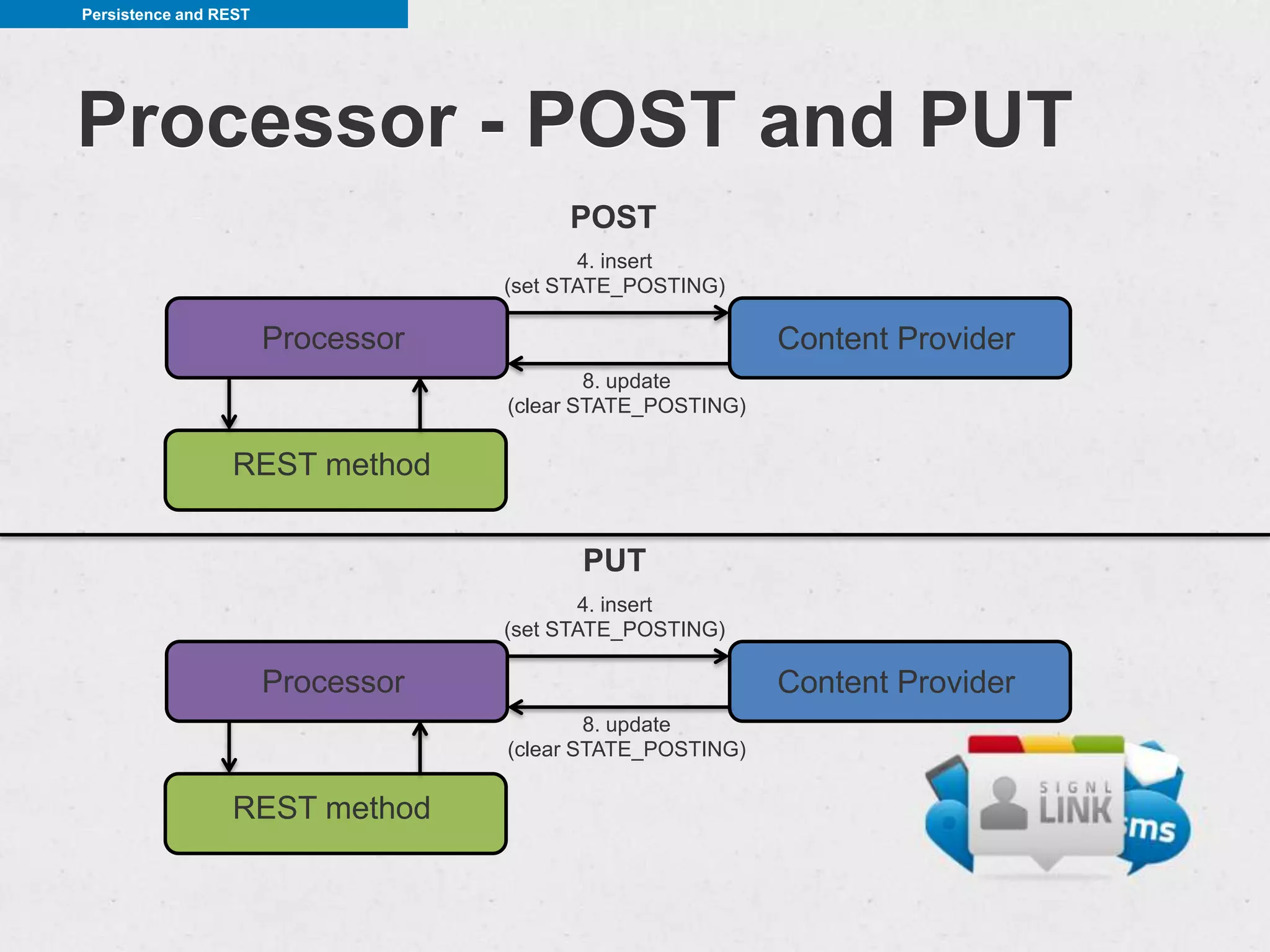
Processor - POST and PUT
                                        POST
                                          4. insert
                                   (set STATE_POSTING)

                       Processor                           Content Provider
                                           8. update
                                   (clear STATE_POSTING)

                 REST method


                                         PUT
                                          4. insert
                                   (set STATE_POSTING)

                       Processor                           Content Provider
                                           8. update
                                   (clear STATE_POSTING)

                 REST method
Persistence and REST


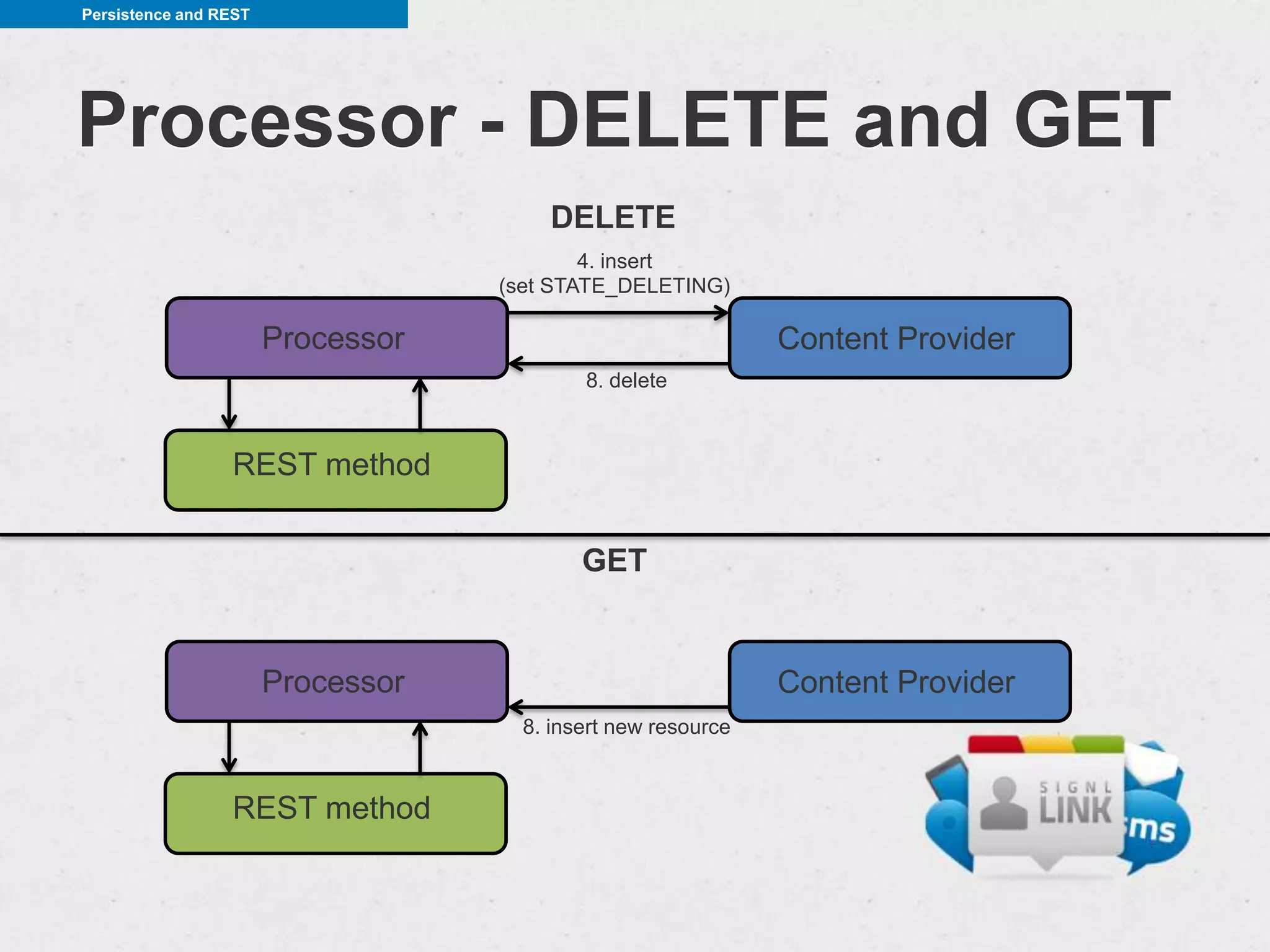
Processor - DELETE and GET
                                       DELETE
                                           4. insert
                                   (set STATE_DELETING)

                       Processor                              Content Provider
                                           8. delete


                 REST method


                                           GET


                       Processor                              Content Provider
                                     8. insert new resource


                 REST method
Summary


Things to keep in mind


• always make HTTP calls in a separate thread (eg.
  IntentService)
• persist before and after communication
• minimize HTTP communication (compression, headers)
• libraries - make things easier
• StackOverflow 
Questions


          Questions?


imgsrc: http://presentationtransformations.com/wp-content/uploads/2012/03/Question.jpg
Thankful I am


          Thank you


imgsrc: http://memegenerator.net/instance/29015891

Android and REST

  • 1.
  • 2.
    Roman Woźniak SignlApps, LeadAndroid Developer roman@signlapps.com @wozniakr
  • 3.
    Agenda • REST –what is it? • REST – how to use it • HTTP communication on Android • Libraries to write apps faster • HTTP communication and databases
  • 4.
    REST REST imgsrc: https://sites.google.com/site/sleepasandroid/
  • 5.
    REST – whatis it? REpresentational State Transfer (REST) is a style of software architecture for distributed systems such as the World Wide Web Roy Fielding
  • 6.
    REST – whatis it? RESTful service features • client-server architecture • stateless • resposne caching • layered system • uniform interface
  • 7.
    REST – whatis it? URI structure • collections • resources • controllers https://api.rwozniak.com/users https://api.rwozniak.com/users/20 https://api.rwozniak.com/export
  • 8.
    REST – whatis it? CRUD operations POST = Create GET = Read PUT = Update DELETE = Delete
  • 9.
    REST – whatis it? Create $ curl -v -X POST -d "..." https://api.rwozniak.com/users > POST /users HTTP/1.1 > < HTTP/1.1 201 Created < Location /users/113 < Content-Length: 57 < Content-Type: application/json < [{"id":113,"firstname":"John","lastname":"Doe","age":31}]
  • 10.
    REST – whatis it? Read $ curl -v https://api.rwozniak.com/users/113 > GET /users/113 HTTP/1.1 > < HTTP/1.1 200 OK < Content-Length: 57 < Content-Type: application/json < {"id":113,"firstname":"John","lastname":"Doe","age":31}
  • 11.
    REST – whatis it? Update $ curl -v -X PUT -d "..." https://api.rwozniak.com/users/113 > PUT /users/113 HTTP/1.1 > < HTTP/1.1 200 OK < Content-Length: 57 < Content-Type: application/json < {"id":113,"firstname":"John","lastname":"Doe","age":18}
  • 12.
    REST – whatis it? Delete $ curl -v -X DELETE https://api.rwozniak.com/users/113 > DELETE /users/113 HTTP/1.1 > < HTTP/1.1 204 No Content < Content-Length: 0 < Content-Type: application/json <
  • 13.
    REST – more REST- more • HTTP resposne codes • usage of HTTP headers
  • 14.
    REST – more HTTPresponse codes • 2XX - correct • 3XX - redirects • 4XX - client fault (request) • 5XX - server fault (response)
  • 15.
    REST – more Errors •400 (Bad Request) • 401 (Unauthorized) • 403 (Forbidden) • 404 (Not Found) • 500 (Internal Server Error) • 503 (Service Unavailable) • 418 (I’m a teapot (RFC 2324))
  • 16.
    REST – more Programmers are people too imgsrc: http://thefuturebuzz.com/wp-content/uploads/2011/10/data.jpg
  • 17.
    REST – more Programmer-friendly { "http_code": 400, "error": "validation_errors", "error_title": "Set Creation Error", "error_description": "The following validation errors occurred:nYou must have a titlenBoth the terms and definitions are mandatory", "validation_errors": [ "You must have a title", "Both the terms and definitions are mandatory", "You must specify the terms language", "You must specify the definitions language" ] } src: https://quizlet.com/api/2.0/docs/api_intro/
  • 18.
    REST – more Headers •Accept: application/json Accept: application/json Accept: application/xml { <user> "id":113, <id>113</id> "firstname":"John", <firstname>John</firstname> "lastname":"Doe", <lastname>Doe</lastname> "age":18 <age>18</age> } </user> • If-Modified-Since: Sat, 29 Oct 1994 19:43:31 GMT • ETag i If-None-Match: 12331-erfwe-123331 • Accept-Language: ES-CT • Accept-Encoding: gzip
  • 19.
    Android and HTTP Androidand HTTP • Apache HTTP Client – DefaultHttpClient, AndroidHttpClient – stable, minor bugs – lack of active development from Android team • HttpURLConnection – bugs in the beginning, but improved over time – transparent response compression (gzip) – response cache – active development over Android versions
  • 20.
    Android and HTTP HttpClient publicDefaultHttpClient createHttpClient() { final SchemeRegistry supportedSchemes = new SchemeRegistry(); supportedSchemes.register(new Scheme("http", PlainSocketFactory.getSocketFactory(), 80)); supportedSchemes.register(new Scheme("https", SSLSocketFactory.getSocketFactory(), 443)); final HttpParams params = new BasicHttpParams(); HttpConnectionParams.setConnectionTimeout(params, TIMEOUT * 1000); HttpConnectionParams.setSoTimeout(params, TIMEOUT * 1000); HttpConnectionParams.setSocketBufferSize(params, 8192); HttpClientParams.setRedirecting(httpParams, false); final ClientConnectionManager ccm = new ThreadSafeClientConnManager(httpParams, supportedSchemes); return new DefaultHttpClient(ccm, httpParams); }
  • 21.
    Android and HTTP SimpleGET String url = "https://api.rwozniak.com/users/1303"; HttpGet httpGet = new HttpGet( url ); //setCredentials( httpGet ); //addHeaders( httpGet ); DefaultHttpClient httpClient = createHttpClient(); HttpResponse httpResponse = httpClient.execute( httpGet ); String responseContent = EntityUtils.toString( httpResponse.getEntity() ); {"id":131,"firstname":"John","lastname":"Doe","age":18}
  • 22.
    Android and HTTP JSONparser {"id":131,"firstname":"John","lastname":"Doe","age":18} public class User { public long id; public String firstname; public String lastname; public int age; }
  • 23.
    Android and HTTP JSONparser public User parse( String response ) throws JSONException { User user = new User(); JSONObject json = new JSONObject( response ); user.id = json.getLong( "id" ); user.firstname = json.getString( "firstname" ); user.lastname = json.getString( "lastname" ); user.age = json.getInt( "age" ); return user; }
  • 24.
    Android and HTTP imgsrc:http://www.quickmeme.com/meme/3rxotv/
  • 25.
    Helpful libraries -Gson Gson • library from Google • conversion of Java objects to JSON representation • and the other way around • annotations • support for complex objects src: https://sites.google.com/site/gson/
  • 26.
    Helpful libraries -Gson Comparison public User parse( String response ) throws JSONException { User user = new User(); JSONObject json = new JSONObject( response ); user.id = json.getLong( "id" ); user.firstname = json.getString( "firstname" ); user.lastname = json.getString( "lastname" ); user.age = json.getInt( "age" ); return user; } public User parse( String response ) { Gson gson = new Gson(); return gson.fromJson( response, User.class ); } public User parse( String response ) { return new Gson().fromJson( response, User.class ); }
  • 27.
    Helpful libraries -Gson More complex class public class User { public String username; @SerializedName("account_type") public AccountType accountType; @SerializedName("sign_up_date") public long signupDate; @SerializedName("profile_image") public String profileImage; public List<Group> groups; @Since(1.1) public String newField; }
  • 28.
    Helpful libraries -CRest CRest • just Client REST • makes communication with RESTful services easier • annotations • rich configurability src: http://crest.codegist.org/
  • 29.
    Helpful libraries -CRest Example @EndPoint("http://api.twitter.com") @Path("/1/statuses") @Consumes("application/json") public interface StatusService { @POST @Path("update.json") Status updateStatus( @FormParam("status") String status, @QueryParam("lat") float lat, @QueryParam("long") float longitude); @Path("{id}/retweeted_by.json") User[] getRetweetedBy( @PathParam("id") long id, @QueryParam("count") long count, @QueryParam("page") long page); @Path("followers.json") User[] getFollowers(@QueryParam("user_id") long userId); } CRest crest = CRest.getInstance(); StatusService statusService = crest.build(StatusService.class); User[] folowers = statusService.getFollowers(42213);
  • 30.
    Helpful libraries -CRest One-time configuration CRestBuilder crestInstance = new CRestBuilder() .property( MethodConfig.METHOD_CONFIG_DEFAULT_ENDPOINT, "https://api.rwozniak.com/1.0" ) .property( MethodConfig.METHOD_CONFIG_DEFAULT_ERROR_HANDLER, MyErrorHandler.class ) .setHttpChannelFactory( HttpClientHttpChannelFactory.class ) .placeholder( "auth.token", getUserAuthToken() ) .deserializeJsonWith( CustomGsonDeserializer.class );
  • 31.
    Helpful libraries -CRest Error handler public class MyErrorHandler implements ErrorHandler { @Override public <T> T handle(Request request, Exception e) throws Exception { if( e instanceof RequestException ) { RequestException ex = (RequestException) e; Response resp = ex.getResponse(); throw new ApiException( resp.to( com.rwozniak.api.entities.ErrorResponse.class ) ); } return null; } } public class ErrorResponse { @SerializedName("http_code") public int httpCode; public String error; @SerializedName("error_title") public String errorTitle; @SerializedName("error_description") public String errorDescription; @SerializedName("validation_errors") public ArrayList<String> validationErrors; }
  • 32.
    Helpful libraries -CRest Custom deserializer public class CustomGsonDeserializer implements Deserializer { @Override public <T> T deserialize(Class<T> tClass, Type type, InputStream inputStream, Charset charset) throws Exception { GsonBuilder builder = new GsonBuilder(); JsonParser parser = new JsonParser(); JsonElement element = parser.parse( new InputStreamReader(inputStream) ); return builder.create().fromJson( element, type ); } }
  • 33.
    Helpful libraries -CRest Service factory public class ServiceFactory { private static CRestBuilder crestInstance; private static UserService userService; private static void init( boolean authenticated ) { crestInstance = new CRestBuilder(); } private static CRestBuilder getInstance() { if( crestInstance==null ) { init(); } return crestInstance; } public static UserService getUserService() { if( userService==null ) { userService = getInstance().placeholder( "userid", getUserId() ).build().build( UserService.class ); } return userService; } }
  • 34.
    Helpful libraries -CRest Final User user = ServiceFactory.getUserService().create( "John", "Doe", 25 ); user.age = 32; ServiceFactory.getUserService().update( user ); ServiceFactory.getUserService().delete( user.id );
  • 35.
    Persistence and REST Persistenceand REST Presentation from GoogleIO 2010 – author: Virgil Dobjanschi – source: http://goo.gl/R15we
  • 36.
    Persistence and REST Incorrectimplementation Activity 1. Get, create, update, delete CursorAdapter Thread 3. Processing REST method Processor 5. Requery 4. Save 2. GET/POST/PUT/DELETE Memory
  • 37.
    Persistence and REST Incorrectimplementation • Application process can be killed by system • Data is not presisted for future use
  • 38.
    Persistence and REST Service API Activity CursorAdapter 1. execute 11. callback to Activity 8'. notify ContentOberver 8''. requery Service Helper 2. startService(Intent) 10. Binder callback Service 3. start(param) 9. callback 4. insert/update Processor Content Provider 8. insert/update 5. start(param) 7. REST resposne REST method 6. GET/POST/PUT/DELETE
  • 39.
    Persistence and REST Processor- POST and PUT POST 4. insert (set STATE_POSTING) Processor Content Provider 8. update (clear STATE_POSTING) REST method PUT 4. insert (set STATE_POSTING) Processor Content Provider 8. update (clear STATE_POSTING) REST method
  • 40.
    Persistence and REST Processor- DELETE and GET DELETE 4. insert (set STATE_DELETING) Processor Content Provider 8. delete REST method GET Processor Content Provider 8. insert new resource REST method
  • 41.
    Summary Things to keepin mind • always make HTTP calls in a separate thread (eg. IntentService) • persist before and after communication • minimize HTTP communication (compression, headers) • libraries - make things easier • StackOverflow 
  • 42.
    Questions Questions? imgsrc: http://presentationtransformations.com/wp-content/uploads/2012/03/Question.jpg
  • 43.
    Thankful I am Thank you imgsrc: http://memegenerator.net/instance/29015891

Editor's Notes

  • #6 wzorzec architektury oprogramowania dla rozproszonych systemów takich jak wwwRoy Fielding jednym z autorów specyfikacji protokołu HTTP
  • #7 separacja widoku od bazy danych za pomocą interfejsu jakim jest RESTbrak sesji, każde żądanie zawiera wszystkei dane konieczne do jego wykonaniacache - klienci mogą cacheowac odpowiedz jezeli serwer wskaze ze mozna to zrobic, poprawa skalowalnosci i wydajnosciwarstwy - skalowalnosc, load balancinginterfejs - mozliwosc niezaleznego rozwoju klienta i serwisu
  • #9 ----- Meeting Notes (13.12.2012 14:14) -----get. put idempotent
  • #10 idempotentna
  • #12 idempotentna
  • #19 If-Modified-Since - przy braku zmian serwer zwraca 304 (Not modified)
  • #21 A connectiontimeoutoccursonly upon starting the TCP connection. Thisusuallyhappensif the remotemachinedoes not answer. Thismeansthat the serverhasbeenshut down, youused the wrong IP/DNS nameor the network connection to the serveris down.A sockettimeoutisdedicated to monitor the continuousincoming data flow. If the data flowisinterrupted for the specifiedtimeout the connectionisregarded as stalled/broken. Of coursethisonlyworks with connectionswhere data isreceivedall the time.
  • #22 dla uproszczenia nie zamieszczam w kodzie bloków try-catch
  • #31 moze pokazac kod calego factory?
  • #35 wisinka na torcie, final, dodac obrazek
  • #36 [wyrdźil dobdźanski] - software ingineer at Google, tworca pierwszego oficjalnego klienta Twittera