












Design Web 
Service API 
Arabnet 2014 Riyadh
Hossein 
Bukhamseen 
HungerStation.com
What 
Application Programming Interface
What 
● CORBA 
● Ice 
● SOAP 
● REST
Debates 
● Binary over TCP: Performance 
○ APN 
● Text over HTTP: Flexibility 
● Verbose 
● Strict
Programmer 
Interface 
They’ll judge you by your API
Why 
Let other programmers build on top of your service
Why 
● Mobile applications 
● Exposure 
● Integration with third party services 
● Technical 
○ Abstraction 
○ Simplicity 
● Everyone else has API!
How
SOAP 
Simple Object Access protocol
REST 
Representational state transfer
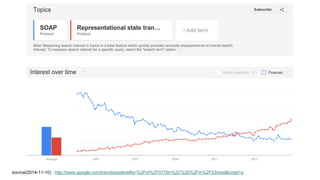
source(2014-11-10) : http://www.google.com/trends/explore#q=%2Fm%2F077dn%2C%20%2Fm%2F03nsxd&cmpt=q
HTTP
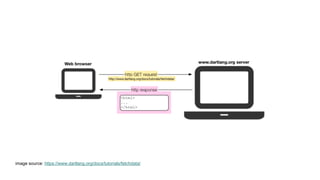
Explaining HTTP
image source: https://www.dartlang.org/docs/tutorials/fetchdata/
HTTP Request 
GET /books HTTP/1.1 
User-Agent: Mozilla/4.0 (compatible; MSIE5.01; Windows NT) 
Host: www.example.com 
Accept-Language: en-us 
Accept-Encoding: gzip, deflate 
Connection: Keep-Alive
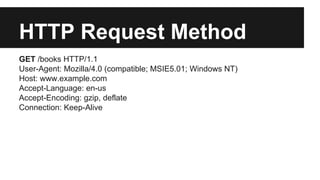
HTTP Request Method 
GET /books HTTP/1.1 
User-Agent: Mozilla/4.0 (compatible; MSIE5.01; Windows NT) 
Host: www.example.com 
Accept-Language: en-us 
Accept-Encoding: gzip, deflate 
Connection: Keep-Alive
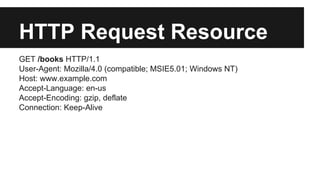
HTTP Request Resource 
GET /books HTTP/1.1 
User-Agent: Mozilla/4.0 (compatible; MSIE5.01; Windows NT) 
Host: www.example.com 
Accept-Language: en-us 
Accept-Encoding: gzip, deflate 
Connection: Keep-Alive
HTTP Request Headers 
GET /books HTTP/1.1 
User-Agent: Mozilla/4.0 (compatible; MSIE5.01; Windows NT) 
Host: www.example.com 
Accept-Language: en-us 
Accept-Encoding: gzip, deflate 
Connection: Keep-Alive
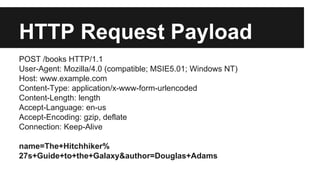
HTTP Request Payload 
POST /books HTTP/1.1 
User-Agent: Mozilla/4.0 (compatible; MSIE5.01; Windows NT) 
Host: www.example.com 
Content-Type: application/x-www-form-urlencoded 
Content-Length: length 
Accept-Language: en-us 
Accept-Encoding: gzip, deflate 
Connection: Keep-Alive 
name=The+Hitchhiker% 
27s+Guide+to+the+Galaxy&author=Douglas+Adams
HTTP Verb 
● GET 
● POST 
● PUT/PATCH 
● DELETE
Resource 
● Model 
● Date element 
● URL 
● /books 
● /books/1
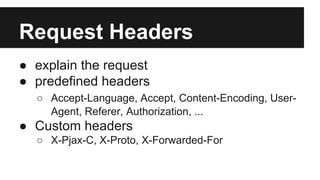
Request Headers 
● explain the request 
● predefined headers 
○ Accept-Language, Accept, Content-Encoding, User- 
Agent, Referer, Authorization, ... 
● Custom headers 
○ X-Pjax-C, X-Proto, X-Forwarded-For
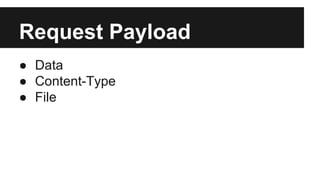
Request Payload 
● Data 
● Content-Type 
● File
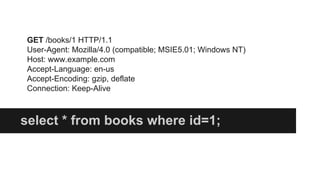
GET 
Read data
GET /books/1 HTTP/1.1 
User-Agent: Mozilla/4.0 (compatible; MSIE5.01; Windows NT) 
Host: www.example.com 
Accept-Language: en-us 
Accept-Encoding: gzip, deflate 
Connection: Keep-Alive 
select * from books where id=1;
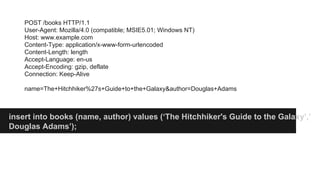
POST 
Create a new model
POST /books HTTP/1.1 
User-Agent: Mozilla/4.0 (compatible; MSIE5.01; Windows NT) 
Host: www.example.com 
Content-Type: application/x-www-form-urlencoded 
Content-Length: length 
Accept-Language: en-us 
Accept-Encoding: gzip, deflate 
Connection: Keep-Alive 
name=The+Hitchhiker%27s+Guide+to+the+Galaxy&author=Douglas+Adams 
insert into books (name, author) values (‘The Hitchhiker's Guide to the Galaxy’,’ 
Douglas Adams’);
PUT/PATCH 
Modify a model
PATCH /books/1 HTTP/1.1 
User-Agent: Mozilla/4.0 (compatible; MSIE5.01; Windows NT) 
Host: www.example.com 
Content-Type: application/x-www-form-urlencoded 
Content-Length: length 
Accept-Language: en-us 
Accept-Encoding: gzip, deflate 
Connection: Keep-Alive 
published=true 
update books set published=true;
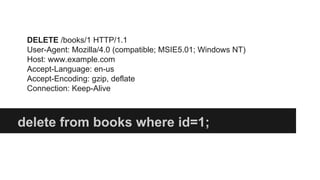
DELETE 
Remove a resource
DELETE /books/1 HTTP/1.1 
User-Agent: Mozilla/4.0 (compatible; MSIE5.01; Windows NT) 
Host: www.example.com 
Accept-Language: en-us 
Accept-Encoding: gzip, deflate 
Connection: Keep-Alive 
delete from books where id=1;
Create HTTP Request
Objective C (iOS) 
//create a reusable session 
NSURLSessionConfiguration* sessionConfiguration; 
NSURLSession *session; 
sessionConfiguration=[NSURLSessionConfiguration defaultSessionConfiguration]; 
[sessionConfiguration setHTTPAdditionalHeaders: 
@{@"Accept":@"application/json"}]; 
session=[NSURLSession sessionWithConfiguration:sessionConfiguration]; 
//execute the request 
NSURL* url=[NSURL URLWithString:@"https://secure-escarpment-9317.herokuapp.com/books.json"]; 
NSURLSessionDataTask* task=[session dataTaskWithURL:url completionHandler:^(NSData *data, NSURLResponse 
*response, NSError *error) { 
ا// handling response 
}]; 
[task resume];
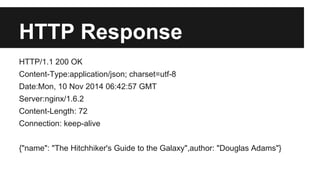
HTTP Response 
HTTP/1.1 200 OK 
Content-Type:application/json; charset=utf-8 
Date:Mon, 10 Nov 2014 06:42:57 GMT 
Server:nginx/1.6.2 
Content-Length: 72 
Connection: keep-alive 
{"name": "The Hitchhiker's Guide to the Galaxy",author: "Douglas Adams"}
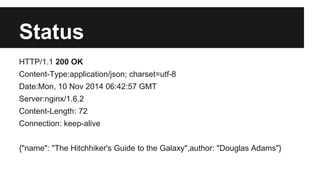
Status 
HTTP/1.1 200 OK 
Content-Type:application/json; charset=utf-8 
Date:Mon, 10 Nov 2014 06:42:57 GMT 
Server:nginx/1.6.2 
Content-Length: 72 
Connection: keep-alive 
{"name": "The Hitchhiker's Guide to the Galaxy",author: "Douglas Adams"}
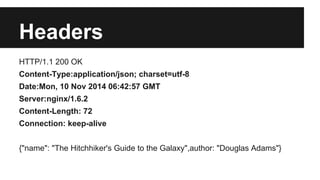
Headers 
HTTP/1.1 200 OK 
Content-Type:application/json; charset=utf-8 
Date:Mon, 10 Nov 2014 06:42:57 GMT 
Server:nginx/1.6.2 
Content-Length: 72 
Connection: keep-alive 
{"name": "The Hitchhiker's Guide to the Galaxy",author: "Douglas Adams"}
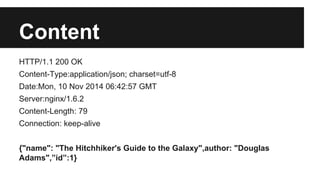
Content 
HTTP/1.1 200 OK 
Content-Type:application/json; charset=utf-8 
Date:Mon, 10 Nov 2014 06:42:57 GMT 
Server:nginx/1.6.2 
Content-Length: 79 
Connection: keep-alive 
{"name": "The Hitchhiker's Guide to the Galaxy",author: "Douglas 
Adams",”id”:1}
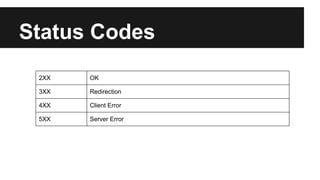
Status Codes 
2XX OK 
3XX Redirection 
4XX Client Error 
5XX Server Error
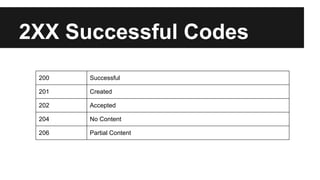
2XX Successful Codes 
200 Successful 
201 Created 
202 Accepted 
204 No Content 
206 Partial Content
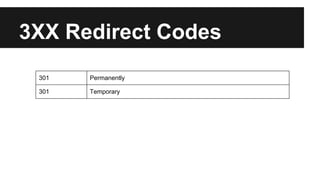
3XX Redirect Codes 
301 Permanently 
301 Temporary
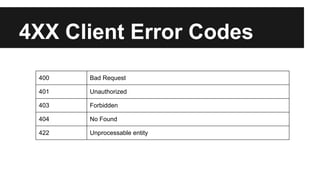
4XX Client Error Codes 
400 Bad Request 
401 Unauthorized 
403 Forbidden 
404 No Found 
422 Unprocessable entity
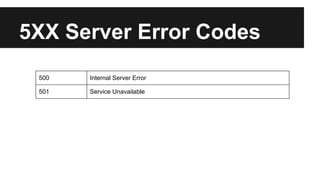
5XX Server Error Codes 
500 Internal Server Error 
501 Service Unavailable
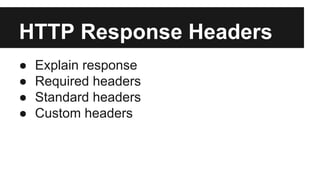
HTTP Response Headers 
● Explain response 
● Required headers 
● Standard headers 
● Custom headers
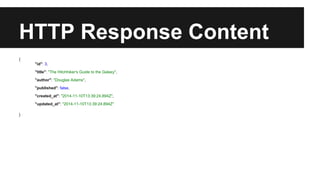
HTTP Response Content 
{ 
"id": 3, 
"title": "The Hitchhiker's Guide to the Galaxy", 
"author": "Douglas Adams", 
"published": false, 
"created_at": "2014-11-10T13:39:24.894Z", 
"updated_at": "2014-11-10T13:39:24.894Z" 
}
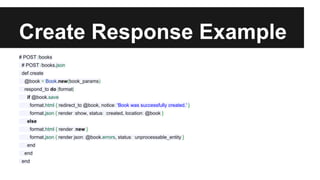
Create Response Example 
# POST /books 
# POST /books.json 
def create 
@book = Book.new(book_params) 
respond_to do |format| 
if @book.save 
format.html { redirect_to @book, notice: 'Book was successfully created.' } 
format.json { render :show, status: :created, location: @book } 
else 
format.html { render :new } 
format.json { render json: @book.errors, status: :unprocessable_entity } 
end 
end 
end
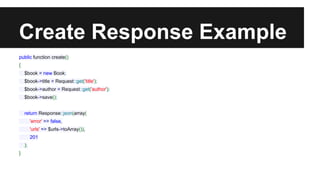
Create Response Example 
public function create() 
{ 
$book = new Book; 
$book->title = Request::get('title'); 
$book->author = Request::get('author'); 
$book->save(); 
return Response::json(array( 
'error' => false, 
'urls' => $urls->toArray()), 
201 
); 
}
REST
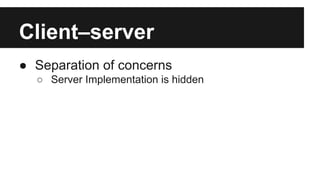
Client–server 
● Separation of concerns 
○ Server Implementation is hidden
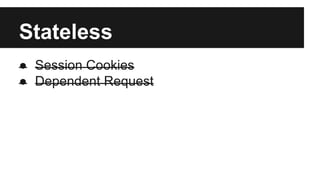
Stateless 
● Session Cookies 
● Dependent Request
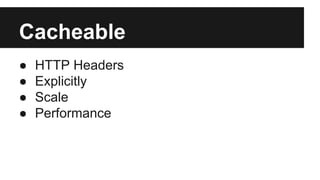
Cacheable 
● HTTP Headers 
● Explicitly 
● Scale 
● Performance
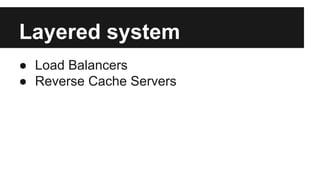
Layered system 
● Load Balancers 
● Reverse Cache Servers
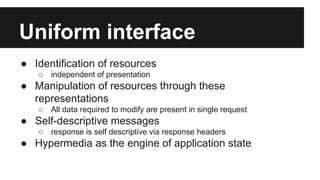
Uniform interface 
● Identification of resources 
○ independent of presentation 
● Manipulation of resources through these 
representations 
○ All data required to modify are present in single request 
● Self-descriptive messages 
○ response is self descriptive via response headers 
● Hypermedia as the engine of application state
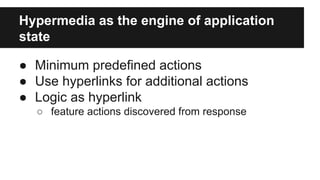
Hypermedia as the engine of application 
state 
● Minimum predefined actions 
● Use hyperlinks for additional actions 
● Logic as hyperlink 
○ feature actions discovered from response
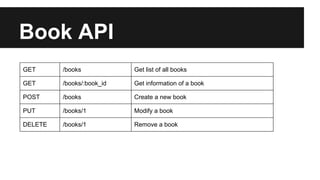
Book API 
GET /books Get list of all books 
GET /books/:book_id Get information of a book 
POST /books Create a new book 
PUT /books/1 Modify a book 
DELETE /books/1 Remove a book
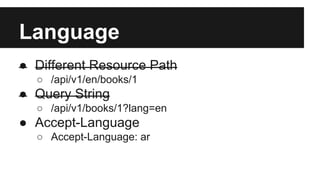
Language 
● Different Resource Path 
○ /api/v1/en/books/1 
● Query String 
○ /api/v1/books/1?lang=en 
● Accept-Language 
○ Accept-Language: ar
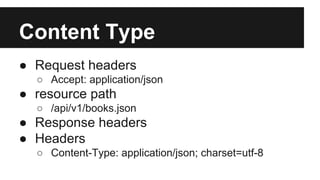
Content Type 
● Request headers 
○ Accept: application/json 
● resource path 
○ /api/v1/books.json 
● Response headers 
● Headers 
○ Content-Type: application/json; charset=utf-8
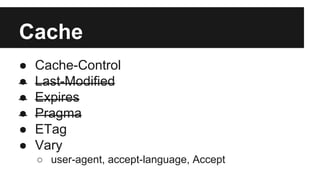
Cache 
● Cache-Control 
● Last-Modified 
● Expires 
● Pragma 
● ETag 
● Vary 
○ user-agent, accept-language, Accept
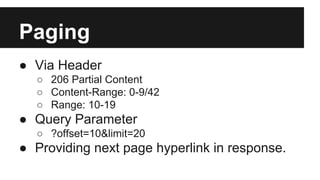
Paging 
● Via Header 
○ 206 Partial Content 
○ Content-Range: 0-9/42 
○ Range: 10-19 
● Query Parameter 
○ ?offset=10&limit=20 
● Providing next page hyperlink in response.
User Agent 
● Device information 
● Application Version 
● BookStore/12.4 (iOS/7.1; iPhone)
Authentication 
● Session as Resource 
● Login POST /session 
● Logout DELETE /session 
● Exchange user/pass for access_token & 
refresh_token 
● Refresh access_token each 24 hours
Authorization 
● Authorization header 
● Cookies
API Versioning 
● Avoid as much as possible 
● Change URLs 
○ /api/v1 
● Via Header 
○ Accept: application/vnd.github.v3+json
Filtering 
● Query Parameters 
○ ?published=true
Sorting 
● Via Query Parameter 
● sort ascending and descending 
● ?sort=+name,-author
Common Mistakes
Common Mistakes 
● Designing the API in isolated world 
○ Do real world while you develop and design 
● Too much data 
○ Only provide what is requested 
● Too much logic in client 
○ Use Hyperlinks more 
● Stateful 
○
DigitalOcean API V1 
GET https://api.digitalocean.com/v1/droplets/new?client_id=[client_id]&api_key=[api_key]&name= 
[droplet_name]&size_id=[size_id]&image_id=[image_id]&region_id=[region_id]&ssh_key_ids=[ssh_key_id1], 
[ssh_key_id2] 
Using Wrong Verb to create and Modify resources
Flickr API 
https://api.flickr.com/services/rest/?method=flickr.photos. 
people.getList 
Ignoring HTTP Verb 
Wrong status code 
Bad naming convention
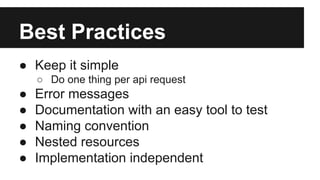
Best Practices 
● Keep it simple 
○ Do one thing per api request 
● Error messages 
● Documentation with an easy tool to test 
● Naming convention 
● Nested resources 
● Implementation independent
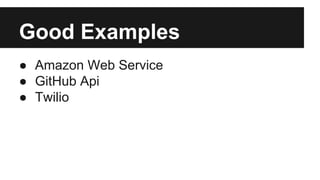
Good Examples 
● Amazon Web Service 
● GitHub Api 
● Twilio
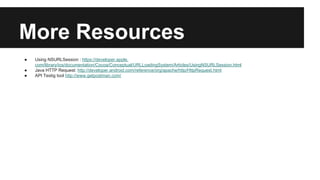
More Resources 
● Using NSURLSession : https://developer.apple. 
com/library/ios/documentation/Cocoa/Conceptual/URLLoadingSystem/Articles/UsingNSURLSession.html 
● Java HTTP Request: http://developer.android.com/reference/org/apache/http/HttpRequest.html 
● API Testig tool http://www.getpostman.com/
Summary
Use the right HTTP Verb
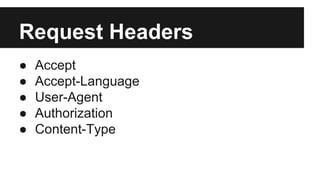
Request Headers 
● Accept 
● Accept-Language 
● User-Agent 
● Authorization 
● Content-Type
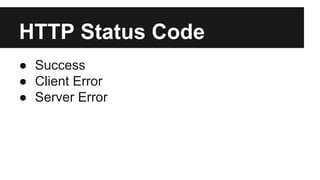
HTTP Status Code 
● Success 
● Client Error 
● Server Error
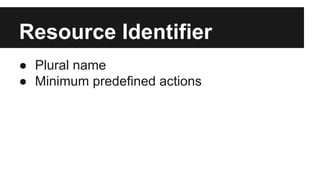
Resource Identifier 
● Plural name 
● Minimum predefined actions
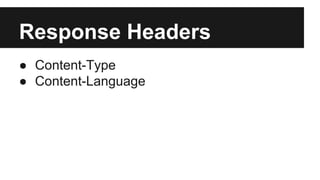
Response Headers 
● Content-Type 
● Content-Language
More 
● Clear Error Messages 
● Documentation

Design Web Service API by HungerStation

  • 1.
    Design Web ServiceAPI Arabnet 2014 Riyadh
  • 2.
  • 4.
  • 5.
    What ● CORBA ● Ice ● SOAP ● REST
  • 6.
    Debates ● Binaryover TCP: Performance ○ APN ● Text over HTTP: Flexibility ● Verbose ● Strict
  • 7.
    Programmer Interface They’lljudge you by your API
  • 8.
    Why Let otherprogrammers build on top of your service
  • 9.
    Why ● Mobileapplications ● Exposure ● Integration with third party services ● Technical ○ Abstraction ○ Simplicity ● Everyone else has API!
  • 10.
  • 11.
    SOAP Simple ObjectAccess protocol
  • 12.
  • 13.
  • 14.
  • 15.
  • 16.
  • 17.
    HTTP Request GET/books HTTP/1.1 User-Agent: Mozilla/4.0 (compatible; MSIE5.01; Windows NT) Host: www.example.com Accept-Language: en-us Accept-Encoding: gzip, deflate Connection: Keep-Alive
  • 18.
    HTTP Request Method GET /books HTTP/1.1 User-Agent: Mozilla/4.0 (compatible; MSIE5.01; Windows NT) Host: www.example.com Accept-Language: en-us Accept-Encoding: gzip, deflate Connection: Keep-Alive
  • 19.
    HTTP Request Resource GET /books HTTP/1.1 User-Agent: Mozilla/4.0 (compatible; MSIE5.01; Windows NT) Host: www.example.com Accept-Language: en-us Accept-Encoding: gzip, deflate Connection: Keep-Alive
  • 20.
    HTTP Request Headers GET /books HTTP/1.1 User-Agent: Mozilla/4.0 (compatible; MSIE5.01; Windows NT) Host: www.example.com Accept-Language: en-us Accept-Encoding: gzip, deflate Connection: Keep-Alive
  • 21.
    HTTP Request Payload POST /books HTTP/1.1 User-Agent: Mozilla/4.0 (compatible; MSIE5.01; Windows NT) Host: www.example.com Content-Type: application/x-www-form-urlencoded Content-Length: length Accept-Language: en-us Accept-Encoding: gzip, deflate Connection: Keep-Alive name=The+Hitchhiker% 27s+Guide+to+the+Galaxy&author=Douglas+Adams
  • 22.
    HTTP Verb ●GET ● POST ● PUT/PATCH ● DELETE
  • 23.
    Resource ● Model ● Date element ● URL ● /books ● /books/1
  • 24.
    Request Headers ●explain the request ● predefined headers ○ Accept-Language, Accept, Content-Encoding, User- Agent, Referer, Authorization, ... ● Custom headers ○ X-Pjax-C, X-Proto, X-Forwarded-For
  • 25.
    Request Payload ●Data ● Content-Type ● File
  • 26.
  • 27.
    GET /books/1 HTTP/1.1 User-Agent: Mozilla/4.0 (compatible; MSIE5.01; Windows NT) Host: www.example.com Accept-Language: en-us Accept-Encoding: gzip, deflate Connection: Keep-Alive select * from books where id=1;
  • 28.
    POST Create anew model
  • 29.
    POST /books HTTP/1.1 User-Agent: Mozilla/4.0 (compatible; MSIE5.01; Windows NT) Host: www.example.com Content-Type: application/x-www-form-urlencoded Content-Length: length Accept-Language: en-us Accept-Encoding: gzip, deflate Connection: Keep-Alive name=The+Hitchhiker%27s+Guide+to+the+Galaxy&author=Douglas+Adams insert into books (name, author) values (‘The Hitchhiker's Guide to the Galaxy’,’ Douglas Adams’);
  • 30.
  • 31.
    PATCH /books/1 HTTP/1.1 User-Agent: Mozilla/4.0 (compatible; MSIE5.01; Windows NT) Host: www.example.com Content-Type: application/x-www-form-urlencoded Content-Length: length Accept-Language: en-us Accept-Encoding: gzip, deflate Connection: Keep-Alive published=true update books set published=true;
  • 32.
  • 33.
    DELETE /books/1 HTTP/1.1 User-Agent: Mozilla/4.0 (compatible; MSIE5.01; Windows NT) Host: www.example.com Accept-Language: en-us Accept-Encoding: gzip, deflate Connection: Keep-Alive delete from books where id=1;
  • 34.
  • 35.
    Objective C (iOS) //create a reusable session NSURLSessionConfiguration* sessionConfiguration; NSURLSession *session; sessionConfiguration=[NSURLSessionConfiguration defaultSessionConfiguration]; [sessionConfiguration setHTTPAdditionalHeaders: @{@"Accept":@"application/json"}]; session=[NSURLSession sessionWithConfiguration:sessionConfiguration]; //execute the request NSURL* url=[NSURL URLWithString:@"https://secure-escarpment-9317.herokuapp.com/books.json"]; NSURLSessionDataTask* task=[session dataTaskWithURL:url completionHandler:^(NSData *data, NSURLResponse *response, NSError *error) { ا// handling response }]; [task resume];
  • 36.
    HTTP Response HTTP/1.1200 OK Content-Type:application/json; charset=utf-8 Date:Mon, 10 Nov 2014 06:42:57 GMT Server:nginx/1.6.2 Content-Length: 72 Connection: keep-alive {"name": "The Hitchhiker's Guide to the Galaxy",author: "Douglas Adams"}
  • 37.
    Status HTTP/1.1 200OK Content-Type:application/json; charset=utf-8 Date:Mon, 10 Nov 2014 06:42:57 GMT Server:nginx/1.6.2 Content-Length: 72 Connection: keep-alive {"name": "The Hitchhiker's Guide to the Galaxy",author: "Douglas Adams"}
  • 38.
    Headers HTTP/1.1 200OK Content-Type:application/json; charset=utf-8 Date:Mon, 10 Nov 2014 06:42:57 GMT Server:nginx/1.6.2 Content-Length: 72 Connection: keep-alive {"name": "The Hitchhiker's Guide to the Galaxy",author: "Douglas Adams"}
  • 39.
    Content HTTP/1.1 200OK Content-Type:application/json; charset=utf-8 Date:Mon, 10 Nov 2014 06:42:57 GMT Server:nginx/1.6.2 Content-Length: 79 Connection: keep-alive {"name": "The Hitchhiker's Guide to the Galaxy",author: "Douglas Adams",”id”:1}
  • 40.
    Status Codes 2XXOK 3XX Redirection 4XX Client Error 5XX Server Error
  • 41.
    2XX Successful Codes 200 Successful 201 Created 202 Accepted 204 No Content 206 Partial Content
  • 42.
    3XX Redirect Codes 301 Permanently 301 Temporary
  • 43.
    4XX Client ErrorCodes 400 Bad Request 401 Unauthorized 403 Forbidden 404 No Found 422 Unprocessable entity
  • 44.
    5XX Server ErrorCodes 500 Internal Server Error 501 Service Unavailable
  • 45.
    HTTP Response Headers ● Explain response ● Required headers ● Standard headers ● Custom headers
  • 46.
    HTTP Response Content { "id": 3, "title": "The Hitchhiker's Guide to the Galaxy", "author": "Douglas Adams", "published": false, "created_at": "2014-11-10T13:39:24.894Z", "updated_at": "2014-11-10T13:39:24.894Z" }
  • 47.
    Create Response Example # POST /books # POST /books.json def create @book = Book.new(book_params) respond_to do |format| if @book.save format.html { redirect_to @book, notice: 'Book was successfully created.' } format.json { render :show, status: :created, location: @book } else format.html { render :new } format.json { render json: @book.errors, status: :unprocessable_entity } end end end
  • 48.
    Create Response Example public function create() { $book = new Book; $book->title = Request::get('title'); $book->author = Request::get('author'); $book->save(); return Response::json(array( 'error' => false, 'urls' => $urls->toArray()), 201 ); }
  • 49.
  • 50.
    Client–server ● Separationof concerns ○ Server Implementation is hidden
  • 51.
    Stateless ● SessionCookies ● Dependent Request
  • 52.
    Cacheable ● HTTPHeaders ● Explicitly ● Scale ● Performance
  • 53.
    Layered system ●Load Balancers ● Reverse Cache Servers
  • 54.
    Uniform interface ●Identification of resources ○ independent of presentation ● Manipulation of resources through these representations ○ All data required to modify are present in single request ● Self-descriptive messages ○ response is self descriptive via response headers ● Hypermedia as the engine of application state
  • 55.
    Hypermedia as theengine of application state ● Minimum predefined actions ● Use hyperlinks for additional actions ● Logic as hyperlink ○ feature actions discovered from response
  • 56.
    Book API GET/books Get list of all books GET /books/:book_id Get information of a book POST /books Create a new book PUT /books/1 Modify a book DELETE /books/1 Remove a book
  • 57.
    Language ● DifferentResource Path ○ /api/v1/en/books/1 ● Query String ○ /api/v1/books/1?lang=en ● Accept-Language ○ Accept-Language: ar
  • 58.
    Content Type ●Request headers ○ Accept: application/json ● resource path ○ /api/v1/books.json ● Response headers ● Headers ○ Content-Type: application/json; charset=utf-8
  • 59.
    Cache ● Cache-Control ● Last-Modified ● Expires ● Pragma ● ETag ● Vary ○ user-agent, accept-language, Accept
  • 60.
    Paging ● ViaHeader ○ 206 Partial Content ○ Content-Range: 0-9/42 ○ Range: 10-19 ● Query Parameter ○ ?offset=10&limit=20 ● Providing next page hyperlink in response.
  • 61.
    User Agent ●Device information ● Application Version ● BookStore/12.4 (iOS/7.1; iPhone)
  • 62.
    Authentication ● Sessionas Resource ● Login POST /session ● Logout DELETE /session ● Exchange user/pass for access_token & refresh_token ● Refresh access_token each 24 hours
  • 63.
  • 64.
    API Versioning ●Avoid as much as possible ● Change URLs ○ /api/v1 ● Via Header ○ Accept: application/vnd.github.v3+json
  • 65.
    Filtering ● QueryParameters ○ ?published=true
  • 66.
    Sorting ● ViaQuery Parameter ● sort ascending and descending ● ?sort=+name,-author
  • 67.
  • 68.
    Common Mistakes ●Designing the API in isolated world ○ Do real world while you develop and design ● Too much data ○ Only provide what is requested ● Too much logic in client ○ Use Hyperlinks more ● Stateful ○
  • 69.
    DigitalOcean API V1 GET https://api.digitalocean.com/v1/droplets/new?client_id=[client_id]&api_key=[api_key]&name= [droplet_name]&size_id=[size_id]&image_id=[image_id]&region_id=[region_id]&ssh_key_ids=[ssh_key_id1], [ssh_key_id2] Using Wrong Verb to create and Modify resources
  • 70.
    Flickr API https://api.flickr.com/services/rest/?method=flickr.photos. people.getList Ignoring HTTP Verb Wrong status code Bad naming convention
  • 71.
    Best Practices ●Keep it simple ○ Do one thing per api request ● Error messages ● Documentation with an easy tool to test ● Naming convention ● Nested resources ● Implementation independent
  • 72.
    Good Examples ●Amazon Web Service ● GitHub Api ● Twilio
  • 73.
    More Resources ●Using NSURLSession : https://developer.apple. com/library/ios/documentation/Cocoa/Conceptual/URLLoadingSystem/Articles/UsingNSURLSession.html ● Java HTTP Request: http://developer.android.com/reference/org/apache/http/HttpRequest.html ● API Testig tool http://www.getpostman.com/
  • 74.
  • 76.
    Use the rightHTTP Verb
  • 77.
    Request Headers ●Accept ● Accept-Language ● User-Agent ● Authorization ● Content-Type
  • 78.
    HTTP Status Code ● Success ● Client Error ● Server Error
  • 79.
    Resource Identifier ●Plural name ● Minimum predefined actions
  • 80.
    Response Headers ●Content-Type ● Content-Language
  • 81.
    More ● ClearError Messages ● Documentation