


SOCIAL MEDIA TAGGING
CHEATSHEET
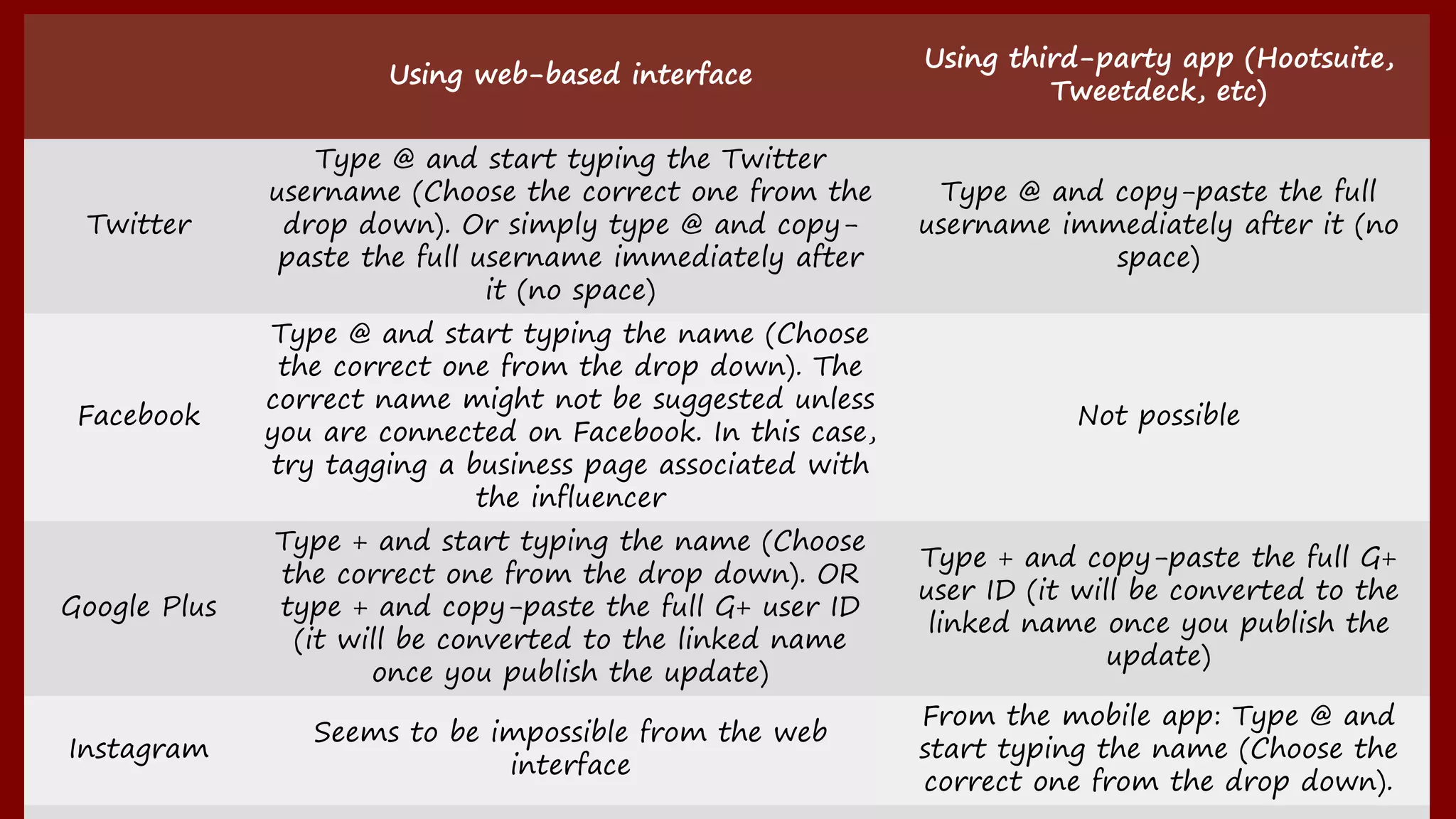
Using web-based interface
Using third-party app (Hootsuite, Tweetdeck,
etc)
Twitter
Type @ and start typing the Twitter username (Choose
the correct one from the drop down). Or simply type @
and copy-paste the full username immediately after it (no
space)
Type @ and copy-paste the full username
immediately after it (no space)
Facebook
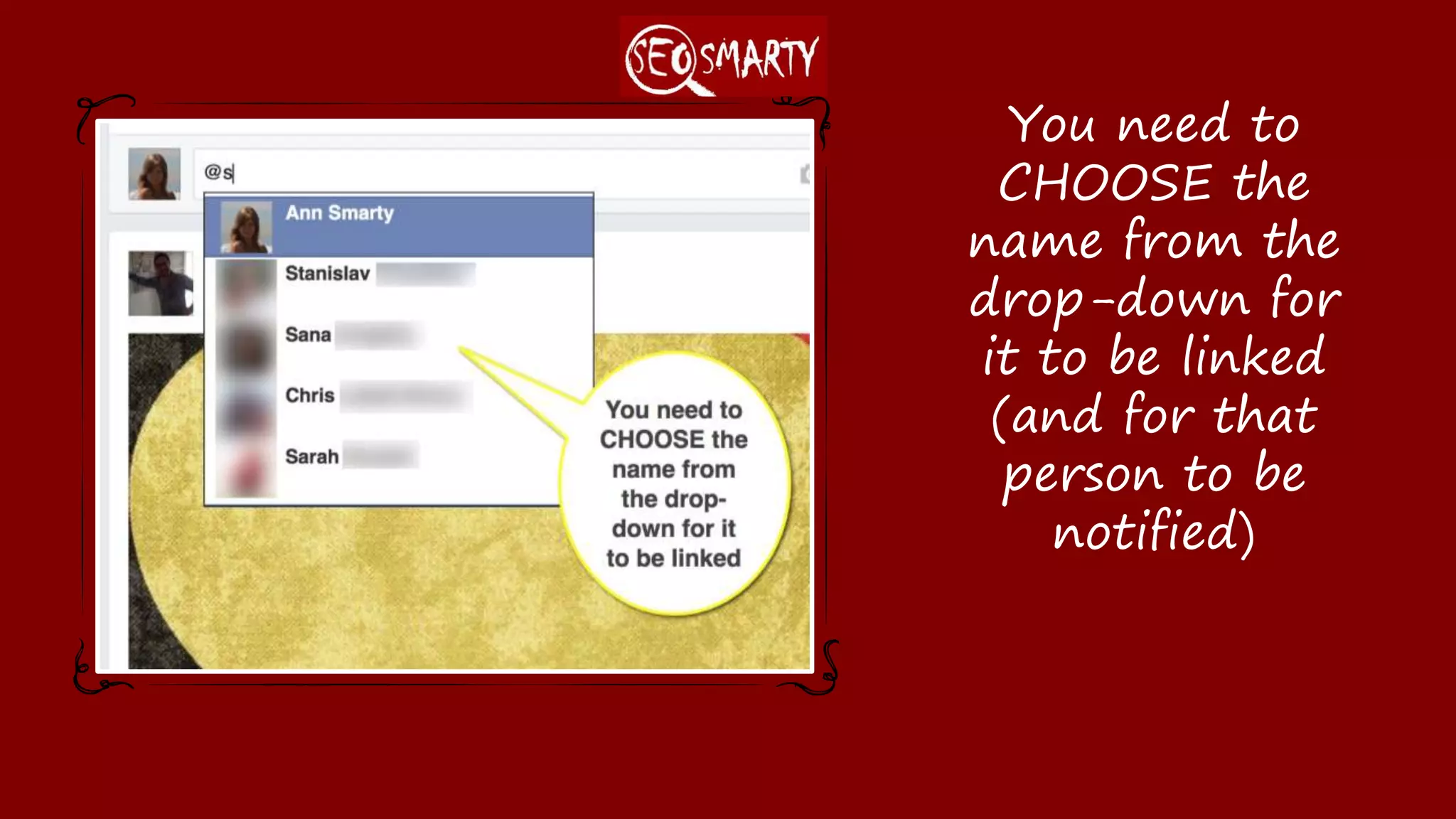
Type @ and start typing the name (Choose the correct
one from the drop down). The correct name might not be
suggested unless you are connected on Facebook. In
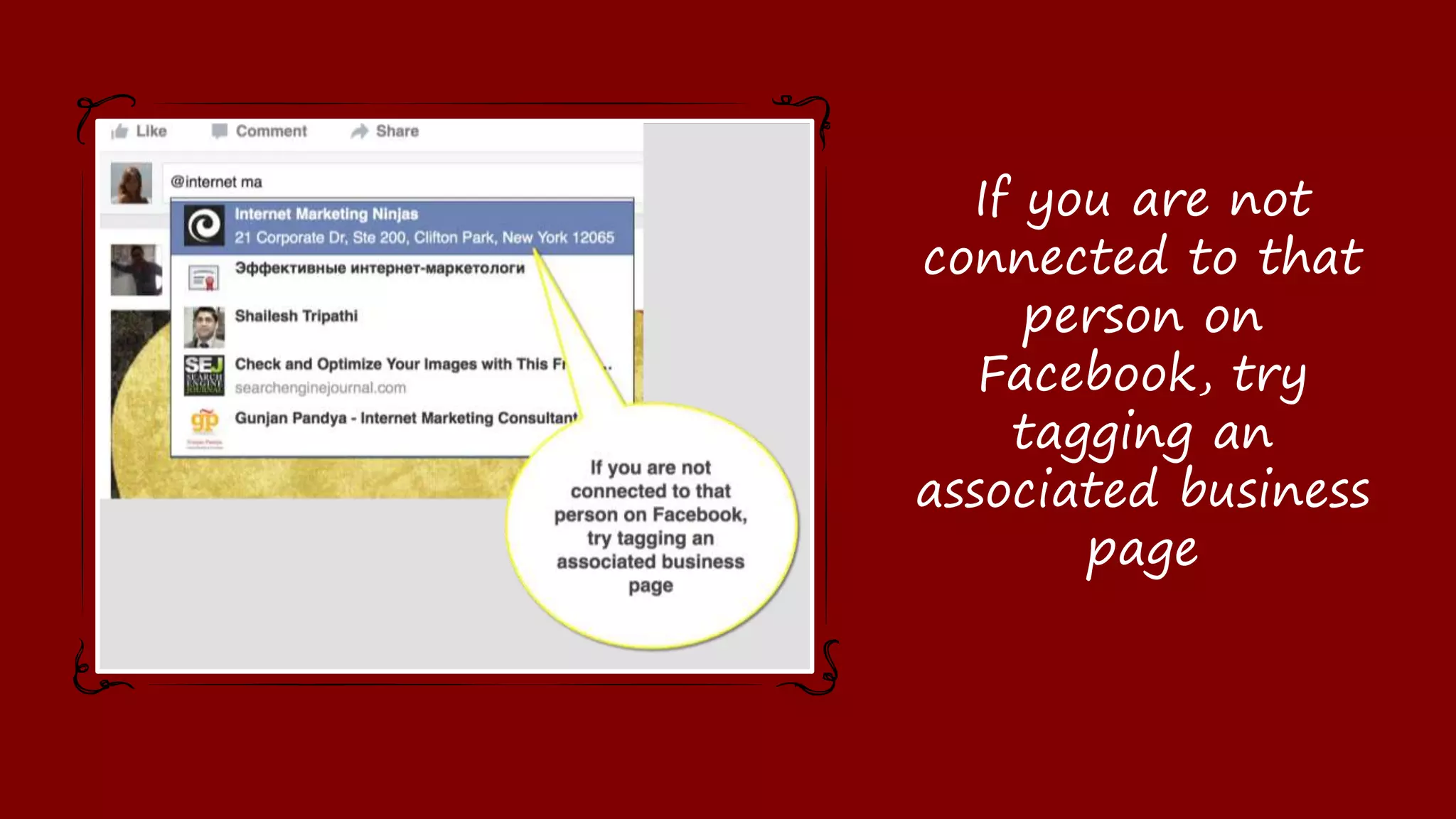
this case, try tagging a business page associated with
the influencer
Not possible
Google Plus
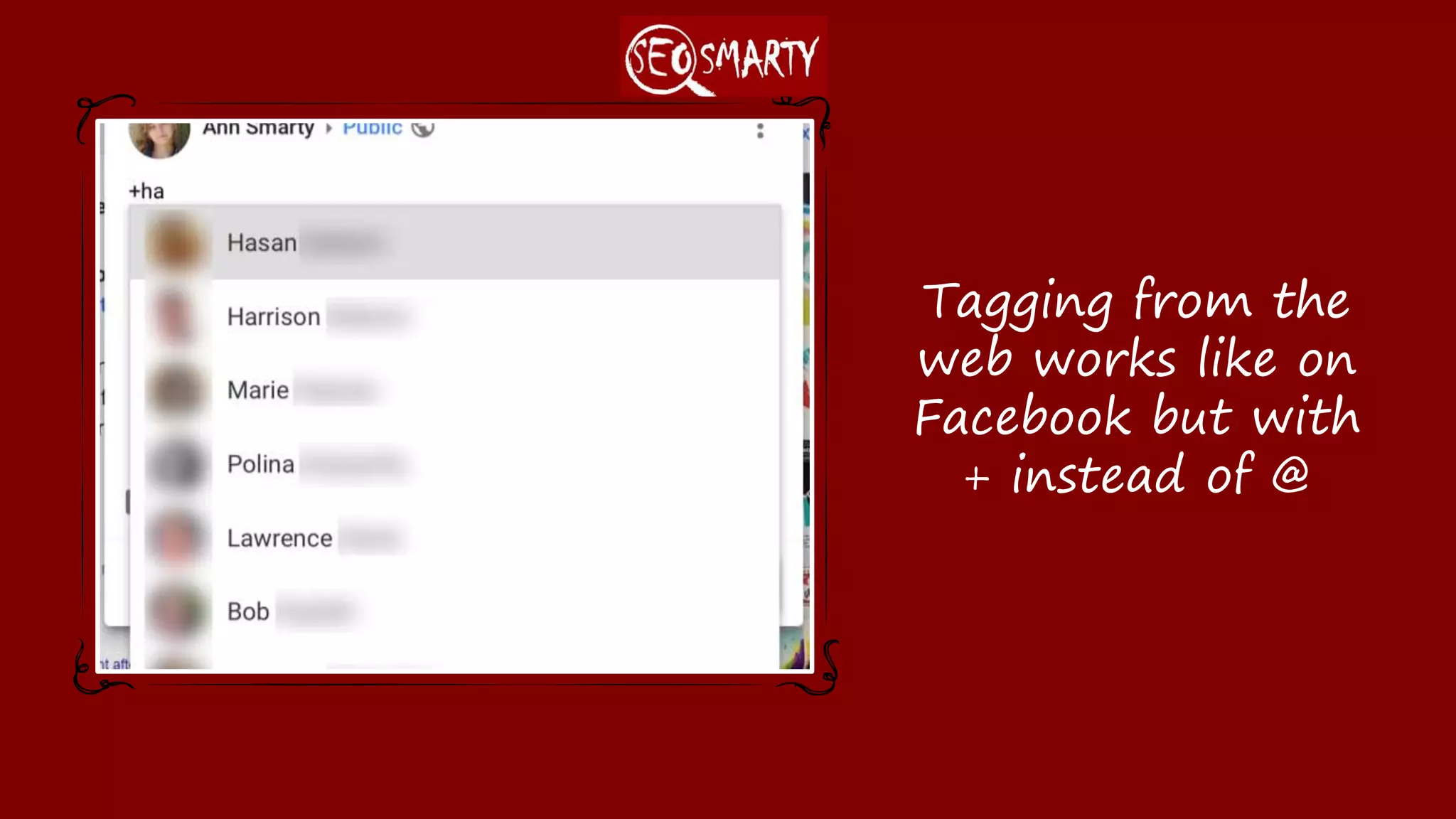
Type + and start typing the name (Choose the correct
one from the drop down). OR type + and copy-paste the
full G+ user ID (it will be converted to the linked name
once you publish the update)
Type + and copy-paste the full G+ user ID (it will
be converted to the linked name once you
publish the update)
Instagram Seems to be impossible from the web interface
From the mobile app: Type @ and start typing
the name (Choose the correct one from the drop
down).
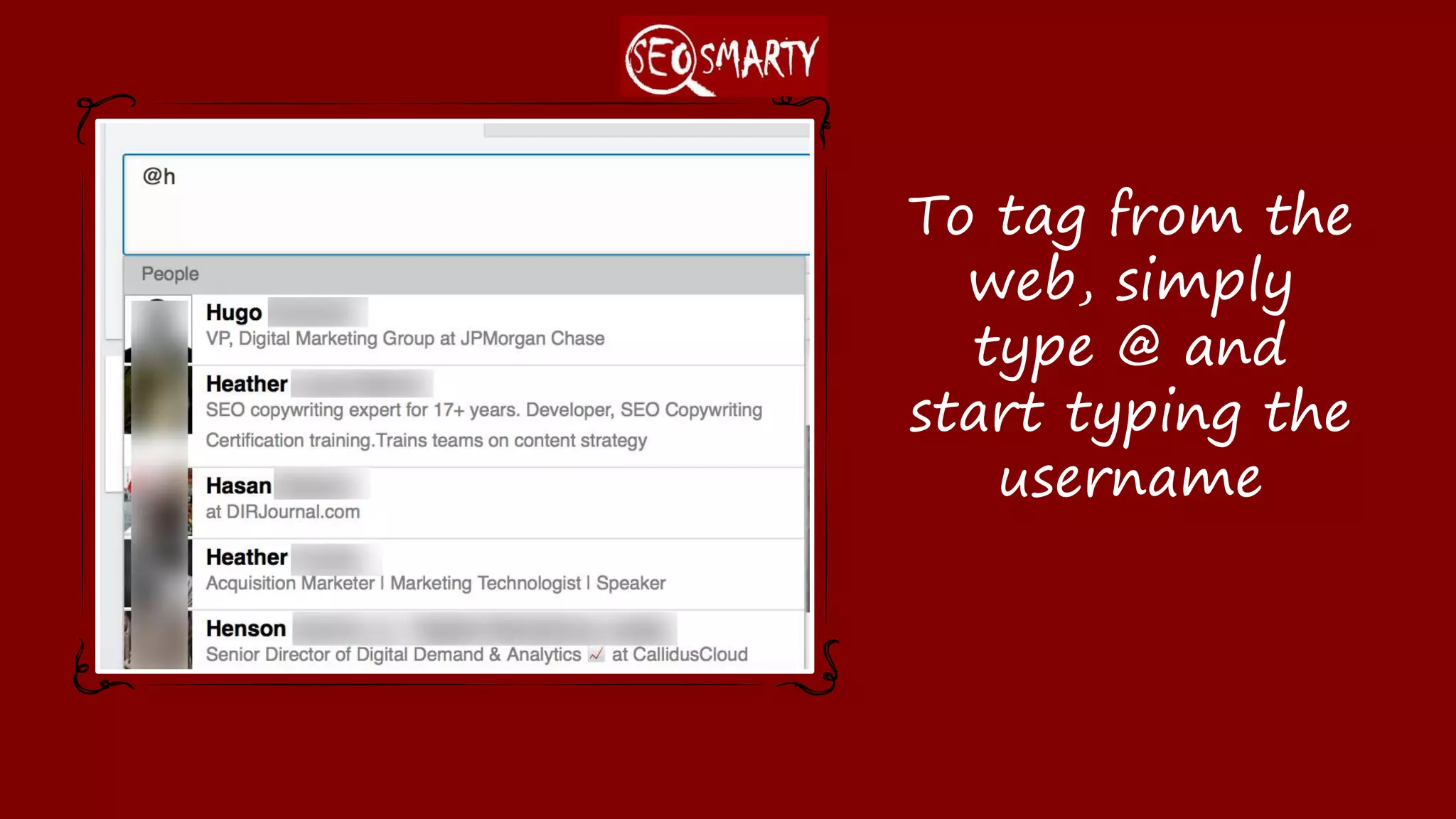
Linkedin
Type @ and start typing the name (Choose the correct
one from the drop down).
Not possible
Twitter:
(Easiest tagging)
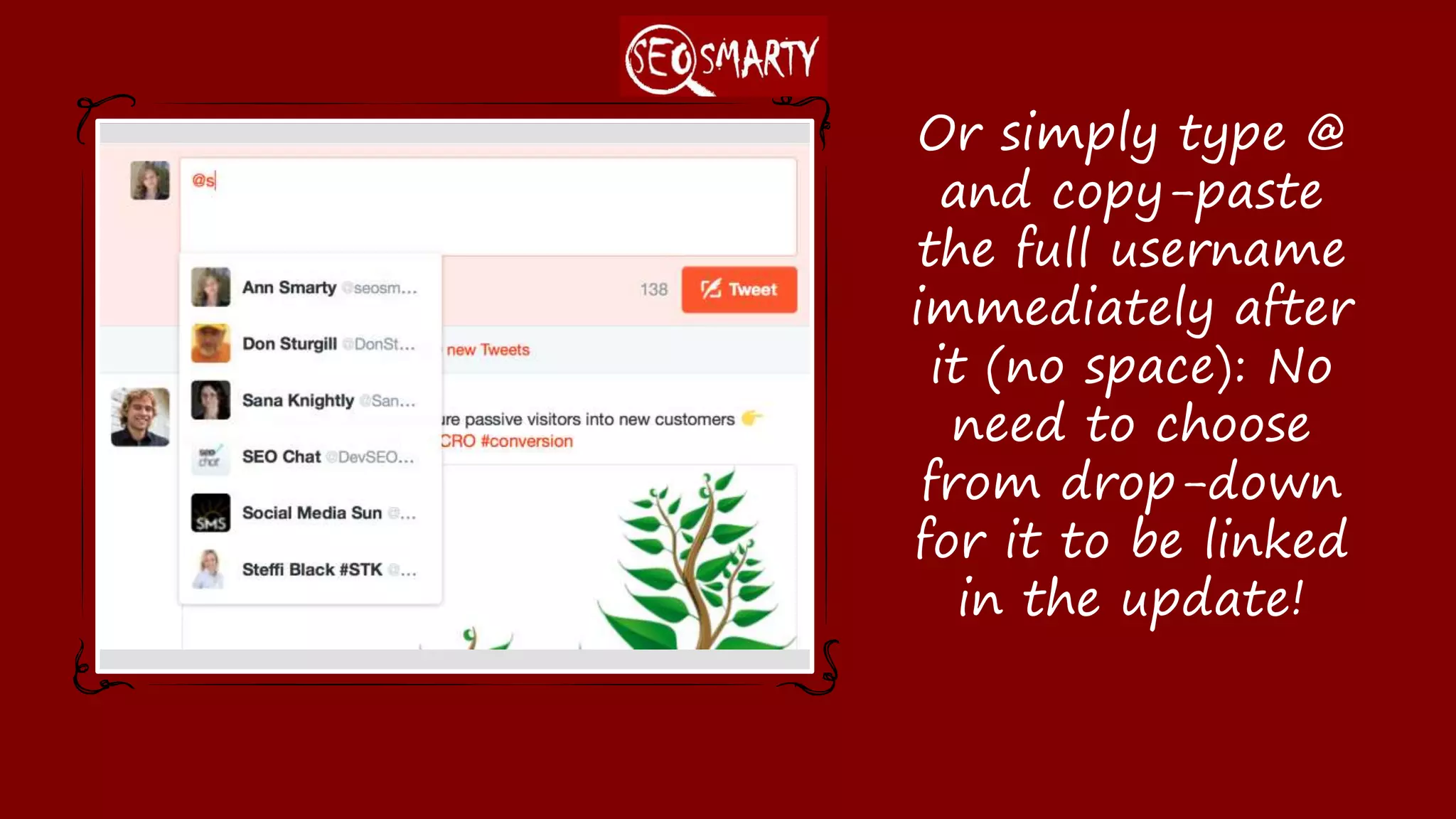
Or simply type @ and
copy-paste the full
username
immediately after it
(no space): No need
to choose from drop-
down for it to be
linked in the update!
Facebook
(No way to tag from the app)
You need to
CHOOSE the name
from the drop-down
for it to be linked
(and for that person
to be notified)
If you are not
connected to that
person on Facebook,
try tagging an
associated business
page
Google Plus
(Know the tricks)
Tagging from the
web works like on
Facebook but with +
instead of @
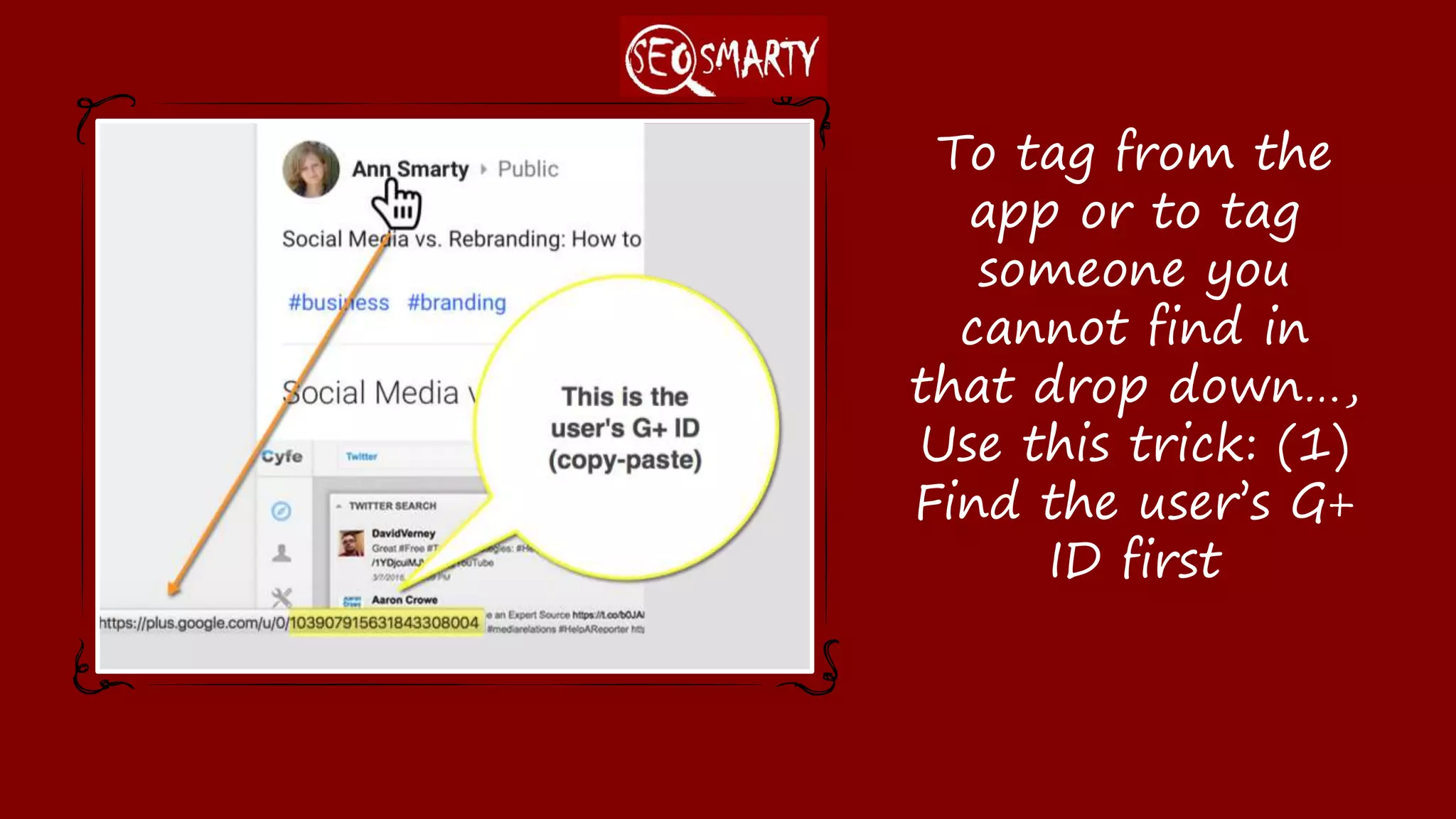
To tag from the app
or to tag someone
you cannot find in
that drop down…,
Use this trick: (1)
Find the user’s G+
ID first
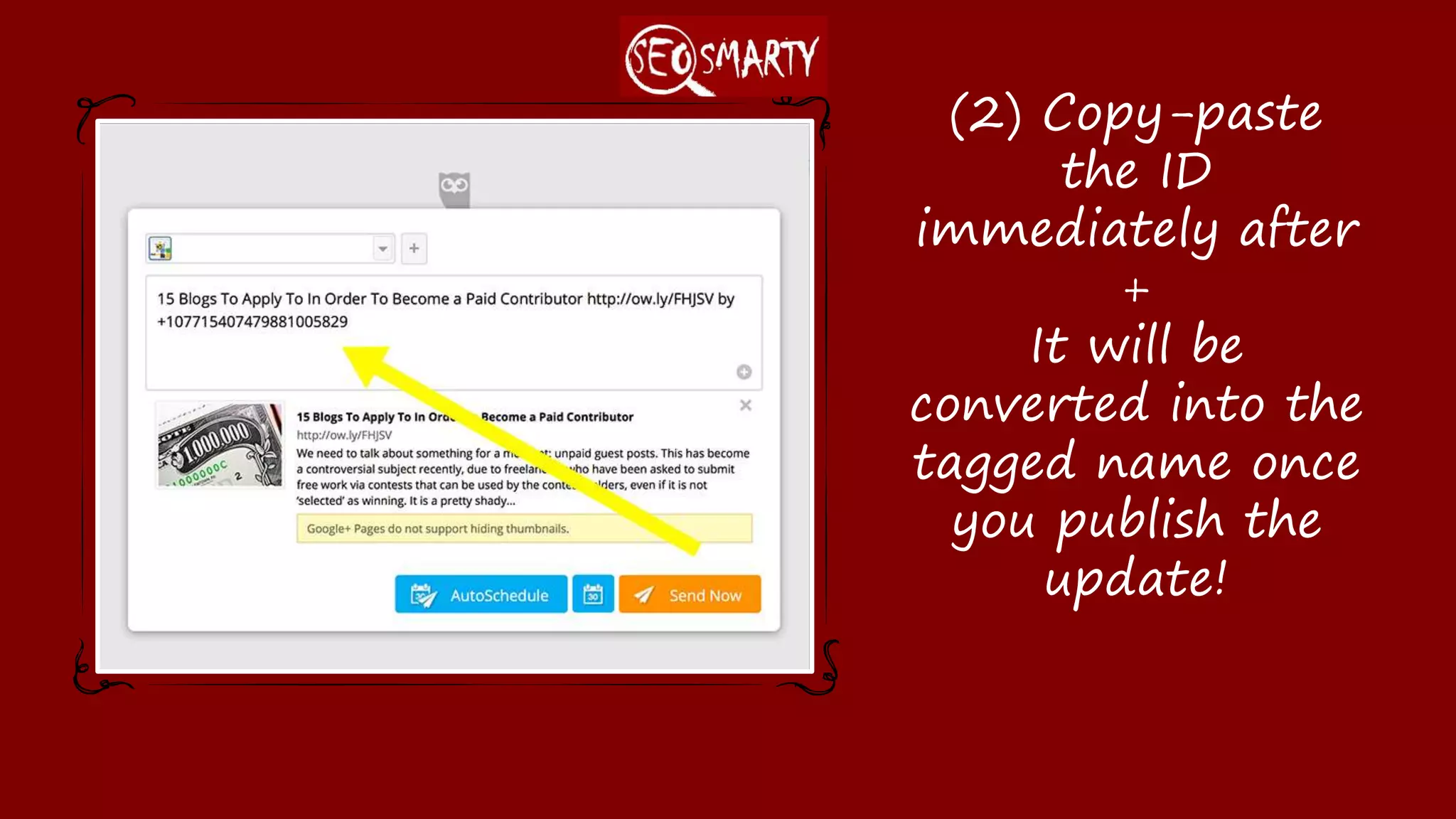
(2) Copy-paste the
ID immediately after
+
It will be converted
into the tagged name
once you publish the
update!
Instagram
(No way to tag from the web)
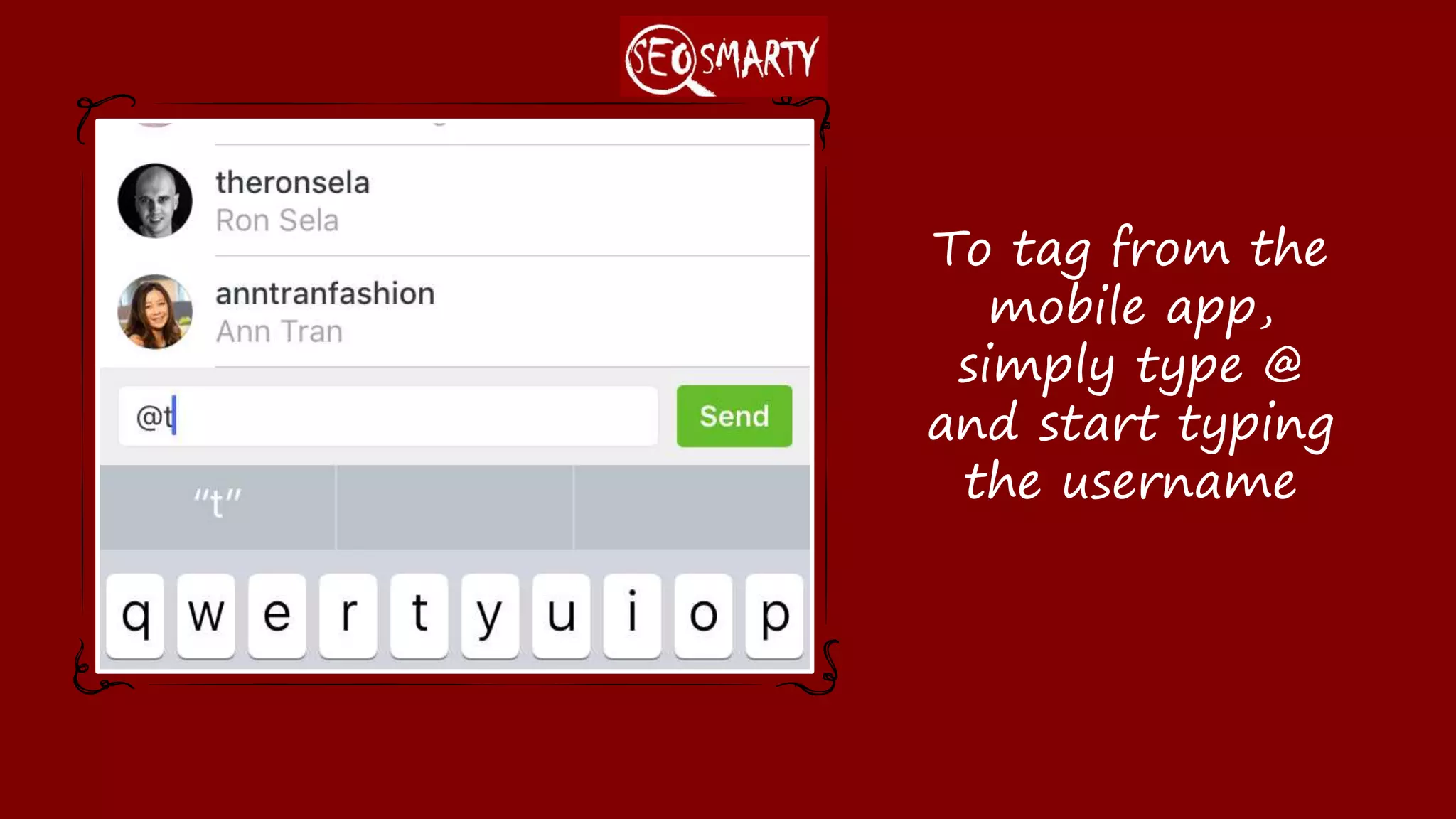
To tag from the
mobile app, simply
type @ and start
typing the username
Linkedin
(No way to tag from the app)
To tag from the
web, simply type
@ and start typing
the username
SEOsmarty.com
For more tips and tricks,
visit

Social Media Tagging Cheatsheet: How to Tag Users on Twitter, Facebook, Linkedin, Instagram, Google Plus

  • 1.
  • 2.
    Using web-based interface Usingthird-party app (Hootsuite, Tweetdeck, etc) Twitter Type @ and start typing the Twitter username (Choose the correct one from the drop down). Or simply type @ and copy-paste the full username immediately after it (no space) Type @ and copy-paste the full username immediately after it (no space) Facebook Type @ and start typing the name (Choose the correct one from the drop down). The correct name might not be suggested unless you are connected on Facebook. In this case, try tagging a business page associated with the influencer Not possible Google Plus Type + and start typing the name (Choose the correct one from the drop down). OR type + and copy-paste the full G+ user ID (it will be converted to the linked name once you publish the update) Type + and copy-paste the full G+ user ID (it will be converted to the linked name once you publish the update) Instagram Seems to be impossible from the web interface From the mobile app: Type @ and start typing the name (Choose the correct one from the drop down). Linkedin Type @ and start typing the name (Choose the correct one from the drop down). Not possible
  • 3.
  • 4.
    Or simply type@ and copy-paste the full username immediately after it (no space): No need to choose from drop- down for it to be linked in the update!
  • 5.
    Facebook (No way totag from the app)
  • 6.
    You need to CHOOSEthe name from the drop-down for it to be linked (and for that person to be notified)
  • 7.
    If you arenot connected to that person on Facebook, try tagging an associated business page
  • 8.
  • 9.
    Tagging from the webworks like on Facebook but with + instead of @
  • 10.
    To tag fromthe app or to tag someone you cannot find in that drop down…, Use this trick: (1) Find the user’s G+ ID first
  • 11.
    (2) Copy-paste the IDimmediately after + It will be converted into the tagged name once you publish the update!
  • 12.
    Instagram (No way totag from the web)
  • 13.
    To tag fromthe mobile app, simply type @ and start typing the username
  • 14.
    Linkedin (No way totag from the app)
  • 15.
    To tag fromthe web, simply type @ and start typing the username
  • 16.
    SEOsmarty.com For more tipsand tricks, visit