Introduction to Tempest

OpenStack Users January 2013 Meetup – India
    Presenters: Nithya, Sarad & Suresh
Agenda
•   Introduction To Tempest
•   Explore Tempest
•   Getting Started with Tempest in Openstack
•   Role of Tempest in Openstack CI
•   Pro’s & Con’s
•   Q&A
What is tempest?
• Tempest – It’s an Openstack Integration test
  suite
• Based on unittest2 framework & currently
  uses Nosetest runner
• Used by community as gating on commits to
  trunk
• In a nutshell, all it does is run tests against
  OpenStack service endpoints by exercising API
  calls & validate the response
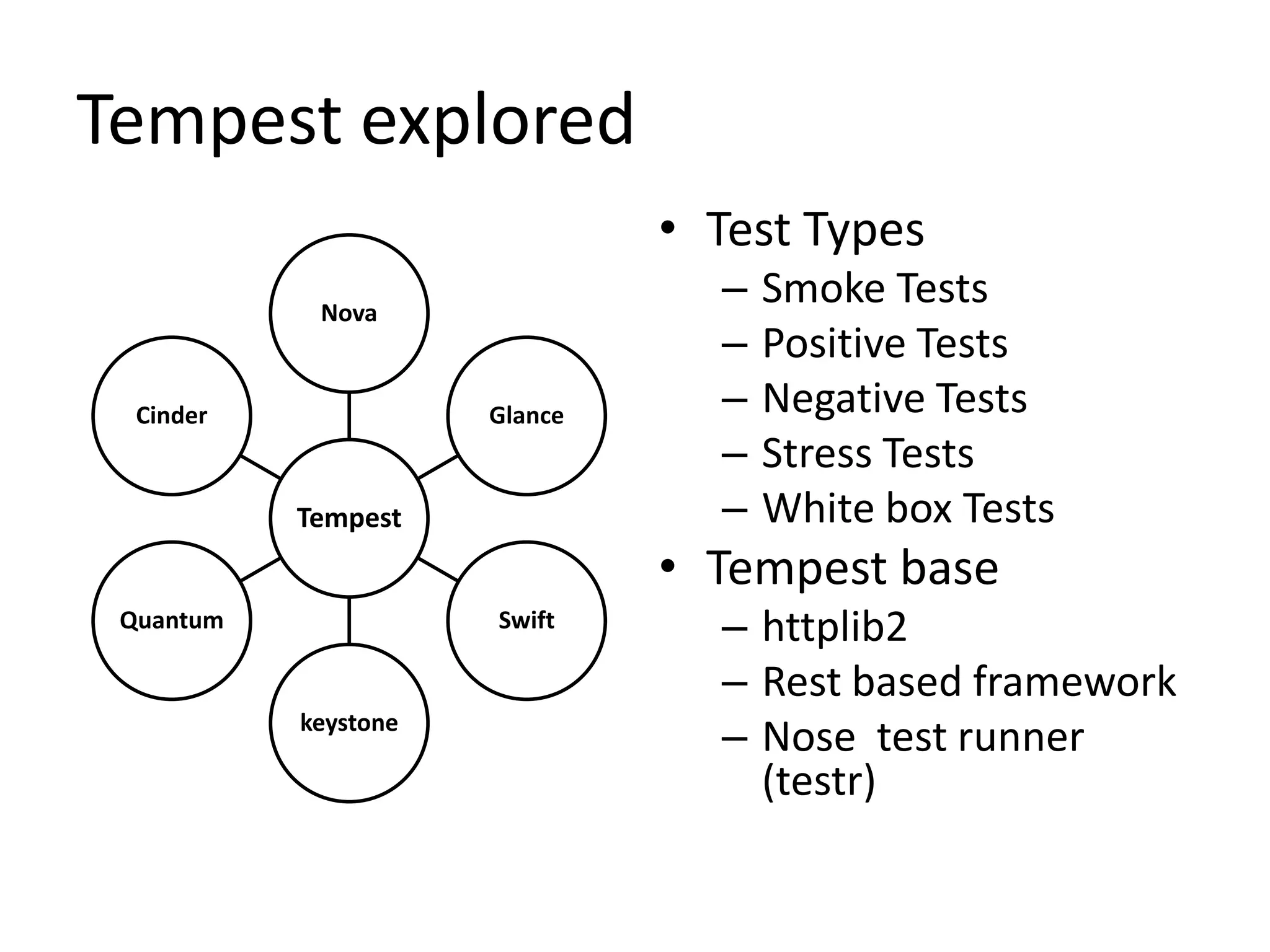
Tempest explored
                               • Test Types
            Nova
                                 –   Smoke Tests
                                 –   Positive Tests
  Cinder              Glance     –   Negative Tests
                                 –   Stress Tests
           Tempest               –   White box Tests
                               • Tempest base
 Quantum              Swift      – httplib2
                                 – Rest based framework
           keystone
                                 – Nose test runner
                                   (testr)
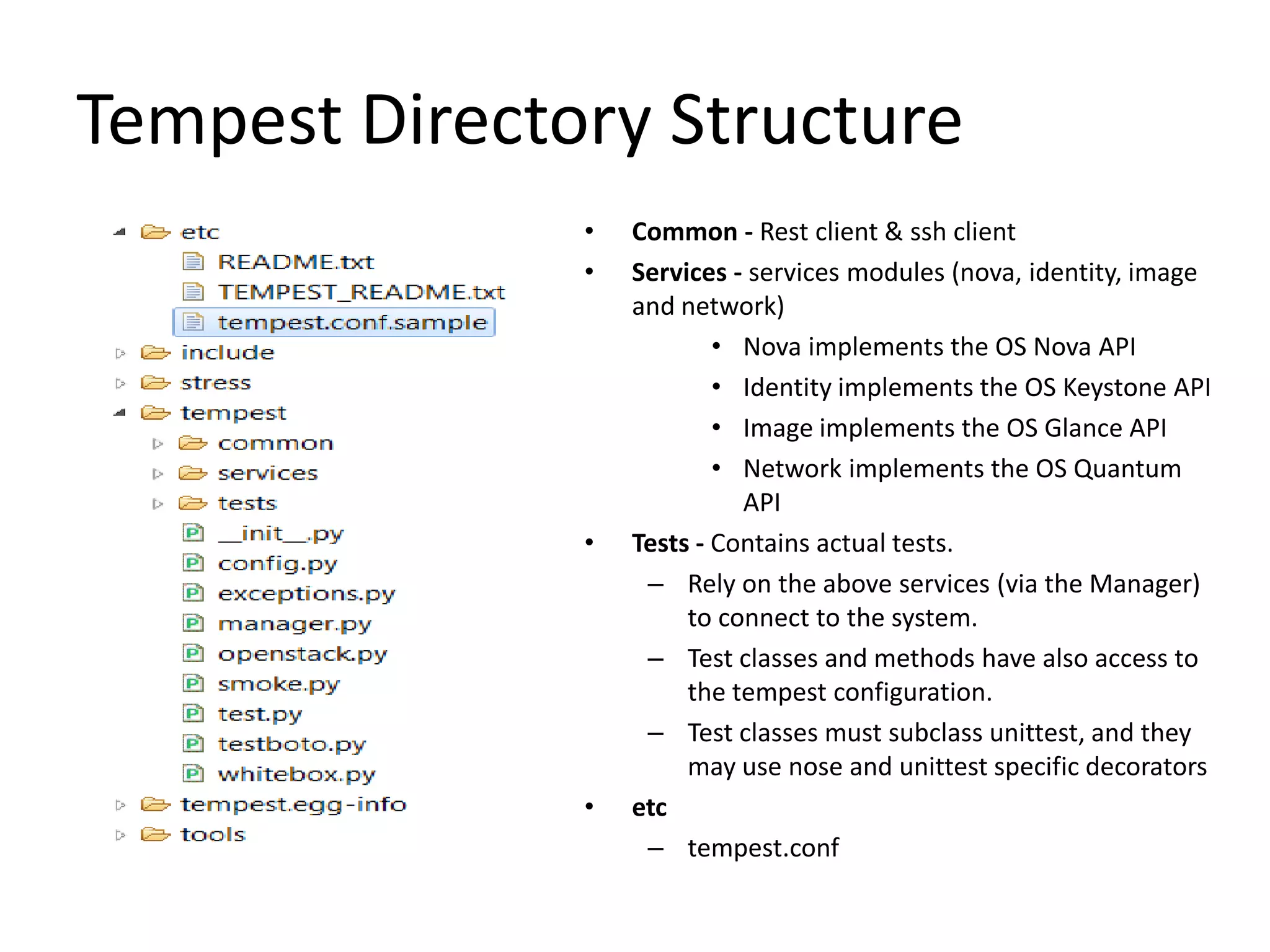
Tempest Directory Structure
               •   Common - Rest client & ssh client
               •   Services - services modules (nova, identity, image
                   and network)
                           • Nova implements the OS Nova API
                           • Identity implements the OS Keystone API
                           • Image implements the OS Glance API
                           • Network implements the OS Quantum
                             API
               •   Tests - Contains actual tests.
                    – Rely on the above services (via the Manager)
                        to connect to the system.
                    – Test classes and methods have also access to
                        the tempest configuration.
                    – Test classes must subclass unittest, and they
                        may use nose and unittest specific decorators
               •   etc
                    – tempest.conf
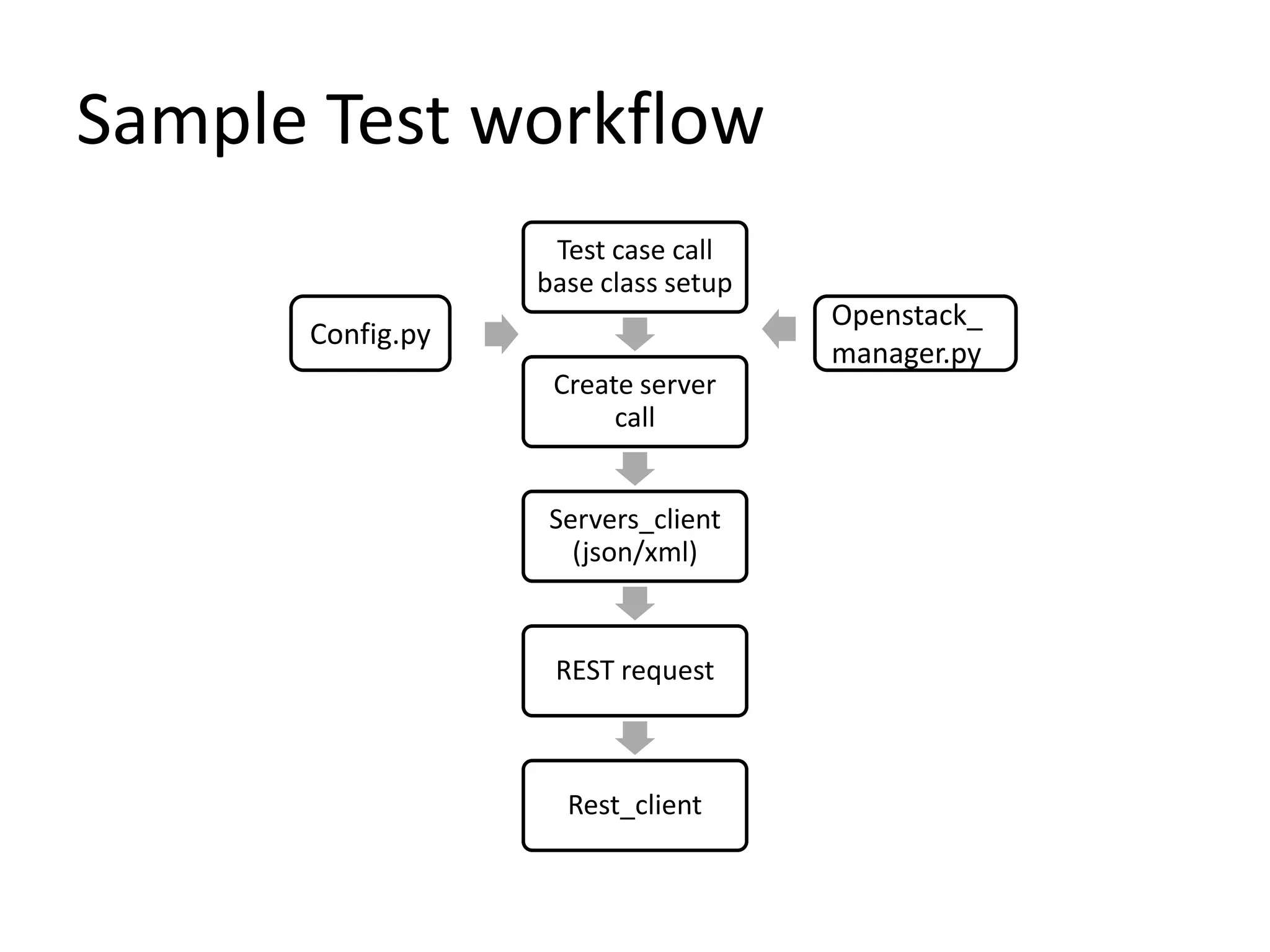
Sample Test workflow
                   Test case call
                  base class setup
                                     Openstack_
      Config.py
                                     manager.py
                   Create server
                        call


                   Servers_client
                     (json/xml)


                   REST request


                    Rest_client
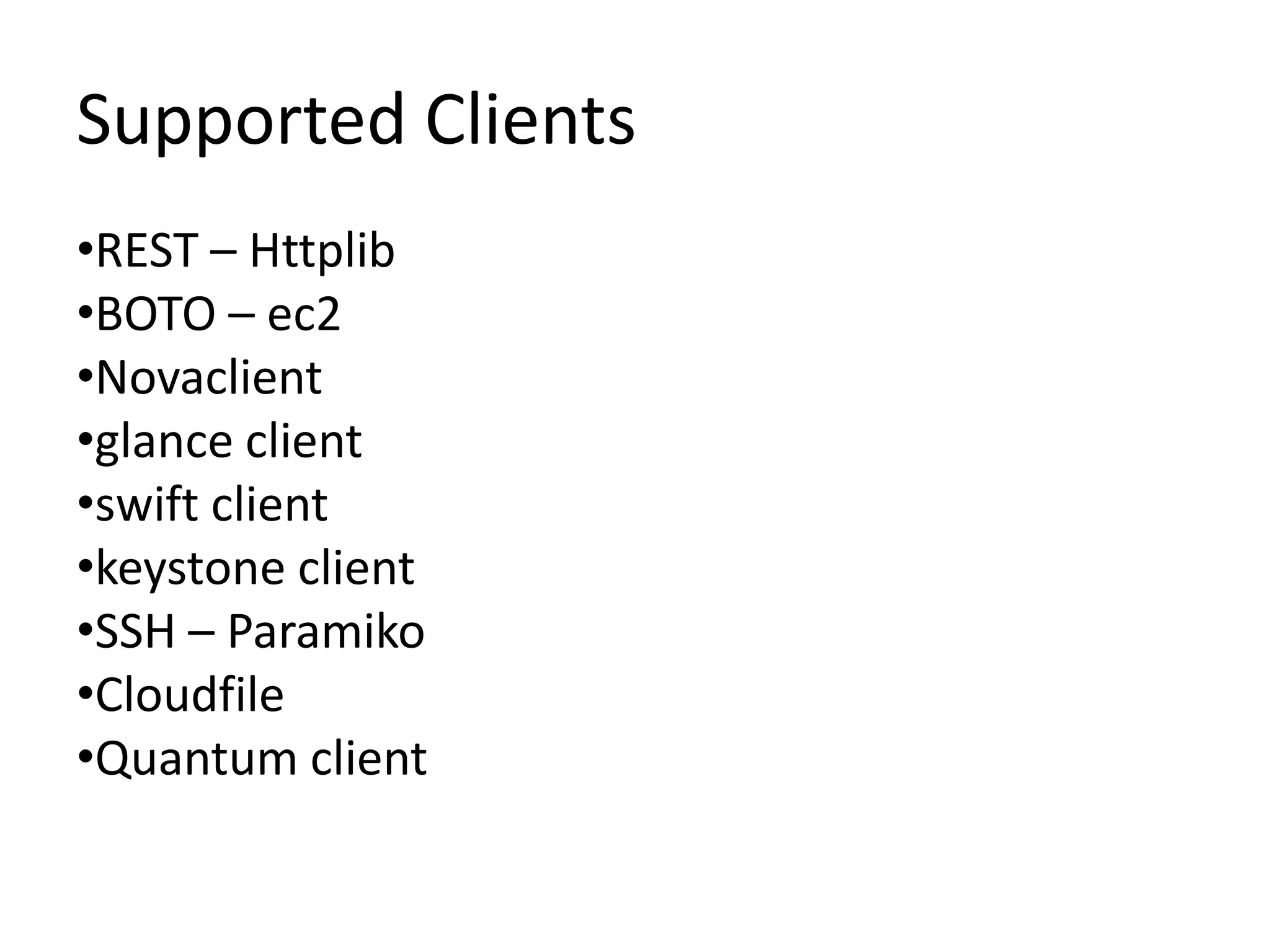
Supported Clients
•REST – Httplib
•BOTO – ec2
•Novaclient
•glance client
•swift client
•keystone client
•SSH – Paramiko
•Cloudfile
•Quantum client
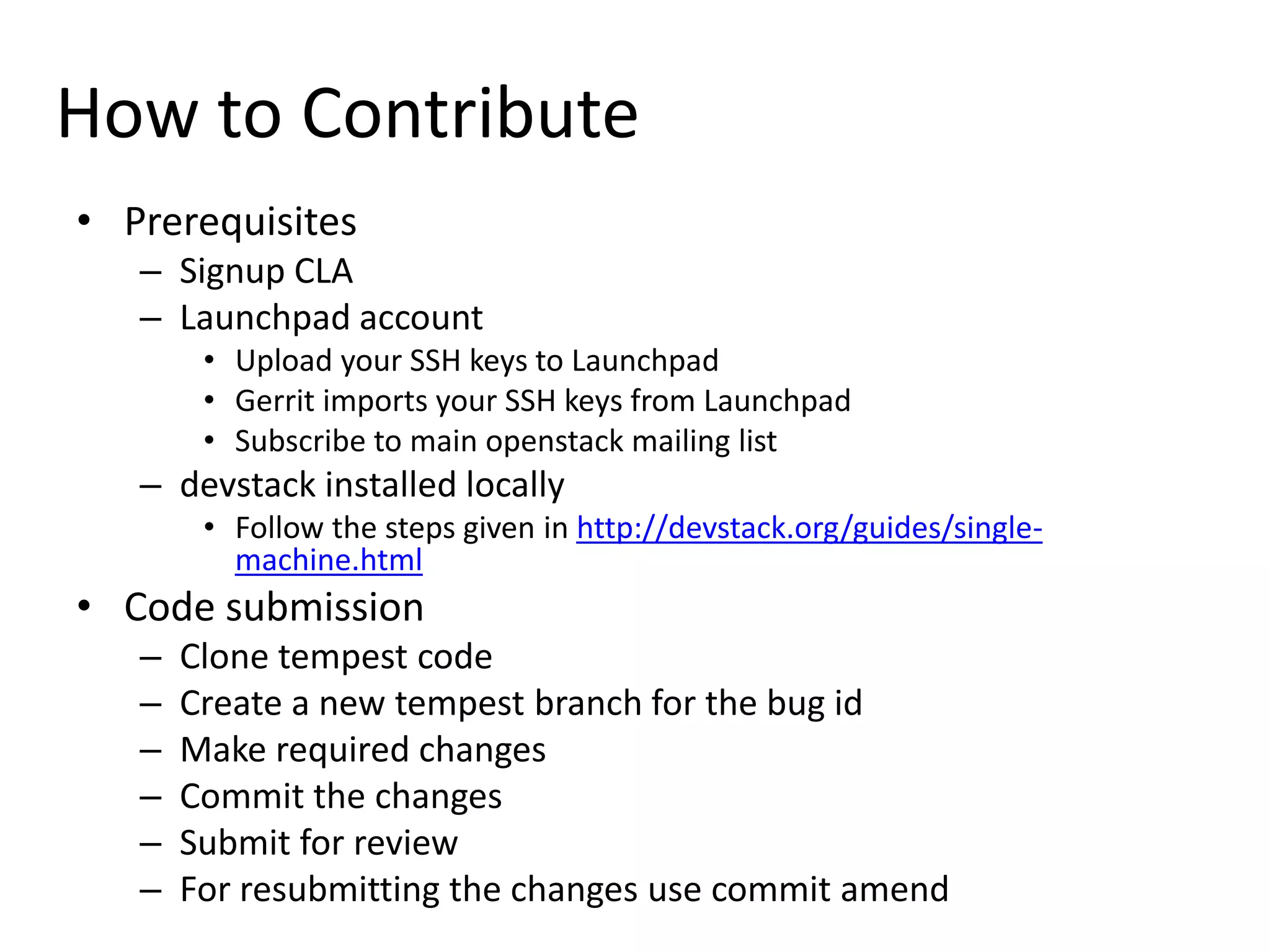
How to Contribute
• Prerequisites
   – Signup CLA
   – Launchpad account
        • Upload your SSH keys to Launchpad
        • Gerrit imports your SSH keys from Launchpad
        • Subscribe to main openstack mailing list
   – devstack installed locally
        • Follow the steps given in http://devstack.org/guides/single-
          machine.html
• Code submission
   –   Clone tempest code
   –   Create a new tempest branch for the bug id
   –   Make required changes
   –   Commit the changes
   –   Submit for review
   –   For resubmitting the changes use commit amend
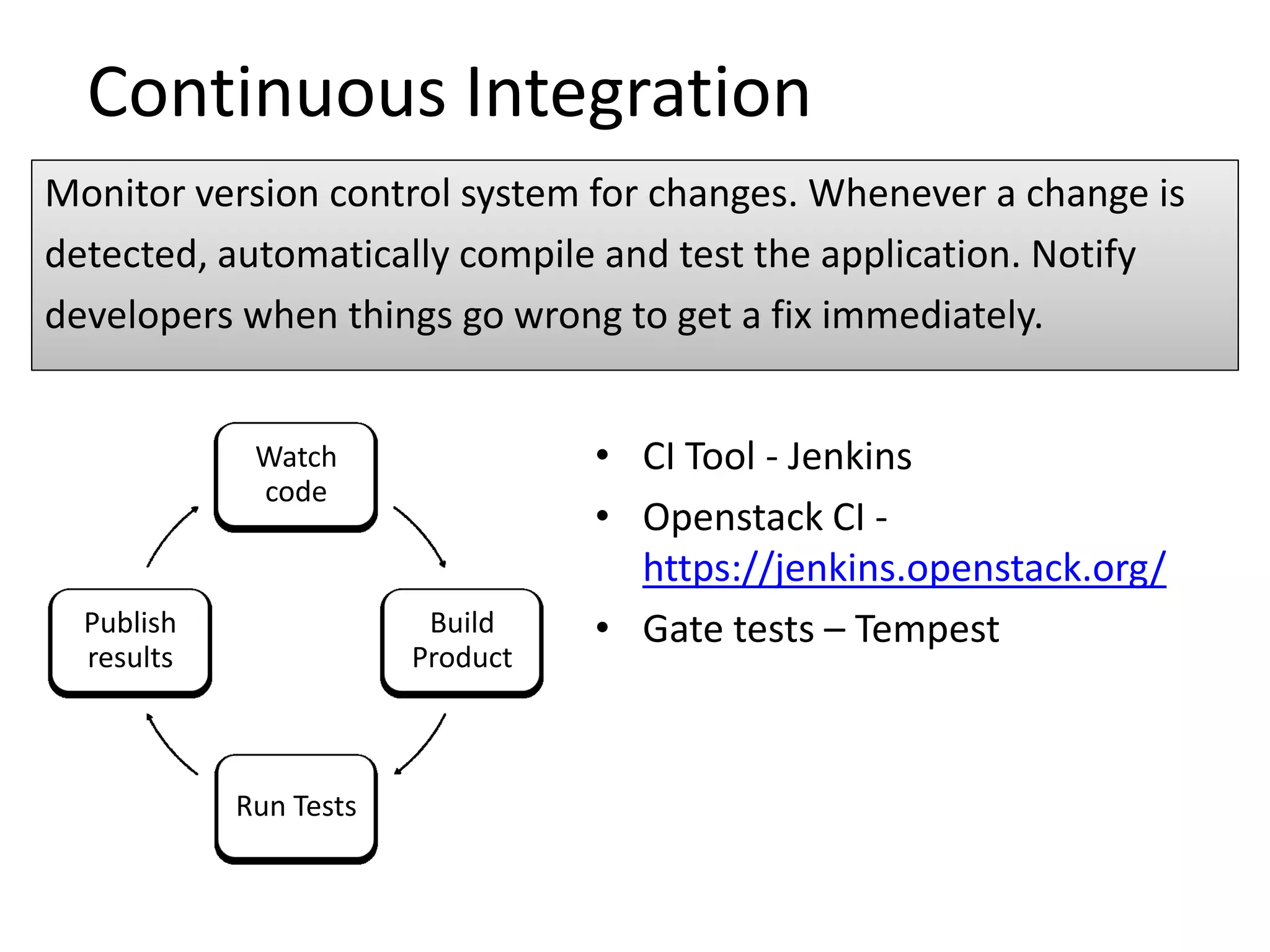
Continuous Integration
Monitor version control system for changes. Whenever a change is
detected, automatically compile and test the application. Notify
developers when things go wrong to get a fix immediately.


             Watch                • CI Tool - Jenkins
             code
                                  • Openstack CI -
                                    https://jenkins.openstack.org/
  Publish                Build    • Gate tests – Tempest
  results               Product


            Run Tests
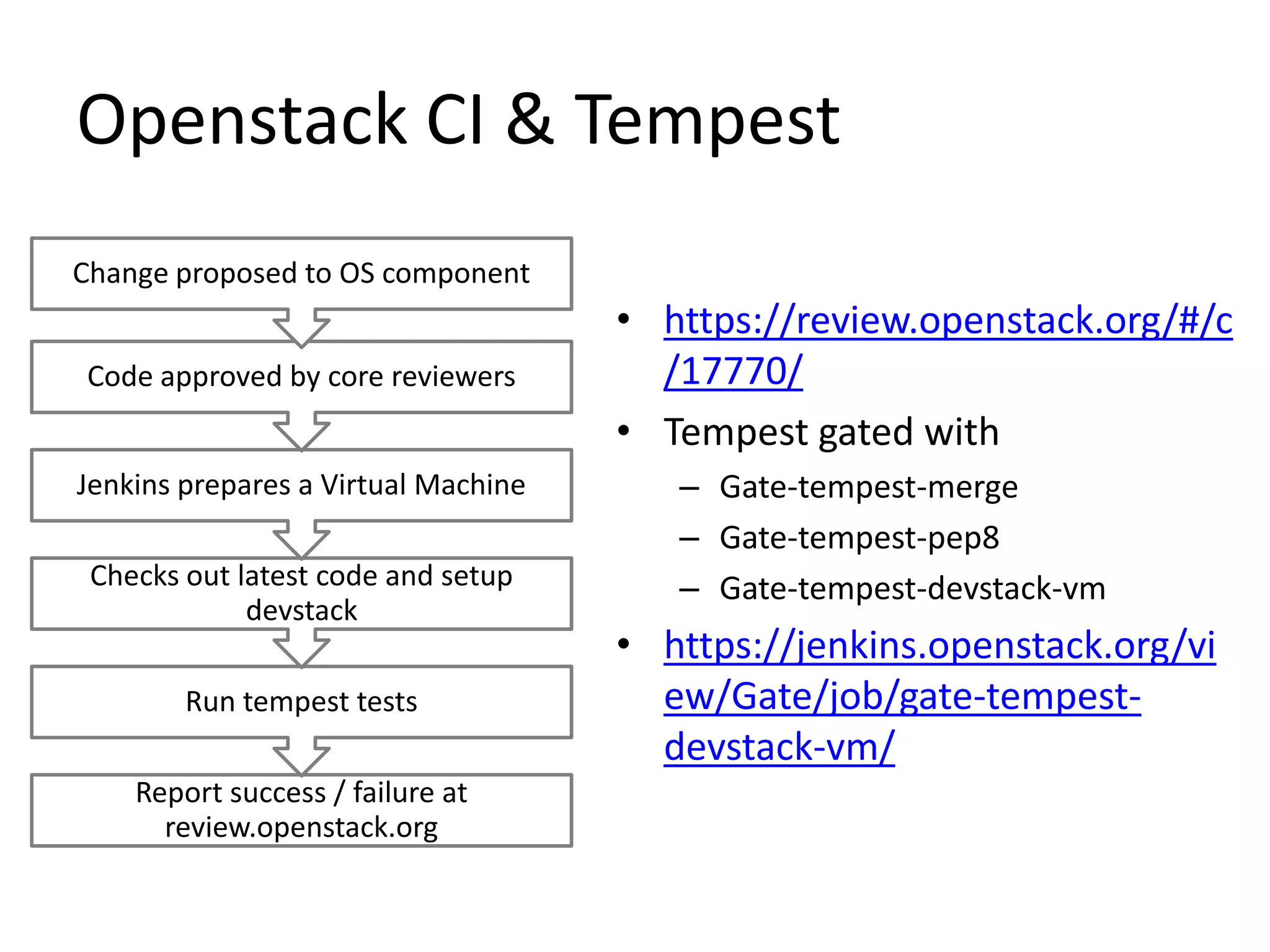
Openstack CI & Tempest
Change proposed to OS component
                                     • https://review.openstack.org/#/c
Code approved by core reviewers        /17770/
                                     • Tempest gated with
Jenkins prepares a Virtual Machine      – Gate-tempest-merge
                                        – Gate-tempest-pep8
 Checks out latest code and setup       – Gate-tempest-devstack-vm
             devstack
                                     • https://jenkins.openstack.org/vi
        Run tempest tests              ew/Gate/job/gate-tempest-
                                       devstack-vm/
    Report success / failure at
      review.openstack.org
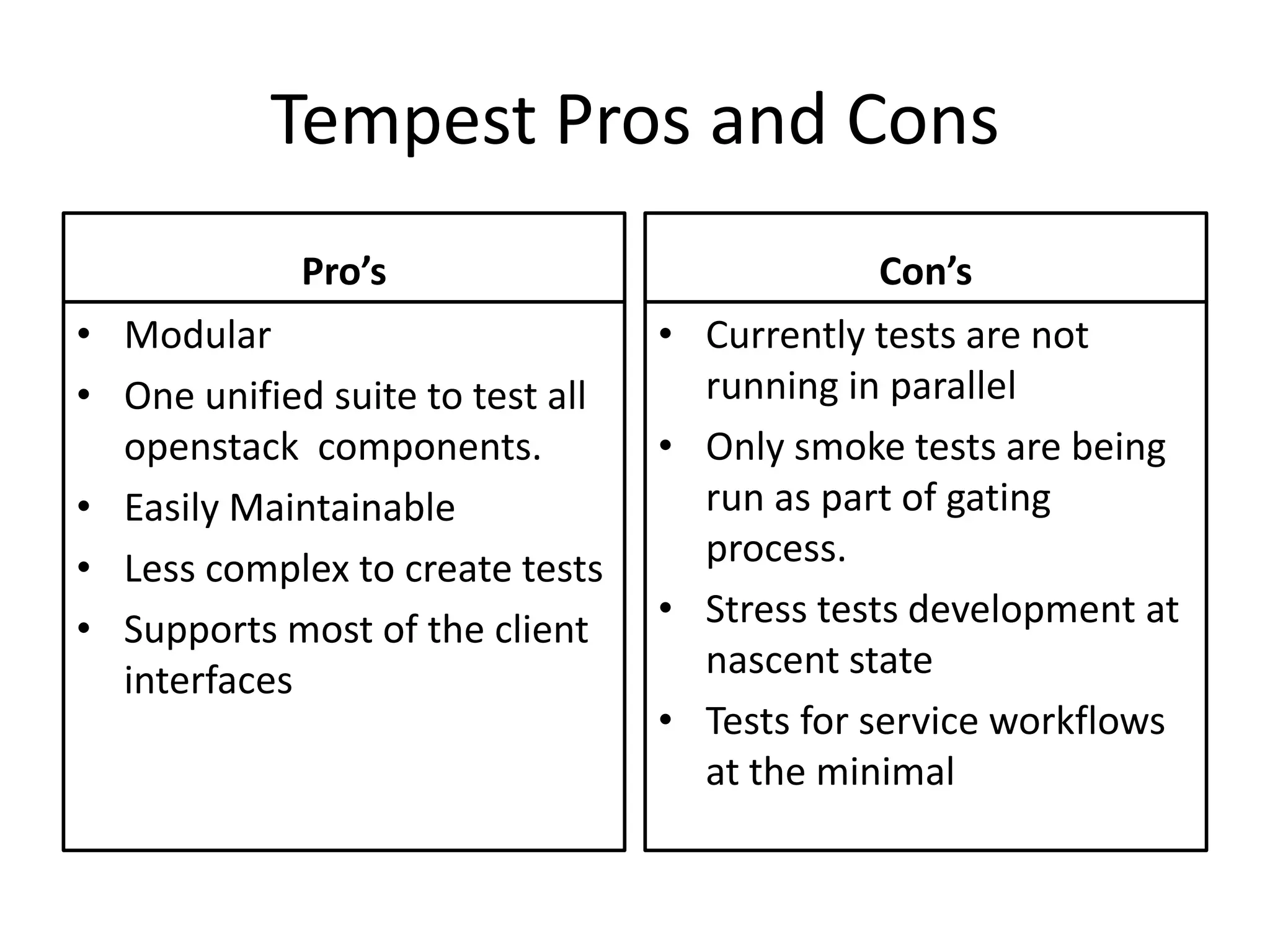
Tempest Pros and Cons
             Pro’s                               Con’s
• Modular                         •   Currently tests are not
• One unified suite to test all       running in parallel
  openstack components.           •   Only smoke tests are being
• Easily Maintainable                 run as part of gating
• Less complex to create tests        process.
• Supports most of the client     •   Stress tests development at
  interfaces                          nascent state
                                  •   Tests for service workflows
                                      at the minimal
Q&A
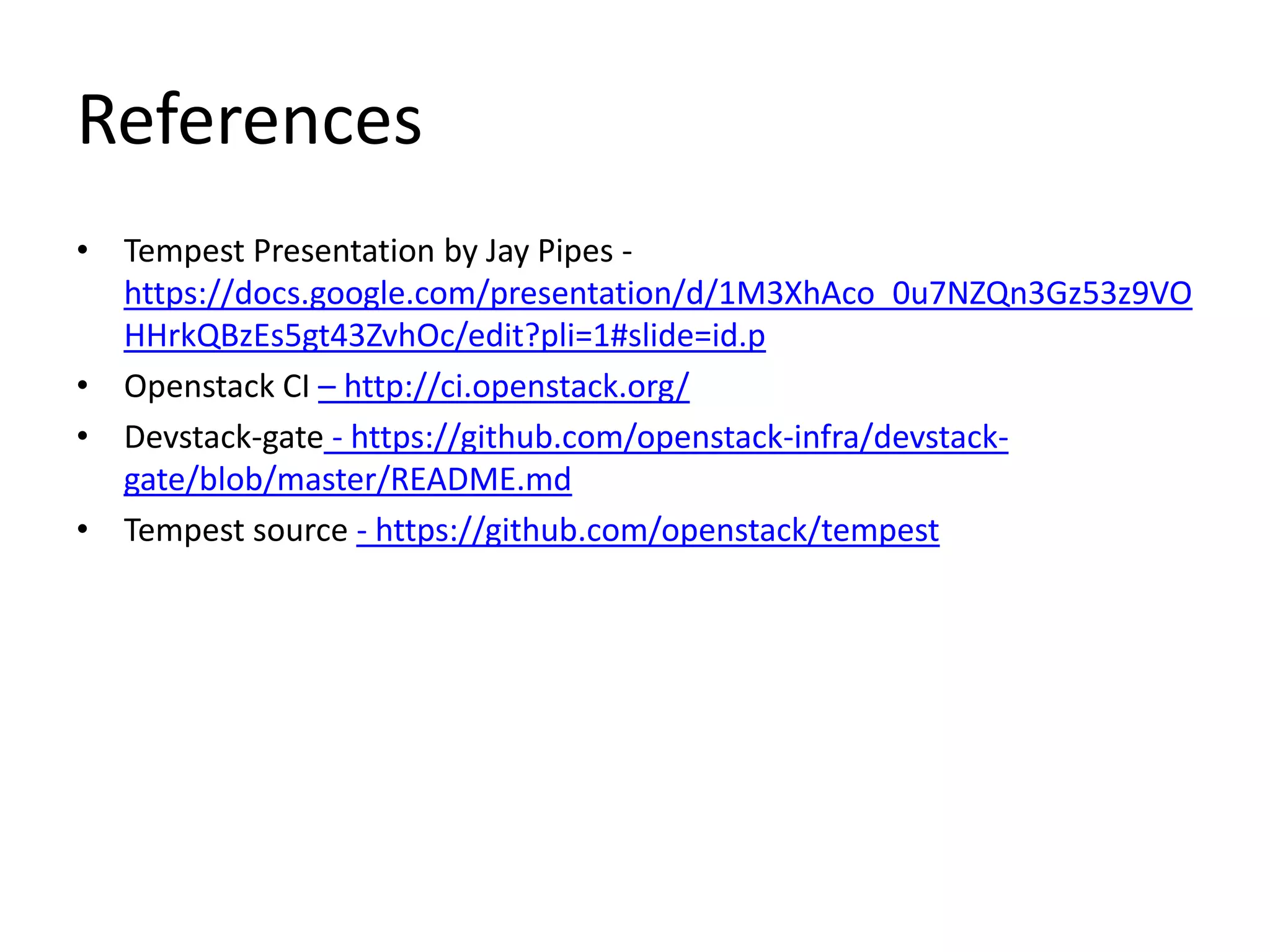
References
• Tempest Presentation by Jay Pipes -
  https://docs.google.com/presentation/d/1M3XhAco_0u7NZQn3Gz53z9VO
  HHrkQBzEs5gt43ZvhOc/edit?pli=1#slide=id.p
• Openstack CI – http://ci.openstack.org/
• Devstack-gate - https://github.com/openstack-infra/devstack-
  gate/blob/master/README.md
• Tempest source - https://github.com/openstack/tempest

Introduction to tempest

  • 1.
    Introduction to Tempest OpenStackUsers January 2013 Meetup – India Presenters: Nithya, Sarad & Suresh
  • 2.
    Agenda • Introduction To Tempest • Explore Tempest • Getting Started with Tempest in Openstack • Role of Tempest in Openstack CI • Pro’s & Con’s • Q&A
  • 3.
    What is tempest? •Tempest – It’s an Openstack Integration test suite • Based on unittest2 framework & currently uses Nosetest runner • Used by community as gating on commits to trunk • In a nutshell, all it does is run tests against OpenStack service endpoints by exercising API calls & validate the response
  • 4.
    Tempest explored • Test Types Nova – Smoke Tests – Positive Tests Cinder Glance – Negative Tests – Stress Tests Tempest – White box Tests • Tempest base Quantum Swift – httplib2 – Rest based framework keystone – Nose test runner (testr)
  • 5.
    Tempest Directory Structure • Common - Rest client & ssh client • Services - services modules (nova, identity, image and network) • Nova implements the OS Nova API • Identity implements the OS Keystone API • Image implements the OS Glance API • Network implements the OS Quantum API • Tests - Contains actual tests. – Rely on the above services (via the Manager) to connect to the system. – Test classes and methods have also access to the tempest configuration. – Test classes must subclass unittest, and they may use nose and unittest specific decorators • etc – tempest.conf
  • 6.
    Sample Test workflow Test case call base class setup Openstack_ Config.py manager.py Create server call Servers_client (json/xml) REST request Rest_client
  • 7.
    Supported Clients •REST –Httplib •BOTO – ec2 •Novaclient •glance client •swift client •keystone client •SSH – Paramiko •Cloudfile •Quantum client
  • 8.
    How to Contribute •Prerequisites – Signup CLA – Launchpad account • Upload your SSH keys to Launchpad • Gerrit imports your SSH keys from Launchpad • Subscribe to main openstack mailing list – devstack installed locally • Follow the steps given in http://devstack.org/guides/single- machine.html • Code submission – Clone tempest code – Create a new tempest branch for the bug id – Make required changes – Commit the changes – Submit for review – For resubmitting the changes use commit amend
  • 9.
    Continuous Integration Monitor versioncontrol system for changes. Whenever a change is detected, automatically compile and test the application. Notify developers when things go wrong to get a fix immediately. Watch • CI Tool - Jenkins code • Openstack CI - https://jenkins.openstack.org/ Publish Build • Gate tests – Tempest results Product Run Tests
  • 10.
    Openstack CI &Tempest Change proposed to OS component • https://review.openstack.org/#/c Code approved by core reviewers /17770/ • Tempest gated with Jenkins prepares a Virtual Machine – Gate-tempest-merge – Gate-tempest-pep8 Checks out latest code and setup – Gate-tempest-devstack-vm devstack • https://jenkins.openstack.org/vi Run tempest tests ew/Gate/job/gate-tempest- devstack-vm/ Report success / failure at review.openstack.org
  • 11.
    Tempest Pros andCons Pro’s Con’s • Modular • Currently tests are not • One unified suite to test all running in parallel openstack components. • Only smoke tests are being • Easily Maintainable run as part of gating • Less complex to create tests process. • Supports most of the client • Stress tests development at interfaces nascent state • Tests for service workflows at the minimal
  • 12.
  • 13.
    References • Tempest Presentationby Jay Pipes - https://docs.google.com/presentation/d/1M3XhAco_0u7NZQn3Gz53z9VO HHrkQBzEs5gt43ZvhOc/edit?pli=1#slide=id.p • Openstack CI – http://ci.openstack.org/ • Devstack-gate - https://github.com/openstack-infra/devstack- gate/blob/master/README.md • Tempest source - https://github.com/openstack/tempest