
Smart Phone Development
Using Web Technologies
Apple Cupcakes


Apple have 250,000 apps. 6.5 billion downloads
Android have 30,000 apps
Upcoming: Windows 7 Phone
Толку многу јазици, толку
малку време
iPhone: Objective C
Android: Java
Nokia: C++
Windows 7: .NET
Palm Pre: HTML + CSS + JS
I already know how to do
HTML, CSS and JavaScript
PhoneGap
PhoneGap


Runs on iPhone, iPad, Android, Palm Pre, Nokia and
Blackberry
Loads embedded web browser (Usually Webkit)
Adds JS bridge
PhoneGap APIs

Accelerometer
Camera
Contacts
Geolocation
Advantages


Fast to develop
  70-80% done in a browser
  Use existing development tools
Disadvantages
Much slower than native
Harder to look native
Can’t access everything (yet)
No position:
fixed support

No debugger!
File system support is limited
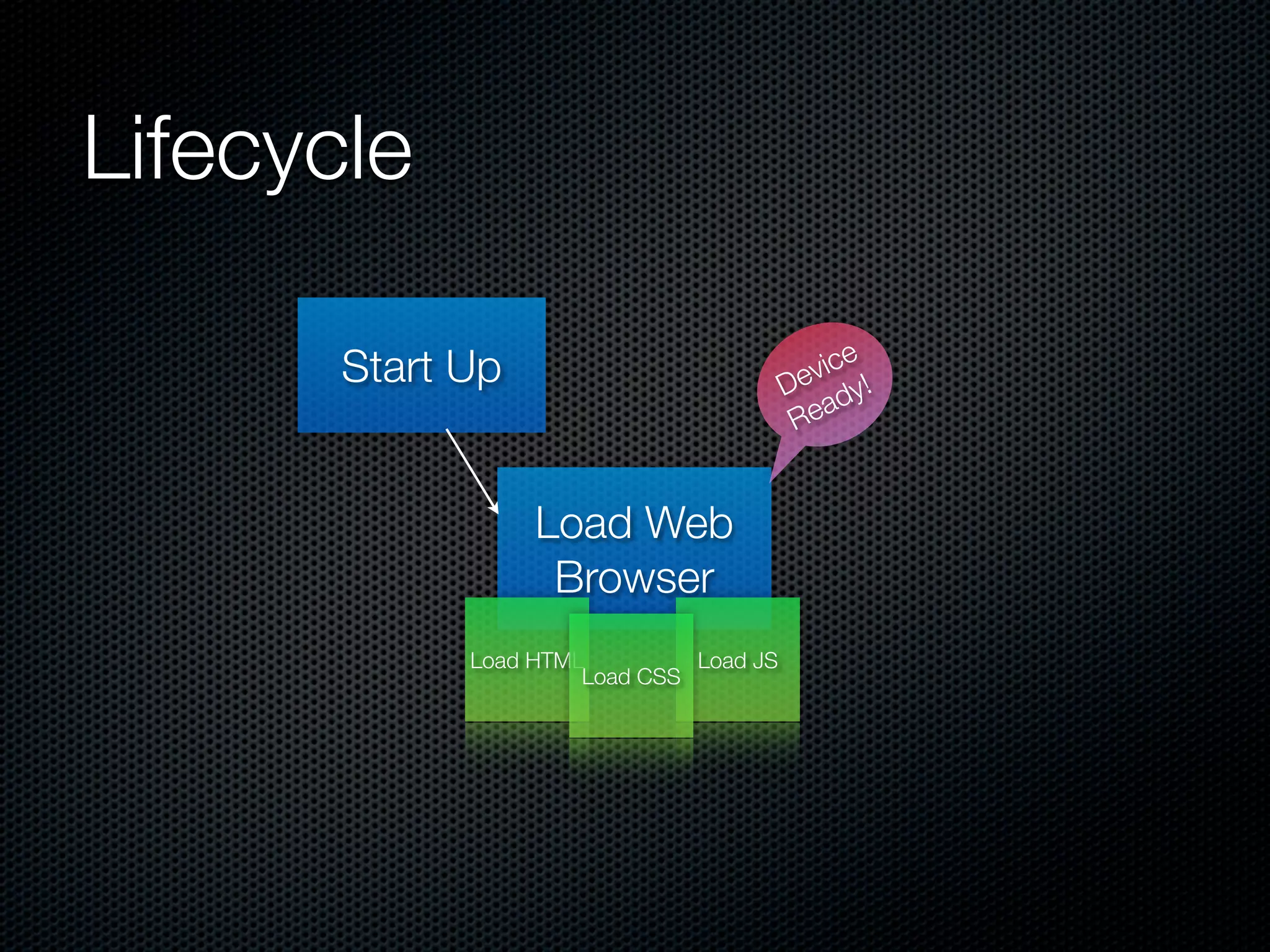
Lifecycle

                                               e
       Start Up                            vic !
                                         De dy
                                             a
                                          Re


                  Load Web
                   Browser
             Load HTML         Load JS
                      Load CSS
Webkit or go home
HTML 5 + CSS 3
 SQLite
 Hardware accelerated animations
 Use your favourite framework
   jQuery
   ExtJS
Frameworks


jqTouch (jQuery based)
SenchaTouch (ExtJS + jqTouch + Raphaël)
iScroll 3.0
jqTouch

Combination of HTML, CSS and JavaScript libraries
Designed to emulate native look and feel
HTML + CSS kind of clunky
Worth it for the JS
SenchaTouch

Combination of HTML, CSS and JavaScript libraries
Uses ExtJS (better for app development)
Better performance than jqTouch
Weird license
iScroll

 Not a full framework
 Fixes the scroll problem
 Uncanny valley problem
 Author working on full framework (GhostTouch)
Go Speed Racer!
Image loading is slow
Rendering a gradient, makes an image (use canvas)
Accelerated CSS animations
  opacity
  translate3d (NOT translate)
Use native touch events
Pretending to go Native
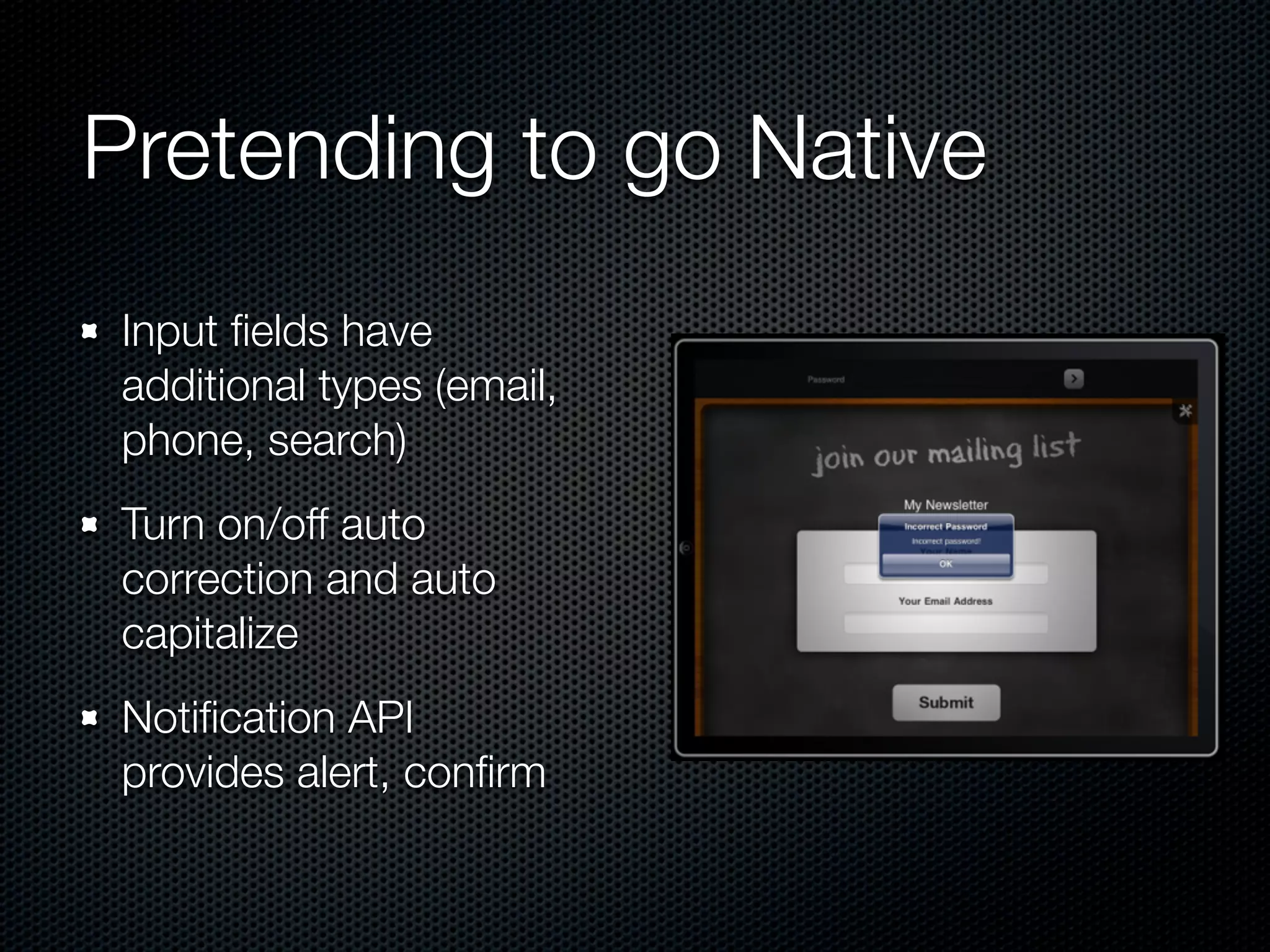
 Input fields have
 additional types (email,
 phone, search)
 Turn on/off auto
 correction and auto
 capitalize
 Notification API
 provides alert, confirm
In the Wild

 Memory and CPU are an issue
 There is some arbitrary 10Mb image limit
 Only handles text files (base64 FTW)
 Working Asynchronously is hard
Titanium
Actually go native


 Compiles JavaScript down to symbols
 Symbols link to either Obj-C libraries or Java classes
 Effectively running natively
Wait!
Apple vs. Adobe


Flash CS5 was supposed to do something similar
Apple EULA changed to stop 3rd party compilers
It’s now OK!
Development not as we
know it

Even though it's JavaScript, it's still Desktop*
development
No HTML or CSS. Just JavaScript.
Advantages

Uses native UI widgets
Much faster than WebKit
No crazy square bracket notation
Pretty good abstractions
APIs


Much bigger API than PhoneGap
Mainly generic, some platform specific
Threaded UI means file & database functions return
synchronously
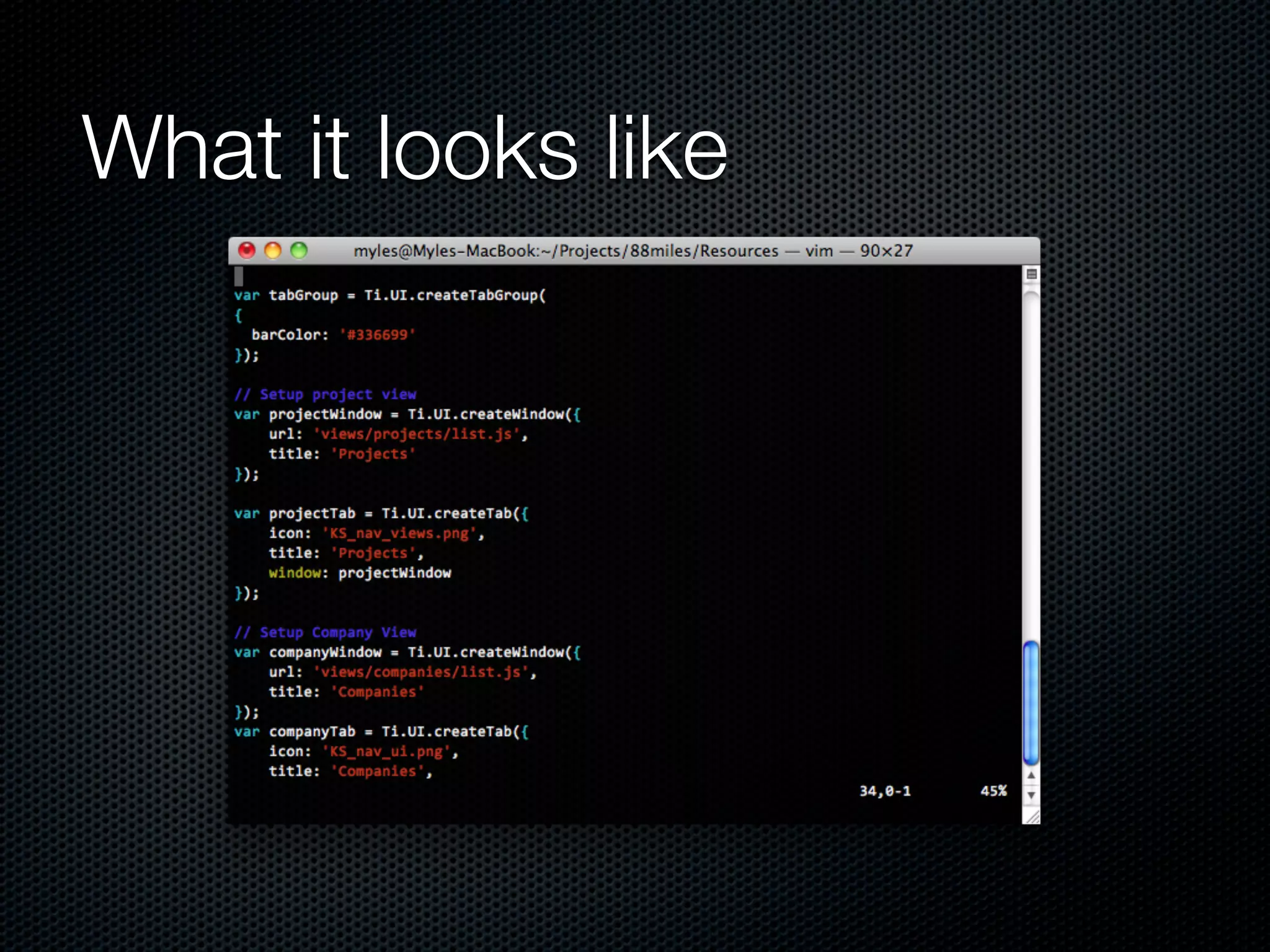
What it looks like
Disadvantages
Documentation is a little lacking. (Though forums are
pretty good)
Structuring code is less defined than on the web
Again, no debugger
Code - Build - Crash cycle much slower than Code -
Refresh cycle
Unit testing is hard
Conclusion


PhoneGap better for non-native UIs, fast prototyping,
simple apps, and web based apps
Titanium better for native UIs. Nice gateway drug for
those of use that don't understand C-pointers
Thanks

Smart phone development

  • 1.
  • 2.
    Apple Cupcakes Apple have250,000 apps. 6.5 billion downloads Android have 30,000 apps Upcoming: Windows 7 Phone
  • 3.
    Толку многу јазици,толку малку време iPhone: Objective C Android: Java Nokia: C++ Windows 7: .NET Palm Pre: HTML + CSS + JS
  • 4.
    I already knowhow to do HTML, CSS and JavaScript
  • 5.
  • 6.
    PhoneGap Runs on iPhone,iPad, Android, Palm Pre, Nokia and Blackberry Loads embedded web browser (Usually Webkit) Adds JS bridge
  • 7.
  • 8.
    Advantages Fast to develop 70-80% done in a browser Use existing development tools
  • 9.
    Disadvantages Much slower thannative Harder to look native Can’t access everything (yet) No position:
fixed support No debugger! File system support is limited
  • 10.
    Lifecycle e Start Up vic ! De dy a Re Load Web Browser Load HTML Load JS Load CSS
  • 11.
    Webkit or gohome HTML 5 + CSS 3 SQLite Hardware accelerated animations Use your favourite framework jQuery ExtJS
  • 12.
    Frameworks jqTouch (jQuery based) SenchaTouch(ExtJS + jqTouch + Raphaël) iScroll 3.0
  • 13.
    jqTouch Combination of HTML,CSS and JavaScript libraries Designed to emulate native look and feel HTML + CSS kind of clunky Worth it for the JS
  • 14.
    SenchaTouch Combination of HTML,CSS and JavaScript libraries Uses ExtJS (better for app development) Better performance than jqTouch Weird license
  • 15.
    iScroll Not afull framework Fixes the scroll problem Uncanny valley problem Author working on full framework (GhostTouch)
  • 16.
    Go Speed Racer! Imageloading is slow Rendering a gradient, makes an image (use canvas) Accelerated CSS animations opacity translate3d (NOT translate) Use native touch events
  • 17.
    Pretending to goNative Input fields have additional types (email, phone, search) Turn on/off auto correction and auto capitalize Notification API provides alert, confirm
  • 18.
    In the Wild Memory and CPU are an issue There is some arbitrary 10Mb image limit Only handles text files (base64 FTW) Working Asynchronously is hard
  • 19.
  • 20.
    Actually go native Compiles JavaScript down to symbols Symbols link to either Obj-C libraries or Java classes Effectively running natively
  • 21.
  • 22.
    Apple vs. Adobe FlashCS5 was supposed to do something similar Apple EULA changed to stop 3rd party compilers It’s now OK!
  • 23.
    Development not aswe know it Even though it's JavaScript, it's still Desktop* development No HTML or CSS. Just JavaScript.
  • 24.
    Advantages Uses native UIwidgets Much faster than WebKit No crazy square bracket notation Pretty good abstractions
  • 25.
    APIs Much bigger APIthan PhoneGap Mainly generic, some platform specific Threaded UI means file & database functions return synchronously
  • 26.
  • 27.
    Disadvantages Documentation is alittle lacking. (Though forums are pretty good) Structuring code is less defined than on the web Again, no debugger Code - Build - Crash cycle much slower than Code - Refresh cycle Unit testing is hard
  • 28.
    Conclusion PhoneGap better fornon-native UIs, fast prototyping, simple apps, and web based apps Titanium better for native UIs. Nice gateway drug for those of use that don't understand C-pointers
  • 29.