
Contributing to OpenStack


Url: http://www.slideshare.net/itsmeduh/osrs


Prepared for: Workshop – Contributing to OpenStack

Date: January 24th, 2013
Goal: To contribute a patch to OpenStack
     (process of signing up as a contributor,
     editing the code and pushing up changes for
     review. )
Overview

• What is what
   – OpenStack
   – Community
   – Foundation


• Contribution process
   –   Adminstrivia
   –   Setting up environment
   –   Getting the code
   –   Fixing the bug
What is What
• OpenStack is a collection of open source technologies delivering a massively
  scalable cloud operating system.
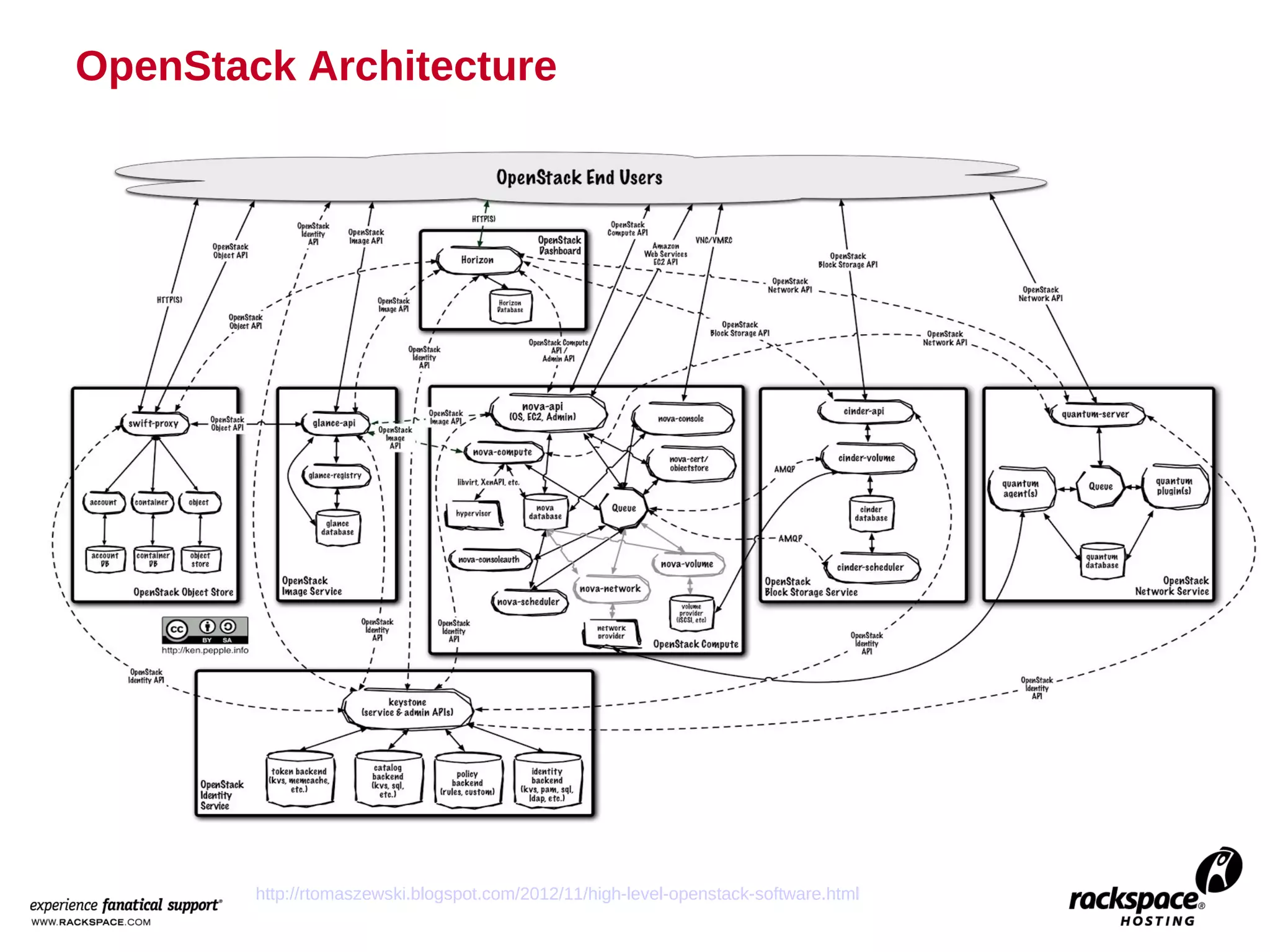
OpenStack Architecture


        http://rtomaszewski.blogspot.com/2012/11/high-level-openstack-software.html
Simplified OpenStack Architecture


                                                          Horizon


                                                                                       Swift
                                                     Glance
 Nova


                                  Keystone
             http://fedorapeople.org/~russellb/openstack-lab-rhsummit-2012/ch01.html
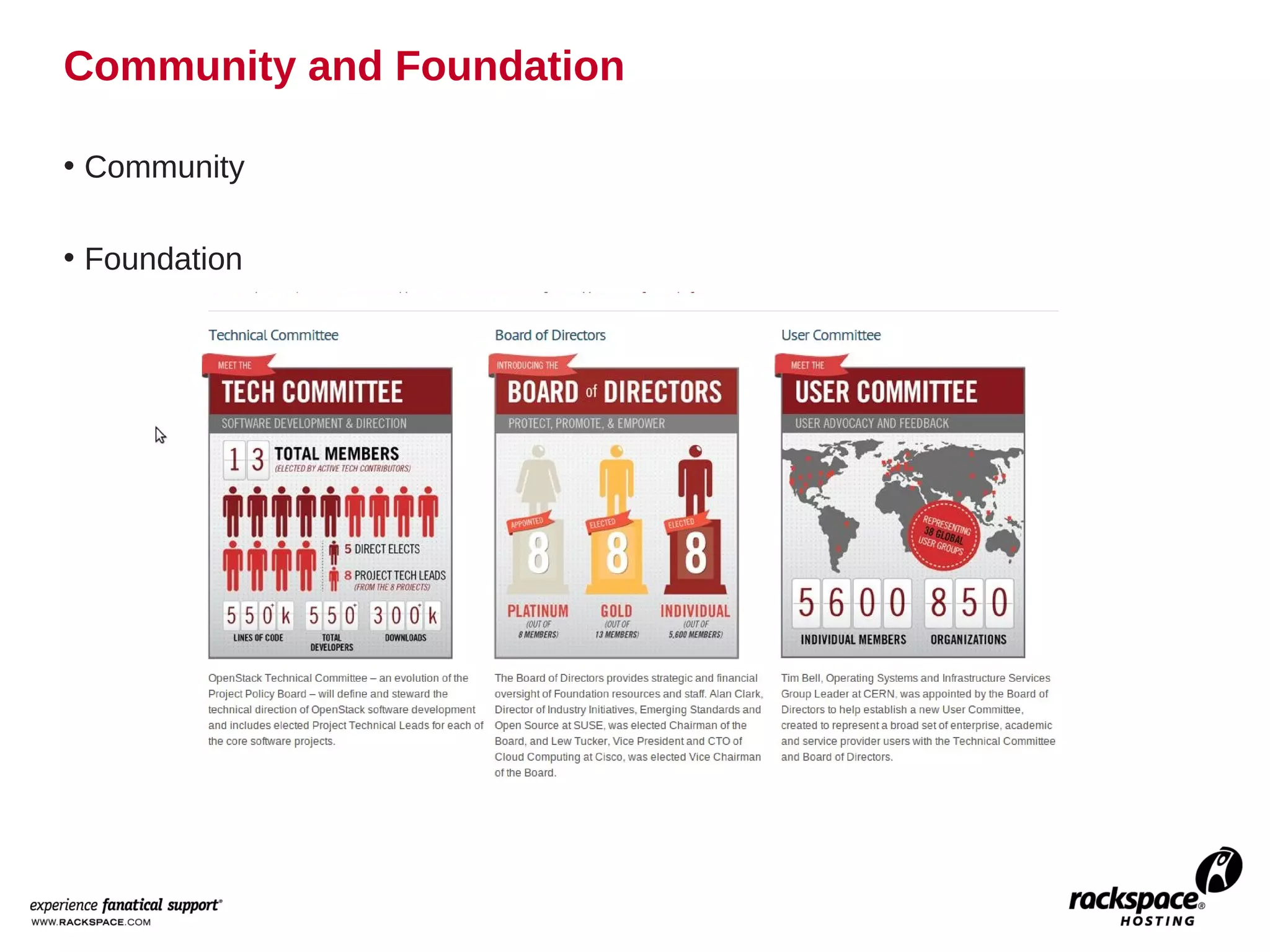
Community and Foundation

• Community

• Foundation
Overview of the Process

• Administrivia
   – Create Launchpad account
   – Add SSH key
   – Sign Contributors License Agreement
• Set up environment
• Start coding!
   – Submit Patch for review
   – Reviewed by core members and members
   – Patch is merged once approved
Administrivia


Login details for workshop
  contributor:OpenStack
1. Goto https://launchpad.net/ and register


                                        -Filing bugs
                                        -Tracking blueprints
                                        -Mailing lists
2. Add your SSH key to Launchpad


 Generating and accessing ssh key
 * ssh key-gen
 * cat .ssh/id_rsa.pub
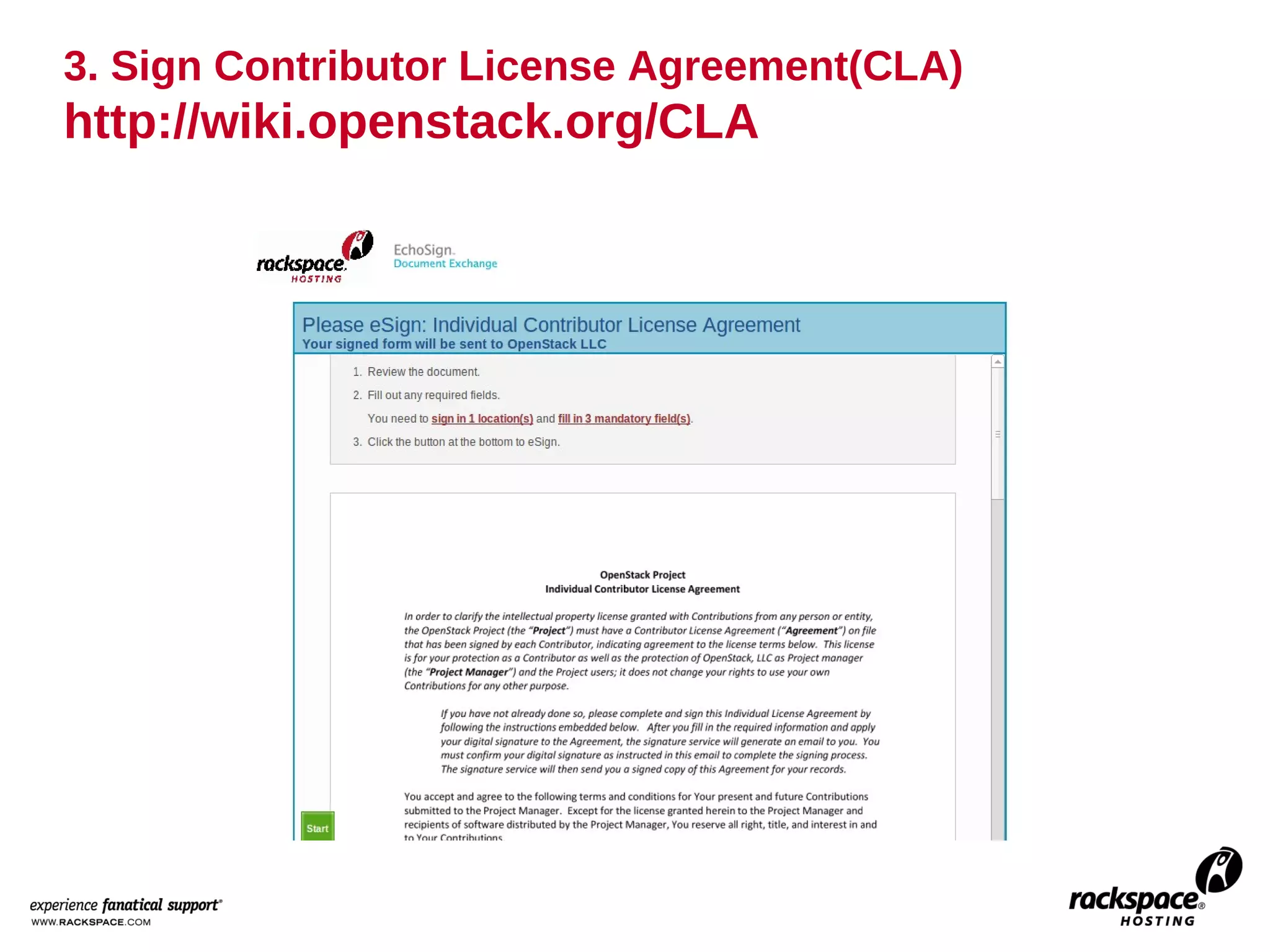
3. Sign Contributor License Agreement(CLA)
http://wiki.openstack.org/CLA
4. Add your name to contributors in wiki
http://wiki.openstack.org/Contributors
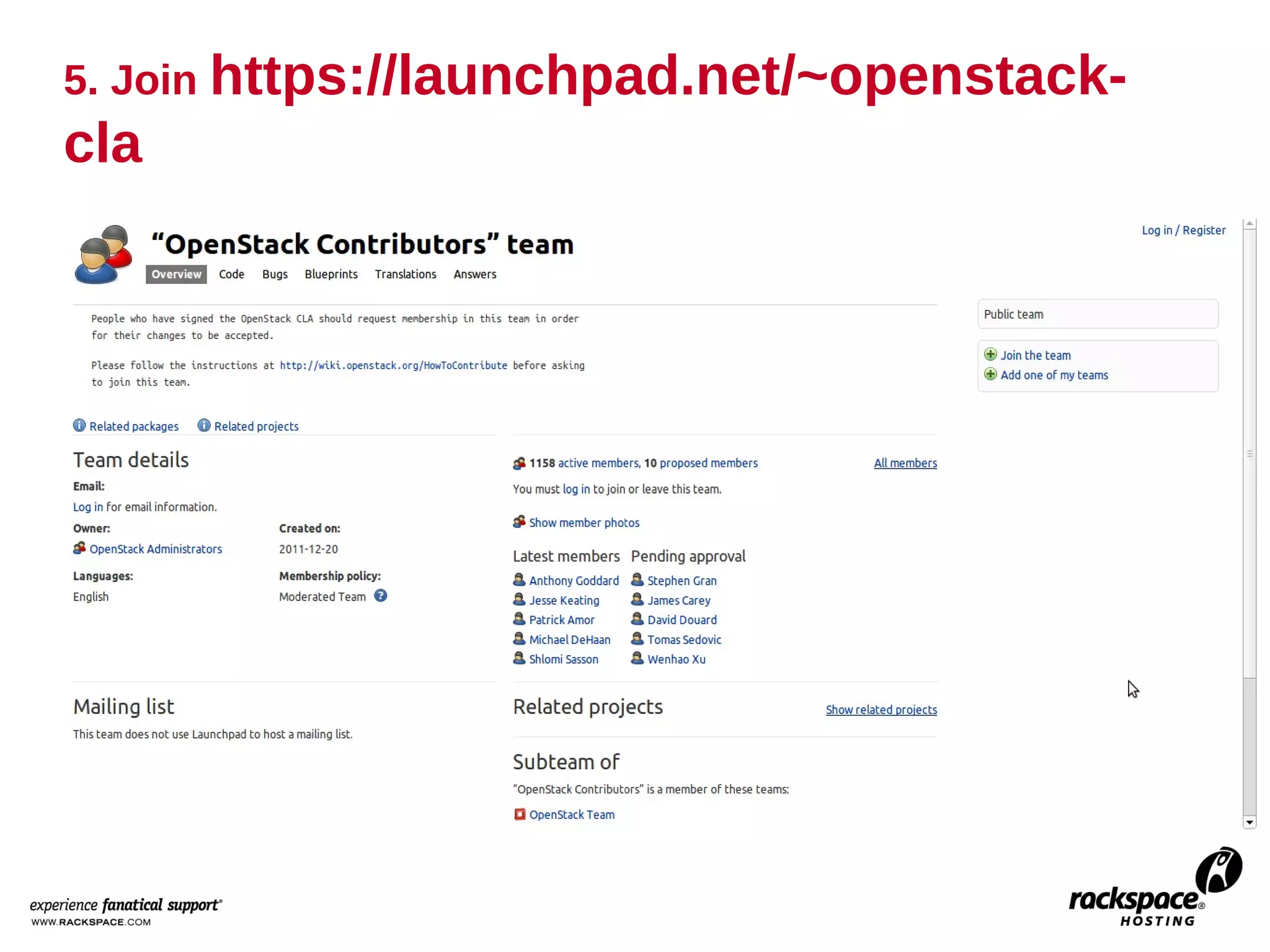
5. Join https://launchpad.net/~openstack-
cla
6. Add SSH key to http://review.openstack.org
Setting Up the Environment
Setting up the Environment

• Install git on your local machine.
    – sudo apt-get install git-core
• Configure Your user name and password:
    – git config --global user.name "Firstname Lastname"
    – git config --global user.email "id@gmail.com"
• Install git-review tool
    – On ubuntu: sudo apt-get install git-review
    – On other unix like systems: pip install git-review
    – Gerrit is the code review system, that allows us to build a
      workflow where every change is peer reviewed.
      http://wiki.openstack.org/GerritWorkflow
  – Other packages(already installed):
    * apt-get install python-dev
    * apt-get install python-virtualenv
    * apt-get build-dep python-ldap
Getting the code
Getting the Code

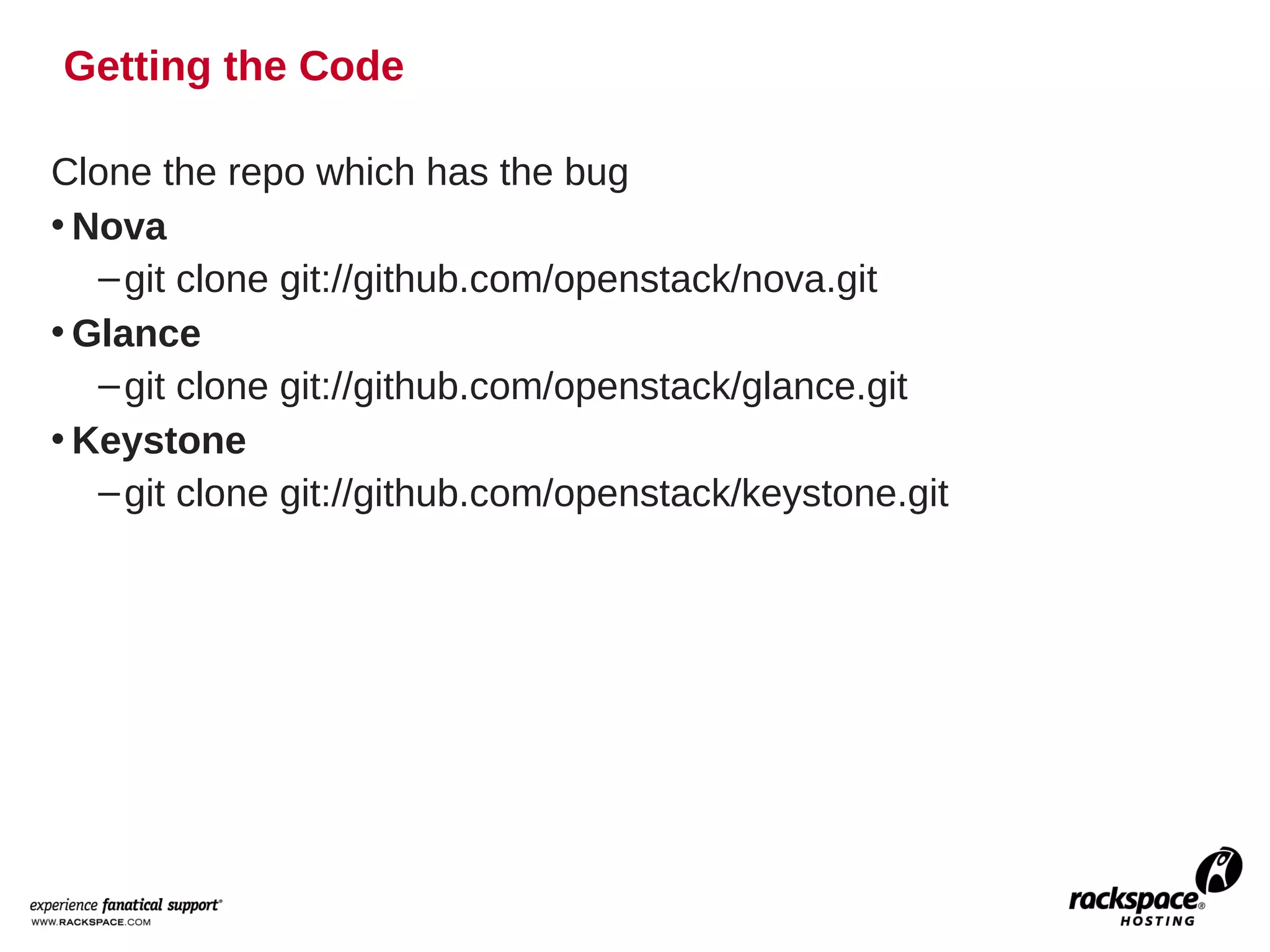
Clone the repo which has the bug
• Nova
   – git clone git://github.com/openstack/nova.git
• Glance
   – git clone git://github.com/openstack/glance.git
• Keystone
   – git clone git://github.com/openstack/keystone.git
Fixing the bug
Fixing the Bug

1. Ensure that git review is configured
   – cd nova
   – git review -s
   – If you get the error "We don't know where your gerrit is.", you will
     need to add a new git remote. The url should be in the error
     message. Copy that and create the new remote.
        • git remote add gerrit
          ssh://<username>@review.openstack.org:29418/openstack/nov
          a.git
2. Ensure you have the latest code
   – Git remote update
   – Git checkout master
   – Git pull origin master
3. Create a topic branch
   – Git checkout -b bug_topic
Fixing the bug

4. Fix the bug
5. Run the tests
    – Hint: sudo apt-get install eatmydata
    – eatmydata ./run_tests.sh
    – You may also need:
         • apt-get install libmysqlclient-dev
         • apt-get install libxml2-dev
         • apt-get install libxslt-dev
6. Commit the code
    – Git commit -a


    – http://wiki.openstack.org/GitCommitMessages
7. Submit for review
    – Git review
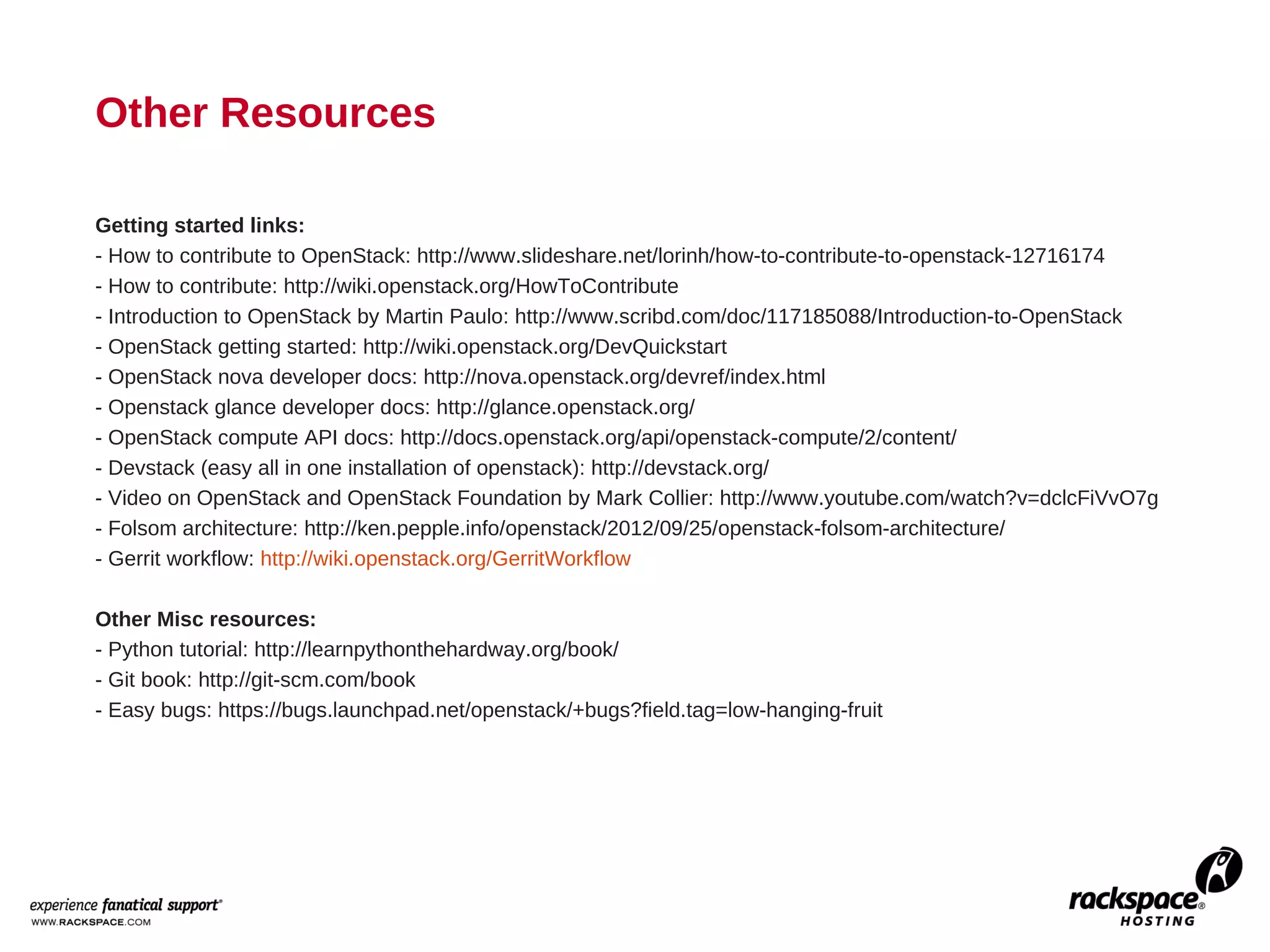
Other Resources

Getting started links:
- How to contribute to OpenStack: http://www.slideshare.net/lorinh/how-to-contribute-to-openstack-12716174
- How to contribute: http://wiki.openstack.org/HowToContribute
- Introduction to OpenStack by Martin Paulo: http://www.scribd.com/doc/117185088/Introduction-to-OpenStack
- OpenStack getting started: http://wiki.openstack.org/DevQuickstart
- OpenStack nova developer docs: http://nova.openstack.org/devref/index.html
- Openstack glance developer docs: http://glance.openstack.org/
- OpenStack compute API docs: http://docs.openstack.org/api/openstack-compute/2/content/
- Devstack (easy all in one installation of openstack): http://devstack.org/
- Video on OpenStack and OpenStack Foundation by Mark Collier: http://www.youtube.com/watch?v=dclcFiVvO7g
- Folsom architecture: http://ken.pepple.info/openstack/2012/09/25/openstack-folsom-architecture/
- Gerrit workflow: http://wiki.openstack.org/GerritWorkflow

Other Misc resources:
- Python tutorial: http://learnpythonthehardway.org/book/
- Git book: http://git-scm.com/book
- Easy bugs: https://bugs.launchpad.net/openstack/+bugs?field.tag=low-hanging-fruit
24

Osrs

  • 1.
    Contributing to OpenStack Url:http://www.slideshare.net/itsmeduh/osrs Prepared for: Workshop – Contributing to OpenStack Date: January 24th, 2013
  • 2.
    Goal: To contributea patch to OpenStack (process of signing up as a contributor, editing the code and pushing up changes for review. )
  • 3.
    Overview • What iswhat – OpenStack – Community – Foundation • Contribution process – Adminstrivia – Setting up environment – Getting the code – Fixing the bug
  • 4.
    What is What •OpenStack is a collection of open source technologies delivering a massively scalable cloud operating system.
  • 5.
    OpenStack Architecture http://rtomaszewski.blogspot.com/2012/11/high-level-openstack-software.html
  • 6.
    Simplified OpenStack Architecture Horizon Swift Glance Nova Keystone http://fedorapeople.org/~russellb/openstack-lab-rhsummit-2012/ch01.html
  • 7.
    Community and Foundation •Community • Foundation
  • 8.
    Overview of theProcess • Administrivia – Create Launchpad account – Add SSH key – Sign Contributors License Agreement • Set up environment • Start coding! – Submit Patch for review – Reviewed by core members and members – Patch is merged once approved
  • 9.
    Administrivia Login details forworkshop contributor:OpenStack
  • 10.
    1. Goto https://launchpad.net/and register -Filing bugs -Tracking blueprints -Mailing lists
  • 11.
    2. Add yourSSH key to Launchpad Generating and accessing ssh key * ssh key-gen * cat .ssh/id_rsa.pub
  • 12.
    3. Sign ContributorLicense Agreement(CLA) http://wiki.openstack.org/CLA
  • 13.
    4. Add yourname to contributors in wiki http://wiki.openstack.org/Contributors
  • 14.
  • 15.
    6. Add SSHkey to http://review.openstack.org
  • 16.
    Setting Up theEnvironment
  • 17.
    Setting up theEnvironment • Install git on your local machine. – sudo apt-get install git-core • Configure Your user name and password: – git config --global user.name "Firstname Lastname" – git config --global user.email "id@gmail.com" • Install git-review tool – On ubuntu: sudo apt-get install git-review – On other unix like systems: pip install git-review – Gerrit is the code review system, that allows us to build a workflow where every change is peer reviewed. http://wiki.openstack.org/GerritWorkflow – Other packages(already installed): * apt-get install python-dev * apt-get install python-virtualenv * apt-get build-dep python-ldap
  • 18.
  • 19.
    Getting the Code Clonethe repo which has the bug • Nova – git clone git://github.com/openstack/nova.git • Glance – git clone git://github.com/openstack/glance.git • Keystone – git clone git://github.com/openstack/keystone.git
  • 20.
  • 21.
    Fixing the Bug 1.Ensure that git review is configured – cd nova – git review -s – If you get the error "We don't know where your gerrit is.", you will need to add a new git remote. The url should be in the error message. Copy that and create the new remote. • git remote add gerrit ssh://<username>@review.openstack.org:29418/openstack/nov a.git 2. Ensure you have the latest code – Git remote update – Git checkout master – Git pull origin master 3. Create a topic branch – Git checkout -b bug_topic
  • 22.
    Fixing the bug 4.Fix the bug 5. Run the tests – Hint: sudo apt-get install eatmydata – eatmydata ./run_tests.sh – You may also need: • apt-get install libmysqlclient-dev • apt-get install libxml2-dev • apt-get install libxslt-dev 6. Commit the code – Git commit -a – http://wiki.openstack.org/GitCommitMessages 7. Submit for review – Git review
  • 23.
    Other Resources Getting startedlinks: - How to contribute to OpenStack: http://www.slideshare.net/lorinh/how-to-contribute-to-openstack-12716174 - How to contribute: http://wiki.openstack.org/HowToContribute - Introduction to OpenStack by Martin Paulo: http://www.scribd.com/doc/117185088/Introduction-to-OpenStack - OpenStack getting started: http://wiki.openstack.org/DevQuickstart - OpenStack nova developer docs: http://nova.openstack.org/devref/index.html - Openstack glance developer docs: http://glance.openstack.org/ - OpenStack compute API docs: http://docs.openstack.org/api/openstack-compute/2/content/ - Devstack (easy all in one installation of openstack): http://devstack.org/ - Video on OpenStack and OpenStack Foundation by Mark Collier: http://www.youtube.com/watch?v=dclcFiVvO7g - Folsom architecture: http://ken.pepple.info/openstack/2012/09/25/openstack-folsom-architecture/ - Gerrit workflow: http://wiki.openstack.org/GerritWorkflow Other Misc resources: - Python tutorial: http://learnpythonthehardway.org/book/ - Git book: http://git-scm.com/book - Easy bugs: https://bugs.launchpad.net/openstack/+bugs?field.tag=low-hanging-fruit
  • 24.