Android Home Screen Widgets London Android User Group  22 nd  June 2009 Richard Hyndman
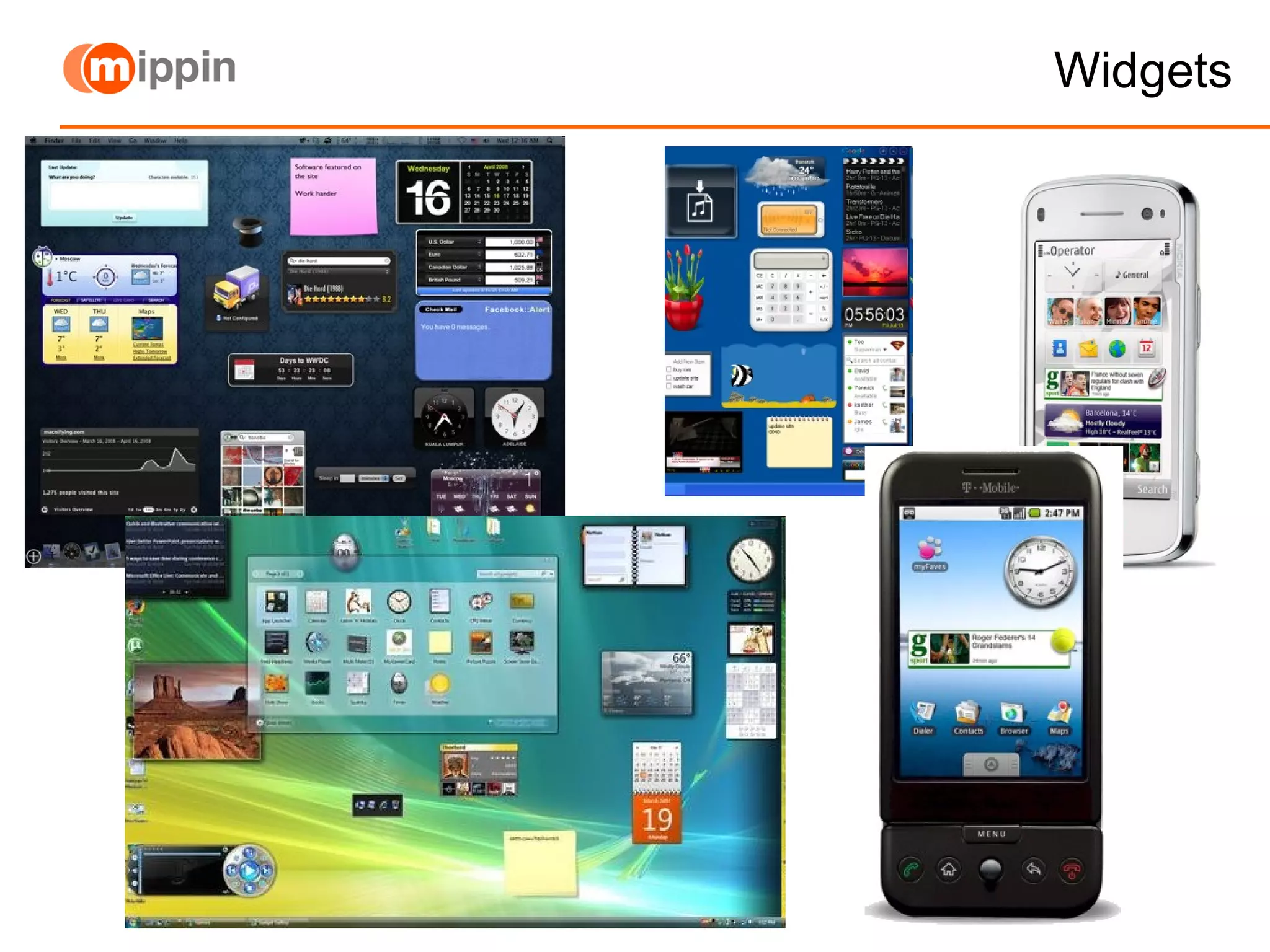
Widgets
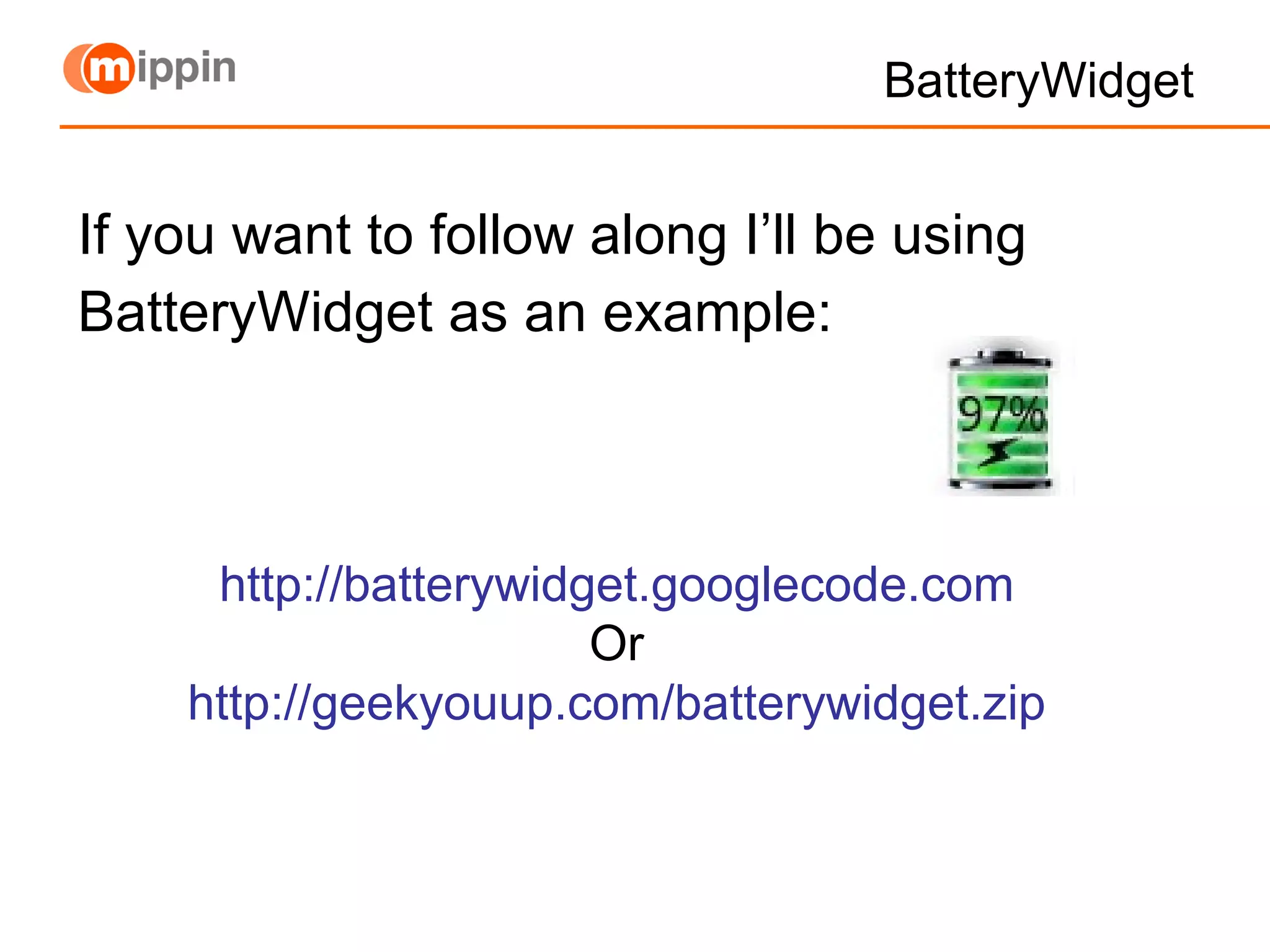
BatteryWidget If you want to follow along I’ll be using BatteryWidget as an example: http://batterywidget.googlecode.com Or http://geekyouup.com/batterywidget.zip
How? To create an App Widget, you need 3 things: AppWidgetProviderInfo  xml Describes the metadata for an App Widget, such as layout, update frequency, and the AppWidgetProvider class. Defined in XML. AppWidgetProvider  class implementation Defines the basic methods that allow you to programmatically interface with the App Widget, based on broadcast events. Through it, you will receive broadcasts when the App Widget is updated, enabled, disabled and deleted. View layout xml Defines the initial layout for the App Widget, defined in XML.
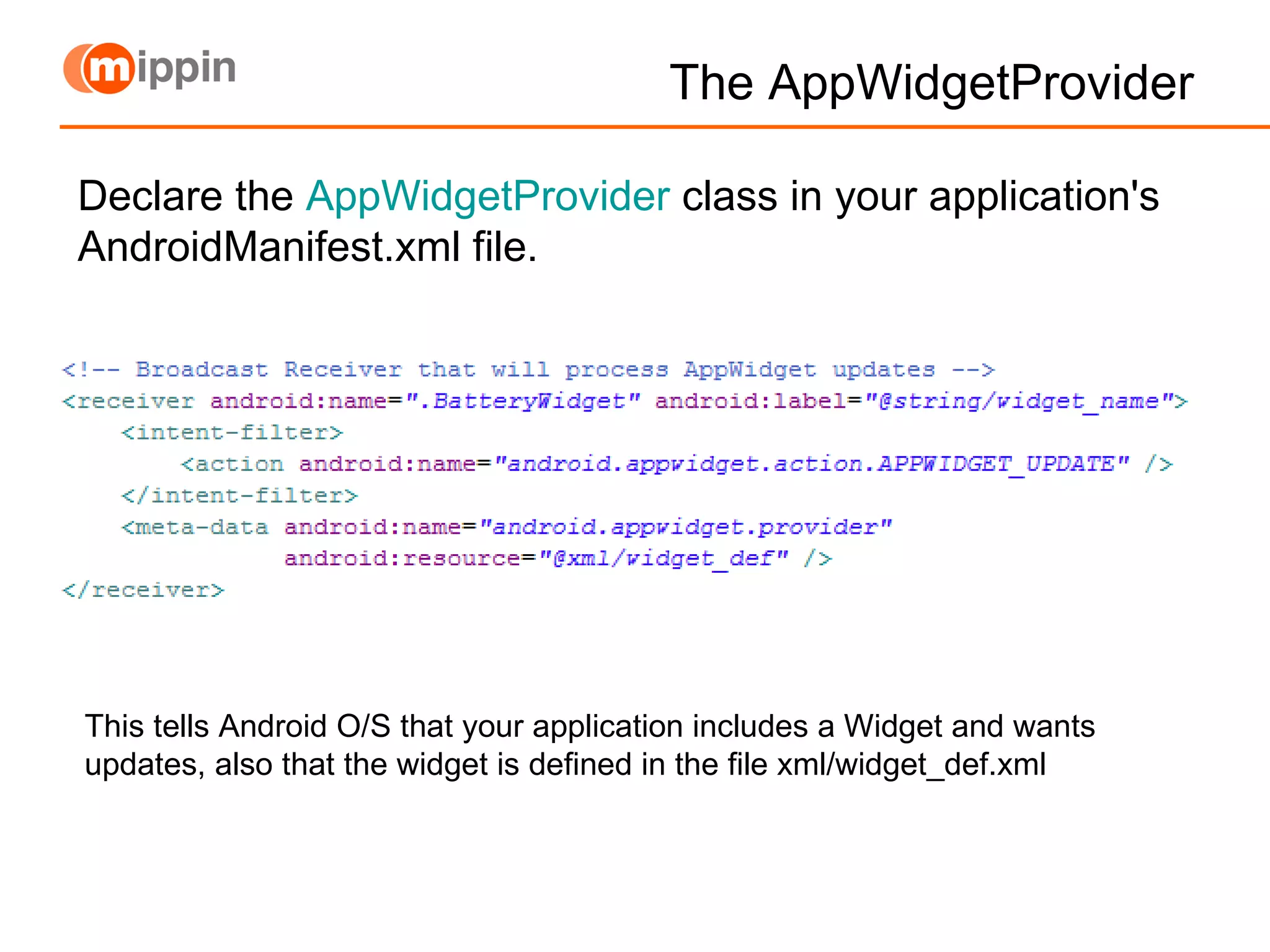
The AppWidgetProvider This tells Android O/S that your application includes a Widget and wants updates, also that the widget is defined in the file xml/widget_def.xml Declare the  AppWidgetProvider  class in your application's AndroidManifest.xml file.
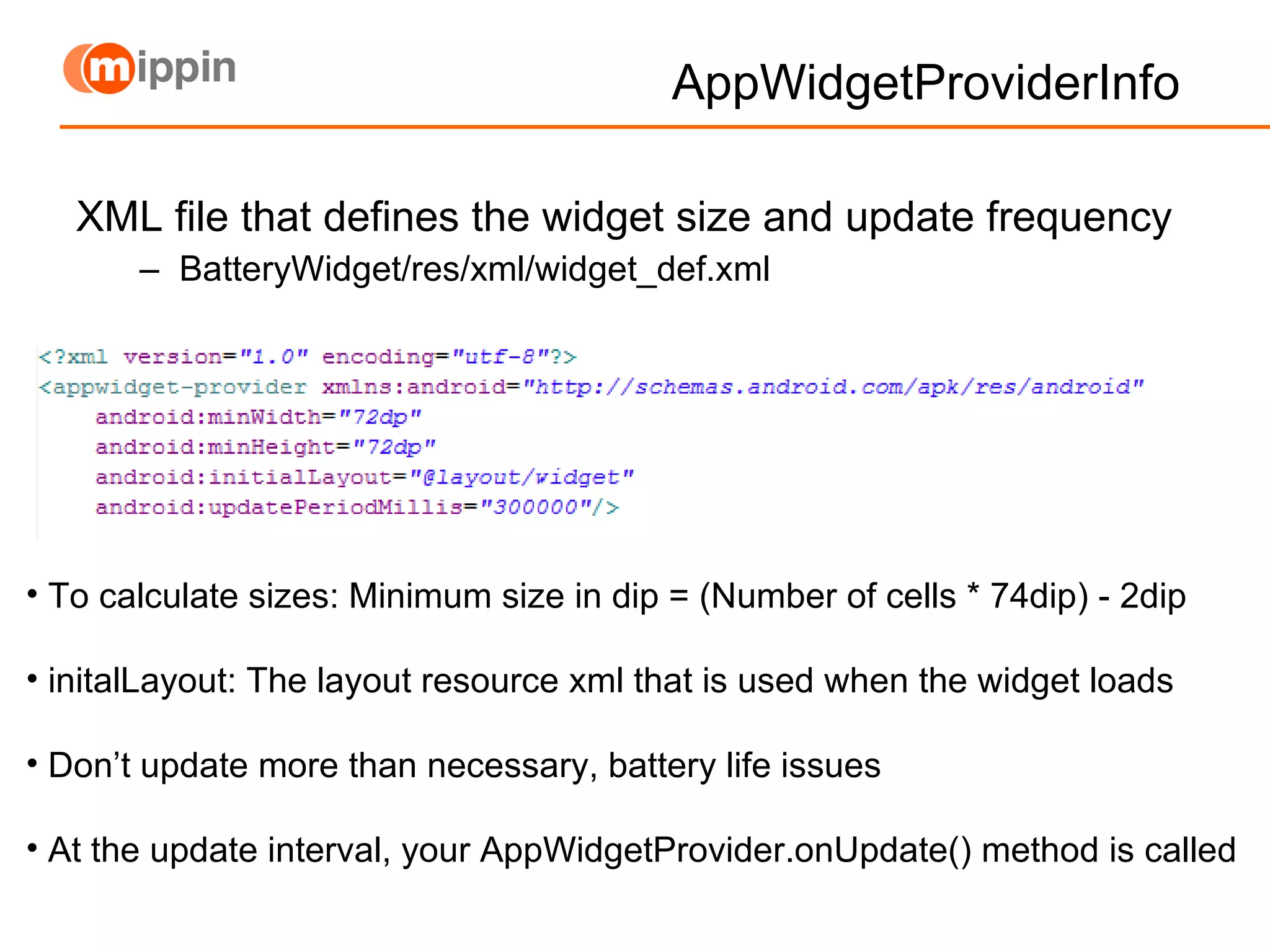
AppWidgetProviderInfo  XML file that defines the widget size and update frequency BatteryWidget/res/xml/widget_def.xml To calculate sizes: Minimum size in dip = (Number of cells * 74dip) - 2dip initalLayout: The layout resource xml that is used when the widget loads Don’t update more than necessary, battery life issues  At the update interval, your AppWidgetProvider.onUpdate() method is called
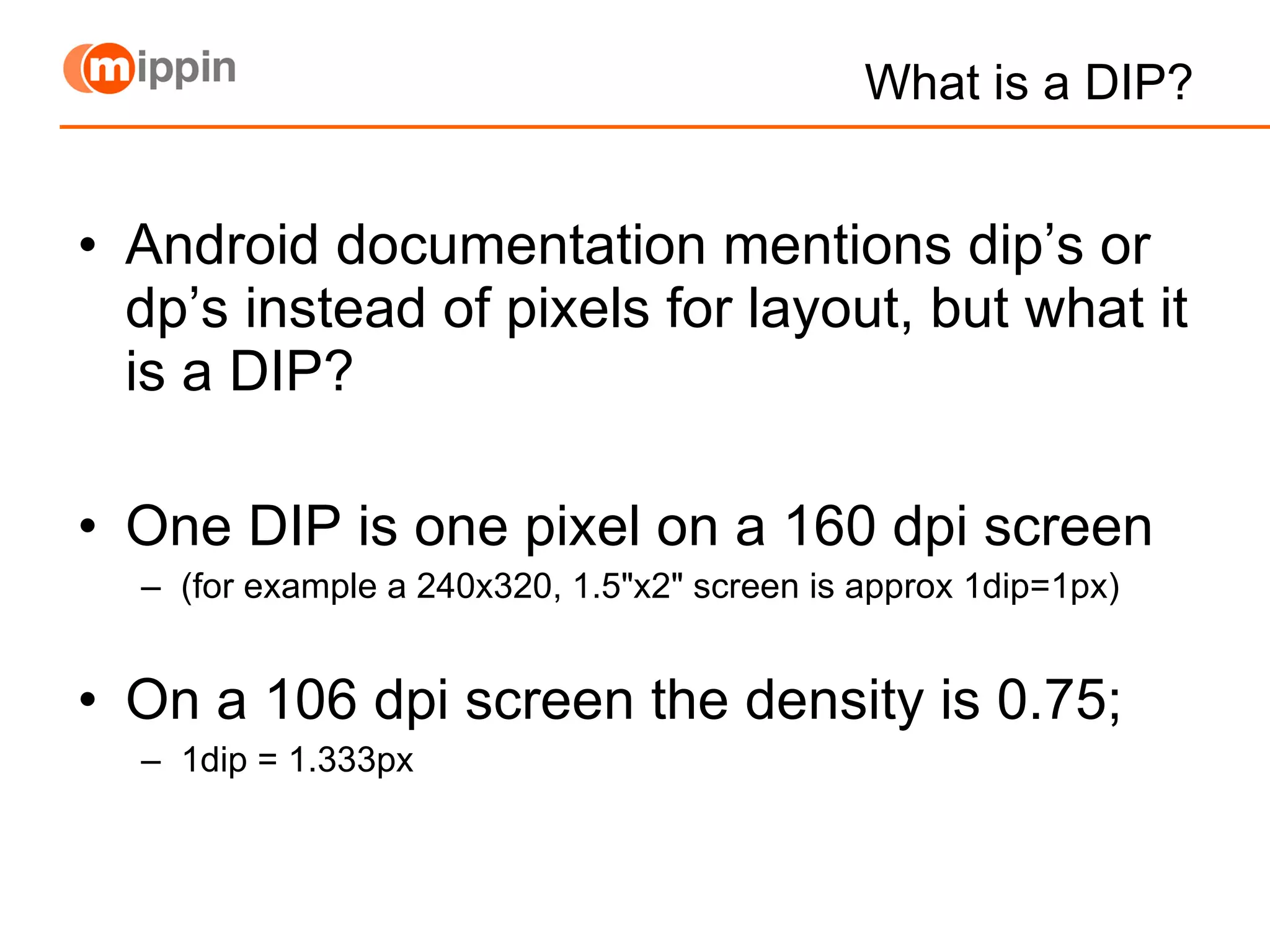
What is a DIP? Android documentation mentions dip’s or dp’s instead of pixels for layout, but what it is a DIP? One DIP is one pixel on a 160 dpi screen (for example a 240x320, 1.5"x2" screen is approx 1dip=1px) On a 106 dpi screen the density is 0.75; 1dip = 1.333px
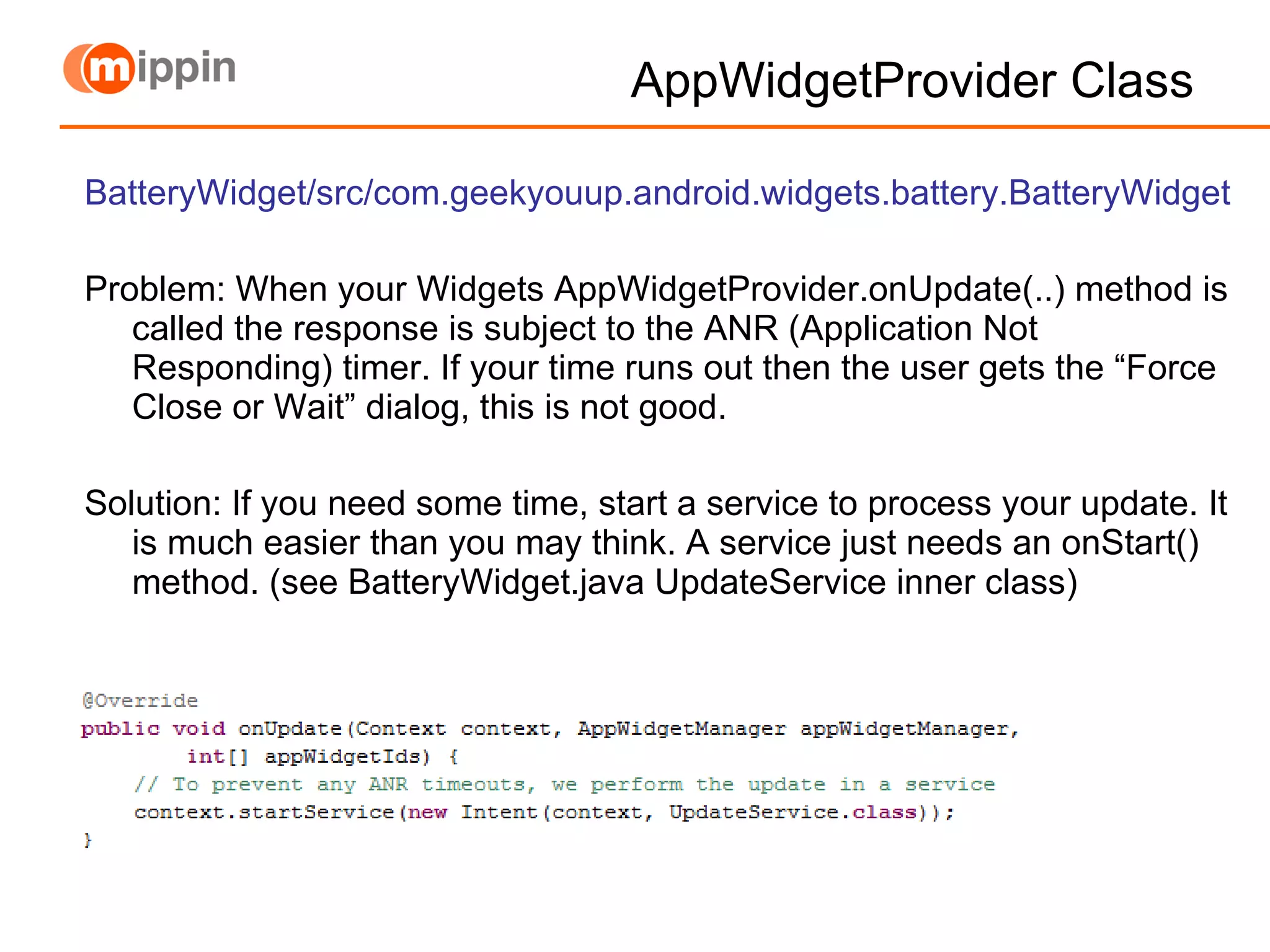
AppWidgetProvider Class BatteryWidget/src/com.geekyouup.android.widgets.battery.BatteryWidget Problem: When your Widgets AppWidgetProvider.onUpdate(..) method is called the response is subject to the ANR (Application Not Responding) timer. If your time runs out then the user gets the “Force Close or Wait” dialog, this is not good. Solution: If you need some time, start a service to process your update. It is much easier than you may think. A service just needs an onStart() method. (see BatteryWidget.java UpdateService inner class)
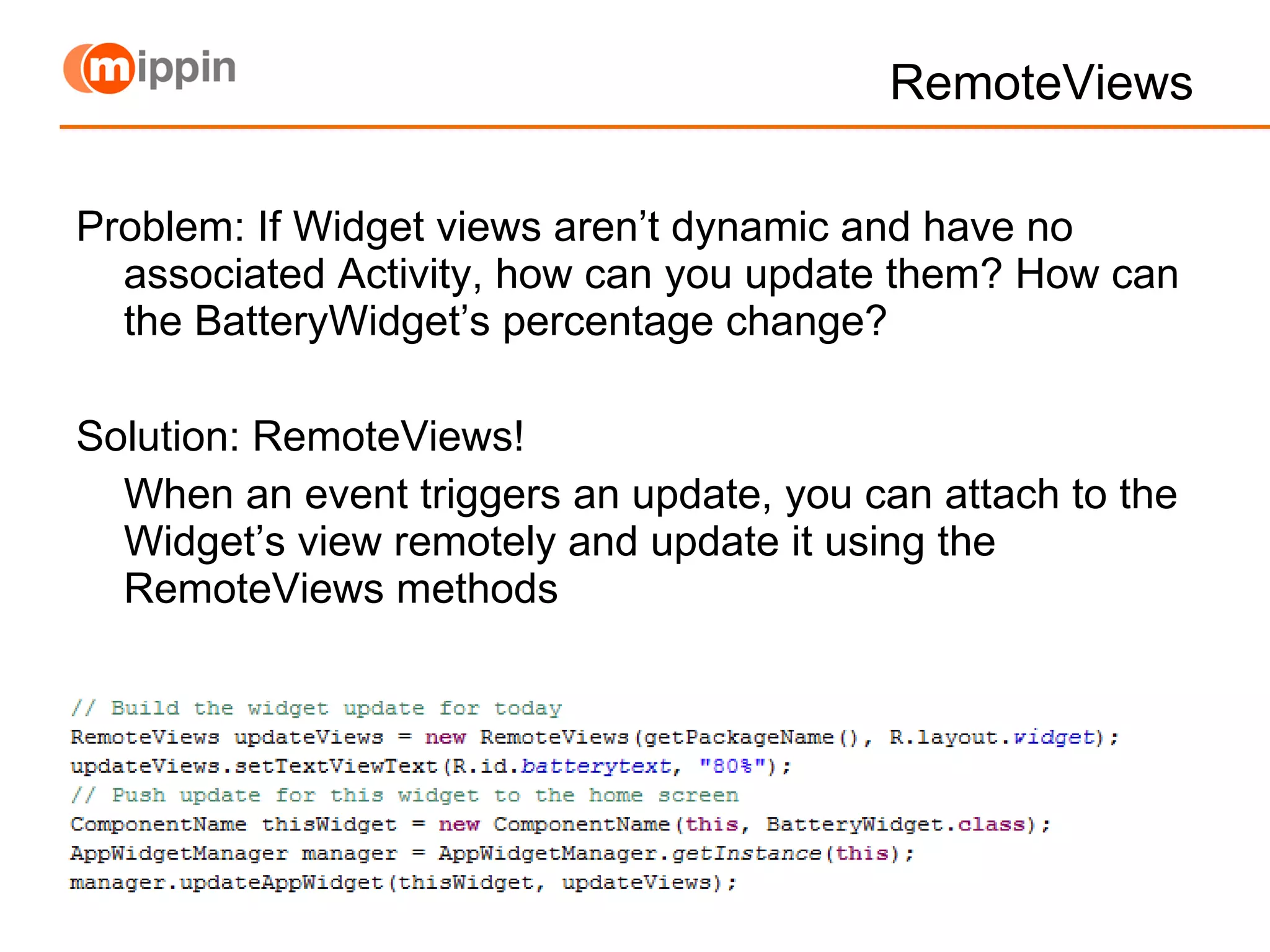
RemoteViews Problem: If Widget views aren’t dynamic and have no associated Activity, how can you update them? How can the BatteryWidget’s percentage change? Solution: RemoteViews!  When an event triggers an update, you can attach to the Widget’s view remotely and update it using the RemoteViews methods
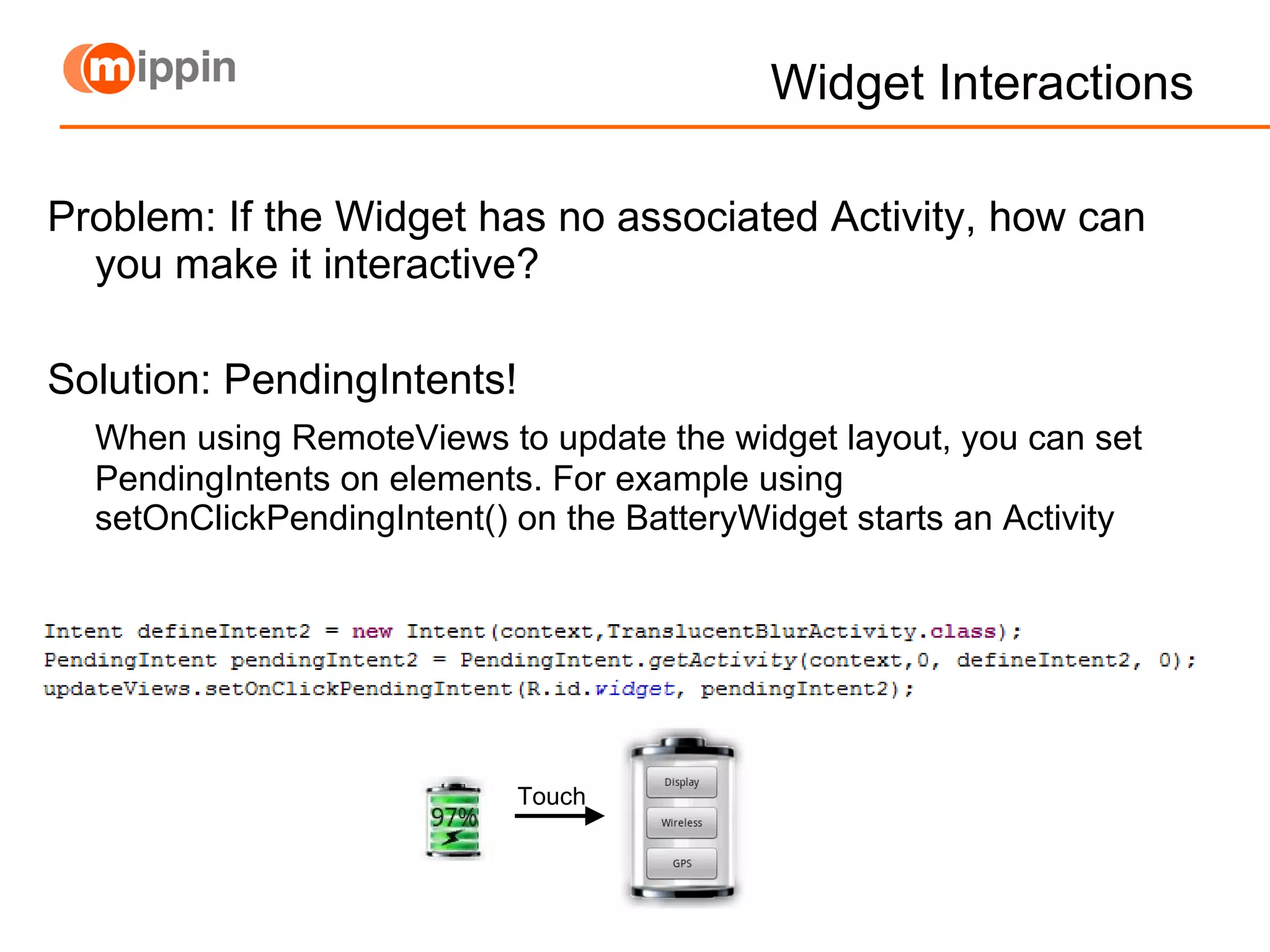
Widget Interactions Problem: If the Widget has no associated Activity, how can you make it interactive? Solution: PendingIntents! When using RemoteViews to update the widget layout, you can set PendingIntents on elements. For example using setOnClickPendingIntent() on the BatteryWidget starts an Activity Touch
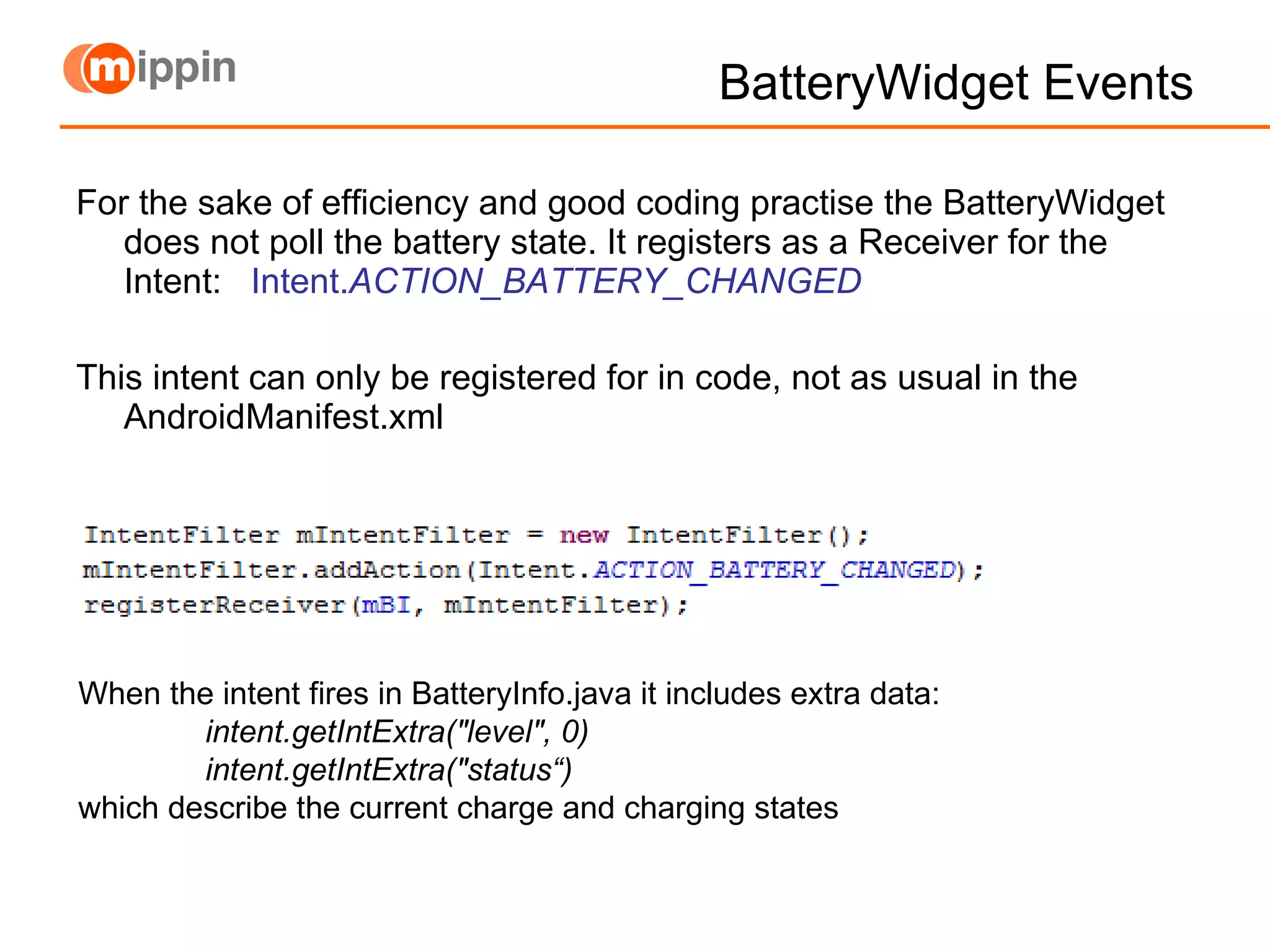
BatteryWidget Events For the sake of efficiency and good coding practise the BatteryWidget does not poll the battery state. It registers as a Receiver for the Intent:  Intent. ACTION_BATTERY_CHANGED This intent can only be registered for in code, not as usual in the AndroidManifest.xml When the intent fires in BatteryInfo.java it includes extra data: intent.getIntExtra("level", 0) intent.getIntExtra("status“) which describe the current charge and charging states
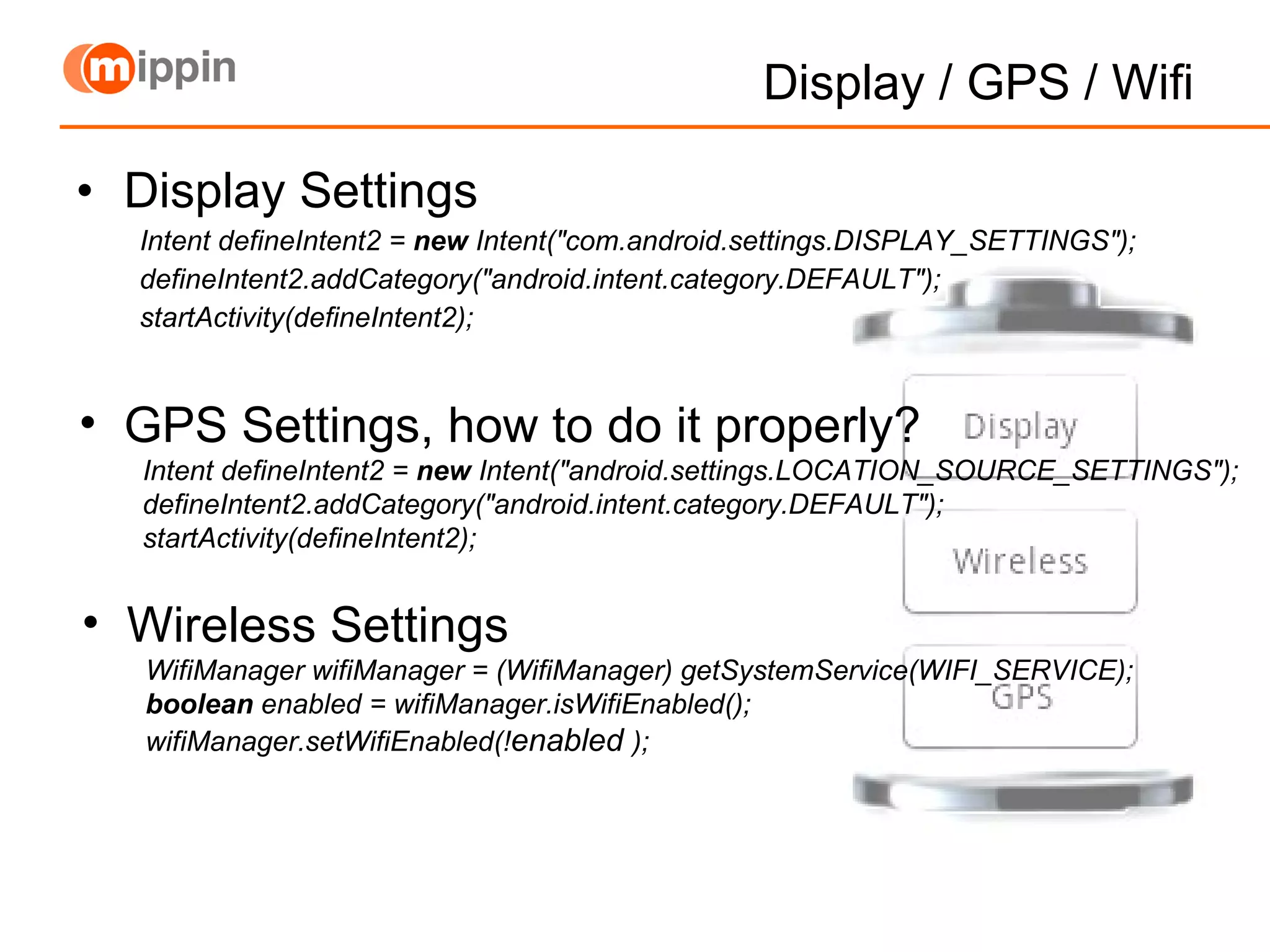
Display / GPS / Wifi Display Settings Intent defineIntent2 =  new  Intent("com.android.settings.DISPLAY_SETTINGS"); defineIntent2.addCategory("android.intent.category.DEFAULT"); startActivity(defineIntent2); GPS Settings, how to do it properly? Intent defineIntent2 =  new  Intent("android.settings.LOCATION_SOURCE_SETTINGS"); defineIntent2.addCategory("android.intent.category.DEFAULT"); startActivity(defineIntent2); Wireless Settings WifiManager wifiManager = (WifiManager) getSystemService(WIFI_SERVICE); boolean  enabled = wifiManager.isWifiEnabled(); wifiManager.setWifiEnabled(! enabled   );
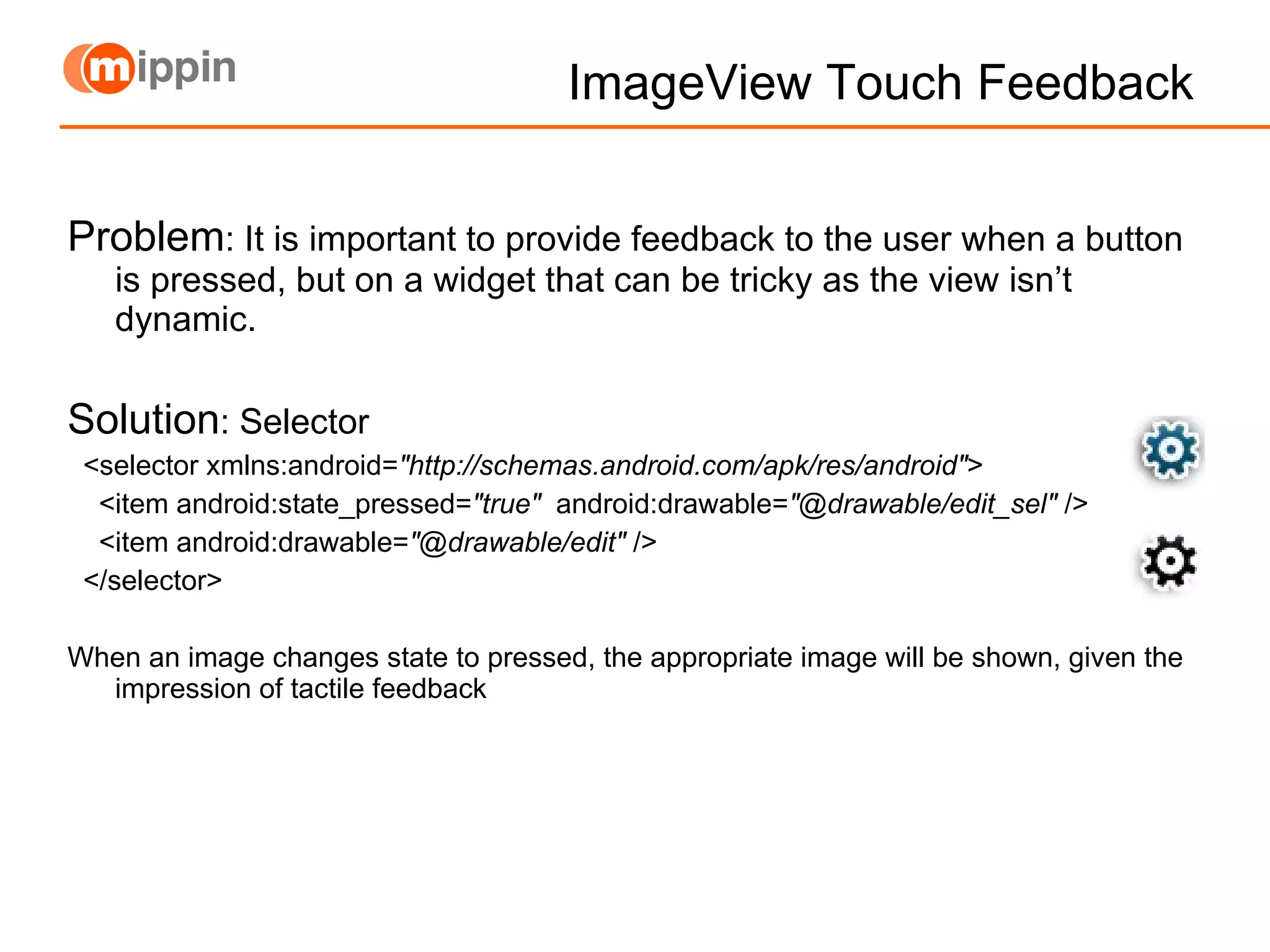
ImageView Touch Feedback Problem : It is important to provide feedback to the user when a button is pressed, but on a widget that can be tricky as the view isn’t dynamic. Solution : Selector <selector xmlns:android= &quot;http://schemas.android.com/apk/res/android&quot; >  <item android:state_pressed= &quot;true&quot;   android:drawable= &quot;@drawable/edit_sel&quot;  />  <item android:drawable= &quot;@drawable/edit&quot;  />  </selector> When an image changes state to pressed, the appropriate image will be shown, given the impression of tactile feedback
Links Battery Widget Source Code http://batterywidget.googlecode.com Jeff Sharkey’s Blog Post, ‘Introducing Home Screen Widgets’ includes full source code http://android-developers.blogspot.com/2009/04/introducing-home-screen-widgets-and.html Jeff Sharkey’s Weather Forecast Widget http://jsharkey.org/blog/2009/04/24/forecast-widget-for-android-15-with-source/ Android Developer Guide - AppWidgets http://developer.android.com/guide/topics/appwidgets/index.html

Londroid Android Home Screen Widgets

  • 1.
    Android Home ScreenWidgets London Android User Group 22 nd June 2009 Richard Hyndman
  • 2.
  • 3.
    BatteryWidget If youwant to follow along I’ll be using BatteryWidget as an example: http://batterywidget.googlecode.com Or http://geekyouup.com/batterywidget.zip
  • 4.
    How? To createan App Widget, you need 3 things: AppWidgetProviderInfo xml Describes the metadata for an App Widget, such as layout, update frequency, and the AppWidgetProvider class. Defined in XML. AppWidgetProvider class implementation Defines the basic methods that allow you to programmatically interface with the App Widget, based on broadcast events. Through it, you will receive broadcasts when the App Widget is updated, enabled, disabled and deleted. View layout xml Defines the initial layout for the App Widget, defined in XML.
  • 5.
    The AppWidgetProvider Thistells Android O/S that your application includes a Widget and wants updates, also that the widget is defined in the file xml/widget_def.xml Declare the AppWidgetProvider class in your application's AndroidManifest.xml file.
  • 6.
    AppWidgetProviderInfo XMLfile that defines the widget size and update frequency BatteryWidget/res/xml/widget_def.xml To calculate sizes: Minimum size in dip = (Number of cells * 74dip) - 2dip initalLayout: The layout resource xml that is used when the widget loads Don’t update more than necessary, battery life issues At the update interval, your AppWidgetProvider.onUpdate() method is called
  • 7.
    What is aDIP? Android documentation mentions dip’s or dp’s instead of pixels for layout, but what it is a DIP? One DIP is one pixel on a 160 dpi screen (for example a 240x320, 1.5&quot;x2&quot; screen is approx 1dip=1px) On a 106 dpi screen the density is 0.75; 1dip = 1.333px
  • 8.
    AppWidgetProvider Class BatteryWidget/src/com.geekyouup.android.widgets.battery.BatteryWidgetProblem: When your Widgets AppWidgetProvider.onUpdate(..) method is called the response is subject to the ANR (Application Not Responding) timer. If your time runs out then the user gets the “Force Close or Wait” dialog, this is not good. Solution: If you need some time, start a service to process your update. It is much easier than you may think. A service just needs an onStart() method. (see BatteryWidget.java UpdateService inner class)
  • 9.
    RemoteViews Problem: IfWidget views aren’t dynamic and have no associated Activity, how can you update them? How can the BatteryWidget’s percentage change? Solution: RemoteViews! When an event triggers an update, you can attach to the Widget’s view remotely and update it using the RemoteViews methods
  • 10.
    Widget Interactions Problem:If the Widget has no associated Activity, how can you make it interactive? Solution: PendingIntents! When using RemoteViews to update the widget layout, you can set PendingIntents on elements. For example using setOnClickPendingIntent() on the BatteryWidget starts an Activity Touch
  • 11.
    BatteryWidget Events Forthe sake of efficiency and good coding practise the BatteryWidget does not poll the battery state. It registers as a Receiver for the Intent: Intent. ACTION_BATTERY_CHANGED This intent can only be registered for in code, not as usual in the AndroidManifest.xml When the intent fires in BatteryInfo.java it includes extra data: intent.getIntExtra(&quot;level&quot;, 0) intent.getIntExtra(&quot;status“) which describe the current charge and charging states
  • 12.
    Display / GPS/ Wifi Display Settings Intent defineIntent2 = new Intent(&quot;com.android.settings.DISPLAY_SETTINGS&quot;); defineIntent2.addCategory(&quot;android.intent.category.DEFAULT&quot;); startActivity(defineIntent2); GPS Settings, how to do it properly? Intent defineIntent2 = new Intent(&quot;android.settings.LOCATION_SOURCE_SETTINGS&quot;); defineIntent2.addCategory(&quot;android.intent.category.DEFAULT&quot;); startActivity(defineIntent2); Wireless Settings WifiManager wifiManager = (WifiManager) getSystemService(WIFI_SERVICE); boolean enabled = wifiManager.isWifiEnabled(); wifiManager.setWifiEnabled(! enabled );
  • 13.
    ImageView Touch FeedbackProblem : It is important to provide feedback to the user when a button is pressed, but on a widget that can be tricky as the view isn’t dynamic. Solution : Selector <selector xmlns:android= &quot;http://schemas.android.com/apk/res/android&quot; > <item android:state_pressed= &quot;true&quot; android:drawable= &quot;@drawable/edit_sel&quot; /> <item android:drawable= &quot;@drawable/edit&quot; /> </selector> When an image changes state to pressed, the appropriate image will be shown, given the impression of tactile feedback
  • 14.
    Links Battery WidgetSource Code http://batterywidget.googlecode.com Jeff Sharkey’s Blog Post, ‘Introducing Home Screen Widgets’ includes full source code http://android-developers.blogspot.com/2009/04/introducing-home-screen-widgets-and.html Jeff Sharkey’s Weather Forecast Widget http://jsharkey.org/blog/2009/04/24/forecast-widget-for-android-15-with-source/ Android Developer Guide - AppWidgets http://developer.android.com/guide/topics/appwidgets/index.html