Using EnglishCentral At Your School
1

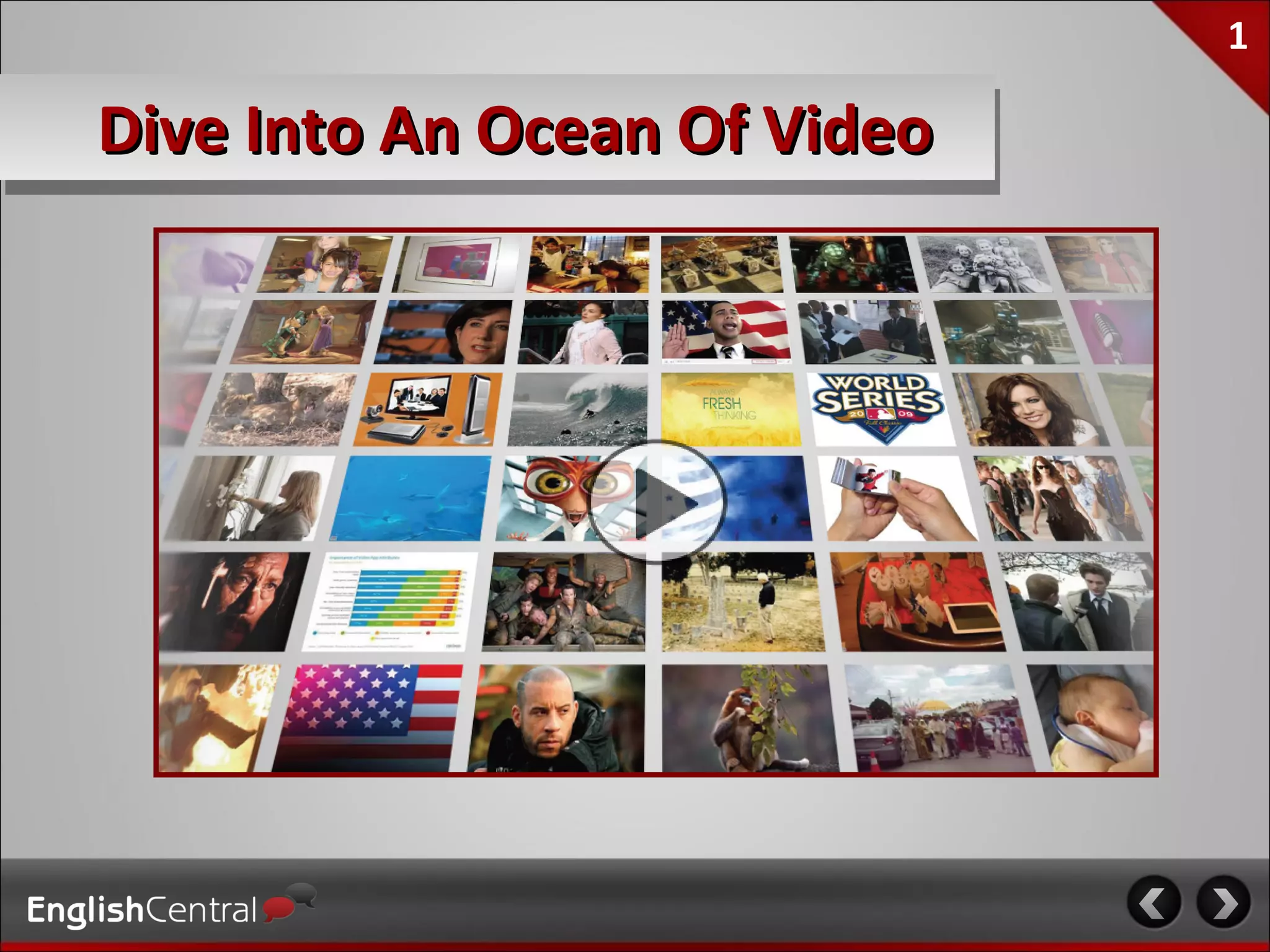
Dive Into An Ocean Of Video
2

The EnglishCentral Solution
  •350K registered users, and over 100M lines spoken
  •Used by thousands of schools and businesses
  •Customized curriculum design for your program
  •Complete customer service and teacher training
  •Lowest cost, highly effective
3

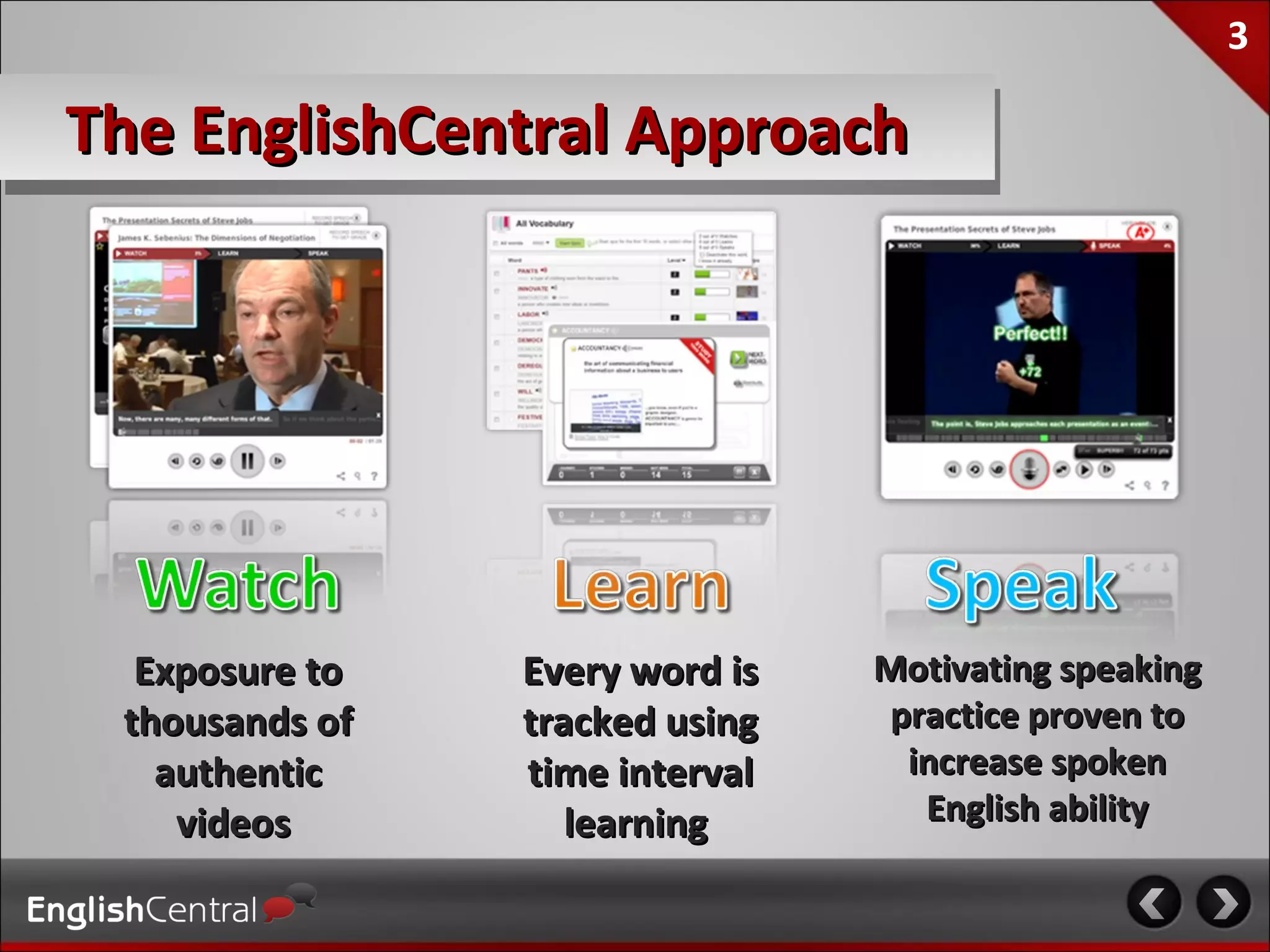
The EnglishCentral Approach


  Exposure to   Every word is   Motivating speaking
 thousands of   tracked using   practice proven to
   authentic    time interval    increase spoken
    videos         learning       English ability
4

Our Philosophy
“I think about ninety percent of the problem in
teaching, or maybe ninety-eight percent, is just to
help the students get interested.”
                                                          Noam Chomsky


                  “The best methods are therefore those that supply
                  ‘comprehensible input’ in low anxiety situations,
                  containing messages that students really want to
Stephen Krashen   hear.”

 “Learning from context is so important that some
 studies suggest that first language learners learn
 most of their vocabulary in this way.”                    Paul Nation
5

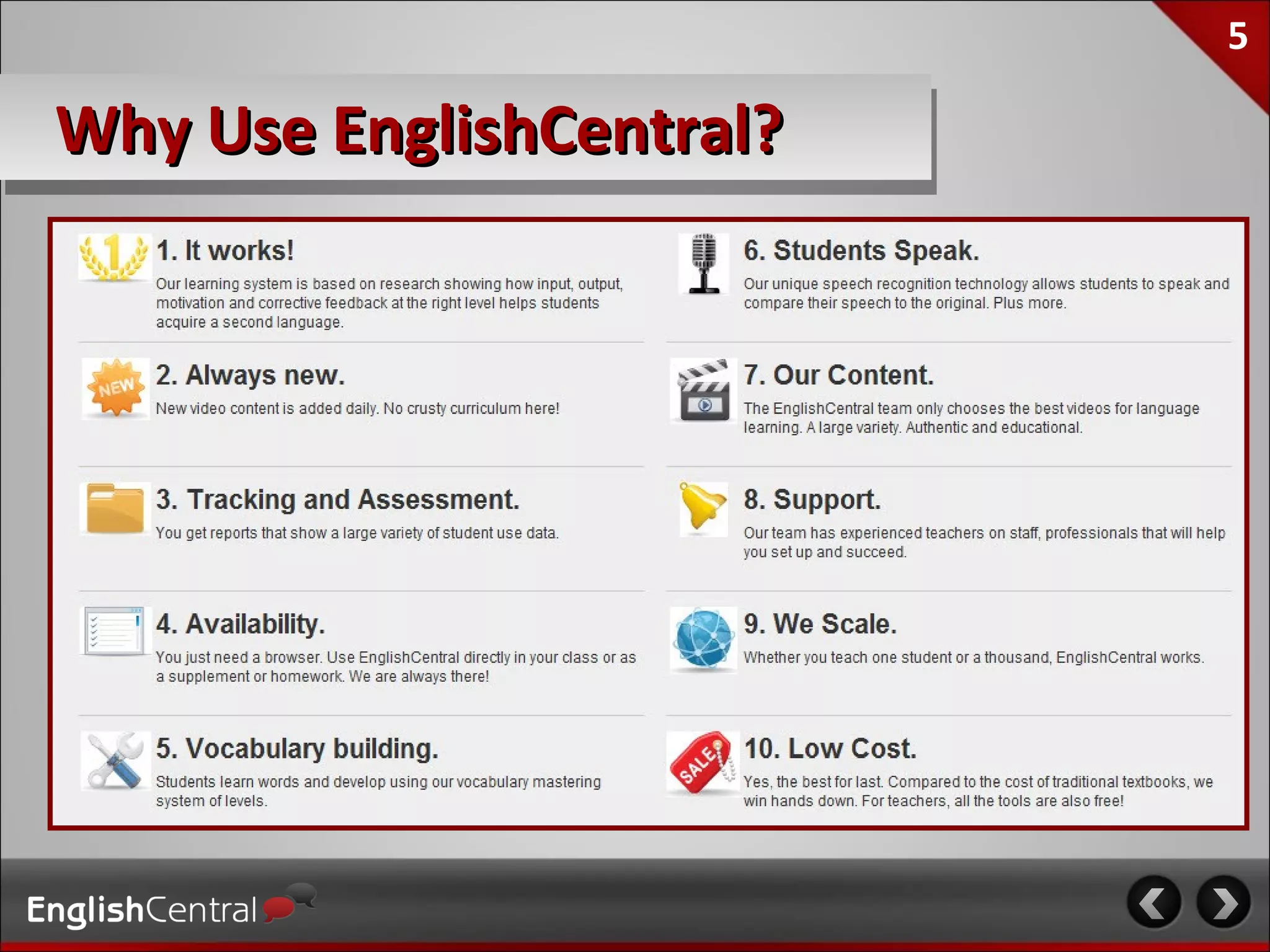
Why Use EnglishCentral?
6
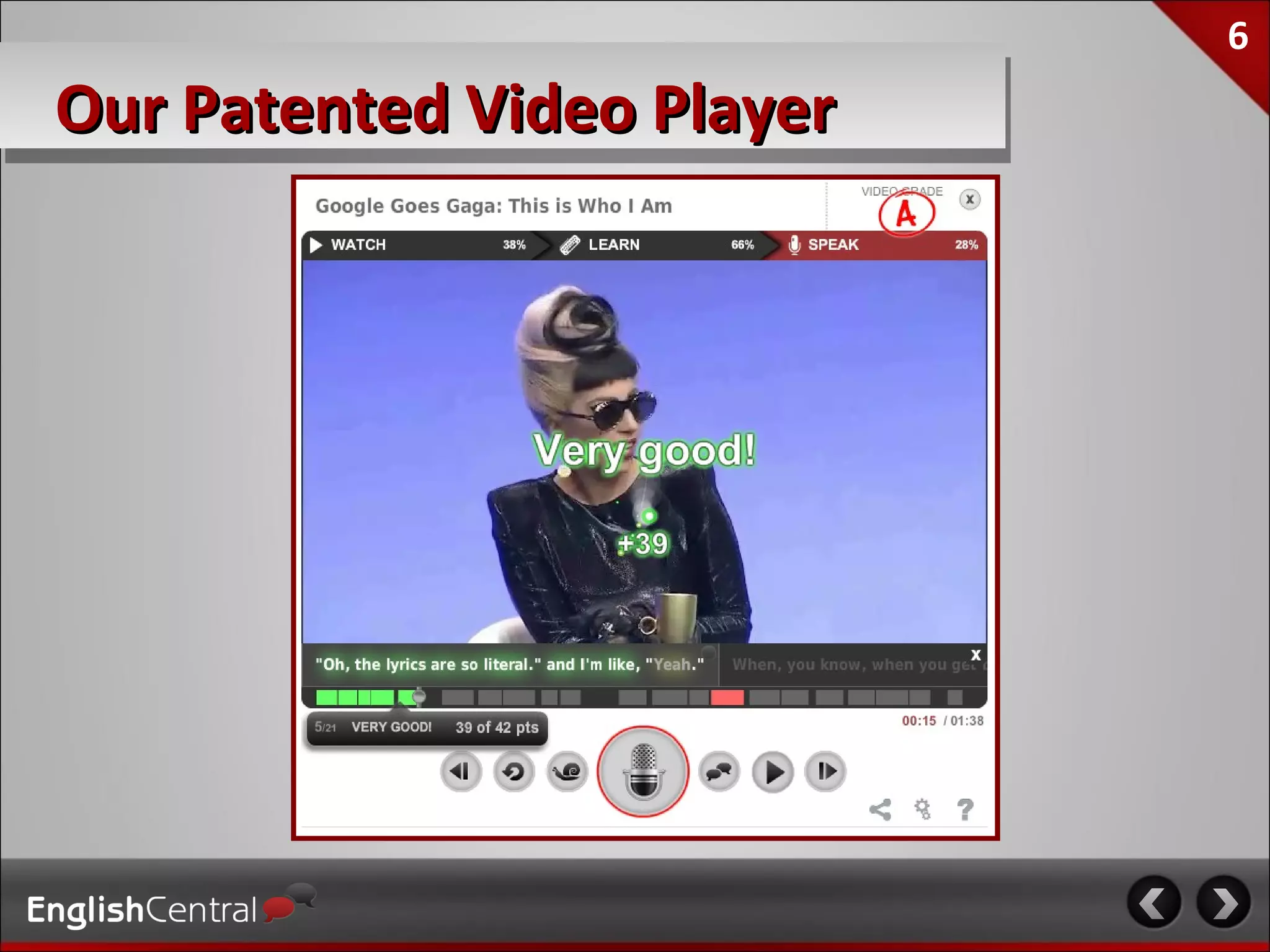
Our Patented Video Player
7

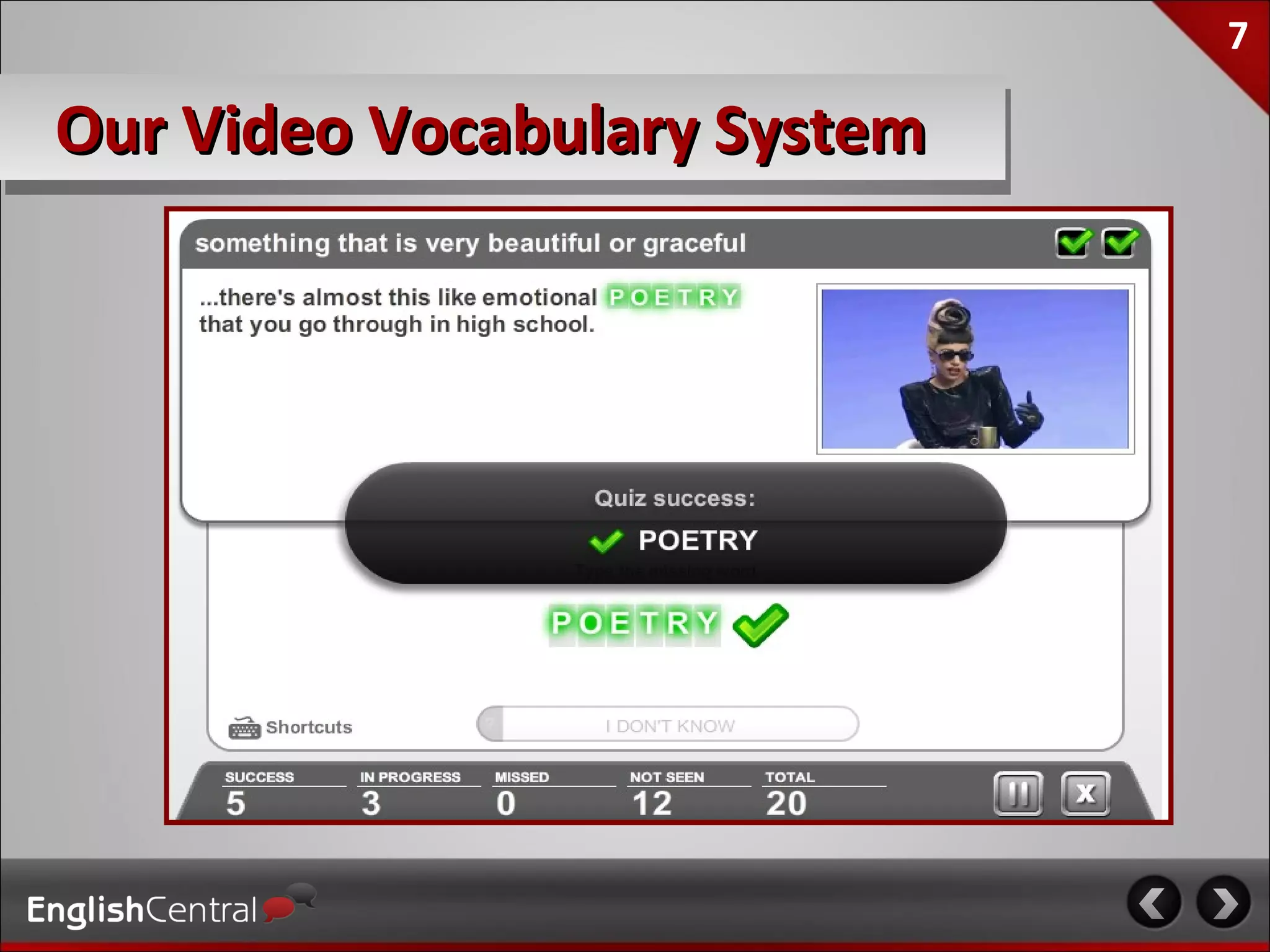
Our Video Vocabulary System
8

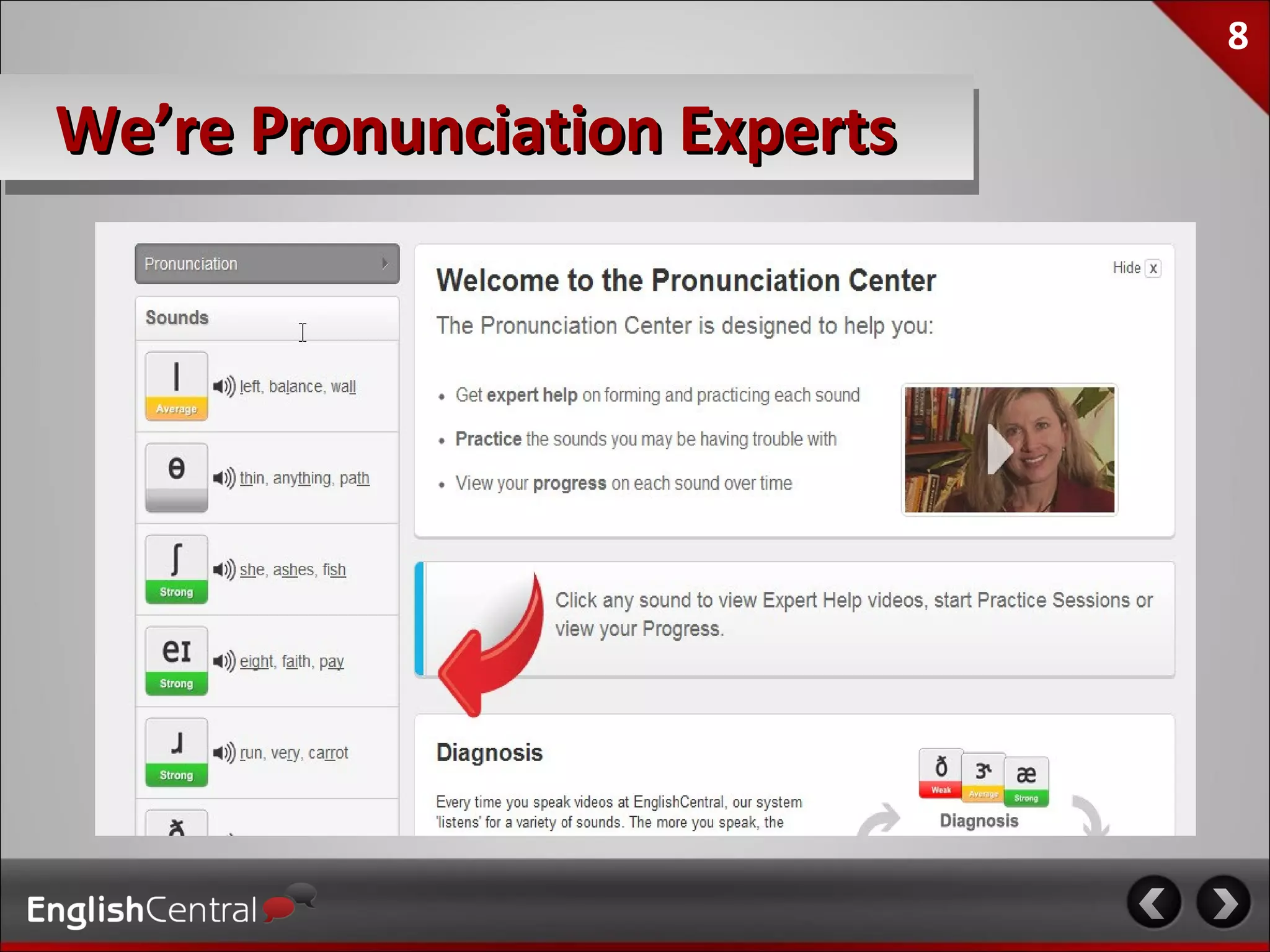
We’re Pronunciation Experts
9

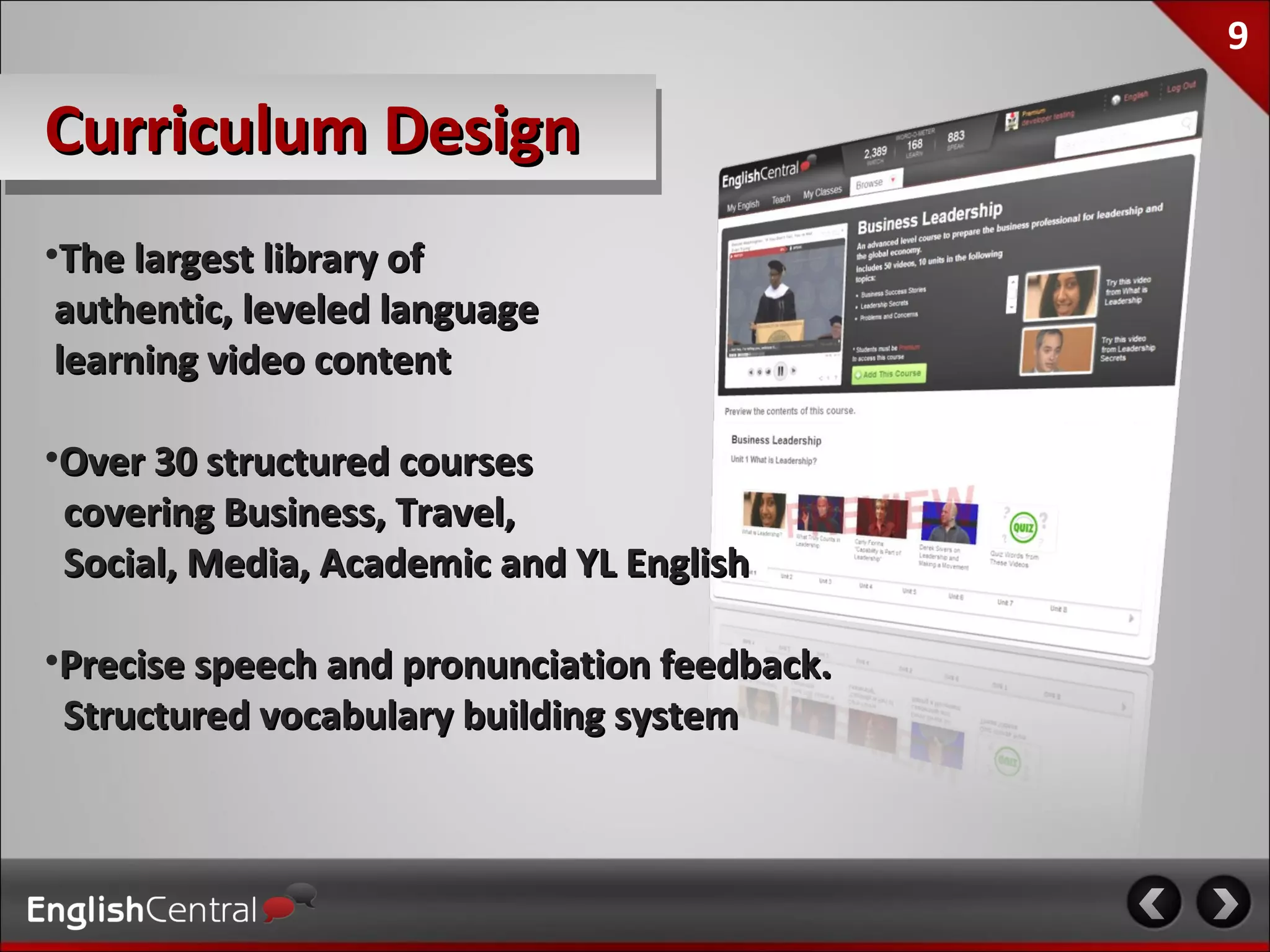
Curriculum Design
•The largest library of
 authentic, leveled language
 learning video content

•Over 30 structured courses
 covering Business, Travel,
 Social, Media, Academic and YL English

•Precise speech and pronunciation feedback.
 Structured vocabulary building system
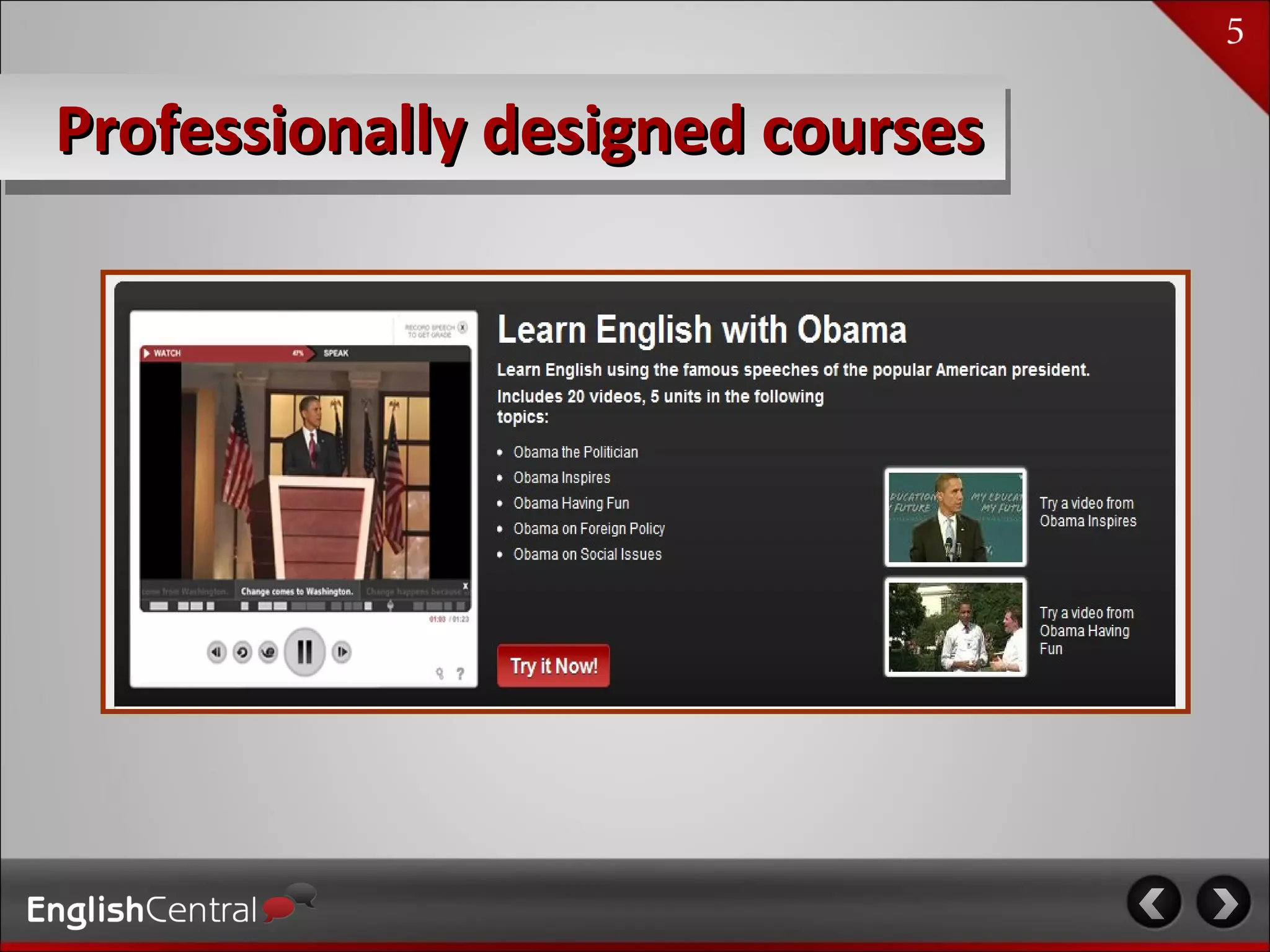
Professionally designed courses
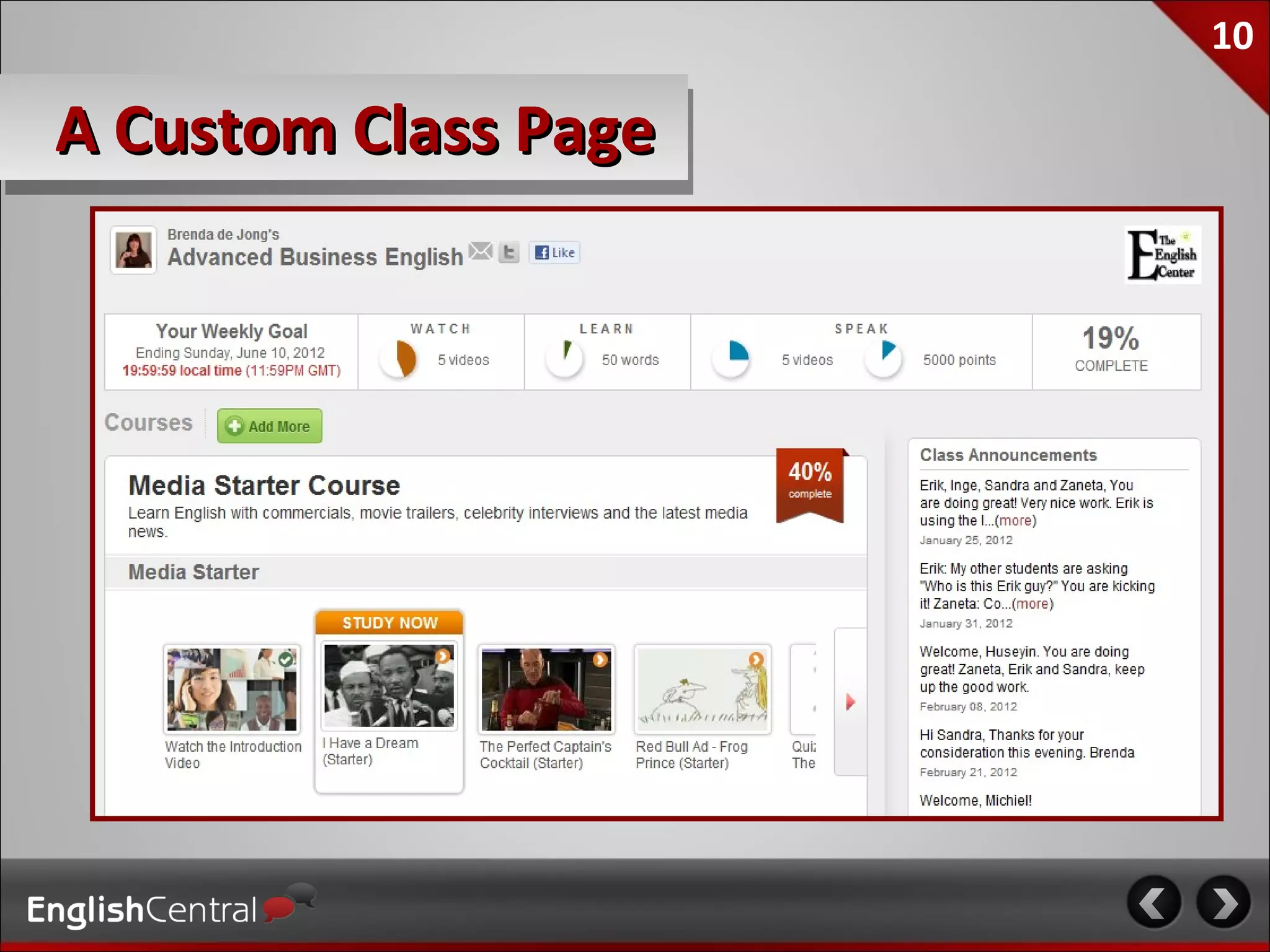
10

A Custom Class Page
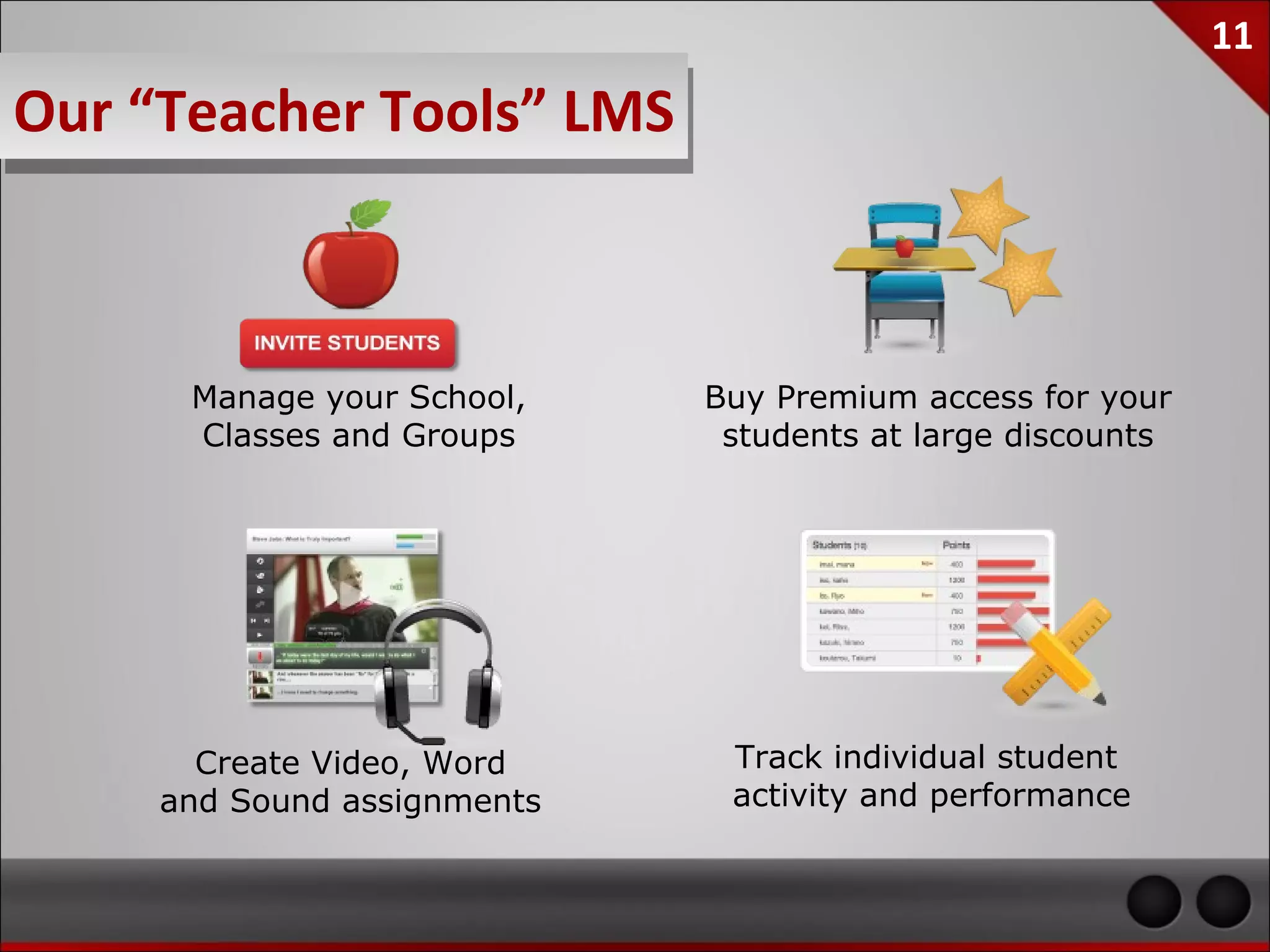
11
Our “Teacher Tools” LMS


    Manage your School,    Buy Premium access for your
    Classes and Groups      students at large discounts


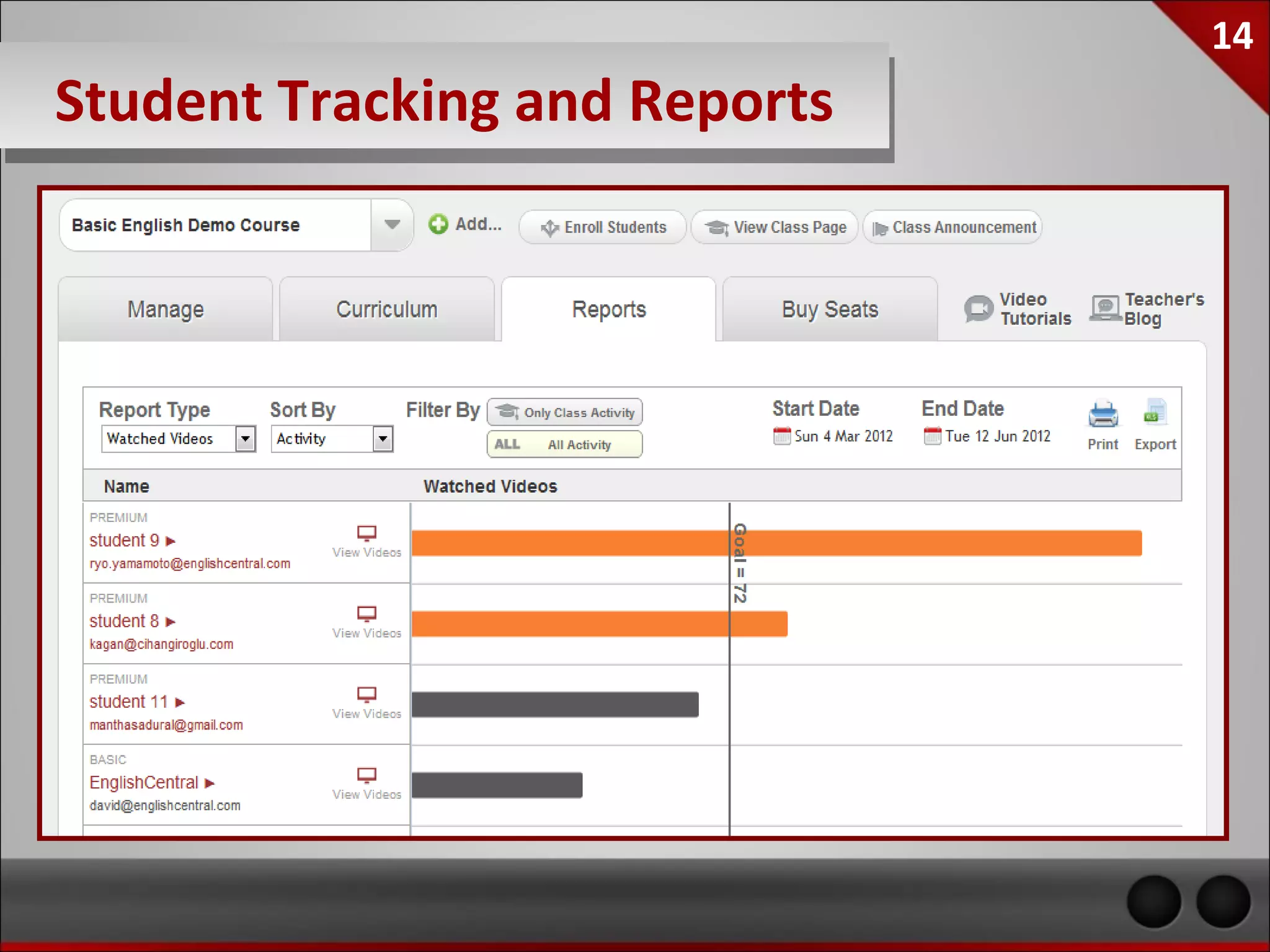
     Create Video, Word     Track individual student
   and Sound assignments    activity and performance
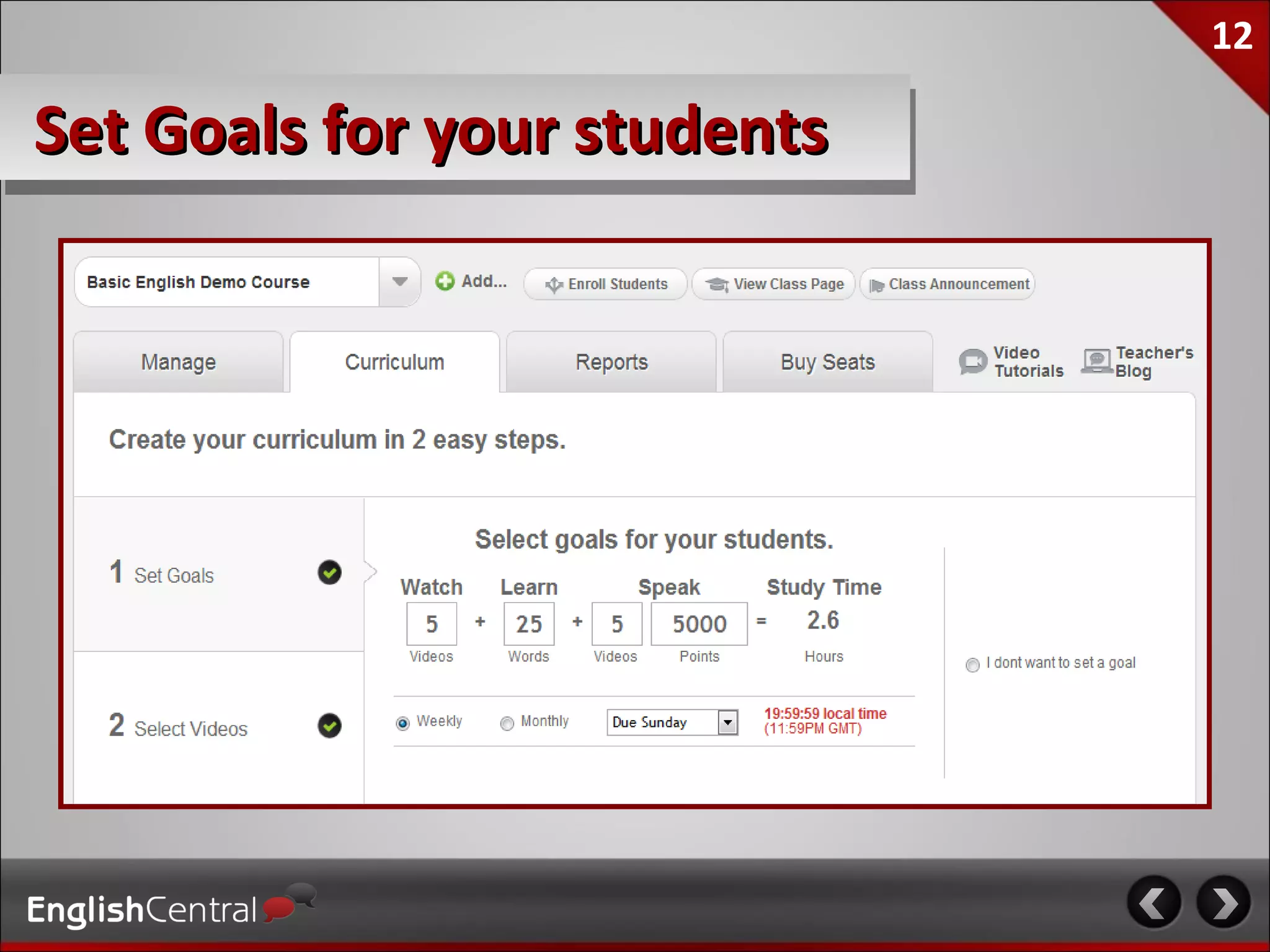
12

Set Goals for your students
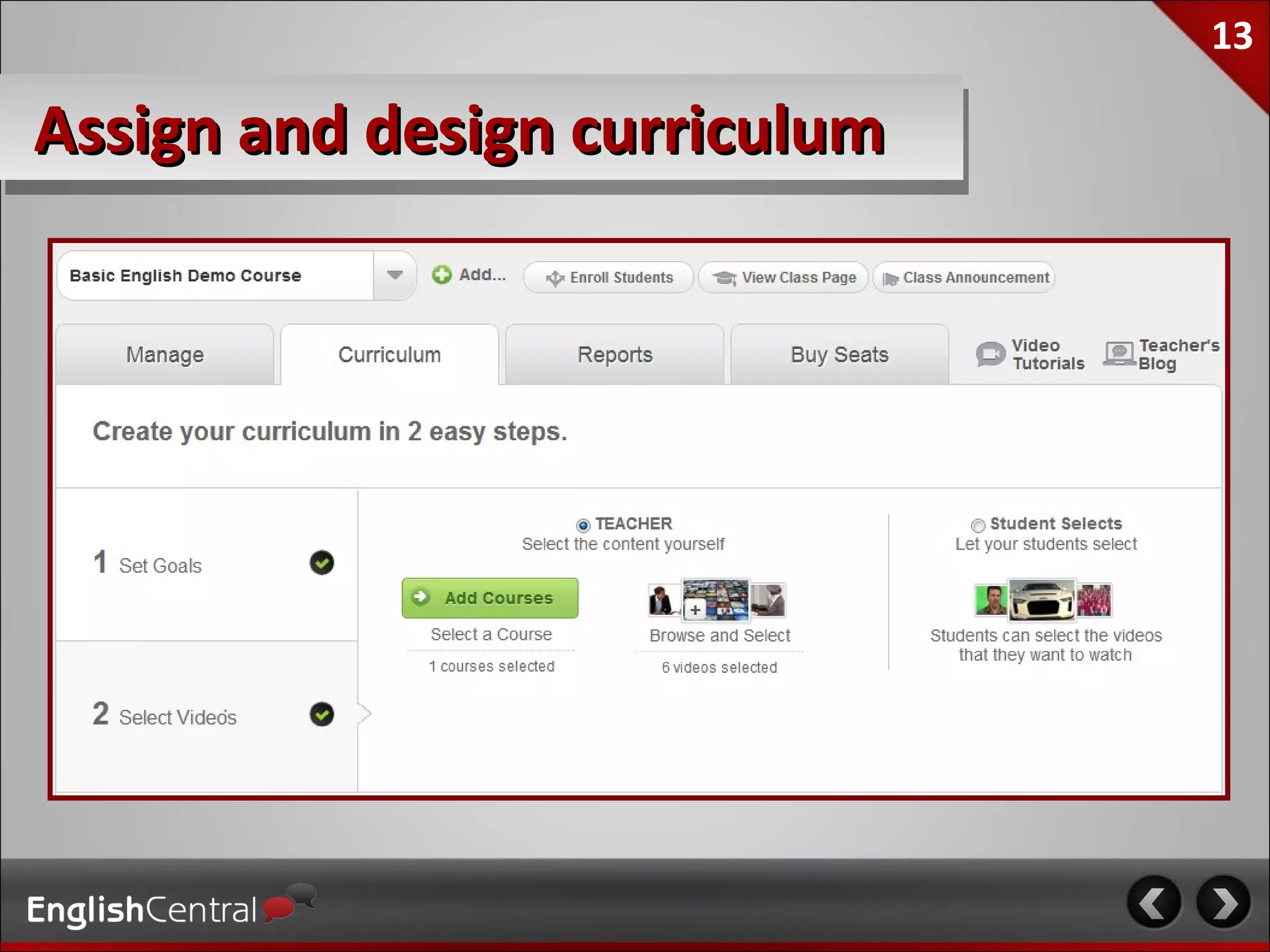
13

Assign and design curriculum
14

Student Tracking & Reports
15

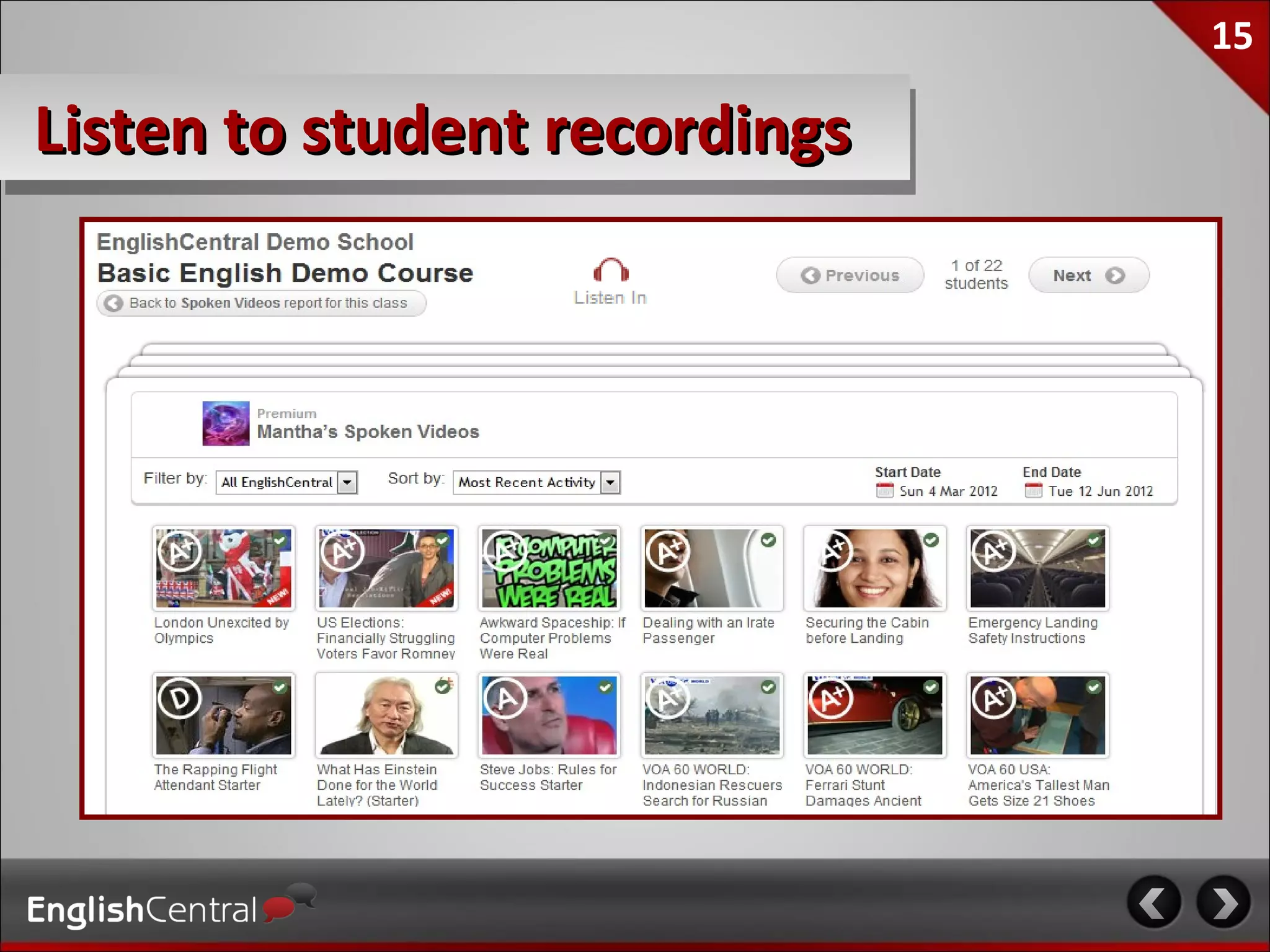
Listen to student recordings
16

Teacher Testimonials
 “In my opinion, EnglishCentral was far and away
      the best new EFL / ESL site this year.”
             Jeffrey Hill – The English Blog

  I personally think it’s the best site period for
English Language Learners. It provides listening,
    speaking, and reading practice — all in an
           extremely engaging way…

          Larry Ferlazzo – Websites of the Day
17

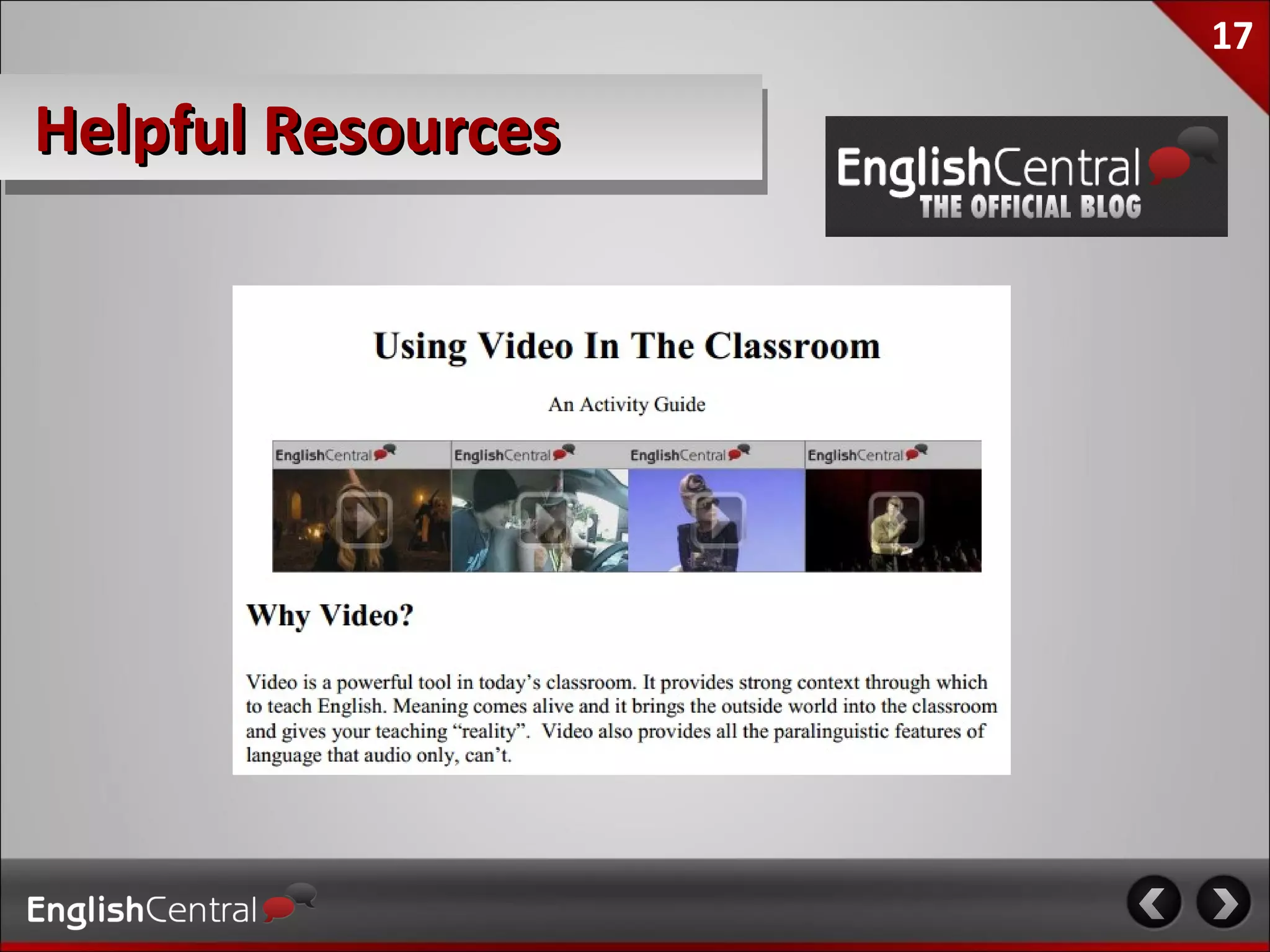
Helpful Resources
18

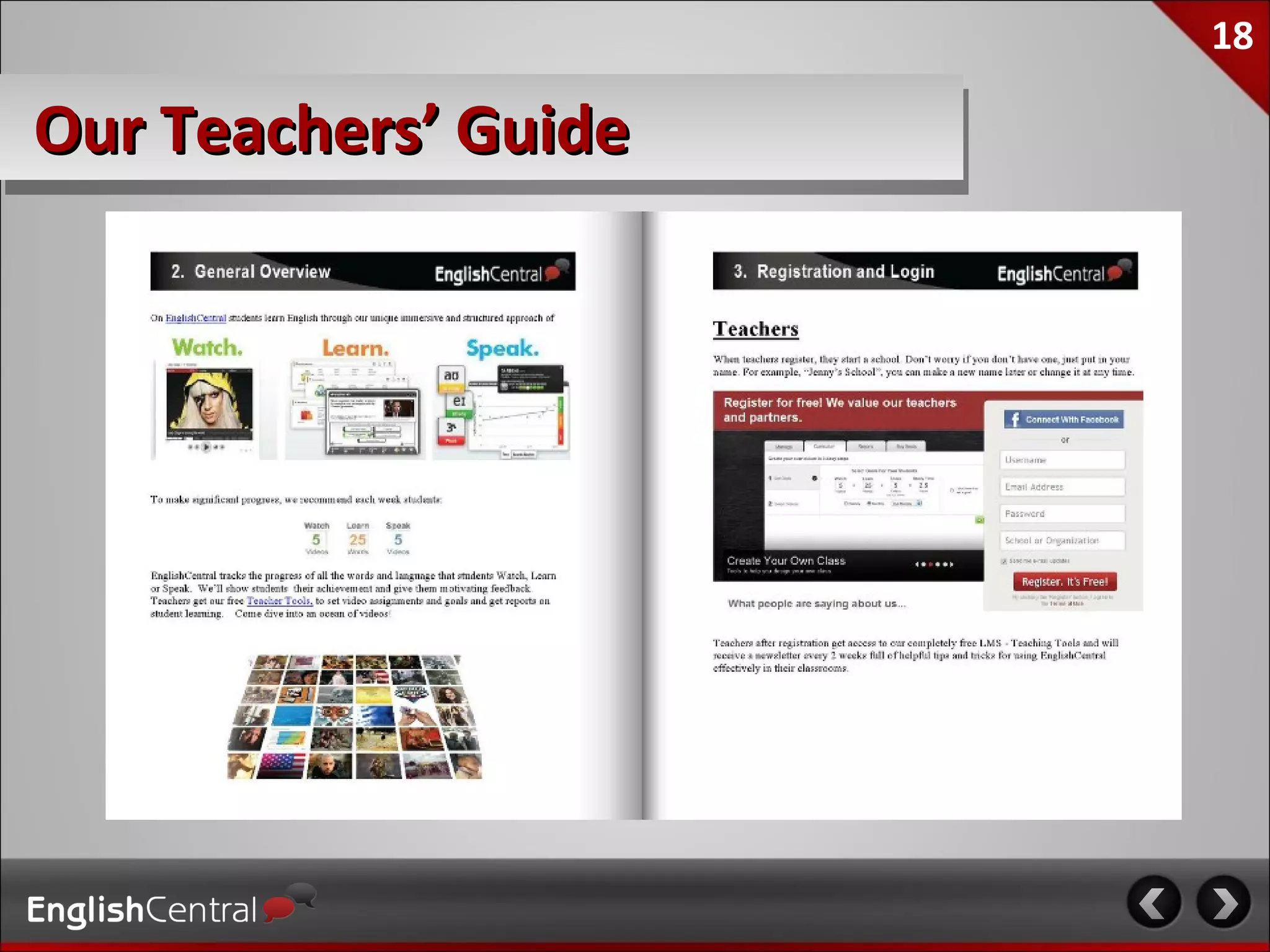
Our Teachers’ Guide
19

Academic Pricing

                          Academic Pack

  Unlimited Student Access to all features
  Access to all our professional courses
  Full Use Of Our Teacher Tools LMS
  Premium Customer service
  1 or more Teacher Training sessions
  * may differ depending on your geographic region


                                                     More Info.
20

Tips For Teaching with EnglishCentral
21

Use And Model In Class
22

Set Specific Goals
23

Allow Student Choice
24

Foster “Noticing” of the language


                                    Self correction


                                     Compare and
                                     “notice the gap”
25

Build Vocabulary Over Time


   Definition matching…      Cloze testing…


                             Spelling practice…
26

Use for self study & homework
27

Blend with existing curriculum
28

Make It Official Curriculum
29

Make It Official Curriculum
30

Contact Us
                teachers@
             englishcentral.com
31

Using EnglishCentral At Your School

Editor's Notes

  • #7 Manage students, including adding to specific Classes with specific content, adding to Groups within such Classes by level. Communicate with students via an onsite messaging system, as well as via one-click email access from the student roster. Four touch points: Team Leader -- to encourage progress (probably automated) Manager - 1st escalation Kyle - 2nd escalation Mikitani CEO - 3rd escalation (probably limited to company-wide blasts)
  • #8 Manage students, including adding to specific Classes with specific content, adding to Groups within such Classes by level. Communicate with students via an onsite messaging system, as well as via one-click email access from the student roster. Four touch points: Team Leader -- to encourage progress (probably automated) Manager - 1st escalation Kyle - 2nd escalation Mikitani CEO - 3rd escalation (probably limited to company-wide blasts)
  • #9 Manage students, including adding to specific Classes with specific content, adding to Groups within such Classes by level. Communicate with students via an onsite messaging system, as well as via one-click email access from the student roster. Four touch points: Team Leader -- to encourage progress (probably automated) Manager - 1st escalation Kyle - 2nd escalation Mikitani CEO - 3rd escalation (probably limited to company-wide blasts)
  • #10 Manage students, including adding to specific Classes with specific content, adding to Groups within such Classes by level. Communicate with students via an onsite messaging system, as well as via one-click email access from the student roster. Four touch points: Team Leader -- to encourage progress (probably automated) Manager - 1st escalation Kyle - 2nd escalation Mikitani CEO - 3rd escalation (probably limited to company-wide blasts)
  • #11 Manage students, including adding to specific Classes with specific content, adding to Groups within such Classes by level. Communicate with students via an onsite messaging system, as well as via one-click email access from the student roster. Four touch points: Team Leader -- to encourage progress (probably automated) Manager - 1st escalation Kyle - 2nd escalation Mikitani CEO - 3rd escalation (probably limited to company-wide blasts)
  • #12 Manage students, including adding to specific Classes with specific content, adding to Groups within such Classes by level. Communicate with students via an onsite messaging system, as well as via one-click email access from the student roster. Four touch points: Team Leader -- to encourage progress (probably automated) Manager - 1st escalation Kyle - 2nd escalation Mikitani CEO - 3rd escalation (probably limited to company-wide blasts)
  • #13 Manage students, including adding to specific Classes with specific content, adding to Groups within such Classes by level. Communicate with students via an onsite messaging system, as well as via one-click email access from the student roster. Four touch points: Team Leader -- to encourage progress (probably automated) Manager - 1st escalation Kyle - 2nd escalation Mikitani CEO - 3rd escalation (probably limited to company-wide blasts)