25 September, 2013
GitMakes Me Angry Inside
1
Emma Jane
Drupalize.Me
IRC: emmajane
@emmajanehw
2
I’ve tried! I can’t learn this stuff.
3
It’s not your fault. Honest.
The way we teach web stuff isn’t the way that you probably need to be exposed to the
information in order to learn it.
Blame the teachers, not yourself.
Or maybe not blame but, be persistent when working to solve important and sticky problems.
Git was built for and by Linux kernel developers.
4
Quick show of hands: How many people will raise their hand when asked?
Great.
And how many people here are Linux kernel developers?
How we typically teach people how to tech has
nothing to do with adult education best practices.
5
RTFM: read the manual
Here are all the commands, here are all the options. Memorize everything, and figure out later
how to apply the knowledge.
Adults learn best when they can be selfish.
6
Andragogy assumes the following about the design of learning: Adults have the need to know
why they are learning something. Adults learn through doing.
Adults are problem-solvers.
Adults learn best when the subject is of immediate use.
“Please memorize all Git commands and use only
rebasing when merging your work.”
No client ever
7
Your problem might sound like: My client keeps changing his mind, and but they don’t want
to pay me to redo the work.
Your problem doesn’t sound like: My client wants me to memorize all the parameters for
using Git at the command line.
Start with the whole to solve real problems.
8
Define your real problem clearly.
Learn how to use a tool to get your problem solved.
Try solving the problem. Take notes about how smooth it was to solve your problem. Write
recommendations to your future self on how you’d solve the problem in the future now that
you know what you know.
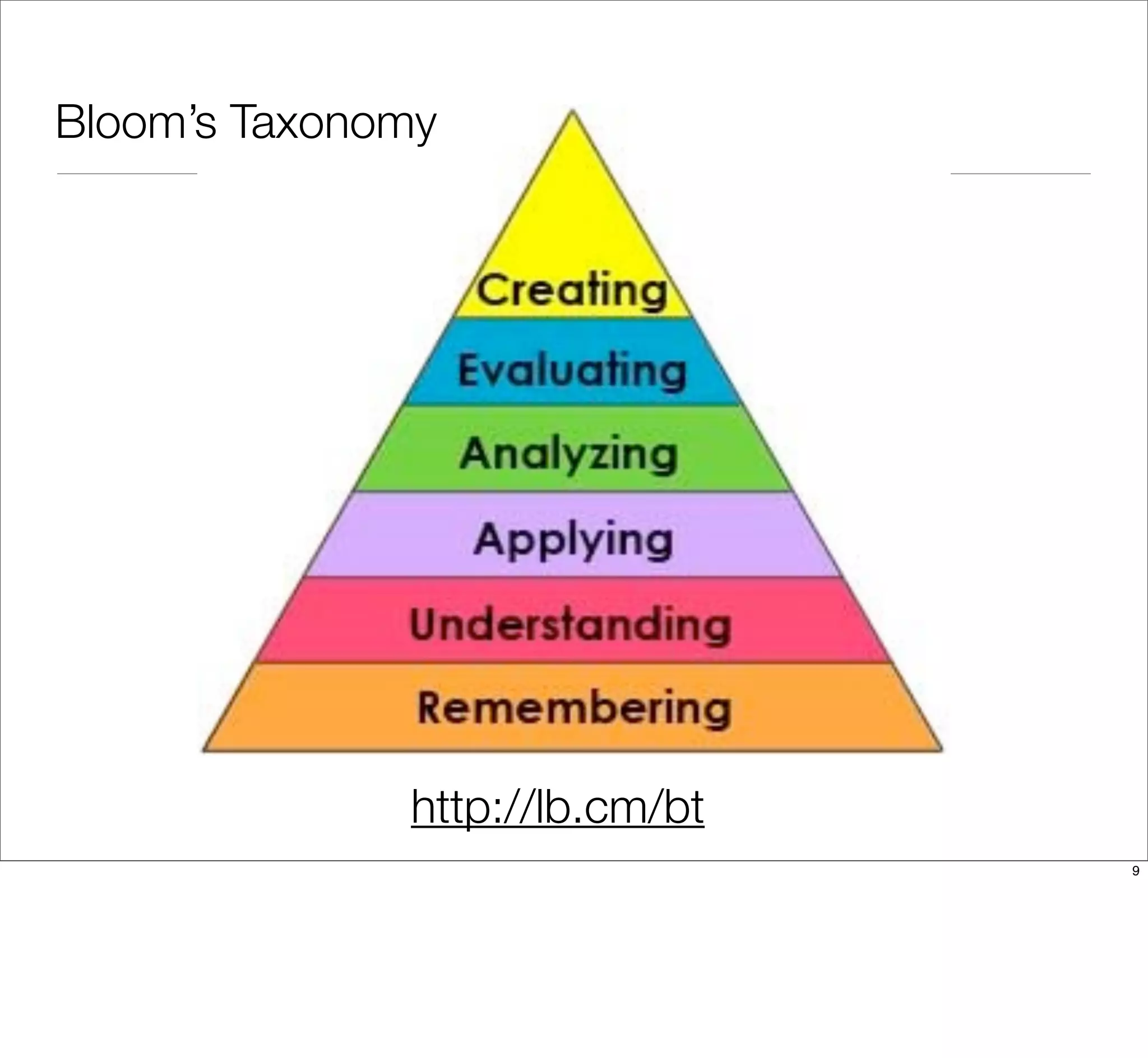
Bloom’s Taxonomy
http://lb.cm/bt
9
Agenda
• Sample team workflow
• Branch management strategies
• Q&A / therapy session
10
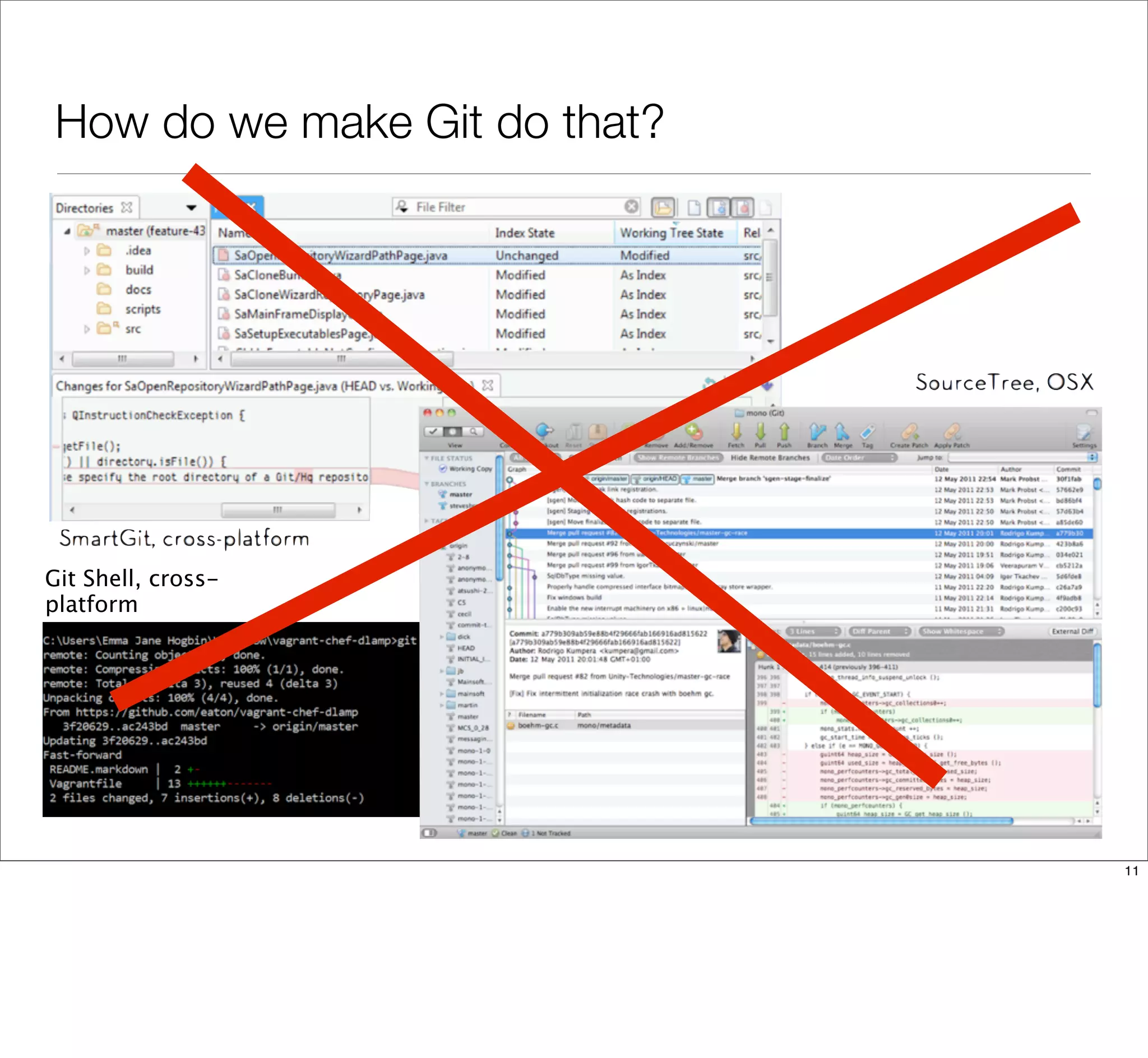
How do we make Git do that?
Git Shell, cross-
platform
11
Your problems are 90% social.
12
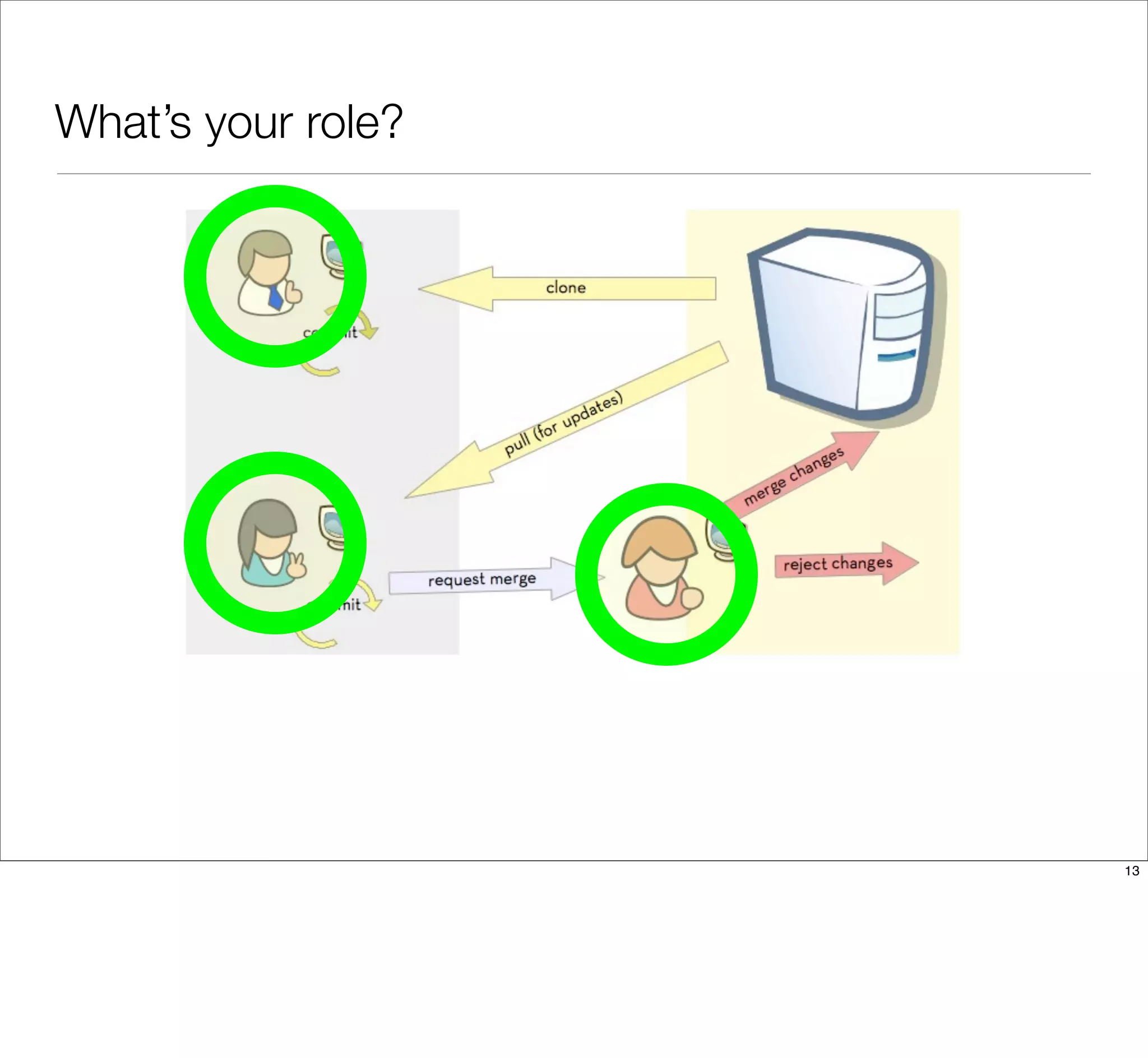
What’s your role?
13
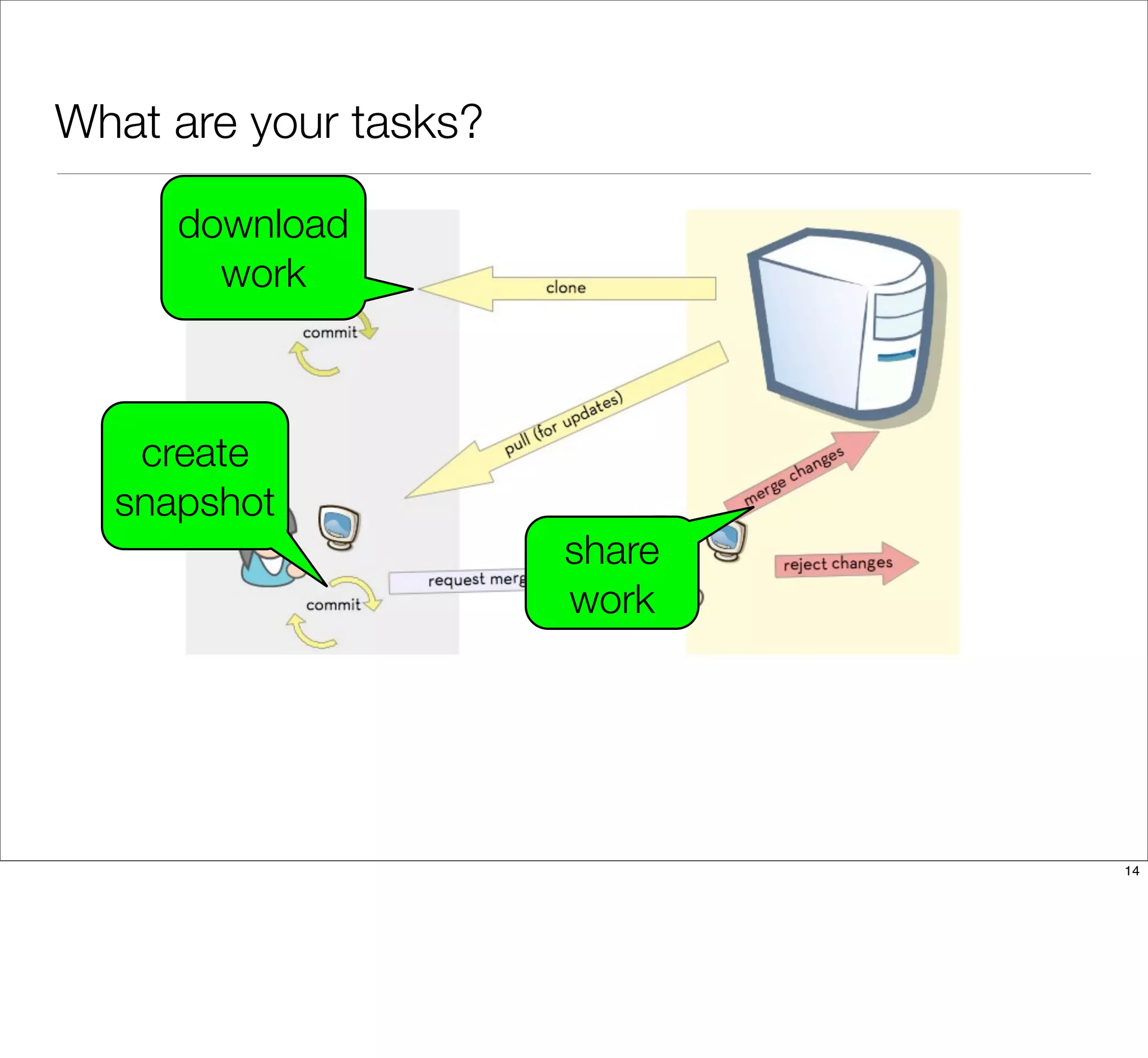
What are your tasks?
download
work
create
snapshot
share
work
14
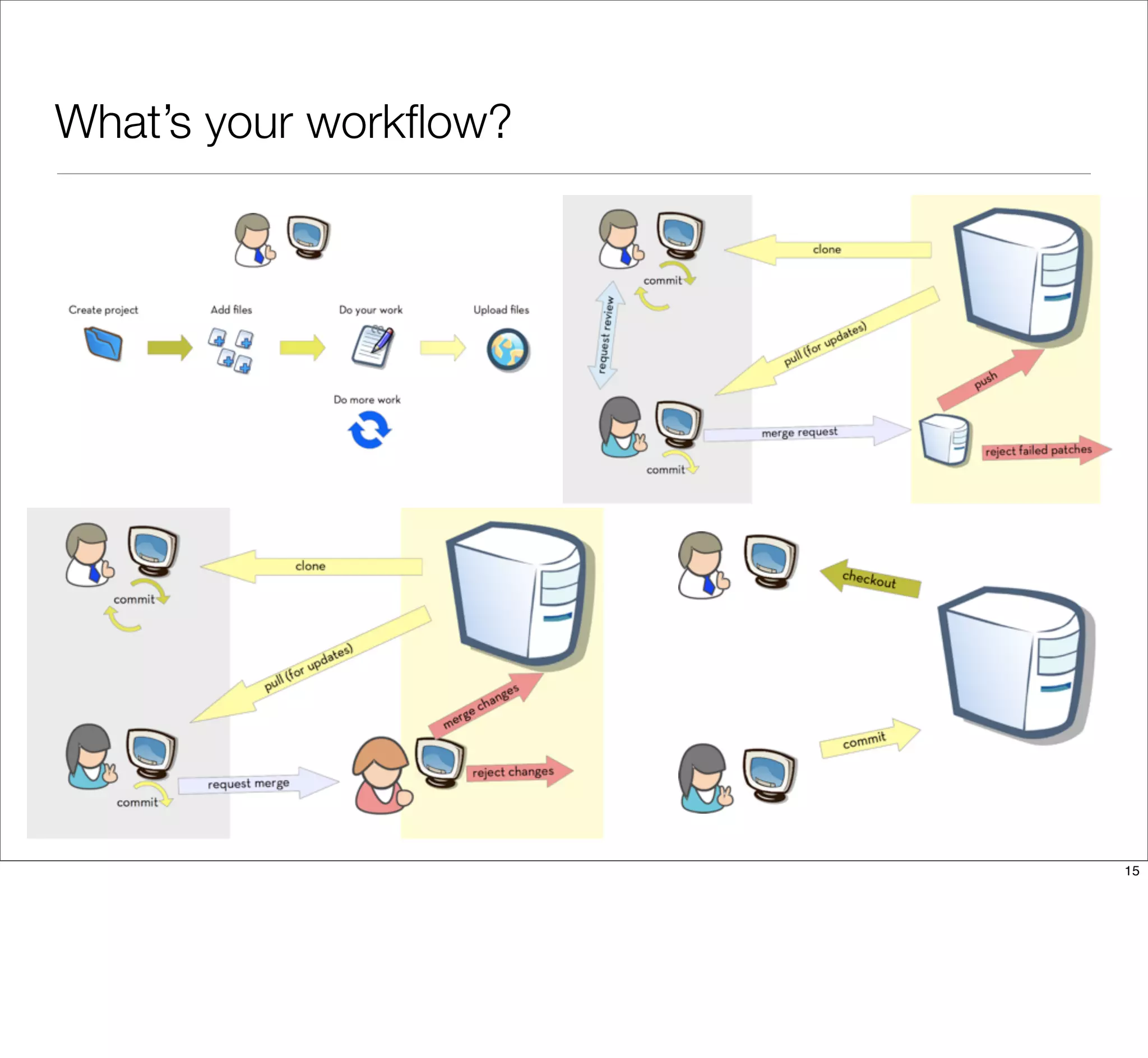
What’s your workflow?
15
Who’s on your code team?
Write down a list of all of the people on your code team. This list may
include:
• developers
• designers
• project managers
• clients
16
Where do you fit in?
Maybe you do everything. Maybe you only do some things. Write a list of all
the tasks you are actually responsible for. This might include:
• Writing code.
• Reviewing code.
• Pushing tested code to the server.
• Fixing broken code.
17
What are your tools and restraints?
Often there are other things we need to fit into our workflow. Create a third list
of any tools and restraints you are aware of. This list might include:
• Version control software (we’ll always assume Git)
• Code hosting system (Bitbucket, GitHub, self-hosted)
• Server ecosystem (dev / staging / live)
• Code editors & integrated developer environments (vim, Dreamweaver,
Sublime, PHPstorm)
• Automated testing systems or review “gates”
18
What’s your workflow?
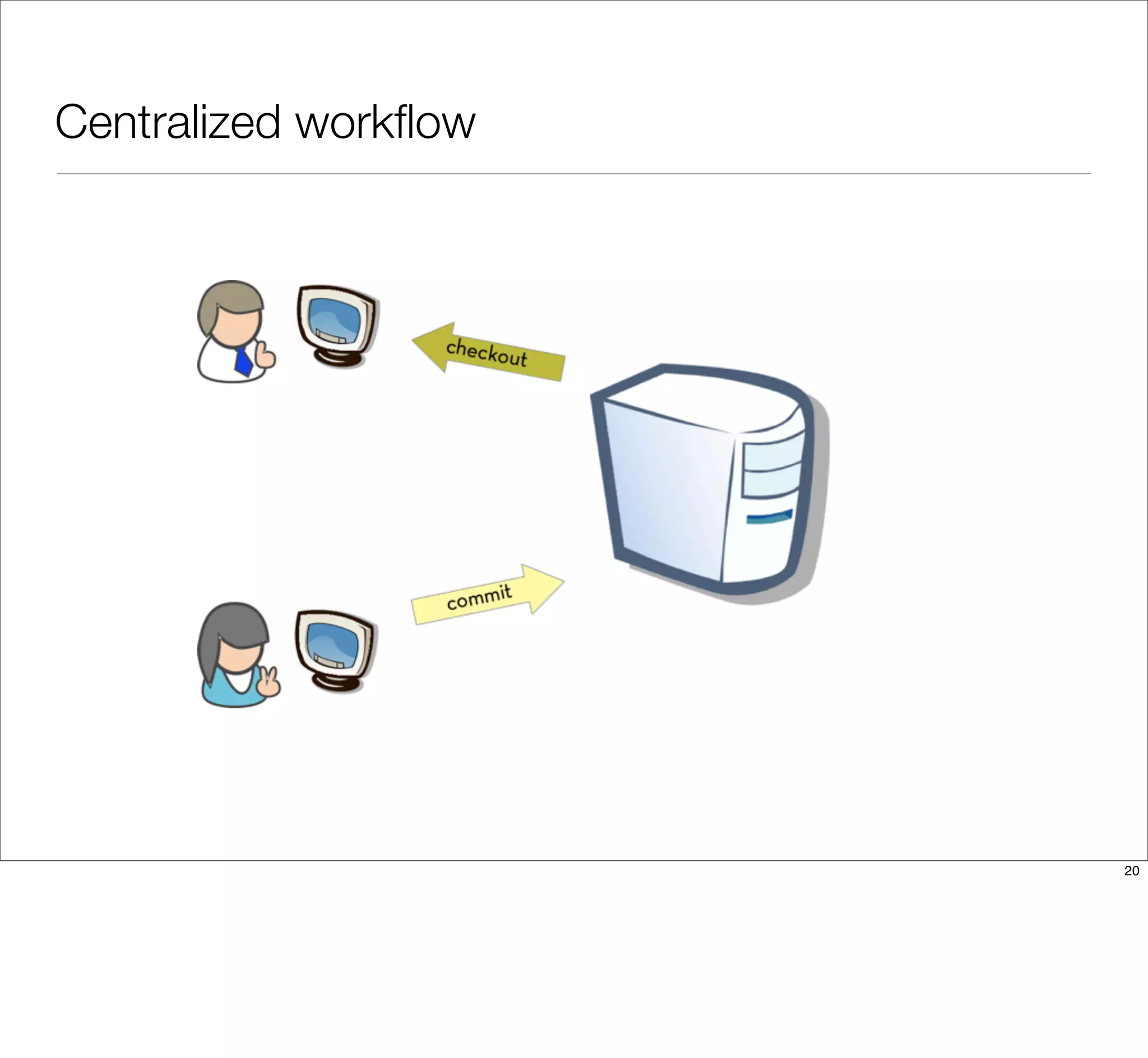
With the team members identified, it’s time to sketch out how these people
(ideally) work together.
19
Centralized workflow
20
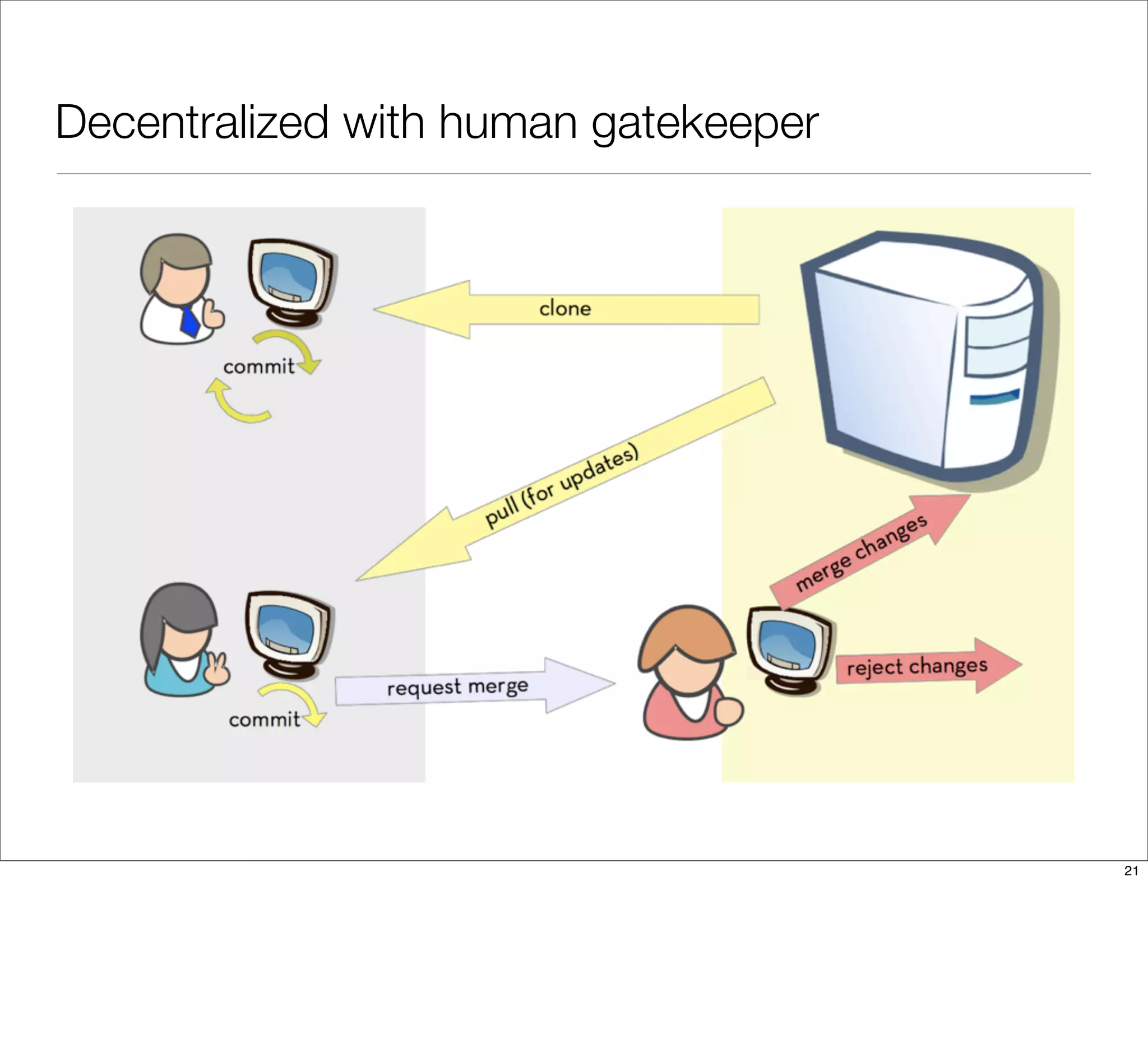
Decentralized with human gatekeeper
21
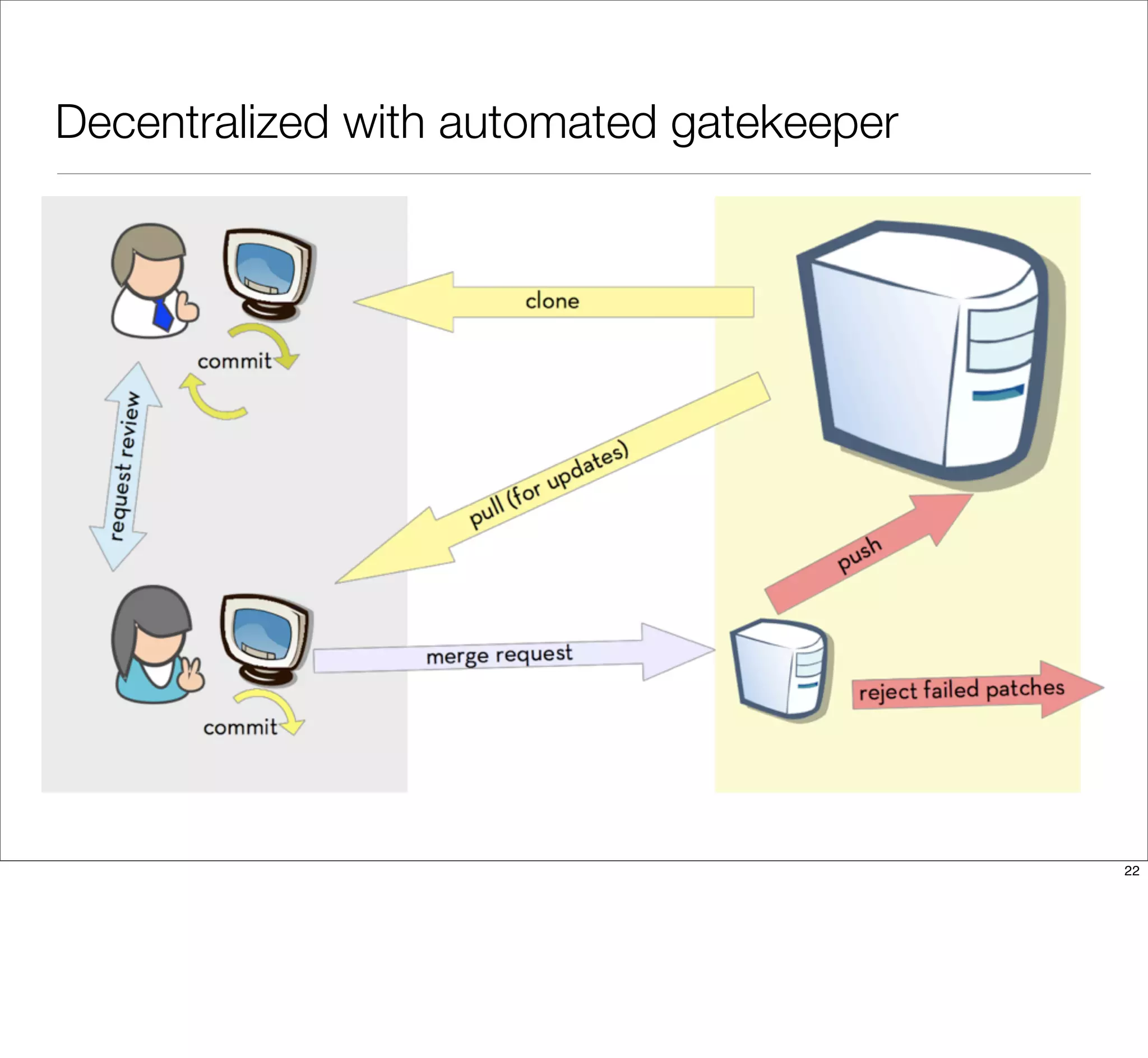
Decentralized with automated gatekeeper
22
Sketch out your workflow
• Identify the roles on your team.
• Identify the relationships between the team members.
• Draw arrows to show how code flows between team members.
23
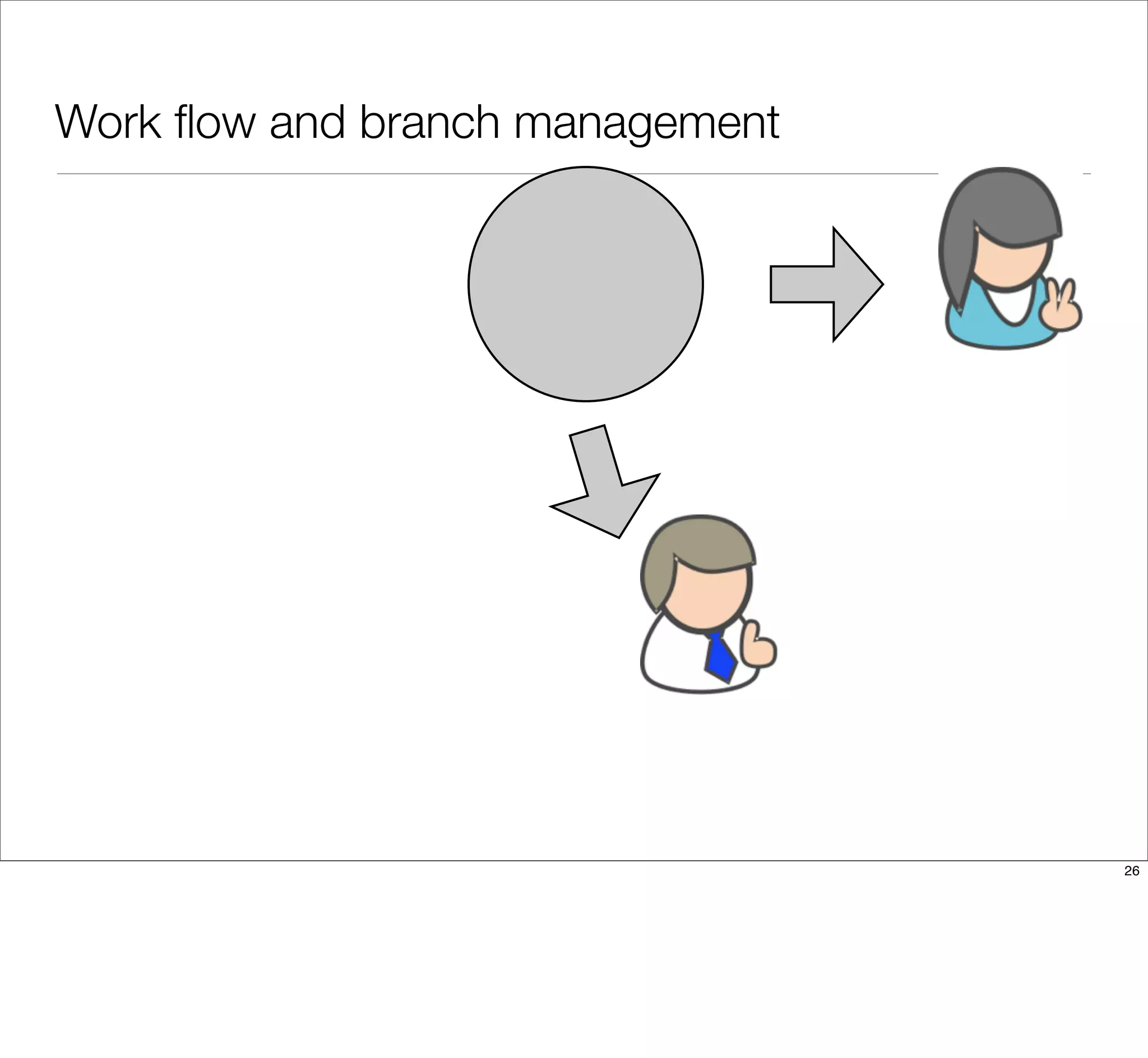
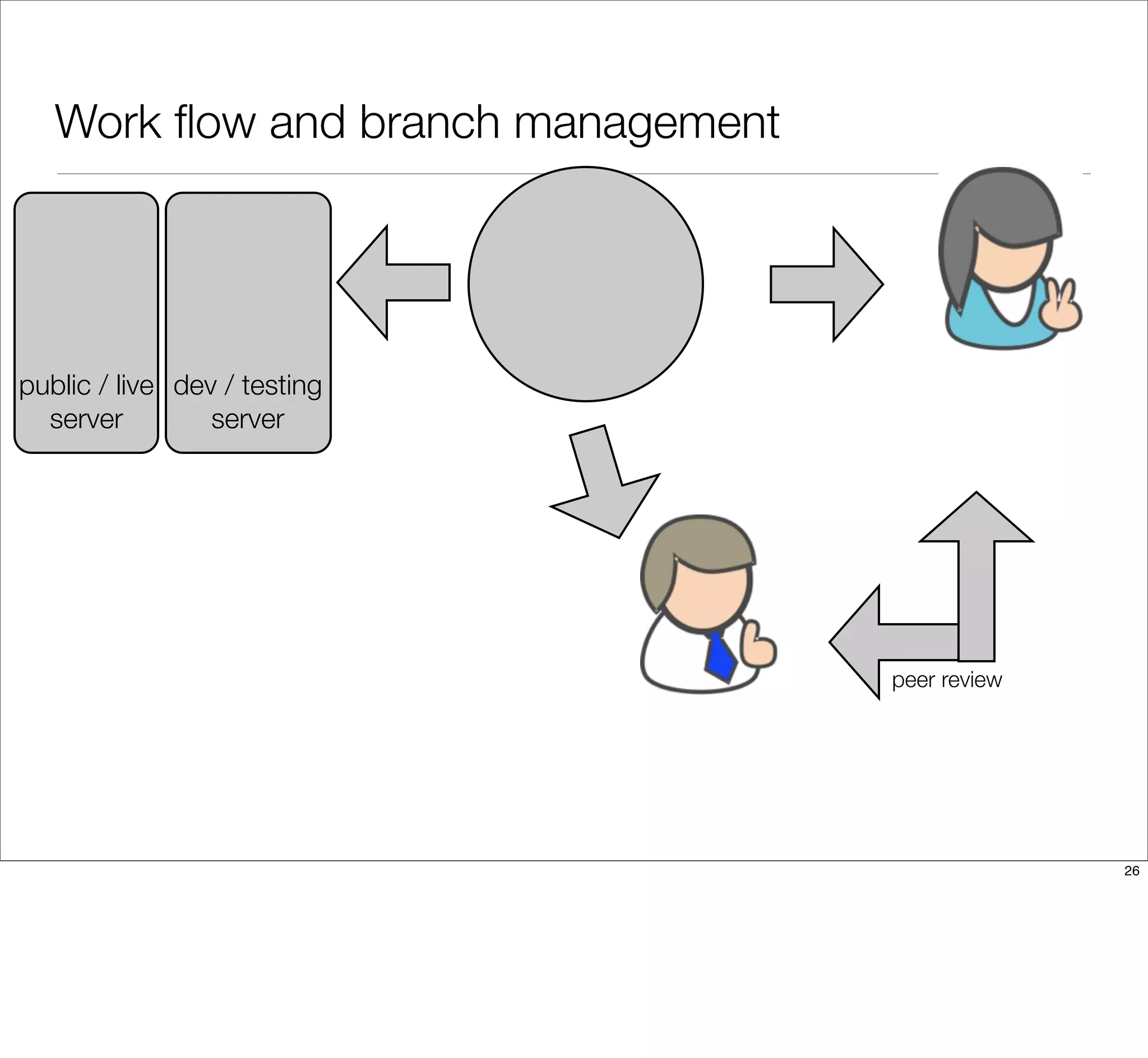
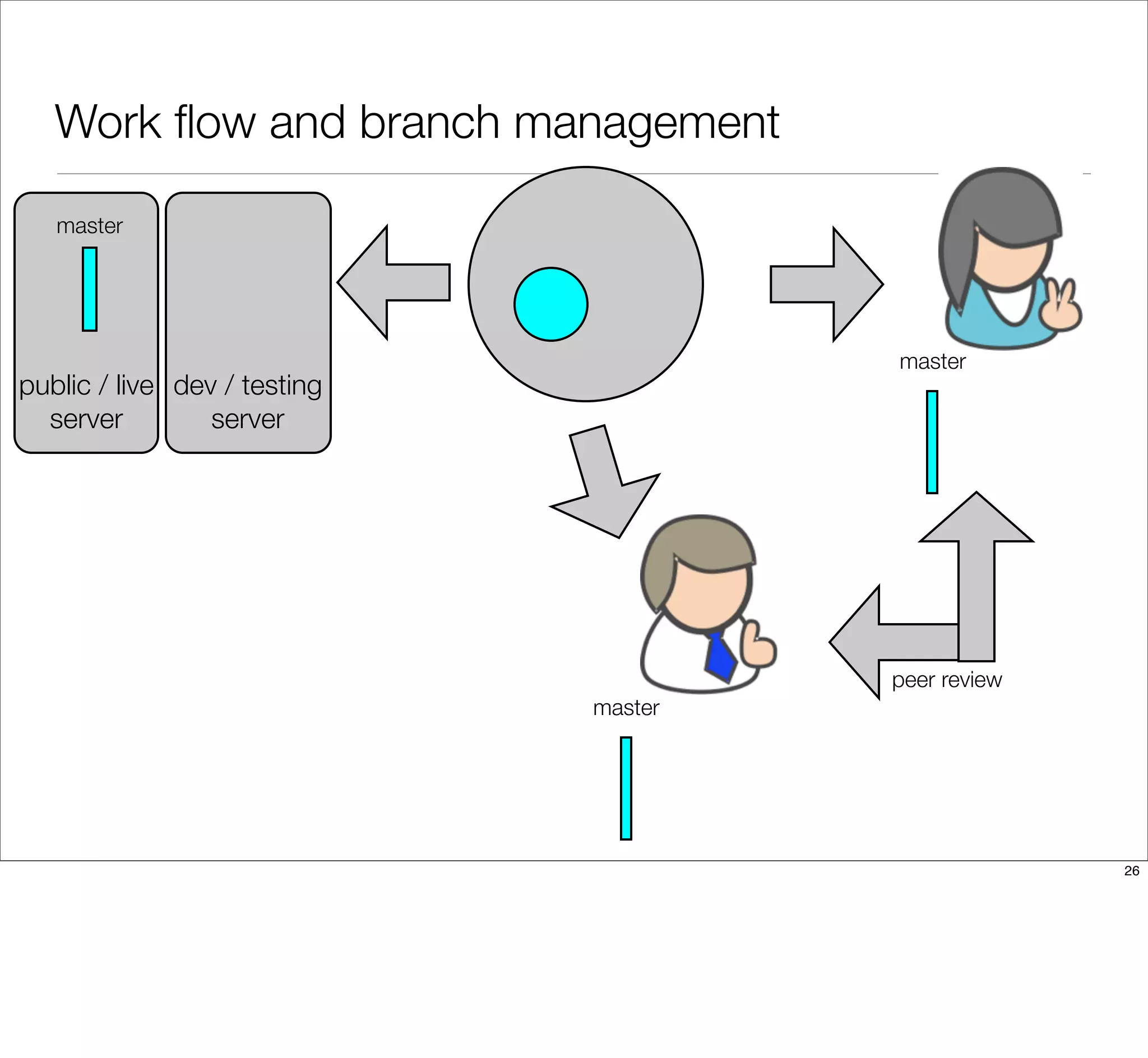
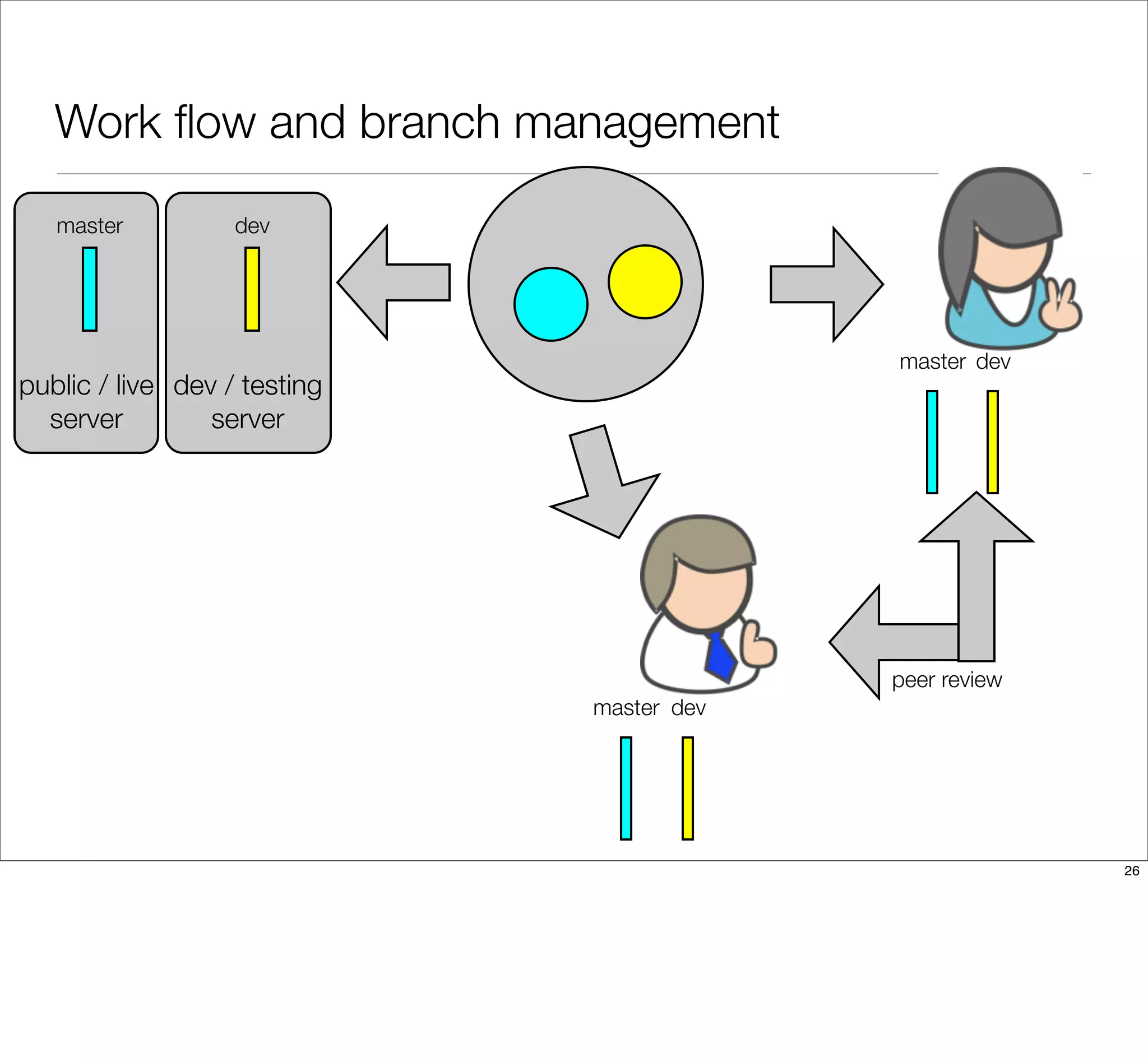
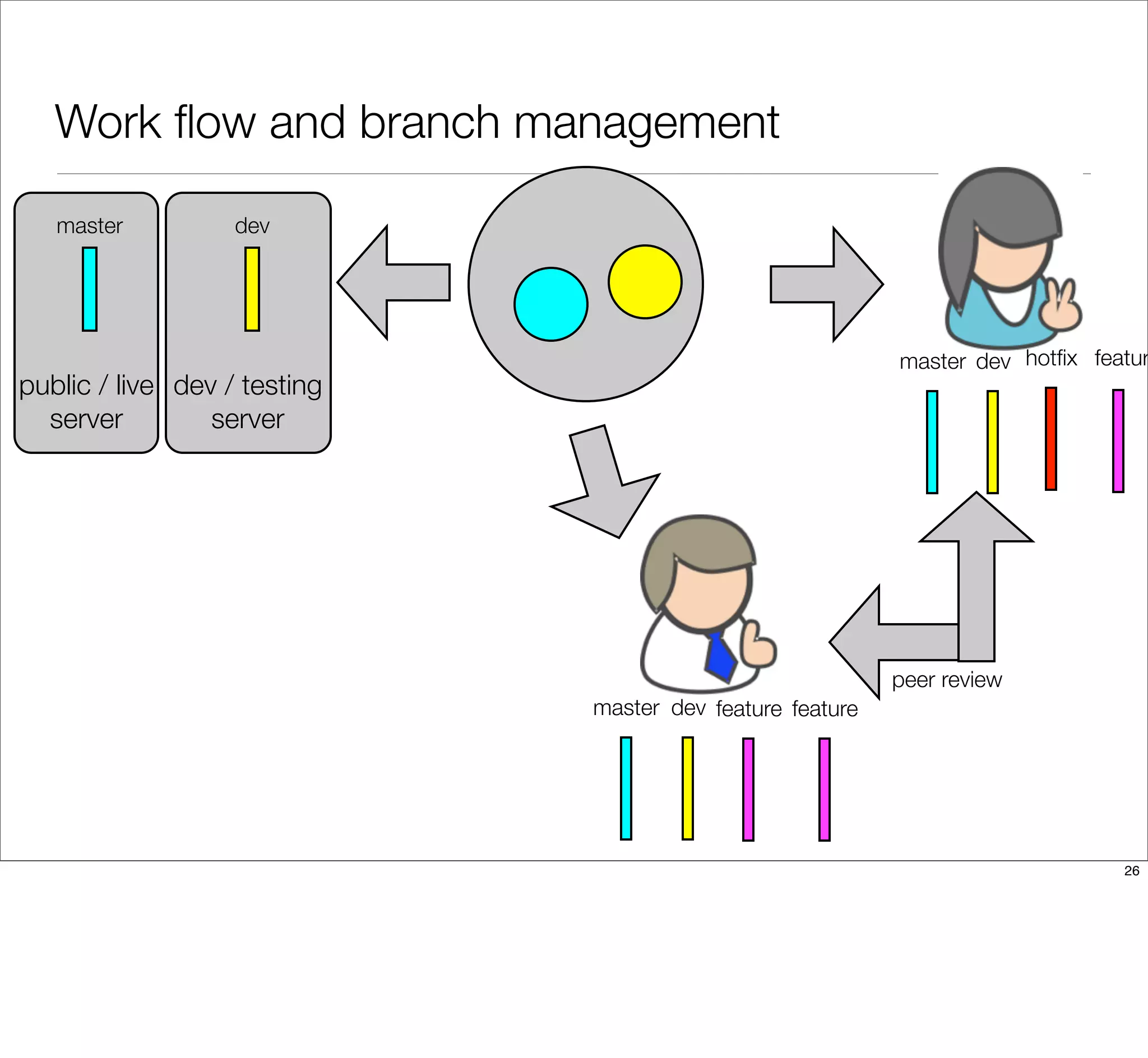
How will you manage your branches?
With the workflow described, it’s time to look at how the code will be
segregated into different branches.
24
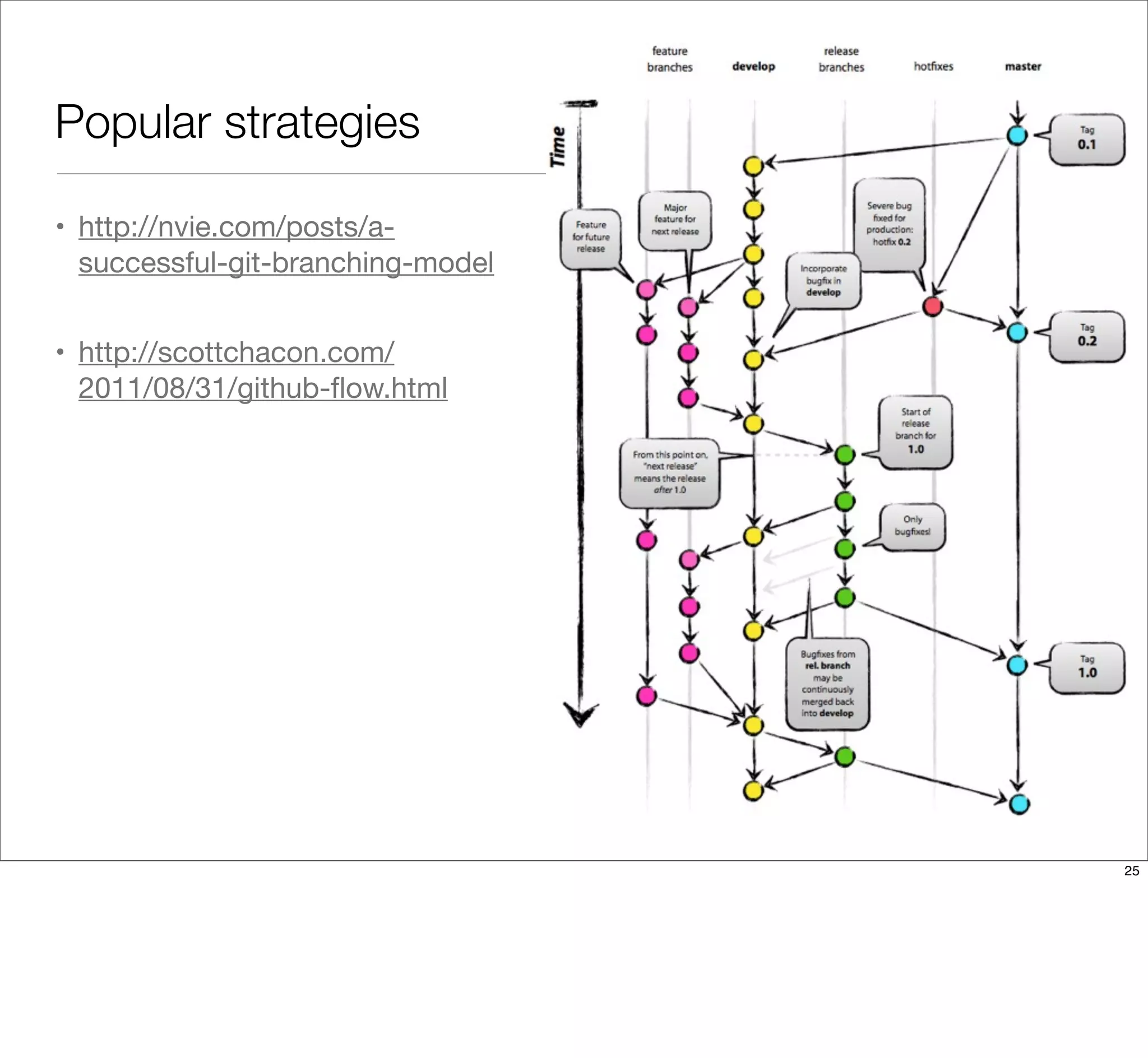
Popular strategies
• http://nvie.com/posts/a-
successful-git-branching-model
• http://scottchacon.com/
2011/08/31/github-flow.html
25
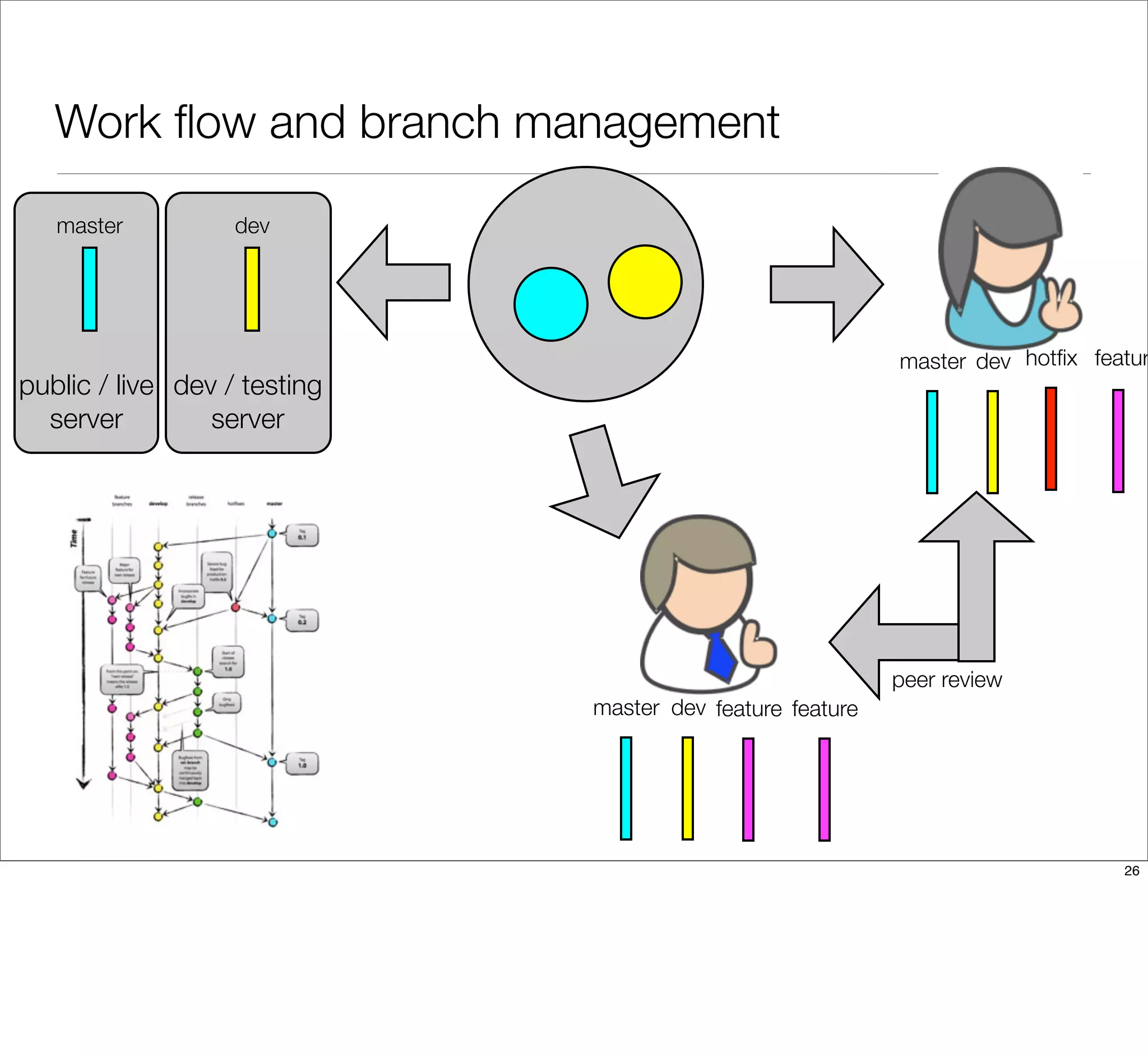
Work flow and branch management
26
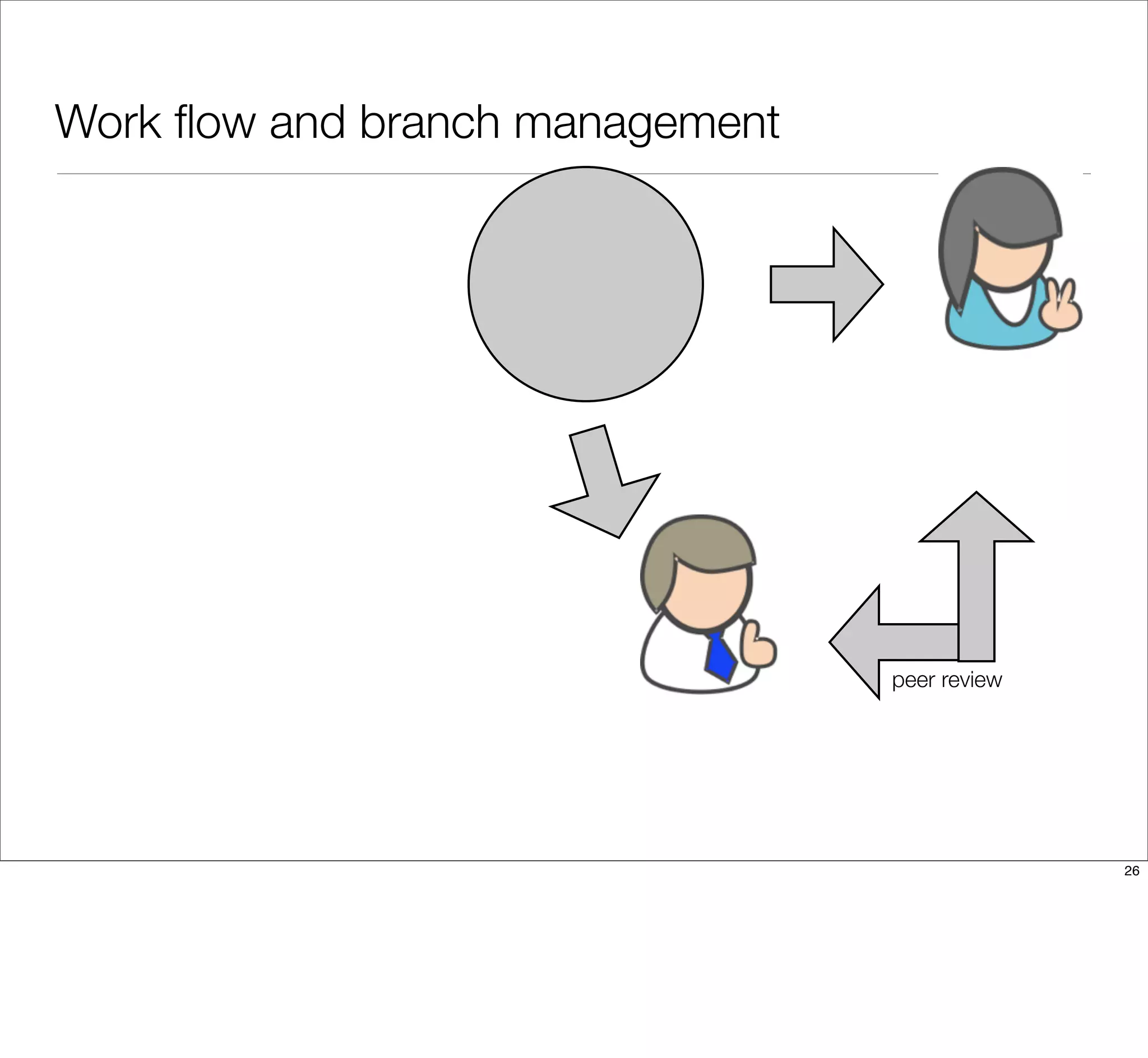
Work flow and branch management
26
Work flow and branch management
peer review
26
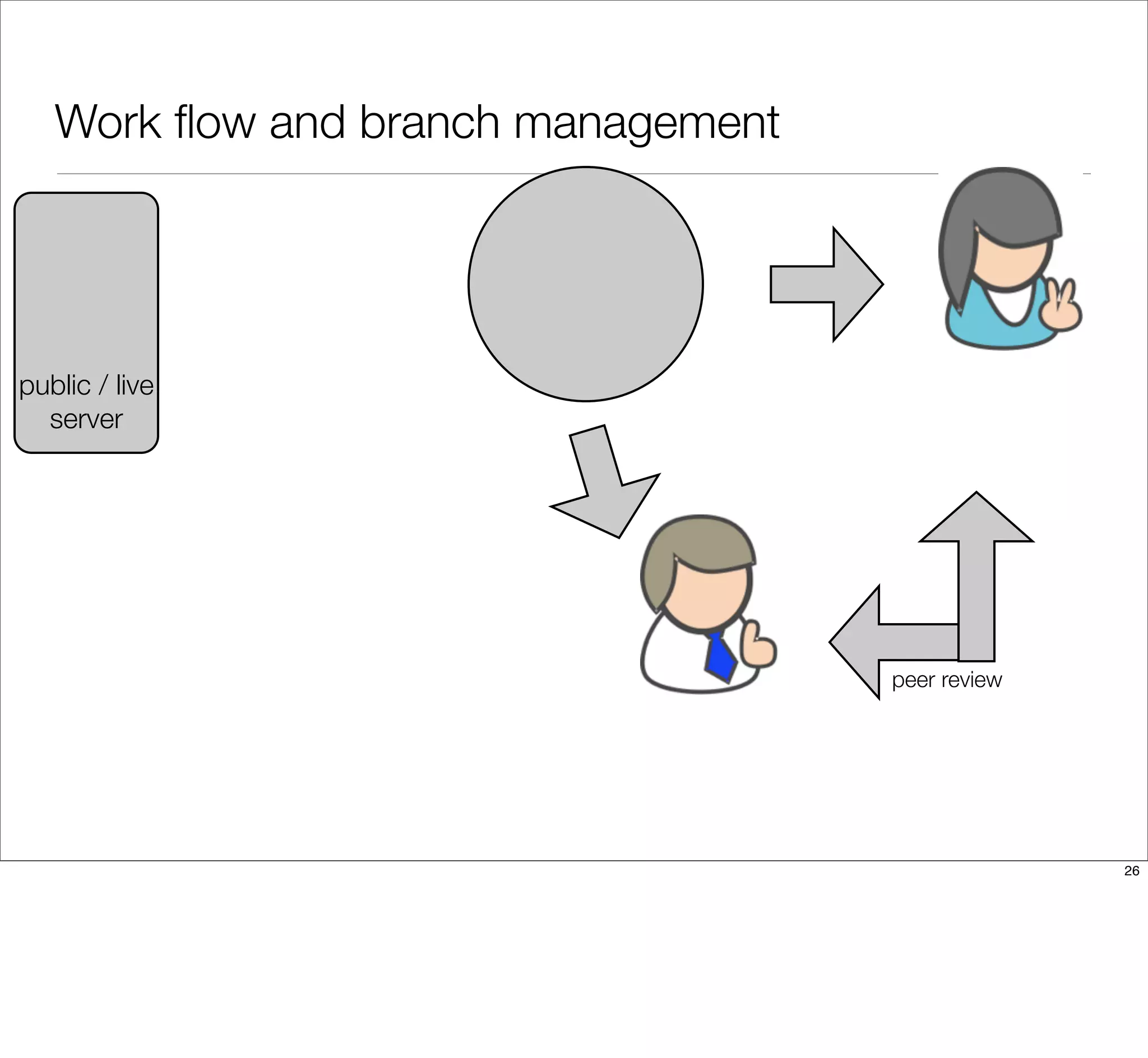
Work flow and branch management
peer review
public / live
server
26
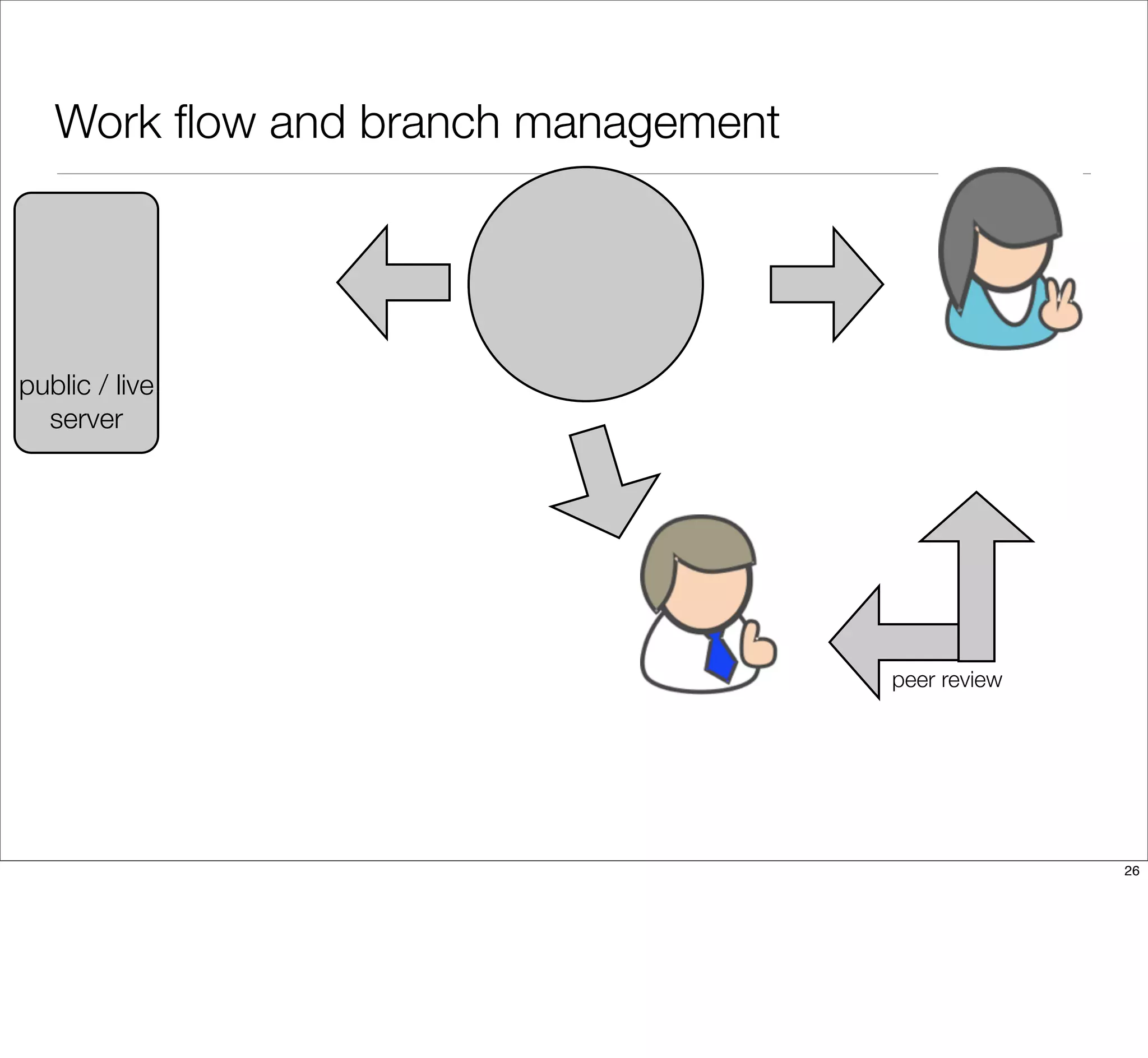
Work flow and branch management
peer review
public / live
server
26
Work flow and branch management
peer review
public / live
server
dev / testing
server
26
Work flow and branch management
peer review
public / live
server
dev / testing
server
master
master
master
26
Work flow and branch management
peer review
public / live
server
dev / testing
server
master
master
master
dev
dev
dev
26
Work flow and branch management
feature feature
hotfix featur
peer review
public / live
server
dev / testing
server
master
master
master
dev
dev
dev
26
Work flow and branch management
feature feature
hotfix featur
peer review
public / live
server
dev / testing
server
master
master
master
dev
dev
dev
26
Sketch out your branch management strategy
• Identify the roles on your team.
• Identify the relationships between the team members.
• Draw arrows to show how code flows between team members.
• Time: 10 minutes
27
Q&A + Git Therapy Session
28
29
THANK YOU!
WHAT DID YOU THINK?
Locate this session at the
DrupalCon Prague website:
http://prague2013.drupal.org/schedule
Click the “Take the survey” link
29
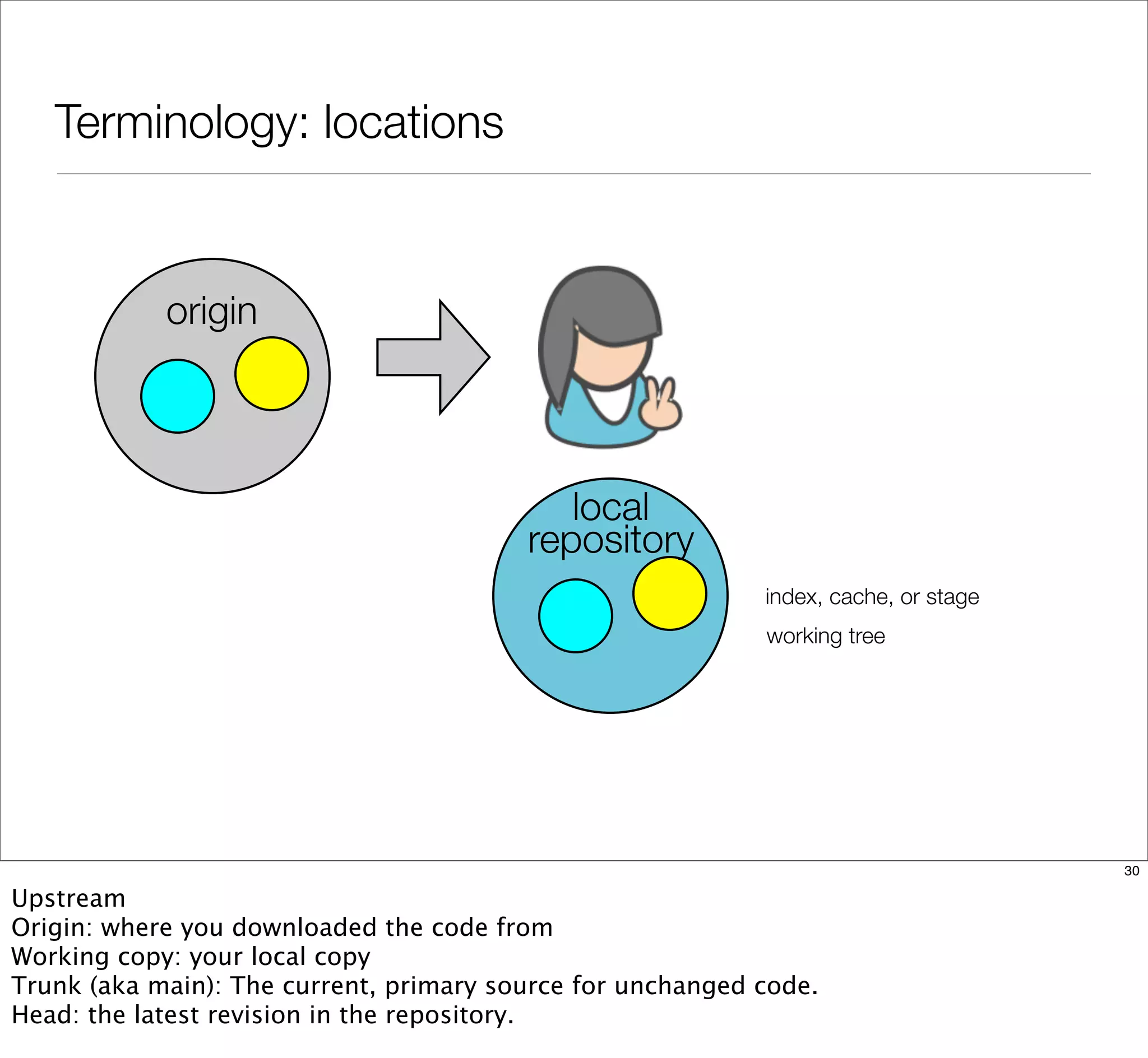
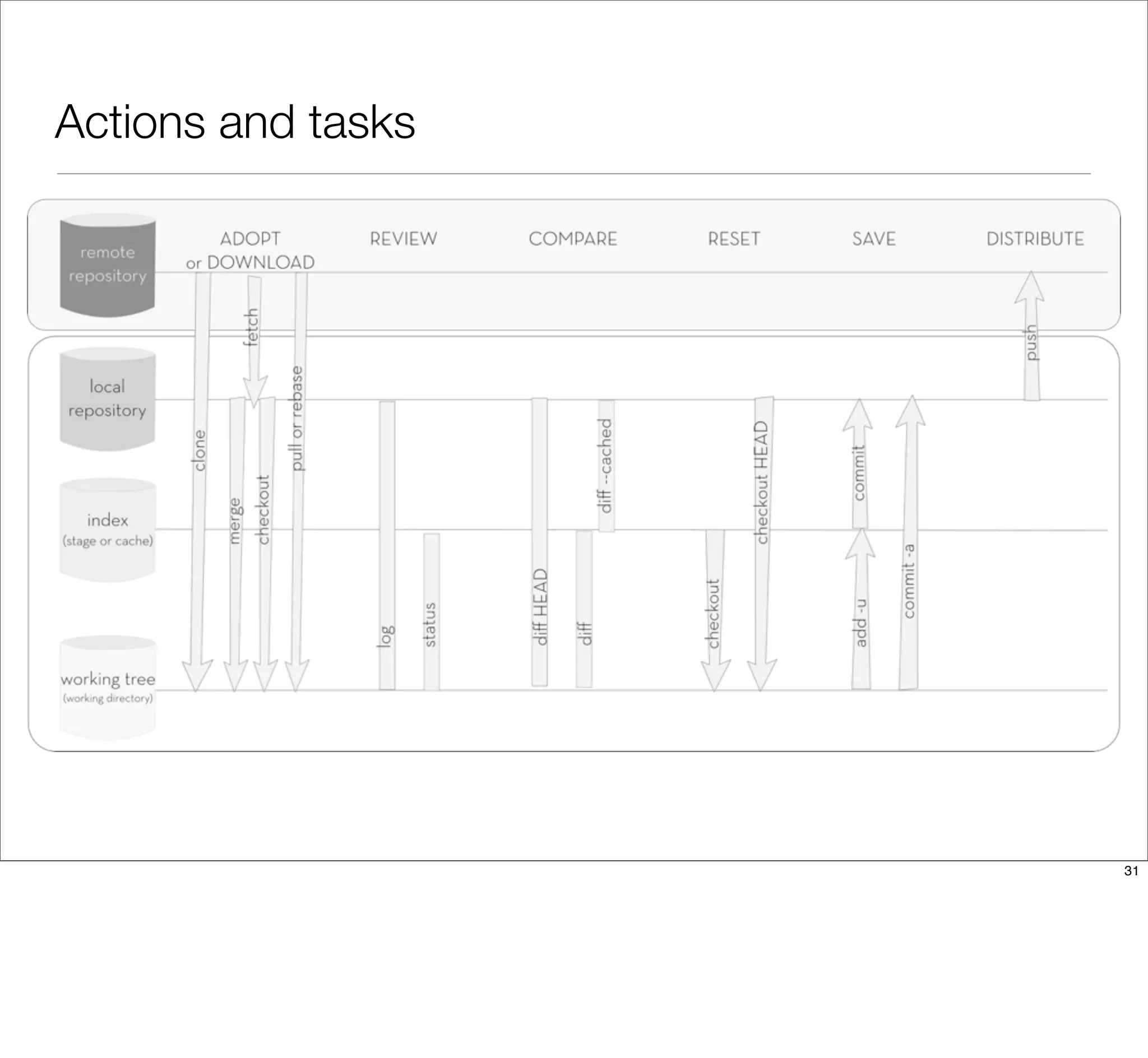
Terminology: locations
origin
local
repository
index, cache, or stage
working tree
30
Upstream
Origin: where you downloaded the code from
Working copy: your local copy
Trunk (aka main): The current, primary source for unchanged code.
Head: the latest revision in the repository.
Actions and tasks
31
You can make Git do what you want...now that you
know what you want.
@emmajanehw
http://drupalize.me
http://developerworkflow.com/
32

Git Makes Me Angry Inside - DrupalCon Prague

  • 1.
    25 September, 2013 GitMakesMe Angry Inside 1
  • 2.
  • 3.
    I’ve tried! Ican’t learn this stuff. 3 It’s not your fault. Honest. The way we teach web stuff isn’t the way that you probably need to be exposed to the information in order to learn it. Blame the teachers, not yourself. Or maybe not blame but, be persistent when working to solve important and sticky problems.
  • 4.
    Git was builtfor and by Linux kernel developers. 4 Quick show of hands: How many people will raise their hand when asked? Great. And how many people here are Linux kernel developers?
  • 5.
    How we typicallyteach people how to tech has nothing to do with adult education best practices. 5 RTFM: read the manual Here are all the commands, here are all the options. Memorize everything, and figure out later how to apply the knowledge.
  • 6.
    Adults learn bestwhen they can be selfish. 6 Andragogy assumes the following about the design of learning: Adults have the need to know why they are learning something. Adults learn through doing. Adults are problem-solvers. Adults learn best when the subject is of immediate use.
  • 7.
    “Please memorize allGit commands and use only rebasing when merging your work.” No client ever 7 Your problem might sound like: My client keeps changing his mind, and but they don’t want to pay me to redo the work. Your problem doesn’t sound like: My client wants me to memorize all the parameters for using Git at the command line.
  • 8.
    Start with thewhole to solve real problems. 8 Define your real problem clearly. Learn how to use a tool to get your problem solved. Try solving the problem. Take notes about how smooth it was to solve your problem. Write recommendations to your future self on how you’d solve the problem in the future now that you know what you know.
  • 9.
  • 10.
    Agenda • Sample teamworkflow • Branch management strategies • Q&A / therapy session 10
  • 11.
    How do wemake Git do that? Git Shell, cross- platform 11
  • 12.
    Your problems are90% social. 12
  • 13.
  • 14.
    What are yourtasks? download work create snapshot share work 14
  • 15.
  • 16.
    Who’s on yourcode team? Write down a list of all of the people on your code team. This list may include: • developers • designers • project managers • clients 16
  • 17.
    Where do youfit in? Maybe you do everything. Maybe you only do some things. Write a list of all the tasks you are actually responsible for. This might include: • Writing code. • Reviewing code. • Pushing tested code to the server. • Fixing broken code. 17
  • 18.
    What are yourtools and restraints? Often there are other things we need to fit into our workflow. Create a third list of any tools and restraints you are aware of. This list might include: • Version control software (we’ll always assume Git) • Code hosting system (Bitbucket, GitHub, self-hosted) • Server ecosystem (dev / staging / live) • Code editors & integrated developer environments (vim, Dreamweaver, Sublime, PHPstorm) • Automated testing systems or review “gates” 18
  • 19.
    What’s your workflow? Withthe team members identified, it’s time to sketch out how these people (ideally) work together. 19
  • 20.
  • 21.
  • 22.
  • 23.
    Sketch out yourworkflow • Identify the roles on your team. • Identify the relationships between the team members. • Draw arrows to show how code flows between team members. 23
  • 24.
    How will youmanage your branches? With the workflow described, it’s time to look at how the code will be segregated into different branches. 24
  • 25.
    Popular strategies • http://nvie.com/posts/a- successful-git-branching-model •http://scottchacon.com/ 2011/08/31/github-flow.html 25
  • 26.
    Work flow andbranch management 26
  • 27.
    Work flow andbranch management 26
  • 28.
    Work flow andbranch management peer review 26
  • 29.
    Work flow andbranch management peer review public / live server 26
  • 30.
    Work flow andbranch management peer review public / live server 26
  • 31.
    Work flow andbranch management peer review public / live server dev / testing server 26
  • 32.
    Work flow andbranch management peer review public / live server dev / testing server master master master 26
  • 33.
    Work flow andbranch management peer review public / live server dev / testing server master master master dev dev dev 26
  • 34.
    Work flow andbranch management feature feature hotfix featur peer review public / live server dev / testing server master master master dev dev dev 26
  • 35.
    Work flow andbranch management feature feature hotfix featur peer review public / live server dev / testing server master master master dev dev dev 26
  • 36.
    Sketch out yourbranch management strategy • Identify the roles on your team. • Identify the relationships between the team members. • Draw arrows to show how code flows between team members. • Time: 10 minutes 27
  • 37.
    Q&A + GitTherapy Session 28
  • 38.
  • 39.
    THANK YOU! WHAT DIDYOU THINK? Locate this session at the DrupalCon Prague website: http://prague2013.drupal.org/schedule Click the “Take the survey” link 29
  • 40.
    Terminology: locations origin local repository index, cache,or stage working tree 30 Upstream Origin: where you downloaded the code from Working copy: your local copy Trunk (aka main): The current, primary source for unchanged code. Head: the latest revision in the repository.
  • 41.
  • 42.
    You can makeGit do what you want...now that you know what you want. @emmajanehw http://drupalize.me http://developerworkflow.com/ 32