
OpenERP
OpenERP Days 2013OpenERP Days 2013
OpenERP enterprise integration:
A war story
Daniel Reis
IT Applications Manager
Securitas Portugal
@reis_pt
daniel.reis@securitas.pt
https://launchpad.net/~dreis-pt
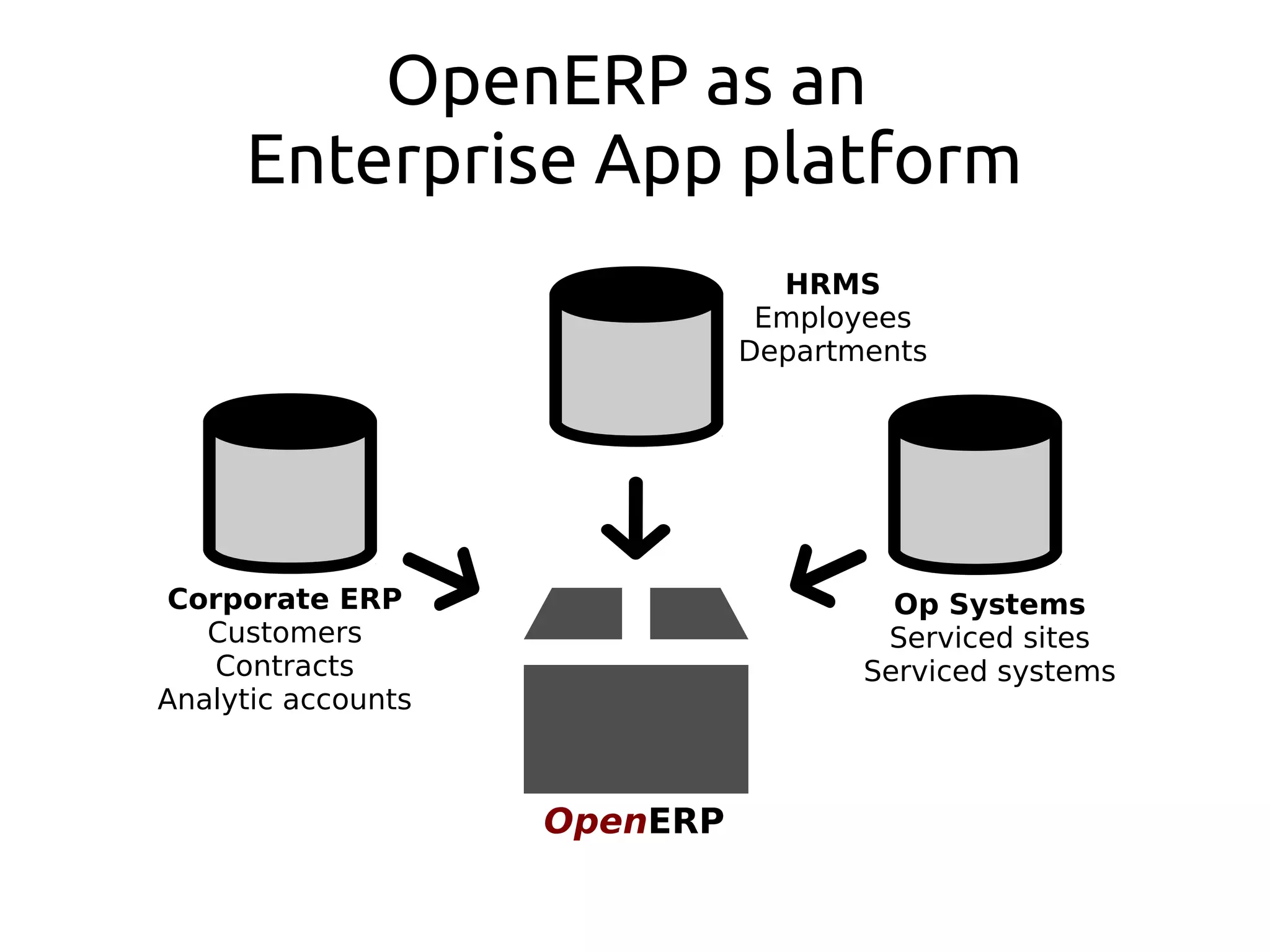
OpenERP as an
Enterprise App platform
OpenERP
Corporate ERP
Customers
Contracts
Analytic accounts
HRMS
Employees
Departments
Op Systems
Serviced sites
Serviced systems
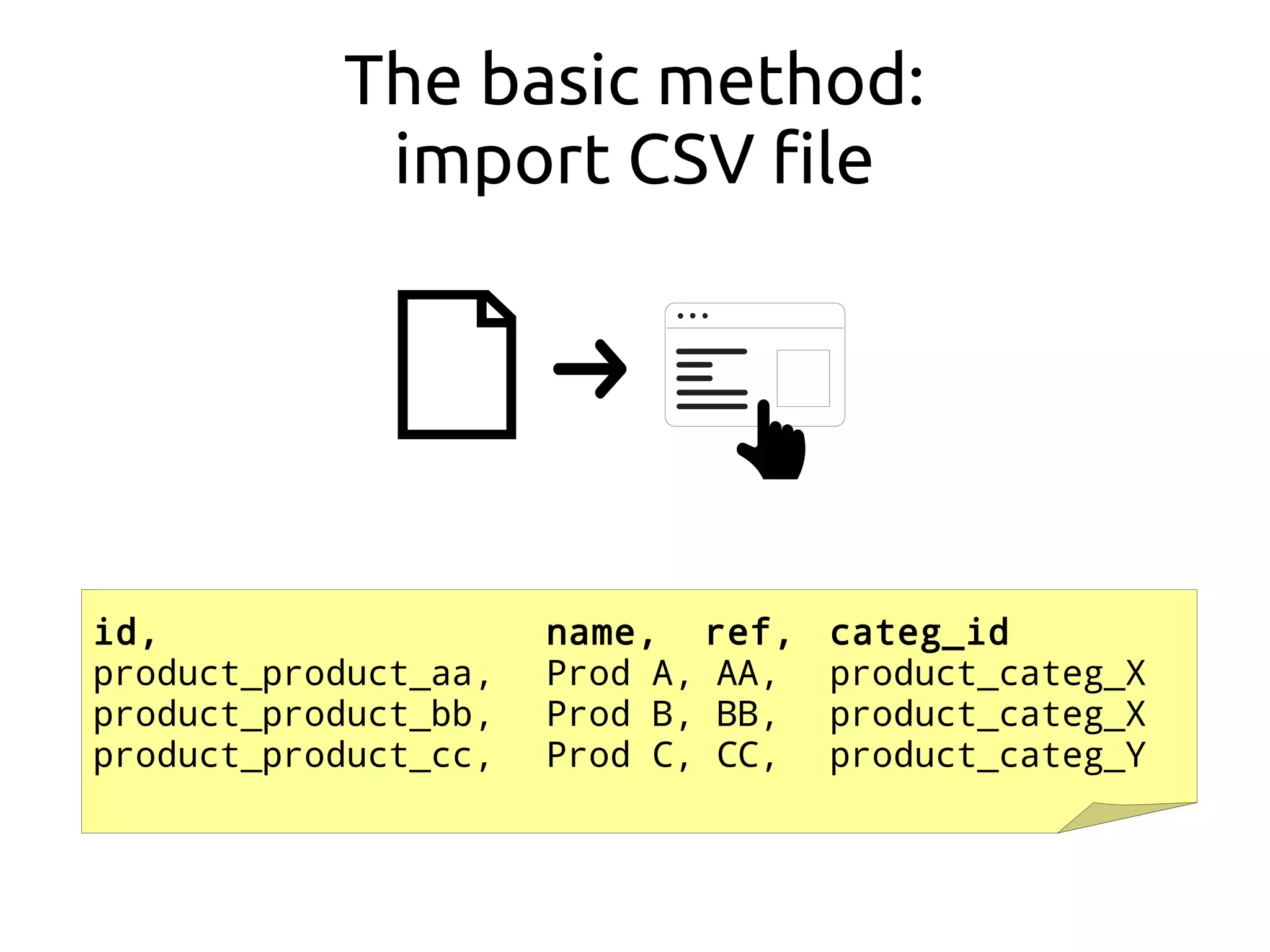
The basic method:
import CSV file
id, name, ref, categ_id
product_product_aa, Prod A, AA, product_categ_X
product_product_bb, Prod B, BB, product_categ_X
product_product_cc, Prod C, CC, product_categ_Y
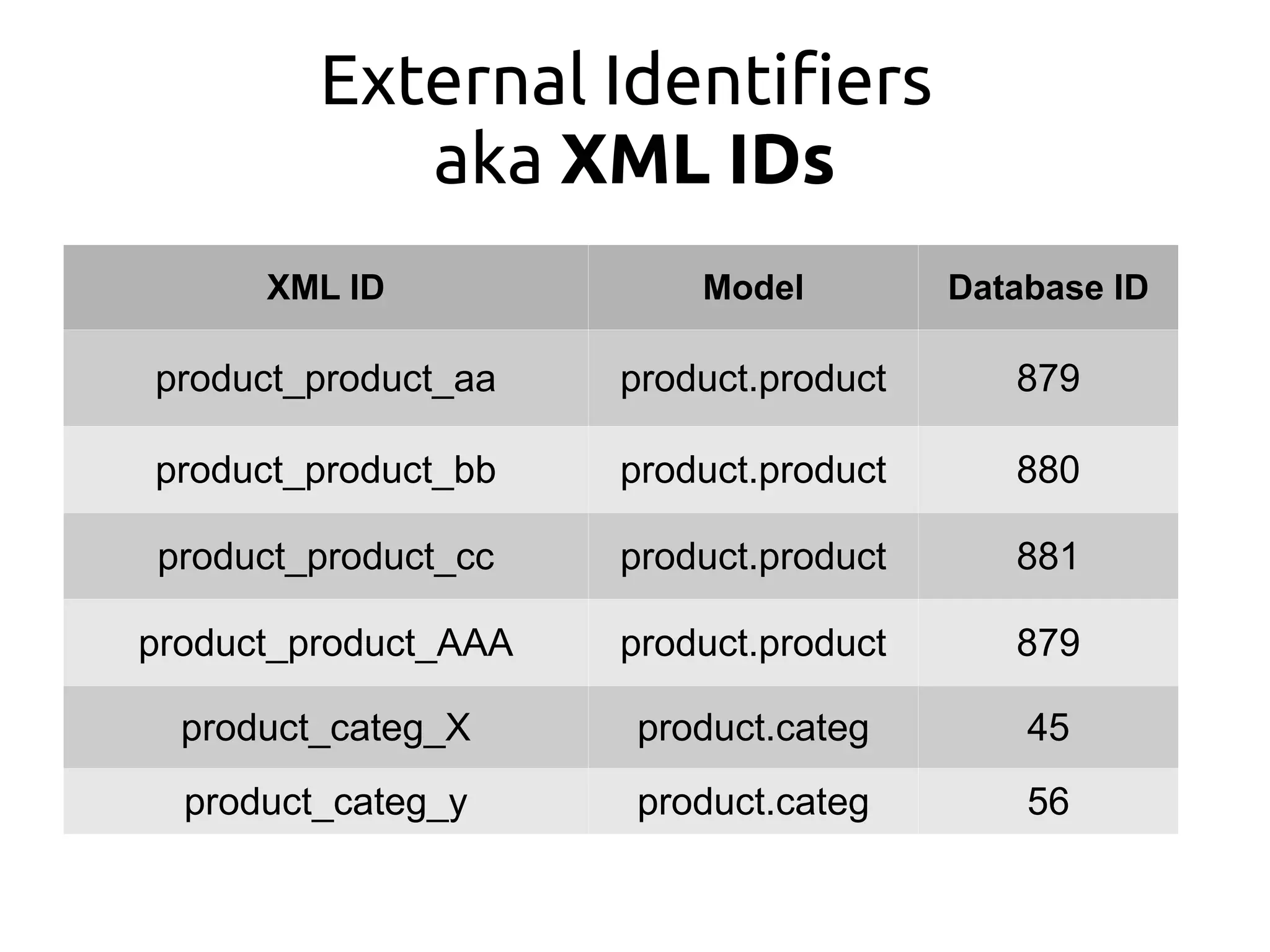
External Identifiers
aka XML IDs
XML ID Model Database ID
product_product_aa product.product 879
product_product_bb product.product 880
product_product_cc product.product 881
product_product_AAA product.product 879
product_categ_X product.categ 45
product_categ_y product.categ 56
ORM API: load()
product_categ.load(cr, uid, # import_data() on v6.1
[id , name ], # field names
[ ['product_categ_X', 'Categ X'], # data rows
['product_categ_Y', 'Categ Y'],
]
product_product.load(cr, uid,
[id , name , ref , categ_id.id ],
[ ['product_product_aa', 'Prod A', 'AA', 'product_categ_X'],
['product_product_bb', 'Prod B', 'BB', 'product_categ_X'],
['product_product_cc', 'Prod C', 'CC', 'product_categ_Y'],
]
product_categ.load(cr, uid, # import_data() on v6.1
[id , name ], # field names
[ ['product_categ_X', 'Categ X'], # data rows
['product_categ_Y', 'Categ Y'],
]
product_product.load(cr, uid,
[id , name , ref , categ_id.id ],
[ ['product_product_aa', 'Prod A', 'AA', 'product_categ_X'],
['product_product_bb', 'Prod B', 'BB', 'product_categ_X'],
['product_product_cc', 'Prod C', 'CC', 'product_categ_Y'],
]
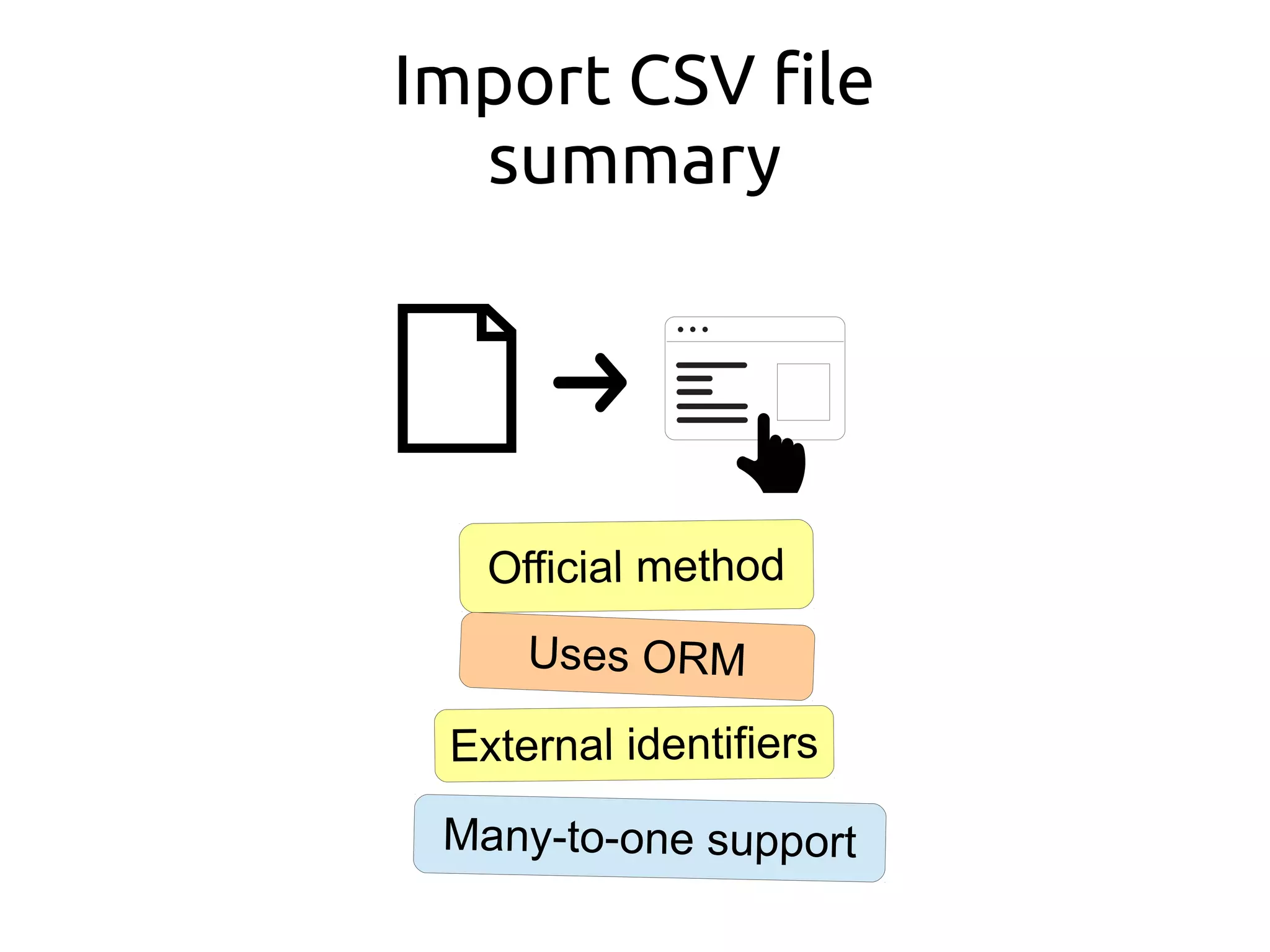
Import CSV file
summary
Official method
Uses ORM
External identifiers
Many-to-one support
Automate
?
import_odbc
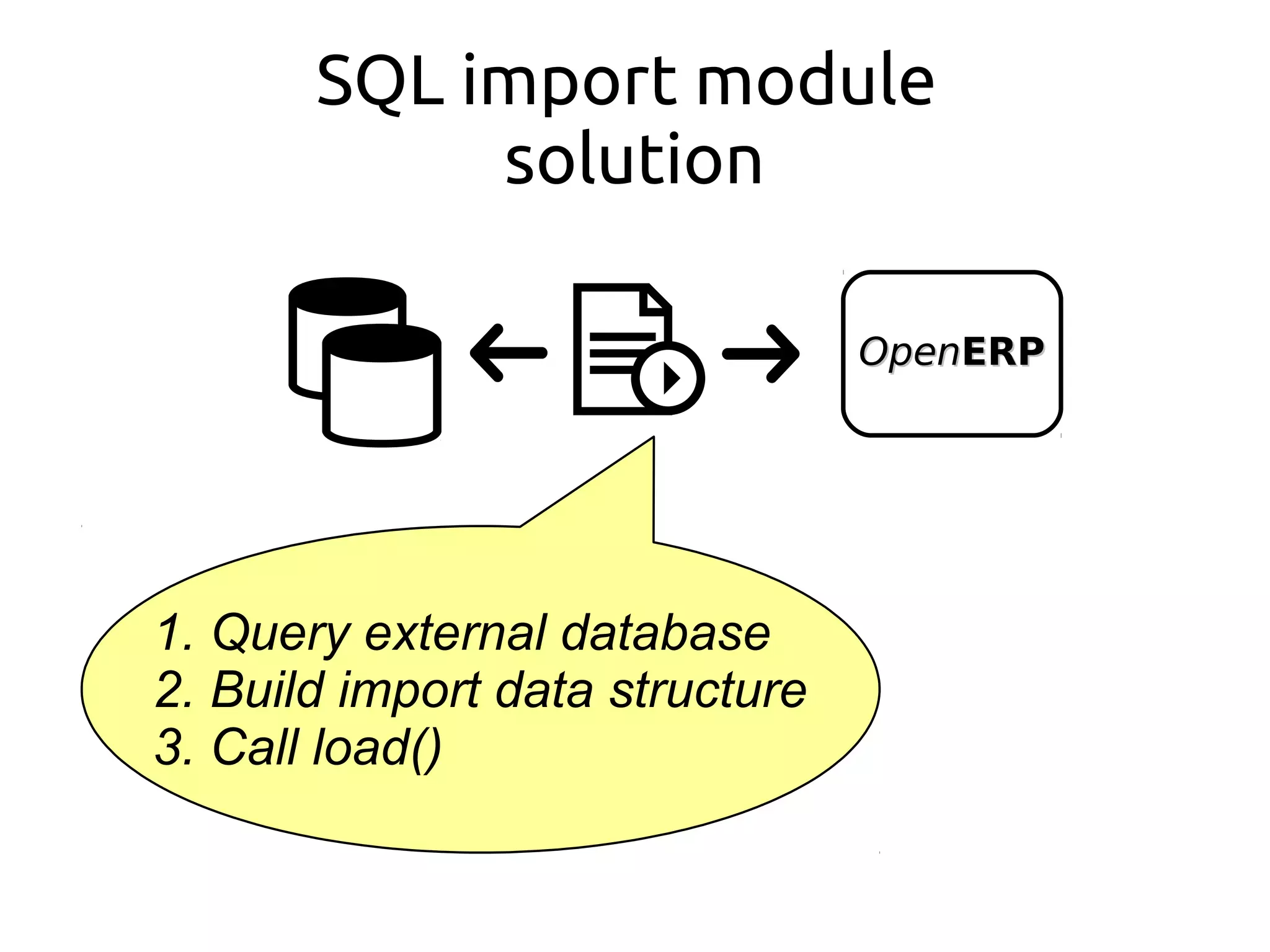
SQL import module
solution
OpenOpenERPERP
1. Query external database
2. Build import data structure
3. Call load()
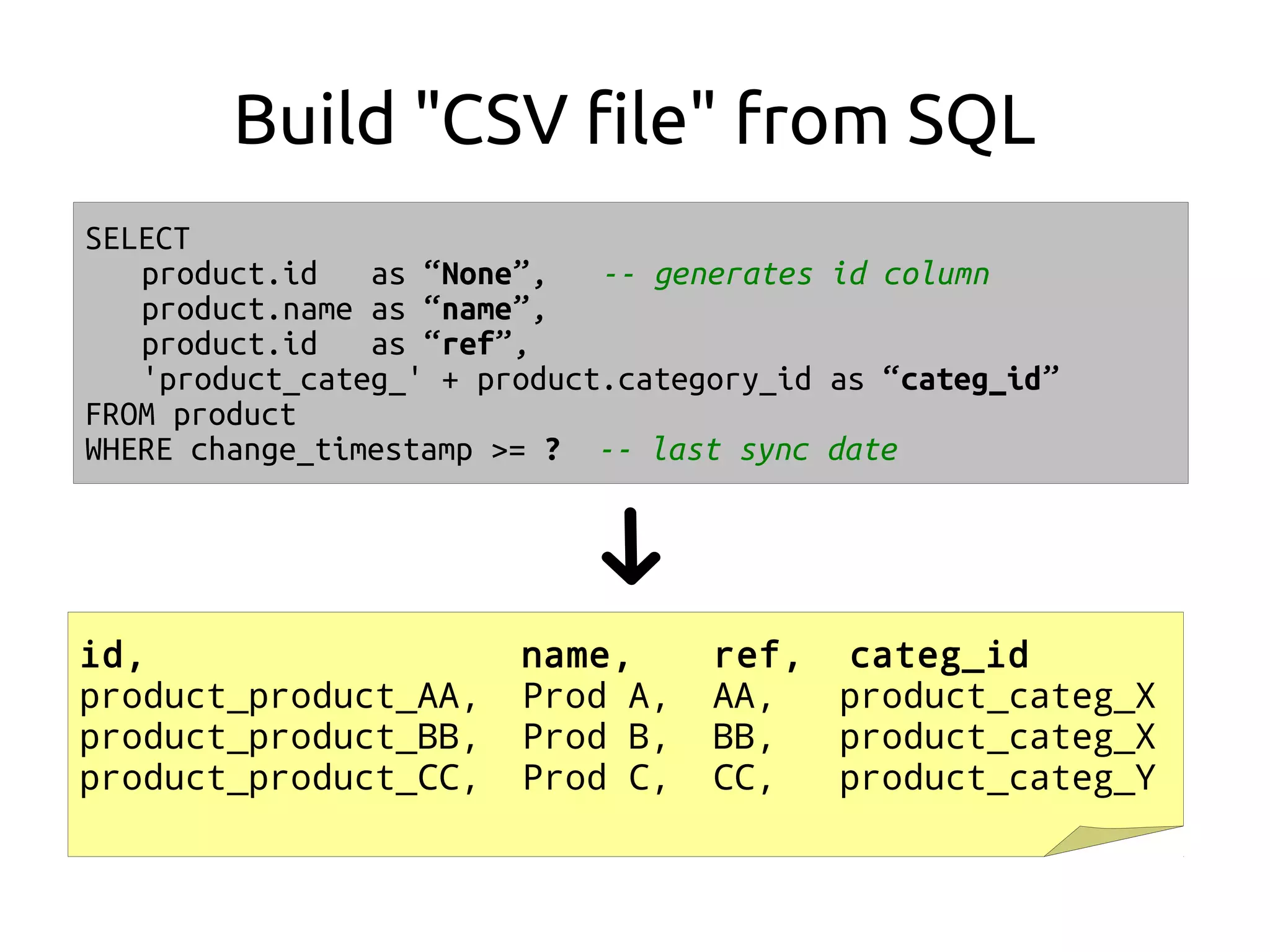
Build "CSV file" from SQL
id, name, ref, categ_id
product_product_AA, Prod A, AA, product_categ_X
product_product_BB, Prod B, BB, product_categ_X
product_product_CC, Prod C, CC, product_categ_Y
SELECT
product.id as “None”, -- generates id column
product.name as “name”,
product.id as “ref”,
'product_categ_' + product.category_id as “categ_id”
FROM product
WHERE change_timestamp >= ? -- last sync date
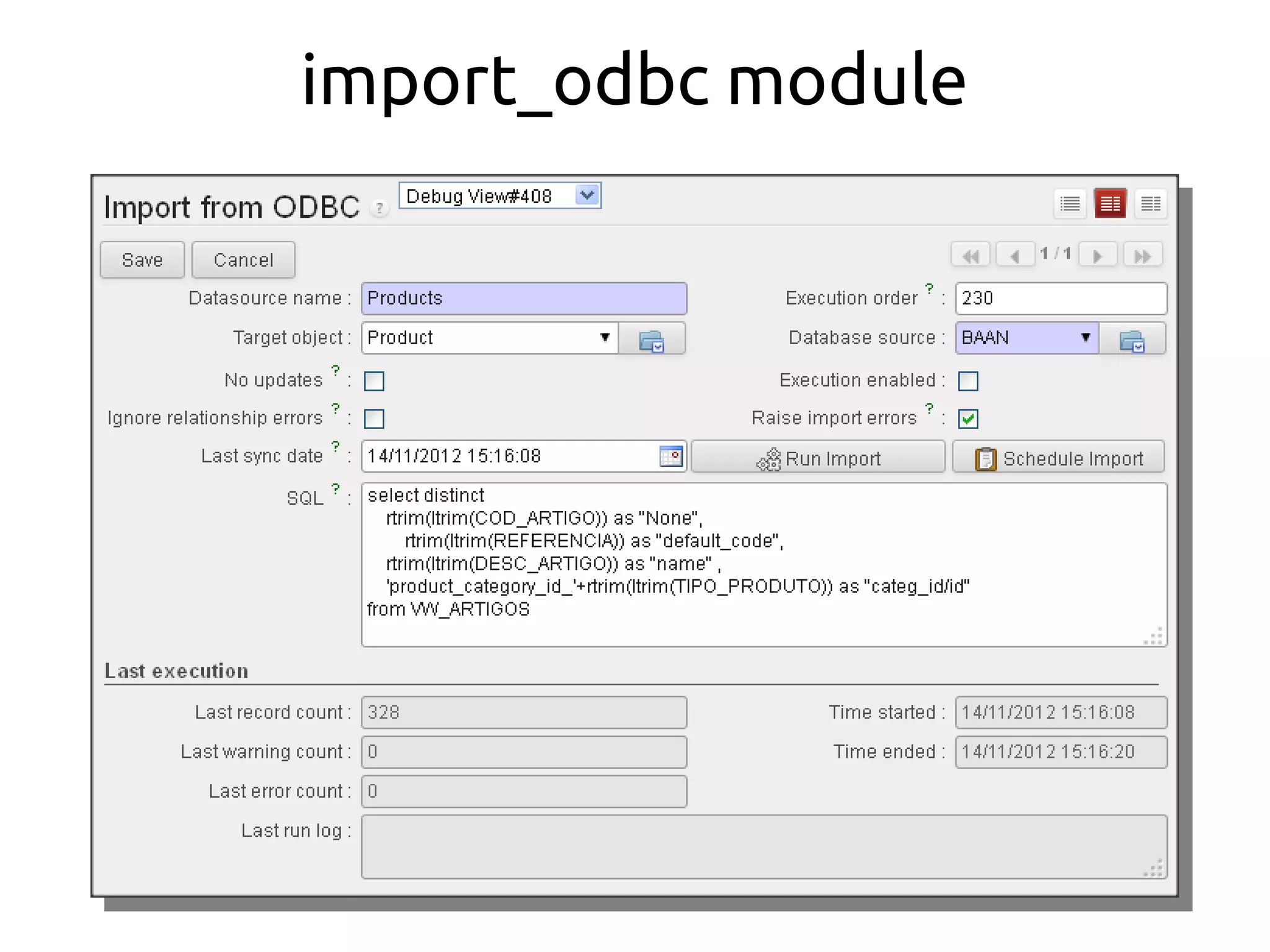
import_odbc module
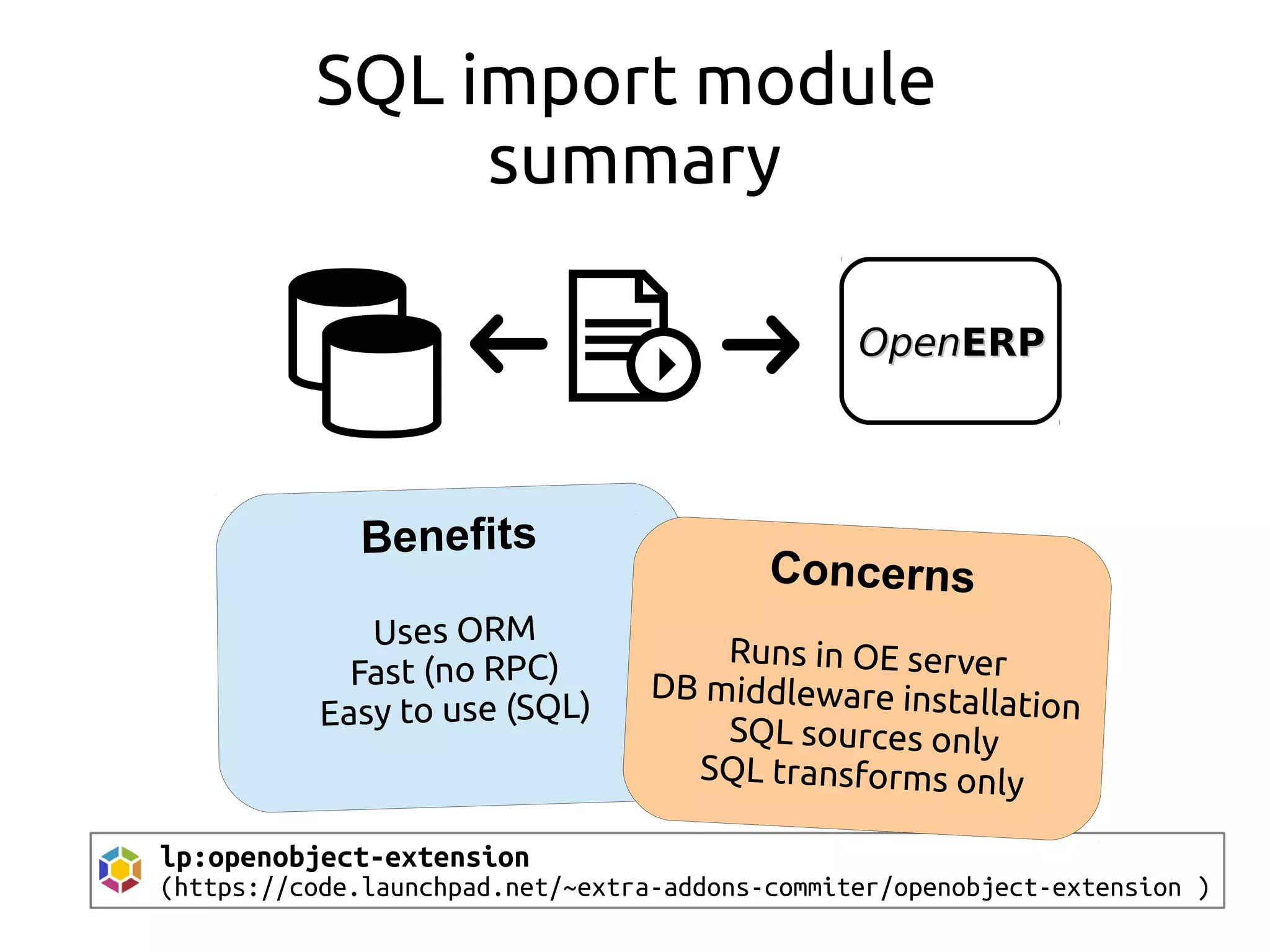
SQL import module
summary
OpenOpenERPERP
lp:openobject-extension
(https://code.launchpad.net/~extra-addons-commiter/openobject-extension )
Concerns
Runs in OE server
DB middleware installation
SQL sources only
SQL transforms only
import_odbc
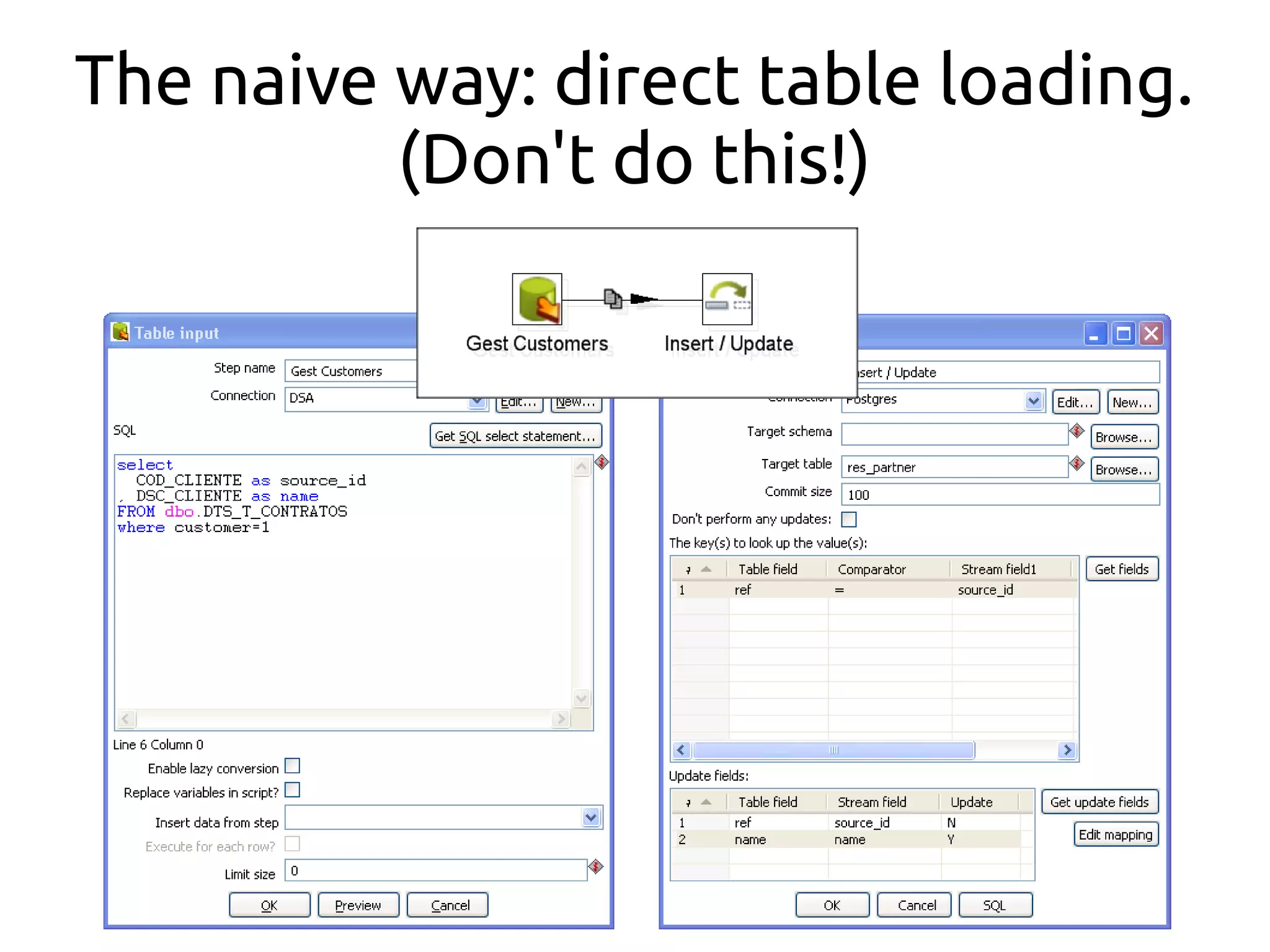
etl table loading
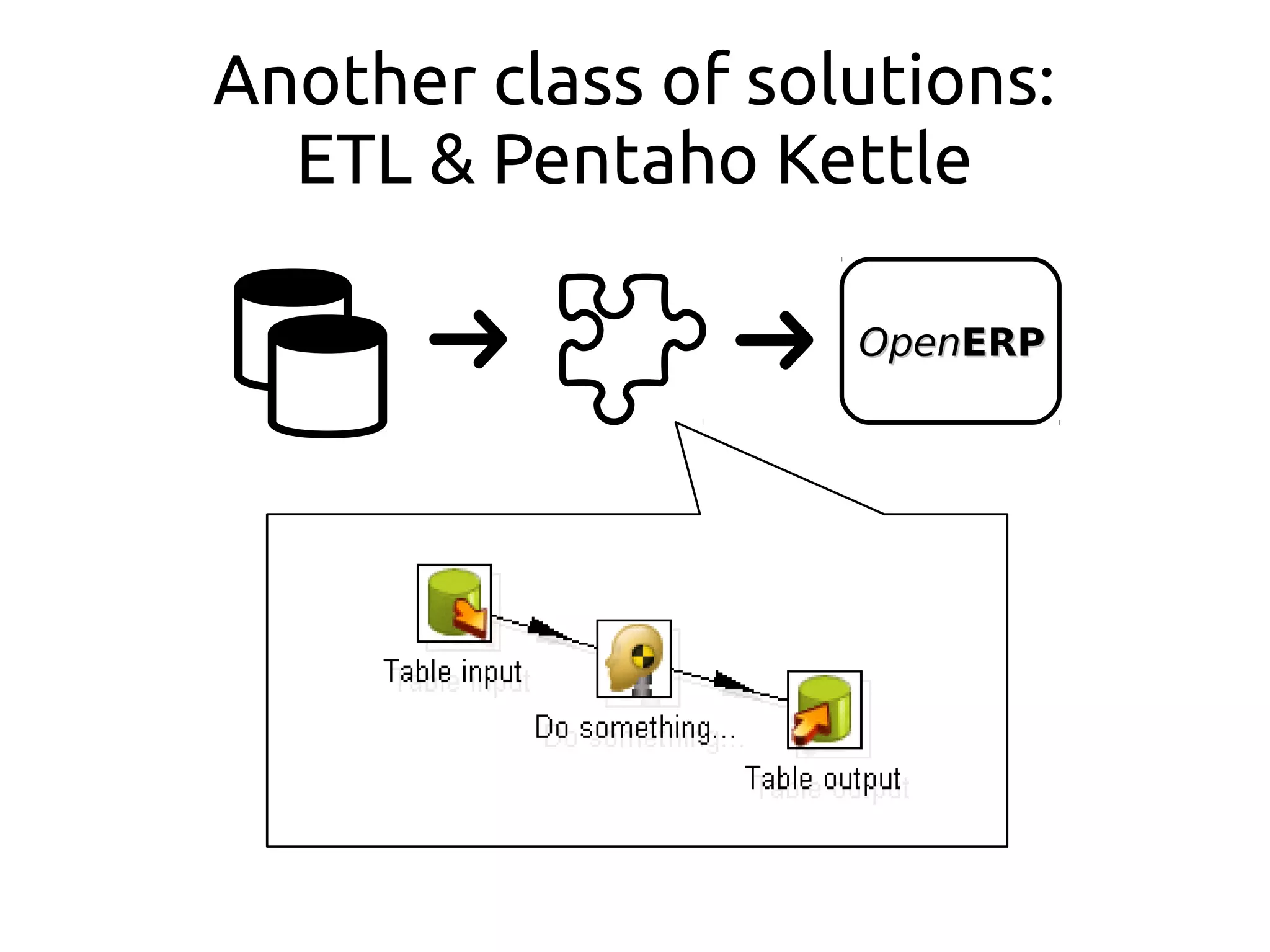
Another class of solutions:
ETL & Pentaho Kettle
OpenOpenERPERP
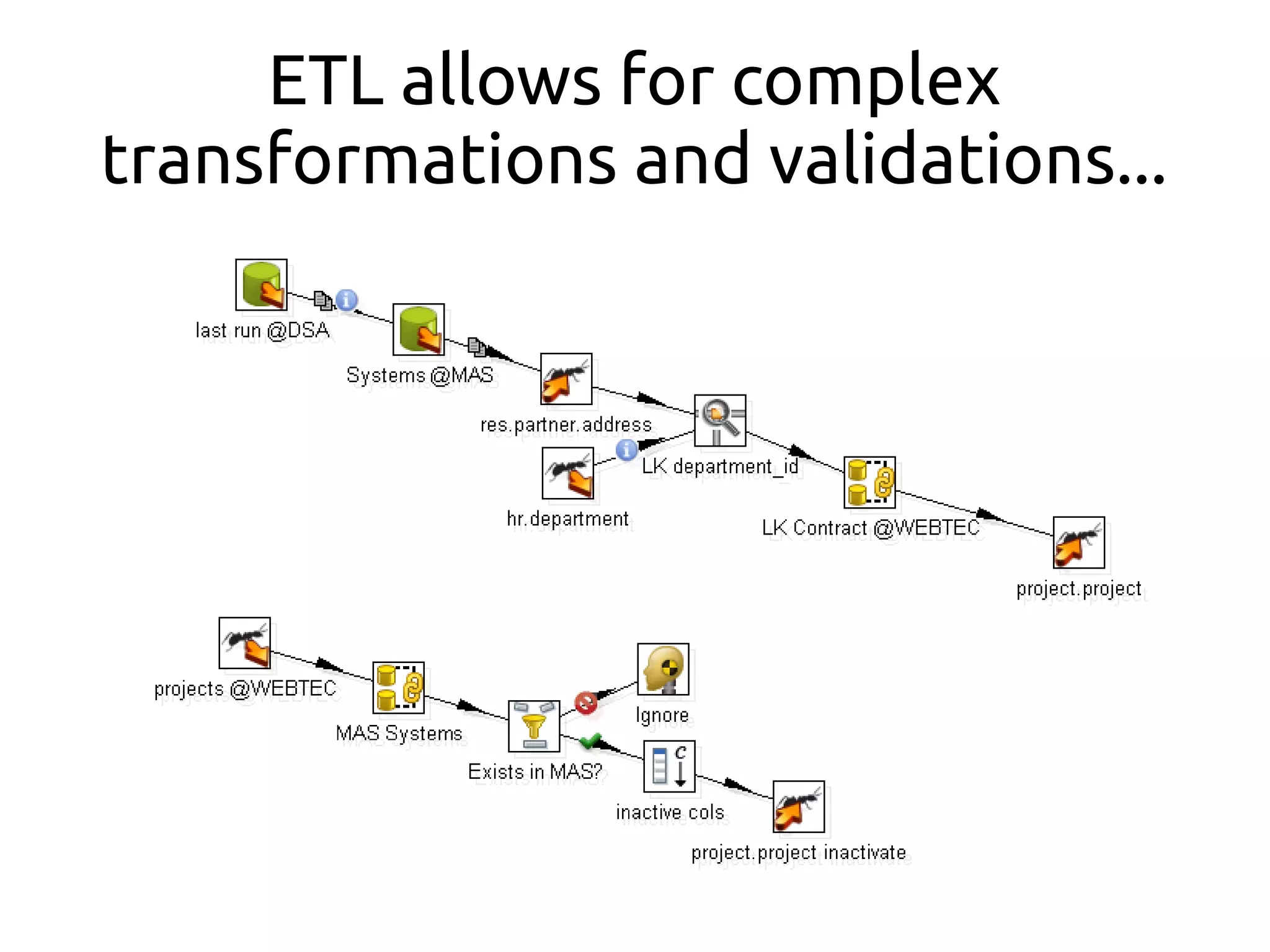
ETL allows for complex
transformations and validations...
The naive way: direct table loading.
(Don't do this!)
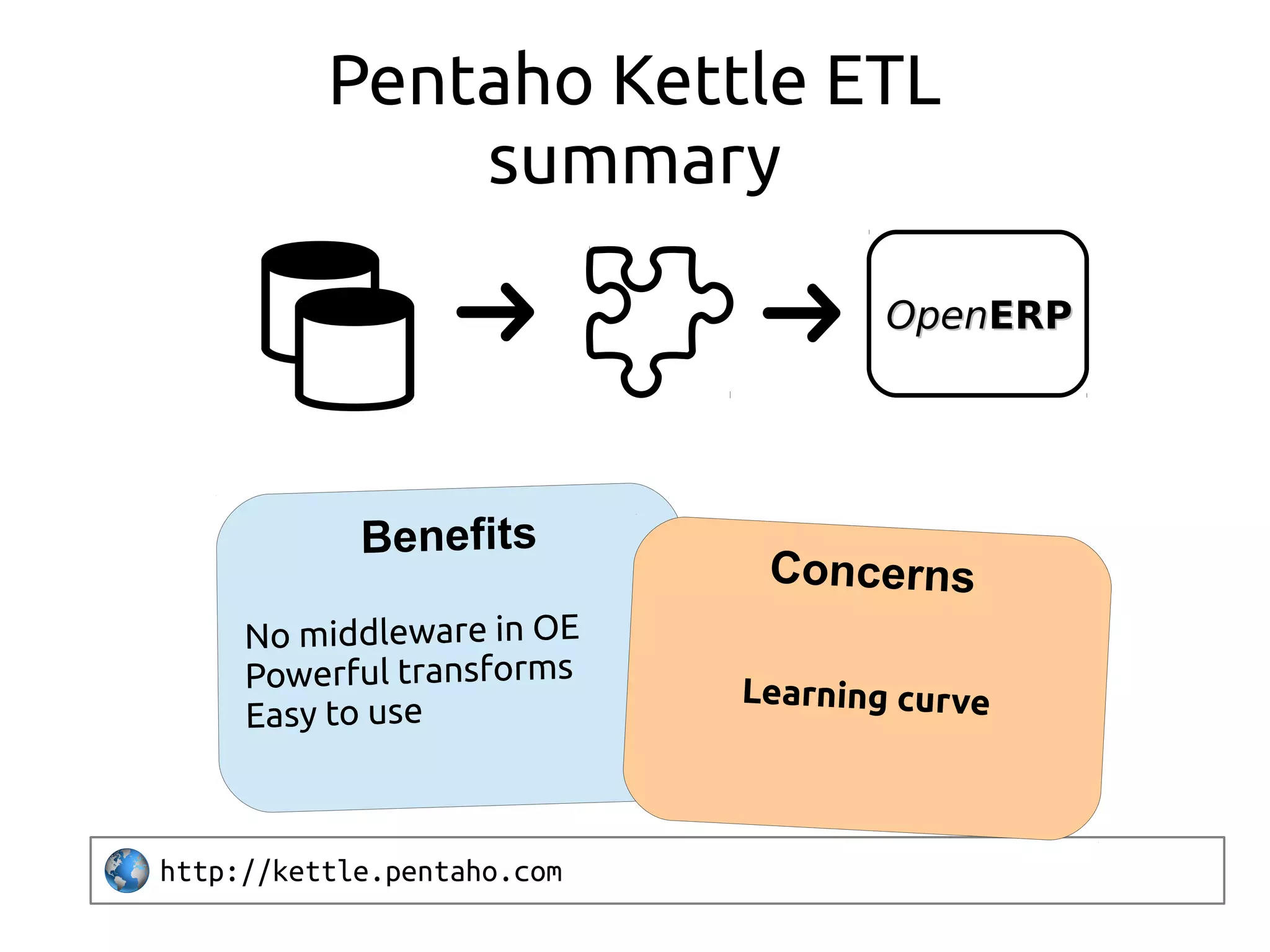
Pentaho Kettle ETL
summary
http://kettle.pentaho.com
Concerns
Learning curve
OpenOpenERPERP
import_odbc
etl table loading
import_sqlpush
OpenOpenERPERP
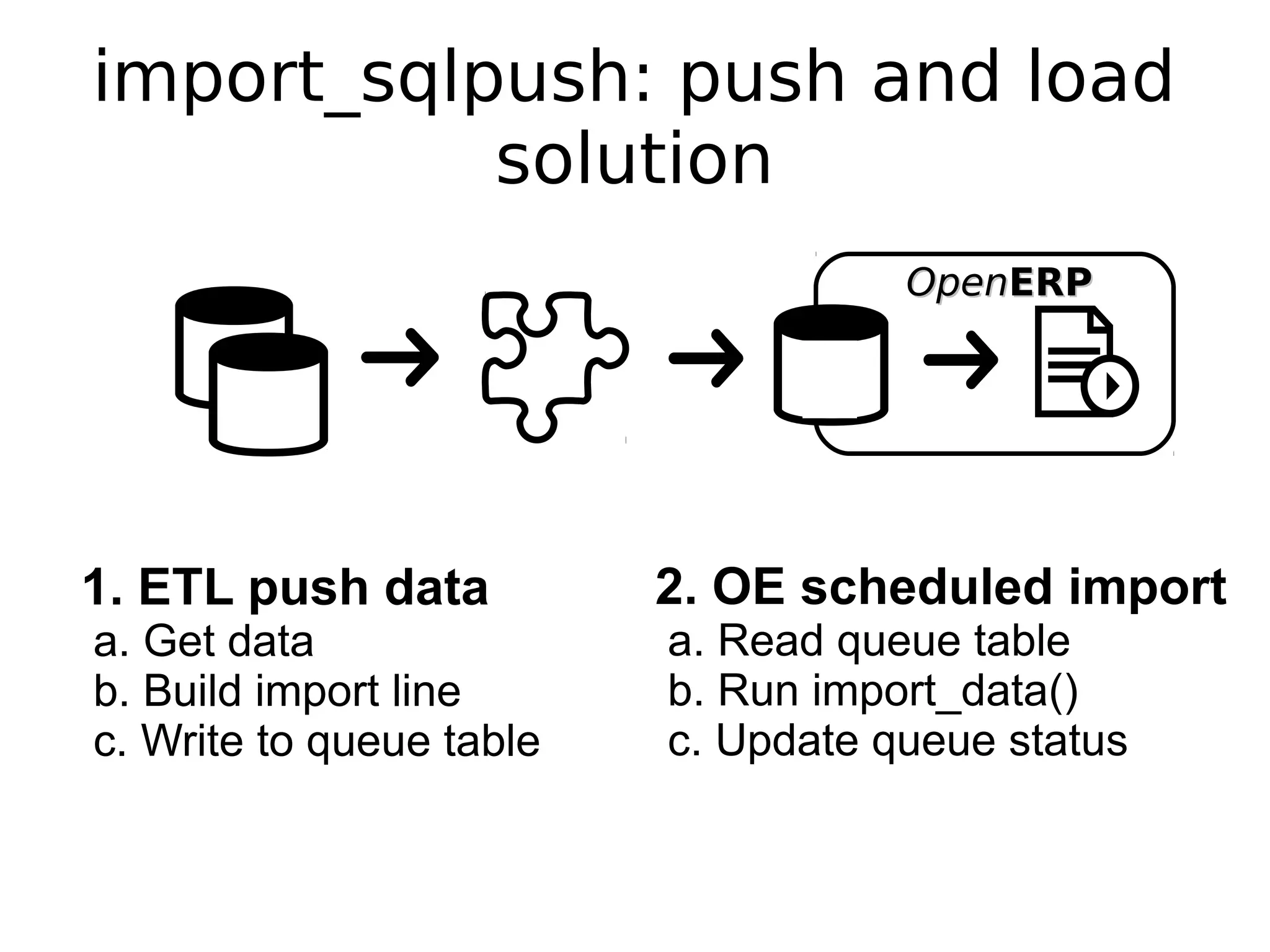
import_sqlpush: push and load
solution
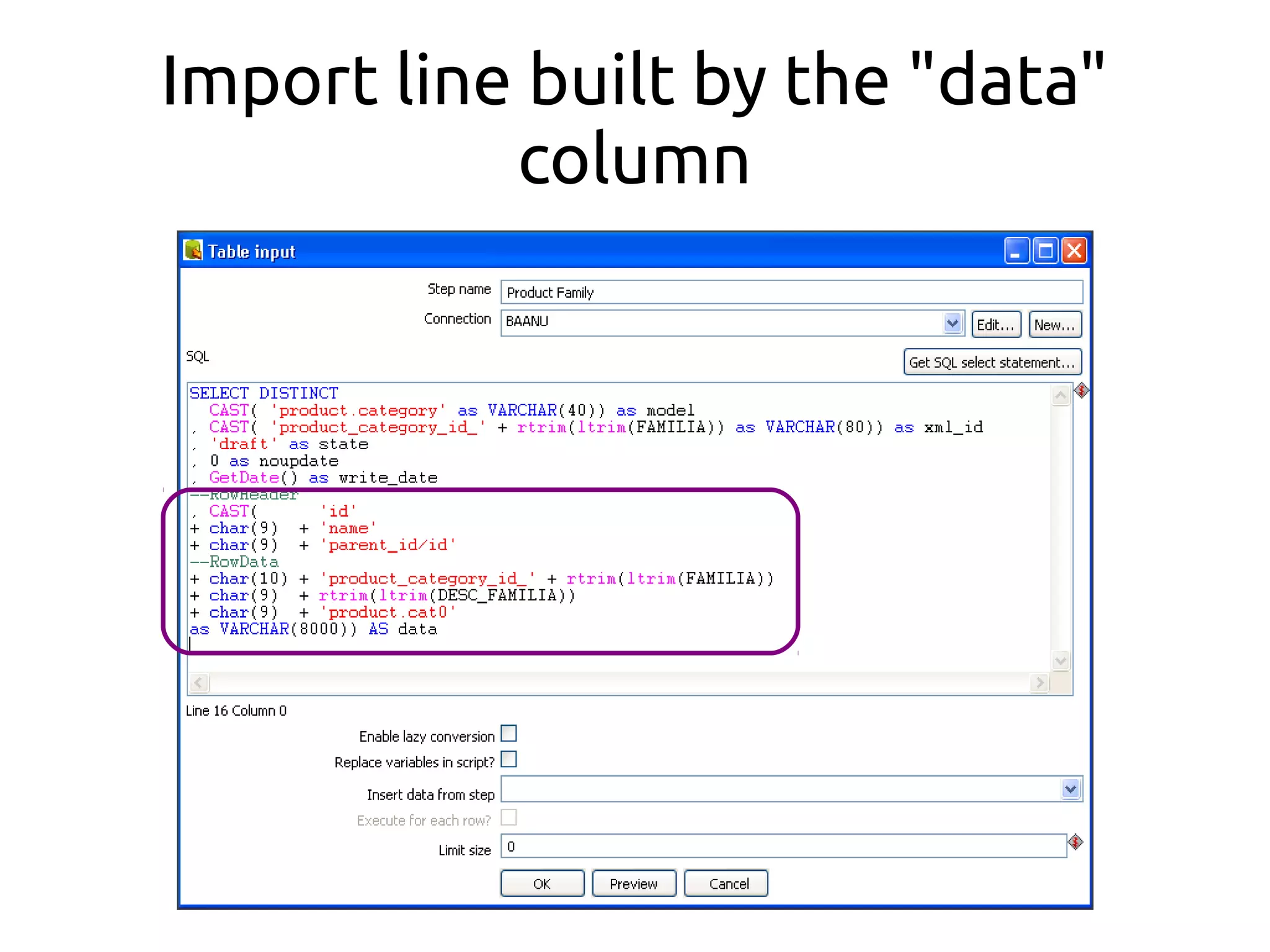
1. ETL push data
a. Get data
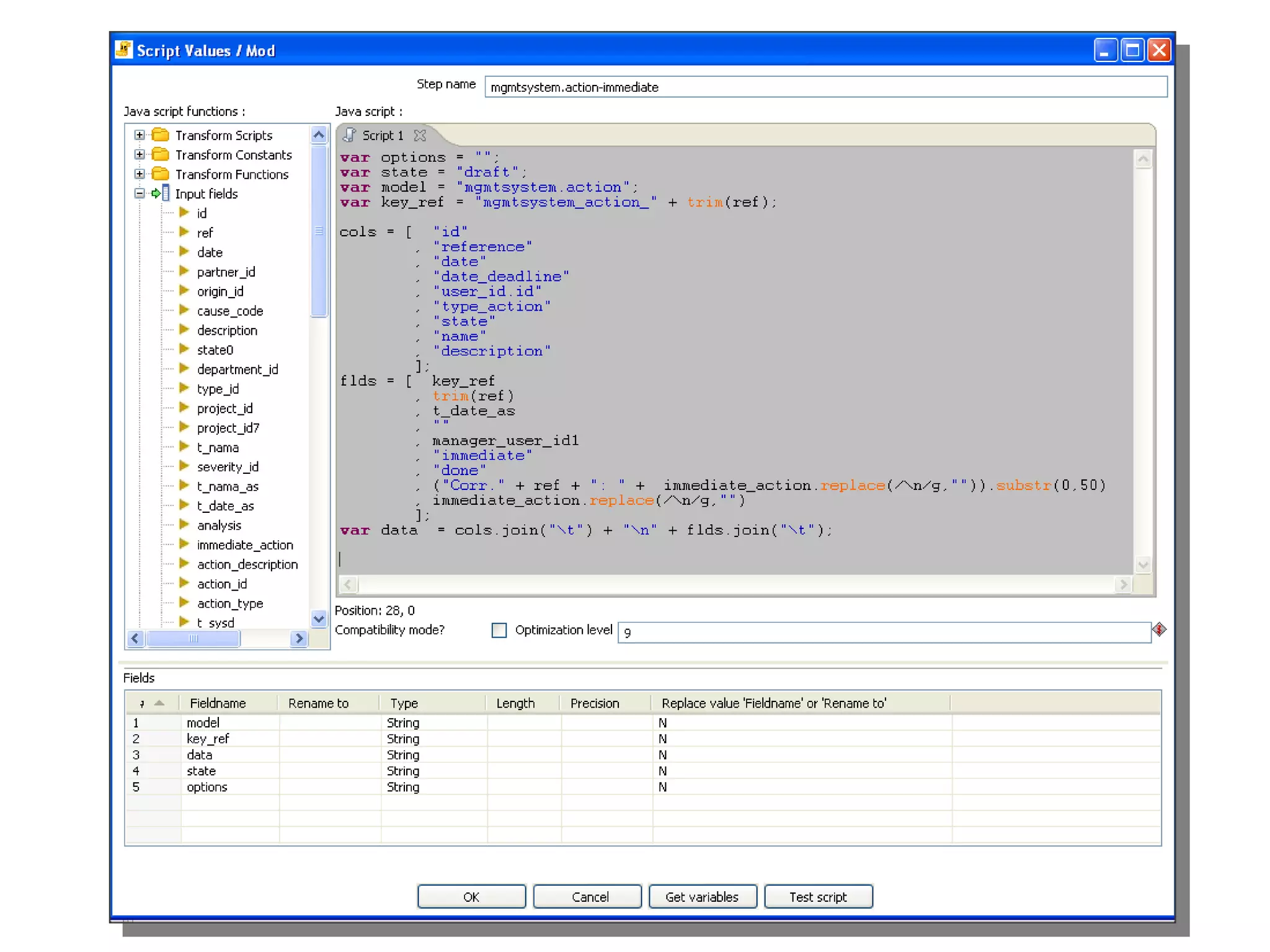
b. Build import line
c. Write to queue table
2. OE scheduled import
a. Read queue table
b. Run import_data()
c. Update queue status
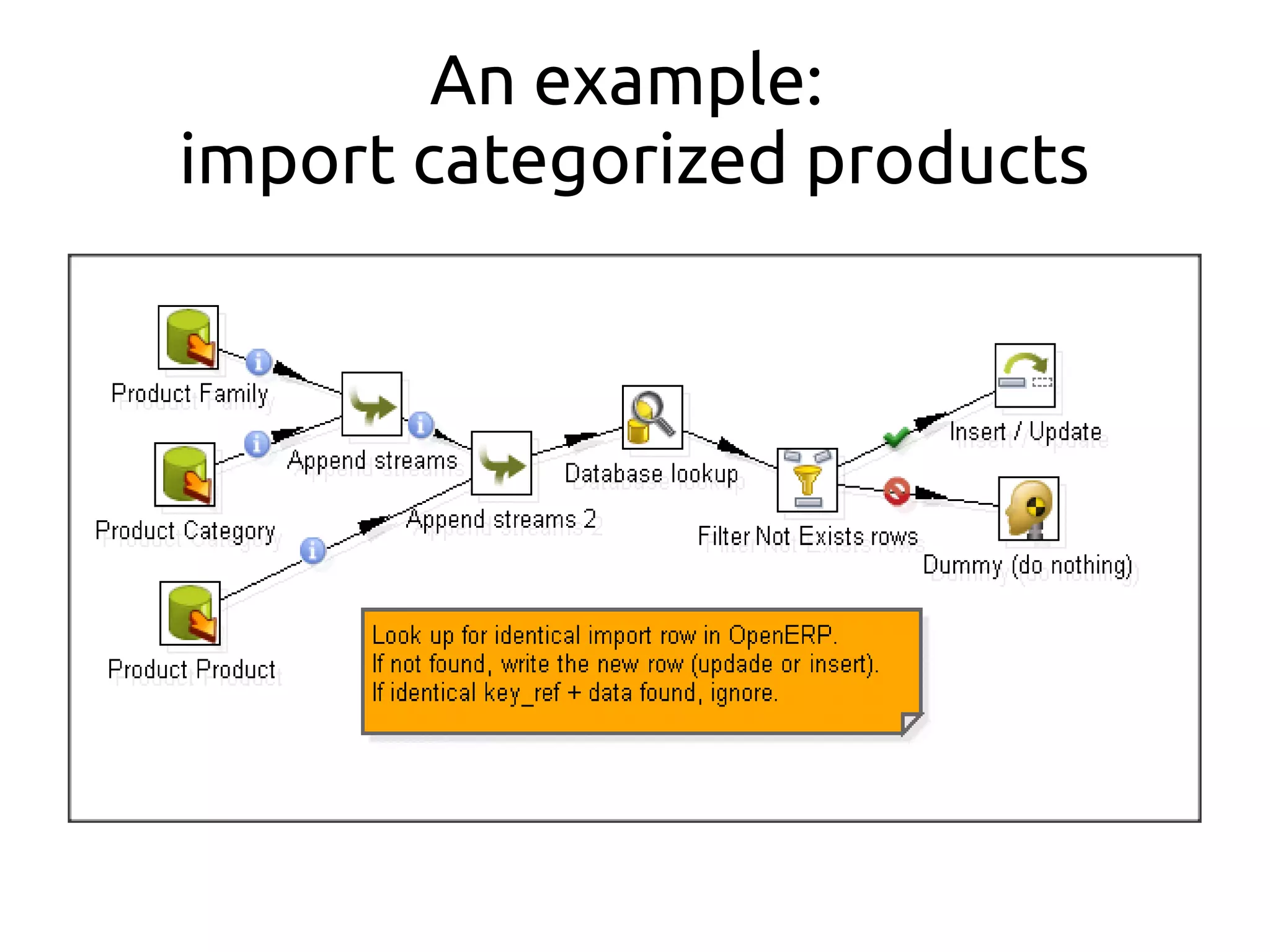
An example:
import categorized products
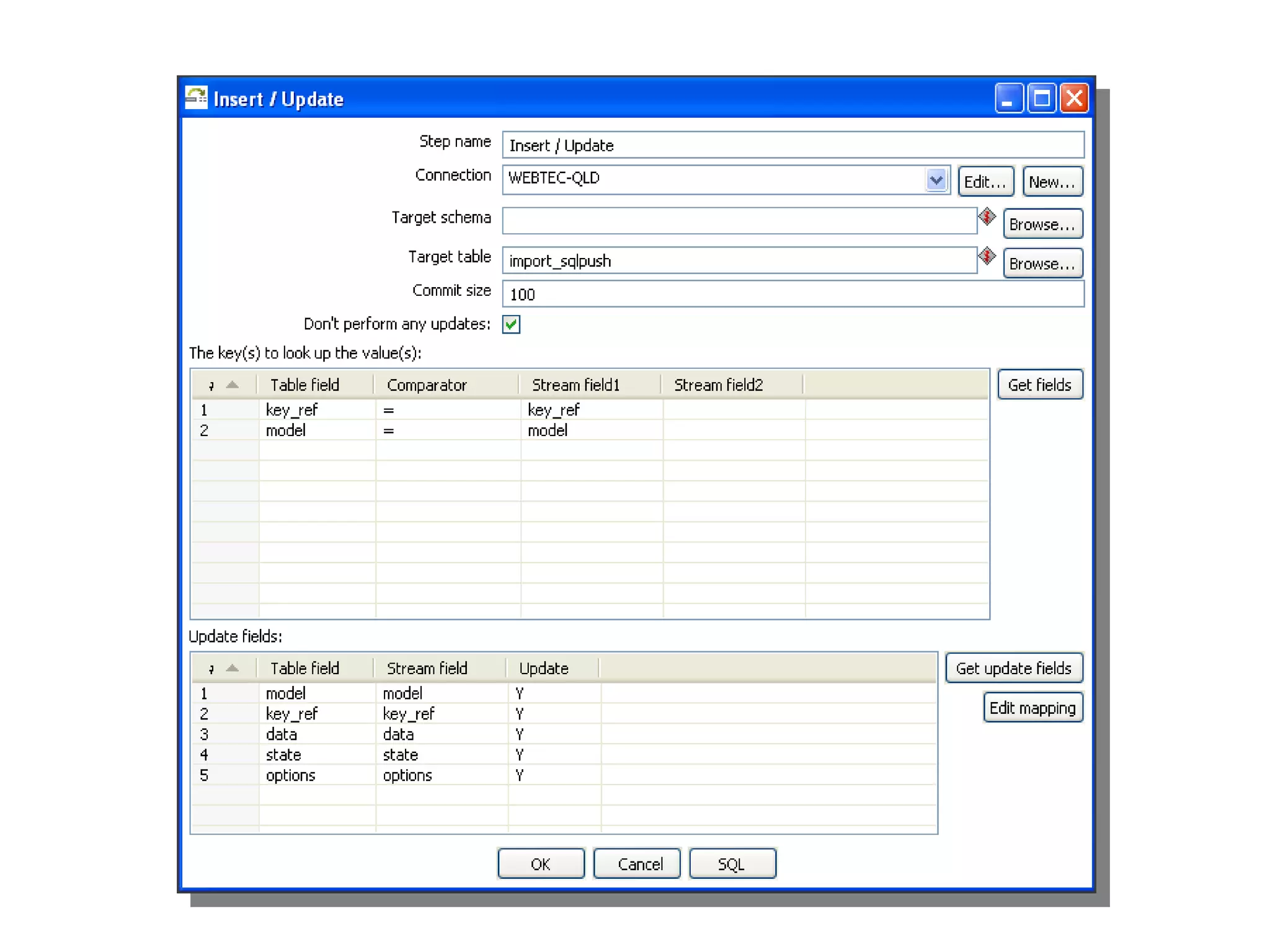
Import line built by the "data"
column
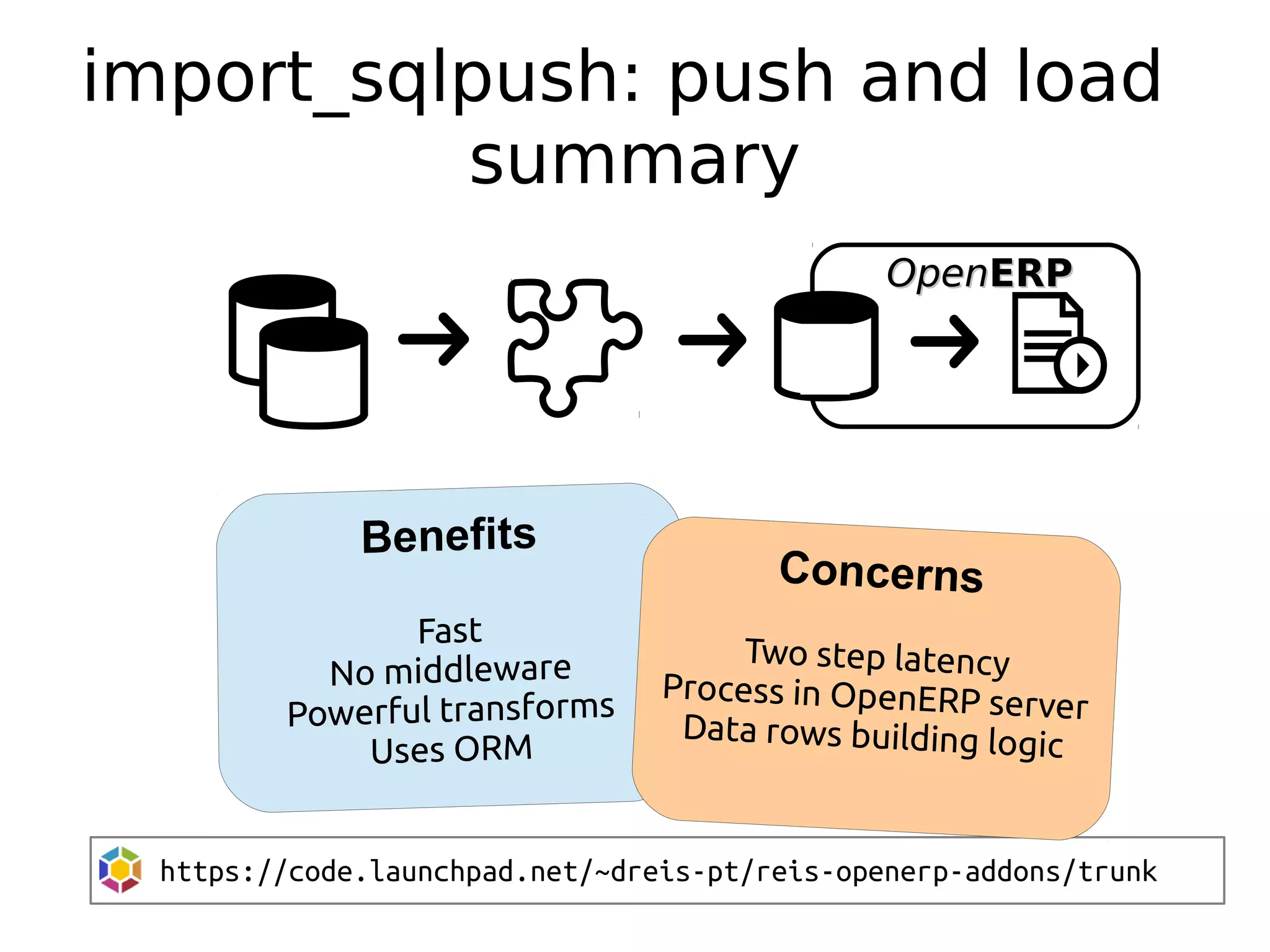
import_sqlpush: push and load
summary
https://code.launchpad.net/~dreis-pt/reis-openerp-addons/trunk
Concerns
Two step latency
Process in OpenERP server
Data rows building logic
OpenOpenERPERP
import_odbc
etl table loading
import_sqlpush
openerp steps
OpenOpenERPERP
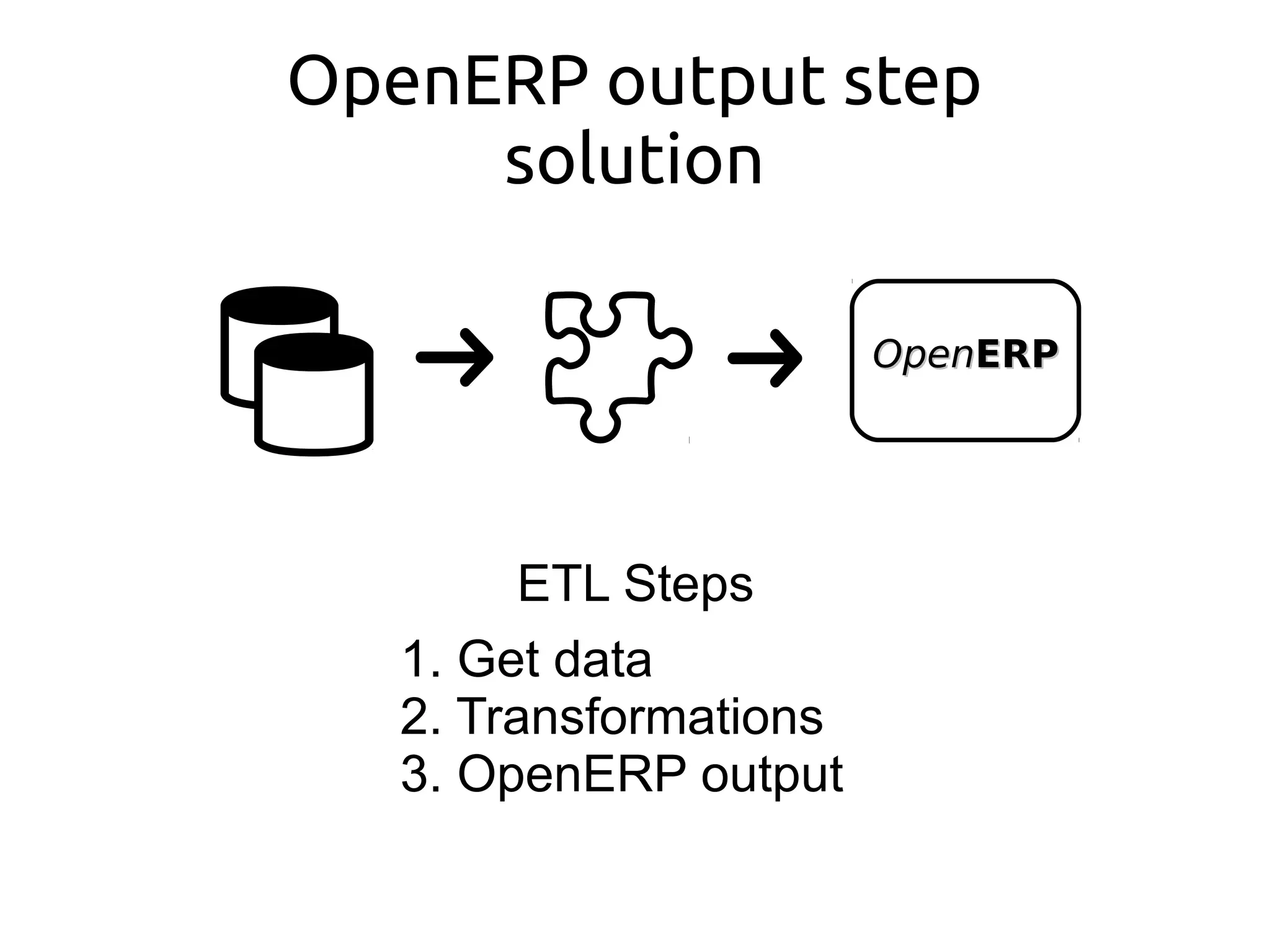
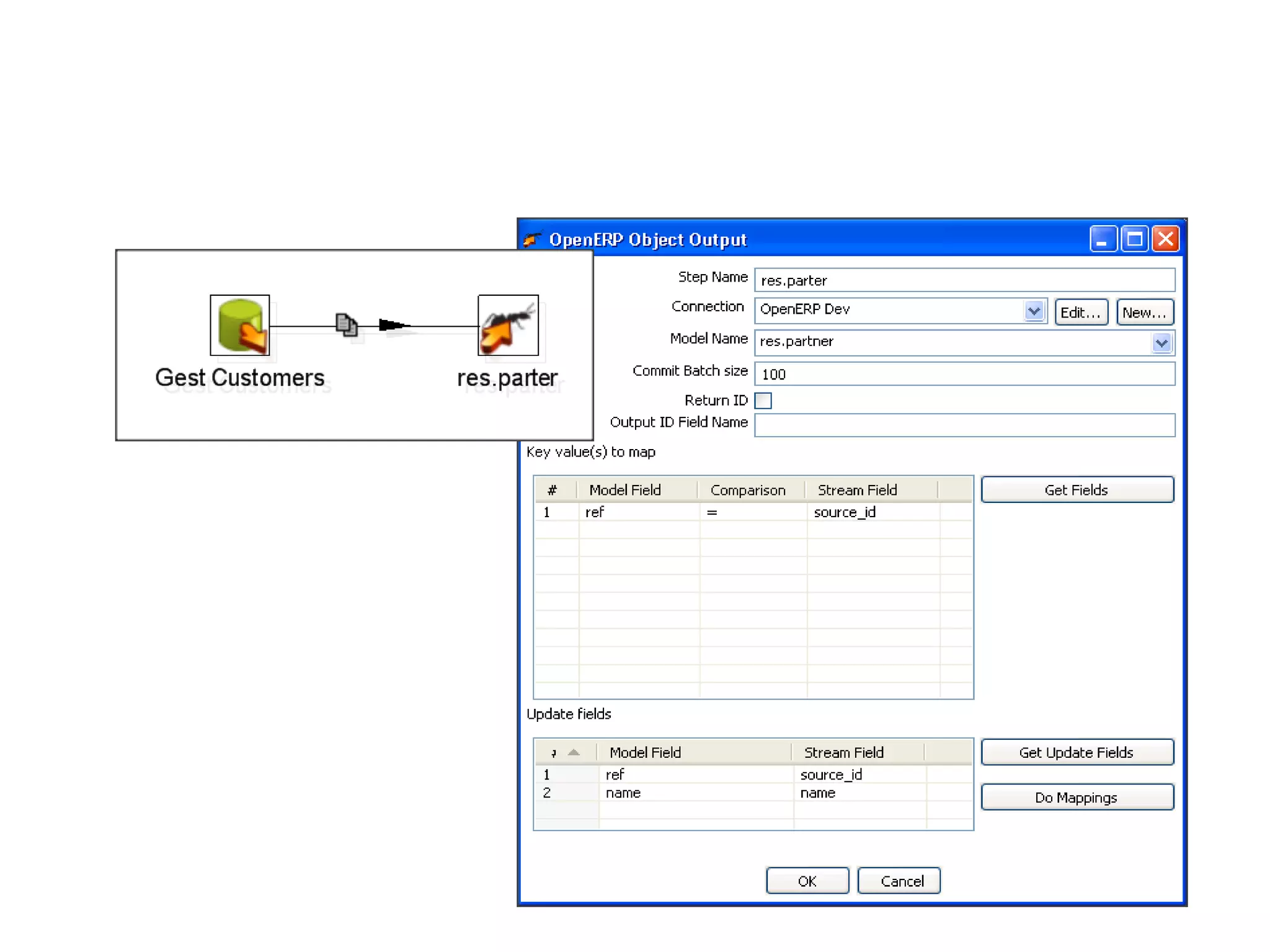
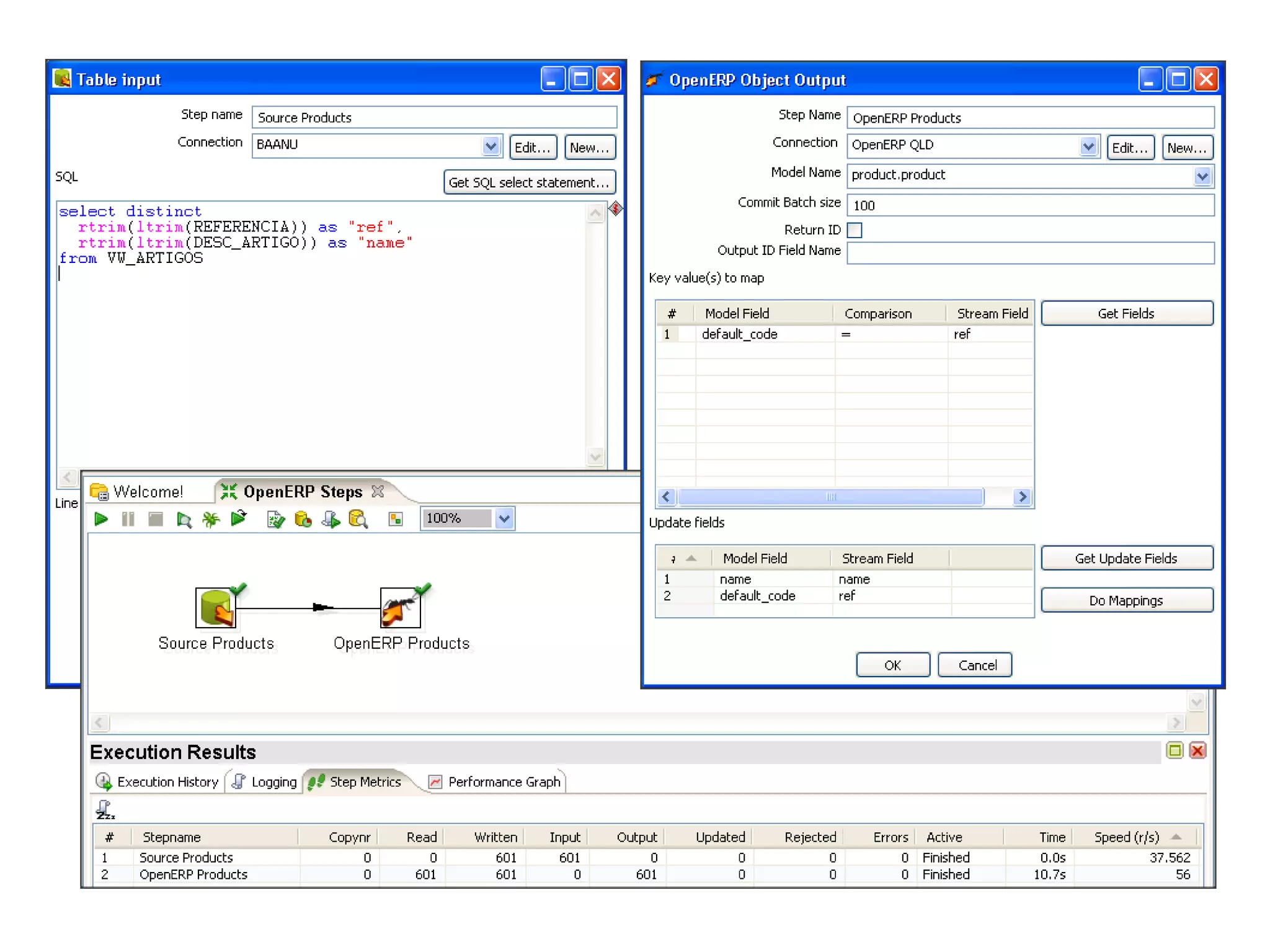
OpenERP output step
solution
ETL Steps
1. Get data
2. Transformations
3. OpenERP output
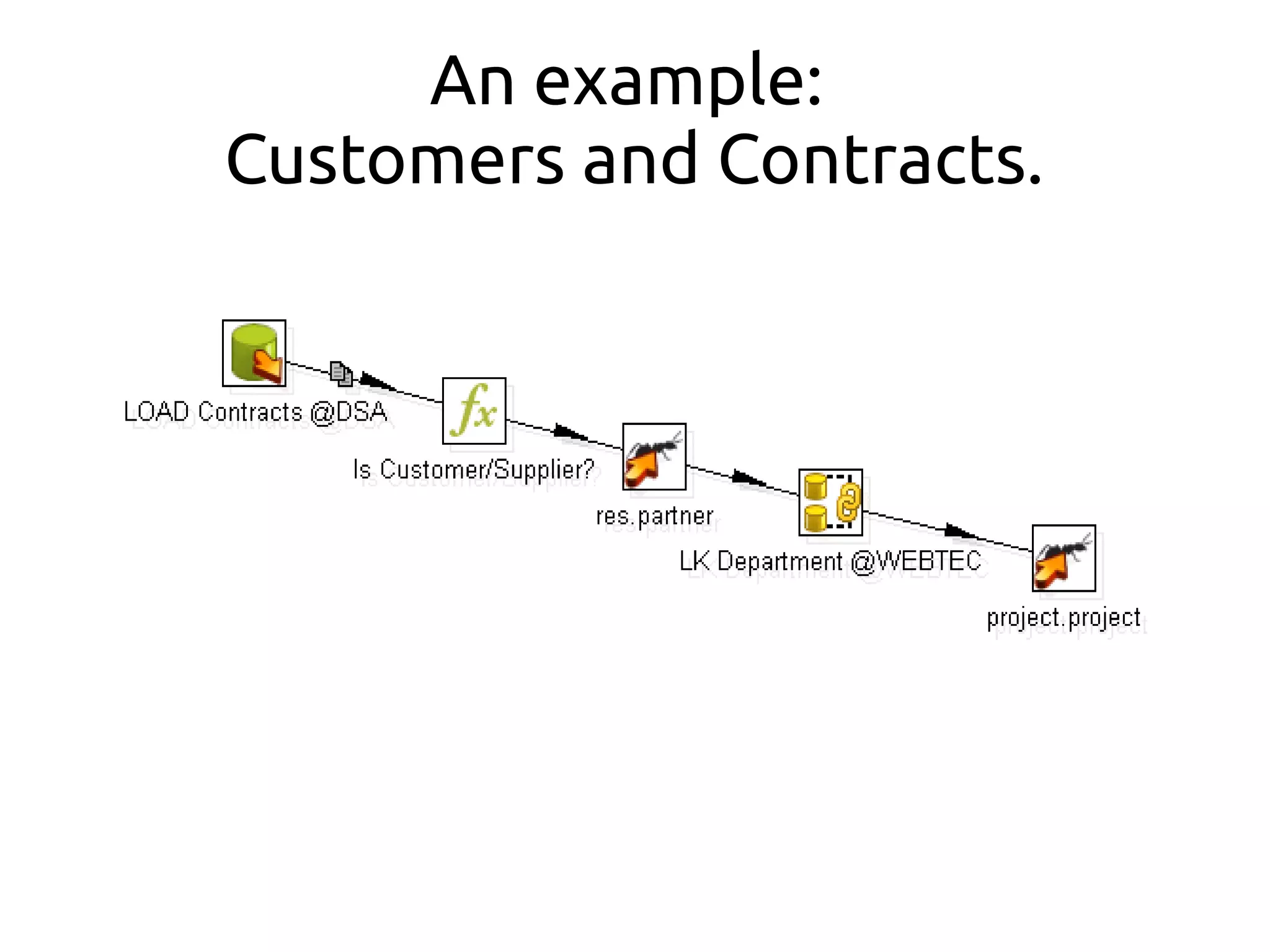
An example:
Customers and Contracts.
OpenOpenERPERP
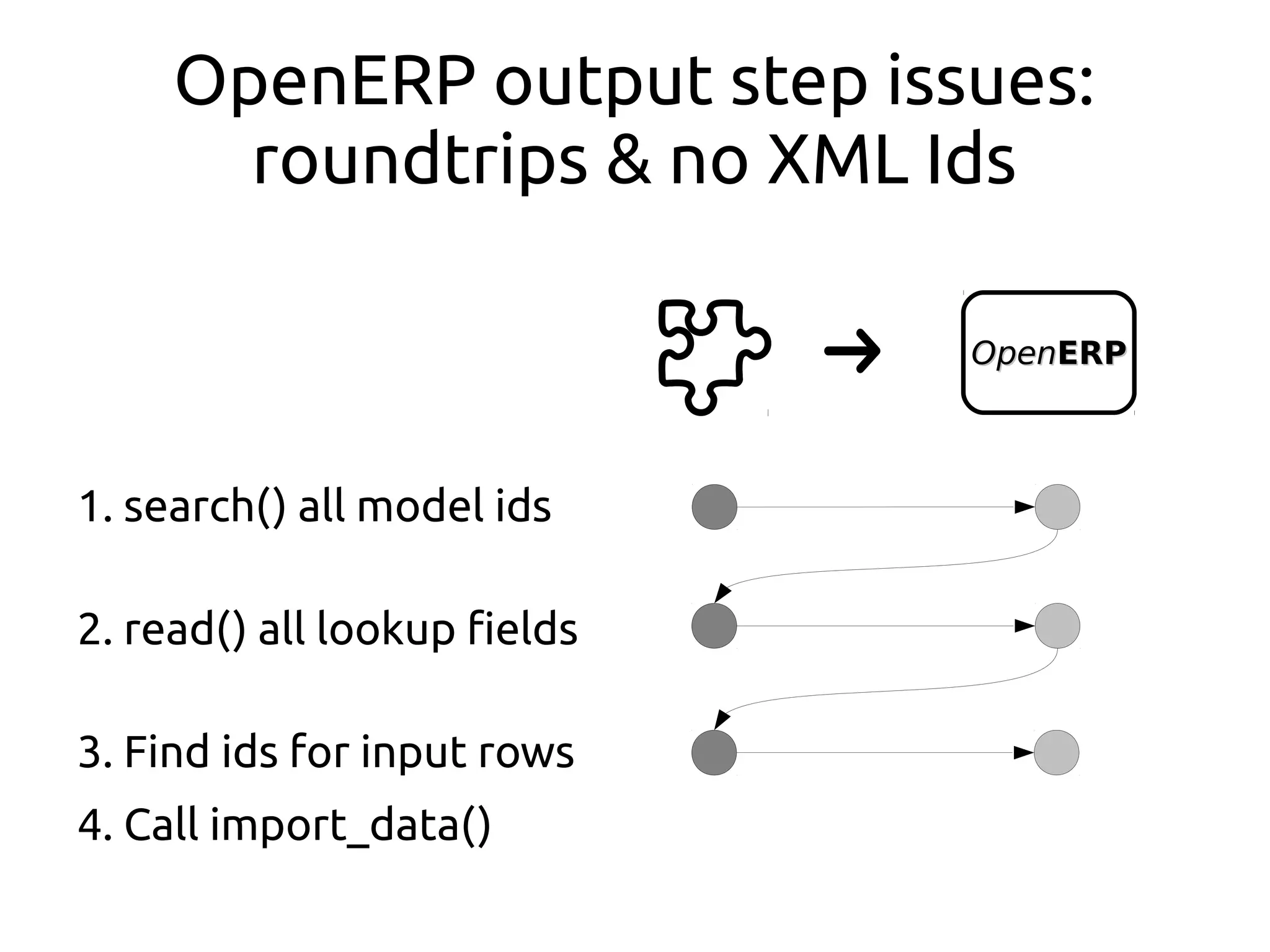
OpenERP output step issues:
roundtrips & no XML Ids
1. search() all model ids
2. read() all lookup fields
3. Find ids for input rows
4. Call import_data()
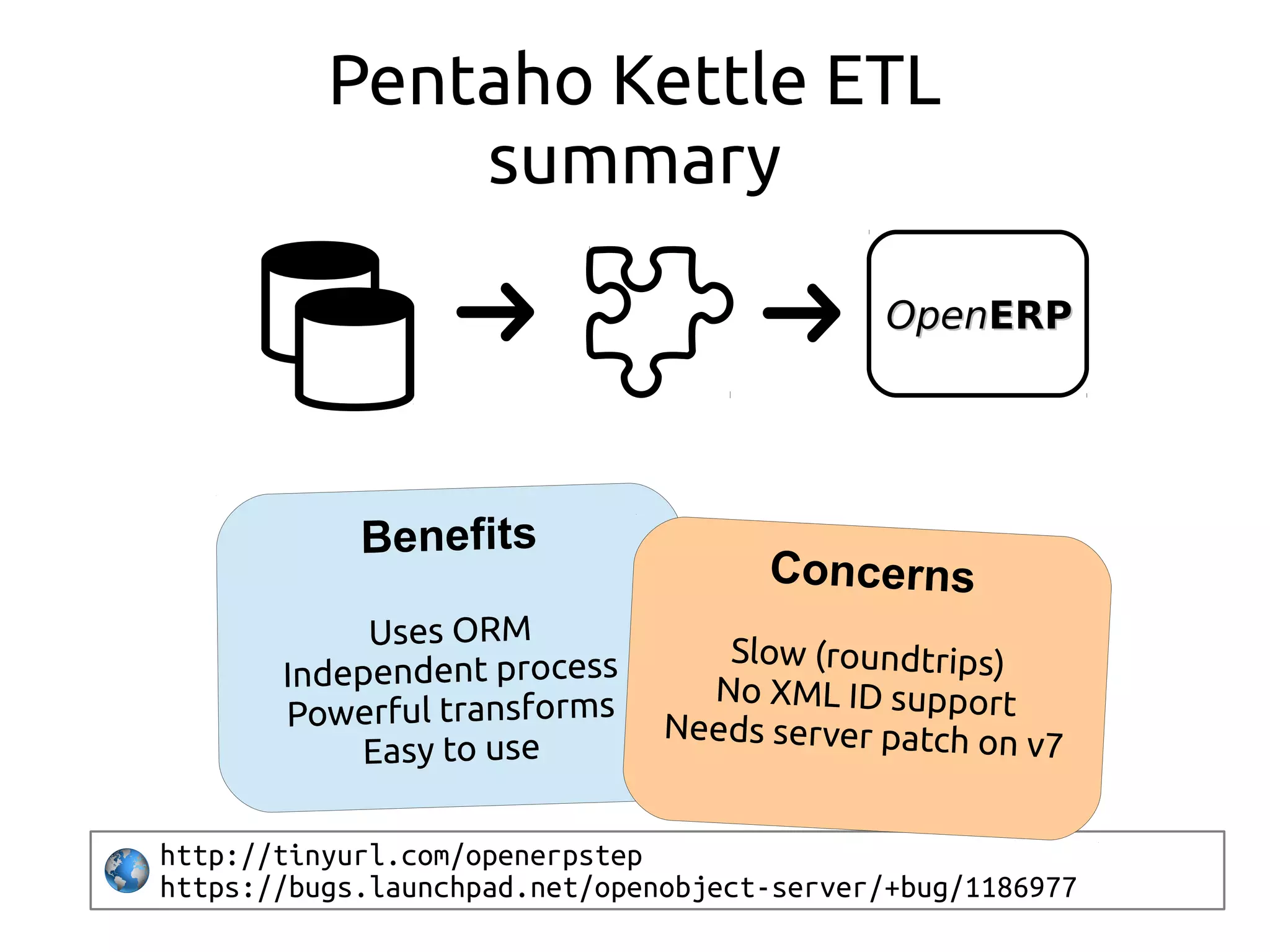
Pentaho Kettle ETL
summary
http://tinyurl.com/openerpstep
https://bugs.launchpad.net/openobject-server/+bug/1186977
Concerns
Slow (roundtrips)
No XML ID support
Needs server patch on v7
OpenOpenERPERP
import_odbc
etl table loading
import_sqlpush
openerp steps
... better steps...
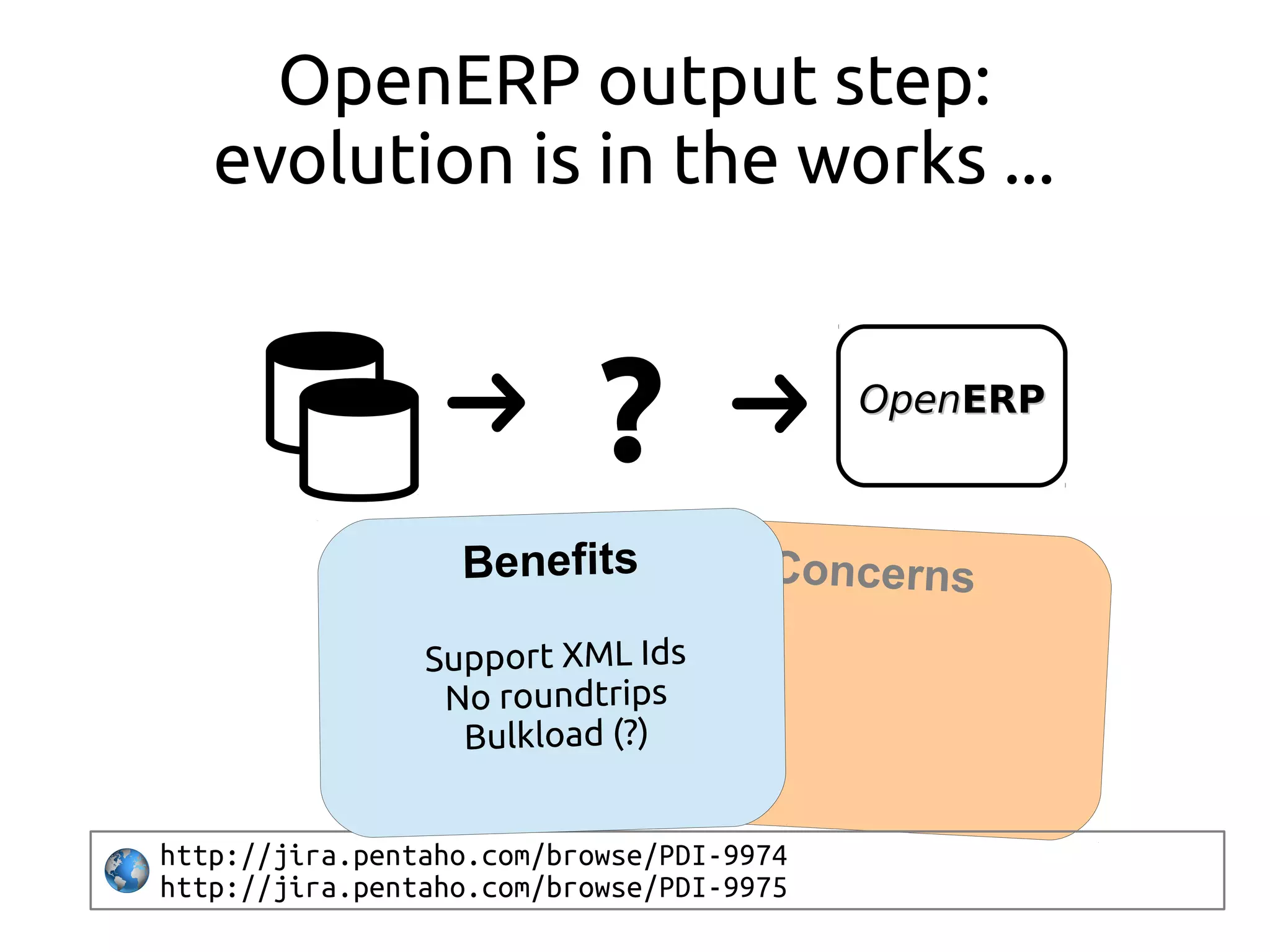
Concerns
OpenOpenERPERP
OpenERP output step:
evolution is in the works ...
?
http://jira.pentaho.com/browse/PDI-9974
http://jira.pentaho.com/browse/PDI-9975
Conclusions: things we should pay
attention to ...
●
How fast?
●
Uses OpenERP ORM?
●
How easy to use?
●
Interferes with other OE server processes?
●
What data source types can be used?
●
What type of transformations can be used?
Integration techniques wrap up
●
import_odbc: simple, maybe too simple.
●
Table loading: don't do this at home kids...
●
import_sqlpush: good, but could be simpler.
●
OpenERP Output Step: great, but slow ...
http://www.mulesoft.com/mule-esb-features
Going further: why not use an ESB?
Also have a look at other options
●
TerminatOOR:
Kettle Openerp step using Ruby script
https://github.com/akretion/ooor
●
Talend Data Integration:
ETL task code generator (Java)
http://www.talend.com/products/data-integration
Questions?
@reis_pt
daniel.reis@securitas.pt
https://launchpad.net/~dreis-pt

OpenERP data integration in an entreprise context: a war story