

Working with Geolocation in
WordPress
@brianhogg
http://slideshare.net/bhogg
Overview
@brianhogg WordCamp Buffalo Sep 2013 2
 Why Geolocation
 Capturing the Data
 Using the Data
 Getting Visitor Location
About Brian Hogg
@brianhogg WordCamp Buffalo Sep 2013 3
 Software Engineering & Management
 Started and sold DrawBINGO.com
 Lived in Montréal, England, now Cambridge
(Ontario)
 PHP/JS since 2003
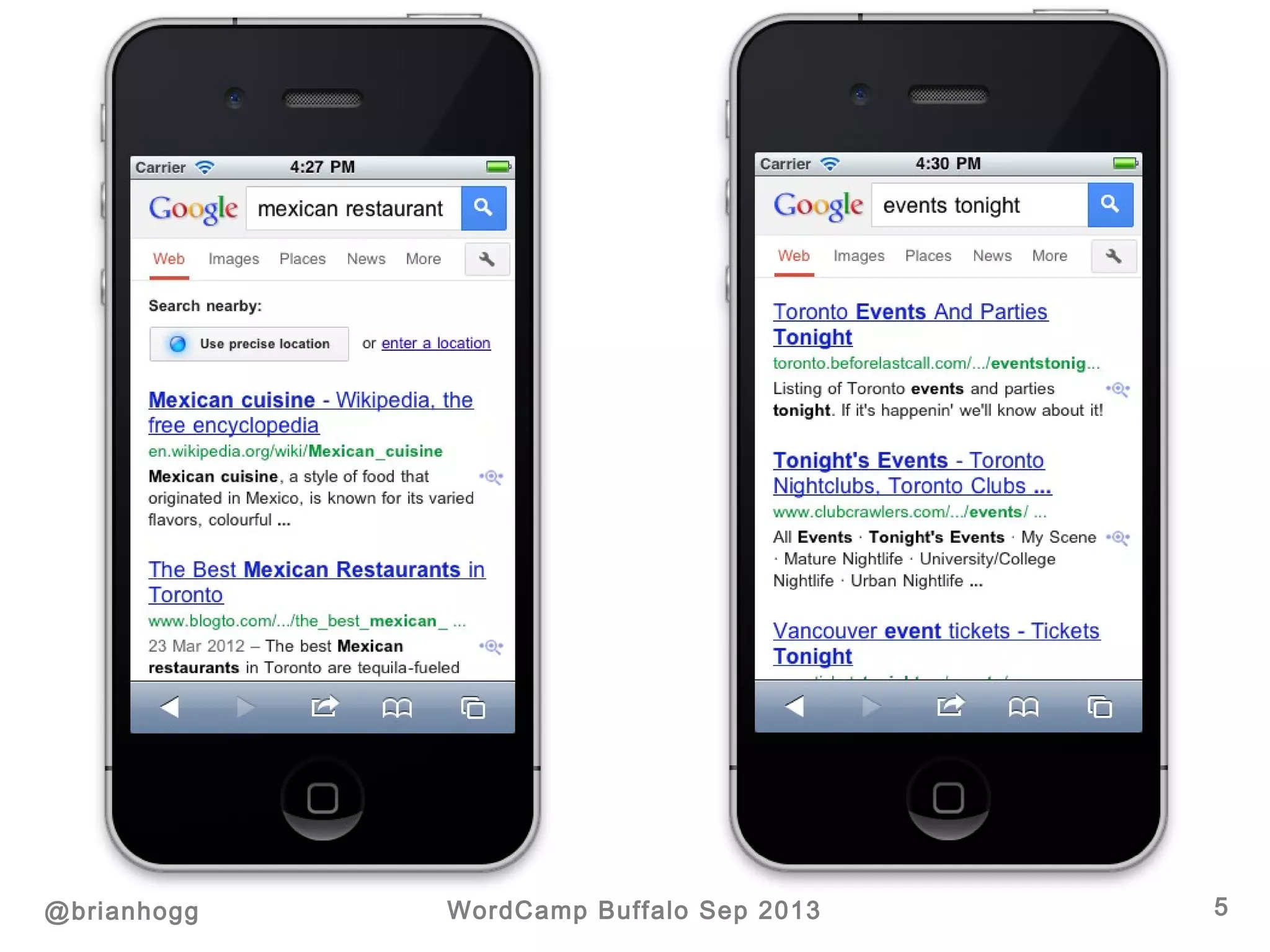
Why Geolocation
@brianhogg WordCamp Buffalo Sep 2013 4
 Events blog
 Recommendations
 Mapping
 Store locations
 … anything with content + latitude/longitude
5@brianhogg WordCamp Buffalo Sep 2013
Capturing the Data
@brianhogg WordCamp Buffalo Sep 2013 6
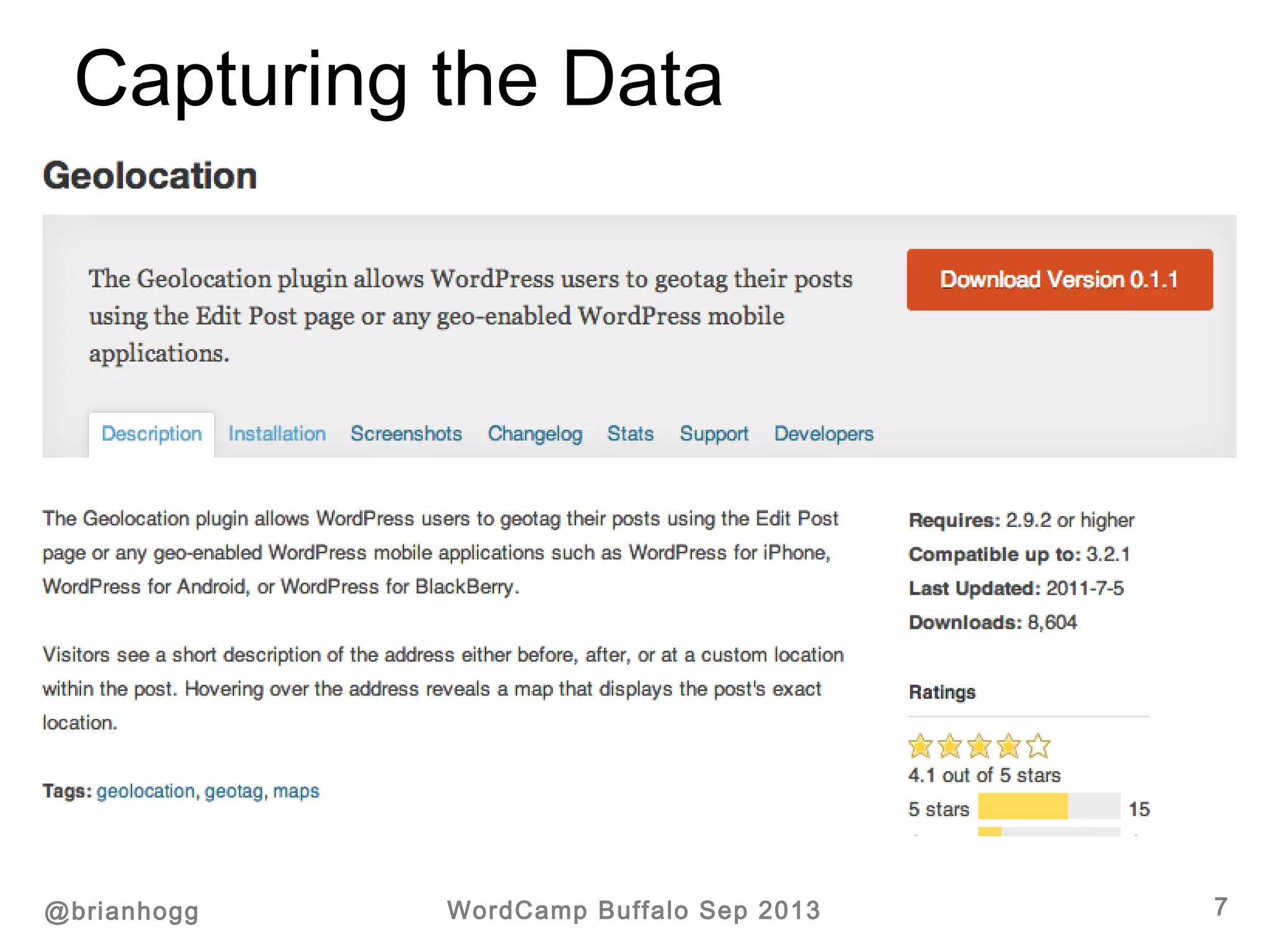
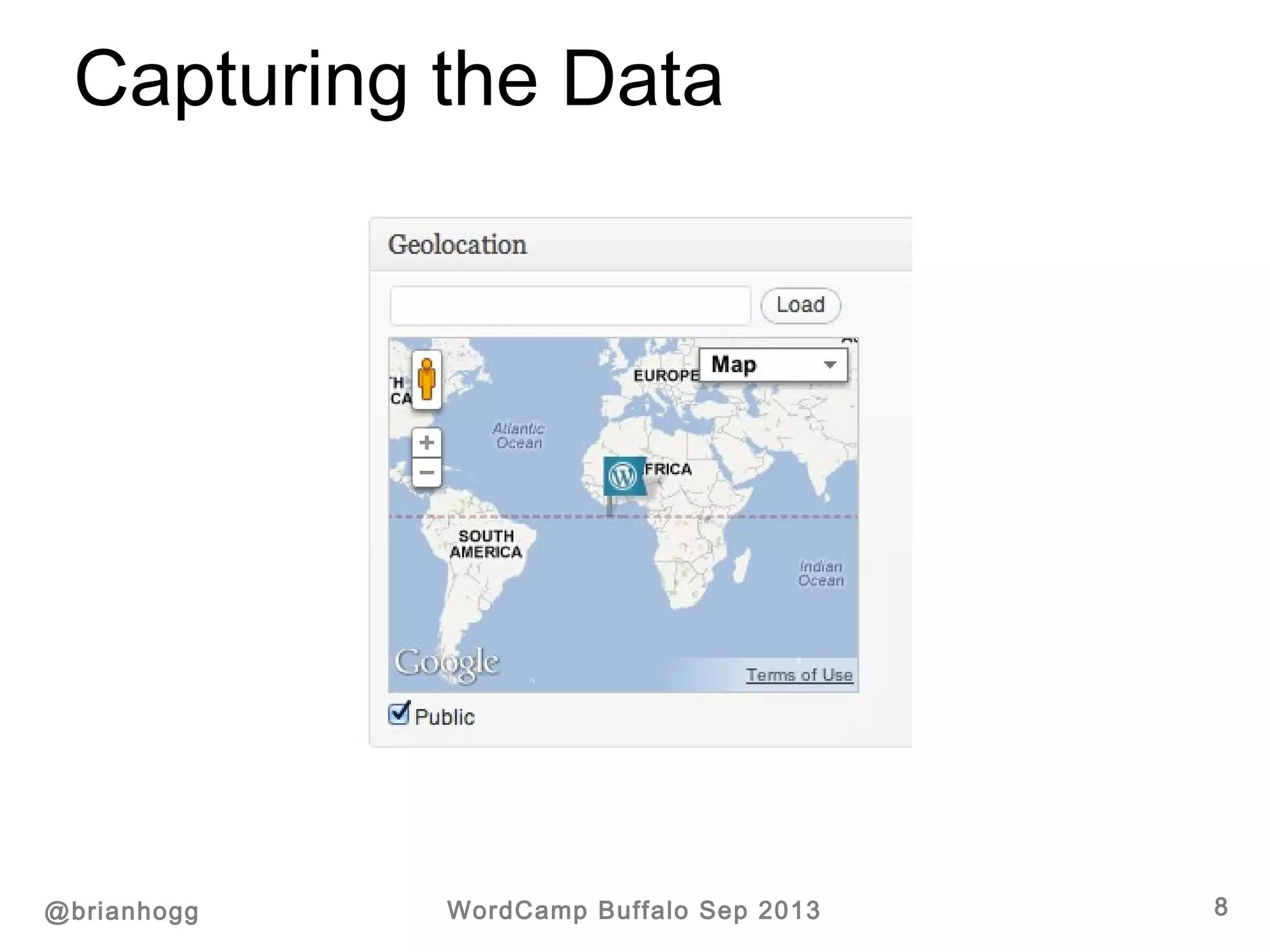
 “Official” Geolocation plugin
http://wordpress.org/extend/plugins/geolocation/
 WP-Geo
http://wordpress.org/extend/plugins/wp-geo/ (for
custom post types)
 WordPress native apps
 … other plugins / themes
Inserting a latitude and longitude for posts.
Capturing the Data
@brianhogg WordCamp Buffalo Sep 2013 7
Capturing the Data
@brianhogg WordCamp Buffalo Sep 2013 8
Capturing the Data
@brianhogg WordCamp Buffalo Sep 2013 9
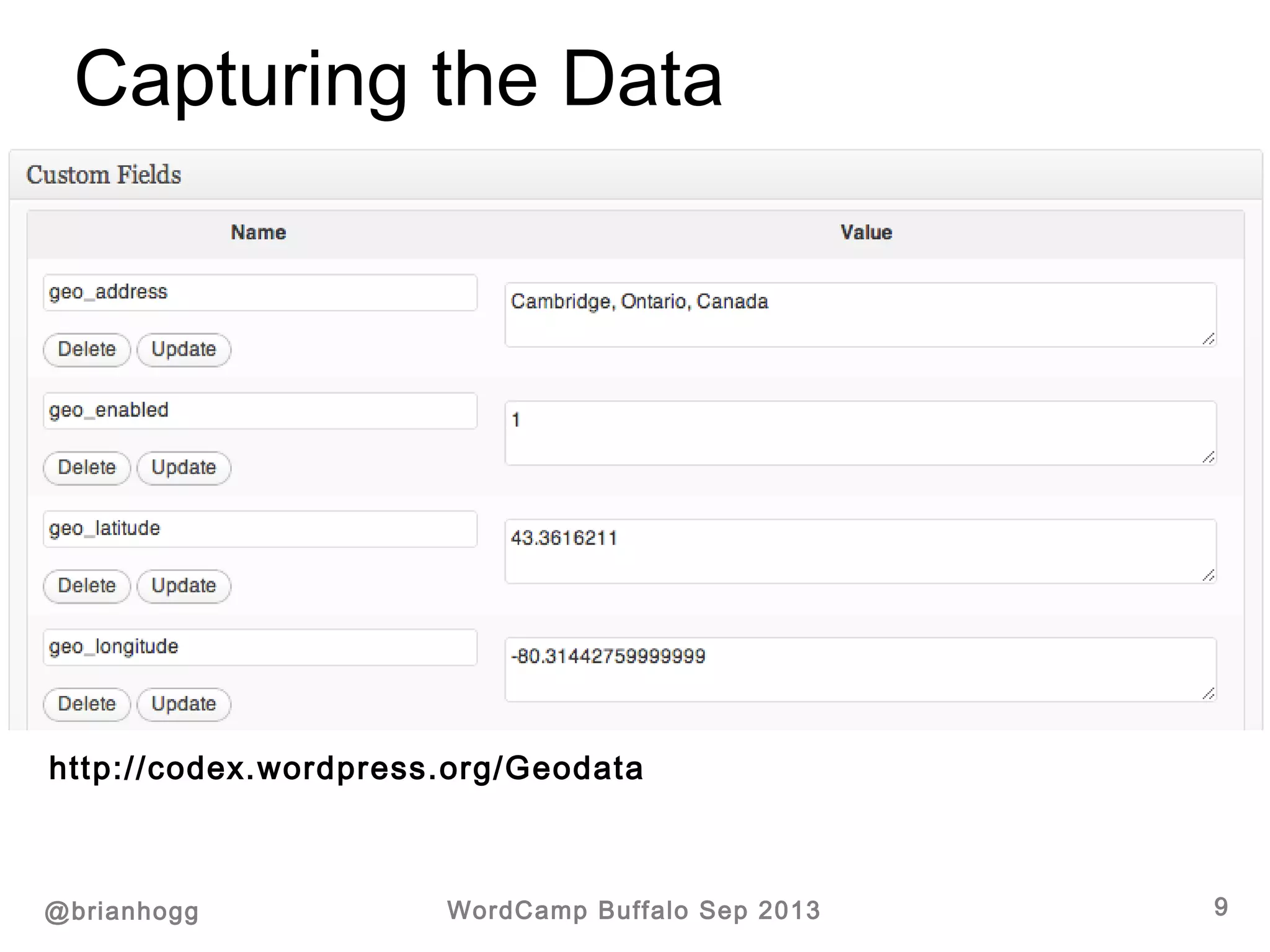
Inserts a latitude and longitude for each post in the
post meta data.
http://codex.wordpress.org/Geodata
Capturing the Data
@brianhogg WordCamp Buffalo Sep 2013 10
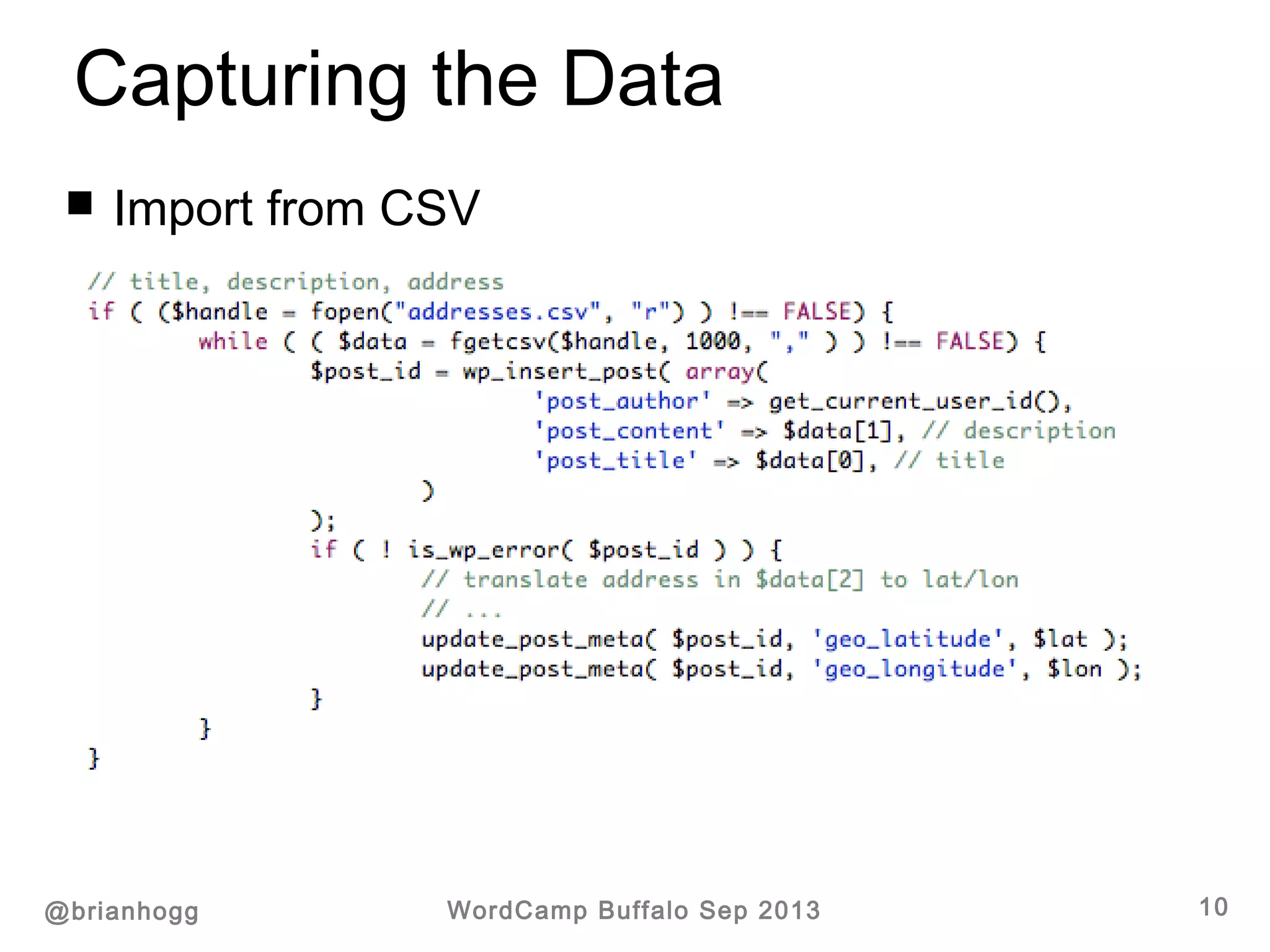
 Import from CSV
Capturing the Data
@brianhogg WordCamp Buffalo Sep 2013 11
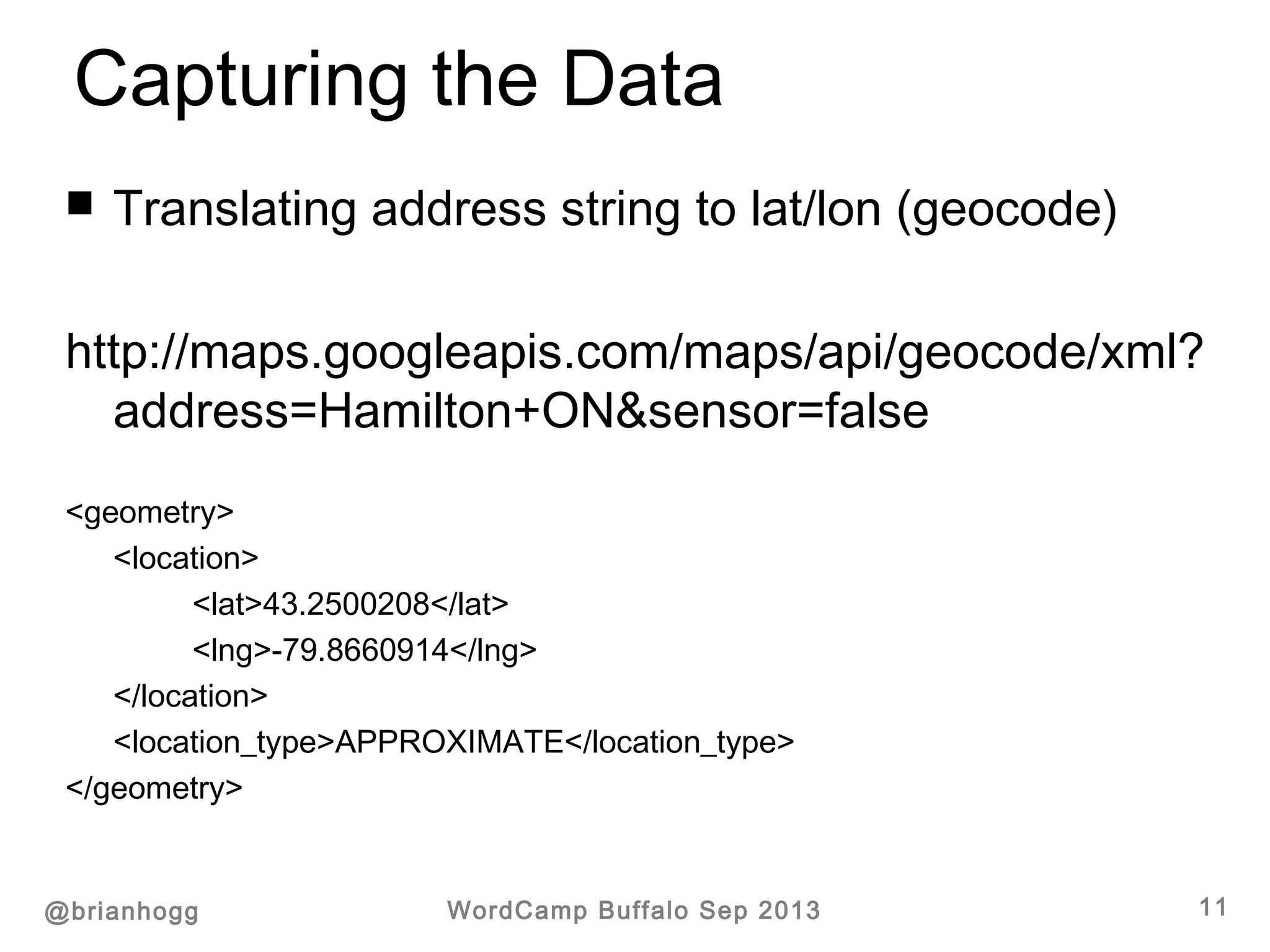
 Translating address string to lat/lon (geocode)
http://maps.googleapis.com/maps/api/geocode/xml?
address=Hamilton+ON&sensor=false
<geometry>
<location>
<lat>43.2500208</lat>
<lng>-79.8660914</lng>
</location>
<location_type>APPROXIMATE</location_type>
</geometry>
Using the Data
@brianhogg WordCamp Buffalo Sep 2013 12
 Simple front-end pop-up
 Using WP_Query (meta_query)
 Hooks to store in separate, indexed table
 Custom feeds
 …
Using the Data
@brianhogg WordCamp Buffalo Sep 2013 13
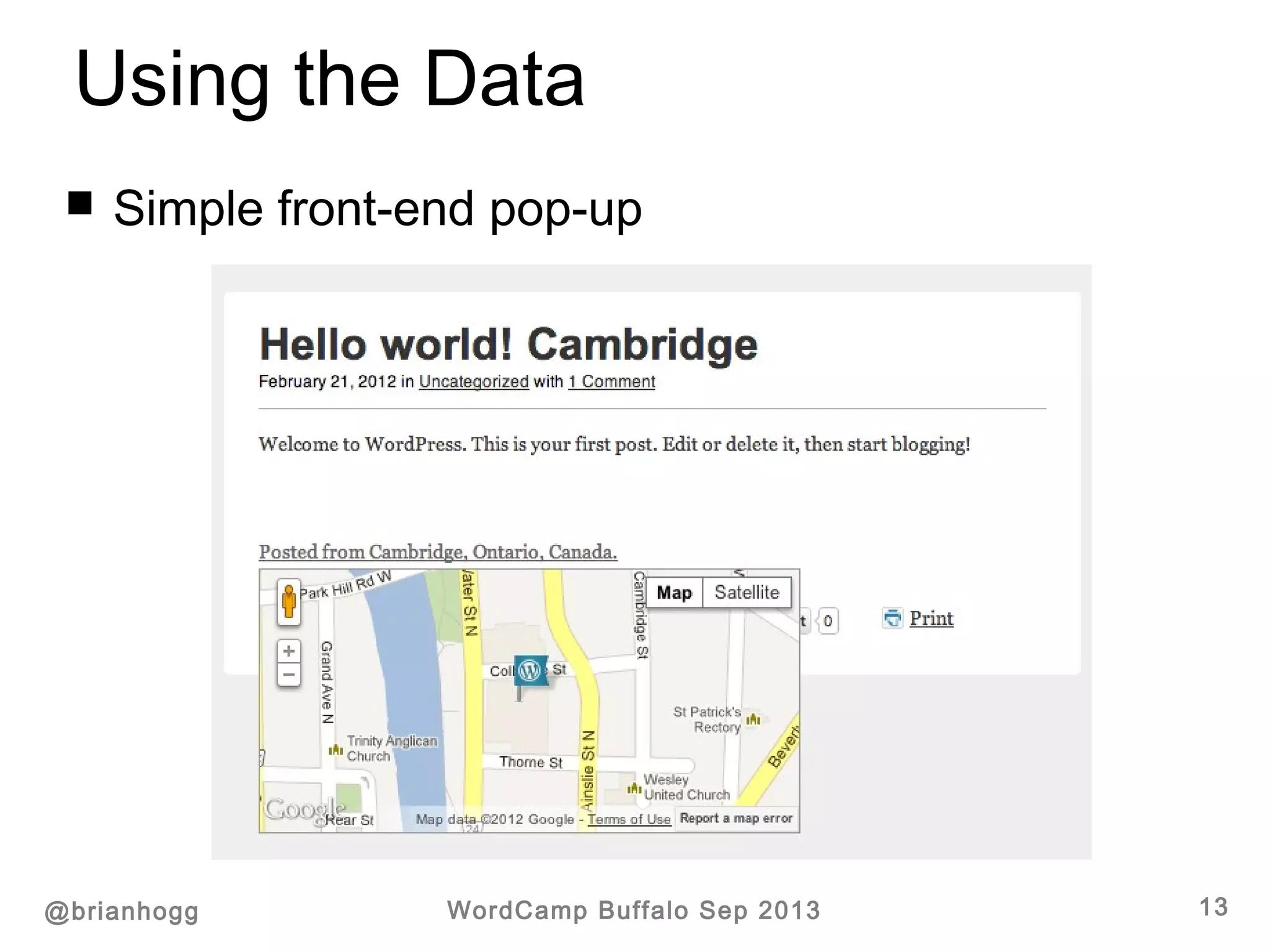
 Simple front-end pop-up
Using the Data
@brianhogg WordCamp Buffalo Sep 2013 14
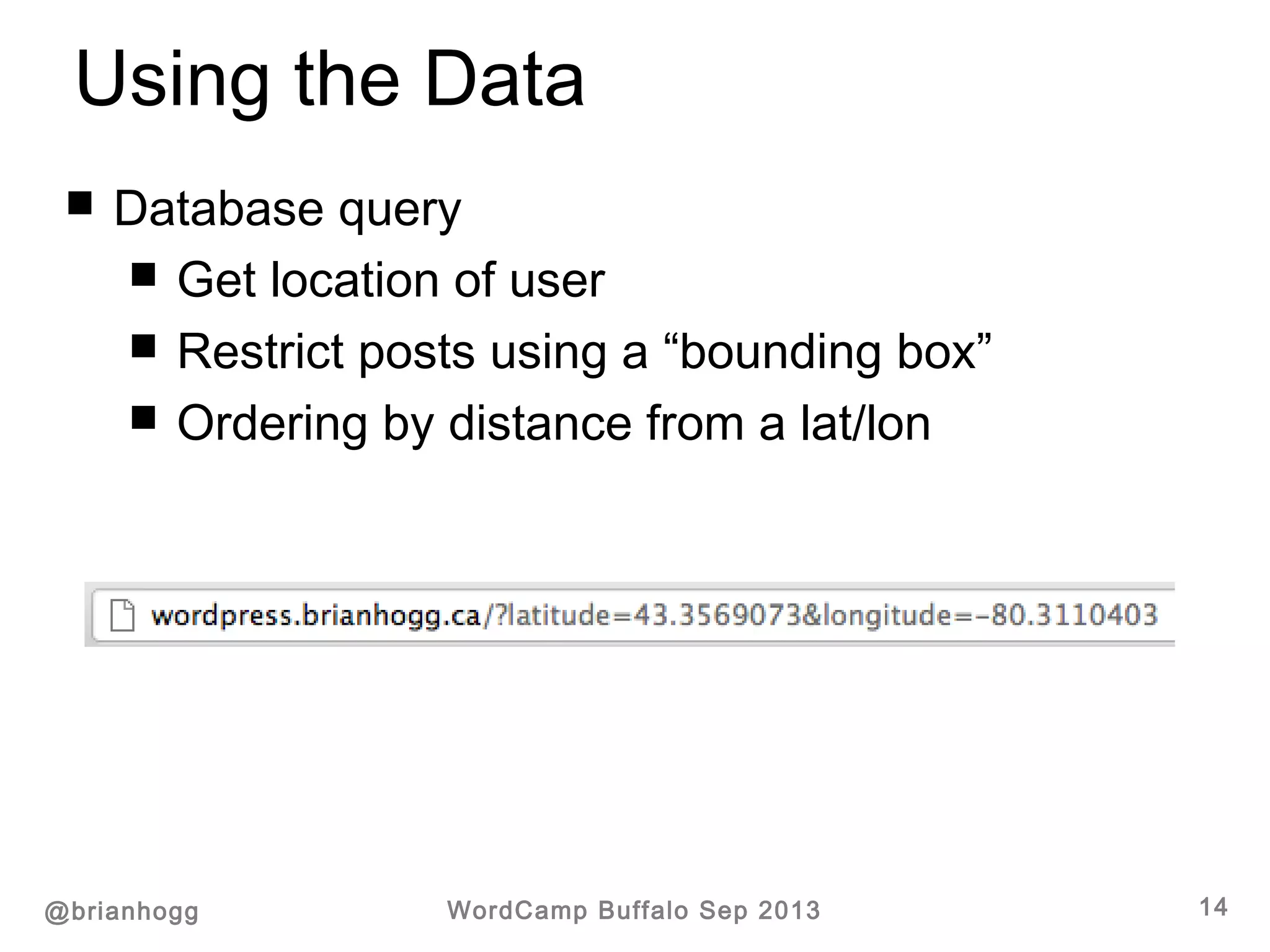
 Database query
 Get location of user
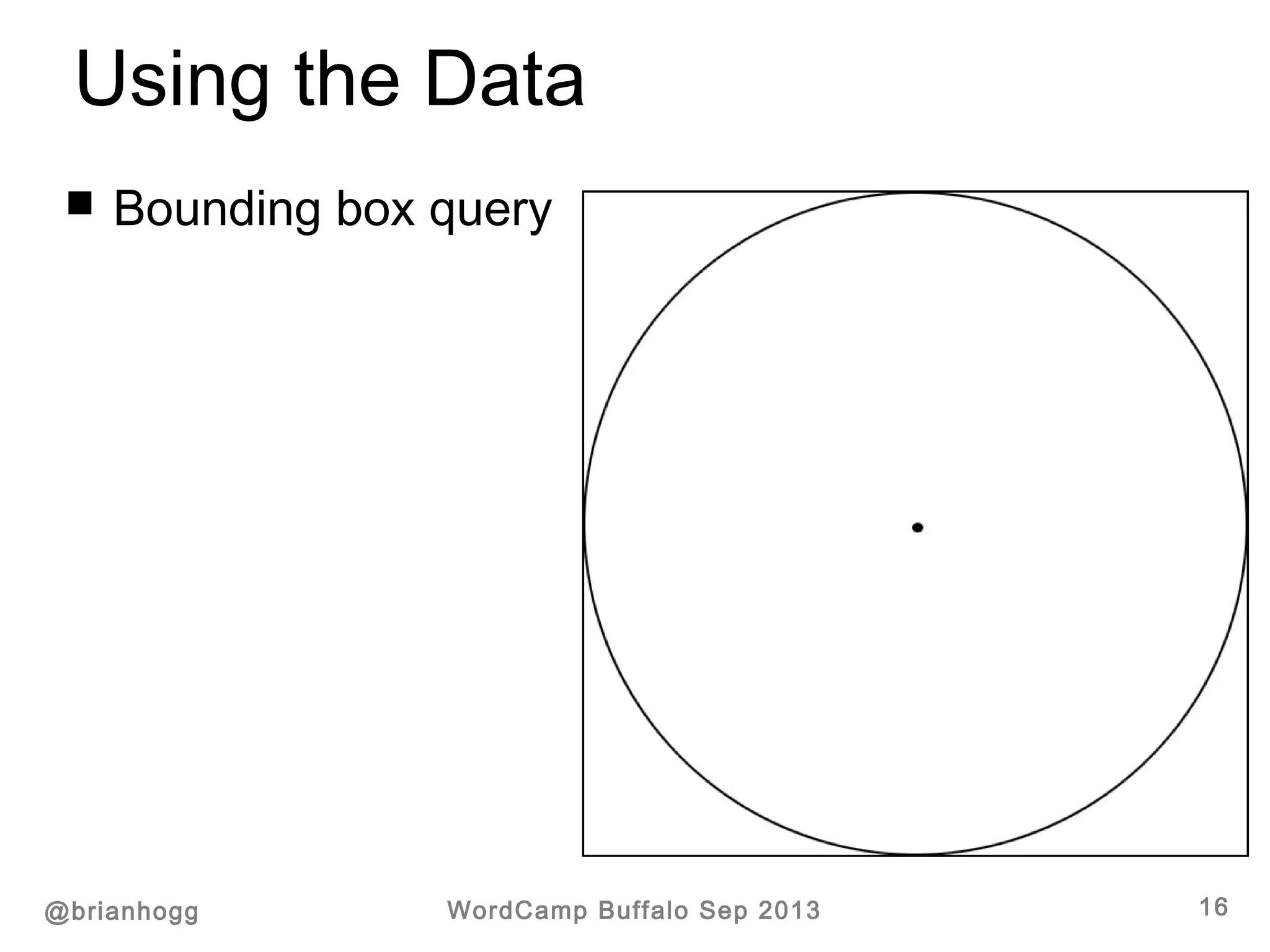
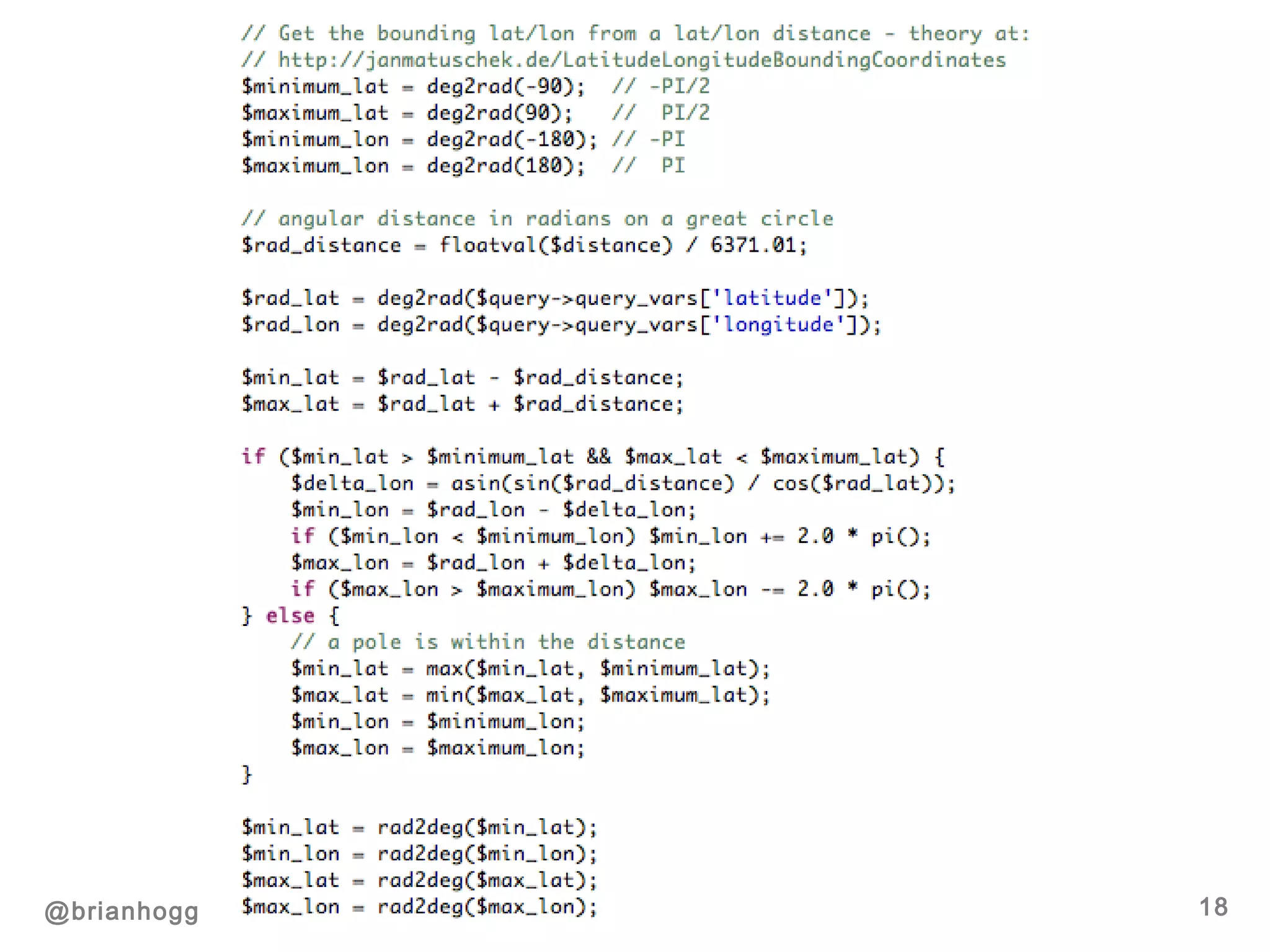
 Restrict posts using a “bounding box”
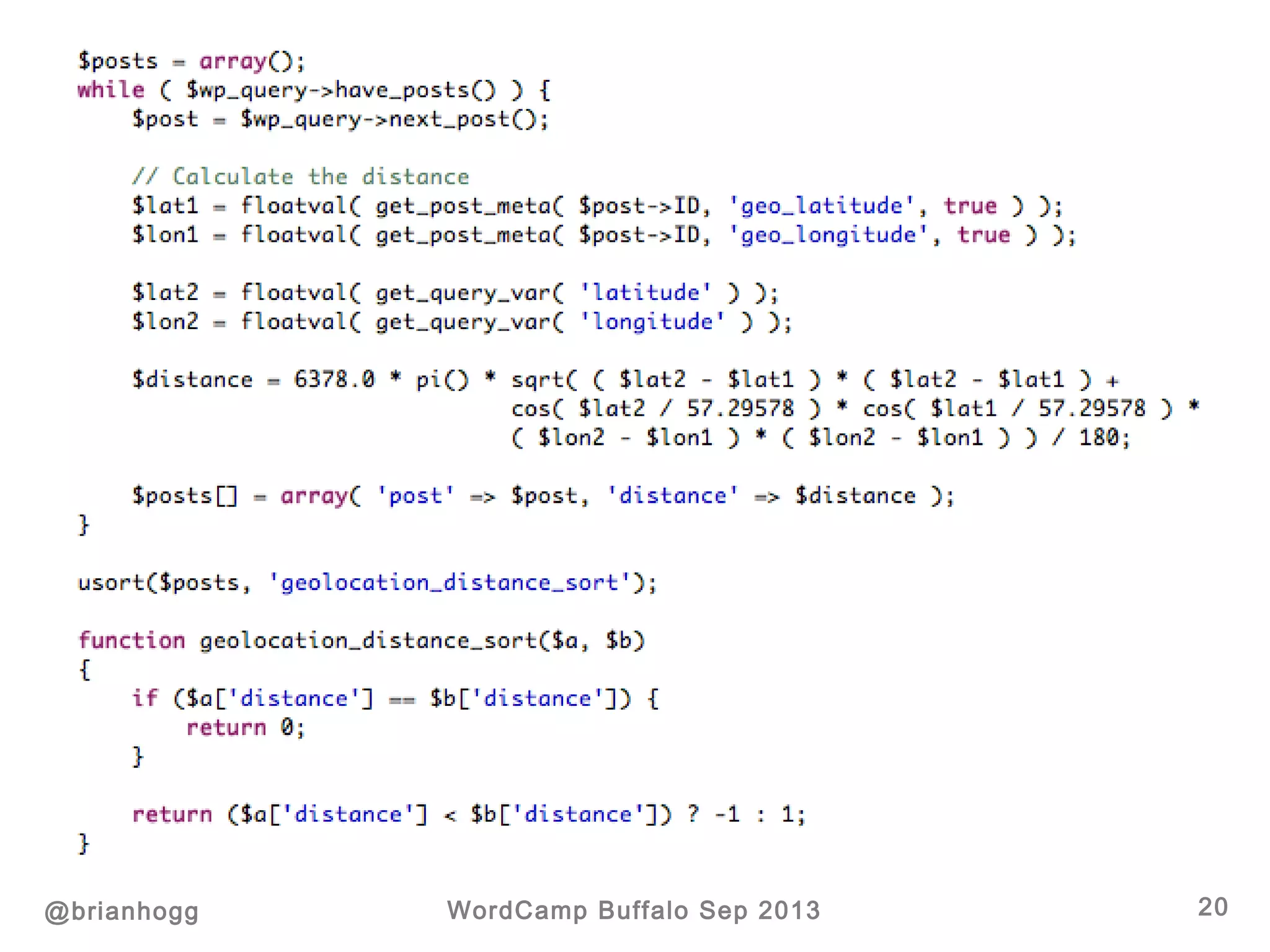
 Ordering by distance from a lat/lon
Using the Data
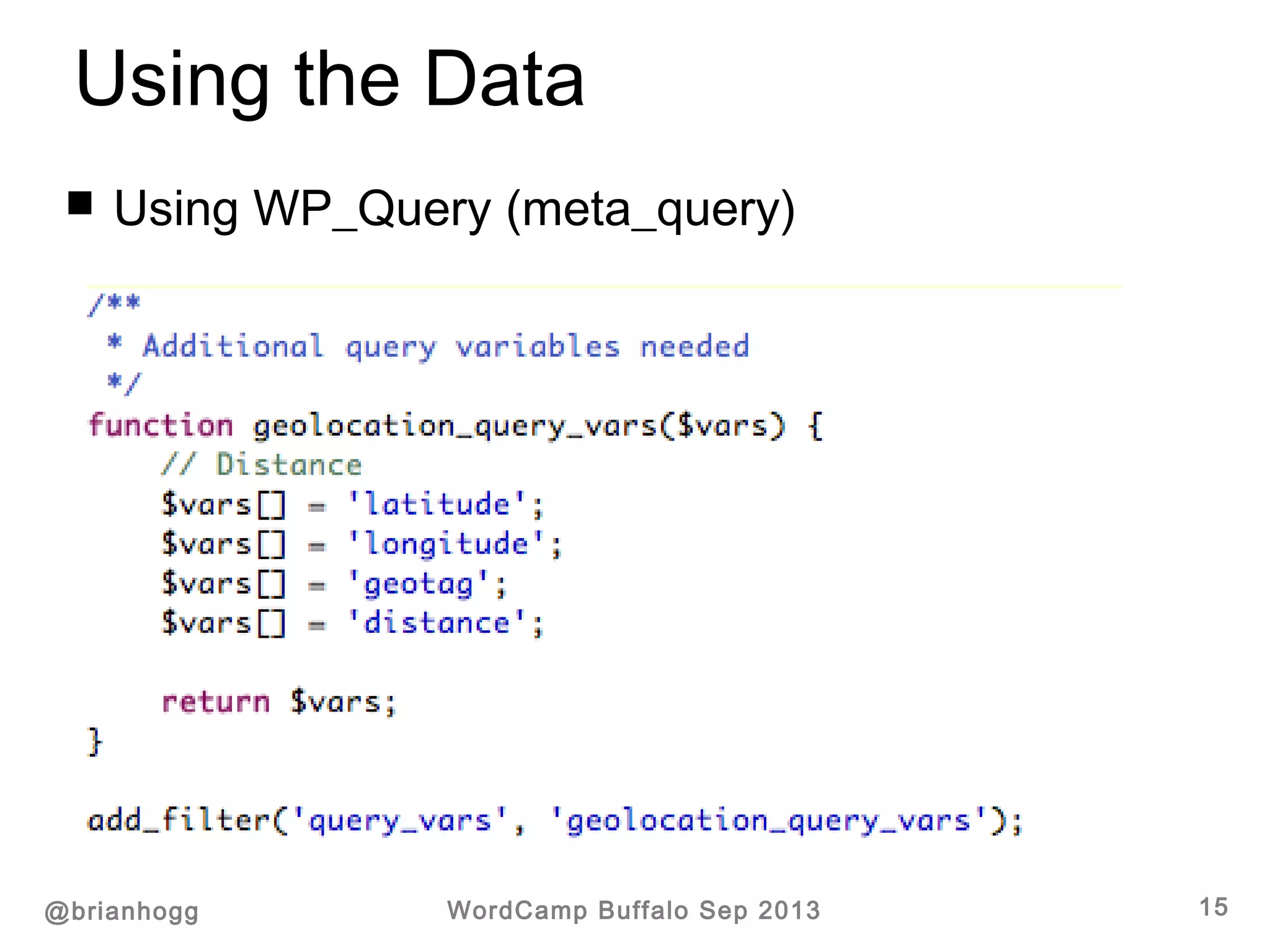
@brianhogg WordCamp Buffalo Sep 2013 15
 Using WP_Query (meta_query)
Using the Data
@brianhogg WordCamp Buffalo Sep 2013 16
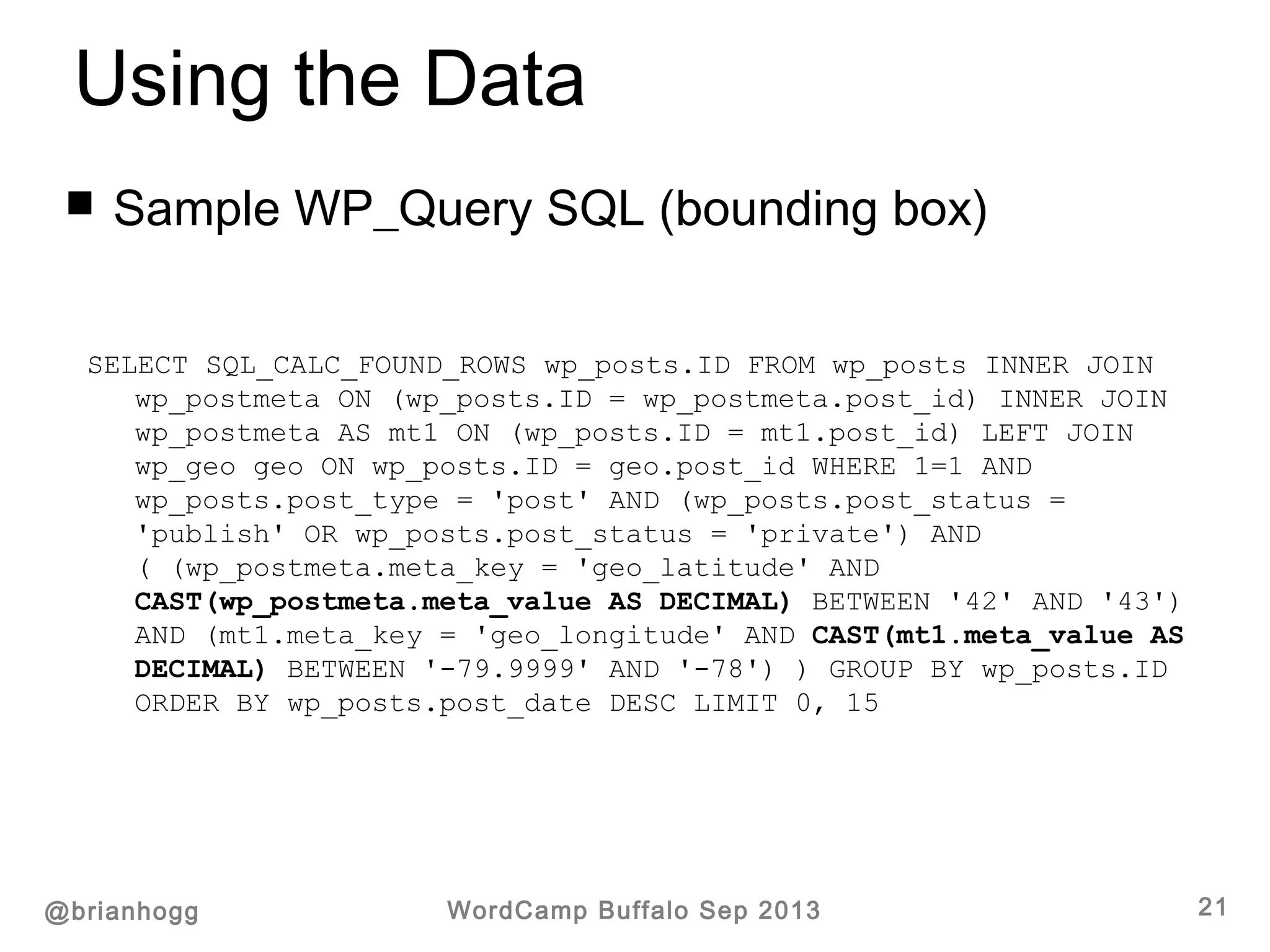
 Bounding box query
Using the Data
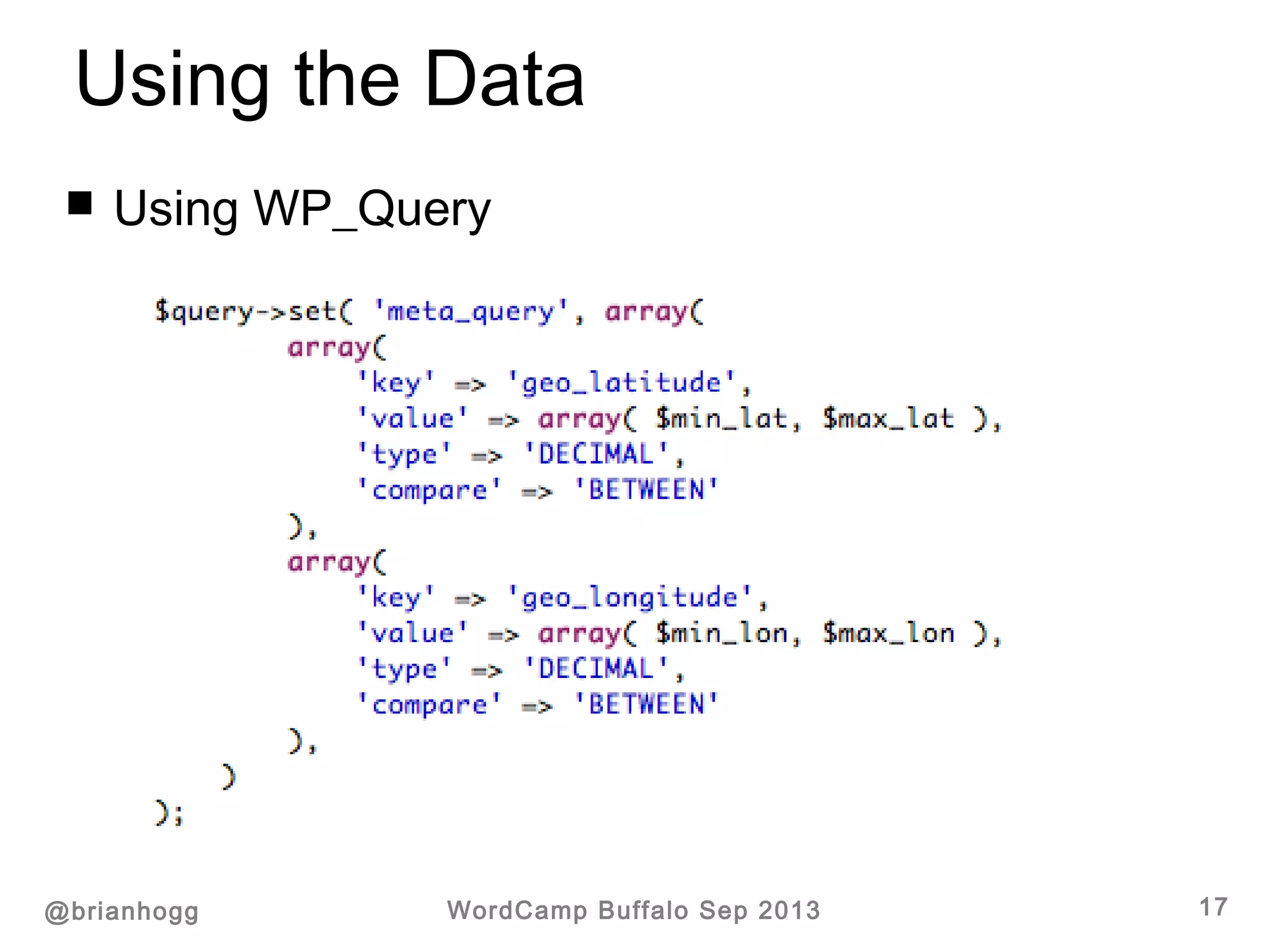
@brianhogg WordCamp Buffalo Sep 2013 17
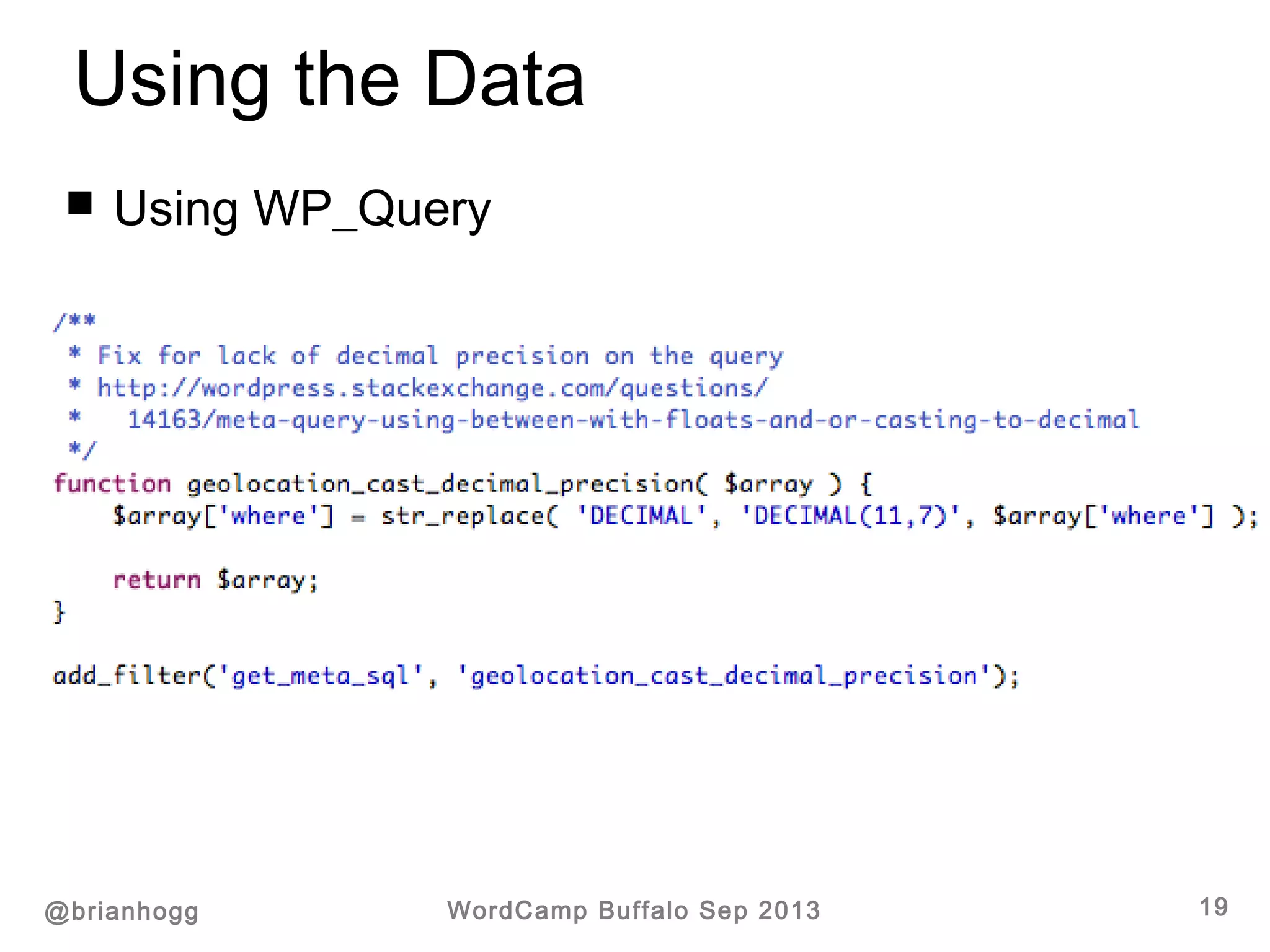
 Using WP_Query
@brianhogg WordCamp Buffalo Sep 2013 18
Using the Data
@brianhogg WordCamp Buffalo Sep 2013 19
 Using WP_Query
@brianhogg WordCamp Buffalo Sep 2013 20
Using the Data
@brianhogg WordCamp Buffalo Sep 2013 21
SELECT SQL_CALC_FOUND_ROWS wp_posts.ID FROM wp_posts INNER JOIN
wp_postmeta ON (wp_posts.ID = wp_postmeta.post_id) INNER JOIN
wp_postmeta AS mt1 ON (wp_posts.ID = mt1.post_id) LEFT JOIN
wp_geo geo ON wp_posts.ID = geo.post_id WHERE 1=1 AND
wp_posts.post_type = 'post' AND (wp_posts.post_status =
'publish' OR wp_posts.post_status = 'private') AND
( (wp_postmeta.meta_key = 'geo_latitude' AND
CAST(wp_postmeta.meta_value AS DECIMAL) BETWEEN '42' AND '43')
AND (mt1.meta_key = 'geo_longitude' AND CAST(mt1.meta_value AS
DECIMAL) BETWEEN '-79.9999' AND '-78') ) GROUP BY wp_posts.ID
ORDER BY wp_posts.post_date DESC LIMIT 0, 15
 Sample WP_Query SQL (bounding box)
Using the Data
@brianhogg WordCamp Buffalo Sep 2013 22
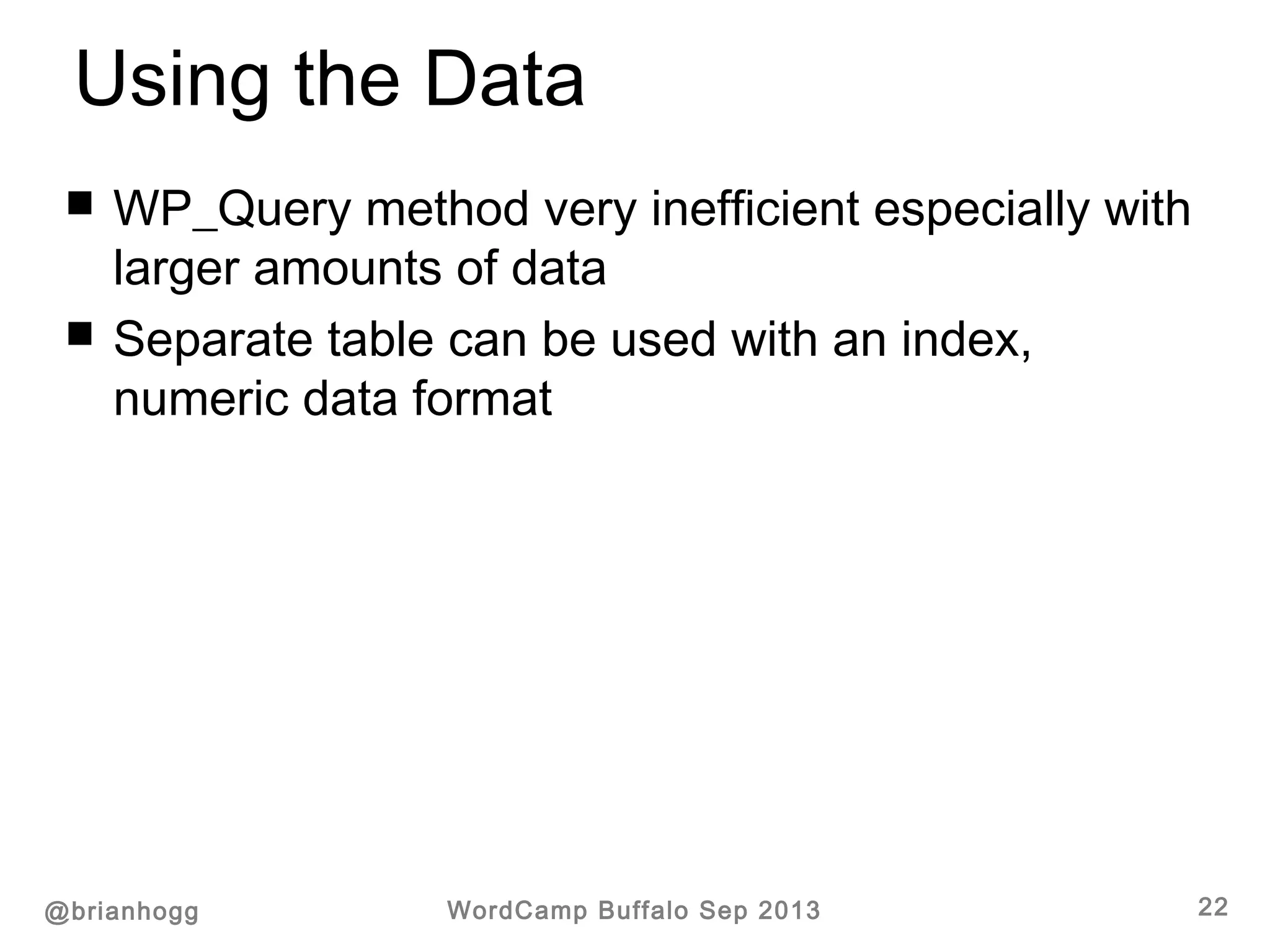
 WP_Query method very inefficient especially with
larger amounts of data
 Separate table can be used with an index,
numeric data format
Using the Data
@brianhogg WordCamp Buffalo Sep 2013 23
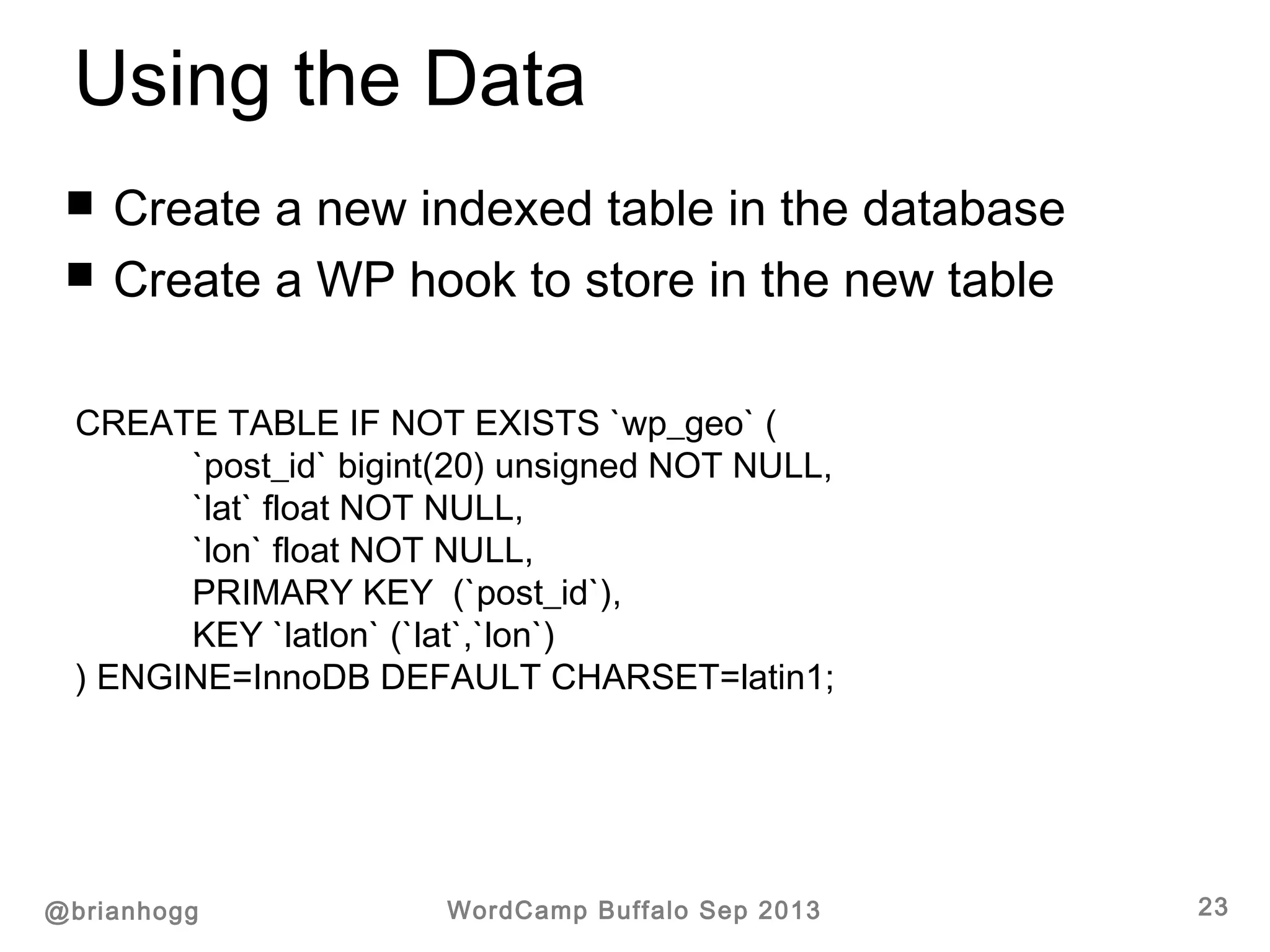
 Create a new indexed table in the database
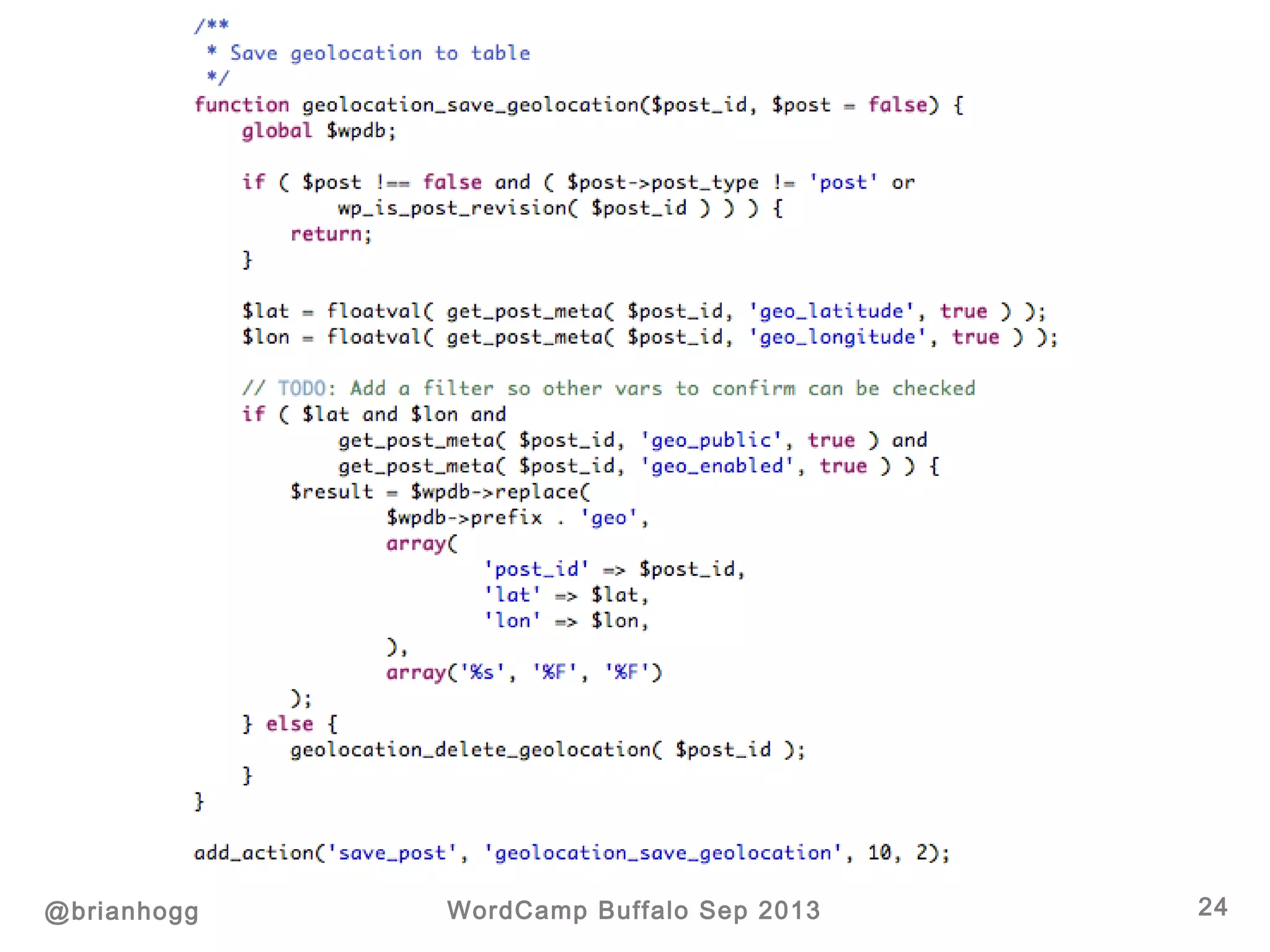
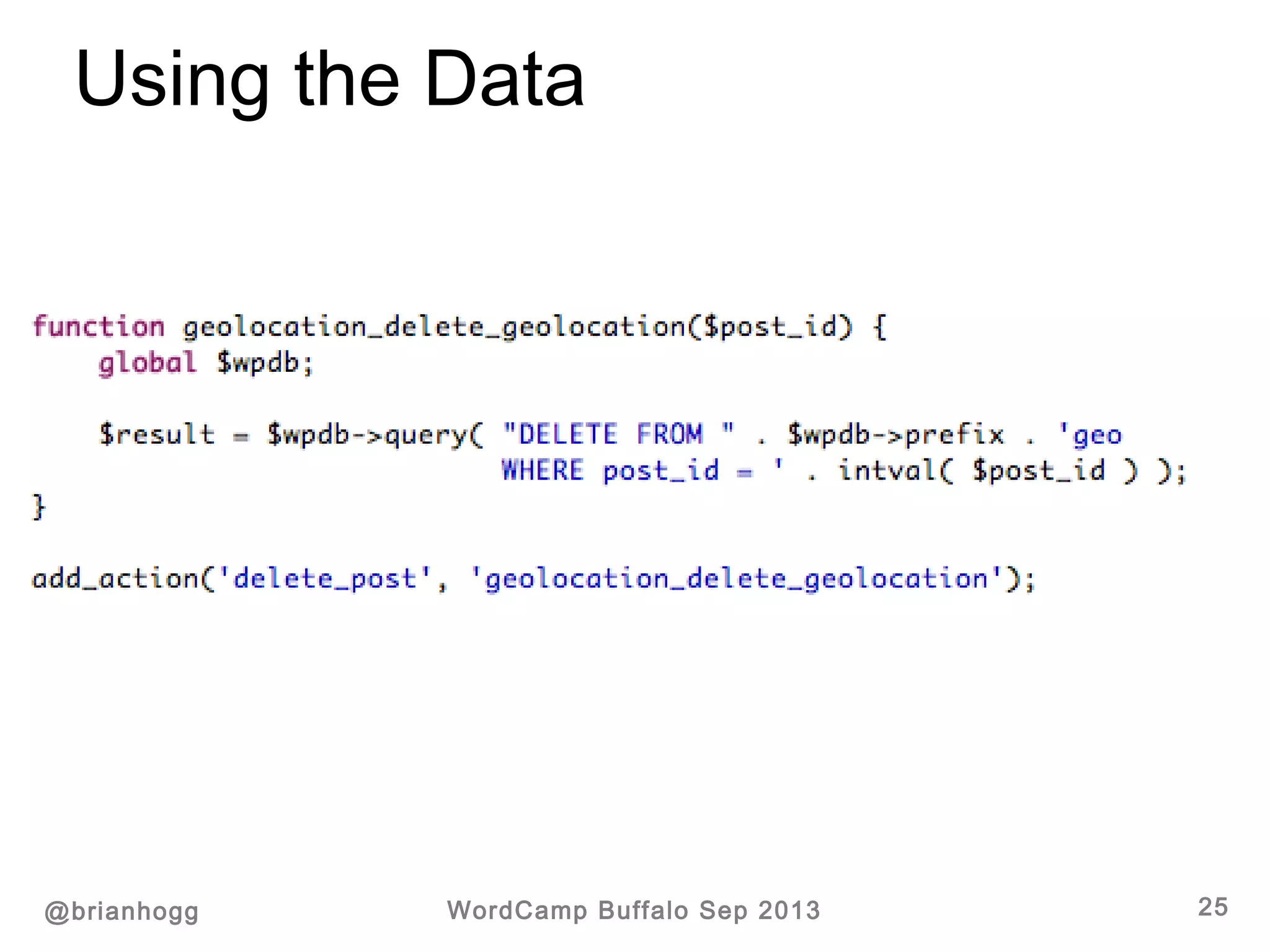
 Create a WP hook to store in the new table
CREATE TABLE IF NOT EXISTS `wp_geo` (
`post_id` bigint(20) unsigned NOT NULL,
`lat` float NOT NULL,
`lon` float NOT NULL,
PRIMARY KEY (`post_id`),
KEY `latlon` (`lat`,`lon`)
) ENGINE=InnoDB DEFAULT CHARSET=latin1;
@brianhogg WordCamp Buffalo Sep 2013 24
Using the Data
@brianhogg WordCamp Buffalo Sep 2013 25
Using the Data
@brianhogg WordCamp Buffalo Sep 2013 26
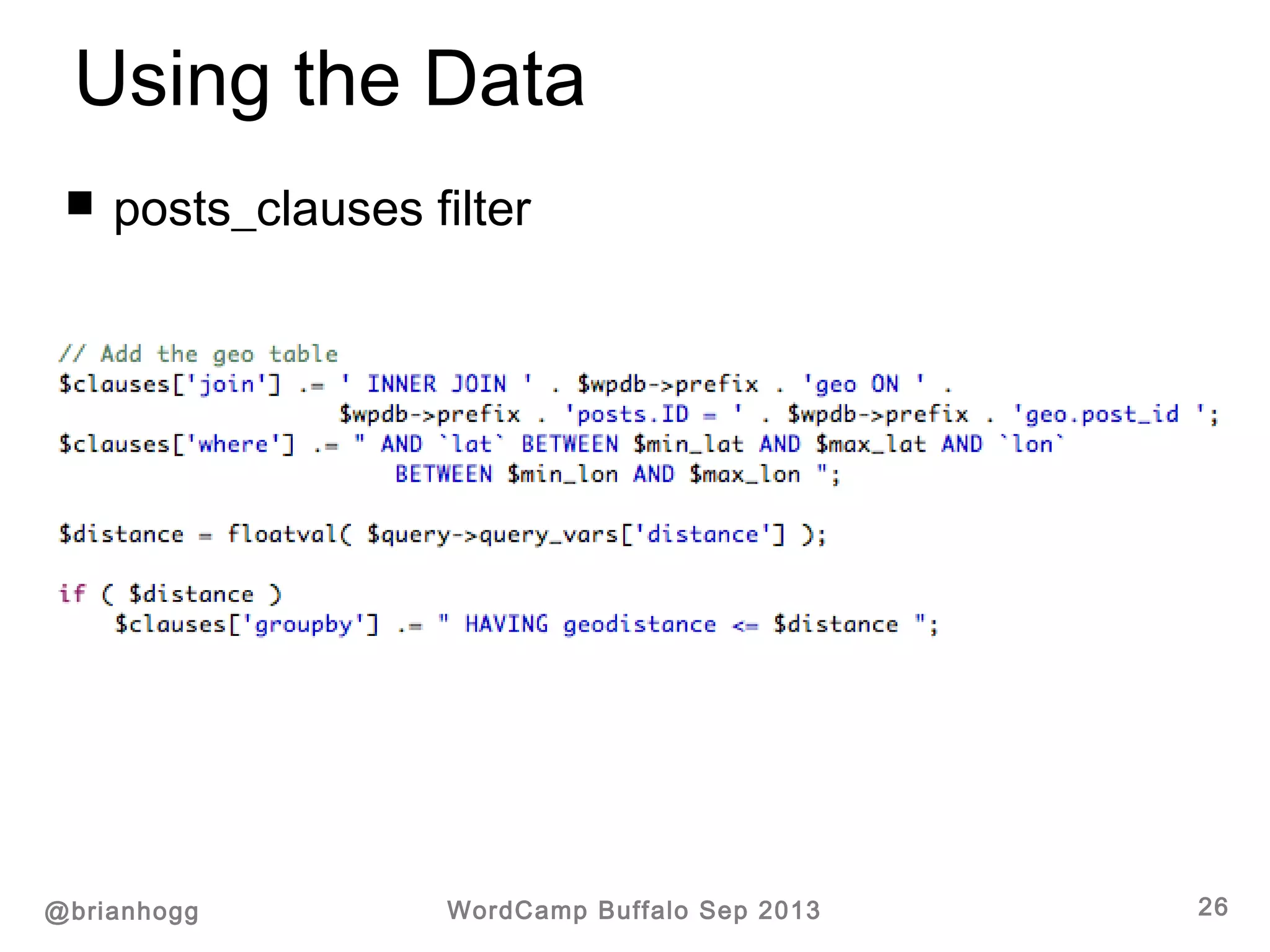
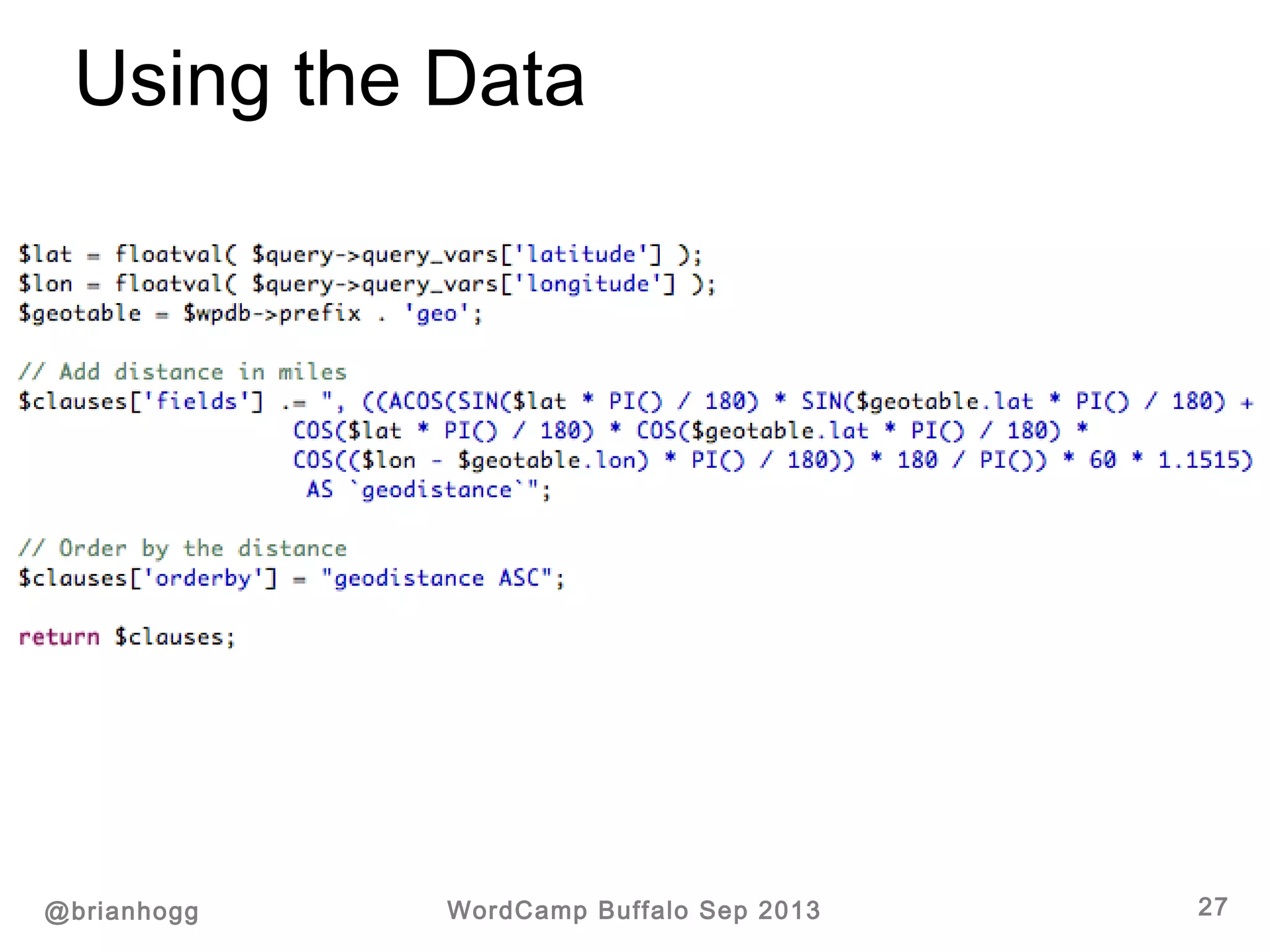
 posts_clauses filter
Using the Data
@brianhogg WordCamp Buffalo Sep 2013 27
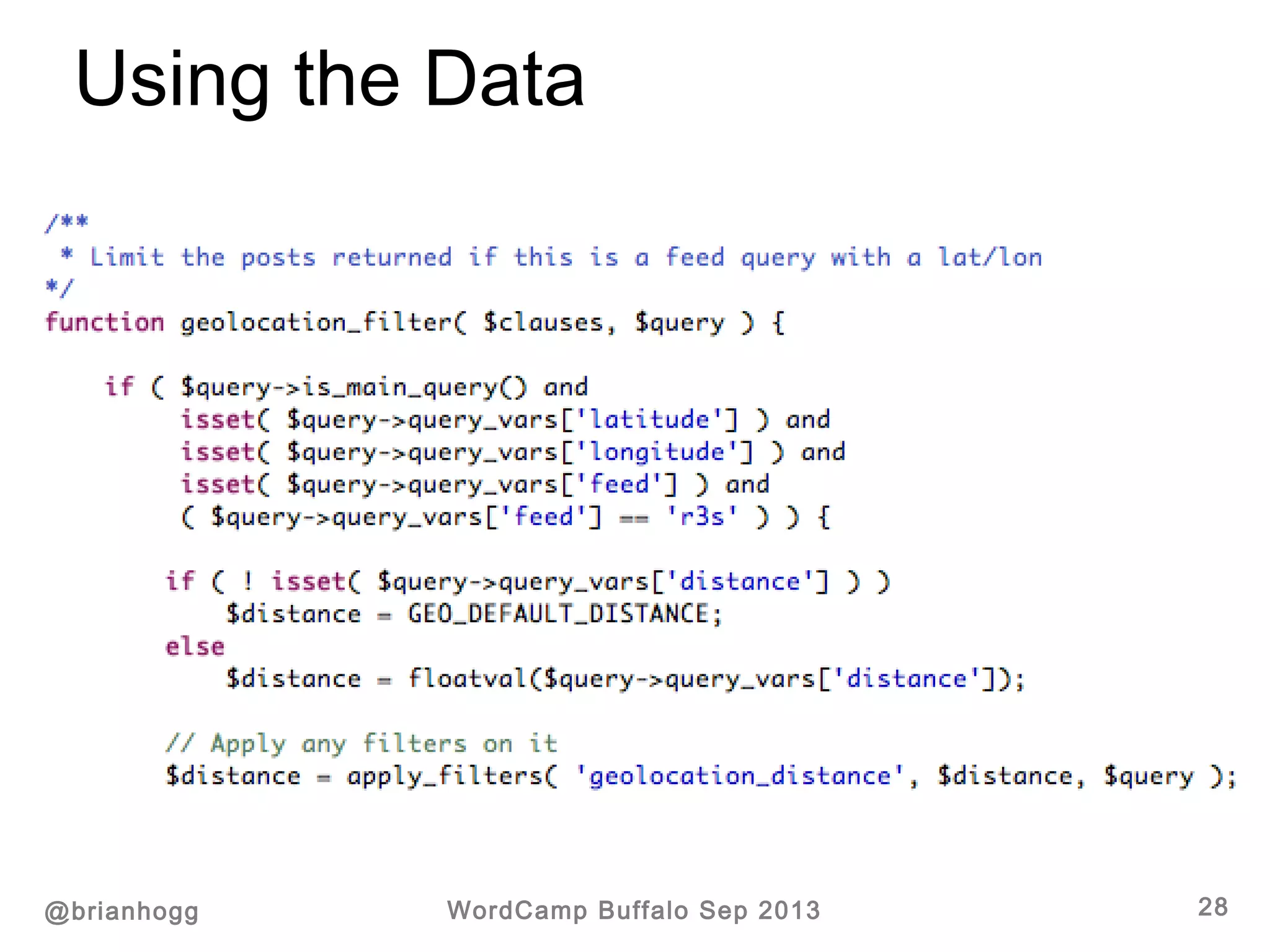
Using the Data
@brianhogg WordCamp Buffalo Sep 2013 28
Using the Data
@brianhogg WordCamp Buffalo Sep 2013 29
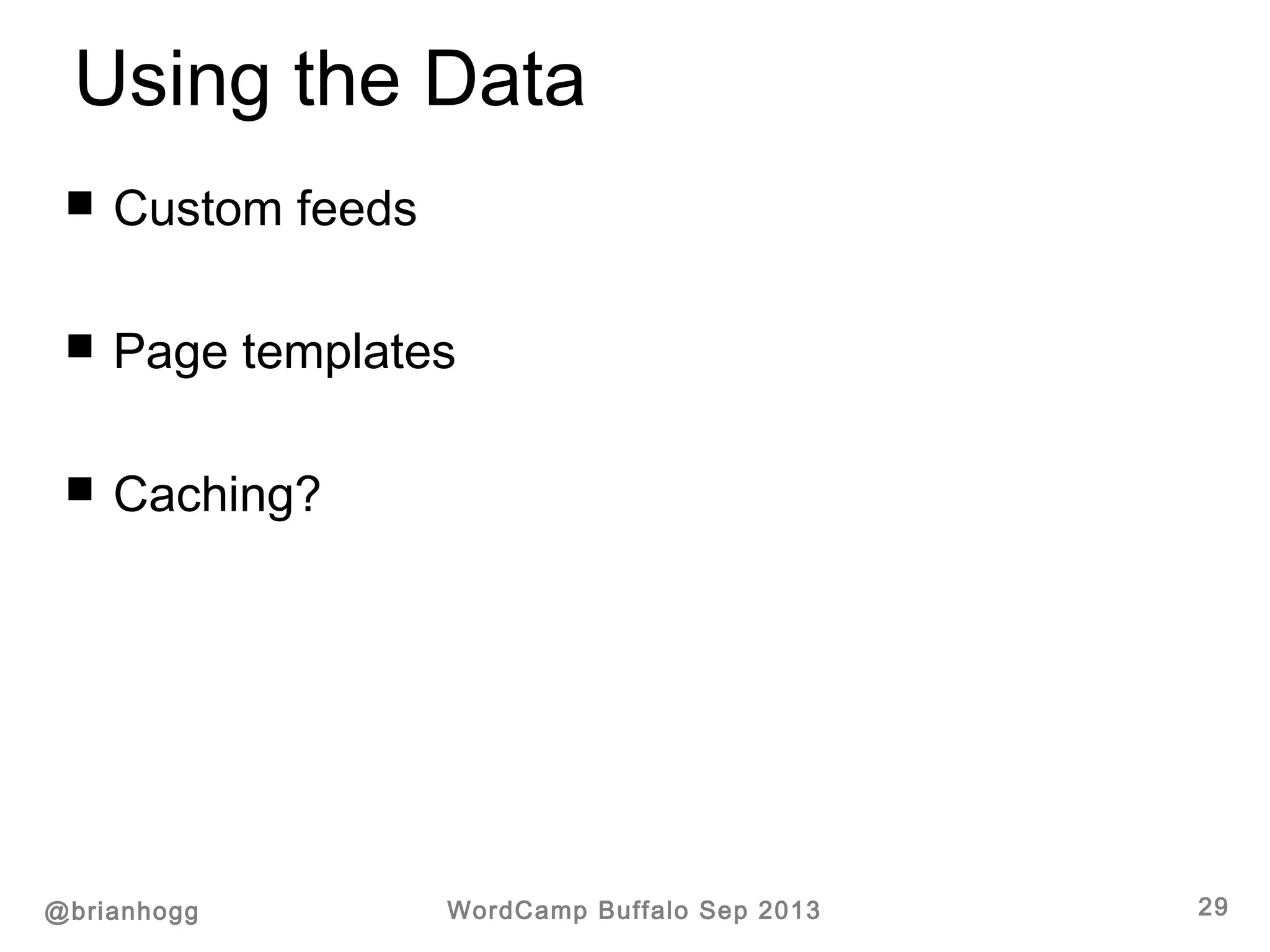
 Custom feeds
 Page templates
 Caching?
Using the Data
@brianhogg WordCamp Buffalo Sep 2013 30
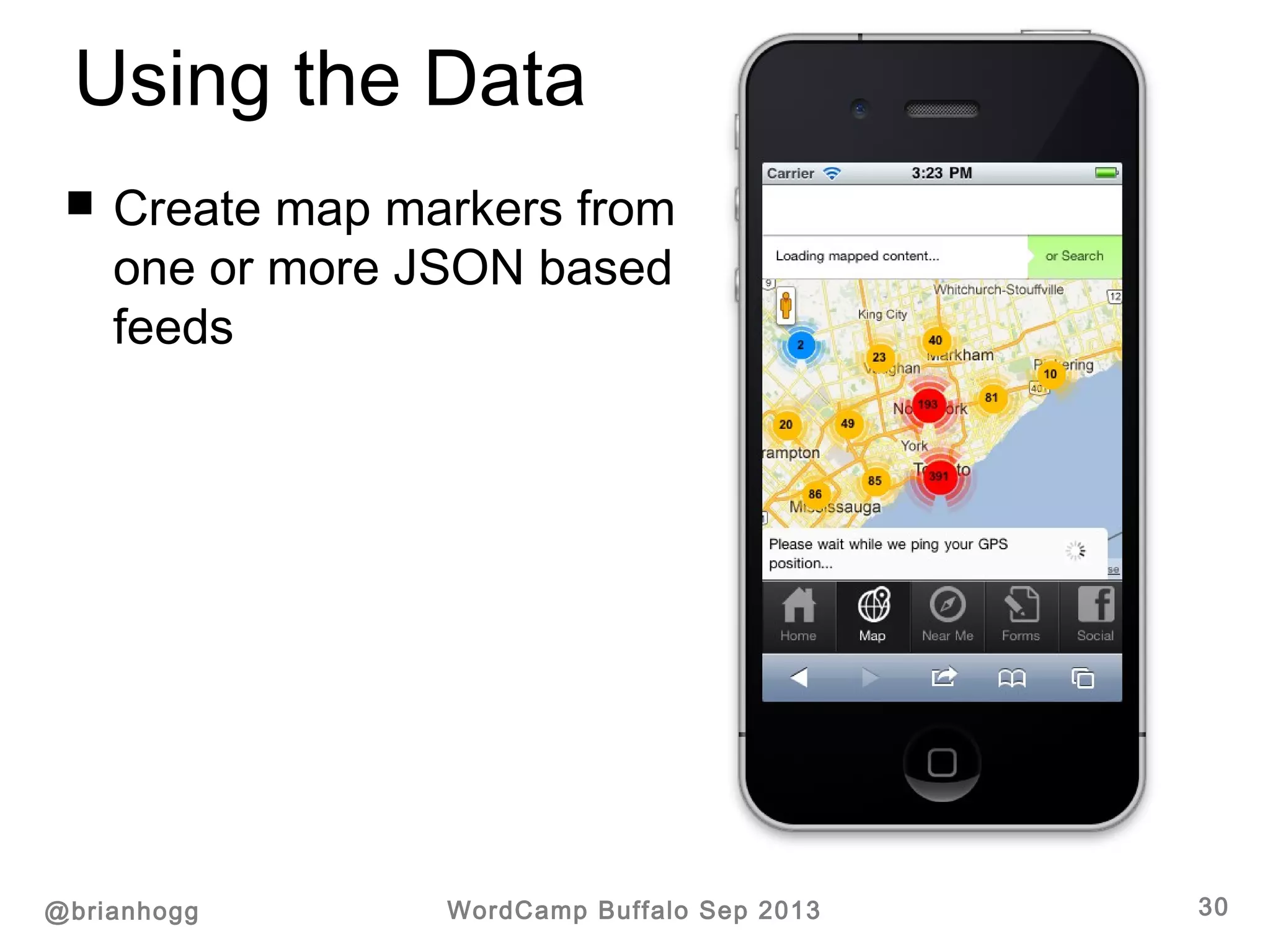
 Create map markers from
one or more JSON based
feeds
Getting Visitor Location
@brianhogg WordCamp Buffalo Sep 2013 31
 IP address (approximate)
 GPS
 Google Maps API
Getting Visitor Location
@brianhogg WordCamp Buffalo Sep 2013 32
 IP address (approximate)
 MaxMind – www.maxmind.com
 HostIP - http://www.hostip.info/use.html
 http://ipinfodb.com/ip_location_api.php
 Javascript request (navigator.geolocation)
@brianhogg WordCamp Buffalo Sep 2013 33
Resources / Contact
brian@bhconsulting.ca
@brianhogg

Working with Geolocation in Wordpress

  • 1.
    Working with Geolocationin WordPress @brianhogg http://slideshare.net/bhogg
  • 2.
    Overview @brianhogg WordCamp BuffaloSep 2013 2  Why Geolocation  Capturing the Data  Using the Data  Getting Visitor Location
  • 3.
    About Brian Hogg @brianhoggWordCamp Buffalo Sep 2013 3  Software Engineering & Management  Started and sold DrawBINGO.com  Lived in Montréal, England, now Cambridge (Ontario)  PHP/JS since 2003
  • 4.
    Why Geolocation @brianhogg WordCampBuffalo Sep 2013 4  Events blog  Recommendations  Mapping  Store locations  … anything with content + latitude/longitude
  • 5.
  • 6.
    Capturing the Data @brianhoggWordCamp Buffalo Sep 2013 6  “Official” Geolocation plugin http://wordpress.org/extend/plugins/geolocation/  WP-Geo http://wordpress.org/extend/plugins/wp-geo/ (for custom post types)  WordPress native apps  … other plugins / themes Inserting a latitude and longitude for posts.
  • 7.
    Capturing the Data @brianhoggWordCamp Buffalo Sep 2013 7
  • 8.
    Capturing the Data @brianhoggWordCamp Buffalo Sep 2013 8
  • 9.
    Capturing the Data @brianhoggWordCamp Buffalo Sep 2013 9 Inserts a latitude and longitude for each post in the post meta data. http://codex.wordpress.org/Geodata
  • 10.
    Capturing the Data @brianhoggWordCamp Buffalo Sep 2013 10  Import from CSV
  • 11.
    Capturing the Data @brianhoggWordCamp Buffalo Sep 2013 11  Translating address string to lat/lon (geocode) http://maps.googleapis.com/maps/api/geocode/xml? address=Hamilton+ON&sensor=false <geometry> <location> <lat>43.2500208</lat> <lng>-79.8660914</lng> </location> <location_type>APPROXIMATE</location_type> </geometry>
  • 12.
    Using the Data @brianhoggWordCamp Buffalo Sep 2013 12  Simple front-end pop-up  Using WP_Query (meta_query)  Hooks to store in separate, indexed table  Custom feeds  …
  • 13.
    Using the Data @brianhoggWordCamp Buffalo Sep 2013 13  Simple front-end pop-up
  • 14.
    Using the Data @brianhoggWordCamp Buffalo Sep 2013 14  Database query  Get location of user  Restrict posts using a “bounding box”  Ordering by distance from a lat/lon
  • 15.
    Using the Data @brianhoggWordCamp Buffalo Sep 2013 15  Using WP_Query (meta_query)
  • 16.
    Using the Data @brianhoggWordCamp Buffalo Sep 2013 16  Bounding box query
  • 17.
    Using the Data @brianhoggWordCamp Buffalo Sep 2013 17  Using WP_Query
  • 18.
  • 19.
    Using the Data @brianhoggWordCamp Buffalo Sep 2013 19  Using WP_Query
  • 20.
  • 21.
    Using the Data @brianhoggWordCamp Buffalo Sep 2013 21 SELECT SQL_CALC_FOUND_ROWS wp_posts.ID FROM wp_posts INNER JOIN wp_postmeta ON (wp_posts.ID = wp_postmeta.post_id) INNER JOIN wp_postmeta AS mt1 ON (wp_posts.ID = mt1.post_id) LEFT JOIN wp_geo geo ON wp_posts.ID = geo.post_id WHERE 1=1 AND wp_posts.post_type = 'post' AND (wp_posts.post_status = 'publish' OR wp_posts.post_status = 'private') AND ( (wp_postmeta.meta_key = 'geo_latitude' AND CAST(wp_postmeta.meta_value AS DECIMAL) BETWEEN '42' AND '43') AND (mt1.meta_key = 'geo_longitude' AND CAST(mt1.meta_value AS DECIMAL) BETWEEN '-79.9999' AND '-78') ) GROUP BY wp_posts.ID ORDER BY wp_posts.post_date DESC LIMIT 0, 15  Sample WP_Query SQL (bounding box)
  • 22.
    Using the Data @brianhoggWordCamp Buffalo Sep 2013 22  WP_Query method very inefficient especially with larger amounts of data  Separate table can be used with an index, numeric data format
  • 23.
    Using the Data @brianhoggWordCamp Buffalo Sep 2013 23  Create a new indexed table in the database  Create a WP hook to store in the new table CREATE TABLE IF NOT EXISTS `wp_geo` ( `post_id` bigint(20) unsigned NOT NULL, `lat` float NOT NULL, `lon` float NOT NULL, PRIMARY KEY (`post_id`), KEY `latlon` (`lat`,`lon`) ) ENGINE=InnoDB DEFAULT CHARSET=latin1;
  • 24.
  • 25.
    Using the Data @brianhoggWordCamp Buffalo Sep 2013 25
  • 26.
    Using the Data @brianhoggWordCamp Buffalo Sep 2013 26  posts_clauses filter
  • 27.
    Using the Data @brianhoggWordCamp Buffalo Sep 2013 27
  • 28.
    Using the Data @brianhoggWordCamp Buffalo Sep 2013 28
  • 29.
    Using the Data @brianhoggWordCamp Buffalo Sep 2013 29  Custom feeds  Page templates  Caching?
  • 30.
    Using the Data @brianhoggWordCamp Buffalo Sep 2013 30  Create map markers from one or more JSON based feeds
  • 31.
    Getting Visitor Location @brianhoggWordCamp Buffalo Sep 2013 31  IP address (approximate)  GPS  Google Maps API
  • 32.
    Getting Visitor Location @brianhoggWordCamp Buffalo Sep 2013 32  IP address (approximate)  MaxMind – www.maxmind.com  HostIP - http://www.hostip.info/use.html  http://ipinfodb.com/ip_location_api.php  Javascript request (navigator.geolocation)
  • 33.
    @brianhogg WordCamp BuffaloSep 2013 33 Resources / Contact brian@bhconsulting.ca @brianhogg

Editor's Notes

  • #3 Not really the mapping side, but storing and using the data and making it easy for end-user to maintain… can talk after
  • #4 … but relatively new to Wordpress
  • #12 There are limits to how many times you can call this per day, API key, etc
  • #18 pre_get_posts
  • #19 URL of theory there (Java code example) – “GREAT CIRCLE” approximation/projection -- Any mistakes? Let me know 
  • #21 Template tag or something.. -- IF ALREADY HAVE POSTS - Problem with sorting on PHP side – 1000’s of records, getting just one page? Have to sort all of them each time --- especially if no distance.
  • #24 Create a hook on activation of the plugin, and to import existing post meta values… 2) can drop on deactivation, too
  • #25 Other conditions to save geolocation can add… Assumes post meta data is already saved, works alright if only using the WP UI, otherwise need to use updated_post_meta
  • #27 Don’t have to add the WHERE necessarily – and COULD just use $wpdb and a custom query depending on where you’ll be using the data
  • #28 LIMIT and other clauses stay the same, so integrates into existing site / feed
  • #29 Could do something as simple as an is_admin() check --- return $clauses !!! If this is FALSE (Mo)
  • #30 CUSTOM FEED “CACHING” – clear your browser! /// Google Maps API, Open Street Map (open source alternative)
  • #31 Don’t even necessarily need a front-end website – easy way for clients to maintain the geographic data (WP posts)
  • #34 Geo data store --- one meta key, but gives the idea