Making Symfony shine 
with Varnish
Making Symfony shine with Varnish 
About me 
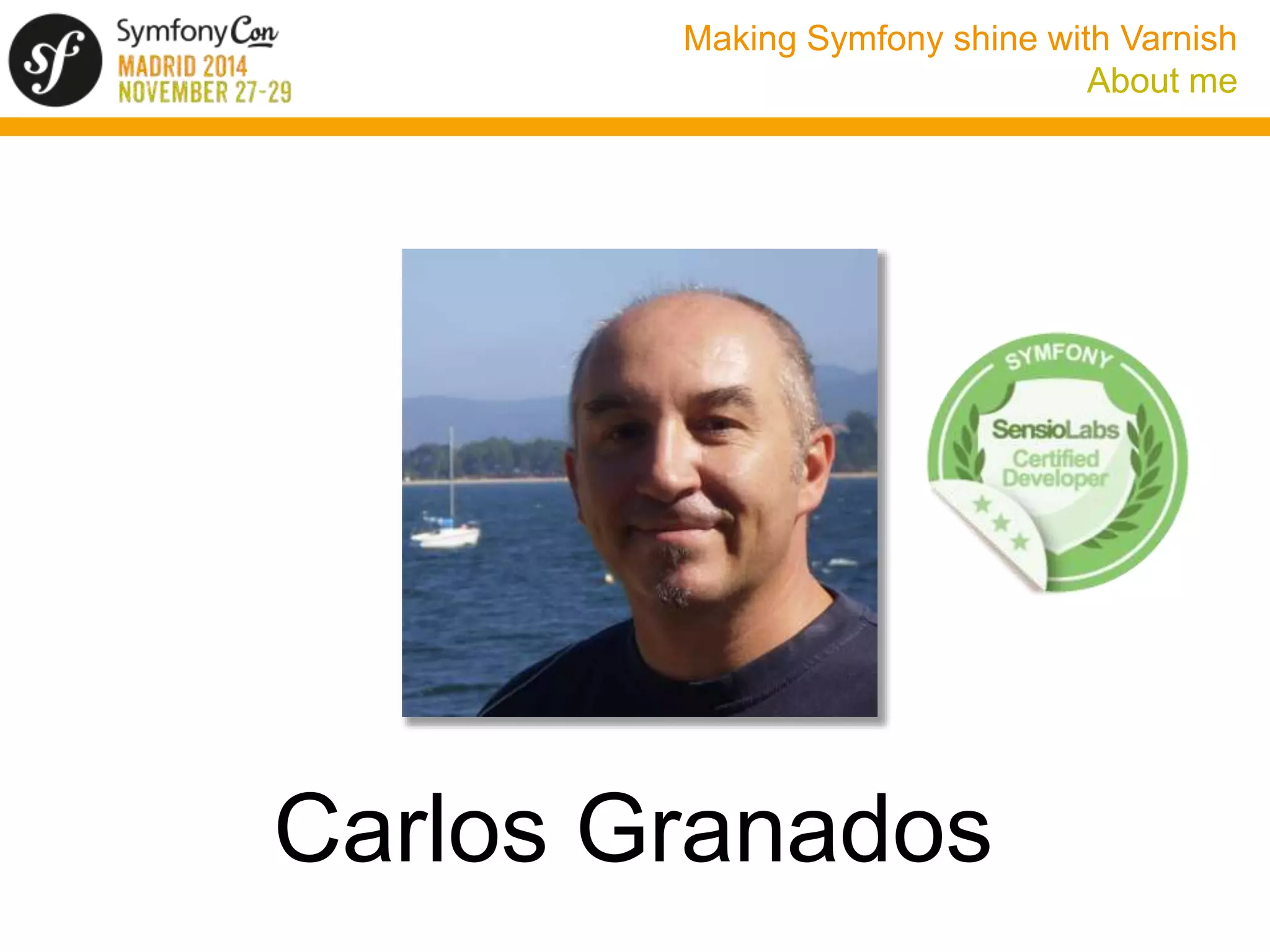
Carlos Granados
Making Symfony shine with Varnish 
About me
Making Symfony shine with Varnish 
Do we need a cache accelerator? 
• Symfony is FAST considering all the features it provides 
• See my talk in last year’s deSymfony conference in Madrid (in 
Spanish): 
http://www.desymfony.com/ponencia/2013/porque-symfony2- 
es-rapido
Making Symfony shine with Varnish 
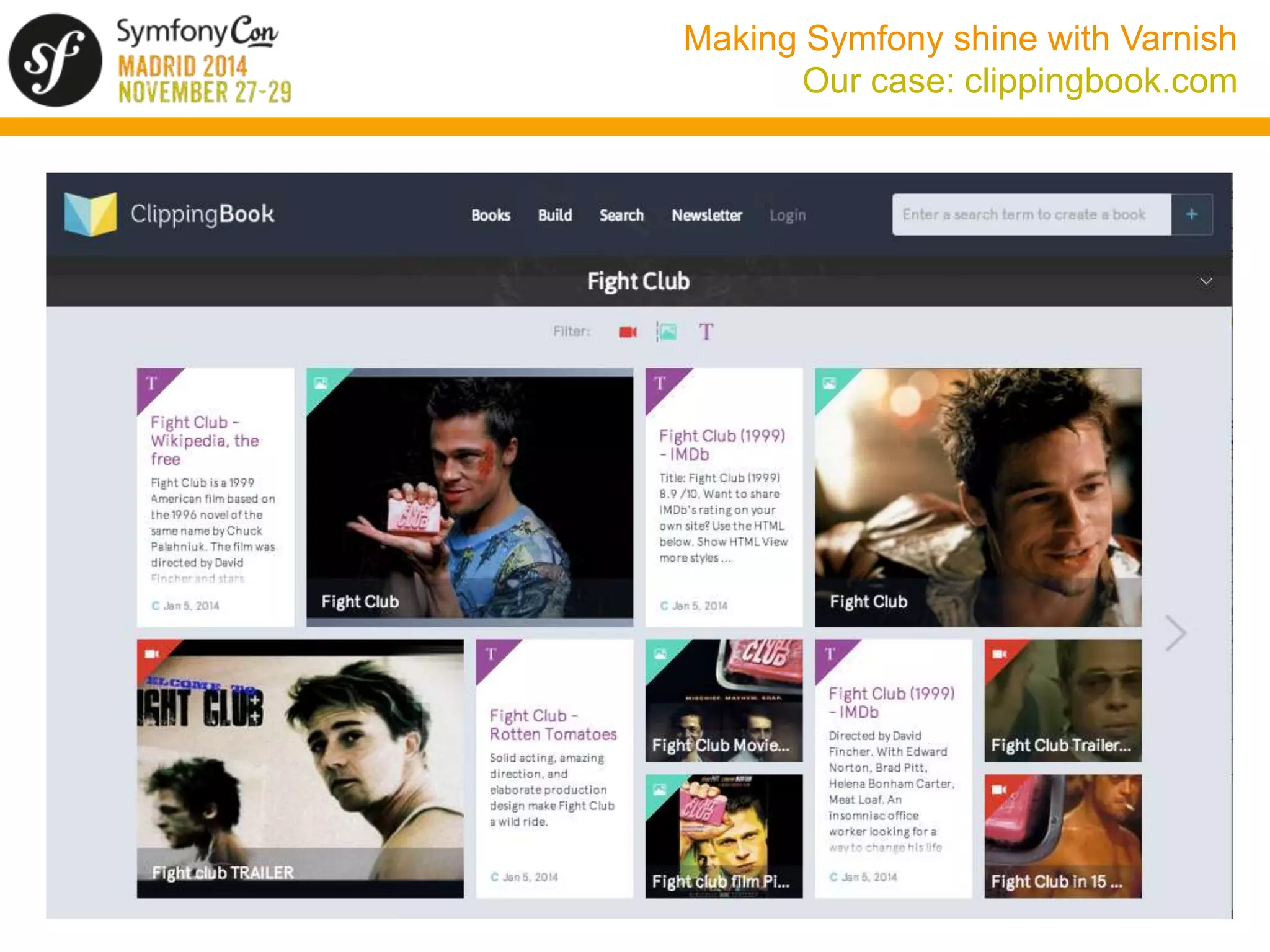
Our case: clippingbook.com
Making Symfony shine with Varnish 
Our case: clippingbook.com 
• We were able to handle 100 req/sec 
• But this was not enough to handle our load, specially when 
doing Facebook promotions 
• We chose Symfony because of its lower costs of development 
and manteinance, not for its performance 
• We do not want to renounce to any Symfony features (ORM, 
Twig templates, ...) 
• We could have scaled vertically or horizontally but chose to 
implement a caching strategy first
Making Symfony shine with Varnish 
The solution: Varnish 
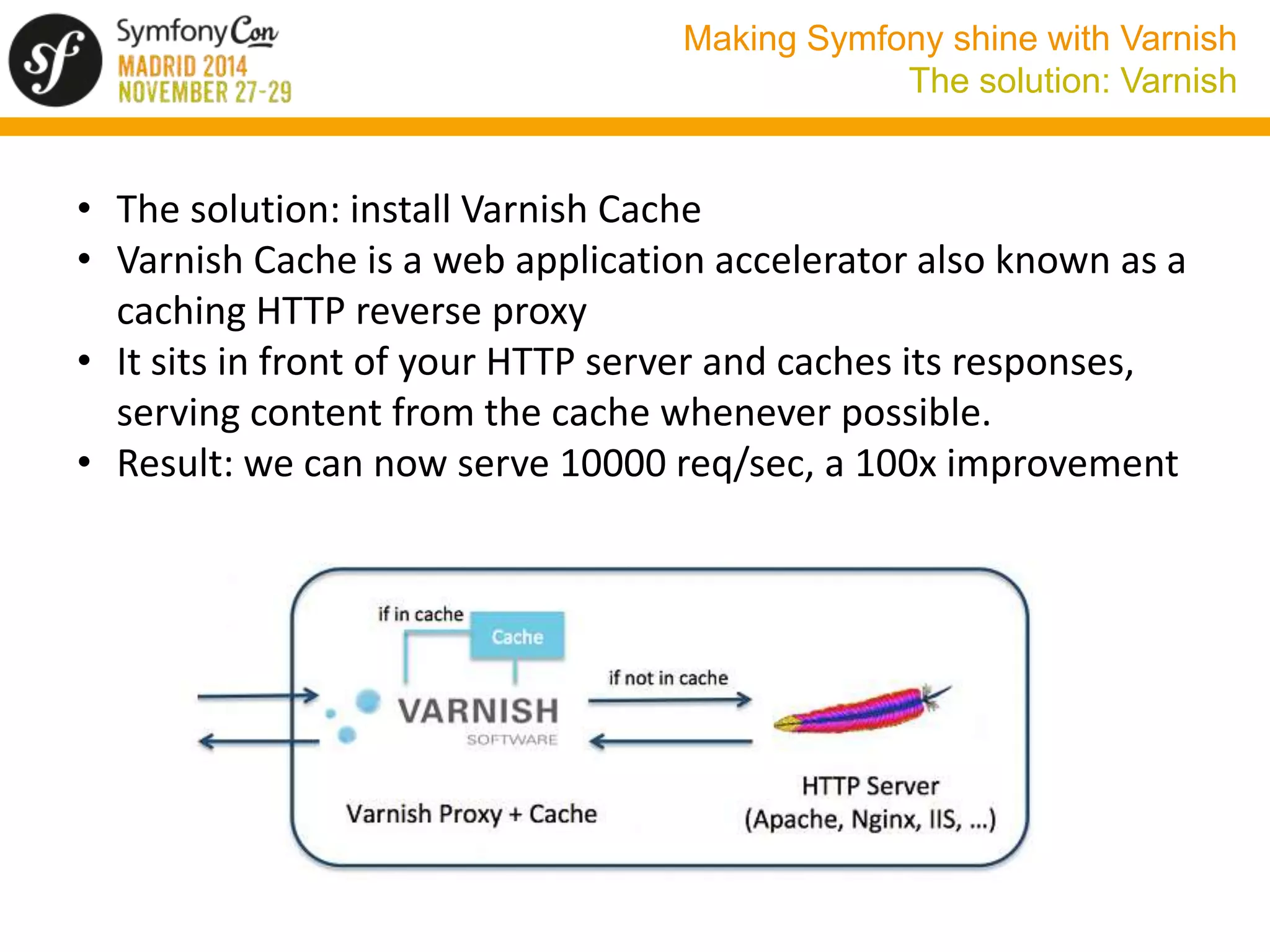
• The solution: install Varnish Cache 
• Varnish Cache is a web application accelerator also known as a 
caching HTTP reverse proxy 
• It sits in front of your HTTP server and caches its responses, 
serving content from the cache whenever possible. 
• Result: we can now serve 10000 req/sec, a 100x improvement
Making Symfony shine with Varnish 
What we will not cover 
• How HTTP caching works. For more information see: 
http://tools.ietf.org/pdf/rfc2616.pdf (HTTP 1.1 specification, see 
section 13 for caching) 
http://symfony.com/doc/current/book/http_cache.html (HTTP 
caching chapter in the Symfony Book) 
• Basic Varnish installation and configuration. See Fabien’s talk: 
http://www.desymfony.com/ponencia/2012/varnish
Making Symfony shine with Varnish 
What we will cover 
• Why Varnish 
• Quick overview of Varnish configuration 
• Varnish 4. What’s new 
• Using Varnish with Symfony: 
• Backends 
• URL normalization 
• Cookies and sessions 
• Internacionalization 
• Serving content for different devices 
• Defining caching headers 
• Cache invalidation 
• Cache validation 
• Edge Side Includes (ESI)
Making Symfony shine with Varnish 
Why Varnish? 
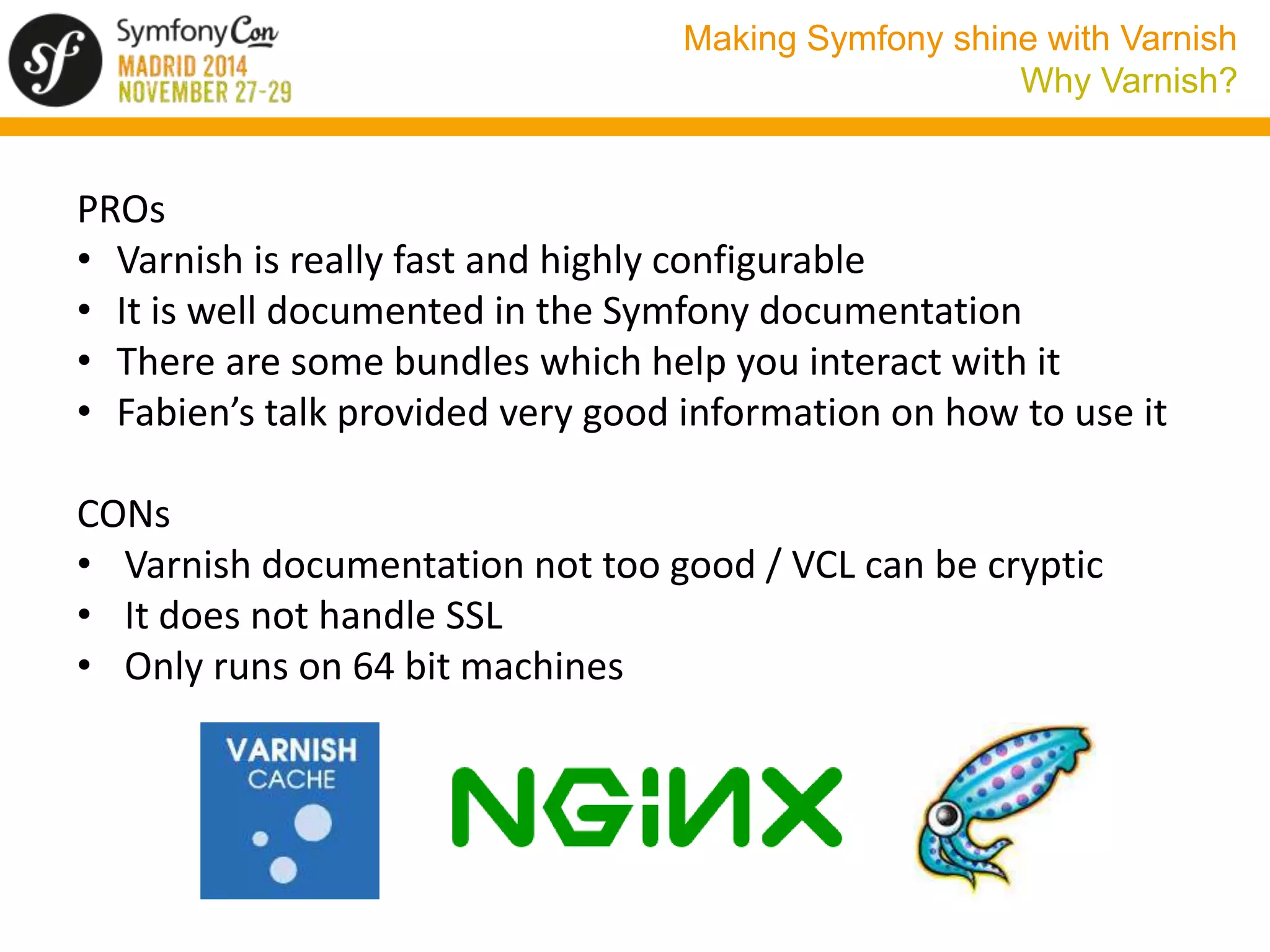
PROs 
• Varnish is really fast and highly configurable 
• It is well documented in the Symfony documentation 
• There are some bundles which help you interact with it 
• Fabien’s talk provided very good information on how to use it 
CONs 
• Varnish documentation not too good / VCL can be cryptic 
• It does not handle SSL 
• Only runs on 64 bit machines
Making Symfony shine with Varnish 
Varnish configuration overview 
• Varnish uses VCL, a DSL similar to C or Perl 
• Configuration saved to a file, usually /etc/varnish/default.vcl 
• Translated into C, compiled and linked => fast 
• Uses a number of subroutines which are called at specific times 
during the handling of the request. For example vcl_recv 
• These functions return a value which defines the next action that 
the system will take. For example fetch 
• There is a default VCL code for each function which is executed if 
no value is returned 
• We have some objects which represent the request (req), the 
response (resp), the backend request (bereq), the backend 
response (beresp) and the object in the cache (obj) 
sub vcl_miss { 
return (fetch); 
}
Making Symfony shine with Varnish 
Request flow
Making Symfony shine with Varnish 
Request flow 
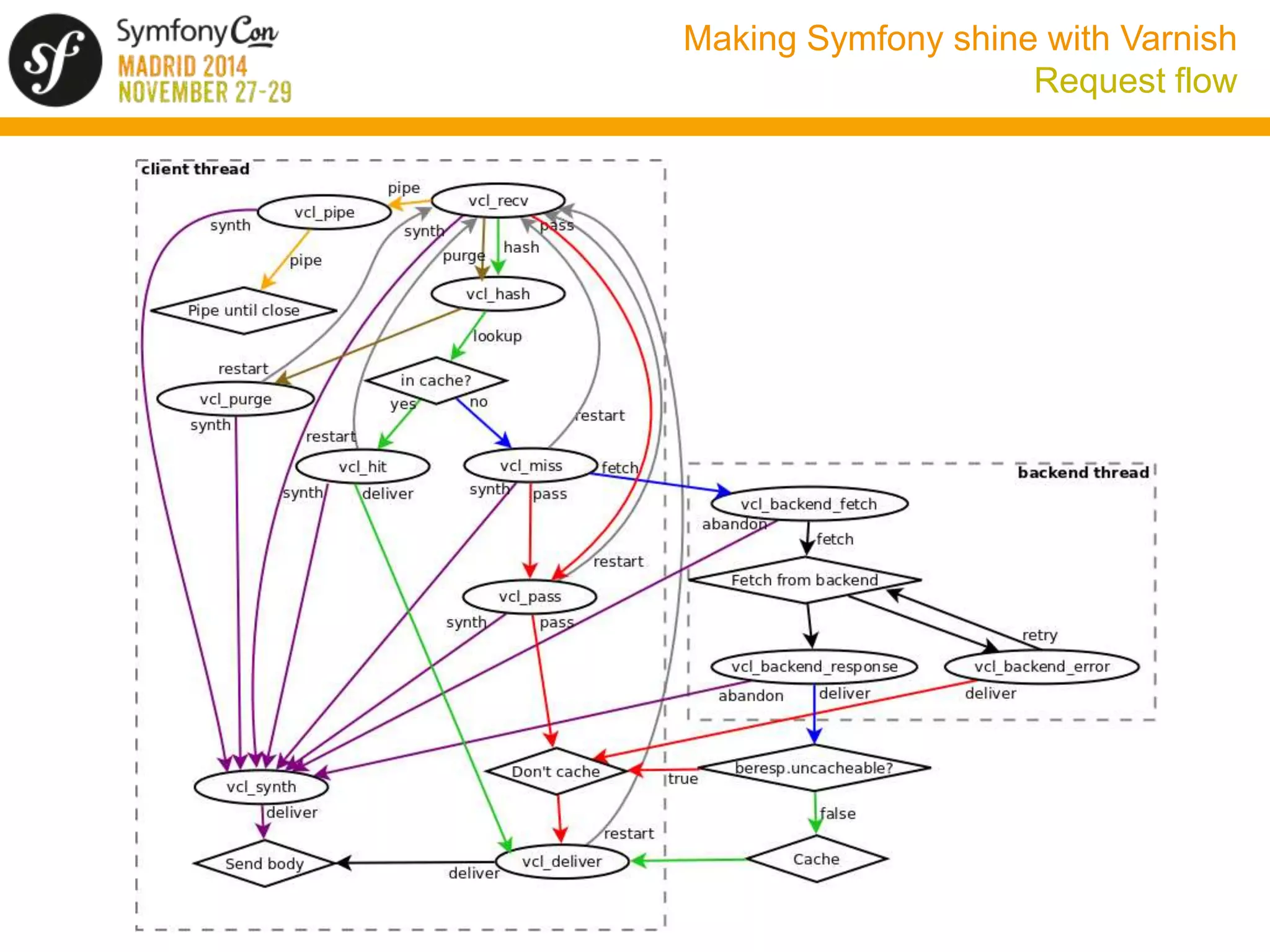
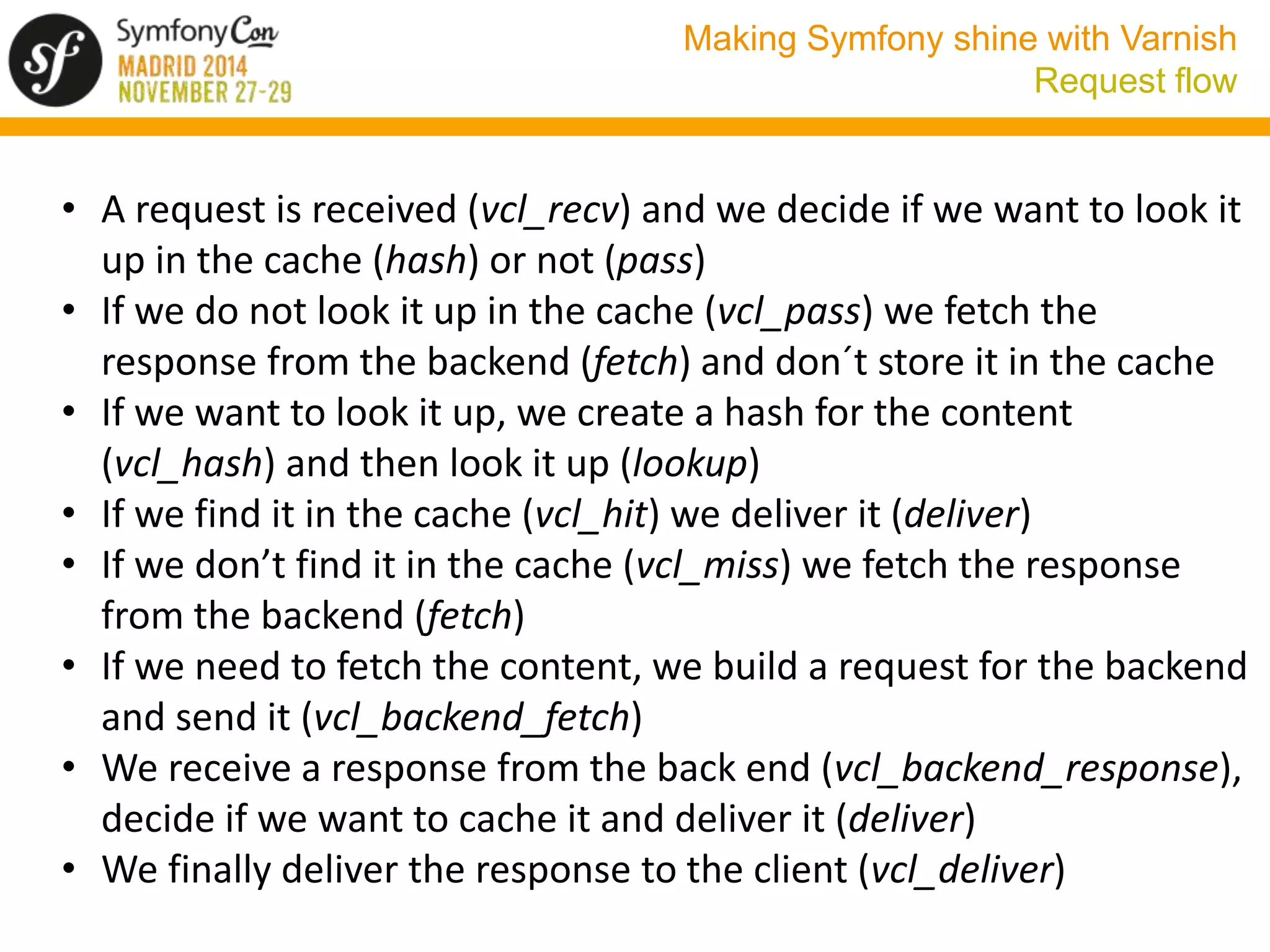
• A request is received (vcl_recv) and we decide if we want to look it 
up in the cache (hash) or not (pass) 
• If we do not look it up in the cache (vcl_pass) we fetch the 
response from the backend (fetch) and don´t store it in the cache 
• If we want to look it up, we create a hash for the content 
(vcl_hash) and then look it up (lookup) 
• If we find it in the cache (vcl_hit) we deliver it (deliver) 
• If we don’t find it in the cache (vcl_miss) we fetch the response 
from the backend (fetch) 
• If we need to fetch the content, we build a request for the backend 
and send it (vcl_backend_fetch) 
• We receive a response from the back end (vcl_backend_response), 
decide if we want to cache it and deliver it (deliver) 
• We finally deliver the response to the client (vcl_deliver)
Making Symfony shine with Varnish 
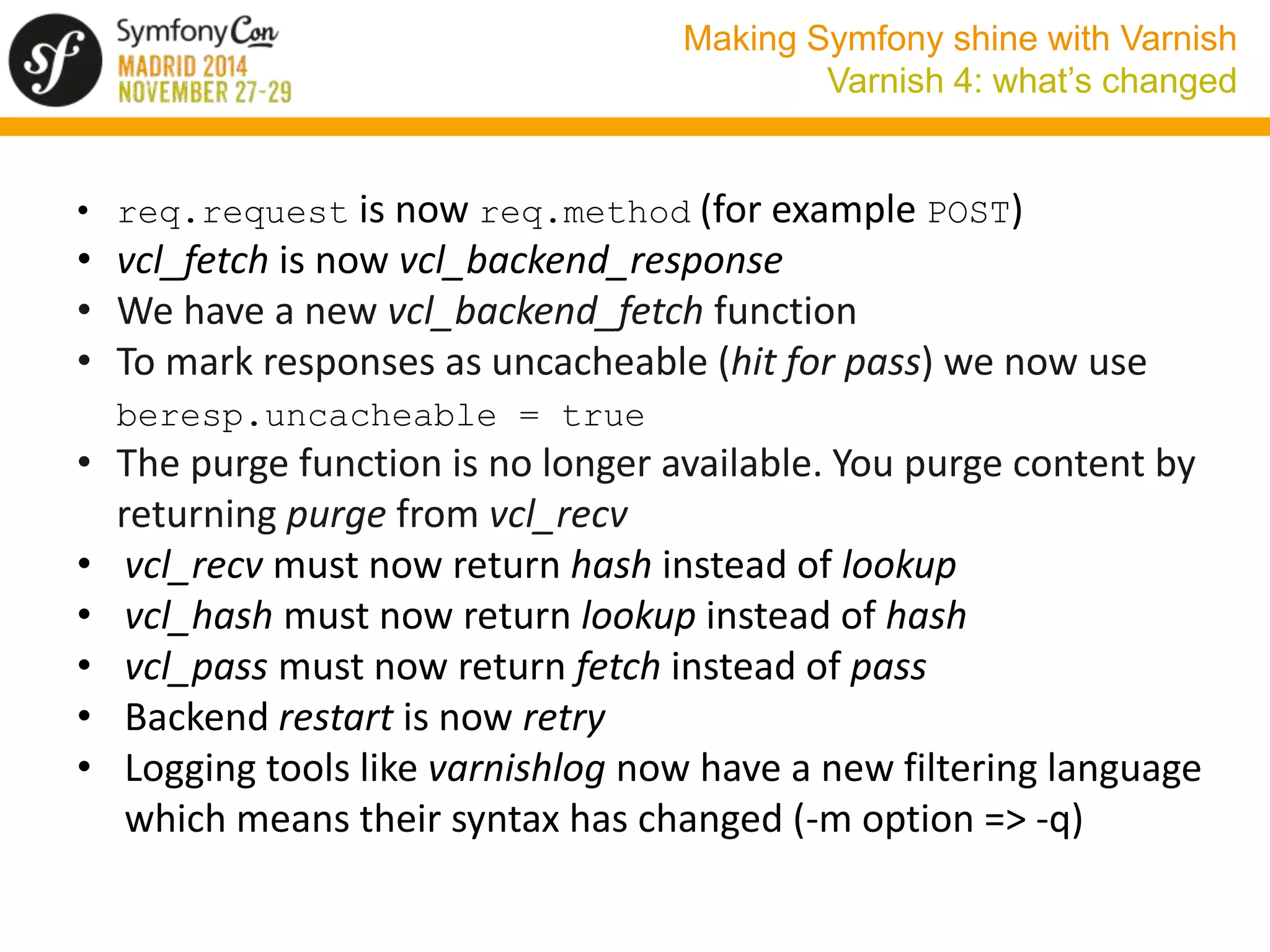
Varnish 4: what’s new 
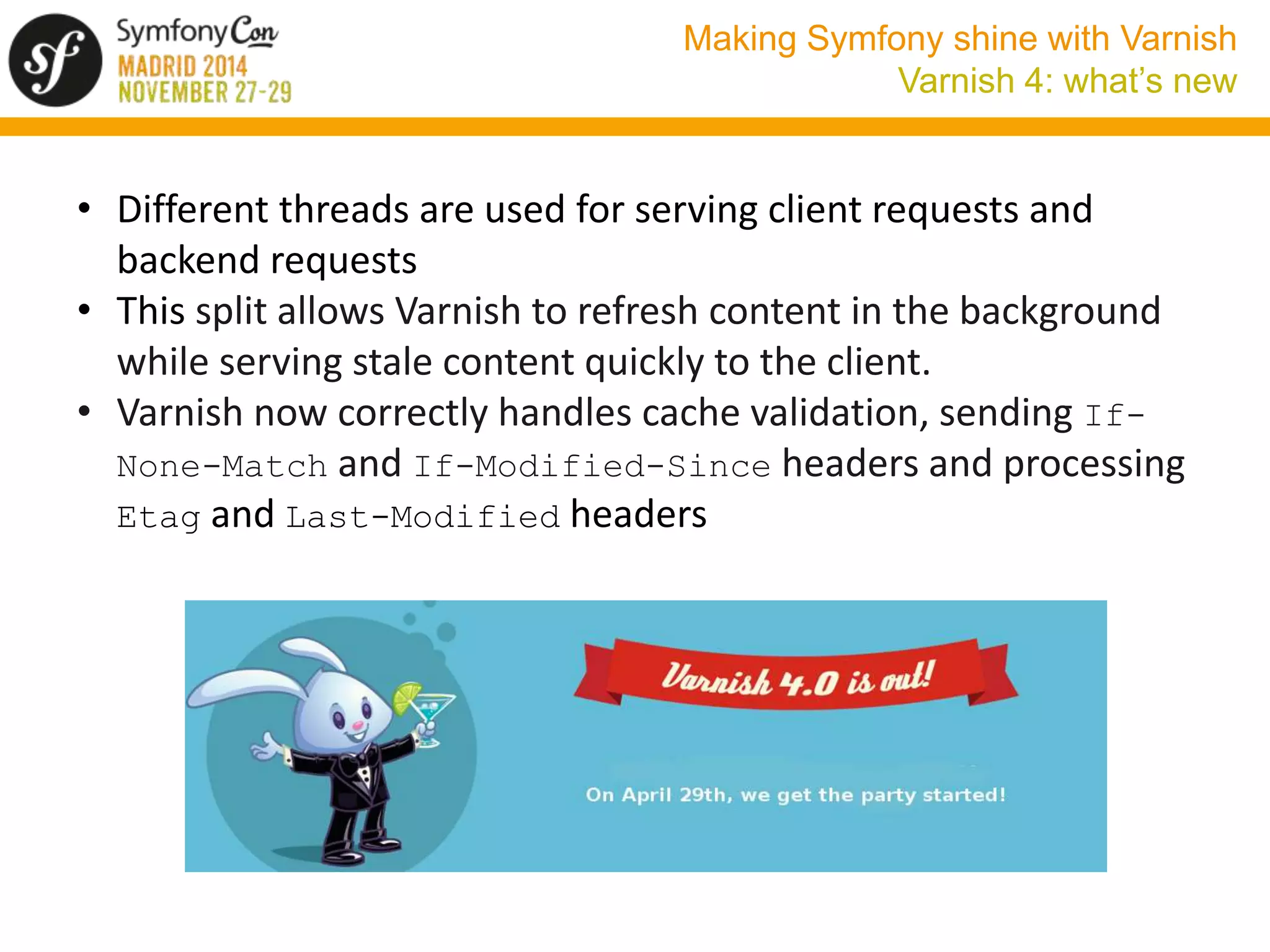
• Different threads are used for serving client requests and 
backend requests 
• This split allows Varnish to refresh content in the background 
while serving stale content quickly to the client. 
• Varnish now correctly handles cache validation, sending If- 
None-Match and If-Modified-Since headers and processing 
Etag and Last-Modified headers
Making Symfony shine with Varnish 
Varnish 4: what’s changed 
• req.request is now req.method (for example POST) 
• vcl_fetch is now vcl_backend_response 
• We have a new vcl_backend_fetch function 
• To mark responses as uncacheable (hit for pass) we now use 
beresp.uncacheable = true 
• The purge function is no longer available. You purge content by 
returning purge from vcl_recv 
• vcl_recv must now return hash instead of lookup 
• vcl_hash must now return lookup instead of hash 
• vcl_pass must now return fetch instead of pass 
• Backend restart is now retry 
• Logging tools like varnishlog now have a new filtering language 
which means their syntax has changed (-m option => -q)
Making Symfony shine with Varnish 
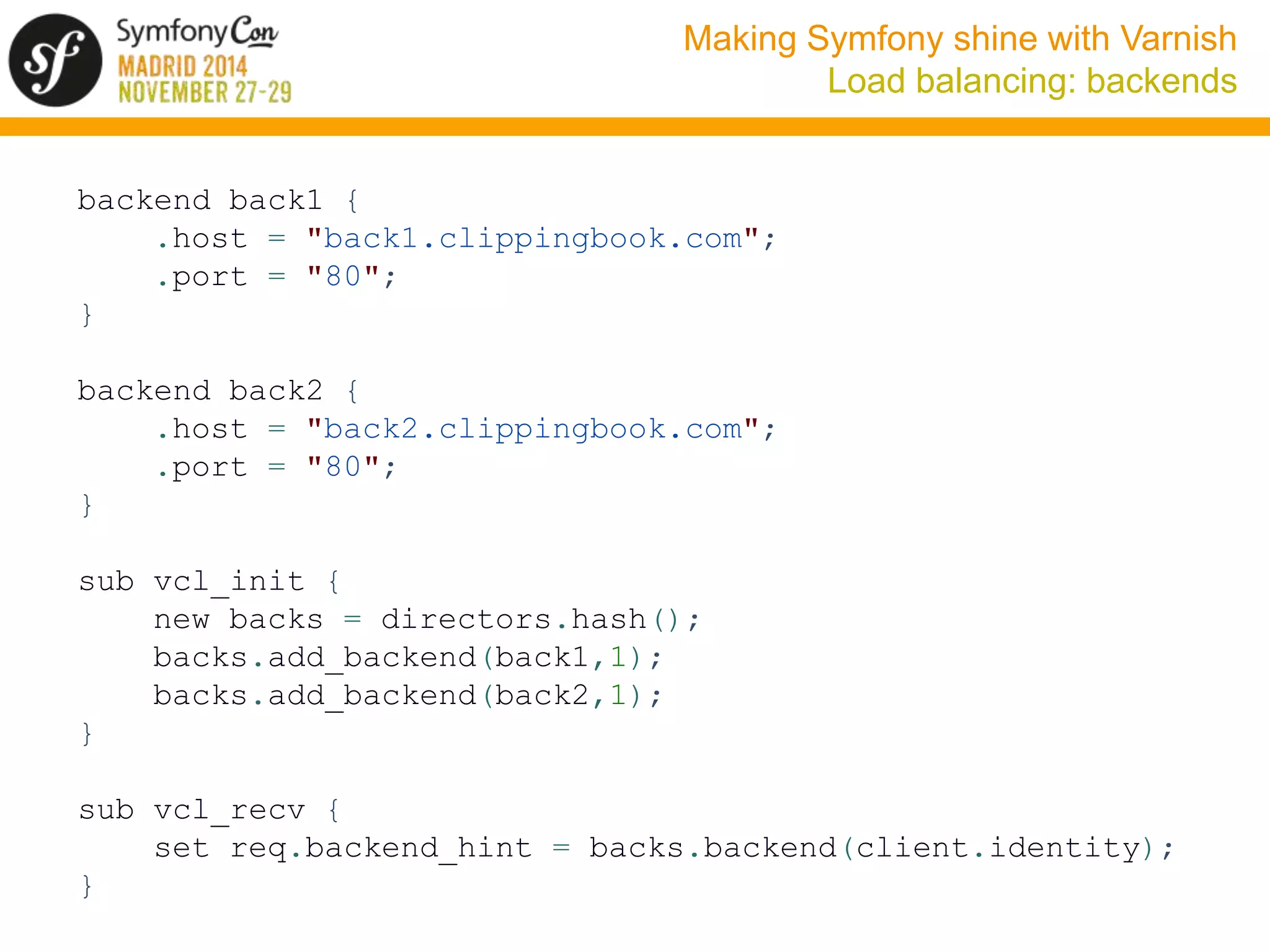
Load balancing: backends 
backend back1 { 
.host = "back1.clippingbook.com"; 
.port = "80"; 
} 
backend back2 { 
.host = "back2.clippingbook.com"; 
.port = "80"; 
} 
sub vcl_init { 
new backs = directors.hash(); 
backs.add_backend(back1,1); 
backs.add_backend(back2,1); 
} 
sub vcl_recv { 
set req.backend_hint = backs.backend(client.identity); 
}
Making Symfony shine with Varnish 
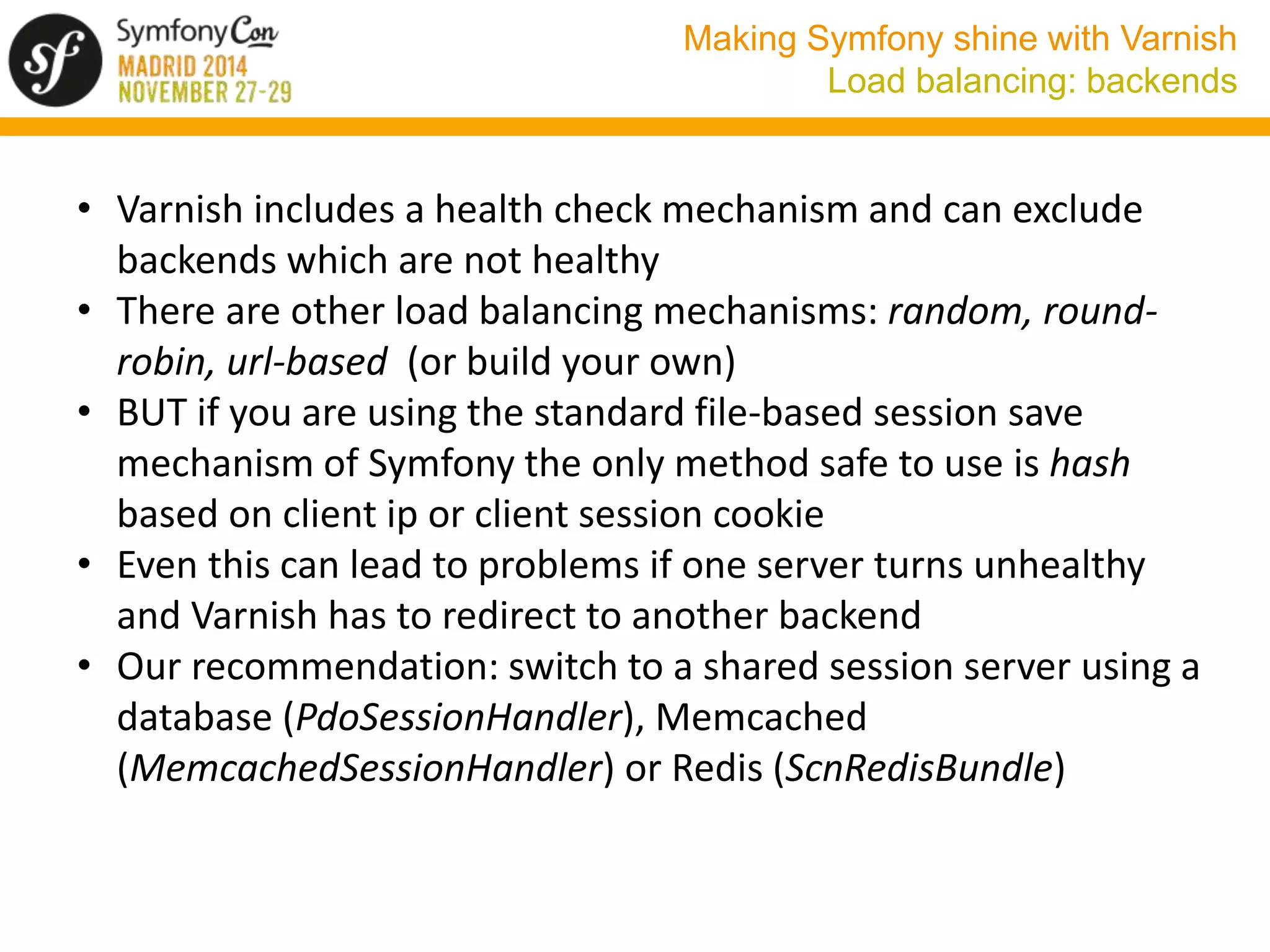
Load balancing: backends 
• Varnish includes a health check mechanism and can exclude 
backends which are not healthy 
• There are other load balancing mechanisms: random, round-robin, 
url-based (or build your own) 
• BUT if you are using the standard file-based session save 
mechanism of Symfony the only method safe to use is hash 
based on client ip or client session cookie 
• Even this can lead to problems if one server turns unhealthy 
and Varnish has to redirect to another backend 
• Our recommendation: switch to a shared session server using a 
database (PdoSessionHandler), Memcached 
(MemcachedSessionHandler) or Redis (ScnRedisBundle)
Making Symfony shine with Varnish 
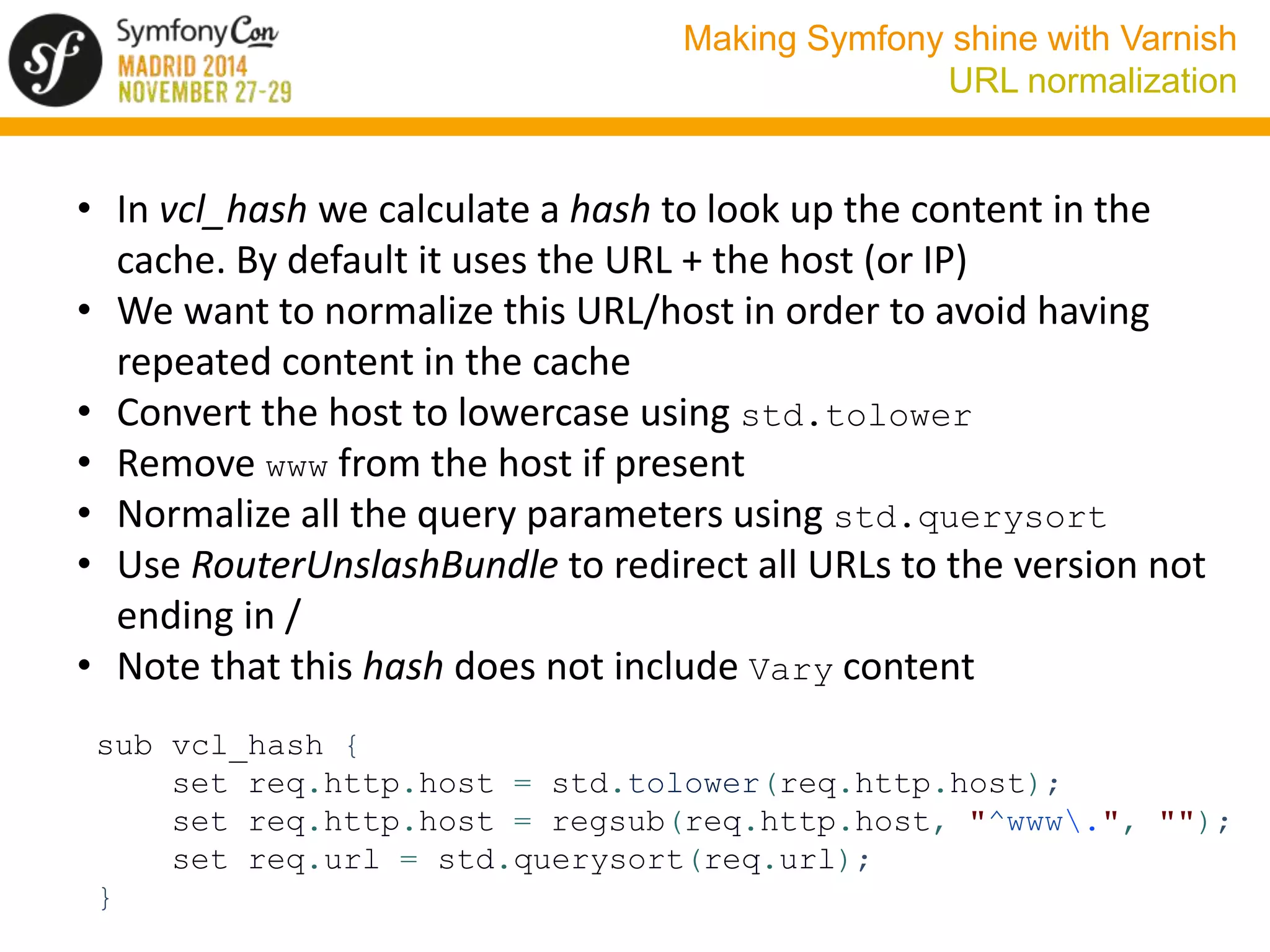
URL normalization 
• In vcl_hash we calculate a hash to look up the content in the 
cache. By default it uses the URL + the host (or IP) 
• We want to normalize this URL/host in order to avoid having 
repeated content in the cache 
• Convert the host to lowercase using std.tolower 
• Remove www from the host if present 
• Normalize all the query parameters using std.querysort 
• Use RouterUnslashBundle to redirect all URLs to the version not 
ending in / 
• Note that this hash does not include Vary content 
sub vcl_hash { 
set req.http.host = std.tolower(req.http.host); 
set req.http.host = regsub(req.http.host, "^www.", ""); 
set req.url = std.querysort(req.url); 
}
Making Symfony shine with Varnish 
Cookies and sessions 
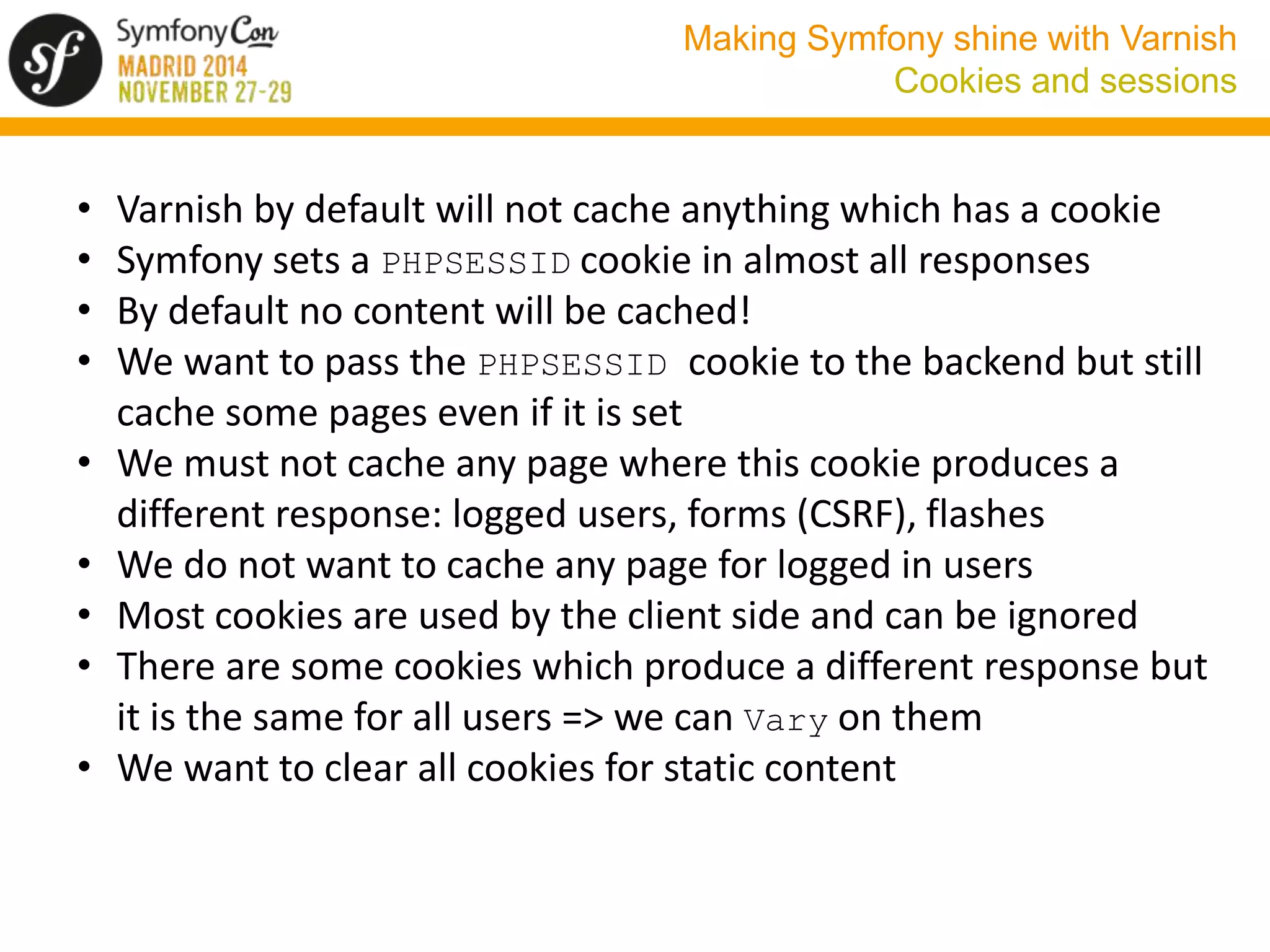
• Varnish by default will not cache anything which has a cookie 
• Symfony sets a PHPSESSID cookie in almost all responses 
• By default no content will be cached! 
• We want to pass the PHPSESSID cookie to the backend but still 
cache some pages even if it is set 
• We must not cache any page where this cookie produces a 
different response: logged users, forms (CSRF), flashes 
• We do not want to cache any page for logged in users 
• Most cookies are used by the client side and can be ignored 
• There are some cookies which produce a different response but 
it is the same for all users => we can Vary on them 
• We want to clear all cookies for static content
Making Symfony shine with Varnish 
Cookies and sessions 
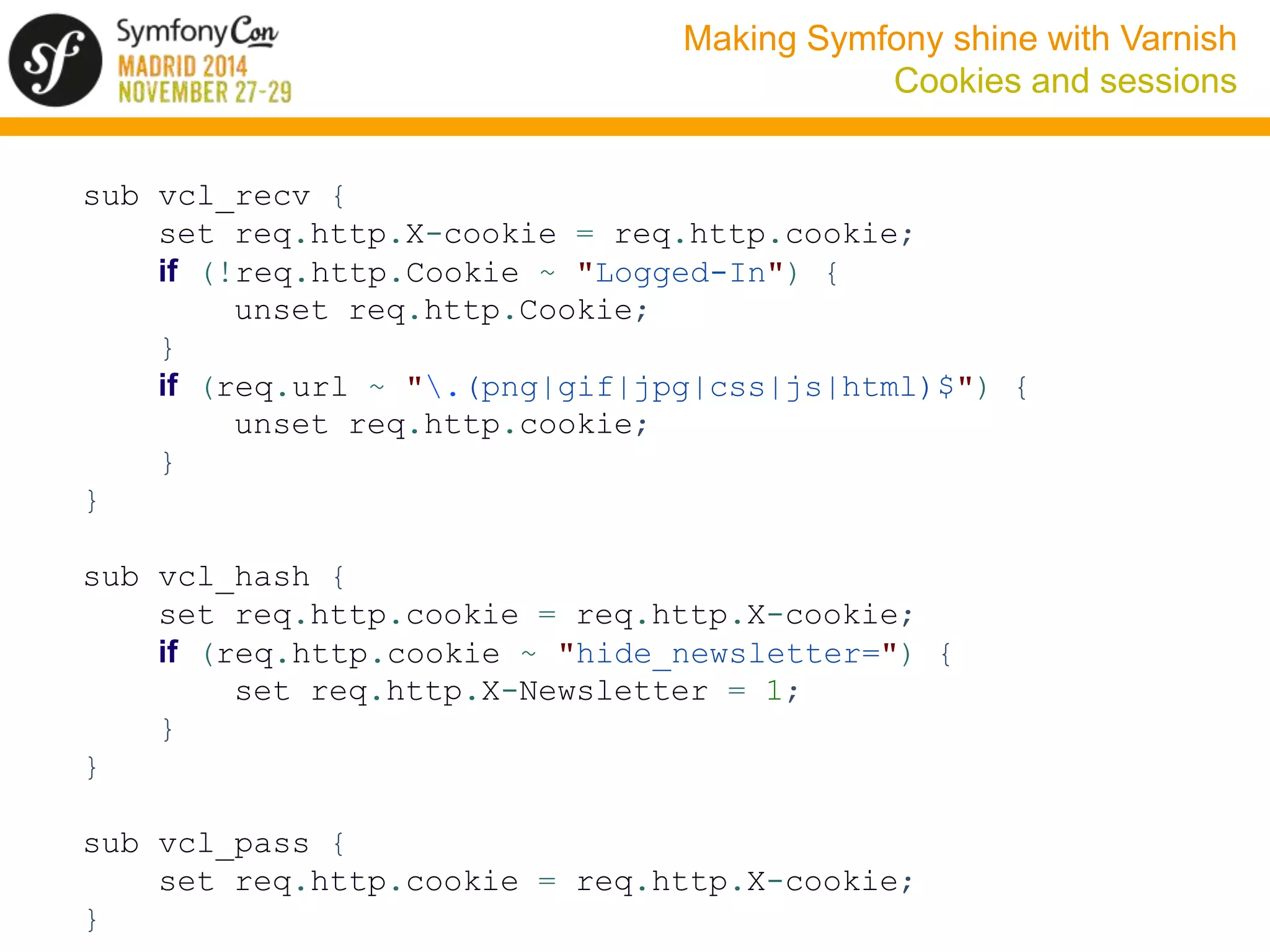
sub vcl_recv { 
set req.http.X-cookie = req.http.cookie; 
if (!req.http.Cookie ~ "Logged-In") { 
unset req.http.Cookie; 
} 
if (req.url ~ ".(png|gif|jpg|css|js|html)$") { 
unset req.http.cookie; 
} 
} 
sub vcl_hash { 
set req.http.cookie = req.http.X-cookie; 
if (req.http.cookie ~ "hide_newsletter=") { 
set req.http.X-Newsletter = 1; 
} 
} 
sub vcl_pass { 
set req.http.cookie = req.http.X-cookie; 
}
Making Symfony shine with Varnish 
Cookies and sessions 
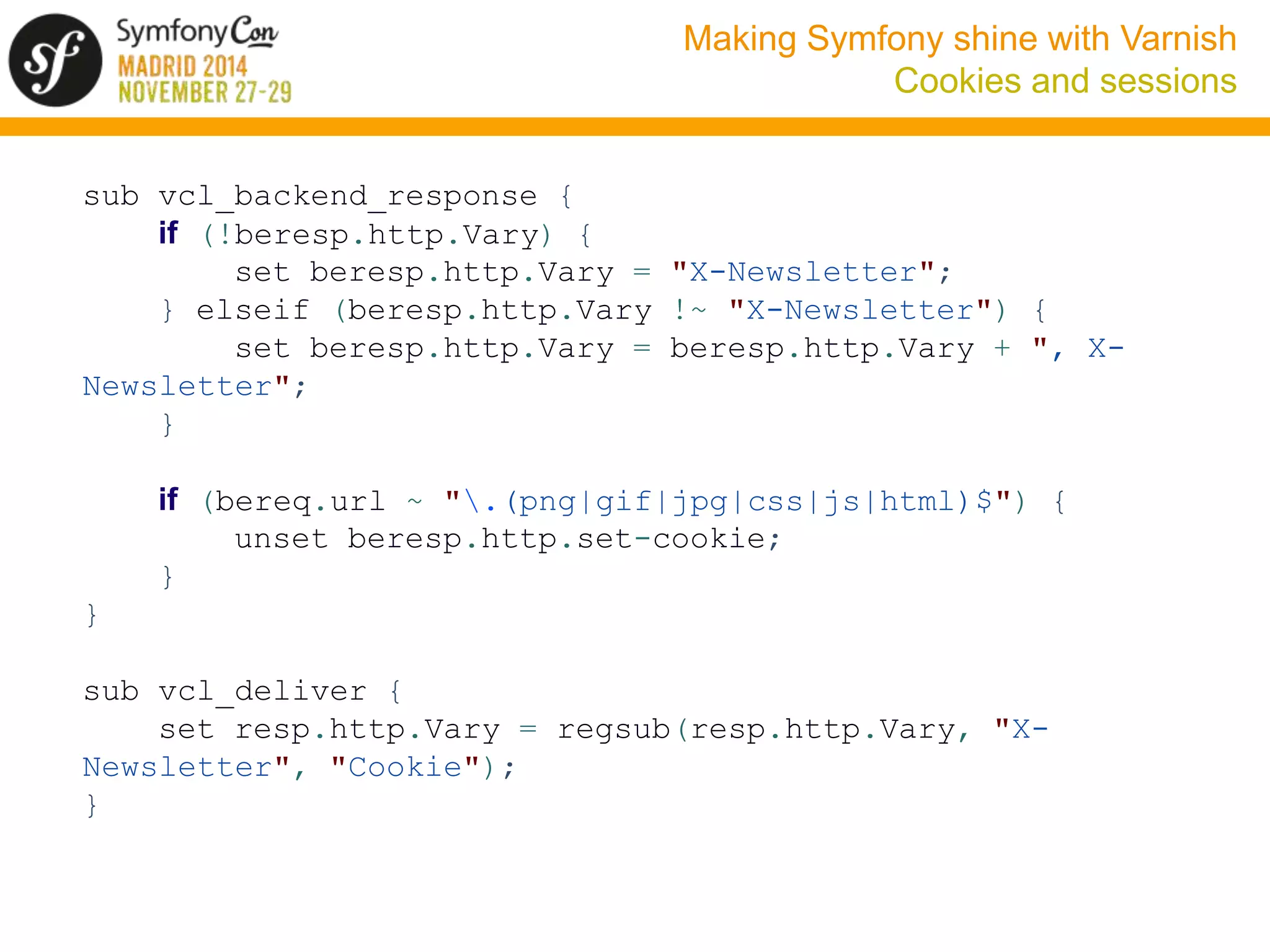
sub vcl_backend_response { 
if (!beresp.http.Vary) { 
set beresp.http.Vary = "X-Newsletter"; 
} elseif (beresp.http.Vary !~ "X-Newsletter") { 
set beresp.http.Vary = beresp.http.Vary + ", X-Newsletter"; 
} 
if (bereq.url ~ ".(png|gif|jpg|css|js|html)$") { 
unset beresp.http.set-cookie; 
} 
} 
sub vcl_deliver { 
set resp.http.Vary = regsub(resp.http.Vary, "X-Newsletter", 
"Cookie"); 
}
Making Symfony shine with Varnish 
Cookies and sessions 
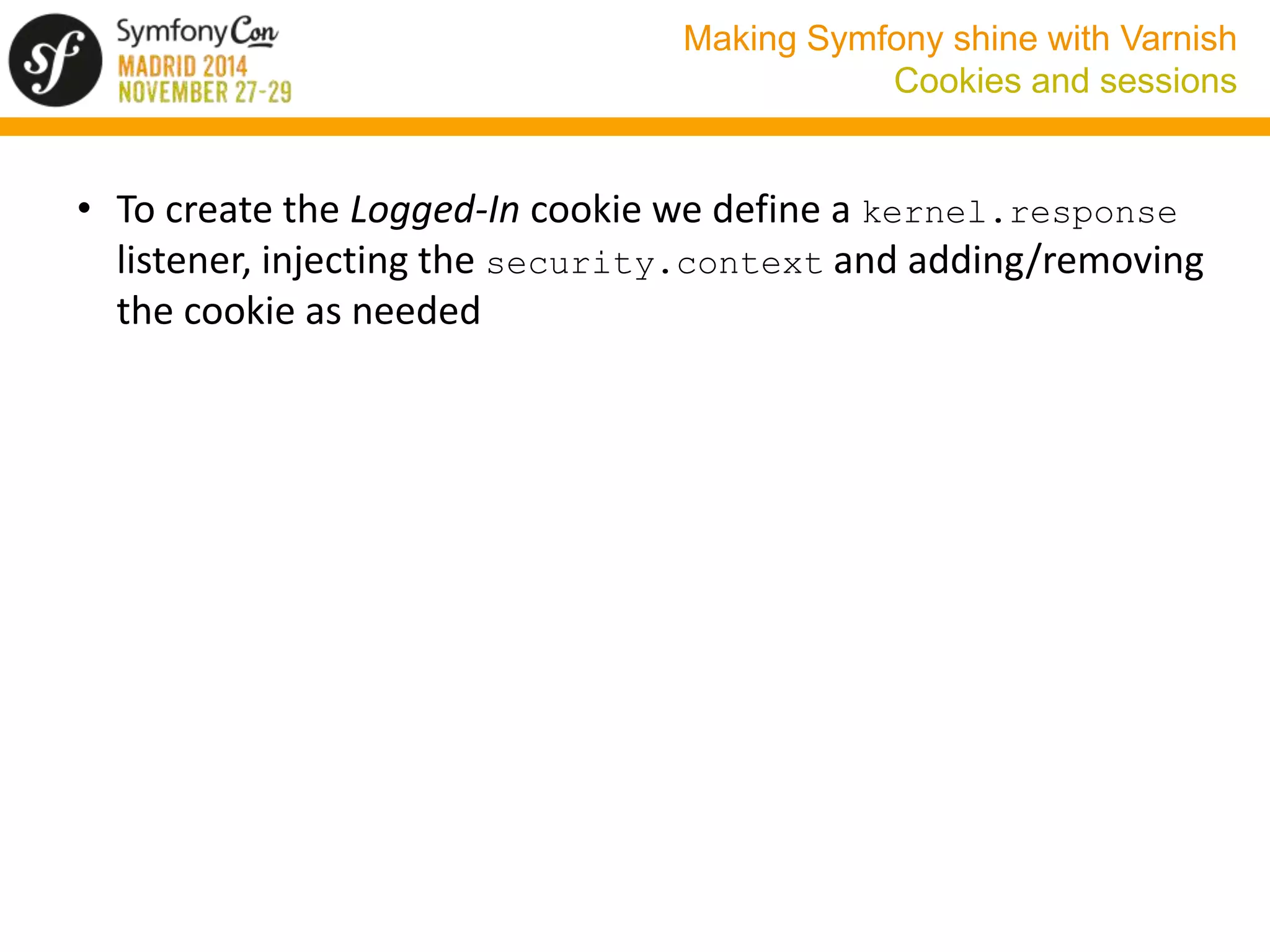
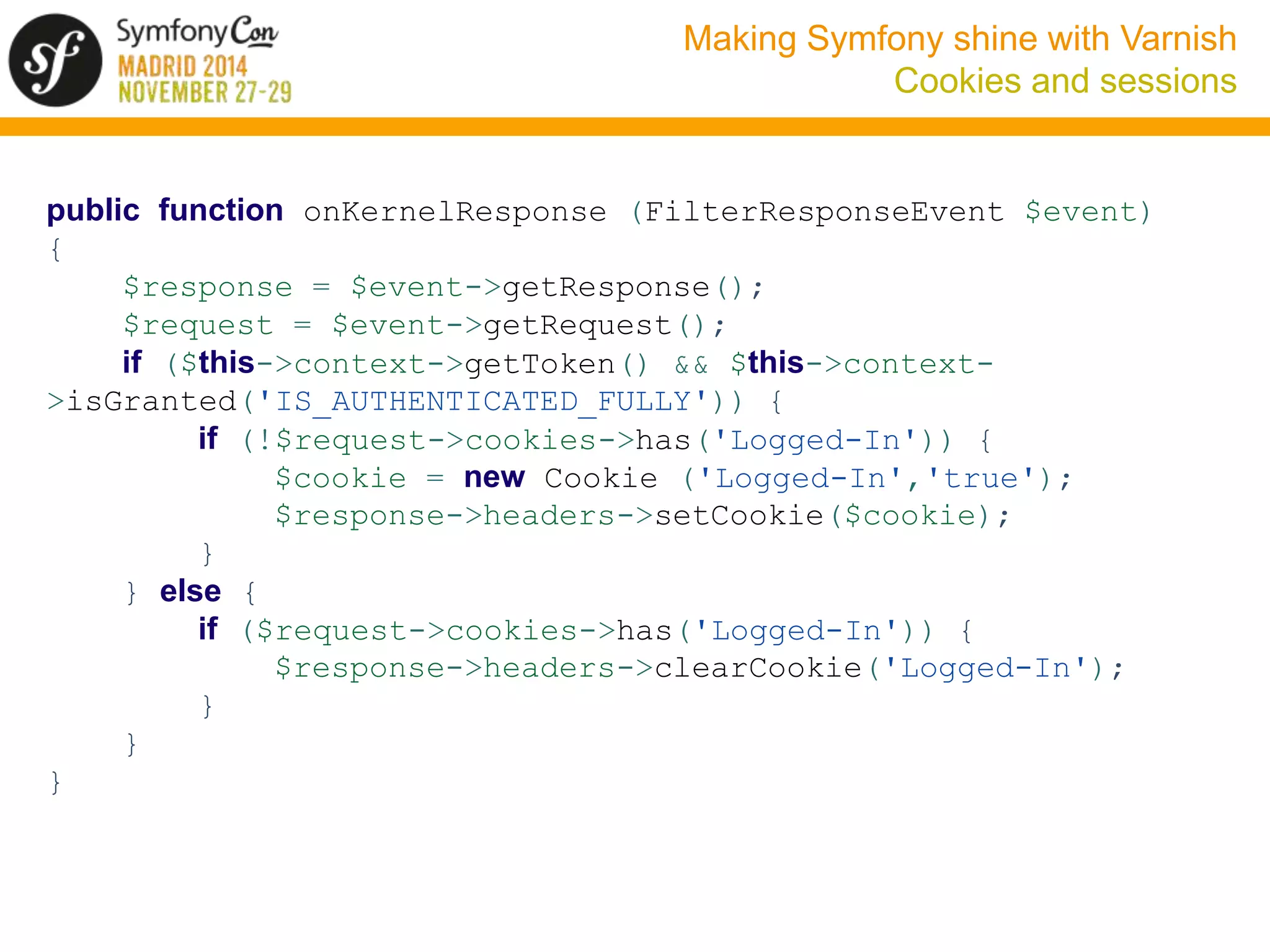
• To create the Logged-In cookie we define a kernel.response 
listener, injecting the security.context and adding/removing 
the cookie as needed
Making Symfony shine with Varnish 
Cookies and sessions 
public function onKernelResponse (FilterResponseEvent $event) 
{ 
$response = $event->getResponse(); 
$request = $event->getRequest(); 
if ($this->context->getToken() && $this->context- 
>isGranted('IS_AUTHENTICATED_FULLY')) { 
if (!$request->cookies->has('Logged-In')) { 
$cookie = new Cookie ('Logged-In','true'); 
$response->headers->setCookie($cookie); 
} 
} else { 
if ($request->cookies->has('Logged-In')) { 
$response->headers->clearCookie('Logged-In'); 
} 
} 
}
Making Symfony shine with Varnish 
Internacionalization 
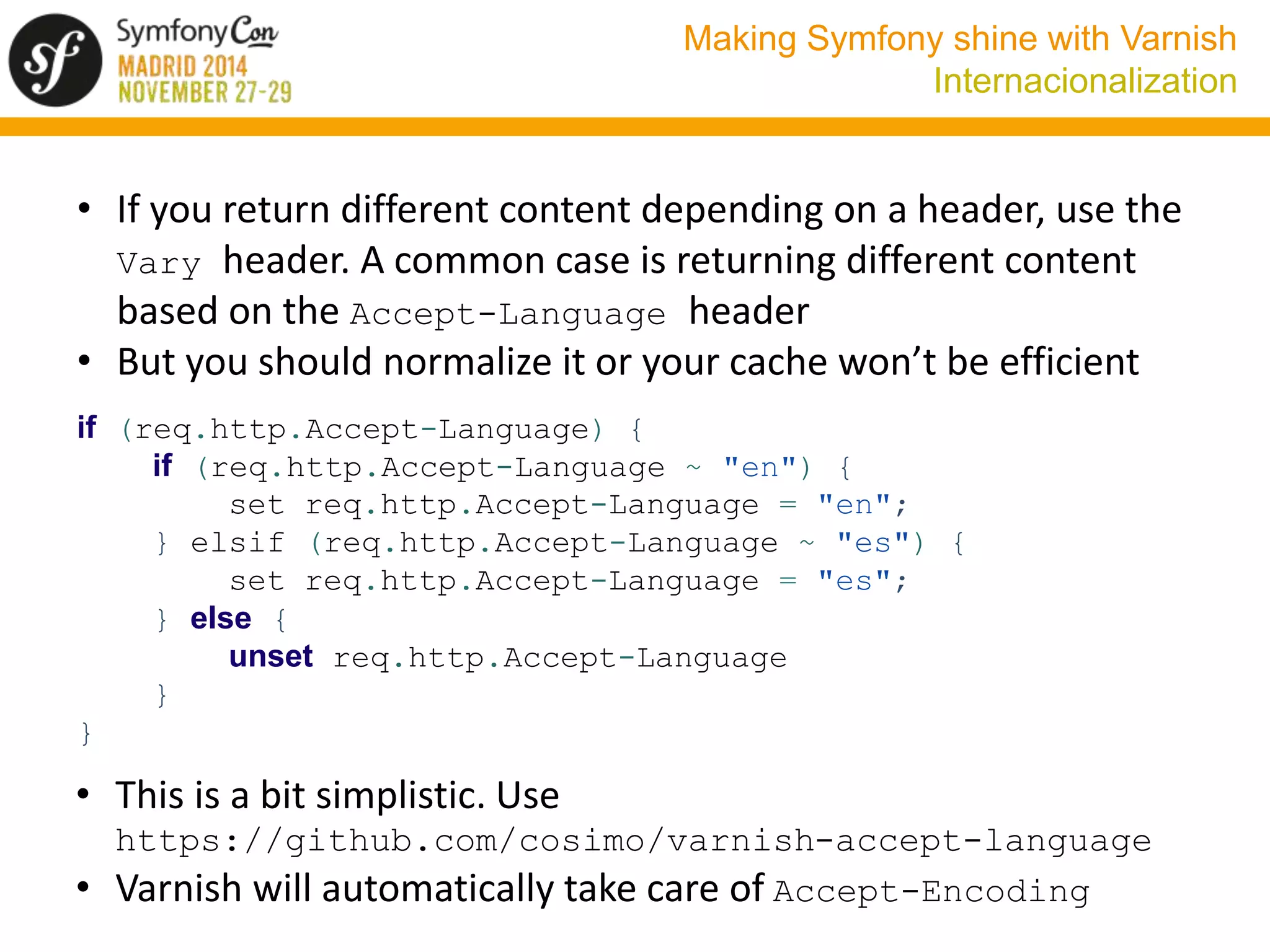
• If you return different content depending on a header, use the 
Vary header. A common case is returning different content 
based on the Accept-Language header 
• But you should normalize it or your cache won’t be efficient 
if (req.http.Accept-Language) { 
if (req.http.Accept-Language ~ "en") { 
set req.http.Accept-Language = "en"; 
} elsif (req.http.Accept-Language ~ "es") { 
set req.http.Accept-Language = "es"; 
} else { 
unset req.http.Accept-Language 
} 
} 
• This is a bit simplistic. Use 
https://github.com/cosimo/varnish-accept-language 
• Varnish will automatically take care of Accept-Encoding
Making Symfony shine with Varnish 
Device detection 
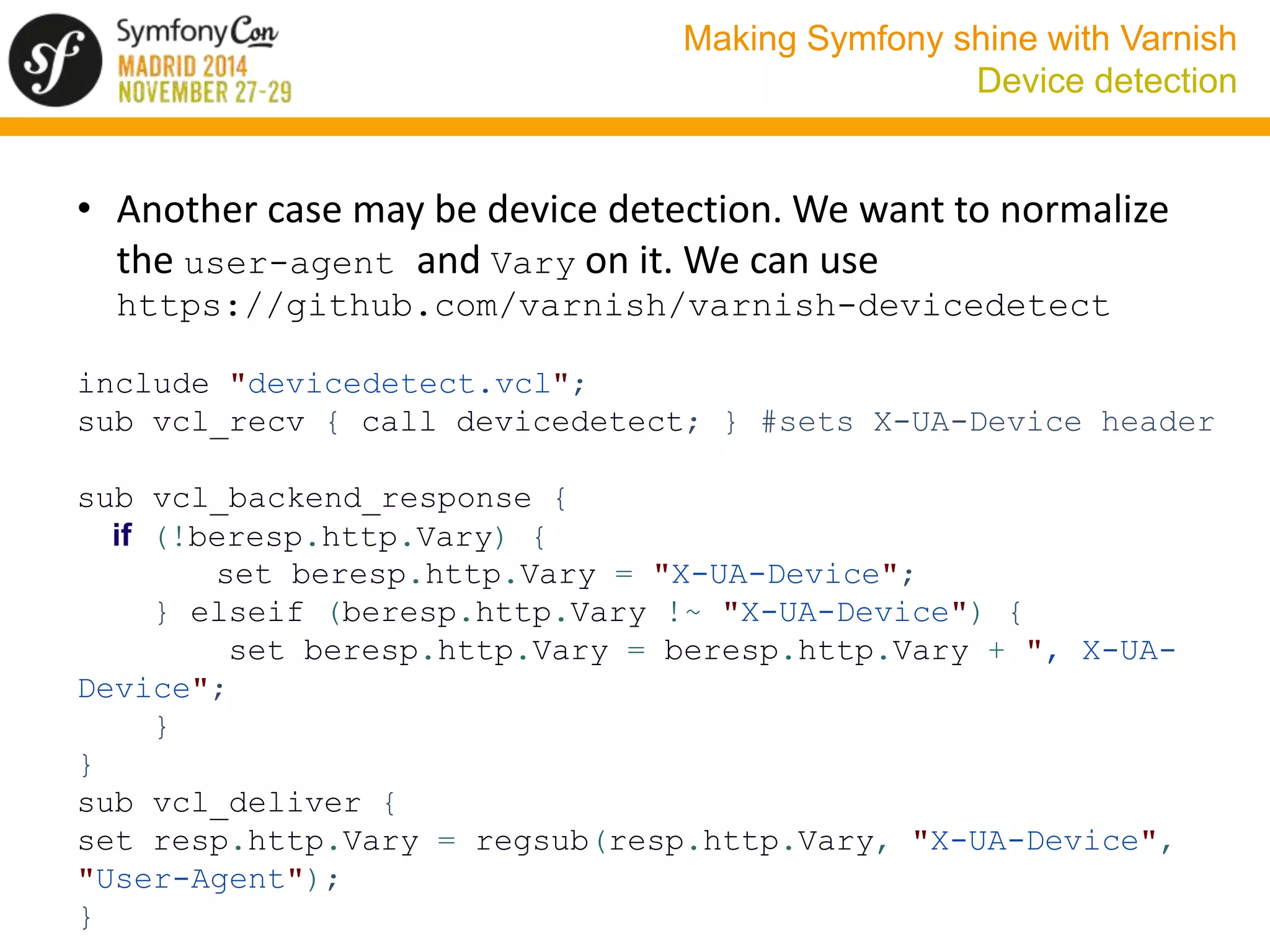
• Another case may be device detection. We want to normalize 
the user-agent and Vary on it. We can use 
https://github.com/varnish/varnish-devicedetect 
include "devicedetect.vcl"; 
sub vcl_recv { call devicedetect; } #sets X-UA-Device header 
sub vcl_backend_response { 
if (!beresp.http.Vary) { 
set beresp.http.Vary = "X-UA-Device"; 
} elseif (beresp.http.Vary !~ "X-UA-Device") { 
set beresp.http.Vary = beresp.http.Vary + ", X-UA-Device"; 
} 
} 
sub vcl_deliver { 
set resp.http.Vary = regsub(resp.http.Vary, "X-UA-Device", 
"User-Agent"); 
}
Making Symfony shine with Varnish 
Device detection 
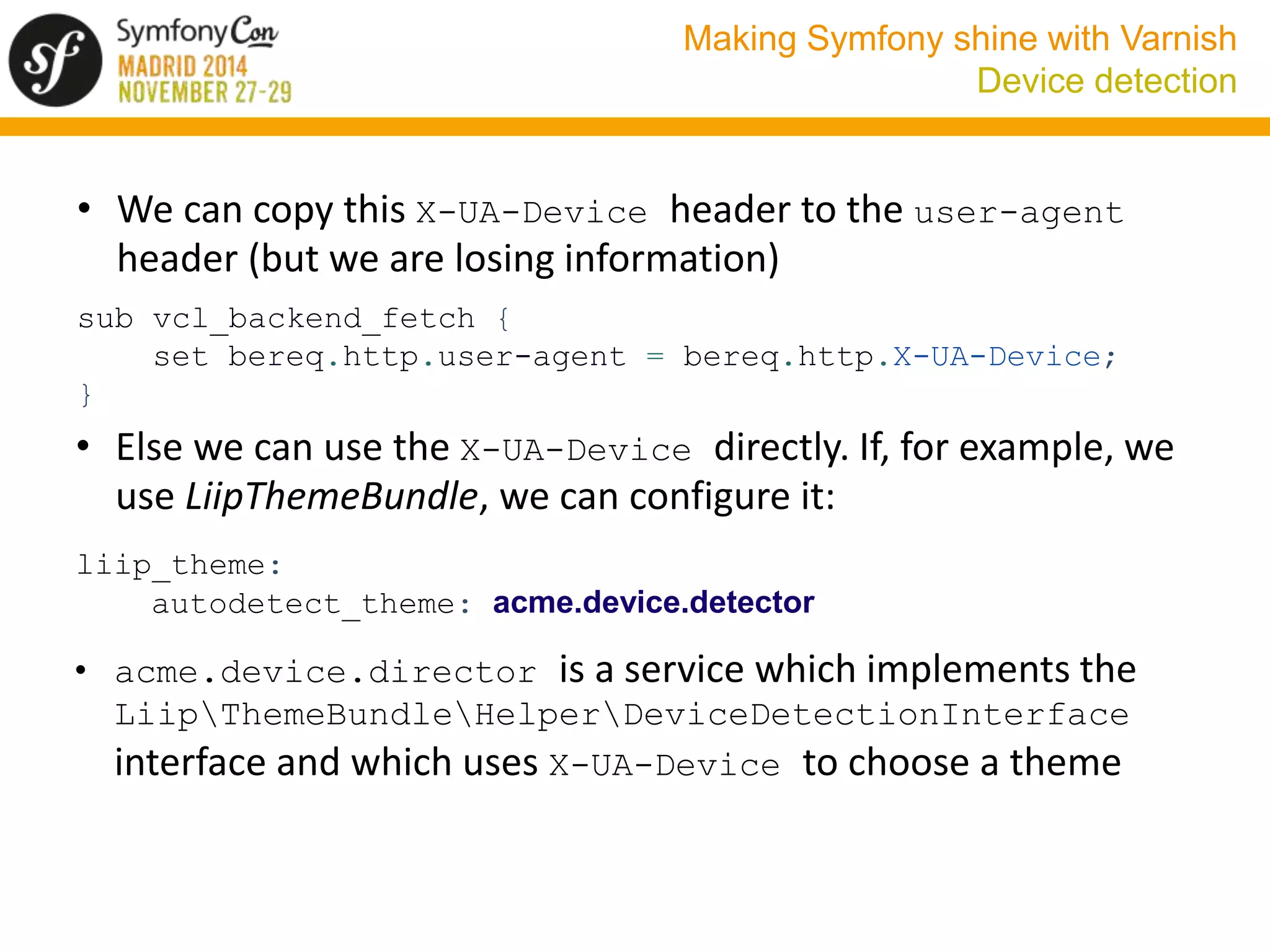
• We can copy this X-UA-Device header to the user-agent 
header (but we are losing information) 
sub vcl_backend_fetch { 
set bereq.http.user-agent = bereq.http.X-UA-Device; 
} 
• Else we can use the X-UA-Device directly. If, for example, we 
use LiipThemeBundle, we can configure it: 
liip_theme: 
autodetect_theme: acme.device.detector 
• acme.device.director is a service which implements the 
LiipThemeBundleHelperDeviceDetectionInterface 
interface and which uses X-UA-Device to choose a theme
Making Symfony shine with Varnish 
Defining caching headers 
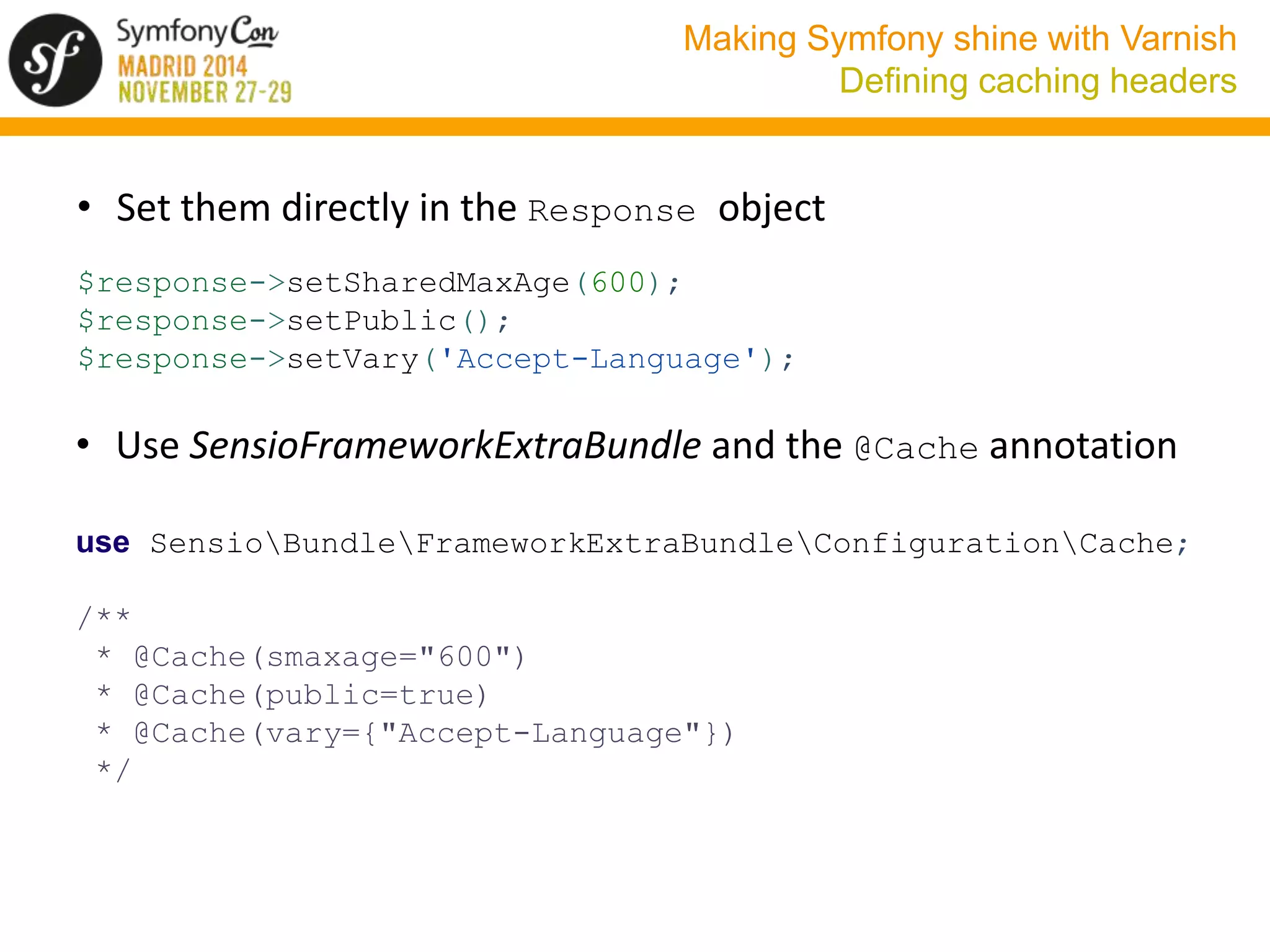
• Set them directly in the Response object 
$response->setSharedMaxAge(600); 
$response->setPublic(); 
$response->setVary('Accept-Language'); 
• Use SensioFrameworkExtraBundle and the @Cache annotation 
use SensioBundleFrameworkExtraBundleConfigurationCache; 
/** 
* @Cache(smaxage="600") 
* @Cache(public=true) 
* @Cache(vary={"Accept-Language"}) 
*/
Making Symfony shine with Varnish 
Defining caching headers 
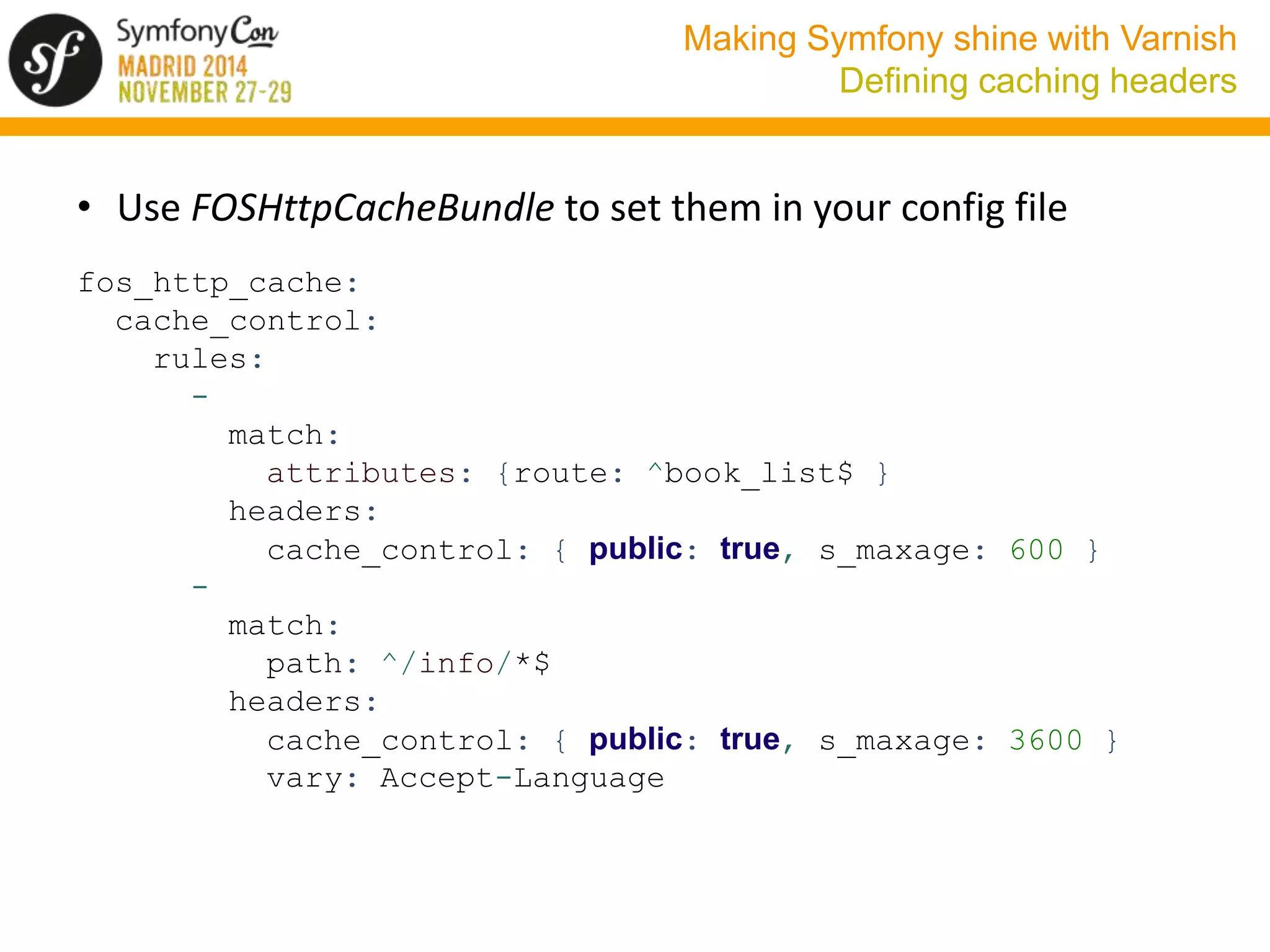
• Use FOSHttpCacheBundle to set them in your config file 
fos_http_cache: 
cache_control: 
rules: 
- 
match: 
attributes: {route: ^book_list$ } 
headers: 
cache_control: { public: true, s_maxage: 600 } 
- 
match: 
path: ^/info/*$ 
headers: 
cache_control: { public: true, s_maxage: 3600 } 
vary: Accept-Language
Making Symfony shine with Varnish 
Cache invalidation 
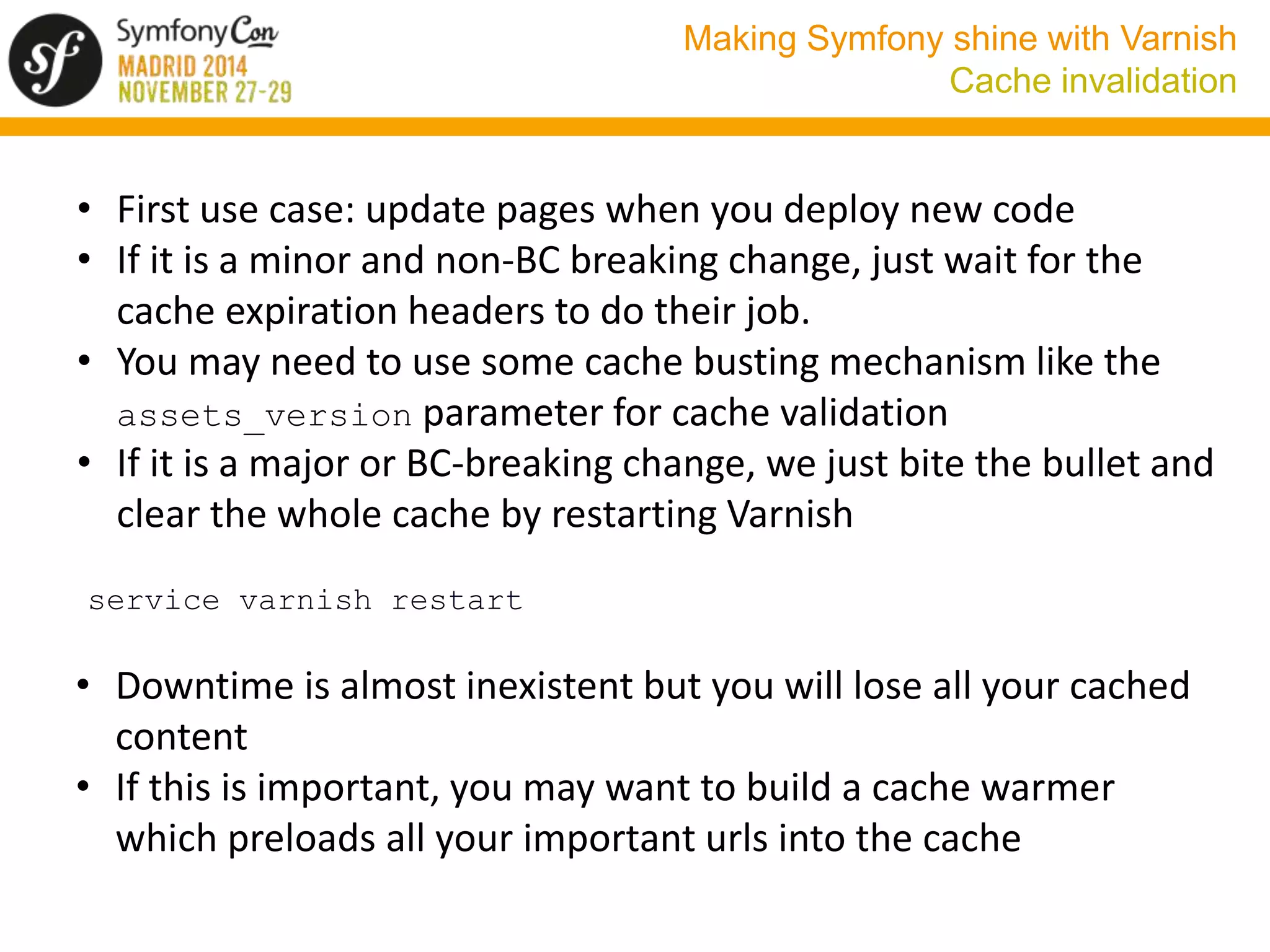
• First use case: update pages when you deploy new code 
• If it is a minor and non-BC breaking change, just wait for the 
cache expiration headers to do their job. 
• You may need to use some cache busting mechanism like the 
assets_version parameter for cache validation 
• If it is a major or BC-breaking change, we just bite the bullet and 
clear the whole cache by restarting Varnish 
service varnish restart 
• Downtime is almost inexistent but you will lose all your cached 
content 
• If this is important, you may want to build a cache warmer 
which preloads all your important urls into the cache
Making Symfony shine with Varnish 
Cache invalidation 
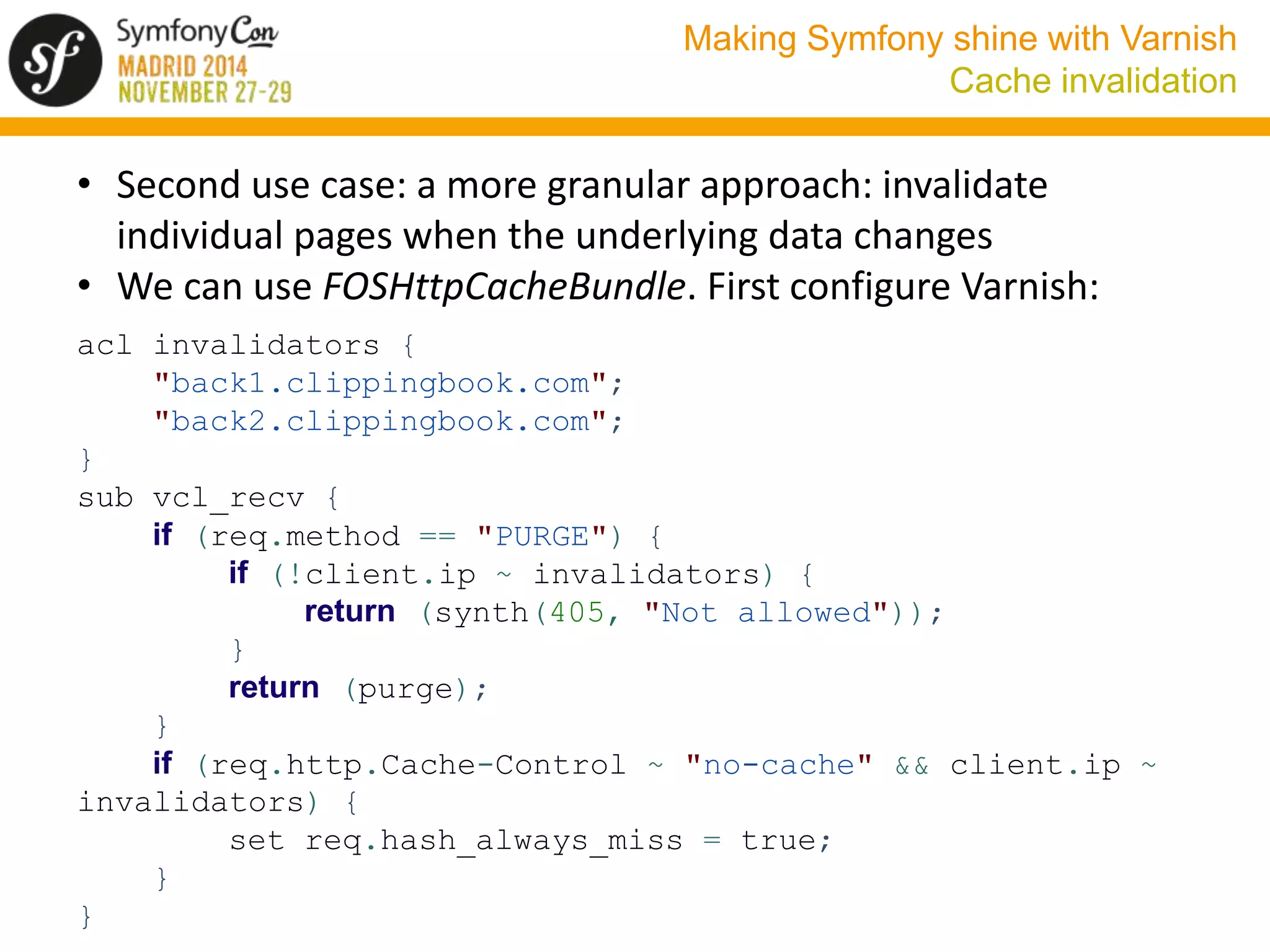
• Second use case: a more granular approach: invalidate 
individual pages when the underlying data changes 
• We can use FOSHttpCacheBundle. First configure Varnish: 
acl invalidators { 
"back1.clippingbook.com"; 
"back2.clippingbook.com"; 
} 
sub vcl_recv { 
if (req.method == "PURGE") { 
if (!client.ip ~ invalidators) { 
return (synth(405, "Not allowed")); 
} 
return (purge); 
} 
if (req.http.Cache-Control ~ "no-cache" && client.ip ~ 
invalidators) { 
set req.hash_always_miss = true; 
} 
}
Making Symfony shine with Varnish 
Cache invalidation 
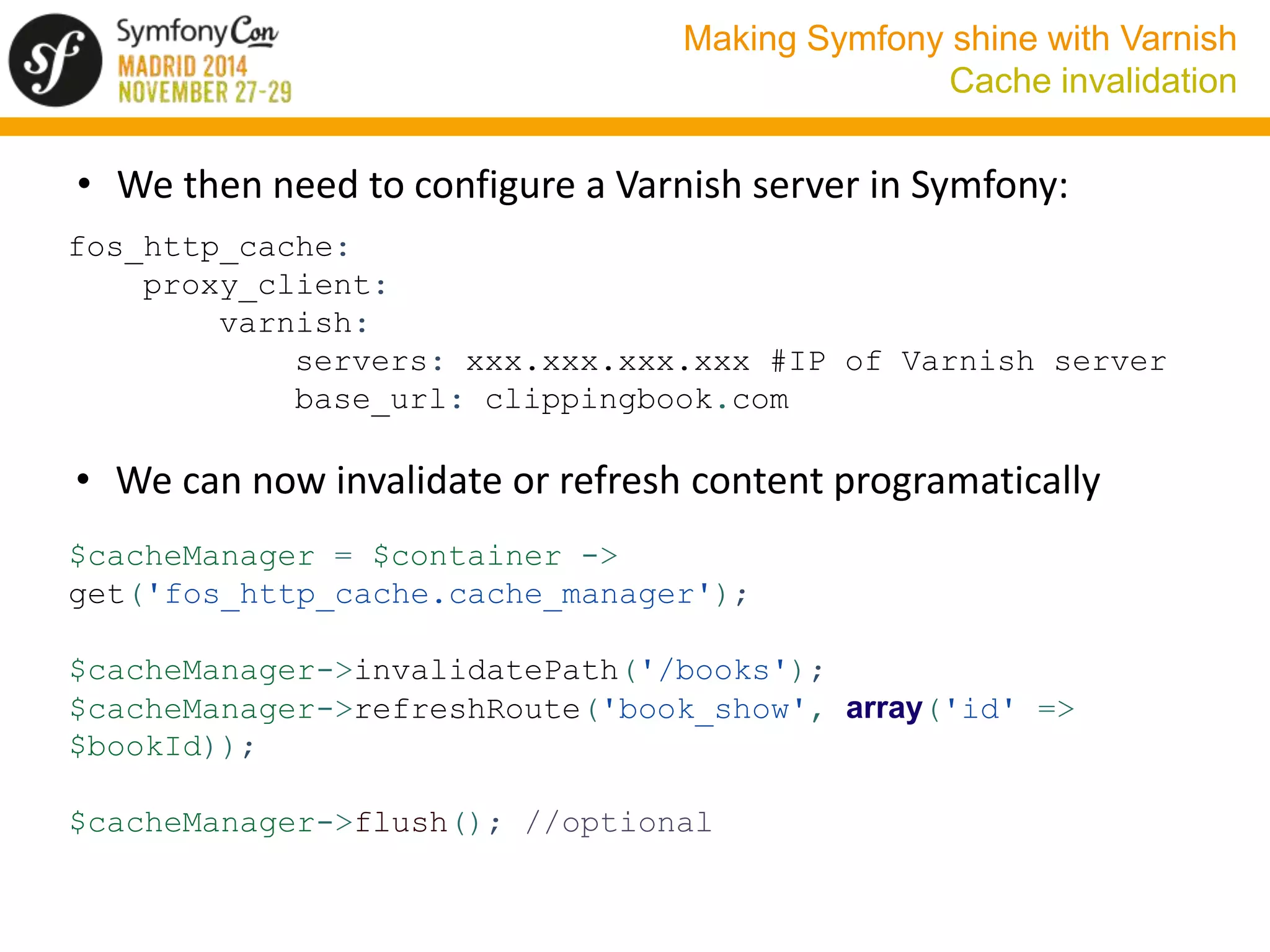
• We then need to configure a Varnish server in Symfony: 
fos_http_cache: 
proxy_client: 
varnish: 
servers: xxx.xxx.xxx.xxx #IP of Varnish server 
base_url: clippingbook.com 
• We can now invalidate or refresh content programatically 
$cacheManager = $container -> 
get('fos_http_cache.cache_manager'); 
$cacheManager->invalidatePath('/books'); 
$cacheManager->refreshRoute('book_show', array('id' => 
$bookId)); 
$cacheManager->flush(); //optional
Making Symfony shine with Varnish 
Cache invalidation 
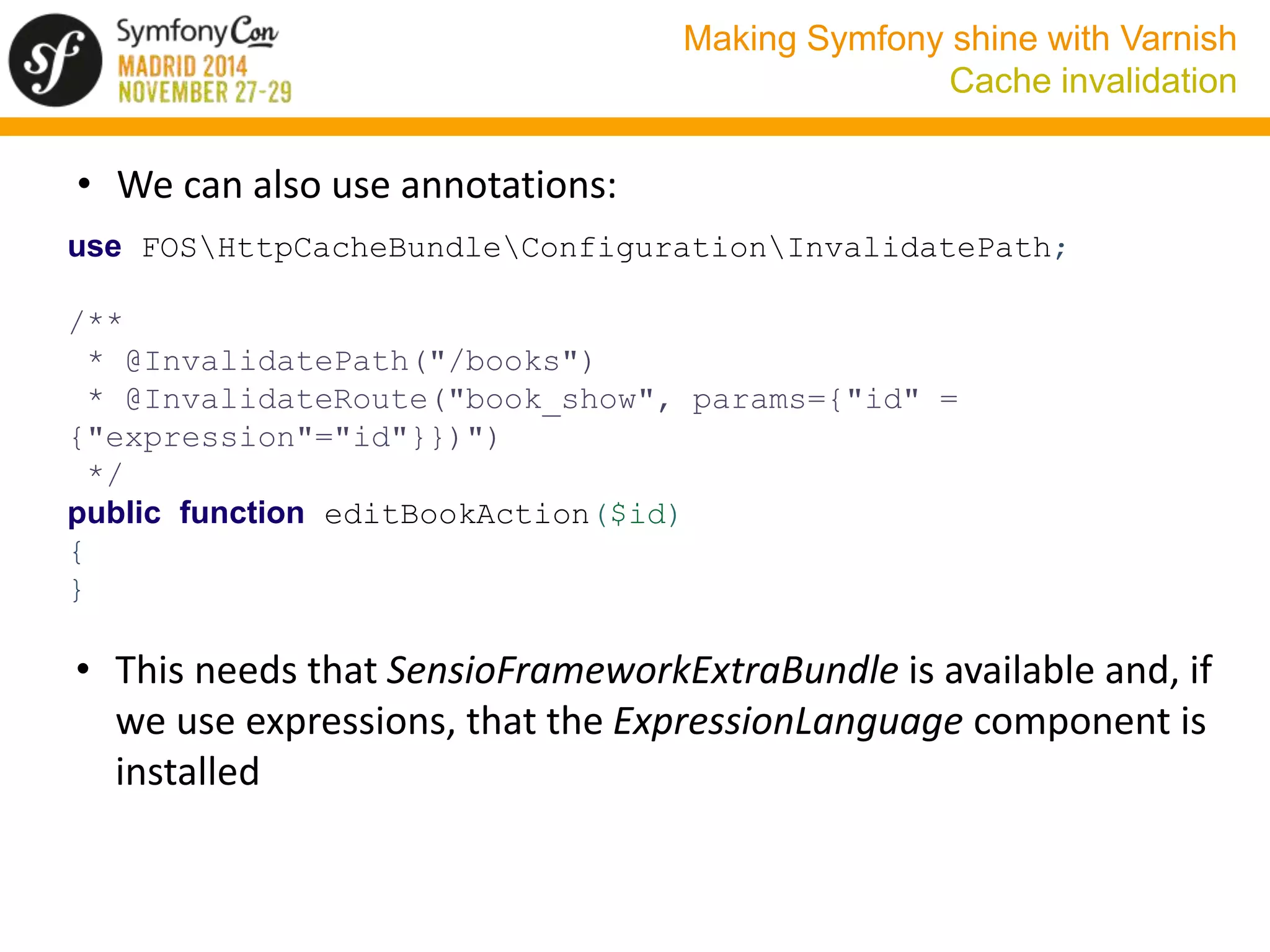
• We can also use annotations: 
use FOSHttpCacheBundleConfigurationInvalidatePath; 
/** 
* @InvalidatePath("/books") 
* @InvalidateRoute("book_show", params={"id" = 
{"expression"="id"}})") 
*/ 
public function editBookAction($id) 
{ 
} 
• This needs that SensioFrameworkExtraBundle is available and, if 
we use expressions, that the ExpressionLanguage component is 
installed
Making Symfony shine with Varnish 
Cache invalidation 
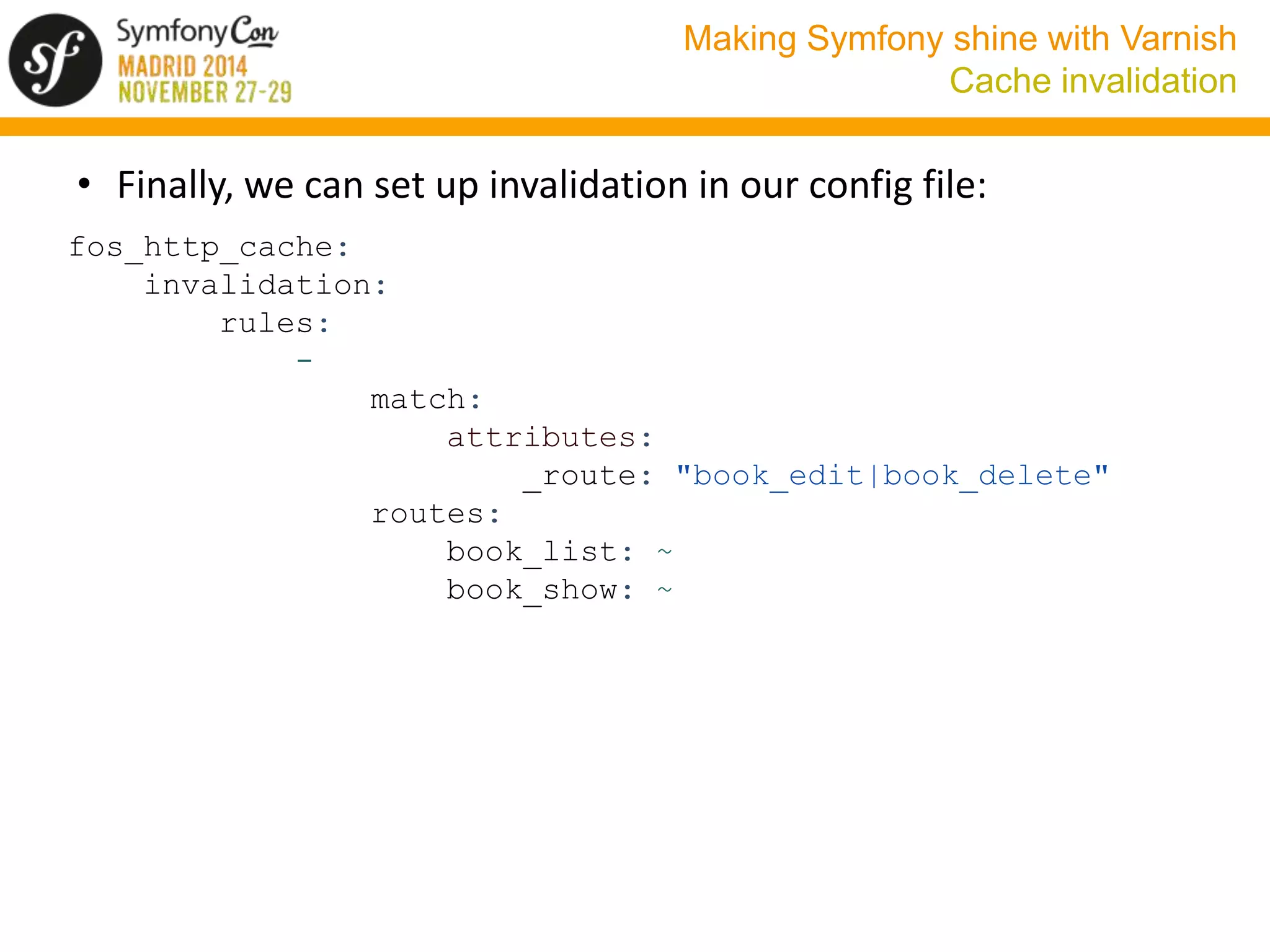
• Finally, we can set up invalidation in our config file: 
fos_http_cache: 
invalidation: 
rules: 
- 
match: 
attributes: 
_route: "book_edit|book_delete" 
routes: 
book_list: ~ 
book_show: ~
Making Symfony shine with Varnish 
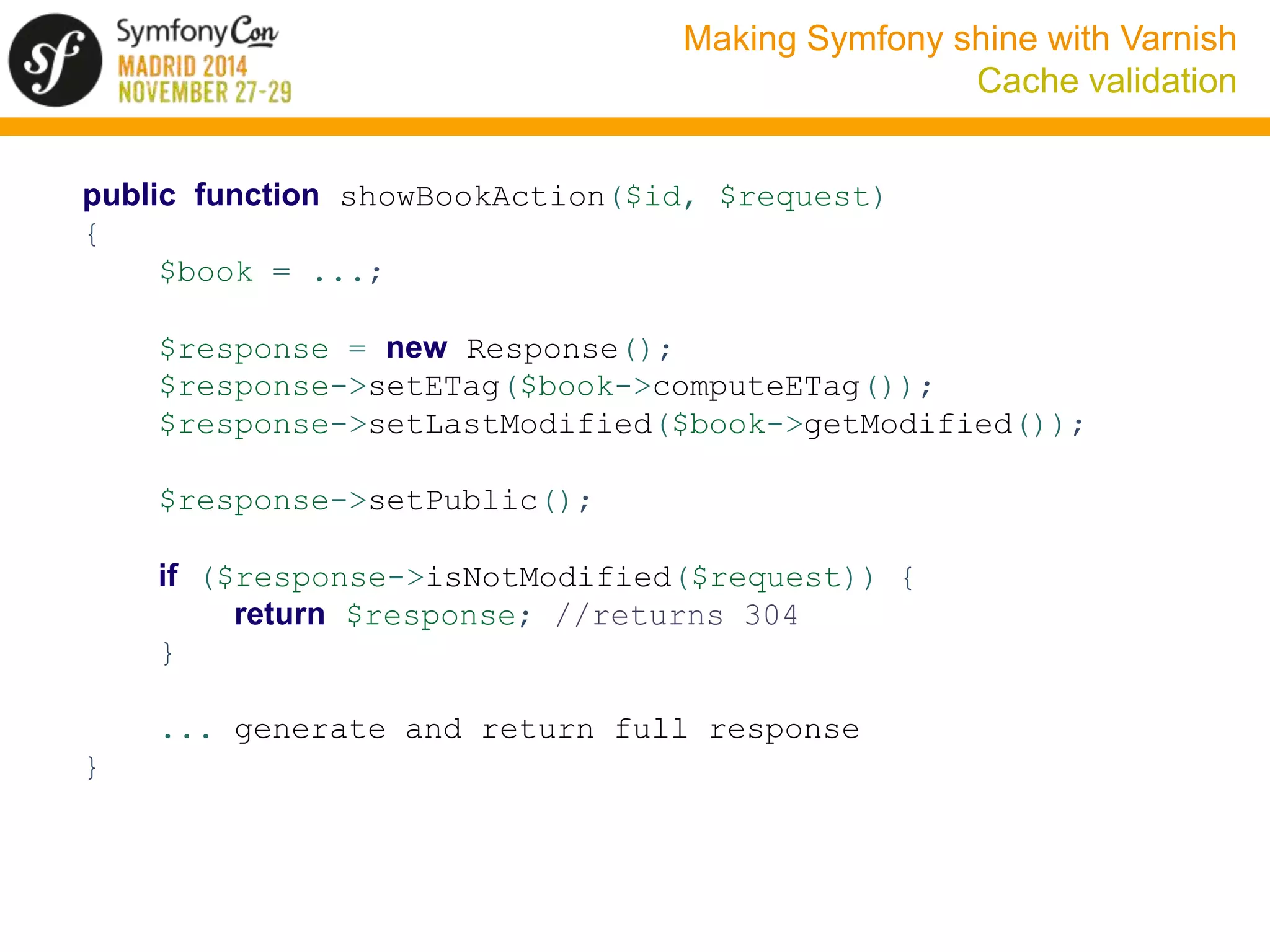
Cache validation 
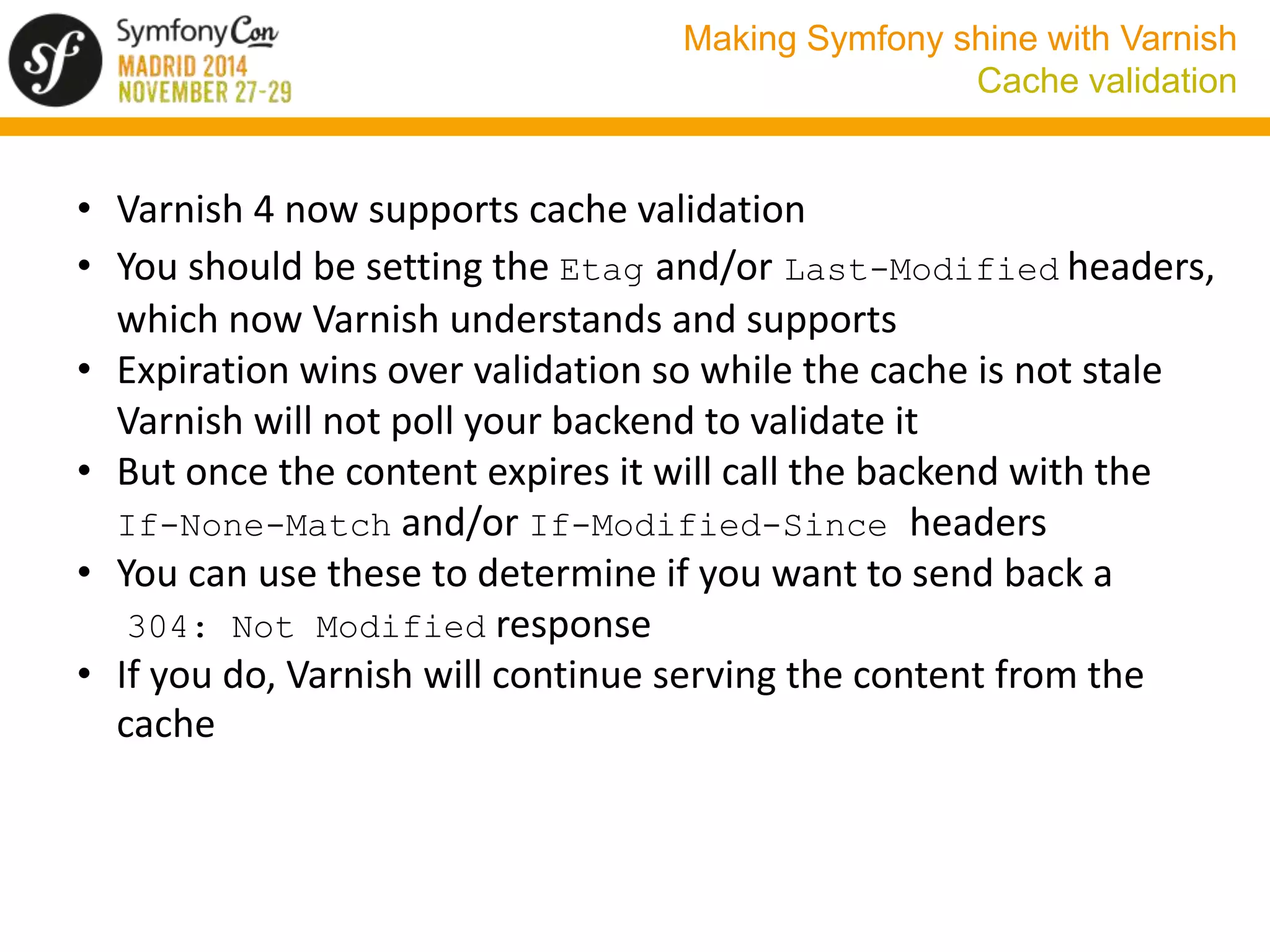
• Varnish 4 now supports cache validation 
• You should be setting the Etag and/or Last-Modified headers, 
which now Varnish understands and supports 
• Expiration wins over validation so while the cache is not stale 
Varnish will not poll your backend to validate it 
• But once the content expires it will call the backend with the 
If-None-Match and/or If-Modified-Since headers 
• You can use these to determine if you want to send back a 
304: Not Modified response 
• If you do, Varnish will continue serving the content from the 
cache
Making Symfony shine with Varnish 
Cache validation 
public function showBookAction($id, $request) 
{ 
$book = ...; 
$response = new Response(); 
$response->setETag($book->computeETag()); 
$response->setLastModified($book->getModified()); 
$response->setPublic(); 
if ($response->isNotModified($request)) { 
return $response; //returns 304 
} 
... generate and return full response 
}
Making Symfony shine with Varnish 
Edge Side Includes (ESI) 
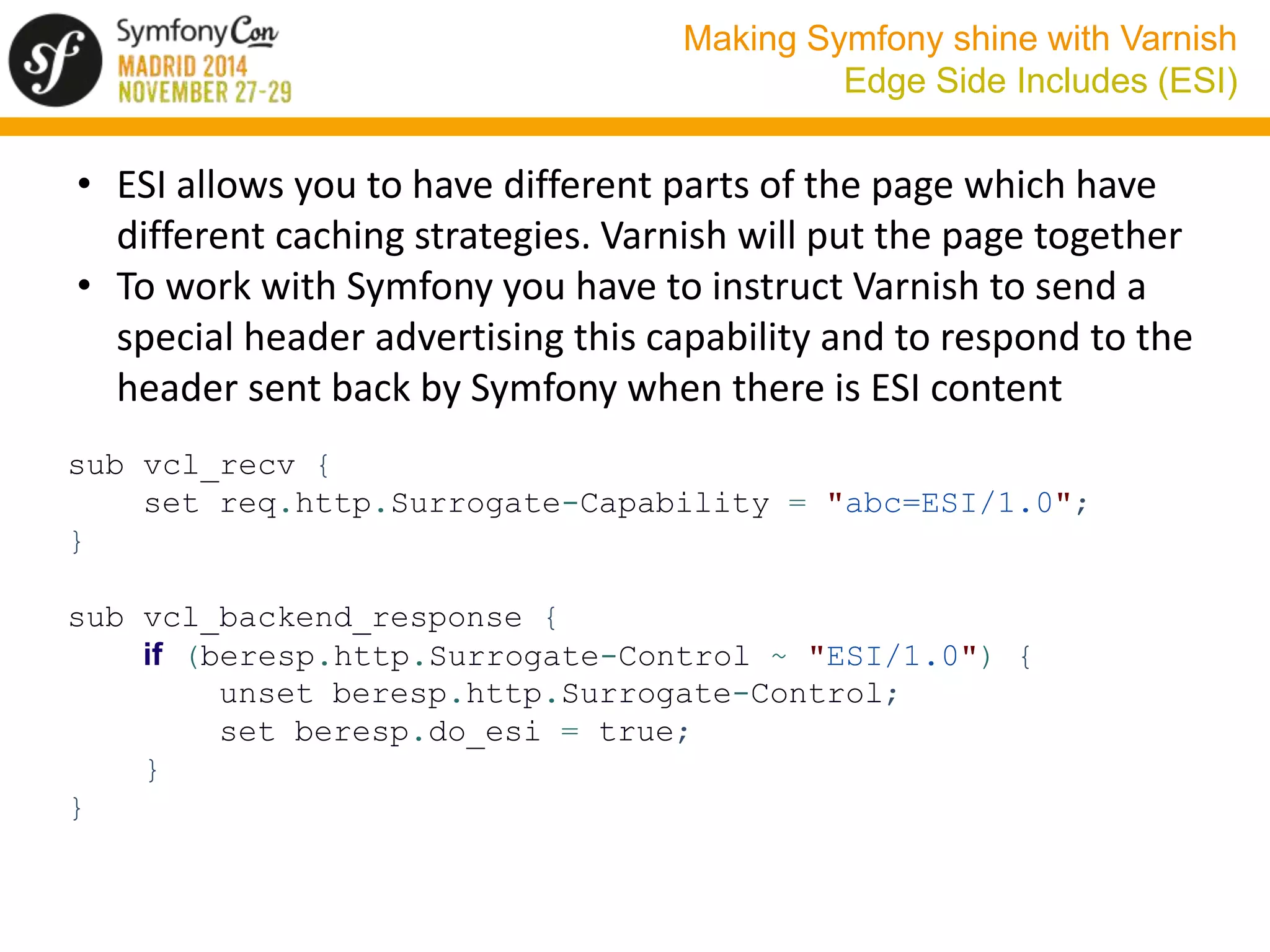
• ESI allows you to have different parts of the page which have 
different caching strategies. Varnish will put the page together 
• To work with Symfony you have to instruct Varnish to send a 
special header advertising this capability and to respond to the 
header sent back by Symfony when there is ESI content 
sub vcl_recv { 
set req.http.Surrogate-Capability = "abc=ESI/1.0"; 
} 
sub vcl_backend_response { 
if (beresp.http.Surrogate-Control ~ "ESI/1.0") { 
unset beresp.http.Surrogate-Control; 
set beresp.do_esi = true; 
} 
}
Making Symfony shine with Varnish 
Edge Side Includes (ESI) 
• Now you need to tell Symfony to enable ESI 
• If you are going to reference a controller when including ESI 
content you need to enable the FragmentListener so that it 
generates URLs for the ESI fragments 
• Finally you need to list the Varnish servers as trusted proxies 
framework: 
esi: { enabled: true } 
fragments: { path: /_fragment } 
trusted_proxies: [xxx.xxx.xxx.xxx, yyy.yyy.yyy.yyy ] 
#IPs of Varnish servers
Making Symfony shine with Varnish 
Edge Side Includes (ESI) 
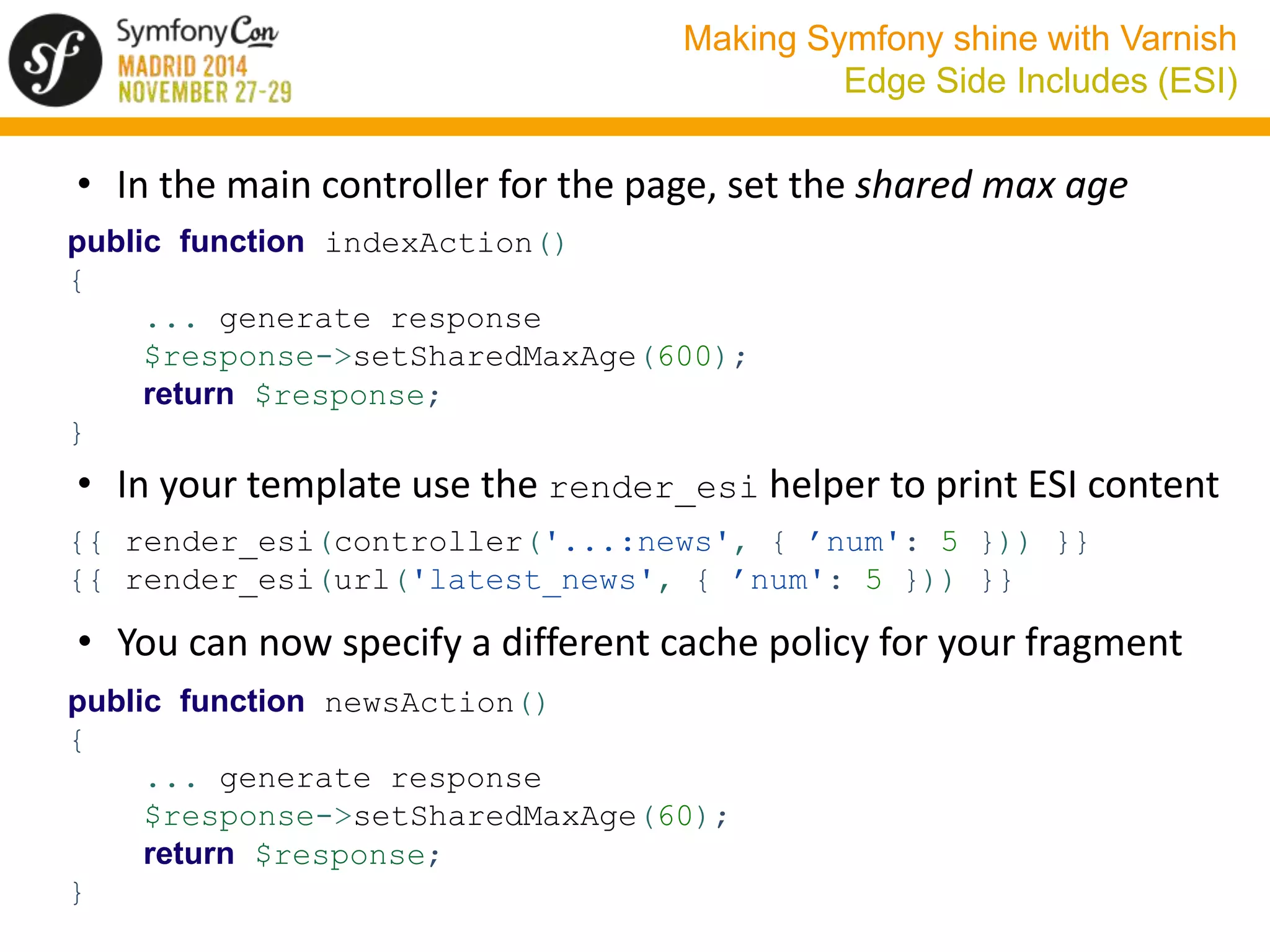
• In the main controller for the page, set the shared max age 
public function indexAction() 
{ 
... generate response 
$response->setSharedMaxAge(600); 
return $response; 
} 
• In your template use the render_esi helper to print ESI content 
{{ render_esi(controller('...:news', { ’num': 5 })) }} 
{{ render_esi(url('latest_news', { ’num': 5 })) }} 
• You can now specify a different cache policy for your fragment 
public function newsAction() 
{ 
... generate response 
$response->setSharedMaxAge(60); 
return $response; 
}
Making Symfony shine with Varnish 
Thanks! 
¡Gracias! - Thanks! 
Any questions? 
cgranados@clippingbook.com 
@carlos_granados 
https://joind.in/talk/view/12942

Making Symofny shine with Varnish - SymfonyCon Madrid 2014

  • 1.
    Making Symfony shine with Varnish
  • 2.
    Making Symfony shinewith Varnish About me Carlos Granados
  • 3.
    Making Symfony shinewith Varnish About me
  • 4.
    Making Symfony shinewith Varnish Do we need a cache accelerator? • Symfony is FAST considering all the features it provides • See my talk in last year’s deSymfony conference in Madrid (in Spanish): http://www.desymfony.com/ponencia/2013/porque-symfony2- es-rapido
  • 5.
    Making Symfony shinewith Varnish Our case: clippingbook.com
  • 6.
    Making Symfony shinewith Varnish Our case: clippingbook.com • We were able to handle 100 req/sec • But this was not enough to handle our load, specially when doing Facebook promotions • We chose Symfony because of its lower costs of development and manteinance, not for its performance • We do not want to renounce to any Symfony features (ORM, Twig templates, ...) • We could have scaled vertically or horizontally but chose to implement a caching strategy first
  • 7.
    Making Symfony shinewith Varnish The solution: Varnish • The solution: install Varnish Cache • Varnish Cache is a web application accelerator also known as a caching HTTP reverse proxy • It sits in front of your HTTP server and caches its responses, serving content from the cache whenever possible. • Result: we can now serve 10000 req/sec, a 100x improvement
  • 8.
    Making Symfony shinewith Varnish What we will not cover • How HTTP caching works. For more information see: http://tools.ietf.org/pdf/rfc2616.pdf (HTTP 1.1 specification, see section 13 for caching) http://symfony.com/doc/current/book/http_cache.html (HTTP caching chapter in the Symfony Book) • Basic Varnish installation and configuration. See Fabien’s talk: http://www.desymfony.com/ponencia/2012/varnish
  • 9.
    Making Symfony shinewith Varnish What we will cover • Why Varnish • Quick overview of Varnish configuration • Varnish 4. What’s new • Using Varnish with Symfony: • Backends • URL normalization • Cookies and sessions • Internacionalization • Serving content for different devices • Defining caching headers • Cache invalidation • Cache validation • Edge Side Includes (ESI)
  • 10.
    Making Symfony shinewith Varnish Why Varnish? PROs • Varnish is really fast and highly configurable • It is well documented in the Symfony documentation • There are some bundles which help you interact with it • Fabien’s talk provided very good information on how to use it CONs • Varnish documentation not too good / VCL can be cryptic • It does not handle SSL • Only runs on 64 bit machines
  • 11.
    Making Symfony shinewith Varnish Varnish configuration overview • Varnish uses VCL, a DSL similar to C or Perl • Configuration saved to a file, usually /etc/varnish/default.vcl • Translated into C, compiled and linked => fast • Uses a number of subroutines which are called at specific times during the handling of the request. For example vcl_recv • These functions return a value which defines the next action that the system will take. For example fetch • There is a default VCL code for each function which is executed if no value is returned • We have some objects which represent the request (req), the response (resp), the backend request (bereq), the backend response (beresp) and the object in the cache (obj) sub vcl_miss { return (fetch); }
  • 12.
    Making Symfony shinewith Varnish Request flow
  • 13.
    Making Symfony shinewith Varnish Request flow • A request is received (vcl_recv) and we decide if we want to look it up in the cache (hash) or not (pass) • If we do not look it up in the cache (vcl_pass) we fetch the response from the backend (fetch) and don´t store it in the cache • If we want to look it up, we create a hash for the content (vcl_hash) and then look it up (lookup) • If we find it in the cache (vcl_hit) we deliver it (deliver) • If we don’t find it in the cache (vcl_miss) we fetch the response from the backend (fetch) • If we need to fetch the content, we build a request for the backend and send it (vcl_backend_fetch) • We receive a response from the back end (vcl_backend_response), decide if we want to cache it and deliver it (deliver) • We finally deliver the response to the client (vcl_deliver)
  • 14.
    Making Symfony shinewith Varnish Varnish 4: what’s new • Different threads are used for serving client requests and backend requests • This split allows Varnish to refresh content in the background while serving stale content quickly to the client. • Varnish now correctly handles cache validation, sending If- None-Match and If-Modified-Since headers and processing Etag and Last-Modified headers
  • 15.
    Making Symfony shinewith Varnish Varnish 4: what’s changed • req.request is now req.method (for example POST) • vcl_fetch is now vcl_backend_response • We have a new vcl_backend_fetch function • To mark responses as uncacheable (hit for pass) we now use beresp.uncacheable = true • The purge function is no longer available. You purge content by returning purge from vcl_recv • vcl_recv must now return hash instead of lookup • vcl_hash must now return lookup instead of hash • vcl_pass must now return fetch instead of pass • Backend restart is now retry • Logging tools like varnishlog now have a new filtering language which means their syntax has changed (-m option => -q)
  • 16.
    Making Symfony shinewith Varnish Load balancing: backends backend back1 { .host = "back1.clippingbook.com"; .port = "80"; } backend back2 { .host = "back2.clippingbook.com"; .port = "80"; } sub vcl_init { new backs = directors.hash(); backs.add_backend(back1,1); backs.add_backend(back2,1); } sub vcl_recv { set req.backend_hint = backs.backend(client.identity); }
  • 17.
    Making Symfony shinewith Varnish Load balancing: backends • Varnish includes a health check mechanism and can exclude backends which are not healthy • There are other load balancing mechanisms: random, round-robin, url-based (or build your own) • BUT if you are using the standard file-based session save mechanism of Symfony the only method safe to use is hash based on client ip or client session cookie • Even this can lead to problems if one server turns unhealthy and Varnish has to redirect to another backend • Our recommendation: switch to a shared session server using a database (PdoSessionHandler), Memcached (MemcachedSessionHandler) or Redis (ScnRedisBundle)
  • 18.
    Making Symfony shinewith Varnish URL normalization • In vcl_hash we calculate a hash to look up the content in the cache. By default it uses the URL + the host (or IP) • We want to normalize this URL/host in order to avoid having repeated content in the cache • Convert the host to lowercase using std.tolower • Remove www from the host if present • Normalize all the query parameters using std.querysort • Use RouterUnslashBundle to redirect all URLs to the version not ending in / • Note that this hash does not include Vary content sub vcl_hash { set req.http.host = std.tolower(req.http.host); set req.http.host = regsub(req.http.host, "^www.", ""); set req.url = std.querysort(req.url); }
  • 19.
    Making Symfony shinewith Varnish Cookies and sessions • Varnish by default will not cache anything which has a cookie • Symfony sets a PHPSESSID cookie in almost all responses • By default no content will be cached! • We want to pass the PHPSESSID cookie to the backend but still cache some pages even if it is set • We must not cache any page where this cookie produces a different response: logged users, forms (CSRF), flashes • We do not want to cache any page for logged in users • Most cookies are used by the client side and can be ignored • There are some cookies which produce a different response but it is the same for all users => we can Vary on them • We want to clear all cookies for static content
  • 20.
    Making Symfony shinewith Varnish Cookies and sessions sub vcl_recv { set req.http.X-cookie = req.http.cookie; if (!req.http.Cookie ~ "Logged-In") { unset req.http.Cookie; } if (req.url ~ ".(png|gif|jpg|css|js|html)$") { unset req.http.cookie; } } sub vcl_hash { set req.http.cookie = req.http.X-cookie; if (req.http.cookie ~ "hide_newsletter=") { set req.http.X-Newsletter = 1; } } sub vcl_pass { set req.http.cookie = req.http.X-cookie; }
  • 21.
    Making Symfony shinewith Varnish Cookies and sessions sub vcl_backend_response { if (!beresp.http.Vary) { set beresp.http.Vary = "X-Newsletter"; } elseif (beresp.http.Vary !~ "X-Newsletter") { set beresp.http.Vary = beresp.http.Vary + ", X-Newsletter"; } if (bereq.url ~ ".(png|gif|jpg|css|js|html)$") { unset beresp.http.set-cookie; } } sub vcl_deliver { set resp.http.Vary = regsub(resp.http.Vary, "X-Newsletter", "Cookie"); }
  • 22.
    Making Symfony shinewith Varnish Cookies and sessions • To create the Logged-In cookie we define a kernel.response listener, injecting the security.context and adding/removing the cookie as needed
  • 23.
    Making Symfony shinewith Varnish Cookies and sessions public function onKernelResponse (FilterResponseEvent $event) { $response = $event->getResponse(); $request = $event->getRequest(); if ($this->context->getToken() && $this->context- >isGranted('IS_AUTHENTICATED_FULLY')) { if (!$request->cookies->has('Logged-In')) { $cookie = new Cookie ('Logged-In','true'); $response->headers->setCookie($cookie); } } else { if ($request->cookies->has('Logged-In')) { $response->headers->clearCookie('Logged-In'); } } }
  • 24.
    Making Symfony shinewith Varnish Internacionalization • If you return different content depending on a header, use the Vary header. A common case is returning different content based on the Accept-Language header • But you should normalize it or your cache won’t be efficient if (req.http.Accept-Language) { if (req.http.Accept-Language ~ "en") { set req.http.Accept-Language = "en"; } elsif (req.http.Accept-Language ~ "es") { set req.http.Accept-Language = "es"; } else { unset req.http.Accept-Language } } • This is a bit simplistic. Use https://github.com/cosimo/varnish-accept-language • Varnish will automatically take care of Accept-Encoding
  • 25.
    Making Symfony shinewith Varnish Device detection • Another case may be device detection. We want to normalize the user-agent and Vary on it. We can use https://github.com/varnish/varnish-devicedetect include "devicedetect.vcl"; sub vcl_recv { call devicedetect; } #sets X-UA-Device header sub vcl_backend_response { if (!beresp.http.Vary) { set beresp.http.Vary = "X-UA-Device"; } elseif (beresp.http.Vary !~ "X-UA-Device") { set beresp.http.Vary = beresp.http.Vary + ", X-UA-Device"; } } sub vcl_deliver { set resp.http.Vary = regsub(resp.http.Vary, "X-UA-Device", "User-Agent"); }
  • 26.
    Making Symfony shinewith Varnish Device detection • We can copy this X-UA-Device header to the user-agent header (but we are losing information) sub vcl_backend_fetch { set bereq.http.user-agent = bereq.http.X-UA-Device; } • Else we can use the X-UA-Device directly. If, for example, we use LiipThemeBundle, we can configure it: liip_theme: autodetect_theme: acme.device.detector • acme.device.director is a service which implements the LiipThemeBundleHelperDeviceDetectionInterface interface and which uses X-UA-Device to choose a theme
  • 27.
    Making Symfony shinewith Varnish Defining caching headers • Set them directly in the Response object $response->setSharedMaxAge(600); $response->setPublic(); $response->setVary('Accept-Language'); • Use SensioFrameworkExtraBundle and the @Cache annotation use SensioBundleFrameworkExtraBundleConfigurationCache; /** * @Cache(smaxage="600") * @Cache(public=true) * @Cache(vary={"Accept-Language"}) */
  • 28.
    Making Symfony shinewith Varnish Defining caching headers • Use FOSHttpCacheBundle to set them in your config file fos_http_cache: cache_control: rules: - match: attributes: {route: ^book_list$ } headers: cache_control: { public: true, s_maxage: 600 } - match: path: ^/info/*$ headers: cache_control: { public: true, s_maxage: 3600 } vary: Accept-Language
  • 29.
    Making Symfony shinewith Varnish Cache invalidation • First use case: update pages when you deploy new code • If it is a minor and non-BC breaking change, just wait for the cache expiration headers to do their job. • You may need to use some cache busting mechanism like the assets_version parameter for cache validation • If it is a major or BC-breaking change, we just bite the bullet and clear the whole cache by restarting Varnish service varnish restart • Downtime is almost inexistent but you will lose all your cached content • If this is important, you may want to build a cache warmer which preloads all your important urls into the cache
  • 30.
    Making Symfony shinewith Varnish Cache invalidation • Second use case: a more granular approach: invalidate individual pages when the underlying data changes • We can use FOSHttpCacheBundle. First configure Varnish: acl invalidators { "back1.clippingbook.com"; "back2.clippingbook.com"; } sub vcl_recv { if (req.method == "PURGE") { if (!client.ip ~ invalidators) { return (synth(405, "Not allowed")); } return (purge); } if (req.http.Cache-Control ~ "no-cache" && client.ip ~ invalidators) { set req.hash_always_miss = true; } }
  • 31.
    Making Symfony shinewith Varnish Cache invalidation • We then need to configure a Varnish server in Symfony: fos_http_cache: proxy_client: varnish: servers: xxx.xxx.xxx.xxx #IP of Varnish server base_url: clippingbook.com • We can now invalidate or refresh content programatically $cacheManager = $container -> get('fos_http_cache.cache_manager'); $cacheManager->invalidatePath('/books'); $cacheManager->refreshRoute('book_show', array('id' => $bookId)); $cacheManager->flush(); //optional
  • 32.
    Making Symfony shinewith Varnish Cache invalidation • We can also use annotations: use FOSHttpCacheBundleConfigurationInvalidatePath; /** * @InvalidatePath("/books") * @InvalidateRoute("book_show", params={"id" = {"expression"="id"}})") */ public function editBookAction($id) { } • This needs that SensioFrameworkExtraBundle is available and, if we use expressions, that the ExpressionLanguage component is installed
  • 33.
    Making Symfony shinewith Varnish Cache invalidation • Finally, we can set up invalidation in our config file: fos_http_cache: invalidation: rules: - match: attributes: _route: "book_edit|book_delete" routes: book_list: ~ book_show: ~
  • 34.
    Making Symfony shinewith Varnish Cache validation • Varnish 4 now supports cache validation • You should be setting the Etag and/or Last-Modified headers, which now Varnish understands and supports • Expiration wins over validation so while the cache is not stale Varnish will not poll your backend to validate it • But once the content expires it will call the backend with the If-None-Match and/or If-Modified-Since headers • You can use these to determine if you want to send back a 304: Not Modified response • If you do, Varnish will continue serving the content from the cache
  • 35.
    Making Symfony shinewith Varnish Cache validation public function showBookAction($id, $request) { $book = ...; $response = new Response(); $response->setETag($book->computeETag()); $response->setLastModified($book->getModified()); $response->setPublic(); if ($response->isNotModified($request)) { return $response; //returns 304 } ... generate and return full response }
  • 36.
    Making Symfony shinewith Varnish Edge Side Includes (ESI) • ESI allows you to have different parts of the page which have different caching strategies. Varnish will put the page together • To work with Symfony you have to instruct Varnish to send a special header advertising this capability and to respond to the header sent back by Symfony when there is ESI content sub vcl_recv { set req.http.Surrogate-Capability = "abc=ESI/1.0"; } sub vcl_backend_response { if (beresp.http.Surrogate-Control ~ "ESI/1.0") { unset beresp.http.Surrogate-Control; set beresp.do_esi = true; } }
  • 37.
    Making Symfony shinewith Varnish Edge Side Includes (ESI) • Now you need to tell Symfony to enable ESI • If you are going to reference a controller when including ESI content you need to enable the FragmentListener so that it generates URLs for the ESI fragments • Finally you need to list the Varnish servers as trusted proxies framework: esi: { enabled: true } fragments: { path: /_fragment } trusted_proxies: [xxx.xxx.xxx.xxx, yyy.yyy.yyy.yyy ] #IPs of Varnish servers
  • 38.
    Making Symfony shinewith Varnish Edge Side Includes (ESI) • In the main controller for the page, set the shared max age public function indexAction() { ... generate response $response->setSharedMaxAge(600); return $response; } • In your template use the render_esi helper to print ESI content {{ render_esi(controller('...:news', { ’num': 5 })) }} {{ render_esi(url('latest_news', { ’num': 5 })) }} • You can now specify a different cache policy for your fragment public function newsAction() { ... generate response $response->setSharedMaxAge(60); return $response; }
  • 39.
    Making Symfony shinewith Varnish Thanks! ¡Gracias! - Thanks! Any questions? cgranados@clippingbook.com @carlos_granados https://joind.in/talk/view/12942