


@lewiscarr #moodlerollovers
Moodle End-of-Year
Course Rollovers
Who is this presentation aimed at?
● Those without a rollover procedure.
● Those without the skills or resources to hack
databases and write web services.
● Those looking for a low cost core solution.
What is a Moodle rollover?
A process where we prepare Moodle for the
next academic term.
Building a strategy
● What are your business objectives?
● How much does it cost? - time/hardware/storage
● Does it form part of a wider IT strategy?
● Which stakeholders need to be involved?
Defining a process
● Which method works best for you?
● How will you identify rollover courses?
● Which courses still need access?
● Will there be downtime?
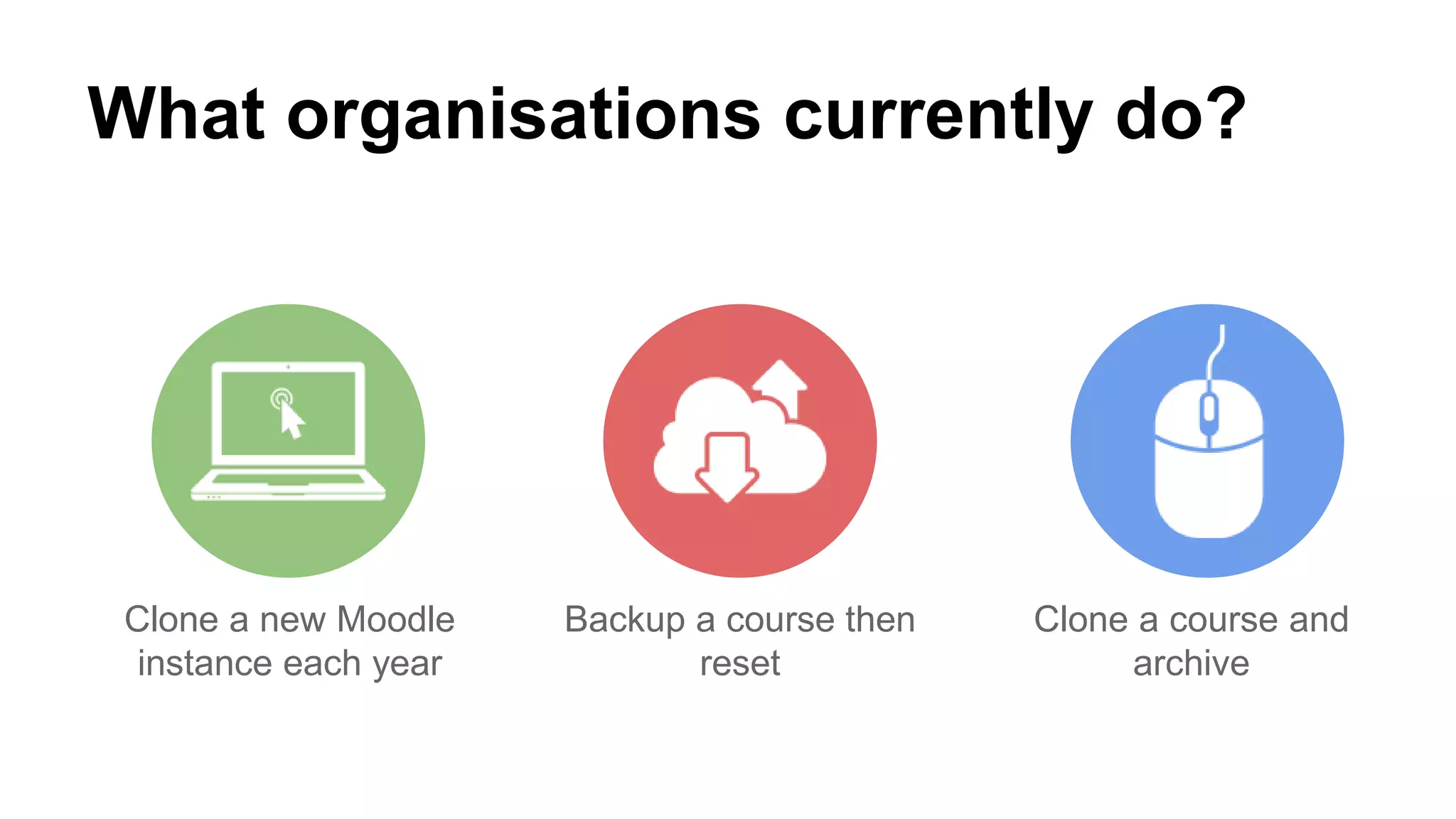
What organisations currently do?
Clone a new Moodle
instance each year
Backup a course then
reset
Clone a course and
archive
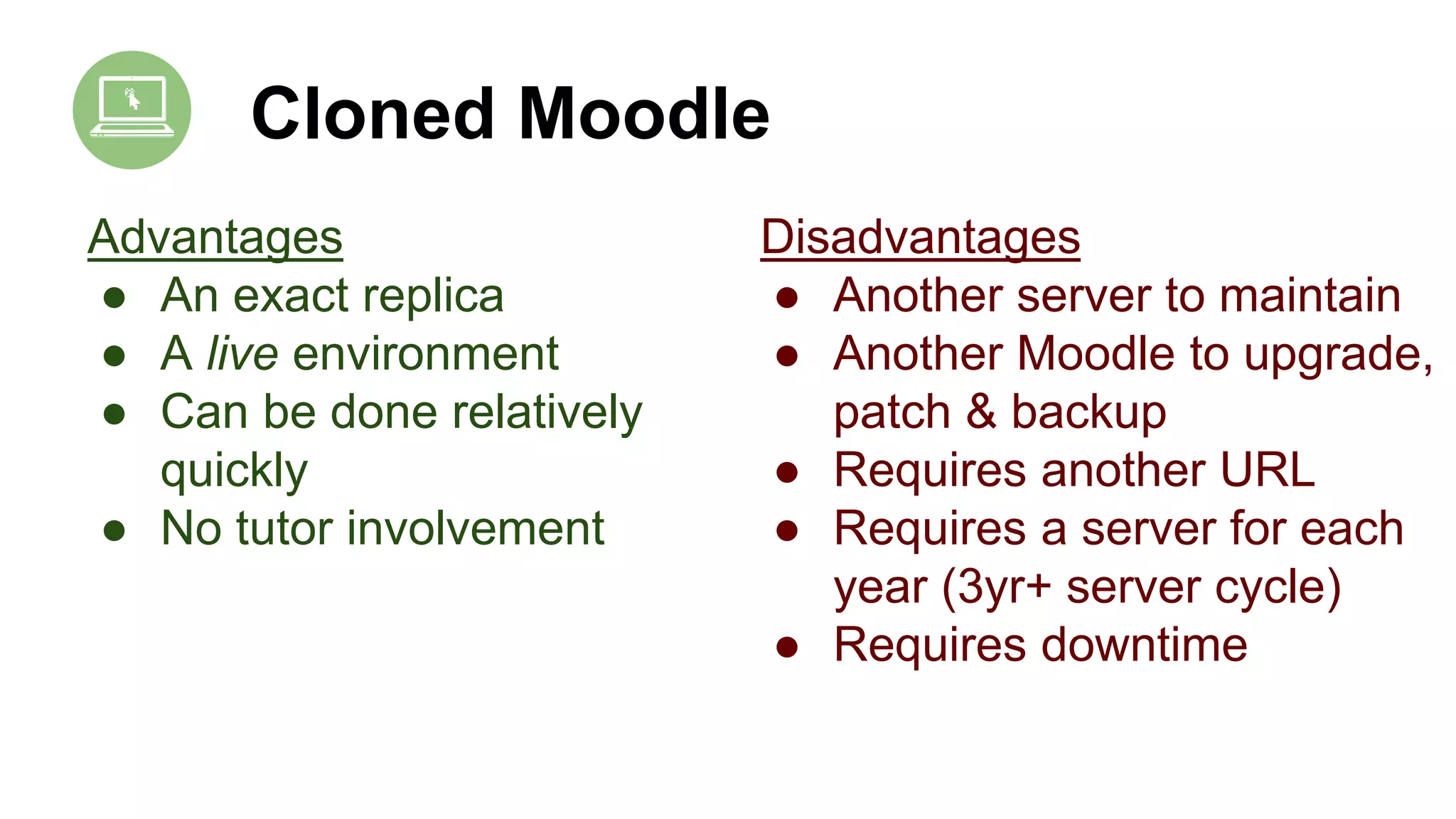
Cloned Moodle
Advantages
● An exact replica
● A live environment
● Can be done relatively
quickly
● No tutor involvement
Disadvantages
● Another server to maintain
● Another Moodle to upgrade,
patch & backup
● Requires another URL
● Requires a server for each
year (3yr+ server cycle)
● Requires downtime
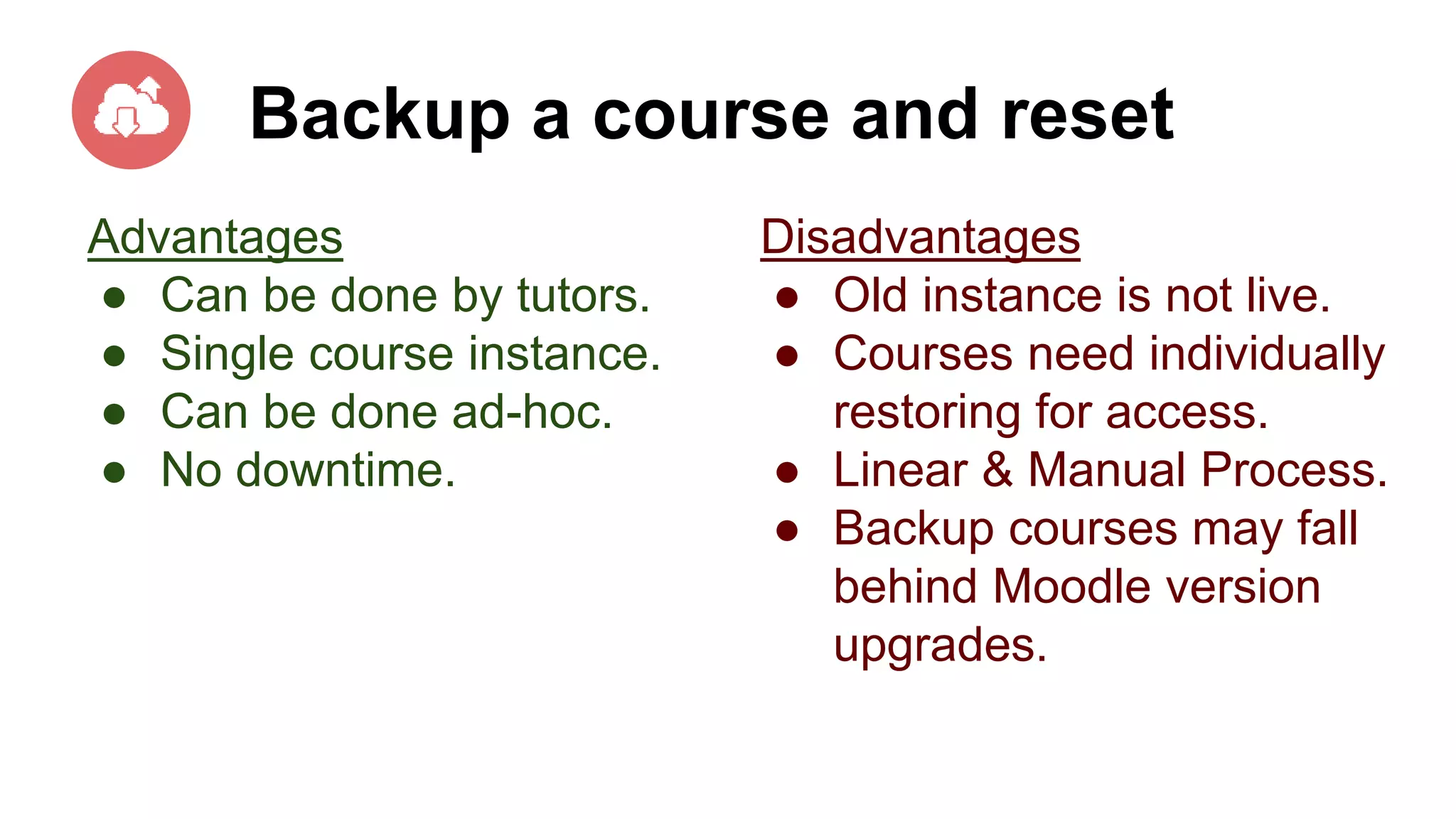
Backup a course and reset
Advantages
● Can be done by tutors.
● Single course instance.
● Can be done ad-hoc.
● No downtime.
Disadvantages
● Old instance is not live.
● Courses need individually
restoring for access.
● Linear & Manual Process.
● Backup courses may fall
behind Moodle version
upgrades.
Clone a course and archive
Advantages
● Legacy course is archived
yet still accessible.
● New course is populated for
the start of term.
● Requires one Moodle
server instance.
● No downtime.
● No restore process when
access is required.
Disadvantages
● Linear & Manual Process.
● Makes existing Moodle site
(slightly) larger.
How to automate the “Clone a
course and archive” procedure with
CSV files
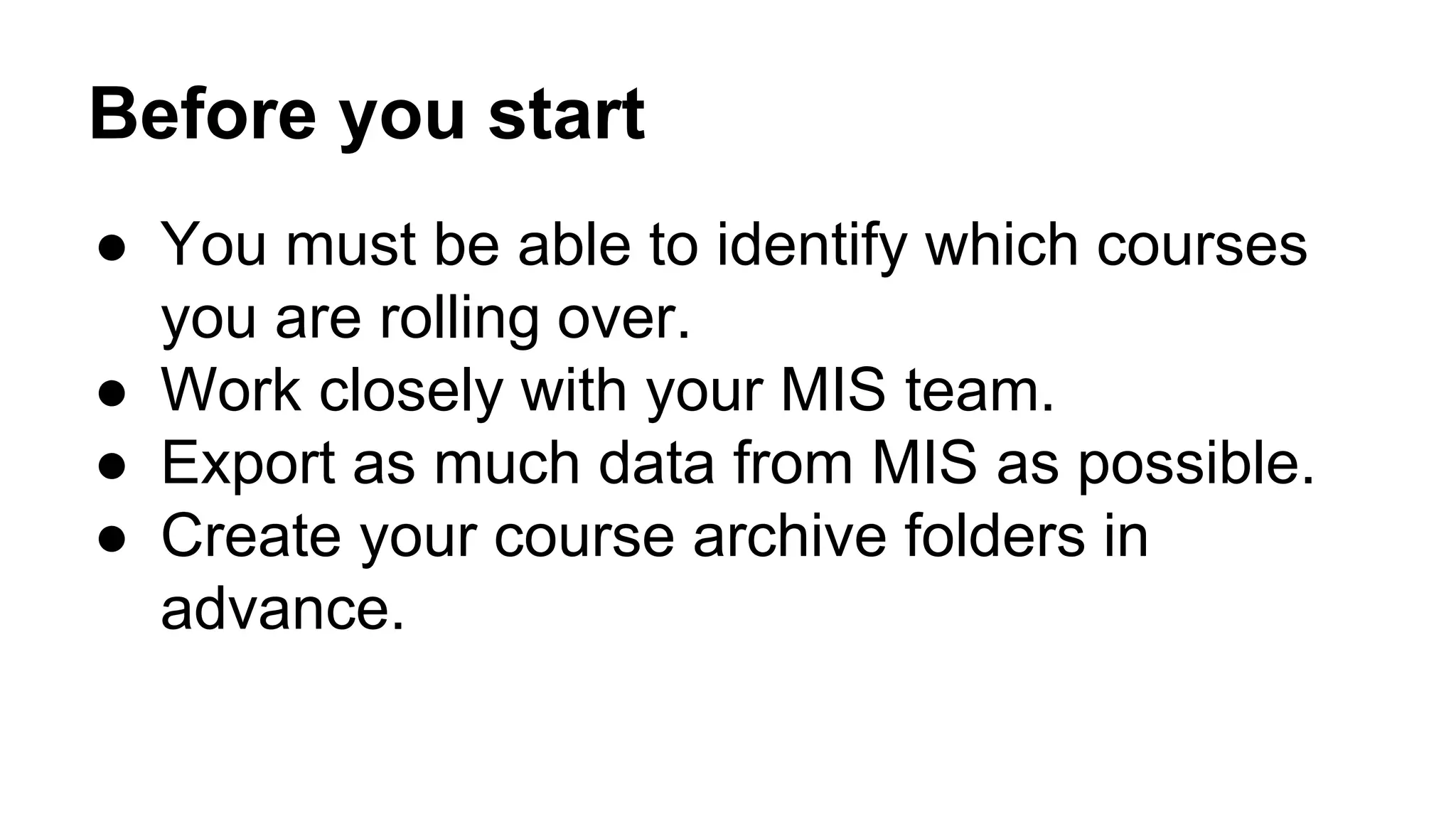
Before you start
● You must be able to identify which courses
you are rolling over.
● Work closely with your MIS team.
● Export as much data from MIS as possible.
● Create your course archive folders in
advance.
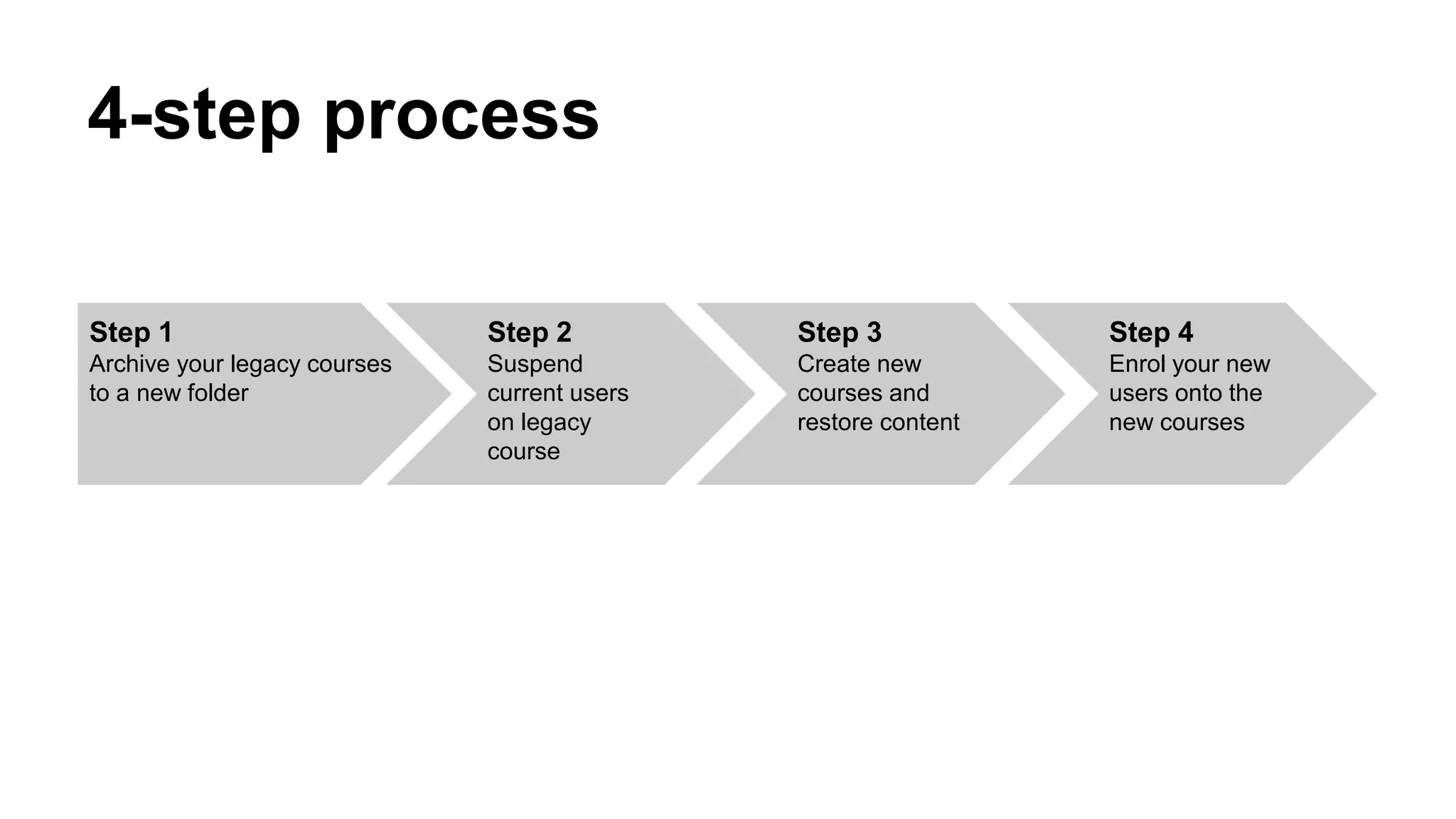
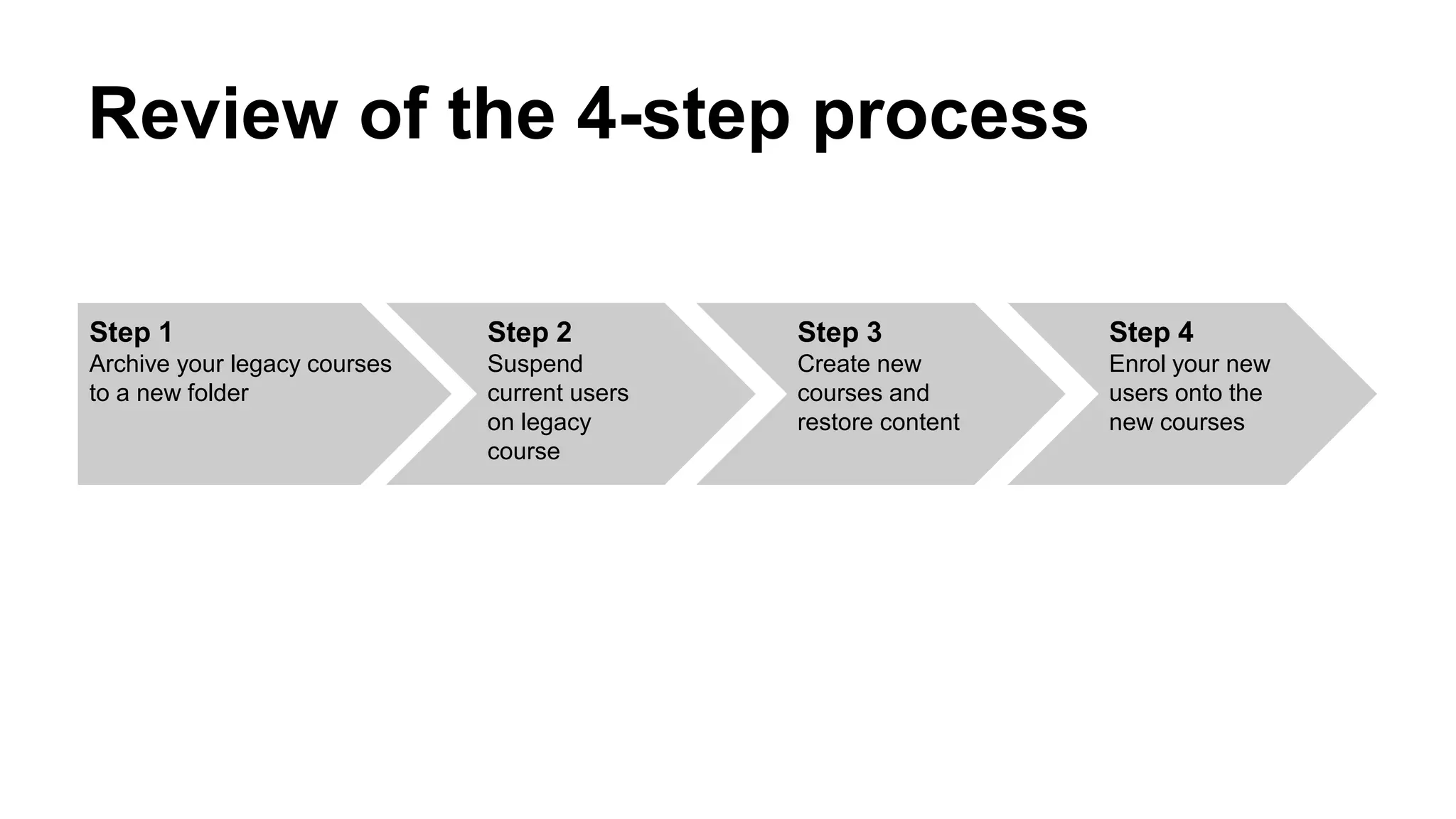
Step 1
Archive your legacy courses
to a new folder
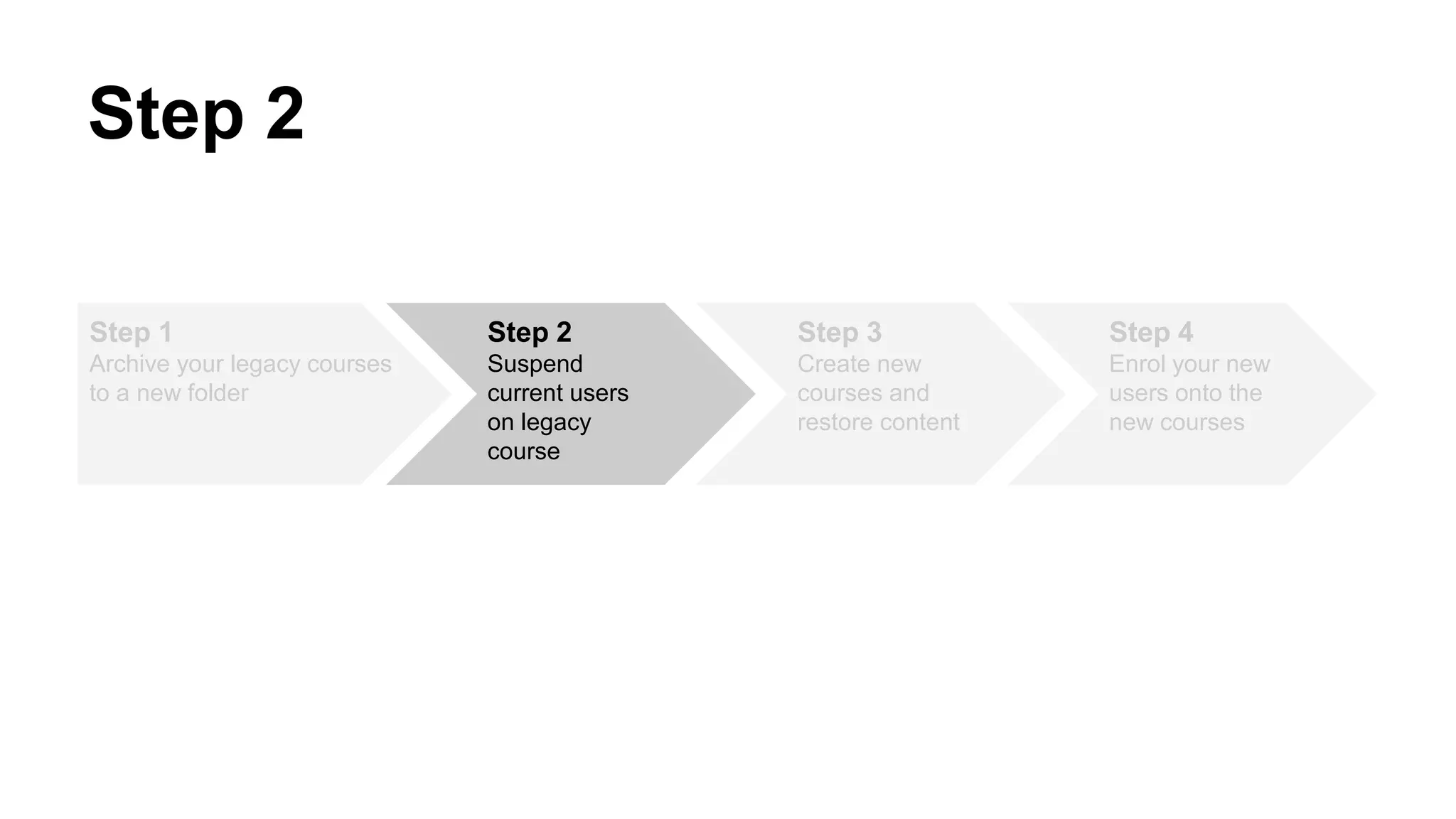
Step 2
Suspend
current users
on legacy
course
Step 3
Create new
courses and
restore content
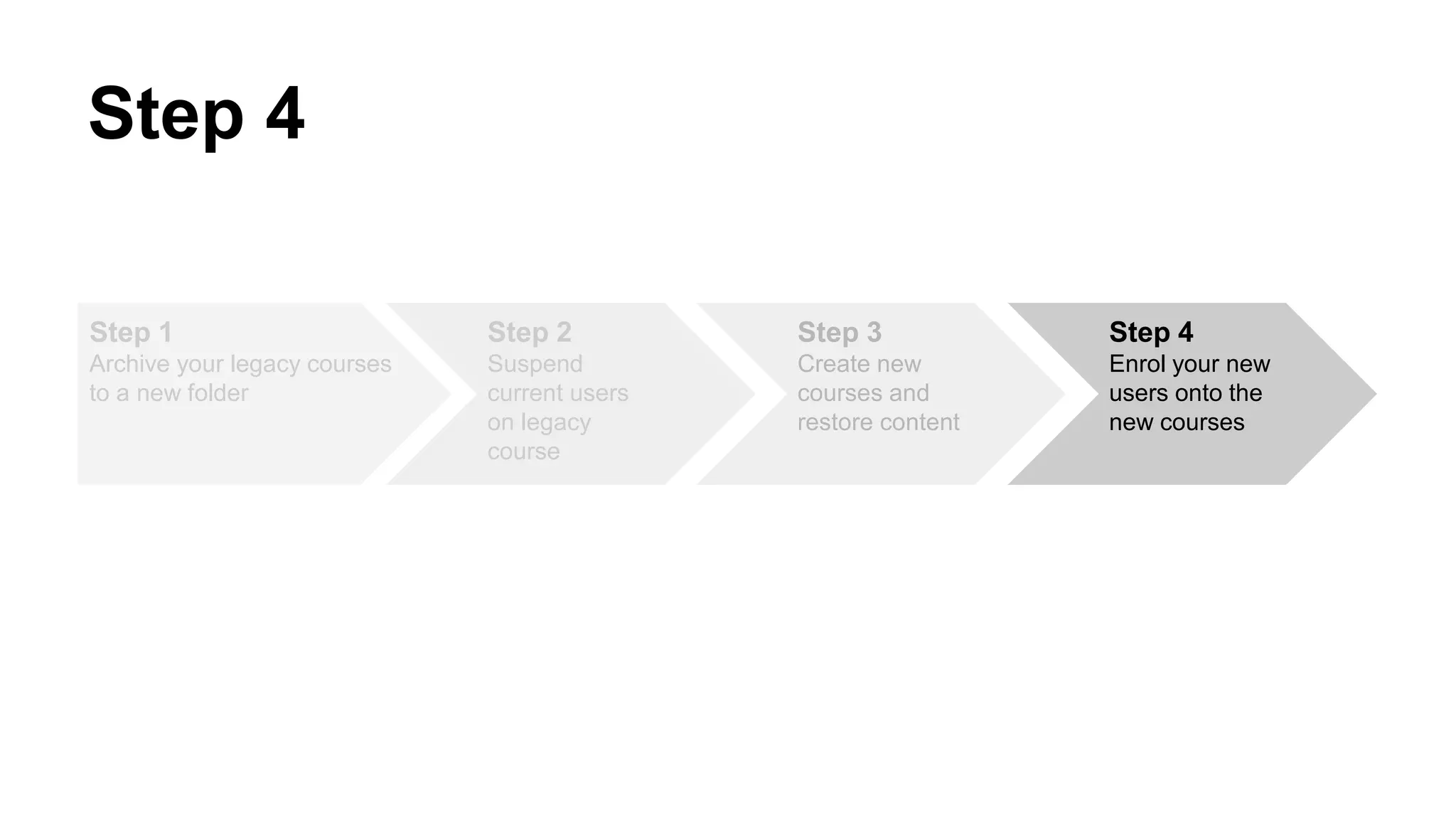
Step 4
Enrol your new
users onto the
new courses
4-step process
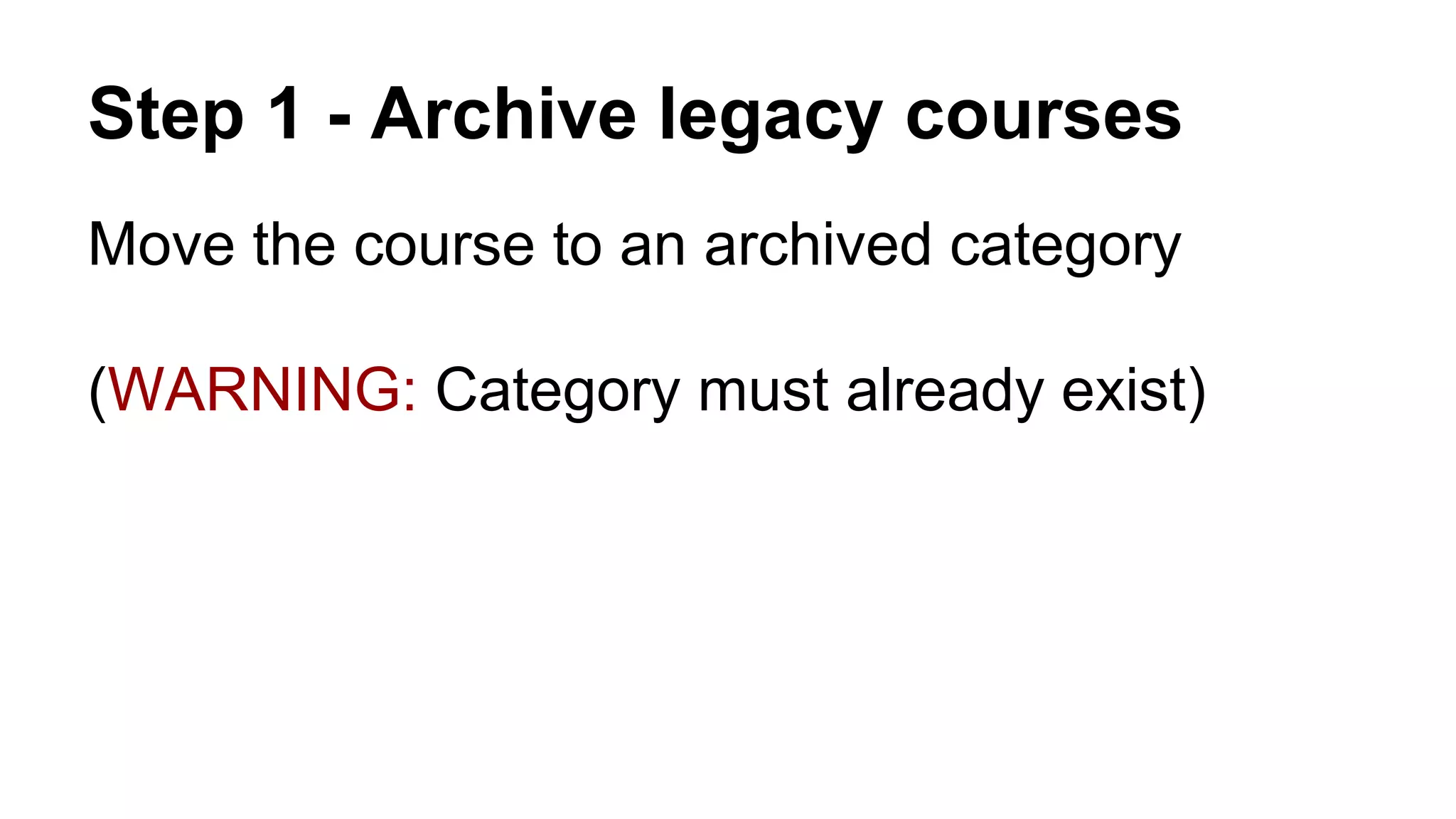
Step 1 - Archive legacy courses
Move the course to an archived category
(WARNING: Category must already exist)
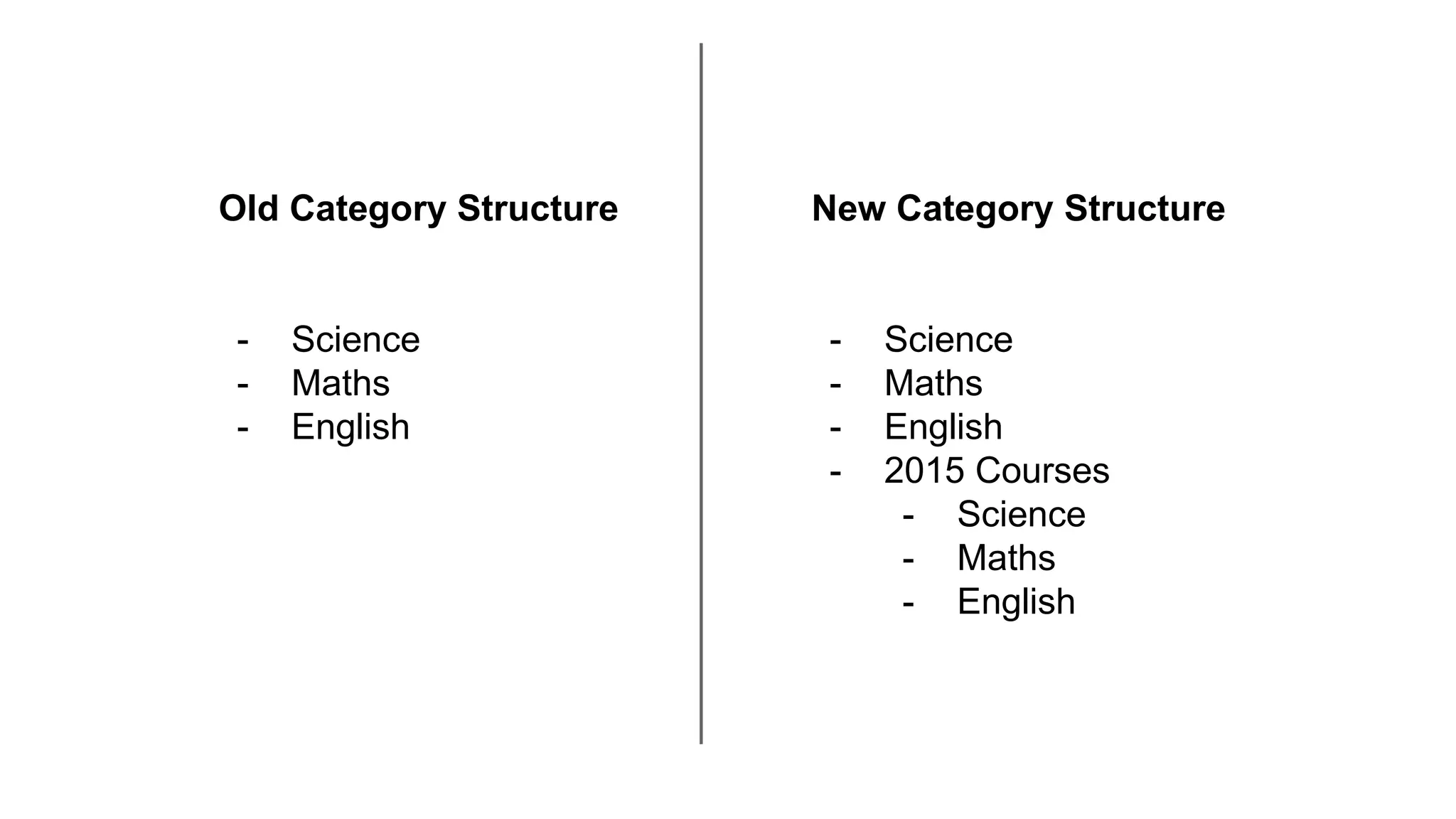
Old Category Structure
- Science
- Maths
- English
New Category Structure
- Science
- Maths
- English
- 2015 Courses
- Science
- Maths
- English
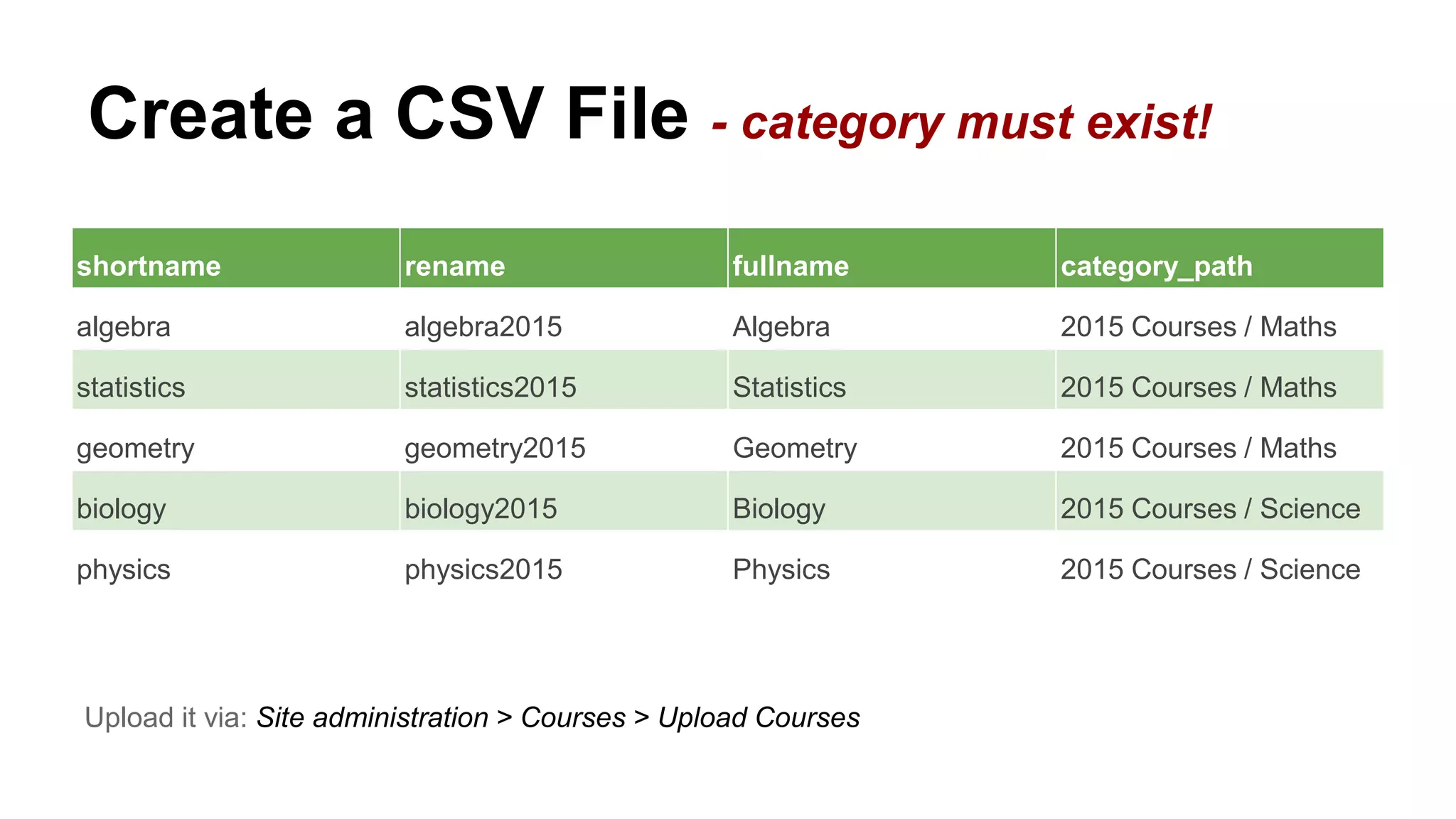
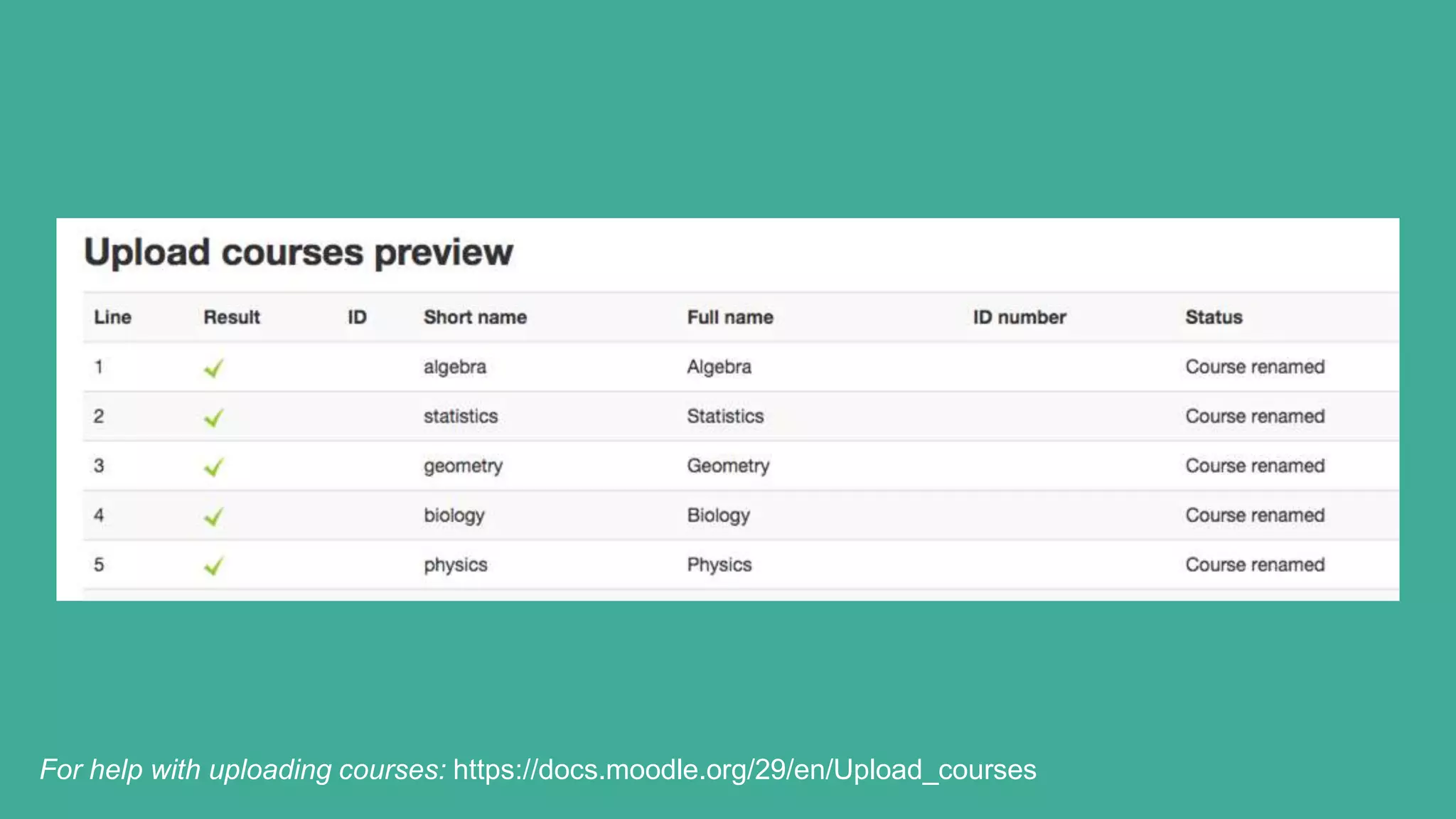
Create a CSV File - category must exist!
shortname rename fullname category_path
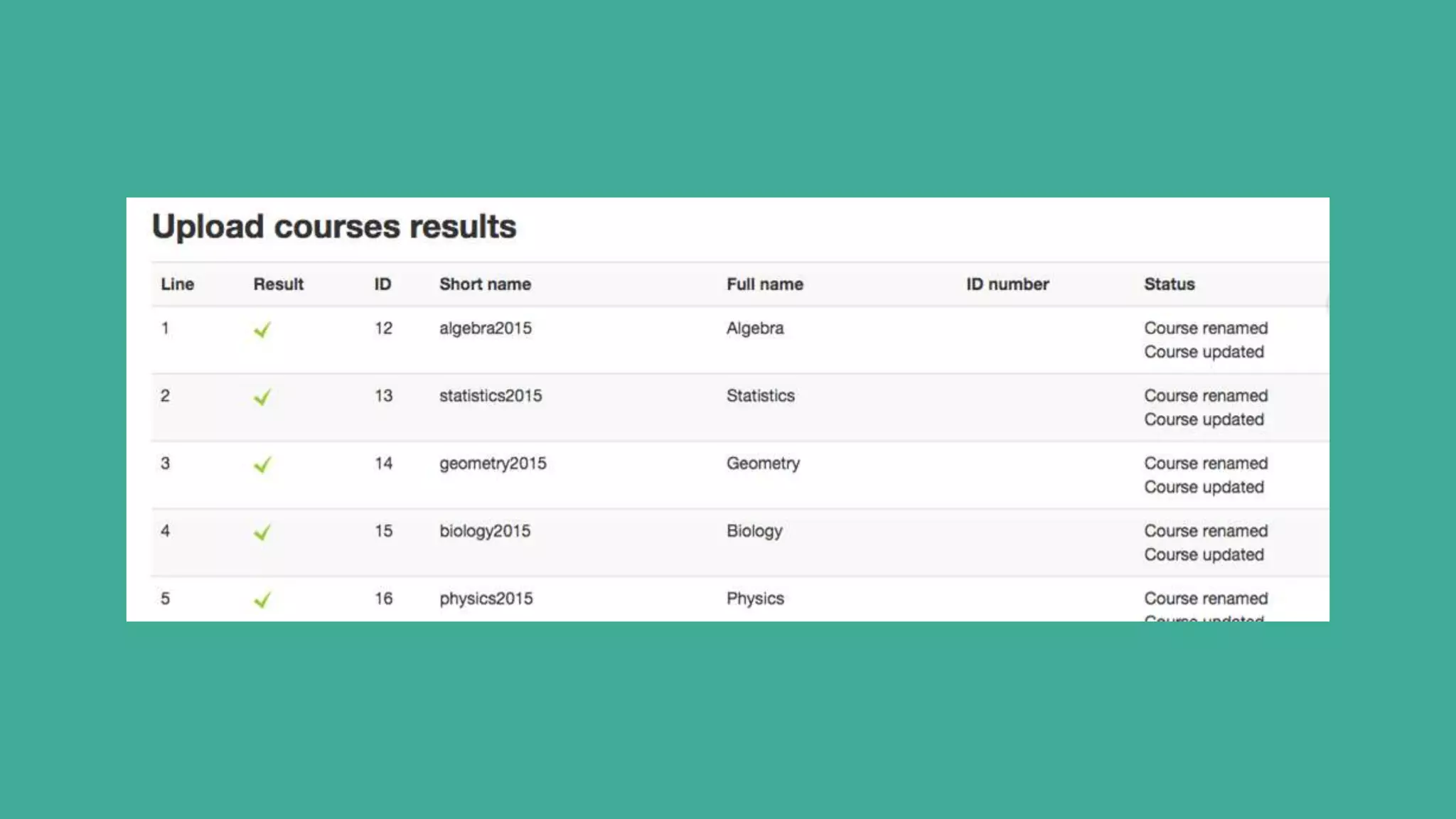
algebra algebra2015 Algebra 2015 Courses / Maths
statistics statistics2015 Statistics 2015 Courses / Maths
geometry geometry2015 Geometry 2015 Courses / Maths
biology biology2015 Biology 2015 Courses / Science
physics physics2015 Physics 2015 Courses / Science
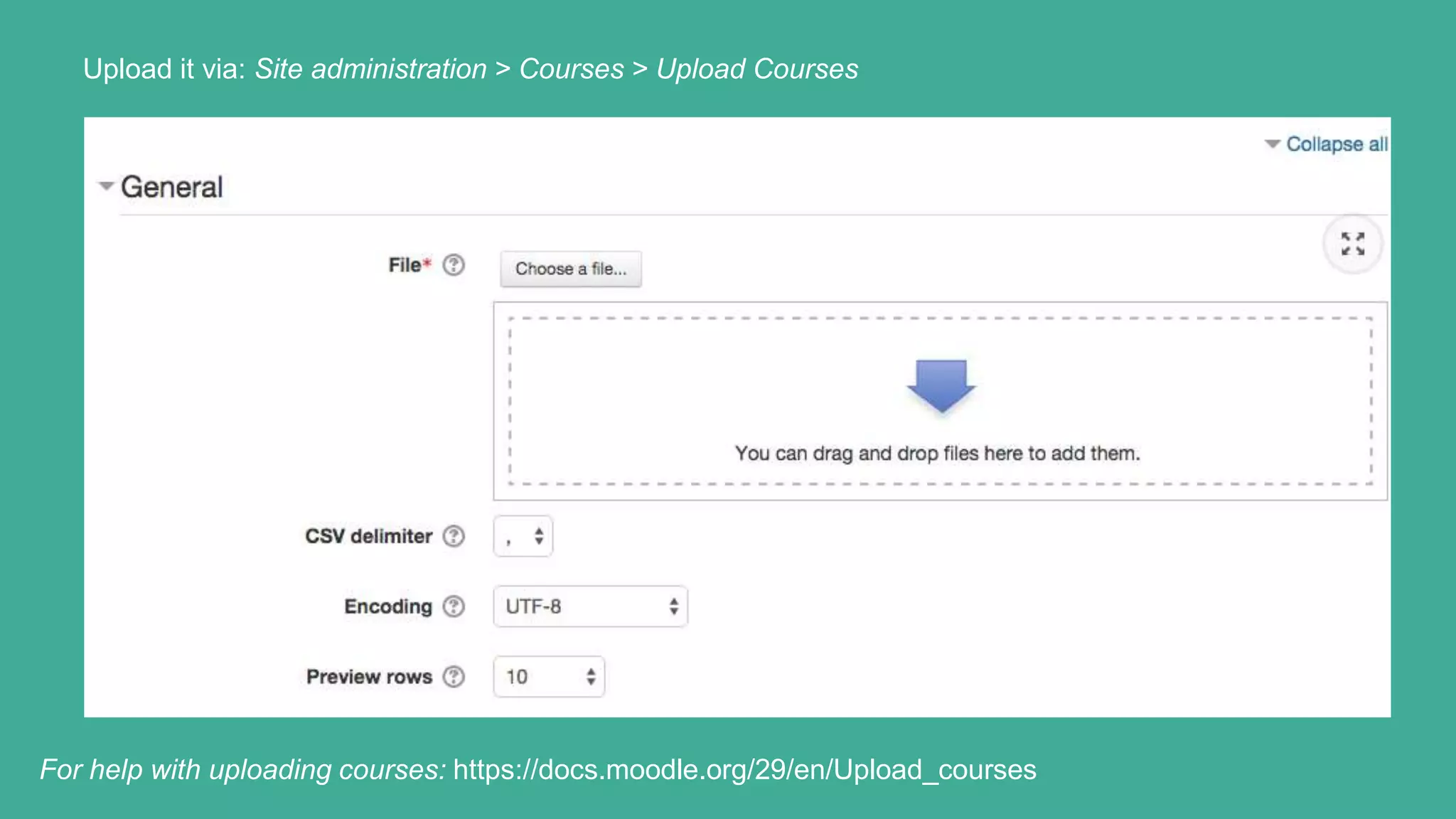
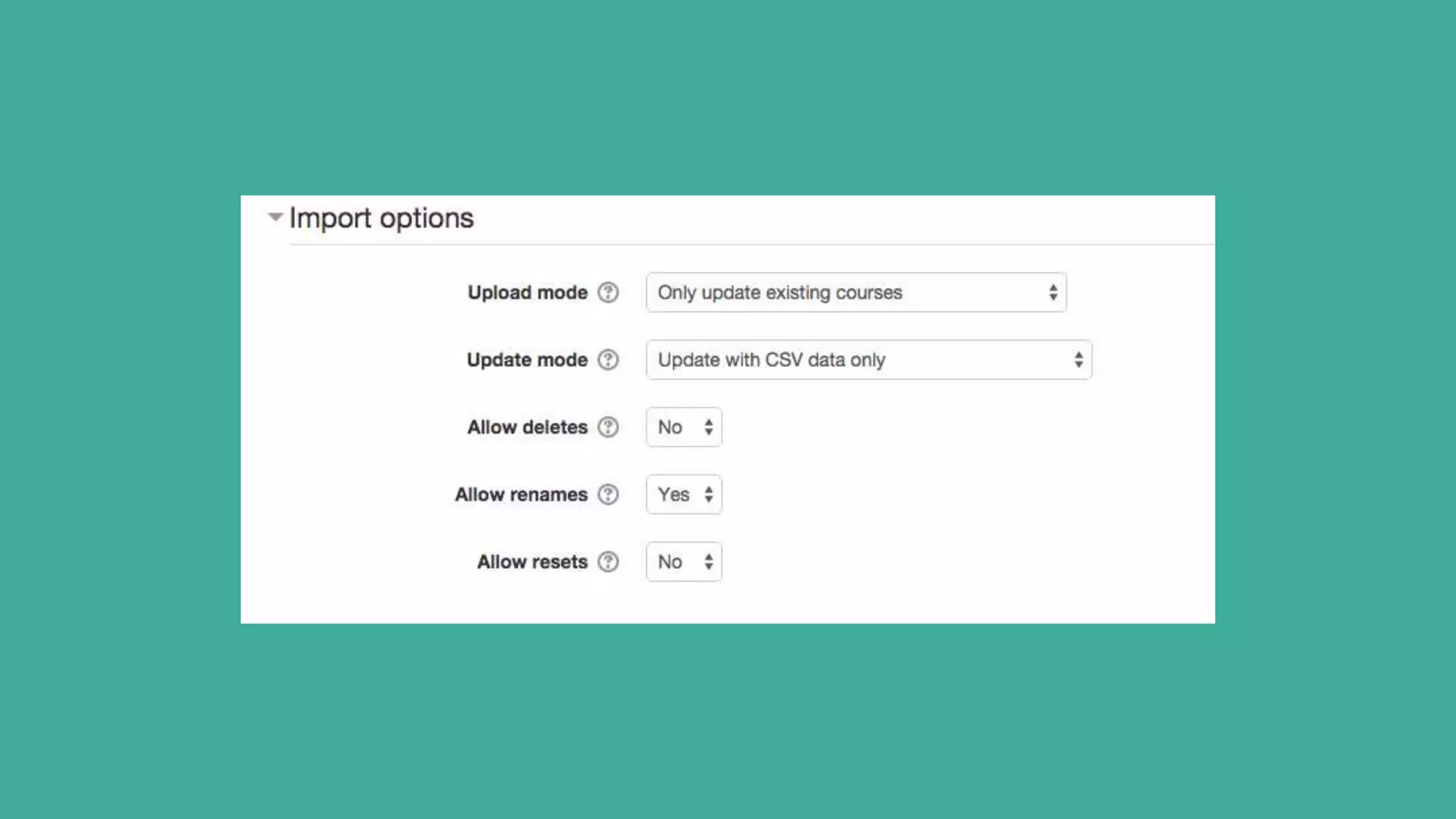
Upload it via: Site administration > Courses > Upload Courses
For help with uploading courses: https://docs.moodle.org/29/en/Upload_courses
Congratulations!
You have successfully moved your
legacy courses to an archive folder
Note: It is also possible to use the command-line tool
admin/tool/uploadcourse/cli/uploadcourse.php.
Step 1
Archive your legacy courses
to a new folder
Step 2
Suspend
current users
on legacy
course
Step 3
Create new
courses and
restore content
Step 4
Enrol your new
users onto the
new courses
Step 2
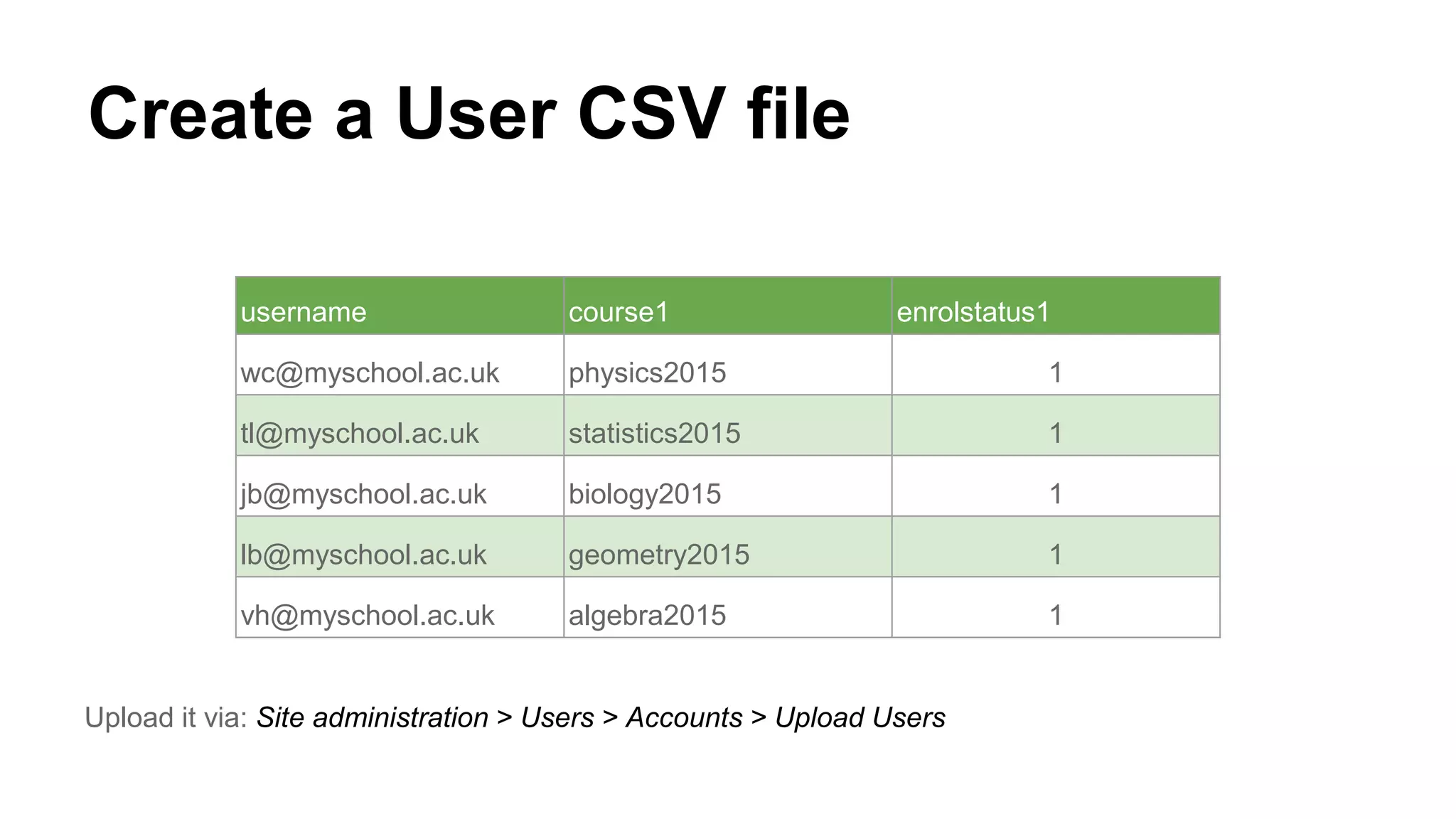
Create a User CSV file
username course1 enrolstatus1
wc@myschool.ac.uk physics2015 1
tl@myschool.ac.uk statistics2015 1
jb@myschool.ac.uk biology2015 1
lb@myschool.ac.uk geometry2015 1
vh@myschool.ac.uk algebra2015 1
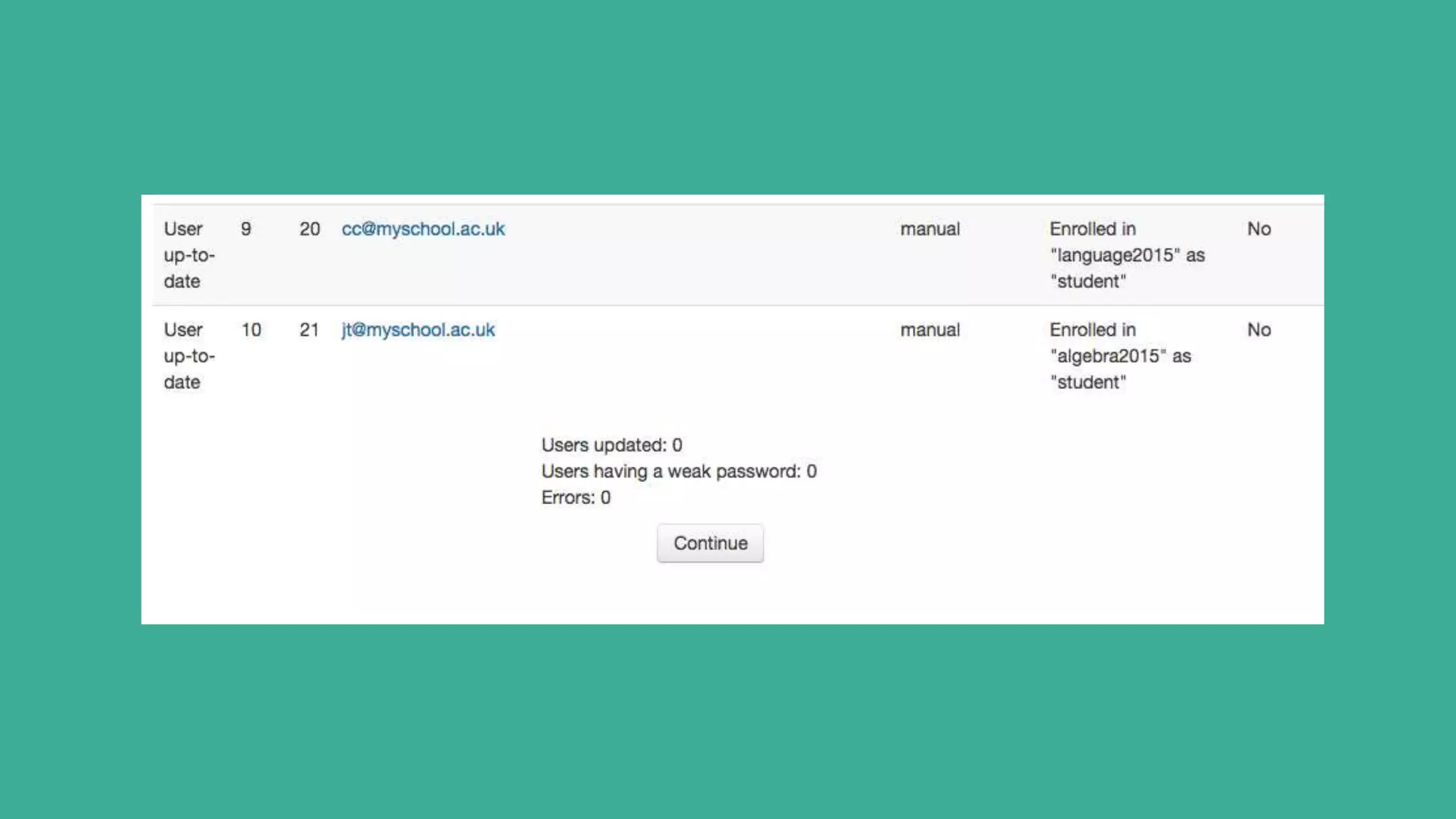
Upload it via: Site administration > Users > Accounts > Upload Users
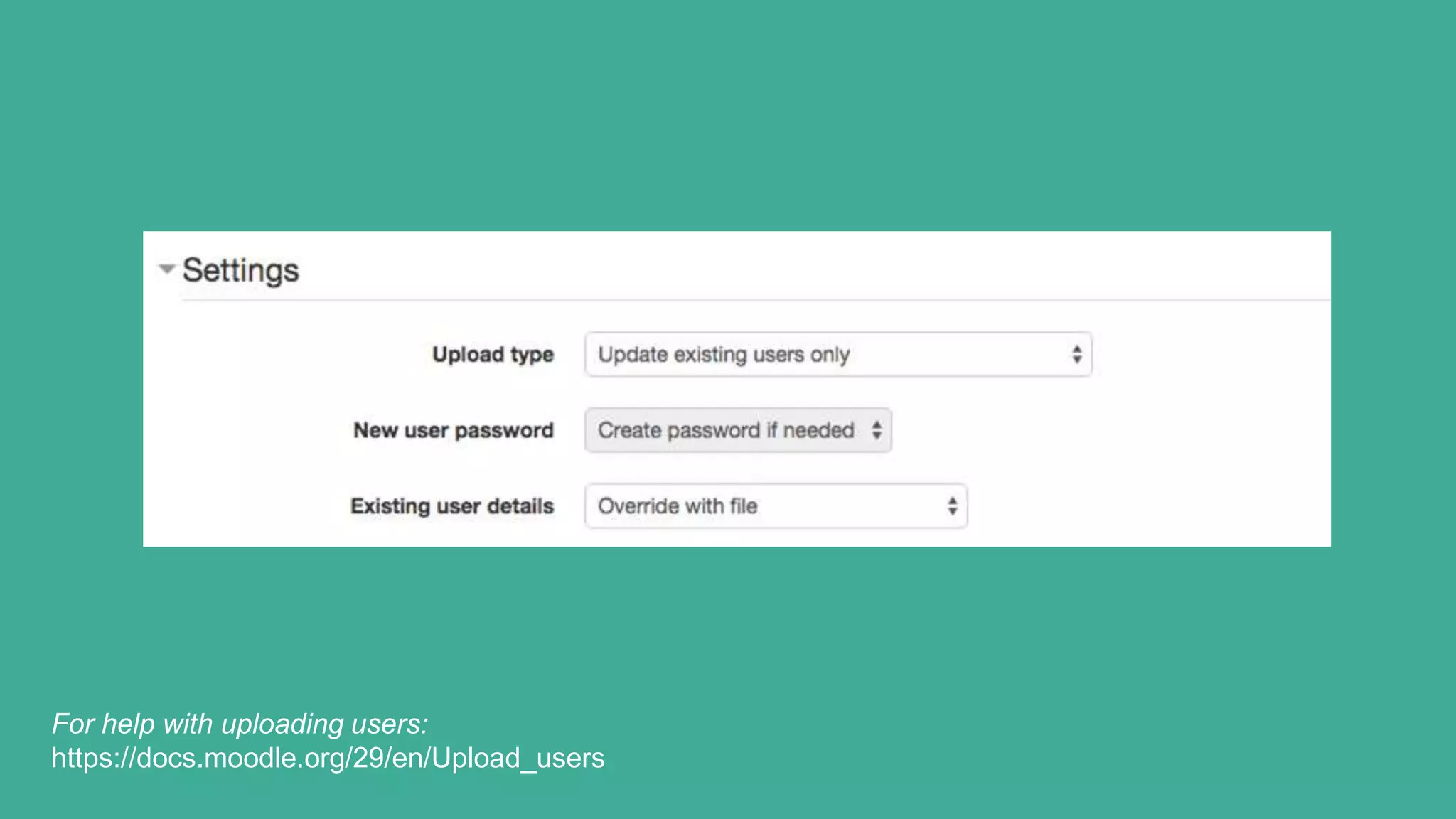
For help with uploading users:
https://docs.moodle.org/29/en/Upload_users
Congratulations!
You have successfully archived your
legacy courses and user accounts
Step 1
Archive your legacy courses
to a new folder
Step 2
Suspend
current users
on legacy
course
Step 3
Create new
courses and
restore content
Step 4
Enrol your new
users onto the
new courses
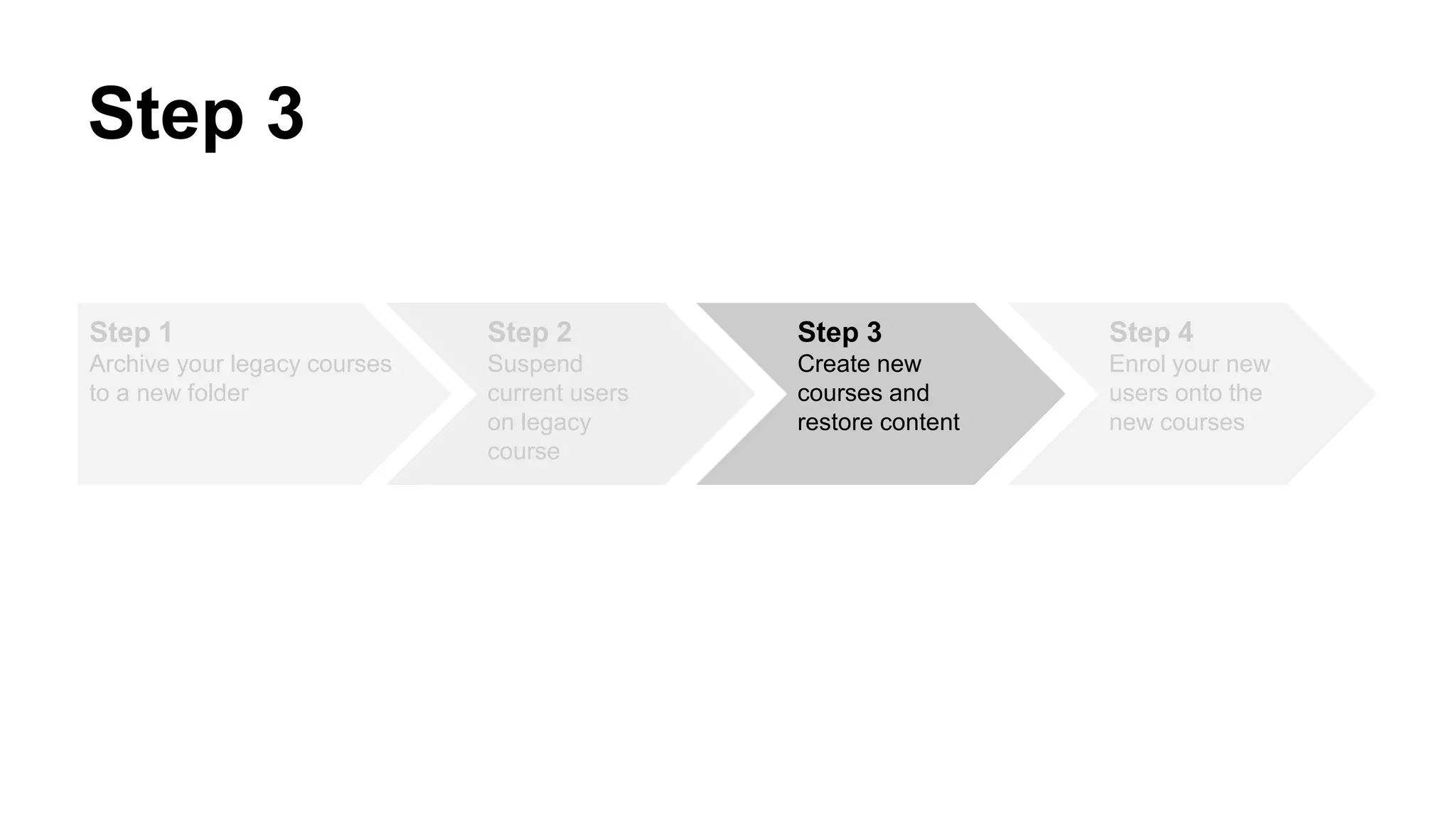
Step 3
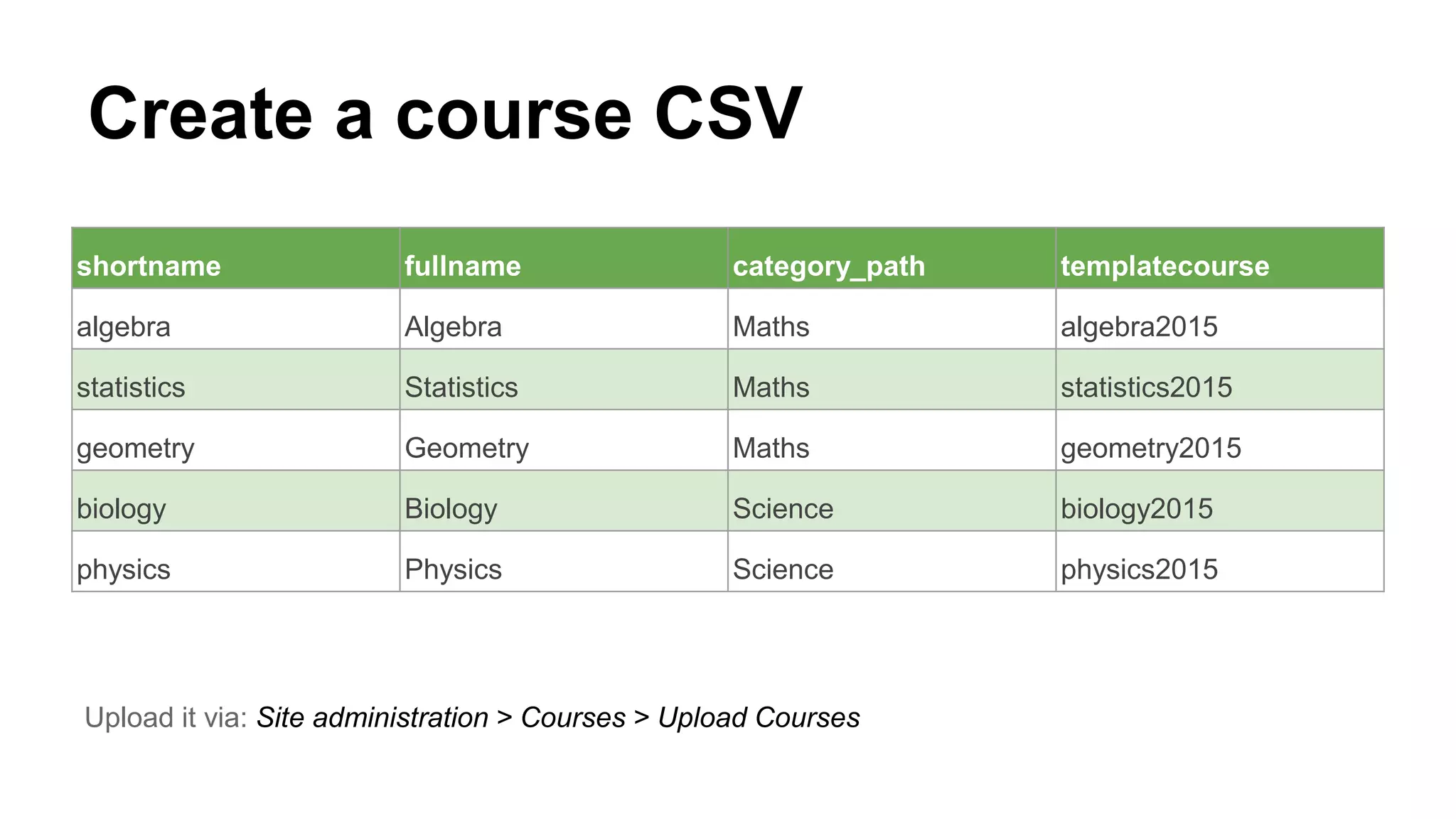
Create a course CSV
shortname fullname category_path templatecourse
algebra Algebra Maths algebra2015
statistics Statistics Maths statistics2015
geometry Geometry Maths geometry2015
biology Biology Science biology2015
physics Physics Science physics2015
Upload it via: Site administration > Courses > Upload Courses
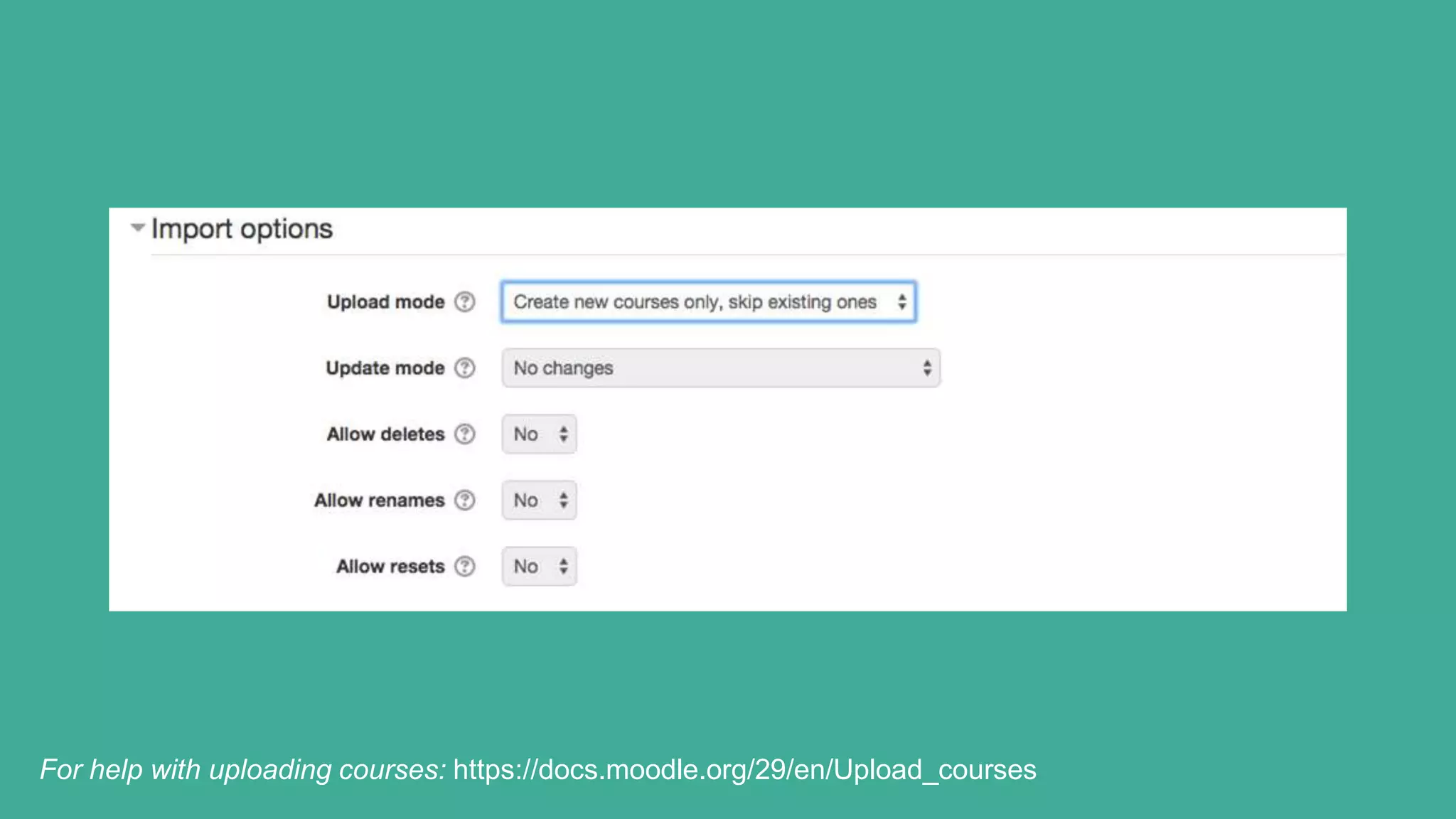
For help with uploading courses: https://docs.moodle.org/29/en/Upload_courses
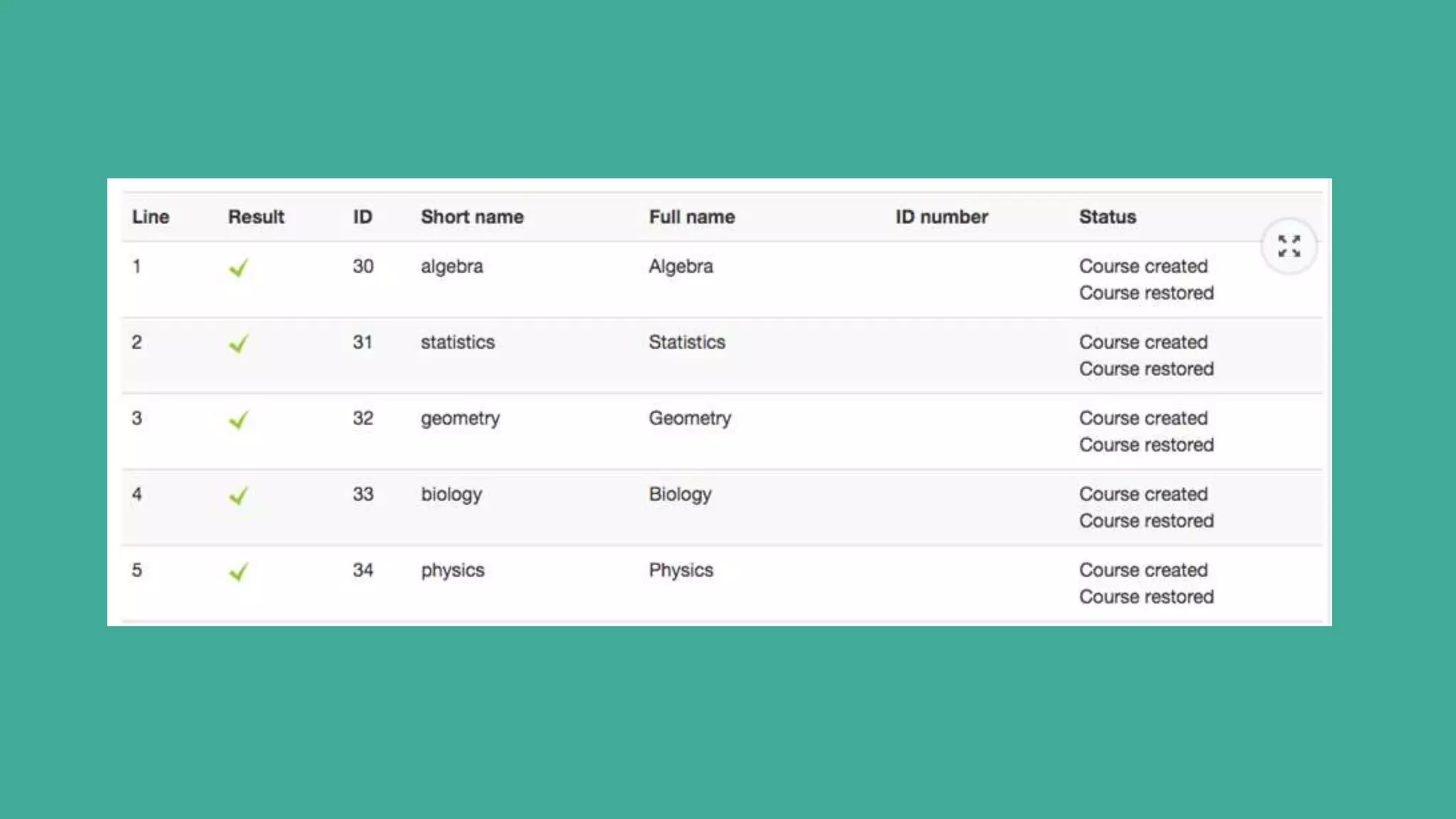
Congratulations!
You have successfully created your
new courses with pre-populated
template content
Step 1
Archive your legacy courses
to a new folder
Step 2
Suspend
current users
on legacy
course
Step 3
Create new
courses and
restore content
Step 4
Enrol your new
users onto the
new courses
Step 4
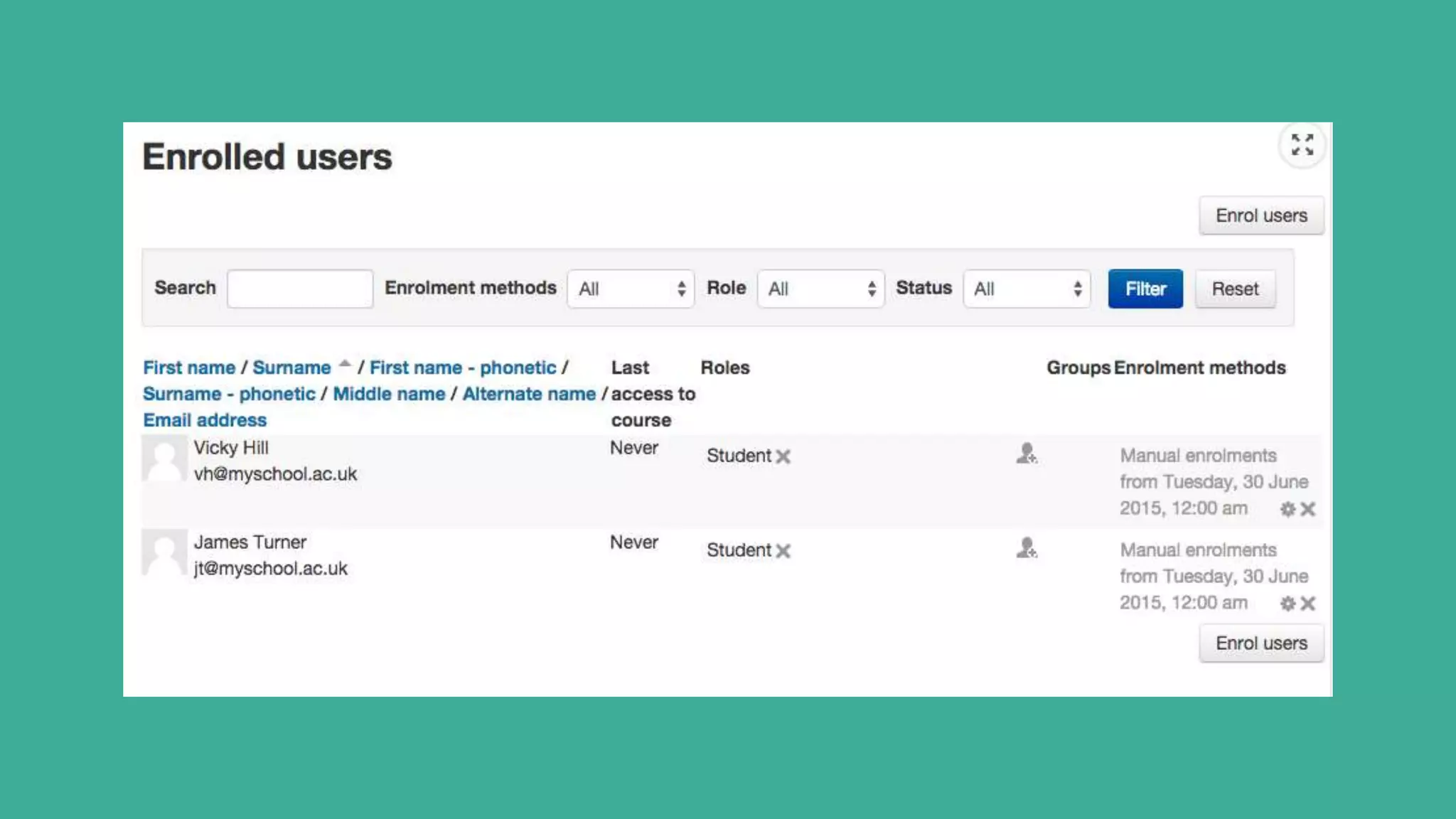
Enrol your new learners
● Continue to use you existing enrolment
methods
(Manual/Self-enrolment/CSV/Database)
● Or use this as an opportunity to devise a
new enrollment procedure
For help with uploading users:
https://docs.moodle.org/29/en/Upload_users
Step 1
Archive your legacy courses
to a new folder
Step 2
Suspend
current users
on legacy
course
Step 3
Create new
courses and
restore content
Step 4
Enrol your new
users onto the
new courses
Review of the 4-step process
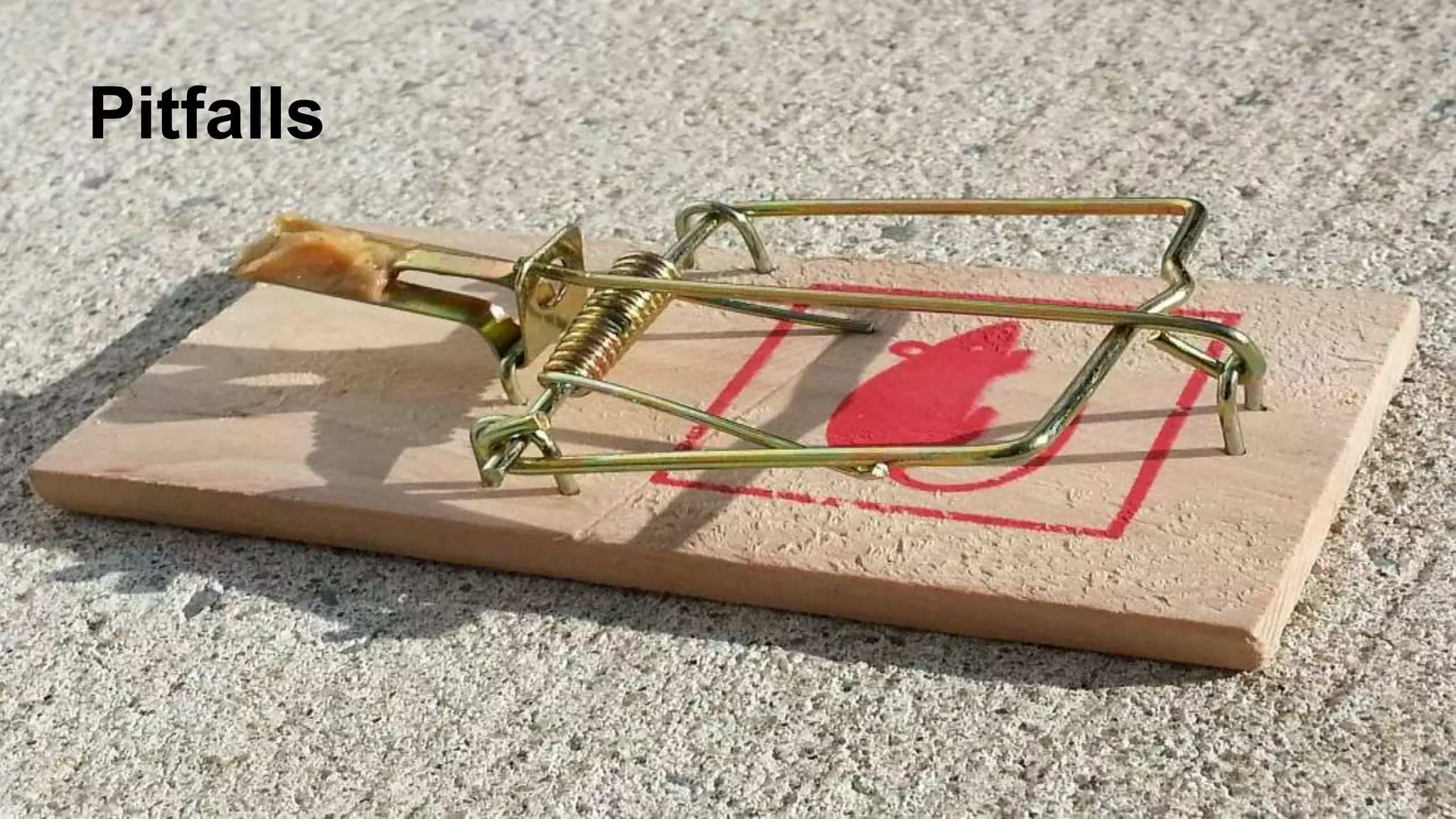
Pitfalls
Pitfalls
● Your success is dependent on the quality of
your data
● Course Categories must be created prior
● It is still a large undertaking that requires
planning
● The Moodle part is easy - getting the course
data is difficult
● The smaller the organisation the easier this is
Tips
● Tackle this in smaller stages
● Consider one department at a time
● Plan it first (map out the process)
● Pull the data from a central source (MIS)
● Can be a staggered approach and last
minute changes can be accommodated also.
Bribe with biscuits
Some guidelines
● The task is easier if Moodle matches your
current MIS data (i.e course codes)
● Create a checklist to ensure you know what
data to ask for prior
● Do the heavy lifting in MIS and export as
CSV files.
● Flowchart your procedure
Room for improvement (wishlist)
● Role replacement via CSV
● Automatic Category Creation from CSV
Storage
Space
Some useful links
http://www.somerandomthoughts.com/blog/201
2/09/14/end-of-year-rollover/
https://docs.moodle.org/29/en/Year-
end_procedures
Questions?
@lewiscarr #moodlerollovers

End of year Moodle course rollovers

  • 1.
  • 2.
    Who is thispresentation aimed at? ● Those without a rollover procedure. ● Those without the skills or resources to hack databases and write web services. ● Those looking for a low cost core solution.
  • 3.
    What is aMoodle rollover? A process where we prepare Moodle for the next academic term.
  • 5.
    Building a strategy ●What are your business objectives? ● How much does it cost? - time/hardware/storage ● Does it form part of a wider IT strategy? ● Which stakeholders need to be involved?
  • 6.
    Defining a process ●Which method works best for you? ● How will you identify rollover courses? ● Which courses still need access? ● Will there be downtime?
  • 7.
    What organisations currentlydo? Clone a new Moodle instance each year Backup a course then reset Clone a course and archive
  • 8.
    Cloned Moodle Advantages ● Anexact replica ● A live environment ● Can be done relatively quickly ● No tutor involvement Disadvantages ● Another server to maintain ● Another Moodle to upgrade, patch & backup ● Requires another URL ● Requires a server for each year (3yr+ server cycle) ● Requires downtime
  • 9.
    Backup a courseand reset Advantages ● Can be done by tutors. ● Single course instance. ● Can be done ad-hoc. ● No downtime. Disadvantages ● Old instance is not live. ● Courses need individually restoring for access. ● Linear & Manual Process. ● Backup courses may fall behind Moodle version upgrades.
  • 10.
    Clone a courseand archive Advantages ● Legacy course is archived yet still accessible. ● New course is populated for the start of term. ● Requires one Moodle server instance. ● No downtime. ● No restore process when access is required. Disadvantages ● Linear & Manual Process. ● Makes existing Moodle site (slightly) larger.
  • 11.
    How to automatethe “Clone a course and archive” procedure with CSV files
  • 12.
    Before you start ●You must be able to identify which courses you are rolling over. ● Work closely with your MIS team. ● Export as much data from MIS as possible. ● Create your course archive folders in advance.
  • 13.
    Step 1 Archive yourlegacy courses to a new folder Step 2 Suspend current users on legacy course Step 3 Create new courses and restore content Step 4 Enrol your new users onto the new courses 4-step process
  • 14.
    Step 1 -Archive legacy courses Move the course to an archived category (WARNING: Category must already exist)
  • 15.
    Old Category Structure -Science - Maths - English New Category Structure - Science - Maths - English - 2015 Courses - Science - Maths - English
  • 16.
    Create a CSVFile - category must exist! shortname rename fullname category_path algebra algebra2015 Algebra 2015 Courses / Maths statistics statistics2015 Statistics 2015 Courses / Maths geometry geometry2015 Geometry 2015 Courses / Maths biology biology2015 Biology 2015 Courses / Science physics physics2015 Physics 2015 Courses / Science Upload it via: Site administration > Courses > Upload Courses
  • 17.
    Upload it via:Site administration > Courses > Upload Courses For help with uploading courses: https://docs.moodle.org/29/en/Upload_courses
  • 18.
    For help withuploading courses: https://docs.moodle.org/29/en/Upload_courses
  • 21.
    Congratulations! You have successfullymoved your legacy courses to an archive folder
  • 22.
    Note: It isalso possible to use the command-line tool admin/tool/uploadcourse/cli/uploadcourse.php.
  • 23.
    Step 1 Archive yourlegacy courses to a new folder Step 2 Suspend current users on legacy course Step 3 Create new courses and restore content Step 4 Enrol your new users onto the new courses Step 2
  • 24.
    Create a UserCSV file username course1 enrolstatus1 wc@myschool.ac.uk physics2015 1 tl@myschool.ac.uk statistics2015 1 jb@myschool.ac.uk biology2015 1 lb@myschool.ac.uk geometry2015 1 vh@myschool.ac.uk algebra2015 1 Upload it via: Site administration > Users > Accounts > Upload Users
  • 25.
    For help withuploading users: https://docs.moodle.org/29/en/Upload_users
  • 28.
    Congratulations! You have successfullyarchived your legacy courses and user accounts
  • 29.
    Step 1 Archive yourlegacy courses to a new folder Step 2 Suspend current users on legacy course Step 3 Create new courses and restore content Step 4 Enrol your new users onto the new courses Step 3
  • 30.
    Create a courseCSV shortname fullname category_path templatecourse algebra Algebra Maths algebra2015 statistics Statistics Maths statistics2015 geometry Geometry Maths geometry2015 biology Biology Science biology2015 physics Physics Science physics2015 Upload it via: Site administration > Courses > Upload Courses
  • 31.
    For help withuploading courses: https://docs.moodle.org/29/en/Upload_courses
  • 33.
    Congratulations! You have successfullycreated your new courses with pre-populated template content
  • 34.
    Step 1 Archive yourlegacy courses to a new folder Step 2 Suspend current users on legacy course Step 3 Create new courses and restore content Step 4 Enrol your new users onto the new courses Step 4
  • 35.
    Enrol your newlearners ● Continue to use you existing enrolment methods (Manual/Self-enrolment/CSV/Database) ● Or use this as an opportunity to devise a new enrollment procedure For help with uploading users: https://docs.moodle.org/29/en/Upload_users
  • 36.
    Step 1 Archive yourlegacy courses to a new folder Step 2 Suspend current users on legacy course Step 3 Create new courses and restore content Step 4 Enrol your new users onto the new courses Review of the 4-step process
  • 37.
  • 38.
    Pitfalls ● Your successis dependent on the quality of your data ● Course Categories must be created prior ● It is still a large undertaking that requires planning ● The Moodle part is easy - getting the course data is difficult ● The smaller the organisation the easier this is
  • 39.
    Tips ● Tackle thisin smaller stages ● Consider one department at a time ● Plan it first (map out the process) ● Pull the data from a central source (MIS) ● Can be a staggered approach and last minute changes can be accommodated also.
  • 40.
  • 41.
    Some guidelines ● Thetask is easier if Moodle matches your current MIS data (i.e course codes) ● Create a checklist to ensure you know what data to ask for prior ● Do the heavy lifting in MIS and export as CSV files. ● Flowchart your procedure
  • 42.
    Room for improvement(wishlist) ● Role replacement via CSV ● Automatic Category Creation from CSV
  • 43.
  • 44.
  • 45.