#WCKTM2016
Facilitated By
Kishor Kumar Mahato
Abiral Neupane
Ashok Maharjan
A fast track Workshop
Getting Started with WP
REST API
#WCKTM2016
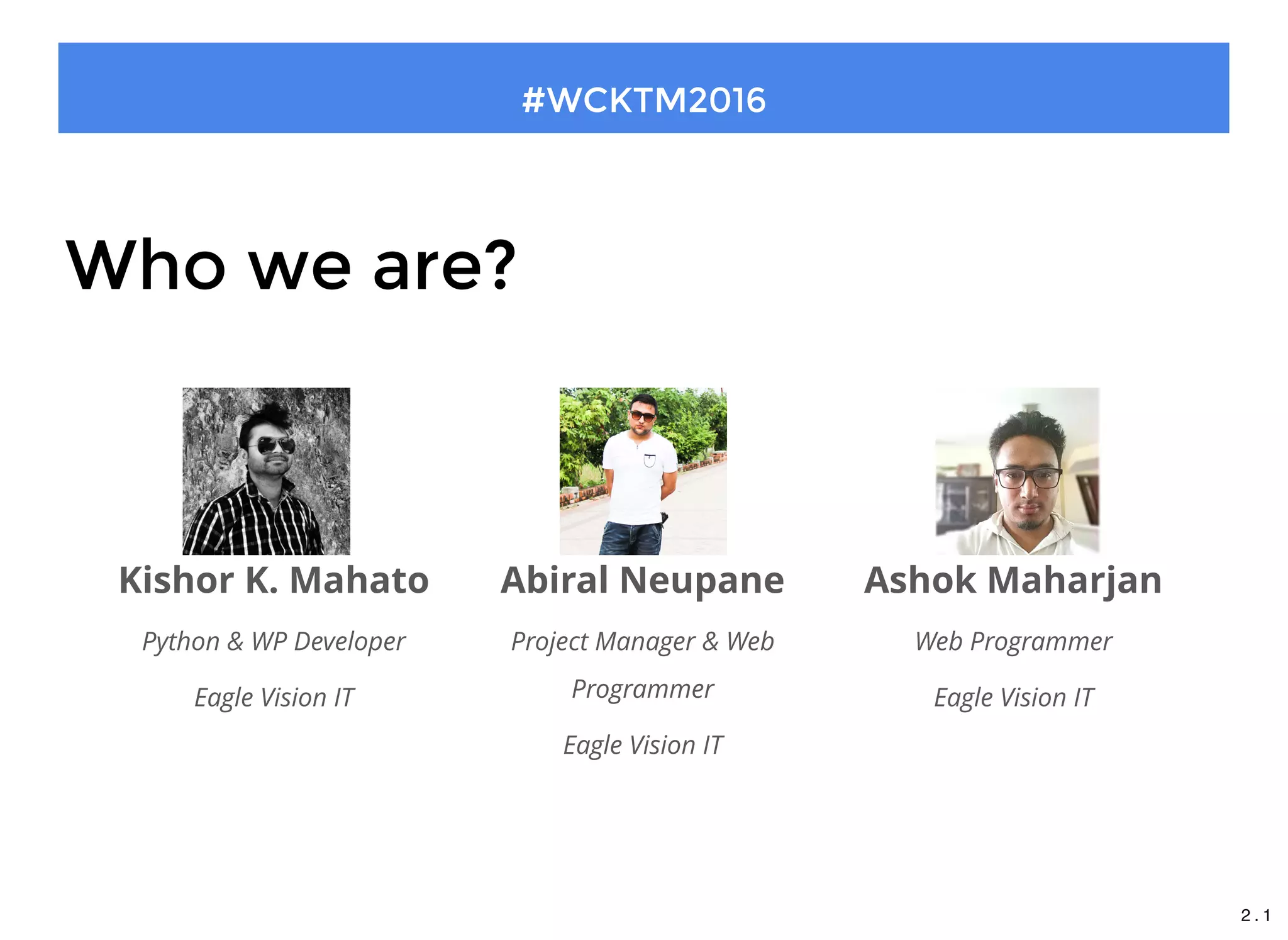
Who we are?
Kishor K. Mahato
Python & WP Developer
Eagle Vision IT
Abiral Neupane
Project Manager & Web
Programmer
Eagle Vision IT
Ashok Maharjan
Web Programmer
Eagle Vision IT
2 . 1
#WCKTM2016
Our Timeline
Presentation: 25 Minutes
Workshop: 1 hours 20 Minutes
2 . 2
What will we cover today?
Why JSON REST API?
Introduction to REST
Quick look on JSON
Introduction to WP REST
Setting up server
Setting up client
Workflow of GET, POST, PUT and DELETE verbs
Brief overview of authentication mechanism
#WCKTM2016
2 . 3
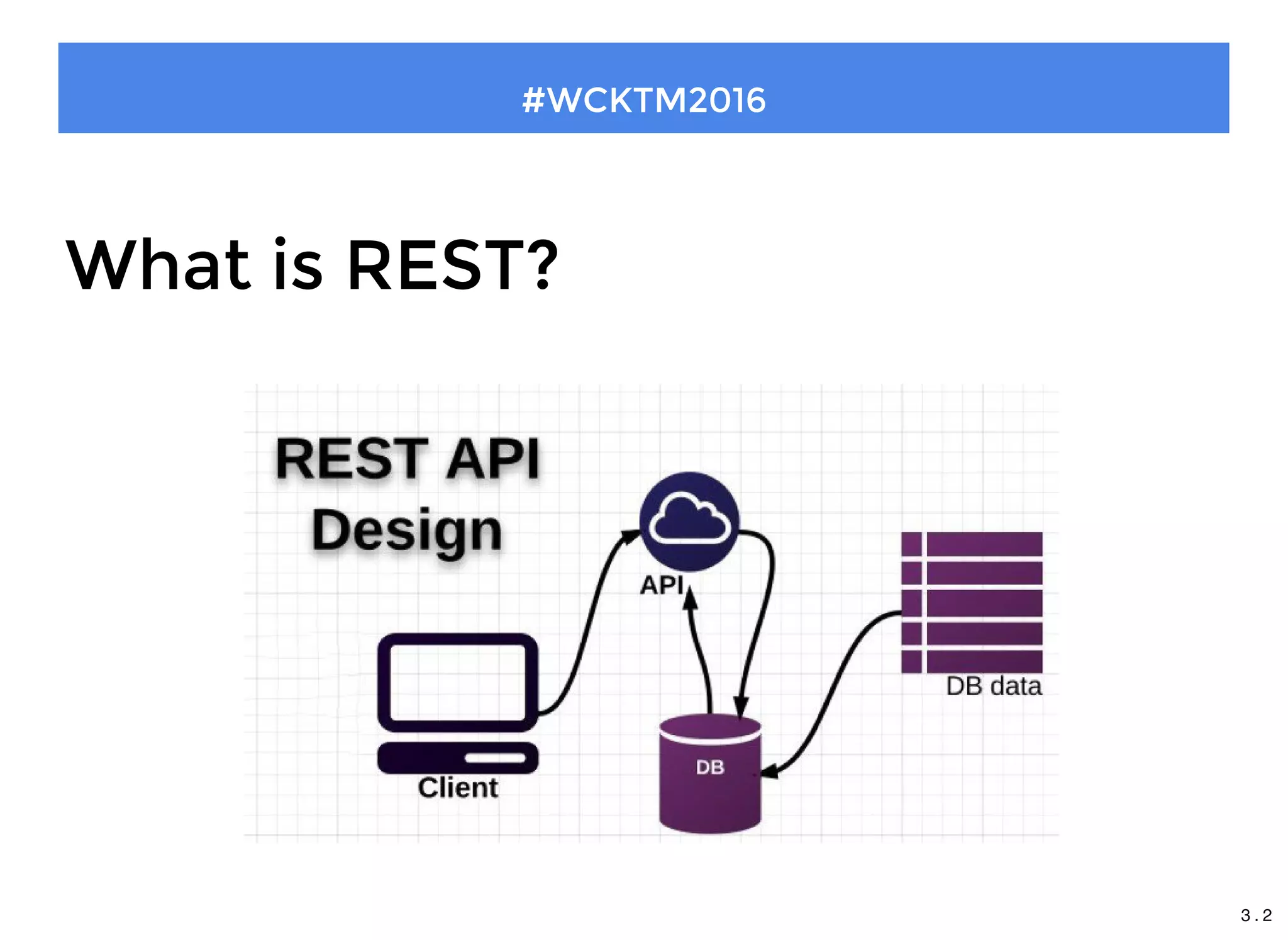
What is REST?
1. REST stands for Representational State Transfer
2. An Architectural style for networked hypermedia applications
3. It is primarily used to build Web services that are lightweight,
maintainable, and scalable.
4. A service based on REST is called a RESTful service
#WCKTM2016
3 . 1
What is REST?
#WCKTM2016
3 . 2
Features
Representations
Messages
URIs
Uniform interface
Stateless
Links between resources
#WCKTM2016
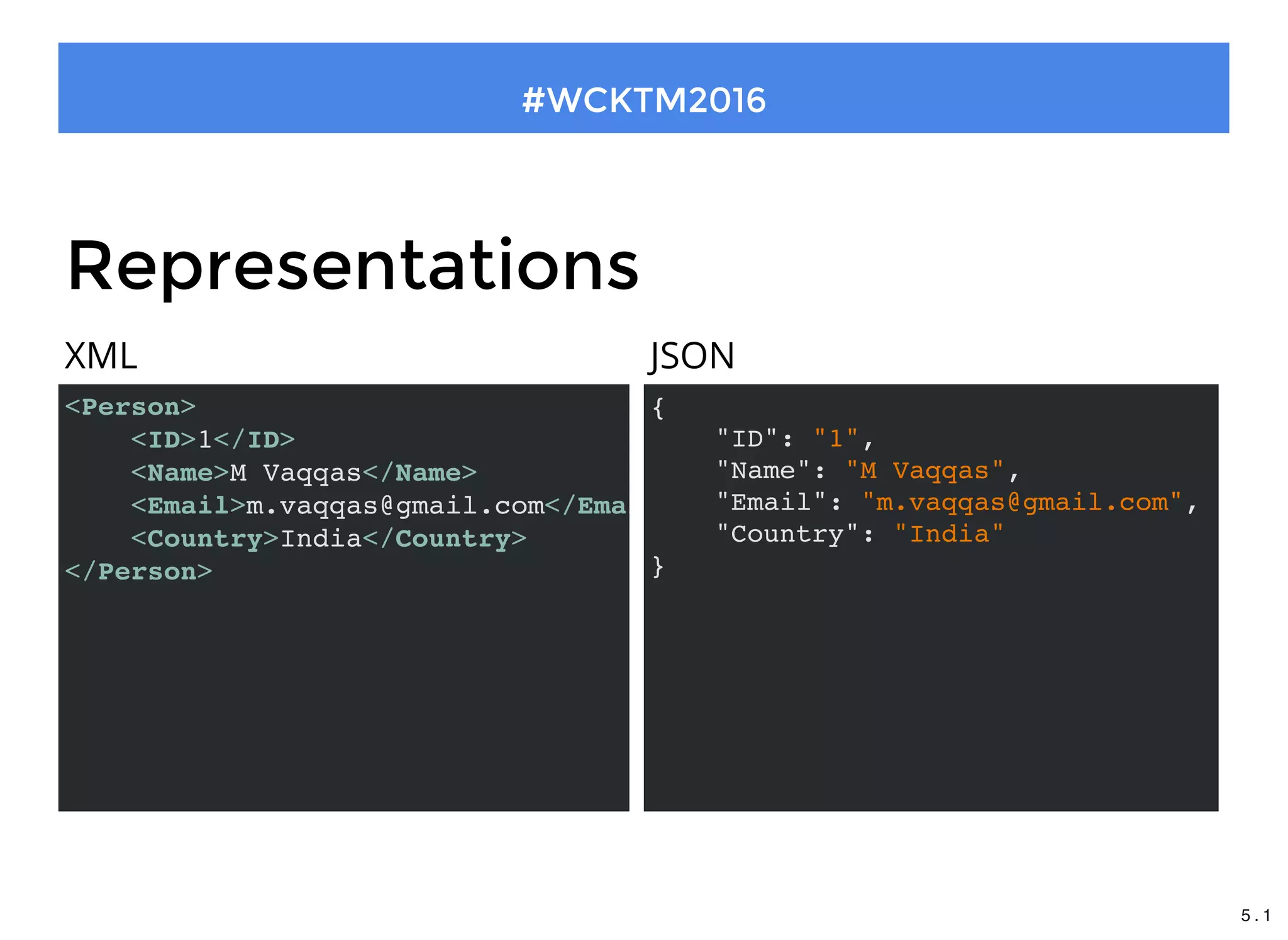
Representations
<Person>
<ID>1</ID>
<Name>M Vaqqas</Name>
<Email>m.vaqqas@gmail.com</Email
<Country>India</Country>
</Person>
XML JSON
{
"ID": "1",
"Name": "M Vaqqas",
"Email": "m.vaqqas@gmail.com",
"Country": "India"
}
#WCKTM2016
5 . 1
What is JSON?
Abbreviation for "JavaScript Object Notation"
Simply a way to describe data that is lightweight and extremely
easy to use.
#WCKTM2016
5 . 2
Why JSON over XML?
#WCKTM2016
5 . 3
#WCKTM2016
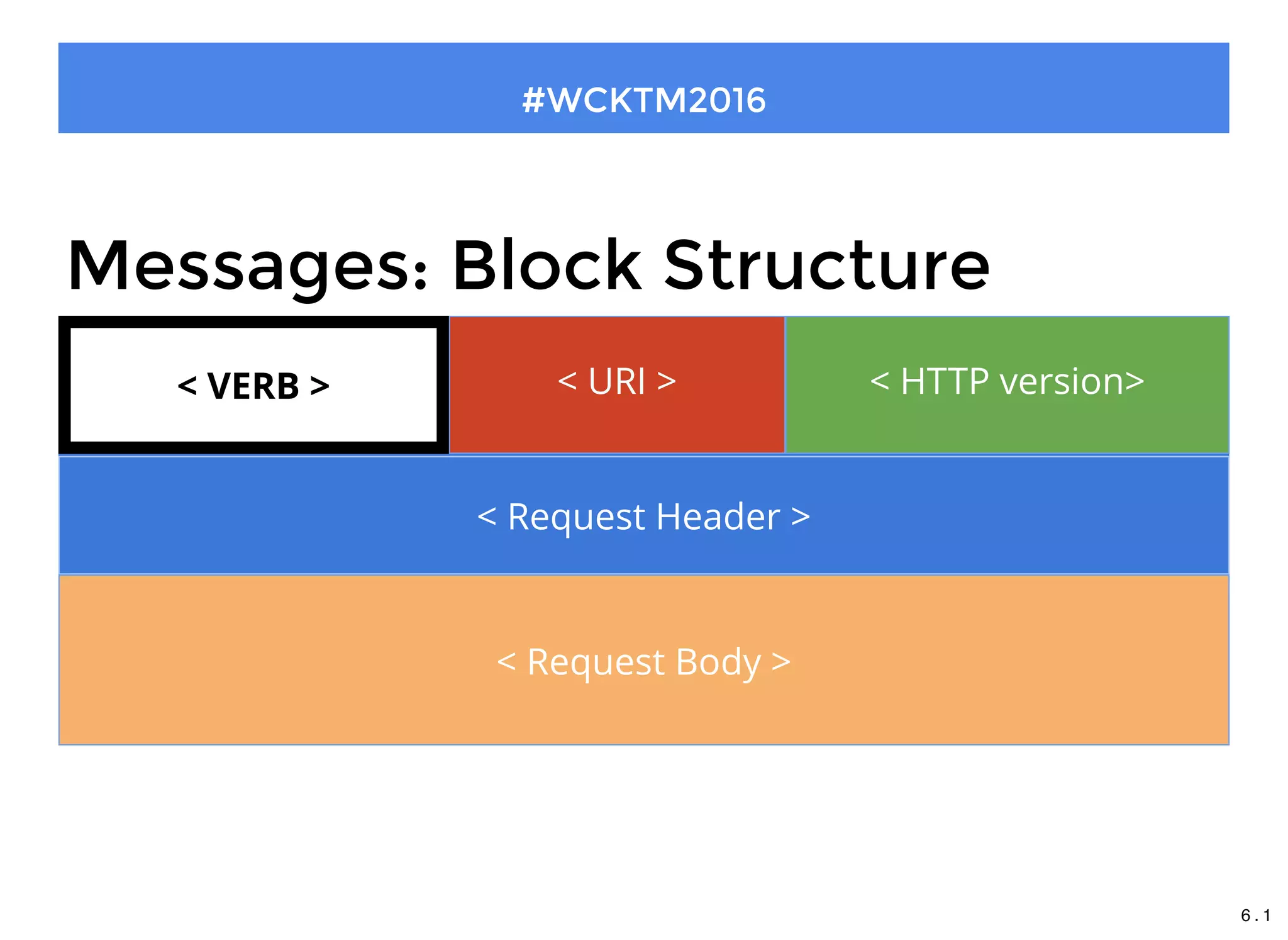
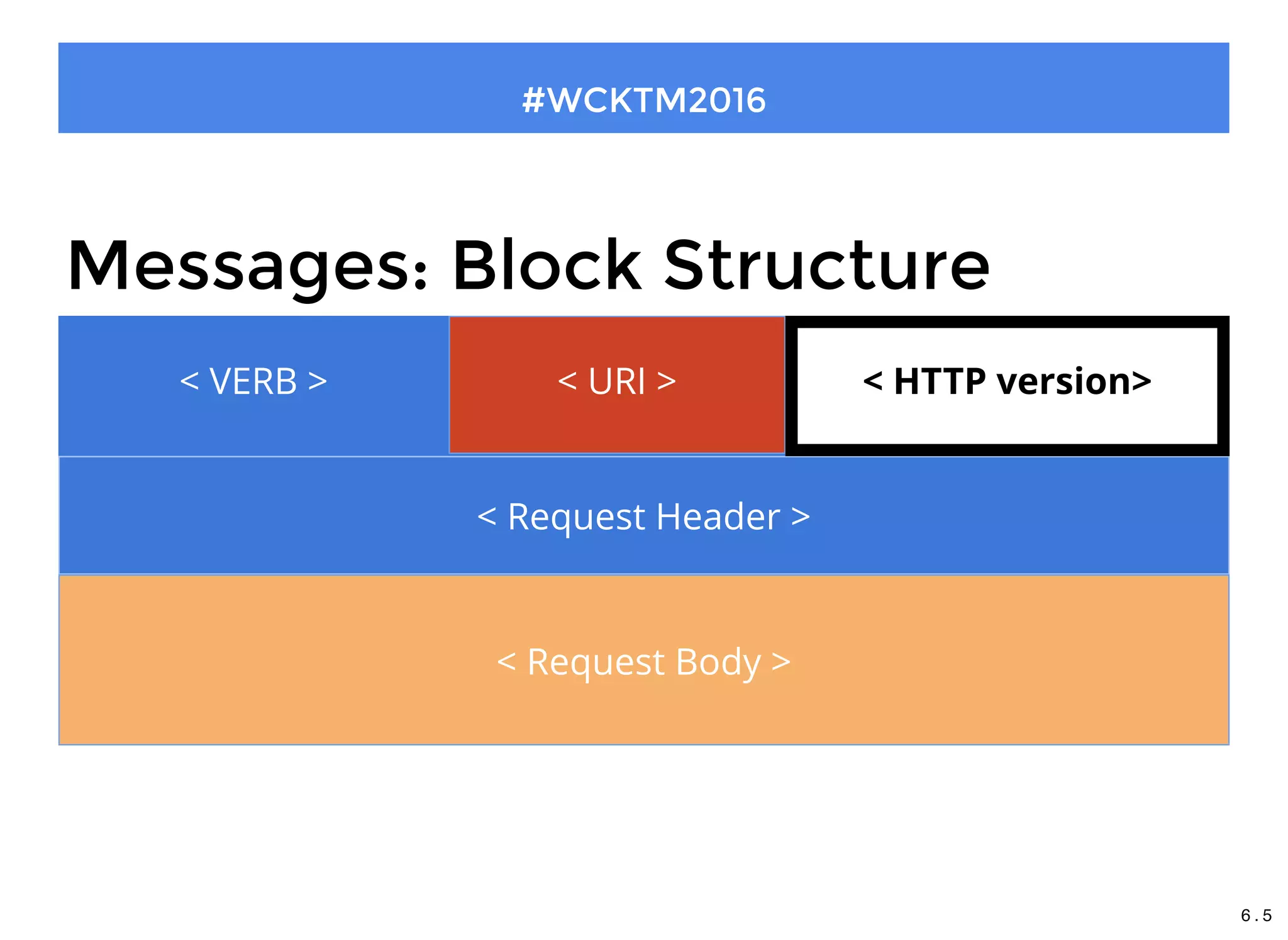
< VERB >
Messages: Block Structure
< URI > < HTTP version>
< Request Header >
< Request Body >
< VERB >
6 . 1
#WCKTM2016
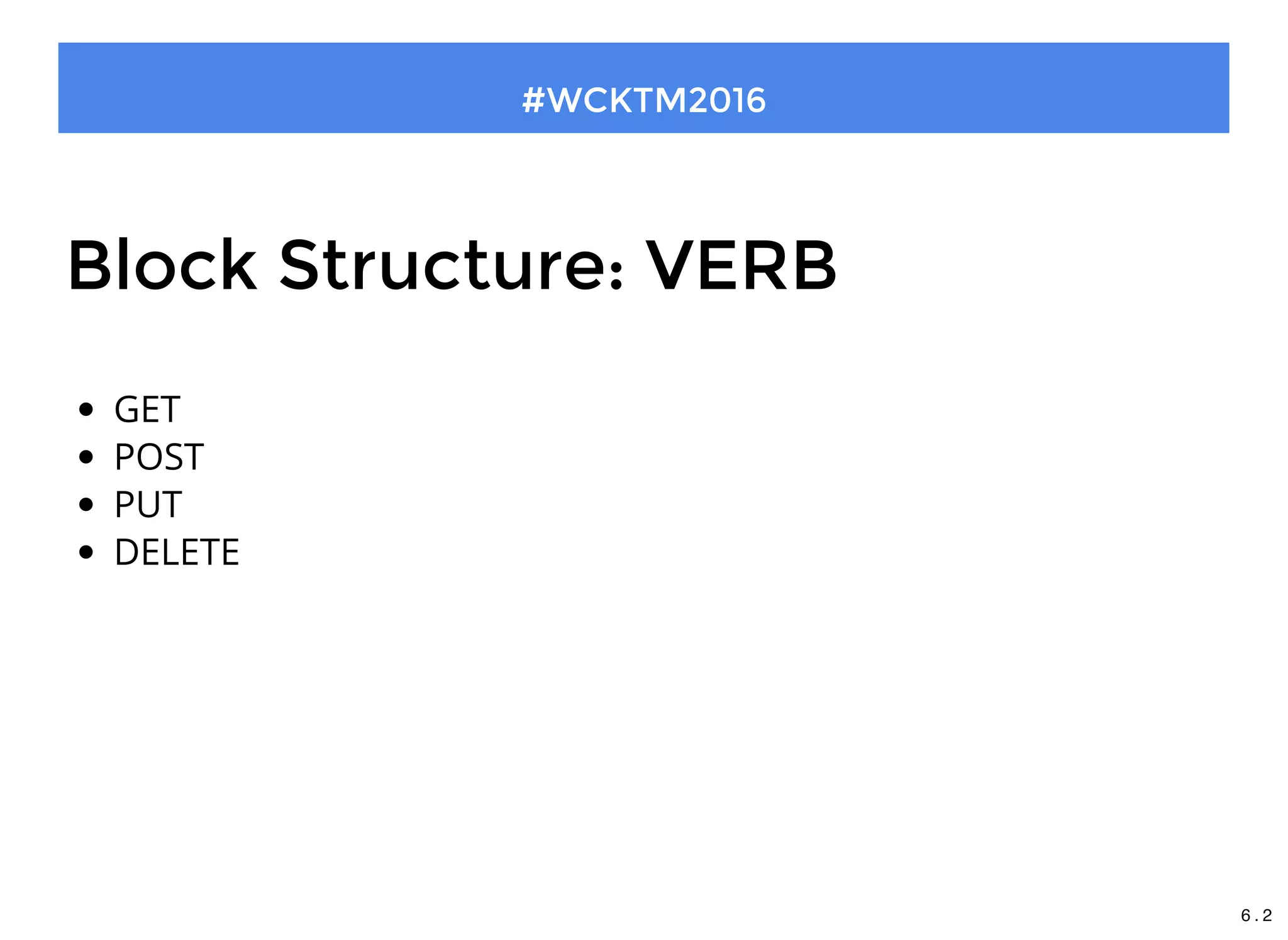
Block Structure: VERB
GET
POST
PUT
DELETE
6 . 2
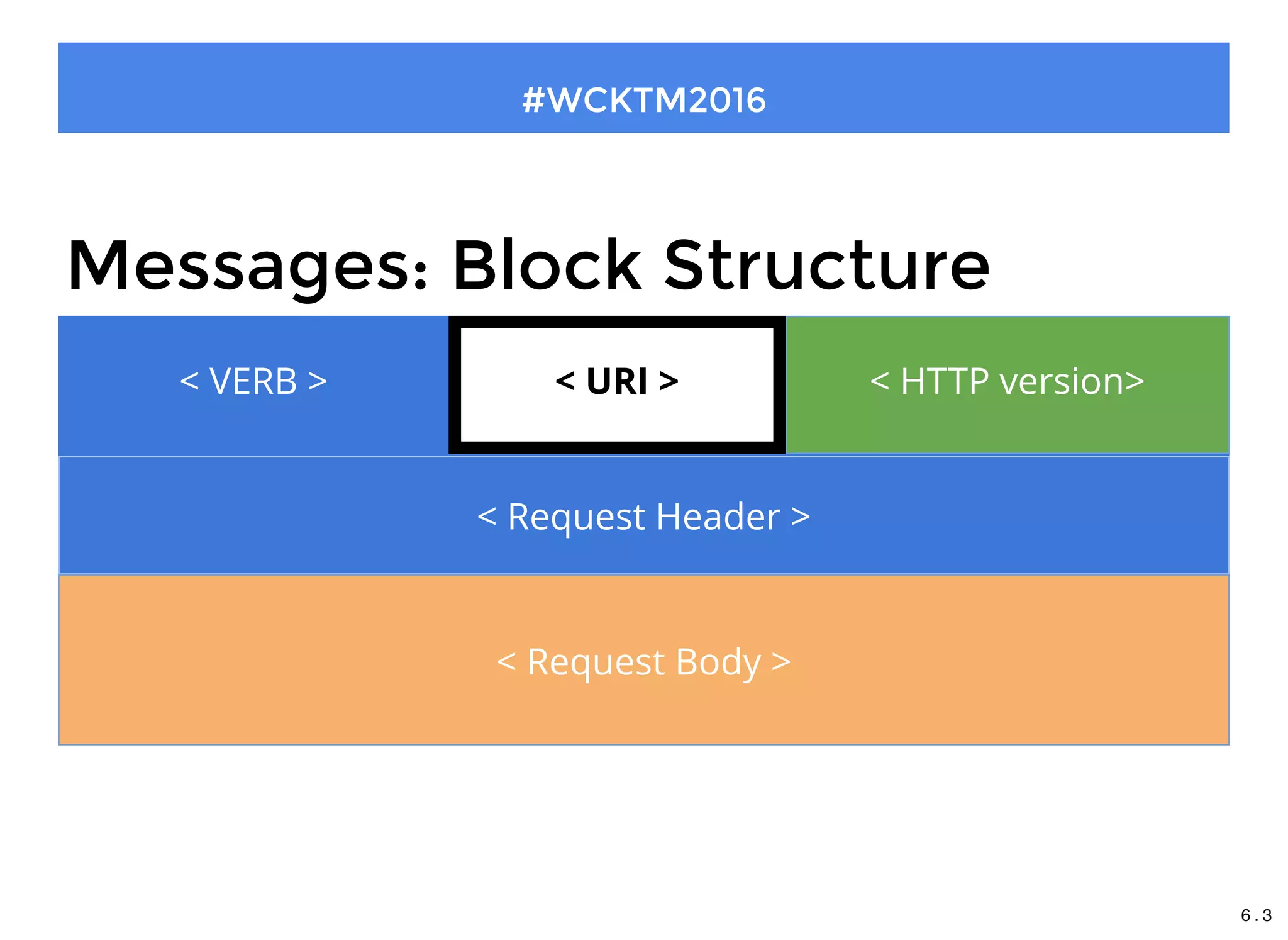
< VERB >
#WCKTM2016
Messages: Block Structure
< VERB > < HTTP version>
< Request Header >
< Request Body >
< URI >
6 . 3
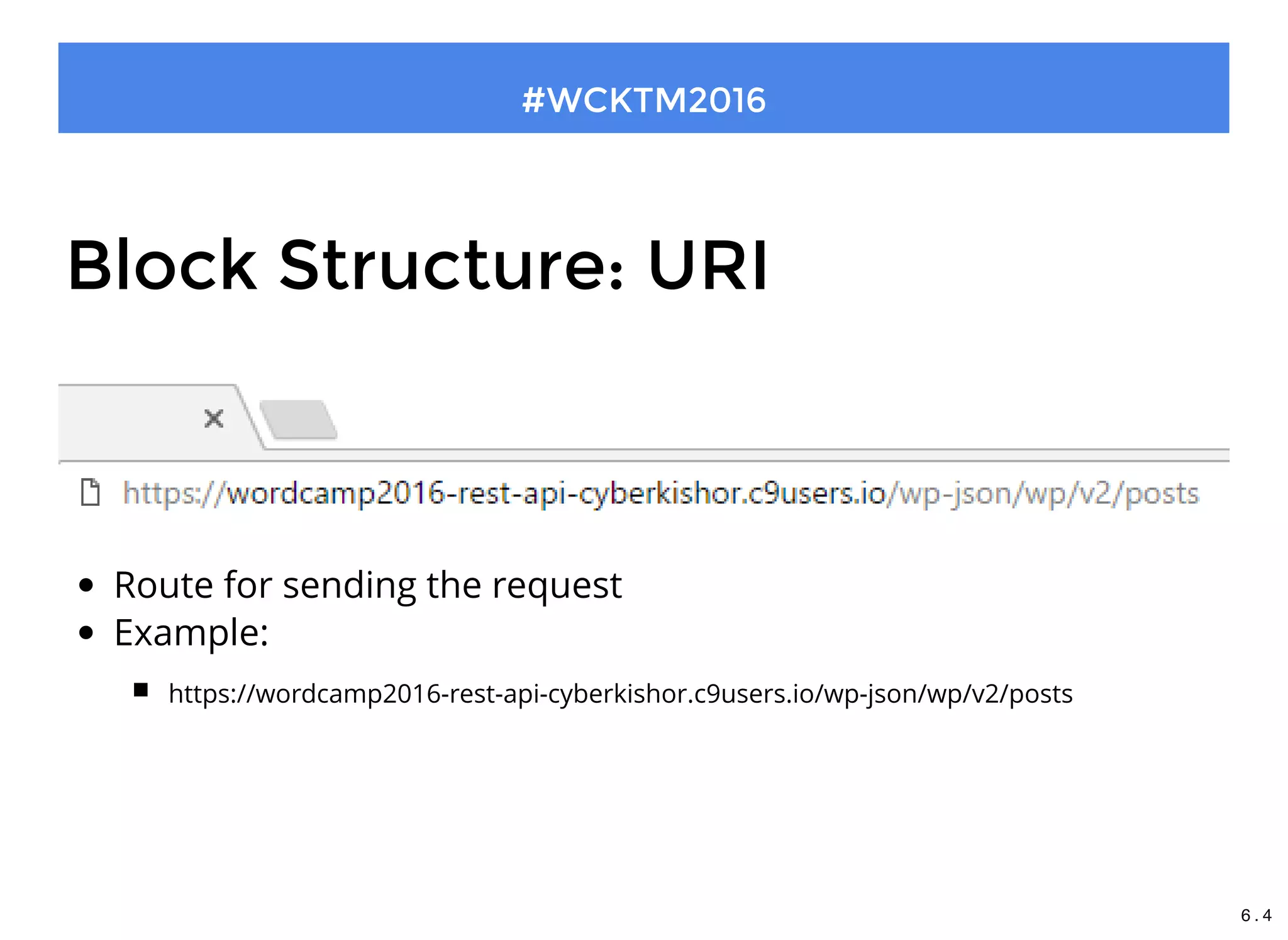
Block Structure: URI
Route for sending the request
Example:
https://wordcamp2016-rest-api-cyberkishor.c9users.io/wp-json/wp/v2/posts
#WCKTM2016
6 . 4
< VERB >
#WCKTM2016
Messages: Block Structure
< VERB > < URI >
< Request Header >
< Request Body >
< HTTP version>
6 . 5
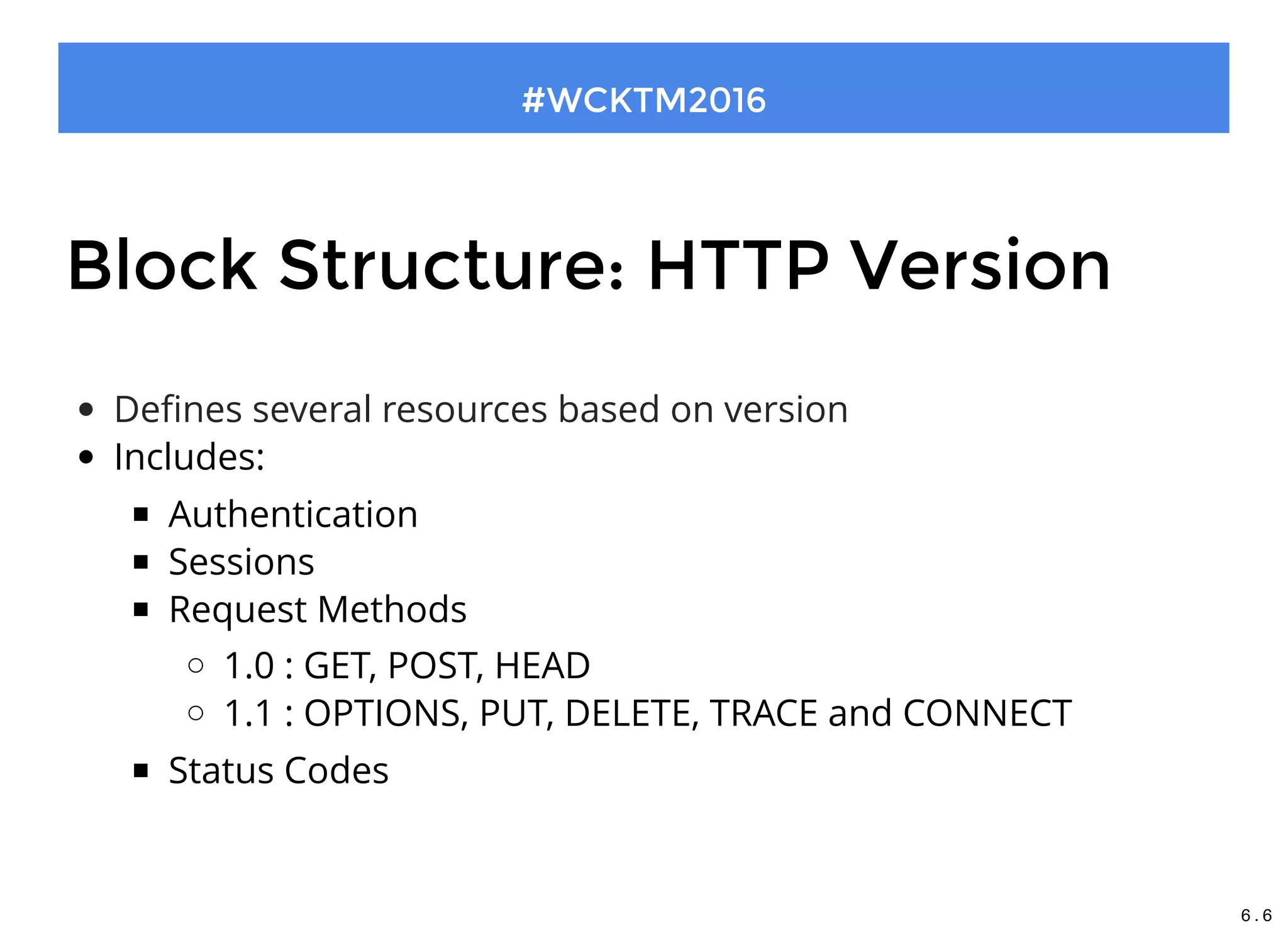
Block Structure: HTTP Version
Defines several resources based on version
Includes:
Authentication
Sessions
Request Methods
1.0 : GET, POST, HEAD
1.1 : OPTIONS, PUT, DELETE, TRACE and CONNECT
Status Codes
 
#WCKTM2016
6 . 6
< VERB >
#WCKTM2016
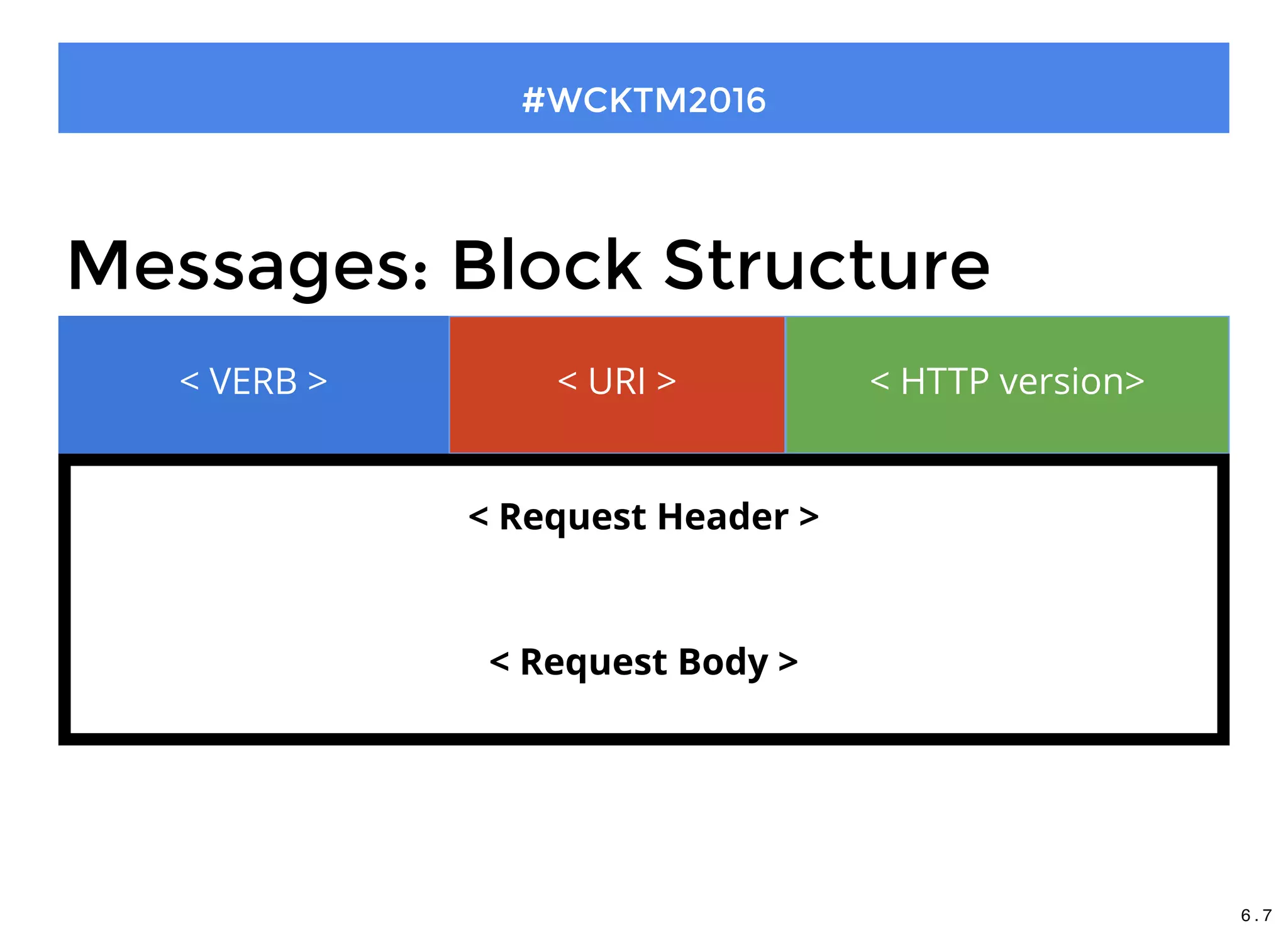
Messages: Block Structure
< VERB > < URI > < HTTP version>
< Request Header >
< Request Body >
6 . 7
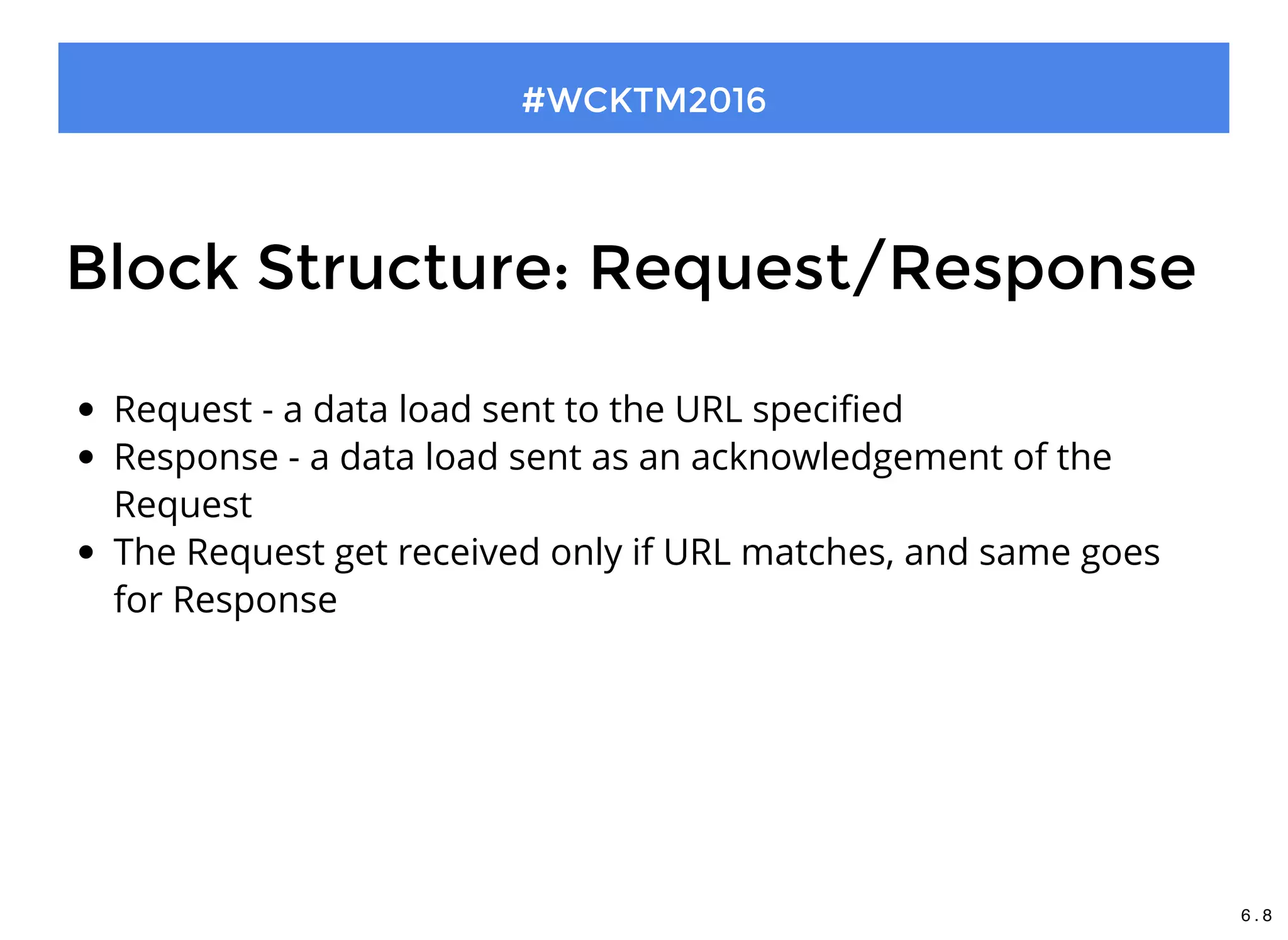
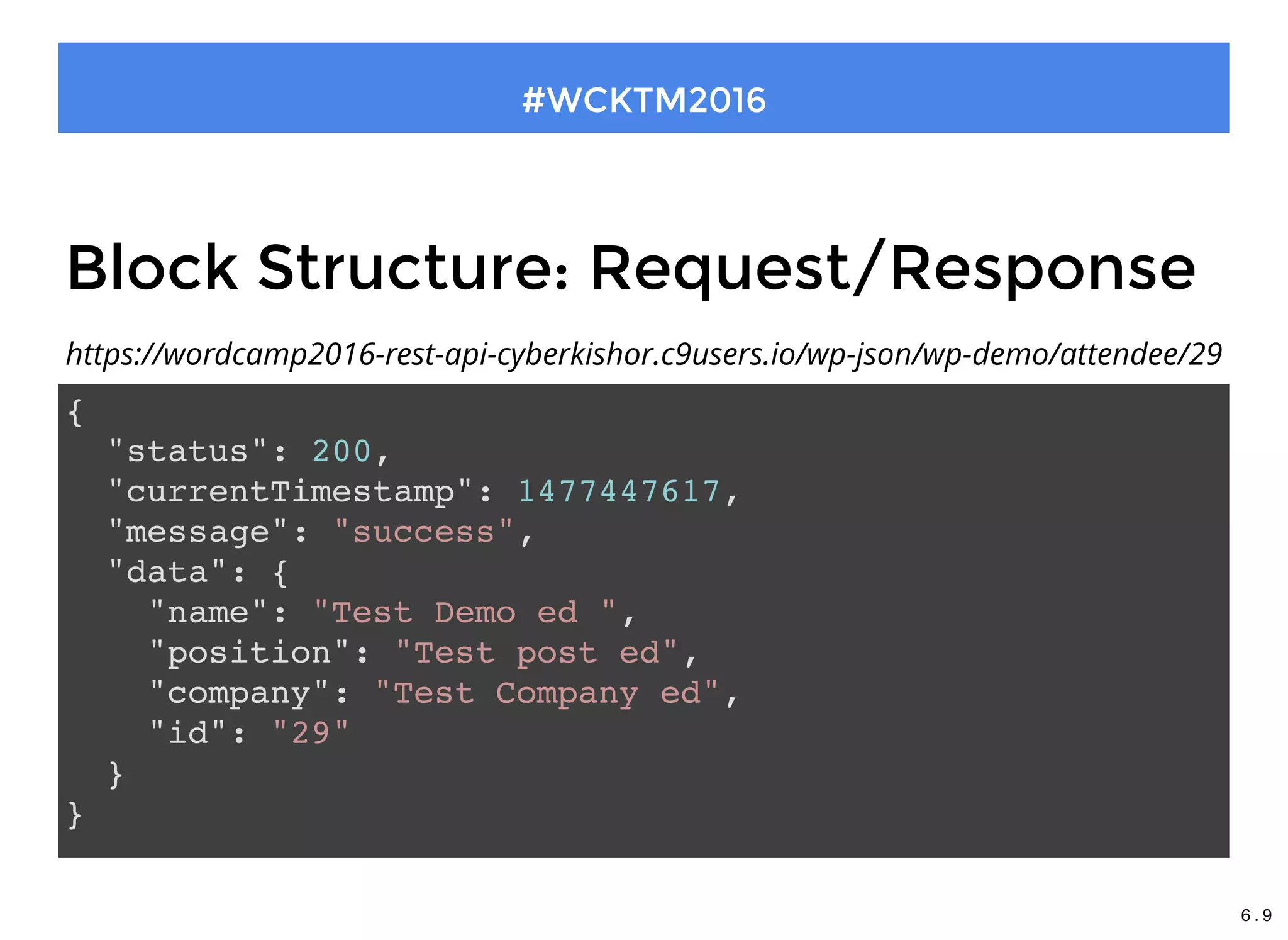
Block Structure: Request/Response
Request - a data load sent to the URL specified
Response - a data load sent as an acknowledgement of the
Request
The Request get received only if URL matches, and same goes
for Response
#WCKTM2016
6 . 8
Block Structure: Request/Response
#WCKTM2016
{
"status": 200,
"currentTimestamp": 1477447617,
"message": "success",
"data": {
"name": "Test Demo ed ",
"position": "Test post ed",
"company": "Test Company ed",
"id": "29"
}
}
https://wordcamp2016-rest-api-cyberkishor.c9users.io/wp-json/wp-demo/attendee/29
6 . 9
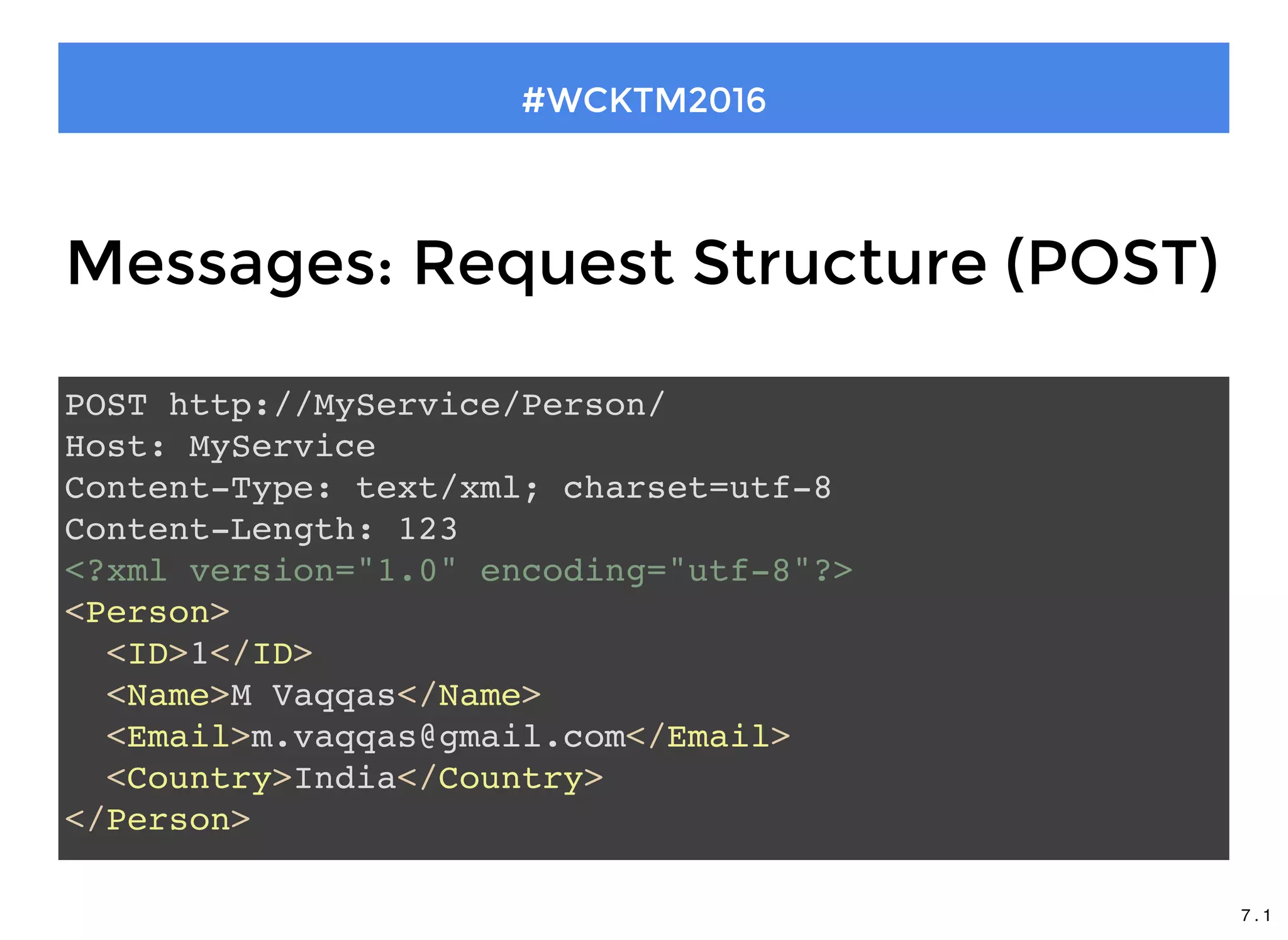
Messages: Request Structure (POST)
POST http://MyService/Person/
Host: MyService
Content-Type: text/xml; charset=utf-8
Content-Length: 123
<?xml version="1.0" encoding="utf-8"?>
<Person>
<ID>1</ID>
<Name>M Vaqqas</Name>
<Email>m.vaqqas@gmail.com</Email>
<Country>India</Country>
</Person>
#WCKTM2016
7 . 1
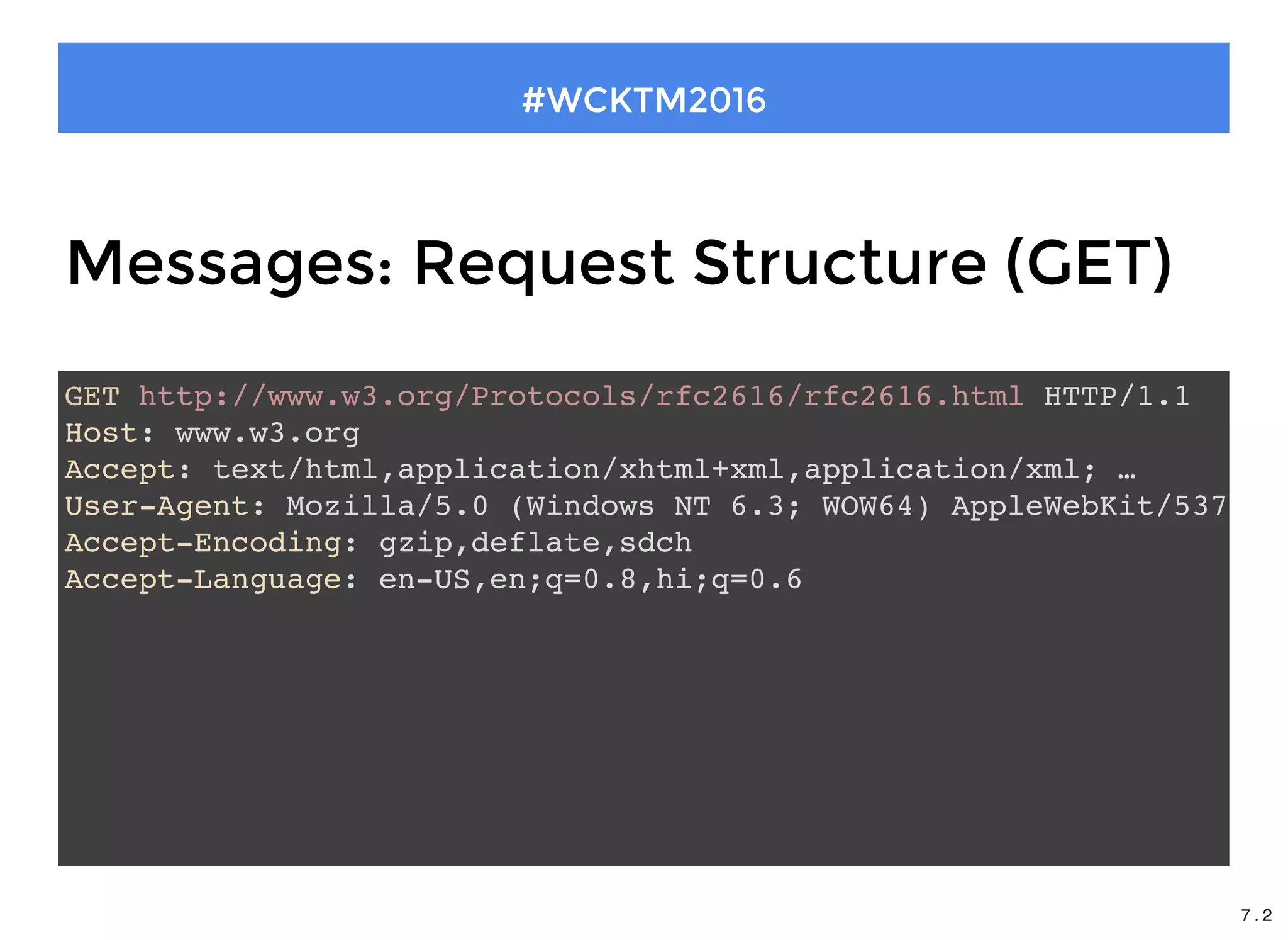
Messages: Request Structure (GET)
GET http://www.w3.org/Protocols/rfc2616/rfc2616.html HTTP/1.1
Host: www.w3.org
Accept: text/html,application/xhtml+xml,application/xml; …
User-Agent: Mozilla/5.0 (Windows NT 6.3; WOW64) AppleWebKit/537.36
Accept-Encoding: gzip,deflate,sdch
Accept-Language: en-US,en;q=0.8,hi;q=0.6
#WCKTM2016
7 . 2
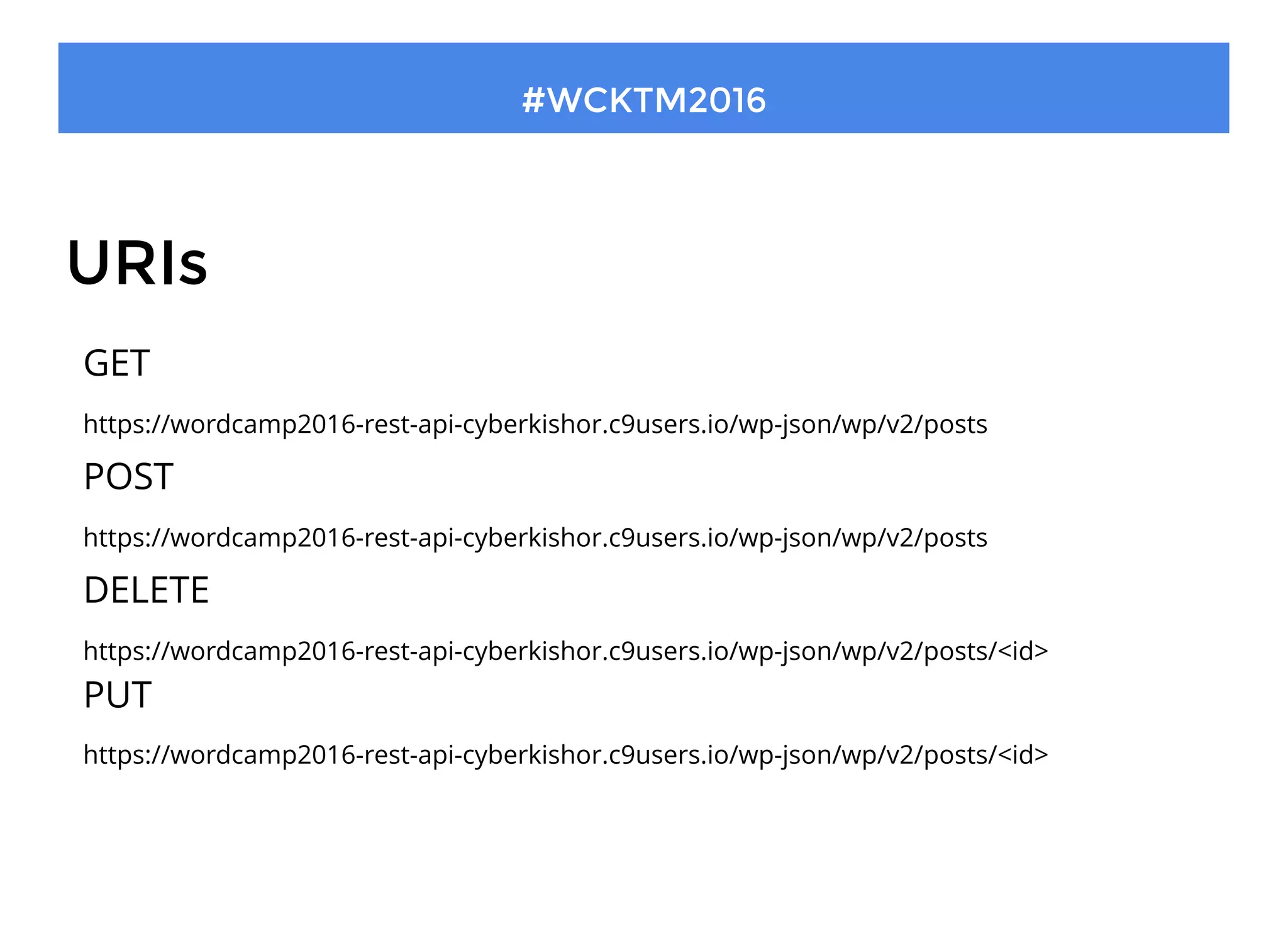
URIs
#WCKTM2016
GET
https://wordcamp2016-rest-api-cyberkishor.c9users.io/wp-json/wp/v2/posts
POST
https://wordcamp2016-rest-api-cyberkishor.c9users.io/wp-json/wp/v2/posts
DELETE
https://wordcamp2016-rest-api-cyberkishor.c9users.io/wp-json/wp/v2/posts/<id>
PUT
https://wordcamp2016-rest-api-cyberkishor.c9users.io/wp-json/wp/v2/posts/<id>
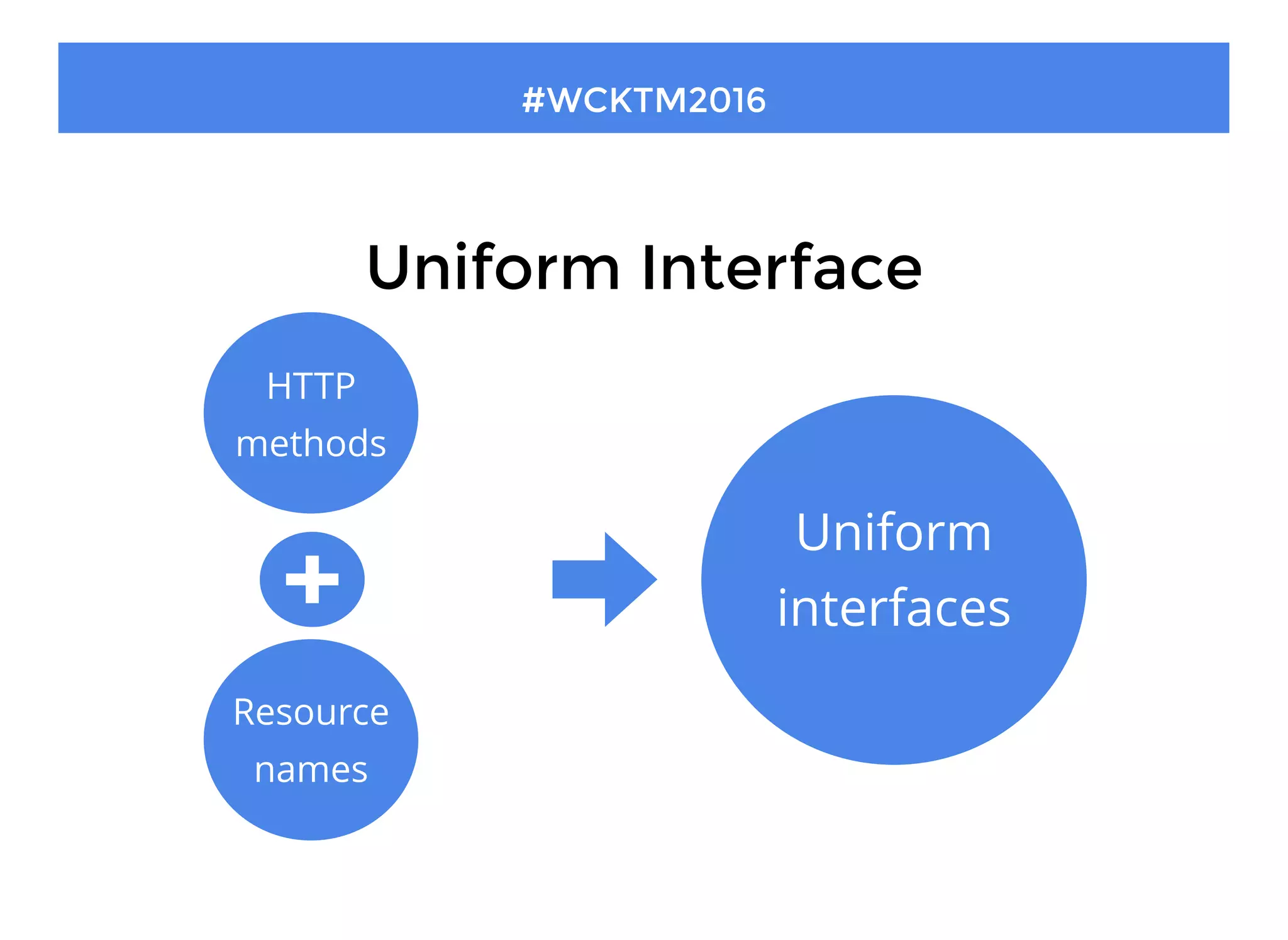
Uniform Interface
#WCKTM2016
HTTP
methods
Resource
names
Uniform
interfaces
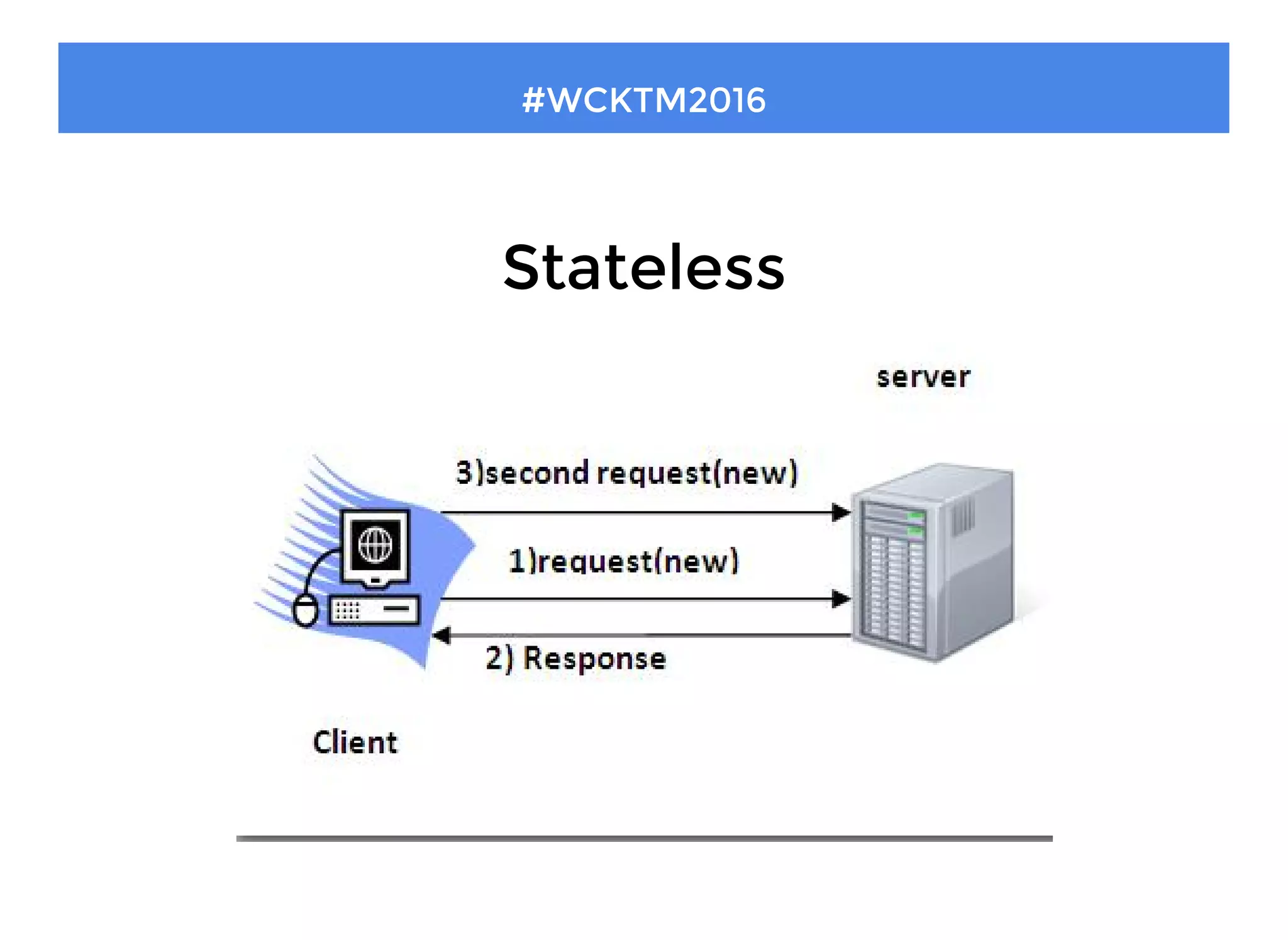
Stateless
#WCKTM2016
Text
Links between resources
#WCKTM2016
http://example.com/api/v1/messages
[
{
"id": 12345,
"text": "Hello, world!"
},
{
"id": 12346,
"text": "Testing, testing"
},
...
]
GET
About WP API
#WCKTM2016
Gives us ability to access WordPress's site data
The API is rich with functionality. Explore the documentation
Started as a plugin, but will be completely added into core from version
4.7
12 . 1
Why WP REST API?
#WCKTM2016
12 . 2
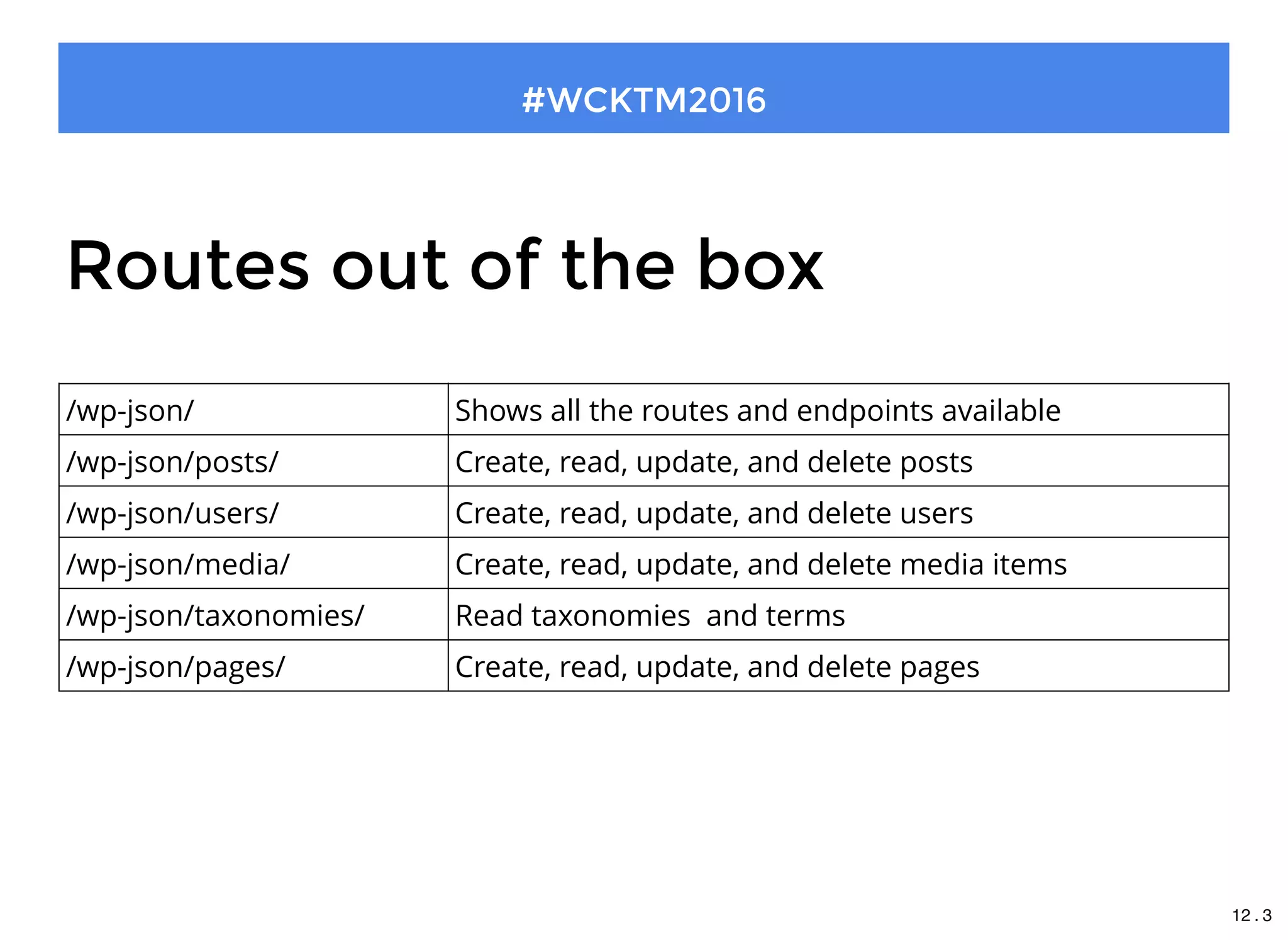
Routes out of the box
#WCKTM2016
/wp-json/ Shows all the routes and endpoints available
/wp-json/posts/ Create, read, update, and delete posts
/wp-json/users/ Create, read, update, and delete users
/wp-json/media/ Create, read, update, and delete media items
/wp-json/taxonomies/ Read taxonomies  and terms
/wp-json/pages/ Create, read, update, and delete pages
12 . 3
Authentication
#WCKTM2016
12 . 4
Authentication
#WCKTM2016
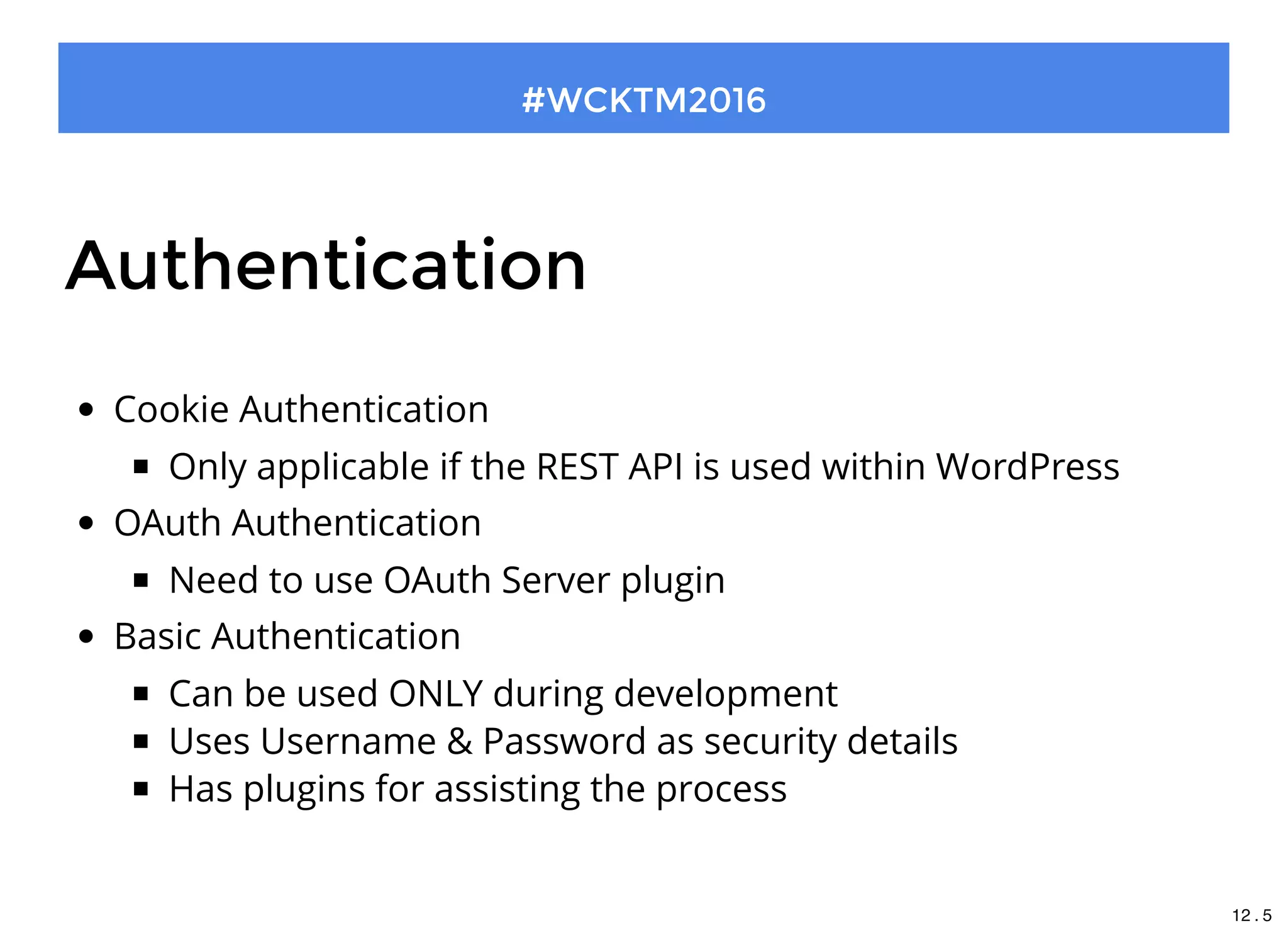
Cookie Authentication
Only applicable if the REST API is used within WordPress
OAuth Authentication
Need to use OAuth Server plugin
Basic Authentication
Can be used ONLY during development
Uses Username & Password as security details
Has plugins for assisting the process
12 . 5
Prepare yourself
Install WordPress
Install WP REST API Plugin
Install Post Man application
Prettify the permalink
 
#WCKTM2016
13 . 1
http://bit.ly/2ghjPU0
Download It
13 . 2
Thanks ( for Now ) !
Any Questions?
#WCKTM2016
Let's Start
#WCKTM2016
15 . 1
How will we learn?
#WCKTM2016
Lesson 1: Understanding Client and Route
1. Learn to use Post Man
2. CRUD on default route
Lesson 2: Registering your own route
1. Register new route
2. CRUD on custom route
15 . 2
http://bit.ly/2fFPz1D
Download It
15 . 3
#WCKTM2016
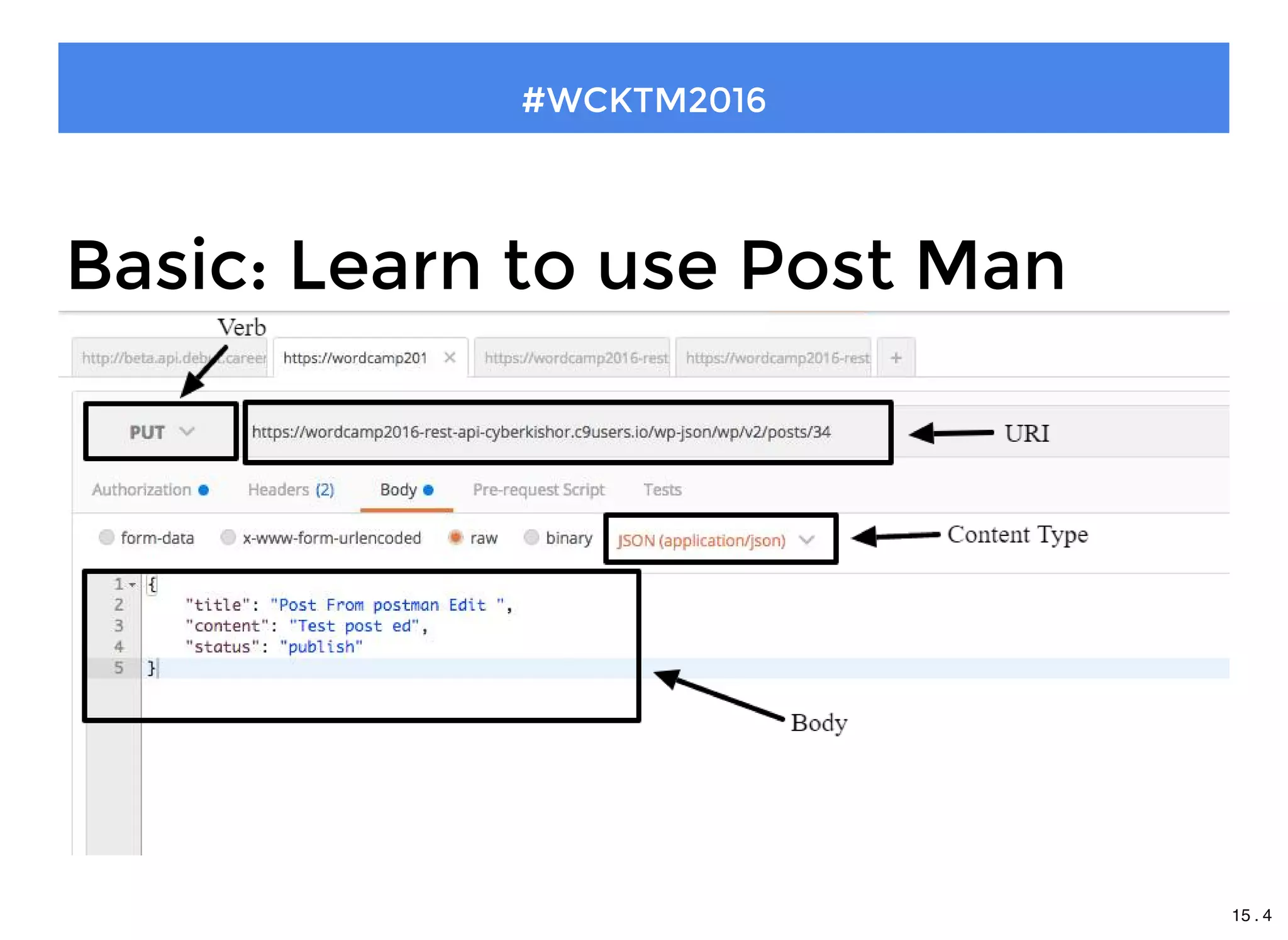
Basic: Learn to use Post Man
15 . 4
#WCKTM2016
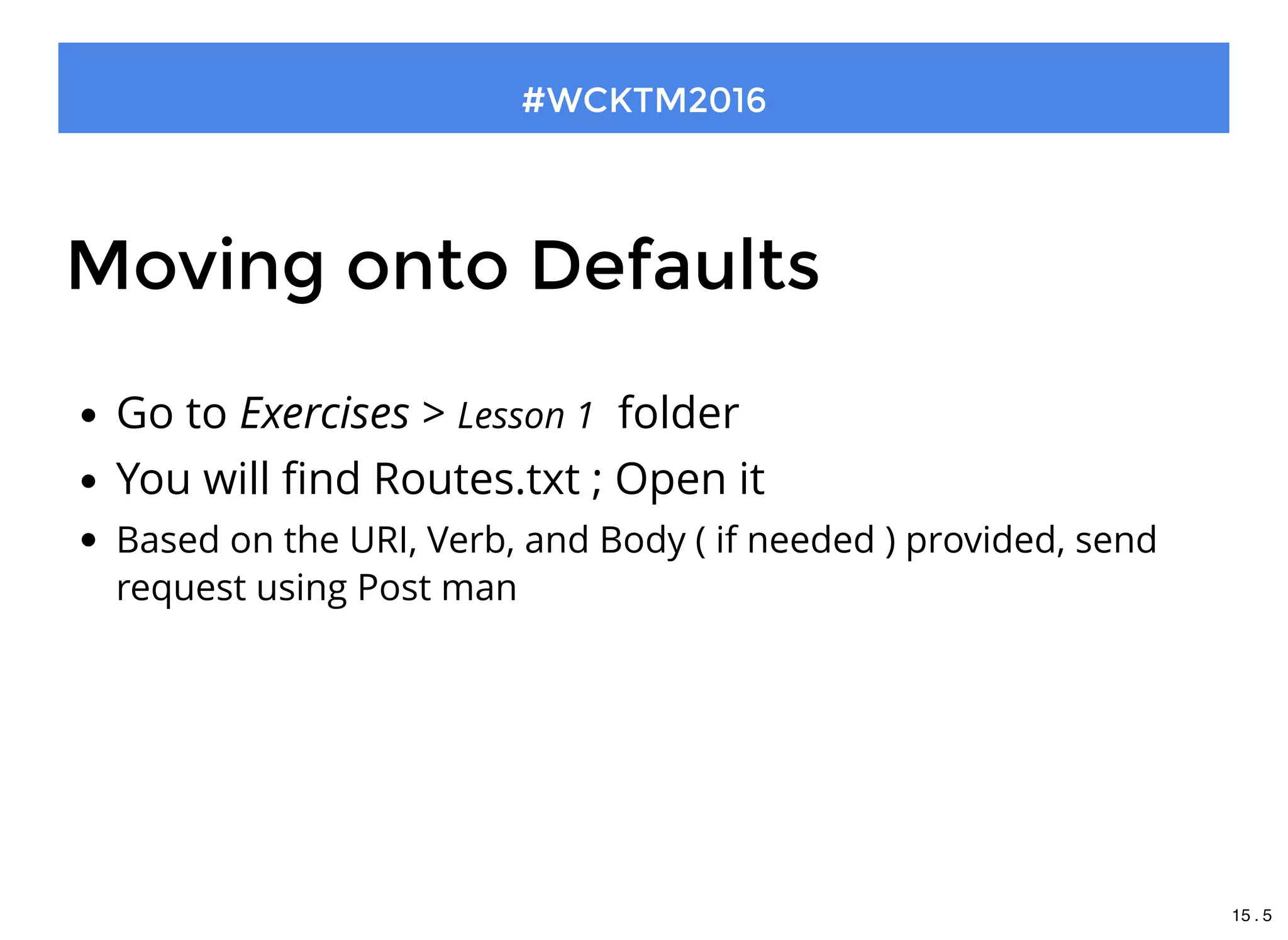
Moving onto Defaults
Go to Exercises > Lesson 1  folder
You will find Routes.txt ; Open it
Based on the URI, Verb, and Body ( if needed ) provided, send
request using Post man
15 . 5
#WCKTM2016
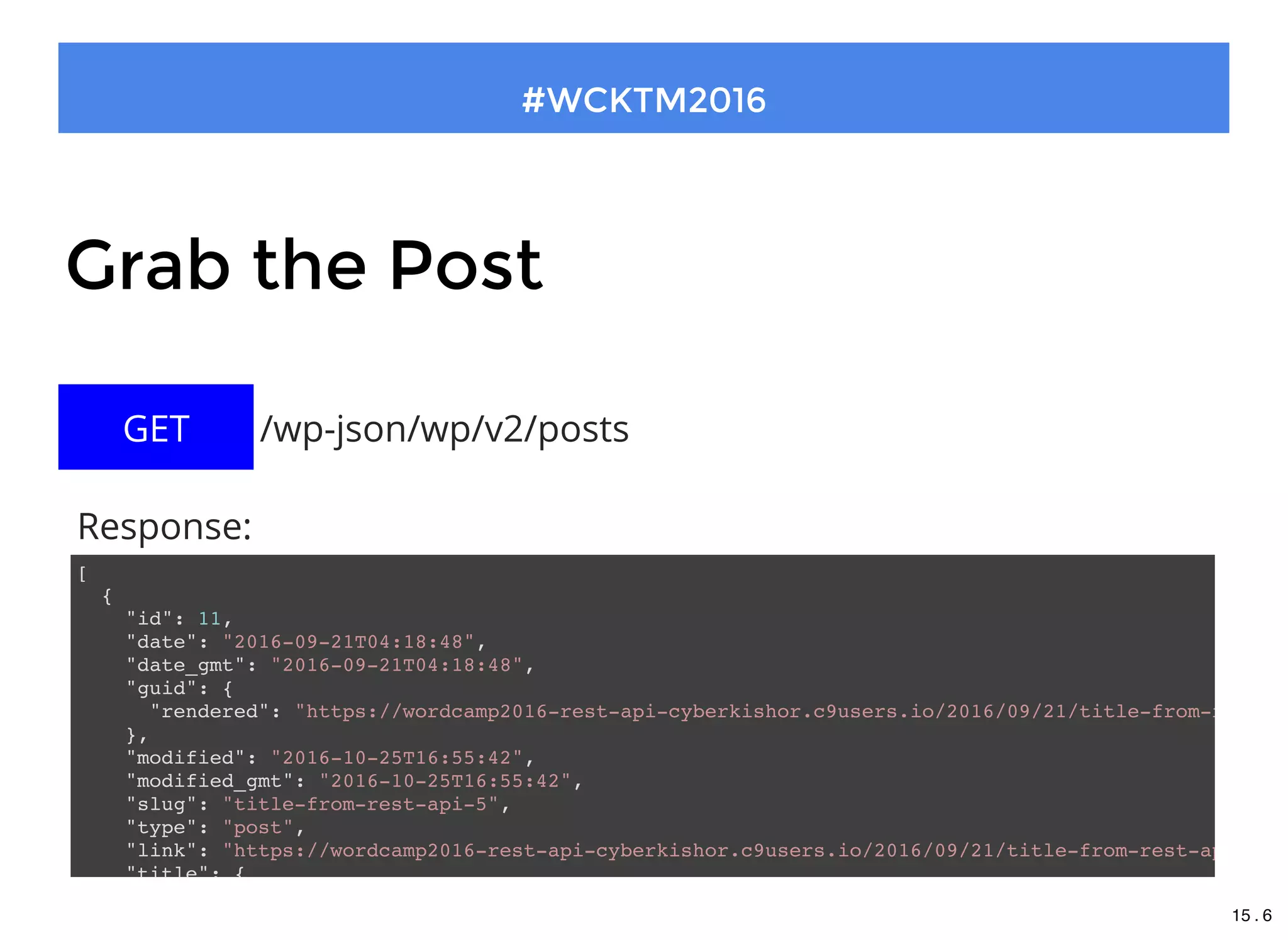
Grab the Post
[
{
"id": 11,
"date": "2016-09-21T04:18:48",
"date_gmt": "2016-09-21T04:18:48",
"guid": {
"rendered": "https://wordcamp2016-rest-api-cyberkishor.c9users.io/2016/09/21/title-from-rest-ap
},
"modified": "2016-10-25T16:55:42",
"modified_gmt": "2016-10-25T16:55:42",
"slug": "title-from-rest-api-5",
"type": "post",
"link": "https://wordcamp2016-rest-api-cyberkishor.c9users.io/2016/09/21/title-from-rest-api-5/"
"title": {
/wp-json/wp/v2/postsGET
Response:
15 . 6
#WCKTM2016
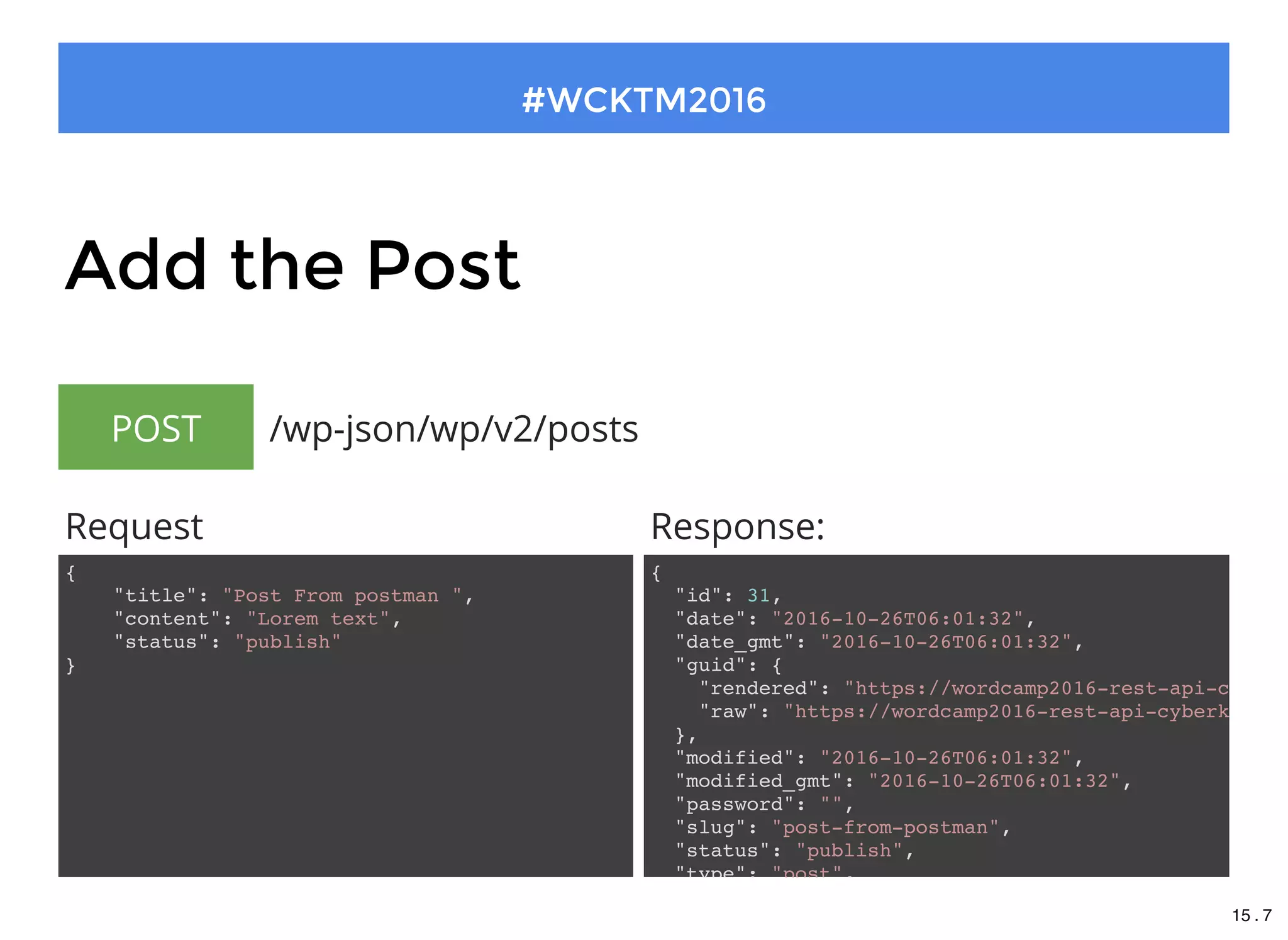
Add the Post
 /wp-json/wp/v2/postsPOST
{
"id": 31,
"date": "2016-10-26T06:01:32",
"date_gmt": "2016-10-26T06:01:32",
"guid": {
"rendered": "https://wordcamp2016-rest-api-cyberk
"raw": "https://wordcamp2016-rest-api-cyberkishor
},
"modified": "2016-10-26T06:01:32",
"modified_gmt": "2016-10-26T06:01:32",
"password": "",
"slug": "post-from-postman",
"status": "publish",
"type": "post",
Response:
{
"title": "Post From postman ",
"content": "Lorem text",
"status": "publish"
}
Request
15 . 7
#WCKTM2016
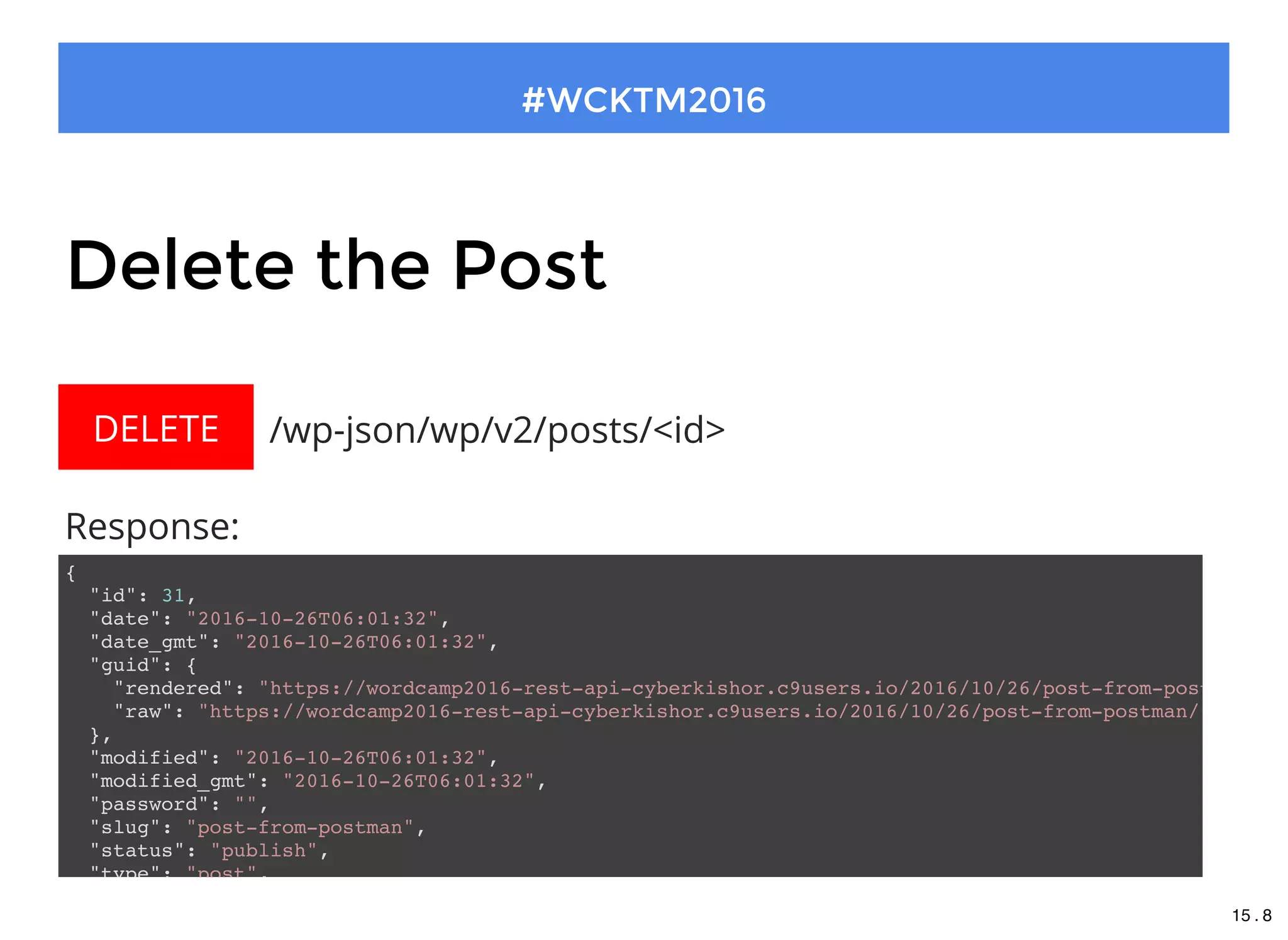
Delete the Post
{
"id": 31,
"date": "2016-10-26T06:01:32",
"date_gmt": "2016-10-26T06:01:32",
"guid": {
"rendered": "https://wordcamp2016-rest-api-cyberkishor.c9users.io/2016/10/26/post-from-postman/"
"raw": "https://wordcamp2016-rest-api-cyberkishor.c9users.io/2016/10/26/post-from-postman/"
},
"modified": "2016-10-26T06:01:32",
"modified_gmt": "2016-10-26T06:01:32",
"password": "",
"slug": "post-from-postman",
"status": "publish",
"type": "post",
 /wp-json/wp/v2/posts/<id>DELETE
Response:
15 . 8
#WCKTM2016
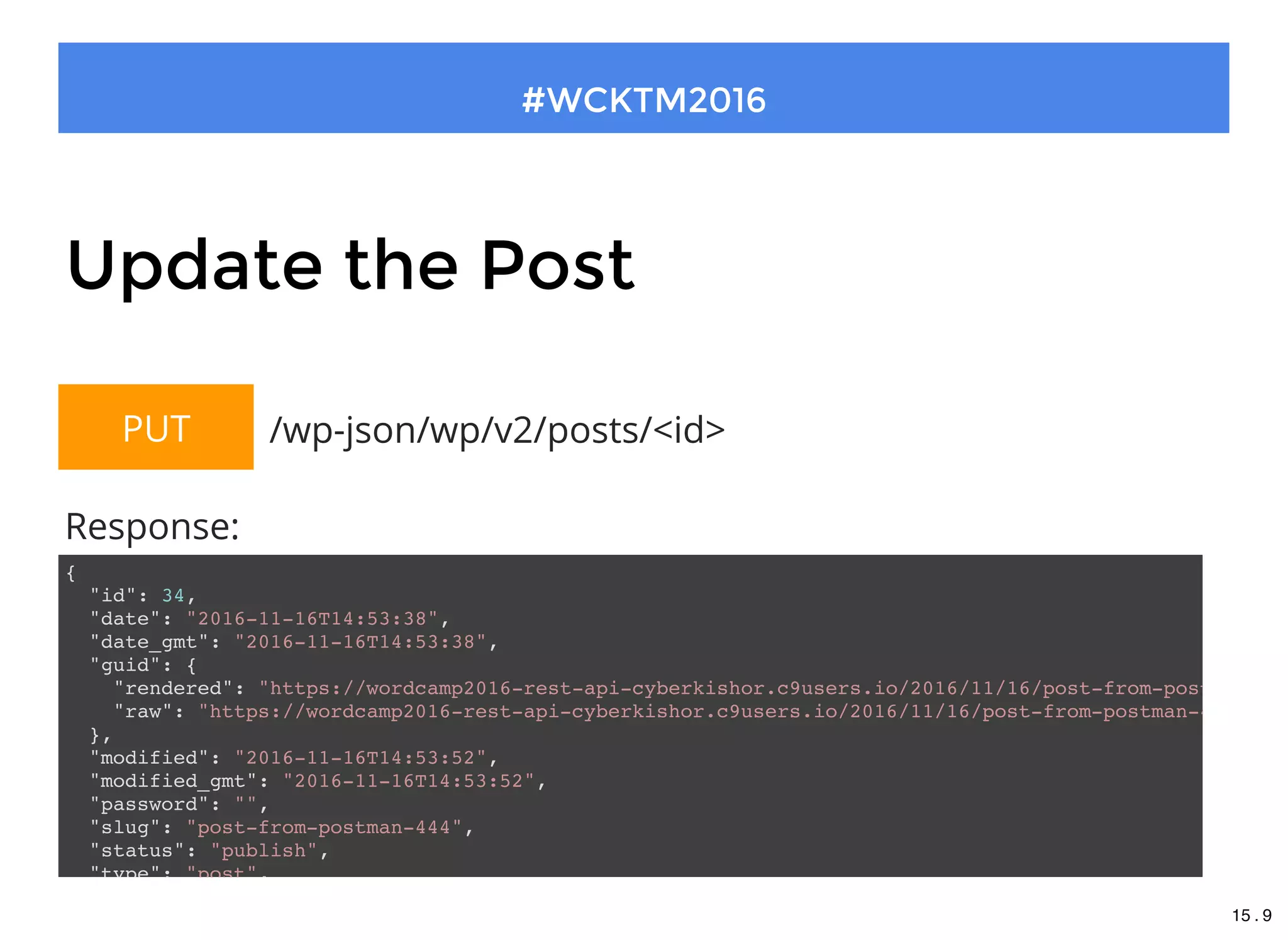
Update the Post
{
"id": 34,
"date": "2016-11-16T14:53:38",
"date_gmt": "2016-11-16T14:53:38",
"guid": {
"rendered": "https://wordcamp2016-rest-api-cyberkishor.c9users.io/2016/11/16/post-from-postman-444
"raw": "https://wordcamp2016-rest-api-cyberkishor.c9users.io/2016/11/16/post-from-postman-444/"
},
"modified": "2016-11-16T14:53:52",
"modified_gmt": "2016-11-16T14:53:52",
"password": "",
"slug": "post-from-postman-444",
"status": "publish",
"type": "post",
 /wp-json/wp/v2/posts/<id>PUT
Response:
15 . 9
#WCKTM2016
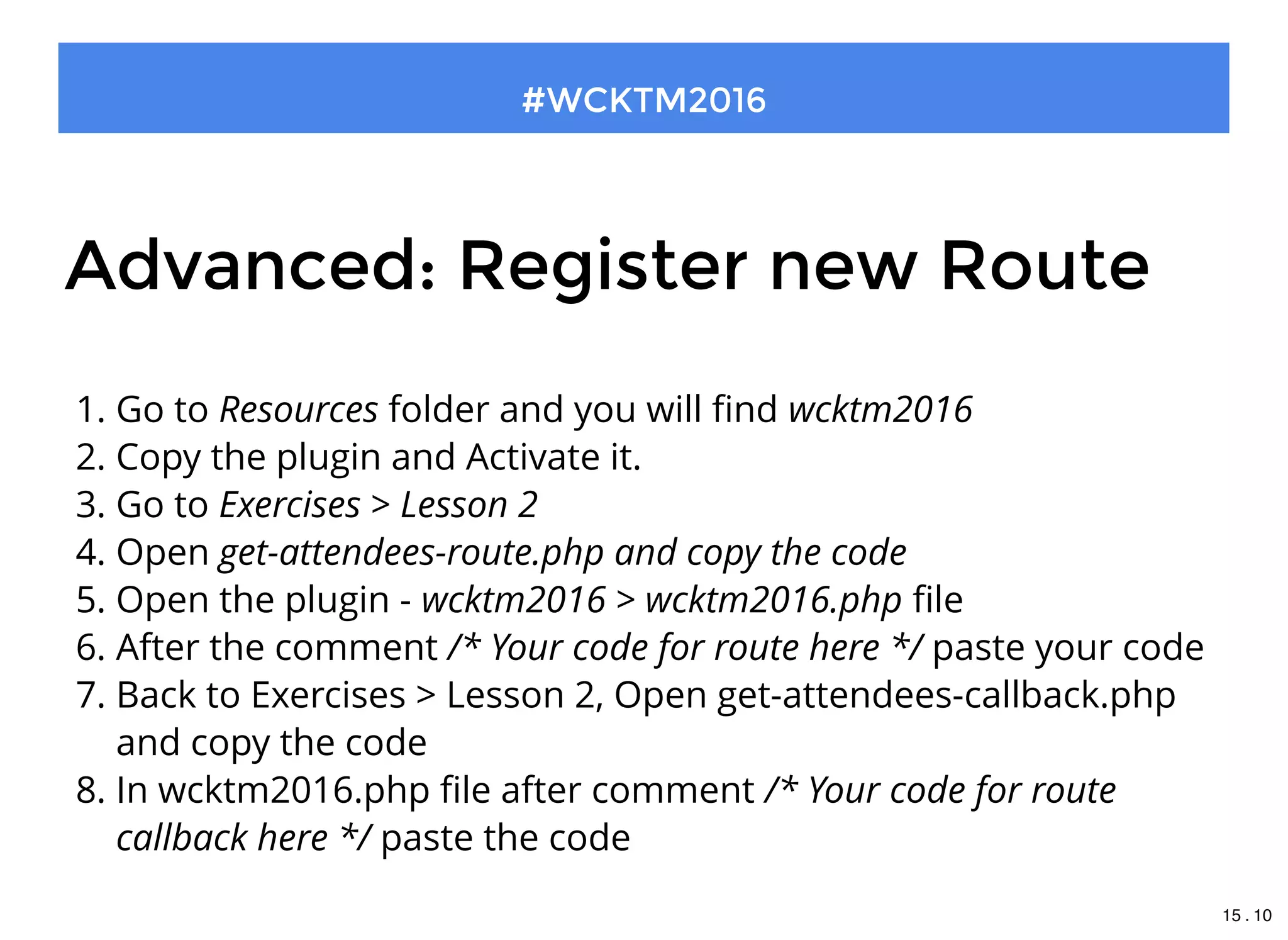
Advanced: Register new Route
1. Go to Resources folder and you will find wcktm2016
2. Copy the plugin and Activate it.
3. Go to Exercises > Lesson 2
4. Open get-attendees-route.php and copy the code
5. Open the plugin - wcktm2016 > wcktm2016.php file
6. After the comment /* Your code for route here */ paste your code
7. Back to Exercises > Lesson 2, Open get-attendees-callback.php
and copy the code
8. In wcktm2016.php file after comment /* Your code for route
callback here */ paste the code
15 . 10
#WCKTM2016
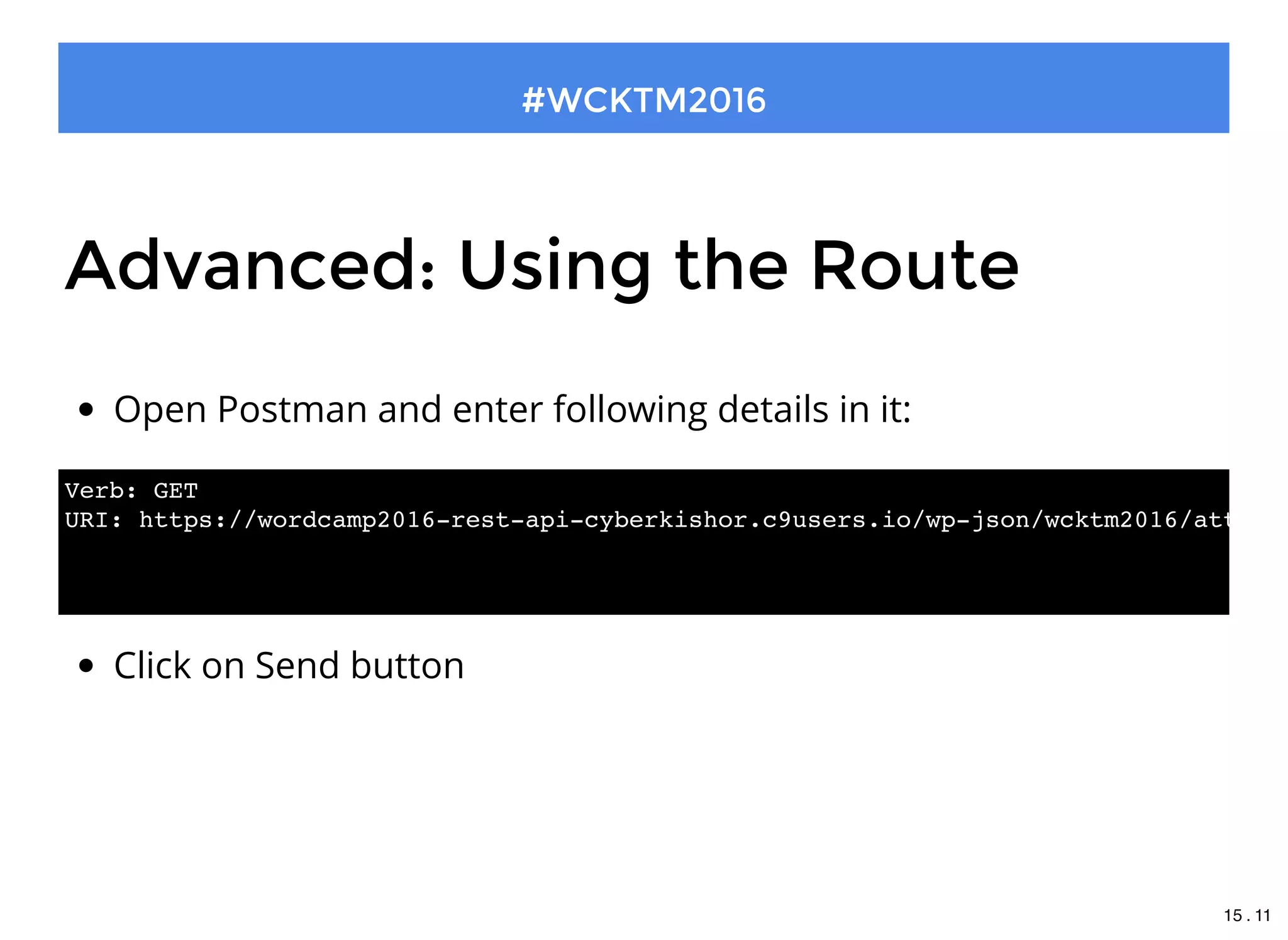
Open Postman and enter following details in it:
Advanced: Using the Route
Click on Send button
Verb: GET
URI: https://wordcamp2016-rest-api-cyberkishor.c9users.io/wp-json/wcktm2016/attende
15 . 11
#WCKTM2016
Repeat the same
Go to Exercises > Lesson 2
Find other snippets and do the same like you did earlier
15 . 12
Bingo!!!
You did It
15 . 13
Thank you !
#WCKTM2016
148910111416

Getting Started With WP REST API