

Drupal 6 Theming
      John Albin Wilkins


    Drupal.org : JohnAlbin
   Twitter.com : @johnalbin
Designing for Drupal
    ! Overview of the Layer
      Drupal Theming

    ! Implementation Details
      ! Templates
      ! Preprocessors
      ! Base Themes
    ! Where to go for help
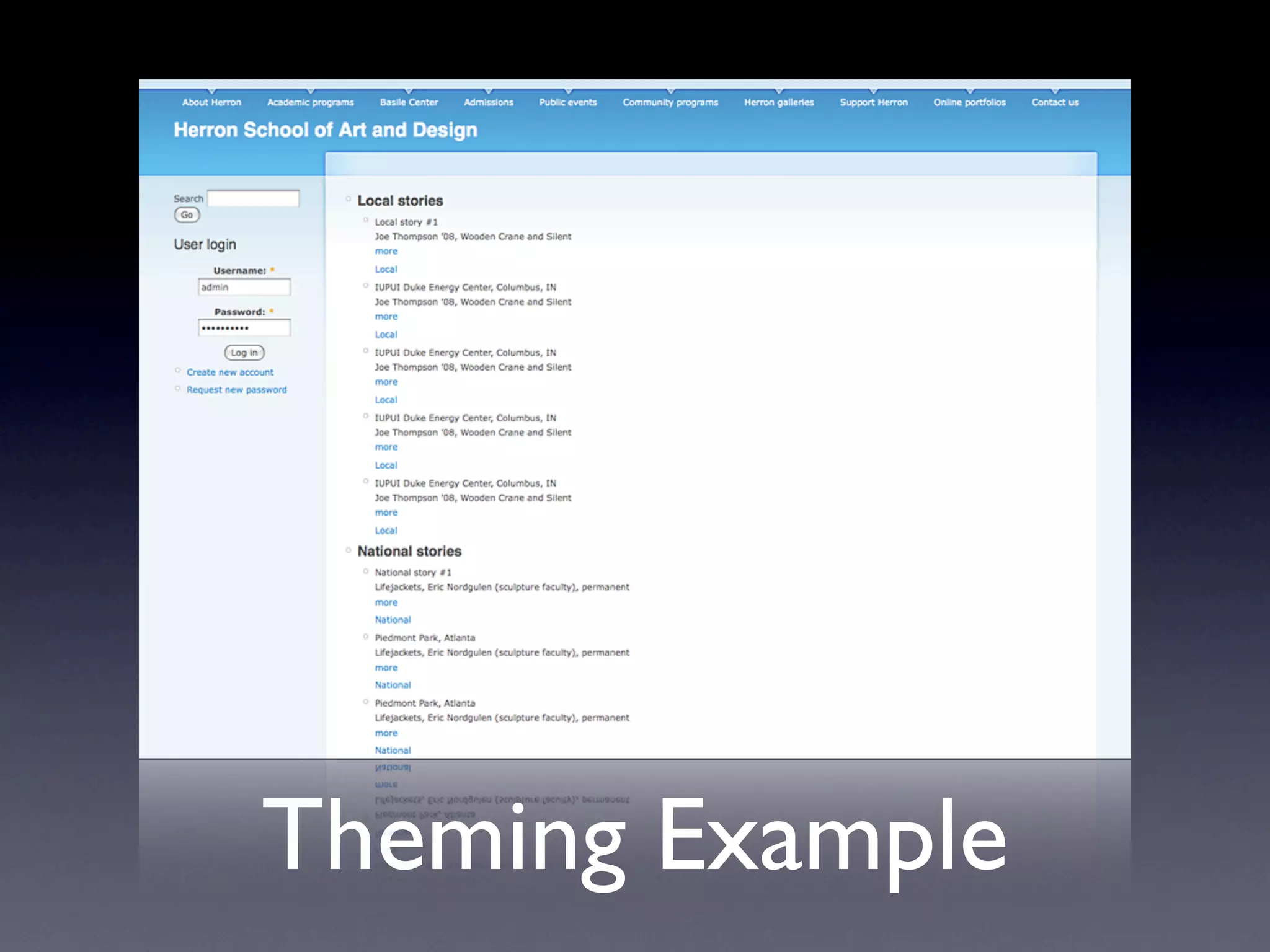
Theming Example
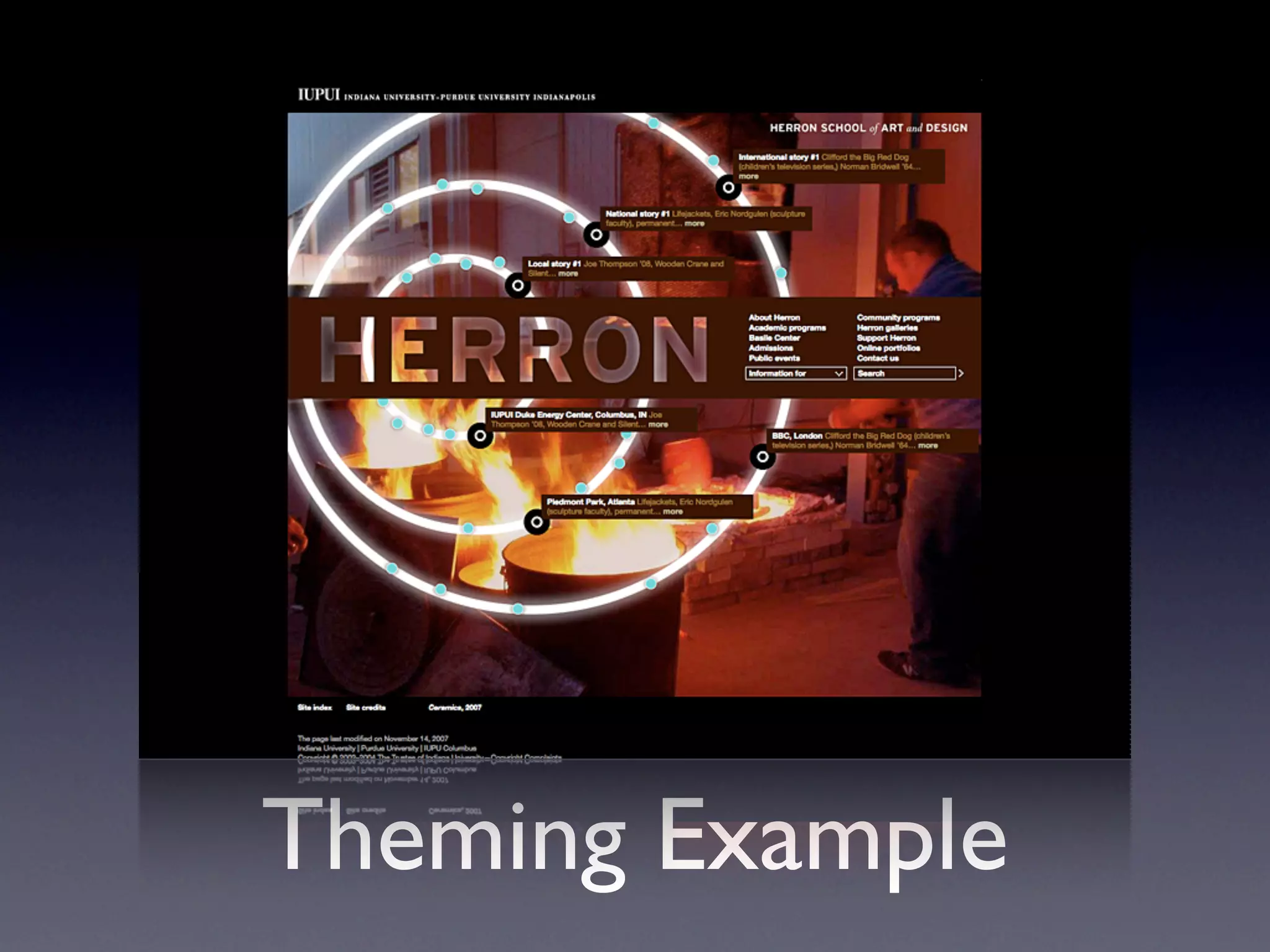
Theming Example
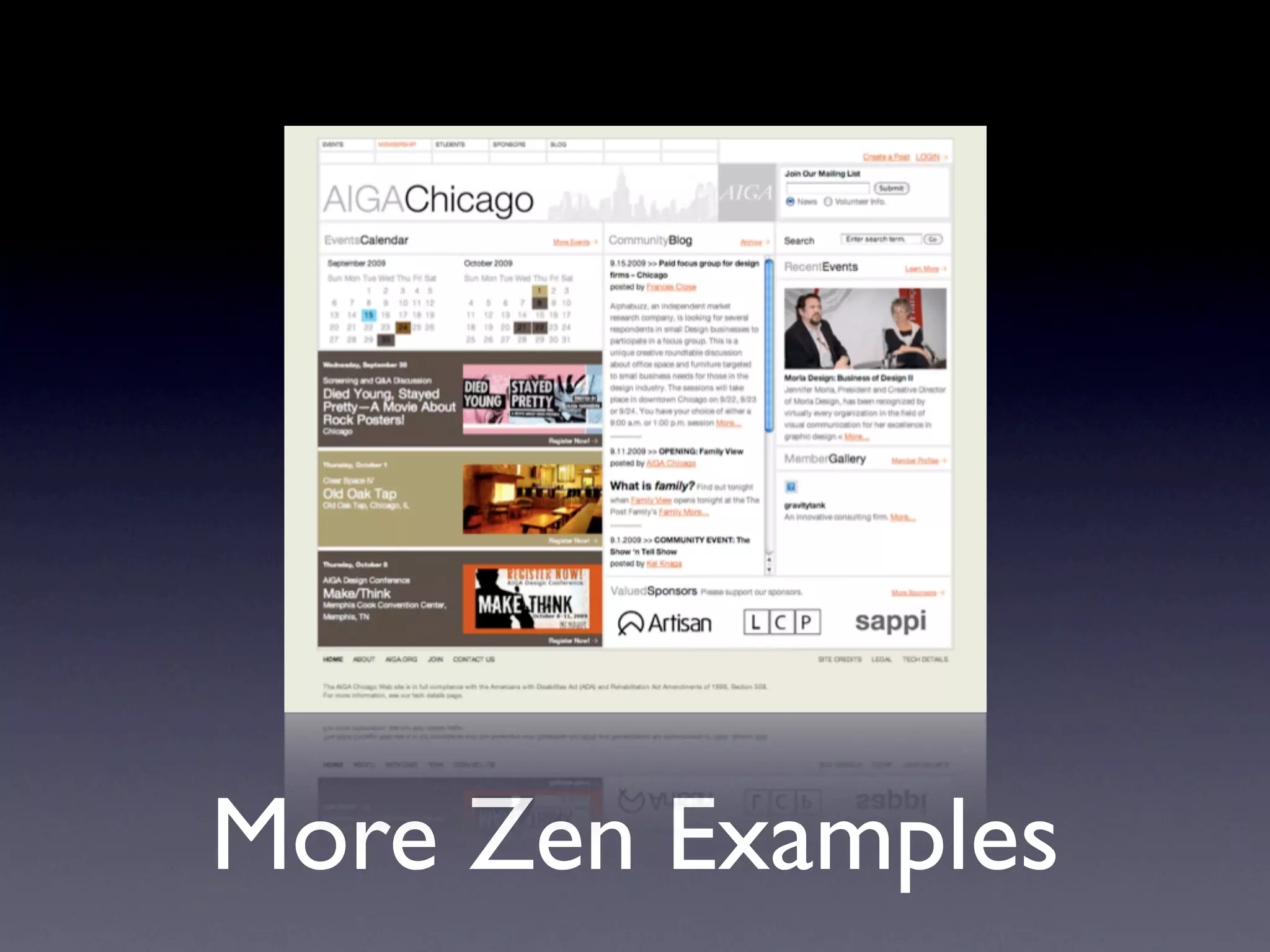
More Zen Examples
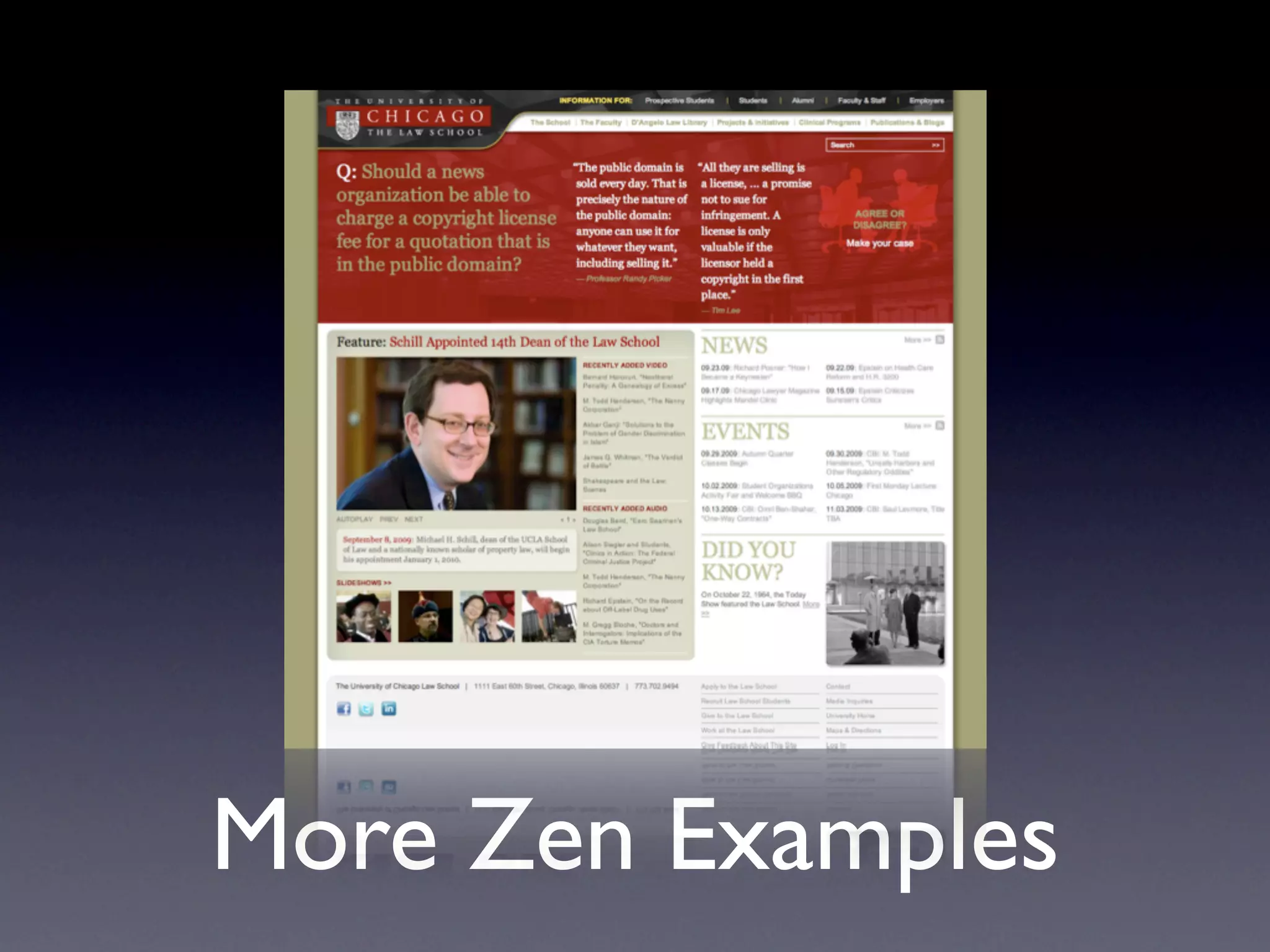
More Zen Examples
More Zen Examples
Drupal Design
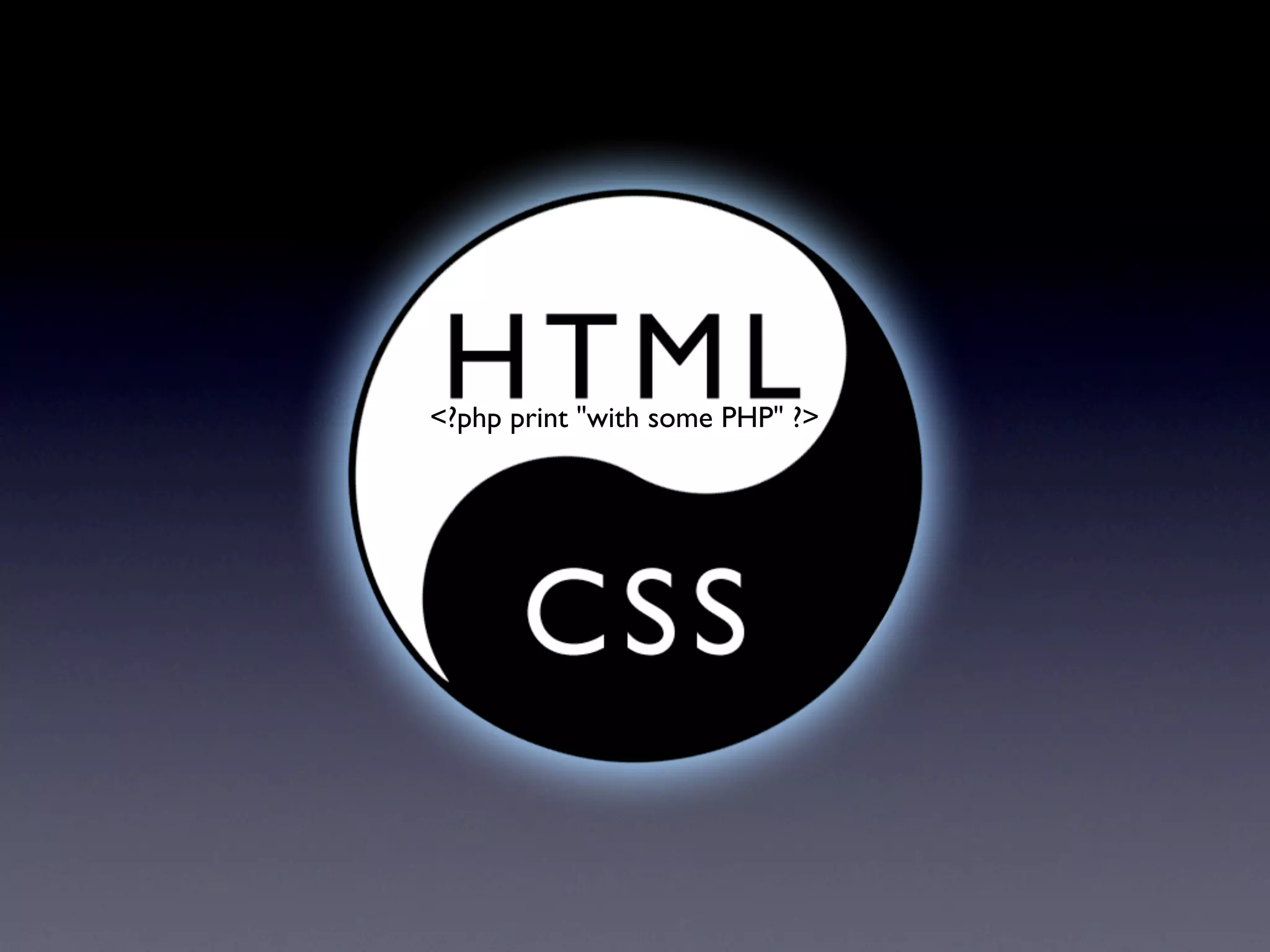
<?php print "with some PHP" ?>

Drupal Design
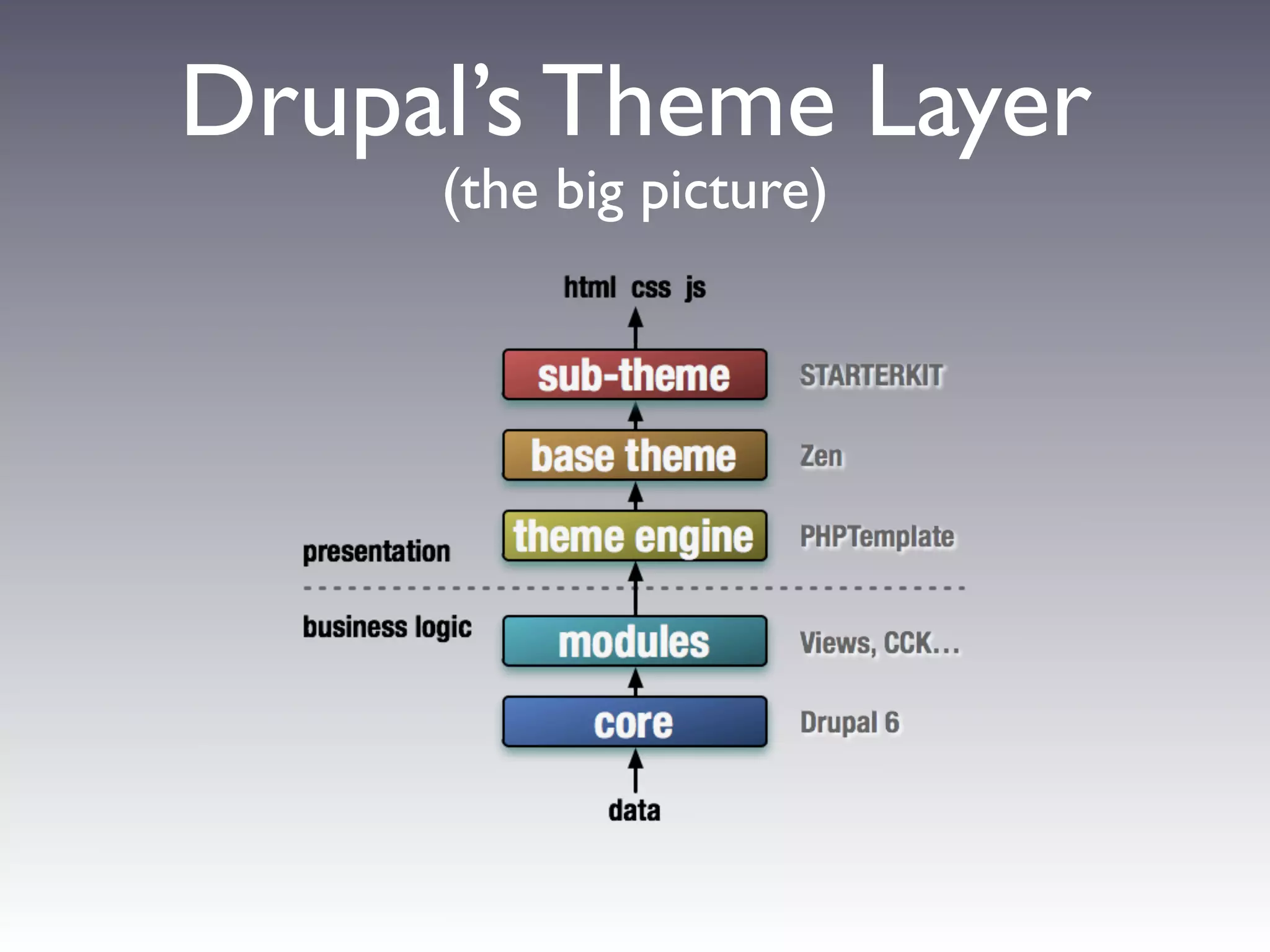
Drupal’s Theme Layer
     (the big picture)
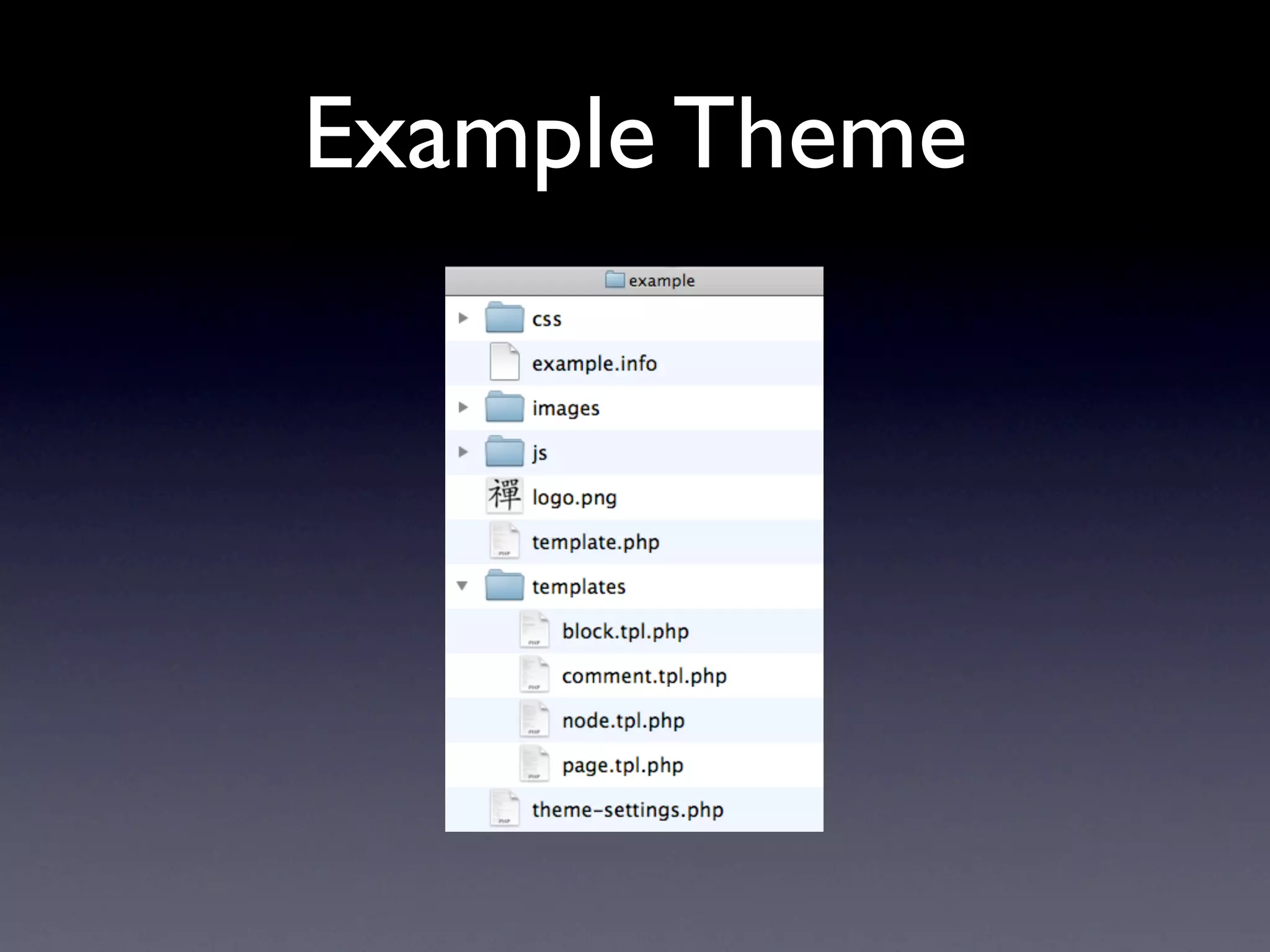
Example Theme
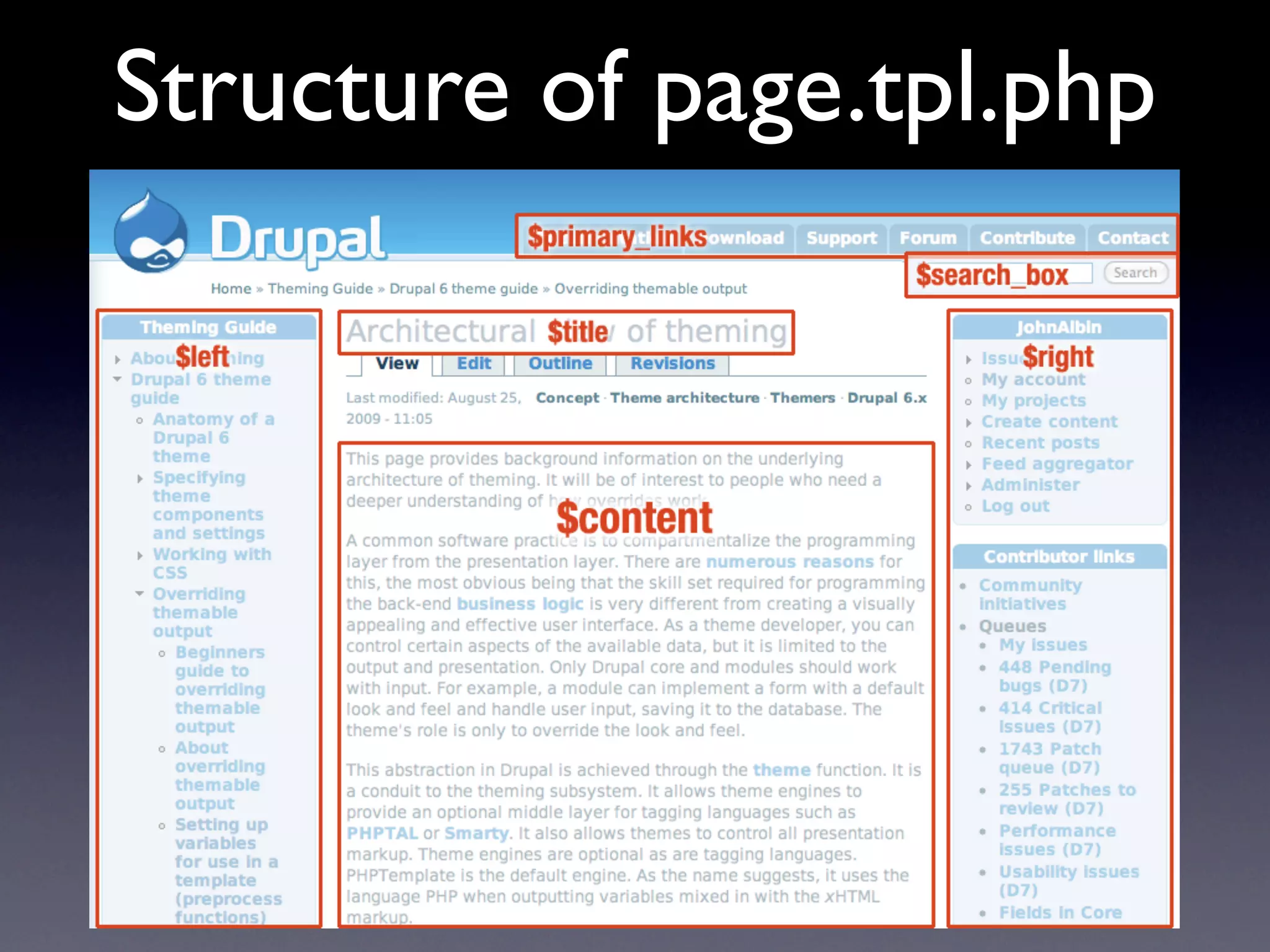
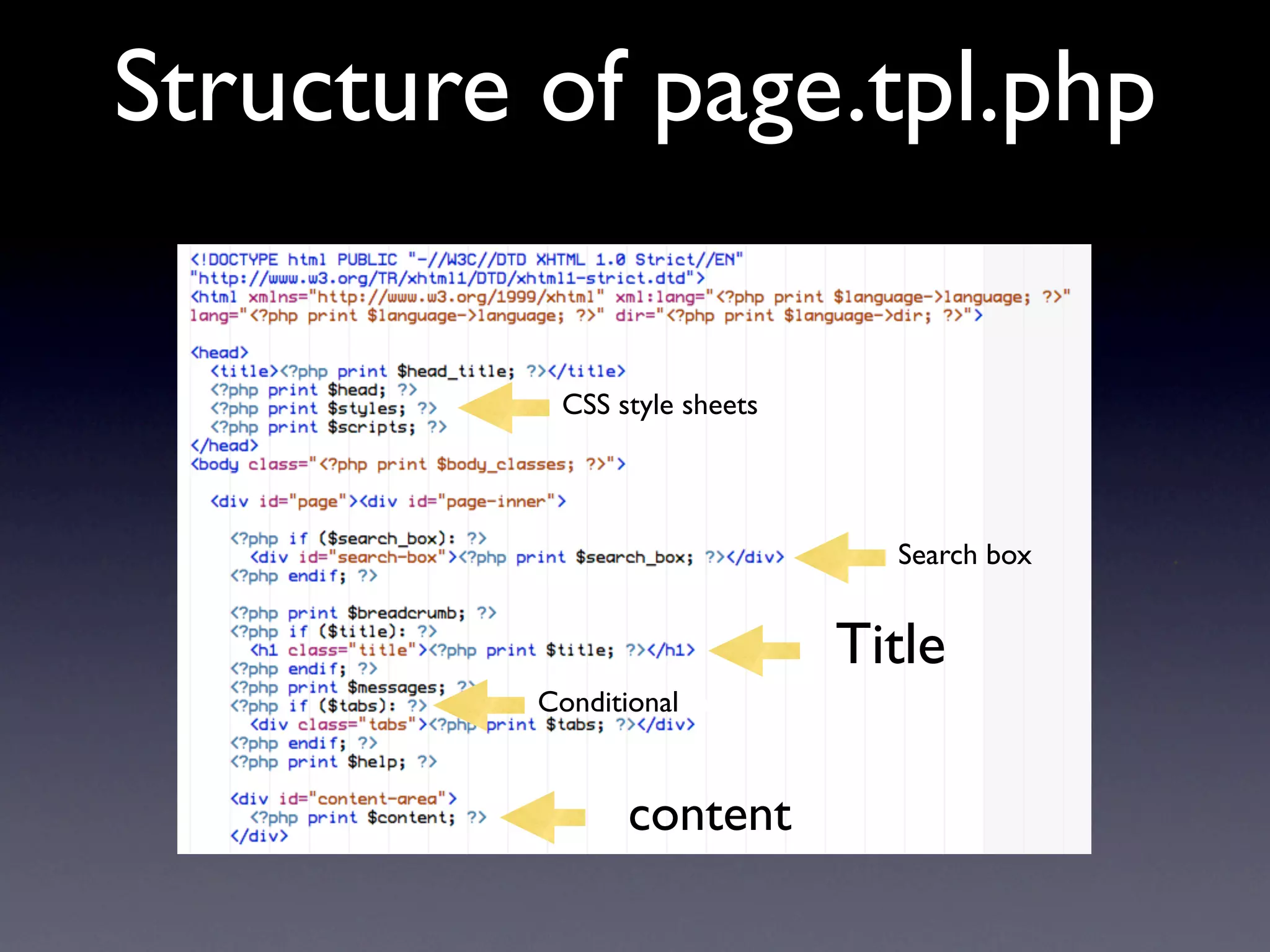
Structure of page.tpl.php

           CSS style sheets


                                Search box   .


                              Title
          Conditional Info


                 content
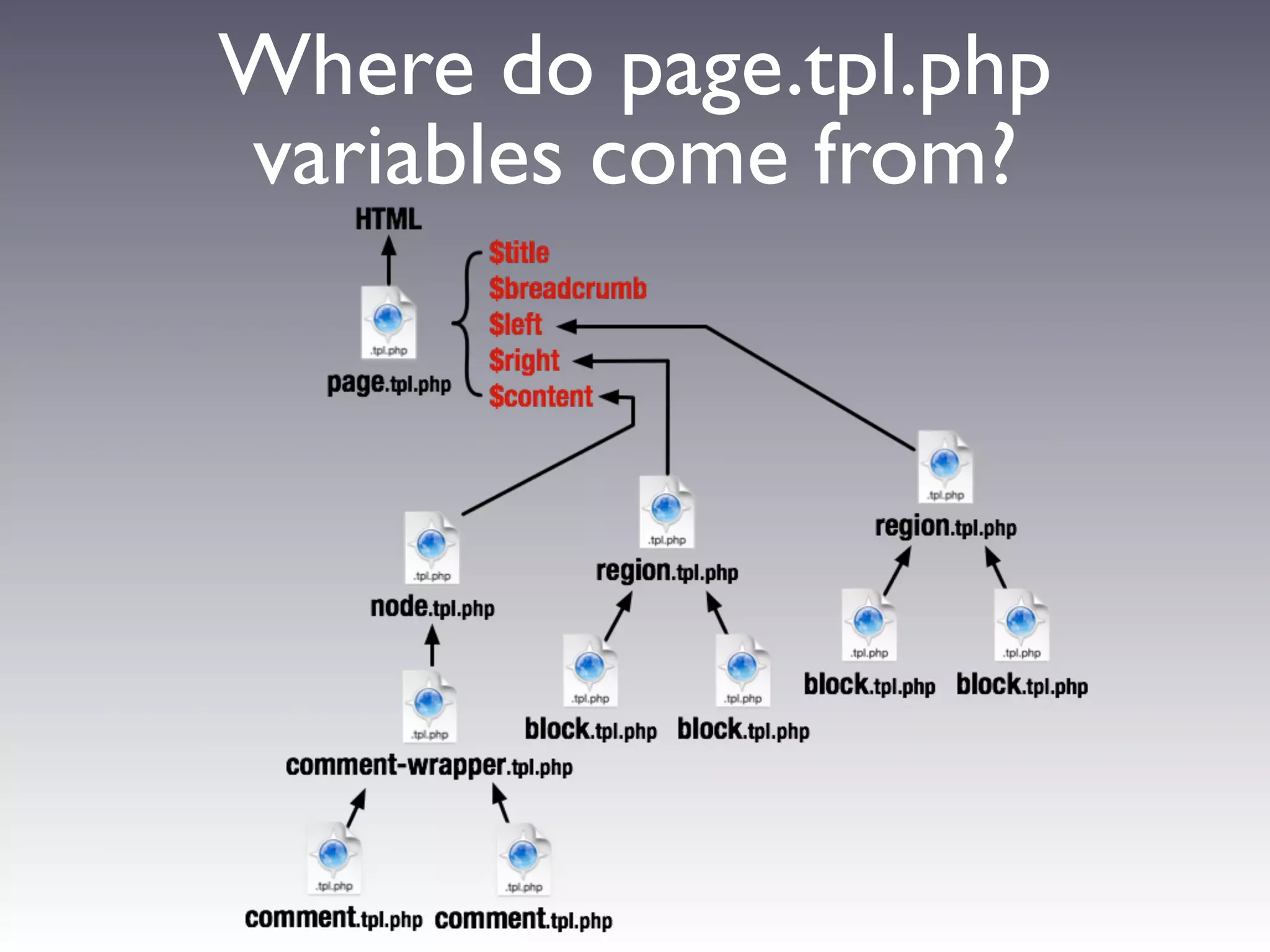
Where do page.tpl.php
variables come from?
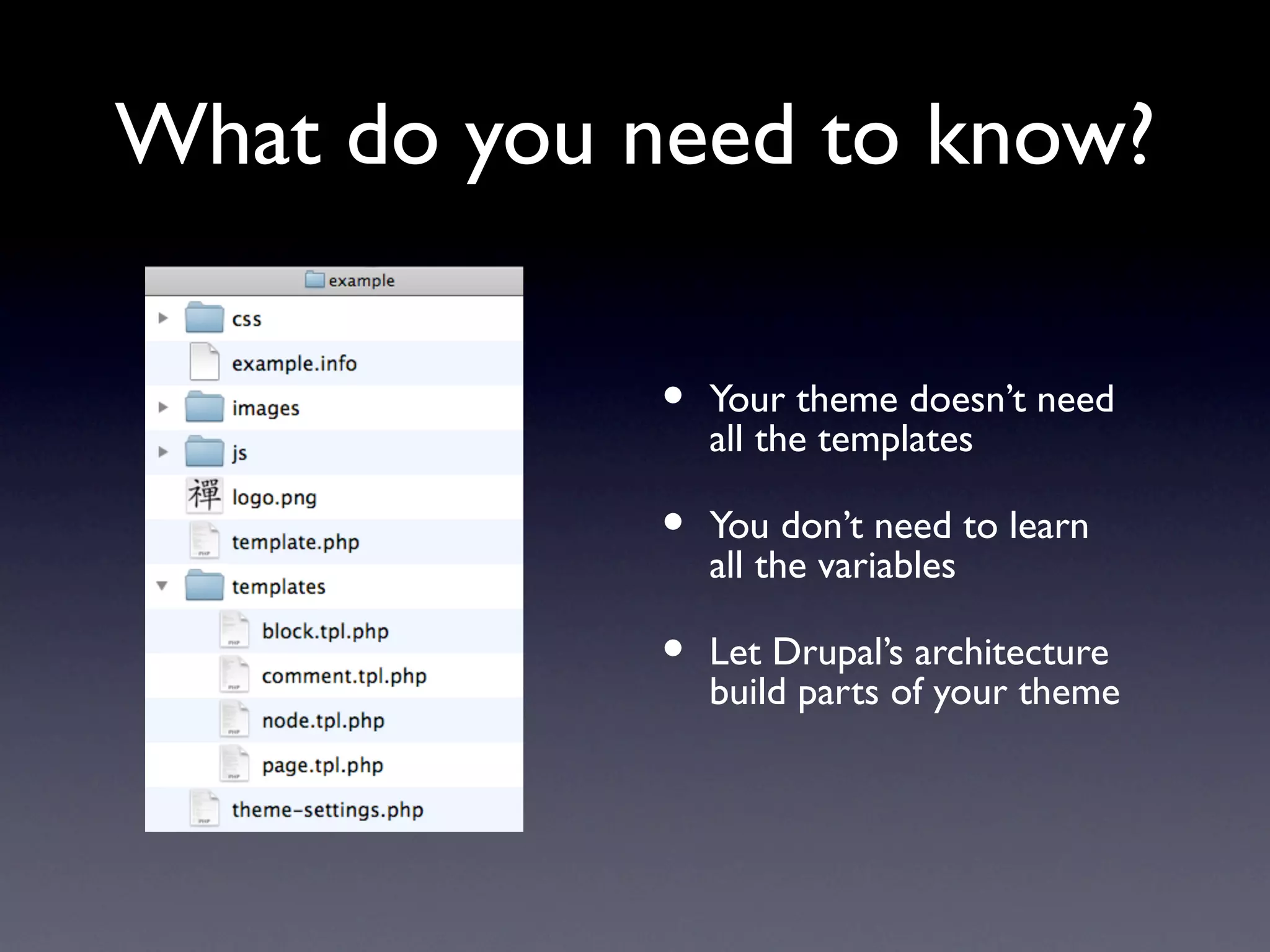
What do you need to know?

             •   Your theme doesn’t need
                 all the templates

             •   You don’t need to learn
                 all the variables

             •   Let Drupal’s architecture
                 build parts of your theme
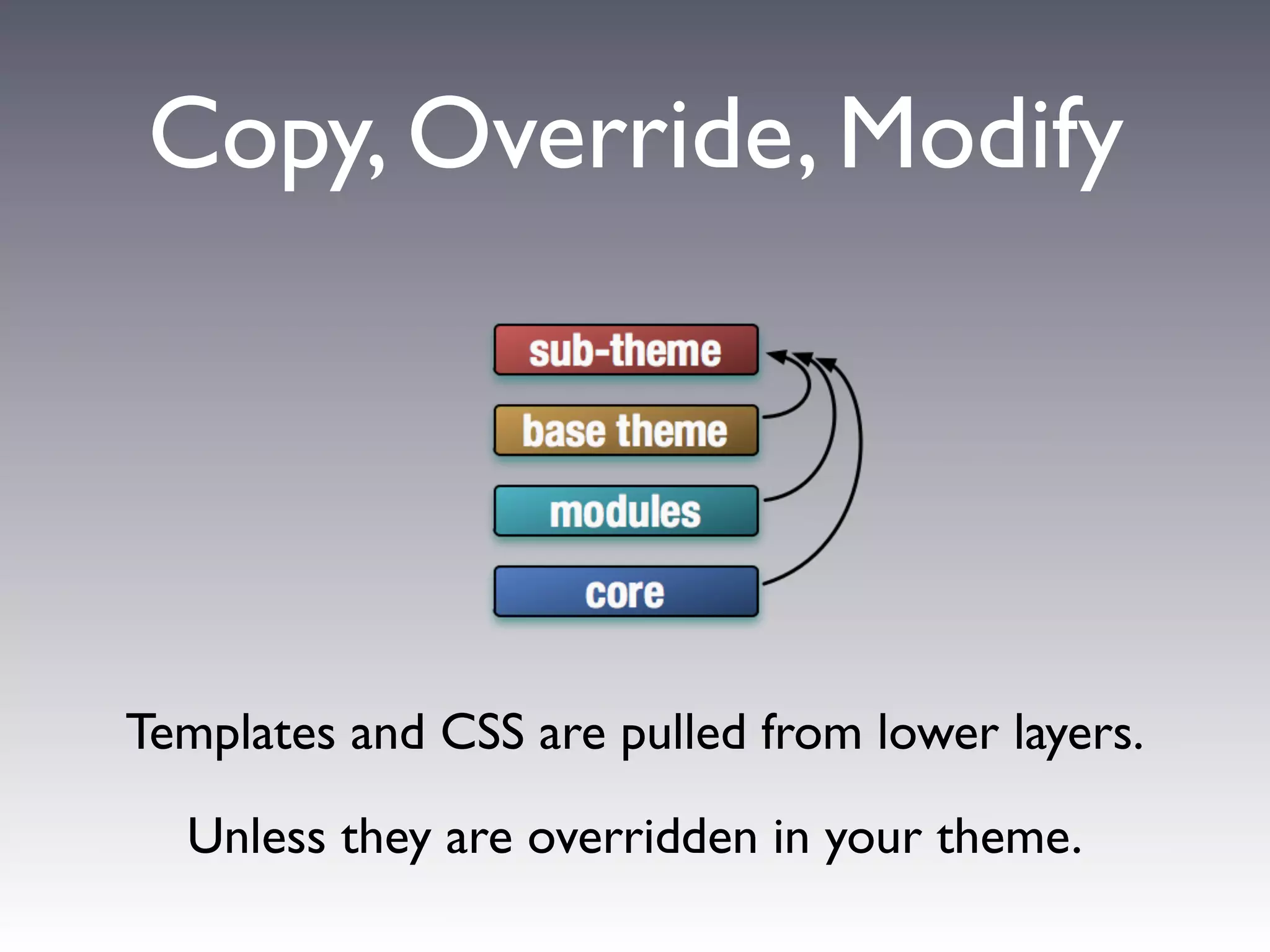
Copy, Override, Modify


Templates and CSS are pulled from lower layers.

  Unless they are overridden in your theme.
Preprocess Functions


 modify variables using a function:
[theme name]_preprocess_[hook]

 e.g. example_preprocess_page
Preprocess Functions


                                            Page Variable
                                            modifications


          modify variables using a function:
         [theme name]_preprocess_[hook]
                                         Node Variable
           e.g. example_preprocess_page   Additions


Put preprocess functions in your theme’s template.php
What was the part in
   the middle?
   http://drupal.org/theme-guide
Base Themes
 Powerful Frameworks for
Beginners and Power Users
Benefits of Base Themes
 •   You don’t have to build everything
     yourself. Copy, override, and modify only
     what you need to.
 •   Bug fixes.
     Others can fix any bugs in the base theme.
 •   New features.
     For contrib Themes, there will occasionally
     be new features.
 •   Support.
     If you have modified an existing theme,
     sometimes the only answer you will get to
     your support question is “Well, it works
     fine in the original theme.”
 •   Rapid Theme Development.
     Many things are built for you.
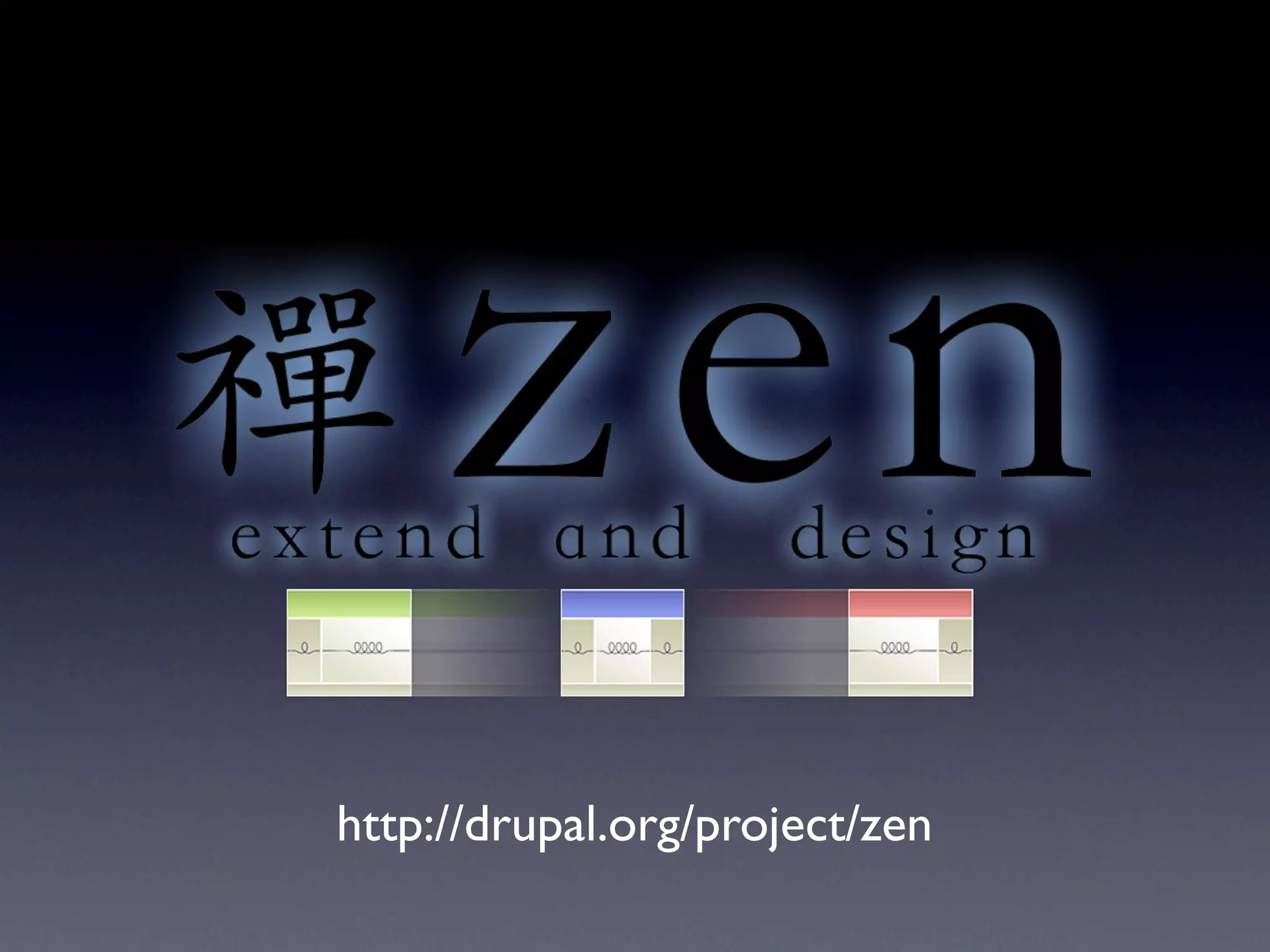
http://drupal.org/project/zen
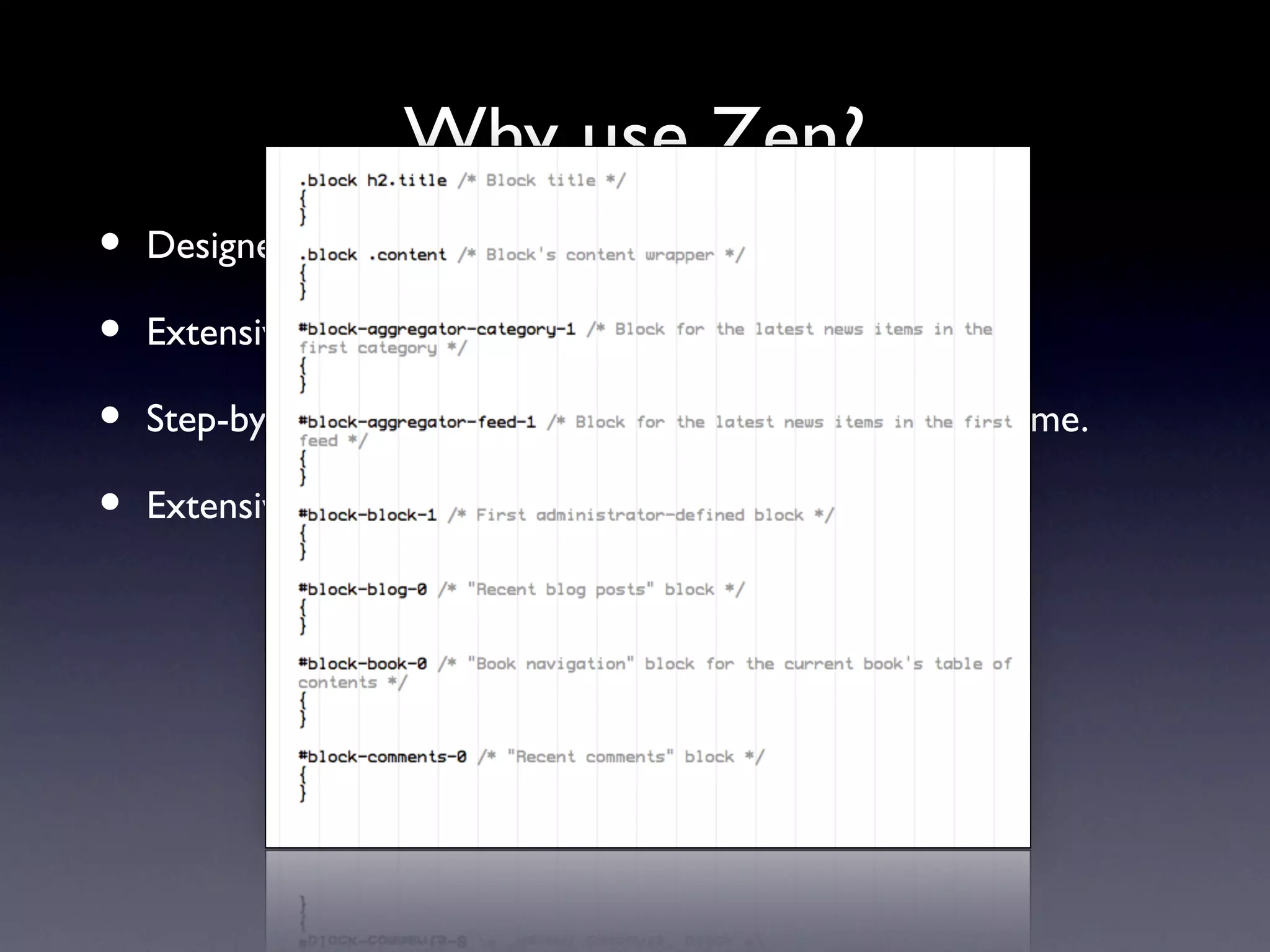
Why use Zen?
•   Designed for beginners and Theming ninjas.

•   Extensive on-line documentation.

•   Step-by-step instructions on building your own sub-theme.

•   Extensive in-line comments in its PHP and CSS files.
Why use Zen?
•   Designed for beginners and Theming ninjas.

•   Extensive on-line documentation.

•   Step-by-step instructions on building your own sub-theme.

•   Extensive in-line comments in its PHP and CSS files.
Why use Zen?
•   Designed for beginners and Theming ninjas.

•   Extensive on-line documentation.

•   Step-by-step instructions on building your own sub-theme.

•   Extensive in-line comments in its PHP and CSS files.

•   It’s also got a laundry list of features. (which are exciting to use,
    but boring to list.)

•   A fantastically flexible CSS Layout method
    (that even works with IE5.5.)

•   The developer lives in Taiwan.
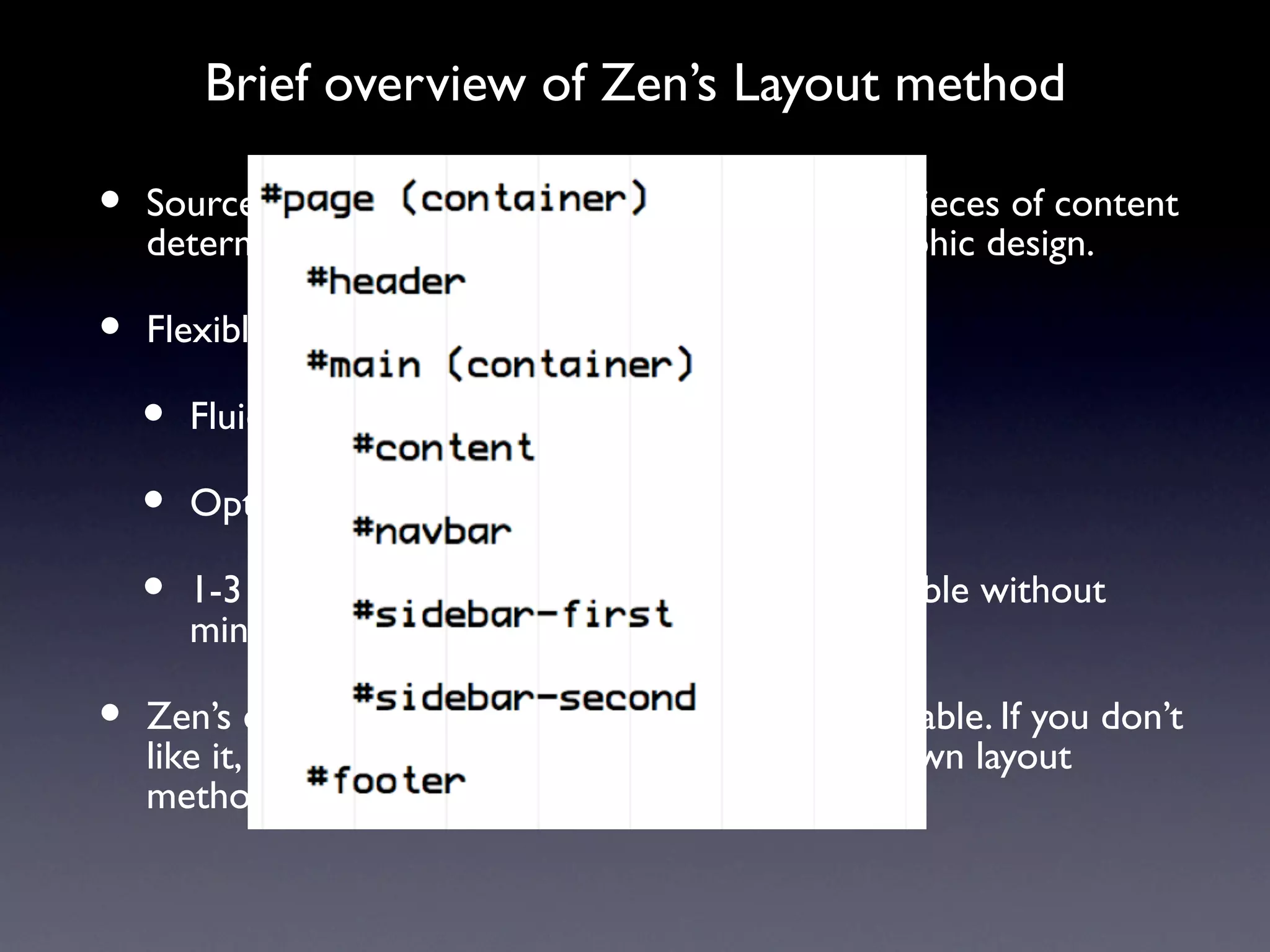
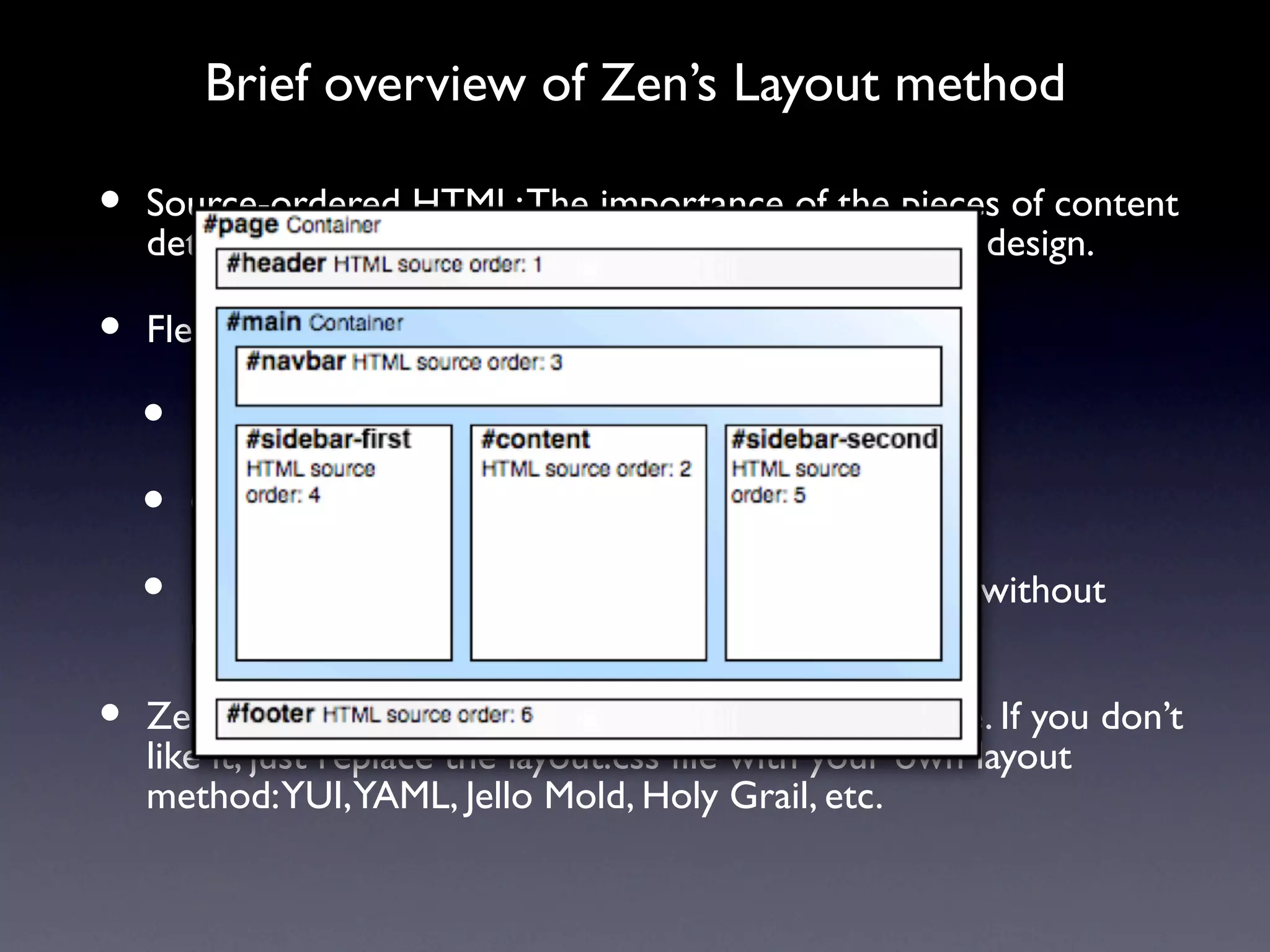
Brief overview of Zen’s Layout method

•   Source-ordered HTML: The importance of the pieces of content
    determines the order in HTML, and not the graphic design.

•   Flexible layout options:

    •   Fluid (100% width) or fixed-width layout

    •   Optional horizontal navbar

    •   1-3 columns built-in. More columns are possible without
        mind-bending contortions.

•   Zen’s default Layout Method is completely pluggable. If you don’t
    like it, just replace the layout.css file with your own layout
    method: YUI, YAML, Jello Mold, Holy Grail, etc.
Brief overview of Zen’s Layout method

•   Source-ordered HTML: The importance of the pieces of content
    determines the order in HTML, and not the graphic design.

•   Flexible layout options:

    •   Fluid (100% width) or fixed-width layout

    •   Optional horizontal navbar

    •   1-3 columns built-in. More columns are possible without
        mind-bending contortions.

•   Zen’s default Layout Method is completely pluggable. If you don’t
    like it, just replace the layout.css file with your own layout
    method: YUI, YAML, Jello Mold, Holy Grail, etc.
Brief overview of Zen’s Layout method

•   Source-ordered HTML: The importance of the pieces of content
    determines the order in HTML, and not the graphic design.

•   Flexible layout options:

    •   Fluid (100% width) or fixed-width layout

    •   Optional horizontal navbar

    •   1-3 columns built-in. More columns are possible without
        mind-bending contortions.

•   Zen’s default Layout Method is completely pluggable. If you don’t
    like it, just replace the layout.css file with your own layout
    method: YUI, YAML, Jello Mold, Holy Grail, etc.
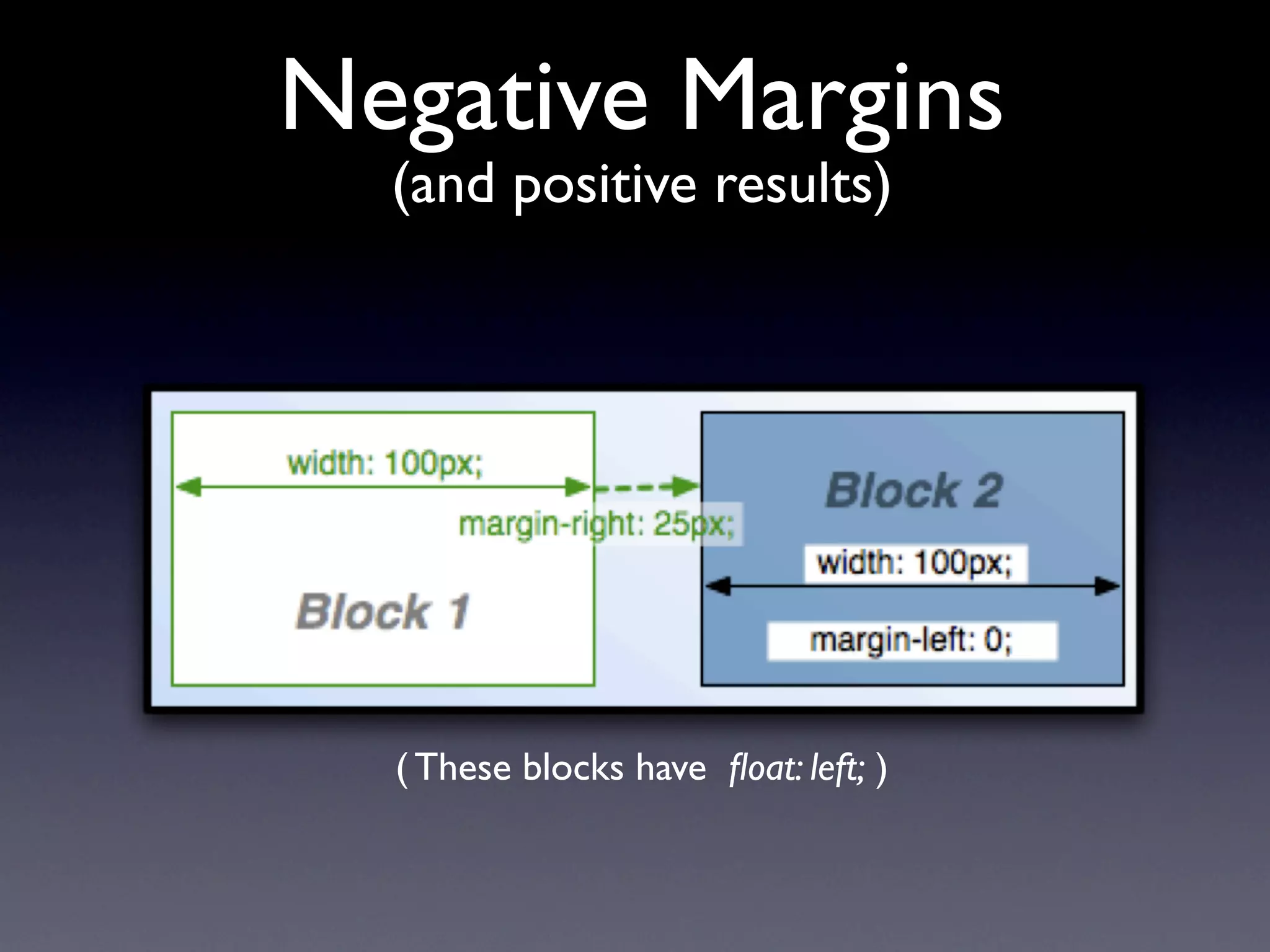
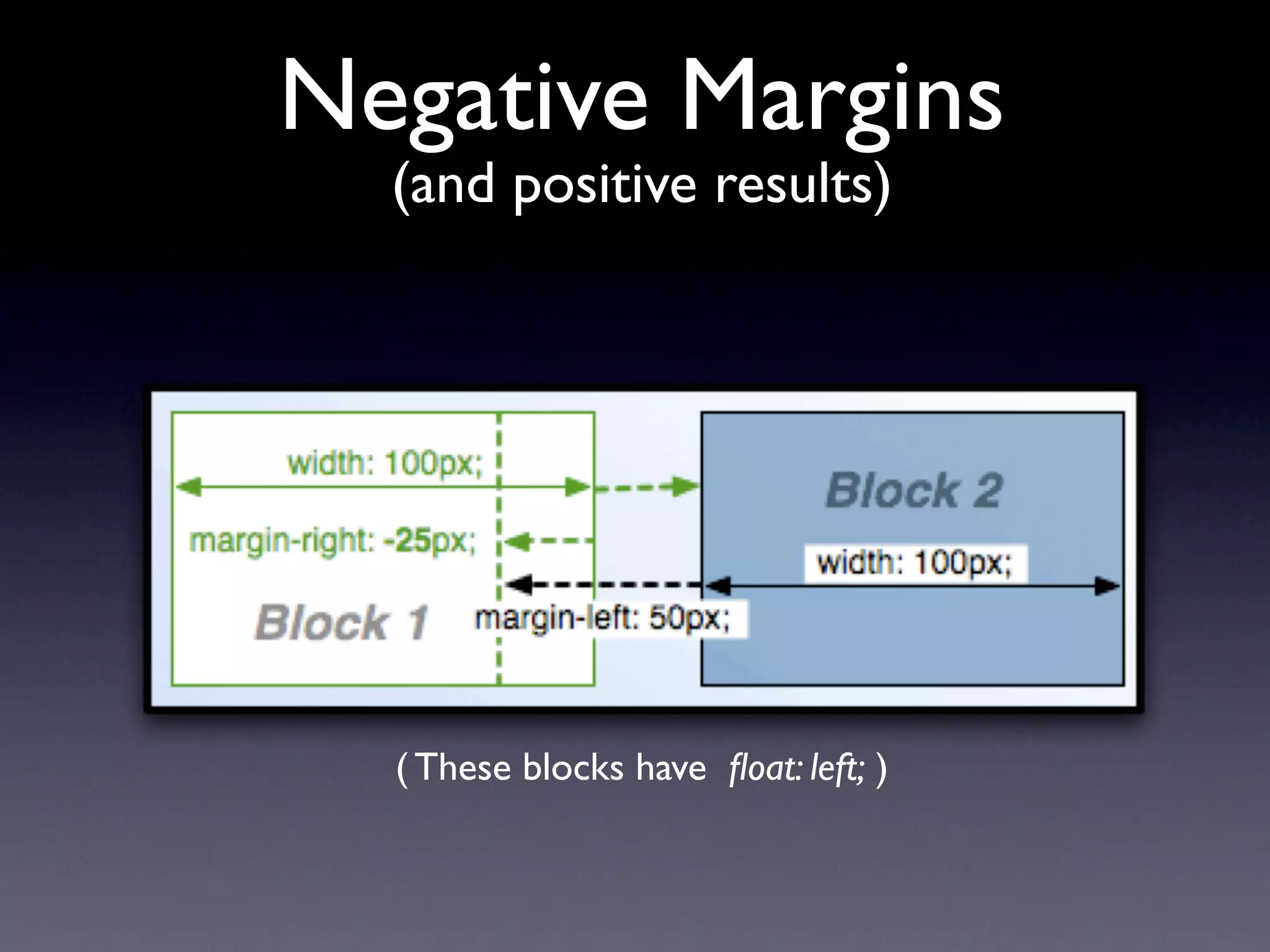
Negative Margins
  (and positive results)


  ( These blocks have float: left; )
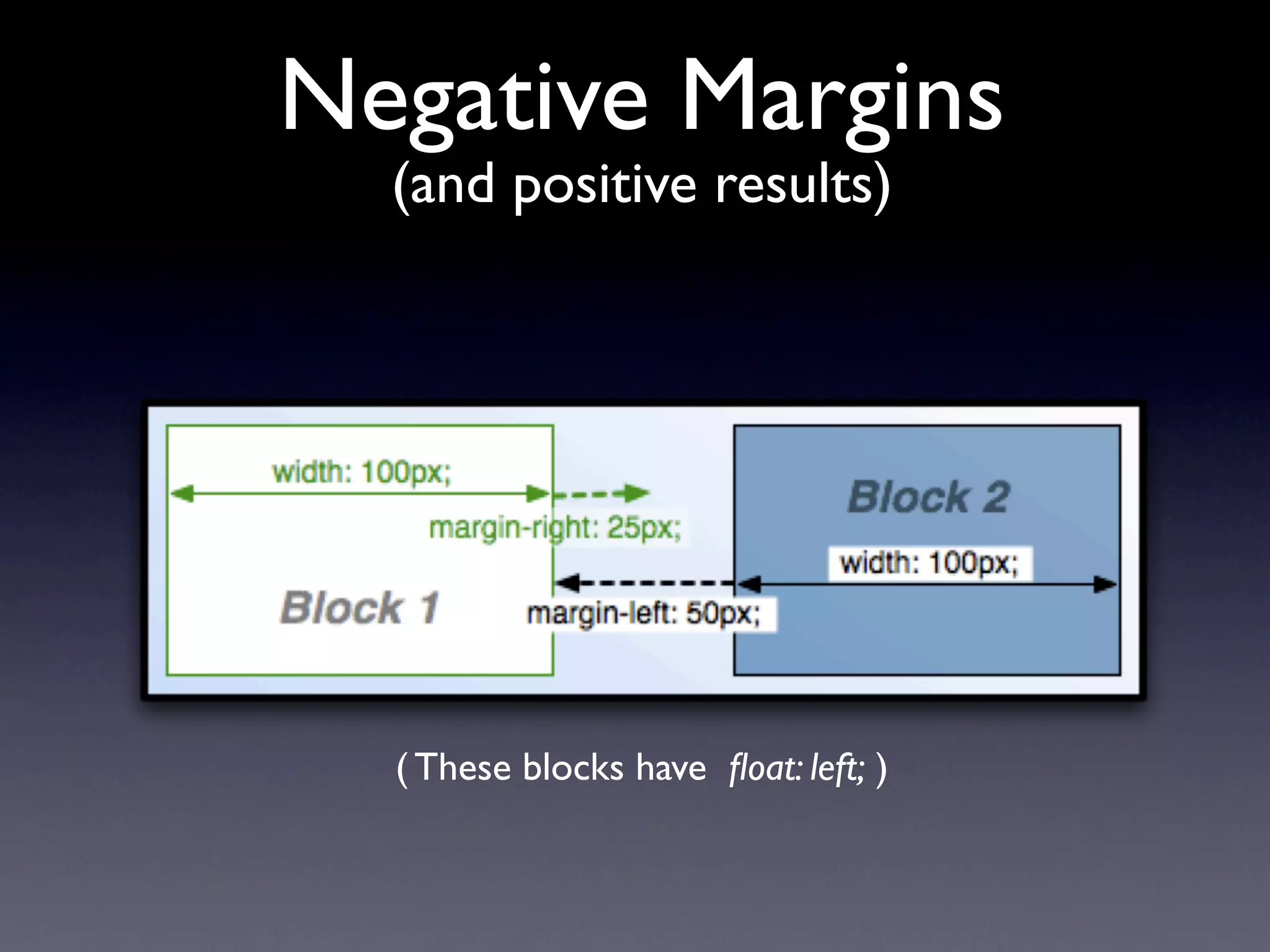
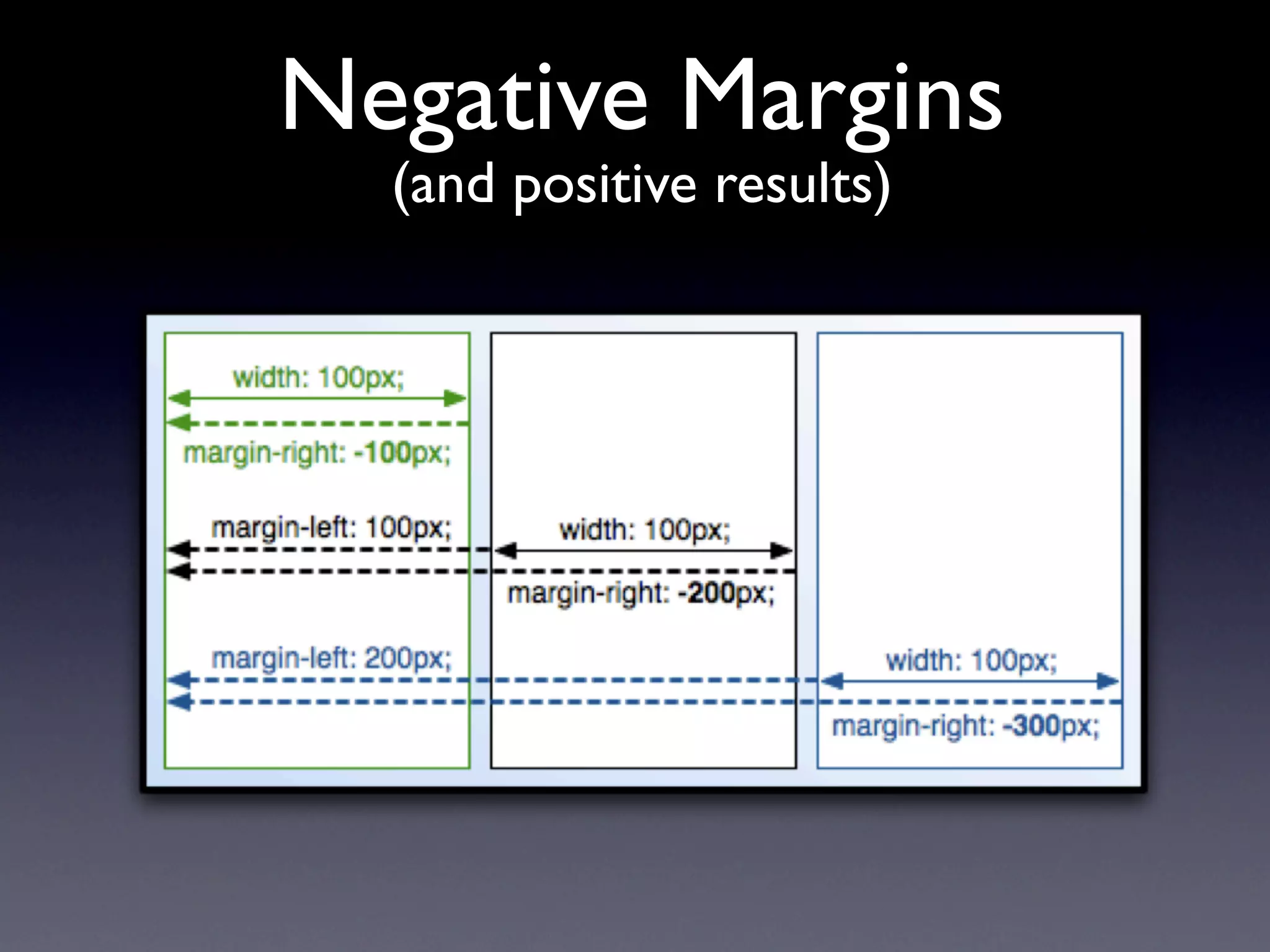
Negative Margins
  (and positive results)


  ( These blocks have float: left; )
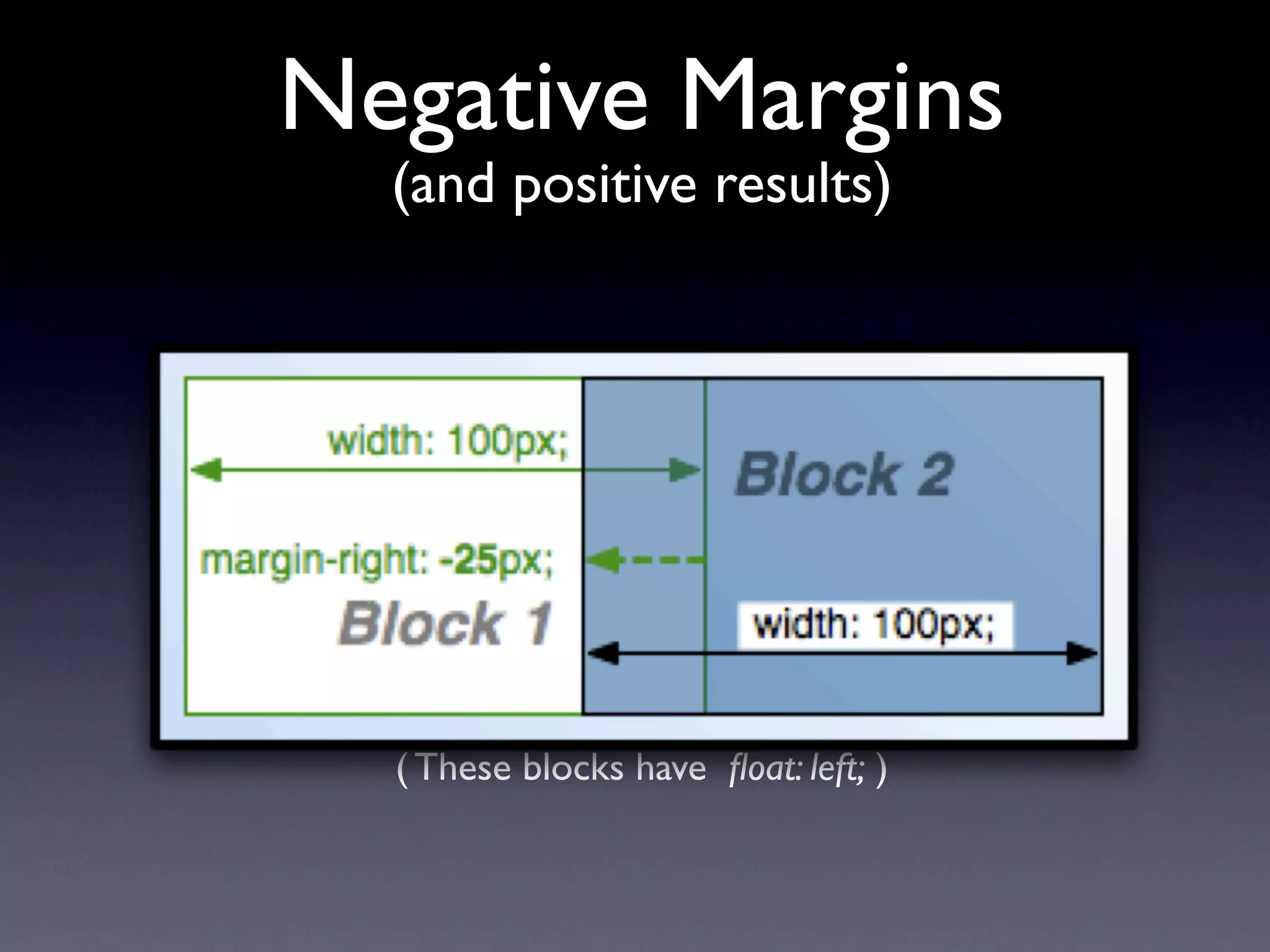
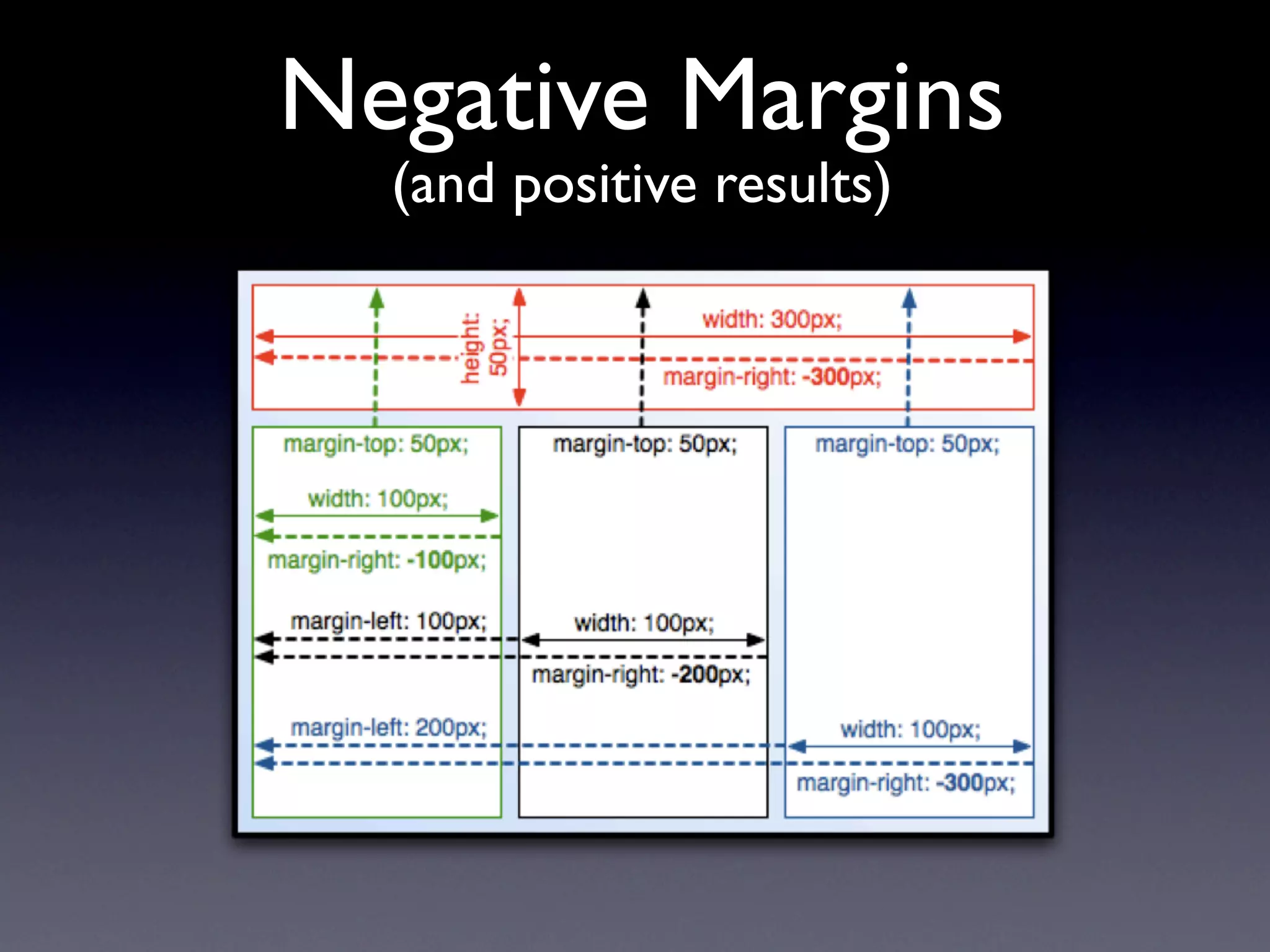
Negative Margins
  (and positive results)


  ( These blocks have float: left; )
Negative Margins
  (and positive results)


  ( These blocks have float: left; )
Negative Margins
  (and positive results)


  ( These blocks have float: left; )
Negative Margins
  (and positive results)


  ( These blocks have float: left; )
Getting Help
 http://drupal.org/theme-guide
 http://drupal.org/project/zen
 http://drupal.org/irc
    #drupal-themes
    #drupal-support
    #drupal
 Ask Questions!

Nanocon Taiwan

  • 1.
    Drupal 6 Theming John Albin Wilkins Drupal.org : JohnAlbin Twitter.com : @johnalbin
  • 2.
    Designing for Drupal ! Overview of the Layer Drupal Theming ! Implementation Details ! Templates ! Preprocessors ! Base Themes ! Where to go for help
  • 3.
  • 4.
  • 5.
  • 6.
  • 7.
  • 8.
  • 9.
    <?php print "withsome PHP" ?> Drupal Design
  • 10.
    Drupal’s Theme Layer (the big picture)
  • 11.
  • 12.
  • 13.
    Structure of page.tpl.php CSS style sheets Search box . Title Conditional Info content
  • 14.
  • 15.
    What do youneed to know? • Your theme doesn’t need all the templates • You don’t need to learn all the variables • Let Drupal’s architecture build parts of your theme
  • 16.
    Copy, Override, Modify Templatesand CSS are pulled from lower layers. Unless they are overridden in your theme.
  • 17.
    Preprocess Functions modifyvariables using a function: [theme name]_preprocess_[hook] e.g. example_preprocess_page
  • 18.
    Preprocess Functions Page Variable modifications modify variables using a function: [theme name]_preprocess_[hook] Node Variable e.g. example_preprocess_page Additions Put preprocess functions in your theme’s template.php
  • 19.
    What was thepart in the middle? http://drupal.org/theme-guide
  • 20.
    Base Themes PowerfulFrameworks for Beginners and Power Users
  • 21.
    Benefits of BaseThemes • You don’t have to build everything yourself. Copy, override, and modify only what you need to. • Bug fixes. Others can fix any bugs in the base theme. • New features. For contrib Themes, there will occasionally be new features. • Support. If you have modified an existing theme, sometimes the only answer you will get to your support question is “Well, it works fine in the original theme.” • Rapid Theme Development. Many things are built for you.
  • 22.
  • 23.
    Why use Zen? • Designed for beginners and Theming ninjas. • Extensive on-line documentation. • Step-by-step instructions on building your own sub-theme. • Extensive in-line comments in its PHP and CSS files.
  • 24.
    Why use Zen? • Designed for beginners and Theming ninjas. • Extensive on-line documentation. • Step-by-step instructions on building your own sub-theme. • Extensive in-line comments in its PHP and CSS files.
  • 25.
    Why use Zen? • Designed for beginners and Theming ninjas. • Extensive on-line documentation. • Step-by-step instructions on building your own sub-theme. • Extensive in-line comments in its PHP and CSS files. • It’s also got a laundry list of features. (which are exciting to use, but boring to list.) • A fantastically flexible CSS Layout method (that even works with IE5.5.) • The developer lives in Taiwan.
  • 26.
    Brief overview ofZen’s Layout method • Source-ordered HTML: The importance of the pieces of content determines the order in HTML, and not the graphic design. • Flexible layout options: • Fluid (100% width) or fixed-width layout • Optional horizontal navbar • 1-3 columns built-in. More columns are possible without mind-bending contortions. • Zen’s default Layout Method is completely pluggable. If you don’t like it, just replace the layout.css file with your own layout method: YUI, YAML, Jello Mold, Holy Grail, etc.
  • 27.
    Brief overview ofZen’s Layout method • Source-ordered HTML: The importance of the pieces of content determines the order in HTML, and not the graphic design. • Flexible layout options: • Fluid (100% width) or fixed-width layout • Optional horizontal navbar • 1-3 columns built-in. More columns are possible without mind-bending contortions. • Zen’s default Layout Method is completely pluggable. If you don’t like it, just replace the layout.css file with your own layout method: YUI, YAML, Jello Mold, Holy Grail, etc.
  • 28.
    Brief overview ofZen’s Layout method • Source-ordered HTML: The importance of the pieces of content determines the order in HTML, and not the graphic design. • Flexible layout options: • Fluid (100% width) or fixed-width layout • Optional horizontal navbar • 1-3 columns built-in. More columns are possible without mind-bending contortions. • Zen’s default Layout Method is completely pluggable. If you don’t like it, just replace the layout.css file with your own layout method: YUI, YAML, Jello Mold, Holy Grail, etc.
  • 29.
    Negative Margins (and positive results) ( These blocks have float: left; )
  • 30.
    Negative Margins (and positive results) ( These blocks have float: left; )
  • 31.
    Negative Margins (and positive results) ( These blocks have float: left; )
  • 32.
    Negative Margins (and positive results) ( These blocks have float: left; )
  • 33.
    Negative Margins (and positive results) ( These blocks have float: left; )
  • 34.
    Negative Margins (and positive results) ( These blocks have float: left; )
  • 35.
    Getting Help http://drupal.org/theme-guide http://drupal.org/project/zen http://drupal.org/irc #drupal-themes #drupal-support #drupal Ask Questions!