BORDER DESIGN
VICTORIANO D. DONOSO III
Master Teacher II
District Art Education Coordinator
BORDER DESIGN
Border Design is used for making
borders of Bulletin Boards, Frames or
Poster. To do this you need to cut
several pieces and paste around the
edges of borders.
A STEP BY STEP GUIDE IN
PREPARING BULLETIN BORDERS
Materials:
1. Colored paper, cartolina or
flourescent paper.
2. Scissor.
3. Pencil
4. Paste
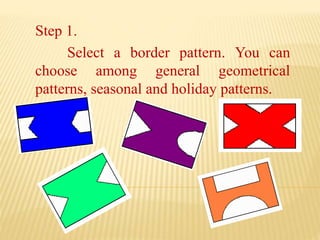
Step 1.
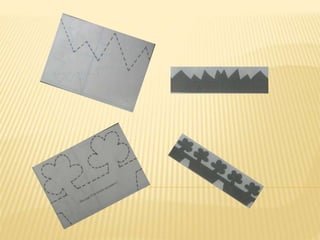
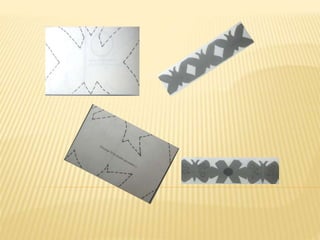
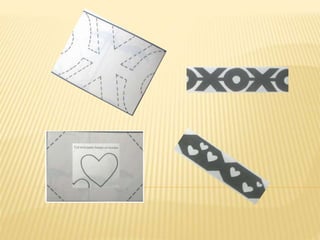
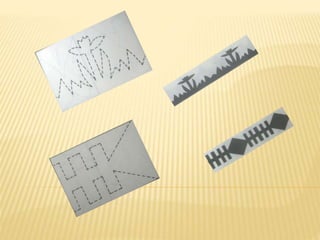
Select a border pattern. You can
choose among general geometrical
patterns, seasonal and holiday patterns.
Step 2.
Decide the color you wish to use for your
border.
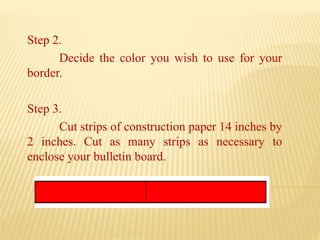
Step 3.
Cut strips of construction paper 14 inches by
2 inches. Cut as many strips as necessary to
enclose your bulletin board.
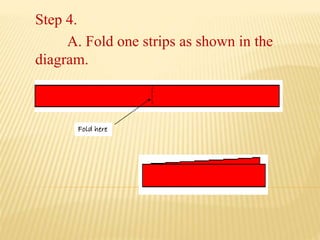
Step 4.
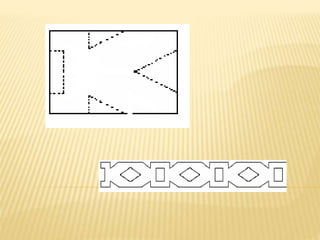
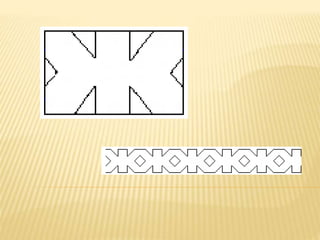
A. Fold one strips as shown in the
diagram.
Fold here
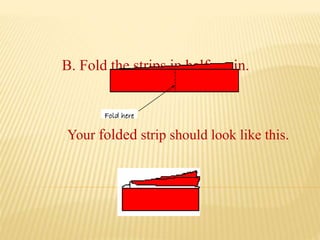
B. Fold the strips in half again.
Fold here
Your folded strip should look like this.
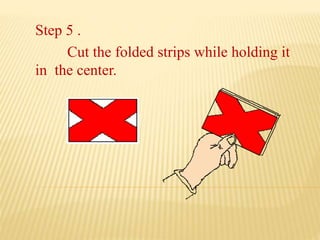
Step 5 .
Cut the folded strips while holding it
in the center.
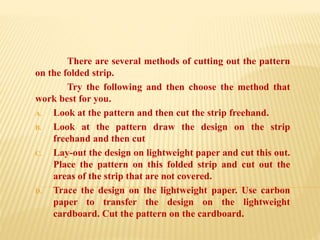
There are several methods of cutting out the pattern
on the folded strip.
Try the following and then choose the method that
work best for you.
A. Look at the pattern and then cut the strip freehand.
B. Look at the pattern draw the design on the strip
freehand and then cut
C. Lay-out the design on lightweight paper and cut this out.
Place the pattern on this folded strip and cut out the
areas of the strip that are not covered.
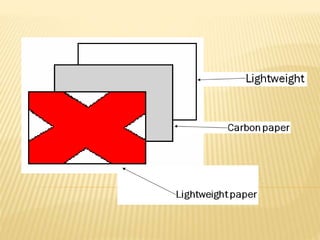
D. Trace the design on the lightweight paper. Use carbon
paper to transfer the design on the lightweight
cardboard. Cut the pattern on the cardboard.
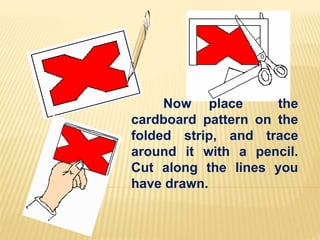
Now place the
cardboard pattern on the
folded strip, and trace
around it with a pencil.
Cut along the lines you
have drawn.
Step 6 .
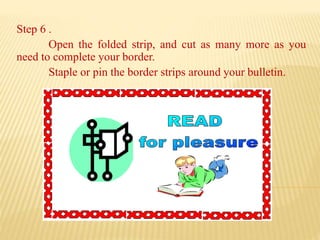
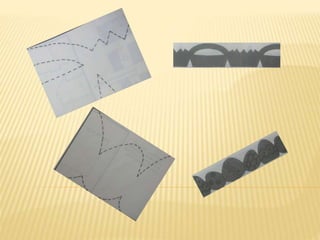
Open the folded strip, and cut as many more as you
need to complete your border.
Staple or pin the border strips around your bulletin.
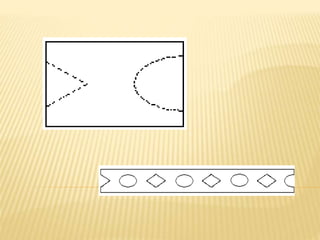
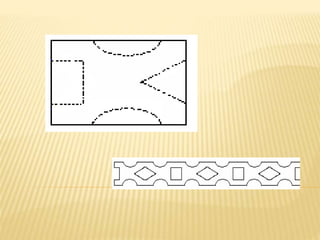
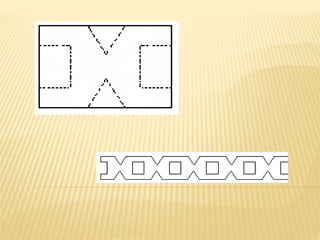
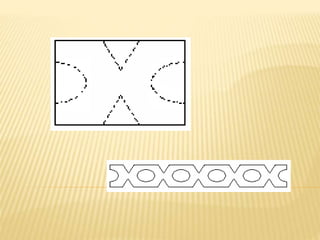
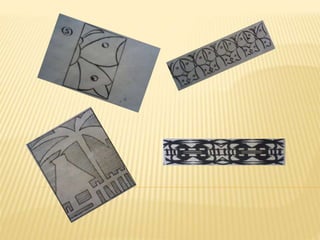
Using the this six steps method, you
are now ready to make any of the border
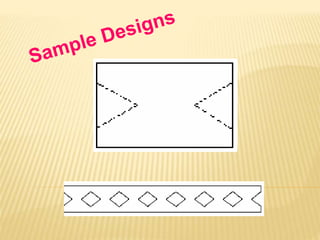
design samples.
Once you are familiar with the
technique, you might even want to create
your own patterns.
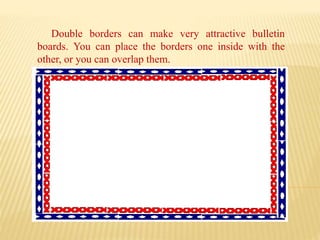
Double borders can make very attractive bulletin
boards. You can place the borders one inside with the
other, or you can overlap them.
Keep on Cutting..
Thank You!!

Border Design

  • 1.
    BORDER DESIGN VICTORIANO D.DONOSO III Master Teacher II District Art Education Coordinator
  • 2.
    BORDER DESIGN Border Designis used for making borders of Bulletin Boards, Frames or Poster. To do this you need to cut several pieces and paste around the edges of borders.
  • 3.
    A STEP BYSTEP GUIDE IN PREPARING BULLETIN BORDERS Materials: 1. Colored paper, cartolina or flourescent paper. 2. Scissor. 3. Pencil 4. Paste
  • 4.
    Step 1. Select aborder pattern. You can choose among general geometrical patterns, seasonal and holiday patterns.
  • 5.
    Step 2. Decide thecolor you wish to use for your border. Step 3. Cut strips of construction paper 14 inches by 2 inches. Cut as many strips as necessary to enclose your bulletin board.
  • 6.
    Step 4. A. Foldone strips as shown in the diagram. Fold here
  • 7.
    B. Fold thestrips in half again. Fold here Your folded strip should look like this.
  • 8.
    Step 5 . Cutthe folded strips while holding it in the center.
  • 9.
    There are severalmethods of cutting out the pattern on the folded strip. Try the following and then choose the method that work best for you. A. Look at the pattern and then cut the strip freehand. B. Look at the pattern draw the design on the strip freehand and then cut C. Lay-out the design on lightweight paper and cut this out. Place the pattern on this folded strip and cut out the areas of the strip that are not covered. D. Trace the design on the lightweight paper. Use carbon paper to transfer the design on the lightweight cardboard. Cut the pattern on the cardboard.
  • 11.
    Now place the cardboardpattern on the folded strip, and trace around it with a pencil. Cut along the lines you have drawn.
  • 12.
    Step 6 . Openthe folded strip, and cut as many more as you need to complete your border. Staple or pin the border strips around your bulletin.
  • 13.
    Using the thissix steps method, you are now ready to make any of the border design samples. Once you are familiar with the technique, you might even want to create your own patterns.
  • 14.
    Double borders canmake very attractive bulletin boards. You can place the borders one inside with the other, or you can overlap them.
  • 29.