
WELCOME TO MY
PRESENTATION
Name: S.M. Alamin
Student ID: BBA 055 17058
AGENDA
 The Standard Keyboard Layout
 Ergonomic Keyboards
 How a Keyboard Works
THE KEYBOARD - STANDARD KEYBOARD
LAYOUT
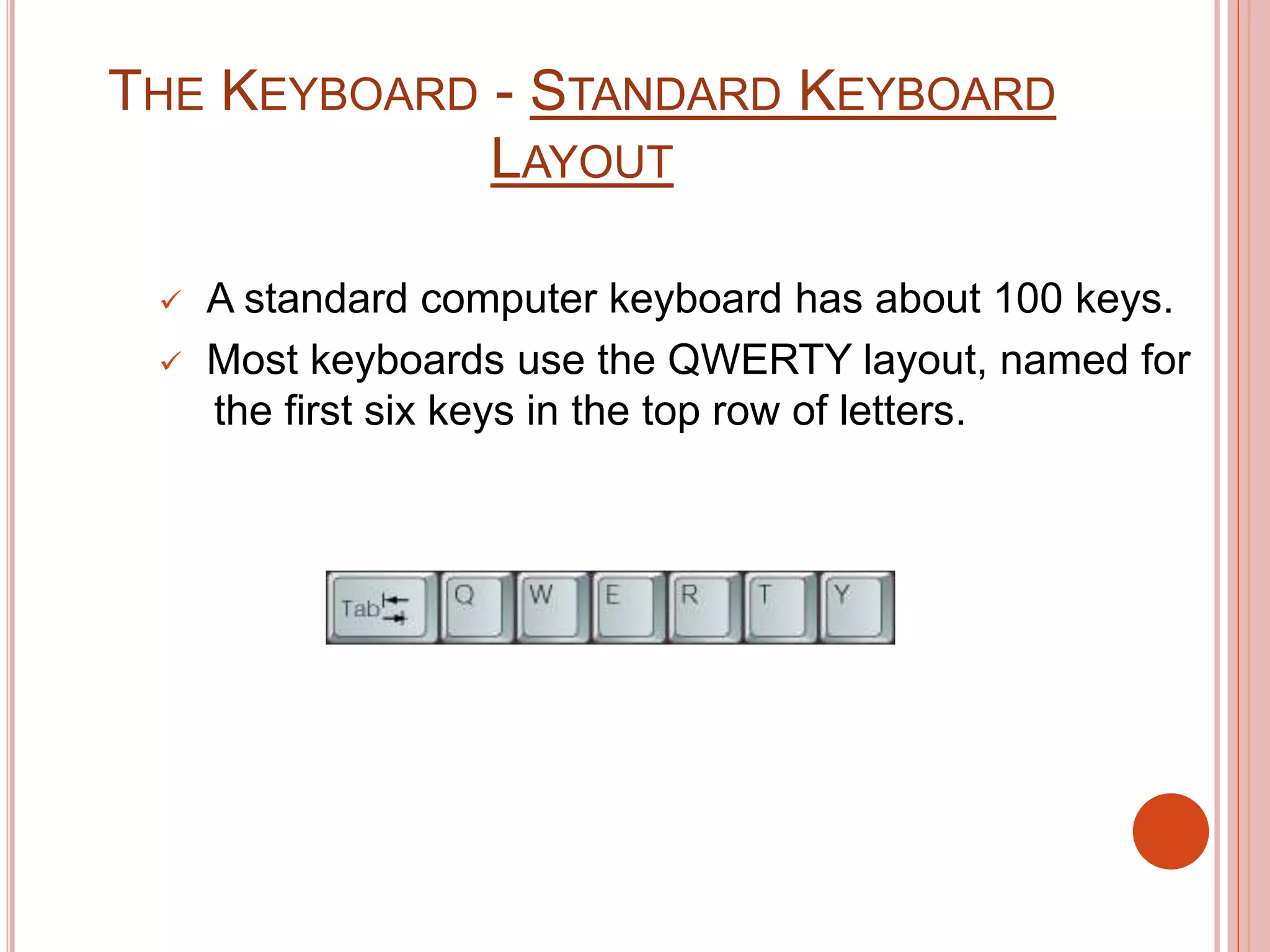
 A standard computer keyboard has about 100 keys.
 Most keyboards use the QWERTY layout, named for
the first six keys in the top row of letters.
THE KEYBOARD - STANDARD KEYBOARD
LAYOUT
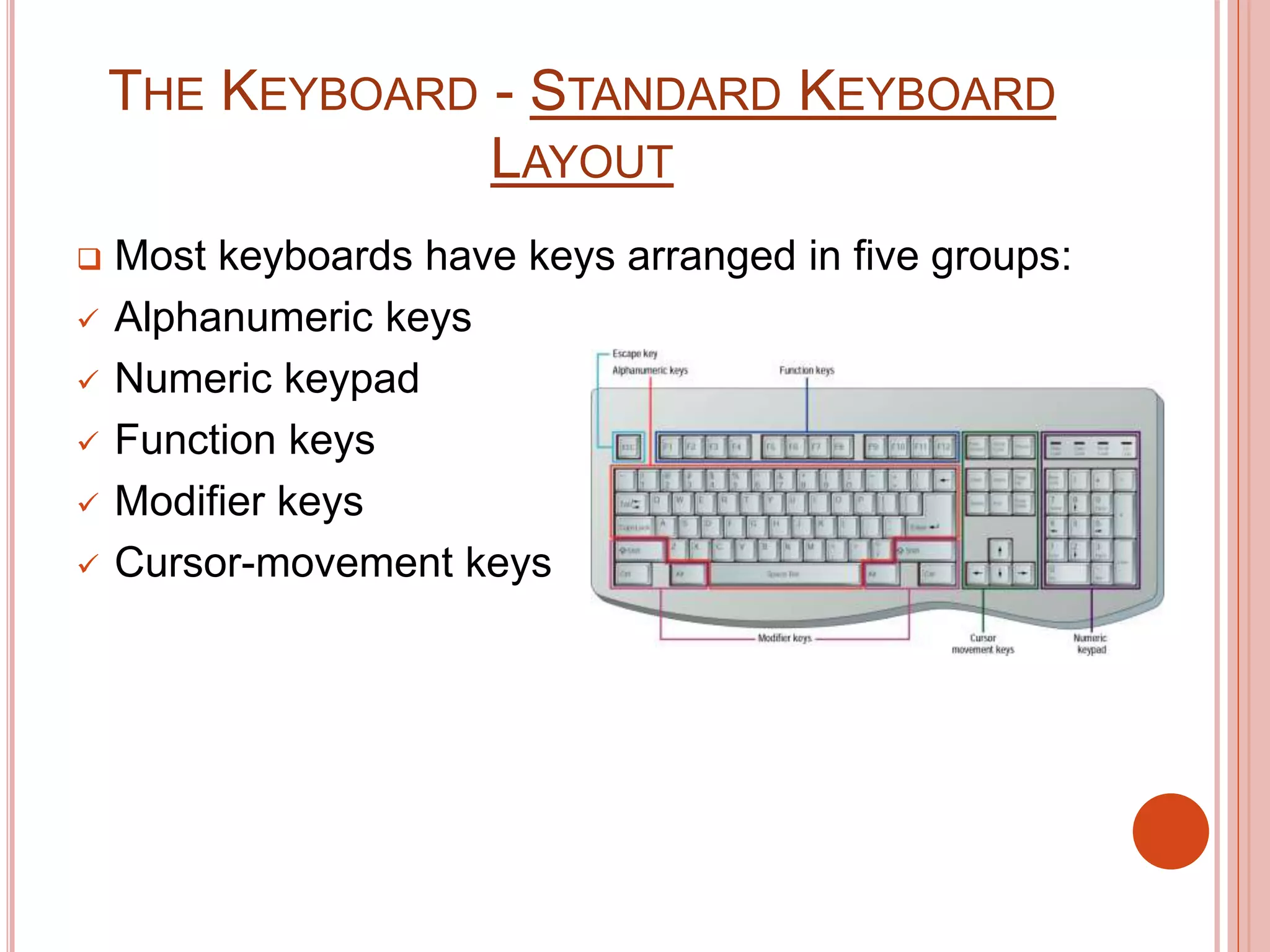
 Most keyboards have keys arranged in five groups:
 Alphanumeric keys
 Numeric keypad
 Function keys
 Modifier keys
 Cursor-movement keys
THE KEYBOARD - ERGONOMIC
KEYBOARDS
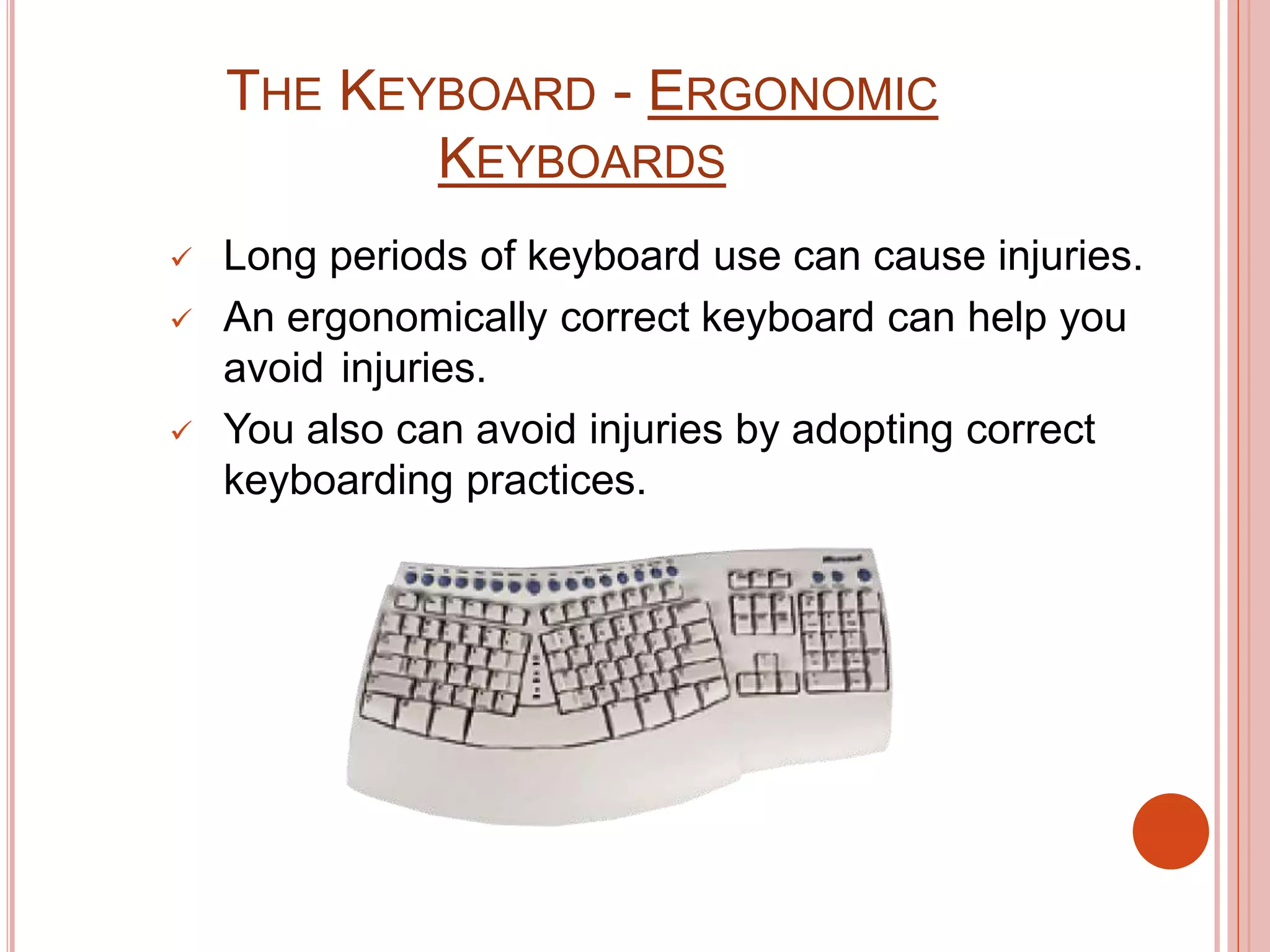
 Long periods of keyboard use can cause injuries.
 An ergonomically correct keyboard can help you
avoid injuries.
 You also can avoid injuries by adopting correct
keyboarding practices.
THE KEYBOARD - HOW A KEYBOARD
WORKS
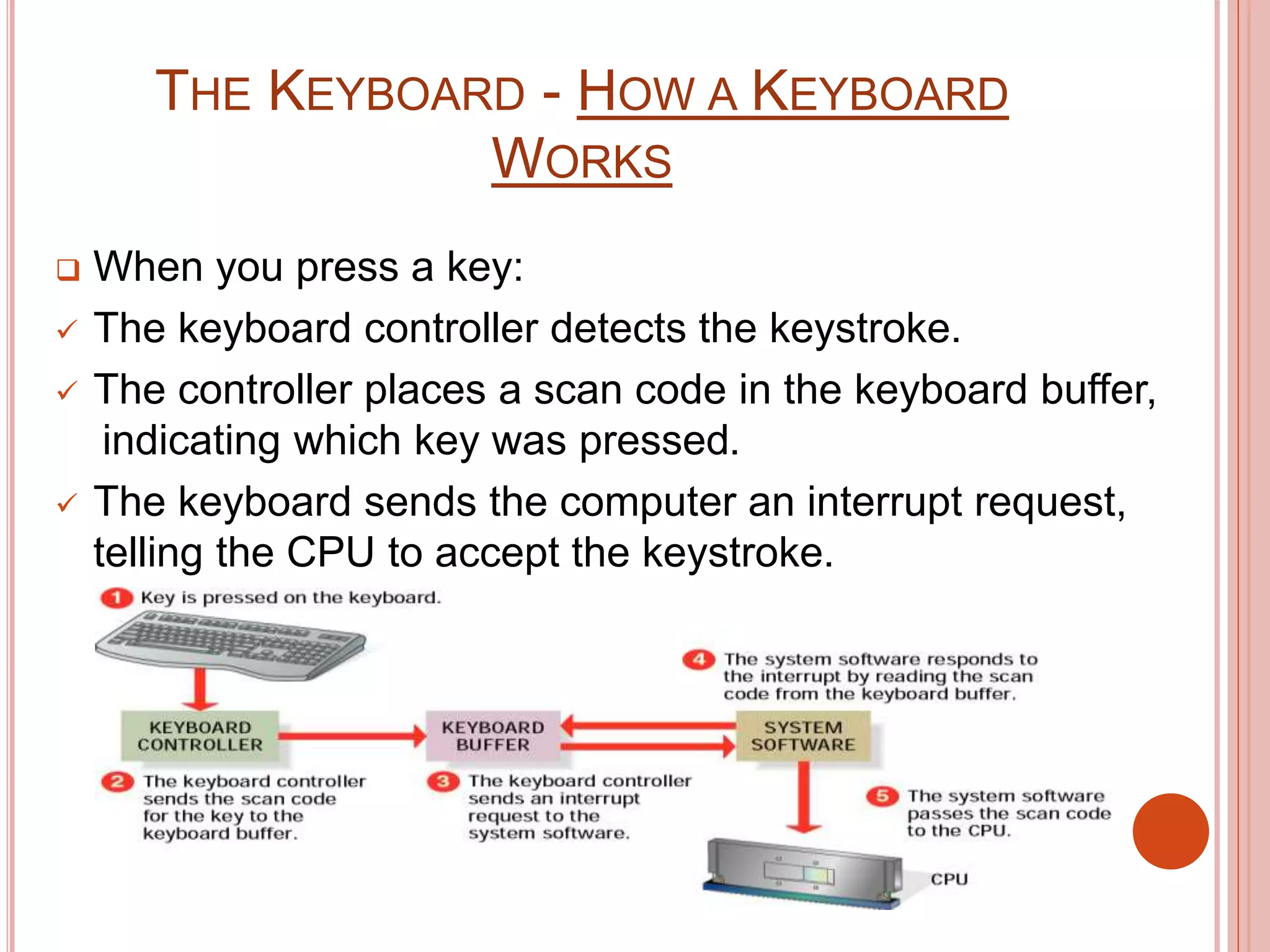
 When you press a key:
 The keyboard controller detects the keystroke.
 The controller places a scan code in the keyboard buffer,
indicating which key was pressed.
 The keyboard sends the computer an interrupt request,
telling the CPU to accept the keystroke.

Keyboard (Fundamentals Of Computer)

  • 1.
    WELCOME TO MY PRESENTATION Name:S.M. Alamin Student ID: BBA 055 17058
  • 2.
    AGENDA  The StandardKeyboard Layout  Ergonomic Keyboards  How a Keyboard Works
  • 3.
    THE KEYBOARD -STANDARD KEYBOARD LAYOUT  A standard computer keyboard has about 100 keys.  Most keyboards use the QWERTY layout, named for the first six keys in the top row of letters.
  • 4.
    THE KEYBOARD -STANDARD KEYBOARD LAYOUT  Most keyboards have keys arranged in five groups:  Alphanumeric keys  Numeric keypad  Function keys  Modifier keys  Cursor-movement keys
  • 5.
    THE KEYBOARD -ERGONOMIC KEYBOARDS  Long periods of keyboard use can cause injuries.  An ergonomically correct keyboard can help you avoid injuries.  You also can avoid injuries by adopting correct keyboarding practices.
  • 6.
    THE KEYBOARD -HOW A KEYBOARD WORKS  When you press a key:  The keyboard controller detects the keystroke.  The controller places a scan code in the keyboard buffer, indicating which key was pressed.  The keyboard sends the computer an interrupt request, telling the CPU to accept the keystroke.