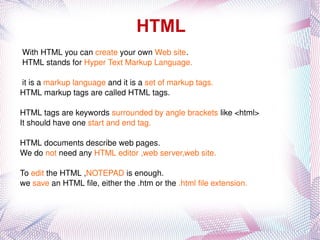
HTML With HTML you can  create  your own  Web site .
HTML stands for  Hyper Text Markup Language.
it is a  markup language  and it is a  set of markup tags.
HTML markup tags are called HTML tags.
HTML tags are keywords  surrounded by angle brackets  like <html>
It should have one  start and end tag.
HTML documents describe web pages.
We do  not  need any  HTML editor ,web server,web site.
To  edit  the HTML , NOTEPAD  is enough.
we  save  an HTML file, either the .htm or the  .html file extension.
SAMPLE PROGRAM <html> <body> <h1>My First Heading</h1> <p>My first paragraph.</p> </body> </html>
HTML headings: HTML headings are defined with the  <h1> to <h6>  tags. SYNTAX :  <h1>This is a heading</h1> HTML Paragraphs: HTML paragraphs are defined with the  <p>  tag. SYNTAX :  <p>This is a paragraph.</p> HTML Links: HTML links are defined with the  <a>  tag. SYNTAX :  <a href=&quot;http://www.google.com&quot;>This is a link</a> HTML Images: HTML images are defined with the  <img>  tag. SYNTAX :  <img src=&quot;w3schools.jpg&quot; width=&quot;104&quot; height=&quot;142&quot; />
HTML Attributes: Attributes are always specified in the start tag Attributes come in name/value pairs like: name=&quot;value&quot; HTML links are defined with the  <a> tag.  The link address is specified in the  href attribute Attribute names and attribute values are  case-insensitive. SYNTAX :  <a href=&quot;http://www.w3schools.com&quot;>This is a link</a> HTML Lines: The <hr /> tag creates a horizontal line in an HTML page. SYNTAX :  <p>This is a paragraph</p> <hr /> <p>This is a paragraph</p> HTML Comments: Comments are i gnored  by the browser and are not displayed. SYNTAX :  <!-- This is a comment -->  HTML Line Breaks: Use the  <br />  tag if you want a line break (a new line) without starting a new paragraph. SYNTAX : <p>This is<br />a para<br />graph with line breaks</p>

Html intro

  • 1.
    HTML With HTMLyou can create your own Web site .
  • 2.
    HTML stands for Hyper Text Markup Language.
  • 3.
    it is a markup language and it is a set of markup tags.
  • 4.
    HTML markup tagsare called HTML tags.
  • 5.
    HTML tags arekeywords surrounded by angle brackets like <html>
  • 6.
    It should haveone start and end tag.
  • 7.
  • 8.
    We do not need any HTML editor ,web server,web site.
  • 9.
    To edit the HTML , NOTEPAD is enough.
  • 10.
    we save an HTML file, either the .htm or the .html file extension.
  • 11.
    SAMPLE PROGRAM <html><body> <h1>My First Heading</h1> <p>My first paragraph.</p> </body> </html>
  • 12.
    HTML headings: HTMLheadings are defined with the <h1> to <h6> tags. SYNTAX : <h1>This is a heading</h1> HTML Paragraphs: HTML paragraphs are defined with the <p> tag. SYNTAX : <p>This is a paragraph.</p> HTML Links: HTML links are defined with the <a> tag. SYNTAX : <a href=&quot;http://www.google.com&quot;>This is a link</a> HTML Images: HTML images are defined with the <img> tag. SYNTAX : <img src=&quot;w3schools.jpg&quot; width=&quot;104&quot; height=&quot;142&quot; />
  • 13.
    HTML Attributes: Attributesare always specified in the start tag Attributes come in name/value pairs like: name=&quot;value&quot; HTML links are defined with the <a> tag. The link address is specified in the href attribute Attribute names and attribute values are case-insensitive. SYNTAX : <a href=&quot;http://www.w3schools.com&quot;>This is a link</a> HTML Lines: The <hr /> tag creates a horizontal line in an HTML page. SYNTAX : <p>This is a paragraph</p> <hr /> <p>This is a paragraph</p> HTML Comments: Comments are i gnored by the browser and are not displayed. SYNTAX : <!-- This is a comment --> HTML Line Breaks: Use the <br /> tag if you want a line break (a new line) without starting a new paragraph. SYNTAX : <p>This is<br />a para<br />graph with line breaks</p>