



Konferenz
    Suchmaschinen-Optimierung
          Kongresshaus Zürich

Website Architecture for Search Engines

             Joe Spencer
         Spencer e-Strategies
              13/10/2010


                                          1
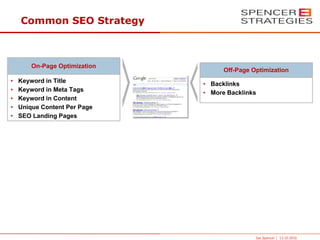
Common SEO Strategy


        On-Page Optimization
                                     Off-Page Optimization
•   Keyword in Title           • Backlinks
•   Keyword in Meta Tags       • More Backlinks
•   Keyword in Content
•   Unique Content Per Page
•   SEO Landing Pages


                                               Joe Spencer | 13.10.2010
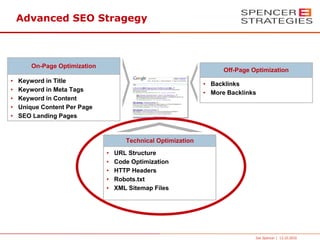
Advanced SEO Stragegy


        On-Page Optimization
                                                                     Off-Page Optimization
•   Keyword in Title                                           • Backlinks
•   Keyword in Meta Tags                                       • More Backlinks
•   Keyword in Content
•   Unique Content Per Page
•   SEO Landing Pages


                                      Technical Optimization
                               •   URL Structure
                               •   Code Optimization
                               •   HTTP Headers
                               •   Robots.txt
                               •   XML Sitemap Files


                                                                               Joe Spencer | 13.10.2010
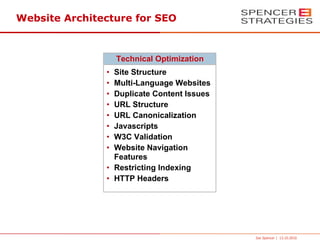
Website Architecture for SEO


                   Technical Optimization
               • Site Structure
               • Multi-Language Websites
               • Duplicate Content Issues
               • URL Structure
               • URL Canonicalization
               • Javascripts
               • W3C Validation
               • Website Navigation
                 Features
               • Restricting Indexing
               • HTTP Headers


                                            Joe Spencer | 13.10.2010
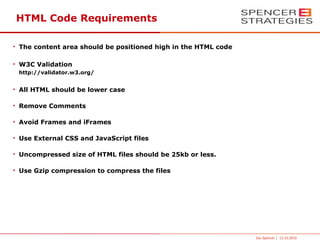
HTML Code Requirements

• The content area should be positioned high in the HTML code

• W3C Validation
 http://validator.w3.org/


• All HTML should be lower case

• Remove Comments

• Avoid Frames and iFrames

• Use External CSS and JavaScript files

• Uncompressed size of HTML files should be 25kb or less.

• Use Gzip compression to compress the files


                                                                Joe Spencer | 13.10.2010
CSS Code Requirements

• Avoid Inline Styles

• Use external CSS files

• Position the external CSS file links in the HTML Header


                                                            Joe Spencer | 13.10.2010
Javascript Code Requirements

• Use of Inline Javascripts should be avoided

• Use external Javascript files

• Limit the sizes of the Javascript files to 50kb


                                                    Joe Spencer | 13.10.2010
Max Number of HTTP Request

When a page loads into a browser HTTP Request are sent to the server for each file
that is required to be downloaded to view the page.

The number of HTTP Request should be 20 or less per page to reduce loading time.


                                                                    Joe Spencer | 13.10.2010
URL Structure

●
     Avoid dynamic URLs

●
     Use lower-case characters

●
     Best to use dashes (-) rather than underscores (_)

●
     Directories should contain index.html or default.html file for the default page.
      Avoid using intro.html or other generic names for the default page.

●
     Use URL Rewrites for creating Search Engine Friendly URLs


                                                                         Joe Spencer | 13.10.2010
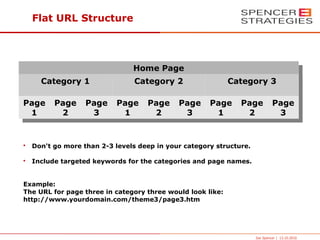
Flat URL Structure


                                Home Page
      Category 1                 Category 2                 Category 3

Page      Page     Page    Page     Page     Page     Page     Page           Page
 1         2        3       1        2        3        1        2              3


•   Don't go more than 2-3 levels deep in your category structure.

•   Include targeted keywords for the categories and page names.


Example:
The URL for page three in category three would look like:
http://www.yourdomain.com/theme3/page3.htm


                                                                     Joe Spencer | 13.10.2010
URL Rewrites


• Allows the placement of targeted keywords in the URLs
  Example: http://www.mydomain.com/targeted-keyword/

• Insure that all pages load from a single URL otherwise this will create
  URL Canonicalization Issues


                                                                      Joe Spencer | 13.10.2010
URLs for Multi-Language Websites


Each language should be included in separate categories.


Examples:
Default Language: http://www.mydomain.com/
English Language: http://www.mydomain.com/en/
German Language: http://www.mydomain.com/de/


                                                           Joe Spencer | 13.10.2010
URL Canonicalization

Often URL for web pages can be indexed with different URLs which creates
 Duplicate Content Issues.

Common Homepage Example:
http://www.yourdomain.com/
http://yourdomain.com/
http://www.yourdomain.com/index.html
http://yourdomain.com/index.html

Common Dynamic URL Example:
http://www.yourdomain.com/index.php?&page=1
http://www.yourdomain.com/index.php?page=1&parameter=123


                                                                  Joe Spencer | 13.10.2010
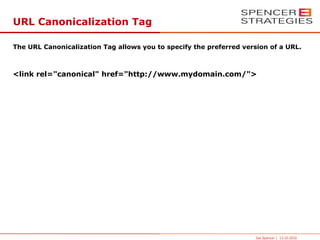
URL Canonicalization Tag

The URL Canonicalization Tag allows you to specify the preferred version of a URL.


<link rel="canonical" href="http://www.mydomain.com/">


                                                                    Joe Spencer | 13.10.2010
Controling Web Crawlers

3 Ways to Control Web Crawlers

•   Robots.txt files

•   Robots Meta Tags

•   NoFollow Tags


                                 Joe Spencer | 13.10.2010
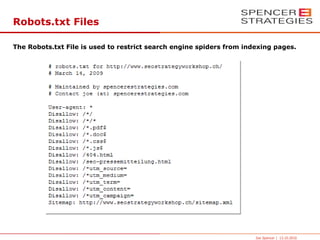
Robots.txt Files

The Robots.txt File is used to restrict search engine spiders from indexing pages.


                                                                      Joe Spencer | 13.10.2010
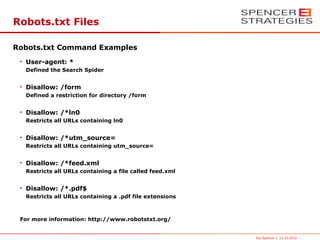
Robots.txt Files

Robots.txt Command Examples
 • User-agent: *
  Defined the Search Spider


 • Disallow: /form
  Defined a restriction for directory /form


 • Disallow: /*ln0
  Restricts all URLs containing ln0


 • Disallow: /*utm_source=
  Restricts all URLs containing utm_source=


 • Disallow: /*feed.xml
  Restricts all URLs containing a file called feed.xml


 • Disallow: /*.pdf$
  Restricts all URLs containing a .pdf file extensions


 For more information: http://www.robotstxt.org/


                                                         Joe Spencer | 13.10.2010
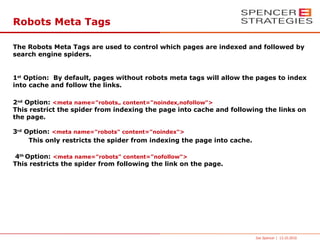
Robots Meta Tags

The Robots Meta Tags are used to control which pages are indexed and followed by
search engine spiders.


1st Option: By default, pages without robots meta tags will allow the pages to index
into cache and follow the links.

2nd Option: <meta name="robots„ content="noindex,nofollow">
This restrict the spider from indexing the page into cache and following the links on
the page.

3rd Option: <meta name="robots" content="noindex">
     This only restricts the spider from indexing the page into cache.

4th Option: <meta name="robots" content="nofollow">
This restricts the spider from following the link on the page.


                                                                         Joe Spencer | 13.10.2010
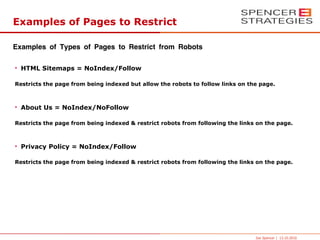
Examples of Pages to Restrict

Examples of Types of Pages to Restrict from Robots

• HTML Sitemaps = NoIndex/Follow

Restricts the page from being indexed but allow the robots to follow links on the page.


• About Us = NoIndex/NoFollow

Restricts the page from being indexed & restrict robots from following the links on the page.


• Privacy Policy = NoIndex/Follow

Restricts the page from being indexed & restrict robots from following the links on the page.


                                                                                Joe Spencer | 13.10.2010
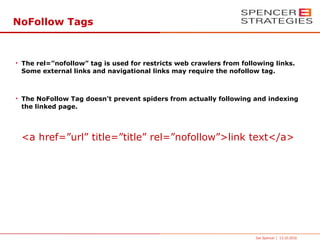
NoFollow Tags


• The rel=”nofollow” tag is used for restricts web crawlers from following links.
  Some external links and navigational links may require the nofollow tag.


• The NoFollow Tag doesn’t prevent spiders from actually following and indexing
  the linked page.


 <a href=”url” title=”title” rel=”nofollow”>link text</a>


                                                                     Joe Spencer | 13.10.2010
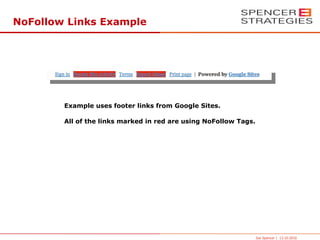
NoFollow Links Example


        Example uses footer links from Google Sites.

        All of the links marked in red are using NoFollow Tags.


                                                                  Joe Spencer | 13.10.2010
Type of Links to NoFollow


• Navigational links which are on every page
  Examples: Contact Us, About Company, Privacy Policy, pages using SSL and ect.

• Cross Domain Links
  Any link to a website sharing the same C-Class IP.

• Advertisements
  Affiliate or other form of advertising links.

• External Links
  External links which are not involved in a link partnership.


                                                                              Joe Spencer | 13.10.2010
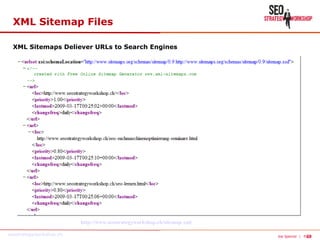
XML Sitemap Files

 XML Sitemaps Deliever URLs to Search Engines


                         http://www.seostrategyworkshop.ch/sitemap.xml

seostrategyworkshop.ch                                                                  23
                                                                         Joe Spencer | Page
HTTP Headers for SEO

HTTP Header can be used to inform search engine spiders the propose of the page

●
    HTTP 301 Permanent Redirect

●
    HTTP 302 Temporary Redirect

●
    HTTP 404 Page Not Found Error

●
    HTTP 503 Service Unavailable


                                                                  Joe Spencer | 13.10.2010
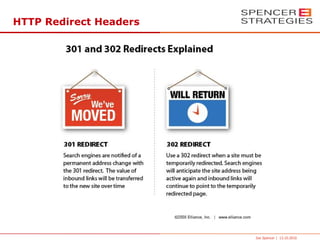
HTTP Redirect Headers


                        Joe Spencer | 13.10.2010
HTTP 301 Redirect Headers

 301 redirect headers are used to inform search engines that a page has
permanently moved to a new URL.

●
    Always use 301 Redirects when moving pages to new URLs.

●
    Limit the number of 301 Redirects to 1 per URL


                                                                    Joe Spencer | 13.10.2010
404 Page Not Found Errors

404 HTTP Header responses inform search engine spiders that a URL doesn't
contain a page.

•   Use a custom 404 Page

•   Include a search feature and other useful content on the custom 404 page


                                                                    Joe Spencer | 13.10.2010
503 Service Not Available

503 HTTP Header responses inform search engine spiders that a URL is temporary
unavailable.

•   Use during release process

•   Use during maintenance


                                                                 Joe Spencer | 13.10.2010
For more information about SEO


  www.seo-netzwerk.com                www.seostrategyworkshop.com
                                            March 2 & 3, 2011


This presentation is available at:

http://www.spencerestrategies.com/seo-konferenz/


                                                        Joe Spencer | 13.10.2010
Joe Spencer

SEO Consultant
Spencer e-Strategies
Phone: +41-(0)44-586-8775
Fax: +41-(0)43-430-2162
Email: joe@spencerestrategies.com
Skype: spencer-estrategies

Website: http://www.spencerestrategies.com/
LinkedIn: http://www.linkedin.com/in/joespencer
Xing:  http://www.xing.com/profile/Joe_Spencer


                                                  30

Website Architecture for Search Engines

  • 1.
    Konferenz Suchmaschinen-Optimierung Kongresshaus Zürich Website Architecture for Search Engines Joe Spencer Spencer e-Strategies 13/10/2010 1
  • 2.
    Common SEO Strategy On-Page Optimization Off-Page Optimization • Keyword in Title • Backlinks • Keyword in Meta Tags • More Backlinks • Keyword in Content • Unique Content Per Page • SEO Landing Pages Joe Spencer | 13.10.2010
  • 3.
    Advanced SEO Stragegy On-Page Optimization Off-Page Optimization • Keyword in Title • Backlinks • Keyword in Meta Tags • More Backlinks • Keyword in Content • Unique Content Per Page • SEO Landing Pages Technical Optimization • URL Structure • Code Optimization • HTTP Headers • Robots.txt • XML Sitemap Files Joe Spencer | 13.10.2010
  • 4.
    Website Architecture forSEO Technical Optimization • Site Structure • Multi-Language Websites • Duplicate Content Issues • URL Structure • URL Canonicalization • Javascripts • W3C Validation • Website Navigation Features • Restricting Indexing • HTTP Headers Joe Spencer | 13.10.2010
  • 5.
    HTML Code Requirements •The content area should be positioned high in the HTML code • W3C Validation http://validator.w3.org/ • All HTML should be lower case • Remove Comments • Avoid Frames and iFrames • Use External CSS and JavaScript files • Uncompressed size of HTML files should be 25kb or less. • Use Gzip compression to compress the files Joe Spencer | 13.10.2010
  • 6.
    CSS Code Requirements •Avoid Inline Styles • Use external CSS files • Position the external CSS file links in the HTML Header Joe Spencer | 13.10.2010
  • 7.
    Javascript Code Requirements •Use of Inline Javascripts should be avoided • Use external Javascript files • Limit the sizes of the Javascript files to 50kb Joe Spencer | 13.10.2010
  • 8.
    Max Number ofHTTP Request When a page loads into a browser HTTP Request are sent to the server for each file that is required to be downloaded to view the page. The number of HTTP Request should be 20 or less per page to reduce loading time. Joe Spencer | 13.10.2010
  • 9.
    URL Structure ● Avoid dynamic URLs ● Use lower-case characters ● Best to use dashes (-) rather than underscores (_) ● Directories should contain index.html or default.html file for the default page. Avoid using intro.html or other generic names for the default page. ● Use URL Rewrites for creating Search Engine Friendly URLs Joe Spencer | 13.10.2010
  • 10.
    Flat URL Structure Home Page Category 1 Category 2 Category 3 Page Page Page Page Page Page Page Page Page 1 2 3 1 2 3 1 2 3 • Don't go more than 2-3 levels deep in your category structure. • Include targeted keywords for the categories and page names. Example: The URL for page three in category three would look like: http://www.yourdomain.com/theme3/page3.htm Joe Spencer | 13.10.2010
  • 11.
    URL Rewrites • Allowsthe placement of targeted keywords in the URLs Example: http://www.mydomain.com/targeted-keyword/ • Insure that all pages load from a single URL otherwise this will create URL Canonicalization Issues Joe Spencer | 13.10.2010
  • 12.
    URLs for Multi-LanguageWebsites Each language should be included in separate categories. Examples: Default Language: http://www.mydomain.com/ English Language: http://www.mydomain.com/en/ German Language: http://www.mydomain.com/de/ Joe Spencer | 13.10.2010
  • 13.
    URL Canonicalization Often URLfor web pages can be indexed with different URLs which creates Duplicate Content Issues. Common Homepage Example: http://www.yourdomain.com/ http://yourdomain.com/ http://www.yourdomain.com/index.html http://yourdomain.com/index.html Common Dynamic URL Example: http://www.yourdomain.com/index.php?&page=1 http://www.yourdomain.com/index.php?page=1&parameter=123 Joe Spencer | 13.10.2010
  • 14.
    URL Canonicalization Tag TheURL Canonicalization Tag allows you to specify the preferred version of a URL. <link rel="canonical" href="http://www.mydomain.com/"> Joe Spencer | 13.10.2010
  • 15.
    Controling Web Crawlers 3Ways to Control Web Crawlers • Robots.txt files • Robots Meta Tags • NoFollow Tags Joe Spencer | 13.10.2010
  • 16.
    Robots.txt Files The Robots.txtFile is used to restrict search engine spiders from indexing pages. Joe Spencer | 13.10.2010
  • 17.
    Robots.txt Files Robots.txt CommandExamples • User-agent: * Defined the Search Spider • Disallow: /form Defined a restriction for directory /form • Disallow: /*ln0 Restricts all URLs containing ln0 • Disallow: /*utm_source= Restricts all URLs containing utm_source= • Disallow: /*feed.xml Restricts all URLs containing a file called feed.xml • Disallow: /*.pdf$ Restricts all URLs containing a .pdf file extensions For more information: http://www.robotstxt.org/ Joe Spencer | 13.10.2010
  • 18.
    Robots Meta Tags TheRobots Meta Tags are used to control which pages are indexed and followed by search engine spiders. 1st Option: By default, pages without robots meta tags will allow the pages to index into cache and follow the links. 2nd Option: <meta name="robots„ content="noindex,nofollow"> This restrict the spider from indexing the page into cache and following the links on the page. 3rd Option: <meta name="robots" content="noindex"> This only restricts the spider from indexing the page into cache. 4th Option: <meta name="robots" content="nofollow"> This restricts the spider from following the link on the page. Joe Spencer | 13.10.2010
  • 19.
    Examples of Pagesto Restrict Examples of Types of Pages to Restrict from Robots • HTML Sitemaps = NoIndex/Follow Restricts the page from being indexed but allow the robots to follow links on the page. • About Us = NoIndex/NoFollow Restricts the page from being indexed & restrict robots from following the links on the page. • Privacy Policy = NoIndex/Follow Restricts the page from being indexed & restrict robots from following the links on the page. Joe Spencer | 13.10.2010
  • 20.
    NoFollow Tags • Therel=”nofollow” tag is used for restricts web crawlers from following links. Some external links and navigational links may require the nofollow tag. • The NoFollow Tag doesn’t prevent spiders from actually following and indexing the linked page. <a href=”url” title=”title” rel=”nofollow”>link text</a> Joe Spencer | 13.10.2010
  • 21.
    NoFollow Links Example Example uses footer links from Google Sites. All of the links marked in red are using NoFollow Tags. Joe Spencer | 13.10.2010
  • 22.
    Type of Linksto NoFollow • Navigational links which are on every page Examples: Contact Us, About Company, Privacy Policy, pages using SSL and ect. • Cross Domain Links Any link to a website sharing the same C-Class IP. • Advertisements Affiliate or other form of advertising links. • External Links External links which are not involved in a link partnership. Joe Spencer | 13.10.2010
  • 23.
    XML Sitemap Files XML Sitemaps Deliever URLs to Search Engines http://www.seostrategyworkshop.ch/sitemap.xml seostrategyworkshop.ch 23 Joe Spencer | Page
  • 24.
    HTTP Headers forSEO HTTP Header can be used to inform search engine spiders the propose of the page ● HTTP 301 Permanent Redirect ● HTTP 302 Temporary Redirect ● HTTP 404 Page Not Found Error ● HTTP 503 Service Unavailable Joe Spencer | 13.10.2010
  • 25.
    HTTP Redirect Headers Joe Spencer | 13.10.2010
  • 26.
    HTTP 301 RedirectHeaders 301 redirect headers are used to inform search engines that a page has permanently moved to a new URL. ● Always use 301 Redirects when moving pages to new URLs. ● Limit the number of 301 Redirects to 1 per URL Joe Spencer | 13.10.2010
  • 27.
    404 Page NotFound Errors 404 HTTP Header responses inform search engine spiders that a URL doesn't contain a page. • Use a custom 404 Page • Include a search feature and other useful content on the custom 404 page Joe Spencer | 13.10.2010
  • 28.
    503 Service NotAvailable 503 HTTP Header responses inform search engine spiders that a URL is temporary unavailable. • Use during release process • Use during maintenance Joe Spencer | 13.10.2010
  • 29.
    For more informationabout SEO www.seo-netzwerk.com www.seostrategyworkshop.com March 2 & 3, 2011 This presentation is available at: http://www.spencerestrategies.com/seo-konferenz/ Joe Spencer | 13.10.2010
  • 30.
    Joe Spencer SEO Consultant Spencere-Strategies Phone: +41-(0)44-586-8775 Fax: +41-(0)43-430-2162 Email: joe@spencerestrategies.com Skype: spencer-estrategies Website: http://www.spencerestrategies.com/ LinkedIn: http://www.linkedin.com/in/joespencer Xing:  http://www.xing.com/profile/Joe_Spencer 30