Targeting the Right Users and the Right Context
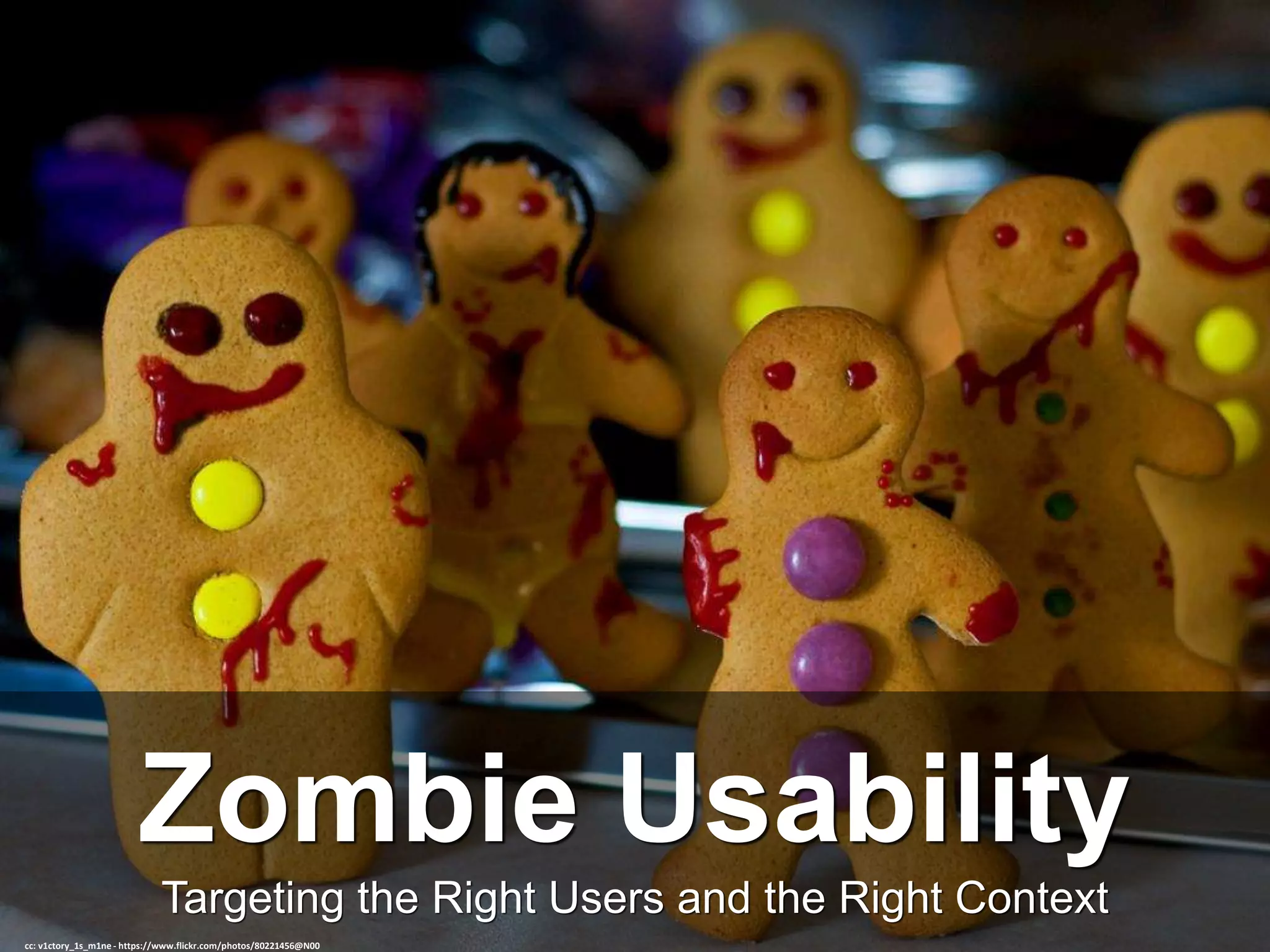
Zombie Usability
cc: v1ctory_1s_m1ne - https://www.flickr.com/photos/80221456@N00
Who We Are
Extreme Usability
cc: Jordi Payà Canals - https://www.flickr.com/photos/24630636@N03
Extreme Usability Inc.
• We specialize in user research and design for under-represented
markets
• Our user targets include Zombies, Vampires, Werewolves, Aliens, Elven
Court members, and more.
• Our specially trained personnel and uniquely equipped facilities
address the challenges of those segments of the population that go
unrecognized in standard usability evaluations and design efforts.
• We work to increase acceptance and sales opportunities for your
product by tapping a wider, less traditional, population.
• While we specialize in these very exciting markets, we also handle the
more main stream user research needs of many enterprise software
companies
The Right Users
cc: FromSandToGlass - https://www.flickr.com/photos/22929260@N06
Importance of the Right User
• False positives: You think your product is doing great, but keep
getting negative reviews and support calls
• False negatives: You think your product is doing poorly when it has
been designed well – for a different user segment
Either results in lost time/money due to unnecessary or ineffective
designs or redesigns.
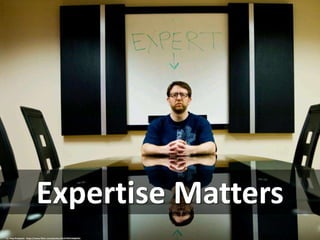
Expertise Matters
cc: Pete Prodoehl - https://www.flickr.com/photos/35237092540@N01
Using Level of Expertise
• Ability to exclude certain users (For example, being able to say that
everyone who uses your application was born in the last century)
• Ability to identify lowest common denominators that must be met
(For example, being able to teleport a minimum of 12 parsecs)
Knowing the targeted level of expertise of the user ensures you are
testing the intended design.
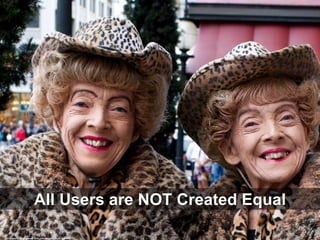
All Users are NOT Created Equal
cc: staxnet - https://www.flickr.com/photos/25529158@N07
All Undead Are Not the Same
• Zombies
– Can operate effectively during
all hours
– Significant loss of cognitive
abilities and fine motor control
due to unimpeded rate of
decomposition
– No significant aversions
• Vampires
– Cannot operate during daylight
hours
– No detectable loss of abilities
due to decomposition
– Aversion to garlic, some
religious symbols, and running
water
– Variable aversion to
technology, based on age since
death
Internal Testing
cc: DanDeChiaro - https://www.flickr.com/photos/38497891@N04
Proceed with Caution
• Useful for certain types of applications, but should be regarded as a
“last ditch” effort.
• Unless you are creating software exclusively marketed to people who
create software, you are introducing a significant bias into your
results.
Who Is Your User?
cc: Johnson Cameraface - https://www.flickr.com/photos/54459164@N00
Ensuring Good User Selection
• Use Personas
– Personas can help you (and your extended team) identify and agree on who
your target users should be for a given study. You need to all agree and
understand that you are trying to test with Suzie Seraphin and not Rob
Zombie
• Screen Participants
– Always screen your participants! Some elements to consider:
• Company size
• Job Title
• Length of Time using the product
• Length of time using the product daily
• Galaxy of origin
• Pre- and post- death age of participant.
• Know Your Stories
– Understand the characters in your user stories and use them to guide you in
choosing the correct actor to work with.
cc: rishibando - https://www.flickr.com/photos/27590002@N04
Ensuring Good Context Selection
• Use Journey Maps
– Journey maps can reveal where and when users are accessing particular
feature sets or workflows. Understand where the user came from and where
they are going next, even if the research starts/ends with the software.
• Define Your Objectives
– Well-defined research objectives help define the right context to work with.
• Know Your Stories
– Understand the setting in your user stories and use them to guide you in
choosing the correct setting for your research.
No Frictionless Inclines
cc: André Hofmeister - https://www.flickr.com/photos/54786327@N00
Understanding “Messy”
• All Devices are Not Create Equal
• A mobile use case is not the same as a desktop use case, even if you
are testing responsive software
• Indoors, outdoors, or under-the-hill – location makes a difference for
accurately testing for usability issues.
Tips and Tricks
cc: Cayusa - https://www.flickr.com/photos/17731548@N00
When In Doubt: Moderate
cc: Great Beyond - https://www.flickr.com/photos/26104563@N00
Why Moderated Testing?
• Ensures you have the right user or helps identify who is the right user
• Ensures you have the right context or helps you identify what the right
context is
• Can inform future, unmoderated testing
• Answers “Why”
Don't Be Afraid Of Remote Testing
cc: arkad83 - https://www.flickr.com/photos/57914664@N00
Recruit Creatively
cc: Pranav Bhatt - https://www.flickr.com/photos/58403098@N08
Recruiting Tips
•Sell your work to the account managers as improving sales. I don’t mean
that the designs that result from the research will improve sales (they
will). I mean that talking to users about their problems will improve how
they view your products and your company. Active Listening is a super
power for the very reason that it is addictive.
•Craig’s List, user groups, LinkedIn, Facebook, Twitter – where ever your
user types congregate, get the message out. If you are thorough, even a
10% response rate can be significant.
•Provide some small compensation. While monetary compensation is
great, paying a user for their time can lead to getting “professional
testers” (something most usability testing groups have methods to watch
for and avoid) or the occasional lichs. These types of testers will not
provide meaningful results as they will falsify applications in order to be
chosen for a test. Offer a gift card or small appreciative gift with your
company logo, a complimentary bag of blood or perhaps a bit of
mistletoe or chocolate. This lets the user feel valued without providing
the benefit that would attract the professional tester.
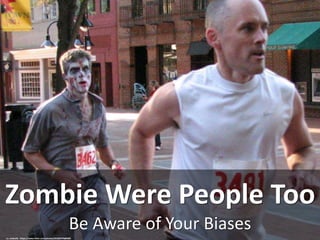
Be Aware of Your Biases
Zombie Were People Too
cc: mebrett - https://www.flickr.com/photos/91426379@N00
Want More Details? Just Ask!
Rebecca Baker, PhD
Sr. Director User Interaction Design, The Active Network
and CEO, Extreme Usability, Inc.
Rebecca.Baker@ACTIVENetwork.com

Zombie Usability

  • 1.
    Targeting the RightUsers and the Right Context Zombie Usability cc: v1ctory_1s_m1ne - https://www.flickr.com/photos/80221456@N00
  • 2.
    Who We Are ExtremeUsability cc: Jordi Payà Canals - https://www.flickr.com/photos/24630636@N03
  • 3.
    Extreme Usability Inc. •We specialize in user research and design for under-represented markets • Our user targets include Zombies, Vampires, Werewolves, Aliens, Elven Court members, and more. • Our specially trained personnel and uniquely equipped facilities address the challenges of those segments of the population that go unrecognized in standard usability evaluations and design efforts. • We work to increase acceptance and sales opportunities for your product by tapping a wider, less traditional, population. • While we specialize in these very exciting markets, we also handle the more main stream user research needs of many enterprise software companies
  • 4.
    The Right Users cc:FromSandToGlass - https://www.flickr.com/photos/22929260@N06
  • 5.
    Importance of theRight User • False positives: You think your product is doing great, but keep getting negative reviews and support calls • False negatives: You think your product is doing poorly when it has been designed well – for a different user segment Either results in lost time/money due to unnecessary or ineffective designs or redesigns.
  • 6.
    Expertise Matters cc: PeteProdoehl - https://www.flickr.com/photos/35237092540@N01
  • 7.
    Using Level ofExpertise • Ability to exclude certain users (For example, being able to say that everyone who uses your application was born in the last century) • Ability to identify lowest common denominators that must be met (For example, being able to teleport a minimum of 12 parsecs) Knowing the targeted level of expertise of the user ensures you are testing the intended design.
  • 8.
    All Users areNOT Created Equal cc: staxnet - https://www.flickr.com/photos/25529158@N07
  • 9.
    All Undead AreNot the Same • Zombies – Can operate effectively during all hours – Significant loss of cognitive abilities and fine motor control due to unimpeded rate of decomposition – No significant aversions • Vampires – Cannot operate during daylight hours – No detectable loss of abilities due to decomposition – Aversion to garlic, some religious symbols, and running water – Variable aversion to technology, based on age since death
  • 10.
    Internal Testing cc: DanDeChiaro- https://www.flickr.com/photos/38497891@N04
  • 11.
    Proceed with Caution •Useful for certain types of applications, but should be regarded as a “last ditch” effort. • Unless you are creating software exclusively marketed to people who create software, you are introducing a significant bias into your results.
  • 12.
    Who Is YourUser? cc: Johnson Cameraface - https://www.flickr.com/photos/54459164@N00
  • 13.
    Ensuring Good UserSelection • Use Personas – Personas can help you (and your extended team) identify and agree on who your target users should be for a given study. You need to all agree and understand that you are trying to test with Suzie Seraphin and not Rob Zombie • Screen Participants – Always screen your participants! Some elements to consider: • Company size • Job Title • Length of Time using the product • Length of time using the product daily • Galaxy of origin • Pre- and post- death age of participant. • Know Your Stories – Understand the characters in your user stories and use them to guide you in choosing the correct actor to work with.
  • 14.
    cc: rishibando -https://www.flickr.com/photos/27590002@N04
  • 15.
    Ensuring Good ContextSelection • Use Journey Maps – Journey maps can reveal where and when users are accessing particular feature sets or workflows. Understand where the user came from and where they are going next, even if the research starts/ends with the software. • Define Your Objectives – Well-defined research objectives help define the right context to work with. • Know Your Stories – Understand the setting in your user stories and use them to guide you in choosing the correct setting for your research.
  • 16.
    No Frictionless Inclines cc:André Hofmeister - https://www.flickr.com/photos/54786327@N00
  • 17.
    Understanding “Messy” • AllDevices are Not Create Equal • A mobile use case is not the same as a desktop use case, even if you are testing responsive software • Indoors, outdoors, or under-the-hill – location makes a difference for accurately testing for usability issues.
  • 18.
    Tips and Tricks cc:Cayusa - https://www.flickr.com/photos/17731548@N00
  • 19.
    When In Doubt:Moderate cc: Great Beyond - https://www.flickr.com/photos/26104563@N00
  • 20.
    Why Moderated Testing? •Ensures you have the right user or helps identify who is the right user • Ensures you have the right context or helps you identify what the right context is • Can inform future, unmoderated testing • Answers “Why”
  • 21.
    Don't Be AfraidOf Remote Testing cc: arkad83 - https://www.flickr.com/photos/57914664@N00
  • 22.
    Recruit Creatively cc: PranavBhatt - https://www.flickr.com/photos/58403098@N08
  • 23.
    Recruiting Tips •Sell yourwork to the account managers as improving sales. I don’t mean that the designs that result from the research will improve sales (they will). I mean that talking to users about their problems will improve how they view your products and your company. Active Listening is a super power for the very reason that it is addictive. •Craig’s List, user groups, LinkedIn, Facebook, Twitter – where ever your user types congregate, get the message out. If you are thorough, even a 10% response rate can be significant. •Provide some small compensation. While monetary compensation is great, paying a user for their time can lead to getting “professional testers” (something most usability testing groups have methods to watch for and avoid) or the occasional lichs. These types of testers will not provide meaningful results as they will falsify applications in order to be chosen for a test. Offer a gift card or small appreciative gift with your company logo, a complimentary bag of blood or perhaps a bit of mistletoe or chocolate. This lets the user feel valued without providing the benefit that would attract the professional tester.
  • 24.
    Be Aware ofYour Biases Zombie Were People Too cc: mebrett - https://www.flickr.com/photos/91426379@N00
  • 25.
    Want More Details?Just Ask! Rebecca Baker, PhD Sr. Director User Interaction Design, The Active Network and CEO, Extreme Usability, Inc. Rebecca.Baker@ACTIVENetwork.com

Editor's Notes

  • #4 Reducing angry support calls from the undead can reduce your call center costs and eliminate the need for costly exorcisms and psychotherapy sessions for your technicians. Now, while we specialize in these very exciting markets, we also handle the more main stream user research needs of many enterprise software companies. My examples today will be a mix of stories from a wide range of users to illustrate the importance of understanding who you are testing with and why they want to use your software.
  • #5 Choosing the right users for your research – whether usability testing, cognitive walkthroughs, surveys, interviews, card sorting, or focus groups – is key to ensuring the data you are collecting is meaningful and useful.
  • #7 The interesting thing is that many times people do not realize they are testing with the wrong user. A CEO at a company I worked for once said we should be able to do our testing with his 80 year old mother because the software should be easy to use for anyone. Unfortunately, the software in question was intended for security administrators to secure multibillion dollar transactions and detect potential attacks
  • #8  Expertise matters. When researching a design, you are helping narrow the field of possibilities, to define what needs to be done. As a result, you need to be able to understand and identify the level of expertise your end user can be expected to have.. In one application, we ran into a situation where the usability test we ran had a 0 success rate on one particular task. 0. Even the benchmark user got a 0. After digging deeper, it became clear that the initial assumptions made by both product and development did not actually reflect the expertise of the end user – in this case the ability to construct complex, robust regular statements in REXX.
  • #9  Understanding the primary characteristics of your target user is important to make sure you are getting accurate results for your product.
  • #10 A Security Administrator and a Performance Administrator are not the same although they both work at the enterprise level of large corporations. The type of work each of these types of administrators do varies significantly, even though their educational background and experience may be similar. In one case, we had a client who insisted on cutting costs by testing with the more prolific and easily accessed zombie segment only for their “Back off!” app (intended to discourage undead from attacking unwilling victims). Unsurprisingly, all of the images and sounds meant to deter the potential miscreant failed, due to the fact that Zombies are rarely deterred by anything short of their own decapitation. As a result, the findings were largely meaningless and the project was scrapped before further investigation could occur.
  • #12 A great example of this is a recent design we saw make it through testing that had the word “Widget” in the interface. Anyone in the software industry understands and knows what a widget is – to the point that everyone, including the researcher, didn’t notice the inclusion in the product. A more representative user (who wasn’t in the software industry) would have immediately noticed and commented on the strange word.
  • #14  Age is important too. In another product, we had a group that wanted to test a new donor match service vampires. After testing started, we realized we did not balance for the relative age of the participant, post death. This in turn led to some interesting results – younger vampires with a solid grasp of technology had no trouble swiping right for donors, however older vampires, brought over 100-200 years ago, had difficulty determining what to do and even how to initiate contact with the interested parties and often had the feedback that the “bewitched glass hath no soul from which to feed”
  • #15 Choosing the right context for your is also key to ensuring you’re getting the right data. Testing an application that will only be used outside in a darkened room will not reveal issues with glare and contrast. Similarly, testing an application intended to be used by lycanthropes during the full moon on night of the waning moon will yield questionable results.
  • #17 Many usability tests are performed under what would be consider “ideal” conditions. Perfect lighting, comfortable ergonomic seating, and a calm, helpful moderator. Most user environments do not reflect this ideal. To get realistic results, it’s best to be “in the wild”. While there are certainly downsides to remote usability testing, you are often able to get closer to the user’s real environment than when you test in person (the exception for this would be mobile testing). Participants are usually in their primary work environment, whether that is a cubicle, an office, a bunker, or an oxygen-less tank at zero g. As such, they are more at ease and more likely to experience similar if not identical issues to what they experience in their normal work day.
  • #18 We once did usability testing on software that was being used by a NOC (network operations center) for a large retailer. The subject was unable to complete any task without being interrupted at least once, because of the noisy, interruptive emergency that constantly erupted around her. This gave us valuable insight into how her work really progressed (or, in this case, didn’t) - something we would never have found out if we had brought her into our lab for testing. In another case, we were doing some Rapid Iterative Testing with our vampiric subjects. We found response times to be particularly slow, often stretching
  • #19 SO how does this all come together? Here are some tips and tricks from the field.
  • #21 Unmoderated testing - testing done without a test administrator present to observe the test subject's attempts to use the interface - are an excellent way to test a general use site or application with a broad user base. Usability tests are generally used for subtle refinements of the workflow, in these cases, and can benefit from the much greater numbers that can be generated when multiple users can run through the tests at their leisure. Unfortunately, with specialized populations and applications that are targeted as a narrower user base, unmoderated testing starts to break down. Each feedback point becomes more critical due to the special needs of the user, requiring a live test administrator to be able to interact with the subject to get explanations and feedback that would otherwise go unrecorded. A classic example is one of our first extreme usability tests that we ran with a fairly straightforward application called "I Am Undead". The app, designed to allow the user to send simple messages to concerned loved ones that they were not missing but rather undead, had had limited success in the market and had received numerous poor reviews based on usability. Initially, the company behind the application set up an unmoderated test which came back with no significant usability issues but a large abandonment rate. Puzzled, they engaged us to do more detailed testing. After setting up our environment and engaging users, we found that the second part of the workflow (choose the type of undead you have become: a) vampire b) zombie c) mummy d) ghost e) unsure) was causing significant confusion for the zombie segment of the population. Ghost users, unless they were poltergeists, found menu selection awkward and frustrating.  Both user types generally abandoned the interface at this point, failing to leave even basic feedback. For undead that did make it past this point, the next screen (an opportunity to use a webcam to take a picture of yourself to send with your message), engendered serious issues for the vampire users, concerned about the effects of camera flash. The absence of a back button or a help topic to explain whether the flash used would be harmful to light-sensitive users, caused many to simply close the app rather than risk becoming an inconvenient pile of ash. With this feedback, we were able to help the company redesign their interface, streamlining the workflow to remove confusion and adding important information to help users feel more comfortable with the features. The result was a skyrocket in user satisfaction ratings and significant increase in adoption of the application across the board.
  • #22 Remote testing can open many doors that would otherwise be closed. Subjects have a lower time commitment (no travel time to and from the lab), a more familiar setting, and are less self-conscious. It opens the doors for testing with users in other states, countries, or galaxies. For some segments, remote testing is vital. For example, when testing with most undead, but particularly zombies and vampires, remote testing is required for the protection of both the ravenous test subject and the jittery administrator. Similarly, many of our off-world clients require atmospheric conditions un-reproducible in our lab environment.
  • #23 ter.