Guide to Paperless
Accounting
2
Who is Ravix Group
Paper-based accounting
Leverage the cloud
Manage the document management
Paperless approval process
Gain control by giving up paper
Summary
Q&A
Agenda
3
Welcome to our speaker
JD Higginbotham
Controller, Ravix
Group
Natasha Dolginsky
Marketing, Bill.com
4
Who is Ravix Group?
Ravix Group provides seasoned consulting
expertise to outsource the finance/accounting
and human resources functions for early-stage
and middle market companies.
5
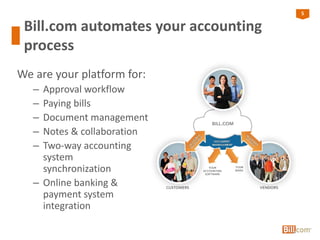
Bill.com automates your accounting
process
We are your platform for:
– Approval workflow
– Paying bills
– Document management
– Notes & collaboration
– Two-way accounting
system
synchronization
– Online banking &
payment system
integration
6
Paper-based accounting
6
7
Financial Process is Still Paper-Based
However, businesses are faced with ever-growing
mountains of paper and increased storage costs
• Paper checks
– 75% of all business payments are still made by check
• Print outs of spreadsheets
• Paper documents
– Contracts
– Back up material
– Invoices
8
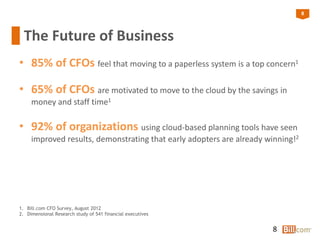
The Future of Business
• 85% of CFOs feel that moving to a paperless system is a top concern1
• 65% of CFOs are motivated to move to the cloud by the savings in
money and staff time1
• 92% of organizations using cloud-based planning tools have seen
improved results, demonstrating that early adopters are already winning!2
8
1. Bill.com CFO Survey, August 2012
2. Dimensional Research study of 541 financial executives
9
Leverage the cloud
9
10
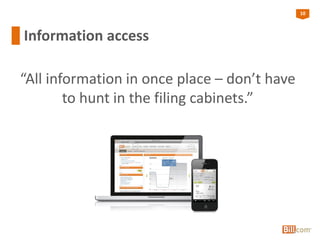
Information access
“All information in once place – don’t have
to hunt in the filing cabinets.”
11
Choose solutions that are cloud-based
• When you evaluate a solution for your business, make
sure that it is cloud-based and paperless. What to look
for:
– Access to information is quick
– Access is from anywhere
– Speed of access can make a difference and benefit or harm the
business
– Implementation time
– Does it integrate with your existing tools and processes?
• Storing documents online and in the cloud is affordable
and cost-effective
– Document retrieval costs (time and money), are reduced
12
Do you homework
• Read our blog: “Seven Questions to Ask Before
Purchasing An App for Your Cloud-Based Accounting
System”
– Does the vendor of the accounting system endorse the
app?
– Where is the app and the data it generates hosted?
– What data is being synced between the accounting system
and the app, and is the sync bi-directional or uni-
directional?
13
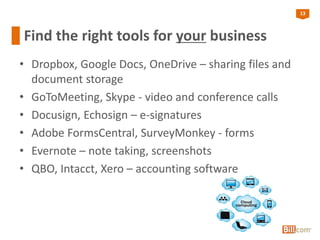
Find the right tools for your business
• Dropbox, Google Docs, OneDrive – sharing files and
document storage
• GoToMeeting, Skype - video and conference calls
• Docusign, Echosign – e-signatures
• Adobe FormsCentral, SurveyMonkey - forms
• Evernote – note taking, screenshots
• QBO, Intacct, Xero – accounting software
14
Manage the document
management
14
15
“Digitize” your paper
• Invest in a scanner and scan the documents to be
available digitally instead of keeping paper copies
– More secure
– Bill.com recommends:
• Genius Scan app for iPhone and Android when scanning in your
documents
• Kodak ScanMate i940 – scans in batches
• Evernote Premium ($5/month) provides the OCR (optical character
recognition) search feature
• Get organized
– Establish naming conventions and file structure
• Rethink your mail
– Services like EarthClassMail provide a virtual mailroom and scan
your mail for you
16
Scan smart
• Toss
• Scan and toss
• Scan and keep
17
How Bill.com helps
• Document storage is unlimited
– Upload documents up to 20 MB each
• Data entry service
– Fax, email or upload image of each bill into Bill.com inbox,
and bill details are entered for you
• Provides a unique Bill.com email and fax number to
receive bills electronically
18
Make your approval
process paperless
18
19
Post Bill.com approval process
20
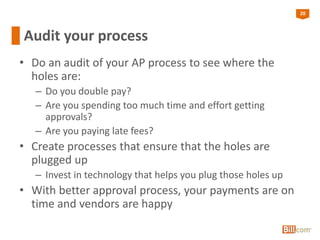
Audit your process
• Do an audit of your AP process to see where the
holes are:
– Do you double pay?
– Are you spending too much time and effort getting
approvals?
– Are you paying late fees?
• Create processes that ensure that the holes are
plugged up
– Invest in technology that helps you plug those holes up
• With better approval process, your payments are on
time and vendors are happy
21
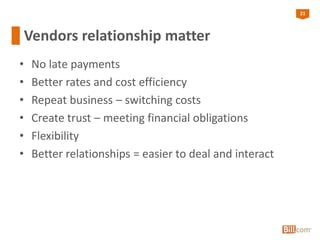
Vendors relationship matter
• No late payments
• Better rates and cost efficiency
• Repeat business – switching costs
• Create trust – meeting financial obligations
• Flexibility
• Better relationships = easier to deal and interact
22
Reduce paper from the process
• Whichever solution you use, make the process and
therefor relationship with vendors less paper-based
– Ask to email invoices, instead of sending paper copies
• If paying by check, consider moving to electronic
payments
– Fraud – all information a fraudster needs is on your check
– Cost of paper checks is much higher than people assume
• Start small
– Some clients or customers won’t want to be billed electronically
– Some vendors will still want to communicate by snail mail
– Tax and regulatory requirements might require hard copies of
past records
23
Make the move to ePayments
• Put away your checkbook so you can’t access it
• Encourage your customers to pay you by electronic
payments, not check
• Encourage vendors to send you electronic invoices,
not physical invoices
• Set up your office to be a “No Check” business
23Bill.com Confidential
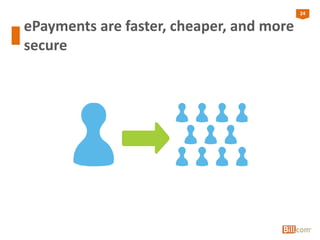
24
ePayments are faster, cheaper, and more
secure
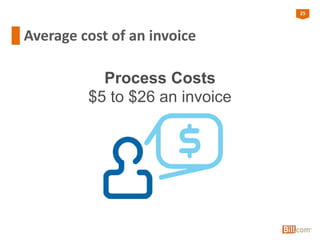
25
Average cost of an invoice
Process Costs
$5 to $26 an invoice
26
How Bill.com helps
• Visibility into the entire process and workflow
– Have a record of all approvals
– See every bill and invoice in the same place
– Know when all your bills are due and when you will get
paid by customers
27
How Bill.com Helps
• Seamless and automated approval process
– Create roles with different levels of information
accessibility
• 5 prebuilt roles
• Can create customized roles
– Access is limited by role and permissions – internally and
externally
– Set up approval policies to require approvers for any bill or
vendor credit, based on the dollar amount
– Bills and invoices emailed automatically to next approver
28
Gain control by giving up
paper
28
29
More control
• Aware of what’s going on
• Communication process is easier
• Mobility
• Limit on access of information
30
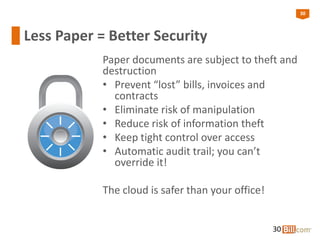
Less Paper = Better Security
Paper documents are subject to theft and
destruction
• Prevent “lost” bills, invoices and
contracts
• Eliminate risk of manipulation
• Reduce risk of information theft
• Keep tight control over access
• Automatic audit trail; you can’t
override it!
The cloud is safer than your office!
30
31
Security is Integral to Our Business
• Bill.com uses best-in-class data security (Extended Validation
(EV) SSL encryption technology)
• Firewalls prevent unauthorized electronic access to servers
• Production servers are in high-security locked facility with
biometric access controls preventing unauthorized physical
access to servers
• All sensitive data is encrypted at rest in our database
• Offsite continuous backup enables Bill.com to recover from a
potential disaster quickly
• Bill.com undergoes an annual SSAE 16 SOC 1 Type II Audit by a
leading national CPA Firm
31
32
Summary
1. Make the decision to go paperless
2. Identify ROI
– Reduction in the cost of printing, mailing, shipping,
storing, and accessing paper
3. Get consensus
– Change is difficult so make sure that decision makers are
on board (ROI proof helps)
4. Do your homework
– There are many tools out there, make sure the ones you
choose are right for your business
5. Start small
33
Q&A
33
34
Contact us
34
Learn more at www.bill.com.
Contact 1.877.345.BILL or sales@hq.bill.com
Watch demo at: www.bill.com/demo
Ravix Group
jdhigginbothamjr@yahoo.com
408-410-0521

Comprehensive Guide to Paperless Accounting

  • 1.
  • 2.
    2 Who is RavixGroup Paper-based accounting Leverage the cloud Manage the document management Paperless approval process Gain control by giving up paper Summary Q&A Agenda
  • 3.
    3 Welcome to ourspeaker JD Higginbotham Controller, Ravix Group Natasha Dolginsky Marketing, Bill.com
  • 4.
    4 Who is RavixGroup? Ravix Group provides seasoned consulting expertise to outsource the finance/accounting and human resources functions for early-stage and middle market companies.
  • 5.
    5 Bill.com automates youraccounting process We are your platform for: – Approval workflow – Paying bills – Document management – Notes & collaboration – Two-way accounting system synchronization – Online banking & payment system integration
  • 6.
  • 7.
    7 Financial Process isStill Paper-Based However, businesses are faced with ever-growing mountains of paper and increased storage costs • Paper checks – 75% of all business payments are still made by check • Print outs of spreadsheets • Paper documents – Contracts – Back up material – Invoices
  • 8.
    8 The Future ofBusiness • 85% of CFOs feel that moving to a paperless system is a top concern1 • 65% of CFOs are motivated to move to the cloud by the savings in money and staff time1 • 92% of organizations using cloud-based planning tools have seen improved results, demonstrating that early adopters are already winning!2 8 1. Bill.com CFO Survey, August 2012 2. Dimensional Research study of 541 financial executives
  • 9.
  • 10.
    10 Information access “All informationin once place – don’t have to hunt in the filing cabinets.”
  • 11.
    11 Choose solutions thatare cloud-based • When you evaluate a solution for your business, make sure that it is cloud-based and paperless. What to look for: – Access to information is quick – Access is from anywhere – Speed of access can make a difference and benefit or harm the business – Implementation time – Does it integrate with your existing tools and processes? • Storing documents online and in the cloud is affordable and cost-effective – Document retrieval costs (time and money), are reduced
  • 12.
    12 Do you homework •Read our blog: “Seven Questions to Ask Before Purchasing An App for Your Cloud-Based Accounting System” – Does the vendor of the accounting system endorse the app? – Where is the app and the data it generates hosted? – What data is being synced between the accounting system and the app, and is the sync bi-directional or uni- directional?
  • 13.
    13 Find the righttools for your business • Dropbox, Google Docs, OneDrive – sharing files and document storage • GoToMeeting, Skype - video and conference calls • Docusign, Echosign – e-signatures • Adobe FormsCentral, SurveyMonkey - forms • Evernote – note taking, screenshots • QBO, Intacct, Xero – accounting software
  • 14.
  • 15.
    15 “Digitize” your paper •Invest in a scanner and scan the documents to be available digitally instead of keeping paper copies – More secure – Bill.com recommends: • Genius Scan app for iPhone and Android when scanning in your documents • Kodak ScanMate i940 – scans in batches • Evernote Premium ($5/month) provides the OCR (optical character recognition) search feature • Get organized – Establish naming conventions and file structure • Rethink your mail – Services like EarthClassMail provide a virtual mailroom and scan your mail for you
  • 16.
    16 Scan smart • Toss •Scan and toss • Scan and keep
  • 17.
    17 How Bill.com helps •Document storage is unlimited – Upload documents up to 20 MB each • Data entry service – Fax, email or upload image of each bill into Bill.com inbox, and bill details are entered for you • Provides a unique Bill.com email and fax number to receive bills electronically
  • 18.
  • 19.
  • 20.
    20 Audit your process •Do an audit of your AP process to see where the holes are: – Do you double pay? – Are you spending too much time and effort getting approvals? – Are you paying late fees? • Create processes that ensure that the holes are plugged up – Invest in technology that helps you plug those holes up • With better approval process, your payments are on time and vendors are happy
  • 21.
    21 Vendors relationship matter •No late payments • Better rates and cost efficiency • Repeat business – switching costs • Create trust – meeting financial obligations • Flexibility • Better relationships = easier to deal and interact
  • 22.
    22 Reduce paper fromthe process • Whichever solution you use, make the process and therefor relationship with vendors less paper-based – Ask to email invoices, instead of sending paper copies • If paying by check, consider moving to electronic payments – Fraud – all information a fraudster needs is on your check – Cost of paper checks is much higher than people assume • Start small – Some clients or customers won’t want to be billed electronically – Some vendors will still want to communicate by snail mail – Tax and regulatory requirements might require hard copies of past records
  • 23.
    23 Make the moveto ePayments • Put away your checkbook so you can’t access it • Encourage your customers to pay you by electronic payments, not check • Encourage vendors to send you electronic invoices, not physical invoices • Set up your office to be a “No Check” business 23Bill.com Confidential
  • 24.
    24 ePayments are faster,cheaper, and more secure
  • 25.
    25 Average cost ofan invoice Process Costs $5 to $26 an invoice
  • 26.
    26 How Bill.com helps •Visibility into the entire process and workflow – Have a record of all approvals – See every bill and invoice in the same place – Know when all your bills are due and when you will get paid by customers
  • 27.
    27 How Bill.com Helps •Seamless and automated approval process – Create roles with different levels of information accessibility • 5 prebuilt roles • Can create customized roles – Access is limited by role and permissions – internally and externally – Set up approval policies to require approvers for any bill or vendor credit, based on the dollar amount – Bills and invoices emailed automatically to next approver
  • 28.
    28 Gain control bygiving up paper 28
  • 29.
    29 More control • Awareof what’s going on • Communication process is easier • Mobility • Limit on access of information
  • 30.
    30 Less Paper =Better Security Paper documents are subject to theft and destruction • Prevent “lost” bills, invoices and contracts • Eliminate risk of manipulation • Reduce risk of information theft • Keep tight control over access • Automatic audit trail; you can’t override it! The cloud is safer than your office! 30
  • 31.
    31 Security is Integralto Our Business • Bill.com uses best-in-class data security (Extended Validation (EV) SSL encryption technology) • Firewalls prevent unauthorized electronic access to servers • Production servers are in high-security locked facility with biometric access controls preventing unauthorized physical access to servers • All sensitive data is encrypted at rest in our database • Offsite continuous backup enables Bill.com to recover from a potential disaster quickly • Bill.com undergoes an annual SSAE 16 SOC 1 Type II Audit by a leading national CPA Firm 31
  • 32.
    32 Summary 1. Make thedecision to go paperless 2. Identify ROI – Reduction in the cost of printing, mailing, shipping, storing, and accessing paper 3. Get consensus – Change is difficult so make sure that decision makers are on board (ROI proof helps) 4. Do your homework – There are many tools out there, make sure the ones you choose are right for your business 5. Start small
  • 33.
  • 34.
    34 Contact us 34 Learn moreat www.bill.com. Contact 1.877.345.BILL or sales@hq.bill.com Watch demo at: www.bill.com/demo Ravix Group jdhigginbothamjr@yahoo.com 408-410-0521