


Magento European Tour 2009


1 2-02-09   |
Me?

                          Yoav Kutner
                Vice President and CTO @ Varien
                       yoav@varien.com


2 2-02-09   |
Varien?


3 2-02-09   |
Magento?


4 2-02-09   |
Magento


            A detailed list including tours and screencasts can be seen on
                                MagentoCommerce.com


5 2-02-09   |
Magento Connect


      •   375+ Extensions
      •   375,000+ Downloads


6 2-02-09   |
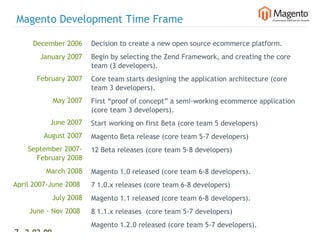
Magento Development Time Frame

     December 2006      Decision to create a new open source ecommerce platform.
        January 2007    Begin by selecting the Zend Framework, and creating the core
                        team (3 developers).
       February 2007    Core team starts designing the application architecture (core
                        team 3 developers).
            May 2007    First “proof of concept” a semi-working ecommerce application
                        (core team 3 developers).
           June 2007    Start working on first Beta (core team 5 developers)
         August 2007    Magento Beta release (core team 5-7 developers)
    September 2007-     12 Beta releases (core team 5-8 developers)
      February 2008
         March 2008     Magento 1.0 released (core team 6-8 developers).
April 2007-June 2008    7 1.0.x releases (core team 6-8 developers)
            July 2008   Magento 1.1 released (core team 6-8 developers).
    June - Nov 2008     8 1.1.x releases (core team 5-7 developers)
     December 2008      Magento 1.2.0 released (core team 5-7 developers).
7 2-02-09   |
Magento is a PHP5 Application


  •   OO support. We wanted Magento to be an OO application so it would be
      considered as a platform and allow to extend and develop it. We also wanted
      Enterprise organizations to consider this platform.


  •   The added support for Encapsulation (privet, protected public), Interfaces, and
      Static Methods etc allowed us to create a true OO architected application.


  •   We were worried about the support for PHP5 when it comes to hosting (even
      considering creating 2 versions of Magento) but the PHP4 End of Life
      announcement made our decision much easier.


8 2-02-09   |
Selecting the Zend Framework


  The early days 
  Prior to Magento we were using an in-house developed frame-work (PHP4).


  Problems:
  •   Specifying hiring criteria when it comes to developers.
  •   Long training process due to lack of documentation and training materials.
  •   Collaborating with other companies on big projects was a nightmare.
  •   Maintaining and Supporting our framework without a large community was hard
      both in allocating resources and without a large “collective wisdom”.
  •   Many different coding styles.


9 2-02-09   |
Selecting the Zend Framework

  So let’s select a framework:
  •   Akelos
  •   Ash.MVC
  •   CakePHP
  •   Codelgniter
  •   DIY
  •   eZ Components
  •   Fusebox
  •   PHP on TRAX
  •   PHPDevShell
  •   PHPOpenbiz
  •   Prado
  •   Pronto
  •   QPHP
  •   Seagull


10 2-02-09    |
Selecting the Zend Framework


  So why Zend Framework?

  •   A commercial company (Zend) behind it. (We selected the ZF when it was in
      Beta)
  •   Widespread community support.
  •   A wealth of documentation and training.
  •   A use-at-will architecture that enables Magento developers to use Zend
      Framework for the functionality they need.
  •   A clear roadmap and transparency
  •   Licensing that protects the entire ecosystem of products that get built upon the
       Magento code base.


11 2-02-09   |
Selecting the Zend Framework


  Zend Framework Components used in Magento
  •   Zend_Acl - Admin user permission and Web Service API
  •   Zend_Cache (Customized Apc and Memcached backends for support of tags) -
      configuration caching, html blocks caching
  •   Zend_Currency - Magento Multi-Currency implementation
  •   Zend_Date - Stores time zone
  •   Zend_Db - used with Pdo_Mysql adapter
  •   Zend_Feed - creating RSS feeds
  •   Zend_Http - work with Response model
  •   Zend_Locale - number formatting, date formatting, country names  translation
  •   Zend_Log - system debug logs (Exceptions, debug data)


12 2-02-09   |
Selecting the Zend Framework


  Zend Framework Components used in Magento (Cont)
  •   Zend_Mail - all auto-generated system emails (order confirmation, welcome
      email etc...)
  •   Zend_Pdf - PDF invoices etc
  •   Zend_Translate - parsing translate source files
  •   Zend_Validate - model data validation
  •   Zend_XmlRpc - Web Services API
  •   Zend_Service - Strikeiron
  •   Zend_Controller - started work with Zend_Controller, but Magento implement a
      lot of custom routing functionality so we ended up creating our own.
  •   Zend_Console_Getopt - used for our translation gathering tool


13 2-02-09   |
Selecting the Zend Framework


  We plan to use in future version of Magento (ZF 1.7.2)
  •   Zend_Form
  •   Zend_Measure - extending the global compatibility of Magento for weights,
      dimensions etc…
  •   Zend_OpenId
  •   Zend_Search - Lucene Search Engine for Search and Layered Navigation
  •   Zend_Gdata - for integration with Google maps, Google Docs
  •   Zend_Captcha


14 2-02-09   |
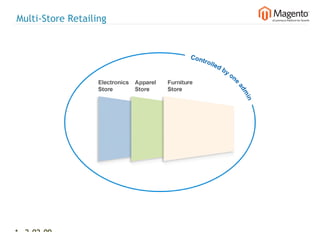
Multi-Store Retailing


15 2-02-09   |
Multi-Store Retailing


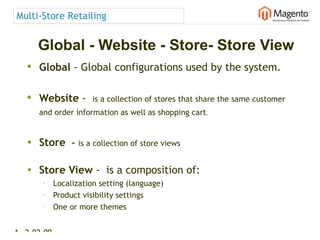
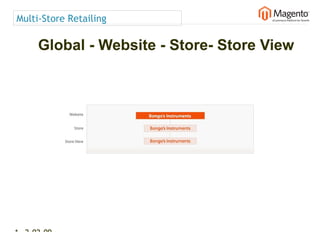
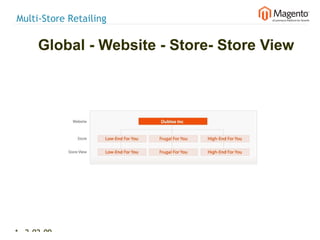
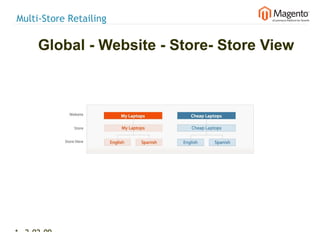
      Global - Website - Store- Store View
   • Global - Global configurations used by the system.

   • Website -  is a collection of stores that share the same customer
      and order information as well as shopping cart.


   • Store        – is a collection of store views

   • Store View -  is a composition of:
       •     Localization setting (language)
       •     Product visibility settings
       •
             One or more themes


16 2-02-09   |
Multi-Store Retailing

      Global - Website - Store- Store View


17 2-02-09   |
Multi-Store Retailing

      Global - Website - Store- Store View


18 2-02-09   |
Multi-Store Retailing

      Global - Website - Store- Store View


19 2-02-09   |
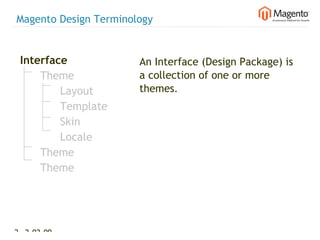
Magento Design Terminology


 Interface             An Interface (Design Package) is
     Theme             a collection of one or more
         Layout        themes.
         Template
         Skin
         Locale
     Theme
     Theme


20 2-02-09   |
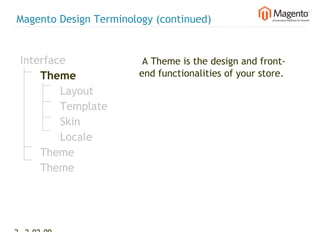
Magento Design Terminology (continued)


 Interface              A Theme is the design and front-
     Theme             end functionalities of your store.
         Layout
         Template
         Skin
         Locale
     Theme
     Theme


21 2-02-09   |
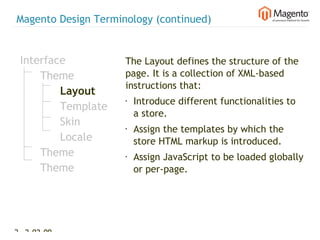
Magento Design Terminology (continued)


 Interface           The Layout defines the structure of the
     Theme           page. It is a collection of XML-based
                     instructions that:
         Layout
                     •   Introduce different functionalities to
         Template
                         a store.
         Skin        •   Assign the templates by which the
         Locale          store HTML markup is introduced.
     Theme           •   Assign JavaScript to be loaded globally
     Theme               or per-page.


22 2-02-09   |
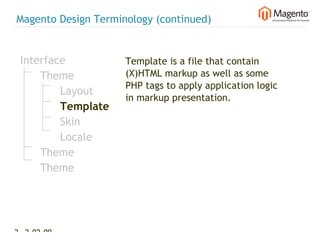
Magento Design Terminology (continued)


 Interface           Template is a file that contain
     Theme           (X)HTML markup as well as some
                     PHP tags to apply application logic
         Layout
                     in markup presentation.
         Template
         Skin
         Locale
     Theme
     Theme


23 2-02-09   |
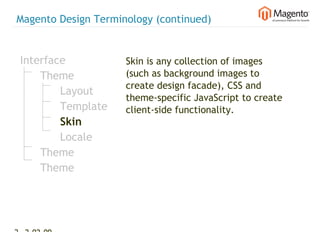
Magento Design Terminology (continued)


 Interface           Skin is any collection of images
     Theme           (such as background images to
                     create design facade), CSS and
         Layout
                     theme-specific JavaScript to create
         Template    client-side functionality.
         Skin
         Locale
     Theme
     Theme


24 2-02-09   |
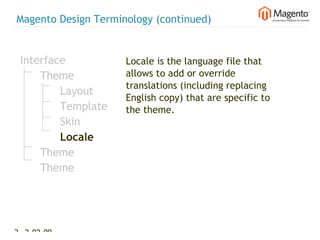
Magento Design Terminology (continued)


 Interface           Locale is the language file that
     Theme           allows to add or override
                     translations (including replacing
         Layout
                     English copy) that are specific to
         Template    the theme.
         Skin
         Locale
     Theme
     Theme


25 2-02-09   |
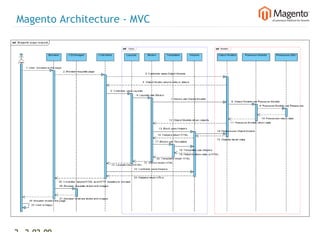
Magento Architecture - MVC


  Model View Controller


26 2-02-09   |
Magento Architecture


  OOP Patterns
  •   Singleton (models/singleton)
  •   Factory Method (Getting objects of model, helper, block) example:
      Mage::getModel('customer/address'); returns customer address object using the
      configuration settings described above.
  •   Strategy (Product types) used for implementation of the different product types
      (simple, configurable, grouped, bundle and virtual)
  •   Decorator (View level) used on the view level
  •   etc...


  Support for Events –
      example customer_save, customer_login new modules can specify custom
  observers that can add additional logic and affect the flow of the application.


27 2-02-09     |
Magento Architecture - Configuration


  Magento uses XML files for configuration.
  This provides flexibility for dynamically introducing new components from new
  modules or overwriting existing modules.


28 2-02-09   |
Magento Architecture - Configuration

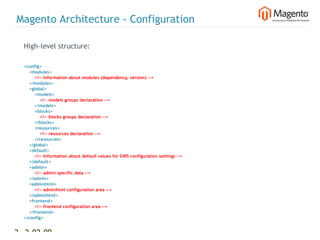
  High-level structure:

  <config>
      <modules>
          <!-- Information about modules (dependency, version) -->
      </modules>
      <global>
          <models>
              <!-- models groups declaration -->
          </models>
          <blocks>
              <!-- blocks groups declaration -->
          </blocks>
          <resources>
              <!-- resources declaration -->
          </resources>
      </global>
      <default>
          <!-- Information about default values for GWS configuration settings -->
      </default>
      <admin>
          <!-- admin specific data -->
      </admin>
      <adminhtml>
          <!-- adminhtml configuration area -->
      </adminhtml>
      <frontend>
          <!-- frontend configuration area -->
      </frontend>
  </config>


29 2-02-09       |
Magento Architecture - Configuration

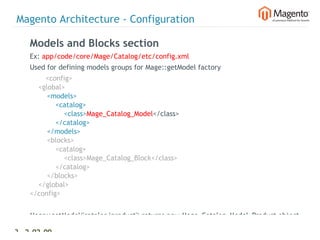
    Models and Blocks section
    Ex: app/code/core/Mage/Catalog/etc/config.xml
    Used for defining models groups for Mage::getModel factory
           <config>
        <global>
            <models>
                <catalog>
                    <class>Mage_Catalog_Model</class>
                </catalog>
            </models>
            <blocks>
                <catalog>
                    <class>Mage_Catalog_Block</class>
                </catalog>
            </blocks>
        </global>
    </config>


    Mage::getModel('catalog/product') returns new Mage_Catalog_Model_Product object

30 2-02-09   |
Magento Architecture - Configuration

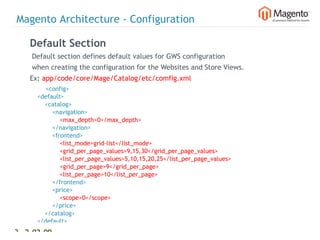
    Default Section
    Default section defines default values for GWS configuration
    when creating the configuration for the Websites and Store Views.
    Ex: app/code/core/Mage/Catalog/etc/comfig.xml
            <config>
        <default>
            <catalog>
                <navigation>
                    <max_depth>0</max_depth>
                </navigation>
                <frontend>
                    <list_mode>grid-list</list_mode>
                    <grid_per_page_values>9,15,30</grid_per_page_values>
                    <list_per_page_values>5,10,15,20,25</list_per_page_values>
                    <grid_per_page>9</grid_per_page>
                    <list_per_page>10</list_per_page>
                </frontend>
                <price>
                    <scope>0</scope>
                </price>
            </catalog>
        </default>
31 2-02-09   |
Magento Architecture - Configuration

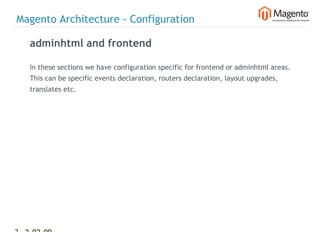
    adminhtml and frontend

    In these sections we have configuration specific for frontend or adminhtml areas.
    This can be specific events declaration, routers declaration, layout upgrades,
    translates etc.


32 2-02-09   |
Magento Architecture - Configuration

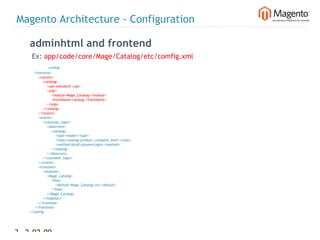
    adminhtml and frontend
     Ex: app/code/core/Mage/Catalog/etc/comfig.xml
                    <config>
        <frontend>
            <routers>
                <catalog>
                    <use>standard</use>
                    <args>
                        <module>Mage_Catalog</module>
                        <frontName>catalog</frontName>
                    </args>
                </catalog>
            </routers>
            <events>
                <customer_login>
                    <observers>
                        <catalog>
                            <type>model</type>
                            <class>catalog/product_compare_item</class>
                            <method>bindCustomerLogin</method>
                        </catalog>
                    </observers>
                </customer_login>
            </events>
            <translate>
                <modules>
                    <Mage_Catalog>
                        <files>
                            <default>Mage_Catalog.csv</default>
                        </files>
                    </Mage_Catalog>
                </modules>
            </translate>
         </frontend>
    </config>


33 2-02-09          |
Magento Architecture - Configuration

    Building Process

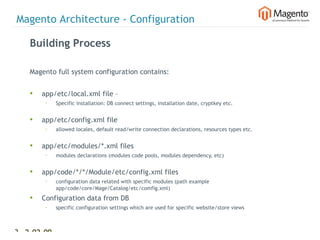
    Magento full system configuration contains:


    •   app/etc/local.xml file –
         §   Specific installation: DB connect settings, installation date, cryptkey etc.


    •   app/etc/config.xml file
         §   allowed locales, default read/write connection declarations, resources types etc.


    •   app/etc/modules/*.xml files
         §   modules declarations (modules code pools, modules dependency, etc)


    •   app/code/*/*/Module/etc/config.xml files
         §   configuration data related with specific modules (path example
             app/code/core/Mage/Catalog/etc/comfig.xml)
    •   Configuration data from DB
         §   specific configuration settings which are used for specific website/store views


34 2-02-09   |
Magento Architecture - Configuration

    Building Process

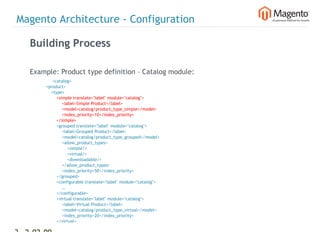
    Example: Product type definition – Catalog module:
                     <catalog>
                <product>
                    <type>
                        <simple translate="label" module="catalog">
                            <label>Simple Product</label>
                            <model>catalog/product_type_simple</model>
                            <index_priority>10</index_priority>
                        </simple>
                        <grouped translate="label" module="catalog">
                            <label>Grouped Product</label>
                            <model>catalog/product_type_grouped</model>
                            <allow_product_types>
                                <simple/>
                                <virtual/>
                                <downloadable/>
                            </allow_product_types>
                            <index_priority>50</index_priority>
                        </grouped>
                        <configurable translate="label" module="catalog">
                            …
                        </configurable>
                        <virtual translate="label" module="catalog">
                            <label>Virtual Product</label>
                            <model>catalog/product_type_virtual</model>
                            <index_priority>20</index_priority>
                        </virtual>

35 2-02-09       |
Magento Architecture - Configuration

    Building Process

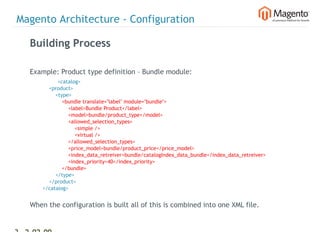
    Example: Product type definition – Bundle module:
                   <catalog>
                <product>
                    <type>
                        <bundle translate="label" module="bundle">
                            <label>Bundle Product</label>
                            <model>bundle/product_type</model>
                            <allowed_selection_types>
                                <simple />
                                <virtual />
                            </allowed_selection_types>
                            <price_model>bundle/product_price</price_model>
                            <index_data_retreiver>bundle/catalogIndex_data_bundle</index_data_retreiver>
                            <index_priority>40</index_priority>
                        </bundle>
                    </type>
                </product>
            </catalog>


    When the configuration is built all of this is combined into one XML file.


    *** If configuration cache option is enabled all data will be cached in one file and we
36 2-02-09    |
Magento Architecture - Configuration

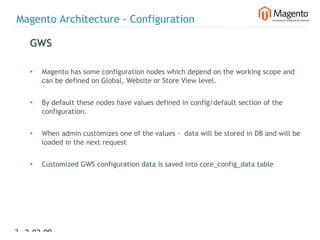
    GWS

    •   Magento has some configuration nodes which depend on the working scope and
        can be defined on Global, Website or Store View level.


    •   By default these nodes have values defined in config/default section of the
        configuration.


    •   When admin customizes one of the values - data will be stored in DB and will be
        loaded in the next request


    •   Customized GWS configuration data is saved into core_config_data table


37 2-02-09   |
Magento Architecture - Configuration

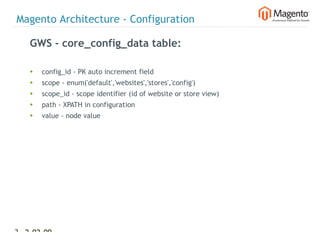
    GWS - core_config_data table:

    •   config_id - PK auto increment field
    •   scope - enum('default','websites','stores','config')
    •   scope_id - scope identifier (id of website or store view)
    •   path - XPATH in configuration
    •   value - node value


38 2-02-09   |
Magento Architecture - Configuration

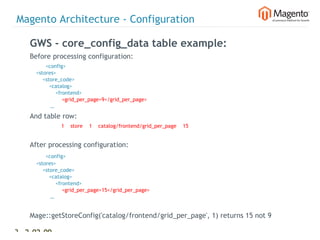
    GWS - core_config_data table example:
    Before processing configuration:
              <config>
        <stores>
            <store_code>
                <catalog>
                    <frontend>
                        <grid_per_page>9</grid_per_page>
                 …
    And table row:
                  1    store    1    catalog/frontend/grid_per_page    15


    After processing configuration:
              <config>
        <stores>
            <store_code>
                <catalog>
                    <frontend>
                        <grid_per_page>15</grid_per_page>
                 …


    Mage::getStoreConfig('catalog/frontend/grid_per_page', 1) returns 15 not 9

39 2-02-09    |
Magento Architecture – Install and Upgrade


  Code Separation:
  • Core
  • Local
  • Community


40 2-02-09   |
Magento Architecture – Install and Upgrade

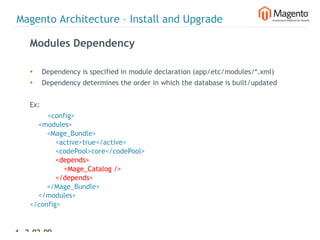
    Modules Dependency

    •     Dependency is specified in module declaration (app/etc/modules/*.xml)
    •     Dependency determines the order in which the database is built/updated


    Ex:
            <config>
        <modules>
            <Mage_Bundle>
                <active>true</active>
                <codePool>core</codePool>
                <depends>
                    <Mage_Catalog />
                </depends>
            </Mage_Bundle>
        </modules>
    </config>


41 2-02-09   |
Magento Architecture – Install and Upgrade

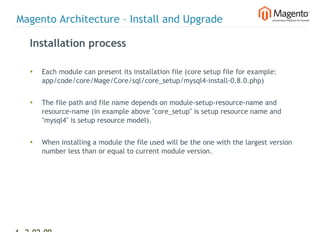
    Installation process

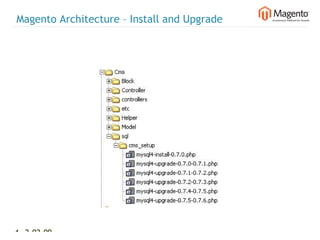
    •   Each module can present its installation file (core setup file for example:
        app/code/core/Mage/Core/sql/core_setup/mysql4-install-0.8.0.php)


    •   The file path and file name depends on module-setup-resource-name and
        resource-name (in example above "core_setup" is setup resource name and
        "mysql4" is setup resource model).


    •   When installing a module the file used will be the one with the largest version
        number less than or equal to current module version.


42 2-02-09   |
Magento Architecture – Install and Upgrade

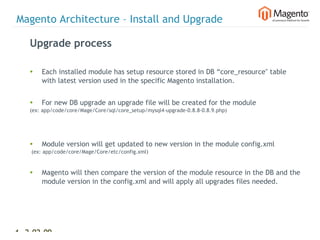
    Upgrade process

    •   Each installed module has setup resource stored in DB “core_resource" table
        with latest version used in the specific Magento installation.


    •   For new DB upgrade an upgrade file will be created for the module
    (ex: app/code/core/Mage/Core/sql/core_setup/mysql4-upgrade-0.8.8-0.8.9.php)


    •   Module version will get updated to new version in the module config.xml
    (ex: app/code/core/Mage/Core/etc/config.xml)


    •   Magento will then compare the version of the module resource in the DB and the
        module version in the config.xml and will apply all upgrades files needed.


43 2-02-09   |
Magento Architecture – Install and Upgrade


44 2-02-09   |
Magento Architecture – DB Cluster Organization


  • Read/Write connection
  • Availability specify connection per module
  • Frontend separation (one admin many frontend
     websites, stores and ability to specify image domain)


45 2-02-09   |
Magento Architecture – Cluster Organization

  Setting up read write connections
  app/etc/config.xml
             <config>
      <global>
          <resources>
              <default_setup>
                  <connection>
                      <host>localhost</host>
                      <username/>
                      <password/>
                      <dbname>magento</dbname>
                      <model>mysql4</model>
                      <initStatements>SET NAMES utf8</initStatements>
                      <type>pdo_mysql</type>
                  </connection>
              </default_setup>
              <default_write>
                  <connection>
                      <use>default_setup</use>
                  </connection>
              </default_write>
              <default_read>
                  <connection>
                      <use>default_setup</use>
                  </connection>
              </default_read>
          </resources>


46 2-02-09      |
Magento Architecture – Cluster Organization

  Setting up read write connections
  app/etc/local.xml
            <config>
      <global>
          <resources>
              <default_setup>
                  <connection>
                      <host><![CDATA[localhost]]></host>
                      <username><![CDATA[root]]></username>
                      <password><![CDATA[]]></password>
                      <dbname><![CDATA[magento_sample_data]]></dbname>
                      <active>1</active>
                  </connection>
              </default_setup>
                      <default_read>
                  <connection>
                      <use/>
                      <host><![CDATA[localhost]]></host>
                      <username><![CDATA[root]]></username>
                      <password><![CDATA[]]></password>
                      <dbname><![CDATA[magento_sample_data_read]]></dbname>
                      <active>1</active>
                  </connection>
              </default_read>


47 2-02-09    |
Magento Architecture – Extending Magento

  Class overwriting

  •   Magento supports overwriting specific classes (model, block or helper)

  •   This is possible because all objects * are built using Mage::getModel() method
      which is a factory.


      We do not want to do:
  new Mage_Catalog_Model_Product


      We want to do:
  Mage::getModel('catalog/product')


  *(exclude   Mage_Core_Model_App, Mage_Core_Model_Config,


48 2-02-09    |
Magento Architecture – Extending Magento

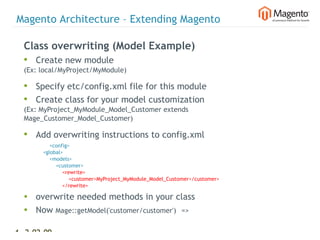
  Class overwriting (Model Example)
  • Create new module
  (Ex: local/MyProject/MyModule)

  • Specify etc/config.xml file for this module
  • Create class for your model customization
  (Ex: MyProject_MyModule_Model_Customer extends
  Mage_Customer_Model_Customer)

  • Add overwriting instructions to config.xml
                  <config>
              <global>
                  <models>
                      <customer>
                          <rewrite>
                              <customer>MyProject_MyModule_Model_Customer</customer>
                          </rewrite>

  • overwrite needed methods in your class
  • Now Mage::getModel('customer/customer')  =>

49 2-02-09    |
Magento Architecture – Extending Magento

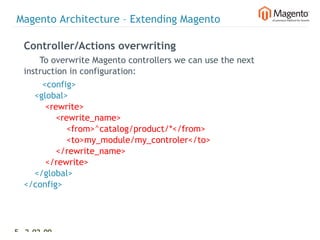
  Controller/Actions overwriting
        To overwrite Magento controllers we can use the next
  instruction in configuration:
         <config>
      <global>
          <rewrite>
              <rewrite_name>
                  <from>^catalog/product/*</from>
                  <to>my_module/my_controler</to>
              </rewrite_name>
          </rewrite>
      </global>
  </config>


50 2-02-09   |
Magento Core API


  • Magento 1.1 introduces Core API to help with
      integrations.
  •   Magento Core API supports both SOAP and XML RPC
      protocols.
  •   The API is permission based and allows access to the
      Customer, Catalog and Order modules of Magento.


51 2-02-09   |

Yoav Kutner Dutchento

  • 1.
    Magento European Tour2009 1 2-02-09 |
  • 2.
    Me? Yoav Kutner Vice President and CTO @ Varien yoav@varien.com 2 2-02-09 |
  • 3.
  • 4.
  • 5.
    Magento A detailed list including tours and screencasts can be seen on MagentoCommerce.com 5 2-02-09 |
  • 6.
    Magento Connect • 375+ Extensions • 375,000+ Downloads 6 2-02-09 |
  • 7.
    Magento Development TimeFrame December 2006 Decision to create a new open source ecommerce platform. January 2007 Begin by selecting the Zend Framework, and creating the core team (3 developers). February 2007 Core team starts designing the application architecture (core team 3 developers). May 2007 First “proof of concept” a semi-working ecommerce application (core team 3 developers). June 2007 Start working on first Beta (core team 5 developers) August 2007 Magento Beta release (core team 5-7 developers) September 2007- 12 Beta releases (core team 5-8 developers) February 2008 March 2008 Magento 1.0 released (core team 6-8 developers). April 2007-June 2008 7 1.0.x releases (core team 6-8 developers) July 2008 Magento 1.1 released (core team 6-8 developers). June - Nov 2008 8 1.1.x releases (core team 5-7 developers) December 2008 Magento 1.2.0 released (core team 5-7 developers). 7 2-02-09 |
  • 8.
    Magento is aPHP5 Application • OO support. We wanted Magento to be an OO application so it would be considered as a platform and allow to extend and develop it. We also wanted Enterprise organizations to consider this platform. • The added support for Encapsulation (privet, protected public), Interfaces, and Static Methods etc allowed us to create a true OO architected application. • We were worried about the support for PHP5 when it comes to hosting (even considering creating 2 versions of Magento) but the PHP4 End of Life announcement made our decision much easier. 8 2-02-09 |
  • 9.
    Selecting the ZendFramework The early days  Prior to Magento we were using an in-house developed frame-work (PHP4). Problems: • Specifying hiring criteria when it comes to developers. • Long training process due to lack of documentation and training materials. • Collaborating with other companies on big projects was a nightmare. • Maintaining and Supporting our framework without a large community was hard both in allocating resources and without a large “collective wisdom”. • Many different coding styles. 9 2-02-09 |
  • 10.
    Selecting the ZendFramework So let’s select a framework: • Akelos • Ash.MVC • CakePHP • Codelgniter • DIY • eZ Components • Fusebox • PHP on TRAX • PHPDevShell • PHPOpenbiz • Prado • Pronto • QPHP • Seagull 10 2-02-09 |
  • 11.
    Selecting the ZendFramework So why Zend Framework? • A commercial company (Zend) behind it. (We selected the ZF when it was in Beta) • Widespread community support. • A wealth of documentation and training. • A use-at-will architecture that enables Magento developers to use Zend Framework for the functionality they need. • A clear roadmap and transparency • Licensing that protects the entire ecosystem of products that get built upon the Magento code base. 11 2-02-09 |
  • 12.
    Selecting the ZendFramework Zend Framework Components used in Magento • Zend_Acl - Admin user permission and Web Service API • Zend_Cache (Customized Apc and Memcached backends for support of tags) - configuration caching, html blocks caching • Zend_Currency - Magento Multi-Currency implementation • Zend_Date - Stores time zone • Zend_Db - used with Pdo_Mysql adapter • Zend_Feed - creating RSS feeds • Zend_Http - work with Response model • Zend_Locale - number formatting, date formatting, country names  translation • Zend_Log - system debug logs (Exceptions, debug data) 12 2-02-09 |
  • 13.
    Selecting the ZendFramework Zend Framework Components used in Magento (Cont) • Zend_Mail - all auto-generated system emails (order confirmation, welcome email etc...) • Zend_Pdf - PDF invoices etc • Zend_Translate - parsing translate source files • Zend_Validate - model data validation • Zend_XmlRpc - Web Services API • Zend_Service - Strikeiron • Zend_Controller - started work with Zend_Controller, but Magento implement a lot of custom routing functionality so we ended up creating our own. • Zend_Console_Getopt - used for our translation gathering tool 13 2-02-09 |
  • 14.
    Selecting the ZendFramework We plan to use in future version of Magento (ZF 1.7.2) • Zend_Form • Zend_Measure - extending the global compatibility of Magento for weights, dimensions etc… • Zend_OpenId • Zend_Search - Lucene Search Engine for Search and Layered Navigation • Zend_Gdata - for integration with Google maps, Google Docs • Zend_Captcha 14 2-02-09 |
  • 15.
  • 16.
    Multi-Store Retailing Global - Website - Store- Store View • Global - Global configurations used by the system. • Website -  is a collection of stores that share the same customer and order information as well as shopping cart. • Store – is a collection of store views • Store View -  is a composition of: • Localization setting (language) • Product visibility settings • One or more themes 16 2-02-09 |
  • 17.
    Multi-Store Retailing Global - Website - Store- Store View 17 2-02-09 |
  • 18.
    Multi-Store Retailing Global - Website - Store- Store View 18 2-02-09 |
  • 19.
    Multi-Store Retailing Global - Website - Store- Store View 19 2-02-09 |
  • 20.
    Magento Design Terminology Interface An Interface (Design Package) is Theme a collection of one or more Layout themes. Template Skin Locale Theme Theme 20 2-02-09 |
  • 21.
    Magento Design Terminology(continued) Interface A Theme is the design and front- Theme end functionalities of your store. Layout Template Skin Locale Theme Theme 21 2-02-09 |
  • 22.
    Magento Design Terminology(continued) Interface The Layout defines the structure of the Theme page. It is a collection of XML-based instructions that: Layout • Introduce different functionalities to Template a store. Skin • Assign the templates by which the Locale store HTML markup is introduced. Theme • Assign JavaScript to be loaded globally Theme or per-page. 22 2-02-09 |
  • 23.
    Magento Design Terminology(continued) Interface Template is a file that contain Theme (X)HTML markup as well as some PHP tags to apply application logic Layout in markup presentation. Template Skin Locale Theme Theme 23 2-02-09 |
  • 24.
    Magento Design Terminology(continued) Interface Skin is any collection of images Theme (such as background images to create design facade), CSS and Layout theme-specific JavaScript to create Template client-side functionality. Skin Locale Theme Theme 24 2-02-09 |
  • 25.
    Magento Design Terminology(continued) Interface Locale is the language file that Theme allows to add or override translations (including replacing Layout English copy) that are specific to Template the theme. Skin Locale Theme Theme 25 2-02-09 |
  • 26.
    Magento Architecture -MVC Model View Controller 26 2-02-09 |
  • 27.
    Magento Architecture OOP Patterns • Singleton (models/singleton) • Factory Method (Getting objects of model, helper, block) example: Mage::getModel('customer/address'); returns customer address object using the configuration settings described above. • Strategy (Product types) used for implementation of the different product types (simple, configurable, grouped, bundle and virtual) • Decorator (View level) used on the view level • etc... Support for Events – example customer_save, customer_login new modules can specify custom observers that can add additional logic and affect the flow of the application. 27 2-02-09 |
  • 28.
    Magento Architecture -Configuration Magento uses XML files for configuration. This provides flexibility for dynamically introducing new components from new modules or overwriting existing modules. 28 2-02-09 |
  • 29.
    Magento Architecture -Configuration High-level structure: <config>     <modules>         <!-- Information about modules (dependency, version) -->     </modules>     <global>         <models>             <!-- models groups declaration -->         </models>         <blocks>             <!-- blocks groups declaration -->         </blocks>         <resources>             <!-- resources declaration -->         </resources>     </global>     <default>         <!-- Information about default values for GWS configuration settings -->     </default>     <admin>         <!-- admin specific data -->     </admin>     <adminhtml>         <!-- adminhtml configuration area -->     </adminhtml>     <frontend>         <!-- frontend configuration area -->     </frontend> </config> 29 2-02-09 |
  • 30.
    Magento Architecture -Configuration Models and Blocks section Ex: app/code/core/Mage/Catalog/etc/config.xml Used for defining models groups for Mage::getModel factory <config>     <global>         <models>             <catalog>                 <class>Mage_Catalog_Model</class>             </catalog>         </models>         <blocks>             <catalog>                 <class>Mage_Catalog_Block</class>             </catalog>         </blocks>     </global> </config> Mage::getModel('catalog/product') returns new Mage_Catalog_Model_Product object 30 2-02-09 |
  • 31.
    Magento Architecture -Configuration Default Section Default section defines default values for GWS configuration when creating the configuration for the Websites and Store Views. Ex: app/code/core/Mage/Catalog/etc/comfig.xml <config>     <default>         <catalog>             <navigation>                 <max_depth>0</max_depth>             </navigation>             <frontend>                 <list_mode>grid-list</list_mode>                 <grid_per_page_values>9,15,30</grid_per_page_values>                 <list_per_page_values>5,10,15,20,25</list_per_page_values>                 <grid_per_page>9</grid_per_page>                 <list_per_page>10</list_per_page>             </frontend>             <price>                 <scope>0</scope>             </price>         </catalog>     </default> 31 2-02-09 |
  • 32.
    Magento Architecture -Configuration adminhtml and frontend In these sections we have configuration specific for frontend or adminhtml areas. This can be specific events declaration, routers declaration, layout upgrades, translates etc. 32 2-02-09 |
  • 33.
    Magento Architecture -Configuration adminhtml and frontend Ex: app/code/core/Mage/Catalog/etc/comfig.xml <config>     <frontend>         <routers>             <catalog>                 <use>standard</use>                 <args>                     <module>Mage_Catalog</module>                     <frontName>catalog</frontName>                 </args>             </catalog>         </routers>         <events>             <customer_login>                 <observers>                     <catalog>                         <type>model</type>                         <class>catalog/product_compare_item</class>                         <method>bindCustomerLogin</method>                     </catalog>                 </observers>             </customer_login>         </events>         <translate>             <modules>                 <Mage_Catalog>                     <files>                         <default>Mage_Catalog.csv</default>                     </files>                 </Mage_Catalog>             </modules>         </translate>      </frontend> </config> 33 2-02-09 |
  • 34.
    Magento Architecture -Configuration Building Process Magento full system configuration contains: • app/etc/local.xml file – § Specific installation: DB connect settings, installation date, cryptkey etc. • app/etc/config.xml file § allowed locales, default read/write connection declarations, resources types etc. • app/etc/modules/*.xml files § modules declarations (modules code pools, modules dependency, etc) • app/code/*/*/Module/etc/config.xml files § configuration data related with specific modules (path example app/code/core/Mage/Catalog/etc/comfig.xml) • Configuration data from DB § specific configuration settings which are used for specific website/store views 34 2-02-09 |
  • 35.
    Magento Architecture -Configuration Building Process Example: Product type definition – Catalog module: <catalog>             <product>                 <type>                     <simple translate="label" module="catalog">                         <label>Simple Product</label>                         <model>catalog/product_type_simple</model>                         <index_priority>10</index_priority>                     </simple>                     <grouped translate="label" module="catalog">                         <label>Grouped Product</label>                         <model>catalog/product_type_grouped</model>                         <allow_product_types>                             <simple/>                             <virtual/>                             <downloadable/>                         </allow_product_types>                         <index_priority>50</index_priority>                     </grouped>                     <configurable translate="label" module="catalog">                         …                     </configurable>                     <virtual translate="label" module="catalog">                         <label>Virtual Product</label>                         <model>catalog/product_type_virtual</model>                         <index_priority>20</index_priority>                     </virtual> 35 2-02-09 |
  • 36.
    Magento Architecture -Configuration Building Process Example: Product type definition – Bundle module:         <catalog>             <product>                 <type>                     <bundle translate="label" module="bundle">                         <label>Bundle Product</label>                         <model>bundle/product_type</model>                         <allowed_selection_types>                             <simple />                             <virtual />                         </allowed_selection_types>                         <price_model>bundle/product_price</price_model>                         <index_data_retreiver>bundle/catalogIndex_data_bundle</index_data_retreiver>                         <index_priority>40</index_priority>                     </bundle>                 </type>             </product>         </catalog> When the configuration is built all of this is combined into one XML file. *** If configuration cache option is enabled all data will be cached in one file and we 36 2-02-09 |
  • 37.
    Magento Architecture -Configuration GWS • Magento has some configuration nodes which depend on the working scope and can be defined on Global, Website or Store View level. • By default these nodes have values defined in config/default section of the configuration. • When admin customizes one of the values - data will be stored in DB and will be loaded in the next request • Customized GWS configuration data is saved into core_config_data table 37 2-02-09 |
  • 38.
    Magento Architecture -Configuration GWS - core_config_data table: • config_id - PK auto increment field • scope - enum('default','websites','stores','config') • scope_id - scope identifier (id of website or store view) • path - XPATH in configuration • value - node value 38 2-02-09 |
  • 39.
    Magento Architecture -Configuration GWS - core_config_data table example: Before processing configuration: <config>     <stores>         <store_code>             <catalog>                 <frontend>                     <grid_per_page>9</grid_per_page> … And table row: 1    store    1    catalog/frontend/grid_per_page    15 After processing configuration: <config>     <stores>         <store_code>             <catalog>                 <frontend>                     <grid_per_page>15</grid_per_page> … Mage::getStoreConfig('catalog/frontend/grid_per_page', 1) returns 15 not 9 39 2-02-09 |
  • 40.
    Magento Architecture –Install and Upgrade Code Separation: • Core • Local • Community 40 2-02-09 |
  • 41.
    Magento Architecture –Install and Upgrade Modules Dependency • Dependency is specified in module declaration (app/etc/modules/*.xml) • Dependency determines the order in which the database is built/updated Ex: <config>     <modules>         <Mage_Bundle>             <active>true</active>             <codePool>core</codePool>             <depends>                 <Mage_Catalog />             </depends>         </Mage_Bundle>     </modules> </config> 41 2-02-09 |
  • 42.
    Magento Architecture –Install and Upgrade Installation process • Each module can present its installation file (core setup file for example: app/code/core/Mage/Core/sql/core_setup/mysql4-install-0.8.0.php) • The file path and file name depends on module-setup-resource-name and resource-name (in example above "core_setup" is setup resource name and "mysql4" is setup resource model). • When installing a module the file used will be the one with the largest version number less than or equal to current module version. 42 2-02-09 |
  • 43.
    Magento Architecture –Install and Upgrade Upgrade process • Each installed module has setup resource stored in DB “core_resource" table with latest version used in the specific Magento installation. • For new DB upgrade an upgrade file will be created for the module (ex: app/code/core/Mage/Core/sql/core_setup/mysql4-upgrade-0.8.8-0.8.9.php) • Module version will get updated to new version in the module config.xml (ex: app/code/core/Mage/Core/etc/config.xml) • Magento will then compare the version of the module resource in the DB and the module version in the config.xml and will apply all upgrades files needed. 43 2-02-09 |
  • 44.
    Magento Architecture –Install and Upgrade 44 2-02-09 |
  • 45.
    Magento Architecture –DB Cluster Organization • Read/Write connection • Availability specify connection per module • Frontend separation (one admin many frontend websites, stores and ability to specify image domain) 45 2-02-09 |
  • 46.
    Magento Architecture –Cluster Organization Setting up read write connections app/etc/config.xml <config>     <global>         <resources>             <default_setup>                 <connection>                     <host>localhost</host>                     <username/>                     <password/>                     <dbname>magento</dbname>                     <model>mysql4</model>                     <initStatements>SET NAMES utf8</initStatements>                     <type>pdo_mysql</type>                 </connection>             </default_setup>             <default_write>                 <connection>                     <use>default_setup</use>                 </connection>             </default_write>             <default_read>                 <connection>                     <use>default_setup</use>                 </connection>             </default_read>         </resources> 46 2-02-09 |
  • 47.
    Magento Architecture –Cluster Organization Setting up read write connections app/etc/local.xml <config>     <global>         <resources>             <default_setup>                 <connection>                     <host><![CDATA[localhost]]></host>                     <username><![CDATA[root]]></username>                     <password><![CDATA[]]></password>                     <dbname><![CDATA[magento_sample_data]]></dbname>                     <active>1</active>                 </connection>             </default_setup> <default_read>                 <connection>                     <use/>                     <host><![CDATA[localhost]]></host>                     <username><![CDATA[root]]></username>                     <password><![CDATA[]]></password>                     <dbname><![CDATA[magento_sample_data_read]]></dbname>                     <active>1</active>                 </connection>             </default_read> 47 2-02-09 |
  • 48.
    Magento Architecture –Extending Magento Class overwriting • Magento supports overwriting specific classes (model, block or helper) • This is possible because all objects * are built using Mage::getModel() method which is a factory. We do not want to do: new Mage_Catalog_Model_Product We want to do: Mage::getModel('catalog/product') *(exclude Mage_Core_Model_App, Mage_Core_Model_Config, 48 2-02-09 |
  • 49.
    Magento Architecture –Extending Magento Class overwriting (Model Example) • Create new module (Ex: local/MyProject/MyModule) • Specify etc/config.xml file for this module • Create class for your model customization (Ex: MyProject_MyModule_Model_Customer extends Mage_Customer_Model_Customer) • Add overwriting instructions to config.xml <config>             <global>                 <models>                     <customer>                         <rewrite>                             <customer>MyProject_MyModule_Model_Customer</customer>                         </rewrite> • overwrite needed methods in your class • Now Mage::getModel('customer/customer')  => 49 2-02-09 |
  • 50.
    Magento Architecture –Extending Magento Controller/Actions overwriting To overwrite Magento controllers we can use the next instruction in configuration: <config>     <global>         <rewrite>             <rewrite_name>                 <from>^catalog/product/*</from>                 <to>my_module/my_controler</to>             </rewrite_name>         </rewrite>     </global> </config> 50 2-02-09 |
  • 51.
    Magento Core API • Magento 1.1 introduces Core API to help with integrations. • Magento Core API supports both SOAP and XML RPC protocols. • The API is permission based and allows access to the Customer, Catalog and Order modules of Magento. 51 2-02-09 |