Starting to Monkey Around
With Yahoo! Search Monkey
“You’ll never make a monkey out of me”
CEBIT Turkey 2008 – Éric Daspet
Original presentation by Neil Crosby (One of Yahoo!’s Monkeys in London)
Who Am I ?
Frontend engineer at Yahoo!
but not in the Search Monkey team
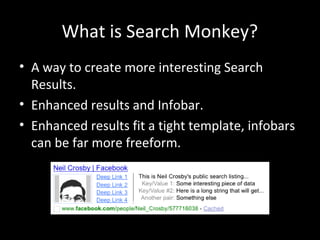
What is Search Monkey?
• A way to create more interesting Search
Results.
• Enhanced results and Infobar.
• Enhanced results fit a tight template, infobars
can be far more freeform.
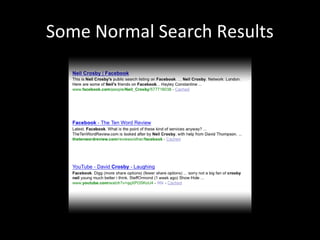
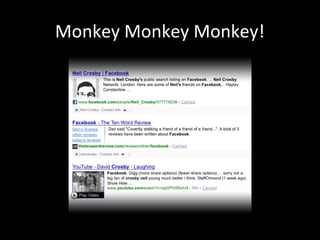
Some Normal Search Results
Monkey Monkey Monkey!
Where does the data come from?
• Microformats
• RDFa
• Or pull it in from the page using XSLT
My First Monkey
• Start with something containing
microformats.
• FaceBook’s public profile pages fit the bill.
• We’ll build a monkey that shows the user’s
profile picture.
• Go to http://developer.search.yahoo.com/
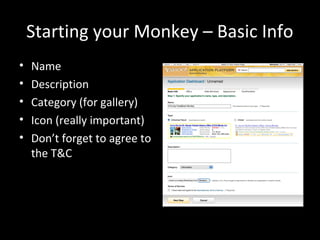
Starting your Monkey – Basic Info
• Name
• Description
• Category (for gallery)
• Icon (really important)
• Don’t forget to agree to
the T&C
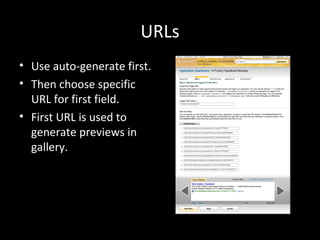
URLs
• Use auto-generate first.
• Then choose specific
URL for first field.
• First URL is used to
generate previews in
gallery.
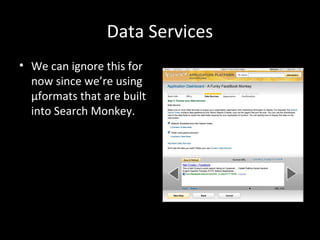
Data Services
• We can ignore this for
now since we’re using
µformats that are built
into Search Monkey.
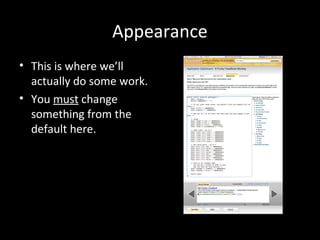
Appearance
• This is where we’ll
actually do some work.
• You must change
something from the
default here.
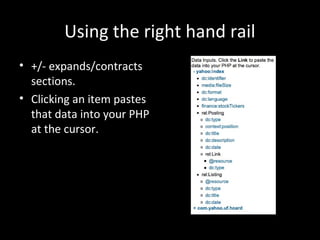
Using the right hand rail
• +/- expands/contracts
sections.
• Clicking an item pastes
that data into your PHP
at the cursor.
Making our changes
$ret['image']['src'] =
Data::get('com.yahoo.uf.hcard/rel:Card/vcard:photo/@r
esource');
• And that’s all there is to creating a simple
monkey!
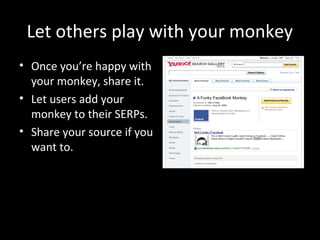
Let others play with your monkey
• Once you’re happy with
your monkey, share it.
• Let users add your
monkey to their SERPs.
• Share your source if you
want to.
Monkey 2: Robotic Monkey of Doom
• We want a Flickr Monkey that:
– Shows main/first photo on a page.
– Includes relevant information about photo.
• No relevant µformats on the page, so we need
some XSLT.
• Will be slower than pre-spidered µFormats.
• We need to create a data service.
Creating the Data Service
• Starts the same as a µFormat Monkey does.
• Basic Info.
• URLs.
• Trigger: *.flickr.com/photos/*
• First test:
http://www.flickr.com/photos/thevoicewithin
/1276763134/
Now for some XSLT
• Scary, but not too scary
• Be aware of allowable rel values – see
documentation.
XSLT First Pass
• We want to extract an image URL and a
description.
• Assume the only page type is the single photo
page for now.
• Use Firebug and/or XPather in Firefox to work
out XPaths to our required nodes.
XSLT First Pass
<?xml version="1.0"?>
<xsl:stylesheet xmlns:xsl="http://www.w3.org/1999/XSL/Transform"
version="1.0">
<xsl:template match="/">
<adjunctcontainer>
<adjunct id="smid:{$smid}" version="1.0">
<item rel="rel:Photo"
resource="{//div[@class='photoImgDiv']/img[@class='reflect']/@src}">
<meta property="dc:description">
<xsl:value-of select="//div[@class='photoDescription']"/>
</meta>
</item>
</adjunct>
</adjunctcontainer>
</xsl:template>
</xsl:stylesheet>
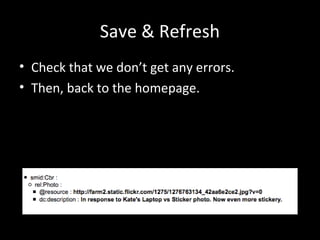
Save & Refresh
• Check that we don’t get any errors.
• Then, back to the homepage.
Making our Flickr Monkey
• Give it a name
• Trigger: *.flickr.com/photos/*
• First Test:
http://www.flickr.com/photos/thevoicewithin
/1276763134/
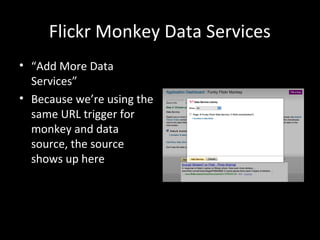
Flickr Monkey Data Services
• “Add More Data
Services”
• Because we’re using the
same URL trigger for
monkey and data
source, the source
shows up here
Flickr Monkey Appearance
• Point and click info from the data source.
$ret['summary'] =
Data::get('smid:DATA_SRC_ID/rel:Photo/dc:description'
);
$ret['image']['src'] =
Data::get('smid:DATA_SRC_ID/rel:Photo/@resource');
But Flickr’s more complex than that!
• Flickr doesn’t just have individual photo pages
under *.flickr.com/photos/*
• Also has tag, user, set etc pages.
• We should handle this at our end, so users
only have to add one monkey.
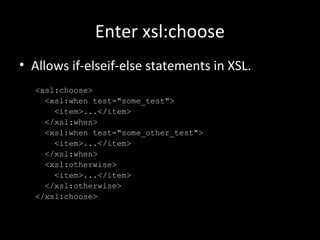
Enter xsl:choose
• Allows if-elseif-else statements in XSL.
<xsl:choose>
<xsl:when test="some_test">
<item>...</item>
</xsl:when>
<xsl:when test="some_other_test">
<item>...</item>
</xsl:when>
<xsl:otherwise>
<item>...</item>
</xsl:otherwise>
</xsl:choose>
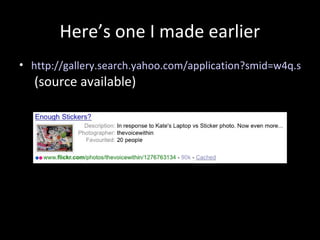
Here’s one I made earlier
• http://gallery.search.yahoo.com/application?smid=w4q.s
(source available)
And we’re done…
• There’s lots more you can go away and do.
• We haven’t even looked at infobars.
• You can also fiddle with web services.
• There’s a whole world of opportunity.
• searchmonkey-developers@yahoogroups.com
• http://developer.search.yahoo.com/
Thankyou.
• Any questions?
• These slides are available at:
http://icanhaz.com/monkeys
(redirects to http://www.slideshare.net/neilcrosby/starting-to-monkey-around-with-yahoo-search-monkey/ )

Yahoo! Search monkey API - CEBIT 2008

  • 1.
    Starting to MonkeyAround With Yahoo! Search Monkey “You’ll never make a monkey out of me” CEBIT Turkey 2008 – Éric Daspet Original presentation by Neil Crosby (One of Yahoo!’s Monkeys in London)
  • 2.
    Who Am I? Frontend engineer at Yahoo! but not in the Search Monkey team
  • 3.
    What is SearchMonkey? • A way to create more interesting Search Results. • Enhanced results and Infobar. • Enhanced results fit a tight template, infobars can be far more freeform.
  • 4.
  • 5.
  • 6.
    Where does thedata come from? • Microformats • RDFa • Or pull it in from the page using XSLT
  • 7.
    My First Monkey •Start with something containing microformats. • FaceBook’s public profile pages fit the bill. • We’ll build a monkey that shows the user’s profile picture. • Go to http://developer.search.yahoo.com/
  • 8.
    Starting your Monkey– Basic Info • Name • Description • Category (for gallery) • Icon (really important) • Don’t forget to agree to the T&C
  • 9.
    URLs • Use auto-generatefirst. • Then choose specific URL for first field. • First URL is used to generate previews in gallery.
  • 10.
    Data Services • Wecan ignore this for now since we’re using µformats that are built into Search Monkey.
  • 11.
    Appearance • This iswhere we’ll actually do some work. • You must change something from the default here.
  • 12.
    Using the righthand rail • +/- expands/contracts sections. • Clicking an item pastes that data into your PHP at the cursor.
  • 13.
    Making our changes $ret['image']['src']= Data::get('com.yahoo.uf.hcard/rel:Card/vcard:photo/@r esource'); • And that’s all there is to creating a simple monkey!
  • 14.
    Let others playwith your monkey • Once you’re happy with your monkey, share it. • Let users add your monkey to their SERPs. • Share your source if you want to.
  • 15.
    Monkey 2: RoboticMonkey of Doom • We want a Flickr Monkey that: – Shows main/first photo on a page. – Includes relevant information about photo. • No relevant µformats on the page, so we need some XSLT. • Will be slower than pre-spidered µFormats. • We need to create a data service.
  • 16.
    Creating the DataService • Starts the same as a µFormat Monkey does. • Basic Info. • URLs. • Trigger: *.flickr.com/photos/* • First test: http://www.flickr.com/photos/thevoicewithin /1276763134/
  • 17.
    Now for someXSLT • Scary, but not too scary • Be aware of allowable rel values – see documentation.
  • 18.
    XSLT First Pass •We want to extract an image URL and a description. • Assume the only page type is the single photo page for now. • Use Firebug and/or XPather in Firefox to work out XPaths to our required nodes.
  • 19.
    XSLT First Pass <?xmlversion="1.0"?> <xsl:stylesheet xmlns:xsl="http://www.w3.org/1999/XSL/Transform" version="1.0"> <xsl:template match="/"> <adjunctcontainer> <adjunct id="smid:{$smid}" version="1.0"> <item rel="rel:Photo" resource="{//div[@class='photoImgDiv']/img[@class='reflect']/@src}"> <meta property="dc:description"> <xsl:value-of select="//div[@class='photoDescription']"/> </meta> </item> </adjunct> </adjunctcontainer> </xsl:template> </xsl:stylesheet>
  • 20.
    Save & Refresh •Check that we don’t get any errors. • Then, back to the homepage.
  • 21.
    Making our FlickrMonkey • Give it a name • Trigger: *.flickr.com/photos/* • First Test: http://www.flickr.com/photos/thevoicewithin /1276763134/
  • 22.
    Flickr Monkey DataServices • “Add More Data Services” • Because we’re using the same URL trigger for monkey and data source, the source shows up here
  • 23.
    Flickr Monkey Appearance •Point and click info from the data source. $ret['summary'] = Data::get('smid:DATA_SRC_ID/rel:Photo/dc:description' ); $ret['image']['src'] = Data::get('smid:DATA_SRC_ID/rel:Photo/@resource');
  • 24.
    But Flickr’s morecomplex than that! • Flickr doesn’t just have individual photo pages under *.flickr.com/photos/* • Also has tag, user, set etc pages. • We should handle this at our end, so users only have to add one monkey.
  • 25.
    Enter xsl:choose • Allowsif-elseif-else statements in XSL. <xsl:choose> <xsl:when test="some_test"> <item>...</item> </xsl:when> <xsl:when test="some_other_test"> <item>...</item> </xsl:when> <xsl:otherwise> <item>...</item> </xsl:otherwise> </xsl:choose>
  • 26.
    Here’s one Imade earlier • http://gallery.search.yahoo.com/application?smid=w4q.s (source available)
  • 27.
    And we’re done… •There’s lots more you can go away and do. • We haven’t even looked at infobars. • You can also fiddle with web services. • There’s a whole world of opportunity. • searchmonkey-developers@yahoogroups.com • http://developer.search.yahoo.com/
  • 28.
    Thankyou. • Any questions? •These slides are available at: http://icanhaz.com/monkeys (redirects to http://www.slideshare.net/neilcrosby/starting-to-monkey-around-with-yahoo-search-monkey/ )