SearchMonkey
SearchMonkey
SearchMonkey
SearchMonkey
SearchMonkey
SearchMonkey
SearchMonkey
SearchMonkey
SearchMonkey
SearchMonkey
SearchMonkey
SearchMonkey
SearchMonkey
SearchMonkey
SearchMonkey
SearchMonkey
SearchMonkey
SearchMonkey
SearchMonkey
SearchMonkey
SearchMonkey
SearchMonkey
SearchMonkey
SearchMonkey
SearchMonkey
SearchMonkey
SearchMonkey
SearchMonkey
SearchMonkey
SearchMonkey
SearchMonkey
SearchMonkey
SearchMonkey
SearchMonkey
SearchMonkey
SearchMonkey
SearchMonkey
SearchMonkey
SearchMonkey
SearchMonkey
SearchMonkey
SearchMonkey

Editor's Notes

  • #3 <number>
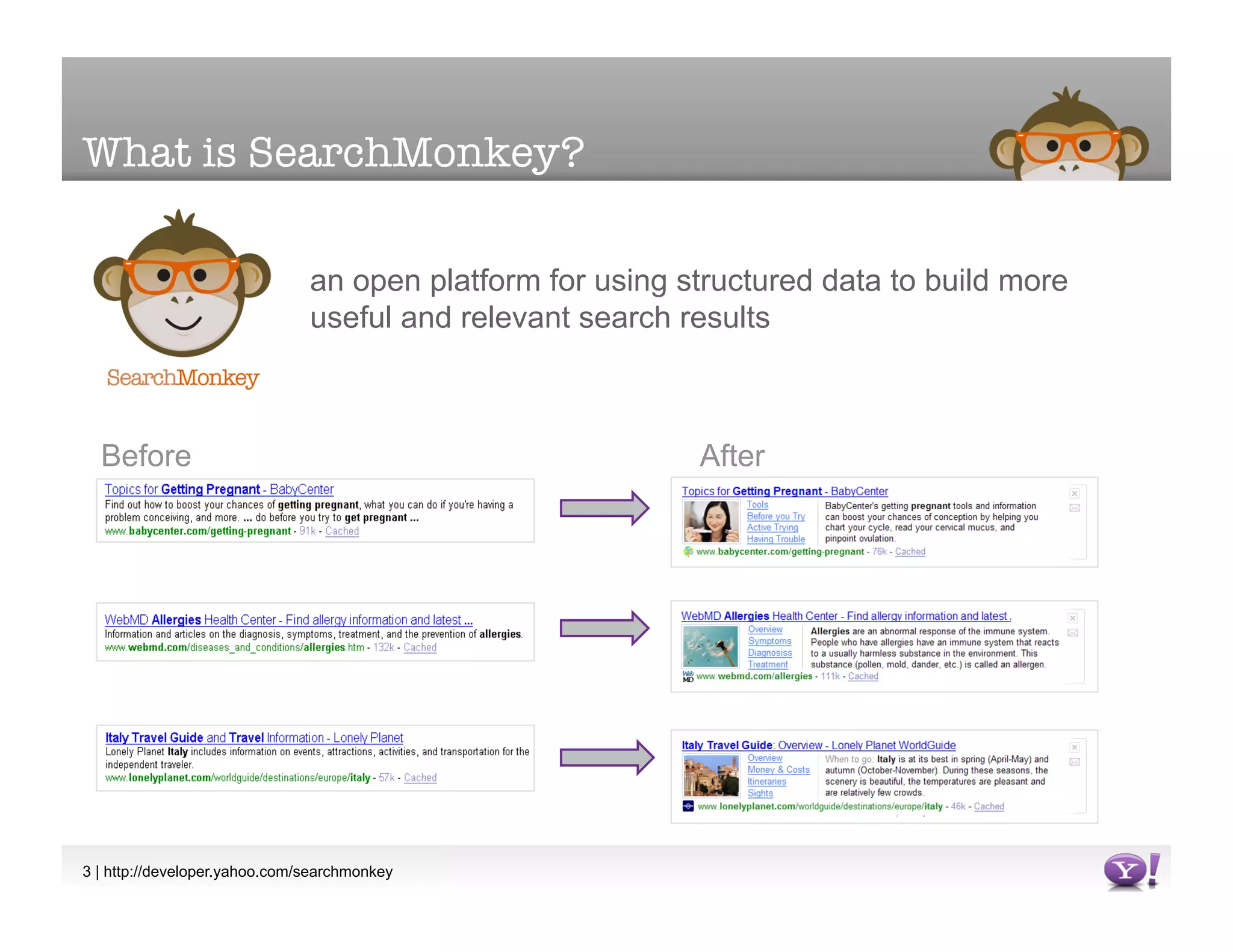
  • #5 A SearchMonkey Enhanced result contains a great deal of structured data. It could have a picture, key/value pairs, deep links…This kind of information goes far beyond what normal search results give you – a title and an autoextracted summary. Where does this information come from? <number>
  • #6 Likewise, an Infobar has a summary (what the user sees before the pane is expanded) and a “blob”, an area of free-form HTML. <number>
  • #12 Here’s a profile page for a colleague of mine on LinkedIn. When you and I glance at the page, we see all sorts of structured information. We see pictures, contact info, names, … all sorts of items that have actual meaning.But spiders just see a blob of markup. The spider can extract some basic info, like a title (probably correct), a summary (could be good or not), and some other metadata. But for pulling structured information out of web pages, human beings beat computers hands down. So how to harvest structured data?One approach would be to make computers SMARTER, by improving their ability to do pattern recognition and natural language processing. DRAWBACKS:these sorts of AI-type features have proven to be pretty expensive and difficult to develop. I’m not smart enough to do this, so I want you to do it for me. YOU know a lot more about YOUR site than we do. even with a “dumb” approach, indexing all these billions of webpages already takes many thousands of CPU cores, crunching away. Again, very expensive.finally, we all know what happens here. The computer begins scouring information from the entire world wide web, starts learning at a geometric rate, becomes self-aware, …Search<number>
  • #13 Computers become intelligent, begin to learn at a geometric rate, form SkyNet, and scour the Earth with nuclear fire. Shareholder value decreases.So we decided to go with the approach of -- keep our spider fairly dumb, and figure out different ways for people to provide us with structured data.
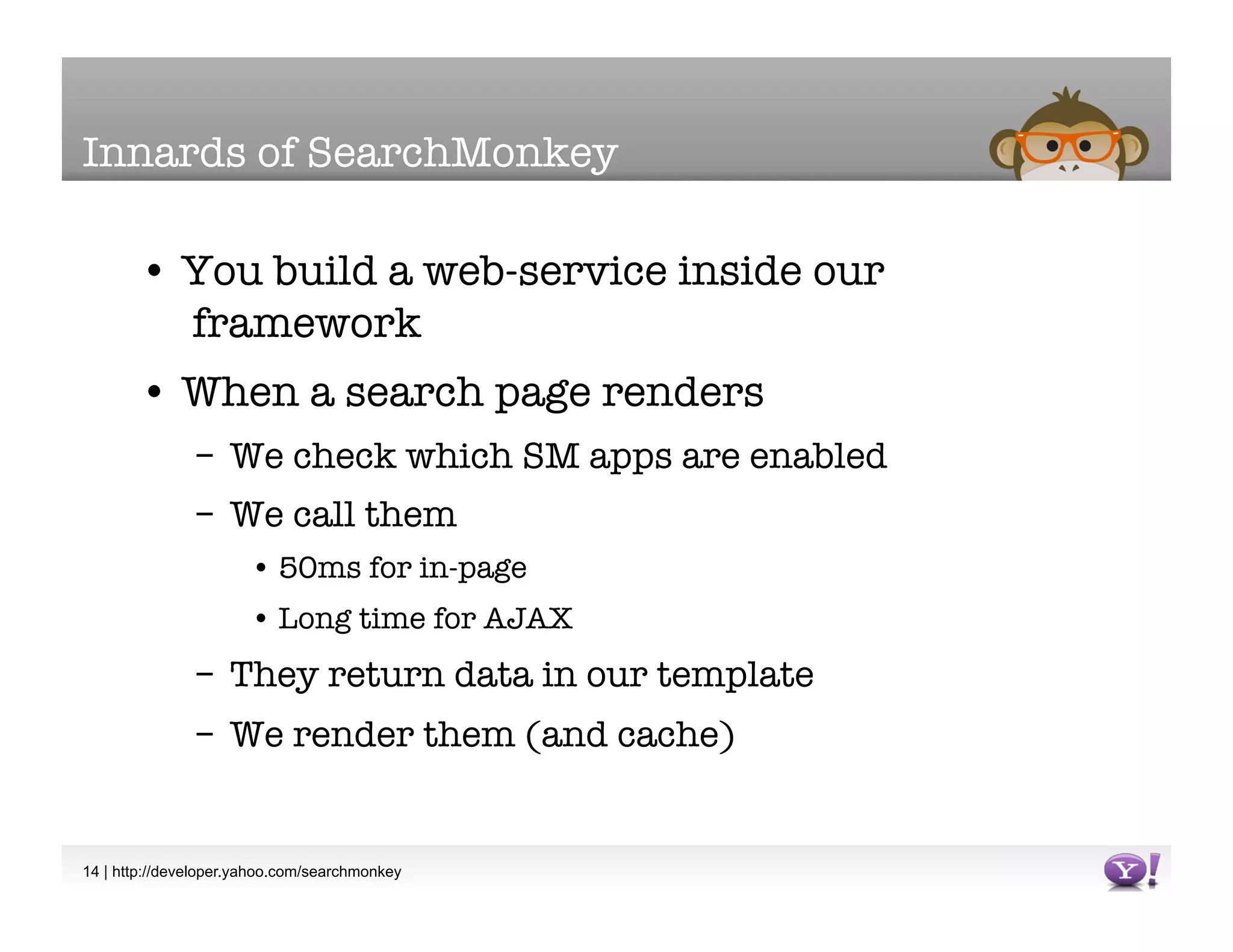
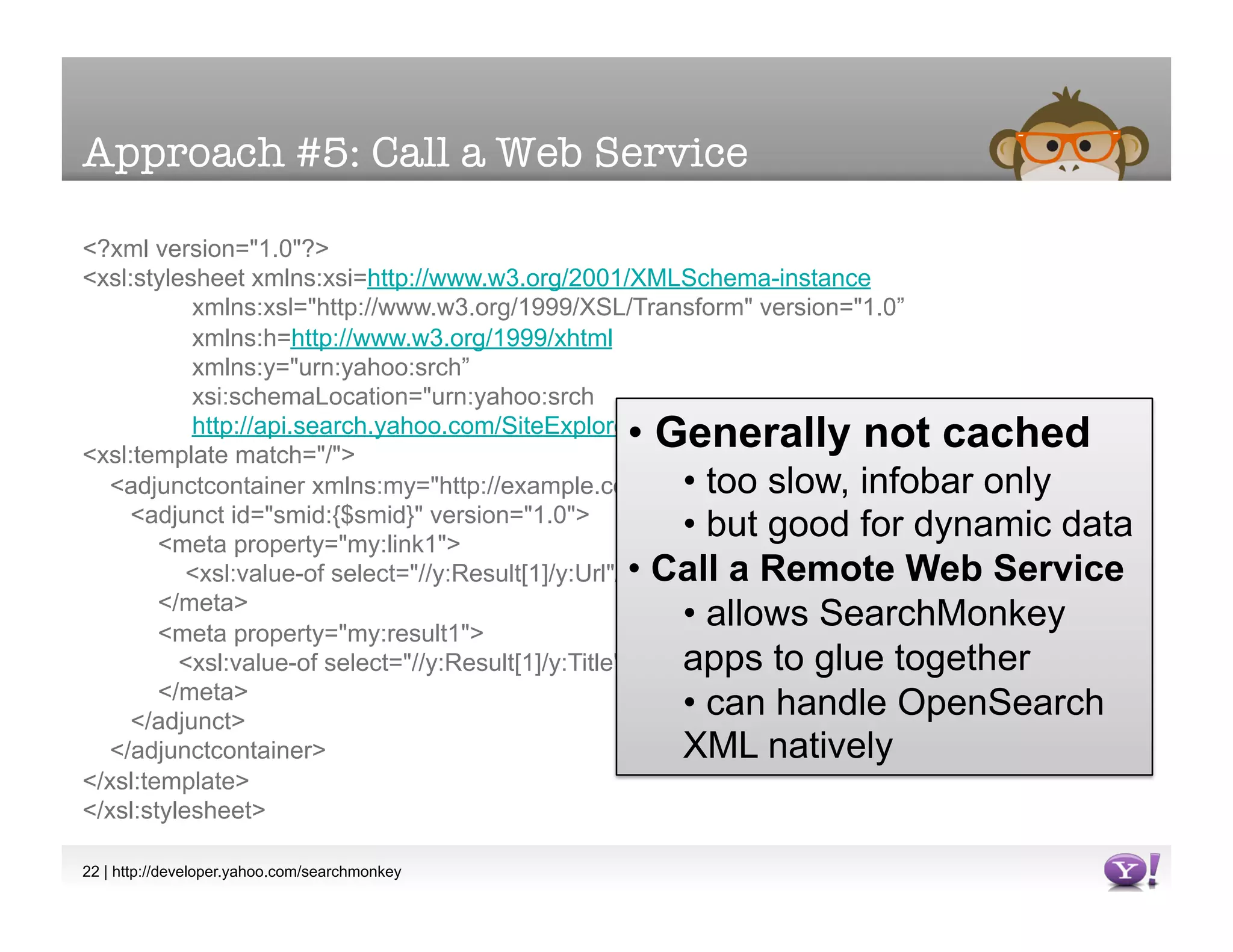
  • #14 In this scenario, we see all the different ways that you can feed SearchMonkey with data. A real SearchMonkey app probably wouldn’t use ALL these methods. From your database / CMS, you generate web pages with HTML markup. Those web pages can contain microformats or RDF, special markup that provides semantic meaning about the data on your pages. Our crawler can extract this information, just as it does the title, the page content, the mime-type, and so on. Alternatively, from your database you can also provide us with a DataRSS feed (more on that later) that we consume and place into our index.SearchMonkey also has two ways to actively retrieve information. You can create a Page Extractor, which scrapes information from a web page. You can also call a web service to retrieve more information about a page. We’ll talk more about all these methods in the subsequent slides.
  • #18 RDF is a W3C standard for providing generalized data about semantic relationships. The way to provide RDF data to SearchMonkey is to salt your pages with special markup, extra attributes that signify that the meaning of that content. For example, we can mark up an image as the DEPICTION of the PERSON who made the page. Something a human being can infer instantly, but that a computer has to be told.Data is CACHED, meaning that you can create Enhanced Result type apps (as well as infobars). This is very good. The only downside is that it depends on the page being crawled, which means it’s not good for rapidly changing data. You wouldn’t want to use this approach for sports scores in an ongoing game, for example.RDF is also an OPEN approach – just like HTML allows anyone who builds a browser to view your pages, RDF enables anyone who can build an RDF extractor to benefit from this additional semantic information.RDF is also a PASSIVE approach – unlike feeds, which we’ll talk about later, you just have to sit back and wait for Yahoo to crawl your site. No back and forth or bureaucracy required. The really nice thing about using RDF is that you get to reuse content already available on your site.
  • #19 Microformats are very similar to embedded RDF, just a slightly different approach. There are a wide variety of microformats, for events, for addresses, for social relationships, and so on. For each type of microformat, we have to implement support in SearchMonkey separately. SearchMonkey supports a number of microformats, all listed in the SearchMonkey documentation. By contrast, if you use RDF, you can use any vocabulary you like.
  • #20 DataRSS is the last way to provide cached data, suitable for Enhanced Results. The difference is that DataRSS is CLOSED, the data is only available to Yahoo!, via SearchMonkey. DataRSS requuires you to actively provide and maintain a feed. The feed format is Atom (a common, standard syndication format) with additional Y! metadata attached. Setting up a feed requires coordination with us, and maintenance of the feed going forward. Just like our previous microformat example, once a feed is up and running, it appears in the devtool just like any other cached data.
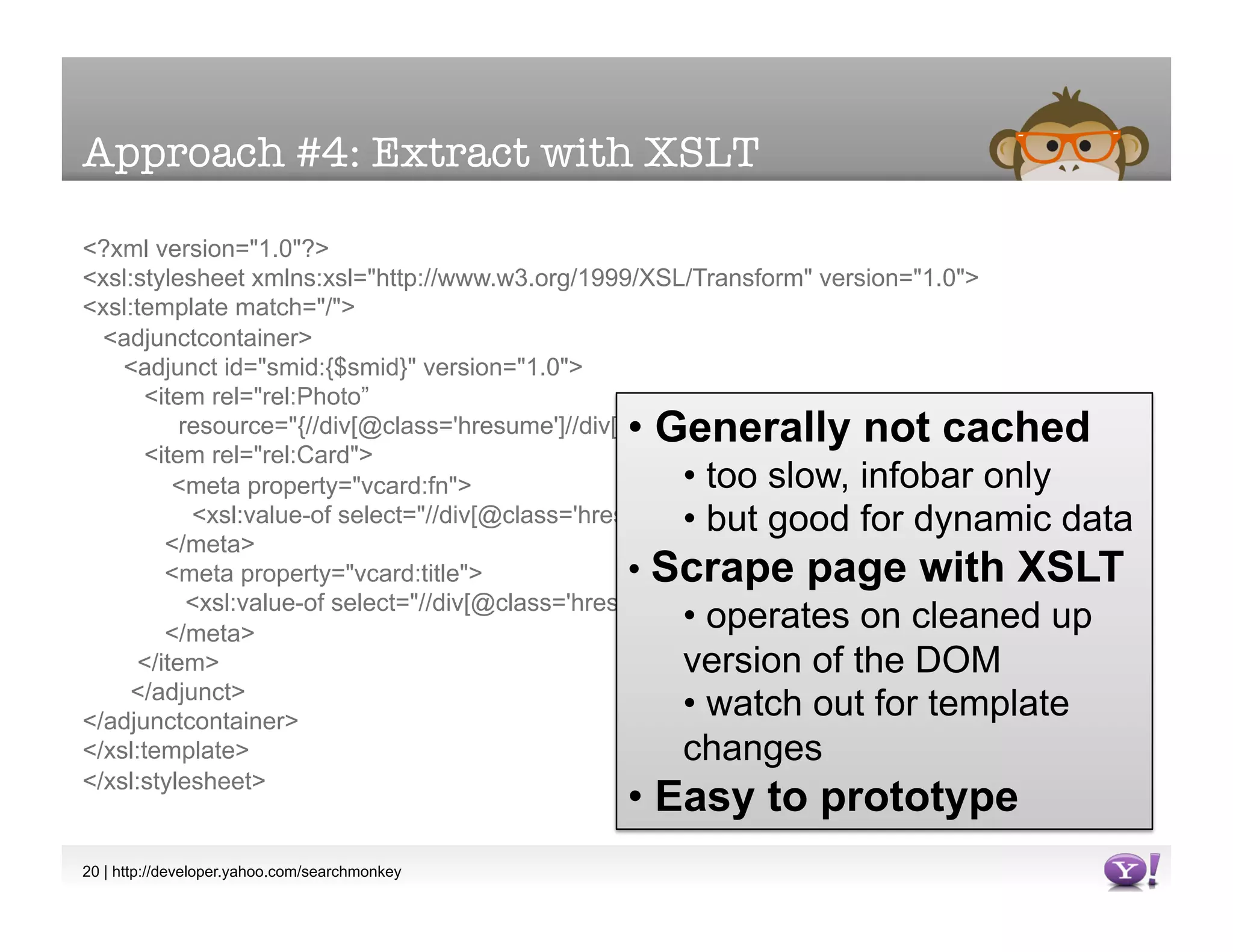
  • #21 For more rapidly changing data, you can create a Custom Data Service that extracts data from a web page using XSLT. This data generally isn’t cached, so it’s really only appropriate for infobars. However, it can be used with more rapidly updating data. It’s EXCELLENT for testing and prototyping, before your feed or data is ready[show demo]
  • #22 XSLT custom data services are excellent when there is no good structured data available, either because you don’t own the site in question, or because you just want to get a prototype out quickly without having to to change your site’s template markup. You can use these data services to mock up what is possible with SearchMonkey.As with the PHP, the XSLT is fairly simple. The “hard” part of writing the stylesheet is really just finding the right xpath expression for extracting the information you want. The other thing you need to do is pick a good vocabulary for describing the extracted data. For example, a description is a dc:description (Dublin Core description) and so on.If the page is not well-formed XHTML, have no fear, we tidy up the page ahead of time and run the XSLT on that. The tidying can fail, but only if the markup is really pathologically bad.As we mentioned before, XSLT custom data services are good for mocking up Enhanced Results, but they’re too slow in practice. For a production-quality app, you’ll need to use them in infobars.[Show demo]
  • #24 Enhanced Results are designed according to a rigid visual template, with image, links, and key/value pairs all carefully controlled. This is because we want to ensure that the search result still resembles a search result. Users scan the page, and will skip right over “wild” designs. Users literally will not consciously perceive weird results – they’ll think it’s an ad and screen it out. Infobars are the opposite. When a user opens an Infobar, they are “on task” and consciously engaged with the app. This means that for Infobars, you can and should be creative with the HTML and inline CSS. You’ve got a pretty decent canvas, so use it. The other main design principle for Infobars is that the summary must have useful text or a useful link in it. If the summary is generic, the user will not even see your infobar at all. Find one good link or one good key/value pair and put it in the summary to attract the user’s attention.
  • #28 Wiring up a SearchMonkey presentation app is easy. A few clicks and you have a working app.
  • #29 But there’s a world of difference between a working SearchMonkey app and real, production code.
  • #30 Everyone’s data will have holes in it. Use conditionals to check for whether fields are empty, and either swap in a different field or don’t show the field in the first place. If you’re missing critical data, you can abort by returning an empty array().
  • #32 The most important SearchMonkey buttons are the input and output buttons. If your app isn’t displaying properly in the preview pane, the input and output buttons will tell you why.A best practice is to create a shared Y! ID for development. This Y! user will appear in the Gallery, so you should set the name to something official looking, rather than just your name. You can also export SearchMonkey code to a file and share it with other users. Bellwethers serve two purposes. First, you need them to build your app – they determine what sort of data is on screen #3 and they serve as your live preview. Second, they’re good for QA. You only need one or two to start with, especially since it might take awhile to load ten URLs at once. After your app looks good on your first bellwethers, you should expand to 10.
  • #33 Make use of the image helper functions. You can use these icons in both Infobars and Enhanced Results.
  • #34 Most apps only require simple Data::get() calls, but if you need to do more complicated XML manipulation, use Data::xpath() or Data::xpathString().
  • #36 Either show a lot of data with an infobar (use that entire canvas)…
  • #37 Or find one good link or one good key/value pair and put it in the summary to attract the user’s attention. Either way, there’s little point in creating an Infobar that follows the strict template of the Enhanced Result.
  • #38 Infobars that trigger on * can be neat, but often they can be annoying. Unless the infobar really does have something useful to do on every single URL on the search results page, you should try to narrow your scope. Search<number>
  • #39 Stumbleupon acts on every URL – it might be useful for people who are very gung-ho about social networking / Web 2.0 sites, but it’s less appealing for the general public. Search<number>
  • #40 Screen #3 provides a clever way to abort your infobar, even if you’re triggering on *. If you can make your app depend on some structured markup (whether it’s embedded hcard or some piece of data provided by a feed), you can Failing that, you can go to Screen #2, and just apply your app to just a limited list of sites. Your app for college sites doesn’t have to trigger on * -- a finite list of sites might work.Search<number>