ALEJANDRO RUIZ
Microsoft MVP
@alejandroruizva
Xamarin.Forms
Advanced Topics
Agenda
• DataTemplate Selector
• Themes / Styles
• Behaviors
• Triggers
• Renderers - Effects
• Dependency Service
• Platform-Specifics
• Visual State Manager
DataTemplate Selector
• A DataTemplateSelector can be used to choose a DataTemplate at
runtime based on the value of a data-bound property. This enables
multiple DataTemplates to be applied to the same type of object in
order to customize the appearance of select objects.
Themes / Styles
• Xamarin.Forms applications often contain
multiple controls that have an identical
appearance. Setting the appearance of each
individual control can be repetitive and error
prone. Instead, styles can be created that
customize control appearance by grouping and
settings properties available on the control
type.
Behaviors
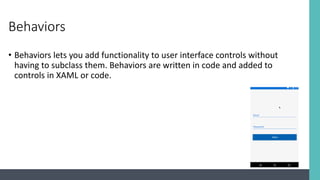
• Behaviors lets you add functionality to user interface controls without
having to subclass them. Behaviors are written in code and added to
controls in XAML or code.
Triggers
• Triggers allow you to express actions declaratively in XAML that
change the appearance of controls based on events or property
changes.
• You can assign a trigger directly to a control, or add it to a page-level
or app-level resource dictionary to be applied to multiple controls.
Renderers - Effects
• Renderers: Xamarin.Forms user interfaces are rendered using the
native controls of the target platform, allowing Xamarin.Forms
applications to retain the appropriate look and feel for each platform.
Custom Renderers let developers override this process to customize
the appearance and behavior of Xamarin.Forms controls on each
platform.
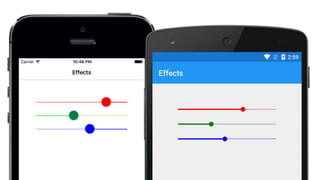
• Effects: Xamarin.Forms user interfaces are rendered using the native
controls of the target platform, allowing Xamarin.Forms applications
to retain the appropriate look and feel for each platform. Effects allow
the native controls on each platform to be customized without having
to resort to a custom renderer implementation.
Dependency Service
• Xamarin.Forms allows developers to define behavior in platform-
specific projects. DependencyService then finds the right platform
implementation, allowing shared code to access the native
functionality.
Platform-Specifics
• Platform-specifics allow you to consume functionality that's only
available on a specific platform, without implementing custom
renderers or effects.
Visual State Manager
• The VSM provides a structured way to make visual changes to the
user interface from code. In most cases, the user interface of the
application is defined in XAML, and this XAML includes markup
describing how the Visual State Manager affects the visuals of the
user interface.
References
• https://docs.microsoft.com/en-us/xamarin/xamarin-forms/app-
fundamentals/templates/data-templates/selector
• https://docs.microsoft.com/en-us/xamarin/xamarin-forms/user-
interface/styles/xaml/
• https://docs.microsoft.com/en-us/xamarin/xamarin-forms/app-
fundamentals/behaviors/
• https://docs.microsoft.com/en-us/xamarin/xamarin-forms/app-
fundamentals/triggers
• https://docs.microsoft.com/en-us/xamarin/xamarin-forms/app-
fundamentals/custom-renderer/
References
• https://docs.microsoft.com/en-us/xamarin/xamarin-forms/app-
fundamentals/effects/
• https://docs.microsoft.com/en-us/xamarin/xamarin-forms/app-
fundamentals/dependency-service/introduction
• https://docs.microsoft.com/en-us/xamarin/xamarin-
forms/platform/platform-specifics/
• https://docs.microsoft.com/en-us/xamarin/xamarin-forms/user-
interface/visual-state-manager
Questions?
Alejandro Ruiz
Microsoft MVP: Developer Technologies
Xamarin.Forms Advanced Topics
DEMO: https://github.com/AlejandroRuiz/AdvancedTopicsCommunityAnniversary
alejandro@alejandroruizvarela.com https://alejandroruizvarela.blogspot.mx @alejandroruizva

Xamarin.Forms Advanced Topics