World Wide Developer Conference 2015
San Francisco, CA, USA
Burcu GENECİ
Date(10/07/2015)
World Wide Developer Conference 2015
2
• Hosted in the Moscone Center for the 26th year.
• Attendees from over 70 countries.
• 80% are first-time attendees.
• Presented at more than 100 conference sessions and 150 labs.
• 350 student scholarship winners.
• 1000+ Apple Engineers.
Agenda
• New versions of OS, IOS and WatchOS
• Multitasking in iPad on iOS9
• App Thinning
• XCode7 – New Features
• Advanced Unit Testing and UI Test Recording
• What’s new in Auto layout
• Swift 2
4
Important News from Apple - EL CAPITAIN
• SPOTLIGHT as a Search Engine..
The new search system allows users to resize and move the Spotlight window,
which presents new types of content.
Sports scores and other Siri data will be supported, and natural language search
allows users to track down mail messages and documents easily. The search
upgrades are also available in apps like Mail and Finder.
• METAL for Mac..
50% improvements in rendering with 40% less CPU processing power required
for graphics. Metal on OS X El Capitan offers better battery life and improved
graphics performance for both games and professional apps.
• SAFARI
A new pinned feature enables users to keep websites listed at the top of Safari,
similar to a bookmarks bar. The browser also gains a universal mute feature that
allows users to mute a website that is playing music, even with several tabs
open.
• Call out your cursor.
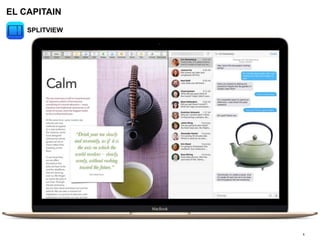
• SPLITVIEW
5
EL CAPITAIN
SPLITVIEW
Important News from Apple – IOS9
6
• SEARCH (Siri Suggestions)
• App History
• Content indexing
• Web markup
• SIRI
Siri can do a lot more in iOS 9 with contextual awareness. If you ask Siri to
"Remind me to do this" when looking at a request you've received in the
Messages app, Siri will understand what you mean by "this" and will add the
event.
• SPLITVIEW for iPad
• Safari View Controller
Created with the goal to let developers stop writing miniature web browsers,
Safari View Controller enables apps to delegate the responsibility of showing web
content to Safari itself, avoiding the need to write custom code for built-in
browsers.
• Low Power mode
iOS will shut down background activity and reduce performance to get you
as much as three extra hours before the battery finally goes kaput.
• HTTPS exclusively
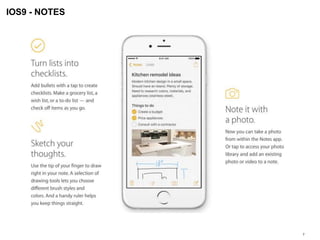
• NOTES
IOS9 - NOTES
7
Important News from Apple - WATCHOS 2
8
• NATIVE APPS
Apps now run natively for better performance.
With watchOS 2, many apps are native apps, which means they run entirely
on your Apple Watch. So they load more quickly and have even
greater capabilities.
• Apps can now take advantage of features like the Taptic Engine,
Digital Crown, accelerometer, heart rate sensor, speaker, and microphone.
• Use more cards with Apple Pay.
• WATCHCONNECTIVITY
WatchConnectivity saves battery life by allowing the WatchKit extension to
transfer new information for the iPhone app to use when it’s next launched,
allowing for seamless file transfers between the Apple Watch app and
iPhone app. Using NSURLSession, Apple Watch can now communicate
directly with known wifi hotspots using the new Tetherless Wi-Fi feature in
watchOS 2.
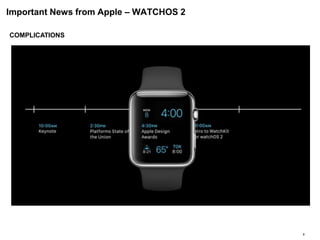
• COMPLICATIONS
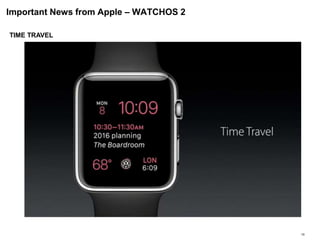
• TIMETRAVEL
Important News from Apple – WATCHOS 2
9
COMPLICATIONS
Important News from Apple – WATCHOS 2
10
TIME TRAVEL
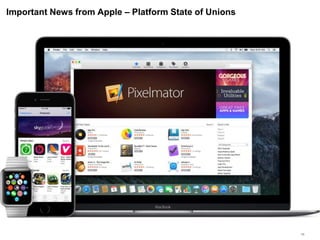
Important News from Apple – Platform State of Unions
11
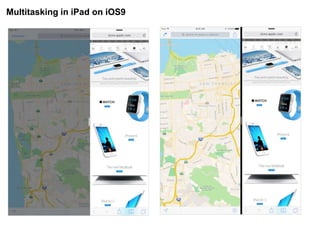
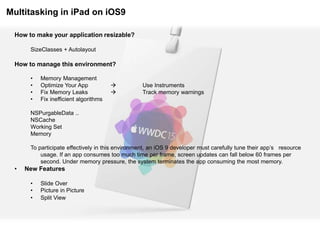
Multitasking in iPad on iOS9
How to make your application resizable?
SizeClasses + Autolayout
How to manage this environment?
• Memory Management
• Optimize Your App  Use Instruments
• Fix Memory Leaks  Track memory warnings
• Fix inefficient algorithms
NSPurgableData ..
NSCache
Working Set
Memory
To participate effectively in this environment, an iOS 9 developer must carefully tune their app’s resource
usage. If an app consumes too much time per frame, screen updates can fall below 60 frames per
second. Under memory pressure, the system terminates the app consuming the most memory.
• New Features
• Slide Over
• Picture in Picture
• Split View
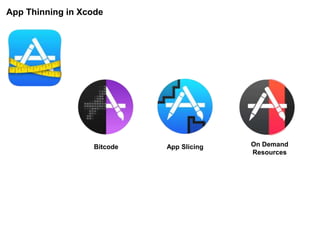
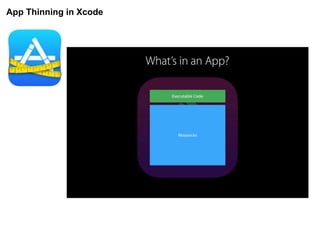
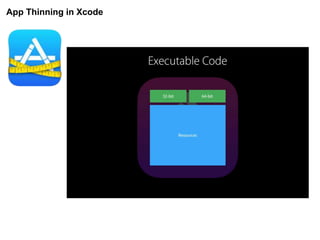
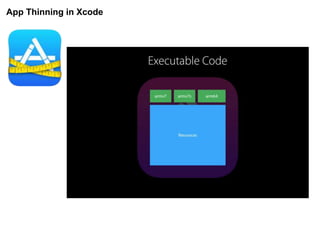
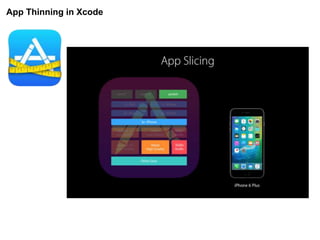
App Thinning in Xcode
Bitcode App Slicing On Demand
Resources
App Thinning in Xcode
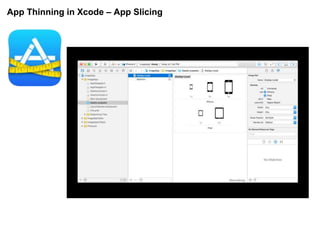
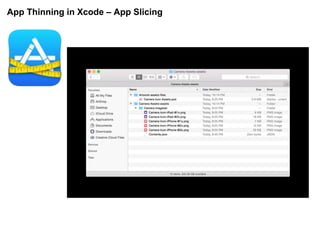
App Thinning in Xcode – App Slicing
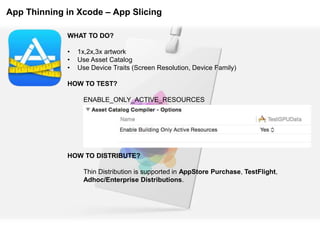
WHAT TO DO?
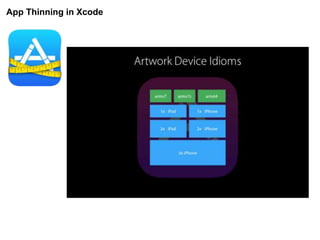
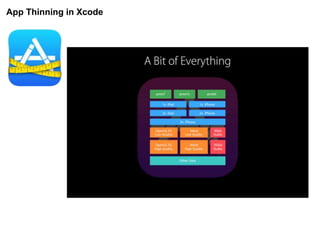
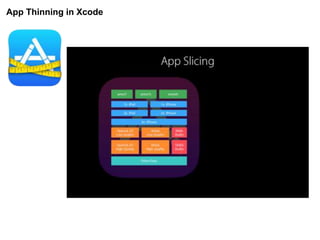
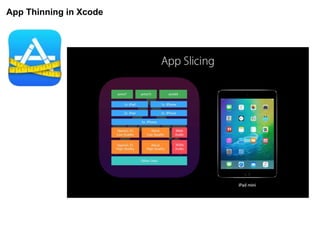
• 1x,2x,3x artwork
• Use Asset Catalog
• Use Device Traits (Screen Resolution, Device Family)
HOW TO TEST?
ENABLE_ONLY_ACTIVE_RESOURCES
HOW TO DISTRIBUTE?
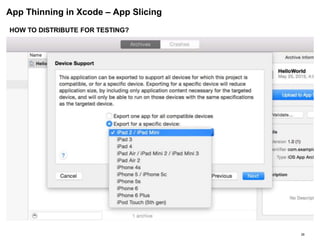
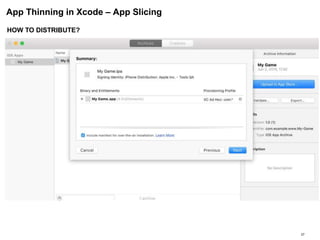
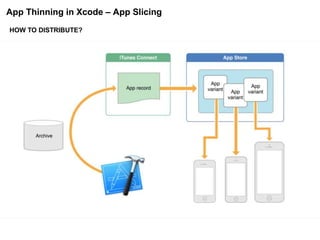
Thin Distribution is supported in AppStore Purchase, TestFlight,
Adhoc/Enterprise Distributions.
App Thinning in Xcode – App Slicing
26
HOW TO DISTRIBUTE FOR TESTING?
App Thinning in Xcode – App Slicing
27
HOW TO DISTRIBUTE?
App Thinning in Xcode – App Slicing
HOW TO DISTRIBUTE?
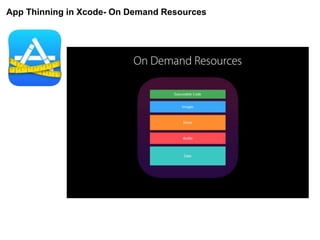
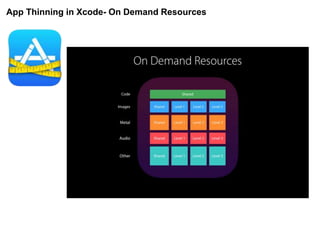
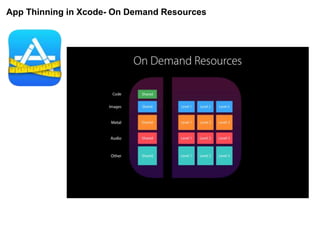
App Thinning in Xcode- On Demand Resources
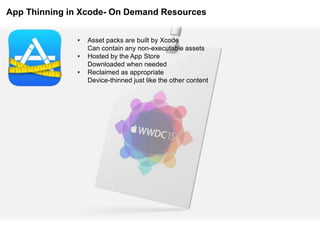
• Asset packs are built by Xcode
Can contain any non-executable assets
• Hosted by the App Store
Downloaded when needed
• Reclaimed as appropriate
Device-thinned just like the other content
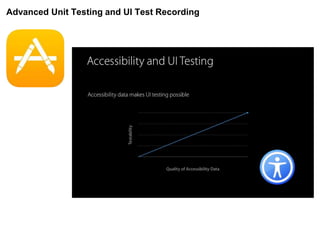
Advanced Unit Testing and UI Test Recording
• XCTest and Accesibility work together
• New UI Test feature
• UI Recording
Advanced Unit Testing and UI Test Recording
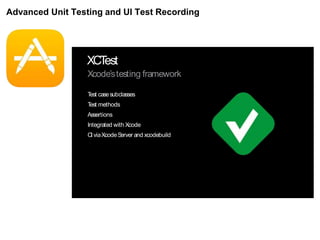
XCTest
Xcode’stesting framework
Test casesubclasses
Test methods
Assertions
Integrated with Xcode
CIviaXcodeServer and xcodebuild
Advanced Unit Testing and UI Test Recording
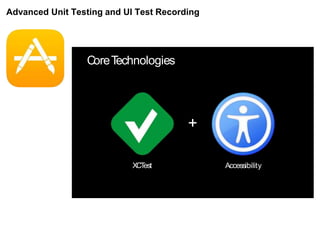
CoreTechnologies
+
AccessibilityXCTest
Advanced Unit Testing and UI Test Recording
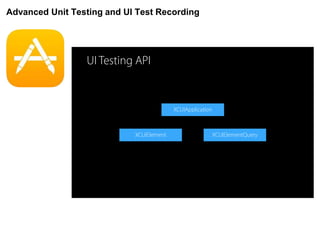
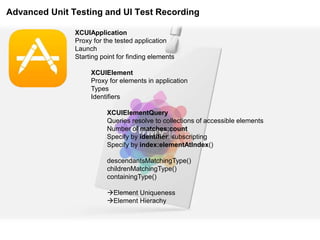
XCUIApplication
Proxy for the tested application
Launch
Starting point for finding elements
XCUIElement
Proxy for elements in application
Types
Identifiers
XCUIElementQuery
Queries resolve to collections of accessible elements
Number of matches:count
Specify by identifier: subscripting
Specify by index:elementAtIndex()
descendantsMatchingType()
childrenMatchingType()
containingType()
Element Uniqueness
Element Hierachy
Advanced Unit Testing and UI Test Recording
XCUIElementQuery
descendantsMatchingType()
childrenMatchingType()
containingType()
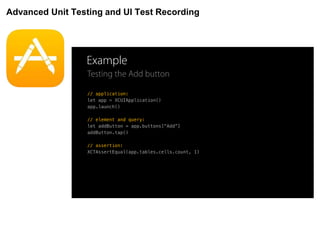
Event Synthesis
Simulate user interaction on elements
APIs are platform-specific
button.click() // OS X
button.tap() // iOS
textField.typeText(“Hello, World!”) // iOS & OS X
Assertions
•XCTAssertEqual()
Advanced Unit Testing and UI Test Recording
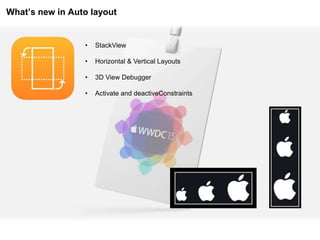
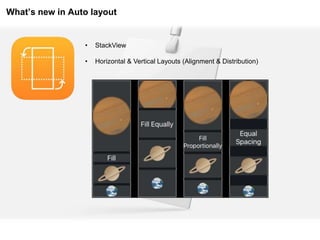
What’s new in Auto layout
• StackView
• Horizontal & Vertical Layouts
• 3D View Debugger
• Activate and deactiveConstraints
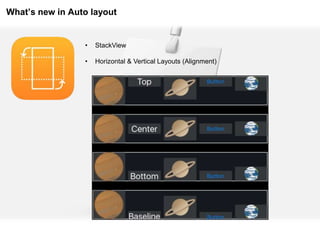
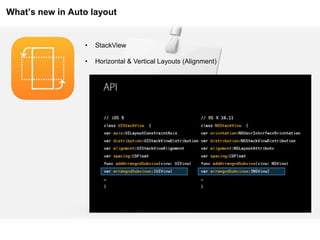
What’s new in Auto layout
• StackView
• Horizontal & Vertical Layouts (Alignment)
What’s new in Auto layout
• StackView
• Horizontal & Vertical Layouts (Alignment)
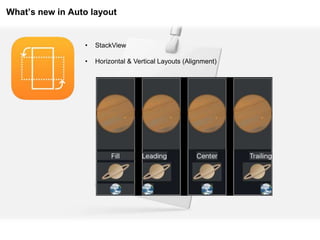
What’s new in Auto layout
• StackView
• Horizontal & Vertical Layouts (Alignment & Distribution)
What’s new in Auto layout
• StackView
• Horizontal & Vertical Layouts (Alignment)
XCode7 – New Features
• Swift Migrator
• Playgrounds
• Debugging and Profiling Tools
• Address Sanitizier
• Crash Logs
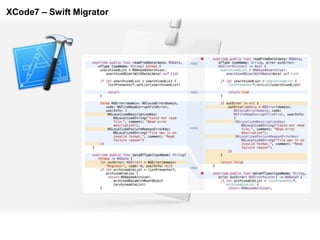
XCode7 – Swift Migrator
XCode7 – Debugging and Profiling Tools
• Debugging
• View Debuger
• Exception Breakpoint
• Advance Breakpoint Actions
• Energy Impact
• CPU
• Network
• Location
• Background
XCode7 – Playgrounds
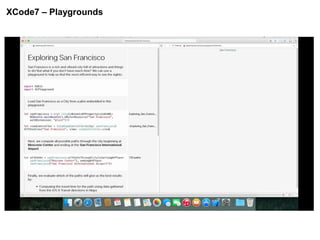
• Get more information about results
• Adding explanation to play ground.
• Protocol Extensions
XCode7 – Playgrounds
XCode7 – Address Sanitizer
• Analyze Memory Corruption
• EXC_BAD_ACCESS
• Integrated into Debug Navigator
• Edit Scheme – Diagnotics —> Enable Address Sanitizer
• Edit Scheme – Test – Diagnostics —> Enable Address Sanitizer
• Shadow Mapping
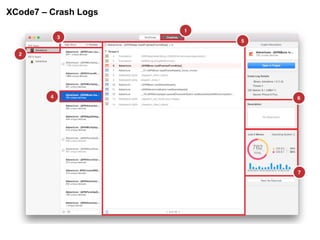
XCode7 – Crash Logs
• Fully Symbolicated
• App Store and Test Flight
• Full Xcode Integration
XCode7 – Crash Logs
Swift 2
• Error Handling
• Availability Check
• Testability
• Typed Collections
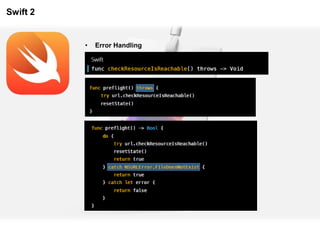
Swift 2
• Error Handling
Swift 2
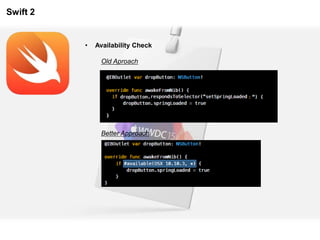
• Availability Check
Old Aproach
Better Approach
Swift 2
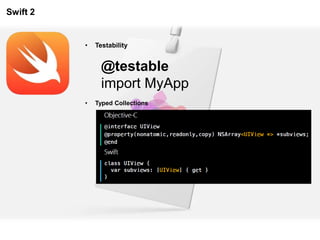
• Testability
@testable
import MyApp
• Typed Collections
58
59
• WWDC 2015 Keynote
• WWDC 2015 Sessions
• https://developer.apple.com/library/prerelease/ios/documentation/IDEs/Conceptual/AppDistri
butionGuide/AppThinning/AppThinning.html
• https://developer.apple.com/library/prerelease/ios/documentation/IDEs/Conceptual/AppDistri
butionGuide/AnalyzingCrashReports/AnalyzingCrashReports.html
REFERENCES

WWDC 15 - Apple's Developer Event @ 8-12 June, 2015

  • 1.
    World Wide DeveloperConference 2015 San Francisco, CA, USA Burcu GENECİ Date(10/07/2015)
  • 2.
    World Wide DeveloperConference 2015 2 • Hosted in the Moscone Center for the 26th year. • Attendees from over 70 countries. • 80% are first-time attendees. • Presented at more than 100 conference sessions and 150 labs. • 350 student scholarship winners. • 1000+ Apple Engineers.
  • 3.
    Agenda • New versionsof OS, IOS and WatchOS • Multitasking in iPad on iOS9 • App Thinning • XCode7 – New Features • Advanced Unit Testing and UI Test Recording • What’s new in Auto layout • Swift 2
  • 4.
    4 Important News fromApple - EL CAPITAIN • SPOTLIGHT as a Search Engine.. The new search system allows users to resize and move the Spotlight window, which presents new types of content. Sports scores and other Siri data will be supported, and natural language search allows users to track down mail messages and documents easily. The search upgrades are also available in apps like Mail and Finder. • METAL for Mac.. 50% improvements in rendering with 40% less CPU processing power required for graphics. Metal on OS X El Capitan offers better battery life and improved graphics performance for both games and professional apps. • SAFARI A new pinned feature enables users to keep websites listed at the top of Safari, similar to a bookmarks bar. The browser also gains a universal mute feature that allows users to mute a website that is playing music, even with several tabs open. • Call out your cursor. • SPLITVIEW
  • 5.
  • 6.
    Important News fromApple – IOS9 6 • SEARCH (Siri Suggestions) • App History • Content indexing • Web markup • SIRI Siri can do a lot more in iOS 9 with contextual awareness. If you ask Siri to "Remind me to do this" when looking at a request you've received in the Messages app, Siri will understand what you mean by "this" and will add the event. • SPLITVIEW for iPad • Safari View Controller Created with the goal to let developers stop writing miniature web browsers, Safari View Controller enables apps to delegate the responsibility of showing web content to Safari itself, avoiding the need to write custom code for built-in browsers. • Low Power mode iOS will shut down background activity and reduce performance to get you as much as three extra hours before the battery finally goes kaput. • HTTPS exclusively • NOTES
  • 7.
  • 8.
    Important News fromApple - WATCHOS 2 8 • NATIVE APPS Apps now run natively for better performance. With watchOS 2, many apps are native apps, which means they run entirely on your Apple Watch. So they load more quickly and have even greater capabilities. • Apps can now take advantage of features like the Taptic Engine, Digital Crown, accelerometer, heart rate sensor, speaker, and microphone. • Use more cards with Apple Pay. • WATCHCONNECTIVITY WatchConnectivity saves battery life by allowing the WatchKit extension to transfer new information for the iPhone app to use when it’s next launched, allowing for seamless file transfers between the Apple Watch app and iPhone app. Using NSURLSession, Apple Watch can now communicate directly with known wifi hotspots using the new Tetherless Wi-Fi feature in watchOS 2. • COMPLICATIONS • TIMETRAVEL
  • 9.
    Important News fromApple – WATCHOS 2 9 COMPLICATIONS
  • 10.
    Important News fromApple – WATCHOS 2 10 TIME TRAVEL
  • 11.
    Important News fromApple – Platform State of Unions 11
  • 12.
  • 13.
    Multitasking in iPadon iOS9 How to make your application resizable? SizeClasses + Autolayout How to manage this environment? • Memory Management • Optimize Your App  Use Instruments • Fix Memory Leaks  Track memory warnings • Fix inefficient algorithms NSPurgableData .. NSCache Working Set Memory To participate effectively in this environment, an iOS 9 developer must carefully tune their app’s resource usage. If an app consumes too much time per frame, screen updates can fall below 60 frames per second. Under memory pressure, the system terminates the app consuming the most memory. • New Features • Slide Over • Picture in Picture • Split View
  • 14.
    App Thinning inXcode Bitcode App Slicing On Demand Resources
  • 15.
  • 16.
  • 17.
  • 18.
  • 19.
  • 20.
  • 21.
  • 22.
  • 23.
    App Thinning inXcode – App Slicing
  • 24.
    App Thinning inXcode – App Slicing
  • 25.
    App Thinning inXcode – App Slicing WHAT TO DO? • 1x,2x,3x artwork • Use Asset Catalog • Use Device Traits (Screen Resolution, Device Family) HOW TO TEST? ENABLE_ONLY_ACTIVE_RESOURCES HOW TO DISTRIBUTE? Thin Distribution is supported in AppStore Purchase, TestFlight, Adhoc/Enterprise Distributions.
  • 26.
    App Thinning inXcode – App Slicing 26 HOW TO DISTRIBUTE FOR TESTING?
  • 27.
    App Thinning inXcode – App Slicing 27 HOW TO DISTRIBUTE?
  • 28.
    App Thinning inXcode – App Slicing HOW TO DISTRIBUTE?
  • 29.
    App Thinning inXcode- On Demand Resources
  • 30.
    App Thinning inXcode- On Demand Resources
  • 31.
    App Thinning inXcode- On Demand Resources
  • 32.
    App Thinning inXcode- On Demand Resources • Asset packs are built by Xcode Can contain any non-executable assets • Hosted by the App Store Downloaded when needed • Reclaimed as appropriate Device-thinned just like the other content
  • 33.
    Advanced Unit Testingand UI Test Recording • XCTest and Accesibility work together • New UI Test feature • UI Recording
  • 34.
    Advanced Unit Testingand UI Test Recording XCTest Xcode’stesting framework Test casesubclasses Test methods Assertions Integrated with Xcode CIviaXcodeServer and xcodebuild
  • 35.
    Advanced Unit Testingand UI Test Recording CoreTechnologies + AccessibilityXCTest
  • 36.
    Advanced Unit Testingand UI Test Recording
  • 37.
    Advanced Unit Testingand UI Test Recording XCUIApplication Proxy for the tested application Launch Starting point for finding elements XCUIElement Proxy for elements in application Types Identifiers XCUIElementQuery Queries resolve to collections of accessible elements Number of matches:count Specify by identifier: subscripting Specify by index:elementAtIndex() descendantsMatchingType() childrenMatchingType() containingType() Element Uniqueness Element Hierachy
  • 38.
    Advanced Unit Testingand UI Test Recording XCUIElementQuery descendantsMatchingType() childrenMatchingType() containingType() Event Synthesis Simulate user interaction on elements APIs are platform-specific button.click() // OS X button.tap() // iOS textField.typeText(“Hello, World!”) // iOS & OS X Assertions •XCTAssertEqual()
  • 39.
    Advanced Unit Testingand UI Test Recording
  • 40.
    Advanced Unit Testingand UI Test Recording
  • 41.
    What’s new inAuto layout • StackView • Horizontal & Vertical Layouts • 3D View Debugger • Activate and deactiveConstraints
  • 42.
    What’s new inAuto layout • StackView • Horizontal & Vertical Layouts (Alignment)
  • 43.
    What’s new inAuto layout • StackView • Horizontal & Vertical Layouts (Alignment)
  • 44.
    What’s new inAuto layout • StackView • Horizontal & Vertical Layouts (Alignment & Distribution)
  • 45.
    What’s new inAuto layout • StackView • Horizontal & Vertical Layouts (Alignment)
  • 46.
    XCode7 – NewFeatures • Swift Migrator • Playgrounds • Debugging and Profiling Tools • Address Sanitizier • Crash Logs
  • 47.
  • 48.
    XCode7 – Debuggingand Profiling Tools • Debugging • View Debuger • Exception Breakpoint • Advance Breakpoint Actions • Energy Impact • CPU • Network • Location • Background
  • 49.
    XCode7 – Playgrounds •Get more information about results • Adding explanation to play ground. • Protocol Extensions
  • 50.
  • 51.
    XCode7 – AddressSanitizer • Analyze Memory Corruption • EXC_BAD_ACCESS • Integrated into Debug Navigator • Edit Scheme – Diagnotics —> Enable Address Sanitizer • Edit Scheme – Test – Diagnostics —> Enable Address Sanitizer • Shadow Mapping
  • 52.
    XCode7 – CrashLogs • Fully Symbolicated • App Store and Test Flight • Full Xcode Integration
  • 53.
  • 54.
    Swift 2 • ErrorHandling • Availability Check • Testability • Typed Collections
  • 55.
  • 56.
    Swift 2 • AvailabilityCheck Old Aproach Better Approach
  • 57.
    Swift 2 • Testability @testable importMyApp • Typed Collections
  • 58.
  • 59.
    59 • WWDC 2015Keynote • WWDC 2015 Sessions • https://developer.apple.com/library/prerelease/ios/documentation/IDEs/Conceptual/AppDistri butionGuide/AppThinning/AppThinning.html • https://developer.apple.com/library/prerelease/ios/documentation/IDEs/Conceptual/AppDistri butionGuide/AnalyzingCrashReports/AnalyzingCrashReports.html REFERENCES