1
はじめてのWubi for Ubuntu 21.04,
ドンキ格安 第2世代UMPC NANOTE P8
Beginner for install Wubi for Ubuntu 21.04 in NANOTE P8 in 2021
1、 自己紹介 Self introduction
2、Recently my activities
3、NANOTE P8?
4、Install Wubi for Ubuntu 21.04
5、Device Driver
6、Boot Linux from MicroSD Card
7、Conclusions
詳しい話はSlideshareで公開中
@kapper1224
Gadget Hacking
User Group
Speaker:Kapper
鹿児島らぐ 2021年4月
2021年4月25日 14:00~
Place: Online
This Presentation:Slideshare
& PDF files publication of my HP
http://kapper1224.sakura.ne.jp
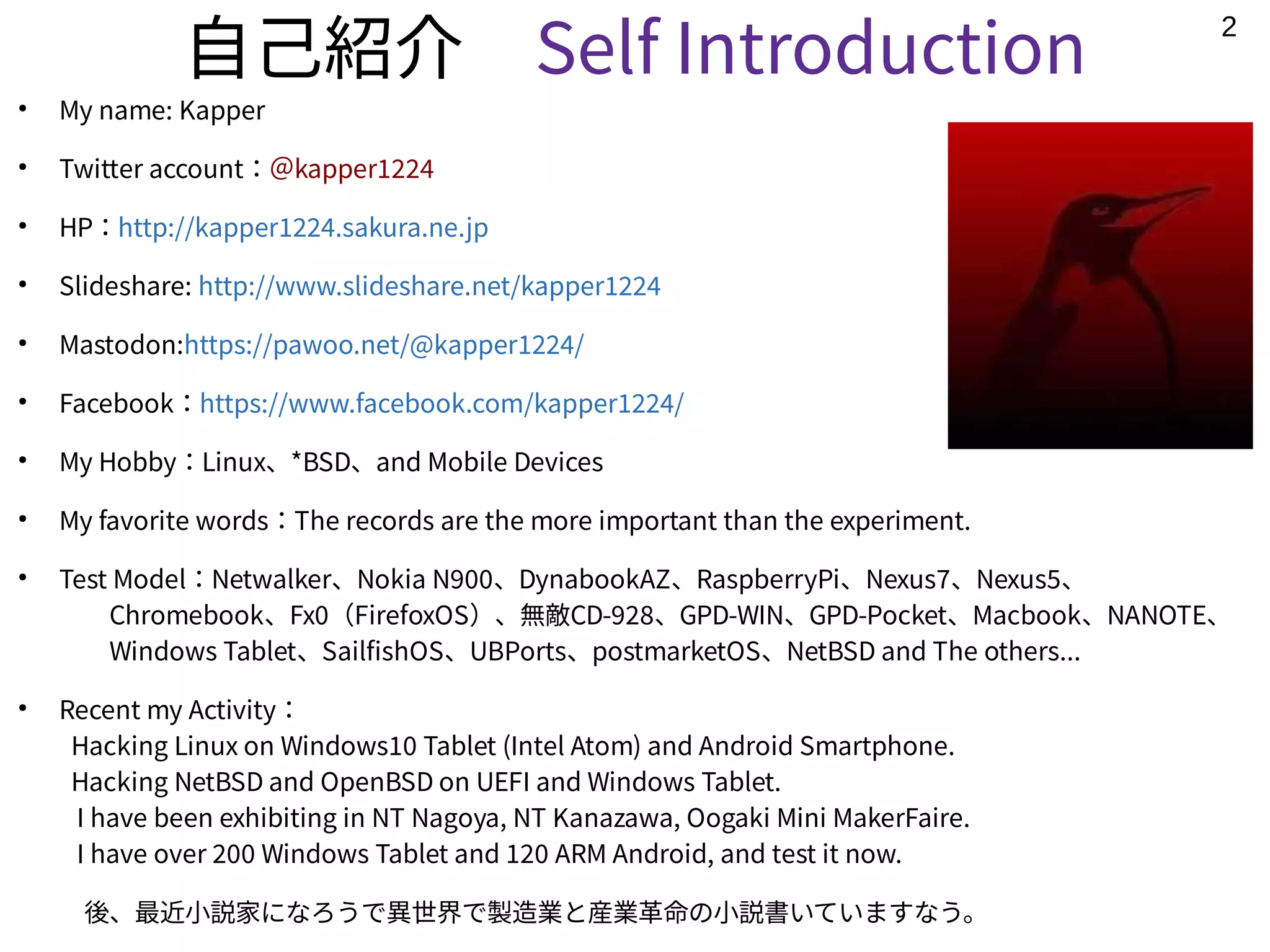
Ubuntu Linux21.04
in NANOTE P8
2
自己紹介 Self Introduction
●
My name: Kapper
●
Twitter account:@kapper1224
●
HP:http://kapper1224.sakura.ne.jp
●
Slideshare: http://www.slideshare.net/kapper1224
●
Mastodon:https://pawoo.net/@kapper1224/
●
Facebook:https://www.facebook.com/kapper1224/
●
My Hobby:Linux、*BSD、and Mobile Devices
●
My favorite words:The records are the more important than the experiment.
●
Test Model:Netwalker、Nokia N900、DynabookAZ、RaspberryPi、Nexus7、Nexus5、
  Chromebook、Fx0(FirefoxOS)、無敵CD-928、GPD-WIN、GPD-Pocket、Macbook、NANOTE、
  Windows Tablet、SailfishOS、UBPorts、postmarketOS、NetBSD and The others...   
●
Recent my Activity:
Hacking Linux on Windows10 Tablet (Intel Atom) and Android Smartphone.  
Hacking NetBSD and OpenBSD on UEFI and Windows Tablet.
I have been exhibiting in NT Nagoya, NT Kanazawa, Oogaki Mini MakerFaire.
I have over 200 Windows Tablet and 120 ARM Android, and test it now.
 後、最近小説家になろうで異世界で製造業と産業革命の小説書いていますなう。
3
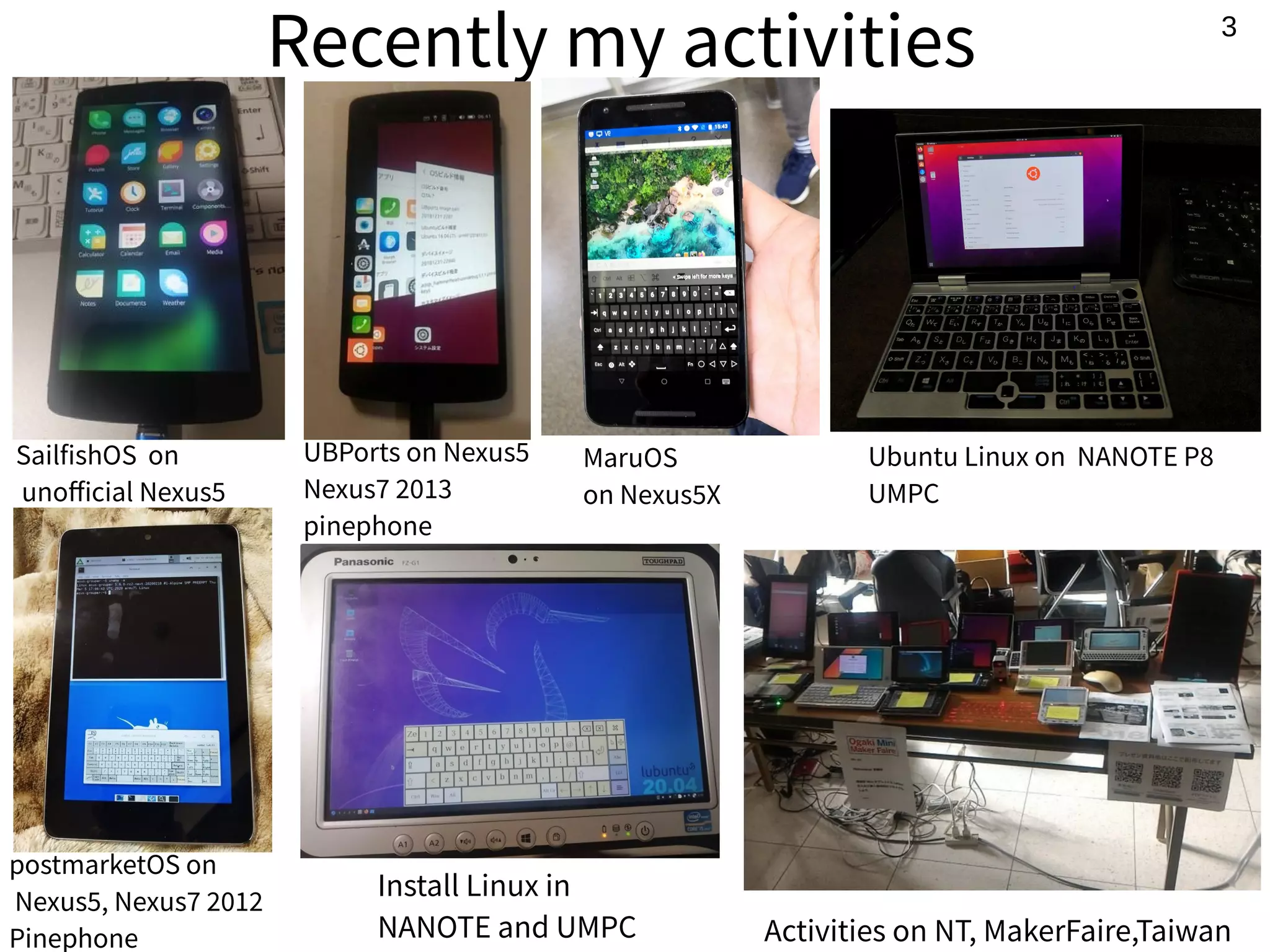
Recently my activities
SailfishOS on
unofficial Nexus5
Install Linux in
NANOTE and UMPC Activities on NT, MakerFaire,Taiwan
Ubuntu Linux on NANOTE P8
UMPC
postmarketOS on
Nexus5, Nexus7 2012
Pinephone
UBPorts on Nexus5
Nexus7 2013
pinephone
MaruOS
on Nexus5X
4
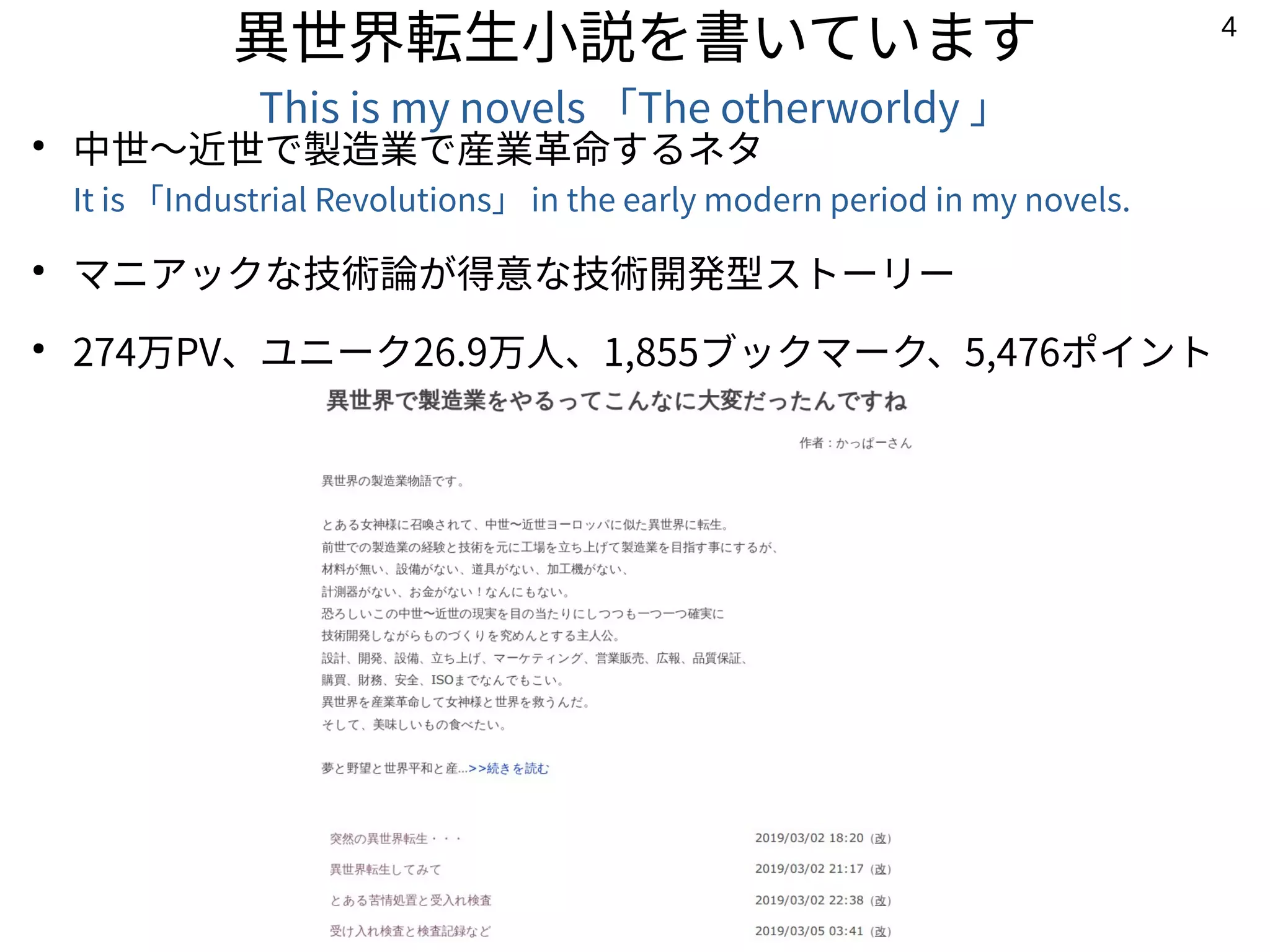
異世界転生小説を書いています
This is my novels 「The otherworldy 」
●
中世〜近世で製造業で産業革命するネタ
It is 「Industrial Revolutions」 in the early modern period in my novels.
●
マニアックな技術論が得意な技術開発型ストーリー
●
274万PV、ユニーク26.9万人、1,855ブックマーク、5,476ポイント
5
アクセス数とご感想 In my novels PV’s
●
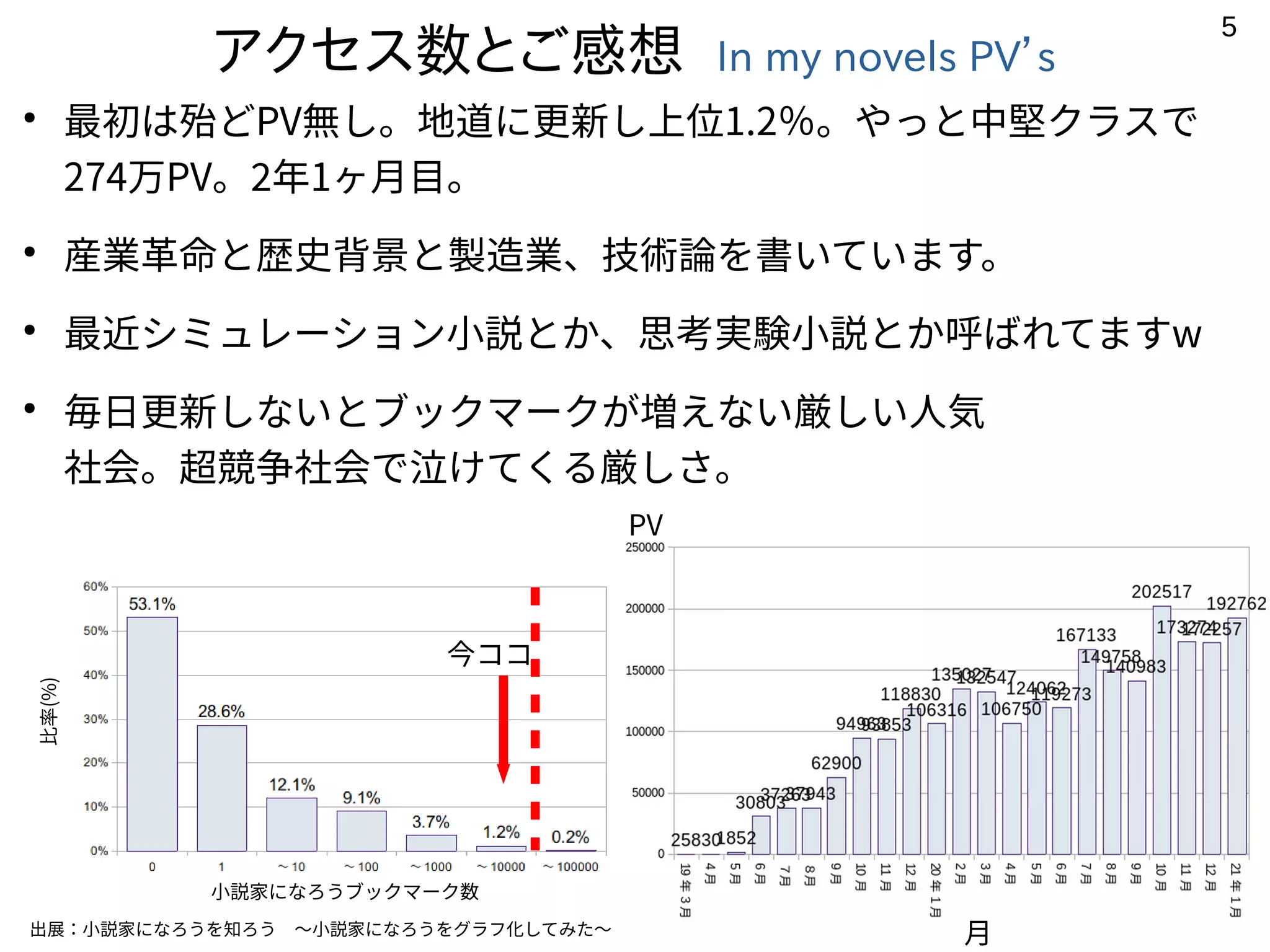
最初は殆どPV無し。地道に更新し上位1.2%。やっと中堅クラスで
274万PV。2年1ヶ月目。
●
産業革命と歴史背景と製造業、技術論を書いています。
●
最近シミュレーション小説とか、思考実験小説とか呼ばれてますw
●
毎日更新しないとブックマークが増えない厳しい人気
社会。超競争社会で泣けてくる厳しさ。
出展:小説家になろうを知ろう ~小説家になろうをグラフ化してみた~
小説家になろうブックマーク数
比率(%)
今ココ
月
PV
6
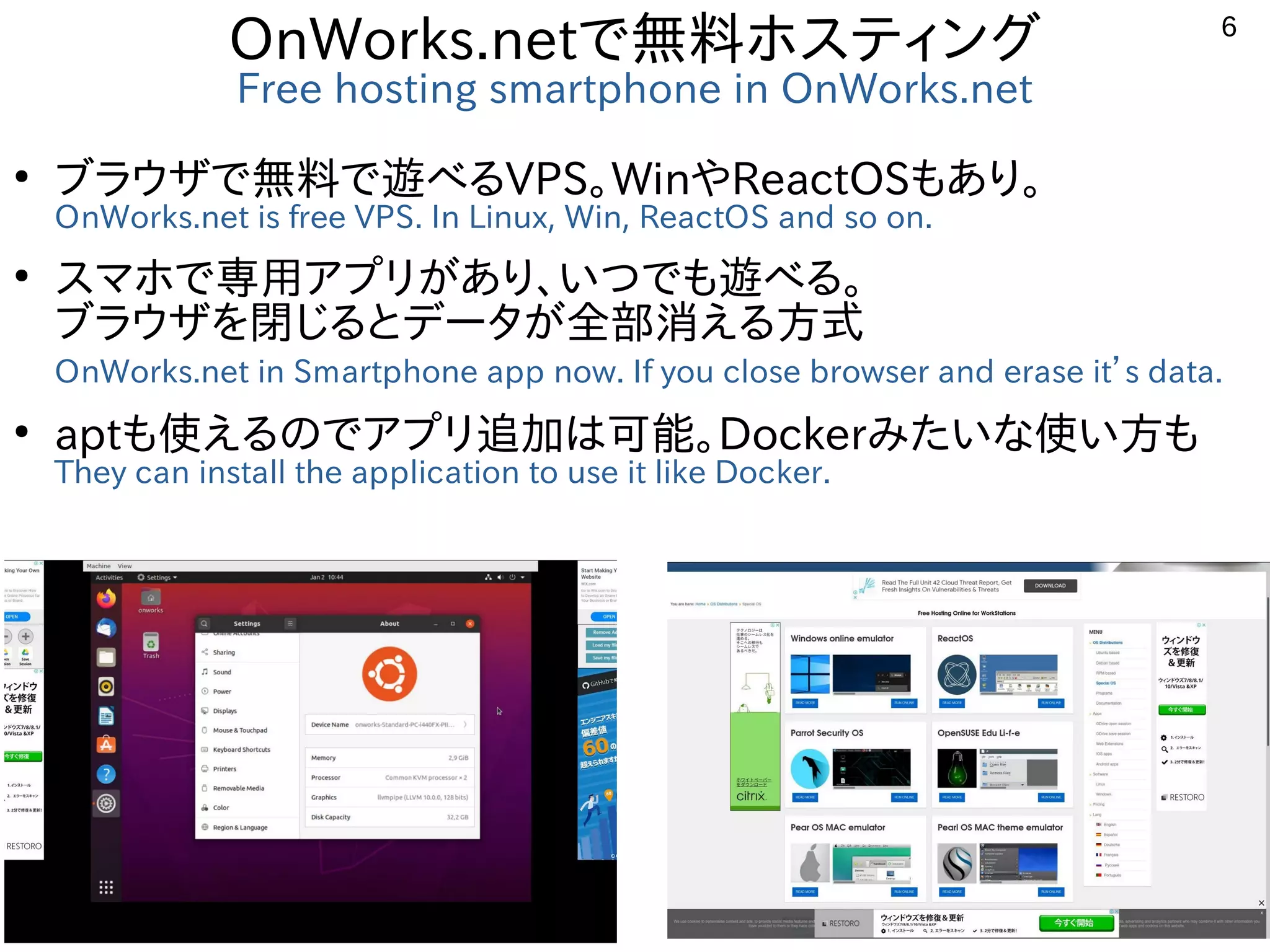
OnWorks.netで無料ホスティング
Free hosting smartphone in OnWorks.net
●
ブラウザで無料で遊べるVPS。WinやReactOSもあり。
OnWorks.net is free VPS. In Linux, Win, ReactOS and so on.
●
スマホで専用アプリがあり、いつでも遊べる。
ブラウザを閉じるとデータが全部消える方式
OnWorks.net in Smartphone app now. If you close browser and erase it’s data.
●
aptも使えるのでアプリ追加は可能。Dockerみたいな使い方も
They can install the application to use it like Docker.
7
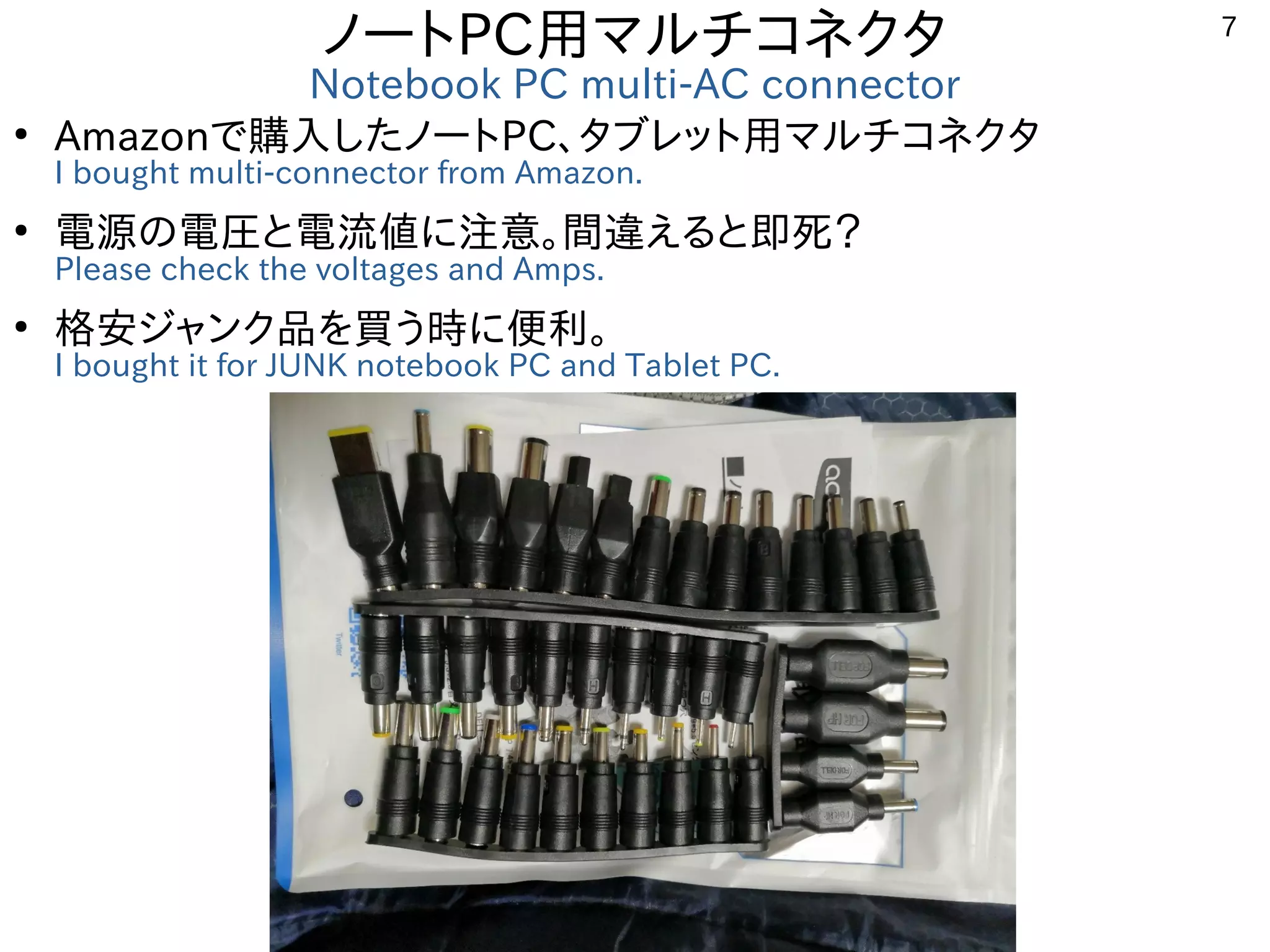
ノートPC用マルチコネクタ
Notebook PC multi-AC connector
●
Amazonで購入したノートPC、タブレット用マルチコネクタ
I bought multi-connector from Amazon.
●
電源の電圧と電流値に注意。間違えると即死?
Please check the voltages and Amps.
●
格安ジャンク品を買う時に便利。
I bought it for JUNK notebook PC and Tablet PC.
8
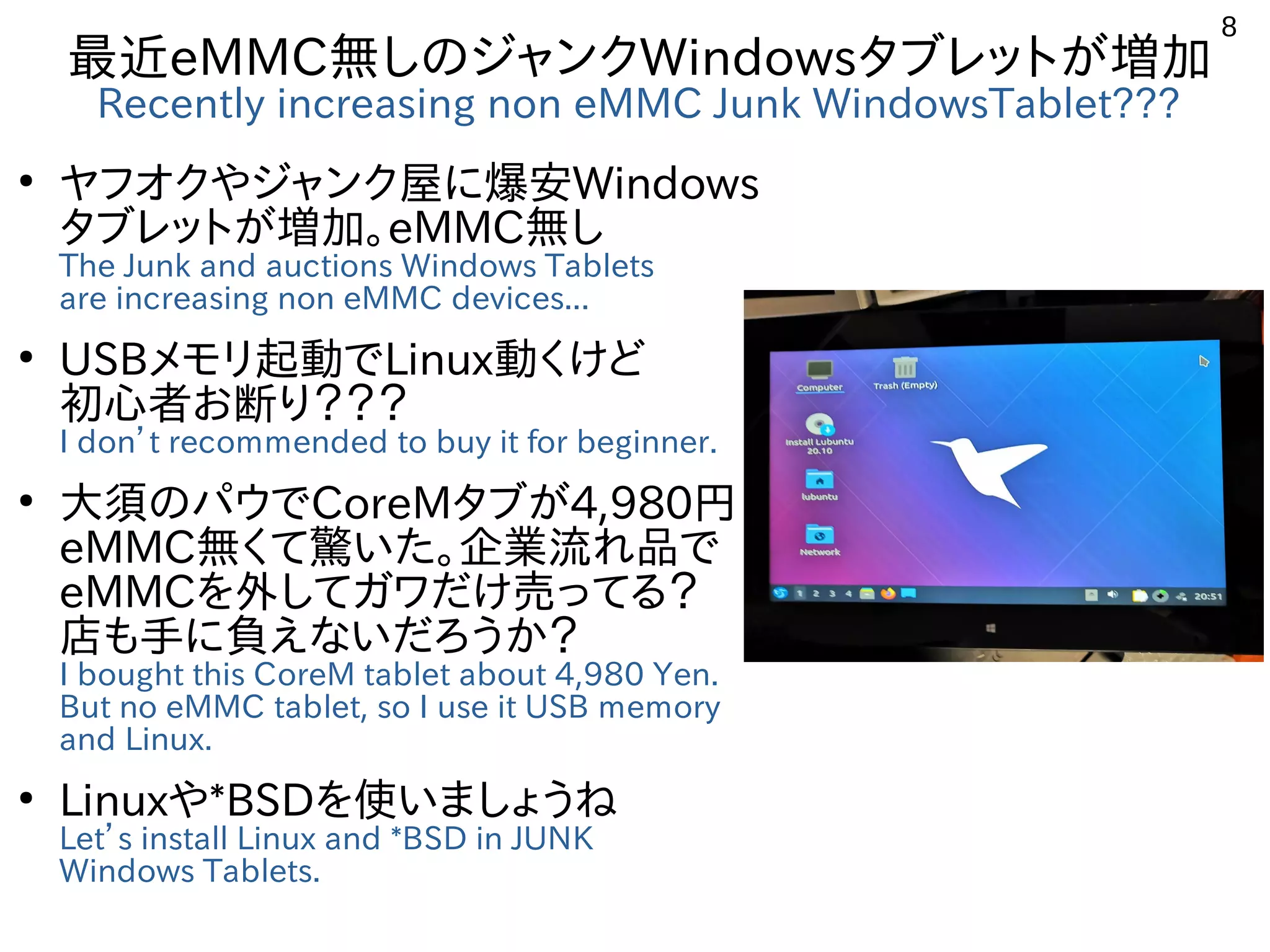
最近eMMC無しのジャンクWindowsタブレットが増加
Recently increasing non eMMC Junk WindowsTablet???
●
ヤフオクやジャンク屋に爆安Windows
タブレットが増加。eMMC無し
The Junk and auctions Windows Tablets
are increasing non eMMC devices...
●
USBメモリ起動でLinux動くけど
初心者お断り???
I don’t recommended to buy it for beginner.
●
大須のパウでCoreMタブが4,980円
eMMC無くて驚いた。企業流れ品で
eMMCを外してガワだけ売ってる?
店も手に負えないだろうか?
I bought this CoreM tablet about 4,980 Yen.
But no eMMC tablet, so I use it USB memory
and Linux.
●
Linuxや*BSDを使いましょうね
Let’s install Linux and *BSD in JUNK
Windows Tablets.
9
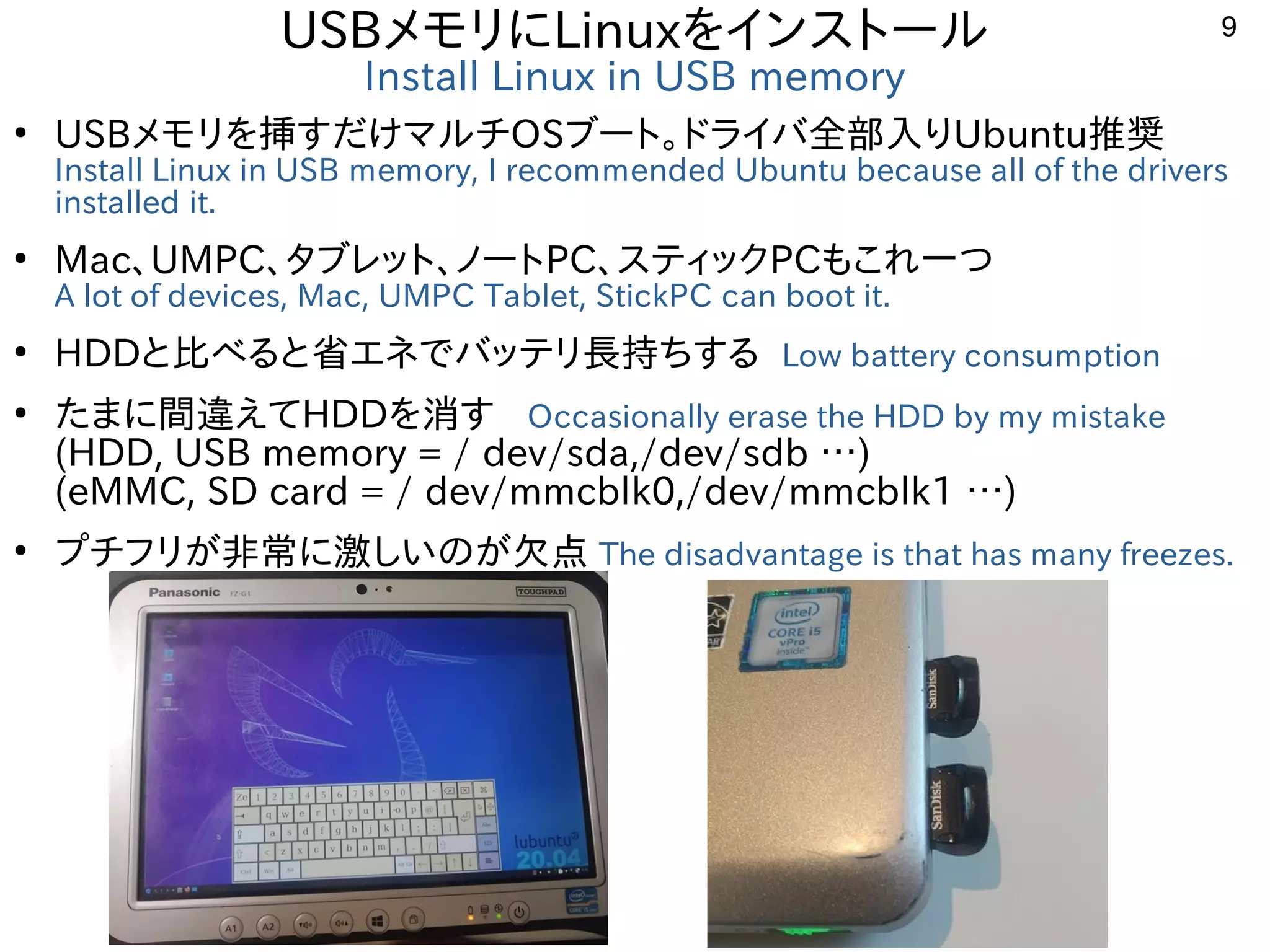
USBメモリにLinuxをインストール
Install Linux in USB memory
●
USBメモリを挿すだけマルチOSブート。ドライバ全部入りUbuntu推奨
Install Linux in USB memory, I recommended Ubuntu because all of the drivers
installed it.
●
Mac、UMPC、タブレット、ノートPC、スティックPCもこれ一つ
A lot of devices, Mac, UMPC Tablet, StickPC can boot it.
●
HDDと比べると省エネでバッテリ長持ちする Low battery consumption
●
たまに間違えてHDDを消す Occasionally erase the HDD by my mistake
(HDD, USB memory = / dev/sda,/dev/sdb …)
(eMMC, SD card = / dev/mmcblk0,/dev/mmcblk1 …)
●
プチフリが非常に激しいのが欠点 The disadvantage is that has many freezes.
10
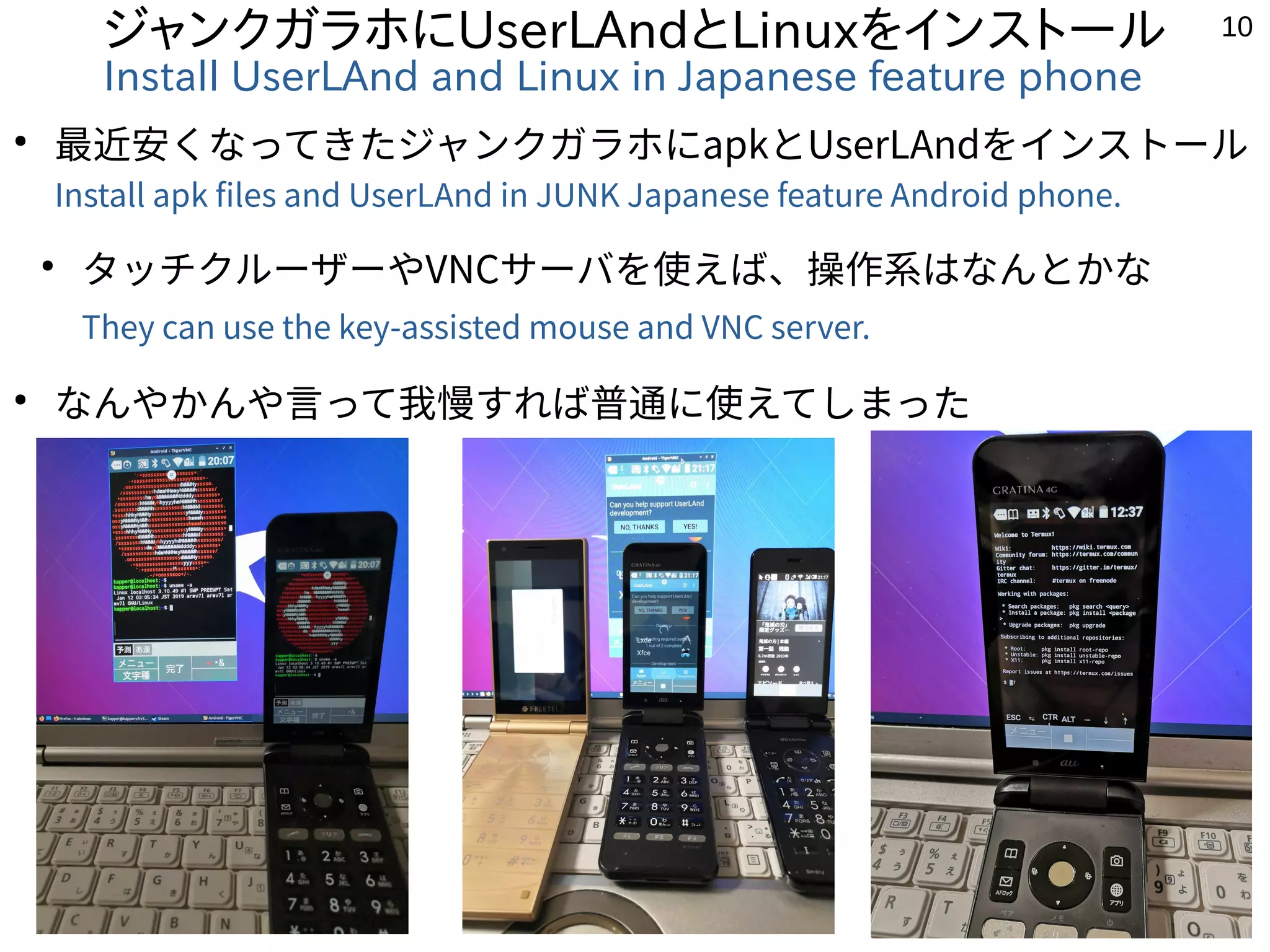
ジャンクガラホにUserLAndとLinuxをインストール
Install UserLAnd and Linux in Japanese feature phone
●
最近安くなってきたジャンクガラホにapkとUserLAndをインストール
Install apk files and UserLAnd in JUNK Japanese feature Android phone.
●
タッチクルーザーやVNCサーバを使えば、操作系はなんとかな
They can use the key-assisted mouse and VNC server.
●
なんやかんや言って我慢すれば普通に使えてしまった
11
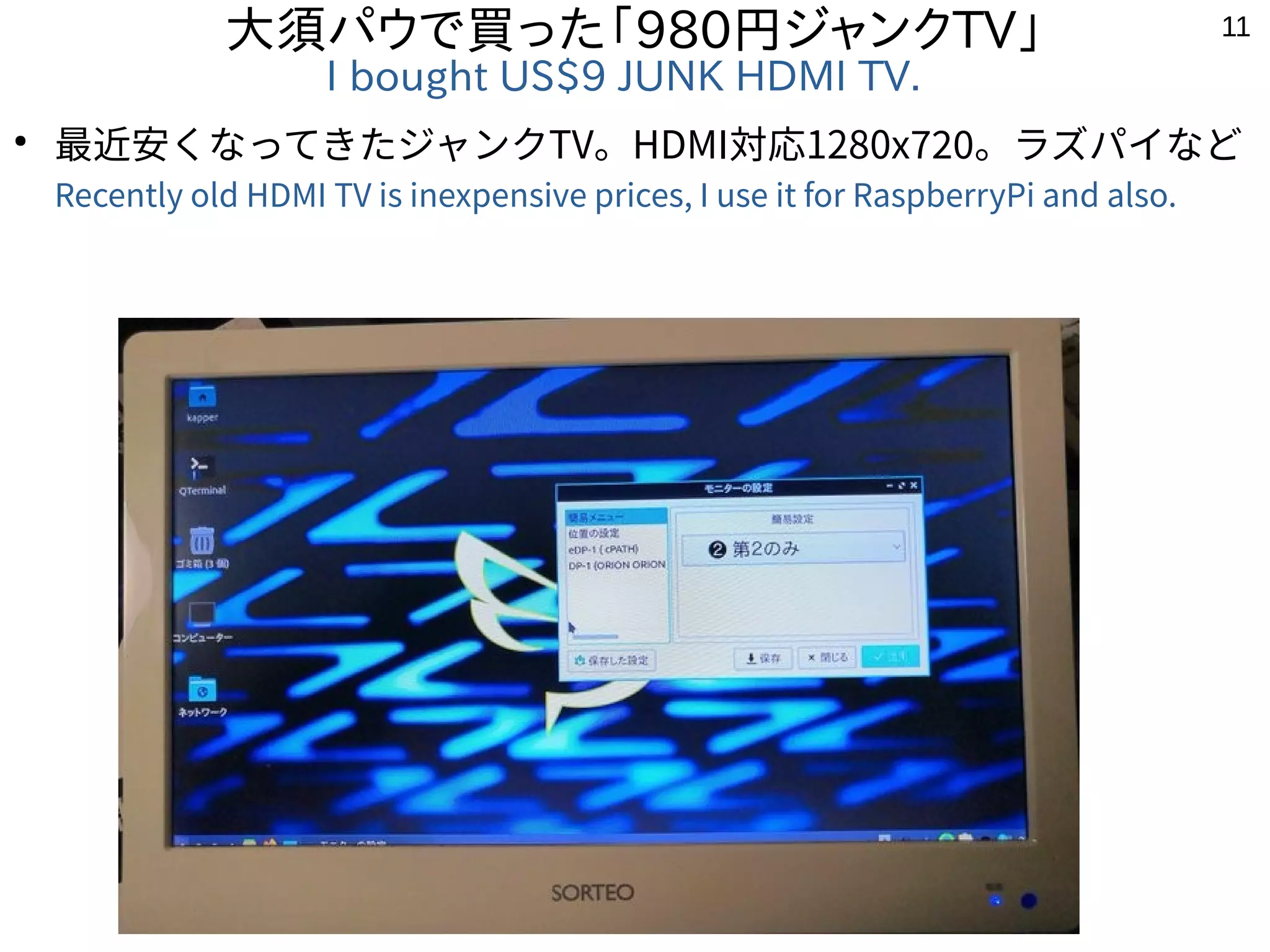
大須パウで買った「980円ジャンクTV」
I bought US$9 JUNK HDMI TV.
●
最近安くなってきたジャンクTV。HDMI対応1280x720。ラズパイなど
Recently old HDMI TV is inexpensive prices, I use it for RaspberryPi and also.
12
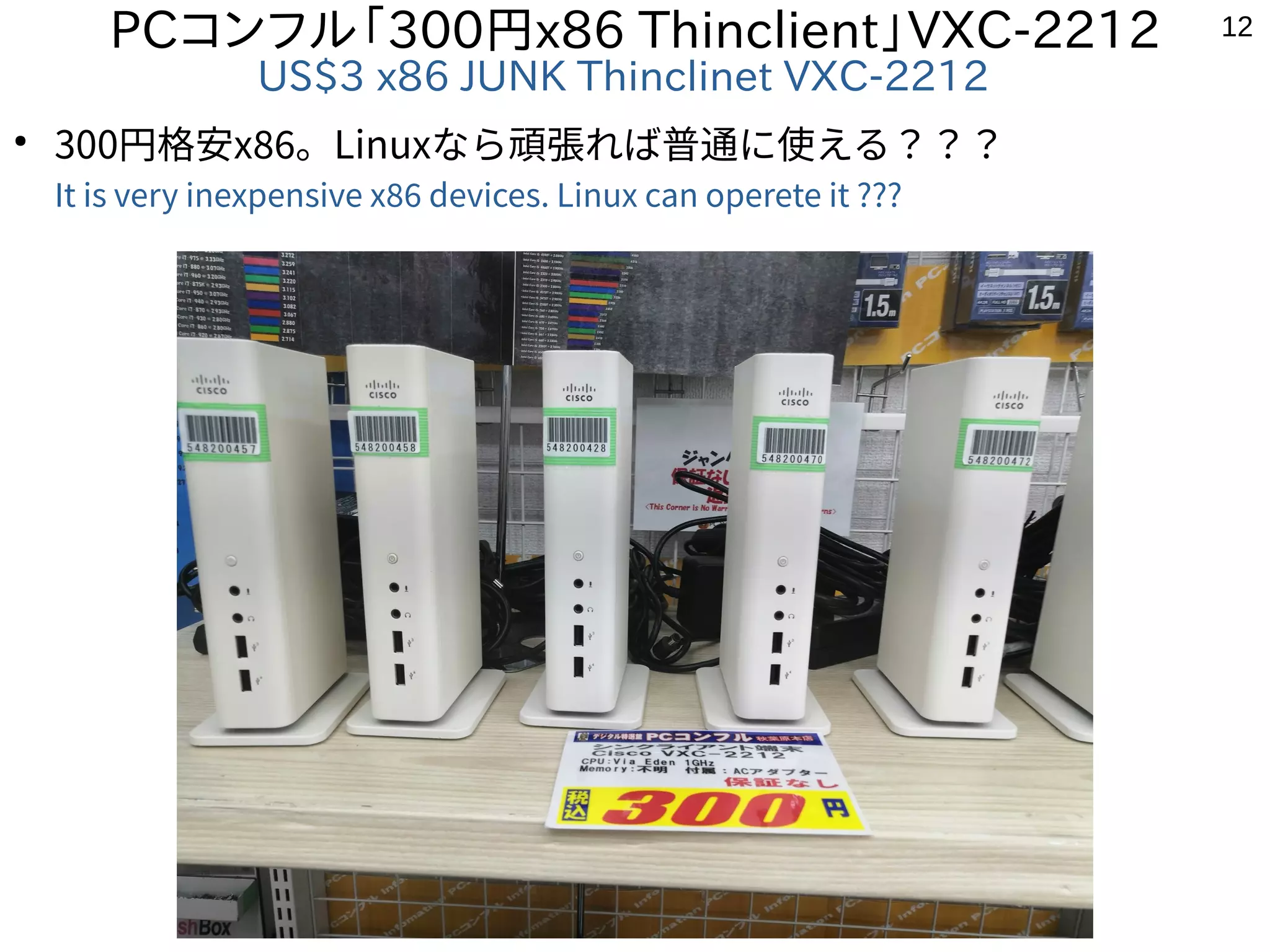
PCコンフル「300円x86 Thinclient」VXC-2212
US$3 x86 JUNK Thinclinet VXC-2212
●
300円格安x86。Linuxなら頑張れば普通に使える???
It is very inexpensive x86 devices. Linux can operete it ???
13
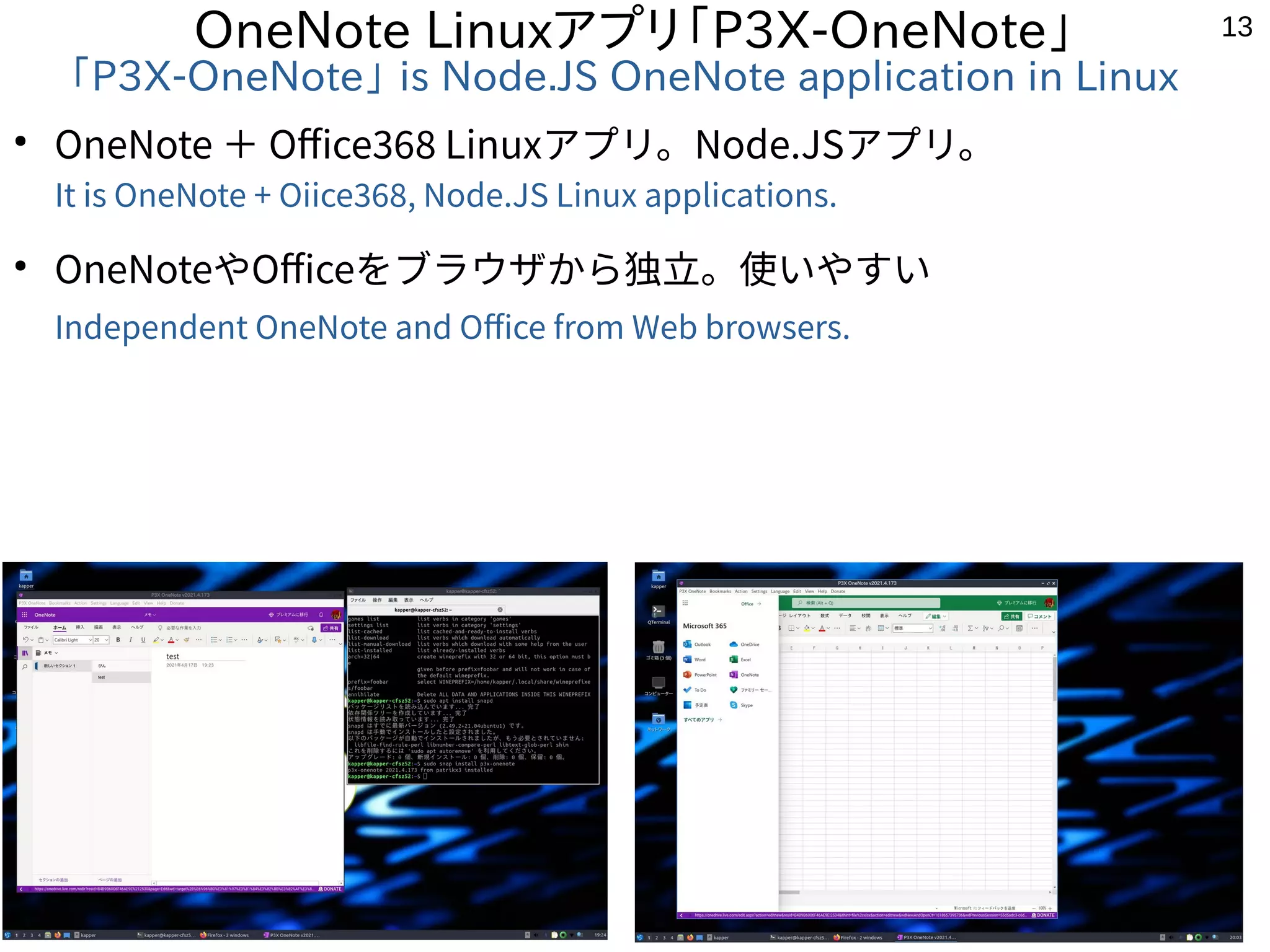
OneNote Linuxアプリ「P3X-OneNote」
「P3X-OneNote」 is Node.JS OneNote application in Linux
●
OneNote + Office368 Linuxアプリ。Node.JSアプリ。
It is OneNote + Oiice368, Node.JS Linux applications.
●
OneNoteやOfficeをブラウザから独立。使いやすい
Independent OneNote and Office from Web browsers.
14
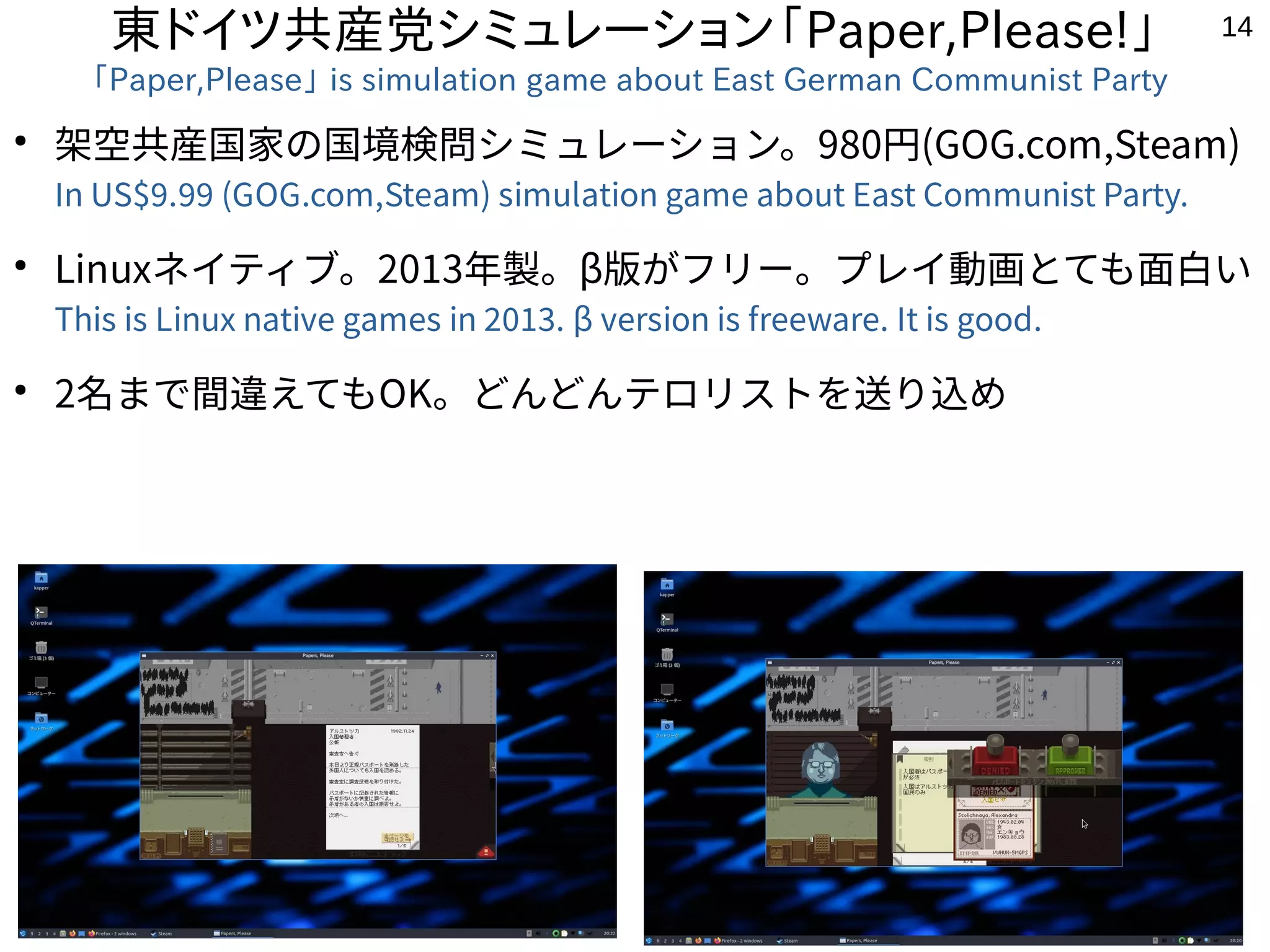
東ドイツ共産党シミュレーション「Paper,Please!」
「Paper,Please」 is simulation game about East German Communist Party
●
架空共産国家の国境検問シミュレーション。980円(GOG.com,Steam)
In US$9.99 (GOG.com,Steam) simulation game about East Communist Party.
●
Linuxネイティブ。2013年製。β版がフリー。プレイ動画とても面白い
This is Linux native games in 2013. β version is freeware. It is good.
●
2名まで間違えてもOK。どんどんテロリストを送り込め
15
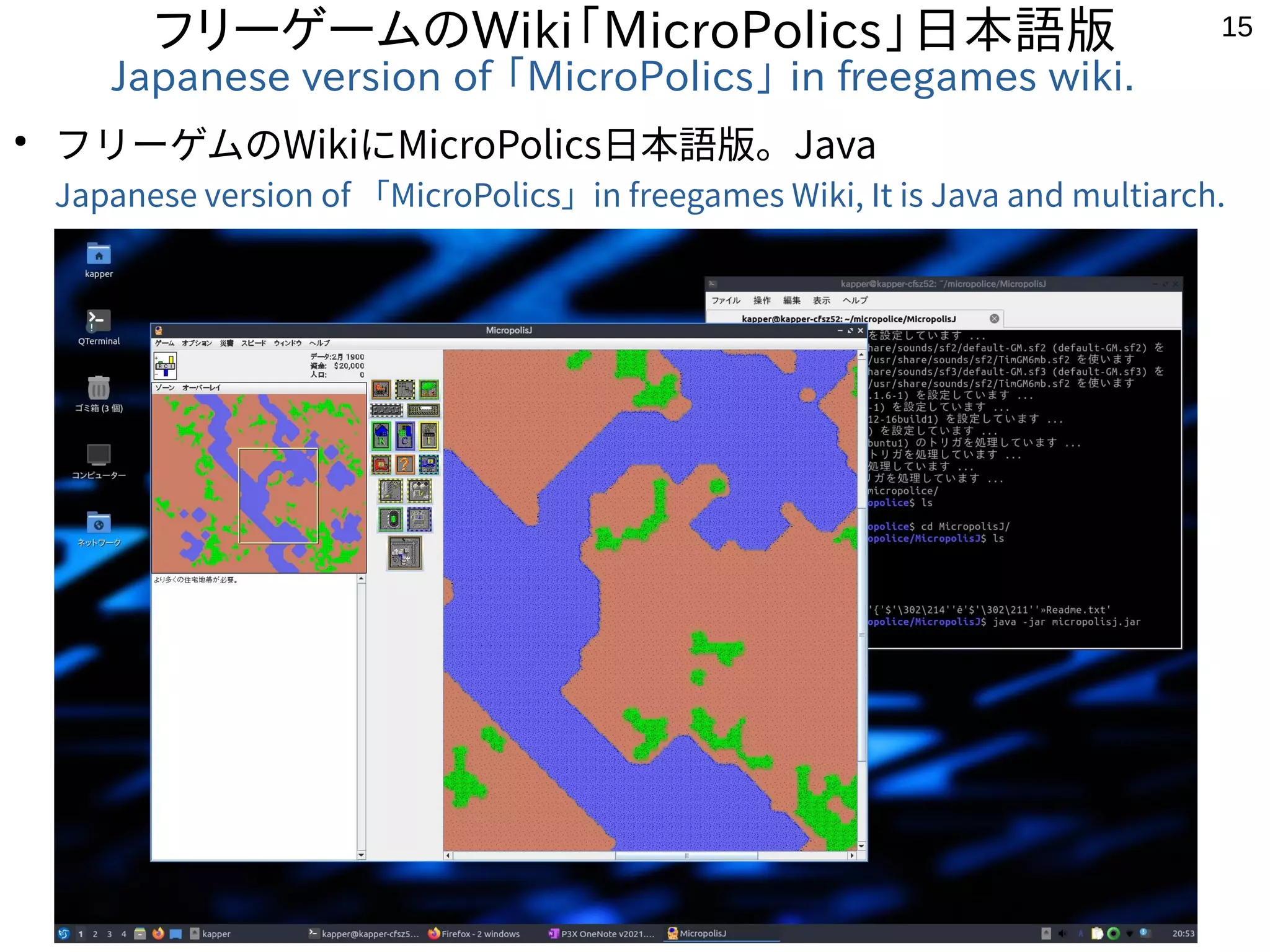
フリーゲームのWiki「MicroPolics」日本語版
Japanese version of 「MicroPolics」 in freegames wiki.
●
フリーゲムのWikiにMicroPolics日本語版。Java
Japanese version of 「MicroPolics」in freegames Wiki, It is Java and multiarch.
16
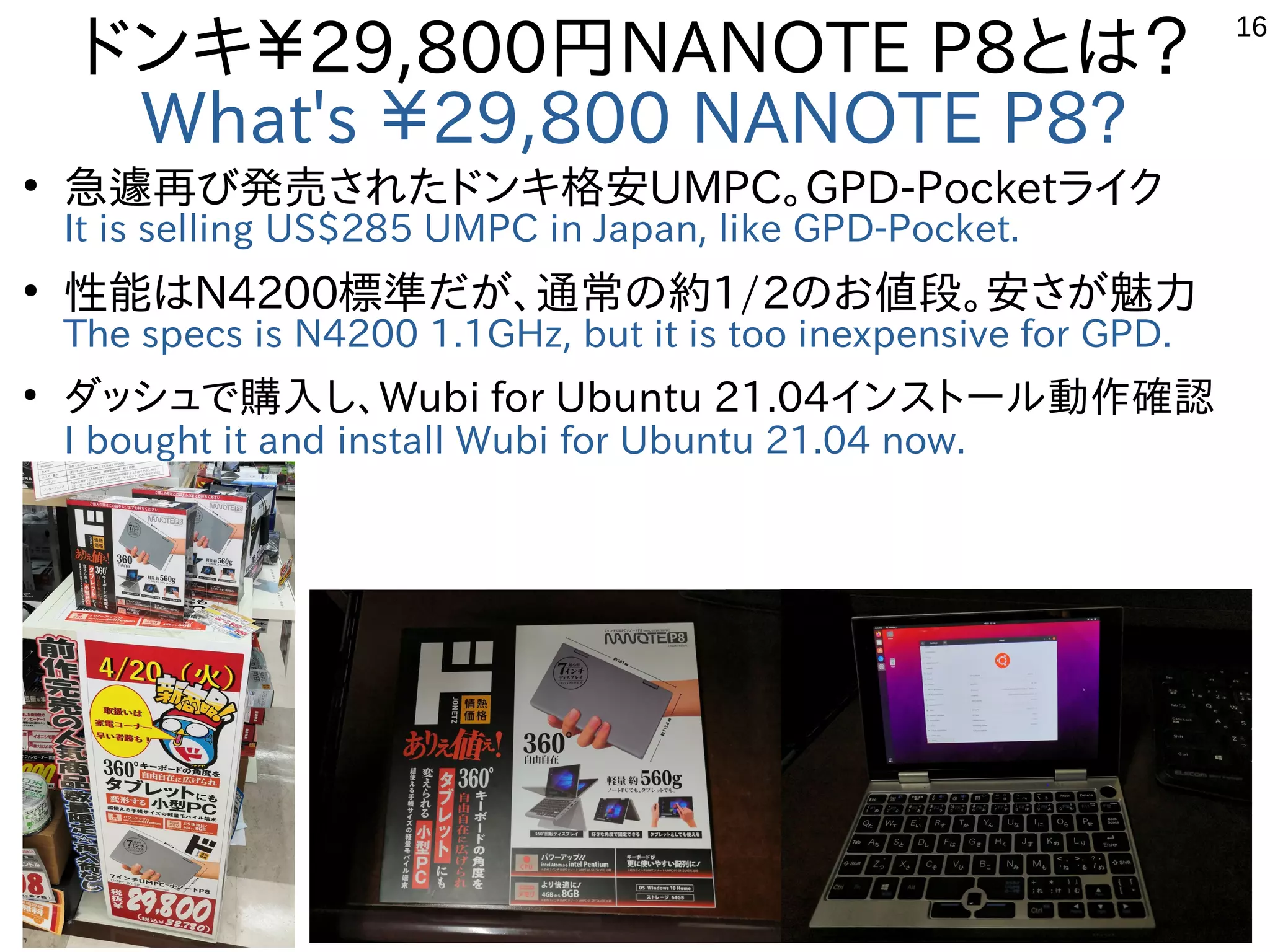
ドンキ¥29,800円NANOTE P8とは?
What's ¥29,800 NANOTE P8?
●
急遽再び発売されたドンキ格安UMPC。GPD-Pocketライク
It is selling US$285 UMPC in Japan, like GPD-Pocket.
●
性能はN4200標準だが、通常の約1/2のお値段。安さが魅力
The specs is N4200 1.1GHz, but it is too inexpensive for GPD.
●
ダッシュで購入し、Wubi for Ubuntu 21.04インストール動作確認
I bought it and install Wubi for Ubuntu 21.04 now. 
17
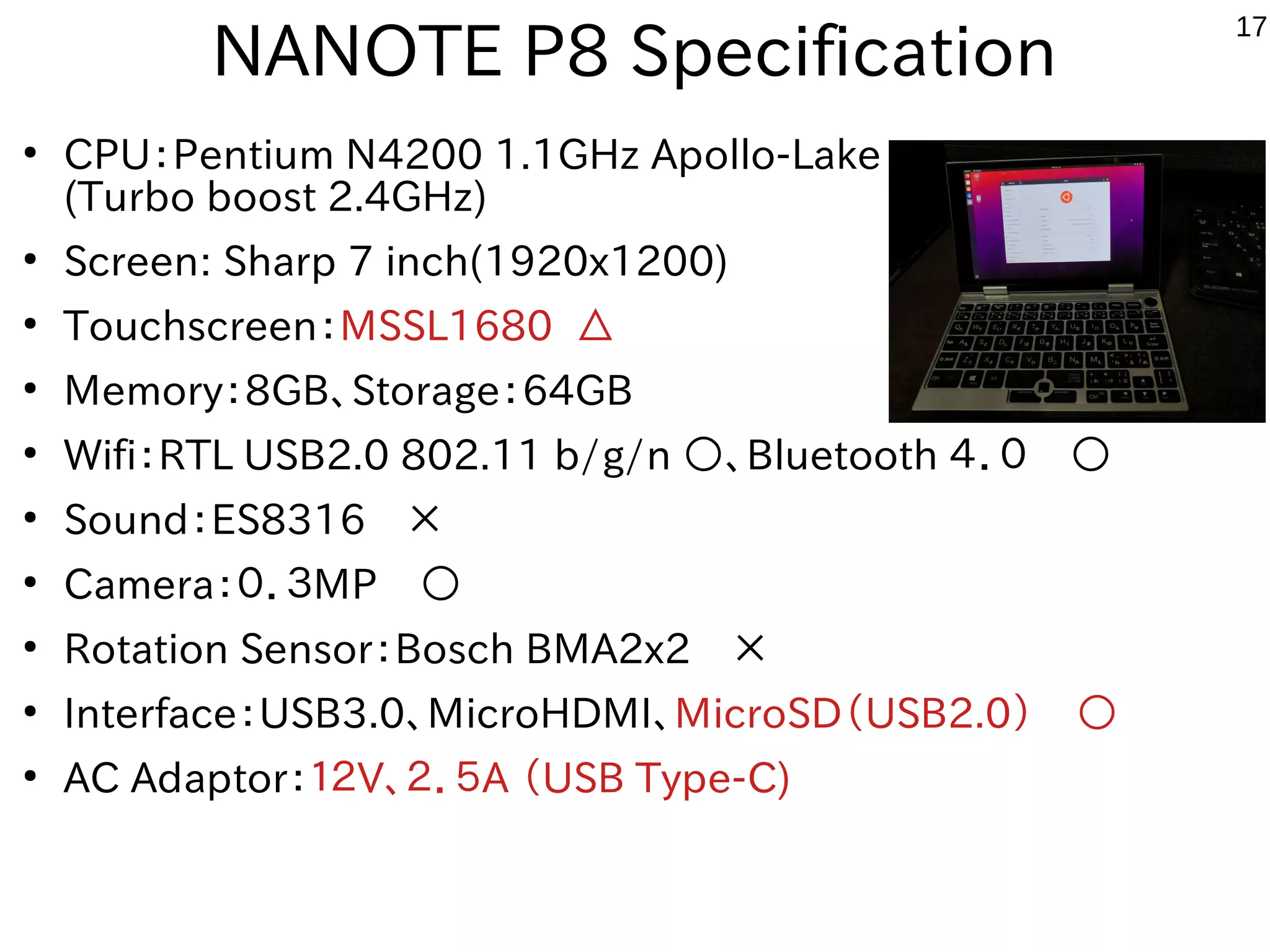
NANOTE P8 Specification
●
CPU:Pentium N4200 1.1GHz Apollo-Lake
(Turbo boost 2.4GHz)
●
Screen: Sharp 7 inch(1920x1200)
●
Touchscreen:MSSL1680 △
●
Memory:8GB、Storage:64GB
●
Wifi:RTL USB2.0 802.11 b/g/n ○、Bluetooth 4.0 ○
●
Sound:ES8316 ×
●
Camera:0.3MP ○
●
Rotation Sensor:Bosch BMA2x2 ×
●
Interface:USB3.0、MicroHDMI、MicroSD(USB2.0) ○
●
AC Adaptor:12V、2.5A (USB Type-C) 
18
Kernel 5.11 Ubuntu 21.04
●
Kernel5.11だとタッチスクリーンとサウンド、画面回転センサーが動
かない no touchscreen, sound, rotation sensor driver in Kernel5.11
●
CentOS、Debian Busterなどは要Kernelアップグレード。
Android-x86とCloudreadyはもう少し後のリリース待ち。
If the other distribution’s kernel is old version,Need to upgrade the kernels.
Ubuntu 20.04
Kernel5.11,12系列
19
Linux Distro on Windows Tablet
Official supported◎、Official reported○、User reported△、No reported ×
Distributions Legacy Oak
Trail
Clover
Trail
Bay
Trail
Cherry
Trail
NAN
OTE
CoreM Comments
32bit
64bit
Z670
BIOS
32bit
Z2760
UEFI
32bit
Z3735
UEFI
32bit
Z8300
UEFI
32bit
N4200
UEFI
64bit
CoreM3
Ubuntu ◎ ○ × ◎ ◎ ◎ ◎ UEFI64bit support
Wubi
Debian ◎ ◎ × ◎ ◎ ○ ◎ UEFI32,64bit
Multiarch ISO
ArchLinux
ManjaroLinux
◎ ◎ × ◎ ◎ ◎ ◎ UEFI64bit
Reported ArchWiki
Fedora ◎ ○ × ◎ ◎ ◎ ◎ UEFI32,64bit
supported
Gentoo ◎ △ × ○ ○ ○ ◎ UEFI、Multilib
openSUSE TW ◎ ◎ × ◎ ◎ ◎ ◎ UEFI64bit only
CentOS ◎ ◎ × ◎ ◎ ○ ◎ UEFI32,64bit
FreeBSD ◎ △ × ○ ○ △ ○ UEFI32,64bit
NetBSD ◎ △ × ○ ○ △ ○ UEFI32,64bit
Android-x86 ◎ ○ × ◎ ◎ △ ◎ UEFI32,64bit
supported
20
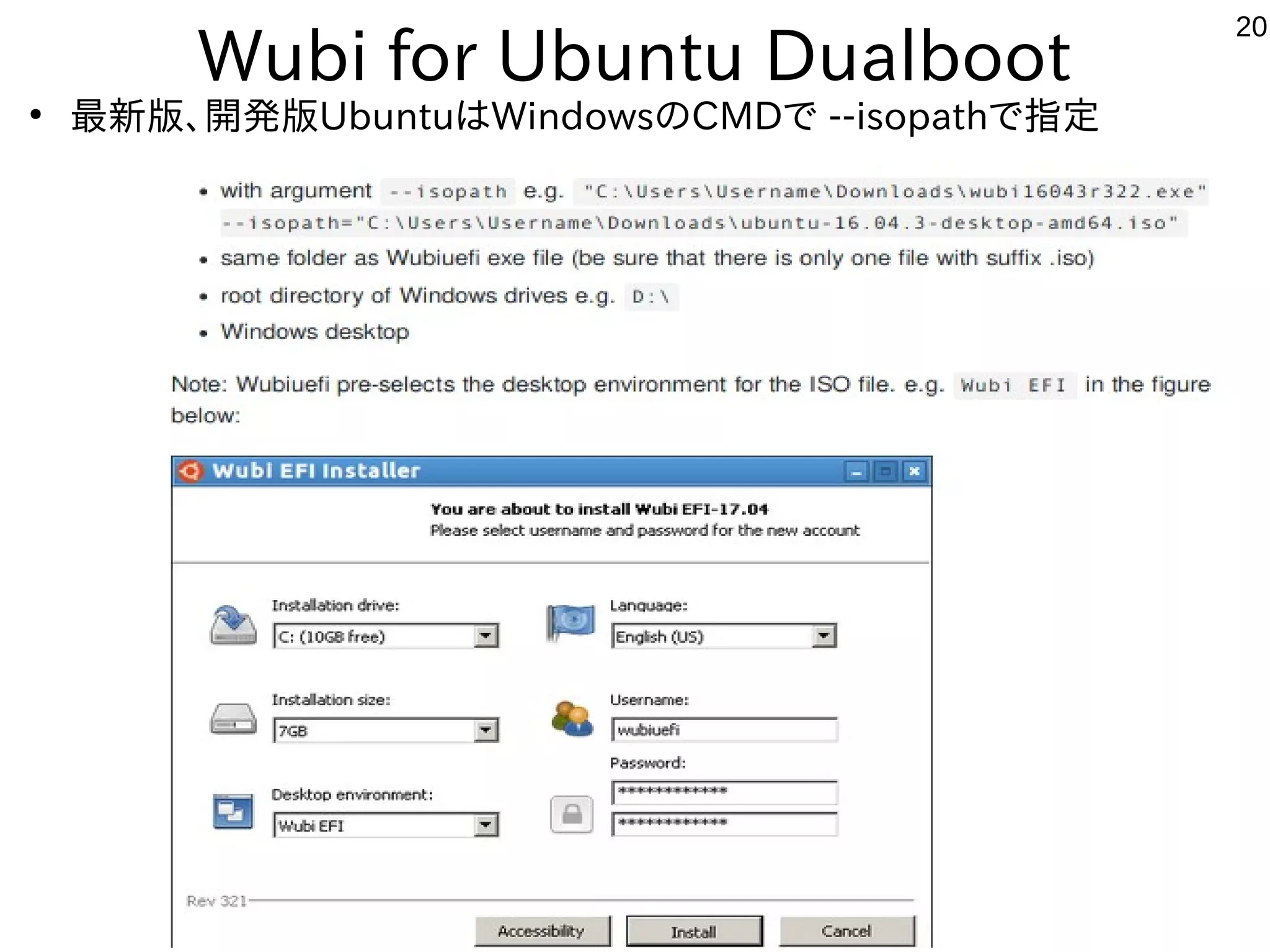
Wubi for Ubuntu Dualboot
●
最新版、開発版UbuntuはWindowsのCMDで --isopathで指定
21
●
USBメモリにISOファイルとWubi for UbuntuのEXEファイルを同じフォ
ルダに置く。 Copy Ubuntu ISO and Wubi’s EXE in each USB memory folder.
●
今回はCMDから--isopath=オプションでインストール。基本はダブルク
リックするだけ
Install only double click in windows10.
●
ユーザー名、パスワード、容量を決めたらインストールし再起動
Insert username, password and storage. After install and reboot.
Install Wubi for Ubuntu and Dualboot Windows10
22
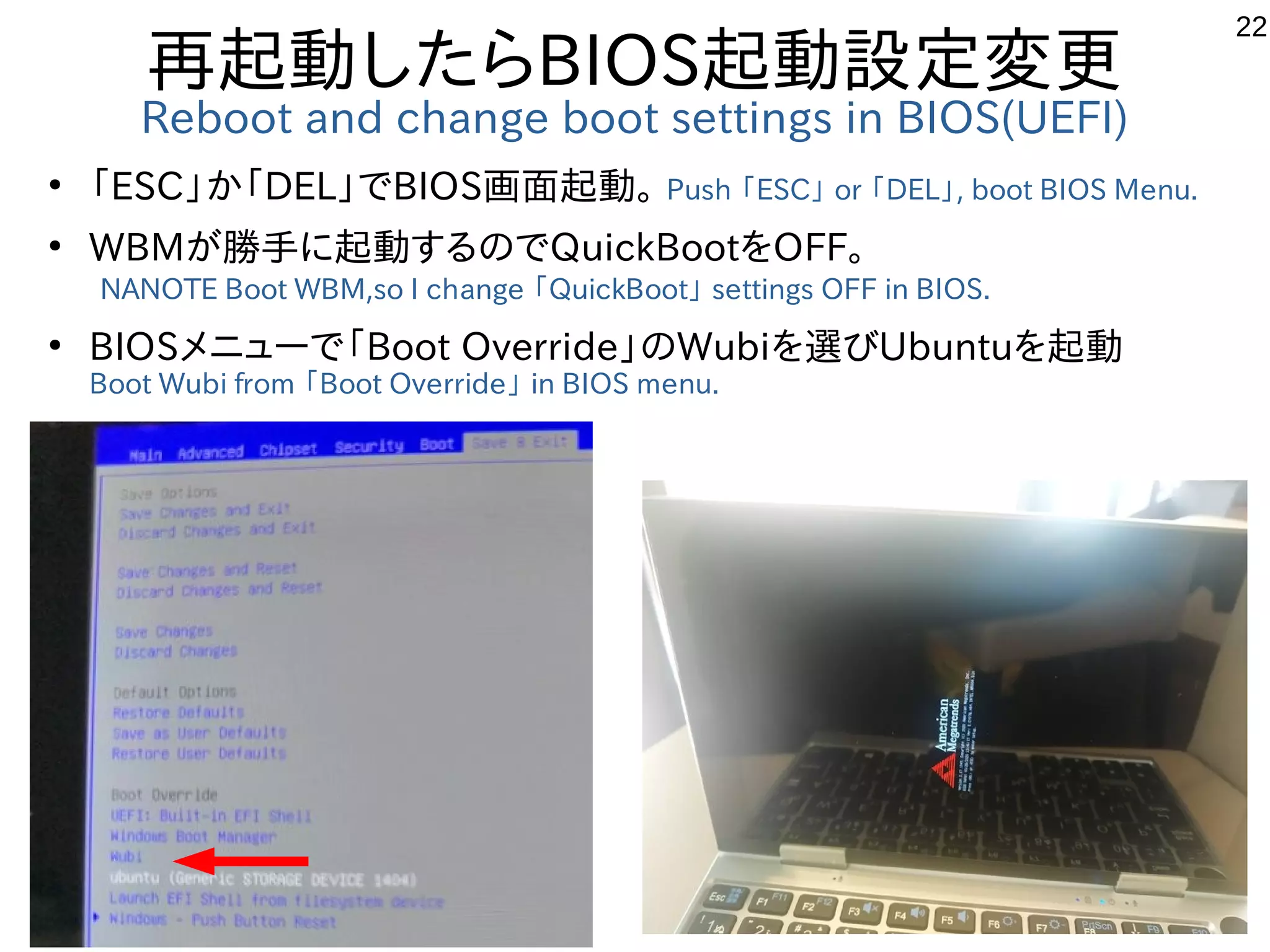
再起動したらBIOS起動設定変更
Reboot and change boot settings in BIOS(UEFI)
●
「ESC」か「DEL」でBIOS画面起動。 Push 「ESC」 or 「DEL」, boot BIOS Menu.
●
WBMが勝手に起動するのでQuickBootをOFF。
NANOTE Boot WBM,so I change 「QuickBoot」 settings OFF in BIOS.
●
BIOSメニューで「Boot Override」のWubiを選びUbuntuを起動
Boot Wubi from 「Boot Override」 in BIOS menu.
23
●
画面が右に傾いているので、設定変更で回転させる
Invert NANOTE and 「 Screen Rotation」
●
画面が戻ったらネットに繋いでUbuntuのアップグレード
Boot Ubuntu after upgrade it.
●
Command in terminal 「xrandr -o right」
Ubuntu21.04起動。画面が右に傾く
Boot Ubuntu21.04 and screen rotation
「Rotation left」
24
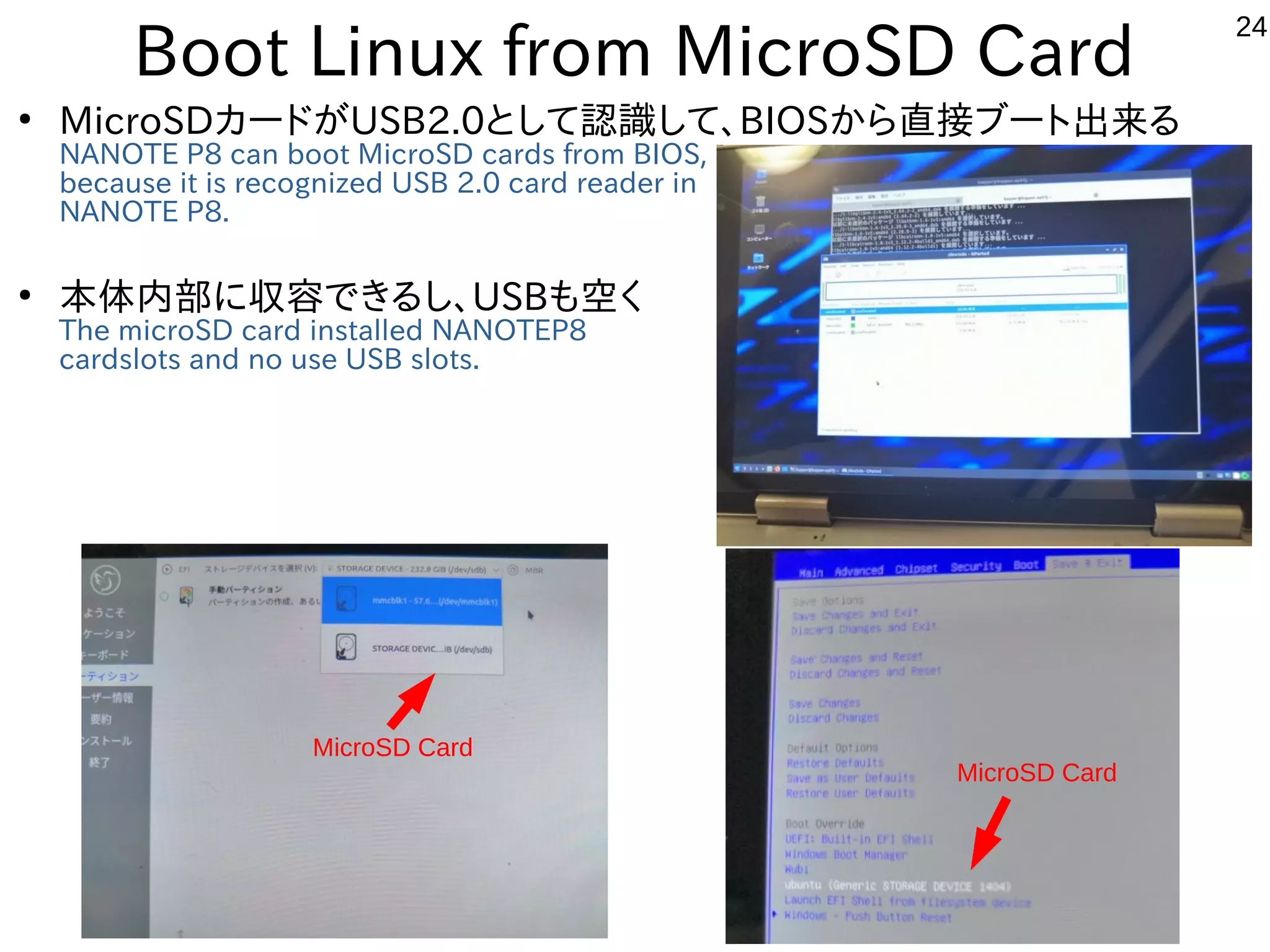
Boot Linux from MicroSD Card
●
MicroSDカードがUSB2.0として認識して、BIOSから直接ブート出来る
NANOTE P8 can boot MicroSD cards from BIOS,
because it is recognized USB 2.0 card reader in
NANOTE P8.
●
本体内部に収容できるし、USBも空く
The microSD card installed NANOTEP8
cardslots and no use USB slots.
MicroSD Card
MicroSD Card
25
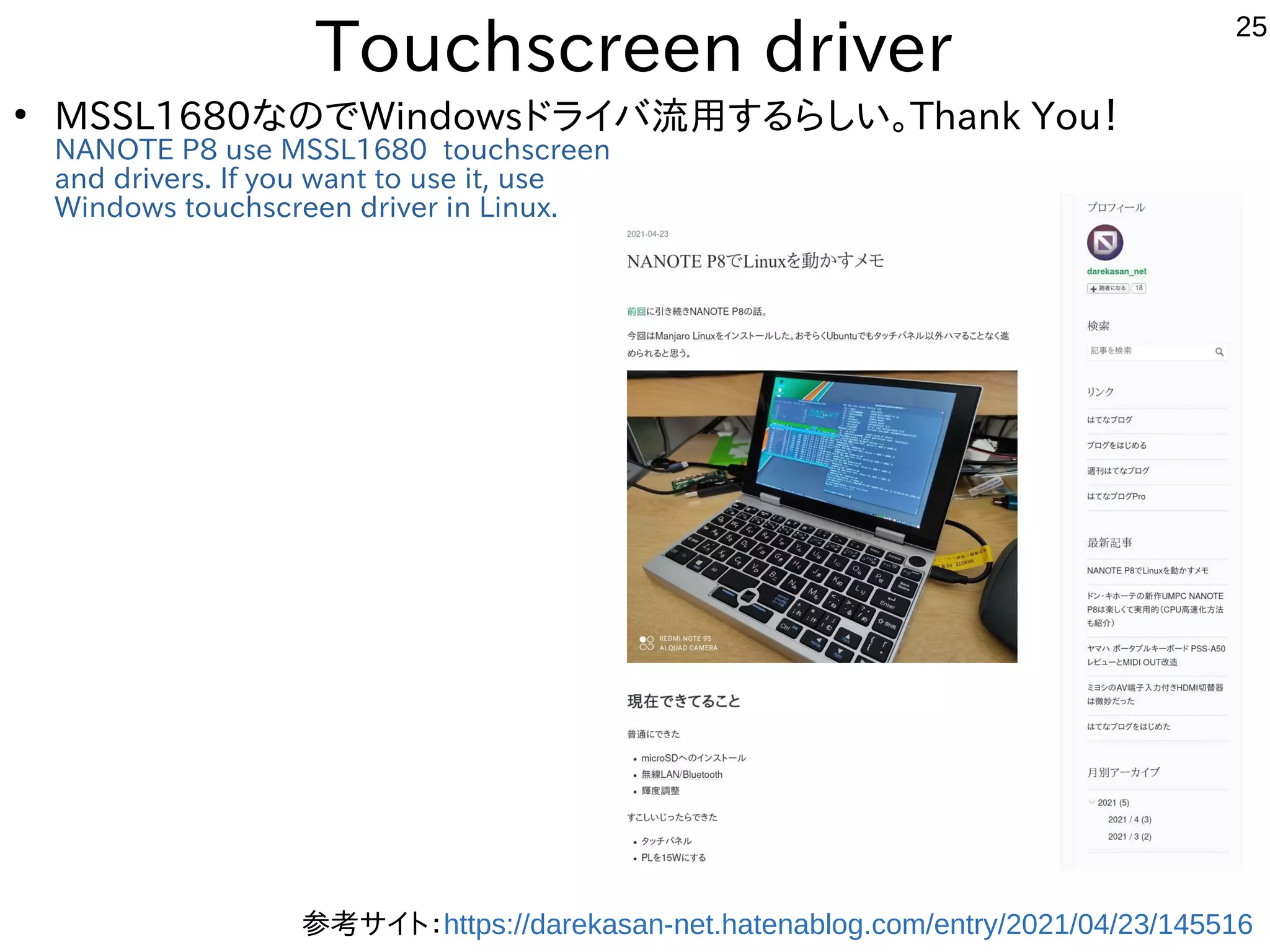
Touchscreen driver
●
MSSL1680なのでWindowsドライバ流用するらしい。Thank You!
NANOTE P8 use MSSL1680 touchscreen
and drivers. If you want to use it, use
Windows touchscreen driver in Linux.
参考サイト:https://darekasan-net.hatenablog.com/entry/2021/04/23/145516
26
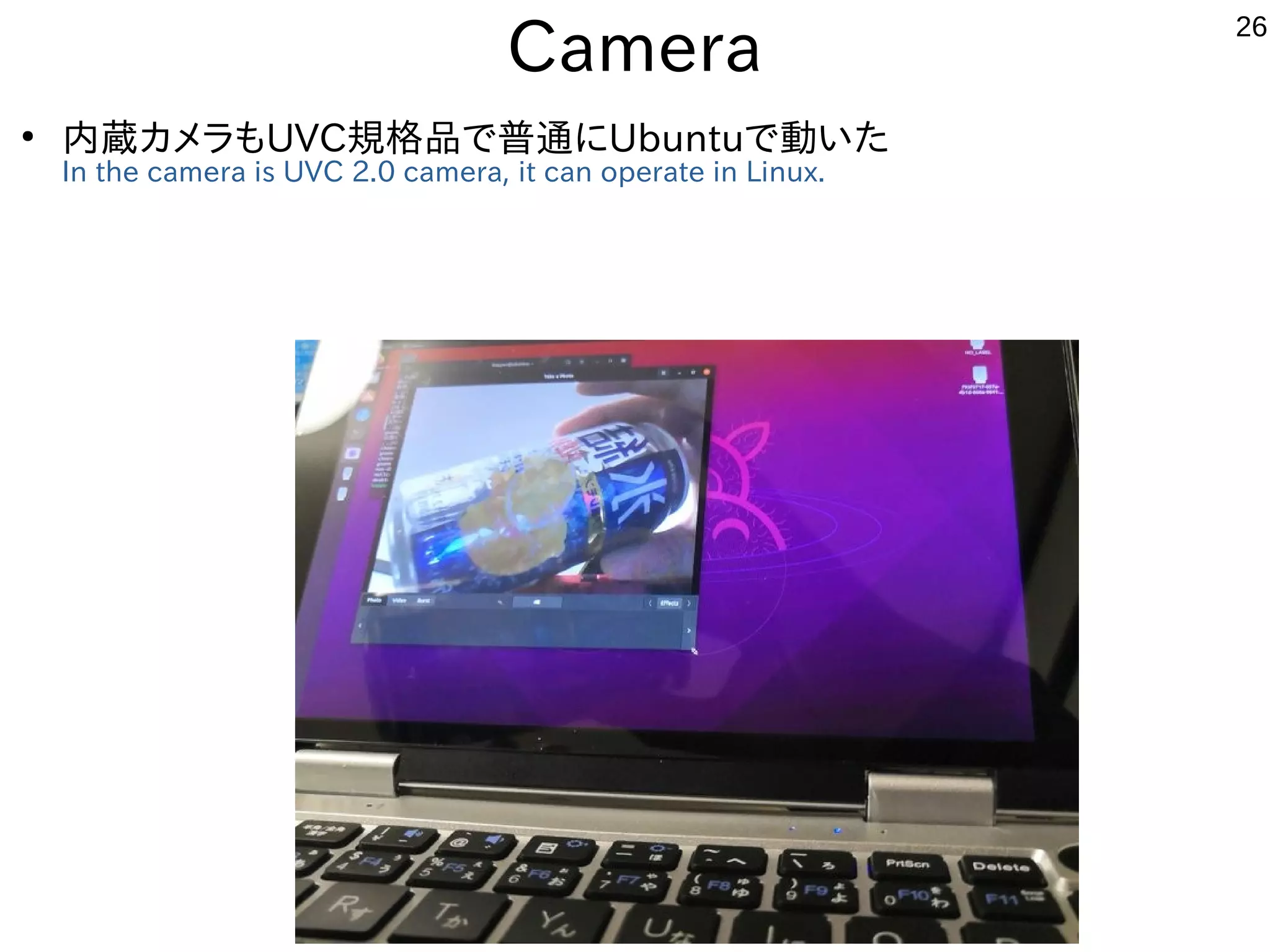
Camera
●
内蔵カメラもUVC規格品で普通にUbuntuで動いた
In the camera is UVC 2.0 camera, it can operate in Linux.
27
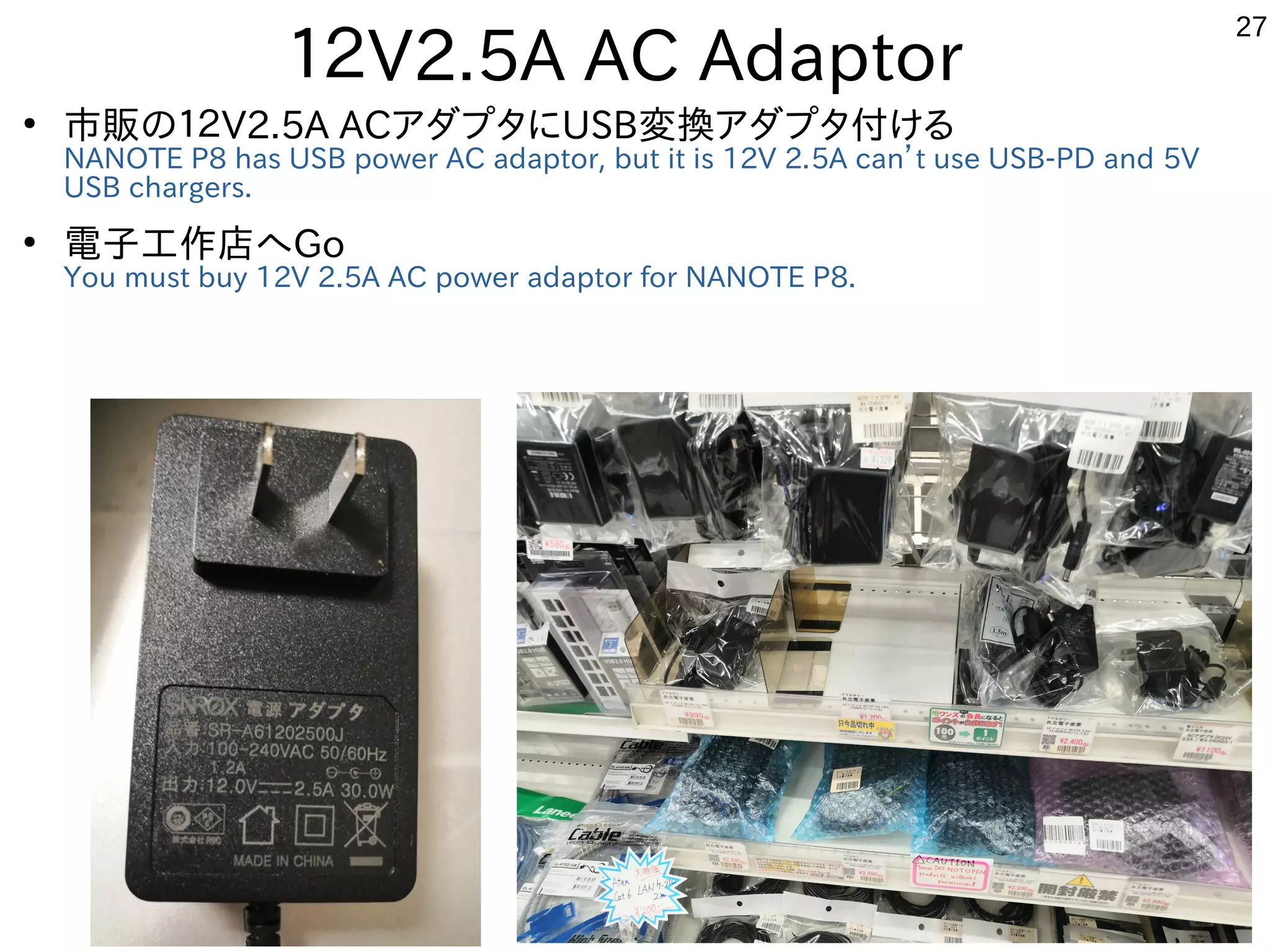
12V2.5A AC Adaptor
●
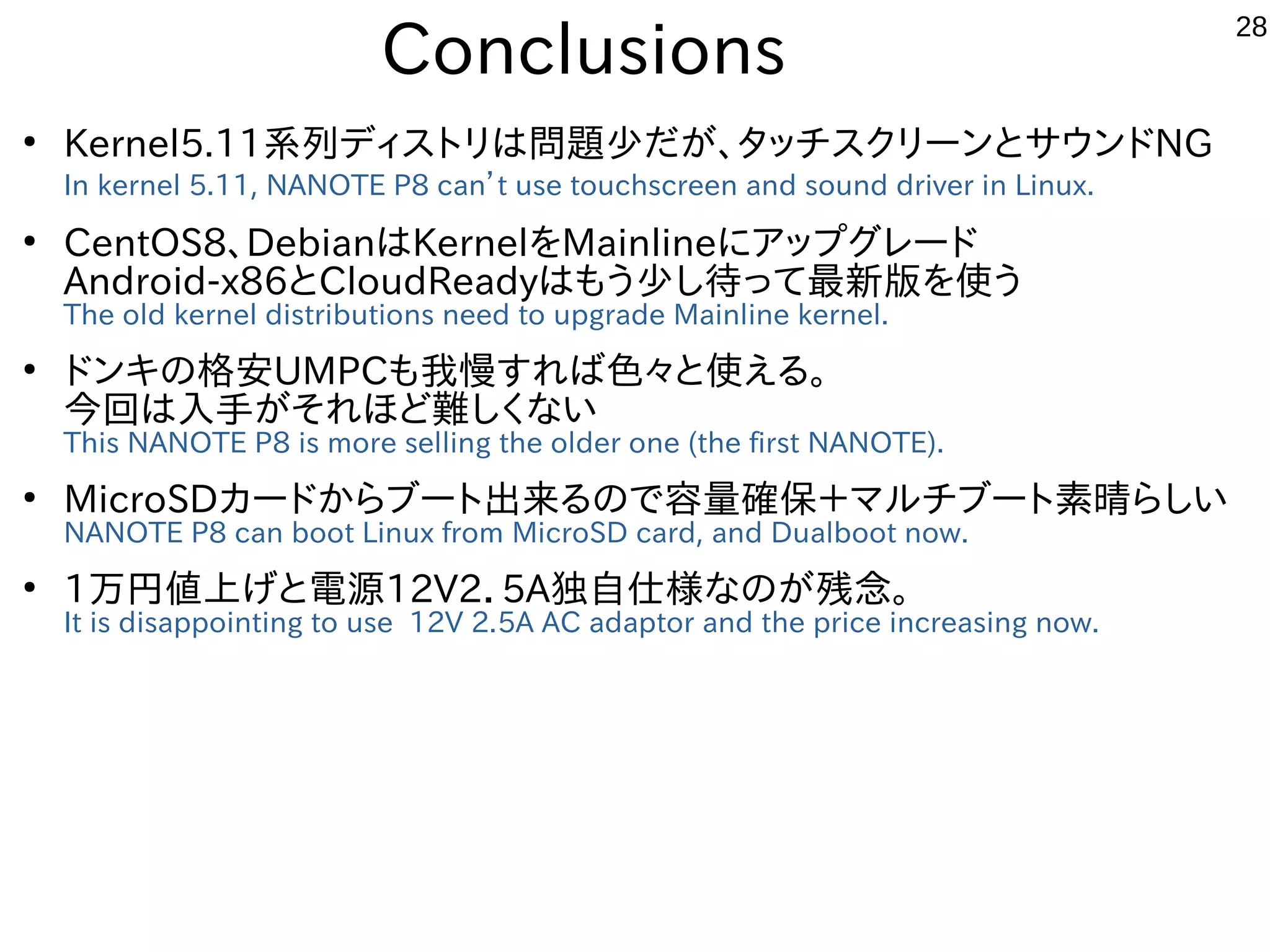
市販の12V2.5A ACアダプタにUSB変換アダプタ付ける
NANOTE P8 has USB power AC adaptor, but it is 12V 2.5A can’t use USB-PD and 5V
USB chargers.
●
電子工作店へGo
You must buy 12V 2.5A AC power adaptor for NANOTE P8.
28
Conclusions
●
Kernel5.11系列ディストリは問題少だが、タッチスクリーンとサウンドNG
In kernel 5.11, NANOTE P8 can’t use touchscreen and sound driver in Linux.
●
CentOS8、DebianはKernelをMainlineにアップグレード
Android-x86とCloudReadyはもう少し待って最新版を使う
The old kernel distributions need to upgrade Mainline kernel.
●
ドンキの格安UMPCも我慢すれば色々と使える。
今回は入手がそれほど難しくない
This NANOTE P8 is more selling the older one (the first NANOTE).
●
MicroSDカードからブート出来るので容量確保+マルチブート素晴らしい
NANOTE P8 can boot Linux from MicroSD card, and Dualboot now.
●
1万円値上げと電源12V2.5A独自仕様なのが残念。
It is disappointing to use 12V 2.5A AC adaptor and the price increasing now.
はじめてのWubi for Ubuntu 21.04 ドンキ格安 第2世代UMPC NANOTE P8

  • 1.
    1 はじめてのWubi for Ubuntu21.04, ドンキ格安 第2世代UMPC NANOTE P8 Beginner for install Wubi for Ubuntu 21.04 in NANOTE P8 in 2021 1、 自己紹介 Self introduction 2、Recently my activities 3、NANOTE P8? 4、Install Wubi for Ubuntu 21.04 5、Device Driver 6、Boot Linux from MicroSD Card 7、Conclusions 詳しい話はSlideshareで公開中 @kapper1224 Gadget Hacking User Group Speaker:Kapper 鹿児島らぐ 2021年4月 2021年4月25日 14:00~ Place: Online This Presentation:Slideshare & PDF files publication of my HP http://kapper1224.sakura.ne.jp Ubuntu Linux21.04 in NANOTE P8
  • 2.
    2 自己紹介 Self Introduction ● My name:Kapper ● Twitter account:@kapper1224 ● HP:http://kapper1224.sakura.ne.jp ● Slideshare: http://www.slideshare.net/kapper1224 ● Mastodon:https://pawoo.net/@kapper1224/ ● Facebook:https://www.facebook.com/kapper1224/ ● My Hobby:Linux、*BSD、and Mobile Devices ● My favorite words:The records are the more important than the experiment. ● Test Model:Netwalker、Nokia N900、DynabookAZ、RaspberryPi、Nexus7、Nexus5、   Chromebook、Fx0(FirefoxOS)、無敵CD-928、GPD-WIN、GPD-Pocket、Macbook、NANOTE、   Windows Tablet、SailfishOS、UBPorts、postmarketOS、NetBSD and The others...    ● Recent my Activity: Hacking Linux on Windows10 Tablet (Intel Atom) and Android Smartphone.   Hacking NetBSD and OpenBSD on UEFI and Windows Tablet. I have been exhibiting in NT Nagoya, NT Kanazawa, Oogaki Mini MakerFaire. I have over 200 Windows Tablet and 120 ARM Android, and test it now.  後、最近小説家になろうで異世界で製造業と産業革命の小説書いていますなう。
  • 3.
    3 Recently my activities SailfishOSon unofficial Nexus5 Install Linux in NANOTE and UMPC Activities on NT, MakerFaire,Taiwan Ubuntu Linux on NANOTE P8 UMPC postmarketOS on Nexus5, Nexus7 2012 Pinephone UBPorts on Nexus5 Nexus7 2013 pinephone MaruOS on Nexus5X
  • 4.
    4 異世界転生小説を書いています This is mynovels 「The otherworldy 」 ● 中世〜近世で製造業で産業革命するネタ It is 「Industrial Revolutions」 in the early modern period in my novels. ● マニアックな技術論が得意な技術開発型ストーリー ● 274万PV、ユニーク26.9万人、1,855ブックマーク、5,476ポイント
  • 5.
    5 アクセス数とご感想 In mynovels PV’s ● 最初は殆どPV無し。地道に更新し上位1.2%。やっと中堅クラスで 274万PV。2年1ヶ月目。 ● 産業革命と歴史背景と製造業、技術論を書いています。 ● 最近シミュレーション小説とか、思考実験小説とか呼ばれてますw ● 毎日更新しないとブックマークが増えない厳しい人気 社会。超競争社会で泣けてくる厳しさ。 出展:小説家になろうを知ろう ~小説家になろうをグラフ化してみた~ 小説家になろうブックマーク数 比率(%) 今ココ 月 PV
  • 6.
    6 OnWorks.netで無料ホスティング Free hosting smartphonein OnWorks.net ● ブラウザで無料で遊べるVPS。WinやReactOSもあり。 OnWorks.net is free VPS. In Linux, Win, ReactOS and so on. ● スマホで専用アプリがあり、いつでも遊べる。 ブラウザを閉じるとデータが全部消える方式 OnWorks.net in Smartphone app now. If you close browser and erase it’s data. ● aptも使えるのでアプリ追加は可能。Dockerみたいな使い方も They can install the application to use it like Docker.
  • 7.
    7 ノートPC用マルチコネクタ Notebook PC multi-ACconnector ● Amazonで購入したノートPC、タブレット用マルチコネクタ I bought multi-connector from Amazon. ● 電源の電圧と電流値に注意。間違えると即死? Please check the voltages and Amps. ● 格安ジャンク品を買う時に便利。 I bought it for JUNK notebook PC and Tablet PC.
  • 8.
    8 最近eMMC無しのジャンクWindowsタブレットが増加 Recently increasing noneMMC Junk WindowsTablet??? ● ヤフオクやジャンク屋に爆安Windows タブレットが増加。eMMC無し The Junk and auctions Windows Tablets are increasing non eMMC devices... ● USBメモリ起動でLinux動くけど 初心者お断り??? I don’t recommended to buy it for beginner. ● 大須のパウでCoreMタブが4,980円 eMMC無くて驚いた。企業流れ品で eMMCを外してガワだけ売ってる? 店も手に負えないだろうか? I bought this CoreM tablet about 4,980 Yen. But no eMMC tablet, so I use it USB memory and Linux. ● Linuxや*BSDを使いましょうね Let’s install Linux and *BSD in JUNK Windows Tablets.
  • 9.
    9 USBメモリにLinuxをインストール Install Linux inUSB memory ● USBメモリを挿すだけマルチOSブート。ドライバ全部入りUbuntu推奨 Install Linux in USB memory, I recommended Ubuntu because all of the drivers installed it. ● Mac、UMPC、タブレット、ノートPC、スティックPCもこれ一つ A lot of devices, Mac, UMPC Tablet, StickPC can boot it. ● HDDと比べると省エネでバッテリ長持ちする Low battery consumption ● たまに間違えてHDDを消す Occasionally erase the HDD by my mistake (HDD, USB memory = / dev/sda,/dev/sdb …) (eMMC, SD card = / dev/mmcblk0,/dev/mmcblk1 …) ● プチフリが非常に激しいのが欠点 The disadvantage is that has many freezes.
  • 10.
    10 ジャンクガラホにUserLAndとLinuxをインストール Install UserLAnd andLinux in Japanese feature phone ● 最近安くなってきたジャンクガラホにapkとUserLAndをインストール Install apk files and UserLAnd in JUNK Japanese feature Android phone. ● タッチクルーザーやVNCサーバを使えば、操作系はなんとかな They can use the key-assisted mouse and VNC server. ● なんやかんや言って我慢すれば普通に使えてしまった
  • 11.
    11 大須パウで買った「980円ジャンクTV」 I bought US$9JUNK HDMI TV. ● 最近安くなってきたジャンクTV。HDMI対応1280x720。ラズパイなど Recently old HDMI TV is inexpensive prices, I use it for RaspberryPi and also.
  • 12.
    12 PCコンフル「300円x86 Thinclient」VXC-2212 US$3 x86JUNK Thinclinet VXC-2212 ● 300円格安x86。Linuxなら頑張れば普通に使える??? It is very inexpensive x86 devices. Linux can operete it ???
  • 13.
    13 OneNote Linuxアプリ「P3X-OneNote」 「P3X-OneNote」 isNode.JS OneNote application in Linux ● OneNote + Office368 Linuxアプリ。Node.JSアプリ。 It is OneNote + Oiice368, Node.JS Linux applications. ● OneNoteやOfficeをブラウザから独立。使いやすい Independent OneNote and Office from Web browsers.
  • 14.
    14 東ドイツ共産党シミュレーション「Paper,Please!」 「Paper,Please」 is simulationgame about East German Communist Party ● 架空共産国家の国境検問シミュレーション。980円(GOG.com,Steam) In US$9.99 (GOG.com,Steam) simulation game about East Communist Party. ● Linuxネイティブ。2013年製。β版がフリー。プレイ動画とても面白い This is Linux native games in 2013. β version is freeware. It is good. ● 2名まで間違えてもOK。どんどんテロリストを送り込め
  • 15.
    15 フリーゲームのWiki「MicroPolics」日本語版 Japanese version of「MicroPolics」 in freegames wiki. ● フリーゲムのWikiにMicroPolics日本語版。Java Japanese version of 「MicroPolics」in freegames Wiki, It is Java and multiarch.
  • 16.
    16 ドンキ¥29,800円NANOTE P8とは? What's ¥29,800NANOTE P8? ● 急遽再び発売されたドンキ格安UMPC。GPD-Pocketライク It is selling US$285 UMPC in Japan, like GPD-Pocket. ● 性能はN4200標準だが、通常の約1/2のお値段。安さが魅力 The specs is N4200 1.1GHz, but it is too inexpensive for GPD. ● ダッシュで購入し、Wubi for Ubuntu 21.04インストール動作確認 I bought it and install Wubi for Ubuntu 21.04 now. 
  • 17.
    17 NANOTE P8 Specification ● CPU:PentiumN4200 1.1GHz Apollo-Lake (Turbo boost 2.4GHz) ● Screen: Sharp 7 inch(1920x1200) ● Touchscreen:MSSL1680 △ ● Memory:8GB、Storage:64GB ● Wifi:RTL USB2.0 802.11 b/g/n ○、Bluetooth 4.0 ○ ● Sound:ES8316 × ● Camera:0.3MP ○ ● Rotation Sensor:Bosch BMA2x2 × ● Interface:USB3.0、MicroHDMI、MicroSD(USB2.0) ○ ● AC Adaptor:12V、2.5A (USB Type-C) 
  • 18.
    18 Kernel 5.11 Ubuntu21.04 ● Kernel5.11だとタッチスクリーンとサウンド、画面回転センサーが動 かない no touchscreen, sound, rotation sensor driver in Kernel5.11 ● CentOS、Debian Busterなどは要Kernelアップグレード。 Android-x86とCloudreadyはもう少し後のリリース待ち。 If the other distribution’s kernel is old version,Need to upgrade the kernels. Ubuntu 20.04 Kernel5.11,12系列
  • 19.
    19 Linux Distro onWindows Tablet Official supported◎、Official reported○、User reported△、No reported × Distributions Legacy Oak Trail Clover Trail Bay Trail Cherry Trail NAN OTE CoreM Comments 32bit 64bit Z670 BIOS 32bit Z2760 UEFI 32bit Z3735 UEFI 32bit Z8300 UEFI 32bit N4200 UEFI 64bit CoreM3 Ubuntu ◎ ○ × ◎ ◎ ◎ ◎ UEFI64bit support Wubi Debian ◎ ◎ × ◎ ◎ ○ ◎ UEFI32,64bit Multiarch ISO ArchLinux ManjaroLinux ◎ ◎ × ◎ ◎ ◎ ◎ UEFI64bit Reported ArchWiki Fedora ◎ ○ × ◎ ◎ ◎ ◎ UEFI32,64bit supported Gentoo ◎ △ × ○ ○ ○ ◎ UEFI、Multilib openSUSE TW ◎ ◎ × ◎ ◎ ◎ ◎ UEFI64bit only CentOS ◎ ◎ × ◎ ◎ ○ ◎ UEFI32,64bit FreeBSD ◎ △ × ○ ○ △ ○ UEFI32,64bit NetBSD ◎ △ × ○ ○ △ ○ UEFI32,64bit Android-x86 ◎ ○ × ◎ ◎ △ ◎ UEFI32,64bit supported
  • 20.
    20 Wubi for UbuntuDualboot ● 最新版、開発版UbuntuはWindowsのCMDで --isopathで指定
  • 21.
    21 ● USBメモリにISOファイルとWubi for UbuntuのEXEファイルを同じフォ ルダに置く。Copy Ubuntu ISO and Wubi’s EXE in each USB memory folder. ● 今回はCMDから--isopath=オプションでインストール。基本はダブルク リックするだけ Install only double click in windows10. ● ユーザー名、パスワード、容量を決めたらインストールし再起動 Insert username, password and storage. After install and reboot. Install Wubi for Ubuntu and Dualboot Windows10
  • 22.
    22 再起動したらBIOS起動設定変更 Reboot and changeboot settings in BIOS(UEFI) ● 「ESC」か「DEL」でBIOS画面起動。 Push 「ESC」 or 「DEL」, boot BIOS Menu. ● WBMが勝手に起動するのでQuickBootをOFF。 NANOTE Boot WBM,so I change 「QuickBoot」 settings OFF in BIOS. ● BIOSメニューで「Boot Override」のWubiを選びUbuntuを起動 Boot Wubi from 「Boot Override」 in BIOS menu.
  • 23.
    23 ● 画面が右に傾いているので、設定変更で回転させる Invert NANOTE and「 Screen Rotation」 ● 画面が戻ったらネットに繋いでUbuntuのアップグレード Boot Ubuntu after upgrade it. ● Command in terminal 「xrandr -o right」 Ubuntu21.04起動。画面が右に傾く Boot Ubuntu21.04 and screen rotation 「Rotation left」
  • 24.
    24 Boot Linux fromMicroSD Card ● MicroSDカードがUSB2.0として認識して、BIOSから直接ブート出来る NANOTE P8 can boot MicroSD cards from BIOS, because it is recognized USB 2.0 card reader in NANOTE P8. ● 本体内部に収容できるし、USBも空く The microSD card installed NANOTEP8 cardslots and no use USB slots. MicroSD Card MicroSD Card
  • 25.
    25 Touchscreen driver ● MSSL1680なのでWindowsドライバ流用するらしい。Thank You! NANOTEP8 use MSSL1680 touchscreen and drivers. If you want to use it, use Windows touchscreen driver in Linux. 参考サイト:https://darekasan-net.hatenablog.com/entry/2021/04/23/145516
  • 26.
  • 27.
    27 12V2.5A AC Adaptor ● 市販の12V2.5AACアダプタにUSB変換アダプタ付ける NANOTE P8 has USB power AC adaptor, but it is 12V 2.5A can’t use USB-PD and 5V USB chargers. ● 電子工作店へGo You must buy 12V 2.5A AC power adaptor for NANOTE P8.
  • 28.
    28 Conclusions ● Kernel5.11系列ディストリは問題少だが、タッチスクリーンとサウンドNG In kernel 5.11,NANOTE P8 can’t use touchscreen and sound driver in Linux. ● CentOS8、DebianはKernelをMainlineにアップグレード Android-x86とCloudReadyはもう少し待って最新版を使う The old kernel distributions need to upgrade Mainline kernel. ● ドンキの格安UMPCも我慢すれば色々と使える。 今回は入手がそれほど難しくない This NANOTE P8 is more selling the older one (the first NANOTE). ● MicroSDカードからブート出来るので容量確保+マルチブート素晴らしい NANOTE P8 can boot Linux from MicroSD card, and Dualboot now. ● 1万円値上げと電源12V2.5A独自仕様なのが残念。 It is disappointing to use 12V 2.5A AC adaptor and the price increasing now.