Mary White
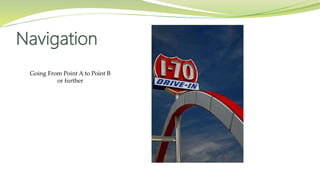
Navigation
Going From Point A to Point B
or further
 Menu are so important to a website:
 Why are they that important?
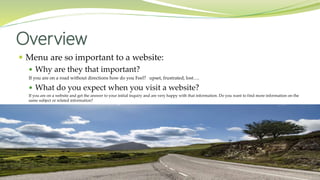
If you are on a road without directions how do you Feel? upset, frustrated, lost….
 What do you expect when you visit a website?
If you are on a website and get the answer to your initial inquiry and are very happy with that information. Do you want to find more information on the
same subject or related information?
Overview
 Where to go
 Types of Menus
 Plan
 Goals
 Hierarchy
 Viewing
 Audience
 Finding
 Twenty Seventeen Tools
 WordPress Menu Items
 Questions
Menus … What can you say
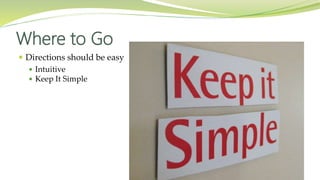
 Directions should be easy
 Intuitive
 Keep It Simple
Where to Go
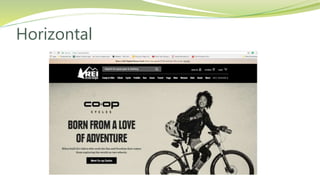
 Horizontal
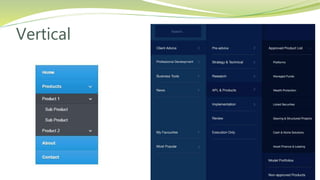
 Vertical
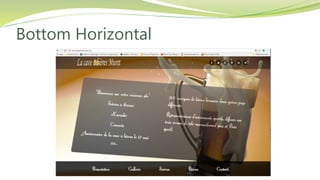
 Bottom Horizontal
 Vertical popup or floating in menus
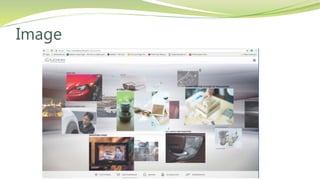
 Image Menus
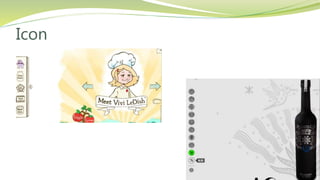
 Icon Menus
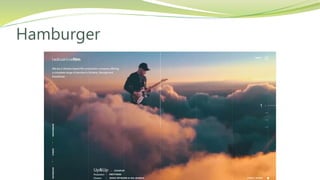
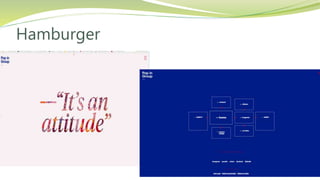
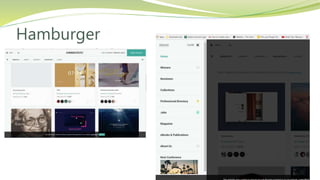
 Hamburger menus
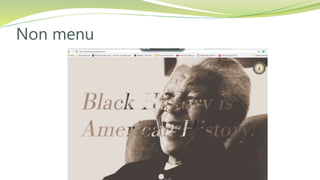
 Non Menu
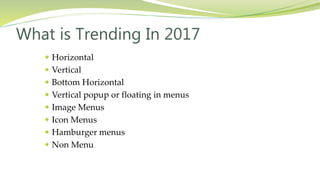
What is Trending In 2017
Horizontal
Vertical
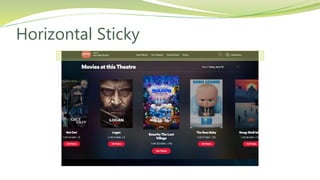
Horizontal Sticky
Bottom Horizontal
Image
Icon
Hamburger
Hamburger
Hamburger
Non menu
 Pop Up Menus as you scroll or after a time frame
 Menus on right and left sides
 Menus after you scroll
 Mega Menus
Which menus are style fads and which ones will last
Just because you can does not mean you should
Artistic menu will not work for a Law firm as a Law firm menu will not work for a children's website
So Many New Menus
 Before you build
 Goals
 Hierarchy
 Viewing
 Audience
 Finding
 User Design
 User Interface
Planning
Before you Build
 Content directions
 E-commerce
 Get subscriptions
 Learning tool
 DIY
 Artistic
Goals
 Drive people around your content with a well constructed
menu or Navigation
Setup content categories that mean something to the users
User design and User interface is very important step to constructing a functional website
Site mapping information based on inquiries of the people that will be review the website
 Design Consideration
 Too Shallow
 Too Deep
 Too Confusing
Hierarchy
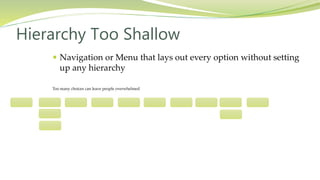
 Navigation or Menu that lays out every option without setting
up any hierarchy
Too many choices can leave people overwhelmed
Hierarchy Too Shallow
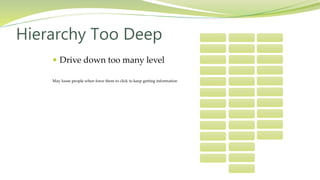
 Drive down too many level
May loose people when force them to click to keep getting information
Hierarchy Too Deep
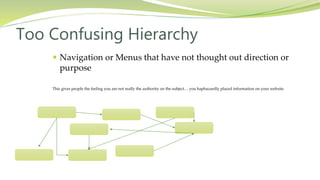
 Navigation or Menus that have not thought out direction or
purpose
This gives people the feeling you are not really the authority on the subject… you haphazardly placed information on your website.
Too Confusing Hierarchy
 Type of information being viewed and Why
 Business information
 Selling Products
 eLearning
 Artistic Experience
Viewing
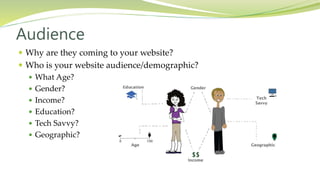
 Why are they coming to your website?
 Who is your website audience/demographic?
 What Age?
 Gender?
 Income?
 Education?
 Tech Savvy?
 Geographic?
Audience
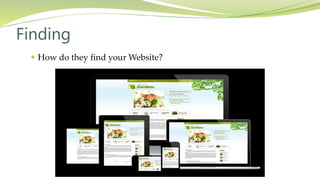
 How do they find your Website?
Finding
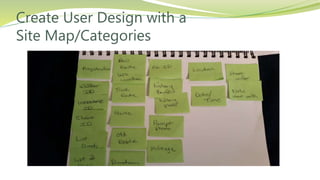
Create User Design with a
Site Map/Categories
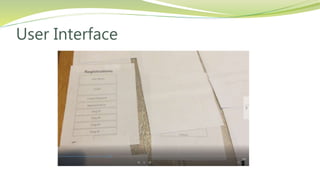
User Interface
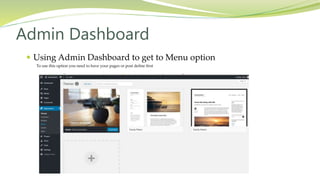
 Using Admin Dashboard to get to Menu option
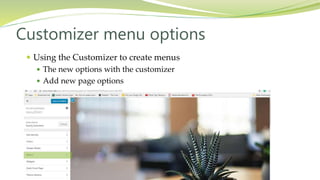
 Using the Customizer to create menus
 The new options with the customizer
 Add new page options
Twenty Seventeen Tools
 Using Admin Dashboard to get to Menu option
To use this option you need to have your pages or post define first
Admin Dashboard
Admin Dashboard
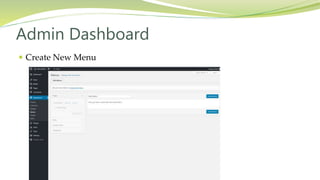
 Create New Menu
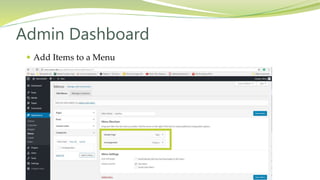
 Add Items to a Menu
Admin Dashboard
 Using the Customizer to create menus
 The new options with the customizer
 Add new page options
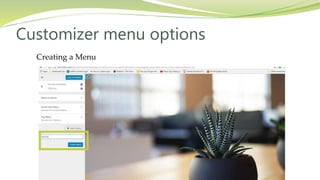
Customizer menu options
Creating a Menu
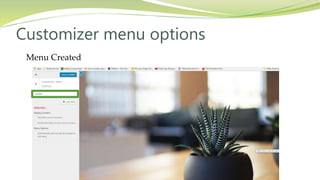
Customizer menu options
Menu Created
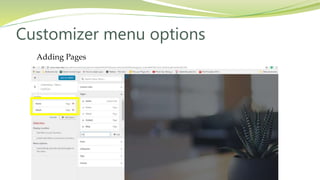
Customizer menu options
Adding Pages
Customizer menu options
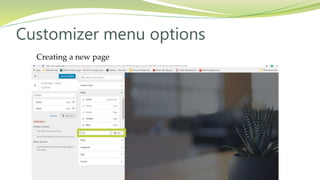
Creating a new page
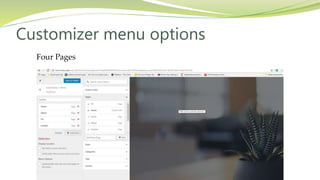
Customizer menu options
Four Pages
Customizer menu options
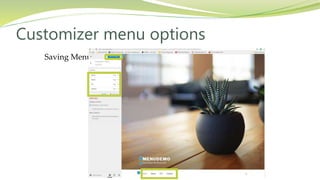
Saving Menu
Customizer menu options
 Pages
 Post
 Custom Urls
 Categories and Tags
 Images
WordPress Menu Items
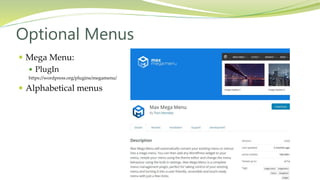
 Mega Menu:
 PlugIn
https://wordpress.org/plugins/megamenu/
 Alphabetical menus
Optional Menus
 Creating Menu is more then just saying It will be a the following home,
about, and contact. Yes you can create a menu that way but you really
should think and plan your menu.
 Just like the road trip you want to take you want directions to make
your life easier as will your audience as they visit your website.
 The more planning you do prior to your build the better off the
directions will be.
Summary
 Get your Content established will be a great help in determining what
you can offer to your audience in a menu.
 Getting User input on the Design prior to your build will help with the
final user interface
 If you create a menu item with no content you lost your authority on
that subject.
 Good Building
Next Steps
 Any Time for Questions
 This presentation is on SlideShare
Questions
 I have taught WordPress, HTML and CSS Website Design
and Adobe Products in the Continuing Education
Department at Johnson County Community College for the
Last Three years
 I own small Business MW for Designs for 9 years
 Feel Free to Contact me at:
MaryW@mwfordesigns.com
Twitter #mw4designs
About Mary

WordPress Navigation, Menus and More

  • 1.
  • 2.
    Navigation Going From PointA to Point B or further
  • 3.
     Menu areso important to a website:  Why are they that important? If you are on a road without directions how do you Feel? upset, frustrated, lost….  What do you expect when you visit a website? If you are on a website and get the answer to your initial inquiry and are very happy with that information. Do you want to find more information on the same subject or related information? Overview
  • 4.
     Where togo  Types of Menus  Plan  Goals  Hierarchy  Viewing  Audience  Finding  Twenty Seventeen Tools  WordPress Menu Items  Questions Menus … What can you say
  • 5.
     Directions shouldbe easy  Intuitive  Keep It Simple Where to Go
  • 6.
     Horizontal  Vertical Bottom Horizontal  Vertical popup or floating in menus  Image Menus  Icon Menus  Hamburger menus  Non Menu What is Trending In 2017
  • 7.
  • 8.
  • 9.
  • 10.
  • 11.
  • 12.
  • 13.
  • 14.
  • 15.
  • 16.
  • 17.
     Pop UpMenus as you scroll or after a time frame  Menus on right and left sides  Menus after you scroll  Mega Menus Which menus are style fads and which ones will last Just because you can does not mean you should Artistic menu will not work for a Law firm as a Law firm menu will not work for a children's website So Many New Menus
  • 18.
     Before youbuild  Goals  Hierarchy  Viewing  Audience  Finding  User Design  User Interface Planning
  • 19.
  • 20.
     Content directions E-commerce  Get subscriptions  Learning tool  DIY  Artistic Goals
  • 21.
     Drive peoplearound your content with a well constructed menu or Navigation Setup content categories that mean something to the users User design and User interface is very important step to constructing a functional website Site mapping information based on inquiries of the people that will be review the website  Design Consideration  Too Shallow  Too Deep  Too Confusing Hierarchy
  • 22.
     Navigation orMenu that lays out every option without setting up any hierarchy Too many choices can leave people overwhelmed Hierarchy Too Shallow
  • 23.
     Drive downtoo many level May loose people when force them to click to keep getting information Hierarchy Too Deep
  • 24.
     Navigation orMenus that have not thought out direction or purpose This gives people the feeling you are not really the authority on the subject… you haphazardly placed information on your website. Too Confusing Hierarchy
  • 25.
     Type ofinformation being viewed and Why  Business information  Selling Products  eLearning  Artistic Experience Viewing
  • 26.
     Why arethey coming to your website?  Who is your website audience/demographic?  What Age?  Gender?  Income?  Education?  Tech Savvy?  Geographic? Audience
  • 27.
     How dothey find your Website? Finding
  • 28.
    Create User Designwith a Site Map/Categories
  • 29.
  • 30.
     Using AdminDashboard to get to Menu option  Using the Customizer to create menus  The new options with the customizer  Add new page options Twenty Seventeen Tools
  • 31.
     Using AdminDashboard to get to Menu option To use this option you need to have your pages or post define first Admin Dashboard
  • 32.
  • 33.
     Add Itemsto a Menu Admin Dashboard
  • 34.
     Using theCustomizer to create menus  The new options with the customizer  Add new page options Customizer menu options
  • 35.
  • 36.
  • 37.
  • 38.
    Creating a newpage Customizer menu options
  • 39.
  • 40.
  • 41.
     Pages  Post Custom Urls  Categories and Tags  Images WordPress Menu Items
  • 42.
     Mega Menu: PlugIn https://wordpress.org/plugins/megamenu/  Alphabetical menus Optional Menus
  • 43.
     Creating Menuis more then just saying It will be a the following home, about, and contact. Yes you can create a menu that way but you really should think and plan your menu.  Just like the road trip you want to take you want directions to make your life easier as will your audience as they visit your website.  The more planning you do prior to your build the better off the directions will be. Summary
  • 44.
     Get yourContent established will be a great help in determining what you can offer to your audience in a menu.  Getting User input on the Design prior to your build will help with the final user interface  If you create a menu item with no content you lost your authority on that subject.  Good Building Next Steps
  • 45.
     Any Timefor Questions  This presentation is on SlideShare Questions
  • 46.
     I havetaught WordPress, HTML and CSS Website Design and Adobe Products in the Continuing Education Department at Johnson County Community College for the Last Three years  I own small Business MW for Designs for 9 years  Feel Free to Contact me at: MaryW@mwfordesigns.com Twitter #mw4designs About Mary