WordPress
Security
Shivam Singh
@s6s5a2
● How To Secure Your WP Site
● How To Secure Your Code (for
developers)
● Wasting Time In The Name Of Security
How To Secure
Your Site
○ Use strong passwords passphrases
○ Limit login attempts
○ Use two-factor authentication
Secure login
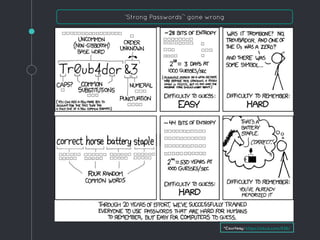
‘Strong Passwords*
’ gone wrong
*Courtesy: https://xkcd.com/936/
Keep your software up-to-date
◦ WordPress Core
◦ Plugins
◦ Themes
◦ Delete deactivated plugins/themes
◦ Reduce number of plugins/themes
◦ Use only trusted software sources
◦ Change table prefix
◦ Disable file editor
◦ Disallow users from installing plugins & themes.
◦ Set auth keys and salts
◦ Block PHP execution in uploads/temp folders
Harden security using wp-config.php
Reference Links:
https://goo.gl/swDsWX
https://goo.gl/RC4ycj
◦ Off-site
◦ History
◦ Quick restore
Backup - Basic makeup of a good backup
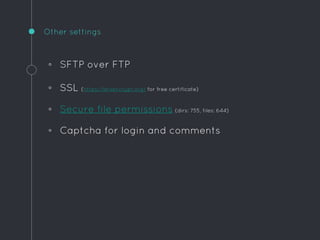
◦ SFTP over FTP
◦ SSL (https://letsencrypt.org/ for free certificate)
◦ Secure file permissions (dirs: 755, files: 644)
◦ Captcha for login and comments
Other settings
How To Secure
Your Code
(for developers)
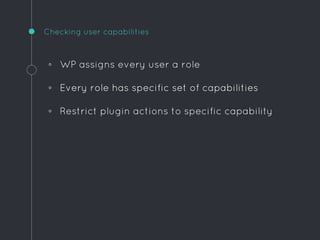
◦ WP assigns every user a role
◦ Every role has specific set of capabilities
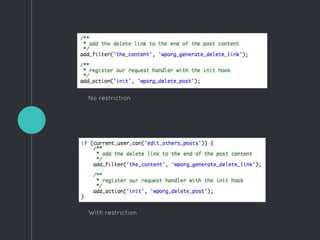
◦ Restrict plugin actions to specific capability
Checking user capabilities
No restriction
With restriction
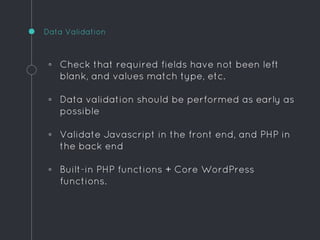
◦ Check that required fields have not been left
blank, and values match type, etc.
◦ Data validation should be performed as early as
possible
◦ Validate Javascript in the front end, and PHP in
the back end
◦ Built-in PHP functions + Core WordPress
functions.
Data Validation
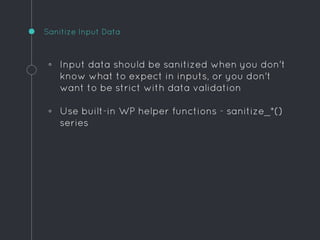
◦ Input data should be sanitized when you don't
know what to expect in inputs, or you don't
want to be strict with data validation
◦ Use built-in WP helper functions - sanitize_*()
series
Sanitize Input Data
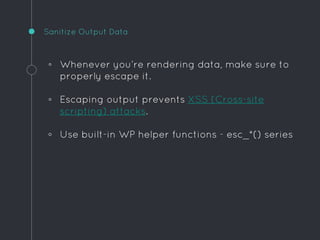
◦ Whenever you’re rendering data, make sure to
properly escape it.
◦ Escaping output prevents XSS (Cross-site
scripting) attacks.
◦ Use built-in WP helper functions - esc_*() series
Sanitize Output Data
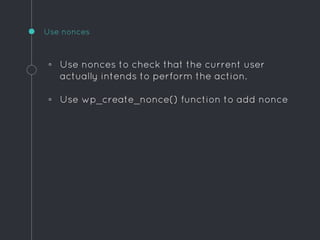
◦ Use nonces to check that the current user
actually intends to perform the action.
◦ Use wp_create_nonce() function to add nonce
Use nonces
Wasting Time
In The Name
Of Security
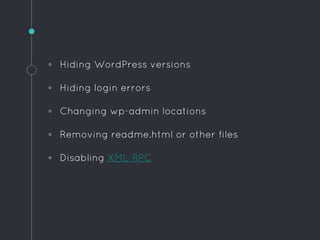
◦ Hiding WordPress versions
◦ Hiding login errors
◦ Changing wp-admin locations
◦ Removing readme.html or other files
◦ Disabling XML-RPC
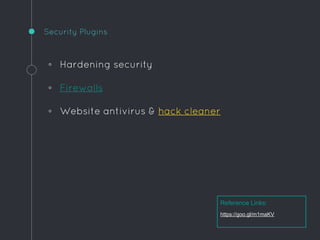
◦ Hardening security
◦ Firewalls
◦ Website antivirus & hack cleaner
Security Plugins
Reference Links:
https://goo.gl/m1maKV
“ Thank You

WordPress Security 101: Essential Security Practices Simplified

  • 1.
  • 2.
    ● How ToSecure Your WP Site ● How To Secure Your Code (for developers) ● Wasting Time In The Name Of Security
  • 3.
  • 4.
    ○ Use strongpasswords passphrases ○ Limit login attempts ○ Use two-factor authentication Secure login
  • 5.
    ‘Strong Passwords* ’ gonewrong *Courtesy: https://xkcd.com/936/
  • 6.
    Keep your softwareup-to-date ◦ WordPress Core ◦ Plugins ◦ Themes ◦ Delete deactivated plugins/themes ◦ Reduce number of plugins/themes ◦ Use only trusted software sources
  • 7.
    ◦ Change tableprefix ◦ Disable file editor ◦ Disallow users from installing plugins & themes. ◦ Set auth keys and salts ◦ Block PHP execution in uploads/temp folders Harden security using wp-config.php Reference Links: https://goo.gl/swDsWX https://goo.gl/RC4ycj
  • 8.
    ◦ Off-site ◦ History ◦Quick restore Backup - Basic makeup of a good backup
  • 9.
    ◦ SFTP overFTP ◦ SSL (https://letsencrypt.org/ for free certificate) ◦ Secure file permissions (dirs: 755, files: 644) ◦ Captcha for login and comments Other settings
  • 10.
    How To Secure YourCode (for developers)
  • 11.
    ◦ WP assignsevery user a role ◦ Every role has specific set of capabilities ◦ Restrict plugin actions to specific capability Checking user capabilities
  • 12.
  • 13.
    ◦ Check thatrequired fields have not been left blank, and values match type, etc. ◦ Data validation should be performed as early as possible ◦ Validate Javascript in the front end, and PHP in the back end ◦ Built-in PHP functions + Core WordPress functions. Data Validation
  • 14.
    ◦ Input datashould be sanitized when you don't know what to expect in inputs, or you don't want to be strict with data validation ◦ Use built-in WP helper functions - sanitize_*() series Sanitize Input Data
  • 15.
    ◦ Whenever you’rerendering data, make sure to properly escape it. ◦ Escaping output prevents XSS (Cross-site scripting) attacks. ◦ Use built-in WP helper functions - esc_*() series Sanitize Output Data
  • 16.
    ◦ Use noncesto check that the current user actually intends to perform the action. ◦ Use wp_create_nonce() function to add nonce Use nonces
  • 17.
    Wasting Time In TheName Of Security
  • 18.
    ◦ Hiding WordPressversions ◦ Hiding login errors ◦ Changing wp-admin locations ◦ Removing readme.html or other files ◦ Disabling XML-RPC
  • 19.
    ◦ Hardening security ◦Firewalls ◦ Website antivirus & hack cleaner Security Plugins Reference Links: https://goo.gl/m1maKV
  • 20.