Installing Windows Server 2008
A Step-by-Step Guide
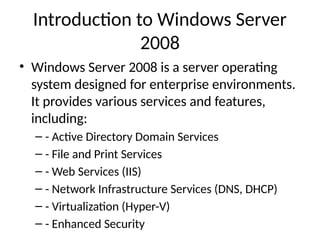
Introduction to Windows Server
2008
• Windows Server 2008 is a server operating
system designed for enterprise environments.
It provides various services and features,
including:
– - Active Directory Domain Services
– - File and Print Services
– - Web Services (IIS)
– - Network Infrastructure Services (DNS, DHCP)
– - Virtualization (Hyper-V)
– - Enhanced Security
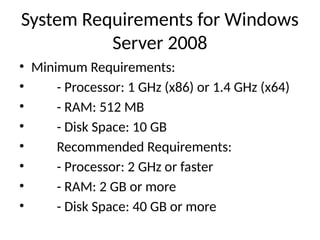
System Requirements for Windows
Server 2008
• Minimum Requirements:
• - Processor: 1 GHz (x86) or 1.4 GHz (x64)
• - RAM: 512 MB
• - Disk Space: 10 GB
• Recommended Requirements:
• - Processor: 2 GHz or faster
• - RAM: 2 GB or more
• - Disk Space: 40 GB or more
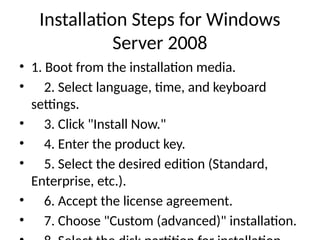
Installation Steps for Windows
Server 2008
• 1. Boot from the installation media.
• 2. Select language, time, and keyboard
settings.
• 3. Click "Install Now."
• 4. Enter the product key.
• 5. Select the desired edition (Standard,
Enterprise, etc.).
• 6. Accept the license agreement.
• 7. Choose "Custom (advanced)" installation.
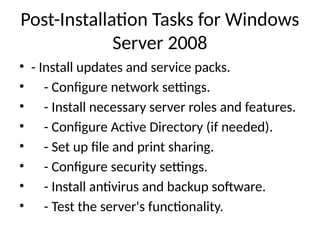
Post-Installation Tasks for Windows
Server 2008
• - Install updates and service packs.
• - Configure network settings.
• - Install necessary server roles and features.
• - Configure Active Directory (if needed).
• - Set up file and print sharing.
• - Configure security settings.
• - Install antivirus and backup software.
• - Test the server's functionality.
Conclusion
• Windows Server 2008 provides a robust
platform for managing network resources and
services. Proper installation and configuration
are crucial for optimal performance and
security.
WindowsServer2008_Installation.pptx FOR CN

  • 1.
    Installing Windows Server2008 A Step-by-Step Guide
  • 2.
    Introduction to WindowsServer 2008 • Windows Server 2008 is a server operating system designed for enterprise environments. It provides various services and features, including: – - Active Directory Domain Services – - File and Print Services – - Web Services (IIS) – - Network Infrastructure Services (DNS, DHCP) – - Virtualization (Hyper-V) – - Enhanced Security
  • 3.
    System Requirements forWindows Server 2008 • Minimum Requirements: • - Processor: 1 GHz (x86) or 1.4 GHz (x64) • - RAM: 512 MB • - Disk Space: 10 GB • Recommended Requirements: • - Processor: 2 GHz or faster • - RAM: 2 GB or more • - Disk Space: 40 GB or more
  • 4.
    Installation Steps forWindows Server 2008 • 1. Boot from the installation media. • 2. Select language, time, and keyboard settings. • 3. Click "Install Now." • 4. Enter the product key. • 5. Select the desired edition (Standard, Enterprise, etc.). • 6. Accept the license agreement. • 7. Choose "Custom (advanced)" installation.
  • 5.
    Post-Installation Tasks forWindows Server 2008 • - Install updates and service packs. • - Configure network settings. • - Install necessary server roles and features. • - Configure Active Directory (if needed). • - Set up file and print sharing. • - Configure security settings. • - Install antivirus and backup software. • - Test the server's functionality.
  • 6.
    Conclusion • Windows Server2008 provides a robust platform for managing network resources and services. Proper installation and configuration are crucial for optimal performance and security.