Glen GordonDeveloper Evangelisthttp://blogs.msdn.com/glengordon@glengordonDeveloping WP7 Games using XNA
Agenda2Windows Phone 7 – A new beginningXNA Game Studio 4.0 – Powerful, Productive, PortableXNA Framework- Game Loop, Graphics, Audio, Media, Touch, SensorsXBOX Live  Q & A
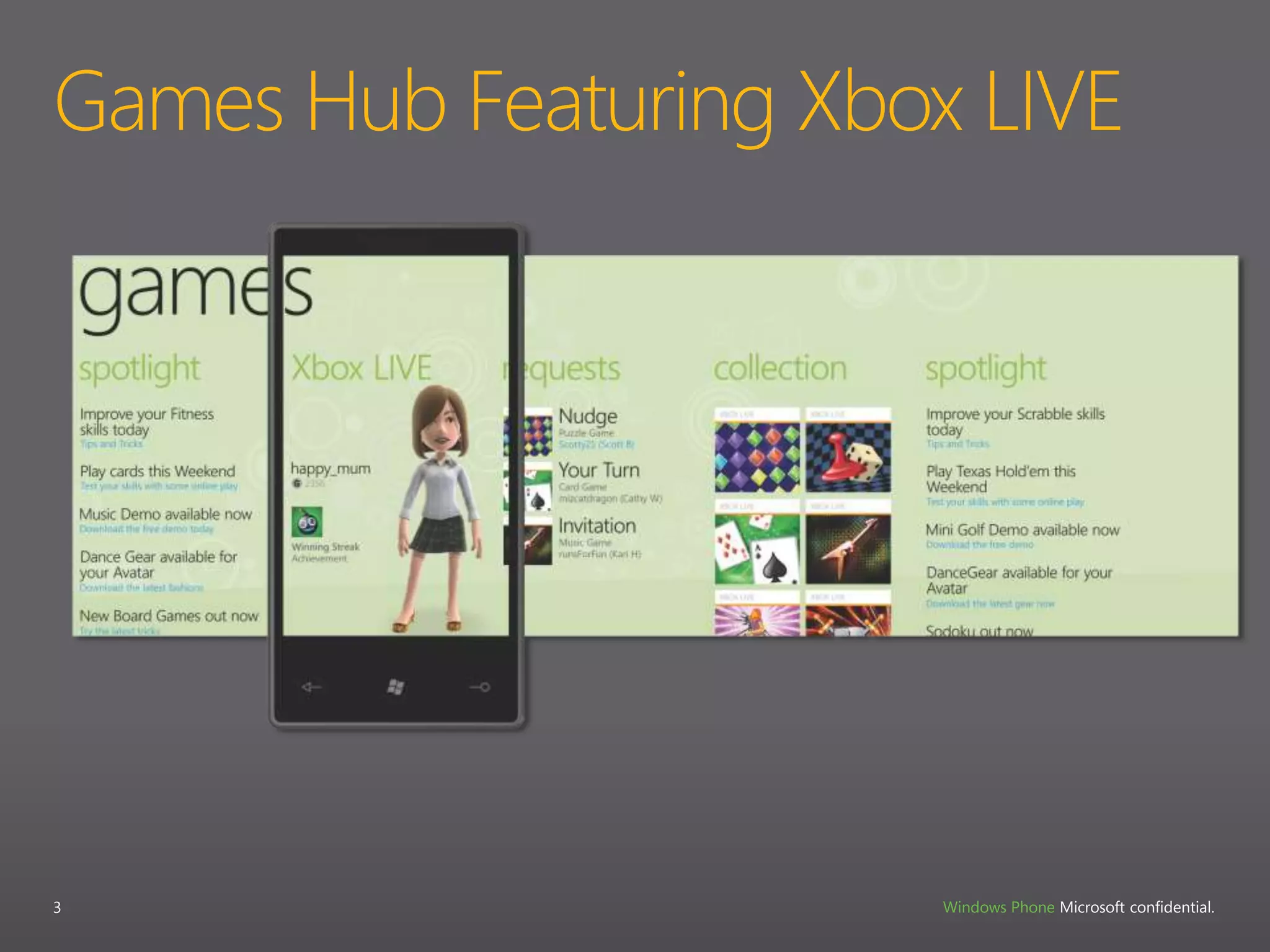
Games Hub Featuring Xbox LIVE3
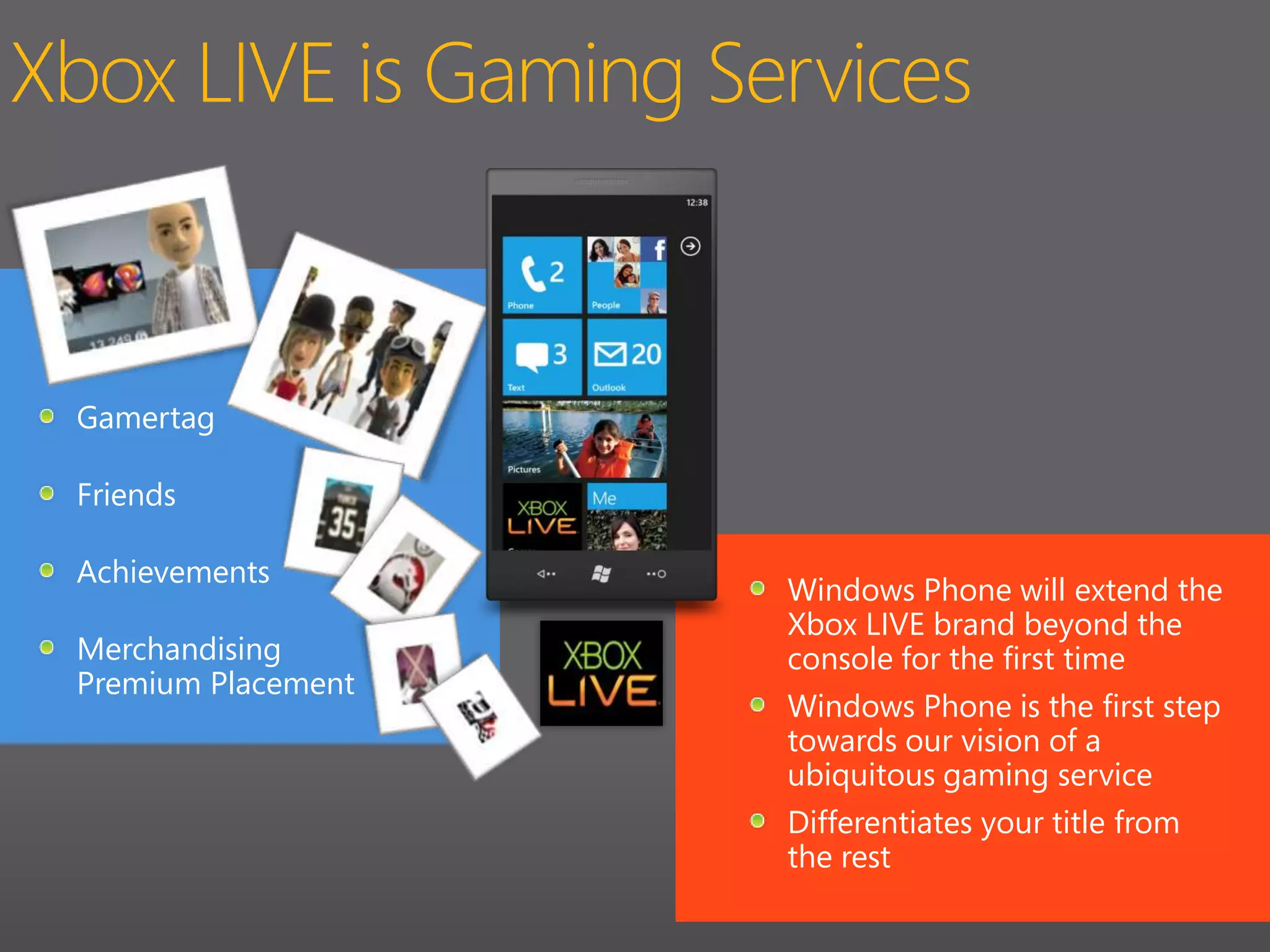
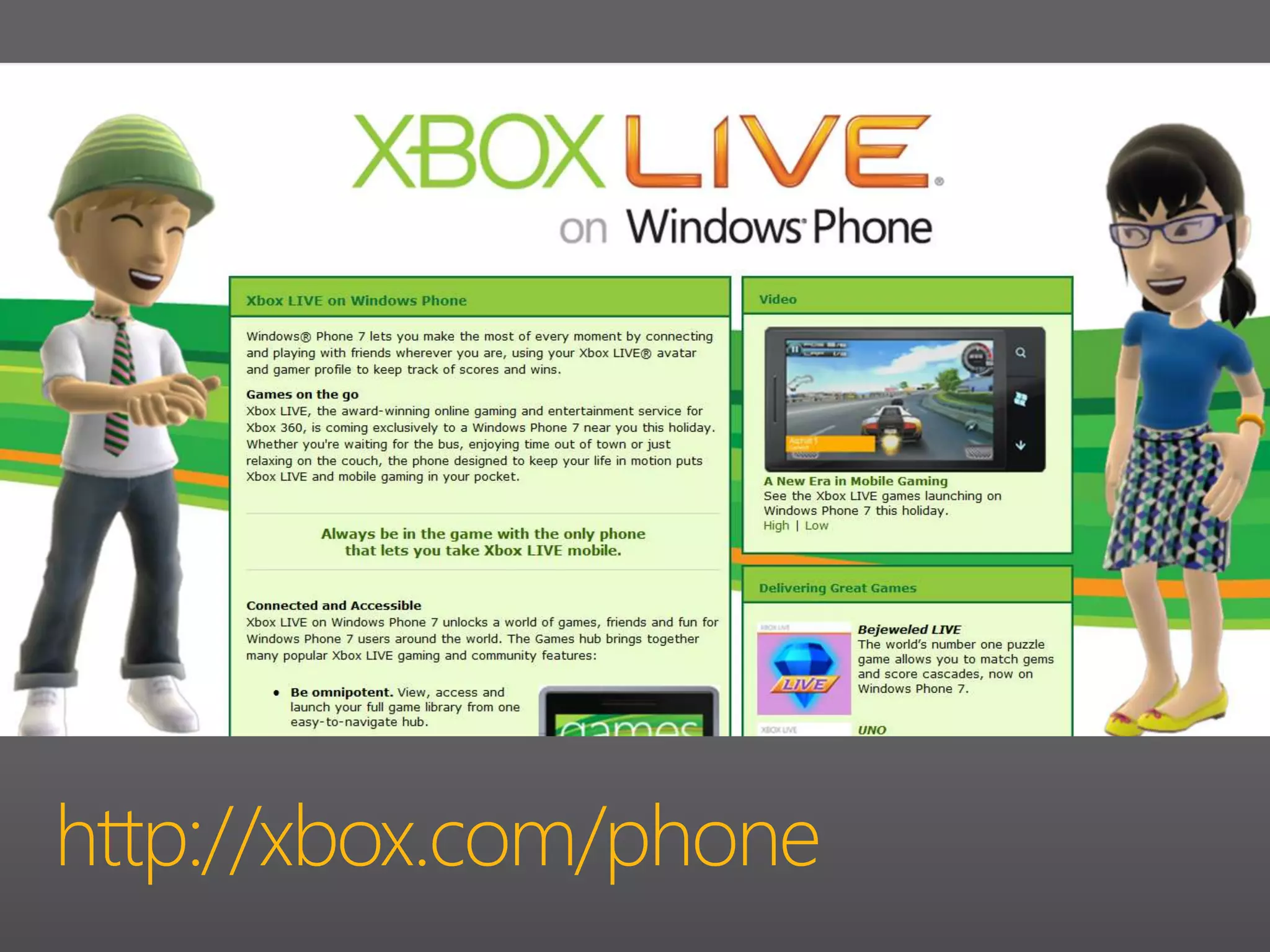
Xbox LIVE is Gaming ServicesGamertagFriendsAchievementsWindows Phone will extend the Xbox LIVE brand beyond the console for the first timeMerchandisingPremiumPlacementWindows Phone is the first step towards our vision of a ubiquitous gaming serviceDifferentiates your title from the rest
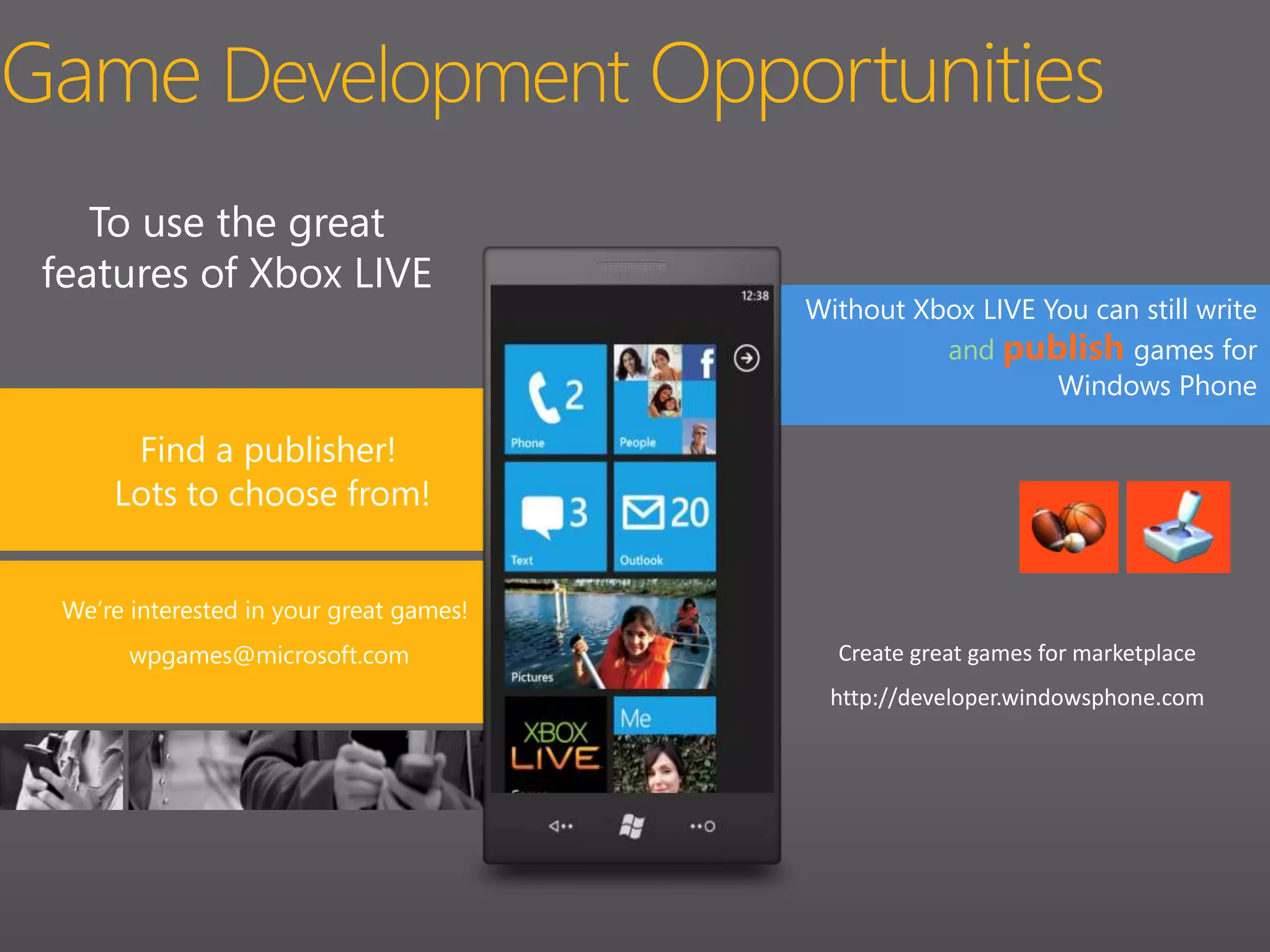
Game Development OpportunitiesTo use the great features of Xbox LIVEWithout Xbox LIVE You can still writeandpublish games for Windows PhoneFind a publisher!Lots to choose from!We’re interested in your great games!Create great games for marketplace http://developer.windowsphone.comwpgames@microsoft.com
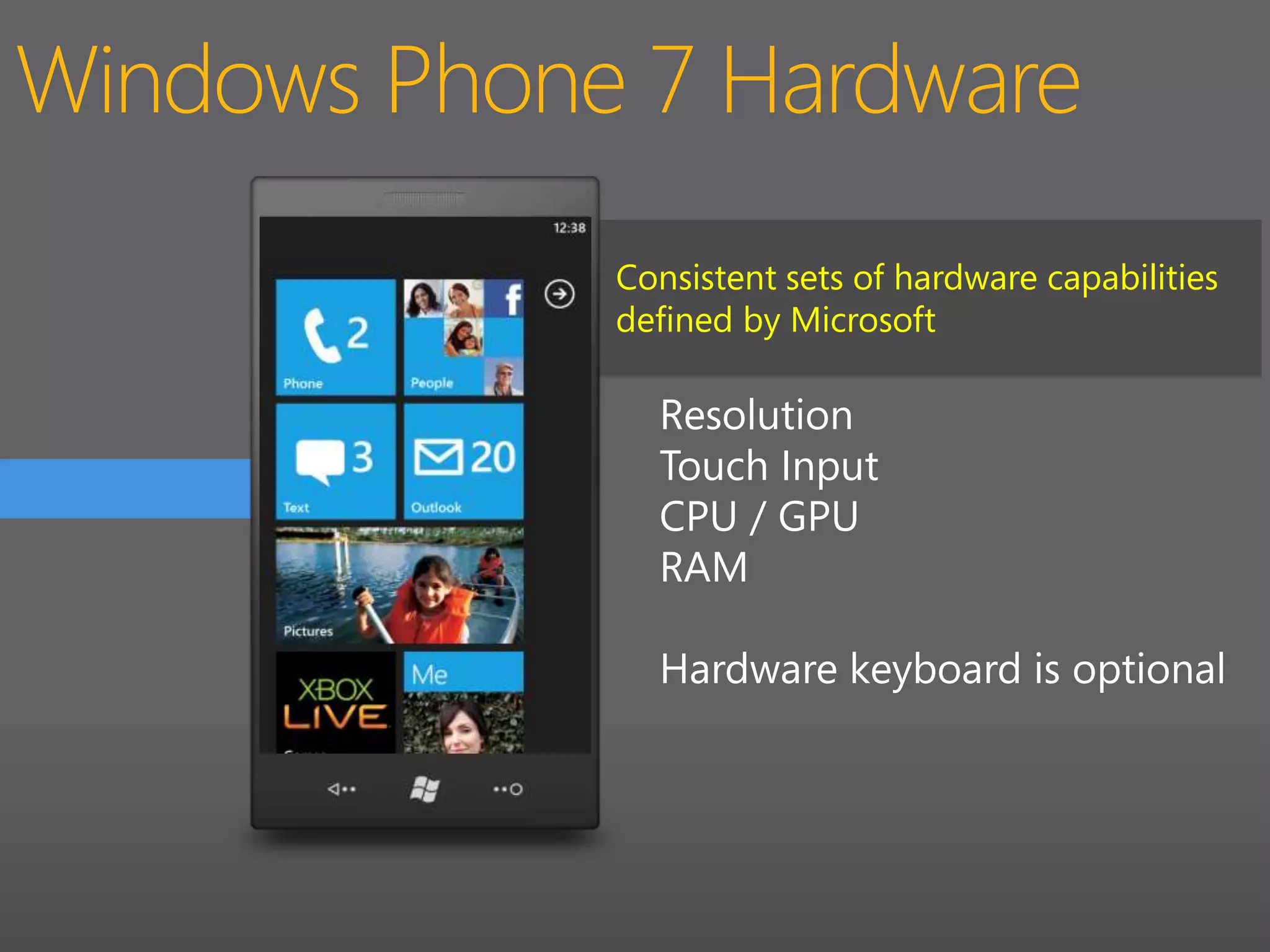
Windows Phone 7 HardwareConsistent sets of hardware capabilities defined by MicrosoftResolutionTouch InputCPU / GPURAMHardware keyboard is optional
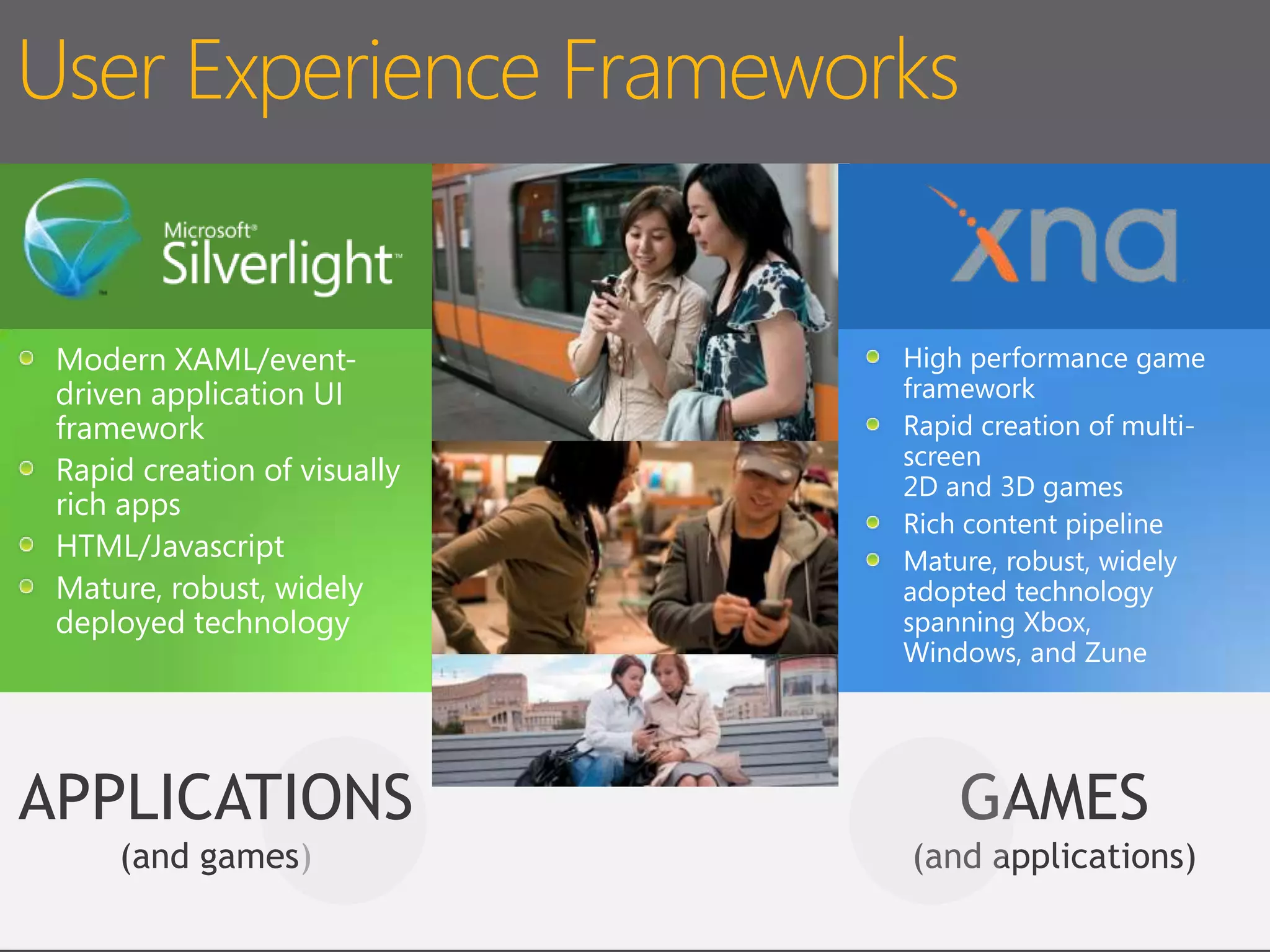
User Experience FrameworksModern XAML/event-driven application UI frameworkRapid creation of visually rich appsHTML/JavascriptMature, robust, widely deployed technologyHigh performance game frameworkRapid creation of multi-screen 2D and 3D games Rich content pipelineMature, robust, widely adopted technology spanning Xbox, Windows, and ZuneGAMES(and applications)APPLICATIONS(and games)
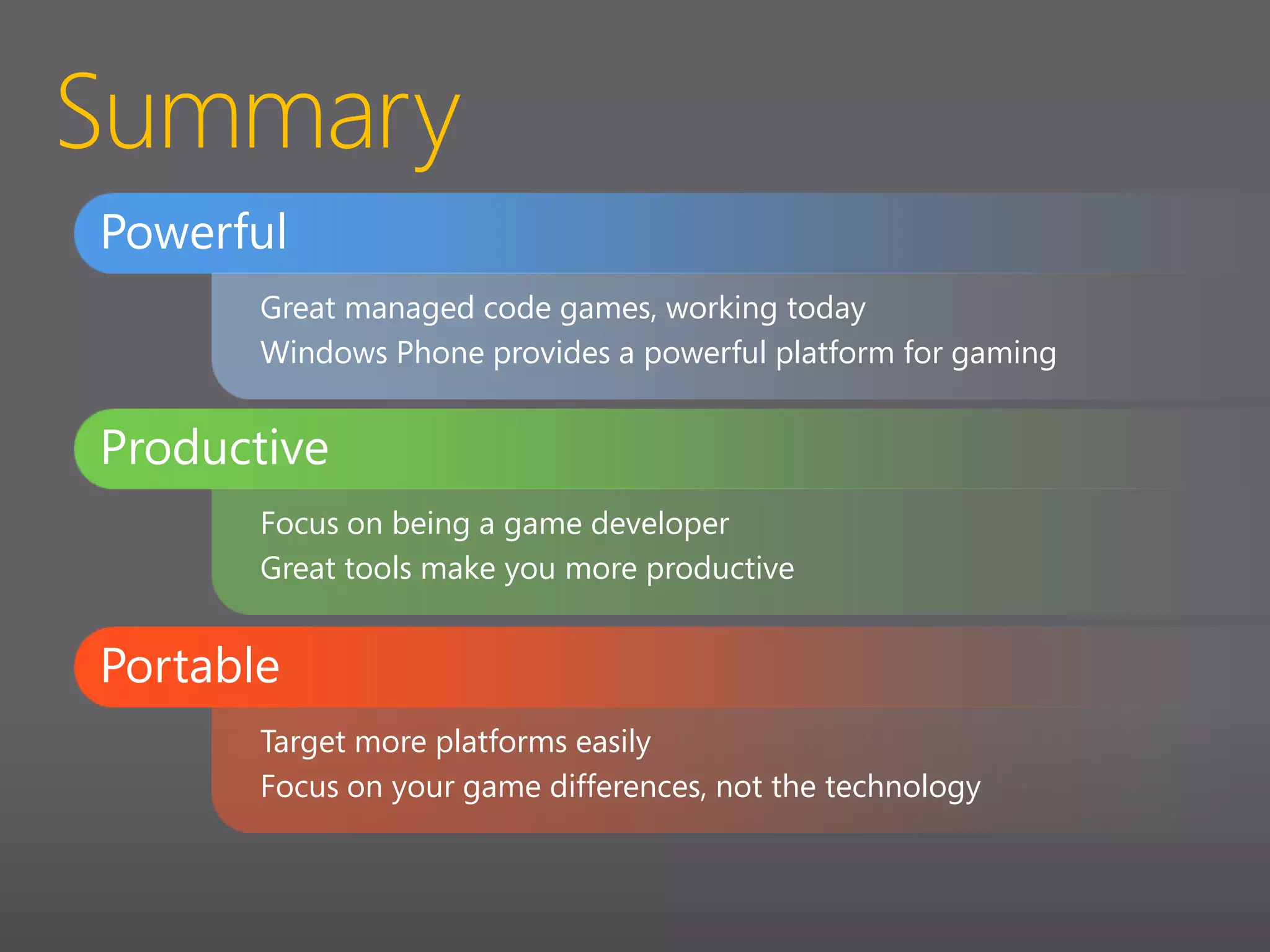
PowerfulProductivePortable
XNA Game StudioMakes game development easierXNA Framework provides robust APIs for gamesC#, .NET and Visual Studio toolingSolutions for game content processingNot an engine solutionCreatingGames
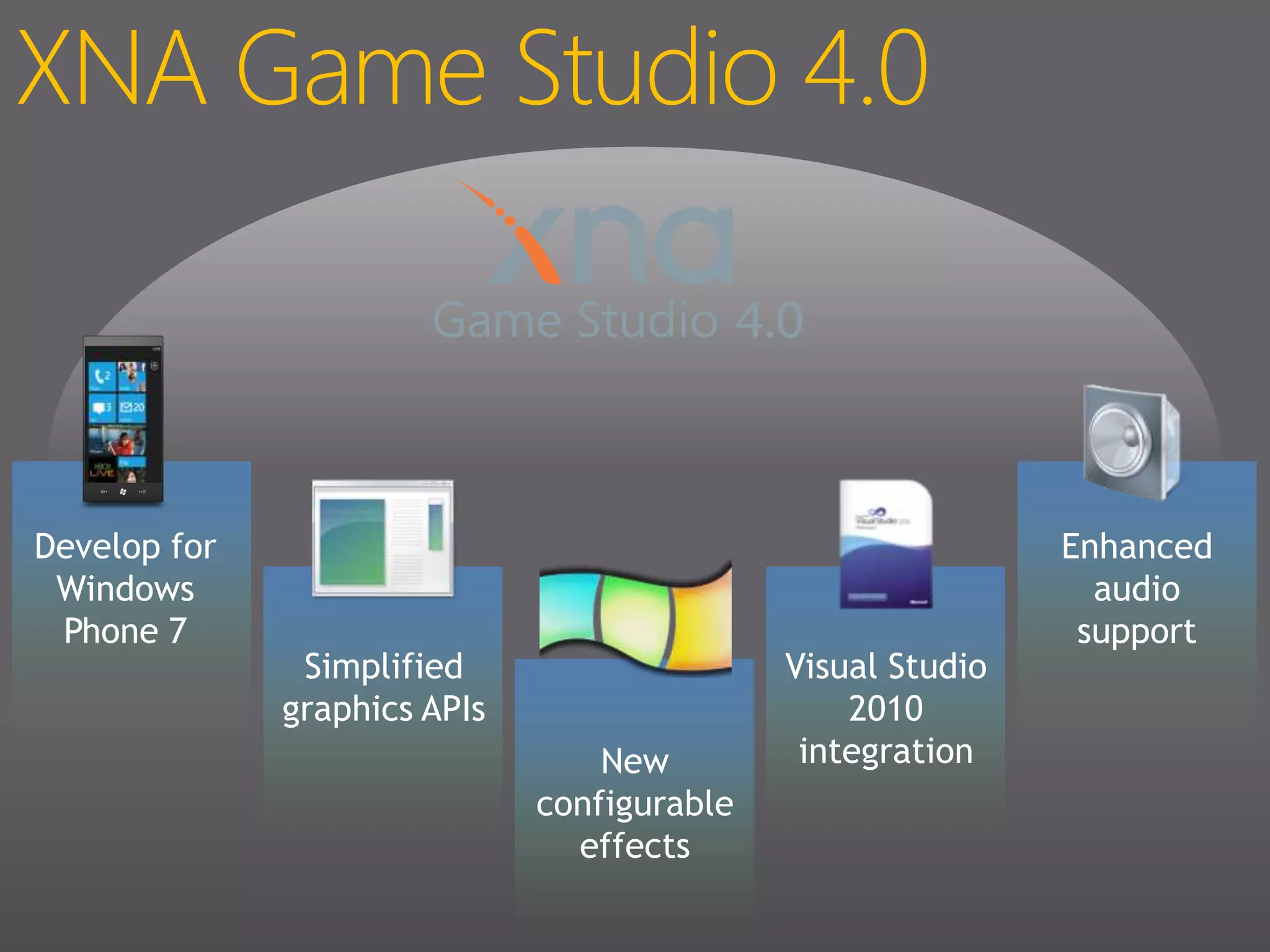
XNA Game Studio 4.0Enhanced audio supportDevelop for Windows Phone 7Simplified graphics APIsVisual Studio 2010 integrationNew configurable effects
Powerful
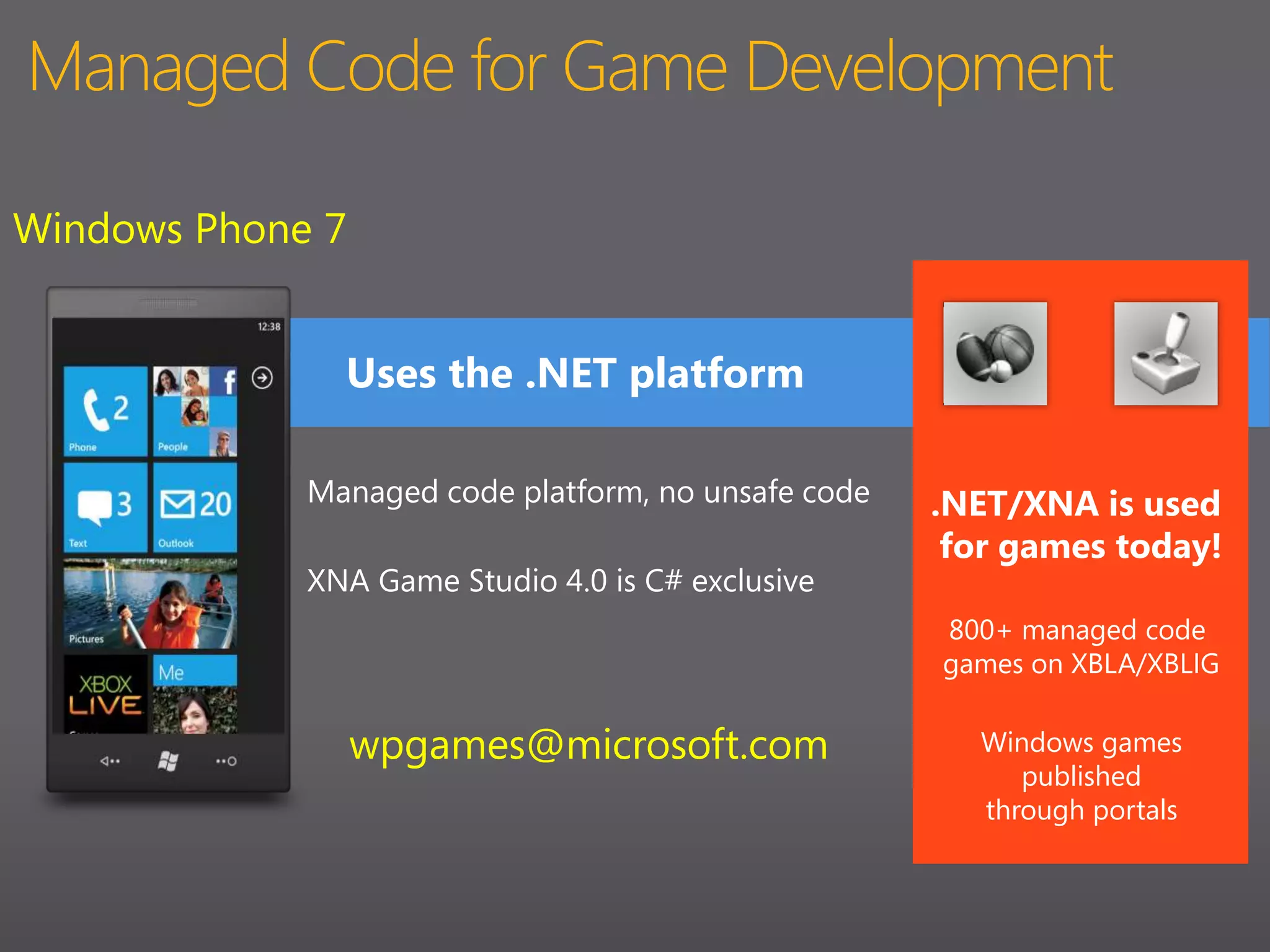
Managed Code for Game DevelopmentWindows Phone 7     Uses the .NET platformManaged code platform, no unsafe code.NET/XNA is used for games today!XNA Game Studio 4.0 is C# exclusive800+ managed code games on XBLA/XBLIGwpgames@microsoft.comWindows games published through portals
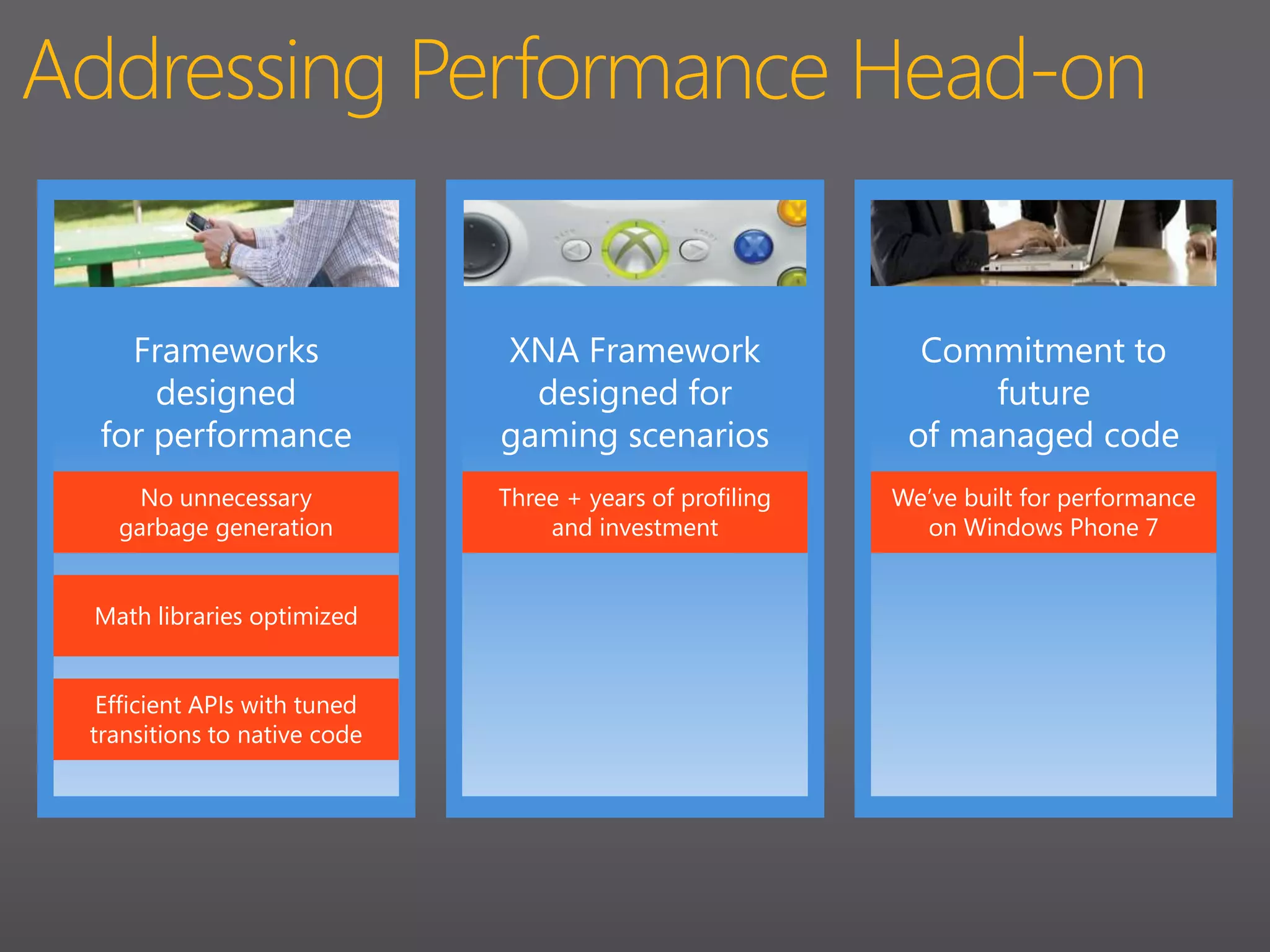
Addressing Performance Head-onFrameworks designed for performanceFrameworks designed for performanceFrameworks designed for performanceFrameworks designed for performanceXNA Framework designed for gaming scenariosCommitment to future of managed code No unnecessary garbage generationThree + years of profiling and investment We’ve built for performance on Windows Phone 7Math libraries optimized Efficient APIs with tuned transitions to native code
http://xbox.com/phone
Productive
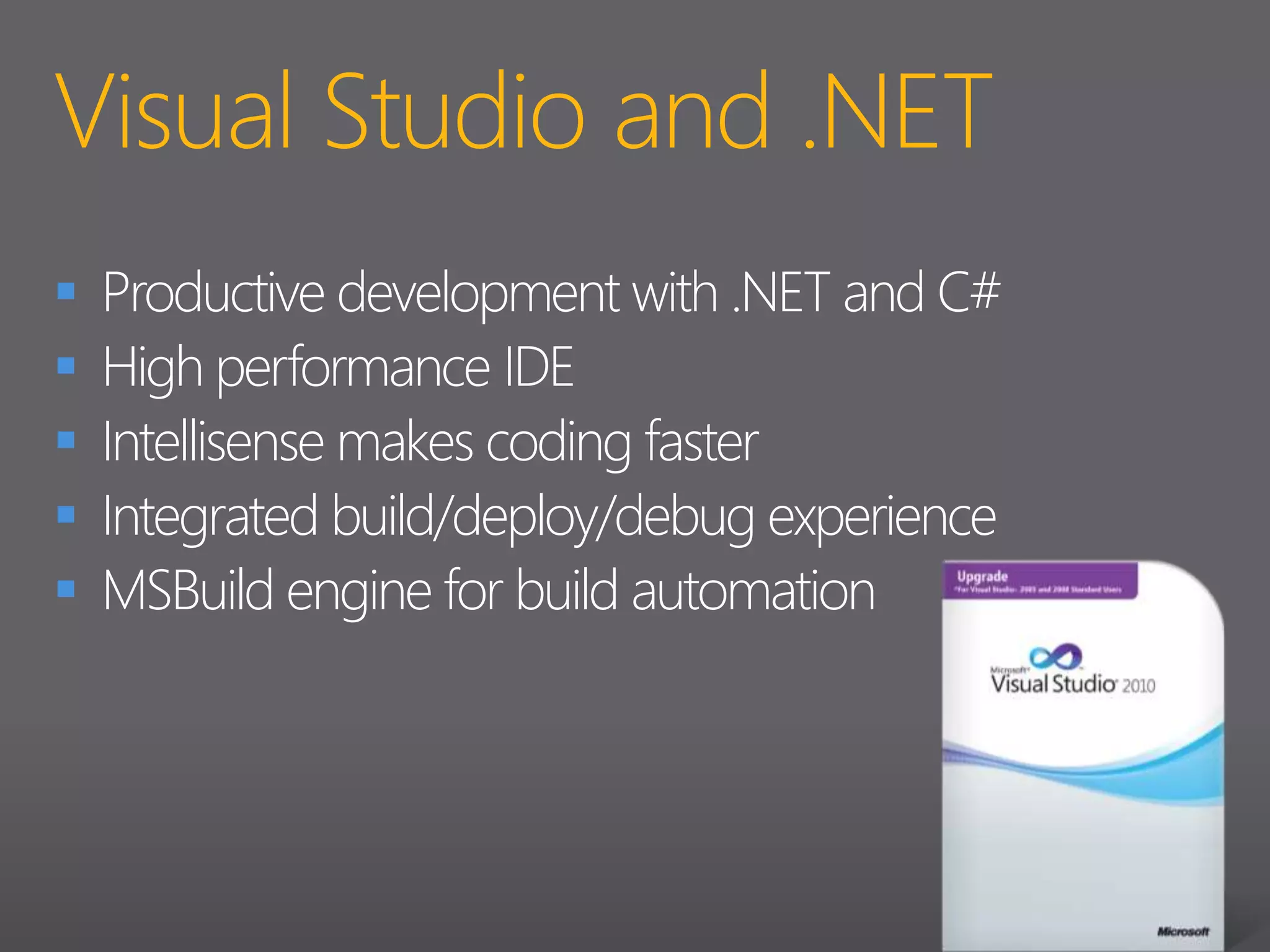
Visual Studio and .NETProductive development with .NET and C#High performance IDEIntellisense makes coding fasterIntegrated build/deploy/debug experienceMSBuild engine for build automation
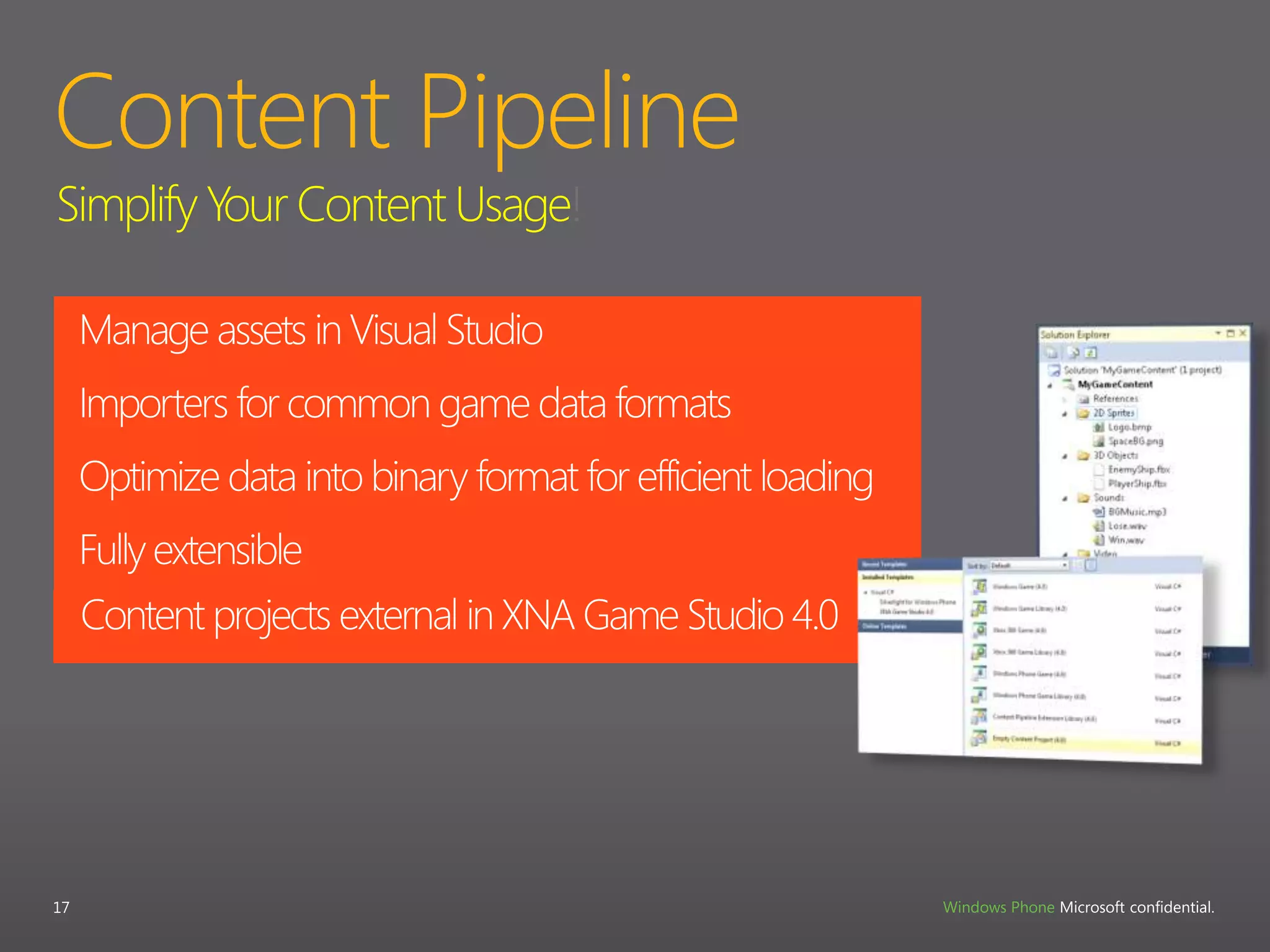
Content Pipeline17Simplify Your Content Usage!Manage assets in Visual StudioImporters for common game data formatsOptimize data into binary format for efficient loadingFully extensibleContent projects external in XNA Game Studio 4.0
Simplifying Game DevelopmentXNA Framework18
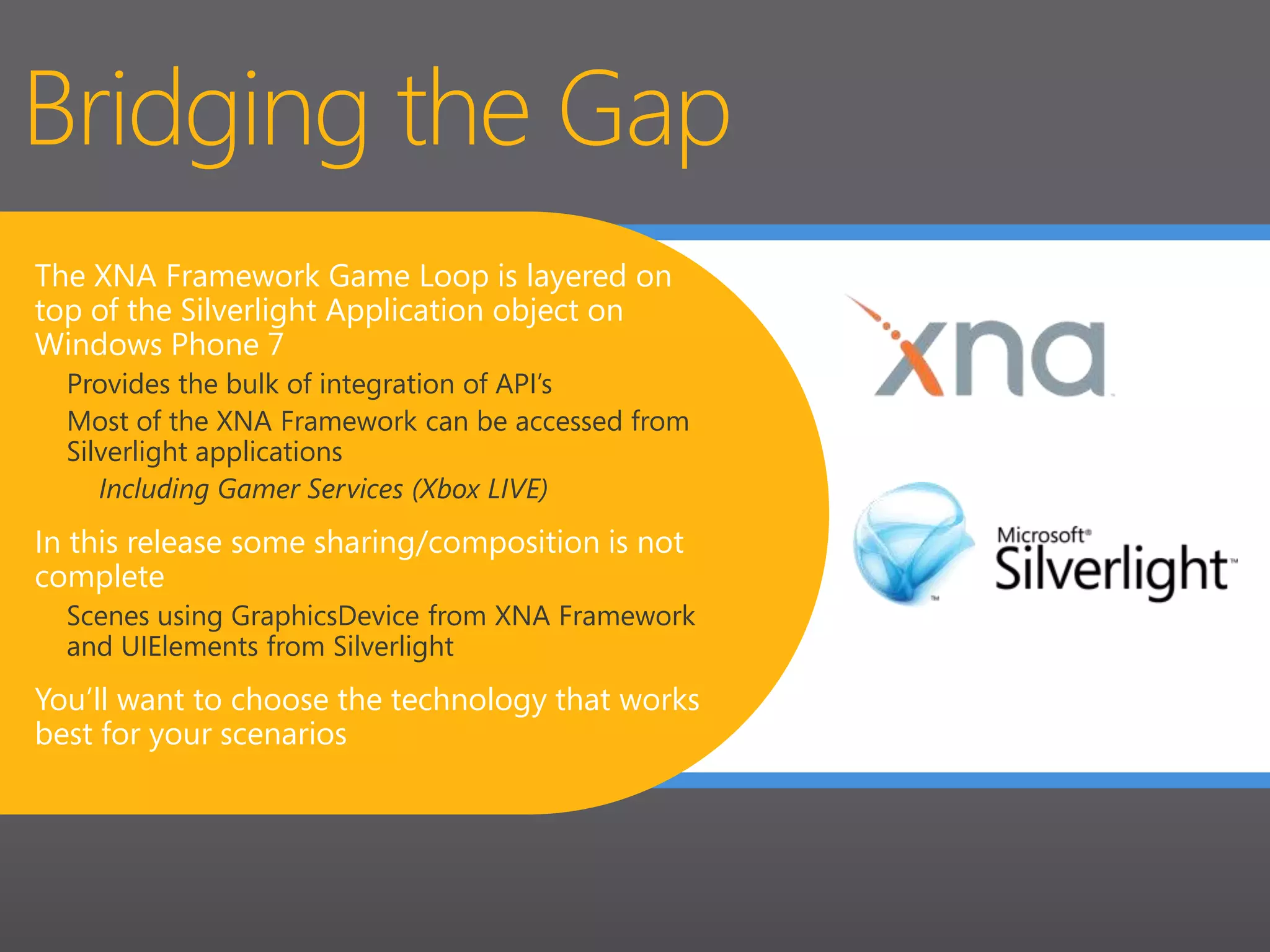
Bridging the GapThe XNA Framework Game Loop is layered on top of the Silverlight Application object on Windows Phone 7Provides the bulk of integration of API’sMost of the XNA Framework can be accessed from Silverlight applicationsIncluding Gamer Services (Xbox LIVE)In this release some sharing/composition is not completeScenes using GraphicsDevice from XNA Framework and UIElements from SilverlightYou’ll want to choose the technology that works best for your scenarios
Choosing the Right TechnologyGraphicsUI control heavy consider SilverlightDesire vector graphics in XAML MediaRich video support in applicationToolingIf you use Microsoft Blend in your pipeline
Leveraging the Right TechnologyGraphicsUsing 3D graphicsSprite heavy 2D applications should consider the XNA Framework Game Loop Simulation/DrawingThose who prefer a traditional update/draw/present frame loopToolingThose who want to use the XNA Framework Content Pipeline graphics types
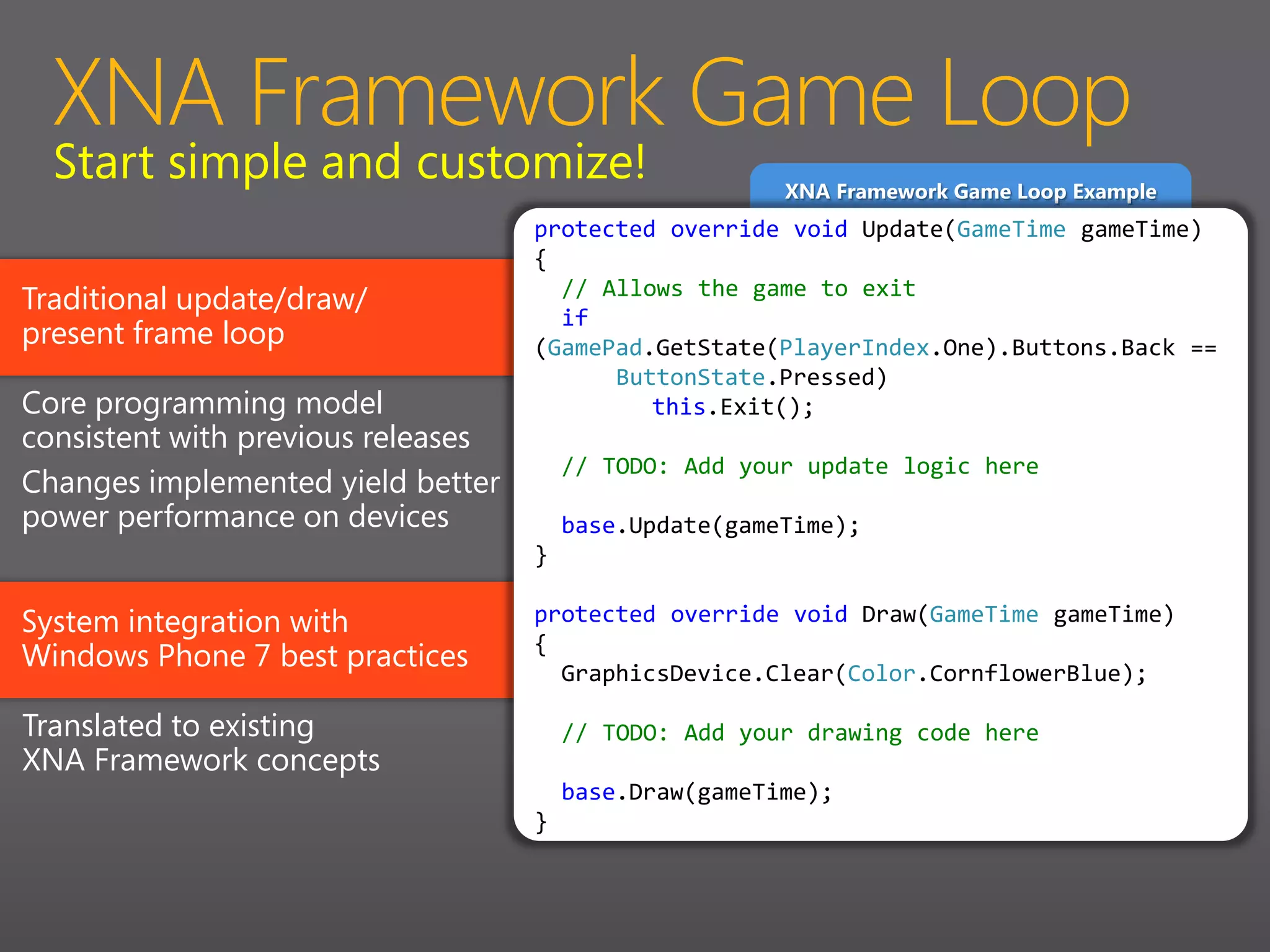
XNA Framework Game LoopStart simple and customize!XNA Framework Game Loop Exampleprotectedoverridevoid Update(GameTimegameTime){  // Allows the game to exit  if(GamePad.GetState(PlayerIndex.One).Buttons.Back==ButtonState.Pressed)this.Exit();  // TODO: Add your update logic herebase.Update(gameTime);}protectedoverridevoid Draw(GameTimegameTime){GraphicsDevice.Clear(Color.CornflowerBlue);  // TODO: Add your drawing code herebase.Draw(gameTime);}Traditional update/draw/present frame loopCore programming model consistent with previous releasesChanges implemented yield better power performance on devicesSystem integration with Windows Phone 7 best practicesTranslated to existing XNA Framework concepts
Demo:Game Loop
Graphics24
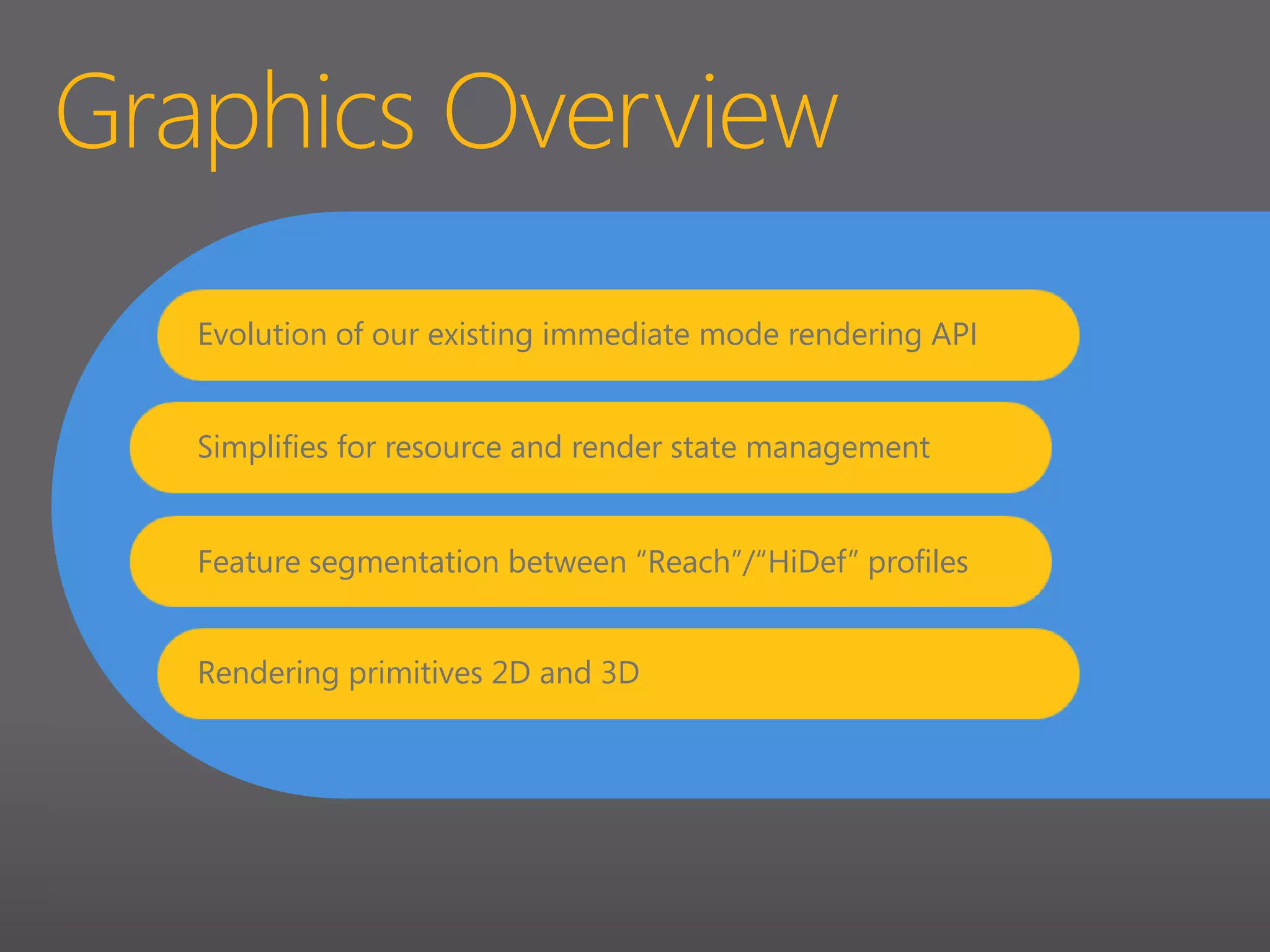
Graphics OverviewEvolution of our existing immediate mode rendering APISimplifies for resource and render state managementFeature segmentation between “Reach”/“HiDef” profilesRendering primitives 2D and 3D
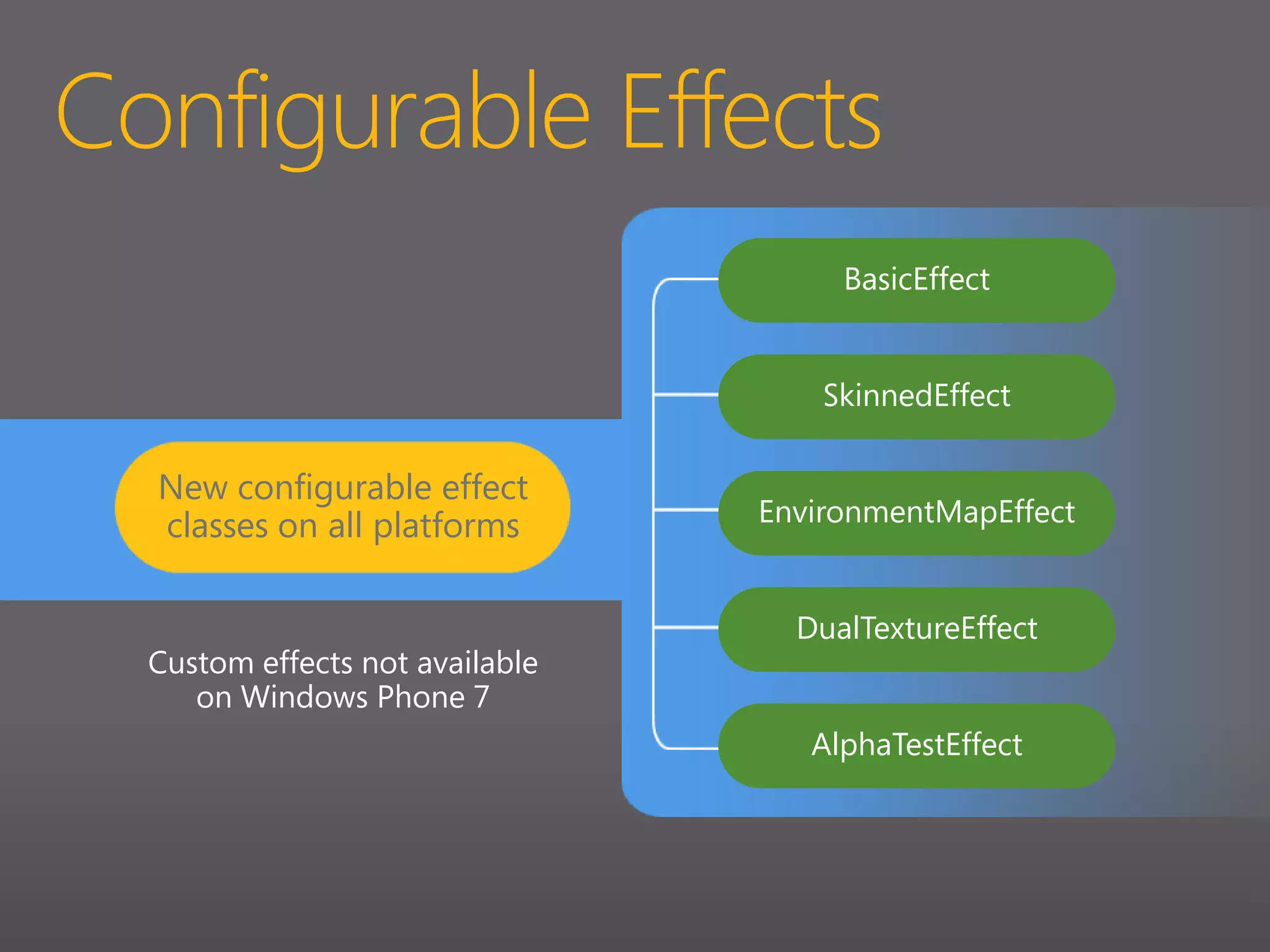
Configurable EffectsBasicEffectSkinnedEffectNew configurable effect classes on all platformsEnvironmentMapEffectDualTextureEffectCustom effects not available on Windows Phone 7AlphaTestEffect
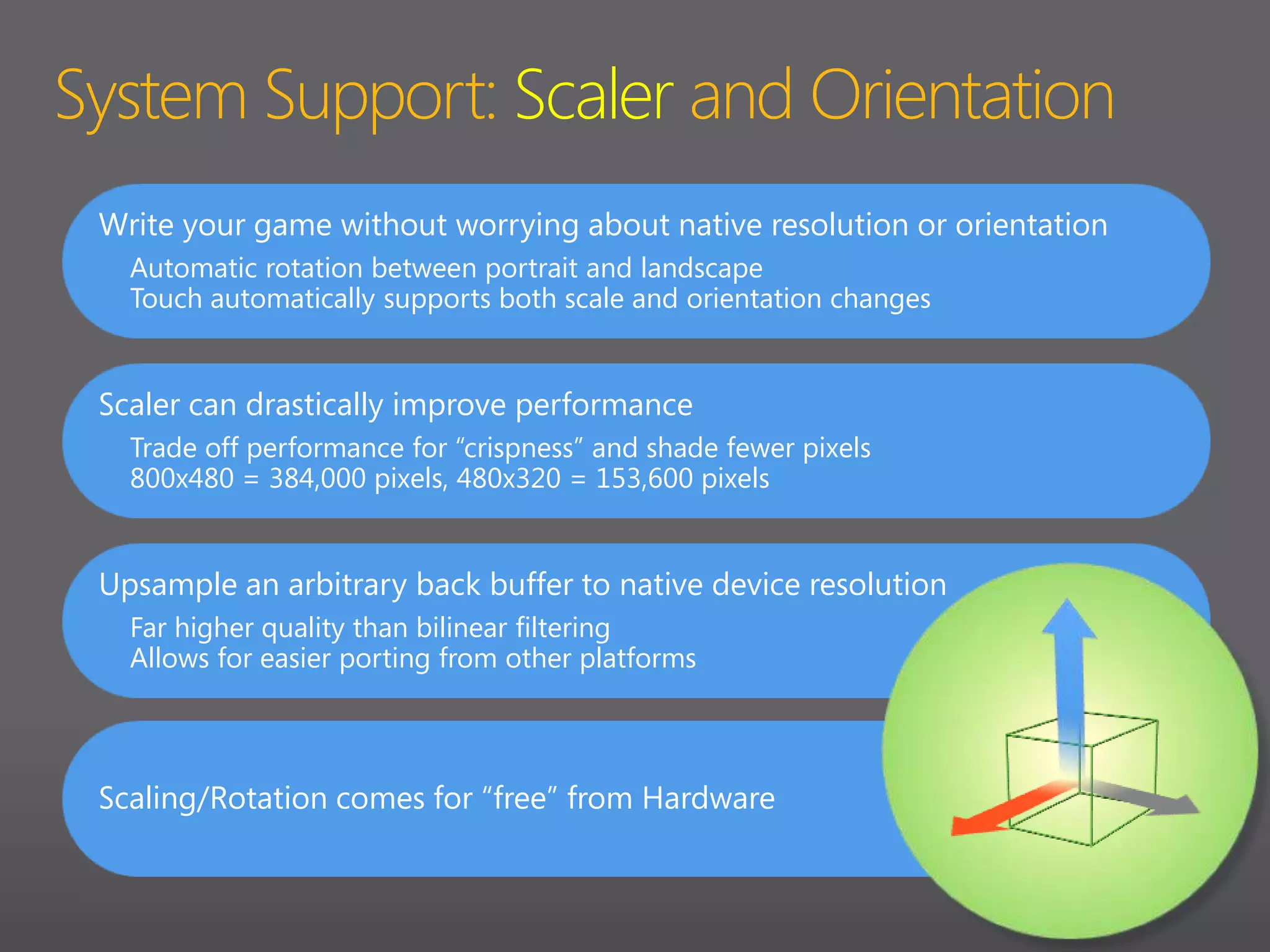
System Support: Scaler and OrientationWrite your game without worrying about native resolution or orientationAutomatic rotation between portrait and landscapeTouch automatically supports both scale and orientation changesScaler can drastically improve performanceTrade off performance for “crispness” and shade fewer pixels800x480 = 384,000 pixels, 480x320 = 153,600 pixelsUpsample an arbitrary back buffer to native device resolutionFar higher quality than bilinear filteringAllows for easier porting from other platformsScaling/Rotation comes for “free” from Hardware
Demo:Effects
Can you hear me now?Audio & Media29
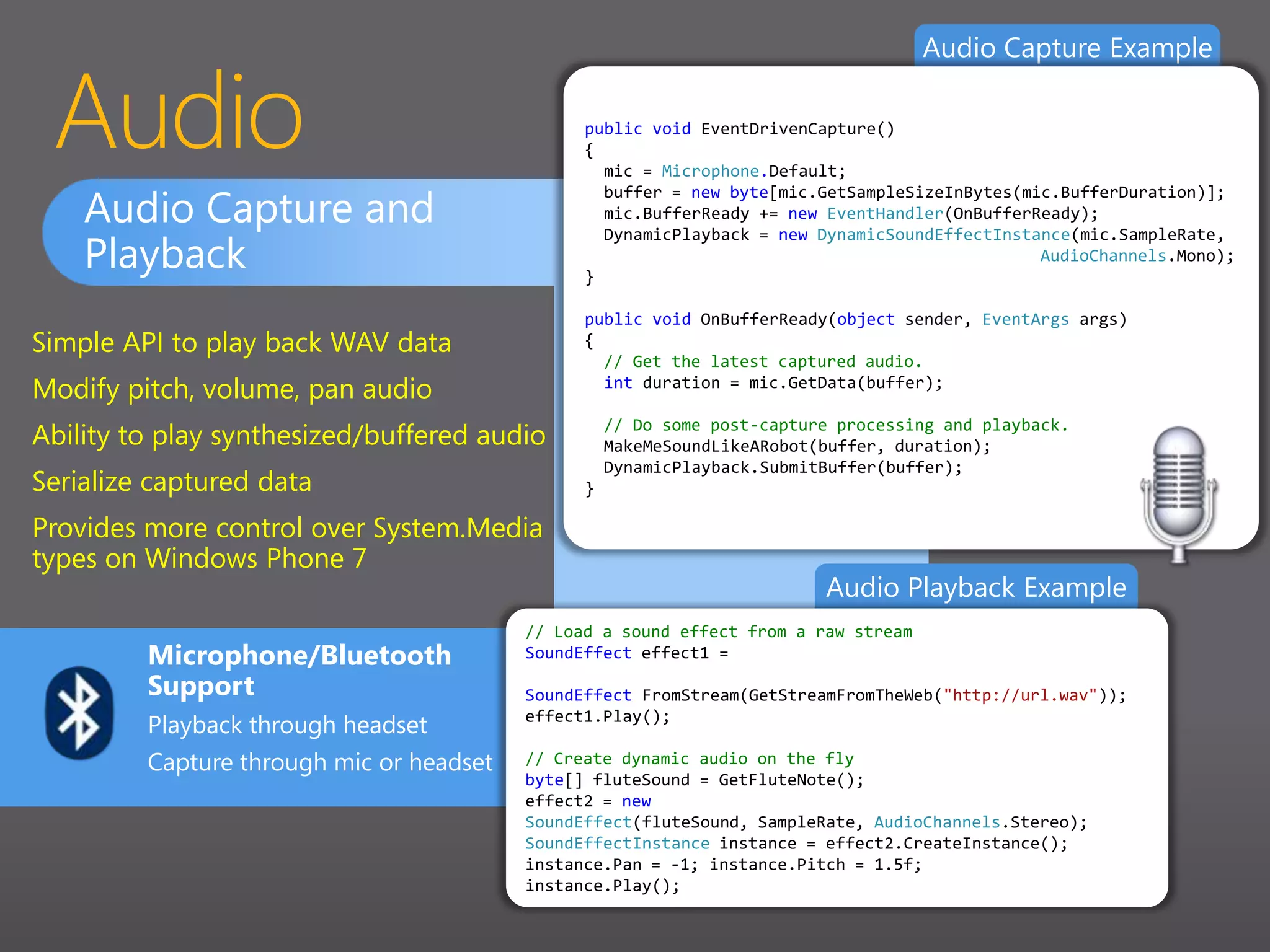
Audio Capture ExampleAudiopublicvoidEventDrivenCapture(){mic= Microphone.Default;buffer = new byte[mic.GetSampleSizeInBytes(mic.BufferDuration)];mic.BufferReady += newEventHandler(OnBufferReady);DynamicPlayback = newDynamicSoundEffectInstance(mic.SampleRate,AudioChannels.Mono);}publicvoidOnBufferReady(object sender, EventArgsargs){// Get the latest captured audio. int duration = mic.GetData(buffer);// Do some post-capture processing and playback. MakeMeSoundLikeARobot(buffer, duration);DynamicPlayback.SubmitBuffer(buffer);}Audio Capture and PlaybackSimple API to play back WAV dataModify pitch, volume, pan audioAbility to play synthesized/buffered audioSerialize captured dataProvides more control over System.Mediatypes on Windows Phone 7Audio Playback Example// Load a sound effect from a raw streamSoundEffecteffect1 =SoundEffect.FromStream(GetStreamFromTheWeb("http://url.wav"));effect1.Play();// Create dynamic audio on the flybyte[] fluteSound = GetFluteNote();effect2 = newSoundEffect(fluteSound, SampleRate, AudioChannels.Stereo);SoundEffectInstanceinstance = effect2.CreateInstance();instance.Pan = -1; instance.Pitch = 1.5f;instance.Play();Microphone/Bluetooth SupportPlayback through headsetCapture through mic or headset
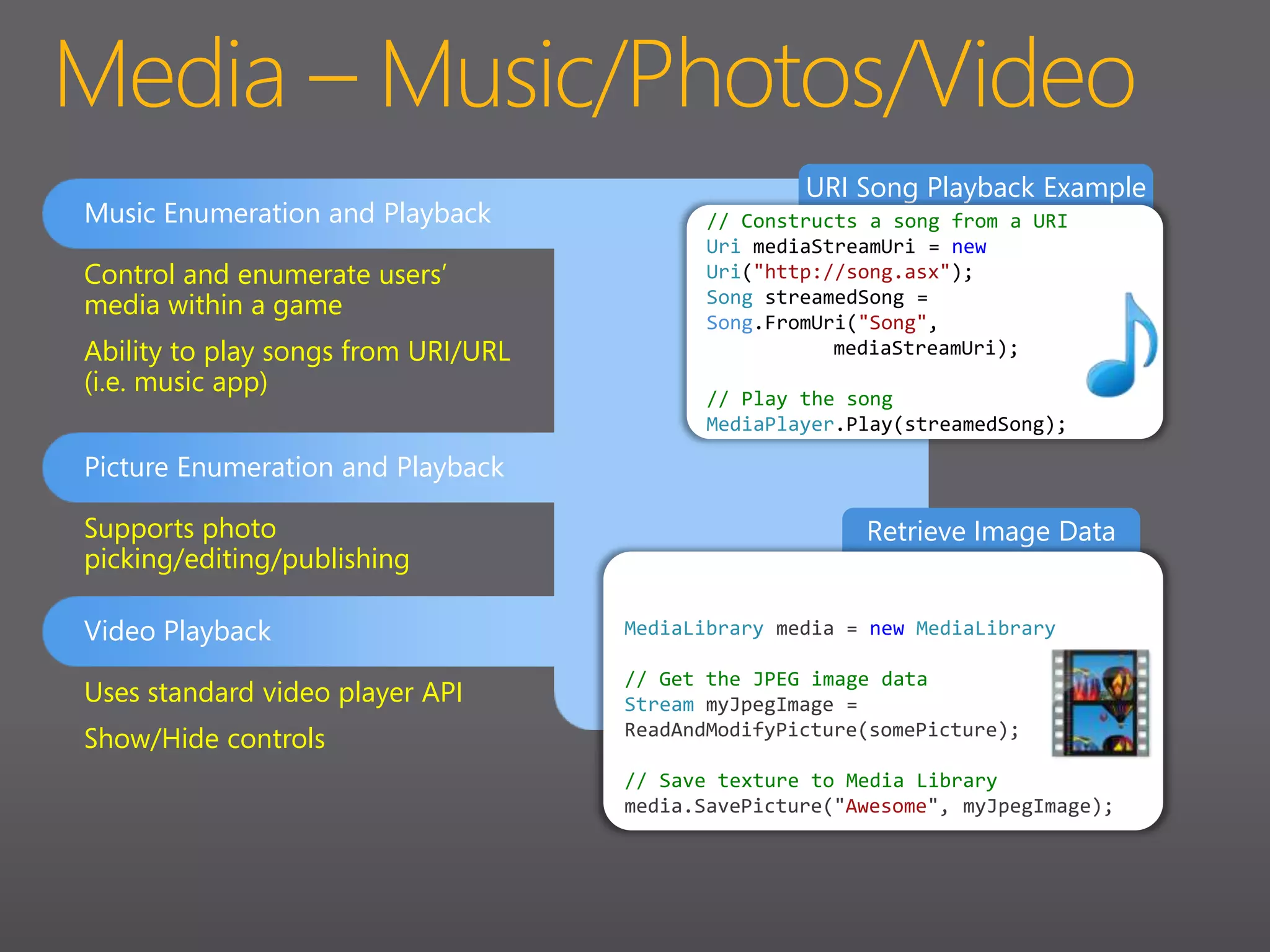
Media – Music/Photos/VideoURI Song Playback ExampleMusic Enumeration and Playback// Constructs a song from a URIUrimediaStreamUri = newUri("http://song.asx");SongstreamedSong = Song.FromUri("Song", 			mediaStreamUri);// Play the songMediaPlayer.Play(streamedSong);Control and enumerate users’ media within a gameAbility to play songs from URI/URL (i.e. music app)Picture Enumeration and PlaybackSupports photo picking/editing/publishingRetrieve Image DataMediaLibrarymedia =newMediaLibrary();// Get the JPEG image dataStreammyJpegImage = ReadAndModifyPicture(somePicture);// Save texture to Media Library   media.SavePicture("Awesome", myJpegImage);Video PlaybackUses standard video player APIShow/Hide controls
Demo:Sound
Interacting with games gets easier!Input / Touch33
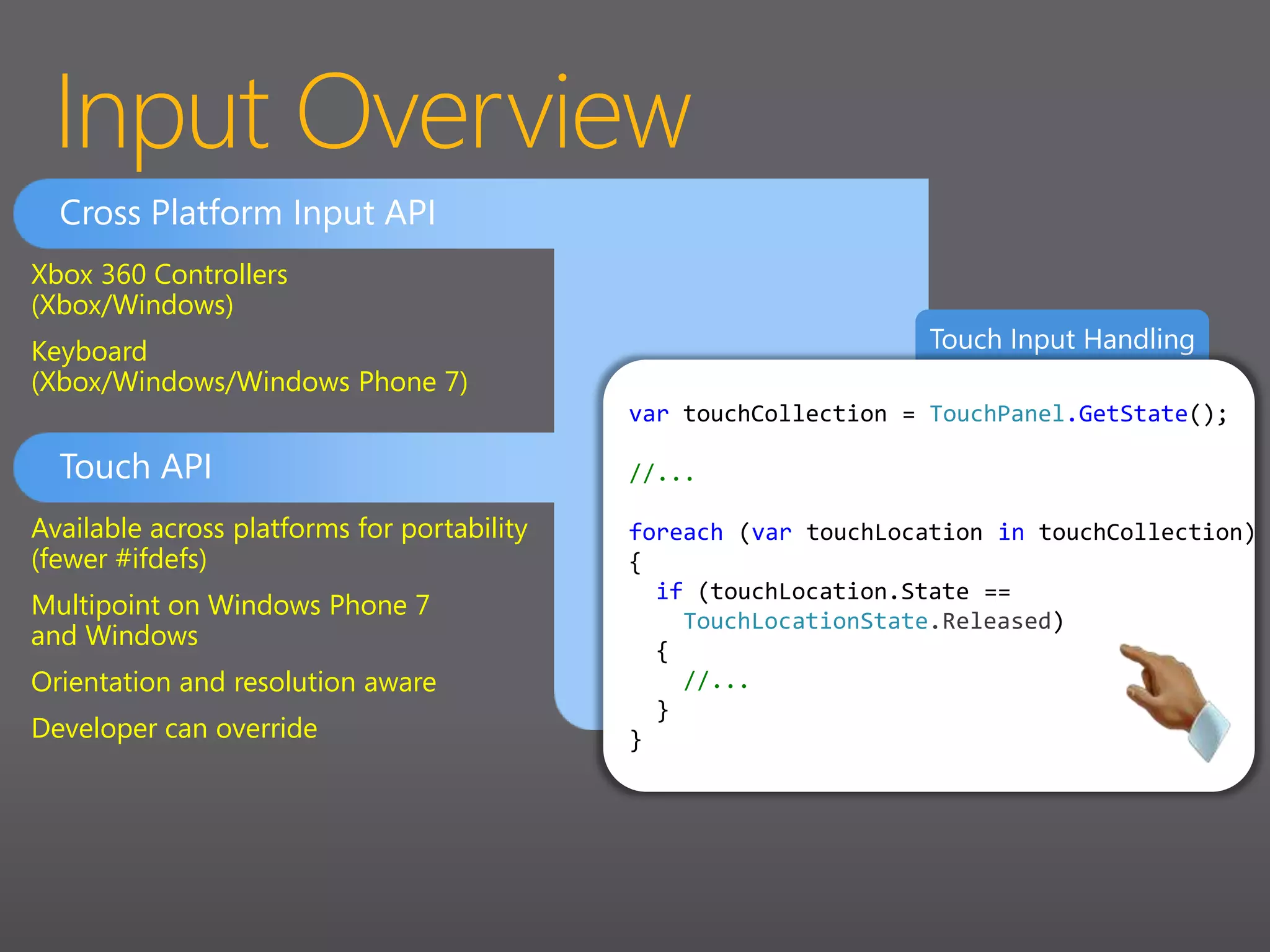
Input OverviewCross Platform Input APIXbox 360 Controllers (Xbox/Windows)Keyboard (Xbox/Windows/Windows Phone 7)Touch Input HandlingvartouchCollection= TouchPanel.GetState();//...foreach(vartouchLocationintouchCollection){if(touchLocation.State == TouchLocationState.Released) {//... }}Touch APIAvailable across platforms for portability (fewer #ifdefs) Multipoint on Windows Phone 7 and WindowsOrientation and resolution awareDeveloper can override
For Silverlight and XNA FrameworkSensors35
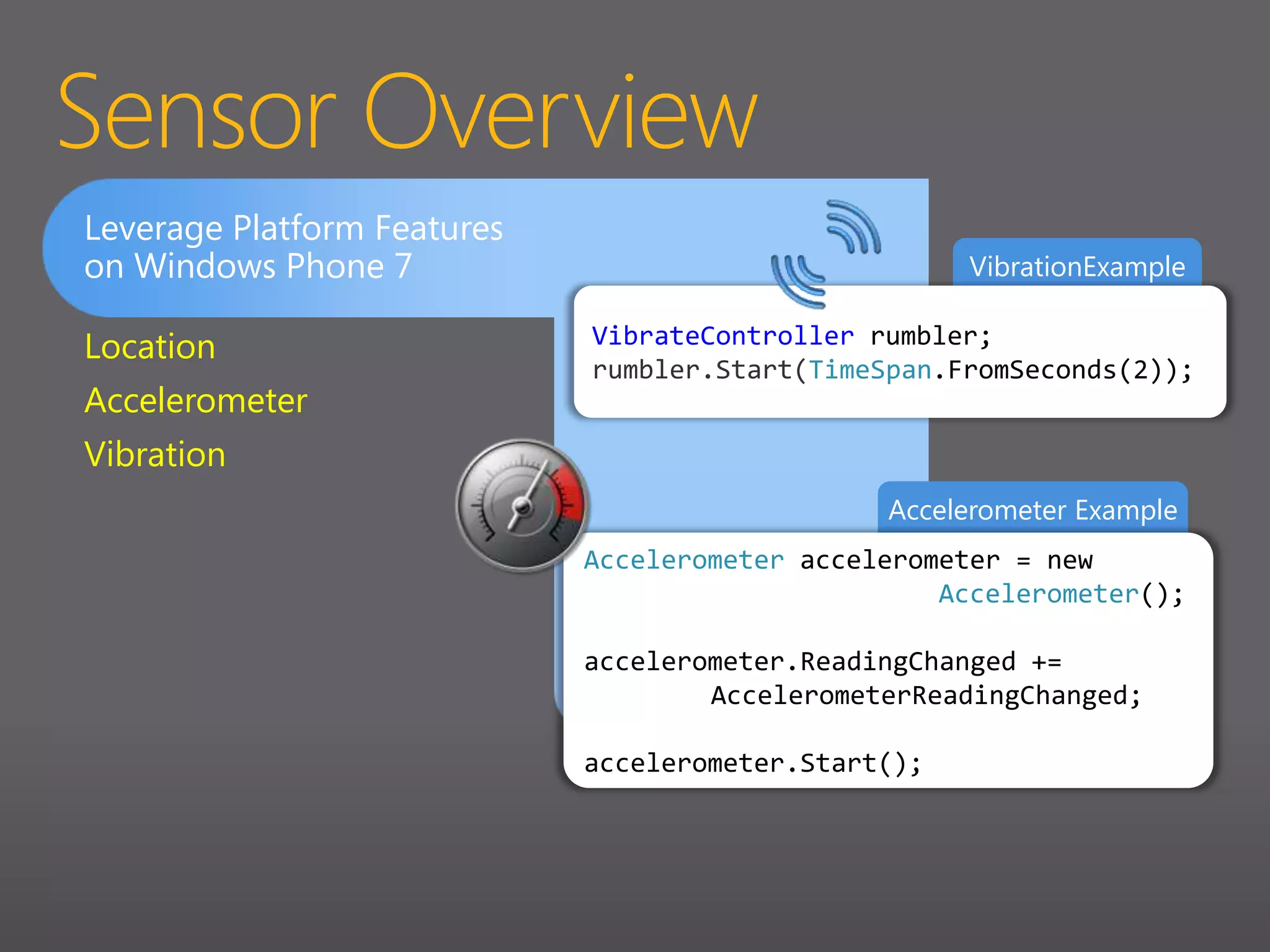
Sensor OverviewLeverage Platform Features on Windows Phone 7VibrationExampleVibrateControllerrumbler;rumbler.Start(TimeSpan.FromSeconds(2));LocationAccelerometerVibrationAccelerometer ExampleAccelerometer accelerometer = newAccelerometer();accelerometer.ReadingChanged +=AccelerometerReadingChanged;accelerometer.Start();
Demo:Touch
Xbox LIVE38
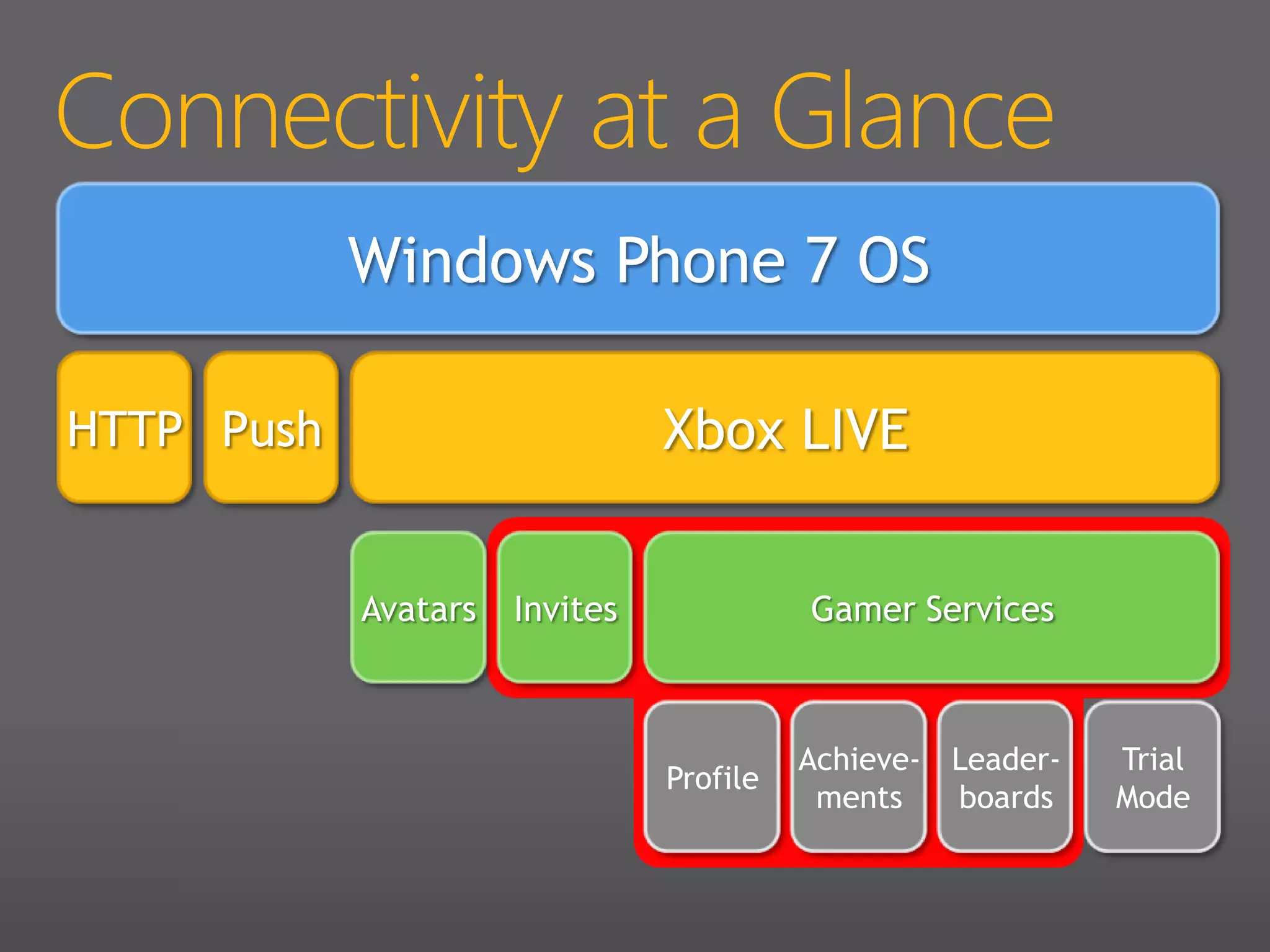
Connectivity at a GlanceWindows Phone 7 OSXbox LIVEHTTPPushGamer ServicesInvitesAvatarsProfileAchieve-mentsLeader-boardsTrialMode
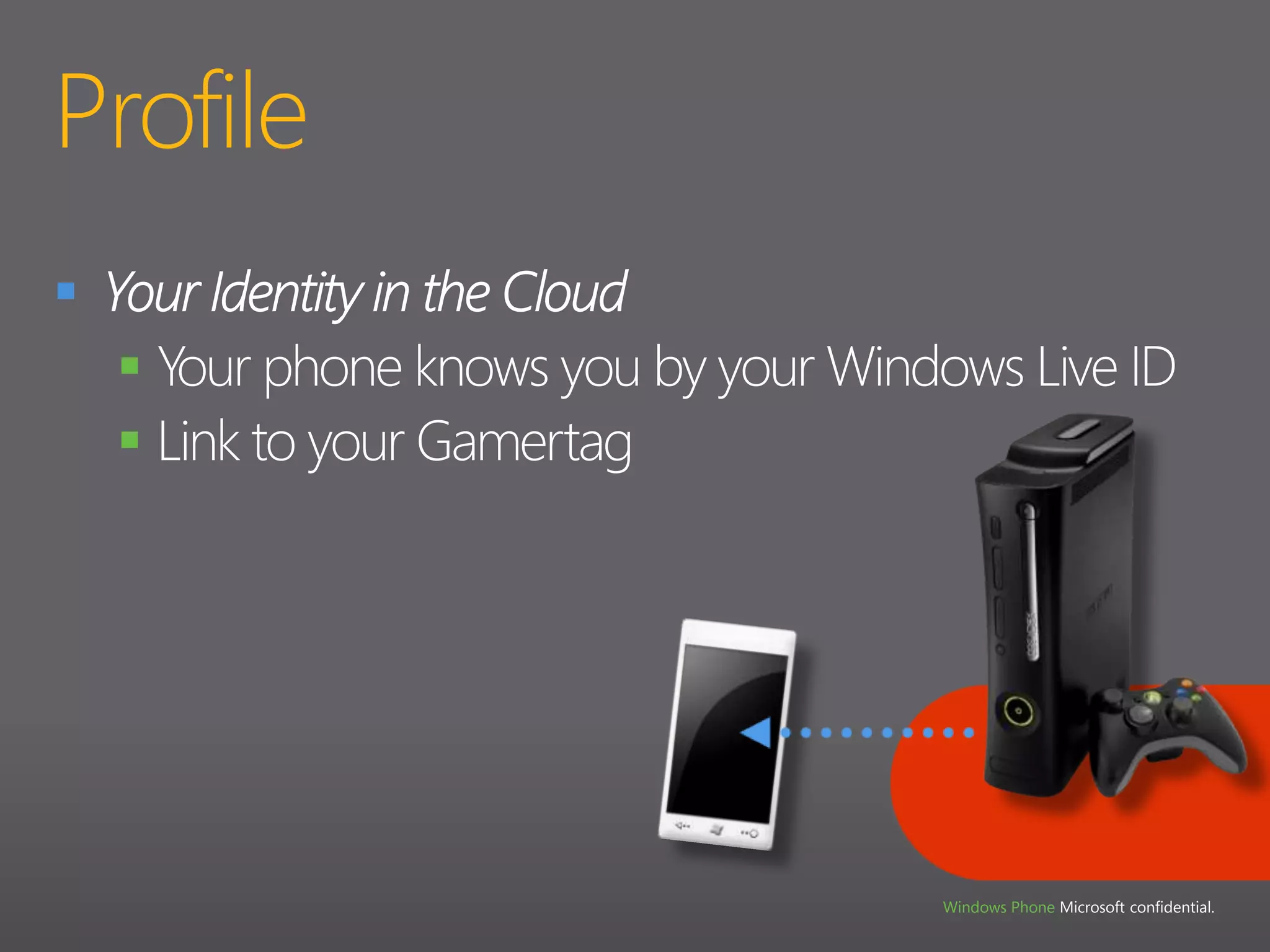
ProfileYour Identity in the CloudYour phone knows you by your Windows Live IDLink to your Gamertag
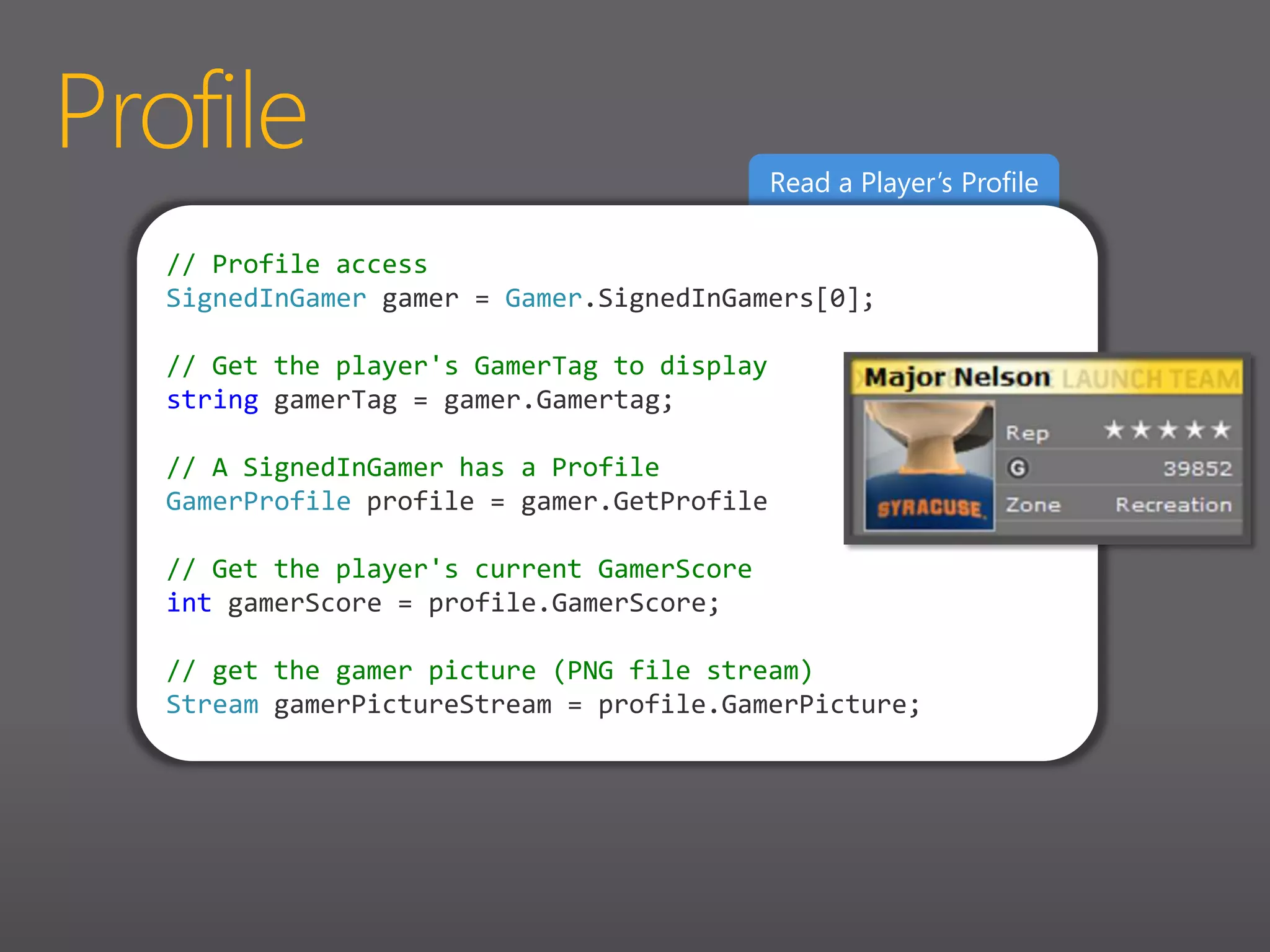
ProfileRead a Player’s Profile// Profile accessSignedInGamergamer =Gamer.SignedInGamers[0];// Get the player's GamerTag to displaystring gamerTag = gamer.Gamertag;// A SignedInGamer has a ProfileGamerProfileprofile = gamer.GetProfile();// Get the player's current GamerScoreintgamerScore = profile.GamerScore;// get the gamer picture (PNG file stream)Stream gamerPictureStream = profile.GamerPicture;
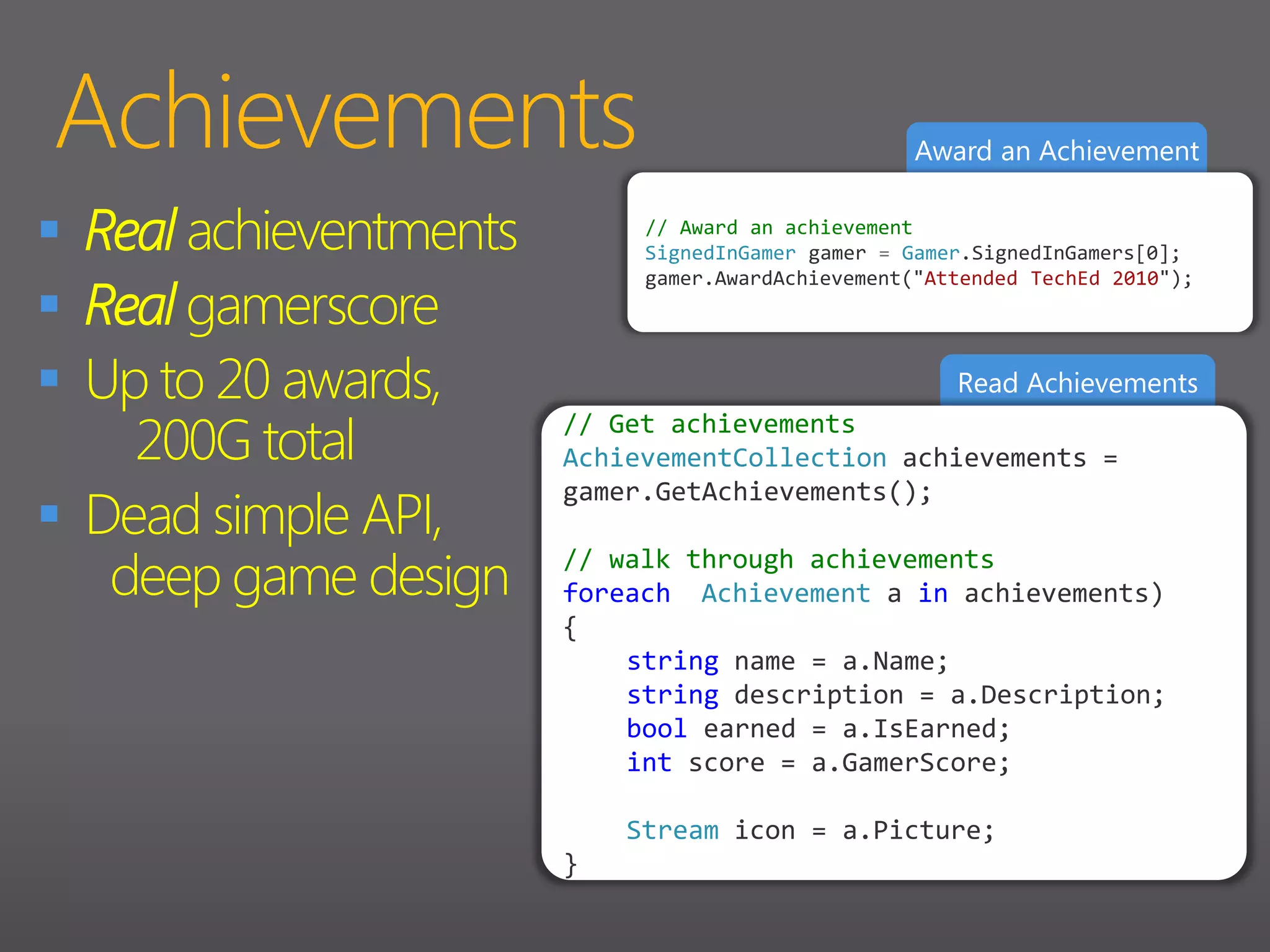
AchievementsAward an Achievement// Award an achievementSignedInGamergamer = Gamer.SignedInGamers[0];gamer.AwardAchievement("Attended TechEd 2010");Real achieventmentsReal gamerscoreUp to 20 awards,    200G totalDead simple API,  deep game designRead Achievements// Get achievementsAchievementCollectionachievements = gamer.GetAchievements();// walk through achievementsforeach (Achievement ain achievements){string name = a.Name;string description = a.Description;boolearned = a.IsEarned;intscore = a.GamerScore;Stream icon = a.Picture; }
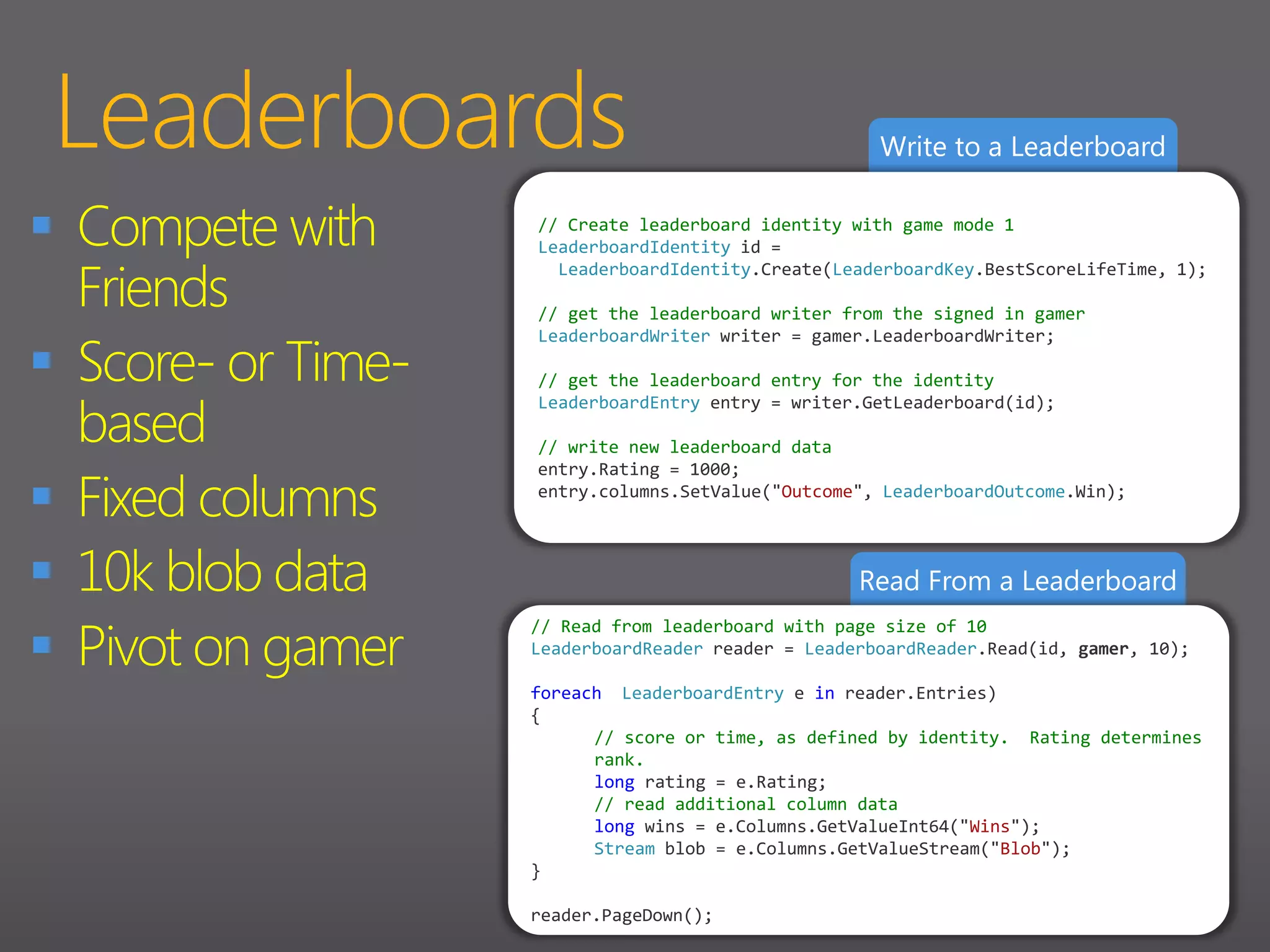
LeaderboardsWrite to a Leaderboard// Create leaderboard identity with game mode 1LeaderboardIdentityid =LeaderboardIdentity.Create(LeaderboardKey.BestScoreLifeTime, 1);// get the leaderboard writer from the signed in gamerLeaderboardWriterwriter = gamer.LeaderboardWriter;// get the leaderboard entry for the identityLeaderboardEntryentry = writer.GetLeaderboard(id);// write new leaderboard dataentry.Rating = 1000;entry.columns.SetValue("Outcome",LeaderboardOutcome.Win);Compete withFriendsScore- or Time-basedFixed columns10k blob dataPivot on gamerRead From a Leaderboard// Read from leaderboard with page size of 10LeaderboardReaderreader =LeaderboardReader.Read(id, gamer, 10);foreach (LeaderboardEntryein reader.Entries){// score or time, as defined by identity.  Rating determines rank.long rating = e.Rating;// read additional column datalong wins = e.Columns.GetValueInt64("Wins");Stream blob = e.Columns.GetValueStream("Blob");}reader.PageDown();
Trial ModeSimple checkSimulate for testingSend user to your Marketplace offerTrial ModeGuide.SimulateTrialMode =true;// if we are in trial mode, show a marketplace offeringif(Guide.IsTrialMode){PlayerIndexplayerIndex = Gamer.SignedInGamers[0].PlayerIndex;Guide.ShowMarketplace(playerIndex);}
AvatarsCurrently supported through web service onlyStatic pose rendered on LIVE back-endDownload as a streamhttp://avatar.xboxlive.com/avatar/Major%20Nelson/avatar-body.png
Game InvitesGame invites are handled through emailGuide.ShowGameInvite() invokes platform picker UIPlayer chooses game invite recipientsFriends see invitations in their games hub
Portable47
Target Three ScreensXNA Framework designed to be cross platformSmaller time investment and target more socketsProject synchronization between platforms
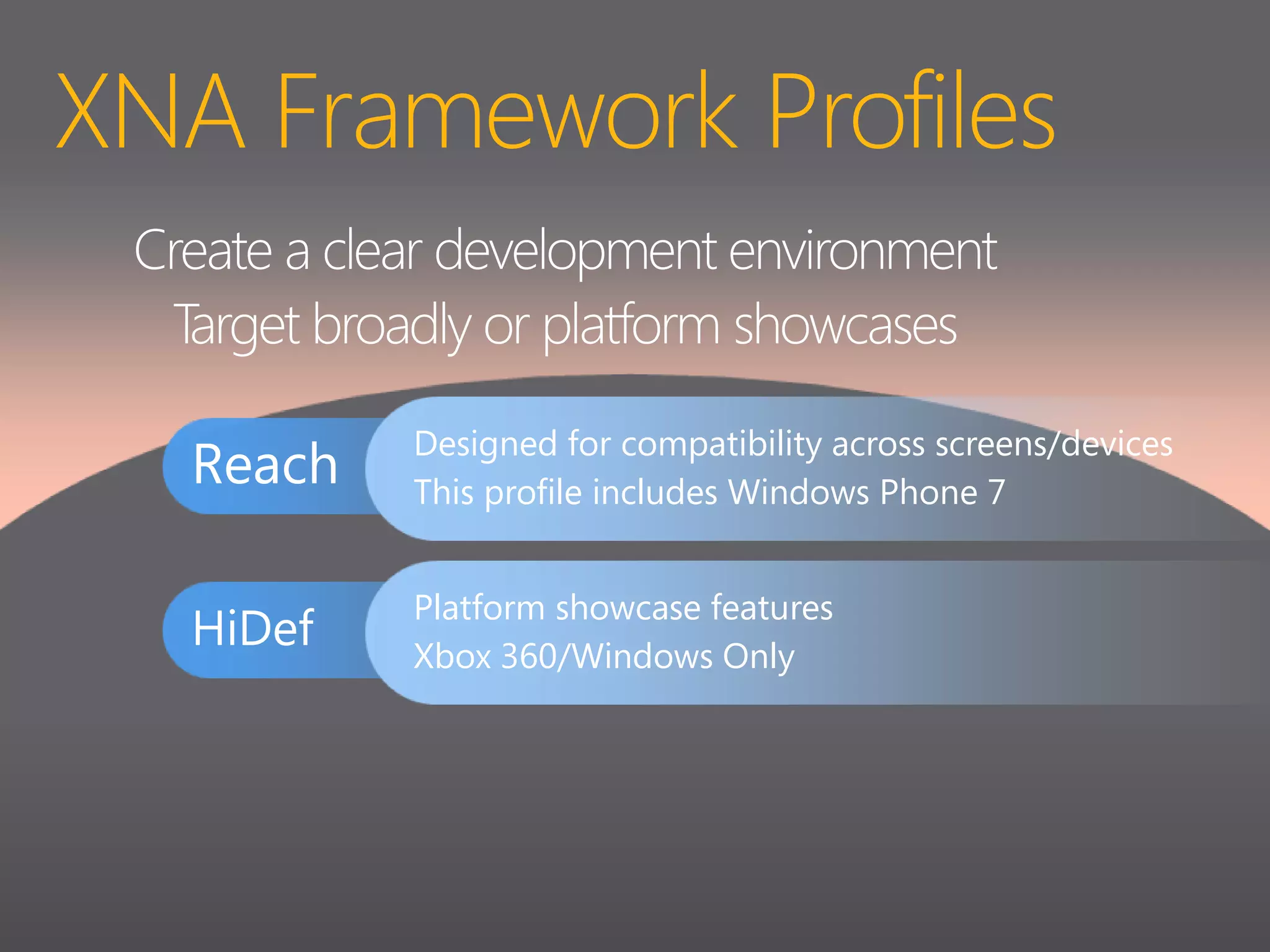
XNA Framework ProfilesCreate a clear development environmentTarget broadly or platform showcasesDesigned for compatibility across screens/devicesThis profile includes Windows Phone 7ReachPlatform showcase featuresXbox 360/Windows OnlyHiDef
Demo:Building 2d and 3d games

Windows phone 7 xna

  • 1.
  • 2.
    Agenda2Windows Phone 7– A new beginningXNA Game Studio 4.0 – Powerful, Productive, PortableXNA Framework- Game Loop, Graphics, Audio, Media, Touch, SensorsXBOX Live Q & A
  • 3.
  • 4.
    Xbox LIVE isGaming ServicesGamertagFriendsAchievementsWindows Phone will extend the Xbox LIVE brand beyond the console for the first timeMerchandisingPremiumPlacementWindows Phone is the first step towards our vision of a ubiquitous gaming serviceDifferentiates your title from the rest
  • 5.
    Game Development OpportunitiesTouse the great features of Xbox LIVEWithout Xbox LIVE You can still writeandpublish games for Windows PhoneFind a publisher!Lots to choose from!We’re interested in your great games!Create great games for marketplace http://developer.windowsphone.comwpgames@microsoft.com
  • 6.
    Windows Phone 7HardwareConsistent sets of hardware capabilities defined by MicrosoftResolutionTouch InputCPU / GPURAMHardware keyboard is optional
  • 7.
    User Experience FrameworksModernXAML/event-driven application UI frameworkRapid creation of visually rich appsHTML/JavascriptMature, robust, widely deployed technologyHigh performance game frameworkRapid creation of multi-screen 2D and 3D games Rich content pipelineMature, robust, widely adopted technology spanning Xbox, Windows, and ZuneGAMES(and applications)APPLICATIONS(and games)
  • 8.
  • 9.
    XNA Game StudioMakesgame development easierXNA Framework provides robust APIs for gamesC#, .NET and Visual Studio toolingSolutions for game content processingNot an engine solutionCreatingGames
  • 10.
    XNA Game Studio4.0Enhanced audio supportDevelop for Windows Phone 7Simplified graphics APIsVisual Studio 2010 integrationNew configurable effects
  • 11.
  • 12.
    Managed Code forGame DevelopmentWindows Phone 7 Uses the .NET platformManaged code platform, no unsafe code.NET/XNA is used for games today!XNA Game Studio 4.0 is C# exclusive800+ managed code games on XBLA/XBLIGwpgames@microsoft.comWindows games published through portals
  • 13.
    Addressing Performance Head-onFrameworksdesigned for performanceFrameworks designed for performanceFrameworks designed for performanceFrameworks designed for performanceXNA Framework designed for gaming scenariosCommitment to future of managed code No unnecessary garbage generationThree + years of profiling and investment We’ve built for performance on Windows Phone 7Math libraries optimized Efficient APIs with tuned transitions to native code
  • 14.
  • 15.
  • 16.
    Visual Studio and.NETProductive development with .NET and C#High performance IDEIntellisense makes coding fasterIntegrated build/deploy/debug experienceMSBuild engine for build automation
  • 17.
    Content Pipeline17Simplify YourContent Usage!Manage assets in Visual StudioImporters for common game data formatsOptimize data into binary format for efficient loadingFully extensibleContent projects external in XNA Game Studio 4.0
  • 18.
  • 19.
    Bridging the GapTheXNA Framework Game Loop is layered on top of the Silverlight Application object on Windows Phone 7Provides the bulk of integration of API’sMost of the XNA Framework can be accessed from Silverlight applicationsIncluding Gamer Services (Xbox LIVE)In this release some sharing/composition is not completeScenes using GraphicsDevice from XNA Framework and UIElements from SilverlightYou’ll want to choose the technology that works best for your scenarios
  • 20.
    Choosing the RightTechnologyGraphicsUI control heavy consider SilverlightDesire vector graphics in XAML MediaRich video support in applicationToolingIf you use Microsoft Blend in your pipeline
  • 21.
    Leveraging the RightTechnologyGraphicsUsing 3D graphicsSprite heavy 2D applications should consider the XNA Framework Game Loop Simulation/DrawingThose who prefer a traditional update/draw/present frame loopToolingThose who want to use the XNA Framework Content Pipeline graphics types
  • 22.
    XNA Framework GameLoopStart simple and customize!XNA Framework Game Loop Exampleprotectedoverridevoid Update(GameTimegameTime){ // Allows the game to exit if(GamePad.GetState(PlayerIndex.One).Buttons.Back==ButtonState.Pressed)this.Exit(); // TODO: Add your update logic herebase.Update(gameTime);}protectedoverridevoid Draw(GameTimegameTime){GraphicsDevice.Clear(Color.CornflowerBlue); // TODO: Add your drawing code herebase.Draw(gameTime);}Traditional update/draw/present frame loopCore programming model consistent with previous releasesChanges implemented yield better power performance on devicesSystem integration with Windows Phone 7 best practicesTranslated to existing XNA Framework concepts
  • 23.
  • 24.
  • 25.
    Graphics OverviewEvolution ofour existing immediate mode rendering APISimplifies for resource and render state managementFeature segmentation between “Reach”/“HiDef” profilesRendering primitives 2D and 3D
  • 26.
    Configurable EffectsBasicEffectSkinnedEffectNew configurableeffect classes on all platformsEnvironmentMapEffectDualTextureEffectCustom effects not available on Windows Phone 7AlphaTestEffect
  • 27.
    System Support: Scalerand OrientationWrite your game without worrying about native resolution or orientationAutomatic rotation between portrait and landscapeTouch automatically supports both scale and orientation changesScaler can drastically improve performanceTrade off performance for “crispness” and shade fewer pixels800x480 = 384,000 pixels, 480x320 = 153,600 pixelsUpsample an arbitrary back buffer to native device resolutionFar higher quality than bilinear filteringAllows for easier porting from other platformsScaling/Rotation comes for “free” from Hardware
  • 28.
  • 29.
    Can you hearme now?Audio & Media29
  • 30.
    Audio Capture ExampleAudiopublicvoidEventDrivenCapture(){mic=Microphone.Default;buffer = new byte[mic.GetSampleSizeInBytes(mic.BufferDuration)];mic.BufferReady += newEventHandler(OnBufferReady);DynamicPlayback = newDynamicSoundEffectInstance(mic.SampleRate,AudioChannels.Mono);}publicvoidOnBufferReady(object sender, EventArgsargs){// Get the latest captured audio. int duration = mic.GetData(buffer);// Do some post-capture processing and playback. MakeMeSoundLikeARobot(buffer, duration);DynamicPlayback.SubmitBuffer(buffer);}Audio Capture and PlaybackSimple API to play back WAV dataModify pitch, volume, pan audioAbility to play synthesized/buffered audioSerialize captured dataProvides more control over System.Mediatypes on Windows Phone 7Audio Playback Example// Load a sound effect from a raw streamSoundEffecteffect1 =SoundEffect.FromStream(GetStreamFromTheWeb("http://url.wav"));effect1.Play();// Create dynamic audio on the flybyte[] fluteSound = GetFluteNote();effect2 = newSoundEffect(fluteSound, SampleRate, AudioChannels.Stereo);SoundEffectInstanceinstance = effect2.CreateInstance();instance.Pan = -1; instance.Pitch = 1.5f;instance.Play();Microphone/Bluetooth SupportPlayback through headsetCapture through mic or headset
  • 31.
    Media – Music/Photos/VideoURISong Playback ExampleMusic Enumeration and Playback// Constructs a song from a URIUrimediaStreamUri = newUri("http://song.asx");SongstreamedSong = Song.FromUri("Song", mediaStreamUri);// Play the songMediaPlayer.Play(streamedSong);Control and enumerate users’ media within a gameAbility to play songs from URI/URL (i.e. music app)Picture Enumeration and PlaybackSupports photo picking/editing/publishingRetrieve Image DataMediaLibrarymedia =newMediaLibrary();// Get the JPEG image dataStreammyJpegImage = ReadAndModifyPicture(somePicture);// Save texture to Media Library   media.SavePicture("Awesome", myJpegImage);Video PlaybackUses standard video player APIShow/Hide controls
  • 32.
  • 33.
    Interacting with gamesgets easier!Input / Touch33
  • 34.
    Input OverviewCross PlatformInput APIXbox 360 Controllers (Xbox/Windows)Keyboard (Xbox/Windows/Windows Phone 7)Touch Input HandlingvartouchCollection= TouchPanel.GetState();//...foreach(vartouchLocationintouchCollection){if(touchLocation.State == TouchLocationState.Released) {//... }}Touch APIAvailable across platforms for portability (fewer #ifdefs) Multipoint on Windows Phone 7 and WindowsOrientation and resolution awareDeveloper can override
  • 35.
    For Silverlight andXNA FrameworkSensors35
  • 36.
    Sensor OverviewLeverage PlatformFeatures on Windows Phone 7VibrationExampleVibrateControllerrumbler;rumbler.Start(TimeSpan.FromSeconds(2));LocationAccelerometerVibrationAccelerometer ExampleAccelerometer accelerometer = newAccelerometer();accelerometer.ReadingChanged +=AccelerometerReadingChanged;accelerometer.Start();
  • 37.
  • 38.
  • 39.
    Connectivity at aGlanceWindows Phone 7 OSXbox LIVEHTTPPushGamer ServicesInvitesAvatarsProfileAchieve-mentsLeader-boardsTrialMode
  • 40.
    ProfileYour Identity inthe CloudYour phone knows you by your Windows Live IDLink to your Gamertag
  • 41.
    ProfileRead a Player’sProfile// Profile accessSignedInGamergamer =Gamer.SignedInGamers[0];// Get the player's GamerTag to displaystring gamerTag = gamer.Gamertag;// A SignedInGamer has a ProfileGamerProfileprofile = gamer.GetProfile();// Get the player's current GamerScoreintgamerScore = profile.GamerScore;// get the gamer picture (PNG file stream)Stream gamerPictureStream = profile.GamerPicture;
  • 42.
    AchievementsAward an Achievement//Award an achievementSignedInGamergamer = Gamer.SignedInGamers[0];gamer.AwardAchievement("Attended TechEd 2010");Real achieventmentsReal gamerscoreUp to 20 awards, 200G totalDead simple API, deep game designRead Achievements// Get achievementsAchievementCollectionachievements = gamer.GetAchievements();// walk through achievementsforeach (Achievement ain achievements){string name = a.Name;string description = a.Description;boolearned = a.IsEarned;intscore = a.GamerScore;Stream icon = a.Picture; }
  • 43.
    LeaderboardsWrite to aLeaderboard// Create leaderboard identity with game mode 1LeaderboardIdentityid =LeaderboardIdentity.Create(LeaderboardKey.BestScoreLifeTime, 1);// get the leaderboard writer from the signed in gamerLeaderboardWriterwriter = gamer.LeaderboardWriter;// get the leaderboard entry for the identityLeaderboardEntryentry = writer.GetLeaderboard(id);// write new leaderboard dataentry.Rating = 1000;entry.columns.SetValue("Outcome",LeaderboardOutcome.Win);Compete withFriendsScore- or Time-basedFixed columns10k blob dataPivot on gamerRead From a Leaderboard// Read from leaderboard with page size of 10LeaderboardReaderreader =LeaderboardReader.Read(id, gamer, 10);foreach (LeaderboardEntryein reader.Entries){// score or time, as defined by identity. Rating determines rank.long rating = e.Rating;// read additional column datalong wins = e.Columns.GetValueInt64("Wins");Stream blob = e.Columns.GetValueStream("Blob");}reader.PageDown();
  • 44.
    Trial ModeSimple checkSimulatefor testingSend user to your Marketplace offerTrial ModeGuide.SimulateTrialMode =true;// if we are in trial mode, show a marketplace offeringif(Guide.IsTrialMode){PlayerIndexplayerIndex = Gamer.SignedInGamers[0].PlayerIndex;Guide.ShowMarketplace(playerIndex);}
  • 45.
    AvatarsCurrently supported throughweb service onlyStatic pose rendered on LIVE back-endDownload as a streamhttp://avatar.xboxlive.com/avatar/Major%20Nelson/avatar-body.png
  • 46.
    Game InvitesGame invitesare handled through emailGuide.ShowGameInvite() invokes platform picker UIPlayer chooses game invite recipientsFriends see invitations in their games hub
  • 47.
  • 48.
    Target Three ScreensXNAFramework designed to be cross platformSmaller time investment and target more socketsProject synchronization between platforms
  • 49.
    XNA Framework ProfilesCreatea clear development environmentTarget broadly or platform showcasesDesigned for compatibility across screens/devicesThis profile includes Windows Phone 7ReachPlatform showcase featuresXbox 360/Windows OnlyHiDef
  • 50.
  • 51.
    SummaryPowerfulGreat managed codegames, working todayWindows Phone provides a powerful platform for gamingProductiveFocus on being a game developerGreat tools make you more productivePortableTarget more platforms easilyFocus on your game differences, not the technology
  • 52.
    Call to ActionDownloadthe Windows Phone Developer Toolshttp://developer.windowsphone.com Create awesome games!
  • 53.
    Additional ResourcesEmail: wpgames@microsoft.comOnthe web: http://developer.windowsphone.comHundreds of samplesLots of MVPs and experts to help you get startedXNA Creators Club @ http://creators.xna.comTeam Blog @ http://blogs.msdn.com/xna/Shawn Hargreaves @ http://blogs.msdn.com/shawnhar/(Great Tech Info!)Contact MicrosoftBlogsPeer Support @ http://forums.xna.com
  • 54.
  • 55.
    © 2010 MicrosoftCorporation. All rights reserved. Microsoft, Windows, Windows Vista and other product names are or may be registered trademarks and/or trademarks in the U.S. and/or other countries.The information herein is for informational purposes only and represents the current view of Microsoft Corporation as of the date of this presentation. Because Microsoft must respond to changing market conditions, it should not be interpreted to be a commitment on the part of Microsoft, and Microsoft cannot guarantee the accuracy of any information provided after the date of this presentation. MICROSOFT MAKES NO WARRANTIES, EXPRESS, IMPLIED OR STATUTORY, AS TO THE INFORMATION IN THIS PRESENTATION.