







XNA and SilverlightAaron Stanley King
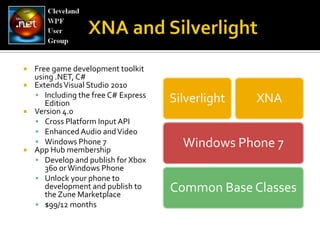
XNA and SilverlightFree game development toolkit using .NET, C#Extends Visual Studio 2010Including the free C# Express EditionVersion 4.0Cross Platform Input APIEnhanced Audio and VideoWindows Phone 7App Hub membershipDevelop and publish for Xbox 360 or Windows PhoneUnlock your phone to development and publish to the Zune Marketplace$99/12 months
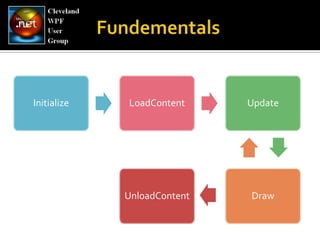
FundementalsInitializeLoadContentUpdateDrawUnloadContent
The Game Loopwhile (IsRunning) { Update(); Draw(); }
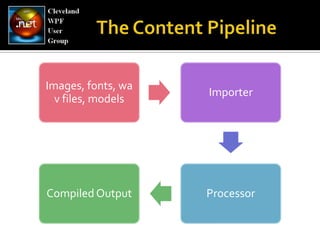
The Content Pipeline
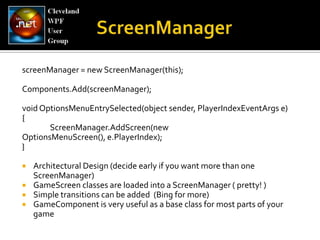
ScreenManagerscreenManager= new ScreenManager(this);Components.Add(screenManager);void OptionsMenuEntrySelected(object sender, PlayerIndexEventArgs e) { ScreenManager.AddScreen(new OptionsMenuScreen(), e.PlayerIndex); }Architectural Design (decide early if you want more than one ScreenManager)GameScreen classes are loaded into a ScreenManager ( pretty! )Simple transitions can be added  (Bing for more)GameComponent is very useful as a base class for most parts of your game
Msft.Xna.FW.InputGamePadButtonsButtonStateGamePadDeadZoneGamePadTypeKeyboardKeysKeyStateMouseButtonsPositionMsft.Xna.Fw.Input.TOUCHInput APITouchPanelGestureTypeTouchLocationStateMsft.Devices.SensorsAccelerometerSensorState
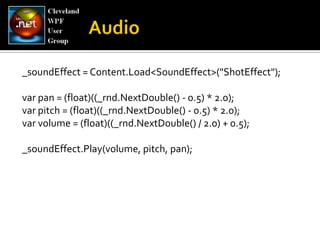
_soundEffect = Content.Load<SoundEffect>("ShotEffect");var pan = (float)((_rnd.NextDouble() - 0.5) * 2.0);varpitch = (float)((_rnd.NextDouble() - 0.5) * 2.0); varvolume = (float)((_rnd.NextDouble() / 2.0) + 0.5); _soundEffect.Play(volume, pitch, pan);Audio
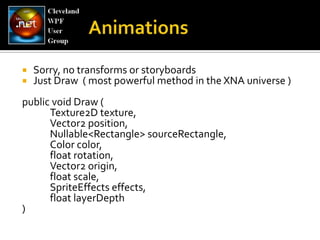
Sorry, no transforms or storyboardsJust Draw  ( most powerful method in the XNA universe )public void Draw ( 	Texture2D texture, 	Vector2 position, Nullable<Rectangle> sourceRectangle, 	Color color, 	float rotation, 	Vector2 origin, 	float scale, SpriteEffectseffects, 	float layerDepth)Animations
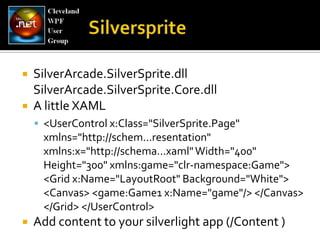
SilverspriteSilverArcade.SilverSprite.dll SilverArcade.SilverSprite.Core.dll A little XAML<UserControlx:Class="SilverSprite.Page" xmlns="http://schem...resentation" xmlns:x="http://schema...xaml" Width="400" Height="300" xmlns:game="clr-namespace:Game"> <Grid x:Name="LayoutRoot" Background="White"> <Canvas> <game:Game1 x:Name="game"/> </Canvas> </Grid> </UserControl> Add content to your silverlightapp (/Content )
Demo
Xbox LIVE Indie GamesPublish your games to Xbox LIVE MarketplaceProfit!!  70%/30% baseline splitTime-limited trial, no free gamesCharge 200, 400, or 800 points150 MB limit for 400 and 800 point games50 MB limit for 200 point gamesYou retain all rights and IP(if Microsoft invests in further marketing, they reserve the right to take 10-30% more)
Windows Phone MarketplacePublish your games to Windows Phone MarketplaceProfit!!  70%/30% baseline splitFree apps are okCharge $.99 to $499 ( no points )225 MB limit You retain all rights and IPYou can’t charge for updates.  It’s not in the Microsoft marketing strategy.
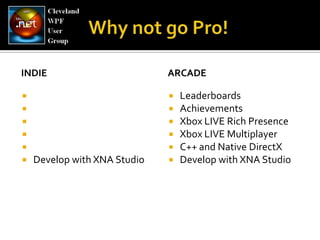
IndieDevelop with XNA StudioarcadeLeaderboardsAchievementsXbox LIVE Rich PresenceXbox LIVE MultiplayerC++ and Native DirectXDevelop with XNA StudioWhy not go Pro!
XNA Futures
MSFT.XNA.FW.Input.YouKinect for Windows SDK ( later this summer )
Aaron Stanley KingTwitter -> @trendoidGamertag -> HeraldStudiosEmail -> aaron@woundvision.com Wanna play?
ResourcesApp HubSilverlight ShowXNA 3.1 to 4.0 Cheat SheetSilverspriteSilver ArcadeMonoXNA

XNA And Silverlight