Windows 10 IoT Core
Blair Leduc
Speaking at
Canada's Technology Triangle .NET User Group
December 9, 2015
About me
•My name is Blair Leduc
•I work with the fine folks at ObjectSharp
•I do everything that is furthest away from IoT
•I was trained as a Computer Engineer
•Fiddling around with electronics is my hobby
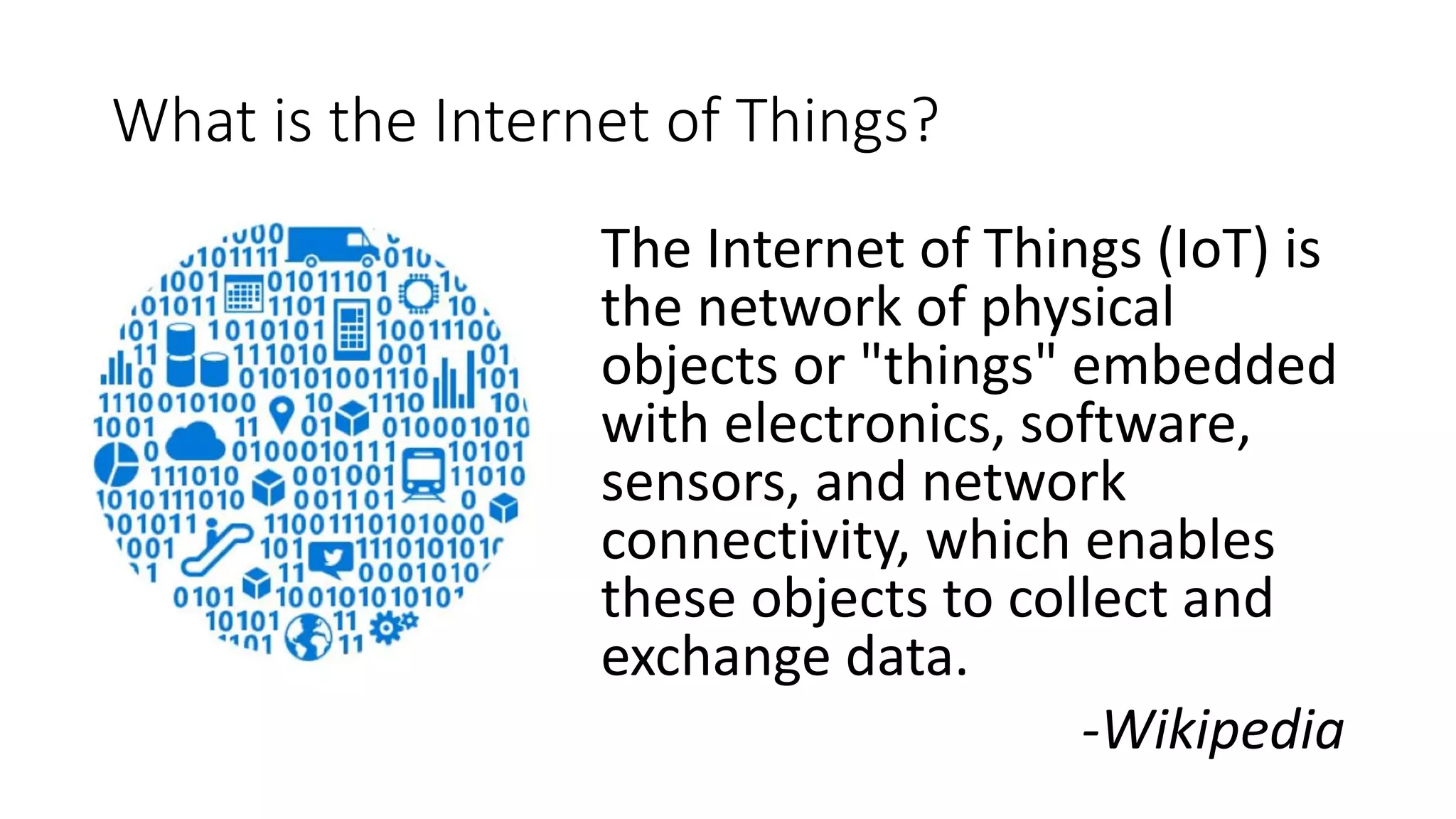
What is the Internet of Things?
The Internet of Things (IoT) is
the network of physical
objects or "things" embedded
with electronics, software,
sensors, and network
connectivity, which enables
these objects to collect and
exchange data.
-Wikipedia
What is Windows 10 IoT Core?
• A version of Windows 10 that is optimized for smaller
devices with or without a display
• Utilizes the rich, extensible Universal Windows
Platform (UWP) API for building solutions
• Available for ARM and x86 (400Mhz or faster)
• 2GB Storage
• Headless: 256MB RAM (128MB to OS)
• Headed: 512MB RAM (256MB to OS)
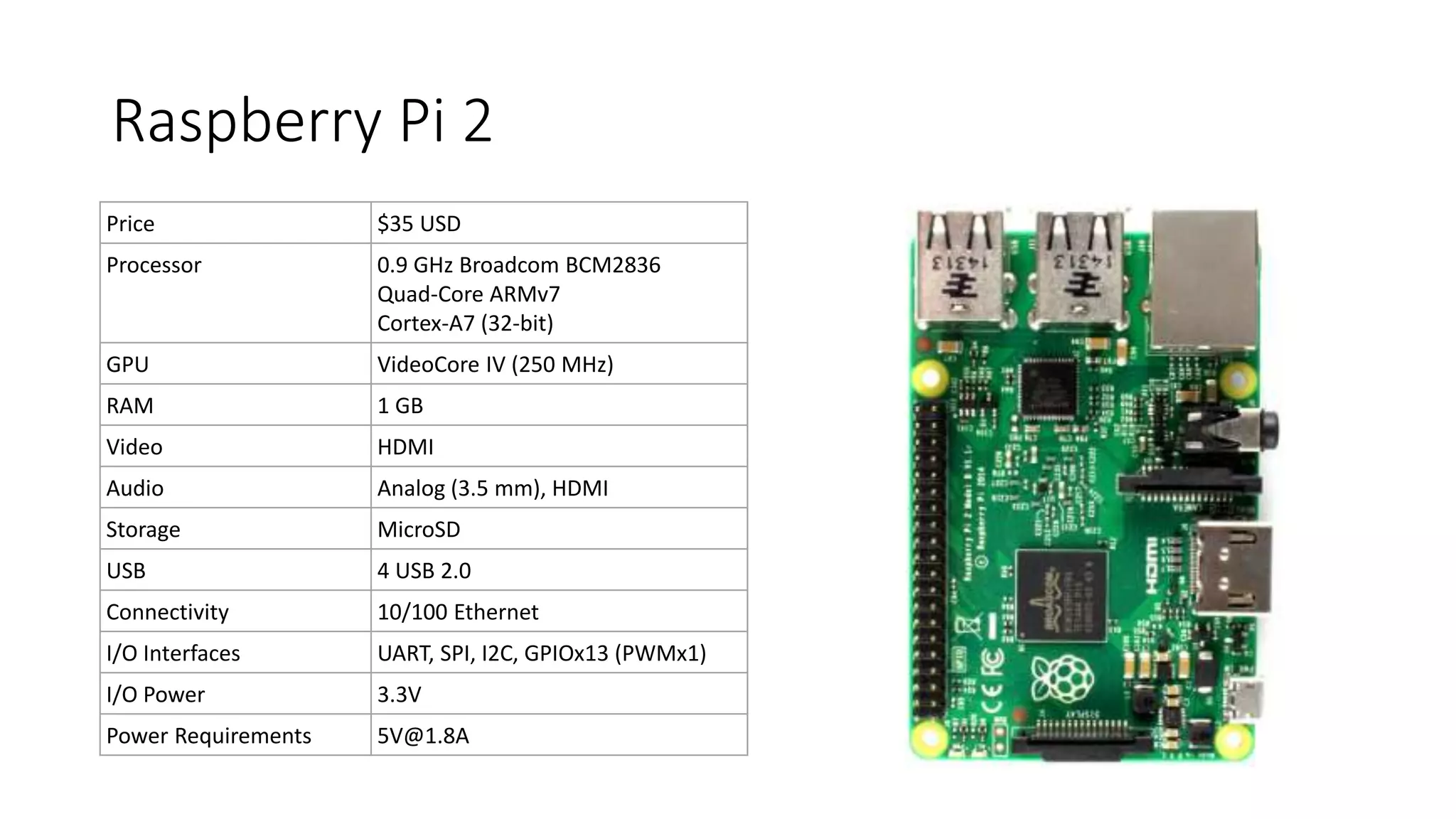
Raspberry Pi 2
Price $35 USD
Processor 0.9 GHz Broadcom BCM2836
Quad-Core ARMv7
Cortex-A7 (32-bit)
GPU VideoCore IV (250 MHz)
RAM 1 GB
Video HDMI
Audio Analog (3.5 mm), HDMI
Storage MicroSD
USB 4 USB 2.0
Connectivity 10/100 Ethernet
I/O Interfaces UART, SPI, I2C, GPIOx13 (PWMx1)
I/O Power 3.3V
Power Requirements 5V@1.8A
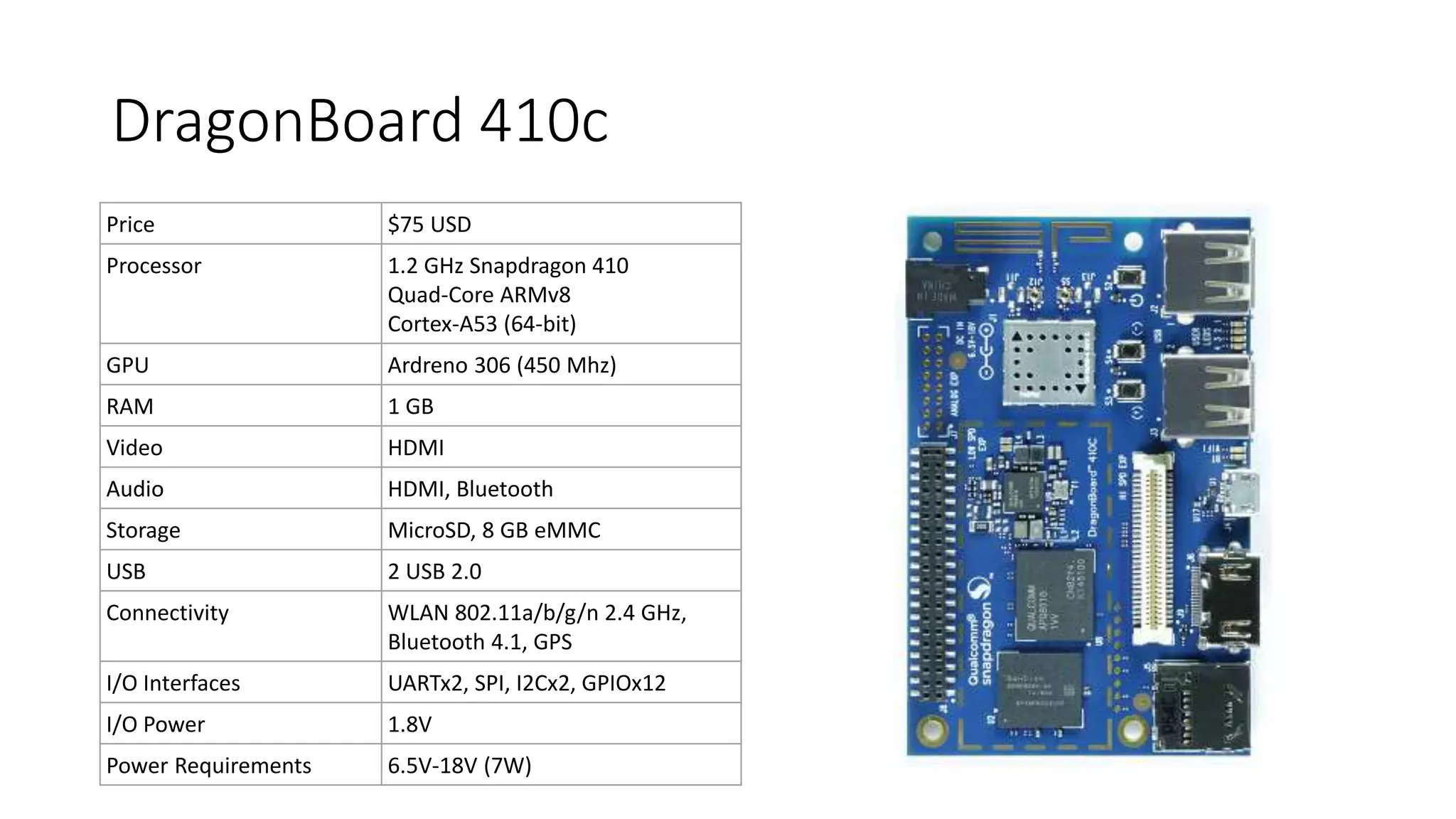
DragonBoard 410c
Price $75 USD
Processor 1.2 GHz Snapdragon 410
Quad-Core ARMv8
Cortex-A53 (64-bit)
GPU Ardreno 306 (450 Mhz)
RAM 1 GB
Video HDMI
Audio HDMI, Bluetooth
Storage MicroSD, 8 GB eMMC
USB 2 USB 2.0
Connectivity WLAN 802.11a/b/g/n 2.4 GHz,
Bluetooth 4.1, GPS
I/O Interfaces UARTx2, SPI, I2Cx2, GPIOx12
I/O Power 1.8V
Power Requirements 6.5V-18V (7W)
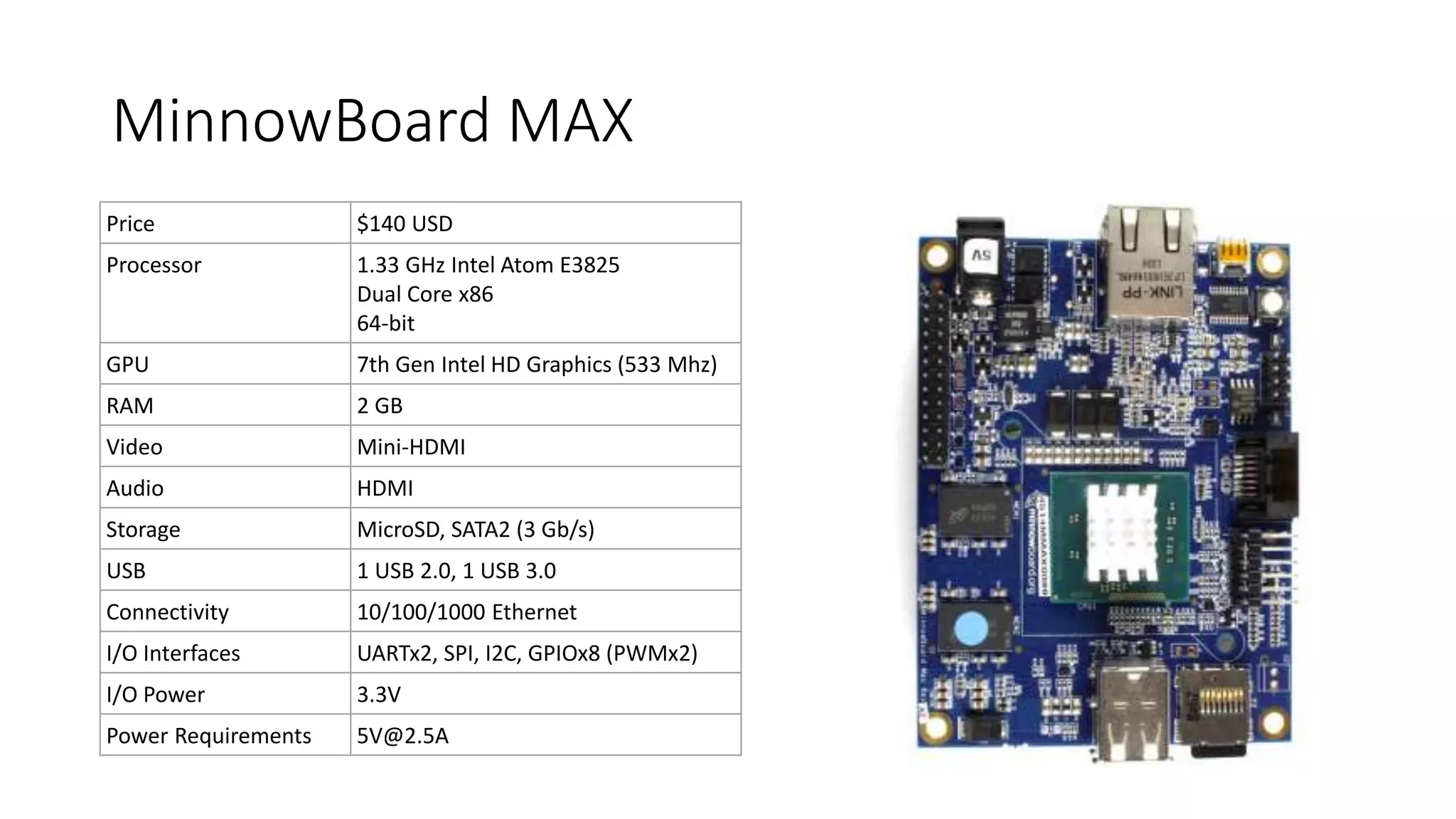
MinnowBoard MAX
Price $140 USD
Processor 1.33 GHz Intel Atom E3825
Dual Core x86
64-bit
GPU 7th Gen Intel HD Graphics (533 Mhz)
RAM 2 GB
Video Mini-HDMI
Audio HDMI
Storage MicroSD, SATA2 (3 Gb/s)
USB 1 USB 2.0, 1 USB 3.0
Connectivity 10/100/1000 Ethernet
I/O Interfaces UARTx2, SPI, I2C, GPIOx8 (PWMx2)
I/O Power 3.3V
Power Requirements 5V@2.5A
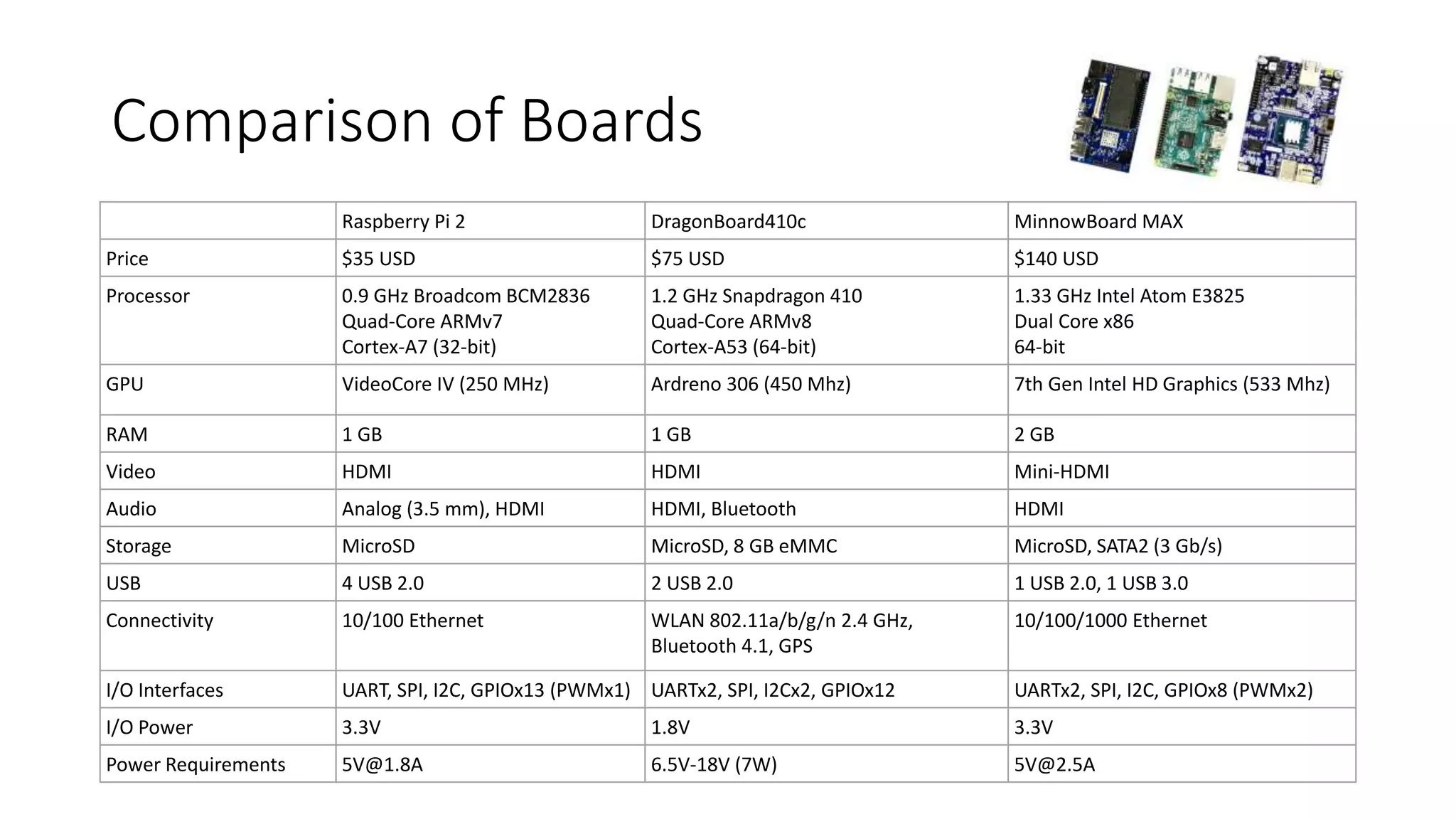
Comparison of Boards
Raspberry Pi 2 DragonBoard410c MinnowBoard MAX
Price $35 USD $75 USD $140 USD
Processor 0.9 GHz Broadcom BCM2836
Quad-Core ARMv7
Cortex-A7 (32-bit)
1.2 GHz Snapdragon 410
Quad-Core ARMv8
Cortex-A53 (64-bit)
1.33 GHz Intel Atom E3825
Dual Core x86
64-bit
GPU VideoCore IV (250 MHz) Ardreno 306 (450 Mhz) 7th Gen Intel HD Graphics (533 Mhz)
RAM 1 GB 1 GB 2 GB
Video HDMI HDMI Mini-HDMI
Audio Analog (3.5 mm), HDMI HDMI, Bluetooth HDMI
Storage MicroSD MicroSD, 8 GB eMMC MicroSD, SATA2 (3 Gb/s)
USB 4 USB 2.0 2 USB 2.0 1 USB 2.0, 1 USB 3.0
Connectivity 10/100 Ethernet WLAN 802.11a/b/g/n 2.4 GHz,
Bluetooth 4.1, GPS
10/100/1000 Ethernet
I/O Interfaces UART, SPI, I2C, GPIOx13 (PWMx1) UARTx2, SPI, I2Cx2, GPIOx12 UARTx2, SPI, I2C, GPIOx8 (PWMx2)
I/O Power 3.3V 1.8V 3.3V
Power Requirements 5V@1.8A 6.5V-18V (7W) 5V@2.5A
Set up your PC
• Windows 10 is required
• Check your version by running winver.exe
• 10.0.10240 or later is required
• Also, you will need to enable developer mode
• Visual Studio 2015 Update 1 is needed for development
• Can be Community, Professional or Enterprise
• You must do a custom install of Professional and Enterprise
• Check Universal Windows Development Tools > Tools and Windows SDK
• Check your version, Help > About Microsoft Visual Studio
• Visual Studio: 14.0.24720.00 Update 1
• UWP Tools: 14.0.24720.00
• Install Windows 10 IoT Core Project Templates
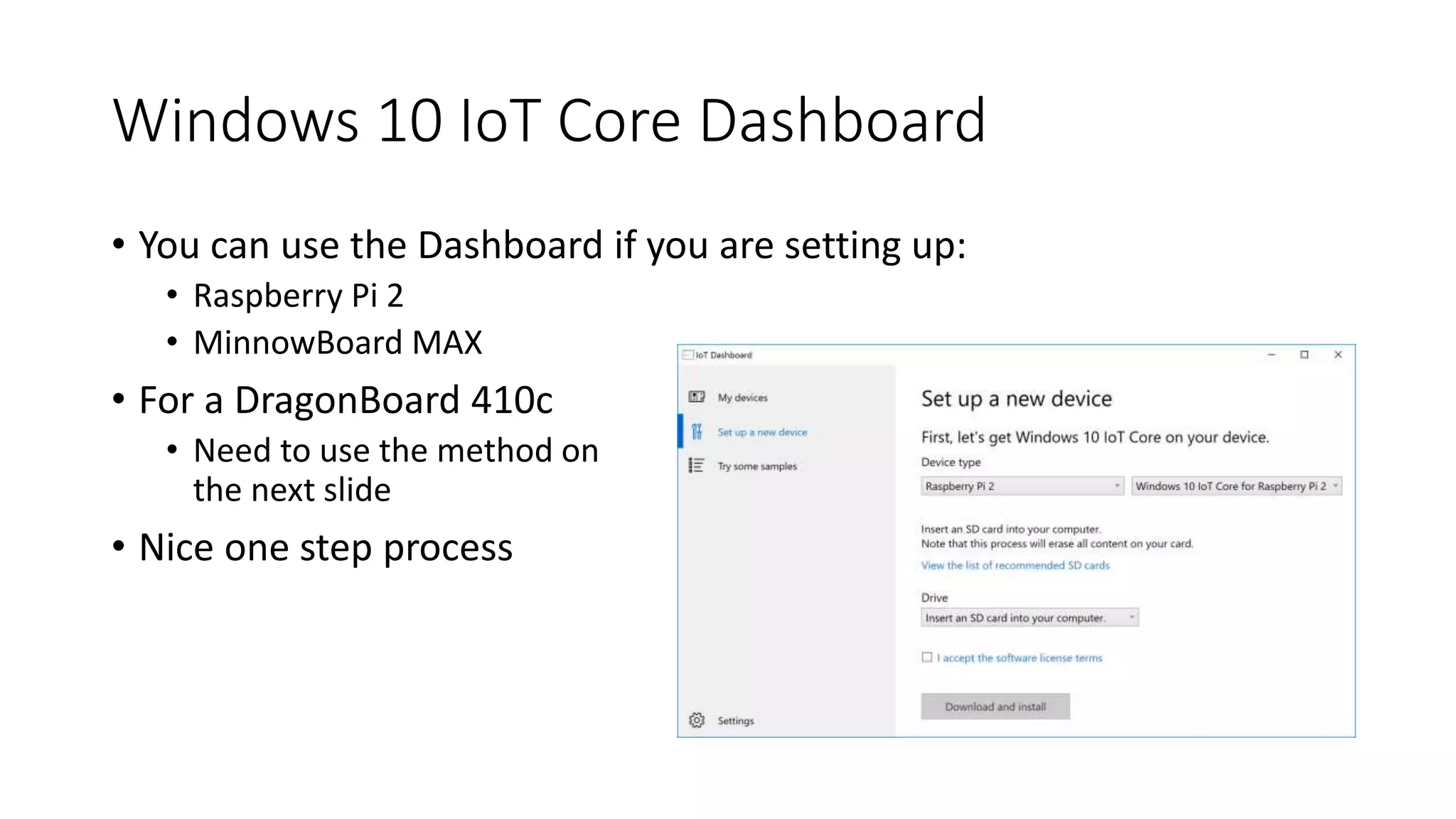
Windows 10 IoT Core Dashboard
• You can use the Dashboard if you are setting up:
• Raspberry Pi 2
• MinnowBoard MAX
• For a DragonBoard 410c
• Need to use the method on
the next slide
• Nice one step process
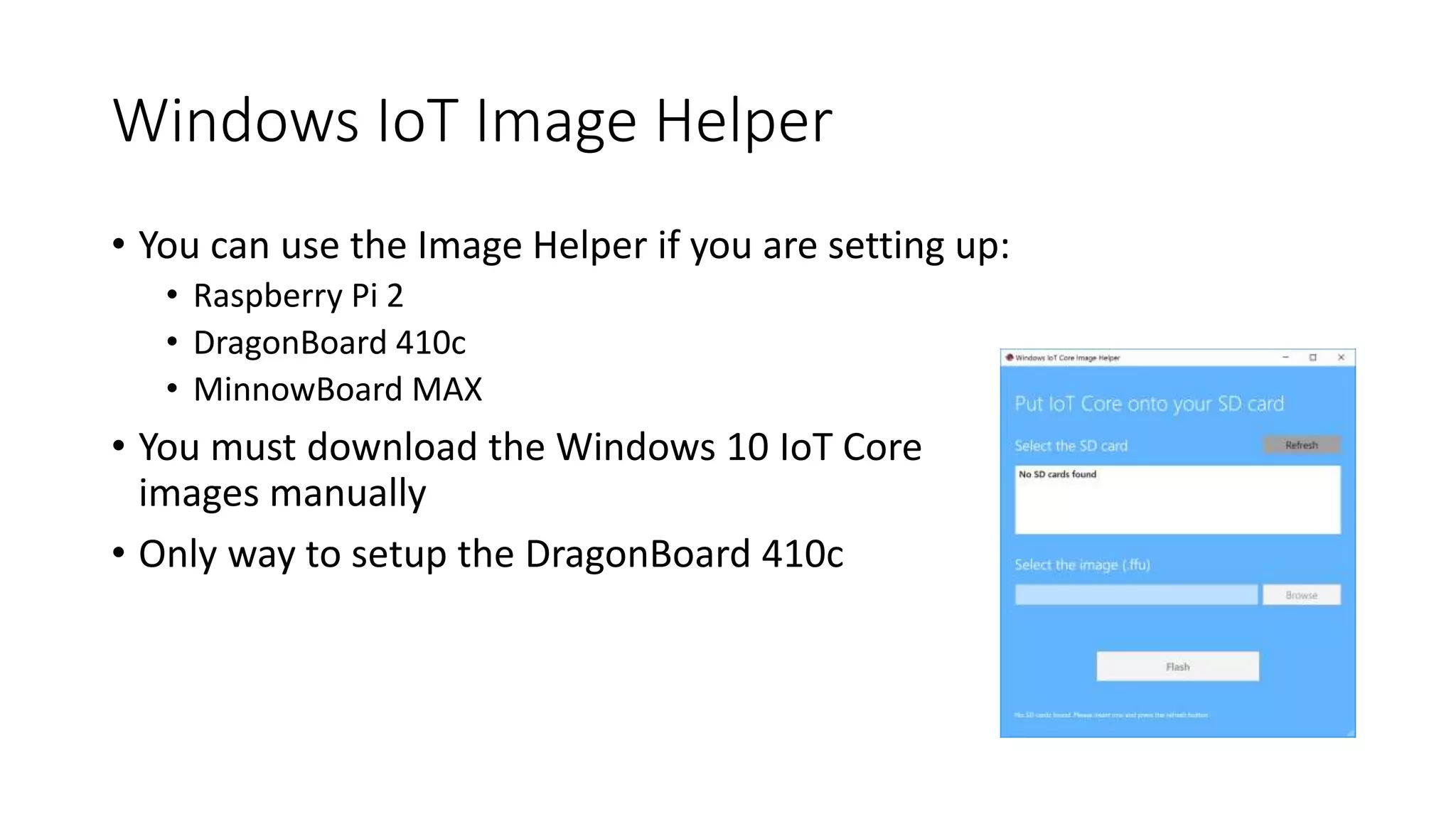
Windows IoT Image Helper
• You can use the Image Helper if you are setting up:
• Raspberry Pi 2
• DragonBoard 410c
• MinnowBoard MAX
• You must download the Windows 10 IoT Core
images manually
• Only way to setup the DragonBoard 410c
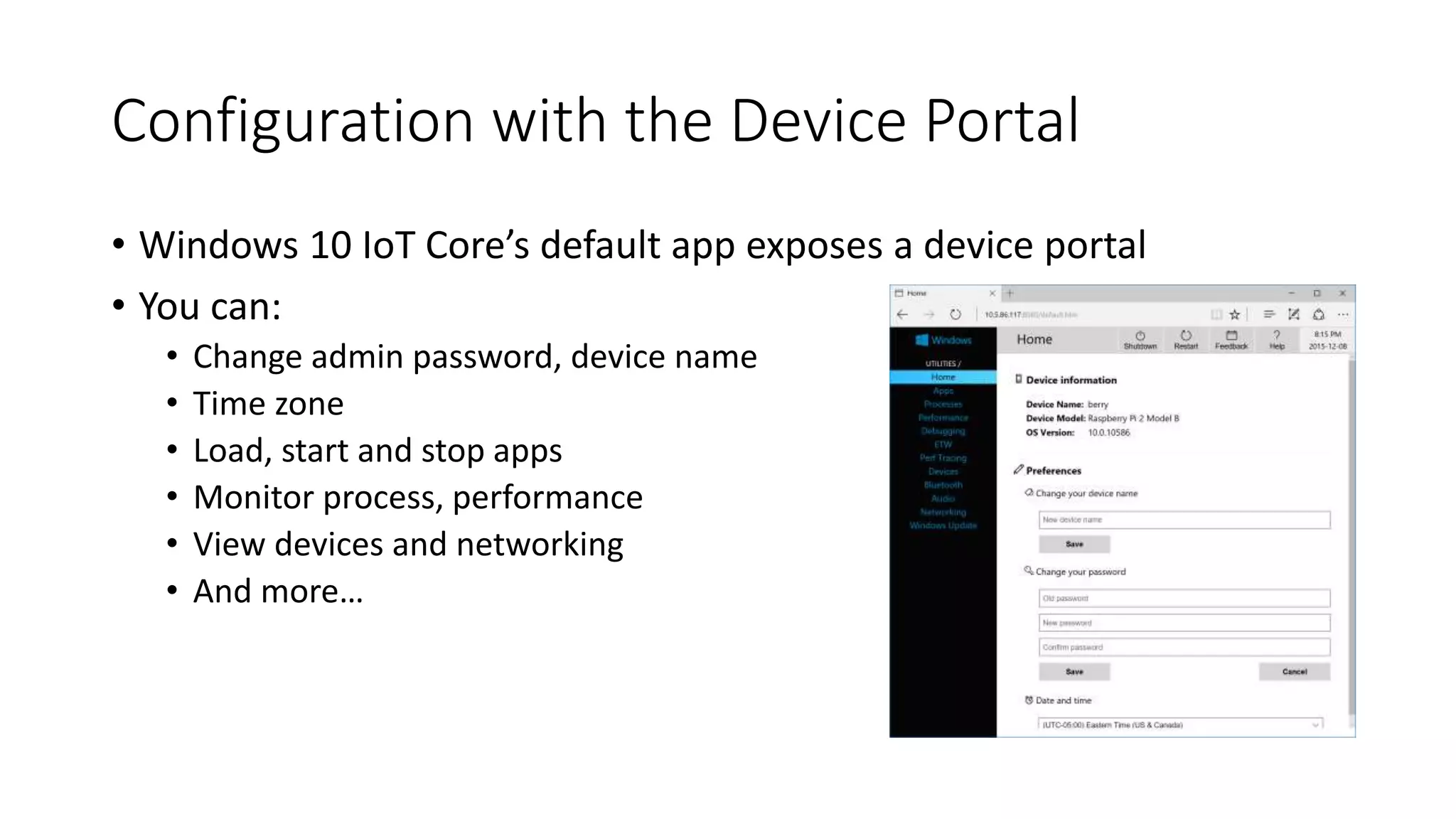
Configuration with the Device Portal
• Windows 10 IoT Core’s default app exposes a device portal
• You can:
• Change admin password, device name
• Time zone
• Load, start and stop apps
• Monitor process, performance
• View devices and networking
• And more…
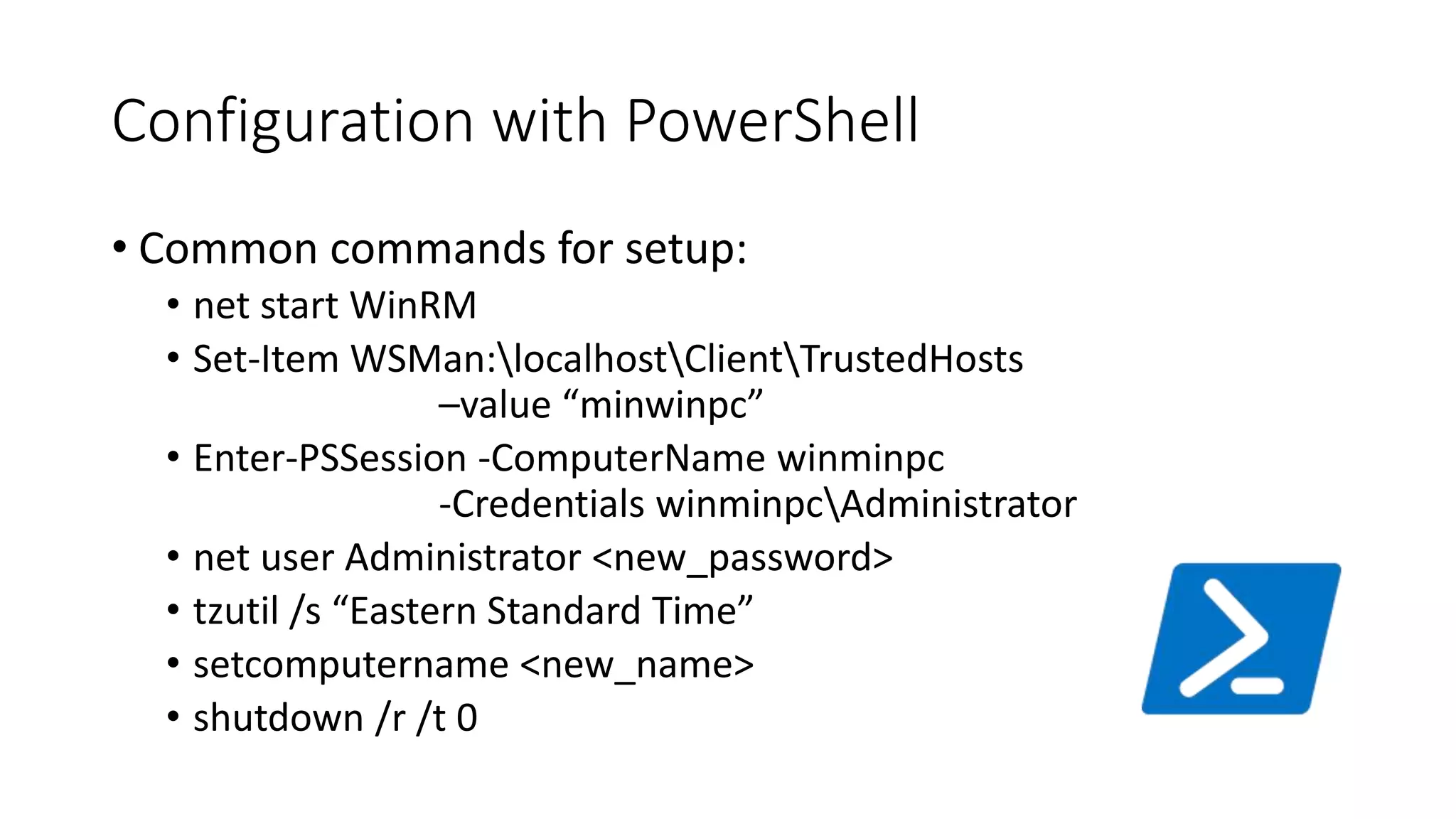
Configuration with PowerShell
• Common commands for setup:
• net start WinRM
• Set-Item WSMan:localhostClientTrustedHosts
–value “minwinpc”
• Enter-PSSession -ComputerName winminpc
-Credentials winminpcAdministrator
• net user Administrator <new_password>
• tzutil /s “Eastern Standard Time”
• setcomputername <new_name>
• shutdown /r /t 0
Ten-Minute Break
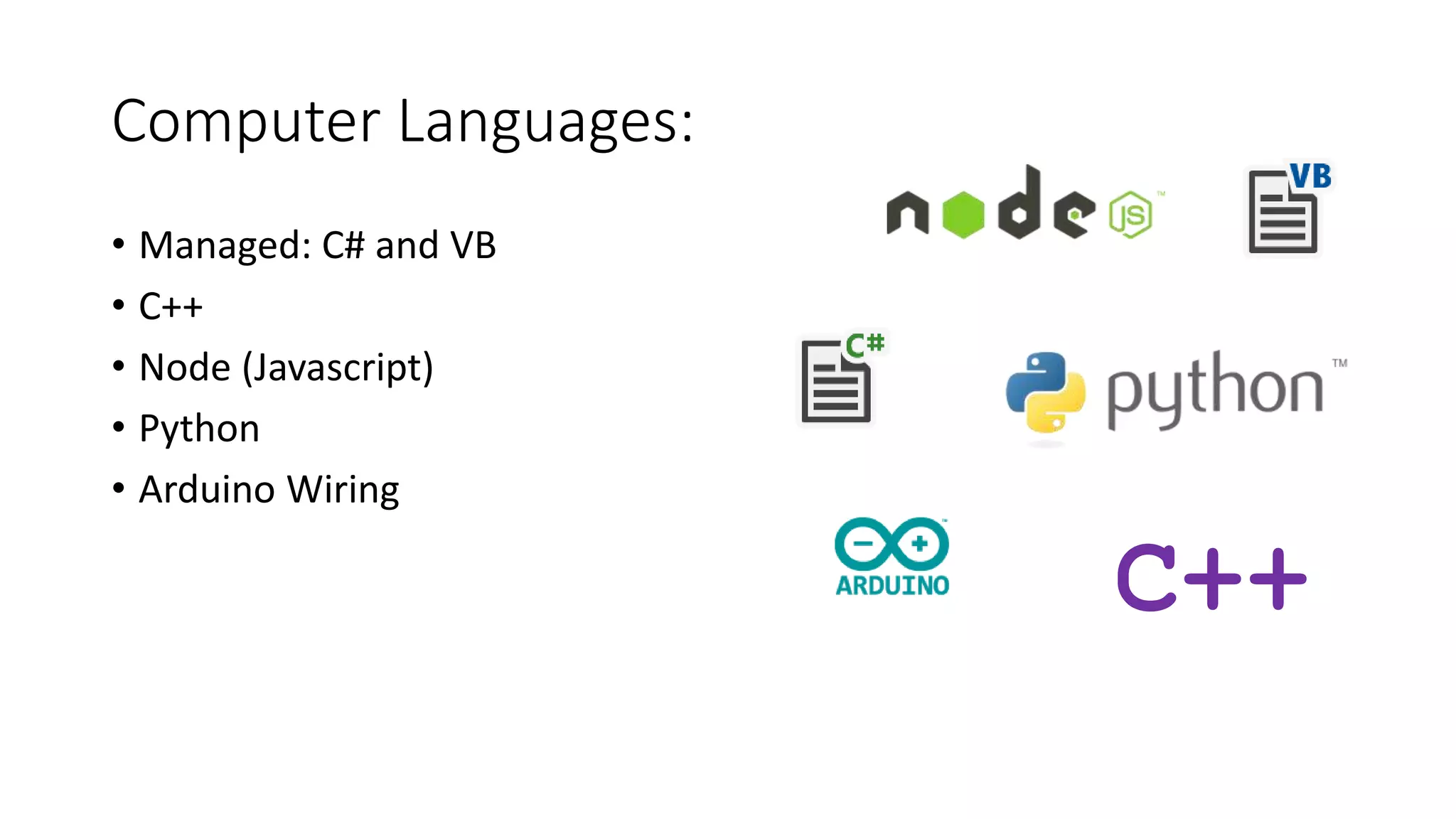
Computer Languages:
• Managed: C# and VB
• C++
• Node (Javascript)
• Python
• Arduino Wiring
C++
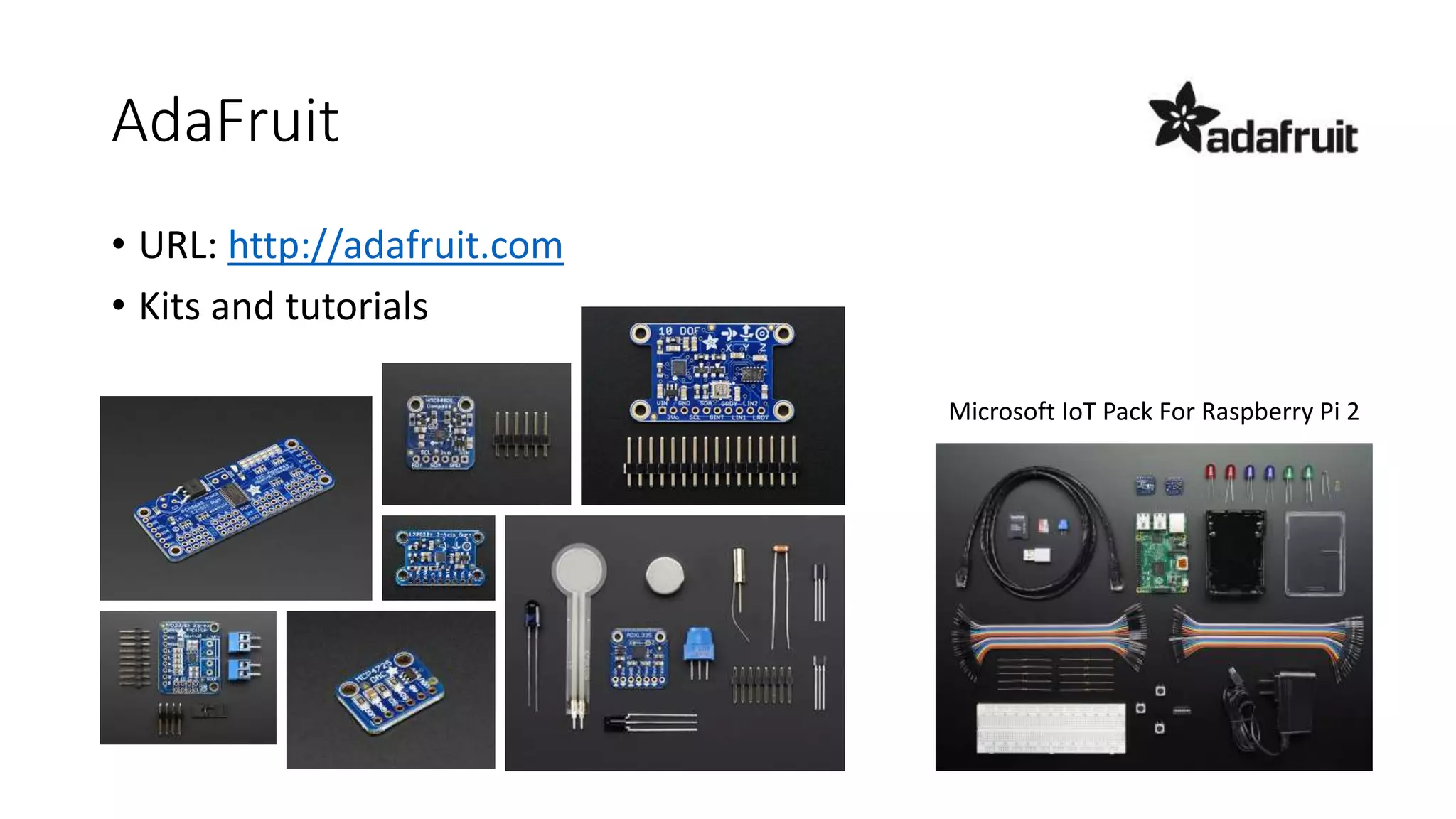
AdaFruit
Microsoft IoT Pack For Raspberry Pi 2
• URL: http://adafruit.com
• Kits and tutorials
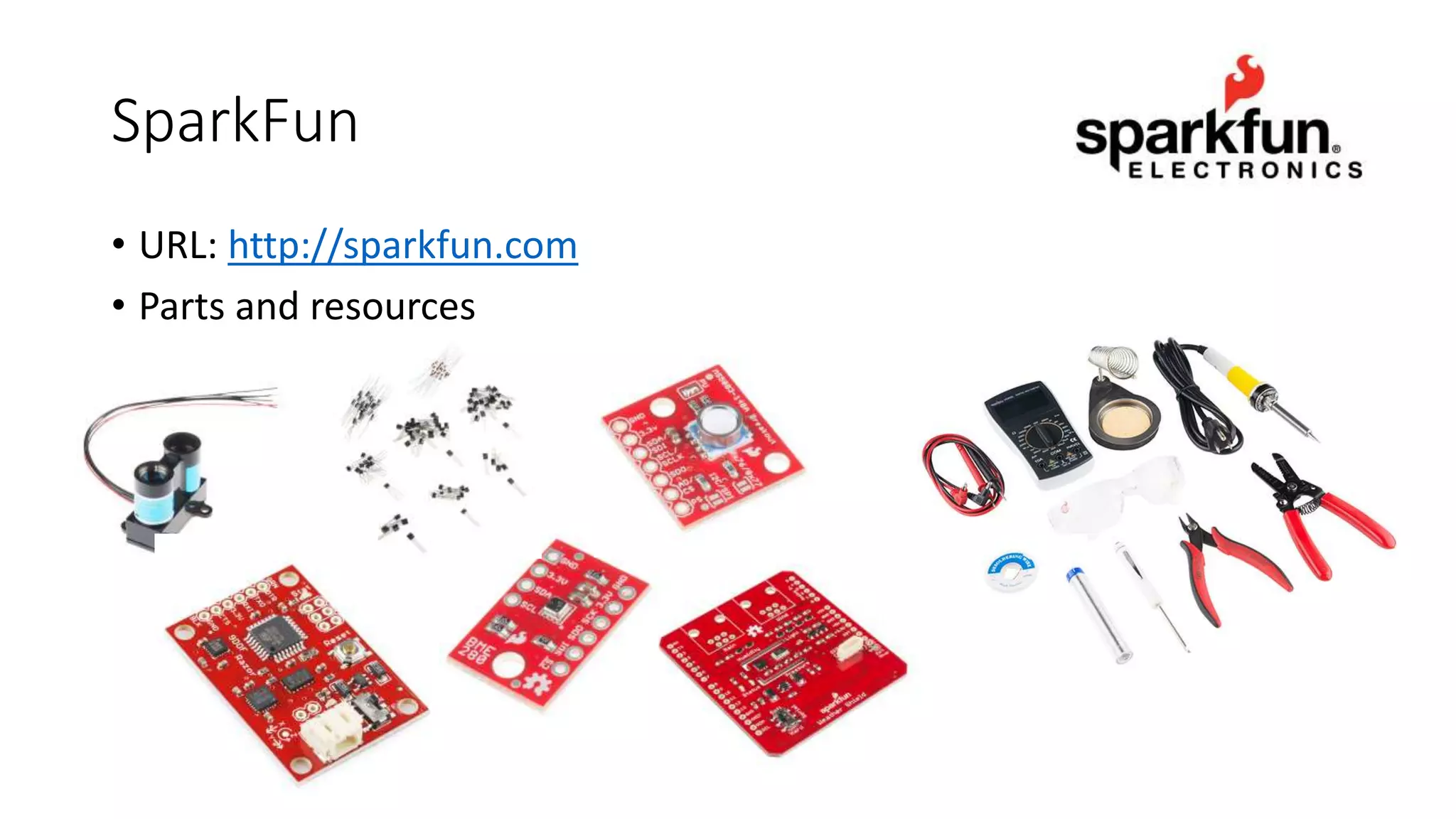
SparkFun
• URL: http://sparkfun.com
• Parts and resources
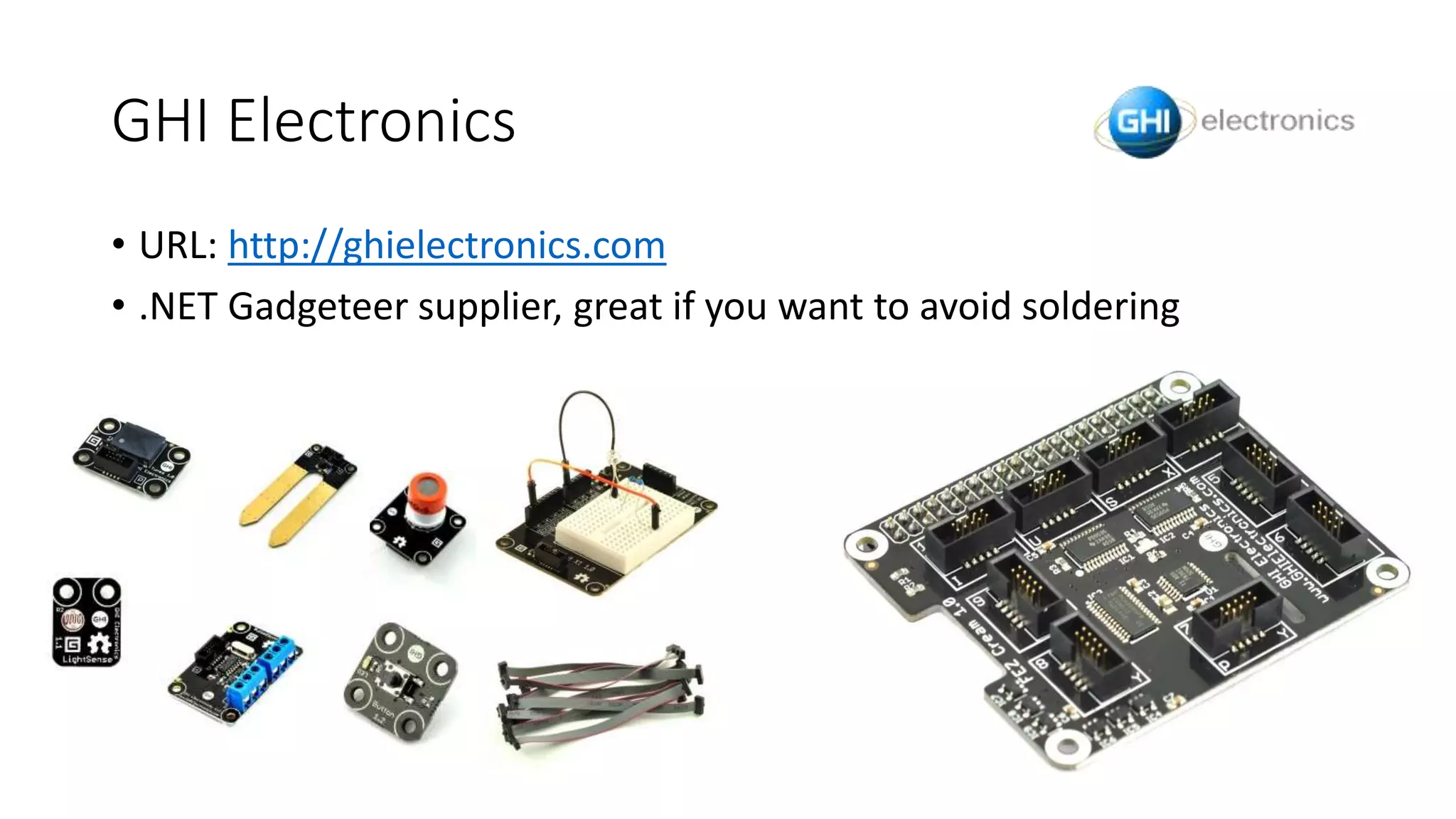
GHI Electronics
• URL: http://ghielectronics.com
• .NET Gadgeteer supplier, great if you want to avoid soldering
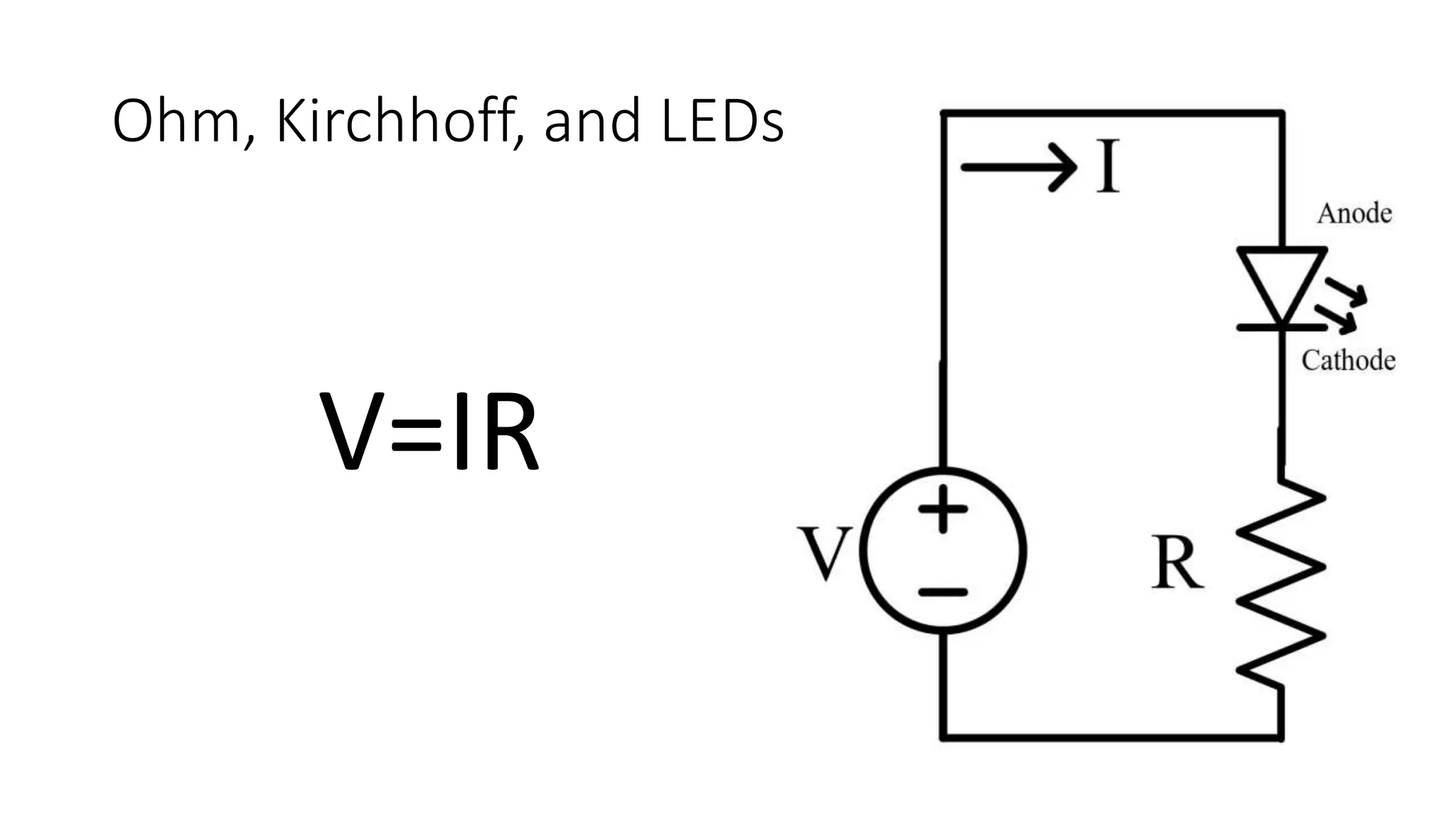
Ohm, Kirchhoff, and LEDs
V=IR
Connecting the Things
• Azure IoT Hub
• A communications hub where you can connect a large number of data
producers to consumers (message hub, no storage)
• Free tier limited to 8K messages/unit/day
• data.sparkfun.com
• Free service that will store your data
• Each stream can store 50MB, limited to 100 pushes every 15 minutes
• Build your own website
• You can write your own data collection API and host it locally or in the cloud
Thank-you and Q&A
Blog: http://www.blairleduc.com
Info: http://about.me/blairleduc
…or just google or bing me.

Windows 10 IoT Core

  • 1.
    Windows 10 IoTCore Blair Leduc Speaking at Canada's Technology Triangle .NET User Group December 9, 2015
  • 2.
    About me •My nameis Blair Leduc •I work with the fine folks at ObjectSharp •I do everything that is furthest away from IoT •I was trained as a Computer Engineer •Fiddling around with electronics is my hobby
  • 3.
    What is theInternet of Things? The Internet of Things (IoT) is the network of physical objects or "things" embedded with electronics, software, sensors, and network connectivity, which enables these objects to collect and exchange data. -Wikipedia
  • 4.
    What is Windows10 IoT Core? • A version of Windows 10 that is optimized for smaller devices with or without a display • Utilizes the rich, extensible Universal Windows Platform (UWP) API for building solutions • Available for ARM and x86 (400Mhz or faster) • 2GB Storage • Headless: 256MB RAM (128MB to OS) • Headed: 512MB RAM (256MB to OS)
  • 5.
    Raspberry Pi 2 Price$35 USD Processor 0.9 GHz Broadcom BCM2836 Quad-Core ARMv7 Cortex-A7 (32-bit) GPU VideoCore IV (250 MHz) RAM 1 GB Video HDMI Audio Analog (3.5 mm), HDMI Storage MicroSD USB 4 USB 2.0 Connectivity 10/100 Ethernet I/O Interfaces UART, SPI, I2C, GPIOx13 (PWMx1) I/O Power 3.3V Power Requirements 5V@1.8A
  • 6.
    DragonBoard 410c Price $75USD Processor 1.2 GHz Snapdragon 410 Quad-Core ARMv8 Cortex-A53 (64-bit) GPU Ardreno 306 (450 Mhz) RAM 1 GB Video HDMI Audio HDMI, Bluetooth Storage MicroSD, 8 GB eMMC USB 2 USB 2.0 Connectivity WLAN 802.11a/b/g/n 2.4 GHz, Bluetooth 4.1, GPS I/O Interfaces UARTx2, SPI, I2Cx2, GPIOx12 I/O Power 1.8V Power Requirements 6.5V-18V (7W)
  • 7.
    MinnowBoard MAX Price $140USD Processor 1.33 GHz Intel Atom E3825 Dual Core x86 64-bit GPU 7th Gen Intel HD Graphics (533 Mhz) RAM 2 GB Video Mini-HDMI Audio HDMI Storage MicroSD, SATA2 (3 Gb/s) USB 1 USB 2.0, 1 USB 3.0 Connectivity 10/100/1000 Ethernet I/O Interfaces UARTx2, SPI, I2C, GPIOx8 (PWMx2) I/O Power 3.3V Power Requirements 5V@2.5A
  • 8.
    Comparison of Boards RaspberryPi 2 DragonBoard410c MinnowBoard MAX Price $35 USD $75 USD $140 USD Processor 0.9 GHz Broadcom BCM2836 Quad-Core ARMv7 Cortex-A7 (32-bit) 1.2 GHz Snapdragon 410 Quad-Core ARMv8 Cortex-A53 (64-bit) 1.33 GHz Intel Atom E3825 Dual Core x86 64-bit GPU VideoCore IV (250 MHz) Ardreno 306 (450 Mhz) 7th Gen Intel HD Graphics (533 Mhz) RAM 1 GB 1 GB 2 GB Video HDMI HDMI Mini-HDMI Audio Analog (3.5 mm), HDMI HDMI, Bluetooth HDMI Storage MicroSD MicroSD, 8 GB eMMC MicroSD, SATA2 (3 Gb/s) USB 4 USB 2.0 2 USB 2.0 1 USB 2.0, 1 USB 3.0 Connectivity 10/100 Ethernet WLAN 802.11a/b/g/n 2.4 GHz, Bluetooth 4.1, GPS 10/100/1000 Ethernet I/O Interfaces UART, SPI, I2C, GPIOx13 (PWMx1) UARTx2, SPI, I2Cx2, GPIOx12 UARTx2, SPI, I2C, GPIOx8 (PWMx2) I/O Power 3.3V 1.8V 3.3V Power Requirements 5V@1.8A 6.5V-18V (7W) 5V@2.5A
  • 9.
    Set up yourPC • Windows 10 is required • Check your version by running winver.exe • 10.0.10240 or later is required • Also, you will need to enable developer mode • Visual Studio 2015 Update 1 is needed for development • Can be Community, Professional or Enterprise • You must do a custom install of Professional and Enterprise • Check Universal Windows Development Tools > Tools and Windows SDK • Check your version, Help > About Microsoft Visual Studio • Visual Studio: 14.0.24720.00 Update 1 • UWP Tools: 14.0.24720.00 • Install Windows 10 IoT Core Project Templates
  • 10.
    Windows 10 IoTCore Dashboard • You can use the Dashboard if you are setting up: • Raspberry Pi 2 • MinnowBoard MAX • For a DragonBoard 410c • Need to use the method on the next slide • Nice one step process
  • 11.
    Windows IoT ImageHelper • You can use the Image Helper if you are setting up: • Raspberry Pi 2 • DragonBoard 410c • MinnowBoard MAX • You must download the Windows 10 IoT Core images manually • Only way to setup the DragonBoard 410c
  • 12.
    Configuration with theDevice Portal • Windows 10 IoT Core’s default app exposes a device portal • You can: • Change admin password, device name • Time zone • Load, start and stop apps • Monitor process, performance • View devices and networking • And more…
  • 13.
    Configuration with PowerShell •Common commands for setup: • net start WinRM • Set-Item WSMan:localhostClientTrustedHosts –value “minwinpc” • Enter-PSSession -ComputerName winminpc -Credentials winminpcAdministrator • net user Administrator <new_password> • tzutil /s “Eastern Standard Time” • setcomputername <new_name> • shutdown /r /t 0
  • 14.
  • 15.
    Computer Languages: • Managed:C# and VB • C++ • Node (Javascript) • Python • Arduino Wiring C++
  • 16.
    AdaFruit Microsoft IoT PackFor Raspberry Pi 2 • URL: http://adafruit.com • Kits and tutorials
  • 17.
  • 18.
    GHI Electronics • URL:http://ghielectronics.com • .NET Gadgeteer supplier, great if you want to avoid soldering
  • 19.
  • 20.
    Connecting the Things •Azure IoT Hub • A communications hub where you can connect a large number of data producers to consumers (message hub, no storage) • Free tier limited to 8K messages/unit/day • data.sparkfun.com • Free service that will store your data • Each stream can store 50MB, limited to 100 pushes every 15 minutes • Build your own website • You can write your own data collection API and host it locally or in the cloud
  • 21.
    Thank-you and Q&A Blog:http://www.blairleduc.com Info: http://about.me/blairleduc …or just google or bing me.

Editor's Notes

  • #4 IEEE has an 80+ page document trying to define it.