Windows Store apps

     lessons learned

  @andyhammar - andreas.hammar@jayway.com
   @roberthedgate - robert.hedgate@jayway.com
                   andreas.ekberg@jayway.com
Windows Store
What we’ve done   Blend        View states


Touch             Navigation   Store
What we’ve done
Blend
Design time data
 Design time view model
 AppBar binding
Design time view model


Windows.ApplicationModel.DesignMode.DesignModeEnabled
AppBar binding
View states
Windows 8 View States
Full vs Filled vs Snapped
• Full view

• Filled view

• Snapped view
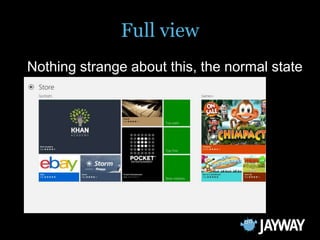
Full view
Nothing strange about this, the normal state
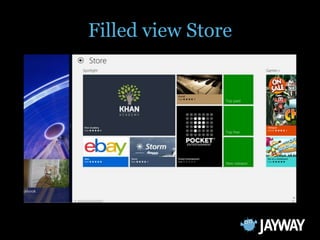
Filled view
• Usually nothing strange about this
• You have minimum of 1024 pixel of place,
  might be more
• Can perhaps show a little less than in full
  view
• Be aware that user might not reach
  controls with their thumbs
Filled view Store
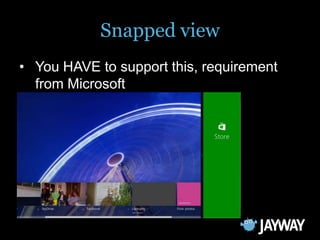
Snapped view
• You HAVE to support this, requirement
  from Microsoft
• It is always 320 pixel wide
Then how do we do a snapped view
Use same view, reposition elements
 • Difficult to maintain in blend
 • Easy to accidently alter something in the
   other when doing a change in one. We have
   dependencies between states.
Use same view with visibility


• Could very easy create duplicate data
  •   Make sure you use usercontrols, bindings etc
Navigate to a different page


• Catch OnSizeChanged
 • ApplicationView.Value will tell you your state.
 • Do your navigation etc here.
 • Advantage if you want your app to always show
   the same snapped content. Tip: Put this in a
   base class.
Summary
 Use separate snapped view, either by
  using visibility or navigate.
Touch
Touch


...just works
Pointer events


PointerPressed, PointerReleased, PointerM
                  oved
PointerCanceled, PointerCaptureLost, PointerEntered, Poin
            terExited, PointerWheelChanged
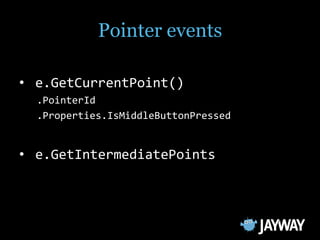
Pointer events

• e.GetCurrentPoint()
  .PointerId
  .Properties.IsMiddleButtonPressed


• e.GetIntermediatePoints
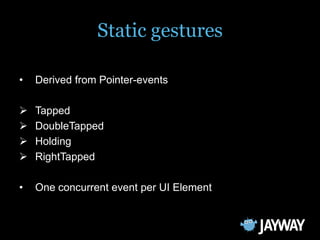
Static gestures

•   Derived from Pointer-events

   Tapped
   DoubleTapped
   Holding
   RightTapped

•   One concurrent event per UI Element
Manipulation gesture events


 ManipulationStarted, ManipulationCompleted
          ManipulationDelta,
ManipulationInertiaStarting, ManipulationStarting
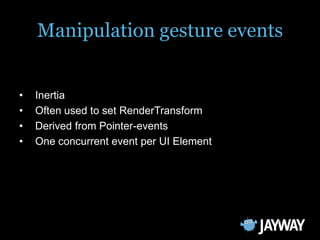
Manipulation gesture events


•   Inertia
•   Often used to set RenderTransform
•   Derived from Pointer-events
•   One concurrent event per UI Element
Brainstormer
Screen table - "Surface"/FlatFrog

 no up or down
 difficult with global UI elements
  Use popups or duplicates
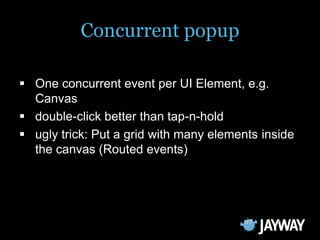
Concurrent popup

 One concurrent event per UI Element, e.g.
  Canvas
 double-click better than tap-n-hold
 ugly trick: Put a grid with many elements inside
  the canvas (Routed events)
Manipulation transforms

   CompositeTransform
   e.Cumulative.Rotation
   No concurrent Repeatbuttons
   e.handled = true
Navigation
Windows 8 Navigate
Rootframe
• Add a seperate rootframe over the existing one.
  •   Background
  •   Animation
  •   Audio
Rootframe, xaml
Rootframe, code behind
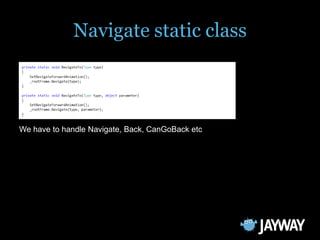
Navigate static class


We have to handle Navigate, Back, CanGoBack etc
Parameter serialization & suspend
• Now there is a possibility to use object to
  navigate by. Great?
  • It was only possible to use strings before.
  • Now these types can be serialized by
    Frame.GetNavigationState:
    •   numbers
    •   characters
    •   strings
    •   guids
    •   boolean
Parameter serialization & suspend
GetNavigationState doesn't support serialization of a
  parameter type which was passed to Frame.Navigate
Parameter serialization & suspend
There are a few ways around this example:
  • Use strings (or other approved types)
  • In your complexd object serialize and
    deserialize manually using strings.
  • Save object globally and reference object by
    strings when navigate
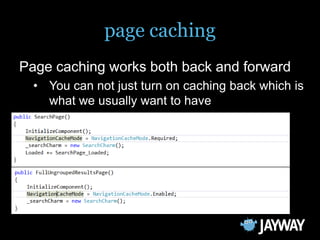
page caching
Page caching works both back and forward
  • You can not just turn on caching back which is
    what we usually want to have
backstack clearing
How to clear cache?
Summary
 It is nice to use a own rootframe to be
  able to have the same background
  image/animation/sound etc in all views
 It is more convenient to use approved
  parameters until all serializable object are
  allowed
 If you turn on page caching make sure
  you clear the cache on the correct level
Windows Store
Windows Store
 Publish
     WACK
     Privacy policy
     Live account
     Publisher name
     Background audio

 Manage
     Change app name
     Remove app
WACK


Is step 1 of certification process  always run this.
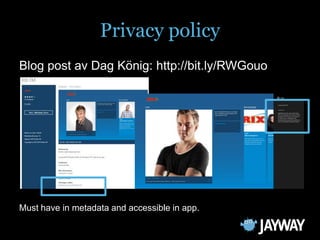
Privacy policy
Blog post av Dag König: http://bit.ly/RWGouo


Must have in metadata and accessible in app.
Live account


Use separate live-ID for win8 apps.
Publisher name


For company accounts, ”must” match registration papers.
Background audio


Background audio prevents suspend, do not autoplay!
Change app name


App name can be changed.
Remove app


Apps cannot be removed, only updated to no markets.
the end

Thank you for coming!

Win8 development lessons learned jayway

Editor's Notes

  • #3 This is what we’ll talk about.
  • #4 First some context on what we’ve done
  • #12 Unlike WP and earlier XAML versions, the Data tab in Blend is missing  cannot use XML data for view models.
  • #13 What we like to do is:Design view model on pageIn code, set view model in ctorviewModel.Init in OnNavigatedTo
  • #14 Appbar inherits binding from ancestors.If a separate DataContext is needed, it cannot be set on the AppBar itself, will not apply.
  • #17 There are thesethree states.
  • #18 Shows the windows store
  • #19 Can check which side by checking Window.Current.Bounds.Left == 0Mightwant to movebuttonsetc to bettersuitefilled
  • #21 Store does not handlesnappedverywell. This is onlyallowedifyourappdoes not haveanything to really show in snapped mode.Can be both on left or right sideCan check which side by checking Window.Current.Bounds.Left == 0Ifyouwant to knowifsnappedchangessideonecanuse a timer whileapp is snapped. Havn´tseenanybetteridea.
  • #22 In blend it is easy to changebetweenstates
  • #23 It willquickly be verymuch data in xaml
  • #41 Easy to havebackground, animation, audio etc in common for all views.
  • #42 In xamlcreate a frame
  • #43 Havecreated a staticclasswhichhandles all navigation.
  • #44 Wehave to handleNavigate, Back,CanGoBacketc
  • #46 If you try to use a different typethiserrorwilloccur:
  • #48 Twotypeof cachemodeRequired and EnabledRequired is the strongerone and reaminsevenif cache size is exceeded.
  • #53 Great tool, checks all kinds of things.Leave machine alone while it runs!Probably runs as step 1 of the certification process  you have to pass. (we’ll get back to that...)
  • #54 Talked about a lot, majority of rejects was this error.Must provide – both in app and in metadata (=on the web)Privacy policy: http://bit.ly/RWGouoPublish an app: http://bit.ly/R28Rtj
  • #55 Everything done via live account.Often you publish as a customer – tell them to create a separate live account and forward the email.Really tedious to have to ask for confirmation codes and have them (not) tell you when an email has arrived.Clicking ’remember me’ saves you a lot of hassle.
  • #56 Company: must be identical to papers.Abbreviations cause delays.E.g. MTG Radio ABWe have always gone for age 12+, to be on the safe side.E.g. radio streams could contain anything...
  • #57 Not agent like windows phone, but an element in the app that prevents suspend = the app continues to run.But... The WACK does not understand this. We had to disable autoplay for MTG Apps
  • #58 Can be done.Reserve new nameChange name everywhere in appPublish updateOld name can now be removed
  • #59 Appscannot be removed!What you can do is to publish an update that is not available in any countries!Will cause the app to disappear from the Store, but get an update on the machines that it has been installed on.You can never force-delete an app on all machines that it’s installed on.