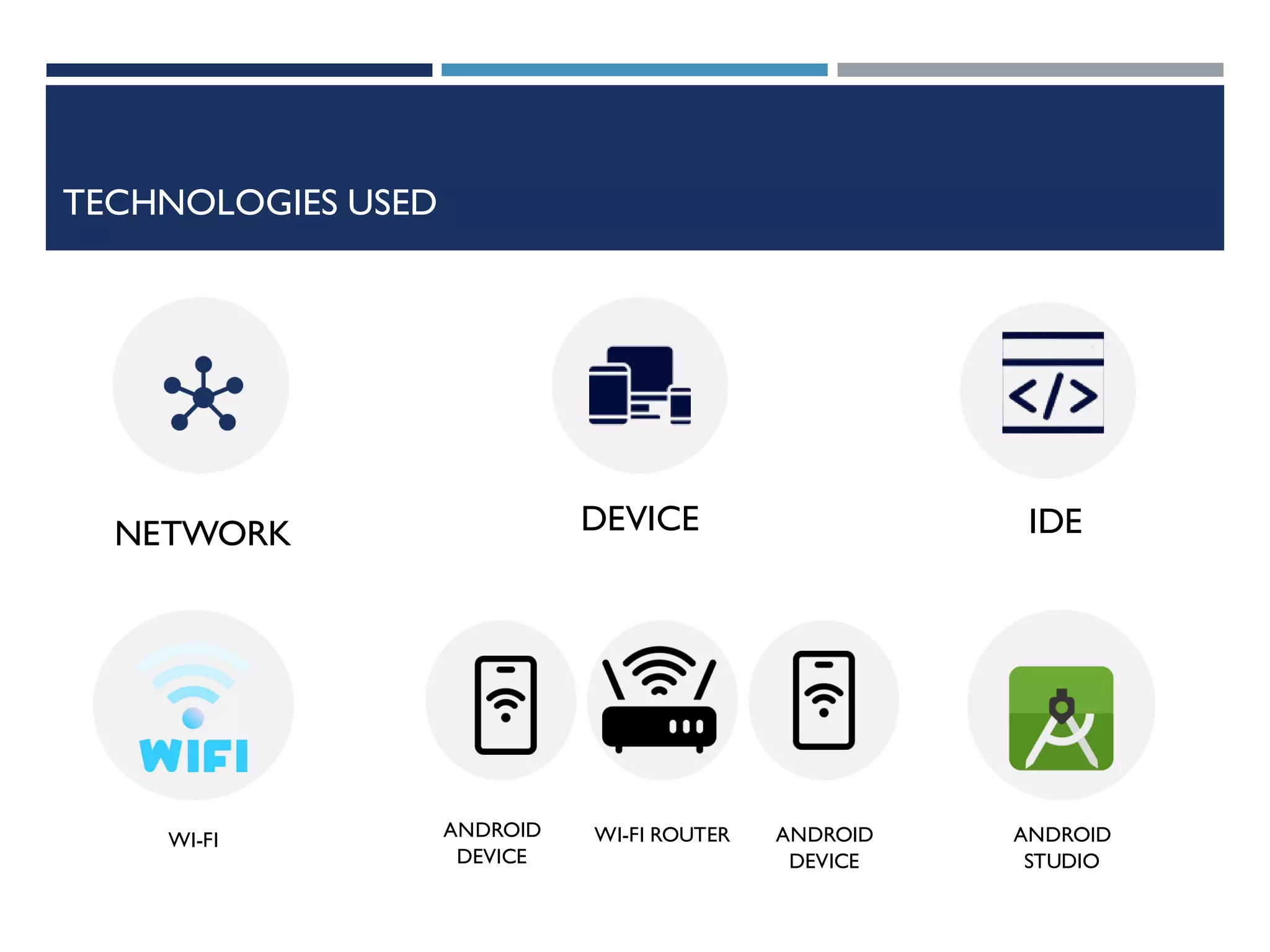
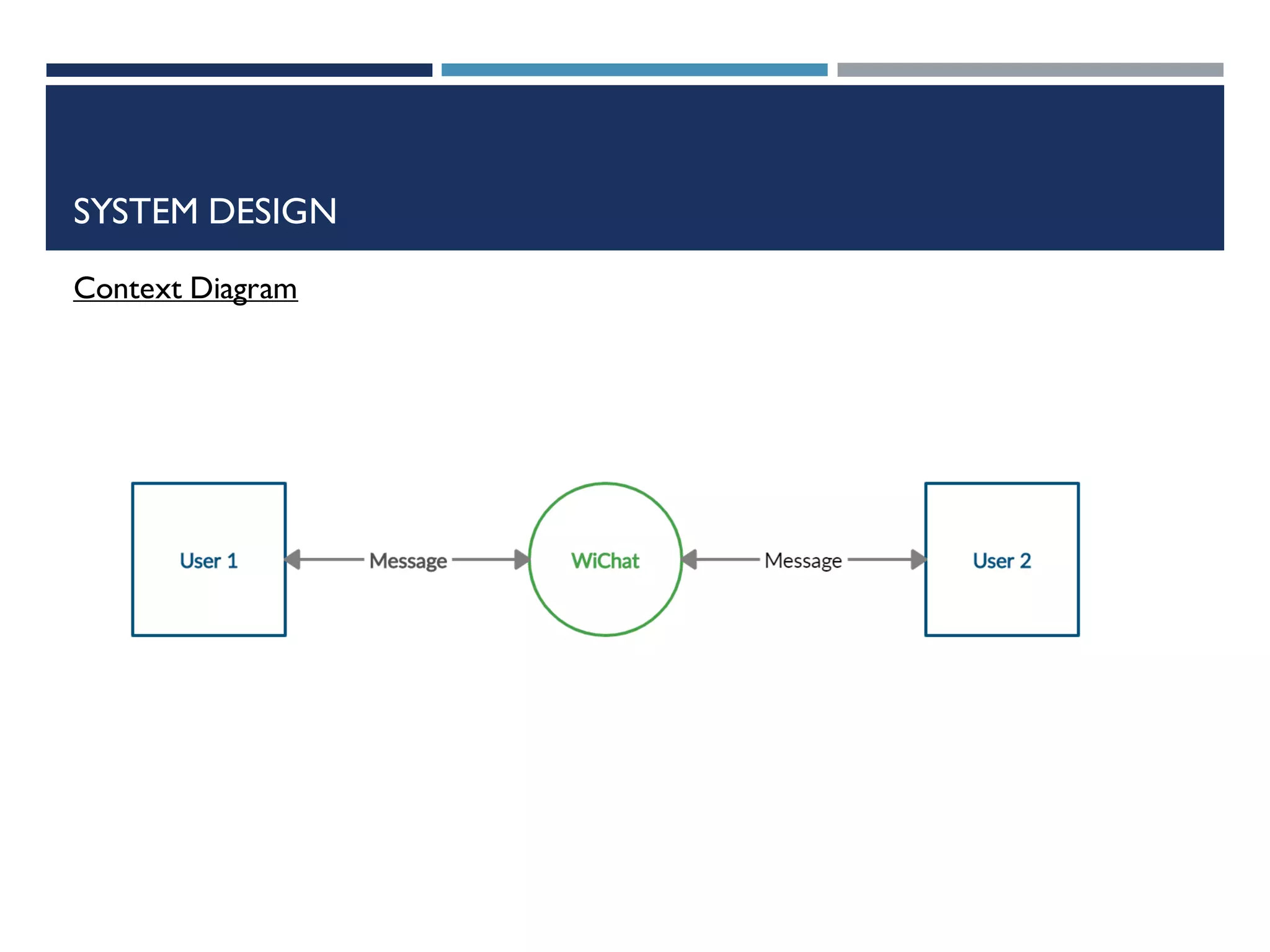
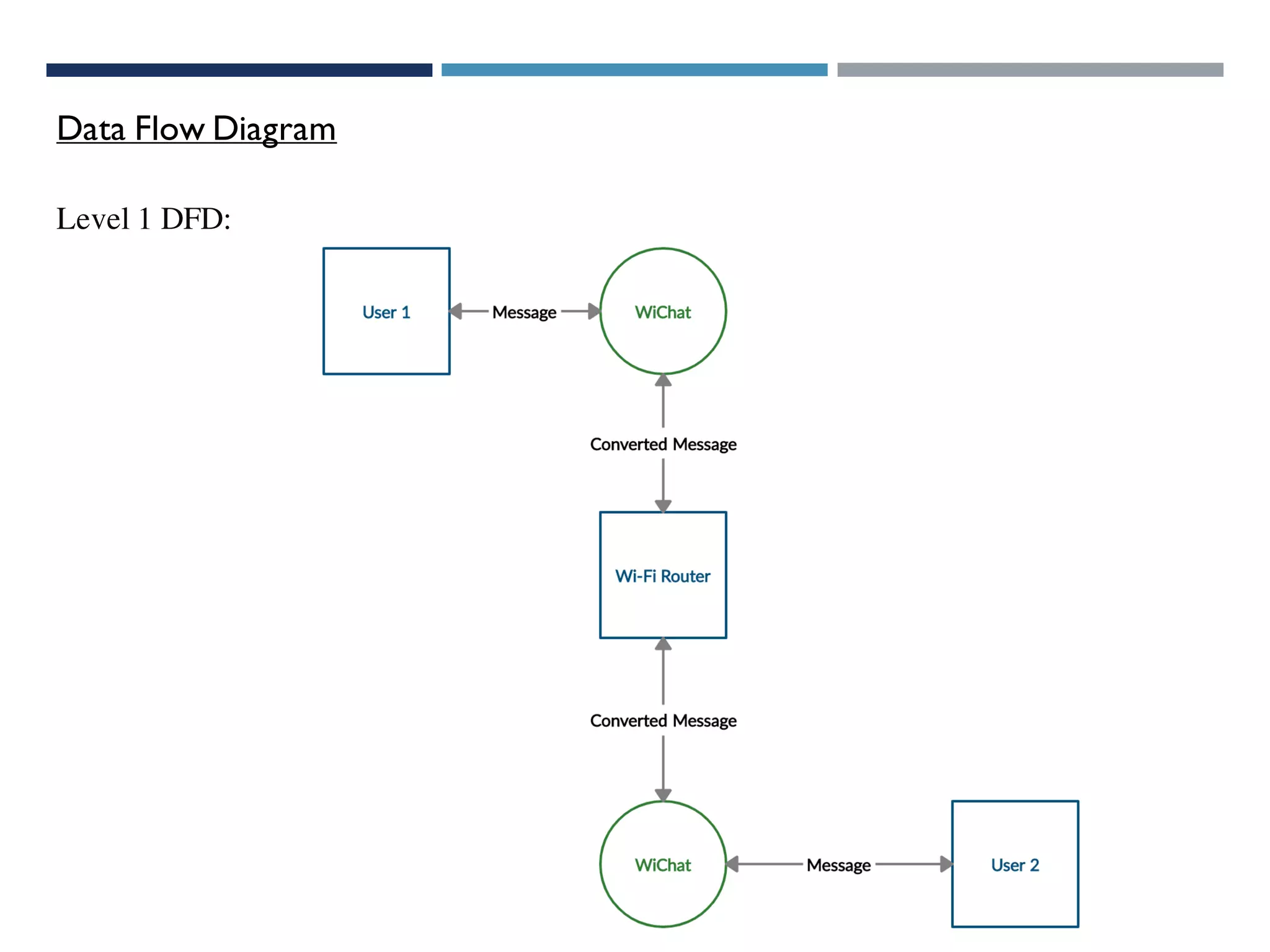
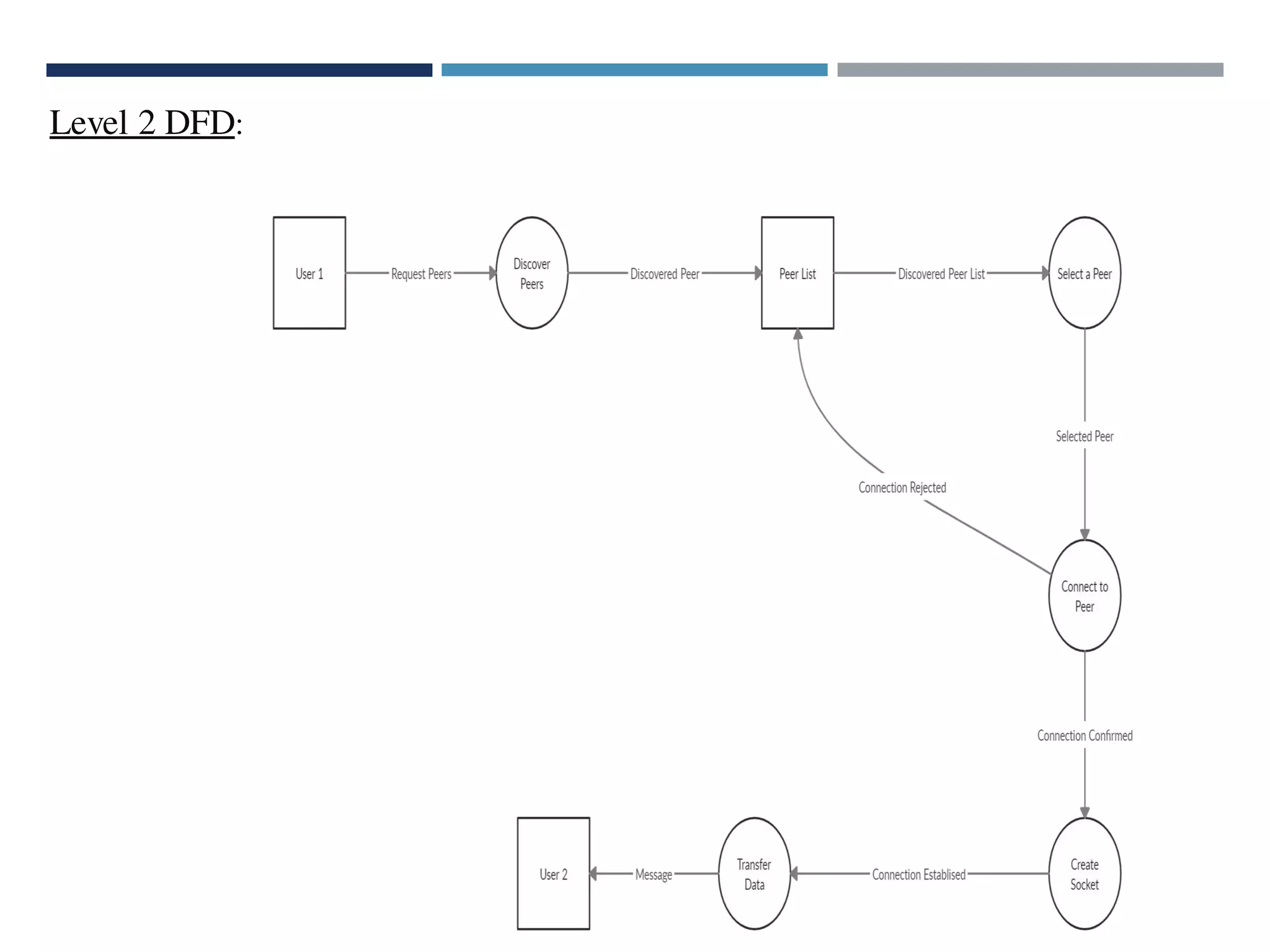
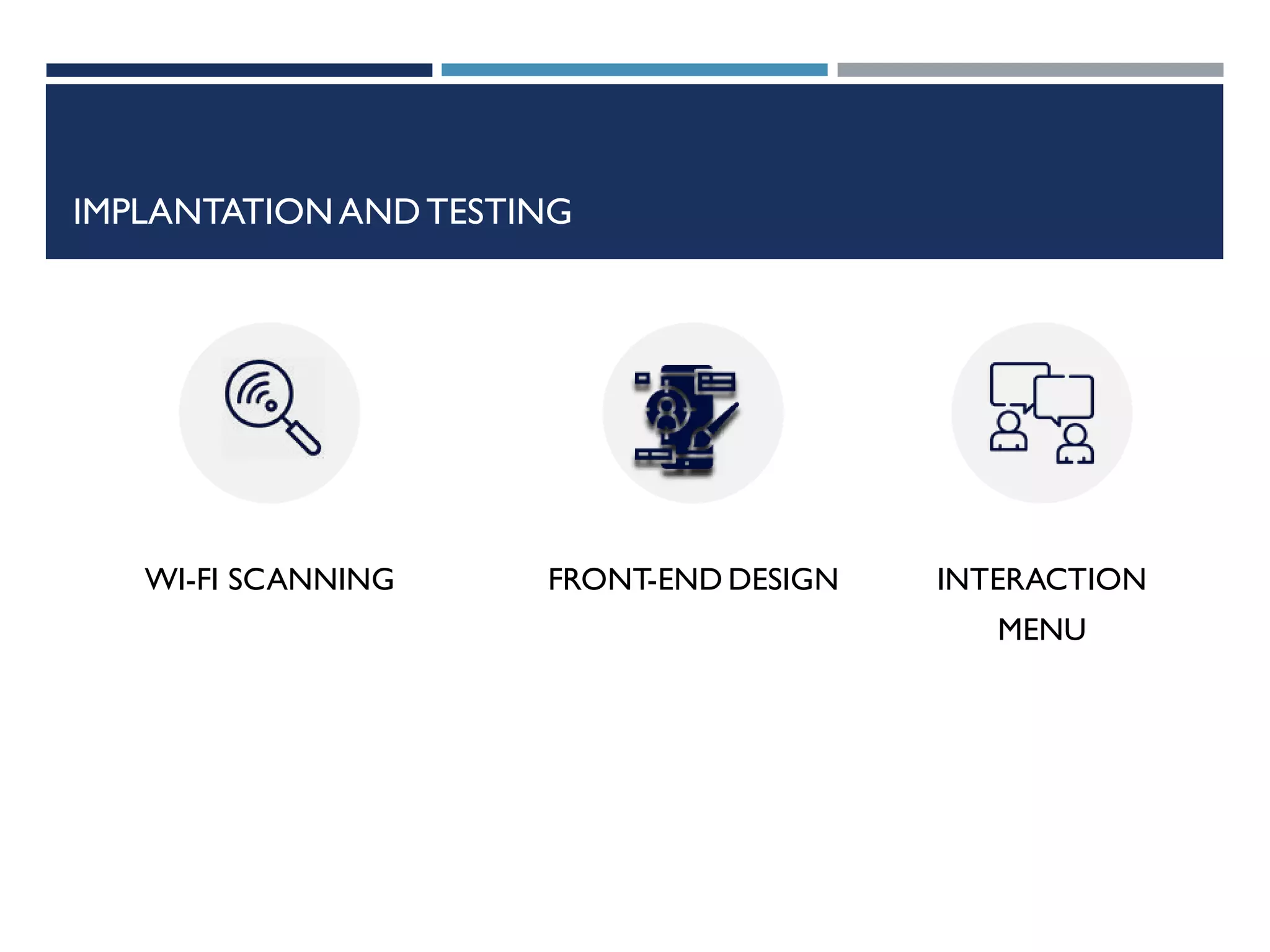
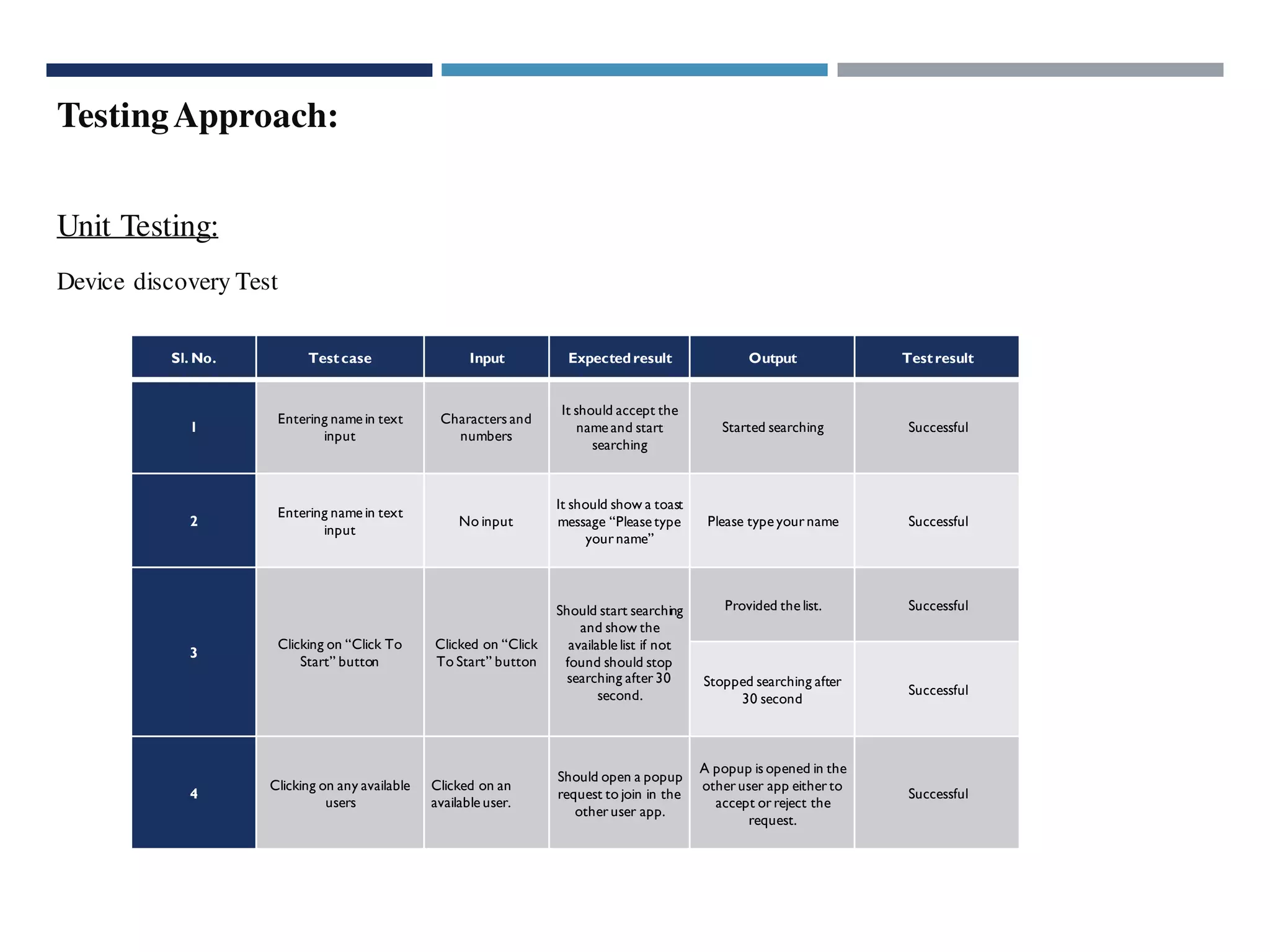
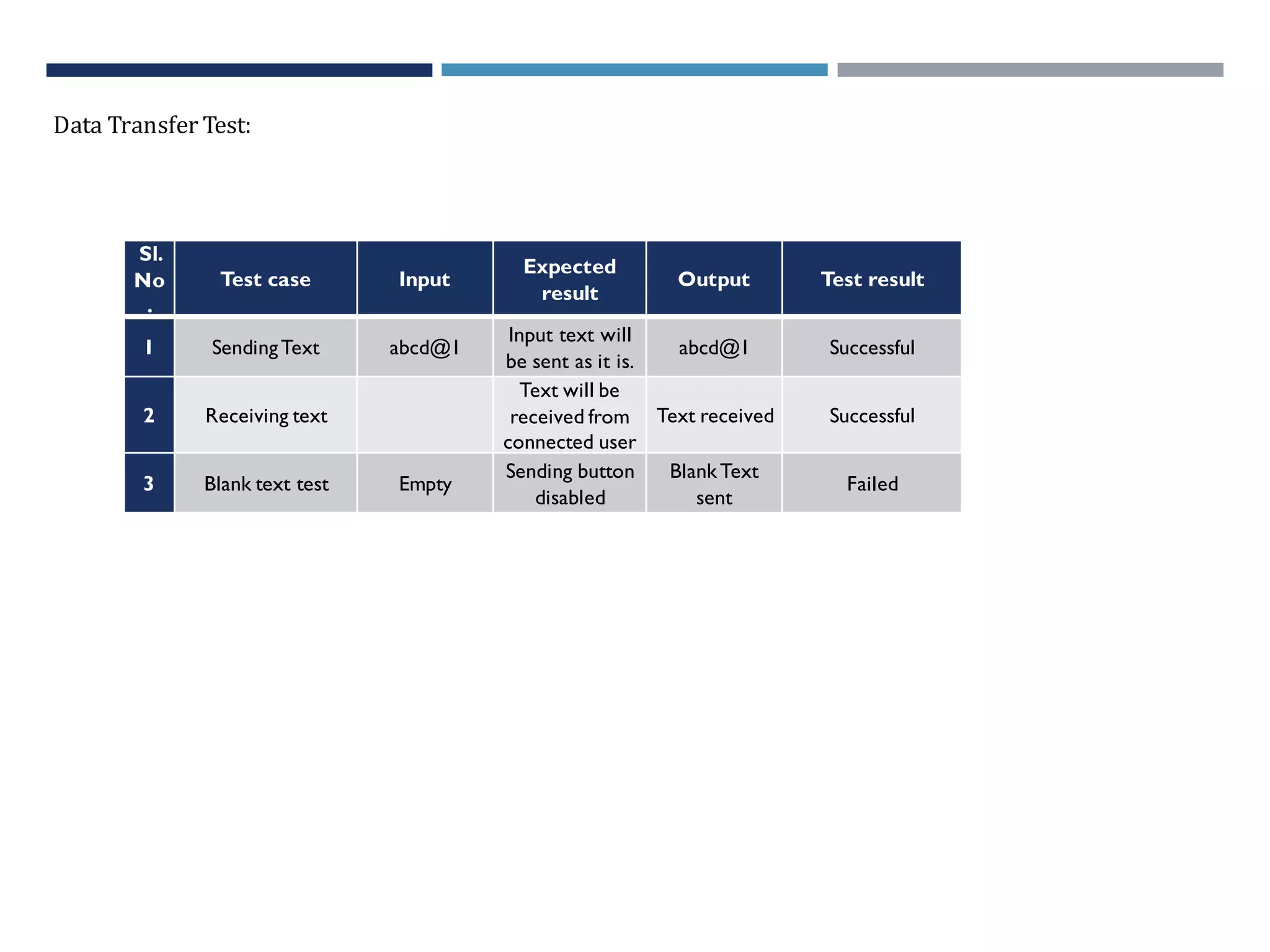
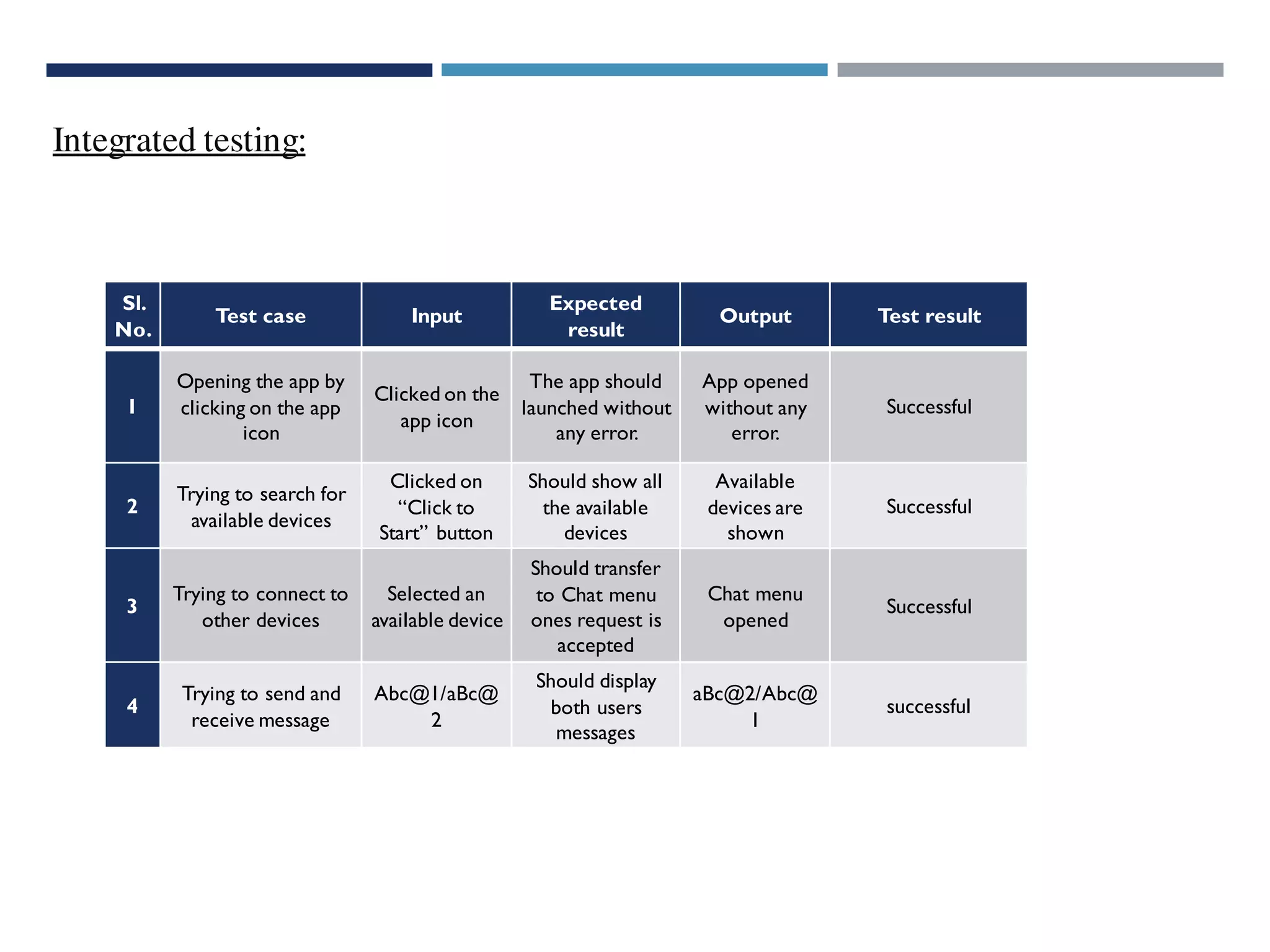
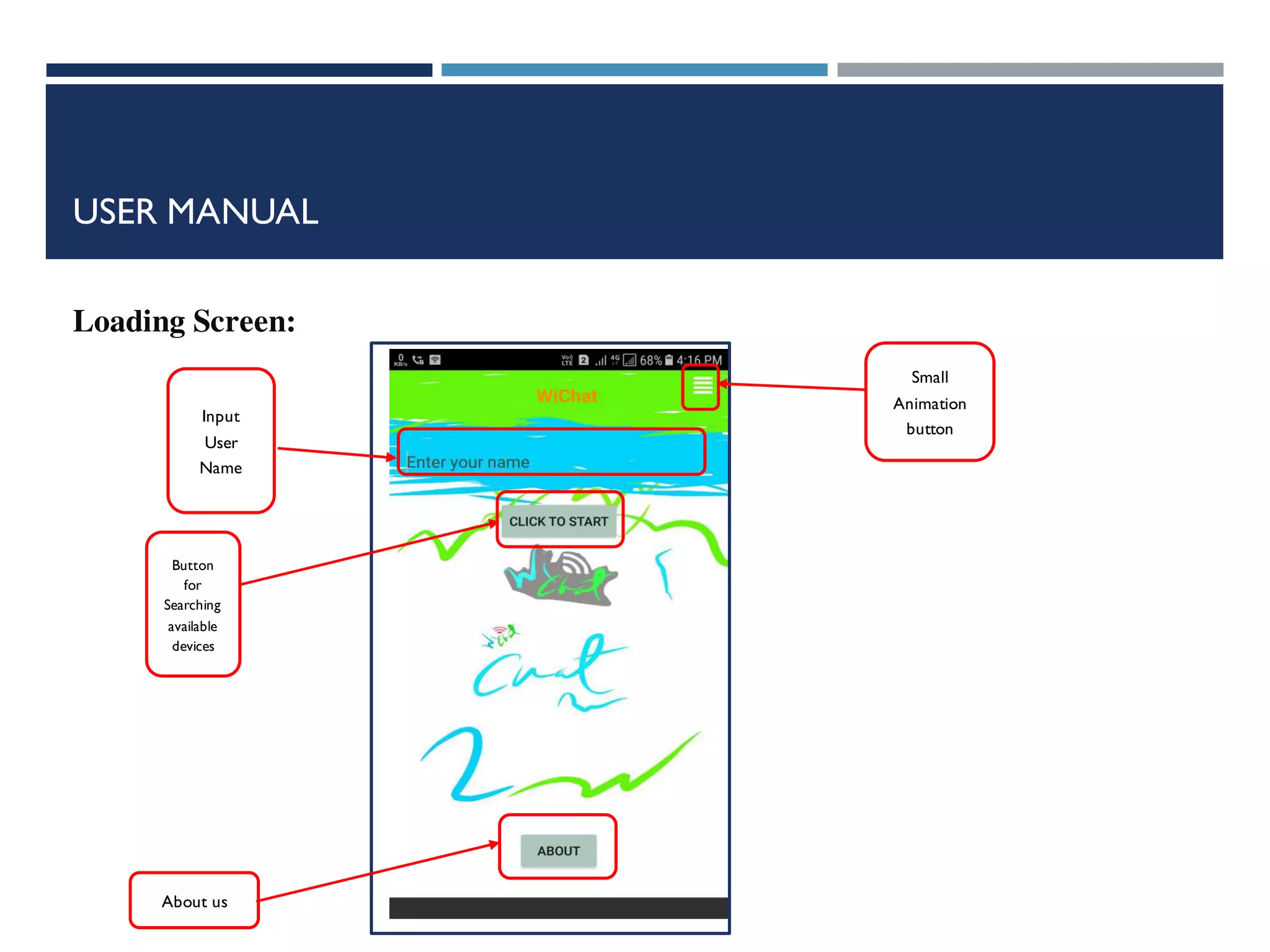
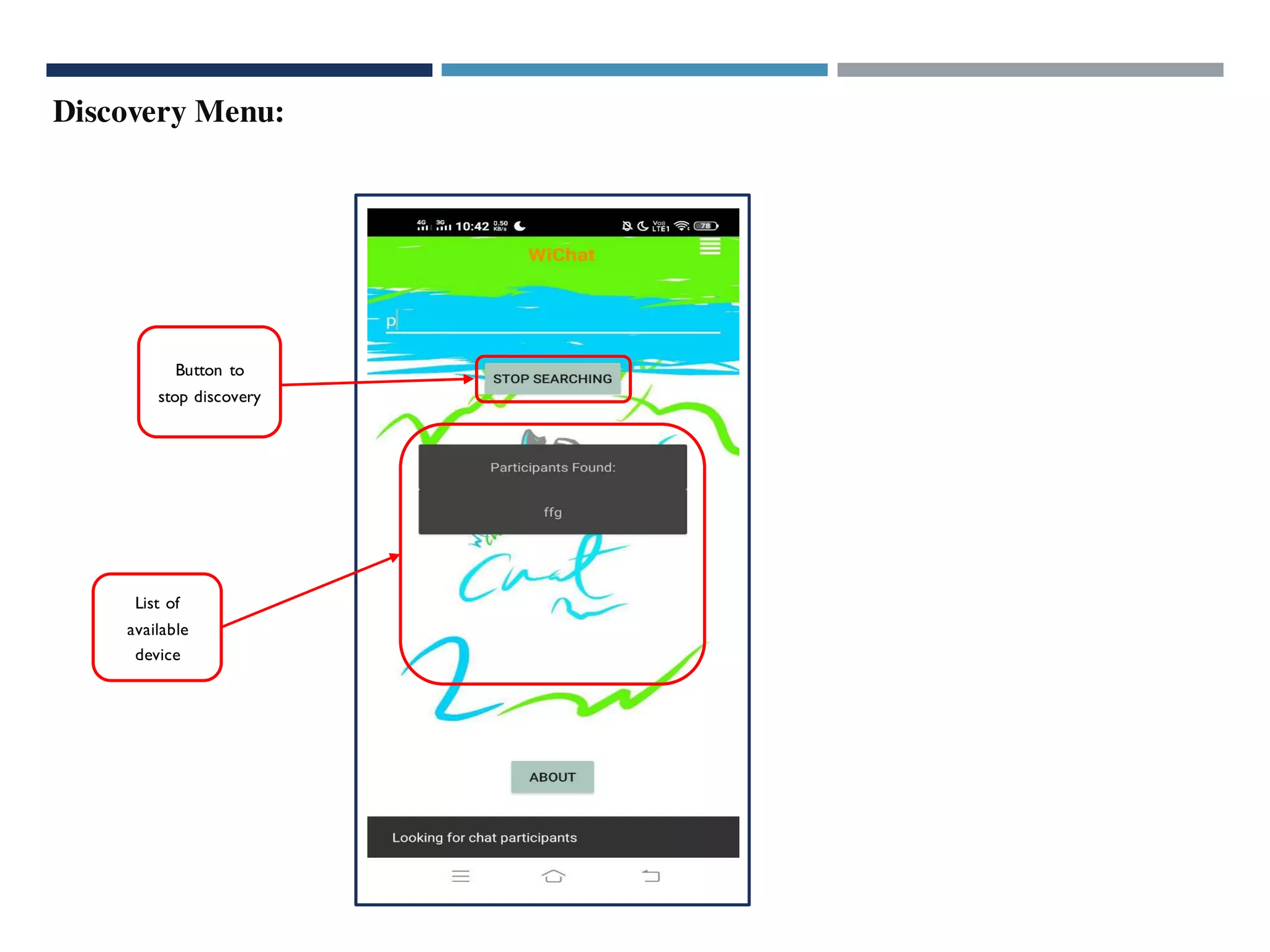
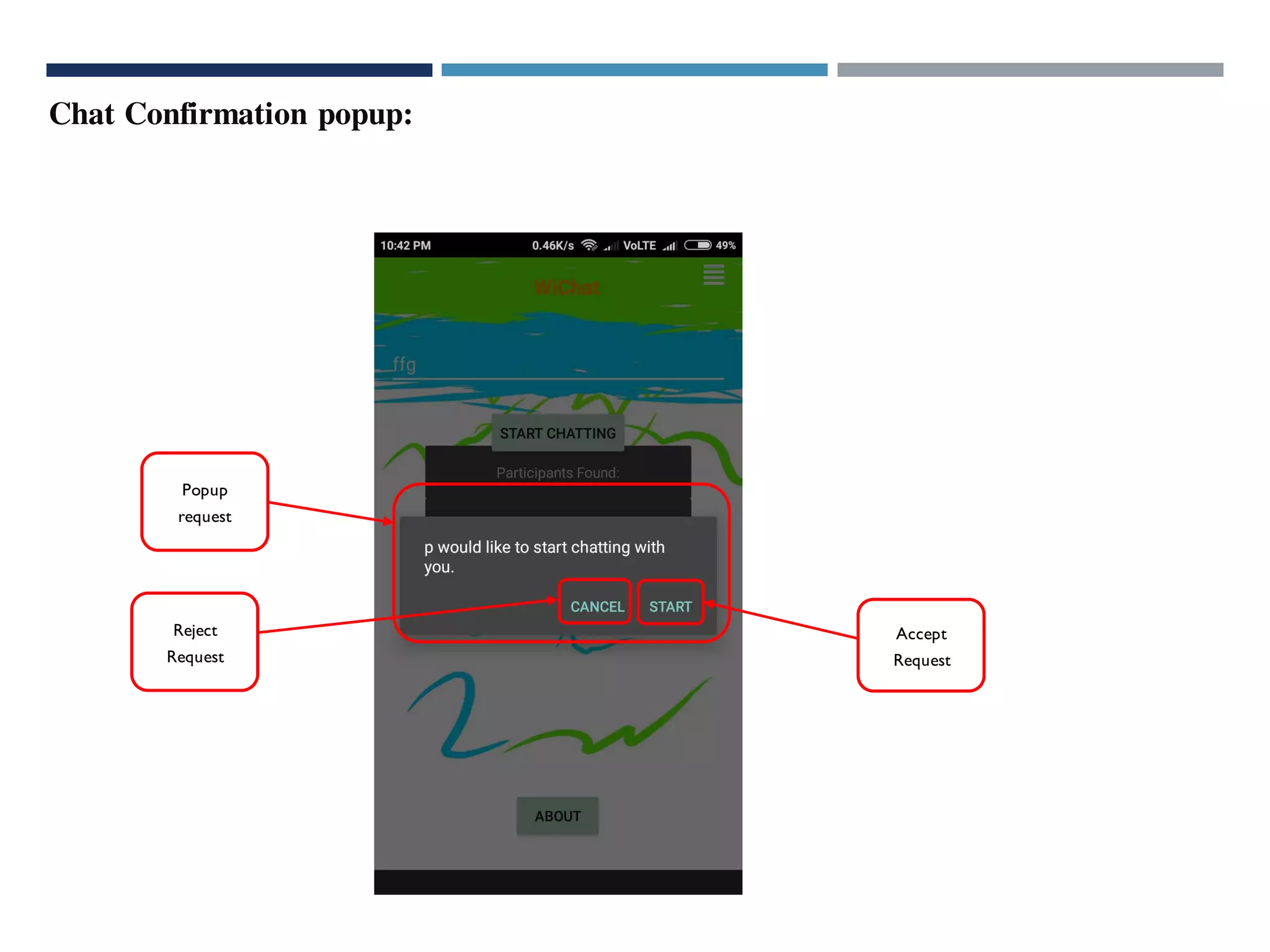
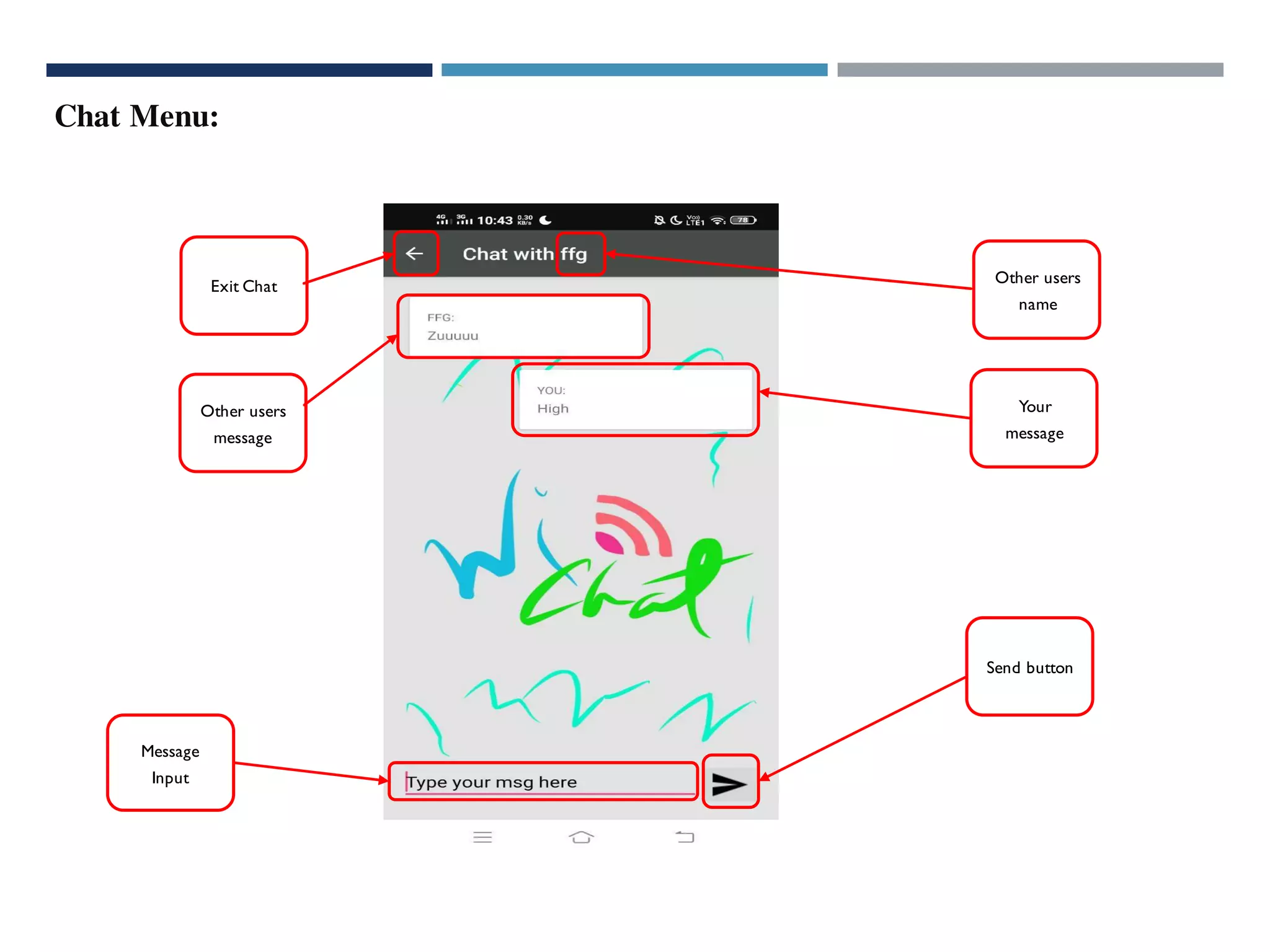
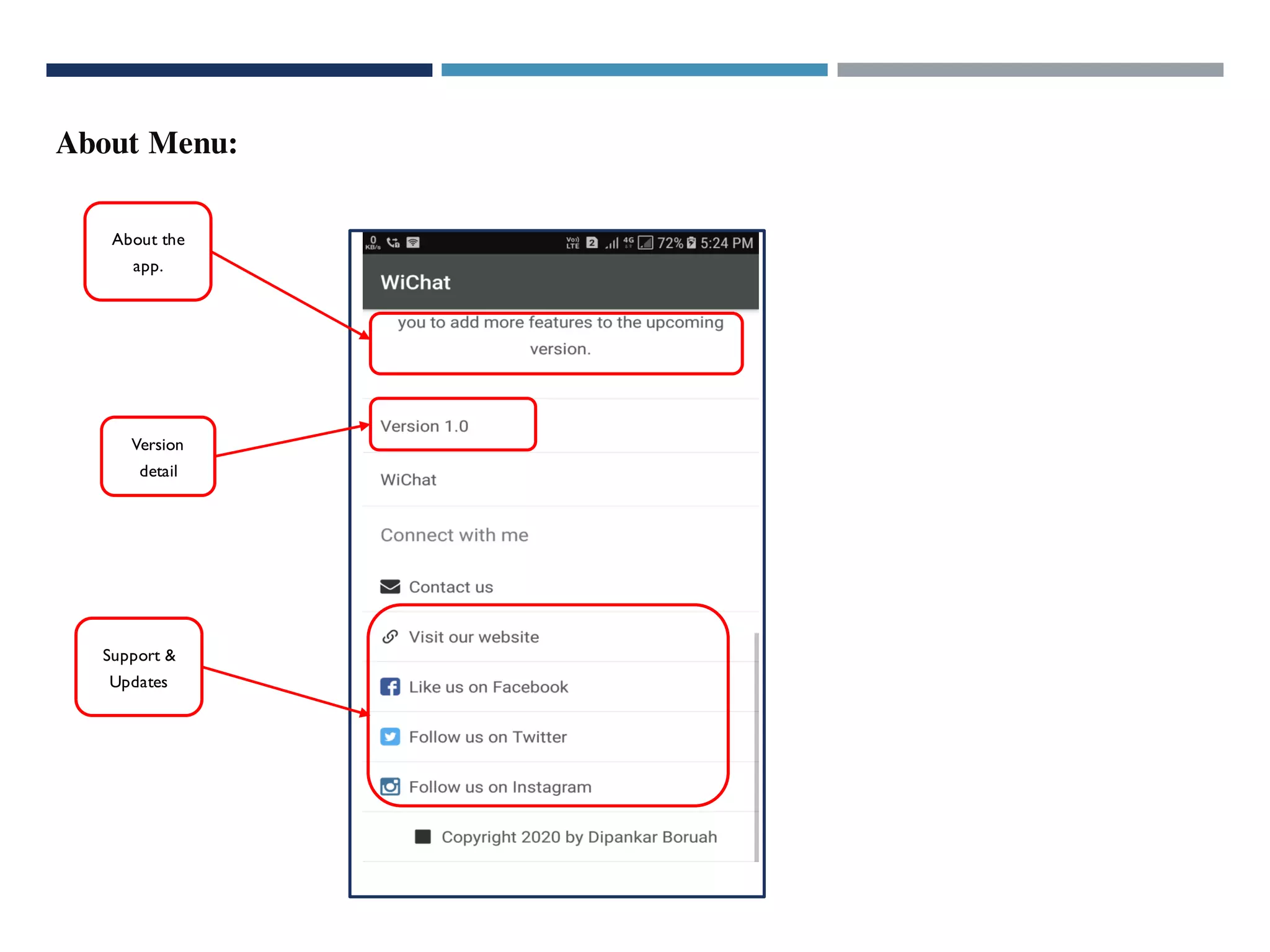


This document describes a Wi-Fi communication system project. It includes an introduction to the project, the technologies used like Android Studio, networking devices, and Wi-Fi. It outlines the system design with context and data flow diagrams. It also details the implementation and testing approach with unit, device discovery, data transfer, and integrated testing. Finally, it provides a user manual describing the input, discovery menu, chat confirmation, chat menu, and about menu screens.


![[July/2015] Android Wi-Fi Direct/Display Overview and Performance Measurement...](https://cdn.slidesharecdn.com/ss_thumbnails/hyundaingv2015d1-200323063343-thumbnail.jpg?width=640&height=640&fit=bounds)

![[Nov./2014] Android Wi-Fi Direct/Display Overview and Performance Measurement](https://cdn.slidesharecdn.com/ss_thumbnails/hyundaingv2014-200323062604-thumbnail.jpg?width=640&height=640&fit=bounds)


![[Oct./2012] WiFi : More Than Internet Connectivity](https://cdn.slidesharecdn.com/ss_thumbnails/2012-200323054847-thumbnail.jpg?width=640&height=640&fit=bounds)

![[Mar./2014] WiFi : Filling the Big Pipe](https://cdn.slidesharecdn.com/ss_thumbnails/2014-200323060138-thumbnail.jpg?width=640&height=640&fit=bounds)


![Vibe Coding vs. Spec-Driven Development [Free Meetup]](https://cdn.slidesharecdn.com/ss_thumbnails/vibecodingvsspecdrivendevelopment-251209105622-43f455e7-thumbnail.jpg?width=640&height=640&fit=bounds)


![Coded Agents – with UiPath SDK + LangGraph [Virtual Hands-on Workshop]](https://cdn.slidesharecdn.com/ss_thumbnails/codedagentsdeck-251215155422-5497c599-thumbnail.jpg?width=640&height=640&fit=bounds)


