Tool Session BatchBook  A Study in Simplicity K. Srikrishna January 30, 2009
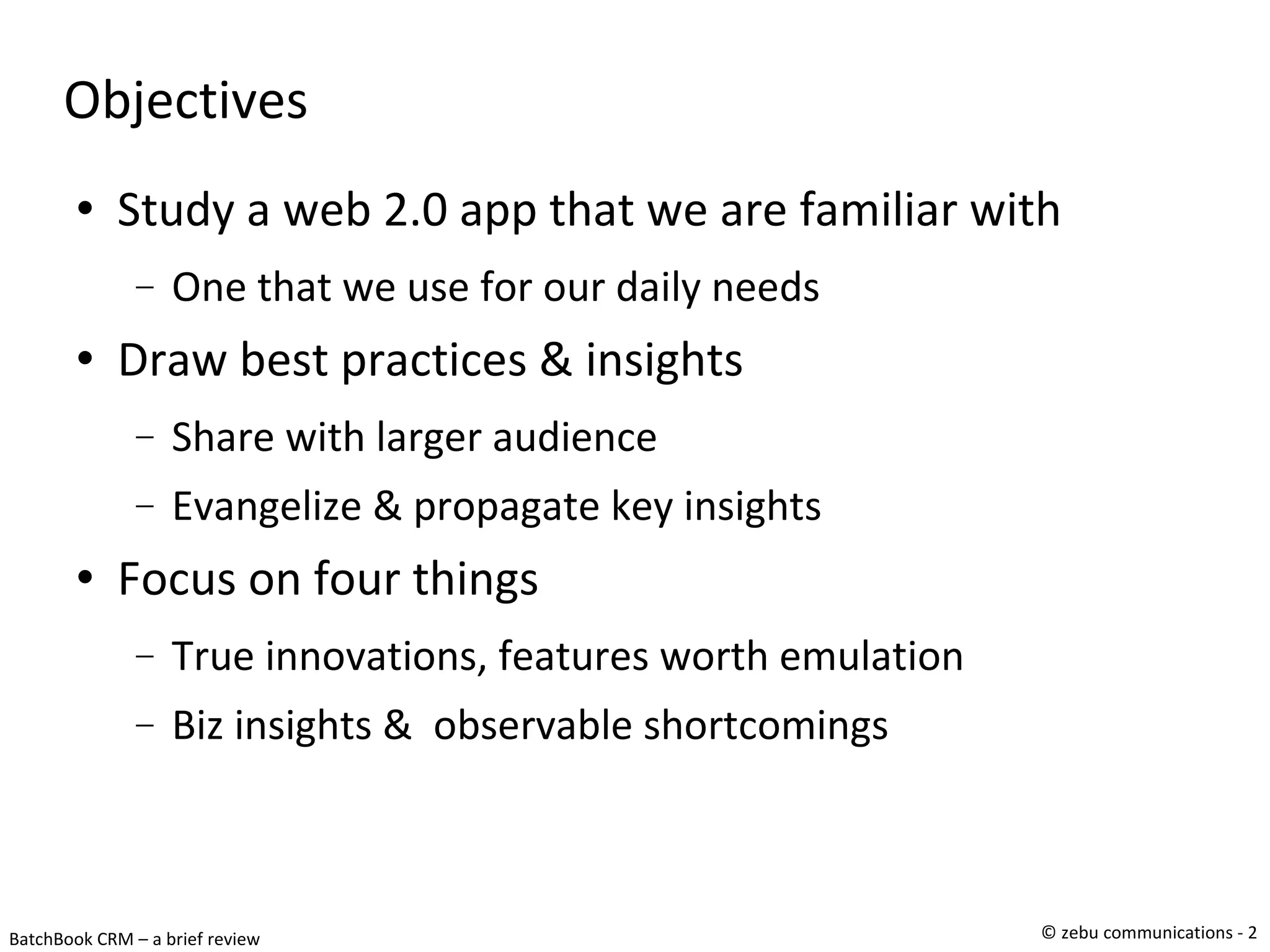
Objectives Study a web 2.0 app that we are familiar with One that we use for our daily needs Draw best practices & insights Share with larger audience Evangelize & propagate key insights Focus on four things True innovations, features worth emulation Biz insights &  observable shortcomings
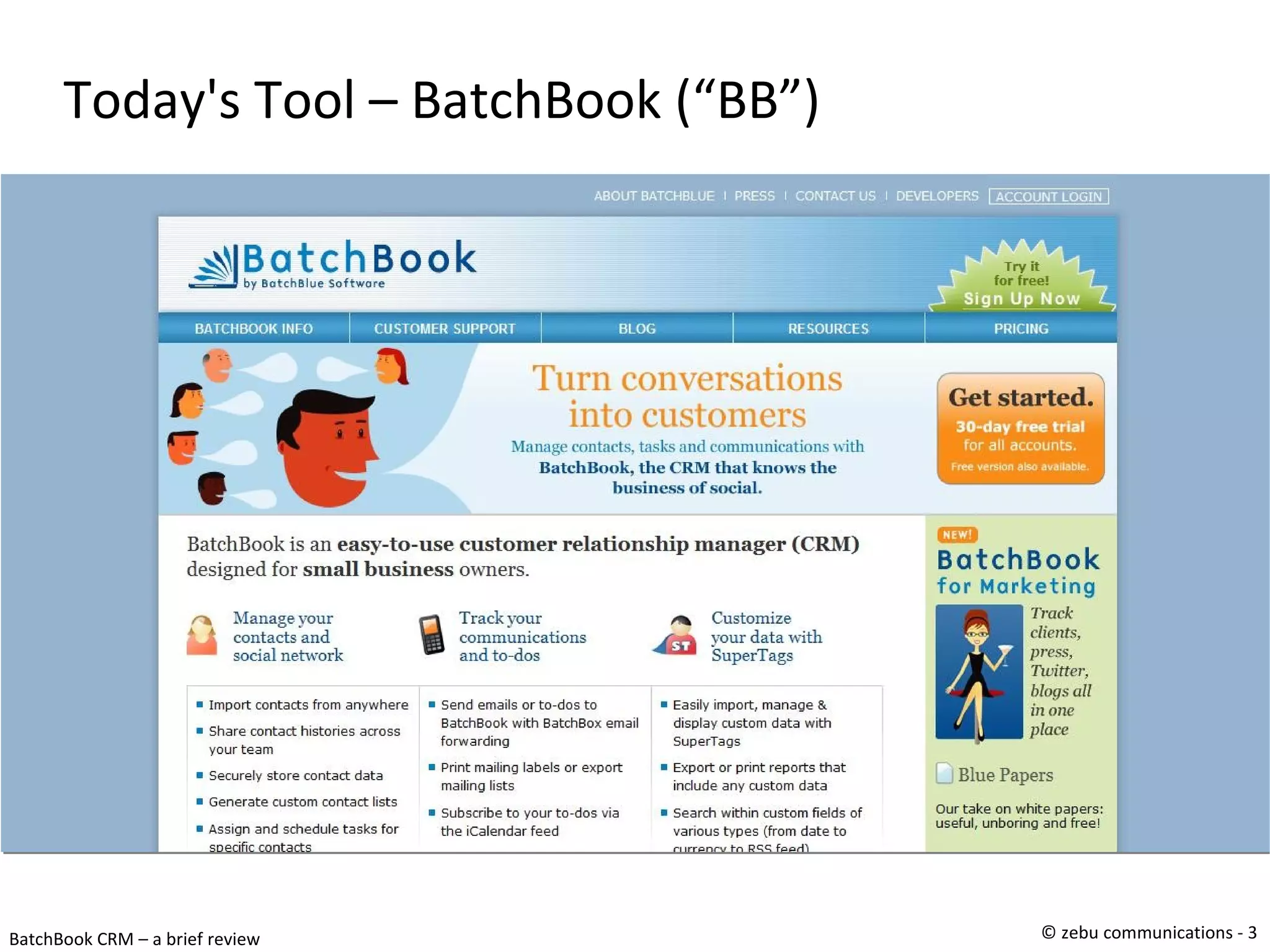
Today's Tool – BatchBook (“BB”)‏
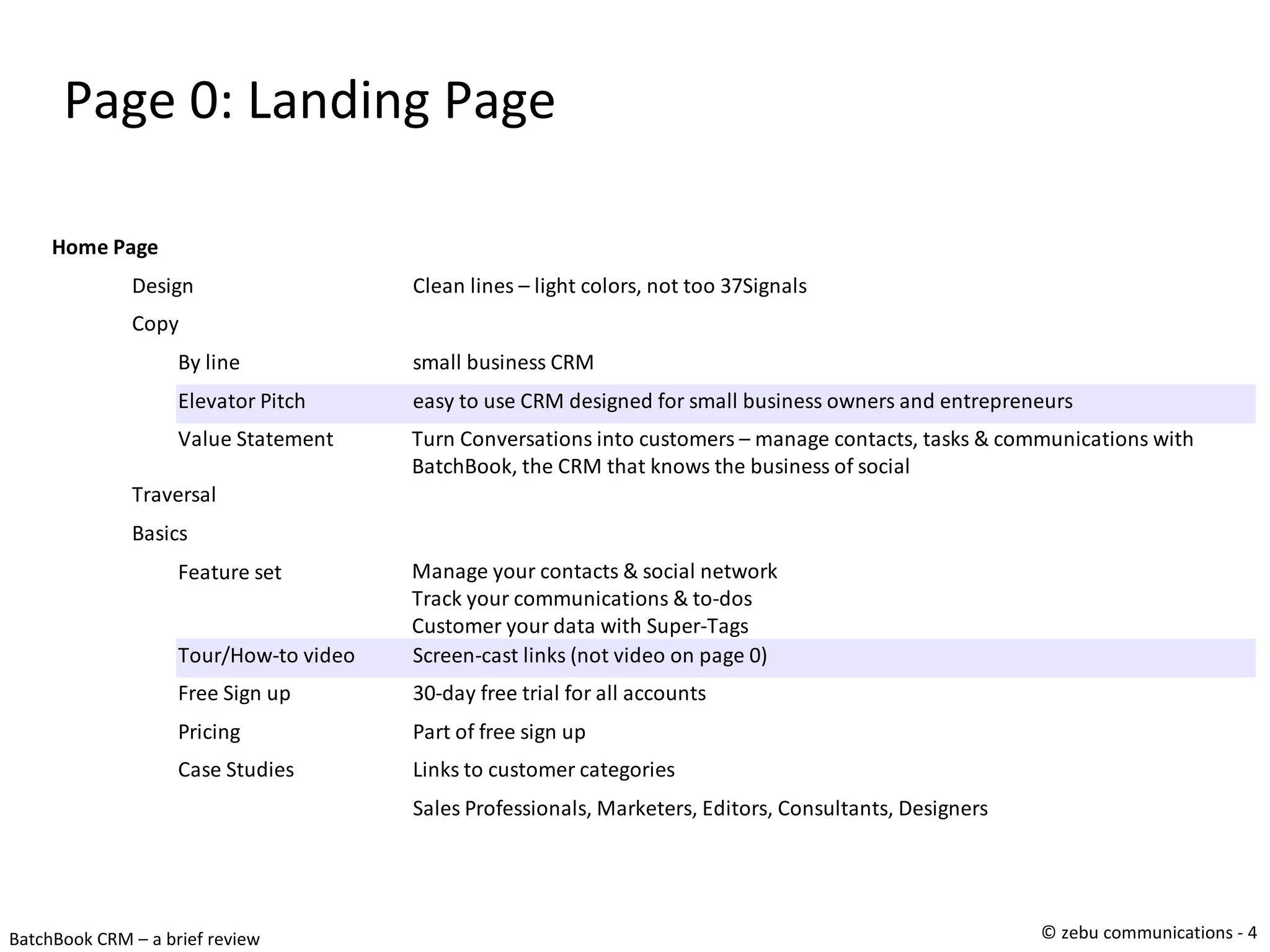
Page 0: Landing Page
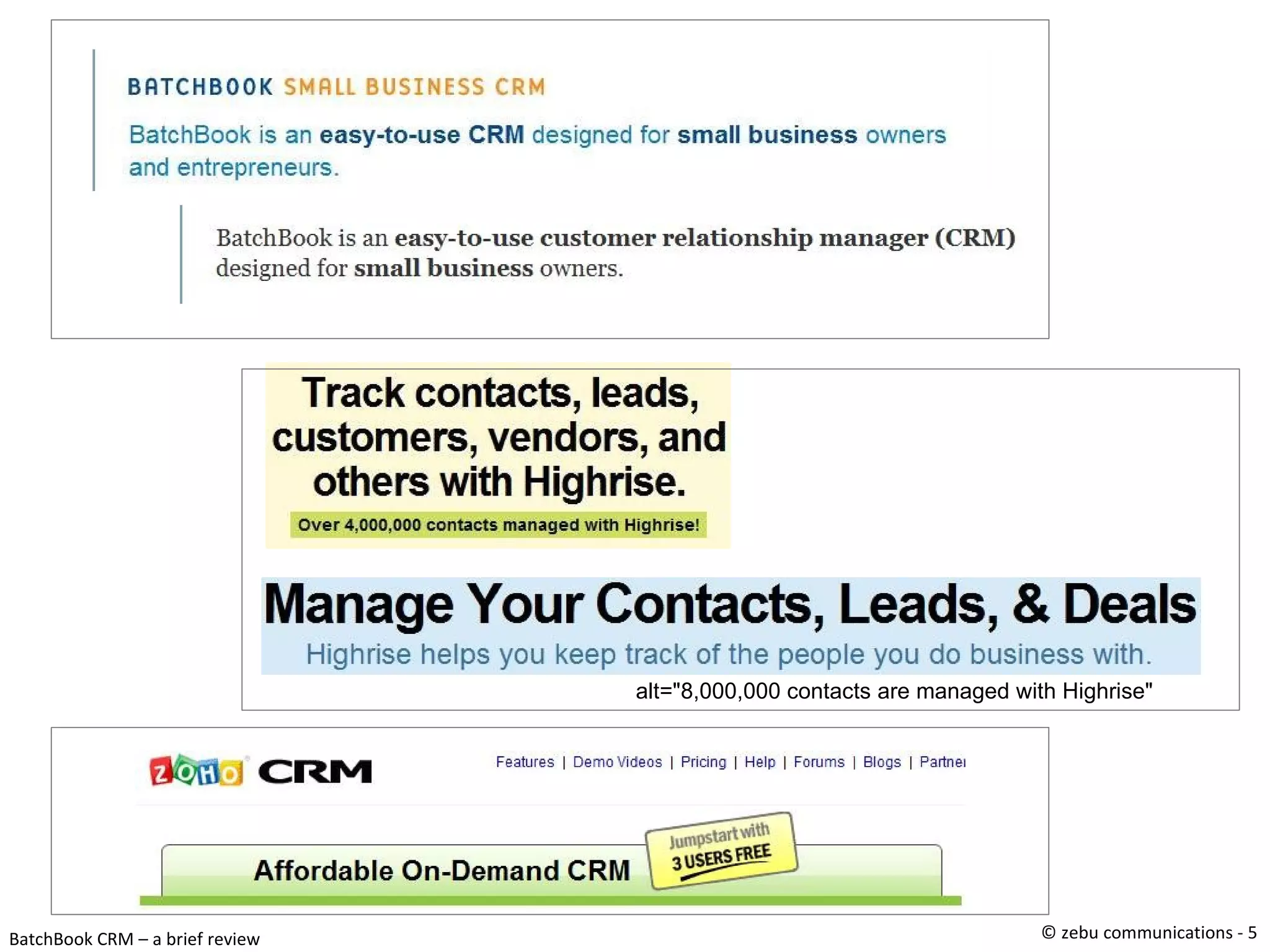
alt="8,000,000 contacts are managed with Highrise"
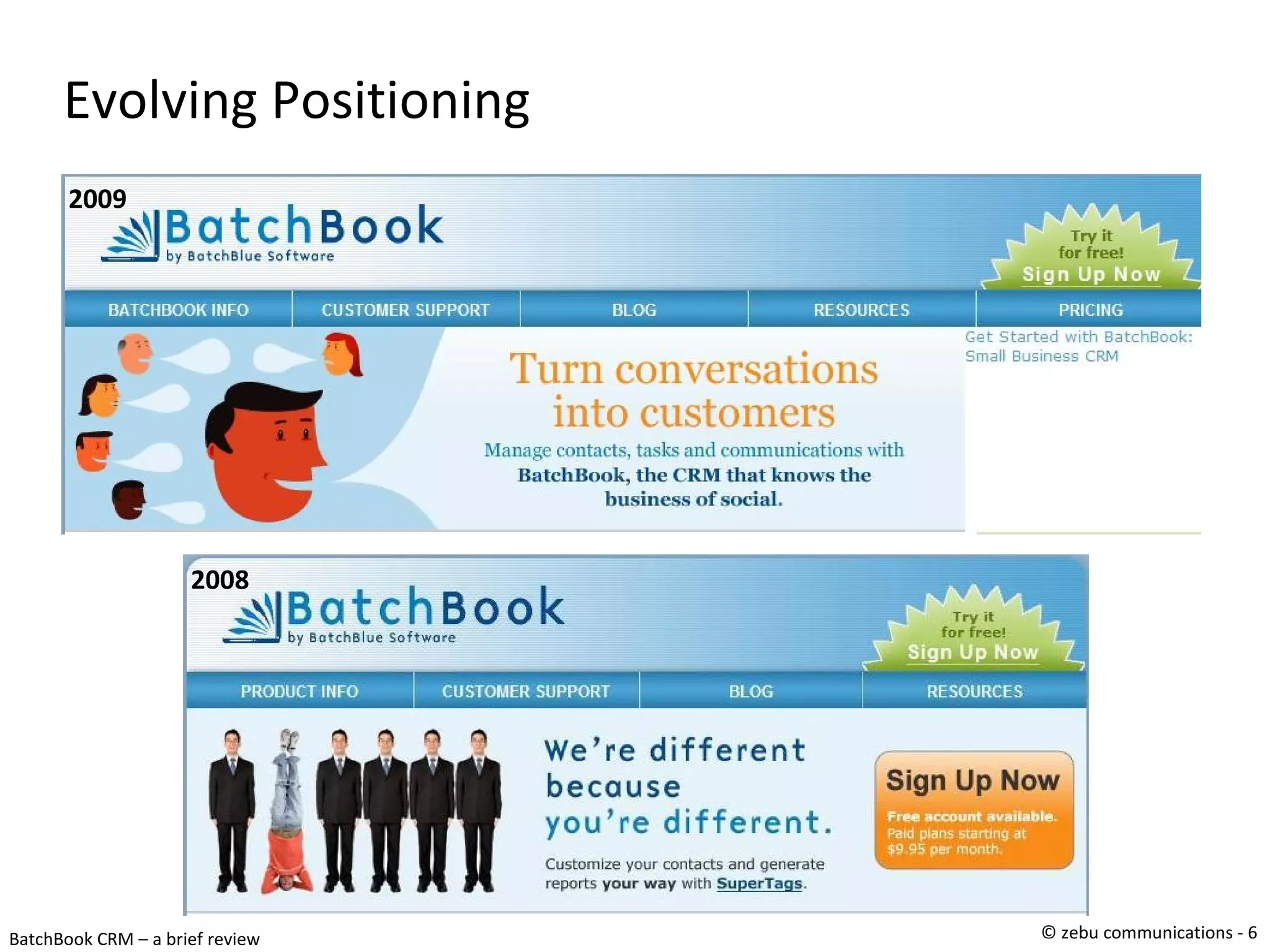
Evolving Positioning 2008 2009
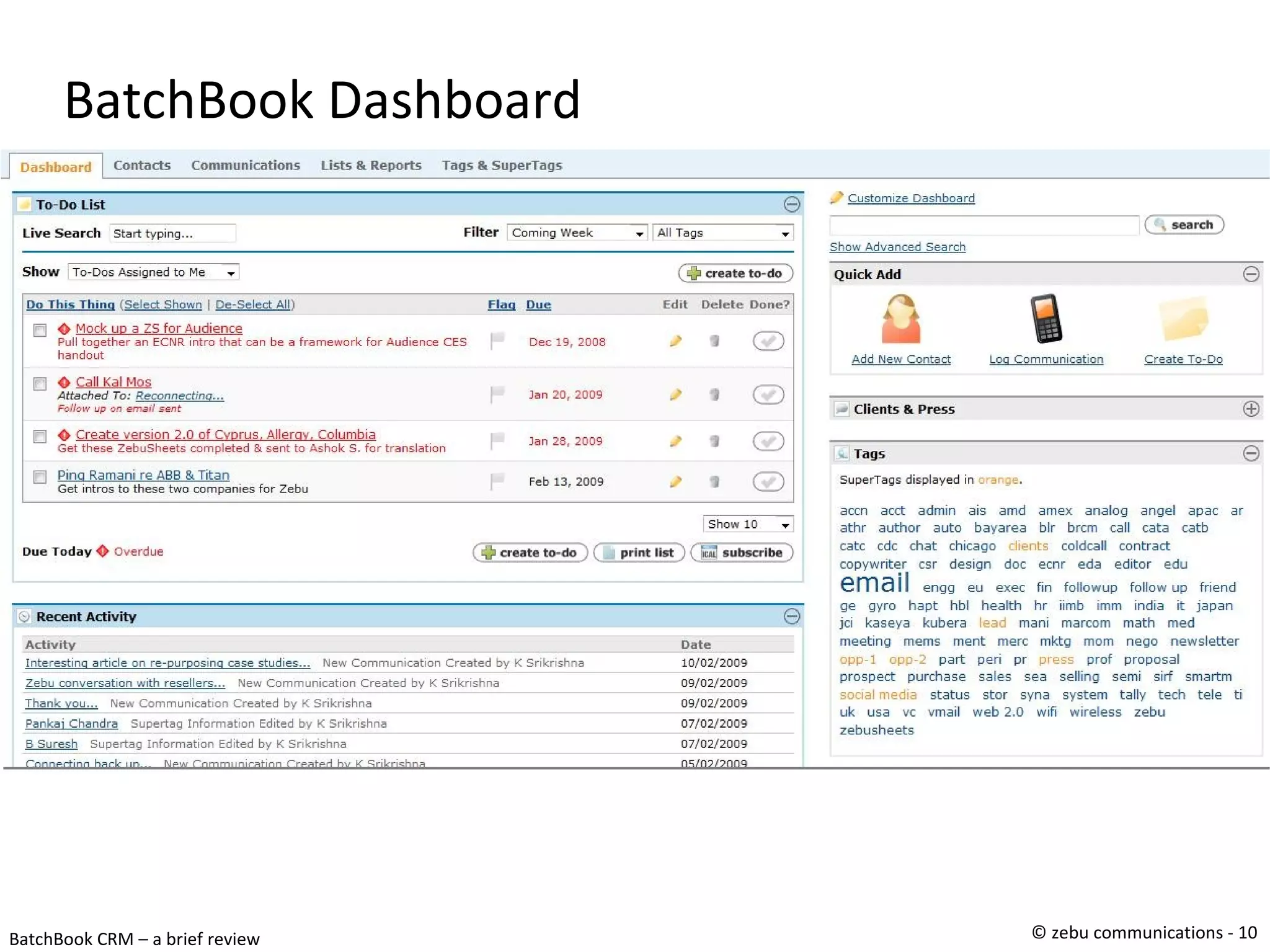
Some Web 2.0 Observations Most folks use a 20/60/20 or 15/70/15 screen split Definitely on screen0 – landing page BatchBook uses full screen beyond screen 1 Uses a vertical 65/35 split of the full browser screen Left (65) has the tab specific content Right (35) has commonly used easy-access tools QuickActions, Tag Cloud, Customization Most tools (incl BB) use a dash board Recent feature is ability to move fields btw LHS & RHS
Summary & Take-aways Simplicity in usability & functionality Finite functions, ease of access SuperTags Infinite extensibility  complexity hidden & user driven Customizable dashboard Nicer implementation of MS SharePoint-like page Third Party integration & API MailChimp, (simple) API for reports Strong social networking slant (Google & Twitter search)‏
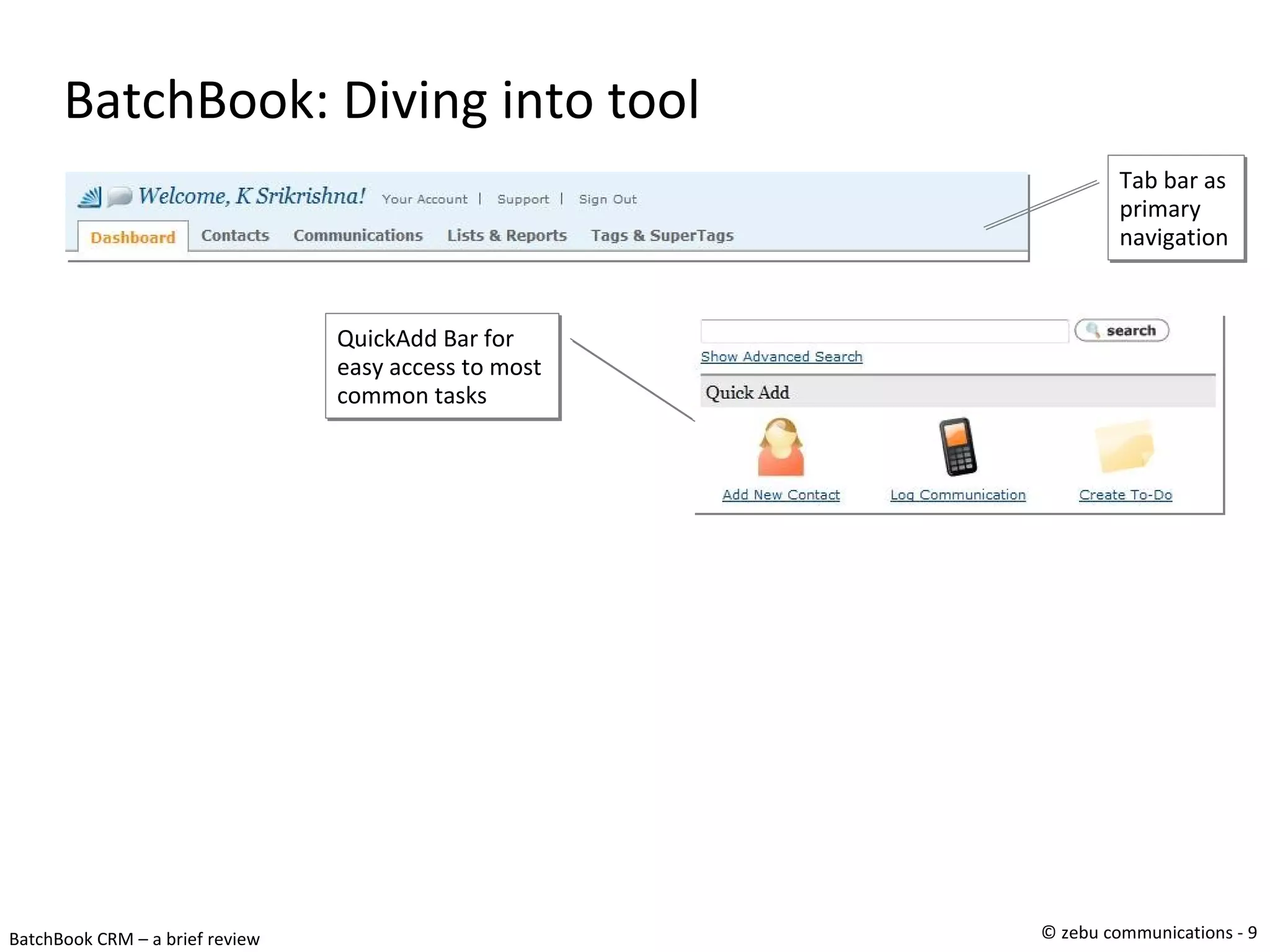
BatchBook: Diving into tool Tab bar as primary navigation QuickAdd Bar for easy access to most common tasks
BatchBook Dashboard
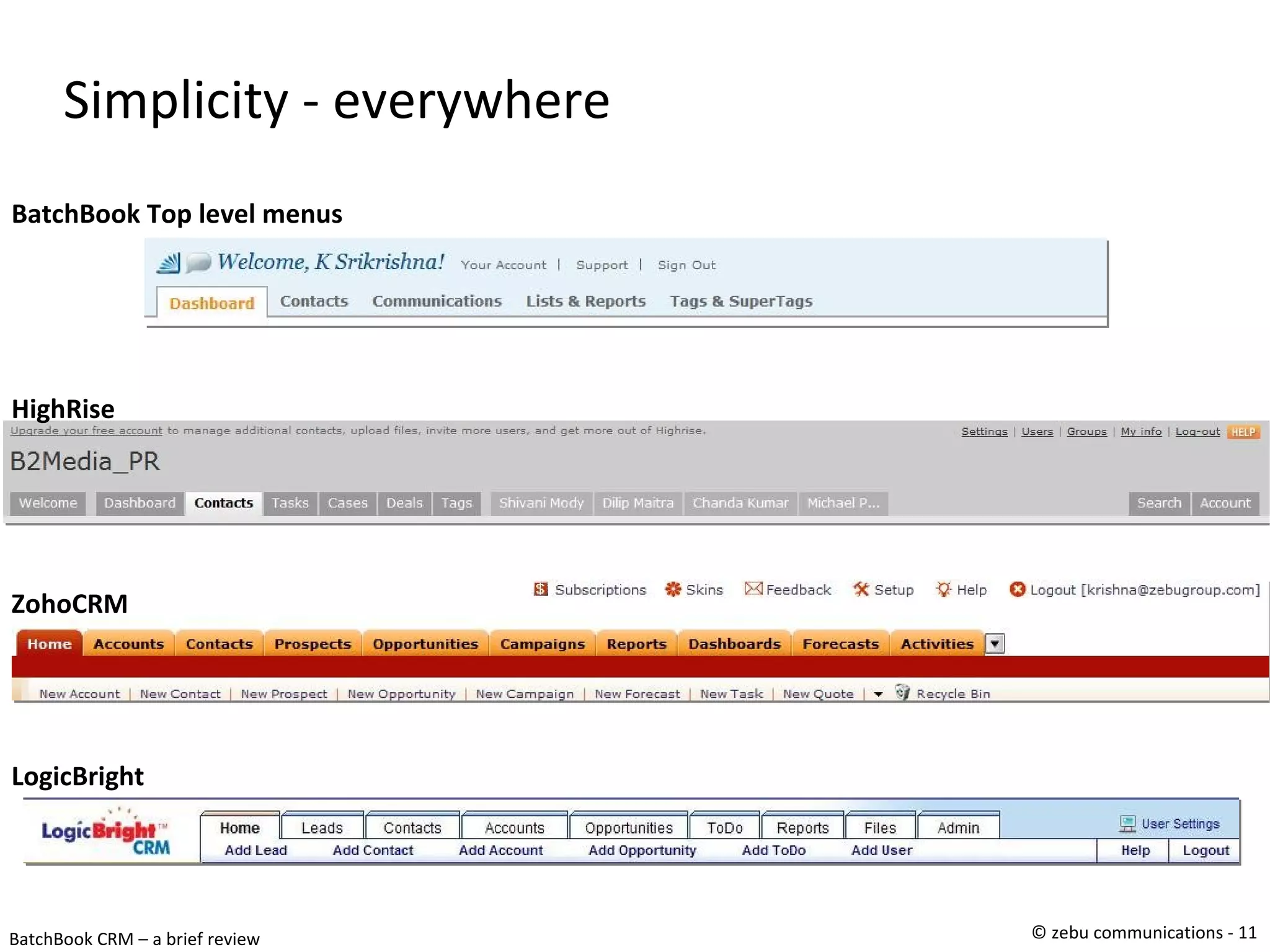
Simplicity - everywhere BatchBook Top level menus ZohoCRM LogicBright HighRise
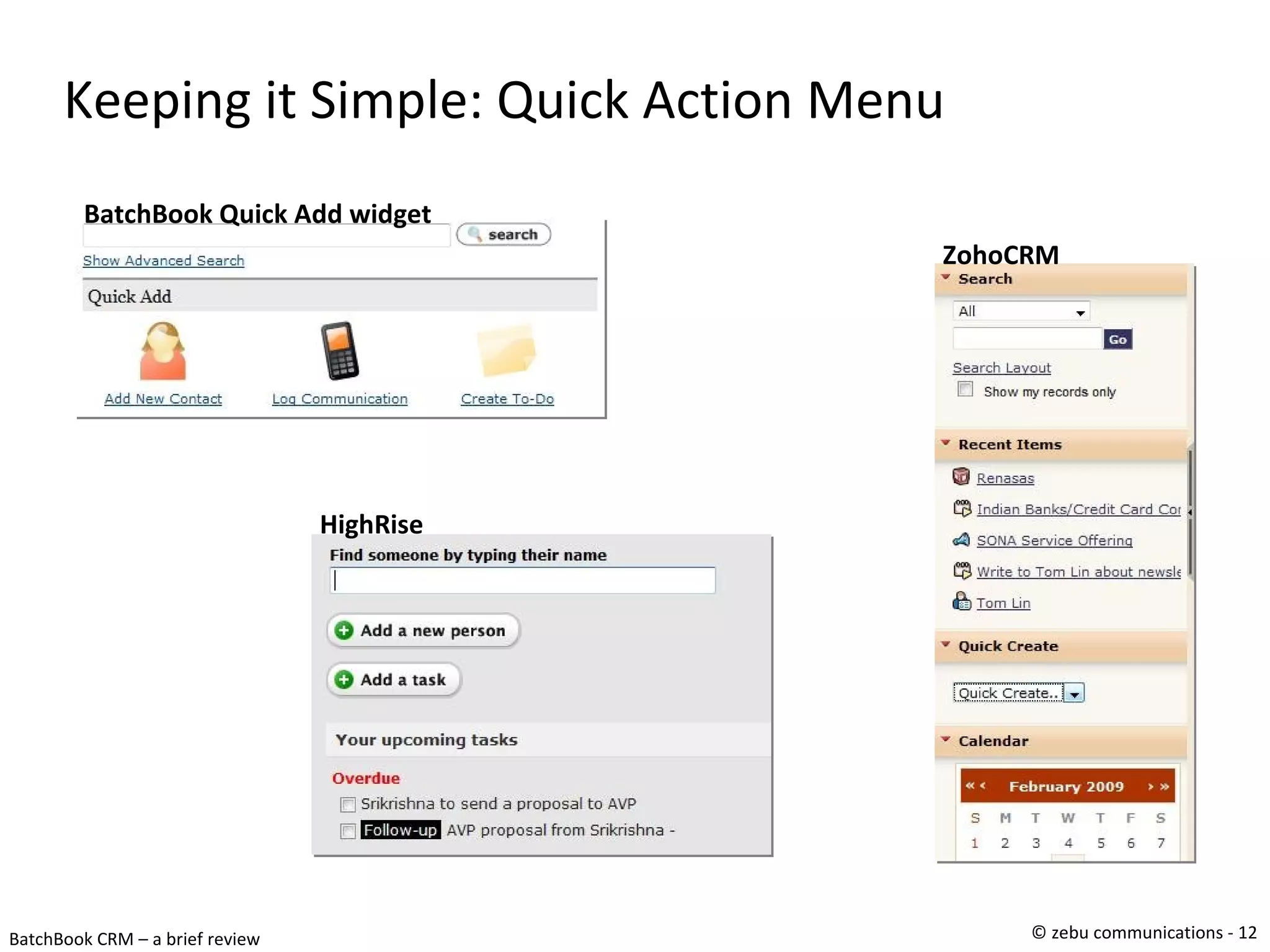
Keeping it Simple: Quick Action Menu ZohoCRM HighRise BatchBook Quick Add widget
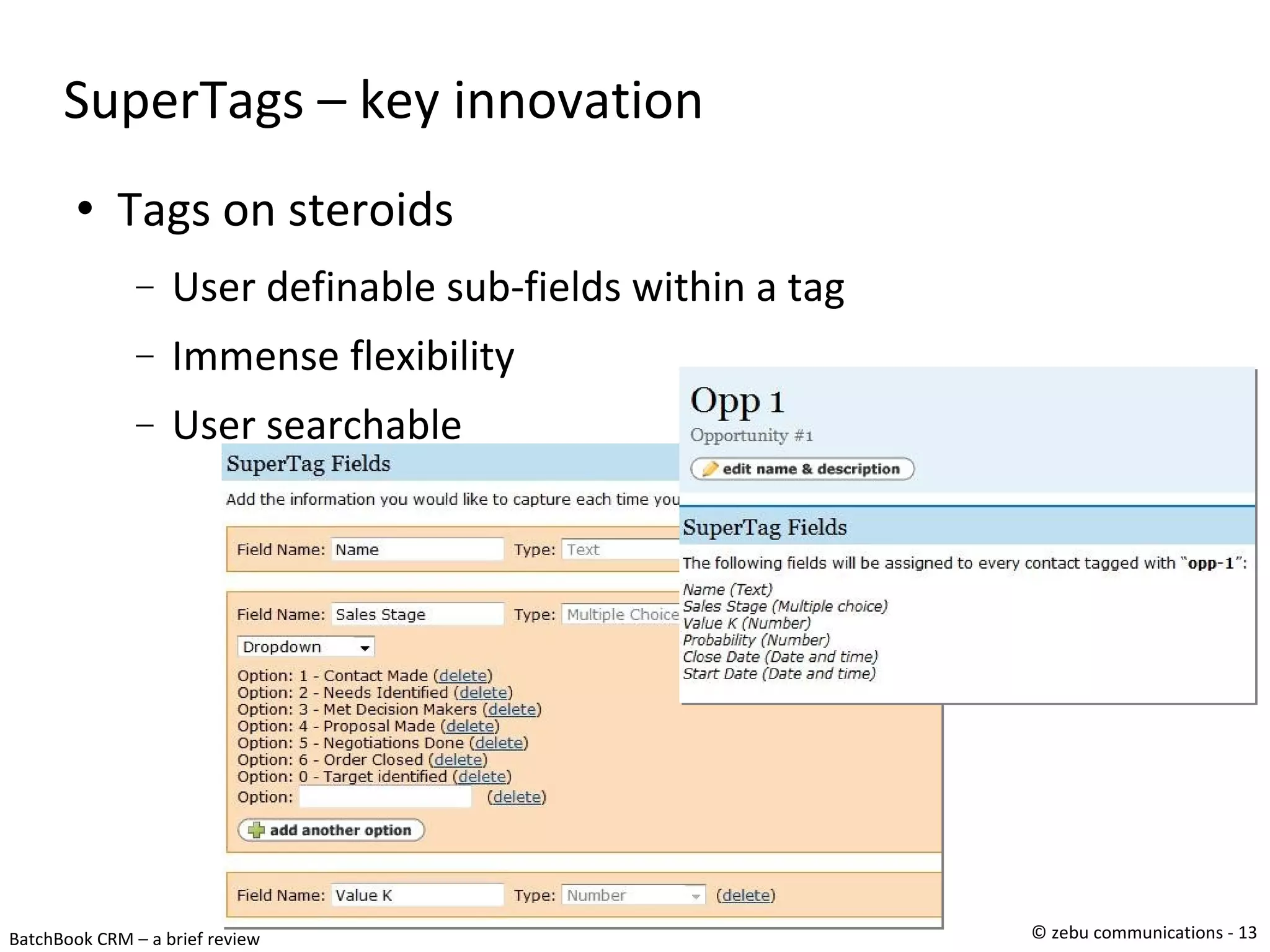
SuperTags – key innovation Tags on steroids User definable sub-fields within a tag Immense flexibility User searchable
Interesting touches Use of email Ability to auto attach bcc'd emails to contacts HighRise has this mailbox drop feature Ability to add to-dos through email Affiliations Interesting method to create two-way relationships client<->supplier, father<->daughter, user definable Social media integration Twitter & Google search in dashboard (configurable)‏ RSS feed integration into superTags (cool!)‏
Other Observations 3 people founded it (CEO, VP Tech & Comms Dir.)‏ Heavy local slant with local small biz support Very active in social networks Chris Brogan, Twitter, Local Small Biz forums Great marketing – locally & globally Active support forum Strongly using third party platforms Beast.se for support forum, FreshBooks,
Summary (1/2)‏ Launched with barebones address book  With comms, tags & supertags CRM features  Strong focus on small & med business Strong personalized support & service Subsequent revs have been around Minor (user driven) improvements Social feature addition (with superTags)‏ Supertag based variants design, real-estate, marketing 3 rd  party integration & API
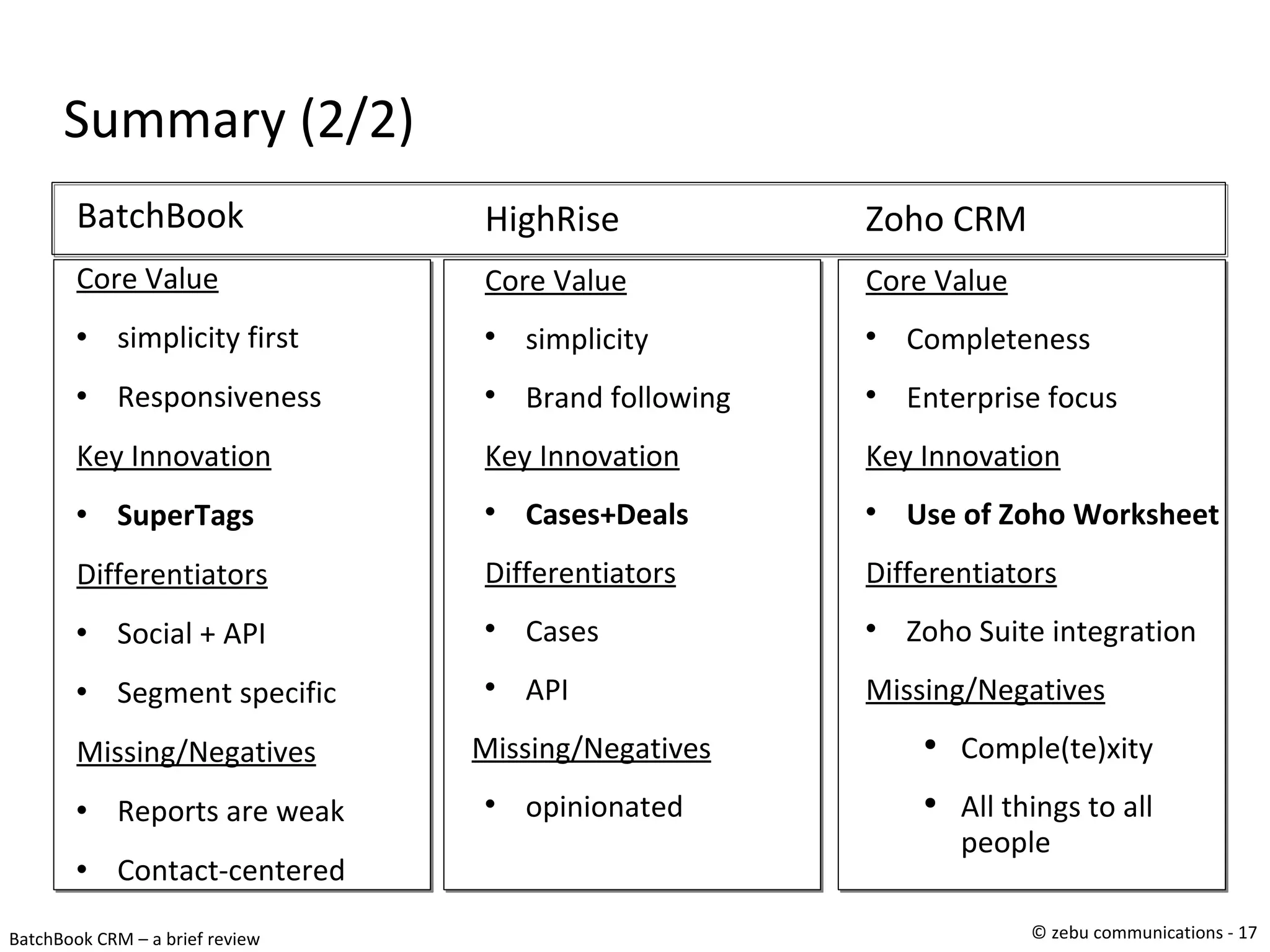
Summary (2/2)‏ BatchBook Core Value simplicity first Responsiveness Key Innovation SuperTags Differentiators Social + API Segment specific Missing/Negatives Reports are weak Contact-centered HighRise Core Value simplicity Brand following Key Innovation Cases+Deals Differentiators Cases API Missing/Negatives opinionated Zoho CRM Core Value Completeness Enterprise focus Key Innovation Use of Zoho Worksheet Differentiators Zoho Suite integration Missing/Negatives Comple(te)xity All things to all people

Why we picked BatchBook as our CRM tool

  • 1.
    Tool Session BatchBook A Study in Simplicity K. Srikrishna January 30, 2009
  • 2.
    Objectives Study aweb 2.0 app that we are familiar with One that we use for our daily needs Draw best practices & insights Share with larger audience Evangelize & propagate key insights Focus on four things True innovations, features worth emulation Biz insights & observable shortcomings
  • 3.
    Today's Tool –BatchBook (“BB”)‏
  • 4.
  • 5.
    alt=&quot;8,000,000 contacts aremanaged with Highrise&quot;
  • 6.
  • 7.
    Some Web 2.0Observations Most folks use a 20/60/20 or 15/70/15 screen split Definitely on screen0 – landing page BatchBook uses full screen beyond screen 1 Uses a vertical 65/35 split of the full browser screen Left (65) has the tab specific content Right (35) has commonly used easy-access tools QuickActions, Tag Cloud, Customization Most tools (incl BB) use a dash board Recent feature is ability to move fields btw LHS & RHS
  • 8.
    Summary & Take-awaysSimplicity in usability & functionality Finite functions, ease of access SuperTags Infinite extensibility complexity hidden & user driven Customizable dashboard Nicer implementation of MS SharePoint-like page Third Party integration & API MailChimp, (simple) API for reports Strong social networking slant (Google & Twitter search)‏
  • 9.
    BatchBook: Diving intotool Tab bar as primary navigation QuickAdd Bar for easy access to most common tasks
  • 10.
  • 11.
    Simplicity - everywhereBatchBook Top level menus ZohoCRM LogicBright HighRise
  • 12.
    Keeping it Simple:Quick Action Menu ZohoCRM HighRise BatchBook Quick Add widget
  • 13.
    SuperTags – keyinnovation Tags on steroids User definable sub-fields within a tag Immense flexibility User searchable
  • 14.
    Interesting touches Useof email Ability to auto attach bcc'd emails to contacts HighRise has this mailbox drop feature Ability to add to-dos through email Affiliations Interesting method to create two-way relationships client<->supplier, father<->daughter, user definable Social media integration Twitter & Google search in dashboard (configurable)‏ RSS feed integration into superTags (cool!)‏
  • 15.
    Other Observations 3people founded it (CEO, VP Tech & Comms Dir.)‏ Heavy local slant with local small biz support Very active in social networks Chris Brogan, Twitter, Local Small Biz forums Great marketing – locally & globally Active support forum Strongly using third party platforms Beast.se for support forum, FreshBooks,
  • 16.
    Summary (1/2)‏ Launchedwith barebones address book With comms, tags & supertags CRM features Strong focus on small & med business Strong personalized support & service Subsequent revs have been around Minor (user driven) improvements Social feature addition (with superTags)‏ Supertag based variants design, real-estate, marketing 3 rd party integration & API
  • 17.
    Summary (2/2)‏ BatchBookCore Value simplicity first Responsiveness Key Innovation SuperTags Differentiators Social + API Segment specific Missing/Negatives Reports are weak Contact-centered HighRise Core Value simplicity Brand following Key Innovation Cases+Deals Differentiators Cases API Missing/Negatives opinionated Zoho CRM Core Value Completeness Enterprise focus Key Innovation Use of Zoho Worksheet Differentiators Zoho Suite integration Missing/Negatives Comple(te)xity All things to all people