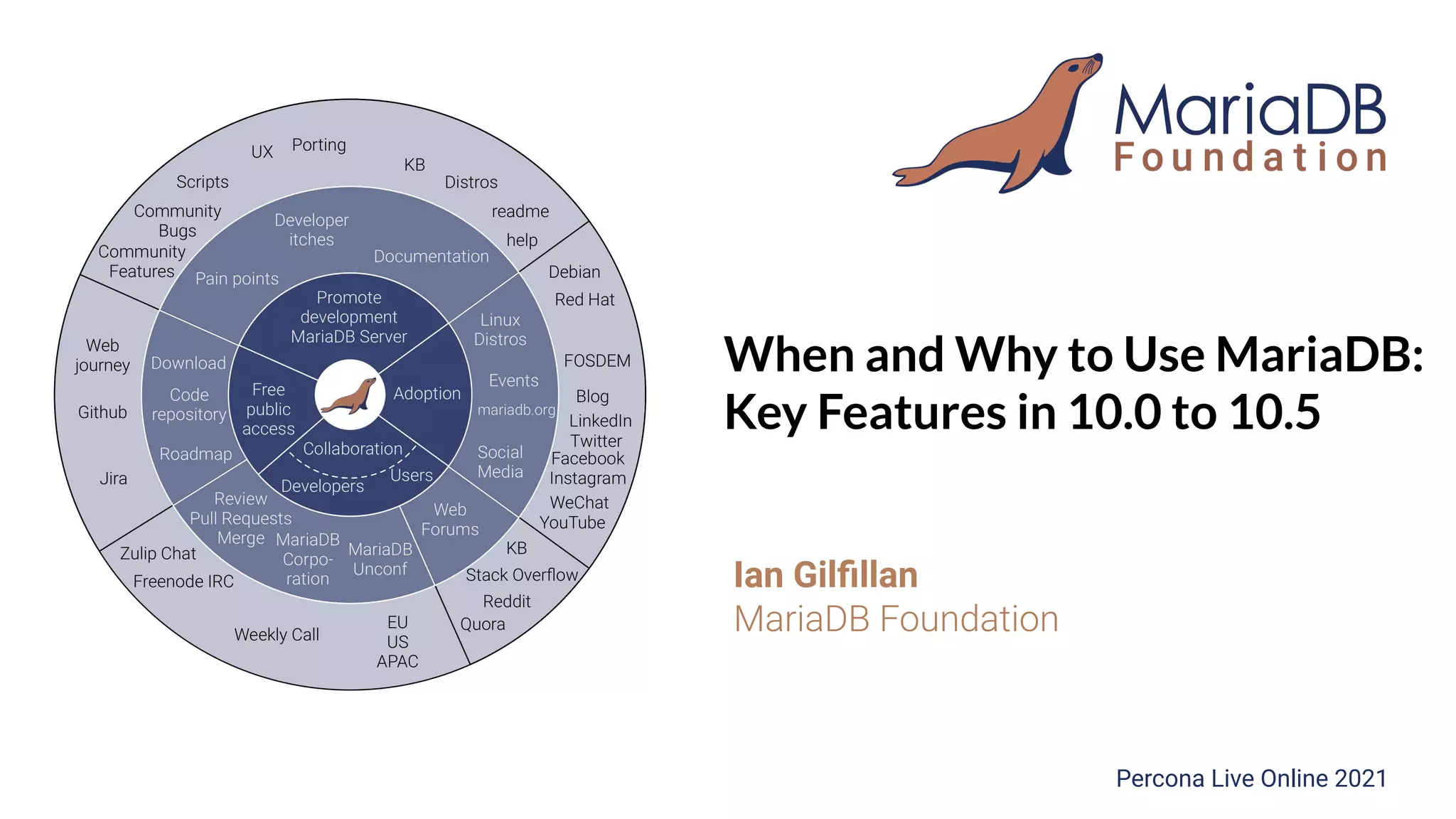
When and Why to Use MariaDB:
Key Features in 10.0 to 10.5
Ian Gilfillan
MariaDB Foundation
Percona Live Online 2021
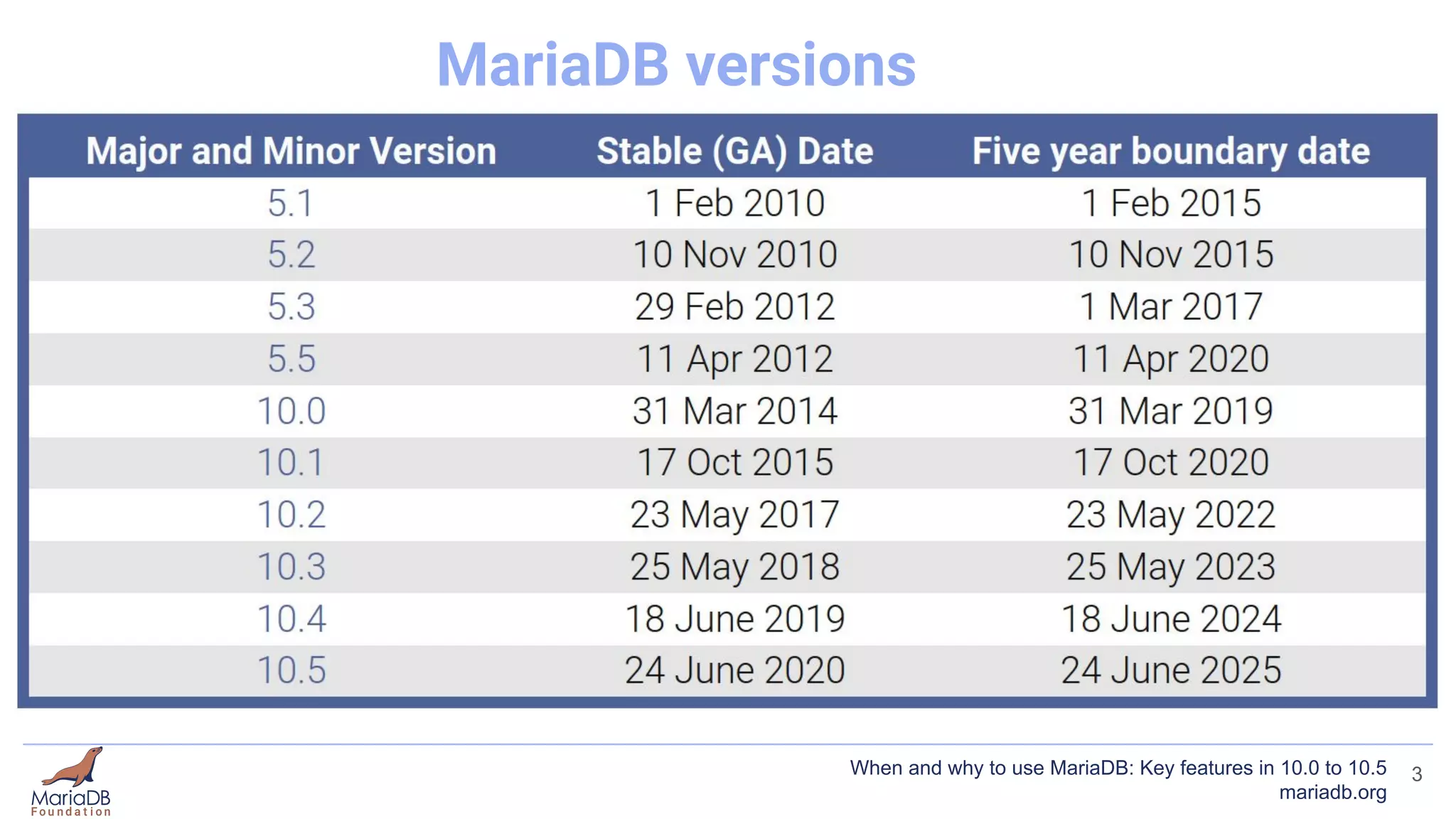
MariaDB versions
3
When and why to use MariaDB: Key features in 10.0 to 10.5
mariadb.org
What this presentation is not
● In-depth
● Complete
4
When and why to use MariaDB: Key features in 10.0 to 10.5
mariadb.org
What this presentation aims to cover
● Interesting features you may not have heard about
● Features that differentiate MariaDB
5
When and why to use MariaDB: Key features in 10.0 to 10.5
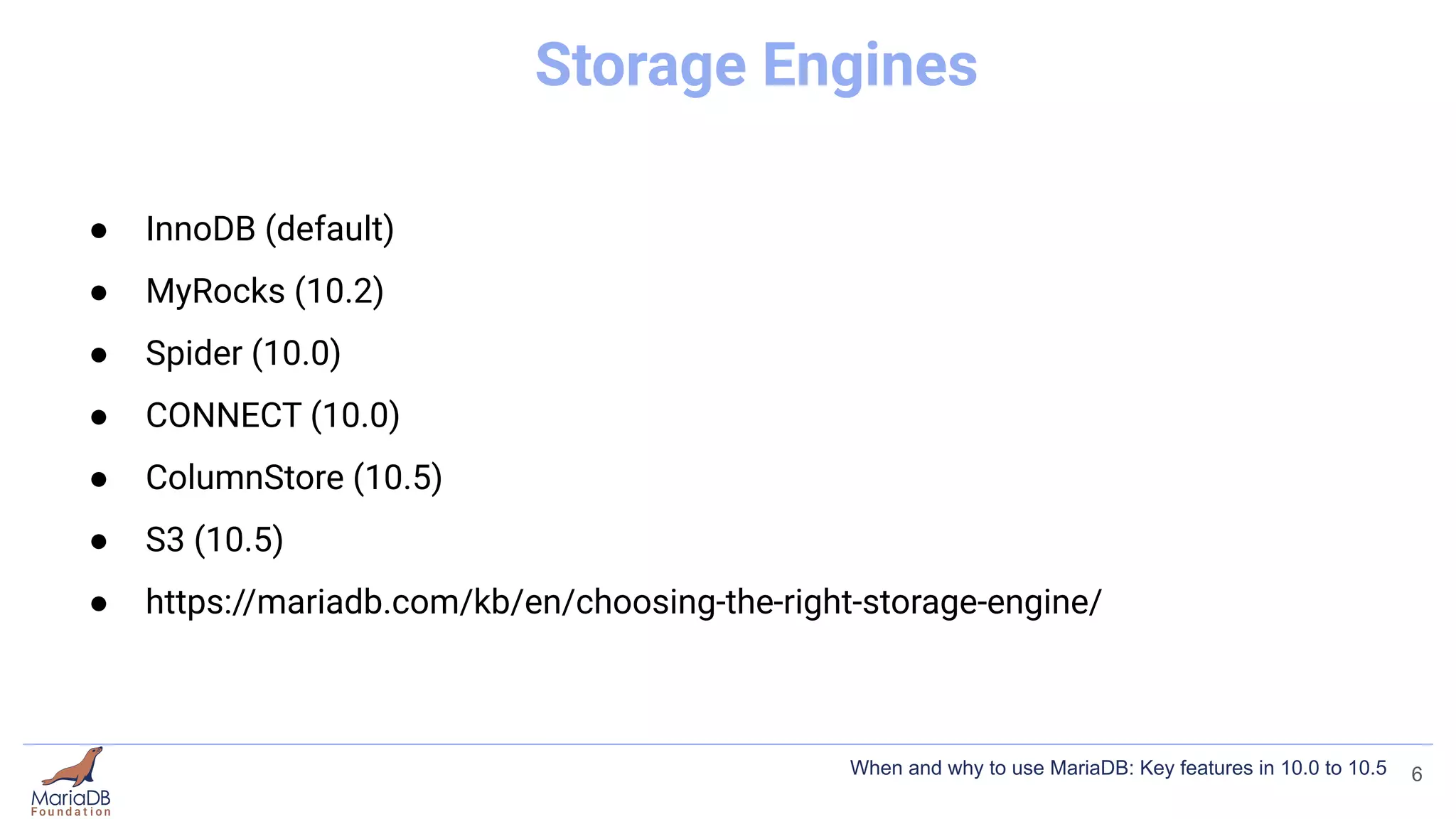
Storage Engines
● InnoDB (default)
● MyRocks (10.2)
● Spider (10.0)
● CONNECT (10.0)
● ColumnStore (10.5)
● S3 (10.5)
● https://mariadb.com/kb/en/choosing-the-right-storage-engine/
6
When and why to use MariaDB: Key features in 10.0 to 10.5
MyRocks
● Mike Benshoof “MyRocks - The 30,000 Foot View”
7
When and why to use MariaDB: Key features in 10.0 to 10.5
MyRocks
● Mike Benshoof “MyRocks - The 30,000 Foot View”
● Compression!
8
When and why to use MariaDB: Key features in 10.0 to 10.5
MyRocks
● Mike Benshoof “MyRocks - The 30,000 Foot View”
● Compression!
● https://mariadb.com/kb/en/myrocks/
9
When and why to use MariaDB: Key features in 10.0 to 10.5
InnoDB Compression
3 types of compression
● Compressed Row Format
10
When and why to use MariaDB: Key features in 10.0 to 10.5
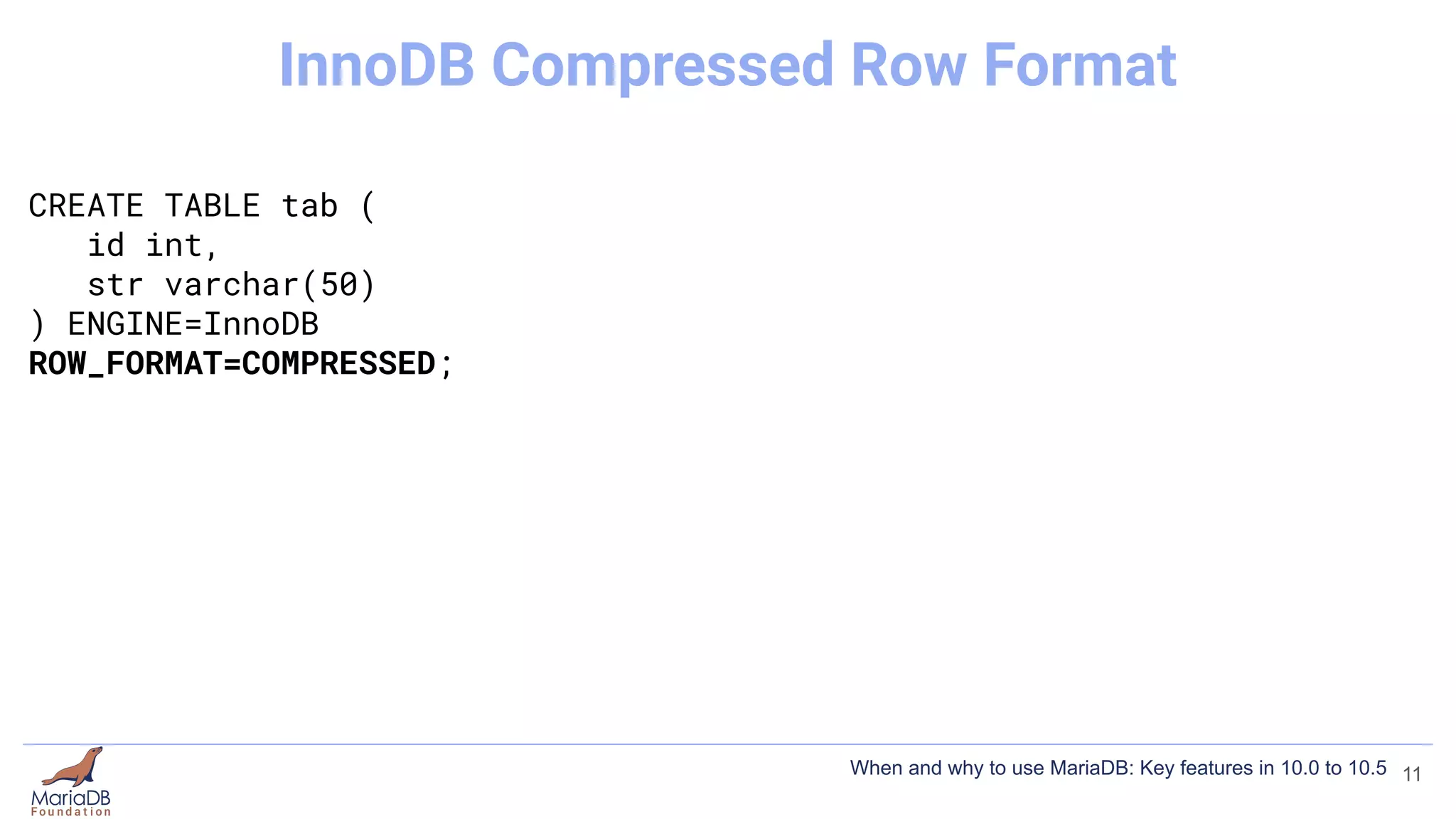
CREATE TABLE tab (
id int,
str varchar(50)
) ENGINE=InnoDB
ROW_FORMAT=COMPRESSED;
11
InnoDB Compressed Row Format
When and why to use MariaDB: Key features in 10.0 to 10.5
InnoDB Compression
3 types of compression
● Compressed Row Format
● InnoDB Page Compression (10.1)
12
When and why to use MariaDB: Key features in 10.0 to 10.5
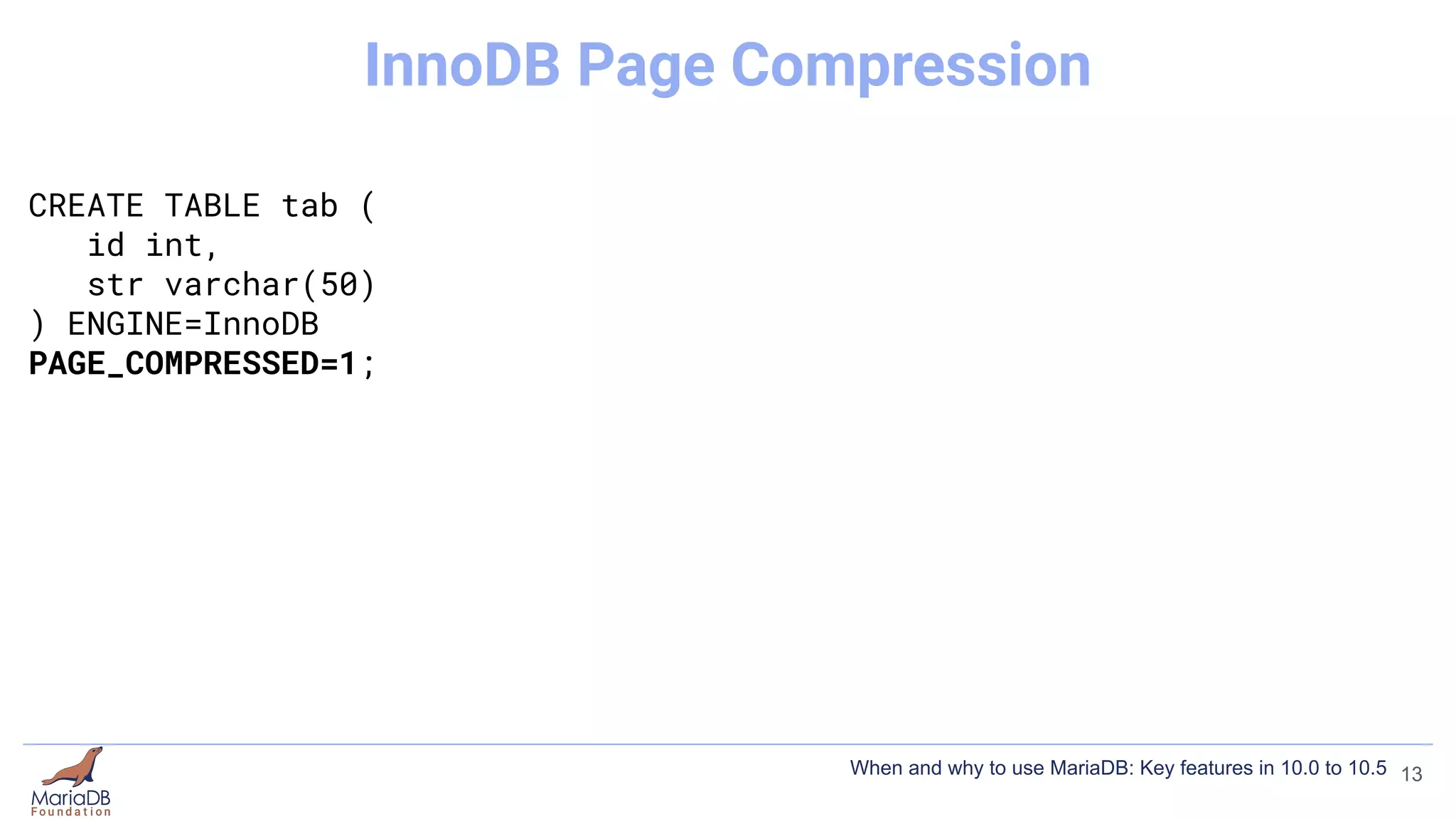
CREATE TABLE tab (
id int,
str varchar(50)
) ENGINE=InnoDB
PAGE_COMPRESSED=1;
13
InnoDB Page Compression
When and why to use MariaDB: Key features in 10.0 to 10.5
CREATE TABLE tab (
id int,
str varchar(50)
) ENGINE=InnoDB
PAGE_COMPRESSED=1;
[mariadb]
...
innodb_compression_default=ON
14
InnoDB Page Compression
When and why to use MariaDB: Key features in 10.0 to 10.5
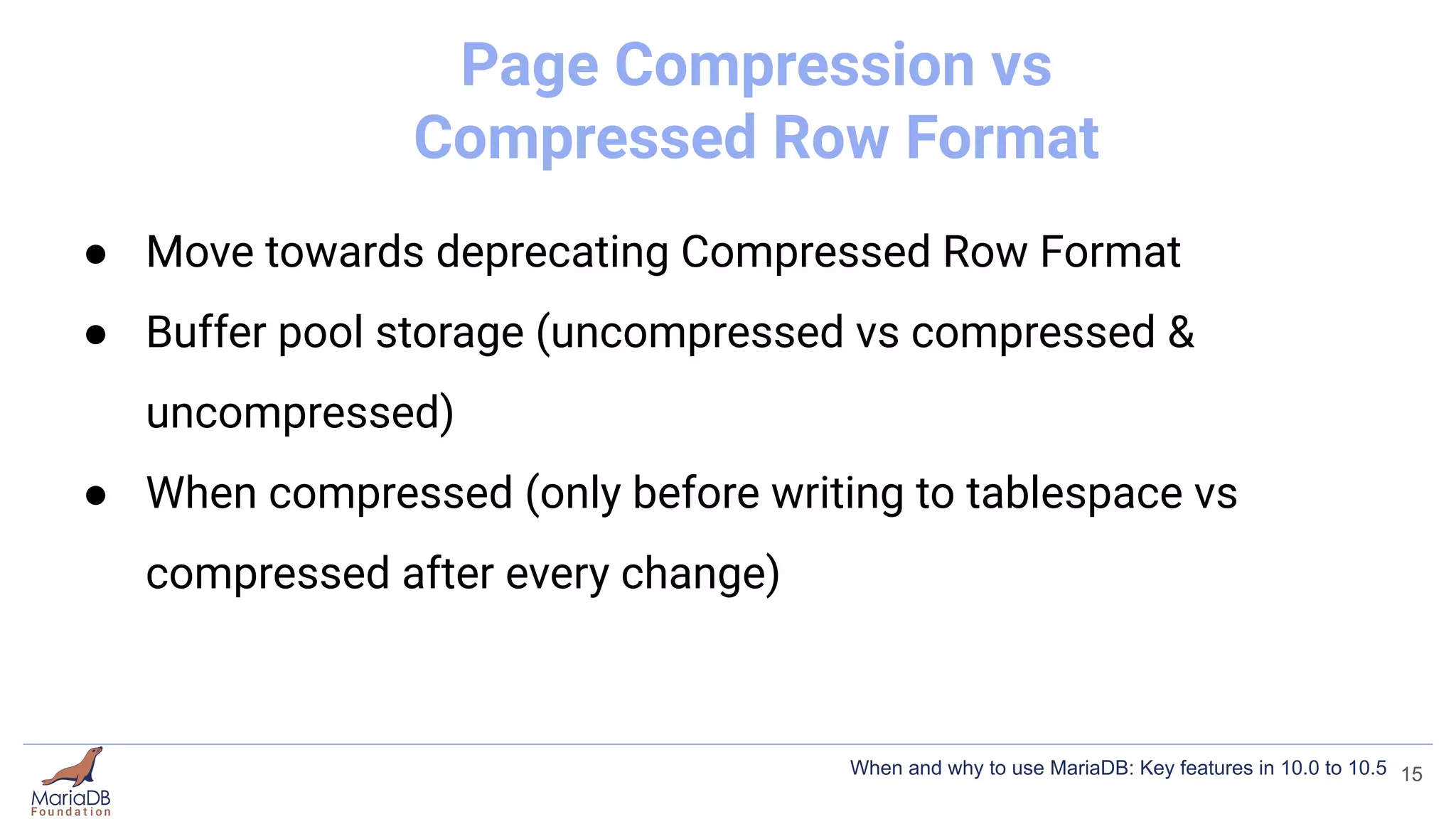
Page Compression vs
Compressed Row Format
● Move towards deprecating Compressed Row Format
● Buffer pool storage (uncompressed vs compressed &
uncompressed)
● When compressed (only before writing to tablespace vs
compressed after every change)
15
When and why to use MariaDB: Key features in 10.0 to 10.5
InnoDB Compression
3 types of compression
● Compressed Row Format
● InnoDB Page Compression (10.1)
● Storage-engine Independent Column Compression (10.3)
16
When and why to use MariaDB: Key features in 10.0 to 10.5
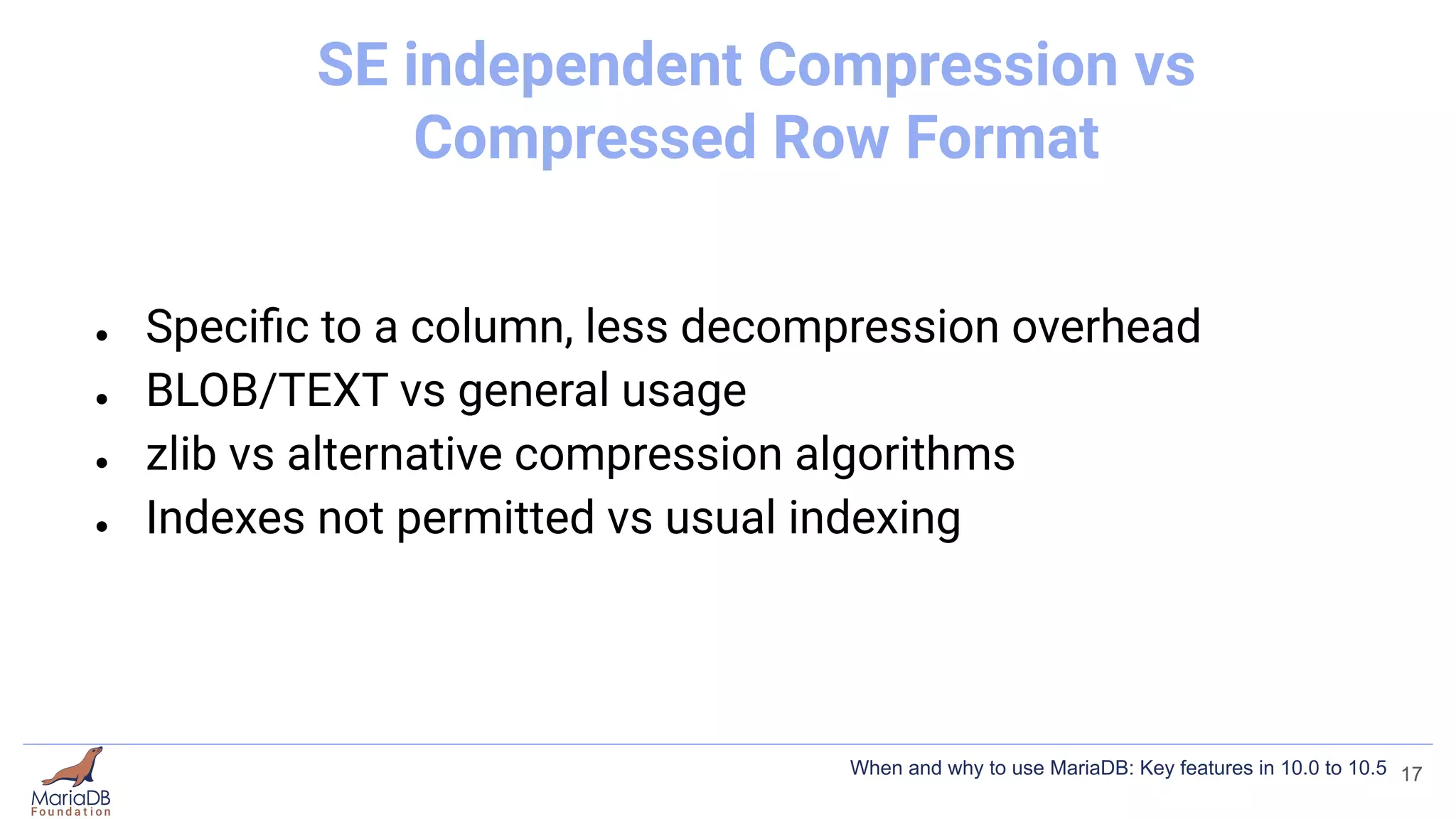
SE independent Compression vs
Compressed Row Format
● Specific to a column, less decompression overhead
● BLOB/TEXT vs general usage
● zlib vs alternative compression algorithms
● Indexes not permitted vs usual indexing
17
When and why to use MariaDB: Key features in 10.0 to 10.5
InnoDB Compression
3 types of compression
● Compressed Row Format
● InnoDB Page Compression (10.1)
● Storage-engine Independent Column Compression (10.3)
● https://mariadb.com/kb/en/optimization-and-tuning-compression/
18
When and why to use MariaDB: Key features in 10.0 to 10.5
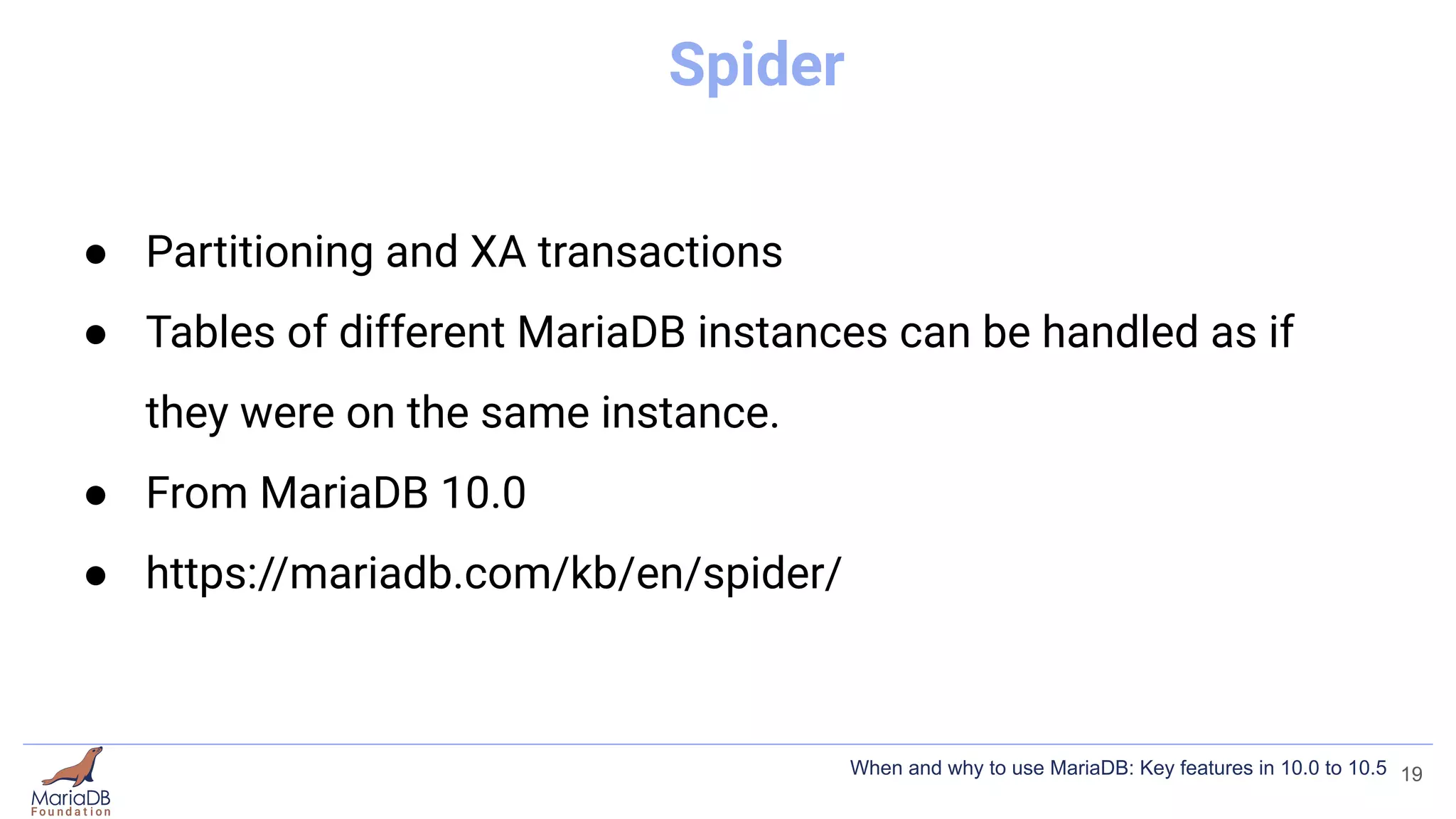
Spider
● Partitioning and XA transactions
● Tables of different MariaDB instances can be handled as if
they were on the same instance.
● From MariaDB 10.0
● https://mariadb.com/kb/en/spider/
19
When and why to use MariaDB: Key features in 10.0 to 10.5
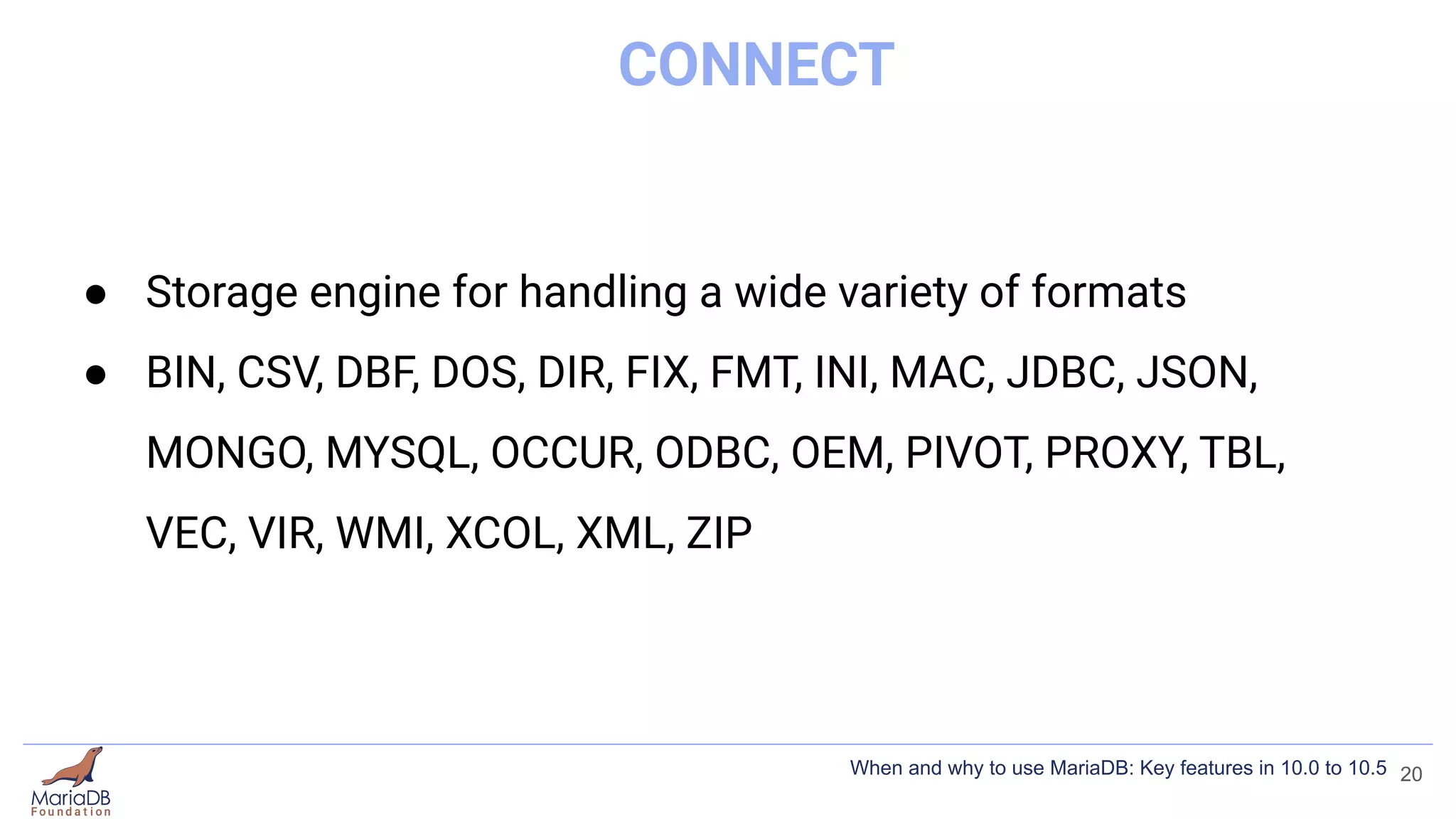
CONNECT
● Storage engine for handling a wide variety of formats
● BIN, CSV, DBF, DOS, DIR, FIX, FMT, INI, MAC, JDBC, JSON,
MONGO, MYSQL, OCCUR, ODBC, OEM, PIVOT, PROXY, TBL,
VEC, VIR, WMI, XCOL, XML, ZIP
20
When and why to use MariaDB: Key features in 10.0 to 10.5
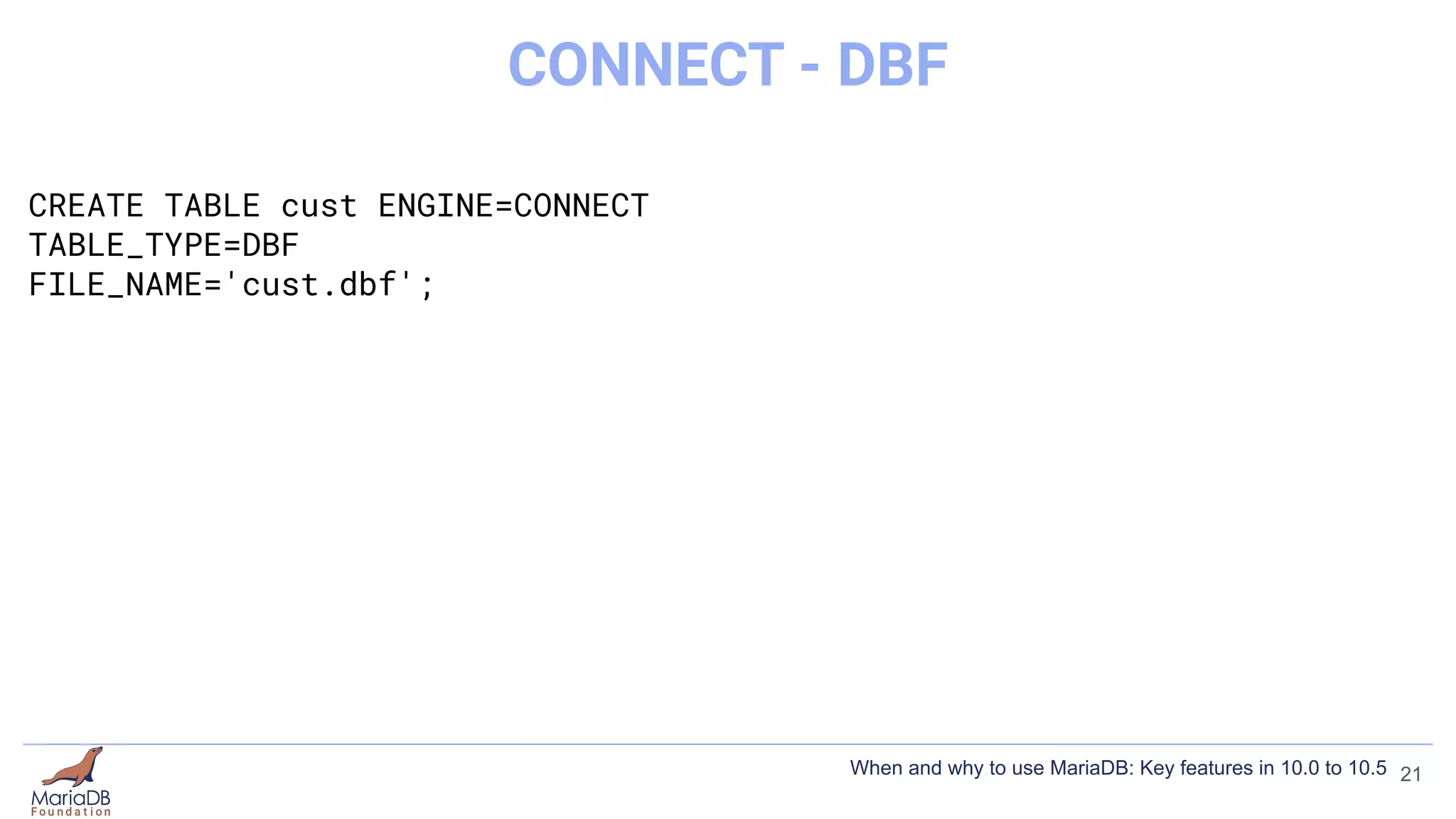
CREATE TABLE cust ENGINE=CONNECT
TABLE_TYPE=DBF
FILE_NAME='cust.dbf';
21
CONNECT - DBF
When and why to use MariaDB: Key features in 10.0 to 10.5
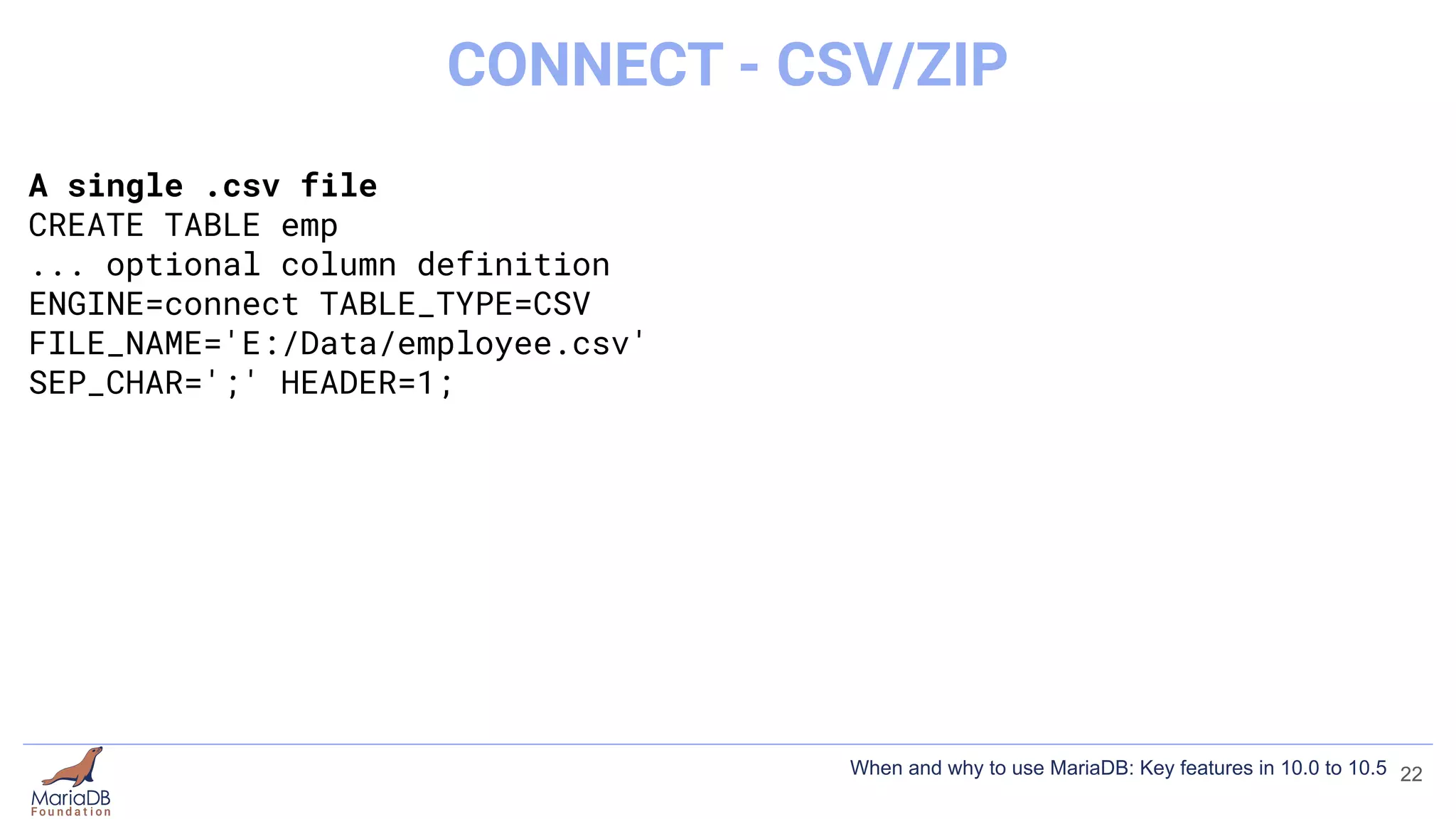
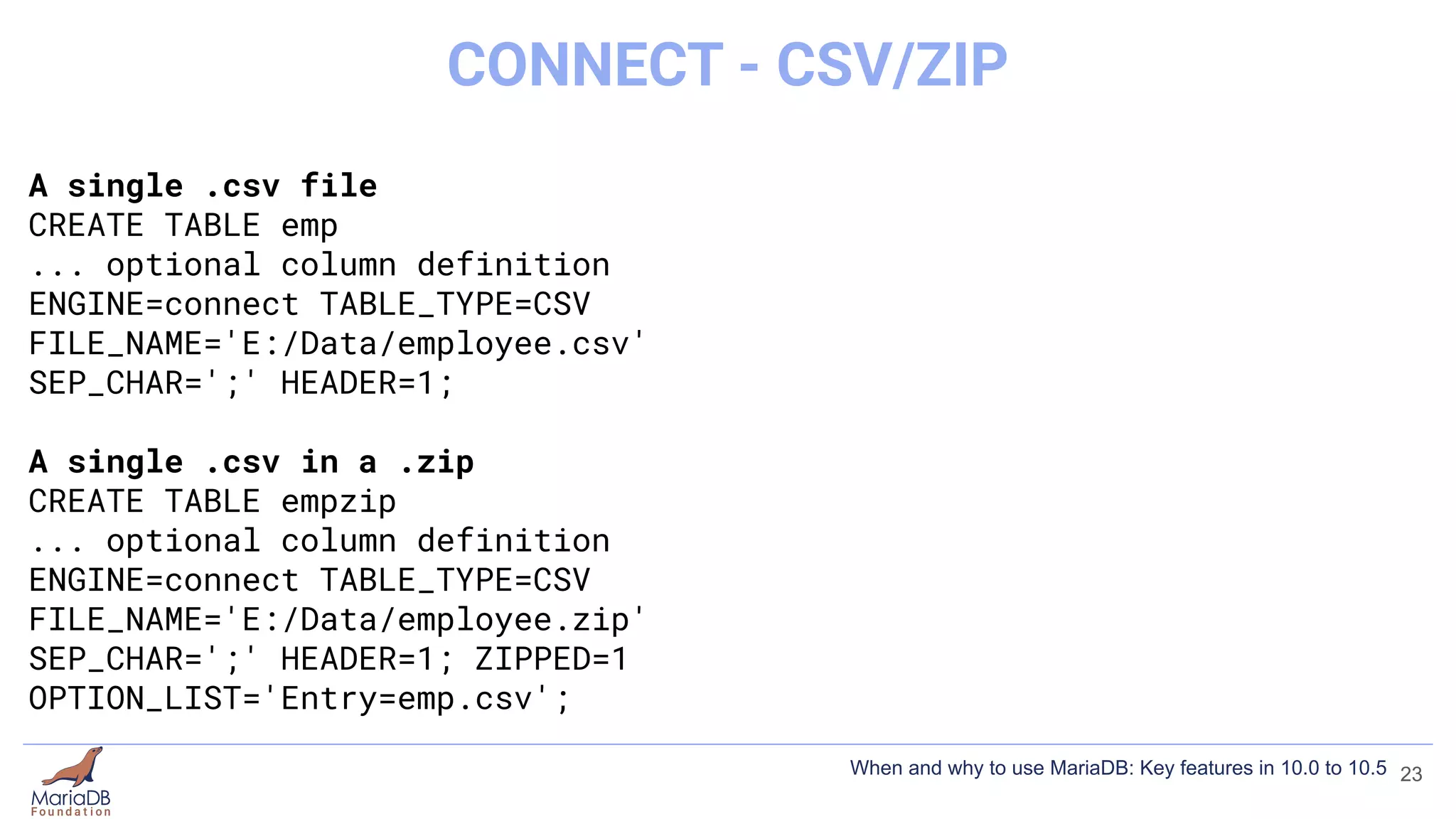
A single .csv file
CREATE TABLE emp
... optional column definition
ENGINE=connect TABLE_TYPE=CSV
FILE_NAME='E:/Data/employee.csv'
SEP_CHAR=';' HEADER=1;
22
CONNECT - CSV/ZIP
When and why to use MariaDB: Key features in 10.0 to 10.5
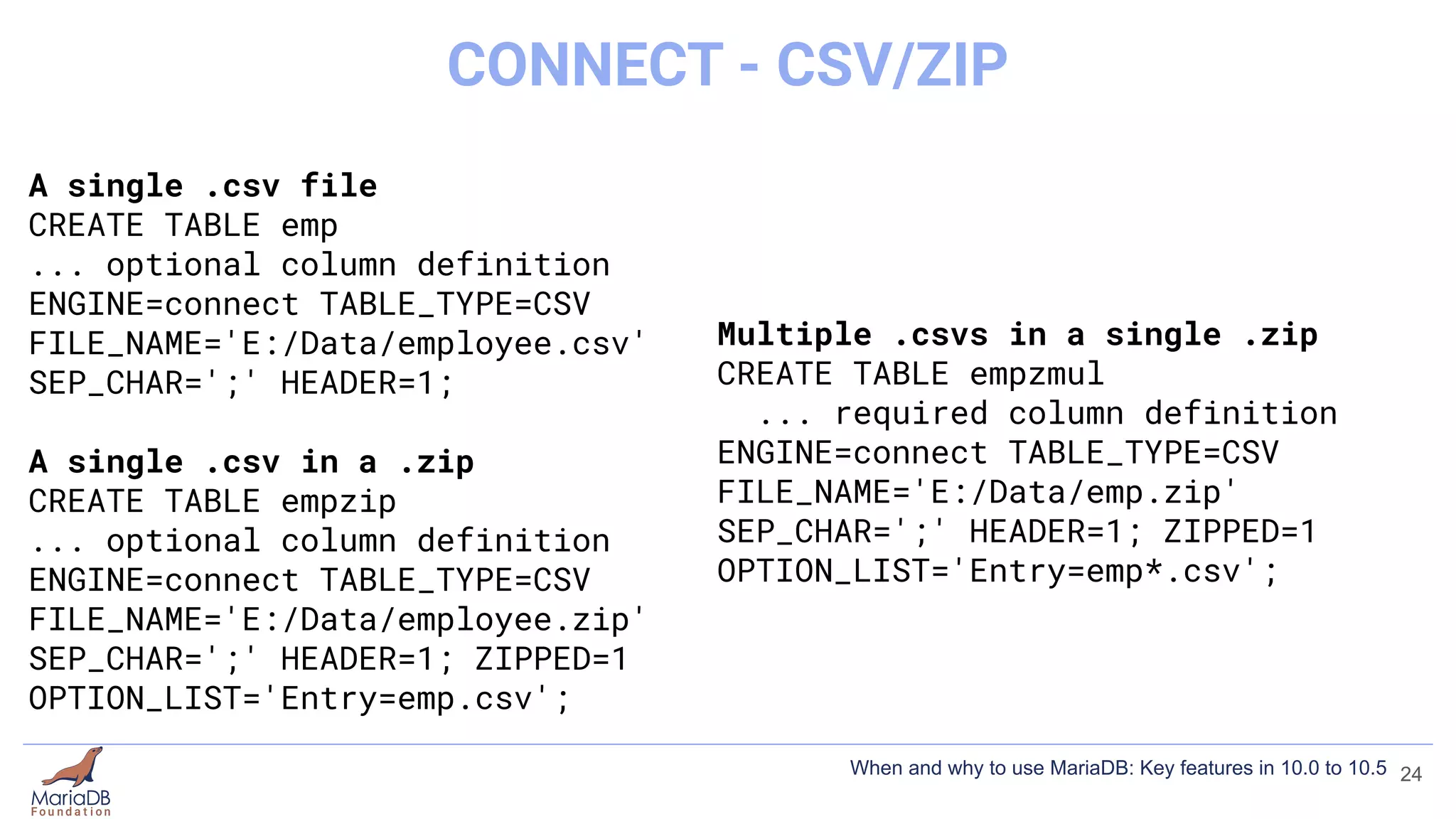
A single .csv file
CREATE TABLE emp
... optional column definition
ENGINE=connect TABLE_TYPE=CSV
FILE_NAME='E:/Data/employee.csv'
SEP_CHAR=';' HEADER=1;
A single .csv in a .zip
CREATE TABLE empzip
... optional column definition
ENGINE=connect TABLE_TYPE=CSV
FILE_NAME='E:/Data/employee.zip'
SEP_CHAR=';' HEADER=1; ZIPPED=1
OPTION_LIST='Entry=emp.csv';
23
CONNECT - CSV/ZIP
When and why to use MariaDB: Key features in 10.0 to 10.5
A single .csv file
CREATE TABLE emp
... optional column definition
ENGINE=connect TABLE_TYPE=CSV
FILE_NAME='E:/Data/employee.csv'
SEP_CHAR=';' HEADER=1;
A single .csv in a .zip
CREATE TABLE empzip
... optional column definition
ENGINE=connect TABLE_TYPE=CSV
FILE_NAME='E:/Data/employee.zip'
SEP_CHAR=';' HEADER=1; ZIPPED=1
OPTION_LIST='Entry=emp.csv';
Multiple .csvs in a single .zip
CREATE TABLE empzmul
... required column definition
ENGINE=connect TABLE_TYPE=CSV
FILE_NAME='E:/Data/emp.zip'
SEP_CHAR=';' HEADER=1; ZIPPED=1
OPTION_LIST='Entry=emp*.csv';
24
CONNECT - CSV/ZIP
When and why to use MariaDB: Key features in 10.0 to 10.5
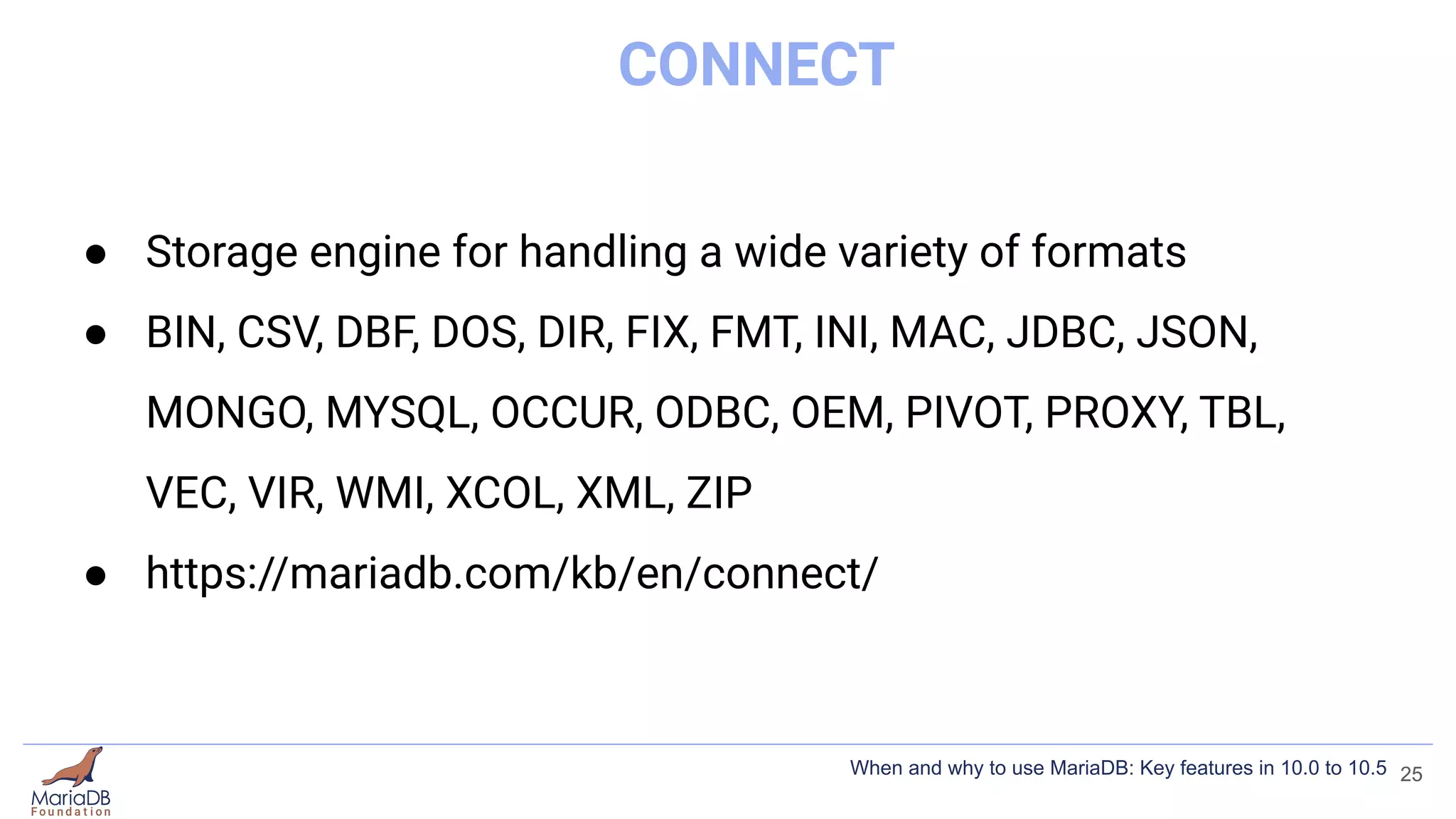
CONNECT
● Storage engine for handling a wide variety of formats
● BIN, CSV, DBF, DOS, DIR, FIX, FMT, INI, MAC, JDBC, JSON,
MONGO, MYSQL, OCCUR, ODBC, OEM, PIVOT, PROXY, TBL,
VEC, VIR, WMI, XCOL, XML, ZIP
● https://mariadb.com/kb/en/connect/
25
When and why to use MariaDB: Key features in 10.0 to 10.5
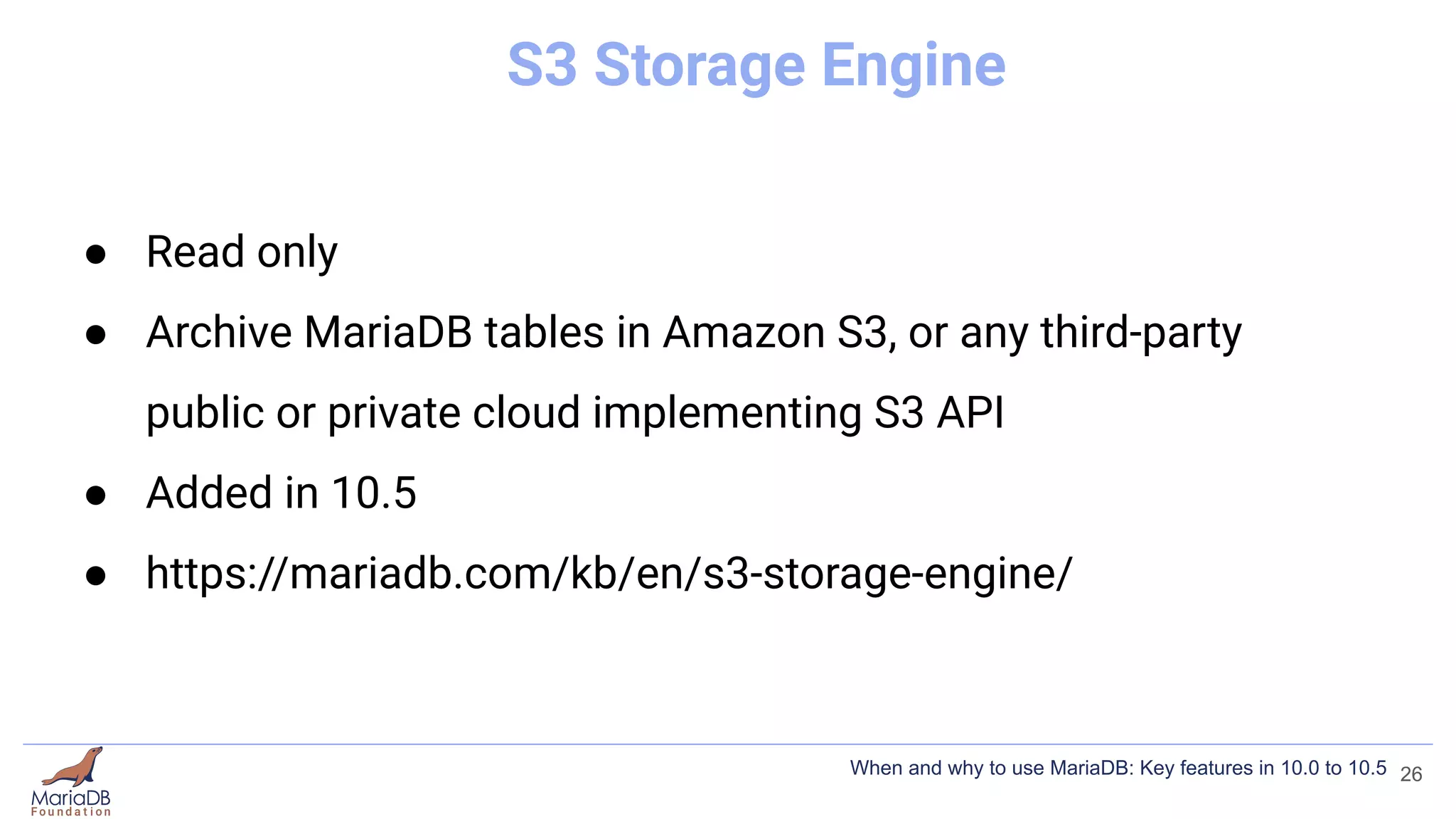
S3 Storage Engine
● Read only
● Archive MariaDB tables in Amazon S3, or any third-party
public or private cloud implementing S3 API
● Added in 10.5
● https://mariadb.com/kb/en/s3-storage-engine/
26
When and why to use MariaDB: Key features in 10.0 to 10.5
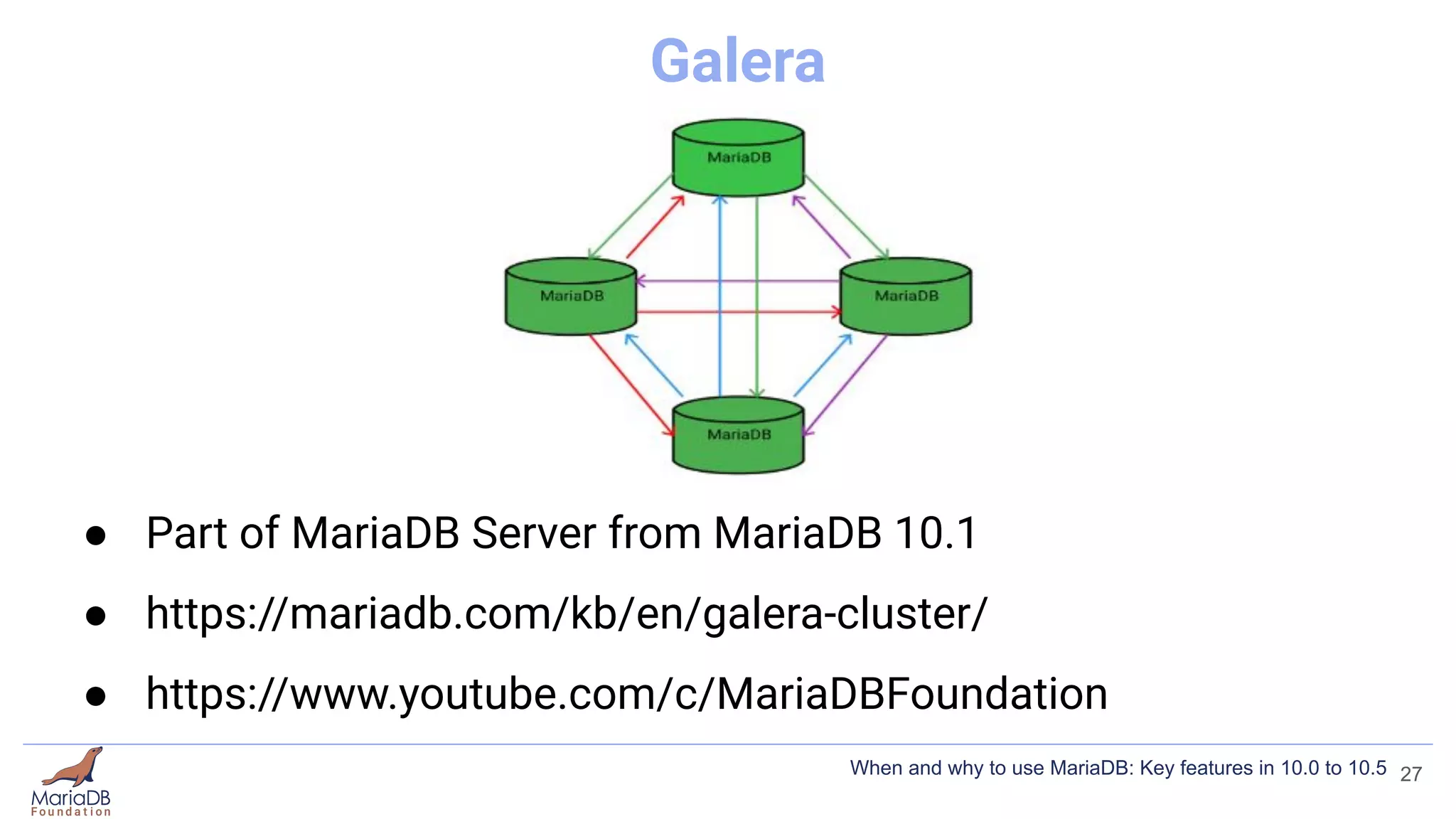
Galera
● Part of MariaDB Server from MariaDB 10.1
● https://mariadb.com/kb/en/galera-cluster/
● https://www.youtube.com/c/MariaDBFoundation
27
When and why to use MariaDB: Key features in 10.0 to 10.5
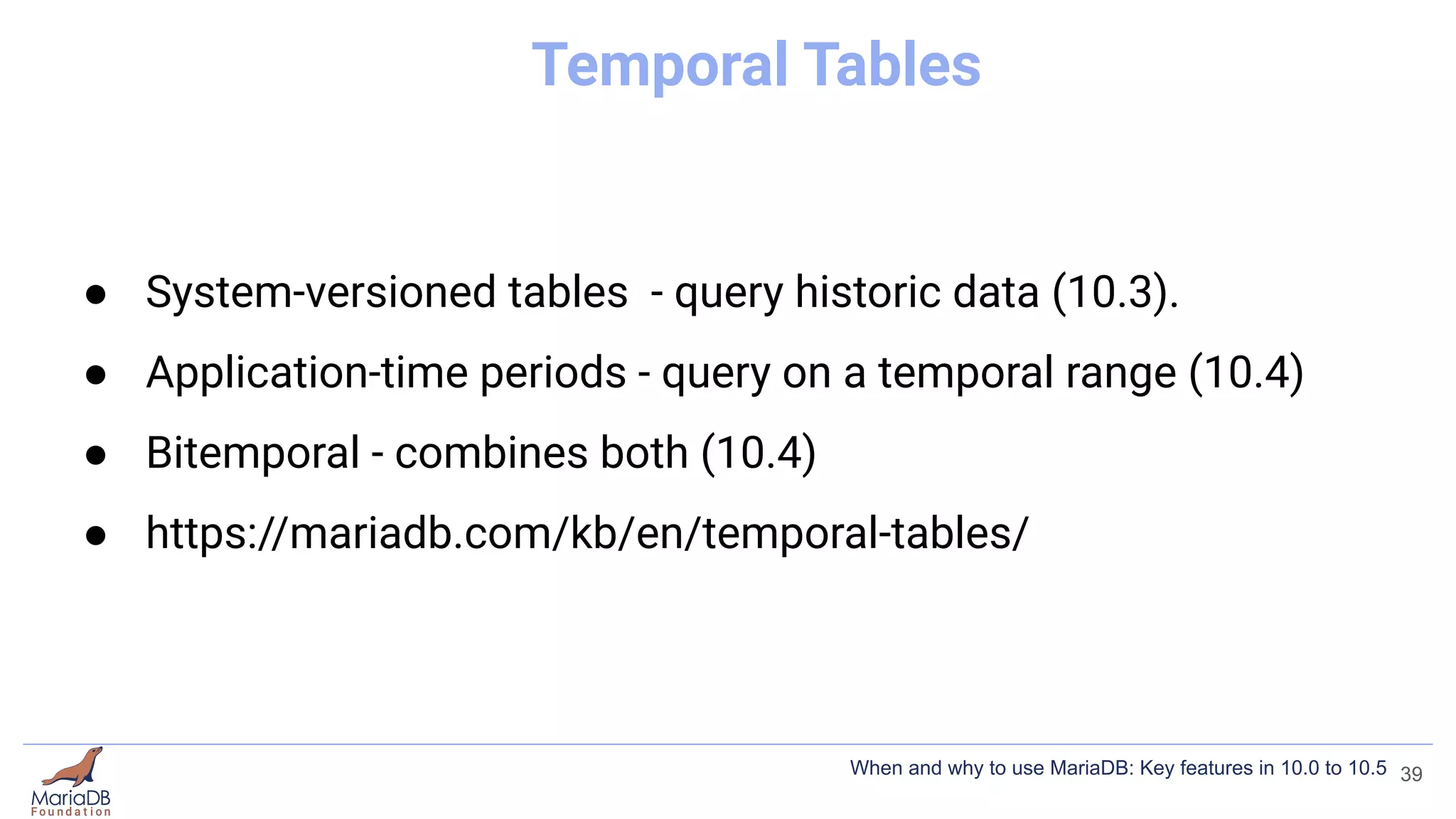
Temporal Tables
● System-versioned tables - query historic data (10.3).
● Application-time periods - query on a temporal range (10.4)
● Bitemporal - combines both (10.4)
28
When and why to use MariaDB: Key features in 10.0 to 10.5
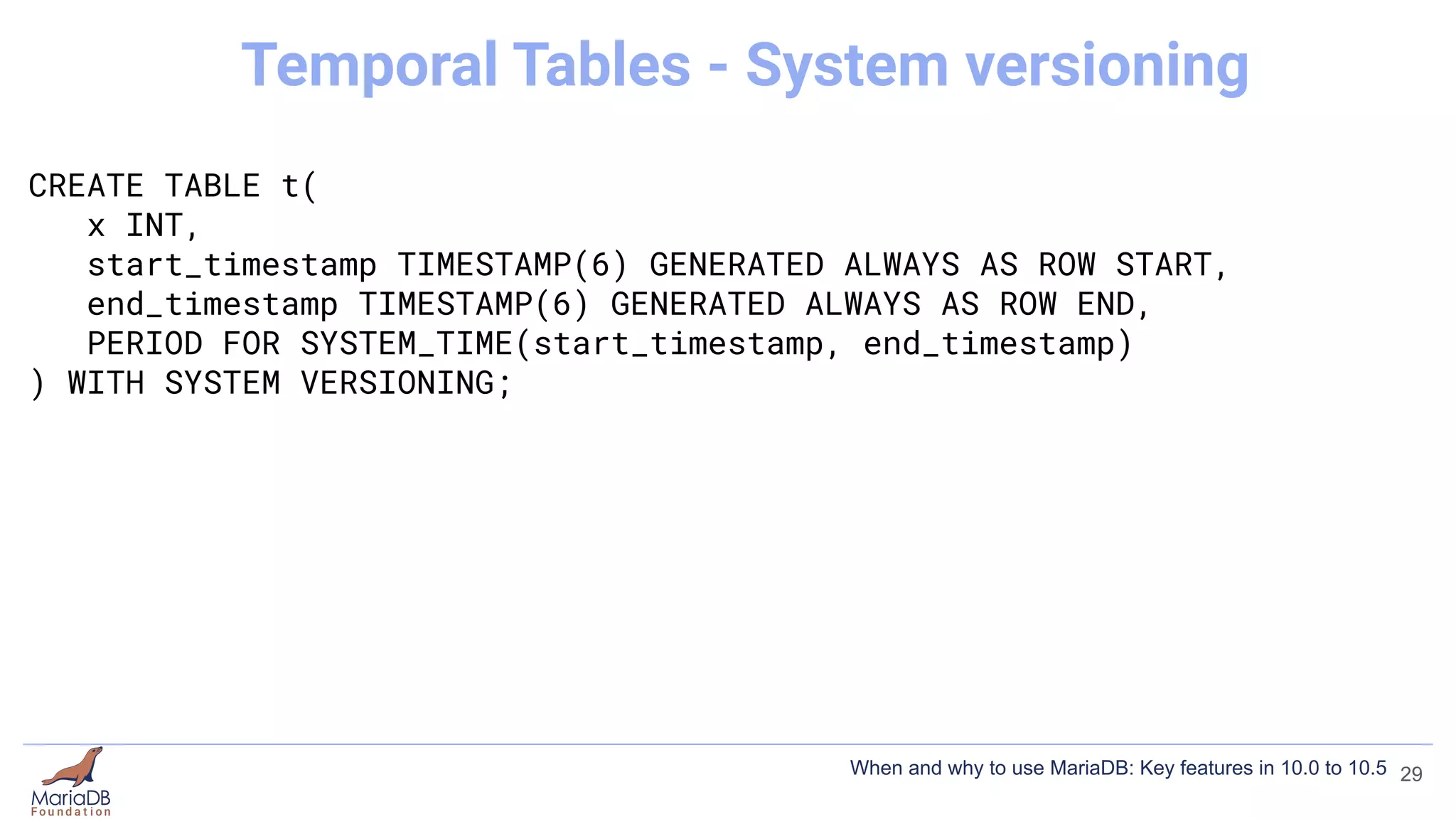
CREATE TABLE t(
x INT,
start_timestamp TIMESTAMP(6) GENERATED ALWAYS AS ROW START,
end_timestamp TIMESTAMP(6) GENERATED ALWAYS AS ROW END,
PERIOD FOR SYSTEM_TIME(start_timestamp, end_timestamp)
) WITH SYSTEM VERSIONING;
29
Temporal Tables - System versioning
When and why to use MariaDB: Key features in 10.0 to 10.5
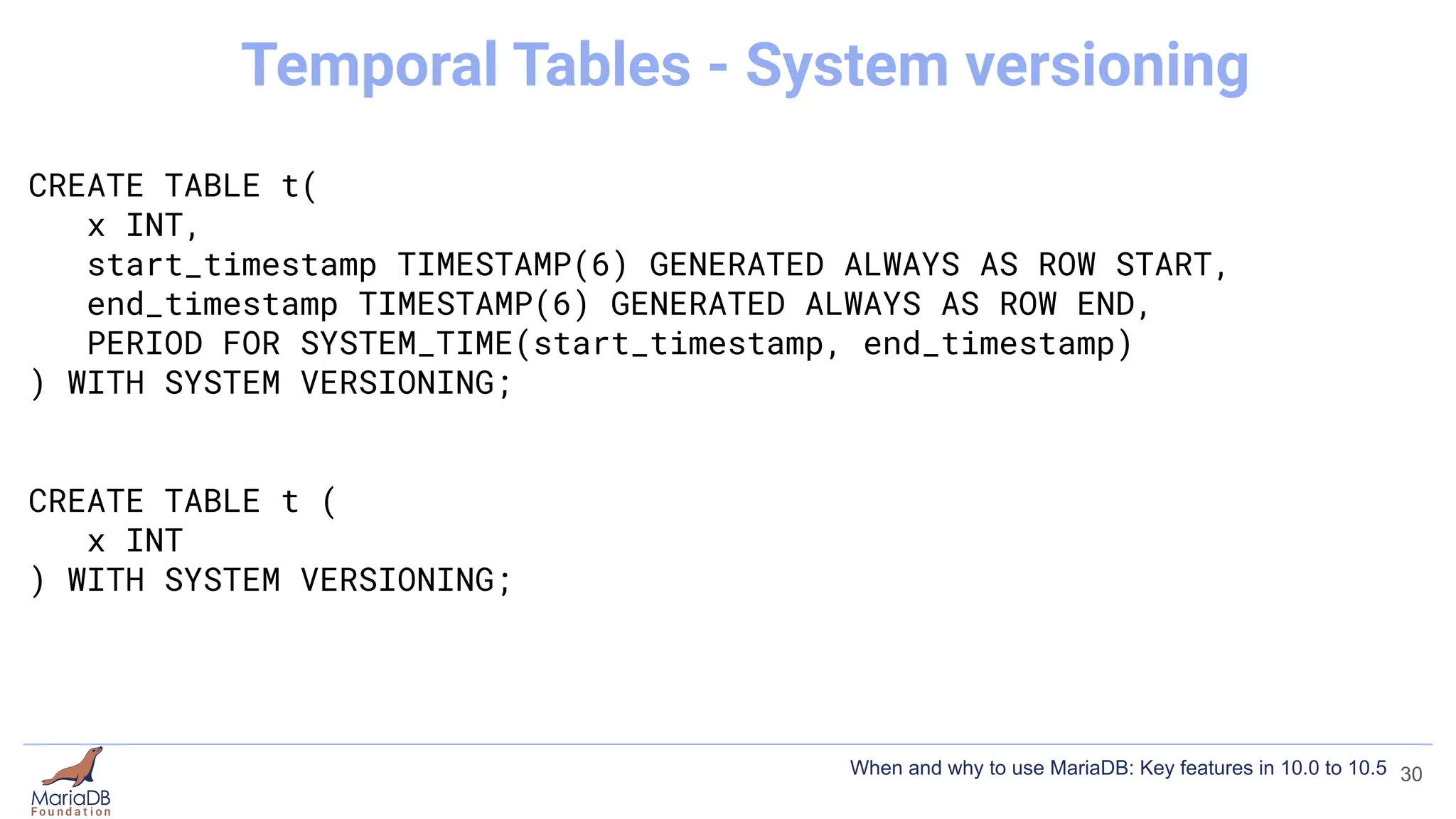
CREATE TABLE t(
x INT,
start_timestamp TIMESTAMP(6) GENERATED ALWAYS AS ROW START,
end_timestamp TIMESTAMP(6) GENERATED ALWAYS AS ROW END,
PERIOD FOR SYSTEM_TIME(start_timestamp, end_timestamp)
) WITH SYSTEM VERSIONING;
CREATE TABLE t (
x INT
) WITH SYSTEM VERSIONING;
30
Temporal Tables - System versioning
When and why to use MariaDB: Key features in 10.0 to 10.5
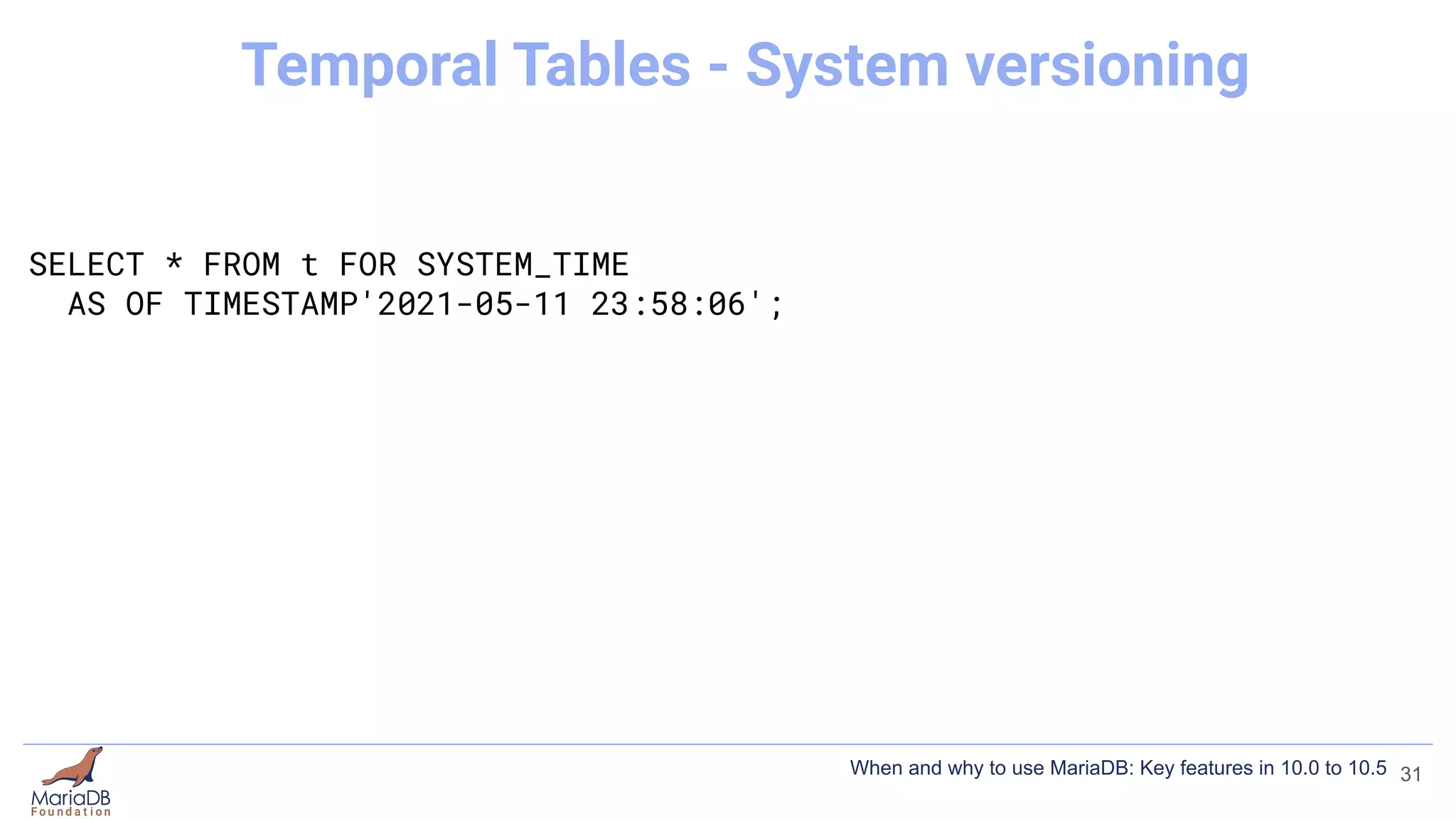
SELECT * FROM t FOR SYSTEM_TIME
AS OF TIMESTAMP'2021-05-11 23:58:06';
31
Temporal Tables - System versioning
When and why to use MariaDB: Key features in 10.0 to 10.5
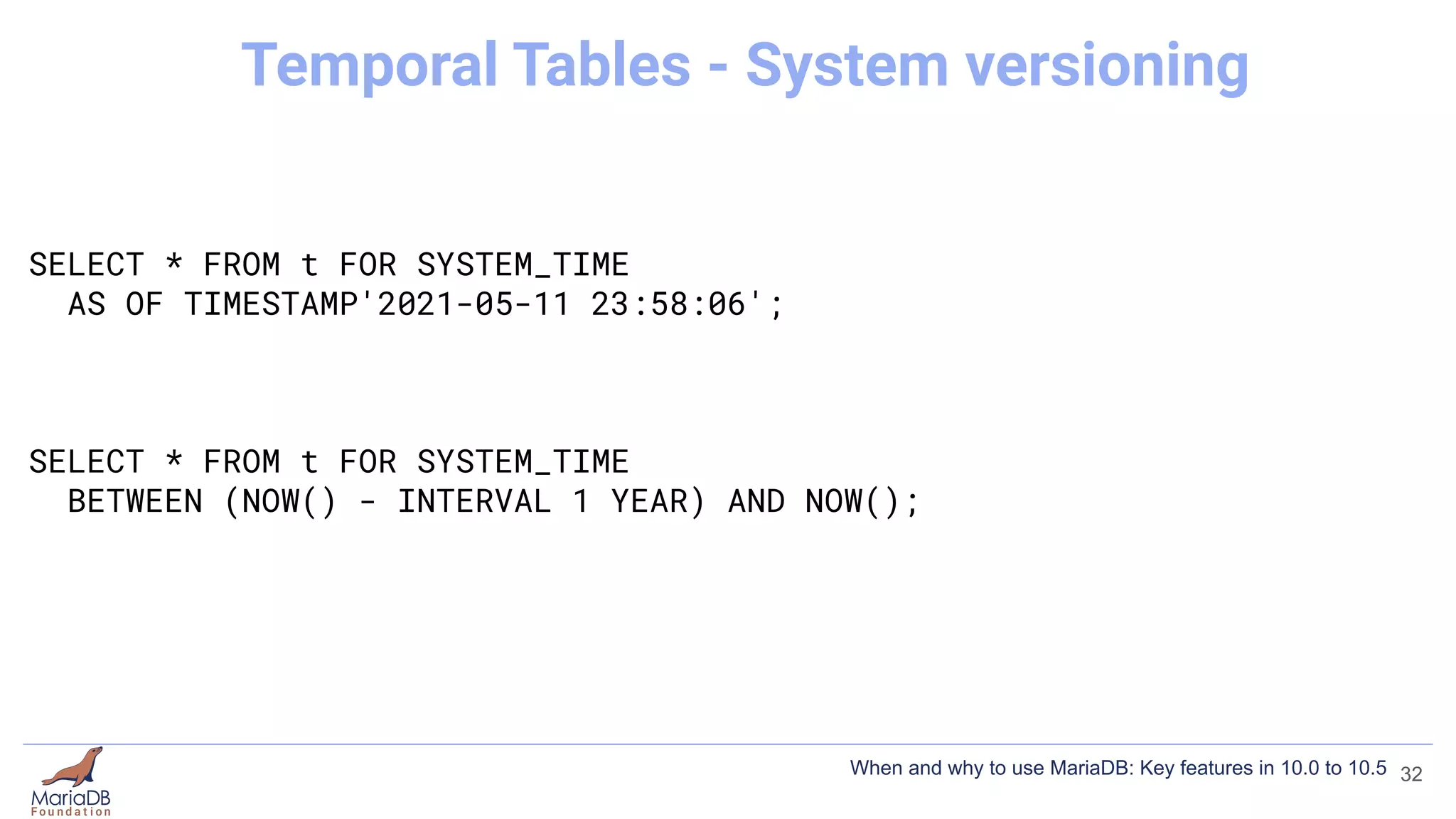
SELECT * FROM t FOR SYSTEM_TIME
AS OF TIMESTAMP'2021-05-11 23:58:06';
SELECT * FROM t FOR SYSTEM_TIME
BETWEEN (NOW() - INTERVAL 1 YEAR) AND NOW();
32
Temporal Tables - System versioning
When and why to use MariaDB: Key features in 10.0 to 10.5
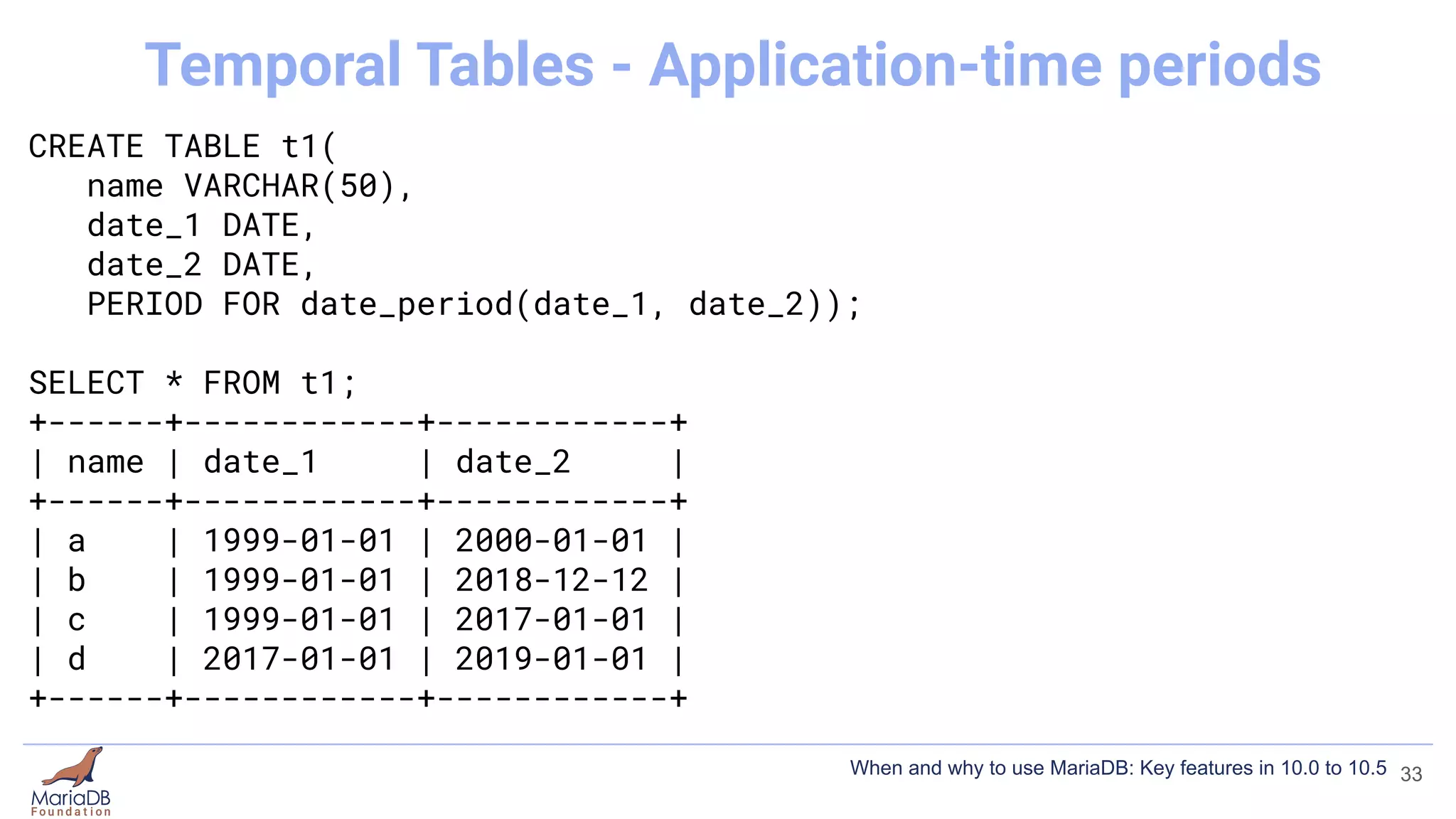
CREATE TABLE t1(
name VARCHAR(50),
date_1 DATE,
date_2 DATE,
PERIOD FOR date_period(date_1, date_2));
SELECT * FROM t1;
+------+------------+------------+
| name | date_1 | date_2 |
+------+------------+------------+
| a | 1999-01-01 | 2000-01-01 |
| b | 1999-01-01 | 2018-12-12 |
| c | 1999-01-01 | 2017-01-01 |
| d | 2017-01-01 | 2019-01-01 |
+------+------------+------------+
33
Temporal Tables - Application-time periods
When and why to use MariaDB: Key features in 10.0 to 10.5
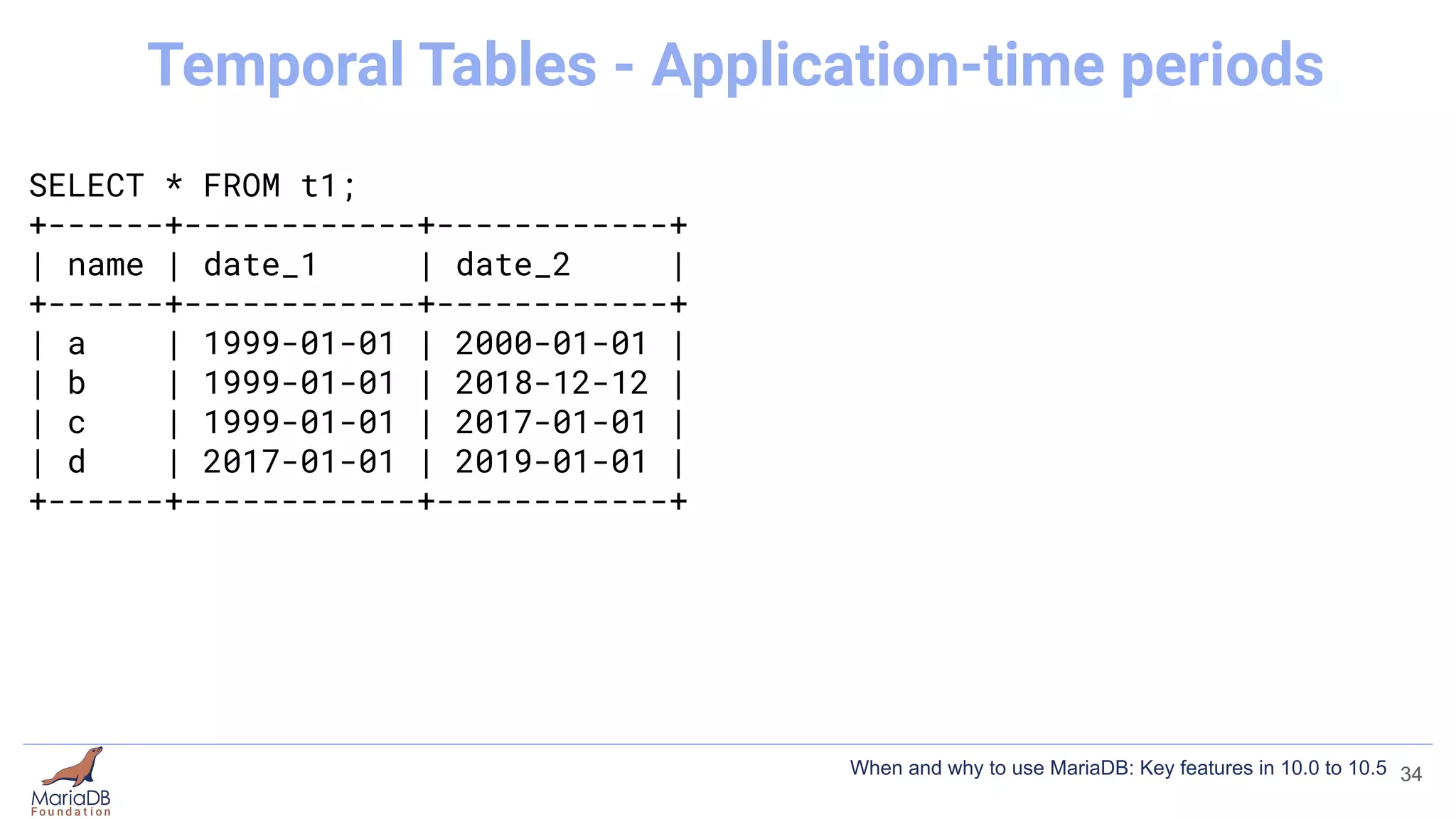
SELECT * FROM t1;
+------+------------+------------+
| name | date_1 | date_2 |
+------+------------+------------+
| a | 1999-01-01 | 2000-01-01 |
| b | 1999-01-01 | 2018-12-12 |
| c | 1999-01-01 | 2017-01-01 |
| d | 2017-01-01 | 2019-01-01 |
+------+------------+------------+
34
Temporal Tables - Application-time periods
When and why to use MariaDB: Key features in 10.0 to 10.5
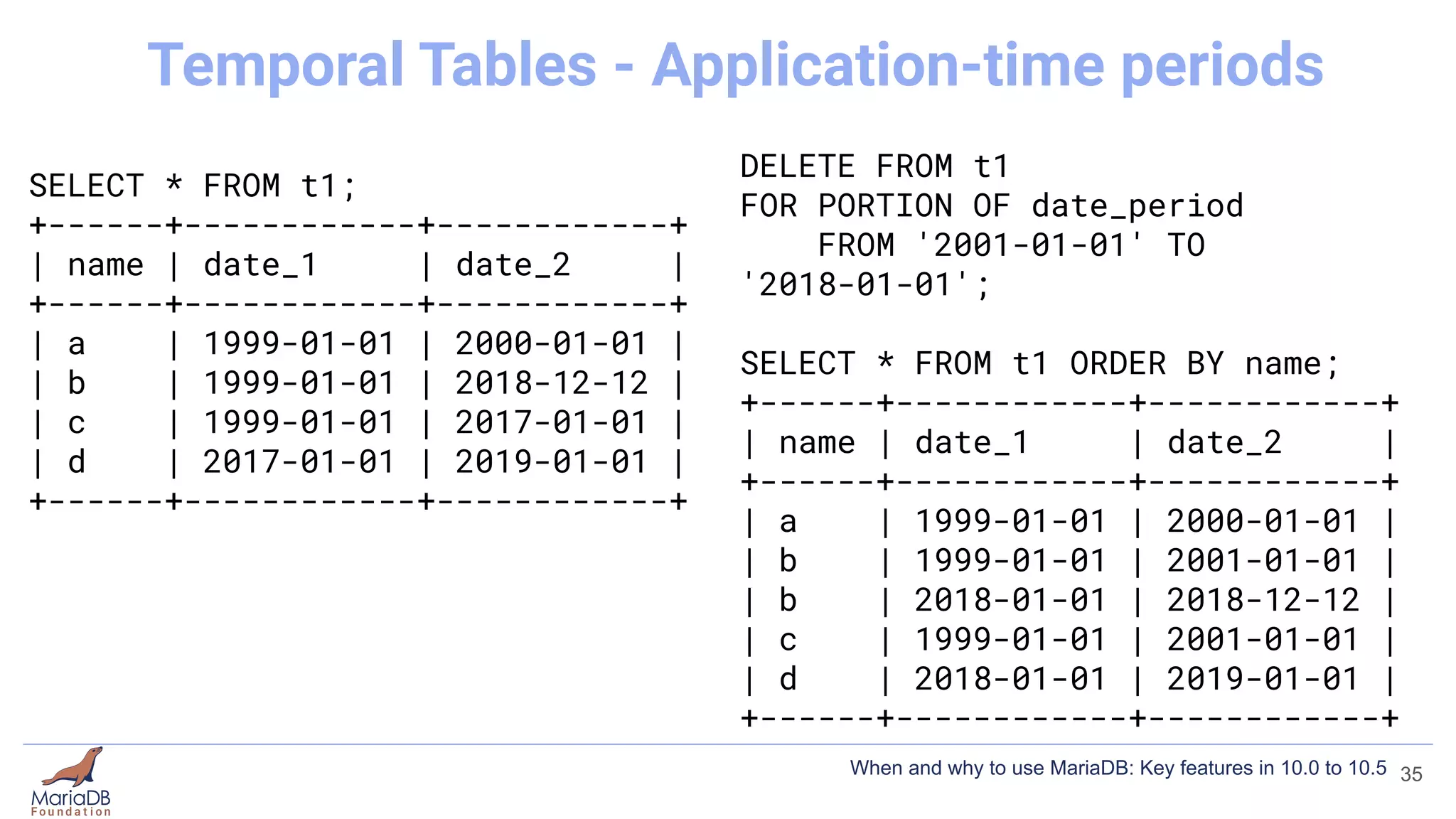
SELECT * FROM t1;
+------+------------+------------+
| name | date_1 | date_2 |
+------+------------+------------+
| a | 1999-01-01 | 2000-01-01 |
| b | 1999-01-01 | 2018-12-12 |
| c | 1999-01-01 | 2017-01-01 |
| d | 2017-01-01 | 2019-01-01 |
+------+------------+------------+
DELETE FROM t1
FOR PORTION OF date_period
FROM '2001-01-01' TO
'2018-01-01';
SELECT * FROM t1 ORDER BY name;
+------+------------+------------+
| name | date_1 | date_2 |
+------+------------+------------+
| a | 1999-01-01 | 2000-01-01 |
| b | 1999-01-01 | 2001-01-01 |
| b | 2018-01-01 | 2018-12-12 |
| c | 1999-01-01 | 2001-01-01 |
| d | 2018-01-01 | 2019-01-01 |
+------+------------+------------+
35
Temporal Tables - Application-time periods
When and why to use MariaDB: Key features in 10.0 to 10.5
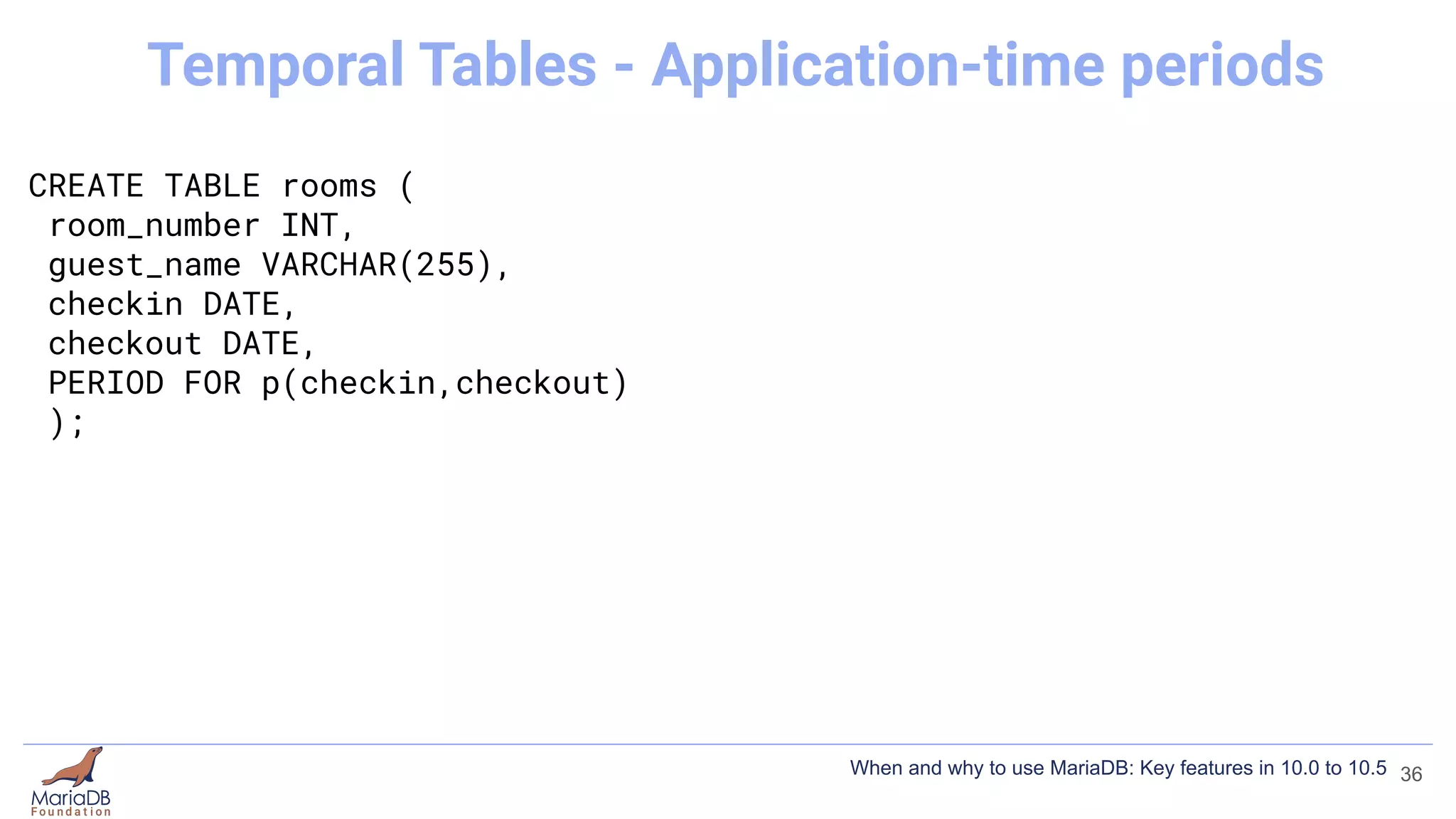
CREATE TABLE rooms (
room_number INT,
guest_name VARCHAR(255),
checkin DATE,
checkout DATE,
PERIOD FOR p(checkin,checkout)
);
36
Temporal Tables - Application-time periods
When and why to use MariaDB: Key features in 10.0 to 10.5
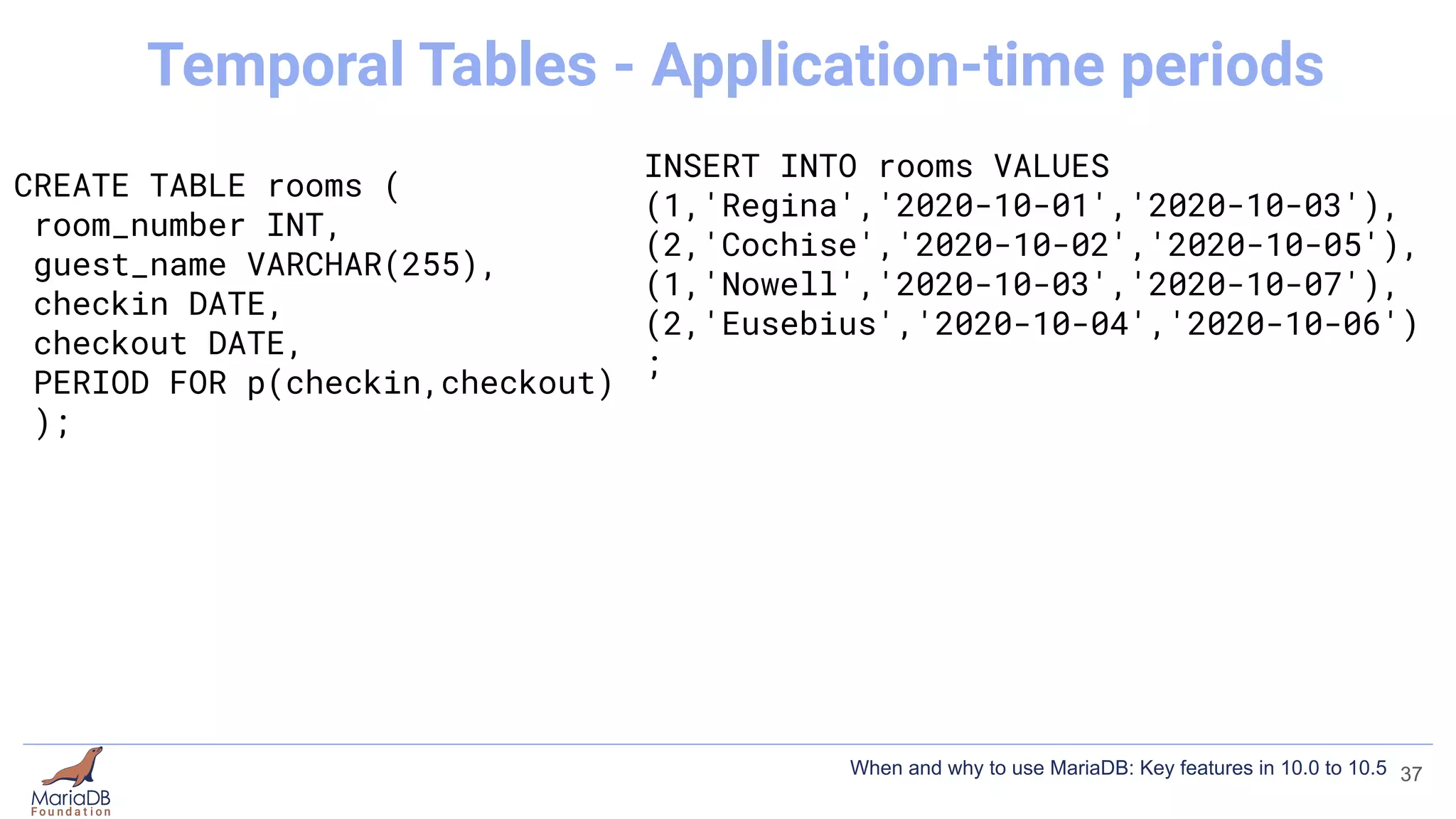
CREATE TABLE rooms (
room_number INT,
guest_name VARCHAR(255),
checkin DATE,
checkout DATE,
PERIOD FOR p(checkin,checkout)
);
INSERT INTO rooms VALUES
(1,'Regina','2020-10-01','2020-10-03'),
(2,'Cochise','2020-10-02','2020-10-05'),
(1,'Nowell','2020-10-03','2020-10-07'),
(2,'Eusebius','2020-10-04','2020-10-06')
;
37
Temporal Tables - Application-time periods
When and why to use MariaDB: Key features in 10.0 to 10.5
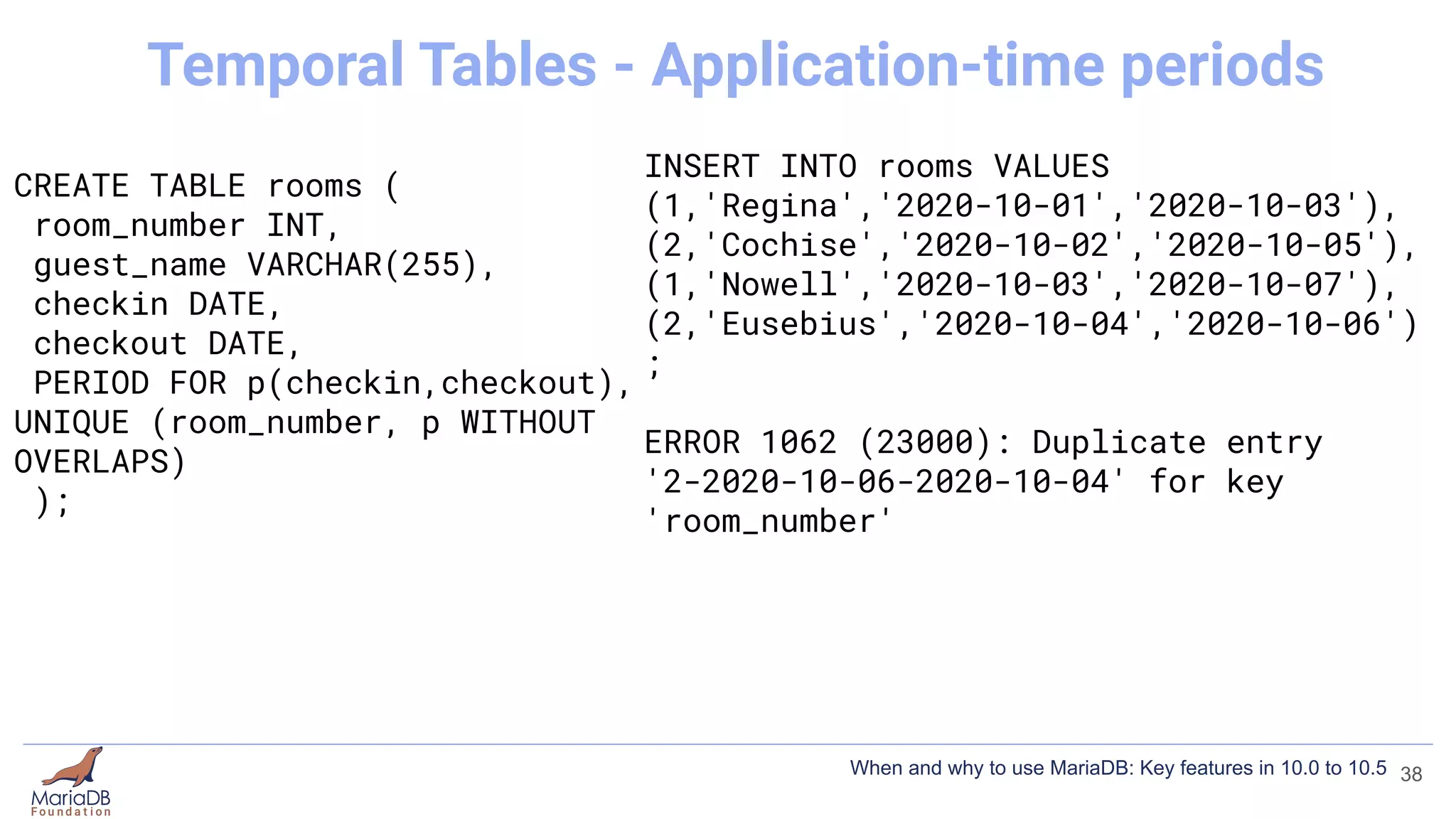
CREATE TABLE rooms (
room_number INT,
guest_name VARCHAR(255),
checkin DATE,
checkout DATE,
PERIOD FOR p(checkin,checkout),
UNIQUE (room_number, p WITHOUT
OVERLAPS)
);
INSERT INTO rooms VALUES
(1,'Regina','2020-10-01','2020-10-03'),
(2,'Cochise','2020-10-02','2020-10-05'),
(1,'Nowell','2020-10-03','2020-10-07'),
(2,'Eusebius','2020-10-04','2020-10-06')
;
ERROR 1062 (23000): Duplicate entry
'2-2020-10-06-2020-10-04' for key
'room_number'
38
Temporal Tables - Application-time periods
When and why to use MariaDB: Key features in 10.0 to 10.5
Temporal Tables
● System-versioned tables - query historic data (10.3).
● Application-time periods - query on a temporal range (10.4)
● Bitemporal - combines both (10.4)
● https://mariadb.com/kb/en/temporal-tables/
39
When and why to use MariaDB: Key features in 10.0 to 10.5
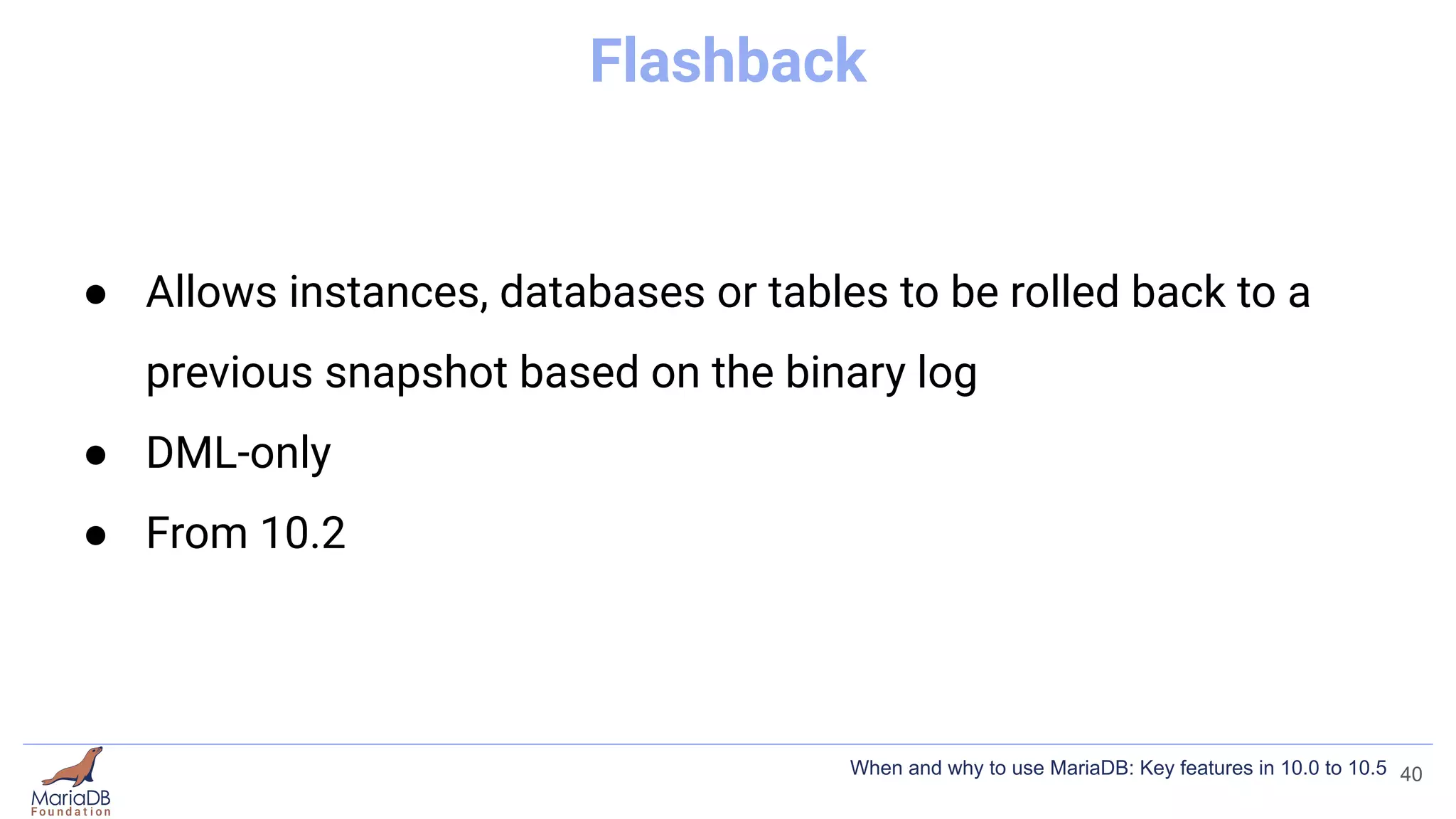
Flashback
● Allows instances, databases or tables to be rolled back to a
previous snapshot based on the binary log
● DML-only
● From 10.2
40
When and why to use MariaDB: Key features in 10.0 to 10.5
[mariadb]
...
binlog_format=ROW
binlog_row_image=FULL
mariadb-binlog /var/lib/mysql/mysql-bin.000001
-d test
-T mytable
--start-datetime="2021-05-11 14:54:00"
--flashback
> flashback.sql
41
Flashback
When and why to use MariaDB: Key features in 10.0 to 10.5
IF [NOT] EXISTS
● IF [NOT] EXISTS gives a warning instead of an error
● From MariaDB 10.1
42
When and why to use MariaDB: Key features in 10.0 to 10.5
DROP USER bob;
ERROR 1396 (HY000): Operation DROP USER failed for 'bob'@'%'
DROP USER IF EXISTS bob;
Query OK, 0 rows affected, 1 warning (0.00 sec)
SHOW WARNINGS;
+-------+------+---------------------------------------------+
| Level | Code | Message |
+-------+------+---------------------------------------------+
| Note | 1974 | Can't drop user 'bob'@'%'; it doesn't exist |
+-------+------+---------------------------------------------+
43
IF [NOT] EXISTS
When and why to use MariaDB: Key features in 10.0 to 10.5
CREATE TABLE t2 (id INT);
ERROR 1050 (42S01): Table 't2' already exists
CREATE TABLE IF NOT EXISTS t2 (id INT);
Query OK, 0 rows affected, 1 warning (0.000 sec)
SHOW WARNINGS;
+-------+------+---------------------------+
| Level | Code | Message |
+-------+------+---------------------------+
| Note | 1050 | Table 't2' already exists |
+-------+------+---------------------------+
1 row in set (0.000 sec)
44
IF [NOT] EXISTS
When and why to use MariaDB: Key features in 10.0 to 10.5
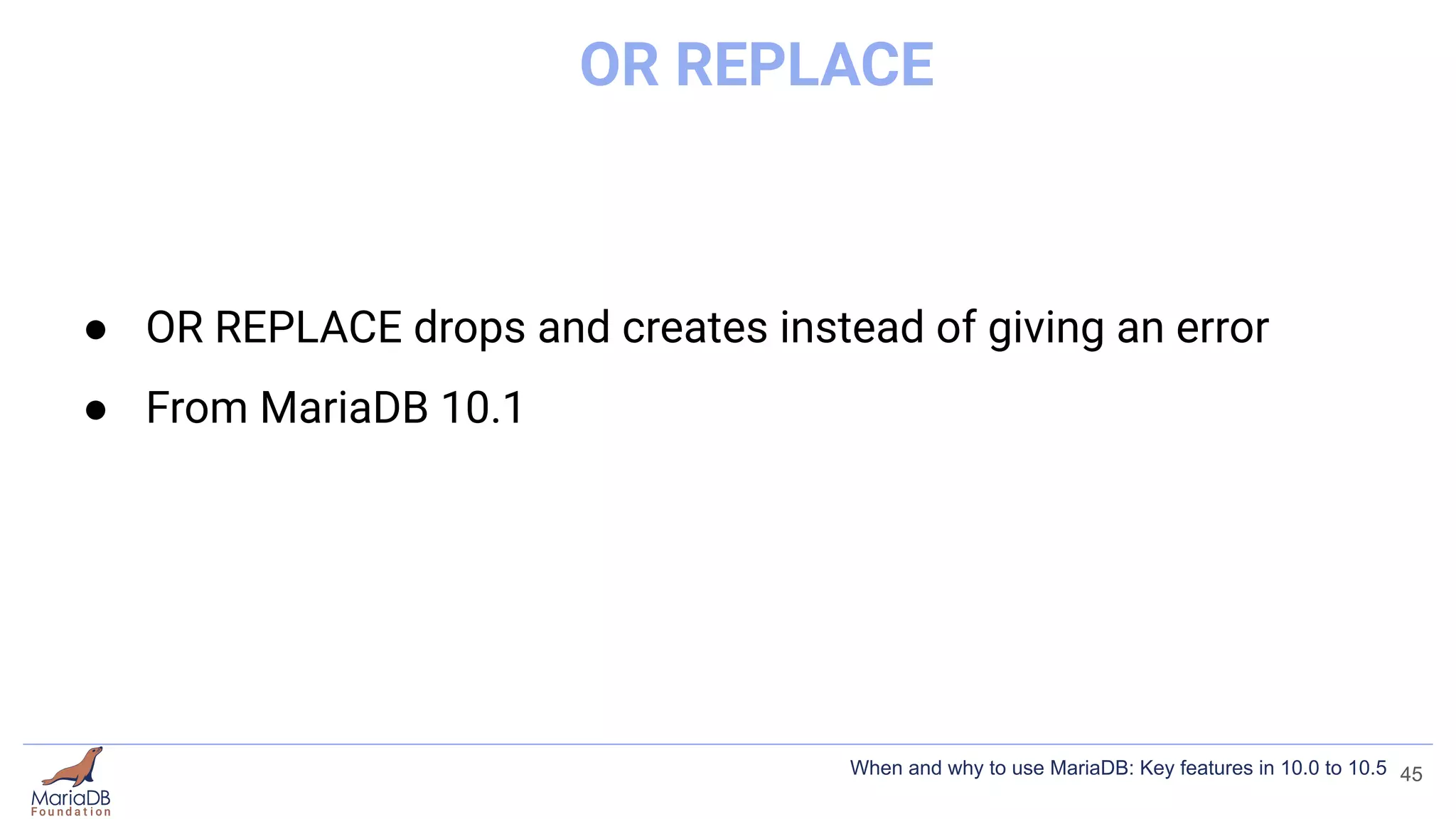
OR REPLACE
● OR REPLACE drops and creates instead of giving an error
● From MariaDB 10.1
45
When and why to use MariaDB: Key features in 10.0 to 10.5
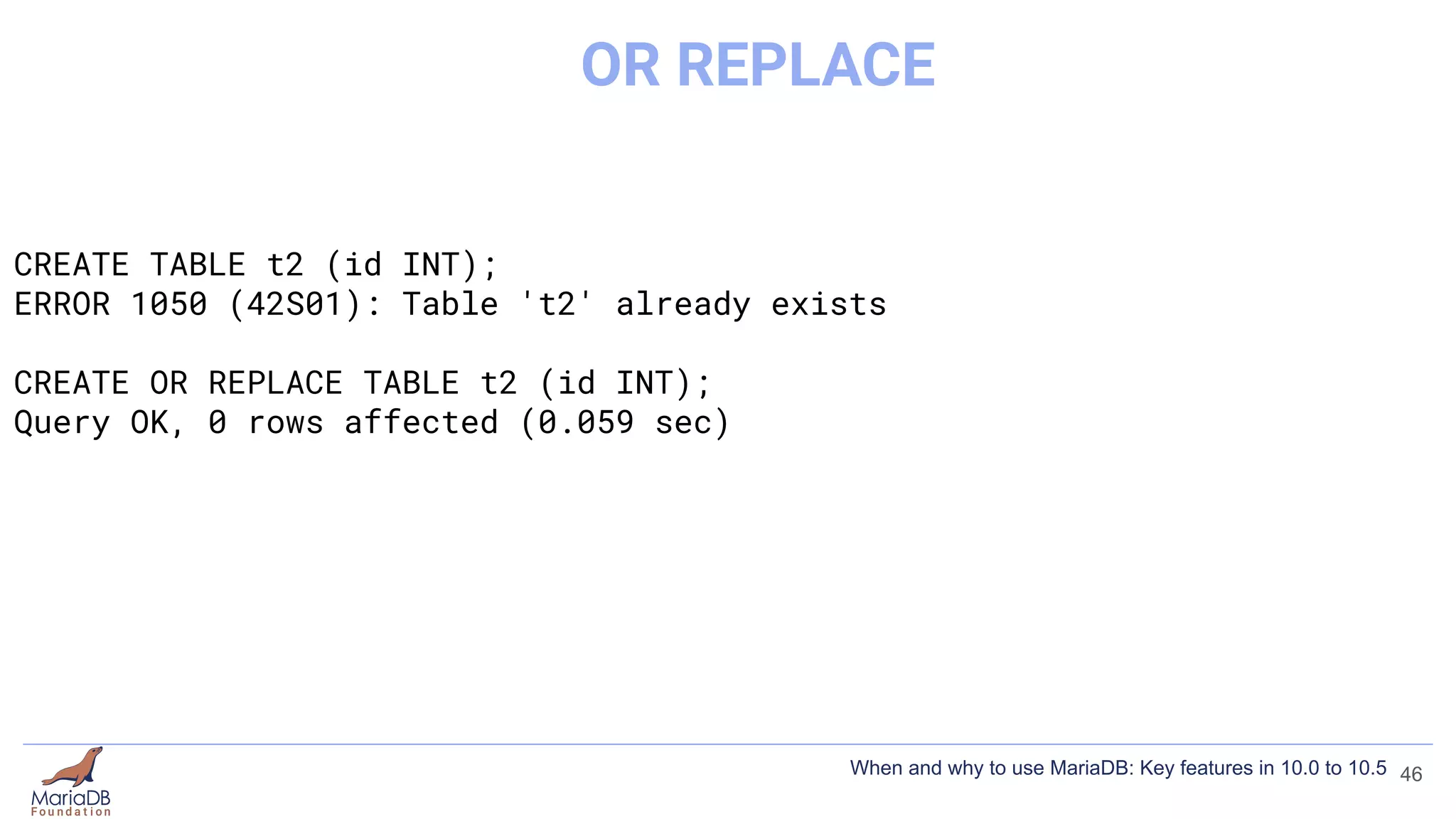
CREATE TABLE t2 (id INT);
ERROR 1050 (42S01): Table 't2' already exists
CREATE OR REPLACE TABLE t2 (id INT);
Query OK, 0 rows affected (0.059 sec)
46
OR REPLACE
When and why to use MariaDB: Key features in 10.0 to 10.5
IF [NOT] EXISTS / OR REPLACE
● OR REPLACE drops and creates instead of giving an error
● From MariaDB 10.1
● https://mariadb.com/kb/en/create-database/
47
When and why to use MariaDB: Key features in 10.0 to 10.5
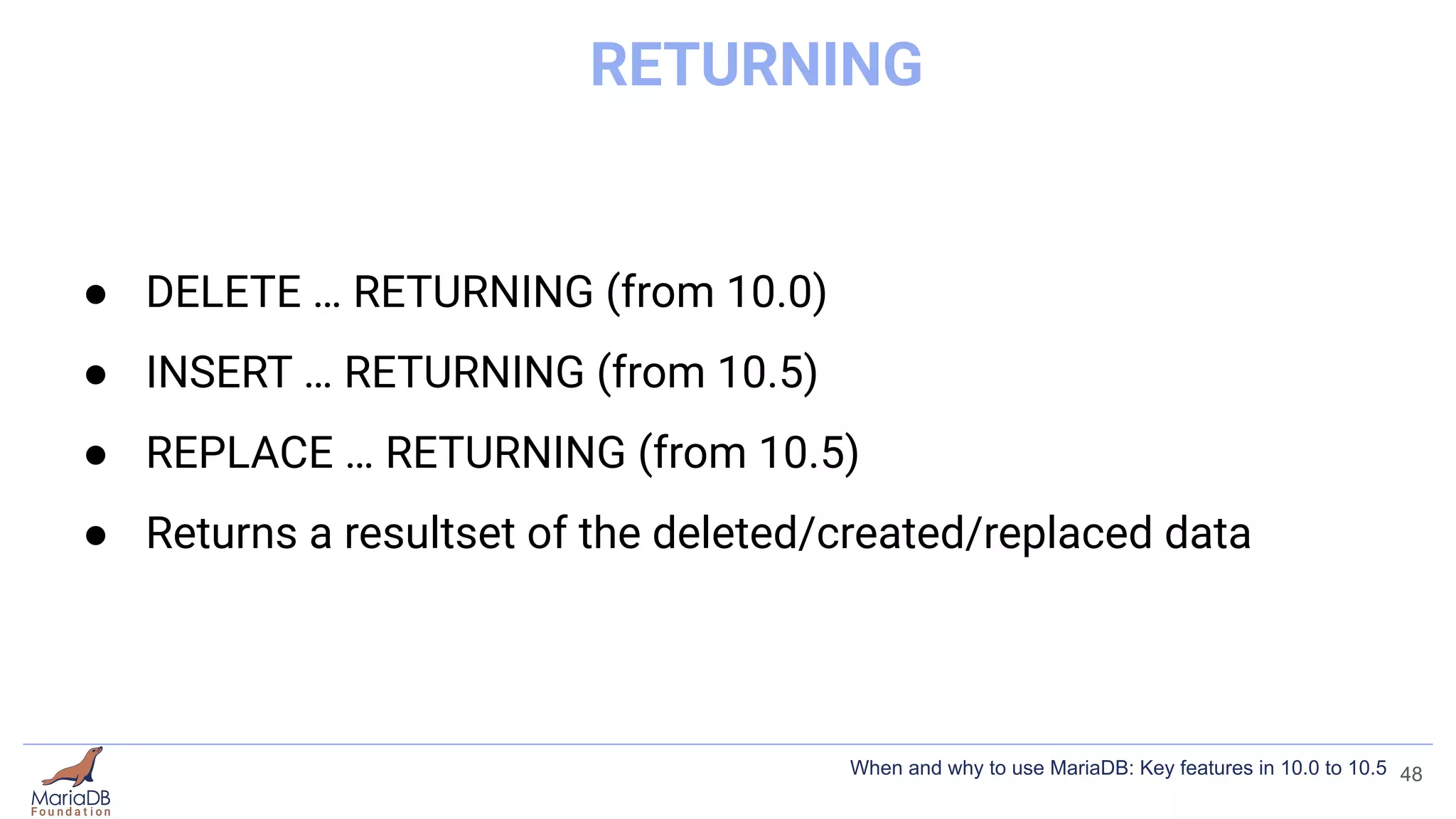
RETURNING
● DELETE … RETURNING (from 10.0)
● INSERT … RETURNING (from 10.5)
● REPLACE … RETURNING (from 10.5)
● Returns a resultset of the deleted/created/replaced data
48
When and why to use MariaDB: Key features in 10.0 to 10.5
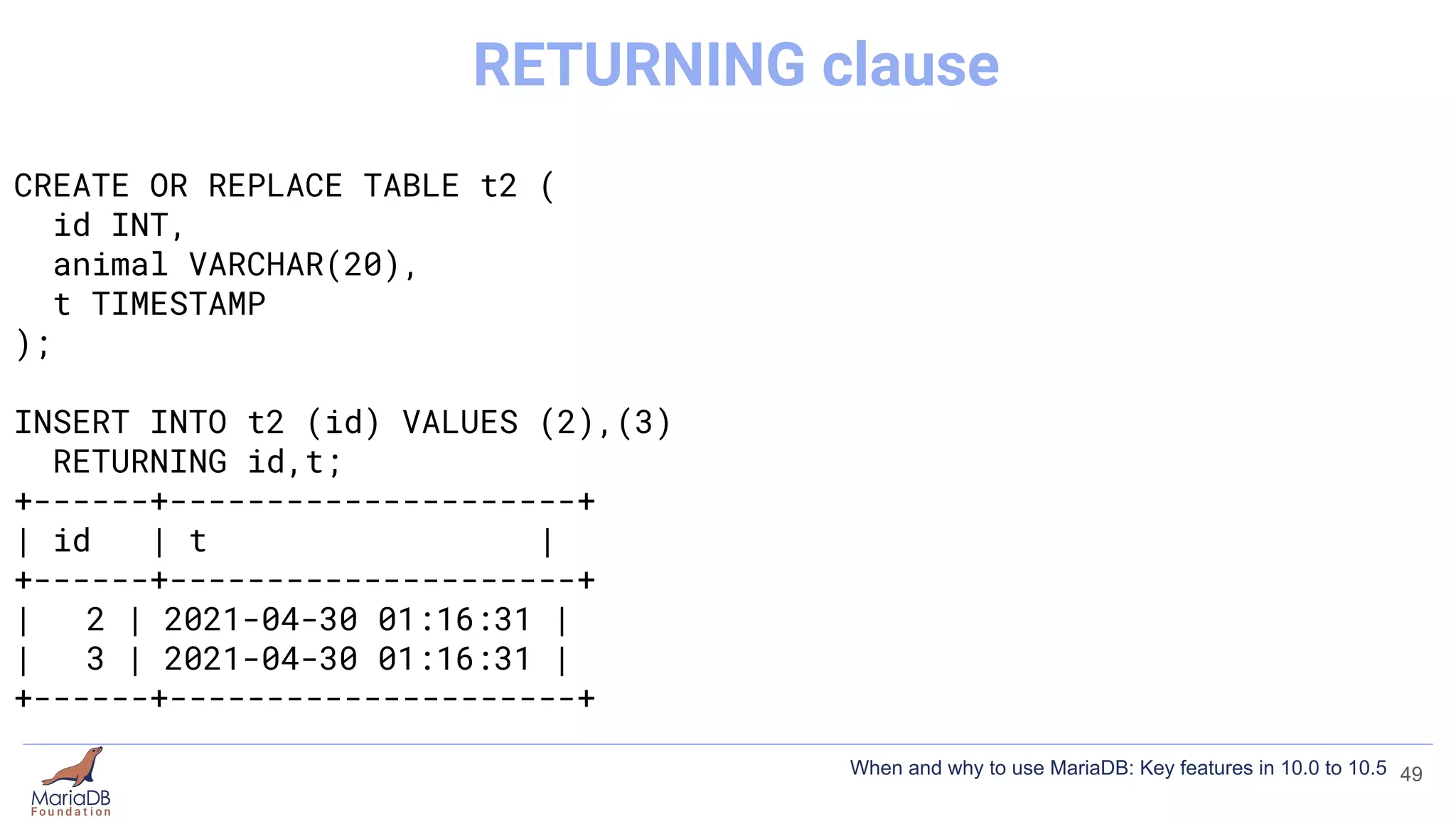
CREATE OR REPLACE TABLE t2 (
id INT,
animal VARCHAR(20),
t TIMESTAMP
);
INSERT INTO t2 (id) VALUES (2),(3)
RETURNING id,t;
+------+---------------------+
| id | t |
+------+---------------------+
| 2 | 2021-04-30 01:16:31 |
| 3 | 2021-04-30 01:16:31 |
+------+---------------------+
49
RETURNING clause
When and why to use MariaDB: Key features in 10.0 to 10.5
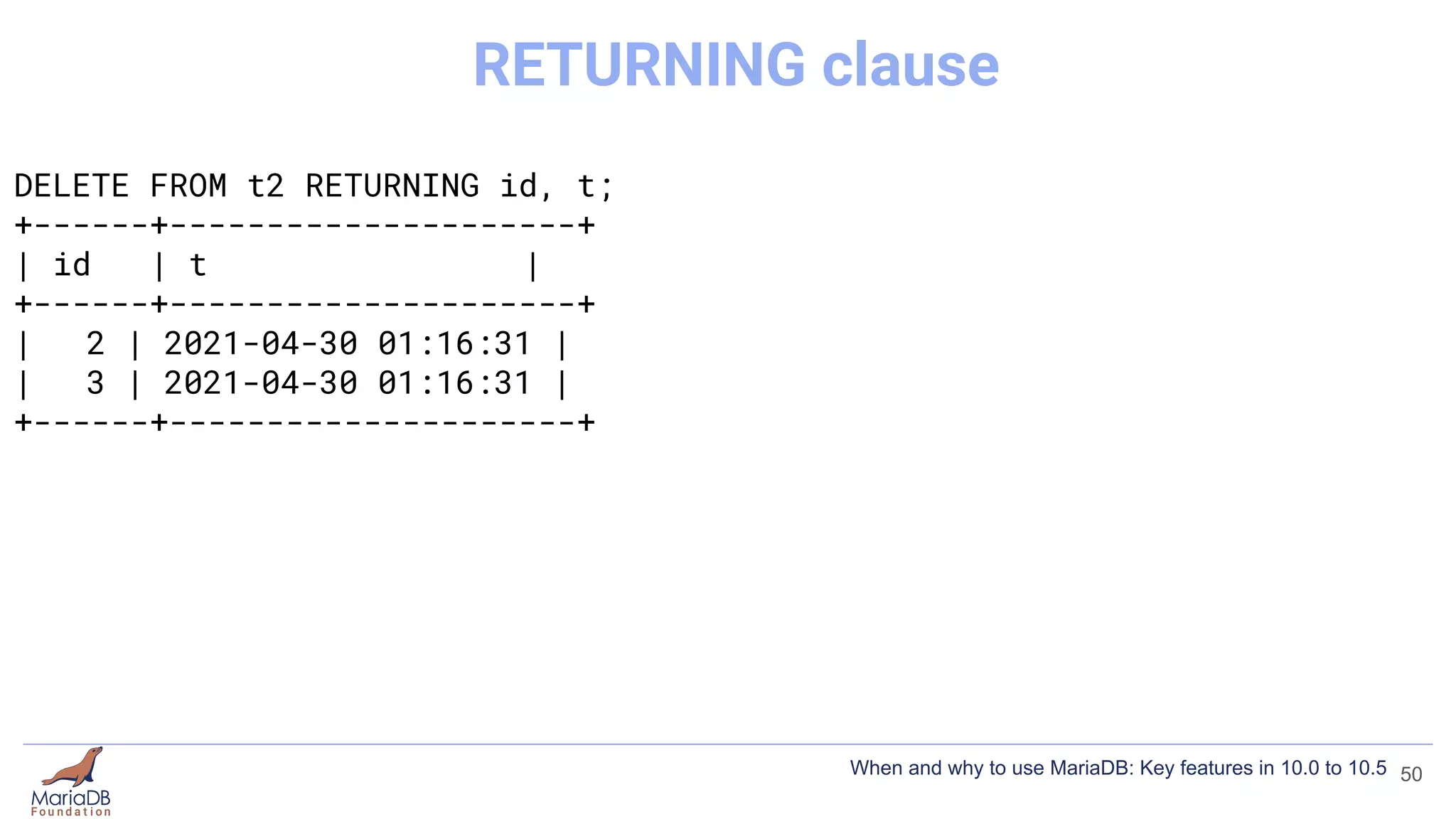
DELETE FROM t2 RETURNING id, t;
+------+---------------------+
| id | t |
+------+---------------------+
| 2 | 2021-04-30 01:16:31 |
| 3 | 2021-04-30 01:16:31 |
+------+---------------------+
50
RETURNING clause
When and why to use MariaDB: Key features in 10.0 to 10.5
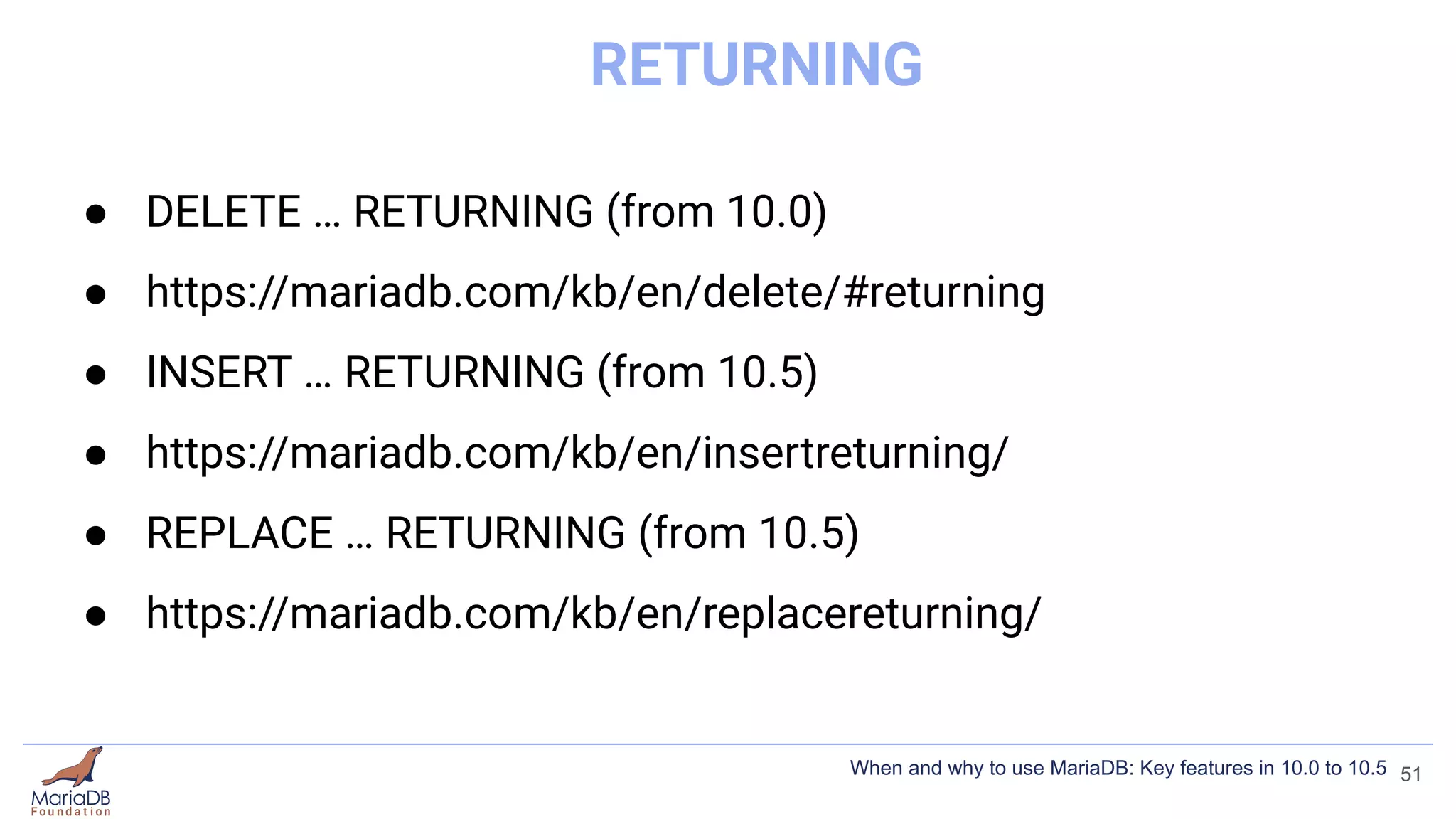
RETURNING
● DELETE … RETURNING (from 10.0)
● https://mariadb.com/kb/en/delete/#returning
● INSERT … RETURNING (from 10.5)
● https://mariadb.com/kb/en/insertreturning/
● REPLACE … RETURNING (from 10.5)
● https://mariadb.com/kb/en/replacereturning/
51
When and why to use MariaDB: Key features in 10.0 to 10.5
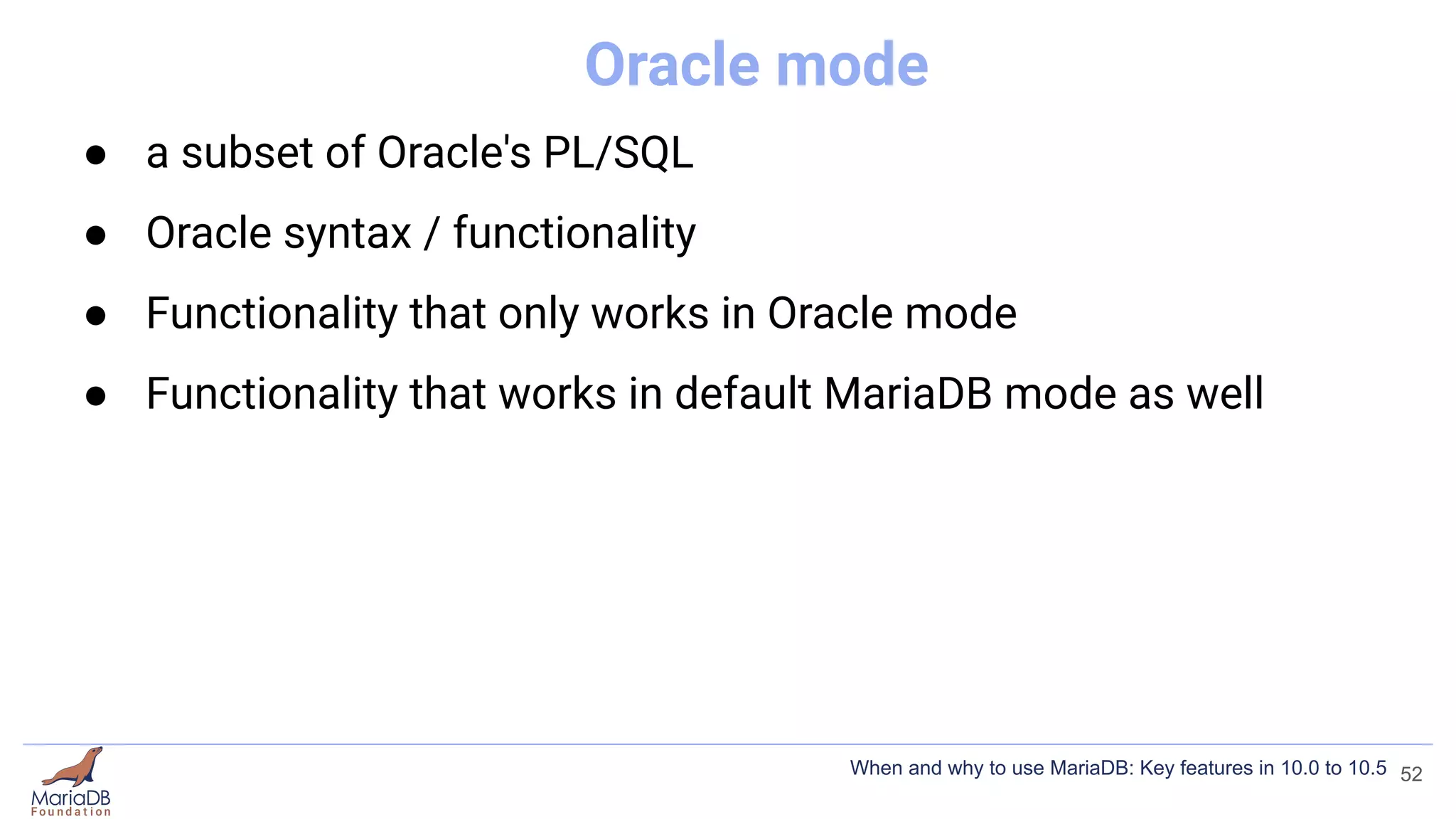
Oracle mode
● a subset of Oracle's PL/SQL
● Oracle syntax / functionality
● Functionality that only works in Oracle mode
● Functionality that works in default MariaDB mode as well
52
When and why to use MariaDB: Key features in 10.0 to 10.5
Oracle mode
● a subset of Oracle's PL/SQL
● Oracle syntax / functionality
● Functionality that only works in Oracle mode
● Functionality that works in default MariaDB mode as well
[mariadb]
sql_mode = ORACLE
53
When and why to use MariaDB: Key features in 10.0 to 10.5
Oracle mode
● a subset of Oracle's PL/SQL
● Oracle syntax / functionality
● Functionality that only works in Oracle mode
● Functionality that works in default MariaDB mode as well
[mariadb]
sql_mode = ORACLE
54
When and why to use MariaDB: Key features in 10.0 to 10.5
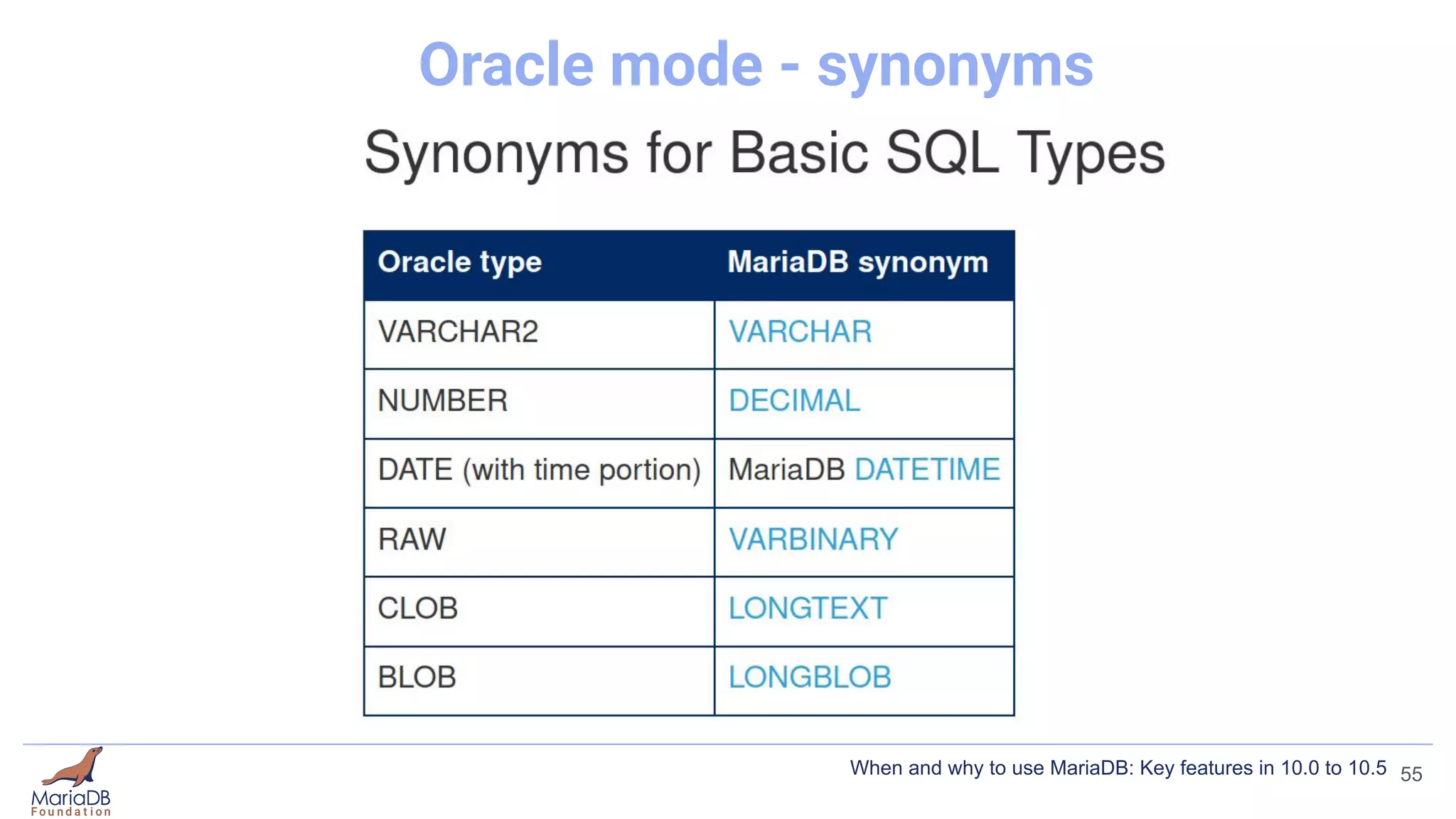
Oracle mode - synonyms
55
When and why to use MariaDB: Key features in 10.0 to 10.5
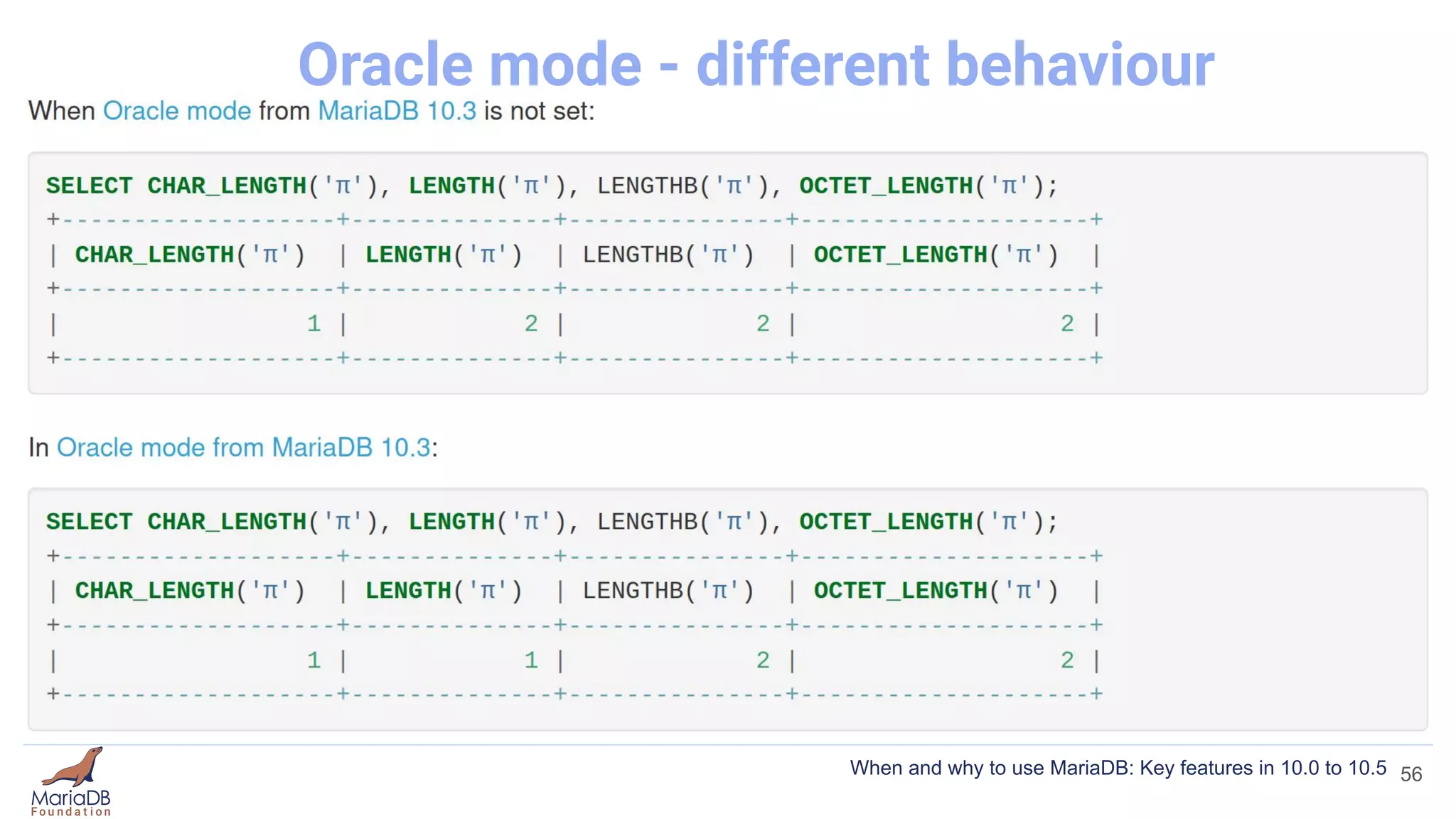
Oracle mode - different behaviour
56
When and why to use MariaDB: Key features in 10.0 to 10.5
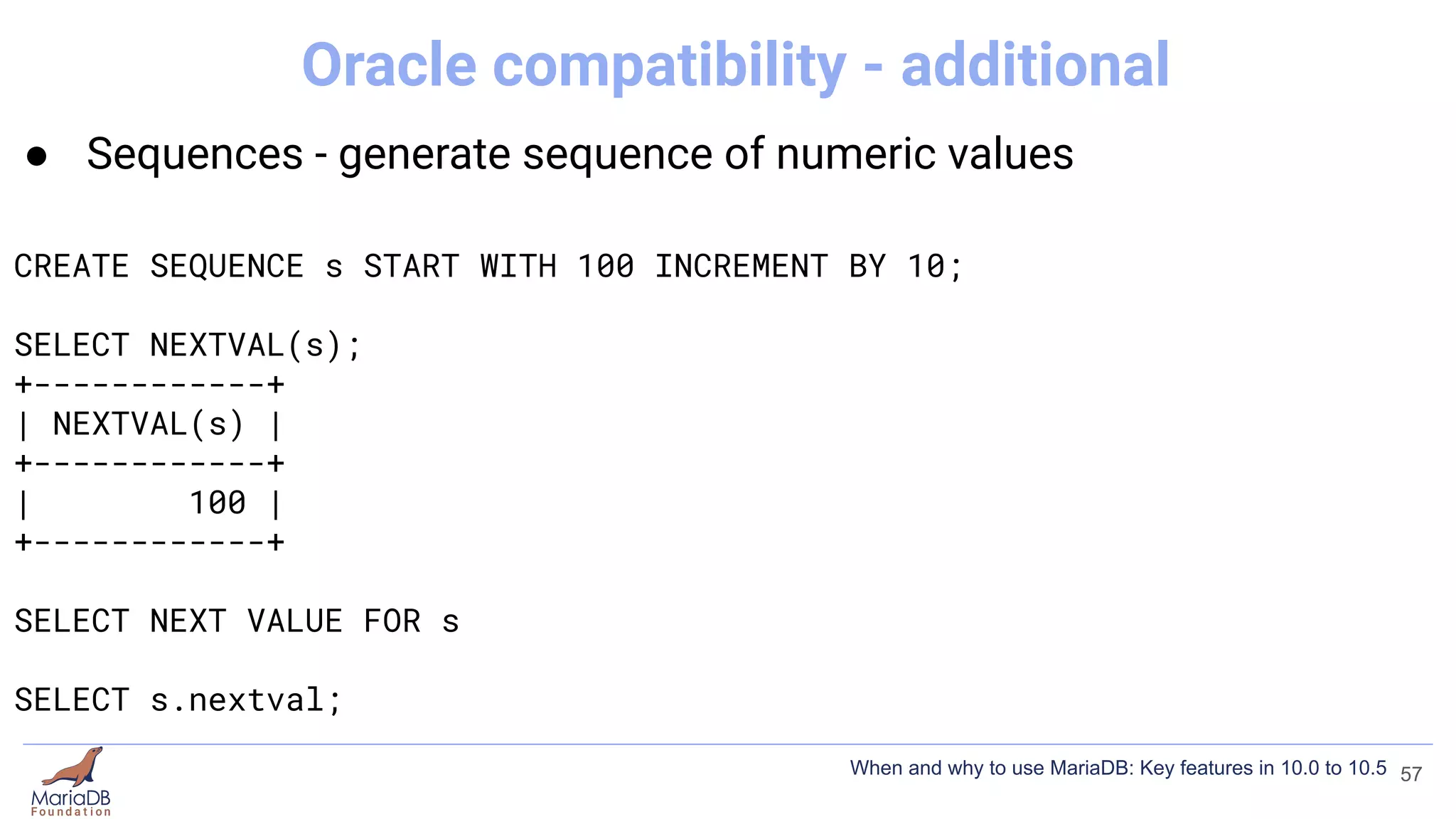
● Sequences - generate sequence of numeric values
CREATE SEQUENCE s START WITH 100 INCREMENT BY 10;
SELECT NEXTVAL(s);
+------------+
| NEXTVAL(s) |
+------------+
| 100 |
+------------+
SELECT NEXT VALUE FOR s
SELECT s.nextval;
57
Oracle compatibility - additional
When and why to use MariaDB: Key features in 10.0 to 10.5
Oracle mode
● Migrating from Oracle to MariaDB
● New functionality for MariaDB
● https://mariadb.com/kb/en/sql_modeoracle/
58
When and why to use MariaDB: Key features in 10.0 to 10.5
Find out more
● https://mariadb.com/kb/
● https://www.youtube.com/c/MariaDBFoundation
● https://mariadb.zulipchat.com/
59
When and why to use MariaDB: Key features in 10.0 to 10.5

When and Why to Use MariaDB: New Features in 10.0 to 10.5

  • 2.
    When and Whyto Use MariaDB: Key Features in 10.0 to 10.5 Ian Gilfillan MariaDB Foundation Percona Live Online 2021
  • 3.
    MariaDB versions 3 When andwhy to use MariaDB: Key features in 10.0 to 10.5 mariadb.org
  • 4.
    What this presentationis not ● In-depth ● Complete 4 When and why to use MariaDB: Key features in 10.0 to 10.5 mariadb.org
  • 5.
    What this presentationaims to cover ● Interesting features you may not have heard about ● Features that differentiate MariaDB 5 When and why to use MariaDB: Key features in 10.0 to 10.5
  • 6.
    Storage Engines ● InnoDB(default) ● MyRocks (10.2) ● Spider (10.0) ● CONNECT (10.0) ● ColumnStore (10.5) ● S3 (10.5) ● https://mariadb.com/kb/en/choosing-the-right-storage-engine/ 6 When and why to use MariaDB: Key features in 10.0 to 10.5
  • 7.
    MyRocks ● Mike Benshoof“MyRocks - The 30,000 Foot View” 7 When and why to use MariaDB: Key features in 10.0 to 10.5
  • 8.
    MyRocks ● Mike Benshoof“MyRocks - The 30,000 Foot View” ● Compression! 8 When and why to use MariaDB: Key features in 10.0 to 10.5
  • 9.
    MyRocks ● Mike Benshoof“MyRocks - The 30,000 Foot View” ● Compression! ● https://mariadb.com/kb/en/myrocks/ 9 When and why to use MariaDB: Key features in 10.0 to 10.5
  • 10.
    InnoDB Compression 3 typesof compression ● Compressed Row Format 10 When and why to use MariaDB: Key features in 10.0 to 10.5
  • 11.
    CREATE TABLE tab( id int, str varchar(50) ) ENGINE=InnoDB ROW_FORMAT=COMPRESSED; 11 InnoDB Compressed Row Format When and why to use MariaDB: Key features in 10.0 to 10.5
  • 12.
    InnoDB Compression 3 typesof compression ● Compressed Row Format ● InnoDB Page Compression (10.1) 12 When and why to use MariaDB: Key features in 10.0 to 10.5
  • 13.
    CREATE TABLE tab( id int, str varchar(50) ) ENGINE=InnoDB PAGE_COMPRESSED=1; 13 InnoDB Page Compression When and why to use MariaDB: Key features in 10.0 to 10.5
  • 14.
    CREATE TABLE tab( id int, str varchar(50) ) ENGINE=InnoDB PAGE_COMPRESSED=1; [mariadb] ... innodb_compression_default=ON 14 InnoDB Page Compression When and why to use MariaDB: Key features in 10.0 to 10.5
  • 15.
    Page Compression vs CompressedRow Format ● Move towards deprecating Compressed Row Format ● Buffer pool storage (uncompressed vs compressed & uncompressed) ● When compressed (only before writing to tablespace vs compressed after every change) 15 When and why to use MariaDB: Key features in 10.0 to 10.5
  • 16.
    InnoDB Compression 3 typesof compression ● Compressed Row Format ● InnoDB Page Compression (10.1) ● Storage-engine Independent Column Compression (10.3) 16 When and why to use MariaDB: Key features in 10.0 to 10.5
  • 17.
    SE independent Compressionvs Compressed Row Format ● Specific to a column, less decompression overhead ● BLOB/TEXT vs general usage ● zlib vs alternative compression algorithms ● Indexes not permitted vs usual indexing 17 When and why to use MariaDB: Key features in 10.0 to 10.5
  • 18.
    InnoDB Compression 3 typesof compression ● Compressed Row Format ● InnoDB Page Compression (10.1) ● Storage-engine Independent Column Compression (10.3) ● https://mariadb.com/kb/en/optimization-and-tuning-compression/ 18 When and why to use MariaDB: Key features in 10.0 to 10.5
  • 19.
    Spider ● Partitioning andXA transactions ● Tables of different MariaDB instances can be handled as if they were on the same instance. ● From MariaDB 10.0 ● https://mariadb.com/kb/en/spider/ 19 When and why to use MariaDB: Key features in 10.0 to 10.5
  • 20.
    CONNECT ● Storage enginefor handling a wide variety of formats ● BIN, CSV, DBF, DOS, DIR, FIX, FMT, INI, MAC, JDBC, JSON, MONGO, MYSQL, OCCUR, ODBC, OEM, PIVOT, PROXY, TBL, VEC, VIR, WMI, XCOL, XML, ZIP 20 When and why to use MariaDB: Key features in 10.0 to 10.5
  • 21.
    CREATE TABLE custENGINE=CONNECT TABLE_TYPE=DBF FILE_NAME='cust.dbf'; 21 CONNECT - DBF When and why to use MariaDB: Key features in 10.0 to 10.5
  • 22.
    A single .csvfile CREATE TABLE emp ... optional column definition ENGINE=connect TABLE_TYPE=CSV FILE_NAME='E:/Data/employee.csv' SEP_CHAR=';' HEADER=1; 22 CONNECT - CSV/ZIP When and why to use MariaDB: Key features in 10.0 to 10.5
  • 23.
    A single .csvfile CREATE TABLE emp ... optional column definition ENGINE=connect TABLE_TYPE=CSV FILE_NAME='E:/Data/employee.csv' SEP_CHAR=';' HEADER=1; A single .csv in a .zip CREATE TABLE empzip ... optional column definition ENGINE=connect TABLE_TYPE=CSV FILE_NAME='E:/Data/employee.zip' SEP_CHAR=';' HEADER=1; ZIPPED=1 OPTION_LIST='Entry=emp.csv'; 23 CONNECT - CSV/ZIP When and why to use MariaDB: Key features in 10.0 to 10.5
  • 24.
    A single .csvfile CREATE TABLE emp ... optional column definition ENGINE=connect TABLE_TYPE=CSV FILE_NAME='E:/Data/employee.csv' SEP_CHAR=';' HEADER=1; A single .csv in a .zip CREATE TABLE empzip ... optional column definition ENGINE=connect TABLE_TYPE=CSV FILE_NAME='E:/Data/employee.zip' SEP_CHAR=';' HEADER=1; ZIPPED=1 OPTION_LIST='Entry=emp.csv'; Multiple .csvs in a single .zip CREATE TABLE empzmul ... required column definition ENGINE=connect TABLE_TYPE=CSV FILE_NAME='E:/Data/emp.zip' SEP_CHAR=';' HEADER=1; ZIPPED=1 OPTION_LIST='Entry=emp*.csv'; 24 CONNECT - CSV/ZIP When and why to use MariaDB: Key features in 10.0 to 10.5
  • 25.
    CONNECT ● Storage enginefor handling a wide variety of formats ● BIN, CSV, DBF, DOS, DIR, FIX, FMT, INI, MAC, JDBC, JSON, MONGO, MYSQL, OCCUR, ODBC, OEM, PIVOT, PROXY, TBL, VEC, VIR, WMI, XCOL, XML, ZIP ● https://mariadb.com/kb/en/connect/ 25 When and why to use MariaDB: Key features in 10.0 to 10.5
  • 26.
    S3 Storage Engine ●Read only ● Archive MariaDB tables in Amazon S3, or any third-party public or private cloud implementing S3 API ● Added in 10.5 ● https://mariadb.com/kb/en/s3-storage-engine/ 26 When and why to use MariaDB: Key features in 10.0 to 10.5
  • 27.
    Galera ● Part ofMariaDB Server from MariaDB 10.1 ● https://mariadb.com/kb/en/galera-cluster/ ● https://www.youtube.com/c/MariaDBFoundation 27 When and why to use MariaDB: Key features in 10.0 to 10.5
  • 28.
    Temporal Tables ● System-versionedtables - query historic data (10.3). ● Application-time periods - query on a temporal range (10.4) ● Bitemporal - combines both (10.4) 28 When and why to use MariaDB: Key features in 10.0 to 10.5
  • 29.
    CREATE TABLE t( xINT, start_timestamp TIMESTAMP(6) GENERATED ALWAYS AS ROW START, end_timestamp TIMESTAMP(6) GENERATED ALWAYS AS ROW END, PERIOD FOR SYSTEM_TIME(start_timestamp, end_timestamp) ) WITH SYSTEM VERSIONING; 29 Temporal Tables - System versioning When and why to use MariaDB: Key features in 10.0 to 10.5
  • 30.
    CREATE TABLE t( xINT, start_timestamp TIMESTAMP(6) GENERATED ALWAYS AS ROW START, end_timestamp TIMESTAMP(6) GENERATED ALWAYS AS ROW END, PERIOD FOR SYSTEM_TIME(start_timestamp, end_timestamp) ) WITH SYSTEM VERSIONING; CREATE TABLE t ( x INT ) WITH SYSTEM VERSIONING; 30 Temporal Tables - System versioning When and why to use MariaDB: Key features in 10.0 to 10.5
  • 31.
    SELECT * FROMt FOR SYSTEM_TIME AS OF TIMESTAMP'2021-05-11 23:58:06'; 31 Temporal Tables - System versioning When and why to use MariaDB: Key features in 10.0 to 10.5
  • 32.
    SELECT * FROMt FOR SYSTEM_TIME AS OF TIMESTAMP'2021-05-11 23:58:06'; SELECT * FROM t FOR SYSTEM_TIME BETWEEN (NOW() - INTERVAL 1 YEAR) AND NOW(); 32 Temporal Tables - System versioning When and why to use MariaDB: Key features in 10.0 to 10.5
  • 33.
    CREATE TABLE t1( nameVARCHAR(50), date_1 DATE, date_2 DATE, PERIOD FOR date_period(date_1, date_2)); SELECT * FROM t1; +------+------------+------------+ | name | date_1 | date_2 | +------+------------+------------+ | a | 1999-01-01 | 2000-01-01 | | b | 1999-01-01 | 2018-12-12 | | c | 1999-01-01 | 2017-01-01 | | d | 2017-01-01 | 2019-01-01 | +------+------------+------------+ 33 Temporal Tables - Application-time periods When and why to use MariaDB: Key features in 10.0 to 10.5
  • 34.
    SELECT * FROMt1; +------+------------+------------+ | name | date_1 | date_2 | +------+------------+------------+ | a | 1999-01-01 | 2000-01-01 | | b | 1999-01-01 | 2018-12-12 | | c | 1999-01-01 | 2017-01-01 | | d | 2017-01-01 | 2019-01-01 | +------+------------+------------+ 34 Temporal Tables - Application-time periods When and why to use MariaDB: Key features in 10.0 to 10.5
  • 35.
    SELECT * FROMt1; +------+------------+------------+ | name | date_1 | date_2 | +------+------------+------------+ | a | 1999-01-01 | 2000-01-01 | | b | 1999-01-01 | 2018-12-12 | | c | 1999-01-01 | 2017-01-01 | | d | 2017-01-01 | 2019-01-01 | +------+------------+------------+ DELETE FROM t1 FOR PORTION OF date_period FROM '2001-01-01' TO '2018-01-01'; SELECT * FROM t1 ORDER BY name; +------+------------+------------+ | name | date_1 | date_2 | +------+------------+------------+ | a | 1999-01-01 | 2000-01-01 | | b | 1999-01-01 | 2001-01-01 | | b | 2018-01-01 | 2018-12-12 | | c | 1999-01-01 | 2001-01-01 | | d | 2018-01-01 | 2019-01-01 | +------+------------+------------+ 35 Temporal Tables - Application-time periods When and why to use MariaDB: Key features in 10.0 to 10.5
  • 36.
    CREATE TABLE rooms( room_number INT, guest_name VARCHAR(255), checkin DATE, checkout DATE, PERIOD FOR p(checkin,checkout) ); 36 Temporal Tables - Application-time periods When and why to use MariaDB: Key features in 10.0 to 10.5
  • 37.
    CREATE TABLE rooms( room_number INT, guest_name VARCHAR(255), checkin DATE, checkout DATE, PERIOD FOR p(checkin,checkout) ); INSERT INTO rooms VALUES (1,'Regina','2020-10-01','2020-10-03'), (2,'Cochise','2020-10-02','2020-10-05'), (1,'Nowell','2020-10-03','2020-10-07'), (2,'Eusebius','2020-10-04','2020-10-06') ; 37 Temporal Tables - Application-time periods When and why to use MariaDB: Key features in 10.0 to 10.5
  • 38.
    CREATE TABLE rooms( room_number INT, guest_name VARCHAR(255), checkin DATE, checkout DATE, PERIOD FOR p(checkin,checkout), UNIQUE (room_number, p WITHOUT OVERLAPS) ); INSERT INTO rooms VALUES (1,'Regina','2020-10-01','2020-10-03'), (2,'Cochise','2020-10-02','2020-10-05'), (1,'Nowell','2020-10-03','2020-10-07'), (2,'Eusebius','2020-10-04','2020-10-06') ; ERROR 1062 (23000): Duplicate entry '2-2020-10-06-2020-10-04' for key 'room_number' 38 Temporal Tables - Application-time periods When and why to use MariaDB: Key features in 10.0 to 10.5
  • 39.
    Temporal Tables ● System-versionedtables - query historic data (10.3). ● Application-time periods - query on a temporal range (10.4) ● Bitemporal - combines both (10.4) ● https://mariadb.com/kb/en/temporal-tables/ 39 When and why to use MariaDB: Key features in 10.0 to 10.5
  • 40.
    Flashback ● Allows instances,databases or tables to be rolled back to a previous snapshot based on the binary log ● DML-only ● From 10.2 40 When and why to use MariaDB: Key features in 10.0 to 10.5
  • 41.
    [mariadb] ... binlog_format=ROW binlog_row_image=FULL mariadb-binlog /var/lib/mysql/mysql-bin.000001 -d test -Tmytable --start-datetime="2021-05-11 14:54:00" --flashback > flashback.sql 41 Flashback When and why to use MariaDB: Key features in 10.0 to 10.5
  • 42.
    IF [NOT] EXISTS ●IF [NOT] EXISTS gives a warning instead of an error ● From MariaDB 10.1 42 When and why to use MariaDB: Key features in 10.0 to 10.5
  • 43.
    DROP USER bob; ERROR1396 (HY000): Operation DROP USER failed for 'bob'@'%' DROP USER IF EXISTS bob; Query OK, 0 rows affected, 1 warning (0.00 sec) SHOW WARNINGS; +-------+------+---------------------------------------------+ | Level | Code | Message | +-------+------+---------------------------------------------+ | Note | 1974 | Can't drop user 'bob'@'%'; it doesn't exist | +-------+------+---------------------------------------------+ 43 IF [NOT] EXISTS When and why to use MariaDB: Key features in 10.0 to 10.5
  • 44.
    CREATE TABLE t2(id INT); ERROR 1050 (42S01): Table 't2' already exists CREATE TABLE IF NOT EXISTS t2 (id INT); Query OK, 0 rows affected, 1 warning (0.000 sec) SHOW WARNINGS; +-------+------+---------------------------+ | Level | Code | Message | +-------+------+---------------------------+ | Note | 1050 | Table 't2' already exists | +-------+------+---------------------------+ 1 row in set (0.000 sec) 44 IF [NOT] EXISTS When and why to use MariaDB: Key features in 10.0 to 10.5
  • 45.
    OR REPLACE ● ORREPLACE drops and creates instead of giving an error ● From MariaDB 10.1 45 When and why to use MariaDB: Key features in 10.0 to 10.5
  • 46.
    CREATE TABLE t2(id INT); ERROR 1050 (42S01): Table 't2' already exists CREATE OR REPLACE TABLE t2 (id INT); Query OK, 0 rows affected (0.059 sec) 46 OR REPLACE When and why to use MariaDB: Key features in 10.0 to 10.5
  • 47.
    IF [NOT] EXISTS/ OR REPLACE ● OR REPLACE drops and creates instead of giving an error ● From MariaDB 10.1 ● https://mariadb.com/kb/en/create-database/ 47 When and why to use MariaDB: Key features in 10.0 to 10.5
  • 48.
    RETURNING ● DELETE …RETURNING (from 10.0) ● INSERT … RETURNING (from 10.5) ● REPLACE … RETURNING (from 10.5) ● Returns a resultset of the deleted/created/replaced data 48 When and why to use MariaDB: Key features in 10.0 to 10.5
  • 49.
    CREATE OR REPLACETABLE t2 ( id INT, animal VARCHAR(20), t TIMESTAMP ); INSERT INTO t2 (id) VALUES (2),(3) RETURNING id,t; +------+---------------------+ | id | t | +------+---------------------+ | 2 | 2021-04-30 01:16:31 | | 3 | 2021-04-30 01:16:31 | +------+---------------------+ 49 RETURNING clause When and why to use MariaDB: Key features in 10.0 to 10.5
  • 50.
    DELETE FROM t2RETURNING id, t; +------+---------------------+ | id | t | +------+---------------------+ | 2 | 2021-04-30 01:16:31 | | 3 | 2021-04-30 01:16:31 | +------+---------------------+ 50 RETURNING clause When and why to use MariaDB: Key features in 10.0 to 10.5
  • 51.
    RETURNING ● DELETE …RETURNING (from 10.0) ● https://mariadb.com/kb/en/delete/#returning ● INSERT … RETURNING (from 10.5) ● https://mariadb.com/kb/en/insertreturning/ ● REPLACE … RETURNING (from 10.5) ● https://mariadb.com/kb/en/replacereturning/ 51 When and why to use MariaDB: Key features in 10.0 to 10.5
  • 52.
    Oracle mode ● asubset of Oracle's PL/SQL ● Oracle syntax / functionality ● Functionality that only works in Oracle mode ● Functionality that works in default MariaDB mode as well 52 When and why to use MariaDB: Key features in 10.0 to 10.5
  • 53.
    Oracle mode ● asubset of Oracle's PL/SQL ● Oracle syntax / functionality ● Functionality that only works in Oracle mode ● Functionality that works in default MariaDB mode as well [mariadb] sql_mode = ORACLE 53 When and why to use MariaDB: Key features in 10.0 to 10.5
  • 54.
    Oracle mode ● asubset of Oracle's PL/SQL ● Oracle syntax / functionality ● Functionality that only works in Oracle mode ● Functionality that works in default MariaDB mode as well [mariadb] sql_mode = ORACLE 54 When and why to use MariaDB: Key features in 10.0 to 10.5
  • 55.
    Oracle mode -synonyms 55 When and why to use MariaDB: Key features in 10.0 to 10.5
  • 56.
    Oracle mode -different behaviour 56 When and why to use MariaDB: Key features in 10.0 to 10.5
  • 57.
    ● Sequences -generate sequence of numeric values CREATE SEQUENCE s START WITH 100 INCREMENT BY 10; SELECT NEXTVAL(s); +------------+ | NEXTVAL(s) | +------------+ | 100 | +------------+ SELECT NEXT VALUE FOR s SELECT s.nextval; 57 Oracle compatibility - additional When and why to use MariaDB: Key features in 10.0 to 10.5
  • 58.
    Oracle mode ● Migratingfrom Oracle to MariaDB ● New functionality for MariaDB ● https://mariadb.com/kb/en/sql_modeoracle/ 58 When and why to use MariaDB: Key features in 10.0 to 10.5
  • 59.
    Find out more ●https://mariadb.com/kb/ ● https://www.youtube.com/c/MariaDBFoundation ● https://mariadb.zulipchat.com/ 59 When and why to use MariaDB: Key features in 10.0 to 10.5