You may want to save a copy of this PDF to your
desktop and use the saved copy as your resource.
This will allow the links to open in separate
browsers while keeping your place in the resource.
WELCOME
to your course
Introduction
Audience
Lorem ipsum dolor sit amet, consectetur adipiscing elit.
Curabitur viverra hendrerit sapien, nec maximus eros ultrices
sed. Suspendisse tristique eros eu convallis ultrices.
Goal
•	 Mauris posuere, nisi ac imperdiet egestas, ligula dui
tincidunt magna, in elementum urna urna et lorem.
Maecenas sit amet nibh libero.
How to Navigate this Resource
•	 To jump to a topic: click that topic’s icon on any of the pages.
•	 Search for keywords using the CTRL+F option within Adobe
Acrobat. Alternatively, use the Adobe Acrobat menu -
Edit -- Find.
•	 Scroll through the document in sequential order.
•	 Use the “navigation arrows” to move forward
a page or return to the previous page.
•	 To return to the first page or last page, click on
View --Page Navigation.
How to Use This Resource
There are a few ways that you can engage in the material
contained in this resource:
•	 Start from the beginning and work through the material to
the end. It’s not recommended that you do this all in one
sitting.
•	 Familiarize yourself with the material, save it on your
desktop, and refer to it when necessary.
•	 Click on all the links and add them to your favourites so
you can refer to them in the future.
•	 Meet with a colleague, in person or virtually, who is also
new to their role and work through the material together.
Modules
MODULE
ONE
1
MODULE
FOUR
4
MODULE
TWO
2
MODULE
THREE
3
MODULE
FIVE
5
MODULE
SIX
6
MODULE
SEVEN
7
SUMMARY
S
3
Lorem Ipsum
At the end of this section, the learner will be able to:
•	 Describe something
•	 Explain something
•	 Identify something
Module 1
Welcome Competencies
for Learning
Activity
Learning
Curriculum
 Learning
Path
Diving InStudent
Services
MODULE
ONE
1
MODULE
FOUR
4
MODULE
TWO
2
MODULE
THREE
3
MODULE
FIVE
5
MODULE
SIX
6
MODULE
SEVEN
7
SUMMARY
S
MODULE
ONE
4
1
MODULE
THREE
3
MODULE
TWO
2
MODULE
FOUR
4
MODULE
FIVE
5
MODULE
SIX
6
MODULE
SEVEN
7
SUMMARY
S
Lorem ipsum dolor sit amet, consectetur adipiscing elit. Curabitur viverra hendrerit sapien, nec maximus eros ultrices
sed. Suspendisse tristique eros eu convallis ultrices. Mauris posuere, nisi ac imperdiet egestas, ligula dui tincidunt magna,
in elementum urna urna et lorem. Maecenas sit amet nibh libero. Praesent elementum ligula et metus tempus suscipit.
Vivamus tincidunt, nisl ut euismod maximus, elit augue feugiat dolor, in imperdiet sem neque non risus. Aenean tempor
feugiat convallis. Curabitur et volutpat risus, et imperdiet mi. Etiam at nisi egestas, varius urna eu, feugiat ante. Nunc
accumsan, augue ac volutpat venenatis, turpis nisl cursus orci, nec porta nisi mauris vitae massa. Fusce venenatis mi a enim
tristique aliquam.
Pellentesque nec congue sem. Duis feugiat accumsan ullamcorper. Phasellus est felis, congue vel ipsum ut, porta cursus
ex. Sed eget lacinia mauris. Nullam porta turpis sit amet magna mollis pretium. Donec sagittis lobortis fermentum. Cras
pellentesque enim magna, ac scelerisque mi vulputate id. Quisque ullamcorper risus fringilla odio dignissim, vel molestie
metus placerat. Mauris ligula odio, egestas ac felis in, imperdiet dictum ligula. Sed risus diam, tristique a sem in, ultricies
gravida odio. Maecenas hendrerit quis elit sit amet cursus. Morbi vel nulla a ipsum mollis ultrices a quis nisi. Nulla facilisi.
Aliquam vel vehicula lectus. Fusce lobortis ipsum diam, eu vehicula lorem porta eget.
Welcome
MODULE
ONE
5
1
MODULE
THREE
3
MODULE
TWO
2
MODULE
FOUR
4
MODULE
FIVE
5
MODULE
SIX
6
MODULE
SEVEN
7
SUMMARY
S
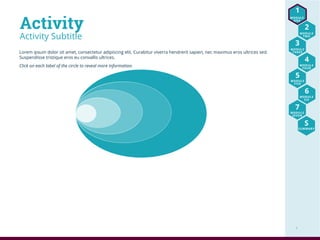
Lorem ipsum dolor sit amet, consectetur adipiscing elit. Curabitur viverra hendrerit sapien, nec maximus eros ultrices sed.
Suspendisse tristique eros eu convallis ultrices.
Click on each label of the circle to reveal more information.
Activity Subtitle
Activity
Me My
Supervisor
My
Team
My
Organization
My
Community
6
MODULE
FOUR
4
Yet Another Module
At the end of this module, the learner will be able to:
•	 Explain stuff.
•	 Describe something.
•	 Indicate where to find stuff.
Module 4
Overview
Additional
Resources
Study
Suggestions
Recommended
Actvity
Student
Engagement
Quiz Time
MODULE
ONE
1
MODULE
TWO
2
MODULE
THREE
3
MODULE
FIVE
5
MODULE
SIX
6
MODULE
SEVEN
7
SUMMARY
S
MODULE
ONE
7
1
MODULE
THREE
3
MODULE
TWO
2
MODULE
FOUR
4
MODULE
FIVE
5
MODULE
SIX
6
MODULE
SEVEN
7
SUMMARY
S
Student Engagement
Click each person below for examples of ways to engage students within the community.
MODULE
ONE
8
1
MODULE
THREE
3
MODULE
TWO
2
MODULE
FOUR
4
MODULE
FIVE
5
MODULE
SIX
6
MODULE
SEVEN
7
SUMMARY
S
Quick Quiz
What percentage of calls could be prevented if the caller used the Quick Reference Guide and
other tools and aids before calling the Helpdesk?
a.	10%
b.	25%
c.	50%
d.	75%
Quiz Time
Just for Fun
Click and Hold
for Answer
Click and Hold
for Answer

Welcome to your course

  • 1.
    You may wantto save a copy of this PDF to your desktop and use the saved copy as your resource. This will allow the links to open in separate browsers while keeping your place in the resource. WELCOME to your course
  • 2.
    Introduction Audience Lorem ipsum dolorsit amet, consectetur adipiscing elit. Curabitur viverra hendrerit sapien, nec maximus eros ultrices sed. Suspendisse tristique eros eu convallis ultrices. Goal • Mauris posuere, nisi ac imperdiet egestas, ligula dui tincidunt magna, in elementum urna urna et lorem. Maecenas sit amet nibh libero. How to Navigate this Resource • To jump to a topic: click that topic’s icon on any of the pages. • Search for keywords using the CTRL+F option within Adobe Acrobat. Alternatively, use the Adobe Acrobat menu - Edit -- Find. • Scroll through the document in sequential order. • Use the “navigation arrows” to move forward a page or return to the previous page. • To return to the first page or last page, click on View --Page Navigation. How to Use This Resource There are a few ways that you can engage in the material contained in this resource: • Start from the beginning and work through the material to the end. It’s not recommended that you do this all in one sitting. • Familiarize yourself with the material, save it on your desktop, and refer to it when necessary. • Click on all the links and add them to your favourites so you can refer to them in the future. • Meet with a colleague, in person or virtually, who is also new to their role and work through the material together. Modules MODULE ONE 1 MODULE FOUR 4 MODULE TWO 2 MODULE THREE 3 MODULE FIVE 5 MODULE SIX 6 MODULE SEVEN 7 SUMMARY S
  • 3.
    3 Lorem Ipsum At theend of this section, the learner will be able to: • Describe something • Explain something • Identify something Module 1 Welcome Competencies for Learning Activity Learning Curriculum Learning Path Diving InStudent Services MODULE ONE 1 MODULE FOUR 4 MODULE TWO 2 MODULE THREE 3 MODULE FIVE 5 MODULE SIX 6 MODULE SEVEN 7 SUMMARY S
  • 4.
    MODULE ONE 4 1 MODULE THREE 3 MODULE TWO 2 MODULE FOUR 4 MODULE FIVE 5 MODULE SIX 6 MODULE SEVEN 7 SUMMARY S Lorem ipsum dolorsit amet, consectetur adipiscing elit. Curabitur viverra hendrerit sapien, nec maximus eros ultrices sed. Suspendisse tristique eros eu convallis ultrices. Mauris posuere, nisi ac imperdiet egestas, ligula dui tincidunt magna, in elementum urna urna et lorem. Maecenas sit amet nibh libero. Praesent elementum ligula et metus tempus suscipit. Vivamus tincidunt, nisl ut euismod maximus, elit augue feugiat dolor, in imperdiet sem neque non risus. Aenean tempor feugiat convallis. Curabitur et volutpat risus, et imperdiet mi. Etiam at nisi egestas, varius urna eu, feugiat ante. Nunc accumsan, augue ac volutpat venenatis, turpis nisl cursus orci, nec porta nisi mauris vitae massa. Fusce venenatis mi a enim tristique aliquam. Pellentesque nec congue sem. Duis feugiat accumsan ullamcorper. Phasellus est felis, congue vel ipsum ut, porta cursus ex. Sed eget lacinia mauris. Nullam porta turpis sit amet magna mollis pretium. Donec sagittis lobortis fermentum. Cras pellentesque enim magna, ac scelerisque mi vulputate id. Quisque ullamcorper risus fringilla odio dignissim, vel molestie metus placerat. Mauris ligula odio, egestas ac felis in, imperdiet dictum ligula. Sed risus diam, tristique a sem in, ultricies gravida odio. Maecenas hendrerit quis elit sit amet cursus. Morbi vel nulla a ipsum mollis ultrices a quis nisi. Nulla facilisi. Aliquam vel vehicula lectus. Fusce lobortis ipsum diam, eu vehicula lorem porta eget. Welcome
  • 5.
    MODULE ONE 5 1 MODULE THREE 3 MODULE TWO 2 MODULE FOUR 4 MODULE FIVE 5 MODULE SIX 6 MODULE SEVEN 7 SUMMARY S Lorem ipsum dolorsit amet, consectetur adipiscing elit. Curabitur viverra hendrerit sapien, nec maximus eros ultrices sed. Suspendisse tristique eros eu convallis ultrices. Click on each label of the circle to reveal more information. Activity Subtitle Activity Me My Supervisor My Team My Organization My Community
  • 6.
    6 MODULE FOUR 4 Yet Another Module Atthe end of this module, the learner will be able to: • Explain stuff. • Describe something. • Indicate where to find stuff. Module 4 Overview Additional Resources Study Suggestions Recommended Actvity Student Engagement Quiz Time MODULE ONE 1 MODULE TWO 2 MODULE THREE 3 MODULE FIVE 5 MODULE SIX 6 MODULE SEVEN 7 SUMMARY S
  • 7.
  • 8.
    MODULE ONE 8 1 MODULE THREE 3 MODULE TWO 2 MODULE FOUR 4 MODULE FIVE 5 MODULE SIX 6 MODULE SEVEN 7 SUMMARY S Quick Quiz What percentageof calls could be prevented if the caller used the Quick Reference Guide and other tools and aids before calling the Helpdesk? a. 10% b. 25% c. 50% d. 75% Quiz Time Just for Fun Click and Hold for Answer Click and Hold for Answer