- Internet & Website
- Performance testing
simtechdev.com/cloud-hosting
Internet & Websitegeneral-to-specific
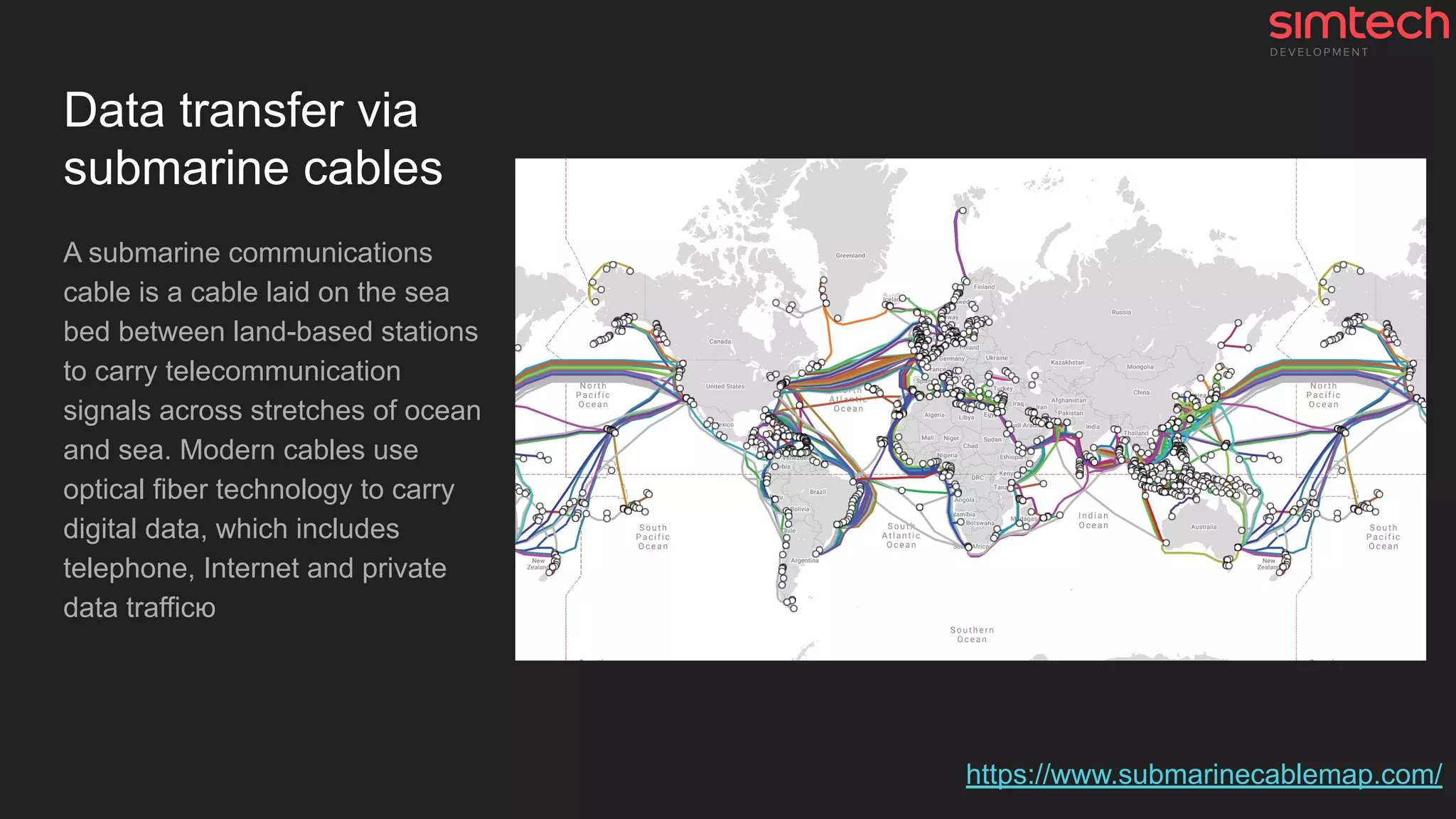
Data transfer via
submarine cables
A submarine communications
cable is a cable laid on the sea
bed between land-based stations
to carry telecommunication
signals across stretches of ocean
and sea. Modern cables use
optical fiber technology to carry
digital data, which includes
telephone, Internet and private
data trafficю
https://www.submarinecablemap.com/
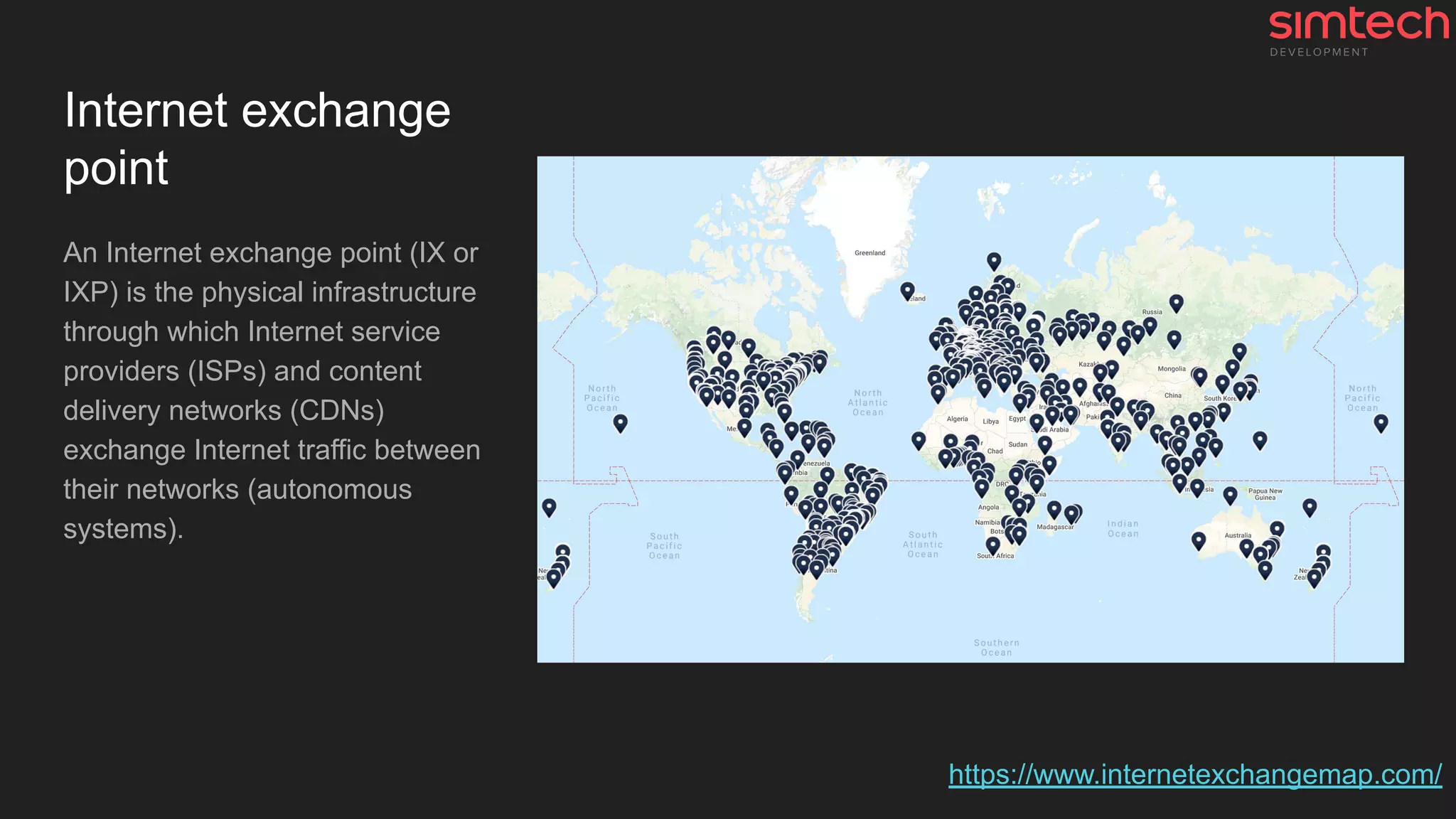
Internet exchange
point
An Internet exchange point (IX or
IXP) is the physical infrastructure
through which Internet service
providers (ISPs) and content
delivery networks (CDNs)
exchange Internet traffic between
their networks (autonomous
systems).
https://www.internetexchangemap.com/
Some issues
● If project is based in Australia and the customer is in Europe
○ Data will be transferred across the whole world → Network latency for each request
○ Many requests → Slower website
●
What actually happens when you open
a website?
Let's look at it in the context of the website
1. DNS
2. Sockets and extra tech stuff
3. HTTPS
4. HTTP
5. Browser
#1 DNS lookup
DNS (Domain Name Server)
resolution is the process of
translating IP addresses to
domain names. When a profile is
configured to look up all numeric
IP addresses.
https://howdns.works/
What to do with DNS to speed it up?
Good practice 👍
● ✅ Using Cloudflare
● ✅ Choosing AWS Route 53
● Using GoDaddy and others
Not so good (bad) practice 👎
● Using local DNS server
● Using CPanel💩 DNS feature *
✅ Included in our Cloud Hosting Solution
* #why-we-dont-recommend-using-cpanel-plesk-etc
#2 Tech magic
A lot of tech stuff like
● System sockets, TCP
packet crafting, ...
● 🤪AS, TTL, ISN, SYN,
ACK, SEQ, FIN, ...
● ClientHello, ServerHello, …
● …
#3 HTTPS
A lot of tech stuff like
● Cryptography (A LOT OF)
● Handshakes 🤝
● Certificates, Keys,
Certificate Authorities, ...
● ...
https://howhttps.works
https://tools.ietf.org/html/rfc8446
How to speed up HTTPS and improve security?
● ✅ Provide SSL certificates (free and renewable Let's Encrypt certificates)
● ✅ Use Strict SSL settings (A+ on ssllabs.com)
● ✅ Use HTTP Strict Transport Security (HSTS) mechanism
● ✅ Use HTTP/2 and Server Pushes
✅ Included in our Cloud Hosting Solution
#5 HTTP
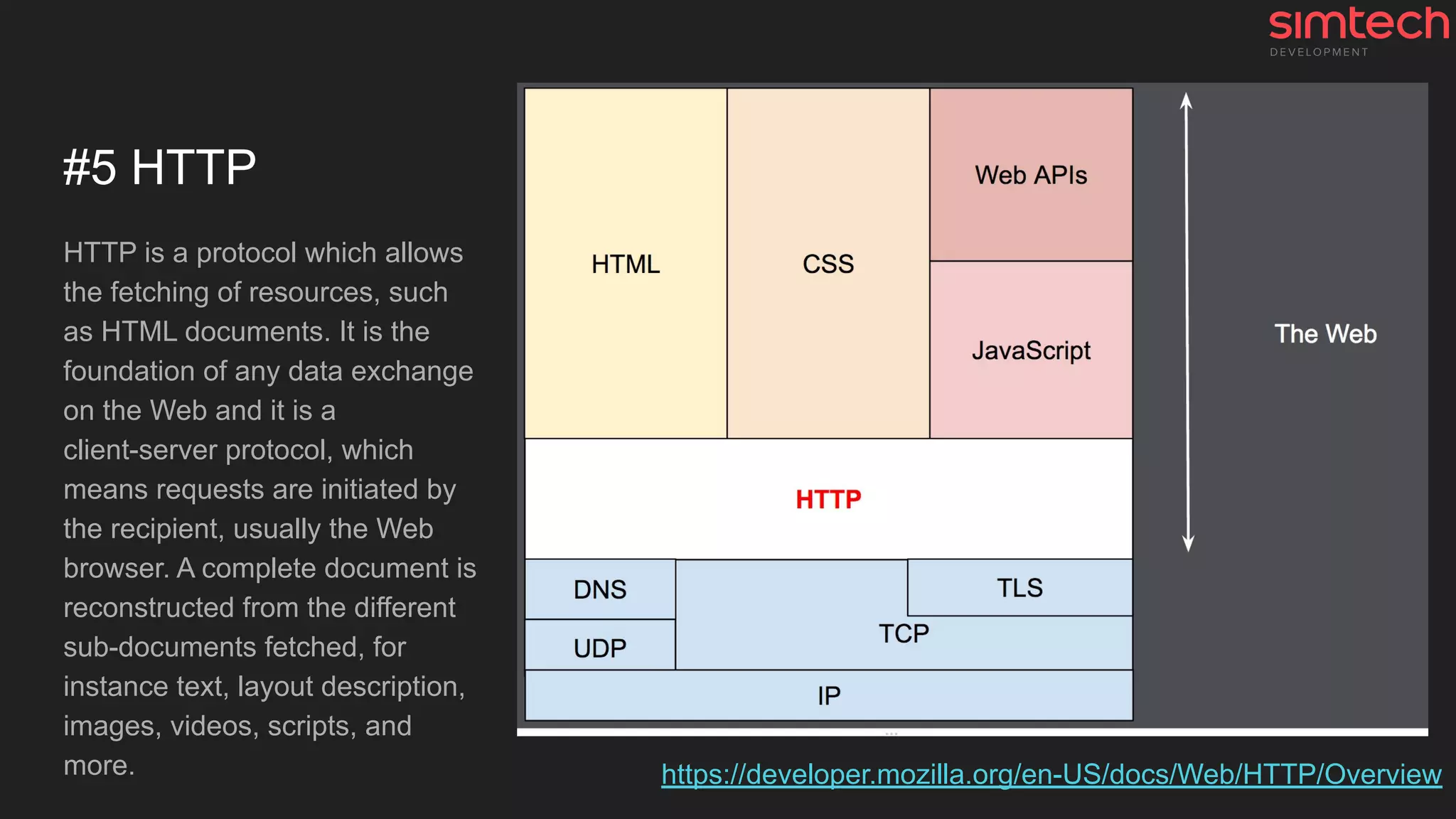
HTTP is a protocol which allows
the fetching of resources, such
as HTML documents. It is the
foundation of any data exchange
on the Web and it is a
client-server protocol, which
means requests are initiated by
the recipient, usually the Web
browser. A complete document is
reconstructed from the different
sub-documents fetched, for
instance text, layout description,
images, videos, scripts, and
more. https://developer.mozilla.org/en-US/docs/Web/HTTP/Overview
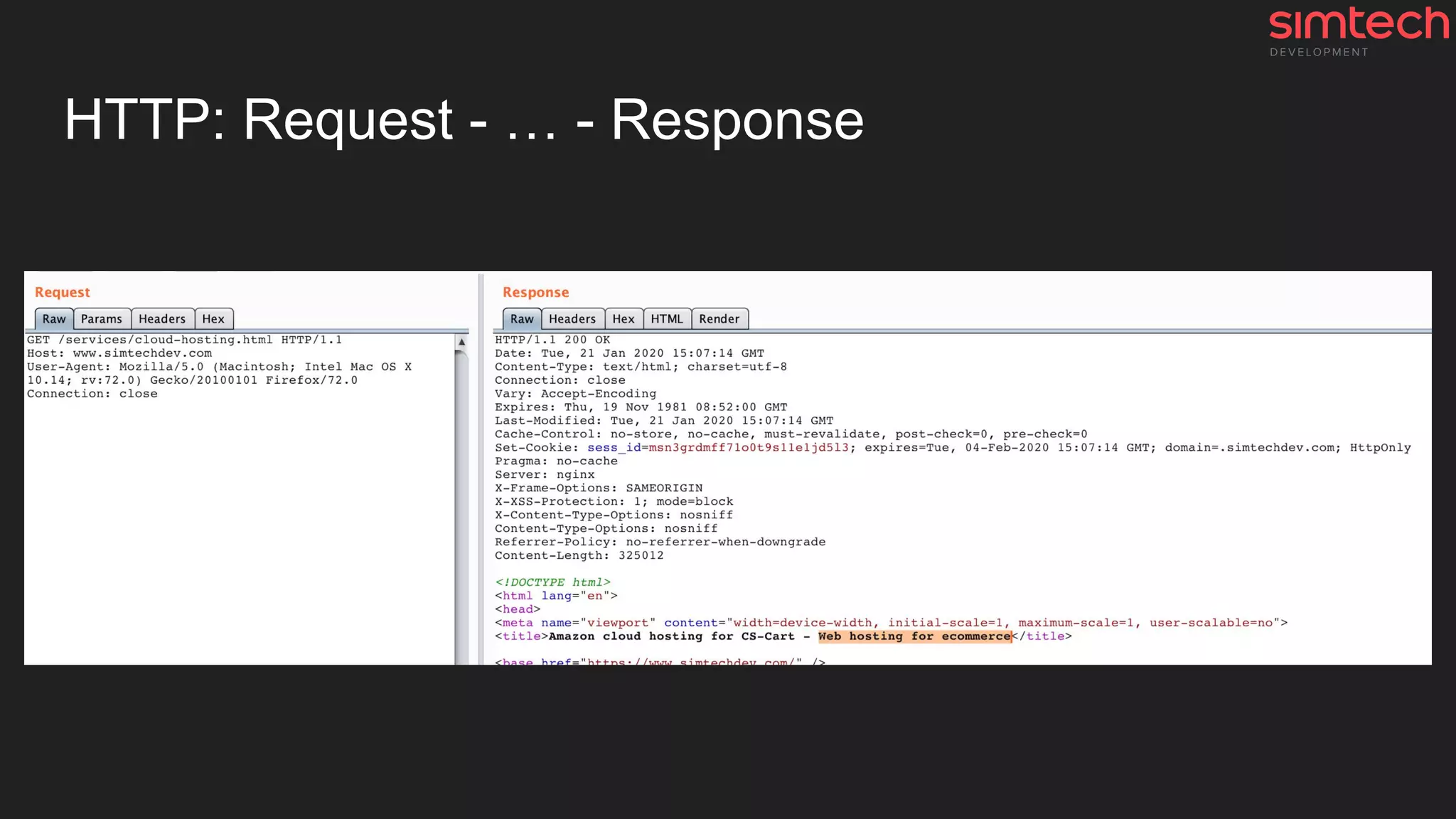
HTTP: Request - … - Response
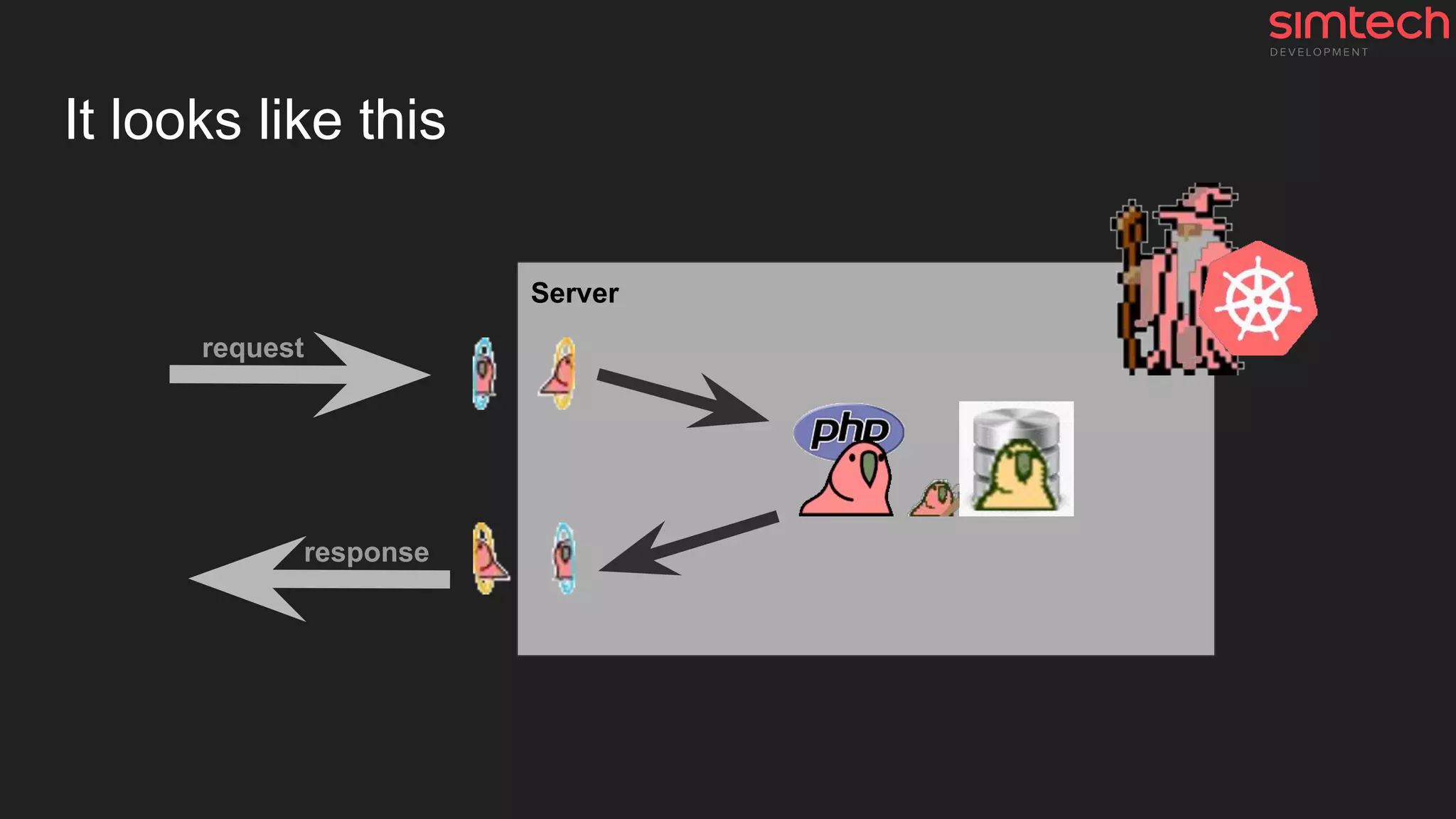
And what is going on inside step by step?
1. Request from the browser is received by web-server
2. Request is handled and transported to PHP (application server)
3. PHP starts working
a. Initiates CS-Cart/MV/Magento/Wordpress/Laravel/... core
b. Opens connection to the database (database server)
c. Application does its work
i. MySQL queries, PHP routine
ii. Some magic 🦄
d. Closes connection to the database
e. Generates HTML document as a result
4. HTML document is transported to web-server
5. Web-server sends the HTML document to the browser
It looks like this
Server
request
response
And now we got “Time to first byte” (TTFB)
Time to first byte (TTFB) is not only the server performance metric ⚙
The largest and the main part of this metric is the work of the application itself and
its code and database queries.
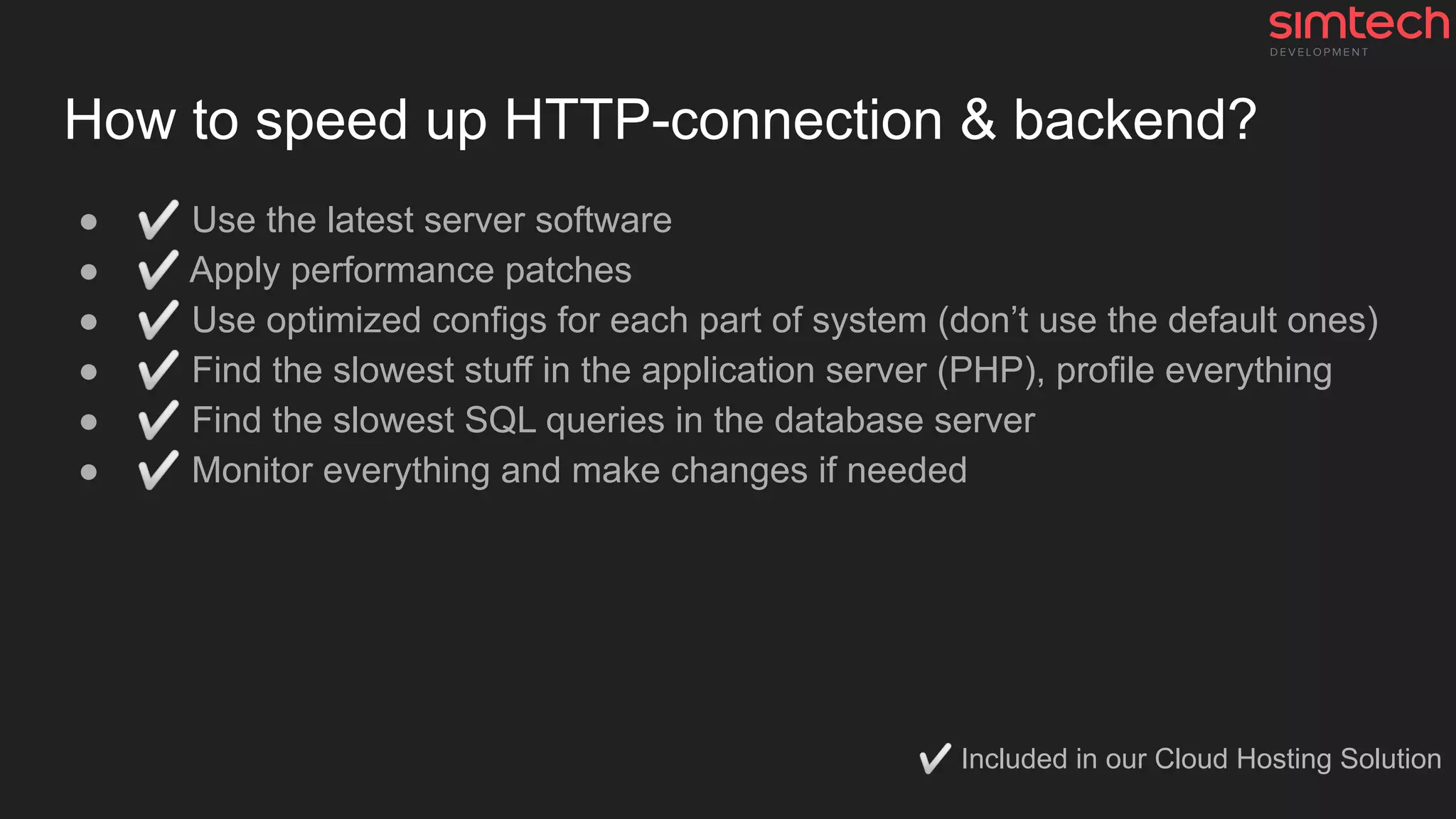
How to speed up HTTP-connection & backend?
● ✅ Use the latest server software
● ✅ Apply performance patches
● ✅ Use optimized configs for each part of system (don’t use the default ones)
● ✅ Find the slowest stuff in the application server (PHP), profile everything
● ✅ Find the slowest SQL queries in the database server
● ✅ Monitor everything and make changes if needed
✅ Included in our Cloud Hosting Solution
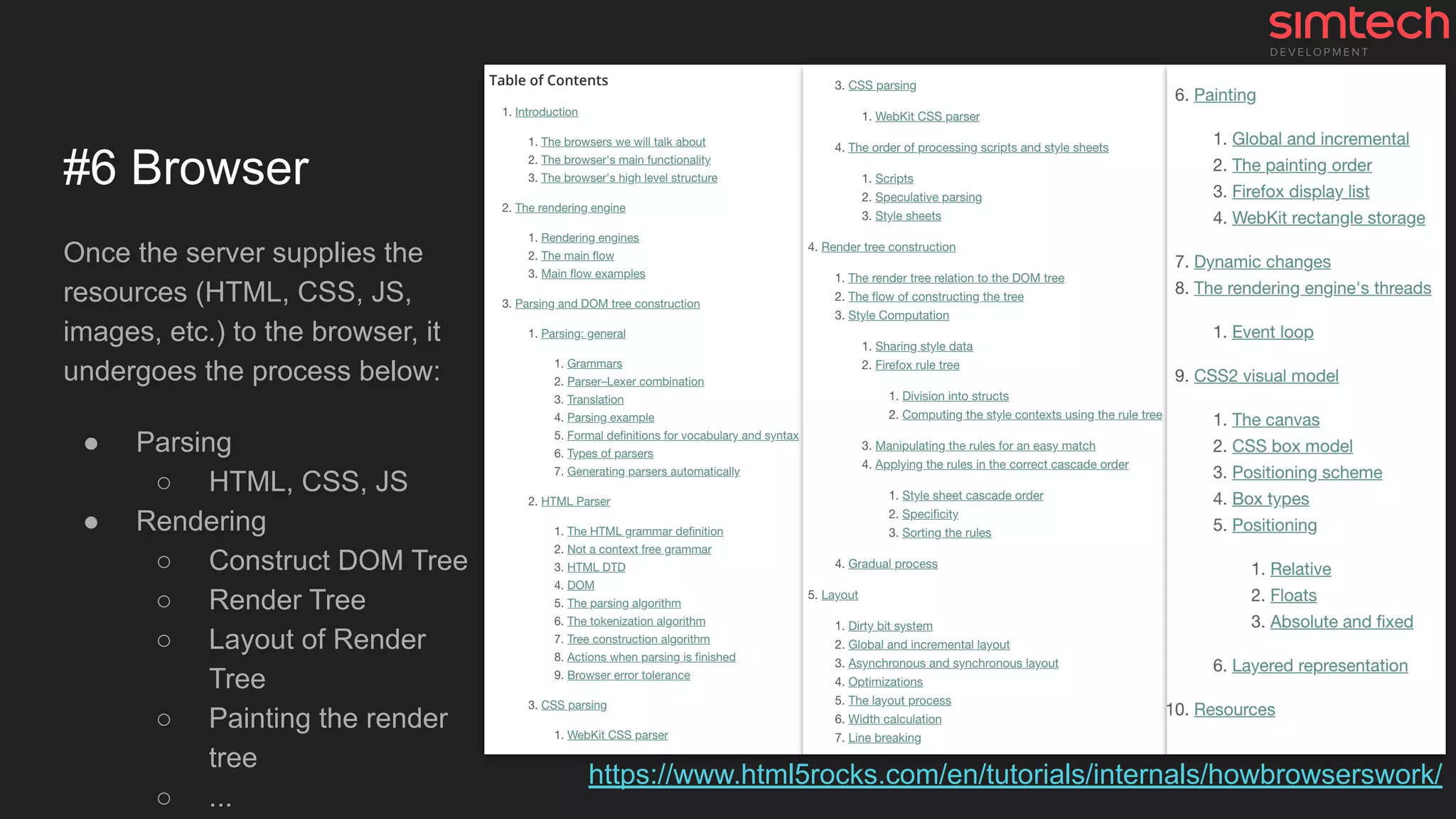
#6 Browser
Once the server supplies the
resources (HTML, CSS, JS,
images, etc.) to the browser, it
undergoes the process below:
● Parsing
○ HTML, CSS, JS
● Rendering
○ Construct DOM Tree
○ Render Tree
○ Layout of Render
Tree
○ Painting the render
tree
○ ...
https://www.html5rocks.com/en/tutorials/internals/howbrowserswork/
Behind the scenes of the Browser: Slowest stuff
More code → More resources and execution time. Remember it!
1. A lot of images and extra third-party resources
2. Excessive DOM size
3. Big main-thread work
○ Long JavaScript execution time
○ Async JavaScript requests
4. And other frontend developers stuff
Also, read this article Things That Can Go Wrong With Your Store Aside Of Server
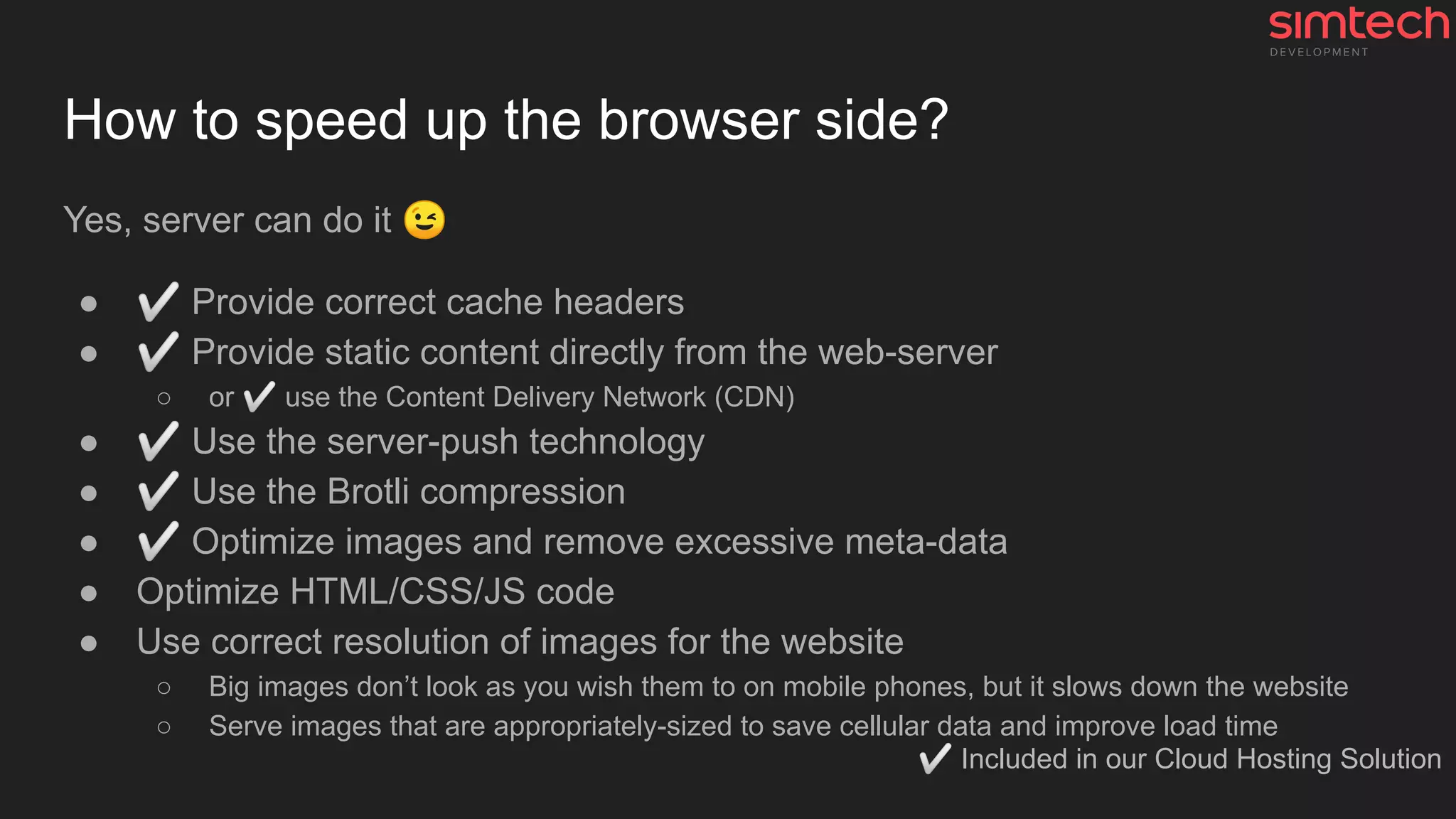
How to speed up the browser side?
Yes, server can do it 😉
● ✅ Provide correct cache headers
● ✅ Provide static content directly from the web-server
○ or ✅ use the Content Delivery Network (CDN)
● ✅ Use the server-push technology
● ✅ Use the Brotli compression
● ✅ Optimize images and remove excessive meta-data
● Optimize HTML/CSS/JS code
● Use correct resolution of images for the website
○ Big images don’t look as you wish them to on mobile phones, but it slows down the website
○ Serve images that are appropriately-sized to save cellular data and improve load time
✅ Included in our Cloud Hosting Solution
Performance testing
Why performance tests suck sometimes?
1. Slow or out-of-date device or browser (laptop, mobile phone, ...)
2. Slow network speed / Low throughput network, some latency issues
3. Any tests without metrics (numbers)
a. It looks that …
b. I think ...
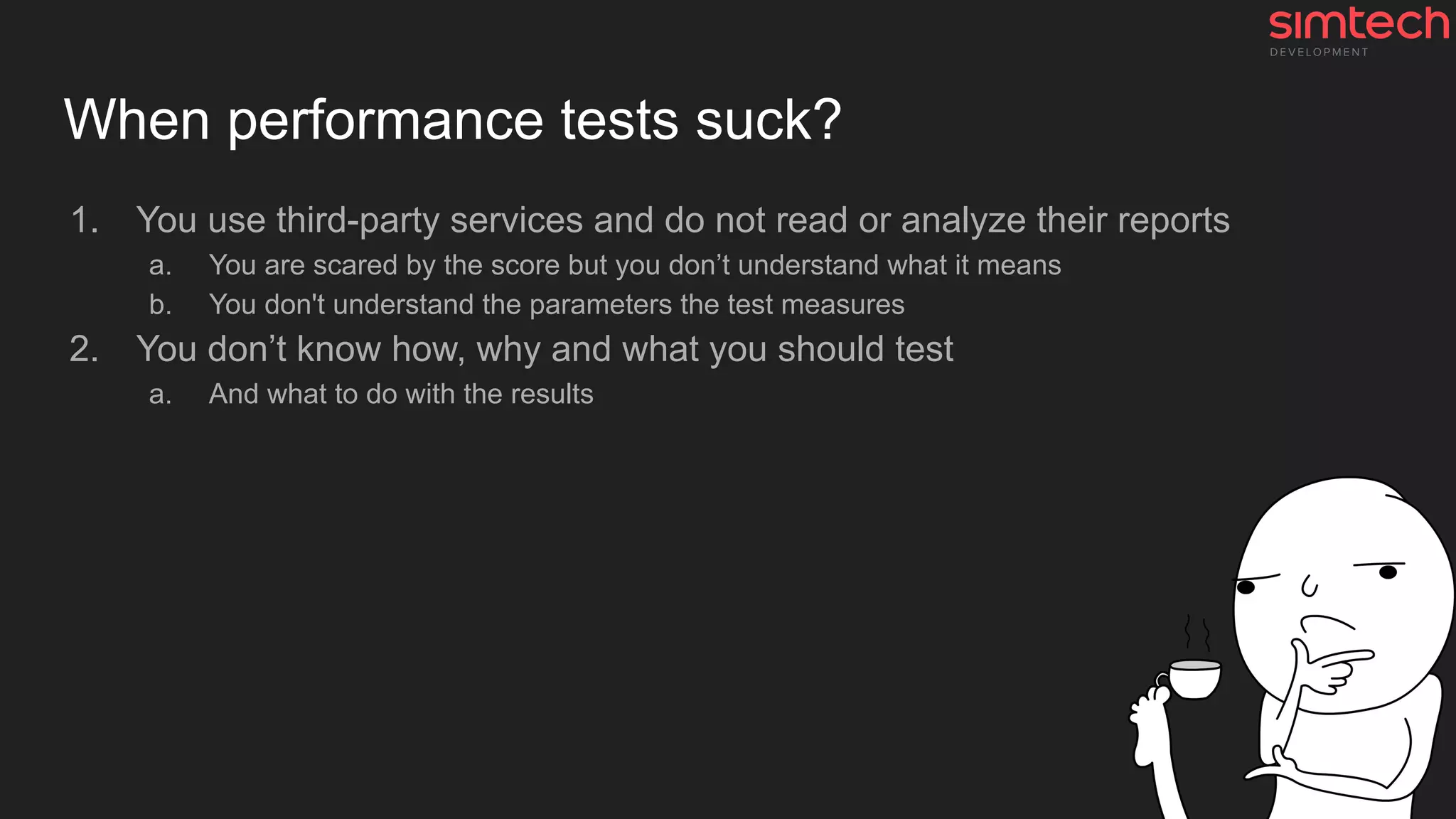
When performance tests suck?
1. You use third-party services and do not read or analyze their reports
a. You are scared by the score but you don’t understand what it means
b. You don't understand the parameters the test measures
2. You don’t know how, why and what you should test
a. And what to do with the results
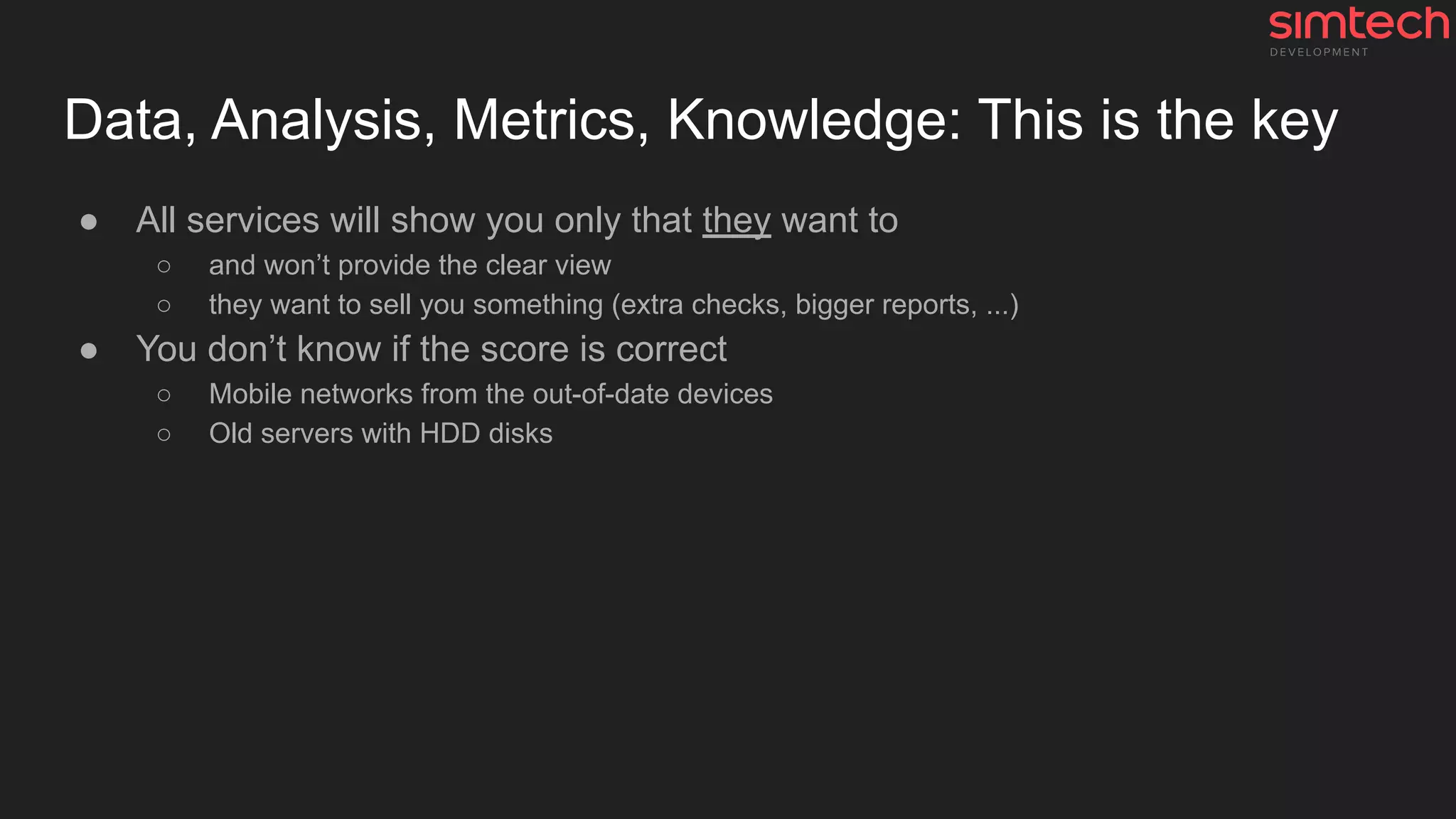
Data, Analysis, Metrics, Knowledge: This is the key
● All services will show you only that they want to
○ and won’t provide the clear view
○ they want to sell you something (extra checks, bigger reports, ...)
● You don’t know if the score is correct
○ Mobile networks from the out-of-date devices
○ Old servers with HDD disks
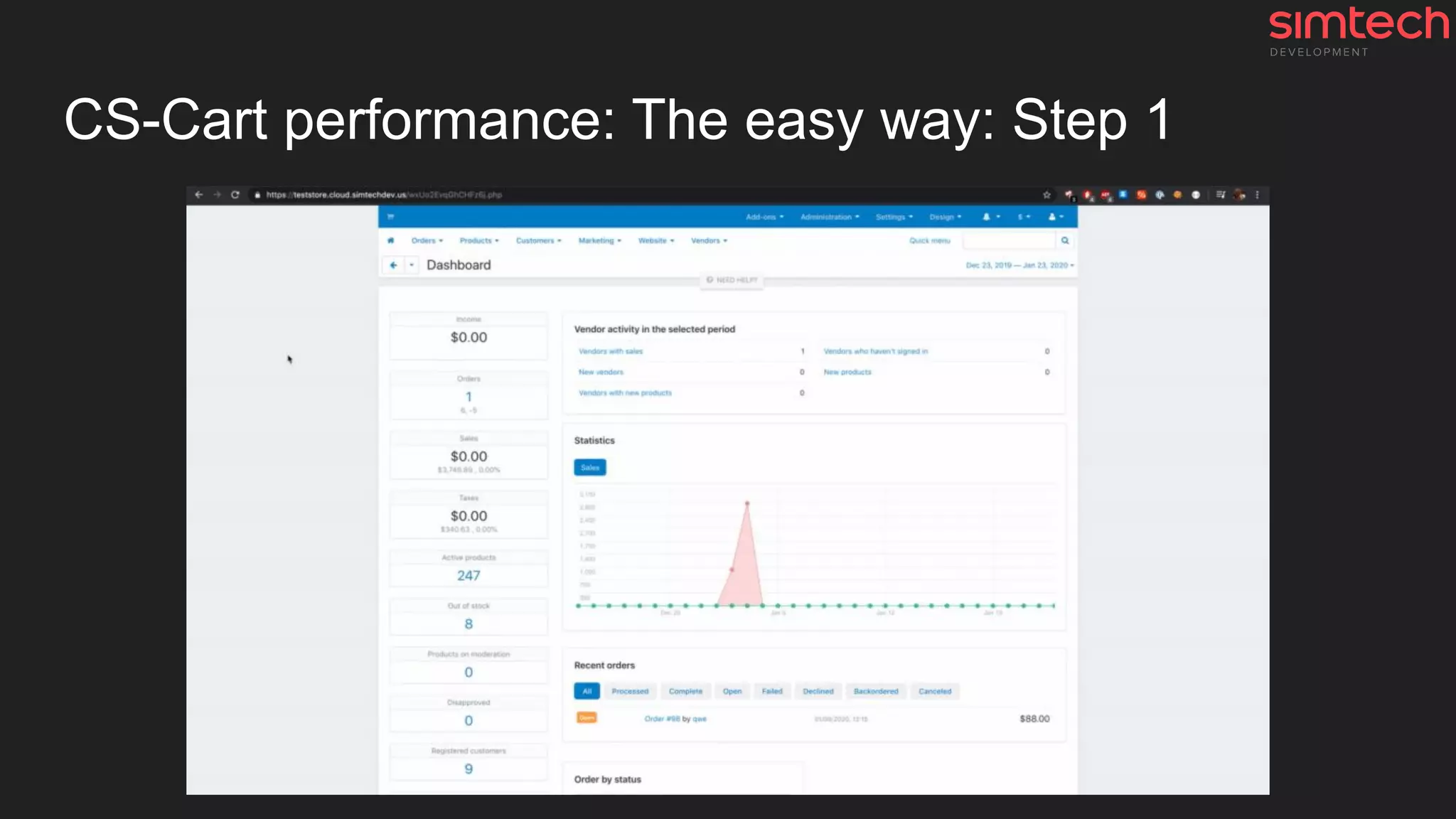
CS-Cart performance: The easy way: Step 1
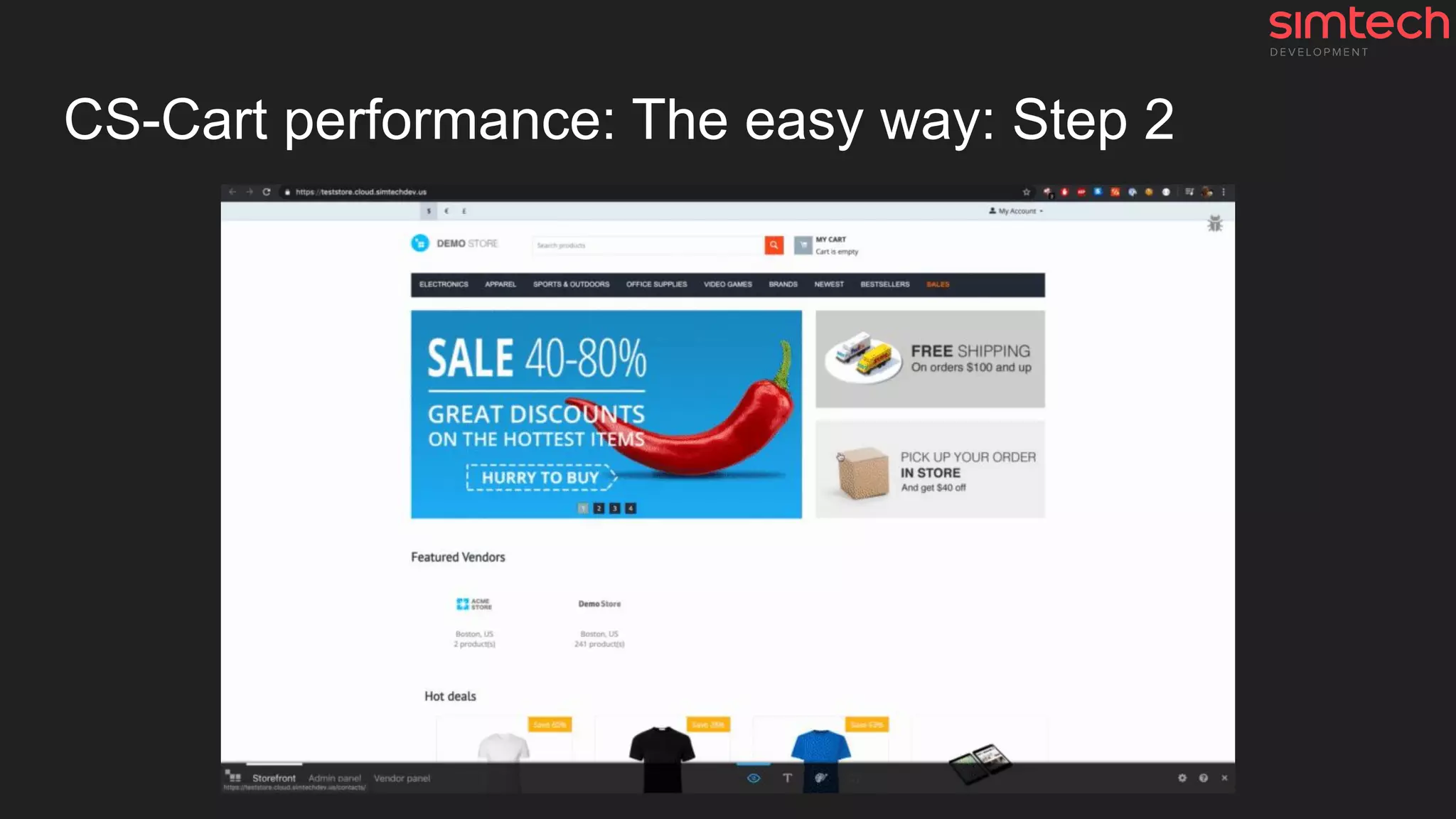
CS-Cart performance: The easy way: Step 2
How-to: Check CS-Cart/MV performance issues
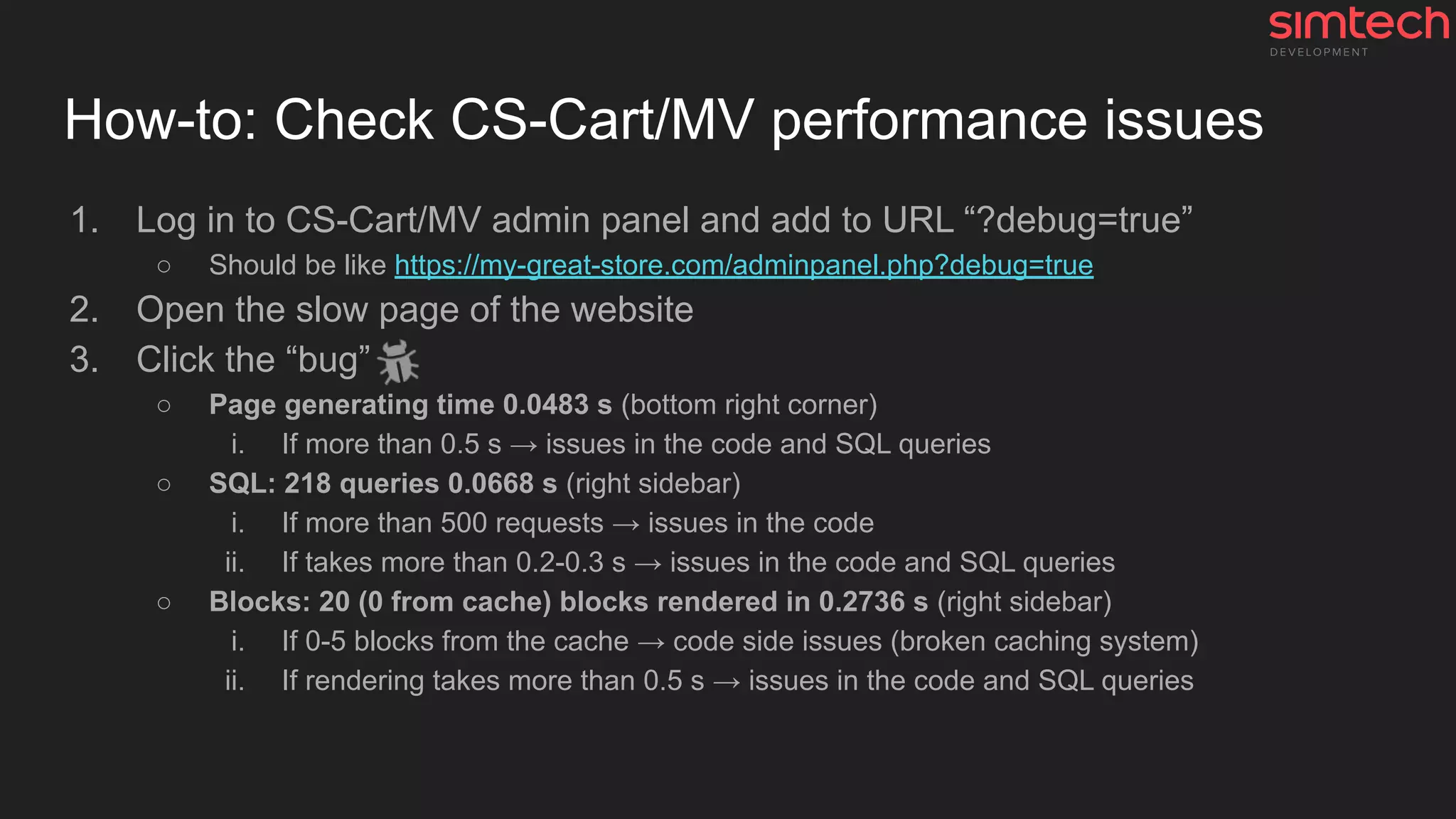
1. Log in to CS-Cart/MV admin panel and add to URL “?debug=true”
○ Should be like https://my-great-store.com/adminpanel.php?debug=true
2. Open the slow page of the website
3. Click the “bug”
○ Page generating time 0.0483 s (bottom right corner)
i. If more than 0.5 s → issues in the code and SQL queries
○ SQL: 218 queries 0.0668 s (right sidebar)
i. If more than 500 requests → issues in the code
ii. If takes more than 0.2-0.3 s → issues in the code and SQL queries
○ Blocks: 20 (0 from cache) blocks rendered in 0.2736 s (right sidebar)
i. If 0-5 blocks from the cache → code side issues (broken caching system)
ii. If rendering takes more than 0.5 s → issues in the code and SQL queries
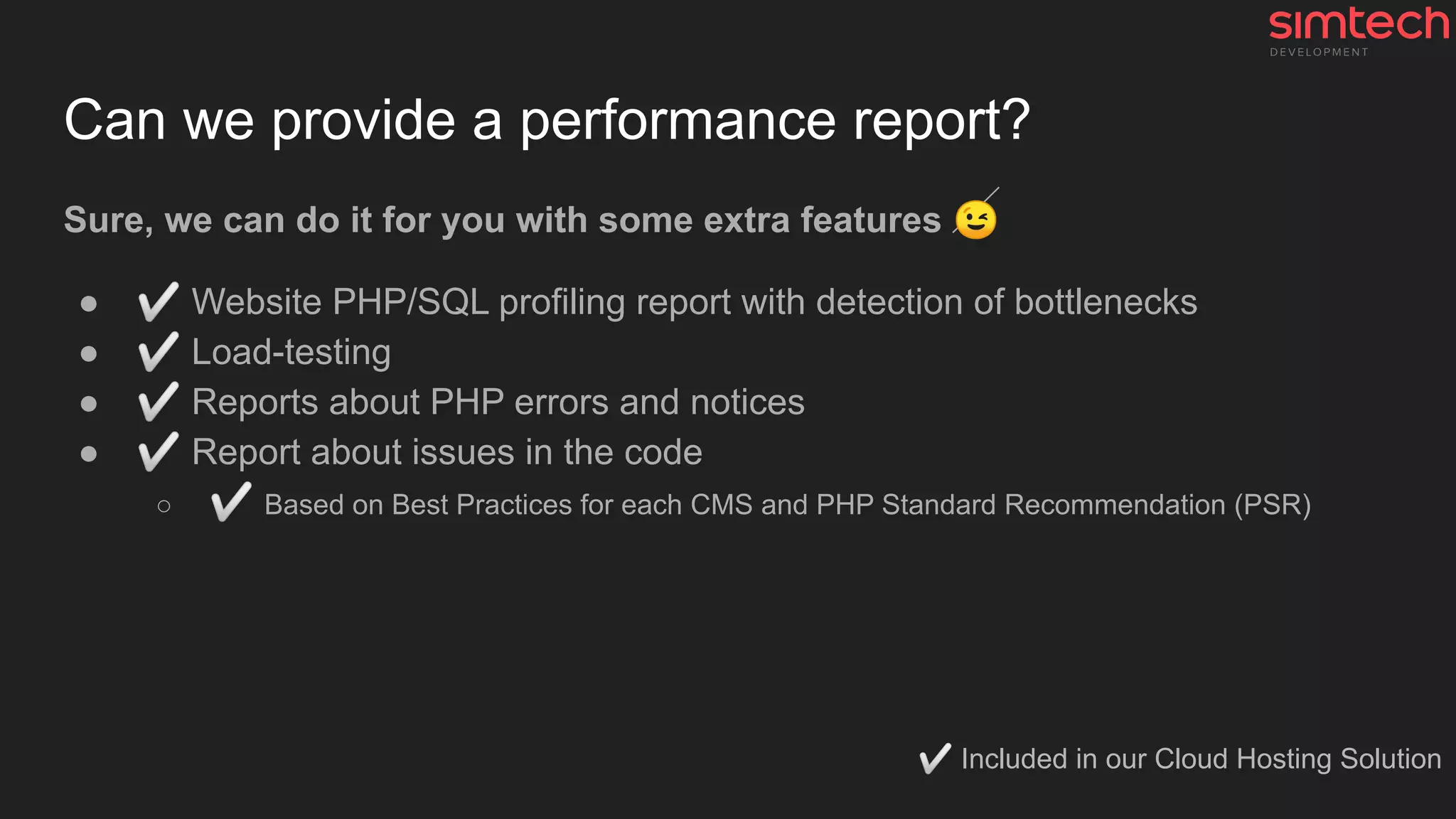
Can we provide a performance report?
Sure, we can do it for you with some extra features 😉
● ✅ Website PHP/SQL profiling report with detection of bottlenecks
● ✅ Load-testing
● ✅ Reports about PHP errors and notices
● ✅ Report about issues in the code
○ ✅ Based on Best Practices for each CMS and PHP Standard Recommendation (PSR)
✅ Included in our Cloud Hosting Solution
Examples and weird stuff
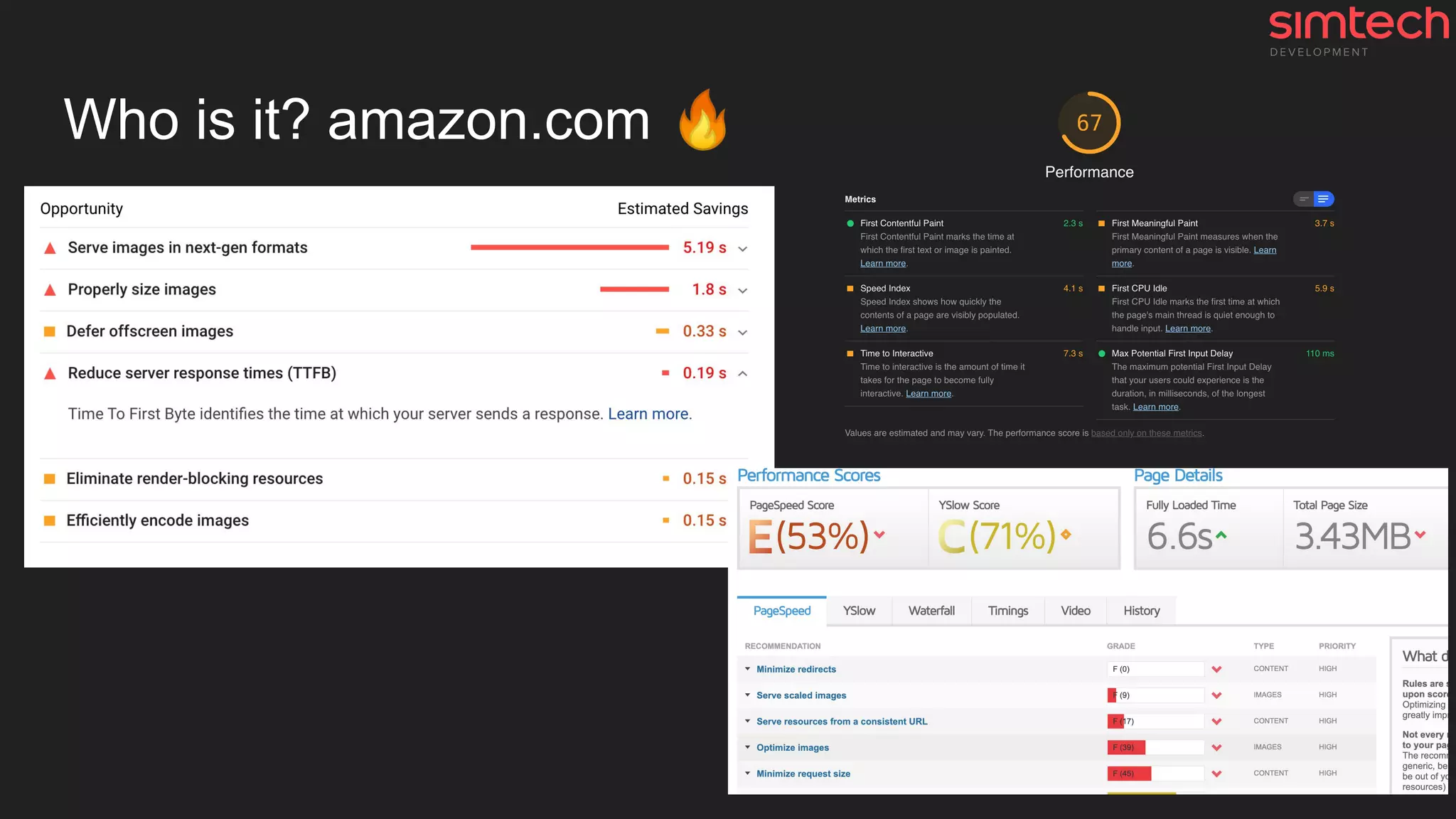
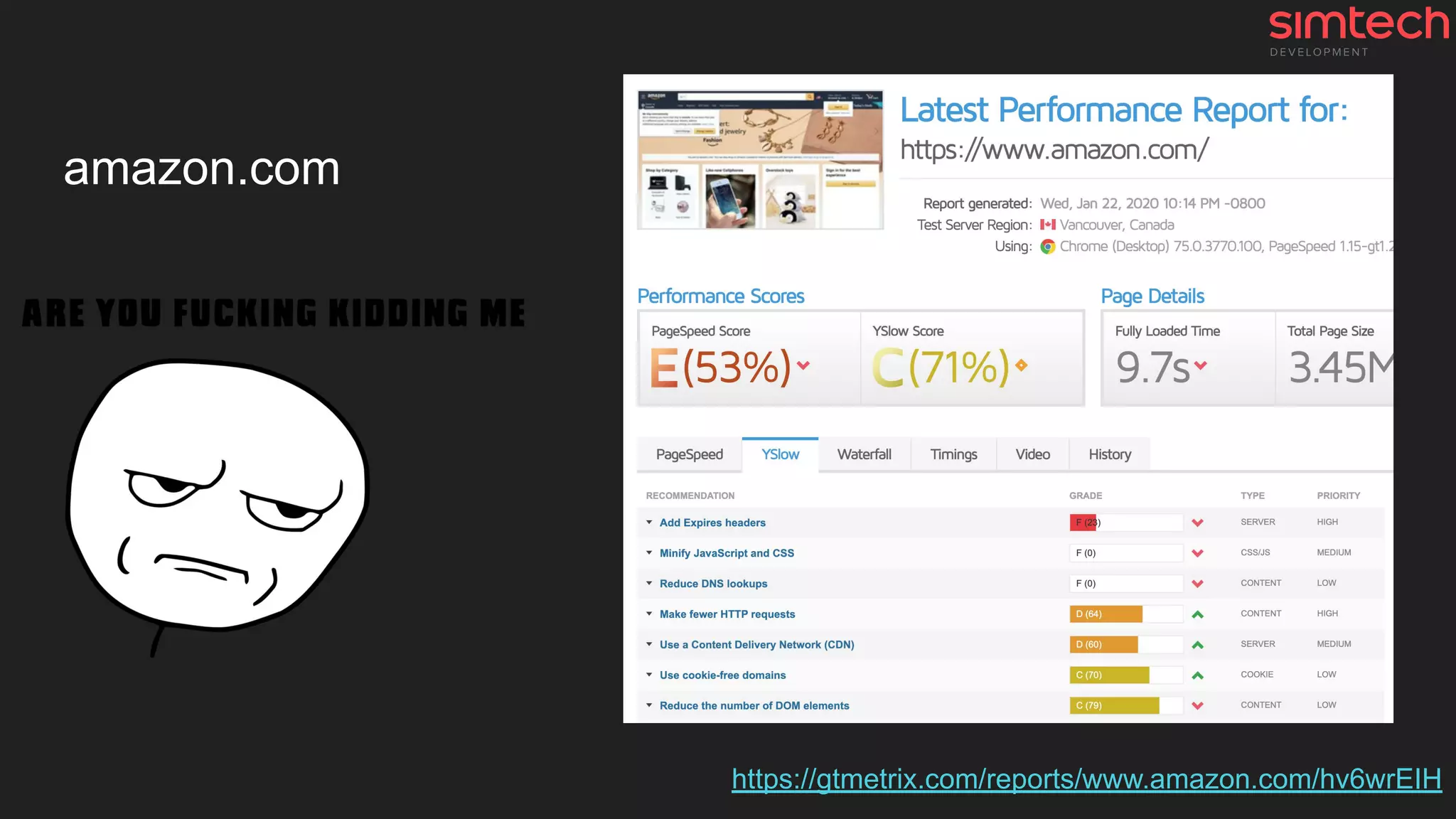
Who is it? amazon.com 🔥
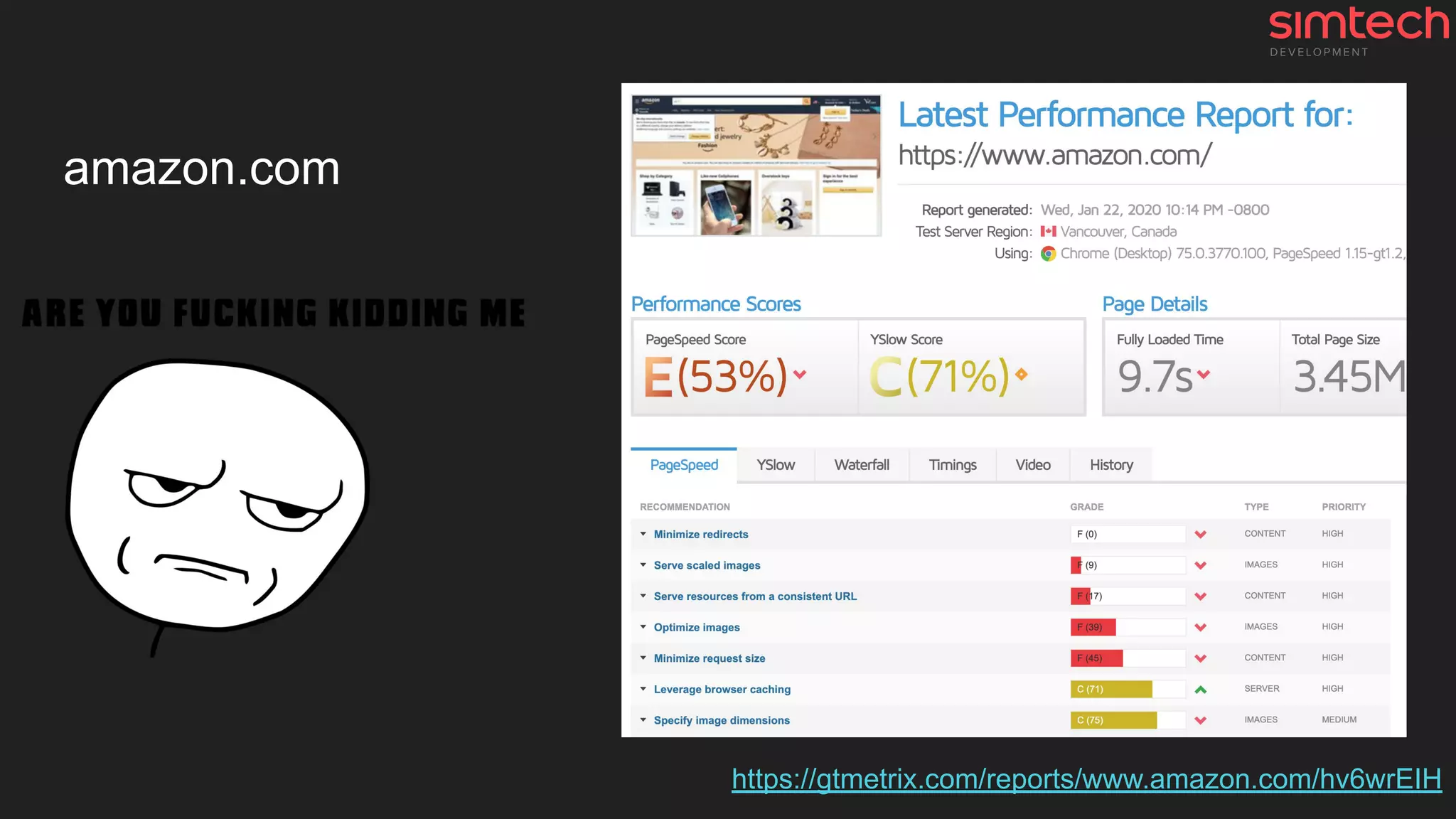
amazon.com
https://gtmetrix.com/reports/www.amazon.com/hv6wrEIH
amazon.com
https://gtmetrix.com/reports/www.amazon.com/hv6wrEIH
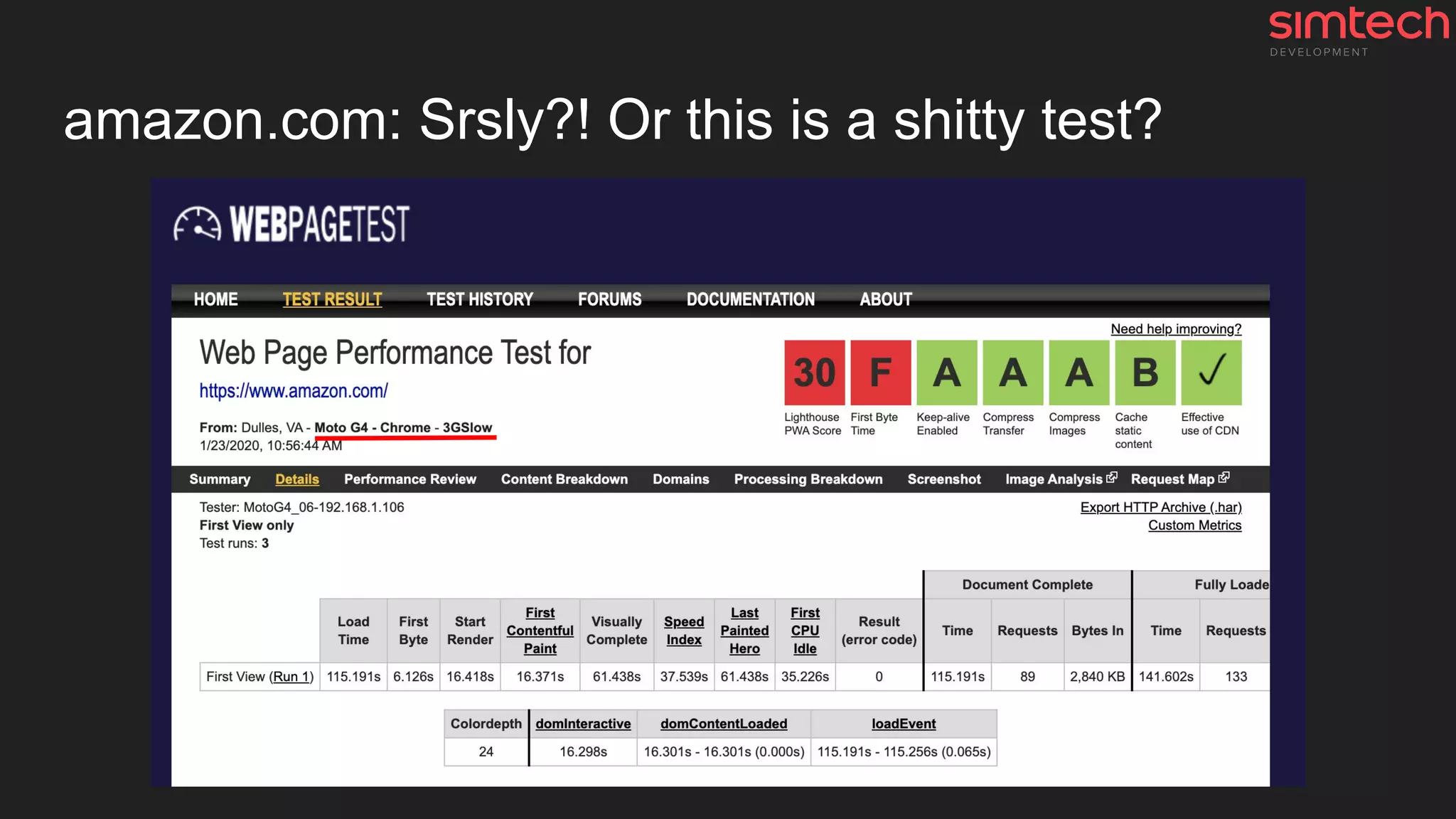
amazon.com: Srsly?! Or this is a shitty test?
You need to think critically
Google pagespeed report
1. amazon.com: 📱75 🖥98
2. bestbuy.com: 📱61 🖥96
3. etsy.com: 📱59 🖥94
4. aliexpress.com: 📱46 🖥65
5. ebay.com: 📱45 🖥75
6. walmart.com: 📱41 🖥91
7. asos.com: 📱37 🖥92
8. apple.com: 📱34 🖥88
9. wish.com: 📱2 🖥24 (Wish is primarily a mobile marketplace )
Conclusion
1. TTFB is a complex metric
a. It's mostly a metric of the application and the quality of its code
b. It’s a metric of PHP and SQL queries
2. Performance testing should be done manually with result analysis
a. All third-party performance testing systems don't give a damn about quality
b. All these testing systems have their own “premium”💰 checkers and optimizations
i. They want to sell it in the first place, not to help you 😉
3. A lot of extra things make your website slower
a. Old and out-of-date devices (PC, modems or routers, laptops, mobile phones, ...)
b. Old software (OS, browsers, drivers, ...)
c. Slow speed or limited access networks, …
d. …
Don't hesitate to
contact me
---
Sincerely yours,
Roman Ananev,
Head of SRE & Cloud Hosting
rananev (at) simtechdev.com
linkedin.com/in/rananev
Homework ;)
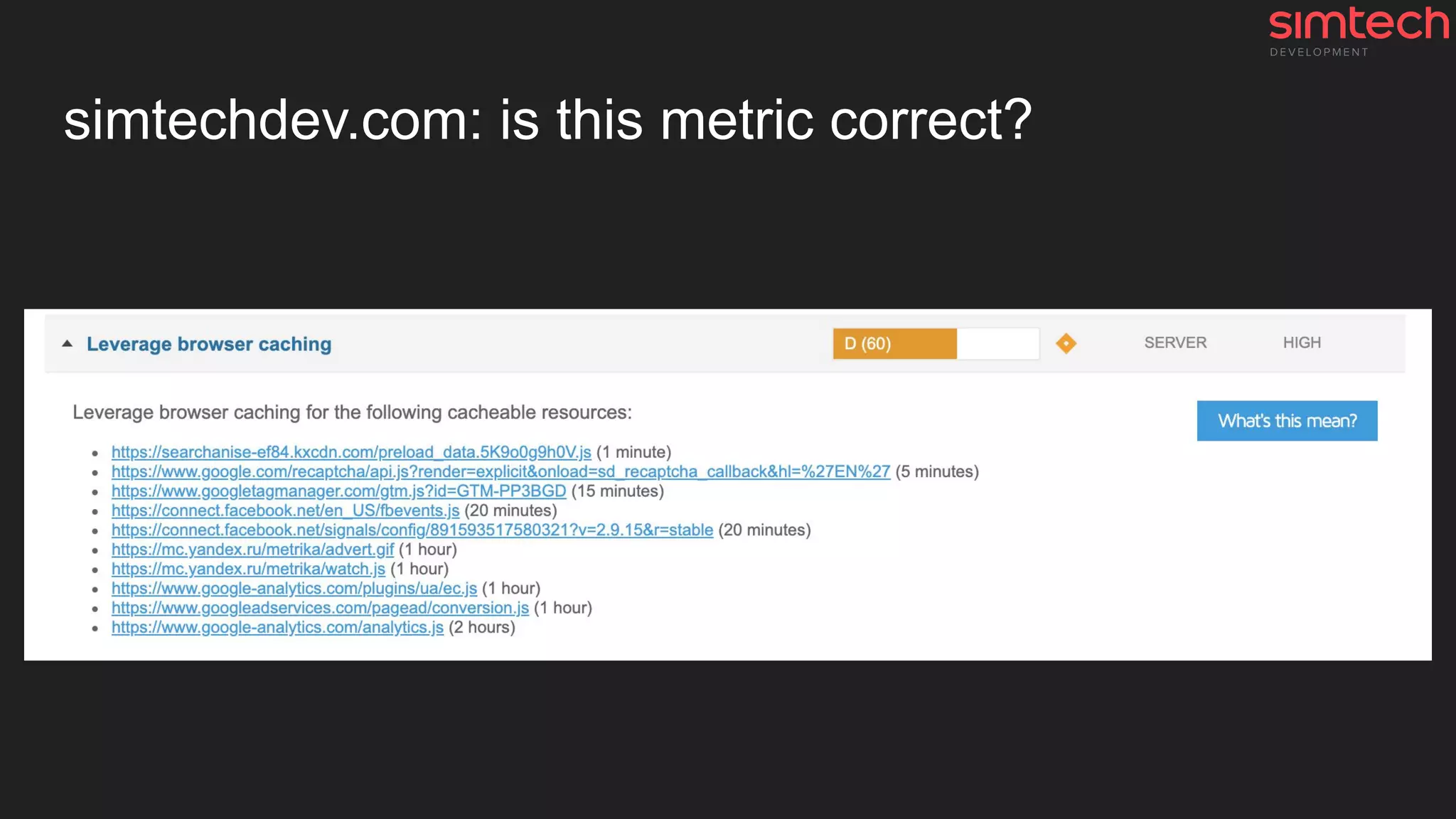
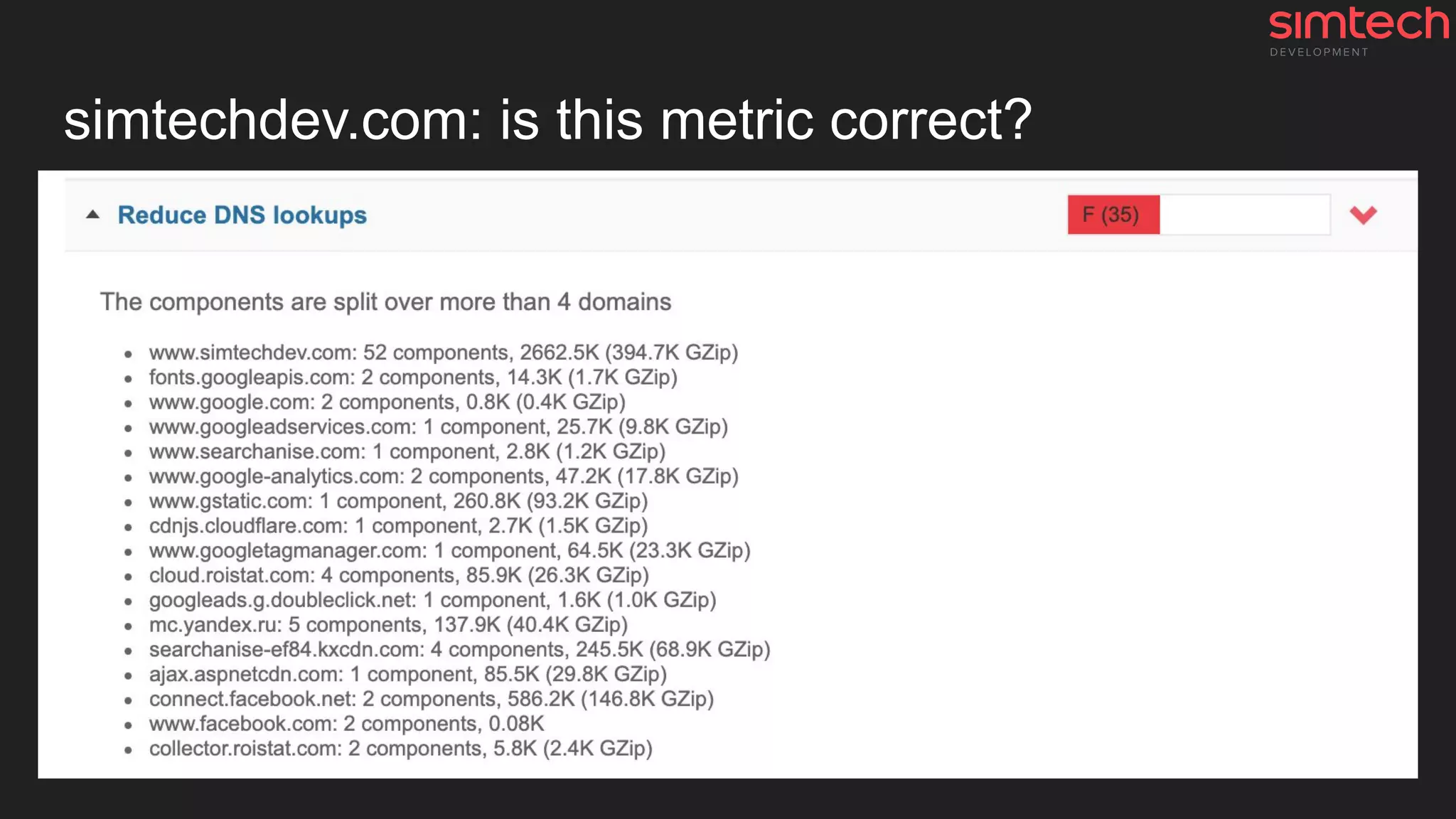
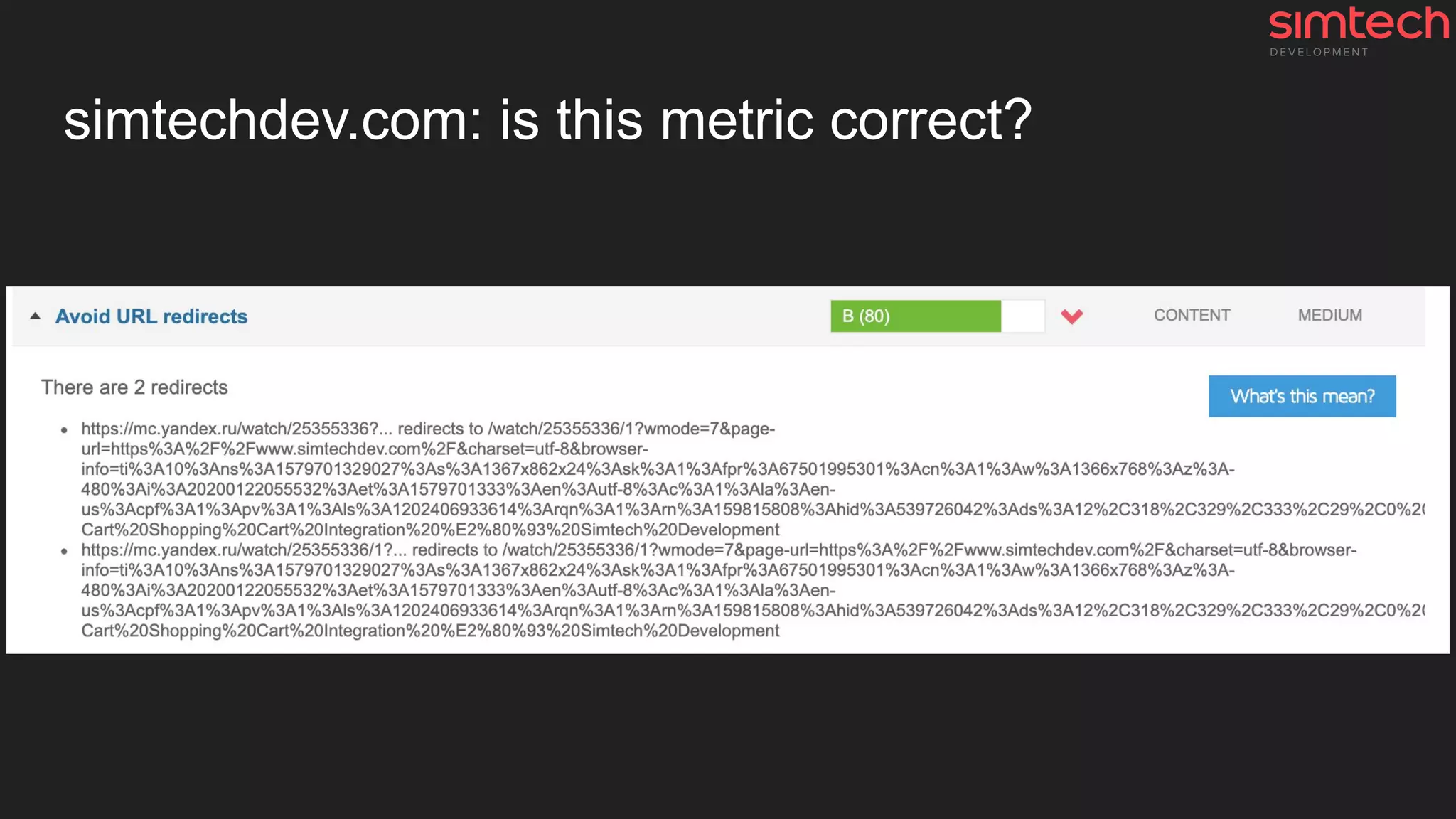
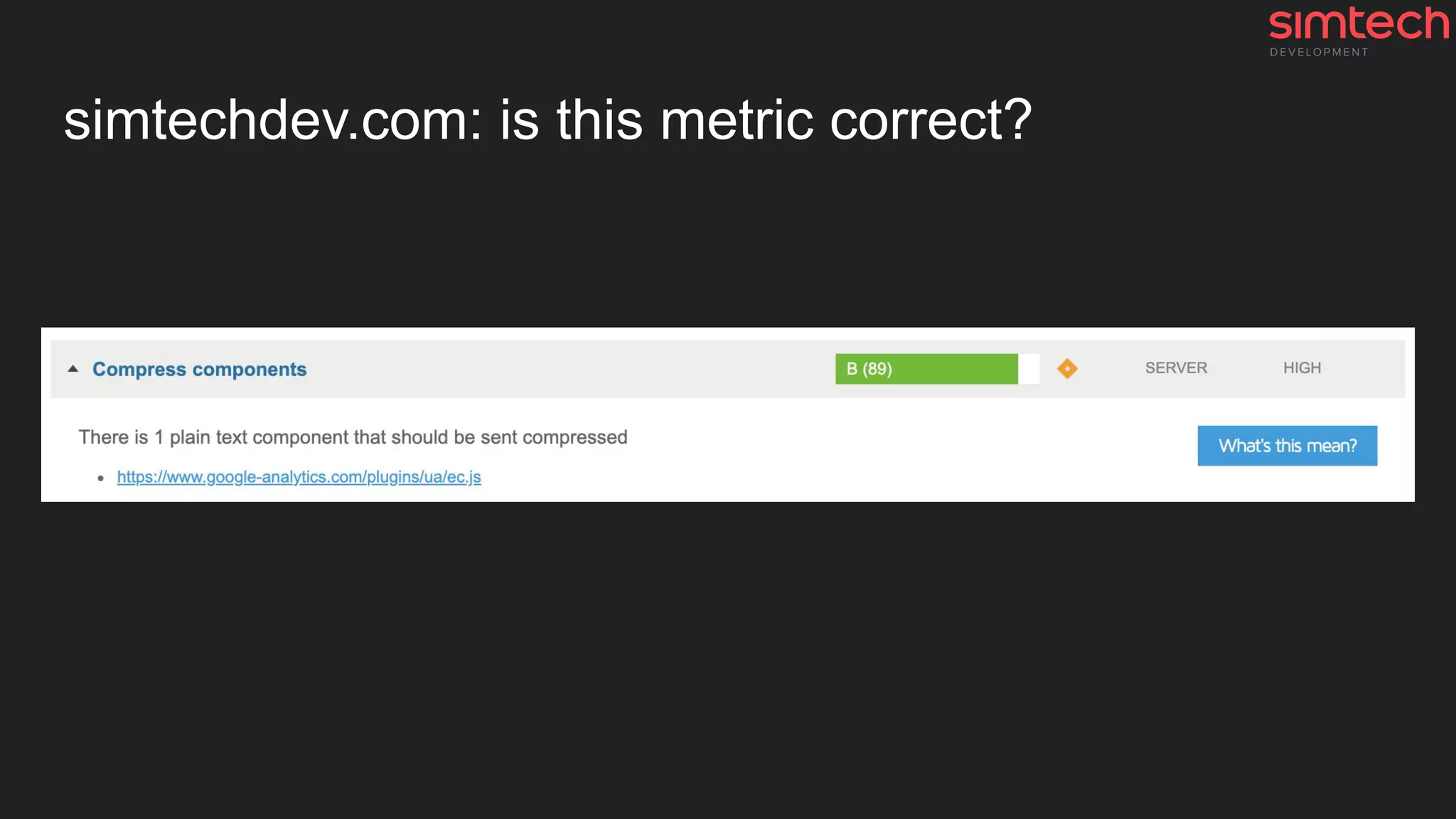
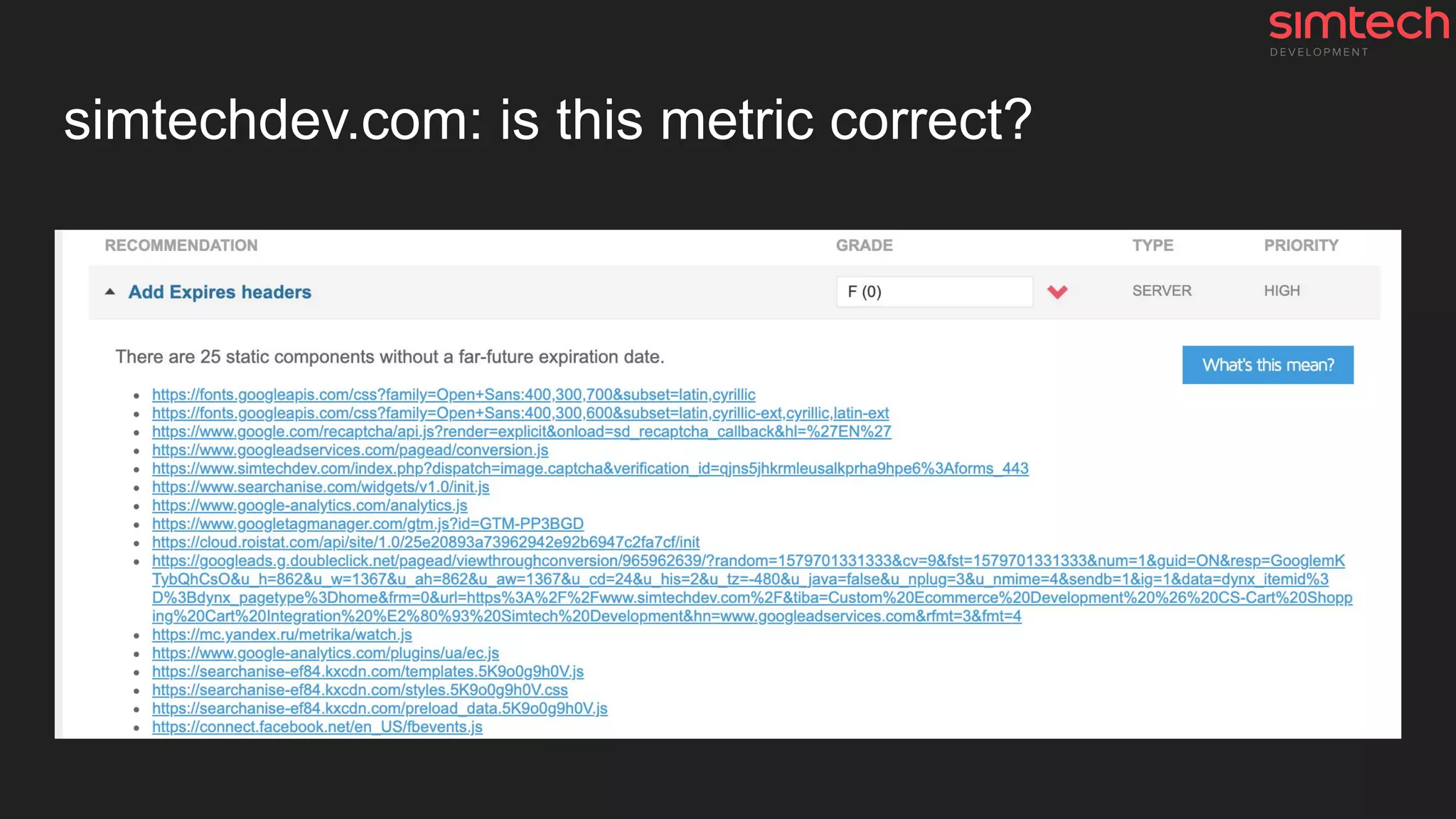
simtechdev.com: is this metric correct?
Any questions?
---
Sincerely yours,
Roman Ananev,
Head of SRE & Cloud Hosting
rananev (at) simtechdev.com
linkedin.com/in/rananyev

Website & Internet + Performance testing

  • 1.
    - Internet &Website - Performance testing simtechdev.com/cloud-hosting
  • 2.
  • 3.
    Data transfer via submarinecables A submarine communications cable is a cable laid on the sea bed between land-based stations to carry telecommunication signals across stretches of ocean and sea. Modern cables use optical fiber technology to carry digital data, which includes telephone, Internet and private data trafficю https://www.submarinecablemap.com/
  • 4.
    Internet exchange point An Internetexchange point (IX or IXP) is the physical infrastructure through which Internet service providers (ISPs) and content delivery networks (CDNs) exchange Internet traffic between their networks (autonomous systems). https://www.internetexchangemap.com/
  • 5.
    Some issues ● Ifproject is based in Australia and the customer is in Europe ○ Data will be transferred across the whole world → Network latency for each request ○ Many requests → Slower website ●
  • 6.
    What actually happenswhen you open a website?
  • 7.
    Let's look atit in the context of the website 1. DNS 2. Sockets and extra tech stuff 3. HTTPS 4. HTTP 5. Browser
  • 8.
    #1 DNS lookup DNS(Domain Name Server) resolution is the process of translating IP addresses to domain names. When a profile is configured to look up all numeric IP addresses. https://howdns.works/
  • 9.
    What to dowith DNS to speed it up? Good practice 👍 ● ✅ Using Cloudflare ● ✅ Choosing AWS Route 53 ● Using GoDaddy and others Not so good (bad) practice 👎 ● Using local DNS server ● Using CPanel💩 DNS feature * ✅ Included in our Cloud Hosting Solution * #why-we-dont-recommend-using-cpanel-plesk-etc
  • 10.
    #2 Tech magic Alot of tech stuff like ● System sockets, TCP packet crafting, ... ● 🤪AS, TTL, ISN, SYN, ACK, SEQ, FIN, ... ● ClientHello, ServerHello, … ● …
  • 11.
    #3 HTTPS A lotof tech stuff like ● Cryptography (A LOT OF) ● Handshakes 🤝 ● Certificates, Keys, Certificate Authorities, ... ● ... https://howhttps.works https://tools.ietf.org/html/rfc8446
  • 12.
    How to speedup HTTPS and improve security? ● ✅ Provide SSL certificates (free and renewable Let's Encrypt certificates) ● ✅ Use Strict SSL settings (A+ on ssllabs.com) ● ✅ Use HTTP Strict Transport Security (HSTS) mechanism ● ✅ Use HTTP/2 and Server Pushes ✅ Included in our Cloud Hosting Solution
  • 13.
    #5 HTTP HTTP isa protocol which allows the fetching of resources, such as HTML documents. It is the foundation of any data exchange on the Web and it is a client-server protocol, which means requests are initiated by the recipient, usually the Web browser. A complete document is reconstructed from the different sub-documents fetched, for instance text, layout description, images, videos, scripts, and more. https://developer.mozilla.org/en-US/docs/Web/HTTP/Overview
  • 14.
    HTTP: Request -… - Response
  • 15.
    And what isgoing on inside step by step? 1. Request from the browser is received by web-server 2. Request is handled and transported to PHP (application server) 3. PHP starts working a. Initiates CS-Cart/MV/Magento/Wordpress/Laravel/... core b. Opens connection to the database (database server) c. Application does its work i. MySQL queries, PHP routine ii. Some magic 🦄 d. Closes connection to the database e. Generates HTML document as a result 4. HTML document is transported to web-server 5. Web-server sends the HTML document to the browser
  • 16.
    It looks likethis Server request response
  • 17.
    And now wegot “Time to first byte” (TTFB) Time to first byte (TTFB) is not only the server performance metric ⚙ The largest and the main part of this metric is the work of the application itself and its code and database queries.
  • 18.
    How to speedup HTTP-connection & backend? ● ✅ Use the latest server software ● ✅ Apply performance patches ● ✅ Use optimized configs for each part of system (don’t use the default ones) ● ✅ Find the slowest stuff in the application server (PHP), profile everything ● ✅ Find the slowest SQL queries in the database server ● ✅ Monitor everything and make changes if needed ✅ Included in our Cloud Hosting Solution
  • 19.
    #6 Browser Once theserver supplies the resources (HTML, CSS, JS, images, etc.) to the browser, it undergoes the process below: ● Parsing ○ HTML, CSS, JS ● Rendering ○ Construct DOM Tree ○ Render Tree ○ Layout of Render Tree ○ Painting the render tree ○ ... https://www.html5rocks.com/en/tutorials/internals/howbrowserswork/
  • 20.
    Behind the scenesof the Browser: Slowest stuff More code → More resources and execution time. Remember it! 1. A lot of images and extra third-party resources 2. Excessive DOM size 3. Big main-thread work ○ Long JavaScript execution time ○ Async JavaScript requests 4. And other frontend developers stuff Also, read this article Things That Can Go Wrong With Your Store Aside Of Server
  • 21.
    How to speedup the browser side? Yes, server can do it 😉 ● ✅ Provide correct cache headers ● ✅ Provide static content directly from the web-server ○ or ✅ use the Content Delivery Network (CDN) ● ✅ Use the server-push technology ● ✅ Use the Brotli compression ● ✅ Optimize images and remove excessive meta-data ● Optimize HTML/CSS/JS code ● Use correct resolution of images for the website ○ Big images don’t look as you wish them to on mobile phones, but it slows down the website ○ Serve images that are appropriately-sized to save cellular data and improve load time ✅ Included in our Cloud Hosting Solution
  • 22.
  • 23.
    Why performance testssuck sometimes? 1. Slow or out-of-date device or browser (laptop, mobile phone, ...) 2. Slow network speed / Low throughput network, some latency issues 3. Any tests without metrics (numbers) a. It looks that … b. I think ...
  • 24.
    When performance testssuck? 1. You use third-party services and do not read or analyze their reports a. You are scared by the score but you don’t understand what it means b. You don't understand the parameters the test measures 2. You don’t know how, why and what you should test a. And what to do with the results
  • 25.
    Data, Analysis, Metrics,Knowledge: This is the key ● All services will show you only that they want to ○ and won’t provide the clear view ○ they want to sell you something (extra checks, bigger reports, ...) ● You don’t know if the score is correct ○ Mobile networks from the out-of-date devices ○ Old servers with HDD disks
  • 26.
    CS-Cart performance: Theeasy way: Step 1
  • 27.
    CS-Cart performance: Theeasy way: Step 2
  • 28.
    How-to: Check CS-Cart/MVperformance issues 1. Log in to CS-Cart/MV admin panel and add to URL “?debug=true” ○ Should be like https://my-great-store.com/adminpanel.php?debug=true 2. Open the slow page of the website 3. Click the “bug” ○ Page generating time 0.0483 s (bottom right corner) i. If more than 0.5 s → issues in the code and SQL queries ○ SQL: 218 queries 0.0668 s (right sidebar) i. If more than 500 requests → issues in the code ii. If takes more than 0.2-0.3 s → issues in the code and SQL queries ○ Blocks: 20 (0 from cache) blocks rendered in 0.2736 s (right sidebar) i. If 0-5 blocks from the cache → code side issues (broken caching system) ii. If rendering takes more than 0.5 s → issues in the code and SQL queries
  • 29.
    Can we providea performance report? Sure, we can do it for you with some extra features 😉 ● ✅ Website PHP/SQL profiling report with detection of bottlenecks ● ✅ Load-testing ● ✅ Reports about PHP errors and notices ● ✅ Report about issues in the code ○ ✅ Based on Best Practices for each CMS and PHP Standard Recommendation (PSR) ✅ Included in our Cloud Hosting Solution
  • 30.
  • 31.
    Who is it?amazon.com 🔥
  • 32.
  • 33.
  • 34.
    amazon.com: Srsly?! Orthis is a shitty test?
  • 35.
    You need tothink critically Google pagespeed report 1. amazon.com: 📱75 🖥98 2. bestbuy.com: 📱61 🖥96 3. etsy.com: 📱59 🖥94 4. aliexpress.com: 📱46 🖥65 5. ebay.com: 📱45 🖥75 6. walmart.com: 📱41 🖥91 7. asos.com: 📱37 🖥92 8. apple.com: 📱34 🖥88 9. wish.com: 📱2 🖥24 (Wish is primarily a mobile marketplace )
  • 36.
    Conclusion 1. TTFB isa complex metric a. It's mostly a metric of the application and the quality of its code b. It’s a metric of PHP and SQL queries 2. Performance testing should be done manually with result analysis a. All third-party performance testing systems don't give a damn about quality b. All these testing systems have their own “premium”💰 checkers and optimizations i. They want to sell it in the first place, not to help you 😉 3. A lot of extra things make your website slower a. Old and out-of-date devices (PC, modems or routers, laptops, mobile phones, ...) b. Old software (OS, browsers, drivers, ...) c. Slow speed or limited access networks, … d. …
  • 37.
    Don't hesitate to contactme --- Sincerely yours, Roman Ananev, Head of SRE & Cloud Hosting rananev (at) simtechdev.com linkedin.com/in/rananev
  • 38.
  • 39.
    simtechdev.com: is thismetric correct?
  • 40.
    simtechdev.com: is thismetric correct?
  • 41.
    simtechdev.com: is thismetric correct?
  • 42.
    simtechdev.com: is thismetric correct?
  • 43.
    simtechdev.com: is thismetric correct?
  • 44.
    Any questions? --- Sincerely yours, RomanAnanev, Head of SRE & Cloud Hosting rananev (at) simtechdev.com linkedin.com/in/rananyev