Web Scripts for practice 
'************************************************************************************* 
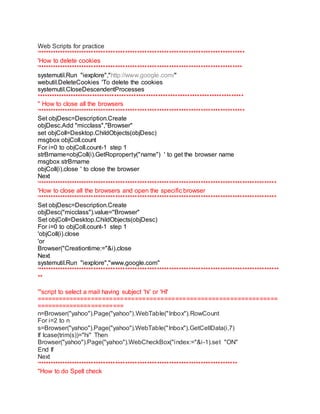
'How to delete cookies 
'************************************************************************************ 
systemutil.Run "iexplore","http://www.google.com/" 
webutil.DeleteCookies 'To delete the cookies 
systemutil.CloseDescendentProcesses 
************************************************************************************* 
'' How to close all the browsers 
'************************************************************************************* 
Set objDesc=Description.Create 
objDesc.Add "micclass","Browser" 
set objColl=Desktop.ChildObjects(objDesc) 
msgbox objColl.count 
For i=0 to objColl.count-1 step 1 
strBrname=objColl(i).GetRoproperty("name") ' to get the browser name 
msgbox strBrname 
objColl(i).close ' to close the browser 
Next 
'************************************************************************************************** 
'How to close all the browsers and open the specific browser 
'************************************************************************************************** 
Set objDesc=Description.Create 
objDesc("micclass").value="Browser" 
Set objColl=Desktop.ChildObjects(objDesc) 
For i=0 to objColl.count-1 step 1 
'objColl(i).close 
'or 
Browser("Creationtime:="&i).close 
Next 
systemutil.Run "iexplore","www.google.com" 
'*************************************************************************************************** 
** 
'''script to select a mail having subject 'hi' or 'HI' 
================================================================== 
======================== 
n=Browser("yahoo").Page("yahoo").WebTable("Inbox").RowCount 
For i=2 to n 
s=Browser("yahoo").Page("yahoo").WebTable("Inbox").GetCellData(i,7) 
If lcase(trim(s))="hi" Then 
Browser("yahoo").Page("yahoo").WebCheckBox("index:="&i-1).set "ON" 
End If 
Next 
'********************************************************************************** 
''How to do Spell check
'*********************************************************************************** 
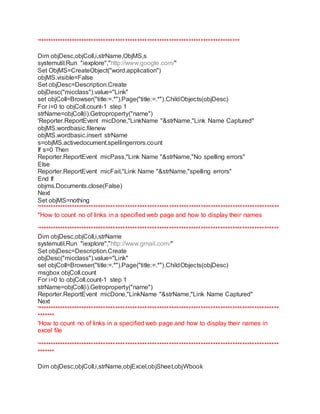
Dim objDesc,objColl,i,strName,ObjMS,s 
systemutil.Run "iexplore","http://www.google.com/" 
Set ObjMS=CreateObject("word.application") 
objMS.visible=False 
Set objDesc=Description.Create 
objDesc("micclass").value="Link" 
set objColl=Browser("title:=.*").Page("title:=.*").ChildObjects(objDesc) 
For i=0 to objColl.count-1 step 1 
strName=objColl(i).Getroproperty("name") 
'Reporter.ReportEvent micDone,"LinkName "&strName,"Link Name Captured" 
objMS.wordbasic.filenew 
objMS.wordbasic.insert strName 
s=objMS.activedocument.spellingerrors.count 
If s=0 Then 
Reporter.ReportEvent micPass,"Link Name "&strName,"No spelling errors" 
Else 
Reporter.ReportEvent micFail,"Link Name "&strName,"spelling errors" 
End If 
objms.Documents.close(False) 
Next 
Set objMS=nothing 
'*************************************************************************************************** 
''How to count no of links in a specified web page and how to display their names 
'*************************************************************************************************** 
Dim objDesc,objColl,i,strName 
systemutil.Run "iexplore","http://www.gmail.com/" 
Set objDesc=Description.Create 
objDesc("micclass").value="Link" 
set objColl=Browser("title:=.*").Page("title:=.*").ChildObjects(objDesc) 
msgbox objColl.count 
For i=0 to objColl.count-1 step 1 
strName=objColl(i).Getroproperty("name") 
Reporter.ReportEvent micDone,"LinkName "&strName,"Link Name Captured" 
Next 
'*************************************************************************************************** 
******* 
'How to count no of links in a specified web page and how to display their names in 
excel file 
'*************************************************************************************************** 
******* 
Dim objDesc,objColl,i,strName,objExcel,objSheet,objWbook
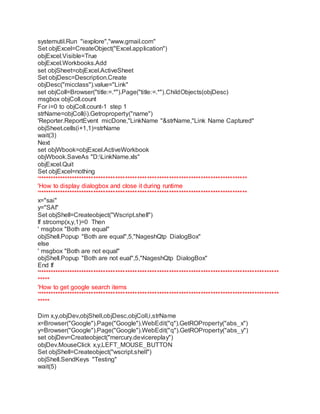
systemutil.Run "iexplore","www.gmail.com" 
Set objExcel=CreateObject("Excel.application") 
objExcel.Visible=True 
objExcel.Workbooks.Add 
set objSheet=objExcel.ActiveSheet 
Set objDesc=Description.Create 
objDesc("micclass").value="Link" 
set objColl=Browser("title:=.*").Page("title:=.*").ChildObjects(objDesc) 
msgbox objColl.count 
For i=0 to objColl.count-1 step 1 
strName=objColl(i).Getroproperty("name") 
'Reporter.ReportEvent micDone,"LinkName "&strName,"Link Name Captured" 
objSheet.cells(i+1,1)=strName 
wait(3) 
Next 
set objWbook=objExcel.ActiveWorkbook 
objWbook.SaveAs "D:LinkName.xls" 
objExcel.Quit 
Set objExcel=nothing 
'************************************************************************************** 
'How to display dialogbox and close it during runtime 
'************************************************************************************** 
x="sai" 
y="SAI" 
Set objShell=Createobject("Wscript.shell") 
If strcomp(x,y,1)=0 Then 
' msgbox "Both are equal" 
objShell.Popup "Both are equal",5,"NageshQtp DialogBox" 
else 
' msgbox "Both are not equal" 
objShell.Popup "Both are not eual",5,"NageshQtp DialogBox" 
End If 
'*************************************************************************************************** 
***** 
'How to get google search items 
'*************************************************************************************************** 
***** 
Dim x,y,objDev,objShell,objDesc,objColl,i,strName 
x=Browser("Google").Page("Google").WebEdit("q").GetROProperty("abs_x") 
y=Browser("Google").Page("Google").WebEdit("q").GetROProperty("abs_y") 
set objDev=Createobject("mercury.devicereplay") 
objDev.MouseClick x,y,LEFT_MOUSE_BUTTON 
Set objShell=Createobject("wscript.shell") 
objShell.SendKeys "Testing" 
wait(5)
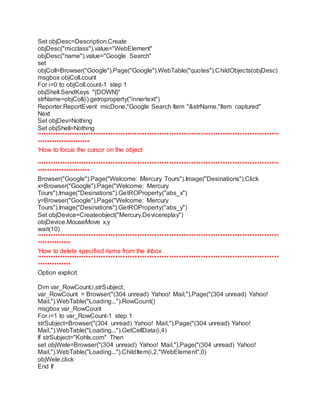
Set objDesc=Description.Create 
objDesc("micclass").value="WebElement" 
objDesc("name").value="Google Search" 
set 
objColl=Browser("Google").Page("Google").WebTable("quotes").ChildObjects(objDesc) 
msgbox objColl.count 
For i=0 to objColl.count-1 step 1 
objShell.SendKeys "{DOWN}" 
strName=objColl(i).getroproperty("innertext") 
Reporter.ReportEvent micDone,"Google Search Item "&strName,"Item captured" 
Next 
Set objDev=Nothing 
Set objShell=Nothing 
'*************************************************************************************************** 
********************** 
'How to focus the cursor on the object 
'*************************************************************************************************** 
********************** 
Browser("Google").Page("Welcome: Mercury Tours").Image("Desinations").Click 
x=Browser("Google").Page("Welcome: Mercury 
Tours").Image("Desinations").GetROProperty("abs_x") 
y=Browser("Google").Page("Welcome: Mercury 
Tours").Image("Desinations").GetROProperty("abs_y") 
Set objDevice=Createobject("Mercury.Devicereplay") 
objDevice.MouseMove x,y 
wait(10) 
'*************************************************************************************************** 
************** 
'How to delete specified items from the Inbox 
'*************************************************************************************************** 
************** 
Option explicit 
Dim var_RowCount,i,strSubject, 
var_RowCount = Browser("(304 unread) Yahoo! Mail,").Page("(304 unread) Yahoo! 
Mail,").WebTable("Loading...").RowCount() 
msgbox var_RowCount 
For i=1 to var_RowCount-1 step 1 
strSubject=Browser("(304 unread) Yahoo! Mail,").Page("(304 unread) Yahoo! 
Mail,").WebTable("Loading...").GetCellData(i,4) 
If strSubject="Kohls.com" Then 
set objWele=Browser("(304 unread) Yahoo! Mail,").Page("(304 unread) Yahoo! 
Mail,").WebTable("Loading...").ChildItem(i,2,"WebElement",0) 
objWele.click 
End If
Next 
'*************************************************************************************************** 
**************** 
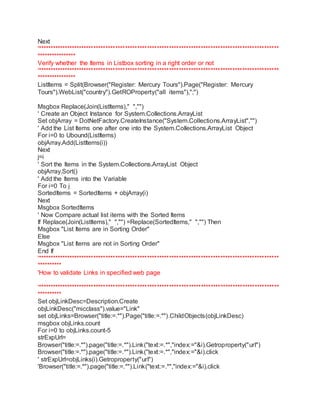
Verify whether the Items in Listbox sorting in a right order or not 
'*************************************************************************************************** 
**************** 
ListItems = Split(Browser("Register: Mercury Tours").Page("Register: Mercury 
Tours").WebList("country").GetROProperty("all items"),";") 
Msgbox Replace(Join(ListItems)," ","") 
' Create an Object Instance for System.Collections.ArrayList 
Set objArray = DotNetFactory.CreateInstance("System.Collections.ArrayList","") 
' Add the List Items one after one into the System.Collections.ArrayList Object 
For i=0 to Ubound(ListItems) 
objArray.Add(ListItems(i)) 
Next 
j=i 
' Sort the Items in the System.Collections.ArrayList Object 
objArray.Sort() 
' Add the Items into the Variable 
For i=0 To j 
SortedItems = SortedItems + objArray(i) 
Next 
Msgbox SortedItems 
' Now Compare actual list items with the Sorted Items 
If Replace(Join(ListItems)," ","") =Replace(SortedItems," ","") Then 
Msgbox "List Items are in Sorting Order" 
Else 
Msgbox "List Items are not in Sorting Order" 
End If 
'*************************************************************************************************** 
********** 
'How to validate Links in specified web page 
'*************************************************************************************************** 
********** 
Set objLinkDesc=Description.Create 
objLinkDesc("micclass").value="Link" 
set objLinks=Browser("title:=.*").Page("title:=.*").ChildObjects(objLinkDesc) 
msgbox objLinks.count 
For i=0 to objLinks.count-5 
strExpUrl= 
Browser("title:=.*").page("title:=.*").Link("text:=.*","index:="&i).Getroproperty("url") 
Browser("title:=.*").page("title:=.*").Link("text:=.*","index:="&i).click 
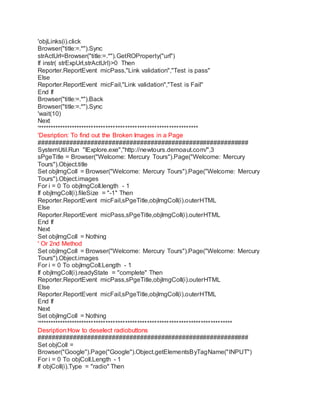
' strExpUrl=objLinks(i).Getroproperty("url") 
'Browser("title:=.*").page("title:=.*").Link("text:=.*","index:="&i).click
'objLinks(i).click 
Browser("title:=.*").Sync 
strActUrl=Browser("title:=.*").GetROProperty("url") 
If instr( strExpUrl,strActUrl)>0 Then 
Reporter.ReportEvent micPass,"Link validation","Test is pass" 
Else 
Reporter.ReportEvent micFail,"Link validation","Test is Fail" 
End If 
Browser("title:=.*").Back 
Browser("title:=.*").Sync 
'wait(10) 
Next 
'****************************************************************** 
'Desription: To find out the Broken Images in a Page 
############################################################ 
SystemUtil.Run "IExplore.exe","http://newtours.demoaut.com/",3 
sPgeTitle = Browser("Welcome: Mercury Tours").Page("Welcome: Mercury 
Tours").Object.title 
Set objImgColl = Browser("Welcome: Mercury Tours").Page("Welcome: Mercury 
Tours").Object.images 
For i = 0 To objImgColl.length - 1 
If objImgColl(i).fileSize = "-1" Then 
Reporter.ReportEvent micFail,sPgeTitle,objImgColl(i).outerHTML 
Else 
Reporter.ReportEvent micPass,sPgeTitle,objImgColl(i).outerHTML 
End If 
Next 
Set objImgColl = Nothing 
' Or 2nd Method 
Set objImgColl = Browser("Welcome: Mercury Tours").Page("Welcome: Mercury 
Tours").Object.images 
For i = 0 To objImgColl.Length - 1 
If objImgColl(i).readyState = "complete" Then 
Reporter.ReportEvent micPass,sPgeTitle,objImgColl(i).outerHTML 
Else 
Reporter.ReportEvent micFail,sPgeTitle,objImgColl(i).outerHTML 
End If 
Next 
Set objImgColl = Nothing 
'******************************************************************************** 
Desription:How to deselect radiobuttons 
############################################################ 
Set objColl = 
Browser("Google").Page("Google").Object.getElementsByTagName("INPUT") 
For i = 0 To objColl.Length - 1 
If objColl(i).Type = "radio" Then
objColl(i).Checked = False 
End If 
Next 
Set objColl = Nothing 
'****************************************************************************** 
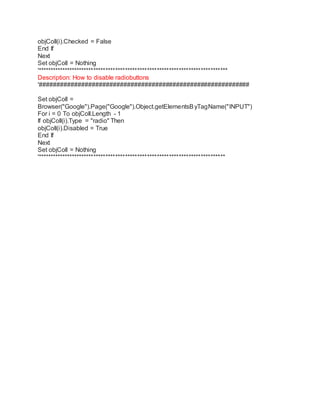
Description: How to disable radiobuttons 
'############################################################ 
Set objColl = 
Browser("Google").Page("Google").Object.getElementsByTagName("INPUT") 
For i = 0 To objColl.Length - 1 
If objColl(i).Type = "radio" Then 
objColl(i).Disabled = True 
End If 
Next 
Set objColl = Nothing 
'*****************************************************************************

Web scripts for practice

  • 1.
    Web Scripts forpractice '************************************************************************************* 'How to delete cookies '************************************************************************************ systemutil.Run "iexplore","http://www.google.com/" webutil.DeleteCookies 'To delete the cookies systemutil.CloseDescendentProcesses ************************************************************************************* '' How to close all the browsers '************************************************************************************* Set objDesc=Description.Create objDesc.Add "micclass","Browser" set objColl=Desktop.ChildObjects(objDesc) msgbox objColl.count For i=0 to objColl.count-1 step 1 strBrname=objColl(i).GetRoproperty("name") ' to get the browser name msgbox strBrname objColl(i).close ' to close the browser Next '************************************************************************************************** 'How to close all the browsers and open the specific browser '************************************************************************************************** Set objDesc=Description.Create objDesc("micclass").value="Browser" Set objColl=Desktop.ChildObjects(objDesc) For i=0 to objColl.count-1 step 1 'objColl(i).close 'or Browser("Creationtime:="&i).close Next systemutil.Run "iexplore","www.google.com" '*************************************************************************************************** ** '''script to select a mail having subject 'hi' or 'HI' ================================================================== ======================== n=Browser("yahoo").Page("yahoo").WebTable("Inbox").RowCount For i=2 to n s=Browser("yahoo").Page("yahoo").WebTable("Inbox").GetCellData(i,7) If lcase(trim(s))="hi" Then Browser("yahoo").Page("yahoo").WebCheckBox("index:="&i-1).set "ON" End If Next '********************************************************************************** ''How to do Spell check
  • 2.
    '*********************************************************************************** Dim objDesc,objColl,i,strName,ObjMS,s systemutil.Run "iexplore","http://www.google.com/" Set ObjMS=CreateObject("word.application") objMS.visible=False Set objDesc=Description.Create objDesc("micclass").value="Link" set objColl=Browser("title:=.*").Page("title:=.*").ChildObjects(objDesc) For i=0 to objColl.count-1 step 1 strName=objColl(i).Getroproperty("name") 'Reporter.ReportEvent micDone,"LinkName "&strName,"Link Name Captured" objMS.wordbasic.filenew objMS.wordbasic.insert strName s=objMS.activedocument.spellingerrors.count If s=0 Then Reporter.ReportEvent micPass,"Link Name "&strName,"No spelling errors" Else Reporter.ReportEvent micFail,"Link Name "&strName,"spelling errors" End If objms.Documents.close(False) Next Set objMS=nothing '*************************************************************************************************** ''How to count no of links in a specified web page and how to display their names '*************************************************************************************************** Dim objDesc,objColl,i,strName systemutil.Run "iexplore","http://www.gmail.com/" Set objDesc=Description.Create objDesc("micclass").value="Link" set objColl=Browser("title:=.*").Page("title:=.*").ChildObjects(objDesc) msgbox objColl.count For i=0 to objColl.count-1 step 1 strName=objColl(i).Getroproperty("name") Reporter.ReportEvent micDone,"LinkName "&strName,"Link Name Captured" Next '*************************************************************************************************** ******* 'How to count no of links in a specified web page and how to display their names in excel file '*************************************************************************************************** ******* Dim objDesc,objColl,i,strName,objExcel,objSheet,objWbook
  • 3.
    systemutil.Run "iexplore","www.gmail.com" SetobjExcel=CreateObject("Excel.application") objExcel.Visible=True objExcel.Workbooks.Add set objSheet=objExcel.ActiveSheet Set objDesc=Description.Create objDesc("micclass").value="Link" set objColl=Browser("title:=.*").Page("title:=.*").ChildObjects(objDesc) msgbox objColl.count For i=0 to objColl.count-1 step 1 strName=objColl(i).Getroproperty("name") 'Reporter.ReportEvent micDone,"LinkName "&strName,"Link Name Captured" objSheet.cells(i+1,1)=strName wait(3) Next set objWbook=objExcel.ActiveWorkbook objWbook.SaveAs "D:LinkName.xls" objExcel.Quit Set objExcel=nothing '************************************************************************************** 'How to display dialogbox and close it during runtime '************************************************************************************** x="sai" y="SAI" Set objShell=Createobject("Wscript.shell") If strcomp(x,y,1)=0 Then ' msgbox "Both are equal" objShell.Popup "Both are equal",5,"NageshQtp DialogBox" else ' msgbox "Both are not equal" objShell.Popup "Both are not eual",5,"NageshQtp DialogBox" End If '*************************************************************************************************** ***** 'How to get google search items '*************************************************************************************************** ***** Dim x,y,objDev,objShell,objDesc,objColl,i,strName x=Browser("Google").Page("Google").WebEdit("q").GetROProperty("abs_x") y=Browser("Google").Page("Google").WebEdit("q").GetROProperty("abs_y") set objDev=Createobject("mercury.devicereplay") objDev.MouseClick x,y,LEFT_MOUSE_BUTTON Set objShell=Createobject("wscript.shell") objShell.SendKeys "Testing" wait(5)
  • 4.
    Set objDesc=Description.Create objDesc("micclass").value="WebElement" objDesc("name").value="Google Search" set objColl=Browser("Google").Page("Google").WebTable("quotes").ChildObjects(objDesc) msgbox objColl.count For i=0 to objColl.count-1 step 1 objShell.SendKeys "{DOWN}" strName=objColl(i).getroproperty("innertext") Reporter.ReportEvent micDone,"Google Search Item "&strName,"Item captured" Next Set objDev=Nothing Set objShell=Nothing '*************************************************************************************************** ********************** 'How to focus the cursor on the object '*************************************************************************************************** ********************** Browser("Google").Page("Welcome: Mercury Tours").Image("Desinations").Click x=Browser("Google").Page("Welcome: Mercury Tours").Image("Desinations").GetROProperty("abs_x") y=Browser("Google").Page("Welcome: Mercury Tours").Image("Desinations").GetROProperty("abs_y") Set objDevice=Createobject("Mercury.Devicereplay") objDevice.MouseMove x,y wait(10) '*************************************************************************************************** ************** 'How to delete specified items from the Inbox '*************************************************************************************************** ************** Option explicit Dim var_RowCount,i,strSubject, var_RowCount = Browser("(304 unread) Yahoo! Mail,").Page("(304 unread) Yahoo! Mail,").WebTable("Loading...").RowCount() msgbox var_RowCount For i=1 to var_RowCount-1 step 1 strSubject=Browser("(304 unread) Yahoo! Mail,").Page("(304 unread) Yahoo! Mail,").WebTable("Loading...").GetCellData(i,4) If strSubject="Kohls.com" Then set objWele=Browser("(304 unread) Yahoo! Mail,").Page("(304 unread) Yahoo! Mail,").WebTable("Loading...").ChildItem(i,2,"WebElement",0) objWele.click End If
  • 5.
    Next '*************************************************************************************************** **************** Verify whether the Items in Listbox sorting in a right order or not '*************************************************************************************************** **************** ListItems = Split(Browser("Register: Mercury Tours").Page("Register: Mercury Tours").WebList("country").GetROProperty("all items"),";") Msgbox Replace(Join(ListItems)," ","") ' Create an Object Instance for System.Collections.ArrayList Set objArray = DotNetFactory.CreateInstance("System.Collections.ArrayList","") ' Add the List Items one after one into the System.Collections.ArrayList Object For i=0 to Ubound(ListItems) objArray.Add(ListItems(i)) Next j=i ' Sort the Items in the System.Collections.ArrayList Object objArray.Sort() ' Add the Items into the Variable For i=0 To j SortedItems = SortedItems + objArray(i) Next Msgbox SortedItems ' Now Compare actual list items with the Sorted Items If Replace(Join(ListItems)," ","") =Replace(SortedItems," ","") Then Msgbox "List Items are in Sorting Order" Else Msgbox "List Items are not in Sorting Order" End If '*************************************************************************************************** ********** 'How to validate Links in specified web page '*************************************************************************************************** ********** Set objLinkDesc=Description.Create objLinkDesc("micclass").value="Link" set objLinks=Browser("title:=.*").Page("title:=.*").ChildObjects(objLinkDesc) msgbox objLinks.count For i=0 to objLinks.count-5 strExpUrl= Browser("title:=.*").page("title:=.*").Link("text:=.*","index:="&i).Getroproperty("url") Browser("title:=.*").page("title:=.*").Link("text:=.*","index:="&i).click ' strExpUrl=objLinks(i).Getroproperty("url") 'Browser("title:=.*").page("title:=.*").Link("text:=.*","index:="&i).click
  • 6.
    'objLinks(i).click Browser("title:=.*").Sync strActUrl=Browser("title:=.*").GetROProperty("url") If instr( strExpUrl,strActUrl)>0 Then Reporter.ReportEvent micPass,"Link validation","Test is pass" Else Reporter.ReportEvent micFail,"Link validation","Test is Fail" End If Browser("title:=.*").Back Browser("title:=.*").Sync 'wait(10) Next '****************************************************************** 'Desription: To find out the Broken Images in a Page ############################################################ SystemUtil.Run "IExplore.exe","http://newtours.demoaut.com/",3 sPgeTitle = Browser("Welcome: Mercury Tours").Page("Welcome: Mercury Tours").Object.title Set objImgColl = Browser("Welcome: Mercury Tours").Page("Welcome: Mercury Tours").Object.images For i = 0 To objImgColl.length - 1 If objImgColl(i).fileSize = "-1" Then Reporter.ReportEvent micFail,sPgeTitle,objImgColl(i).outerHTML Else Reporter.ReportEvent micPass,sPgeTitle,objImgColl(i).outerHTML End If Next Set objImgColl = Nothing ' Or 2nd Method Set objImgColl = Browser("Welcome: Mercury Tours").Page("Welcome: Mercury Tours").Object.images For i = 0 To objImgColl.Length - 1 If objImgColl(i).readyState = "complete" Then Reporter.ReportEvent micPass,sPgeTitle,objImgColl(i).outerHTML Else Reporter.ReportEvent micFail,sPgeTitle,objImgColl(i).outerHTML End If Next Set objImgColl = Nothing '******************************************************************************** Desription:How to deselect radiobuttons ############################################################ Set objColl = Browser("Google").Page("Google").Object.getElementsByTagName("INPUT") For i = 0 To objColl.Length - 1 If objColl(i).Type = "radio" Then
  • 7.
    objColl(i).Checked = False End If Next Set objColl = Nothing '****************************************************************************** Description: How to disable radiobuttons '############################################################ Set objColl = Browser("Google").Page("Google").Object.getElementsByTagName("INPUT") For i = 0 To objColl.Length - 1 If objColl(i).Type = "radio" Then objColl(i).Disabled = True End If Next Set objColl = Nothing '*****************************************************************************