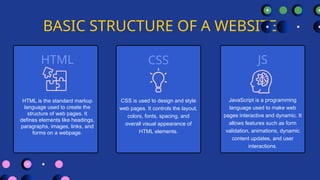
BASIC STRUCTURE OFA WEBSITE
CSS
CSS is used to design and style
web pages. It controls the layout,
colors, fonts, spacing, and
overall visual appearance of
HTML elements.
HTML JS
HTML is the standard markup
language used to create the
structure of web pages. It
defines elements like headings,
paragraphs, images, links, and
forms on a webpage.
JavaScript is a programming
language used to make web
pages interactive and dynamic. It
allows features such as form
validation, animations, dynamic
content updates, and user
interactions.
4.
WHAT IS HTML?
EXAMPLEDEFINITION
KEY POINTS
HTML is the structure of a
website.
It tells the browser what to
display.
Not a programming language
Uses tags
File extension: .html
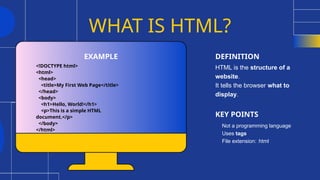
<!DOCTYPE html>
<html>
<head>
<title>My First Web Page</title>
</head>
<body>
<h1>Hello, World!</h1>
<p>This is a simple HTML
document.</p>
</body>
</html>
5.
Headings and paragraphsin
HTML
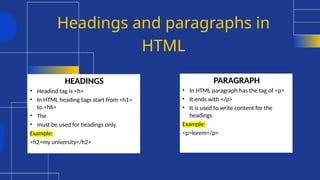
HEADINGS
• Headind tag is <h>
• In HTML heading tags start from <h1>
to <h6>
• The
• must be used for headings only.
Example:
<h2>my university</h2>
PARAGRAPH
• In HTML paragraph has the tag of <p>
• It ends with </p>
• It is used to write content for the
headings
Example:
<p>lorem</p>
6.
History of HTML
•Created by Tim Berners-Lee in 1991
• Developed to share documents on the web
• Evolved through multiple versions
• Maintained by W3C and WHATWG
7.
Why Use HTML?
•Easy to learn and use
• Supported by all web browsers
• Forms the backbone of the web
• Essential for web development
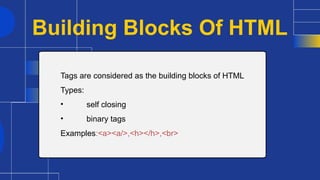
Building Blocks OfHTML
Tags are considered as the building blocks of HTML
Types:
• self closing
• binary tags
Examples:<a><a/>,<h></h>,<br>
10.
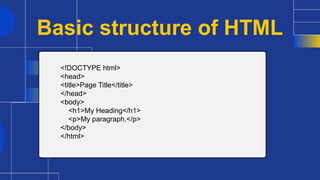
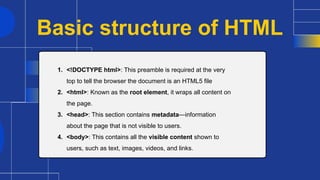
Basic structure ofHTML
1. <!DOCTYPE html>: This preamble is required at the very
top to tell the browser the document is an HTML5 file
2. <html>: Known as the root element, it wraps all content on
the page.
3. <head>: This section contains metadata—information
about the page that is not visible to users.
4. <body>: This contains all the visible content shown to
users, such as text, images, videos, and links.
11.
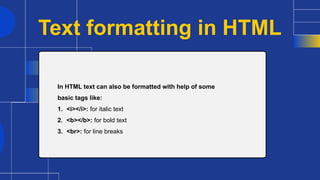
Text formatting inHTML
In HTML text can also be formatted with help of some
basic tags like:
1. <i></i>: for italic text
2. <b></b>: for bold text
3. <br>: for line breaks
12.
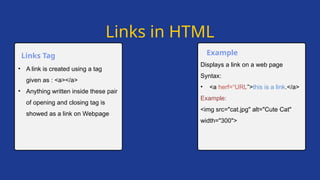
Displays a linkon a web page
Syntax:
• <a herf=“URL”>this is a link.</a>
Example:
<img src="cat.jpg" alt="Cute Cat"
width="300">
• A link is created using a tag
given as : <a></a>
• Anything written inside these pair
of opening and closing tag is
showed as a link on Webpage
Links Tag Example
Links in HTML
13.
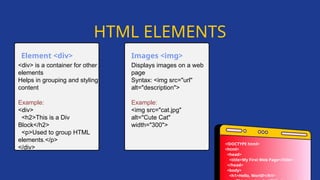
Displays images ona web
page
Syntax: <img src="url"
alt="description">
Example:
<img src="cat.jpg"
alt="Cute Cat"
width="300">
<div> is a container for other
elements
Helps in grouping and styling
content
Example:
<div>
<h2>This is a Div
Block</h2>
<p>Used to group HTML
elements.</p>
</div>
Element <div> Images <img>
HTML ELEMENTS
<!DOCTYPE html>
<html>
<head>
<title>My First Web Page</title>
</head>
<body>
<h1>Hello, World!</h1>
14.
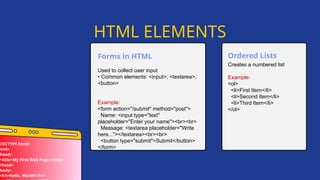
Used to collectuser input
• Common elements: <input>, <textarea>,
<button>
Example:
<form action="/submit" method="post">
Name: <input type="text"
placeholder="Enter your name"><br><br>
Message: <textarea placeholder="Write
here..."></textarea><br><br>
<button type="submit">Submit</button>
</form>
Forms in HTML
HTML ELEMENTS
DOCTYPE html>
html>
head>
<title>My First Web Page</title>
/head>
body>
<h1>Hello, World!</h1>
Creates a numbered list
Example:
<ol>
<li>First Item</li>
<li>Second Item</li>
<li>Third Item</li>
</ol>
Ordered Lists
15.
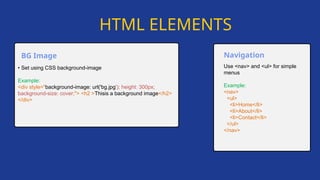
• Set usingCSS background-image
Example:
<div style="background-image: url('bg.jpg'); height: 300px;
background-size: cover;"> <h2 >Thisis a background image</h2>
</div>
BG Image
Use <nav> and <ul> for simple
menus
Example:
<nav>
<ul>
<li>Home</li>
<li>About</li>
<li>Contact</li>
</ul>
</nav>
Navigation
HTML ELEMENTS
16.
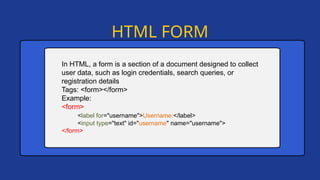
HTML FORM
In HTML,a form is a section of a document designed to collect
user data, such as login credentials, search queries, or
registration details
Tags: <form></form>
Example:
<form>
<label for="username">Username:</label>
<input type="text" id="username" name="username">
</form>
17.
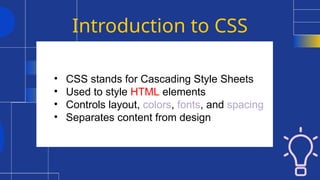
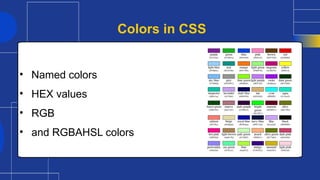
Introduction to CSS
•CSS stands for Cascading Style Sheets
• Used to style HTML elements
• Controls layout, colors, fonts, and spacing
• Separates content from design
18.
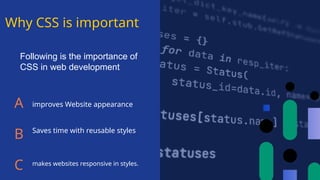
Why CSS isimportant
A
B
C
improves Website appearance
Saves time with reusable styles
makes websites responsive in styles.
Following is the importance of
CSS in web development
19.
CSS working
• CSSselects HTML elements
• Applies styles using rules
• Follows cascading order
• Browser renders styled page
20.
Following are thetypes of CSS:
• Inline CSS
• Internal CSS
• External CSS
Types of CSS
21.
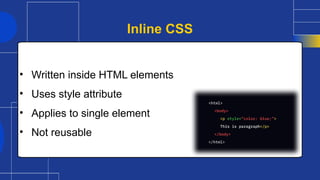
• Written insideHTML elements
• Uses style attribute
• Applies to single element
• Not reusable
Inline CSS
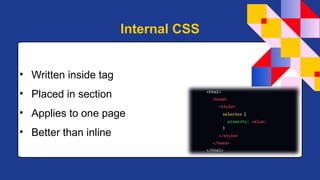
22.
• Written insidetag
• Placed in section
• Applies to one page
• Better than inline
Internal CSS
23.
• Written inseparate .css file
• Linked using tag
• Reusable across pages
• Best practice
External CSS
Introduction to JAVAscript
JavaScript is a programming language and core technology of
the Web, alongside HTML and CSS. It was created by Brendan
Eich in 1995. As of 2025, the overwhelming majority of
websites uses JavaScript on the client side for webpage
behavior. Web browsers have a dedicated JavaScript engine
that executes the client code.
32.
• Adds interactivityto websites
• Enables dynamic content updates
• Improves user experience
• Essential for modern web apps
Why JavaScript is Important
33.
• Created byBrendan Eich in 1995
• Developed at Netscape
• Standardized as ECMAScript
• Continuously evolving
History of JavaScript
34.
• Executed bythe browser
• Interpreted language
• Can manipulate HTML and CSS
• Responds to user actions
How JavaScript Works
35.
• Statements endwith semicolons
• Case-sensitive language
• Uses variables and functions
• Written inside tag
JavaScript Syntax Basics
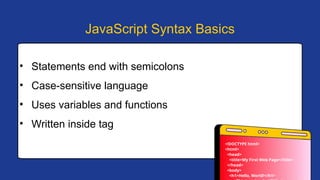
<!DOCTYPE html>
<html>
<head>
<title>My First Web Page</title>
</head>
<body>
<h1>Hello, World!</h1>
36.
• Used tostore data
• var, let, and const
• let and const are modern
• Example: let age = 20;
Variables in JavaScript
37.
You are buildinga login page.
• How will HTML, CSS, and JavaScript work together?
A webpage should look good and also respond to user actions.
• Which role does each technology play?
You want to create a responsive navigation bar with a click effect.
• Which part will be handled by HTML, CSS, and JavaScript?
Scenario-Based Questions (HTML + CSS + JS)