Working with HTML, CSS,
and JavaScript
Explore the foundational technologies that power every modern
website, essential for aspiring front-end developers in India and
globally.
Create by : Senma Badal R.
E.No : 2404030100326
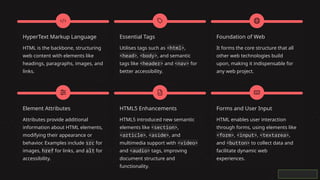
HyperText Markup Language
HTML is the backbone, structuring
web content with elements like
headings, paragraphs, images, and
links.
Essential Tags
Utilises tags such as <html>,
<head>, <body>, and semantic
tags like <header> and <nav> for
better accessibility.
Foundation of Web
It forms the core structure that all
other web technologies build
upon, making it indispensable for
any web project.
Element Attributes
Attributes provide additional
information about HTML elements,
modifying their appearance or
behavior. Examples include src for
images, href for links, and alt for
accessibility.
HTML5 Enhancements
HTML5 introduced new semantic
elements like <section>,
<article>, <aside>, and
multimedia support with <video>
and <audio> tags, improving
document structure and
functionality.
Forms and User Input
HTML enables user interaction
through forms, using elements like
<form>, <input>, <textarea>,
and <button> to collect data and
facilitate dynamic web
experiences.
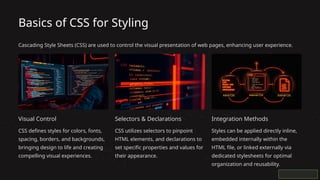
Basics of CSS for Styling
Cascading Style Sheets (CSS) are used to control the visual presentation of web pages, enhancing user experience.
Visual Control
CSS defines styles for colors, fonts,
spacing, borders, and backgrounds,
bringing design to life and creating
compelling visual experiences.
Selectors & Declarations
CSS utilizes selectors to pinpoint
HTML elements, and declarations to
set specific properties and values for
their appearance.
Integration Methods
Styles can be applied directly inline,
embedded internally within the
HTML file, or linked externally via
dedicated stylesheets for optimal
organization and reusability.
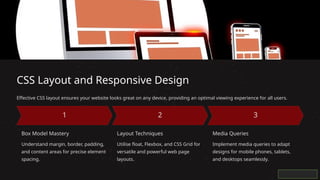
CSS Layout and Responsive Design
Effective CSS layout ensures your website looks great on any device, providing an optimal viewing experience for all users.
Box Model Mastery
Understand margin, border, padding,
and content areas for precise element
spacing.
Layout Techniques
Utilise float, Flexbox, and CSS Grid for
versatile and powerful web page
layouts.
Media Queries
Implement media queries to adapt
designs for mobile phones, tablets,
and desktops seamlessly.
Introduction
to
JavaScript
JavaScript empowers web pages
with dynamic interactivity,
transforming static content into
engaging user experiences.
It's the programming language
that breathes life into web
applications.
Event Handling
Responds to user interactions
like clicks, form submissions,
and mouse movements.
DOM Manipulation
Dynamically modifies HTML
elements and content on the
fly, creating interactive pages.
Core Logic
Supports variables, functions,
conditionals, and loops for
building complex logic.
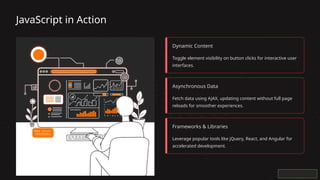
JavaScript in Action
Dynamic Content
Toggle element visibility on button clicks for interactive user
interfaces.
Asynchronous Data
Fetch data using AJAX, updating content without full page
reloads for smoother experiences.
Frameworks & Libraries
Leverage popular tools like jQuery, React, and Angular for
accelerated development.
Practical Projects and Learning Resources
Hands-on practice is key to mastering web development. Build projects and utilise dedicated platforms to hone
your skills.
Project-Based Learning
Develop quiz games, to-do applications, and
portfolio websites to solidify your knowledge.
Practice Platforms
Utilise resources like Codecademy,
FreeCodeCamp, and W3Schools for structured
learning paths.
Developer Tools
Master VSCode and browser developer tools
for efficient coding, debugging, and testing.
Community Support
Engage with online communities and Discord
channels for collaborative learning and
problem-solving.
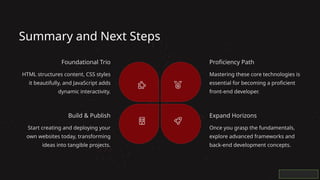
Summary and Next Steps
Foundational Trio
HTML structures content, CSS styles
it beautifully, and JavaScript adds
dynamic interactivity.
Proficiency Path
Mastering these core technologies is
essential for becoming a proficient
front-end developer.
Expand Horizons
Once you grasp the fundamentals,
explore advanced frameworks and
back-end development concepts.
Build & Publish
Start creating and deploying your
own websites today, transforming
ideas into tangible projects.
Thank you for joining.
We hope this overview of HTML, CSS, and JavaScript empowers you on your web development journey.

Working-with-HTML-CSS-and-JavaScript.pptx

  • 1.
    Working with HTML,CSS, and JavaScript Explore the foundational technologies that power every modern website, essential for aspiring front-end developers in India and globally. Create by : Senma Badal R. E.No : 2404030100326
  • 2.
    HyperText Markup Language HTMLis the backbone, structuring web content with elements like headings, paragraphs, images, and links. Essential Tags Utilises tags such as <html>, <head>, <body>, and semantic tags like <header> and <nav> for better accessibility. Foundation of Web It forms the core structure that all other web technologies build upon, making it indispensable for any web project. Element Attributes Attributes provide additional information about HTML elements, modifying their appearance or behavior. Examples include src for images, href for links, and alt for accessibility. HTML5 Enhancements HTML5 introduced new semantic elements like <section>, <article>, <aside>, and multimedia support with <video> and <audio> tags, improving document structure and functionality. Forms and User Input HTML enables user interaction through forms, using elements like <form>, <input>, <textarea>, and <button> to collect data and facilitate dynamic web experiences.
  • 3.
    Basics of CSSfor Styling Cascading Style Sheets (CSS) are used to control the visual presentation of web pages, enhancing user experience. Visual Control CSS defines styles for colors, fonts, spacing, borders, and backgrounds, bringing design to life and creating compelling visual experiences. Selectors & Declarations CSS utilizes selectors to pinpoint HTML elements, and declarations to set specific properties and values for their appearance. Integration Methods Styles can be applied directly inline, embedded internally within the HTML file, or linked externally via dedicated stylesheets for optimal organization and reusability.
  • 4.
    CSS Layout andResponsive Design Effective CSS layout ensures your website looks great on any device, providing an optimal viewing experience for all users. Box Model Mastery Understand margin, border, padding, and content areas for precise element spacing. Layout Techniques Utilise float, Flexbox, and CSS Grid for versatile and powerful web page layouts. Media Queries Implement media queries to adapt designs for mobile phones, tablets, and desktops seamlessly.
  • 5.
    Introduction to JavaScript JavaScript empowers webpages with dynamic interactivity, transforming static content into engaging user experiences. It's the programming language that breathes life into web applications. Event Handling Responds to user interactions like clicks, form submissions, and mouse movements. DOM Manipulation Dynamically modifies HTML elements and content on the fly, creating interactive pages. Core Logic Supports variables, functions, conditionals, and loops for building complex logic.
  • 6.
    JavaScript in Action DynamicContent Toggle element visibility on button clicks for interactive user interfaces. Asynchronous Data Fetch data using AJAX, updating content without full page reloads for smoother experiences. Frameworks & Libraries Leverage popular tools like jQuery, React, and Angular for accelerated development.
  • 7.
    Practical Projects andLearning Resources Hands-on practice is key to mastering web development. Build projects and utilise dedicated platforms to hone your skills. Project-Based Learning Develop quiz games, to-do applications, and portfolio websites to solidify your knowledge. Practice Platforms Utilise resources like Codecademy, FreeCodeCamp, and W3Schools for structured learning paths. Developer Tools Master VSCode and browser developer tools for efficient coding, debugging, and testing. Community Support Engage with online communities and Discord channels for collaborative learning and problem-solving.
  • 8.
    Summary and NextSteps Foundational Trio HTML structures content, CSS styles it beautifully, and JavaScript adds dynamic interactivity. Proficiency Path Mastering these core technologies is essential for becoming a proficient front-end developer. Expand Horizons Once you grasp the fundamentals, explore advanced frameworks and back-end development concepts. Build & Publish Start creating and deploying your own websites today, transforming ideas into tangible projects.
  • 9.
    Thank you forjoining. We hope this overview of HTML, CSS, and JavaScript empowers you on your web development journey.