Web Accessibility:
What it is, Why it's important
Graham Armfield
Web Accessibility Consultant
WordPress Developer

graham.armfield@coolfields.co.uk
@coolfields

Coolfields Consulting

www.coolfields.co.uk
@coolfields
What I‟m going to cover
•
•
•
•
•
•

What is web accessibility?
Why it‟s important
Who is affected by poor accessibility?
Who can influence accessibility?
When to think about accessibility
So is my website accessible?

2
What is Web Accessibility?
“Enabling the web so that everyone
can access its content when they
want to and how they need to”

Coolfields Consulting

www.coolfields.co.uk
@coolfields
Accessibility is not black and white
In most websites there are usually few accessibility
showstoppers. But…
• They do occur
• Websites can be fine for some people but totally
inaccessible for others

Web accessibility issues make life a harder for some people.

So, web accessibility is about making websites easy to use
for as many people as possible.
Remember, if people find your website hard to use they will
probably leave.
4
Why is Accessibility Important?
What is all the fuss about?

Coolfields Consulting

www.coolfields.co.uk
@coolfields
Why is accessibility important?
The web is increasingly the world‟s preferred channel for:
• Knowledge
• Social interaction
• Commerce

But it‟s not always easy for:
• Those with disabilities
• Those who are getting older

Accessibility can increase the profitability or reach of a
website

Accessibility is a legal requirement
6
Who is Affected by Poor
Accessibility?
More people than you may think.

Coolfields Consulting

www.coolfields.co.uk
@coolfields
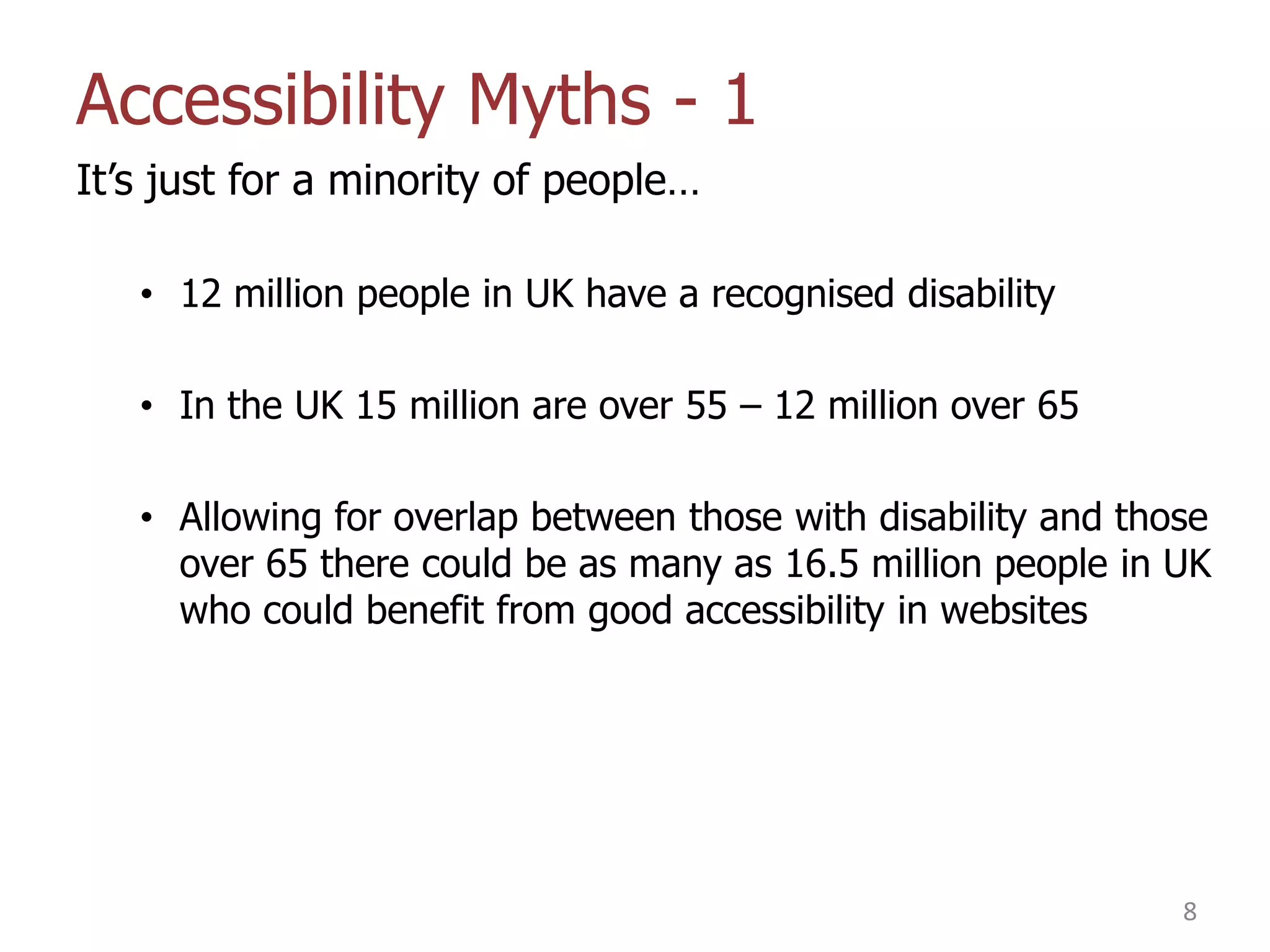
Accessibility Myths - 1
It‟s just for a minority of people…
• 12 million people in UK have a recognised disability
• In the UK 15 million are over 55 – 12 million over 65
• Allowing for overlap between those with disability and those
over 65 there could be as many as 16.5 million people in UK
who could benefit from good accessibility in websites

8
Accessibility Myths - 2
Accessibility is all about blind people…
• 1.8 million people have a vision impairment, of which
180,000 are registered blind
• 1 in 12 men have colour-blindness
• 2.6 million have difficulties using their hands which could
impact their use of keyboard and/or mouse
• About 2 million people have a hearing impairment, of which
50,000 use British Sign Language to communicate
• About 2 million people are dyslexic
• 2.2 million people have difficulty with
memory, concentration or learning, of which about 1 million
have a learning difficulty

9
Accessibility Myths - 3
Yes, but my site is not meant for the blind/deaf/motor
impaired* (Delete as appropriate)
• People don‟t always browse and/or buy just for themselves
• You can‟t make assumptions about people
• Studies in US show that friends and family of people with
disabilities will also avoid inaccessible sites

10
Accessibility Myths - 4
It‟s too expensive – not enough return on investment
• People with disabilities represent a market worth £80bn per
year in the UK – approx £320bn across EU
• Friends and family can add significantly to that
• 83% of disabled people will not return to a business that
does not meet their access needs.
• If a company‟s website is hard to use, people will visit a
competitor‟s site which is easier to use.
• Tesco – In 2001 an accessible version of their shopping site
was launched at a cost £35k and yielded £13m turnover a
year

11
Accessibility Myths - 5
If I ignore it, it‟ll go away
• We are all getting older
• One in four will be over 65 by 2061
• How accessible do you want the web to be in 20/30/40
years time?

12
Accessibility and the law
• Equality Act 2010 (Disability Discrimination Act in Northern
Ireland)
• Laws specifically refer to websites

13
Accessibility Myths - 6
Yes but no-one ever gets sued anyway
• A number of actions started against companies but many
settled „out of court‟ with confidentiality clauses attached.
• In 2012 RNIB started an action publicly against BMI Baby. It
was impossible to book flights and reserve seats on their
website without using a mouse.
» The case was settled as BMI Baby agreed to make
changes.
» RNIB have indicated that they may be looking at more
actions in the near future.

14
Types of disability/impairment
Visual impairments
•
•
•
•

blindness
colour blindness
low vision
etc

Motor impairments
• restricted use of hands
• Parkinsons
• etc

Epilepsy

Hearing impairments
• deafness – partial or full
• background noise
• etc

Cognitive impairments
•
•
•
•
•

dyslexia
autism
ADHD
linguistic impairments
etc

15
Techniques to mitigate impairment
Accessibility options in browsers
•

Mainly Internet Explorer + Firefox

•

Specify colours, font styles

•

Adjust text size or zooming – there is a difference

•

Attach your own custom stylesheet (IE only)

16
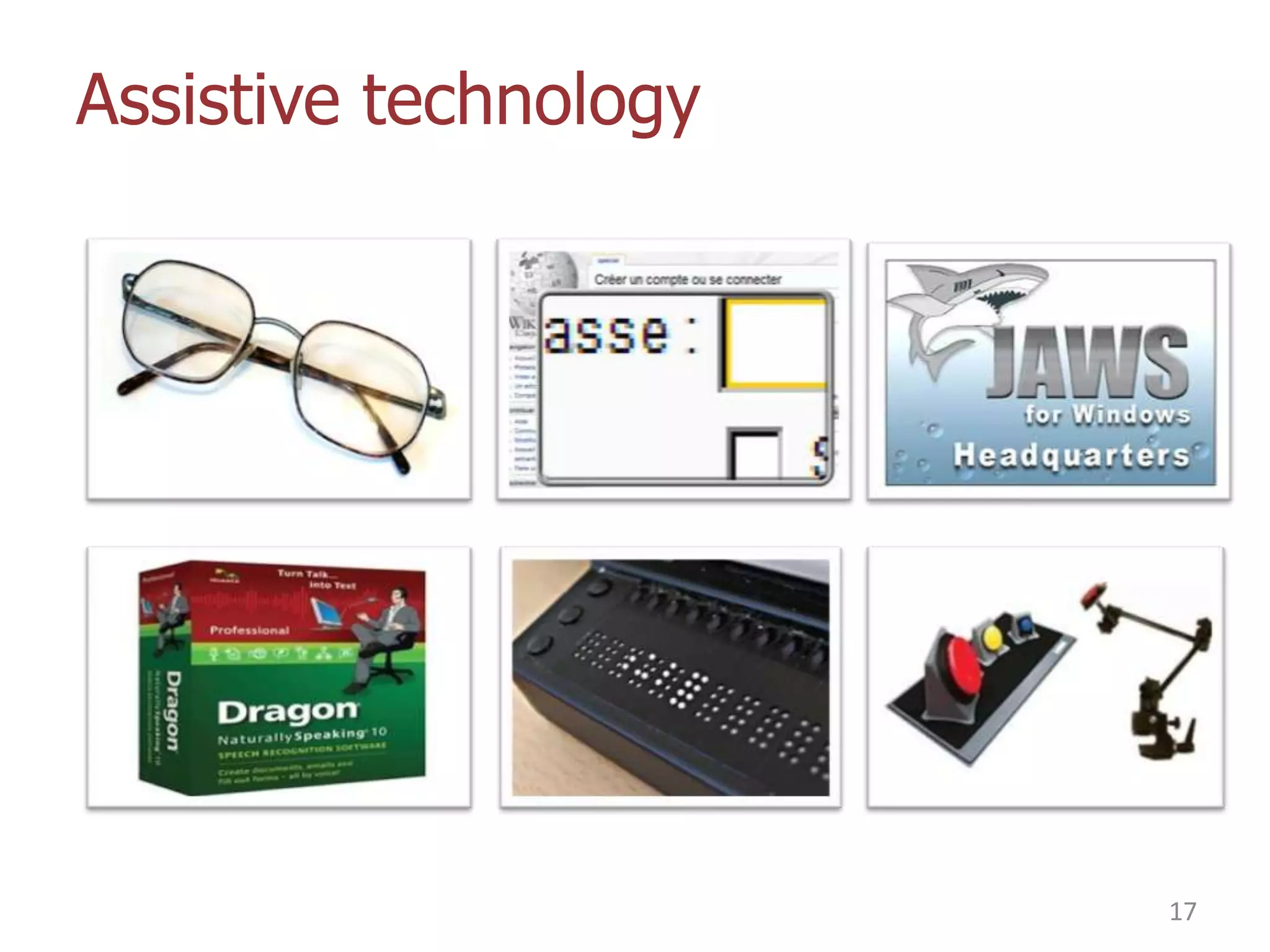
Assistive technology

17
But complexity comes at a price
How much for a screen reader?

Open source to the rescue?
• NVDA screen reader
• free to download
• PC only at this time
• Improving all the time - http://www.nvaccess.org/

18
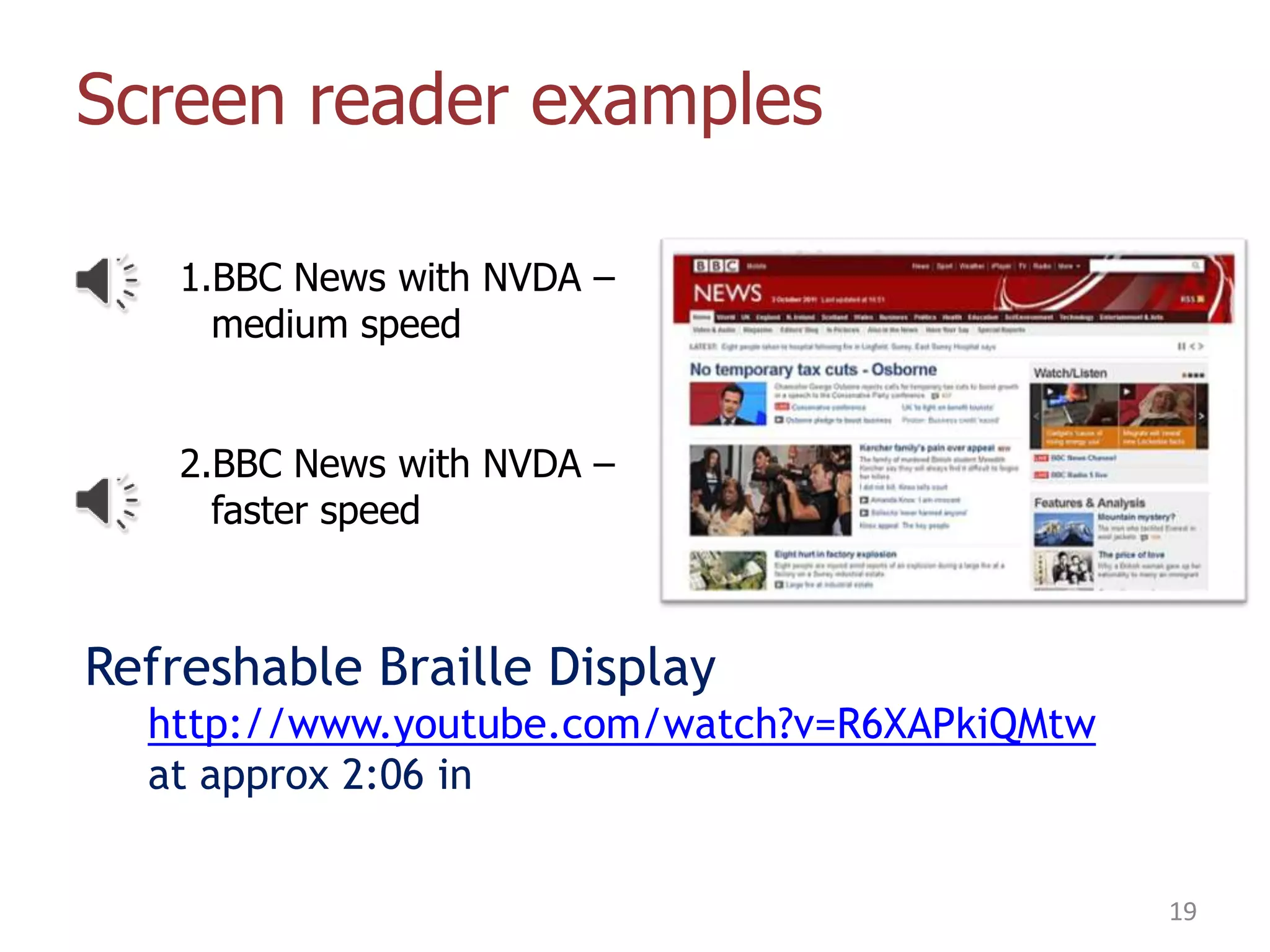
Screen reader examples
1.BBC News with NVDA –
medium speed

2.BBC News with NVDA –
faster speed

Refreshable Braille Display
http://www.youtube.com/watch?v=R6XAPkiQMtw
at approx 2:06 in
19
iPhones, iPads and blindness
•

Many accessibility features built in
•
•

Eg Voiceover – screen reader
Speech recognition

•

The result is that many blind users swear by their iOS
devices

•

Android devices have Talkback, getting better but not as
good as Voiceover.

20
Who can influence accessibility?

Coolfields Consulting

www.coolfields.co.uk
@coolfields
Who can influence accessibility?
Web accessibility is all about the user interface.
•

Designers – who specify the layout and functionality

•

Developers – who build the websites to the design
specified

•

Content authors – those who write the pages, articles
and posts

22
Content authors - Images
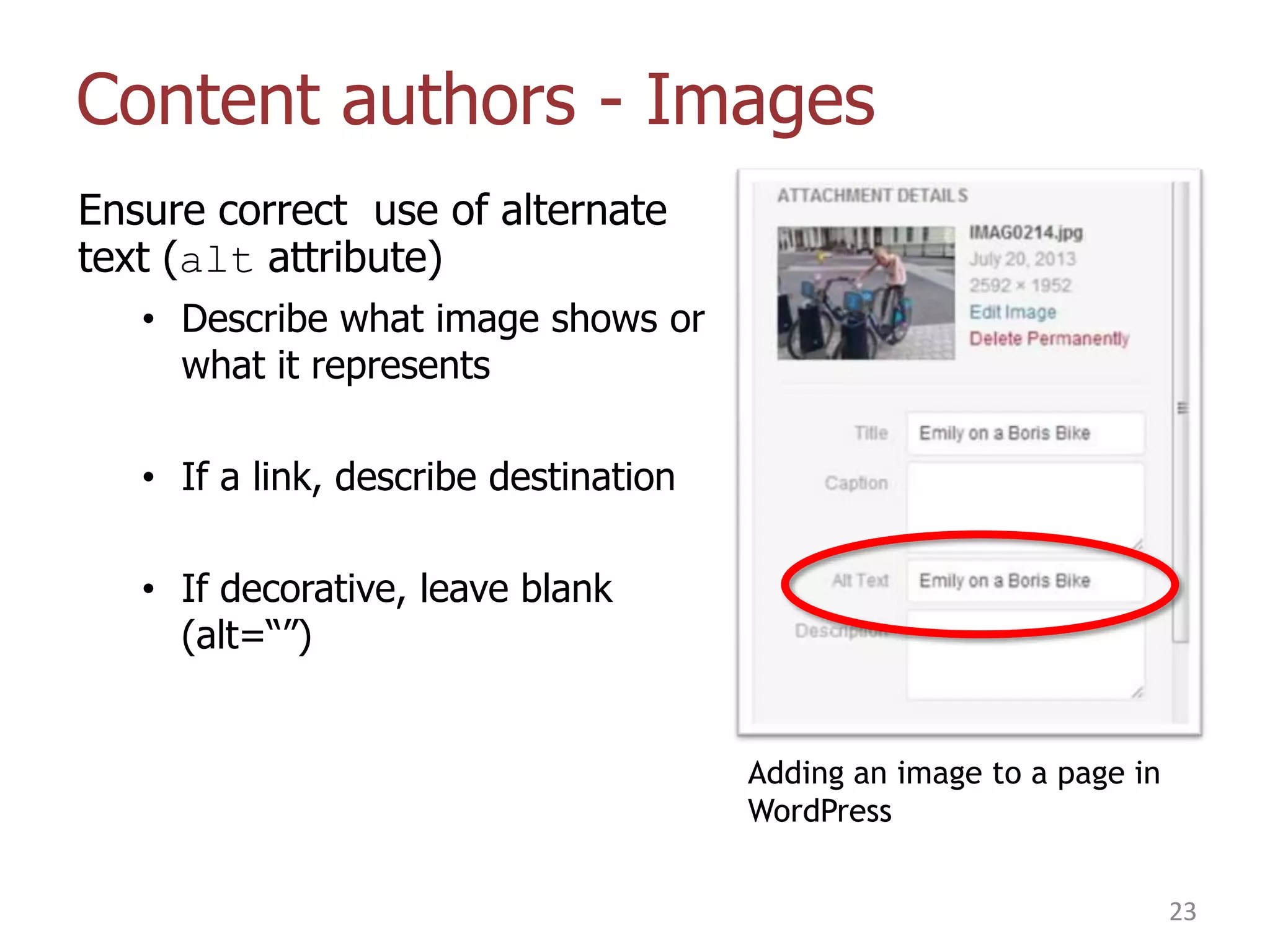
Ensure correct use of alternate
text (alt attribute)
• Describe what image shows or
what it represents
• If a link, describe destination
• If decorative, leave blank
(alt=“”)

Adding an image to a page in
WordPress
23
Content authors - Links
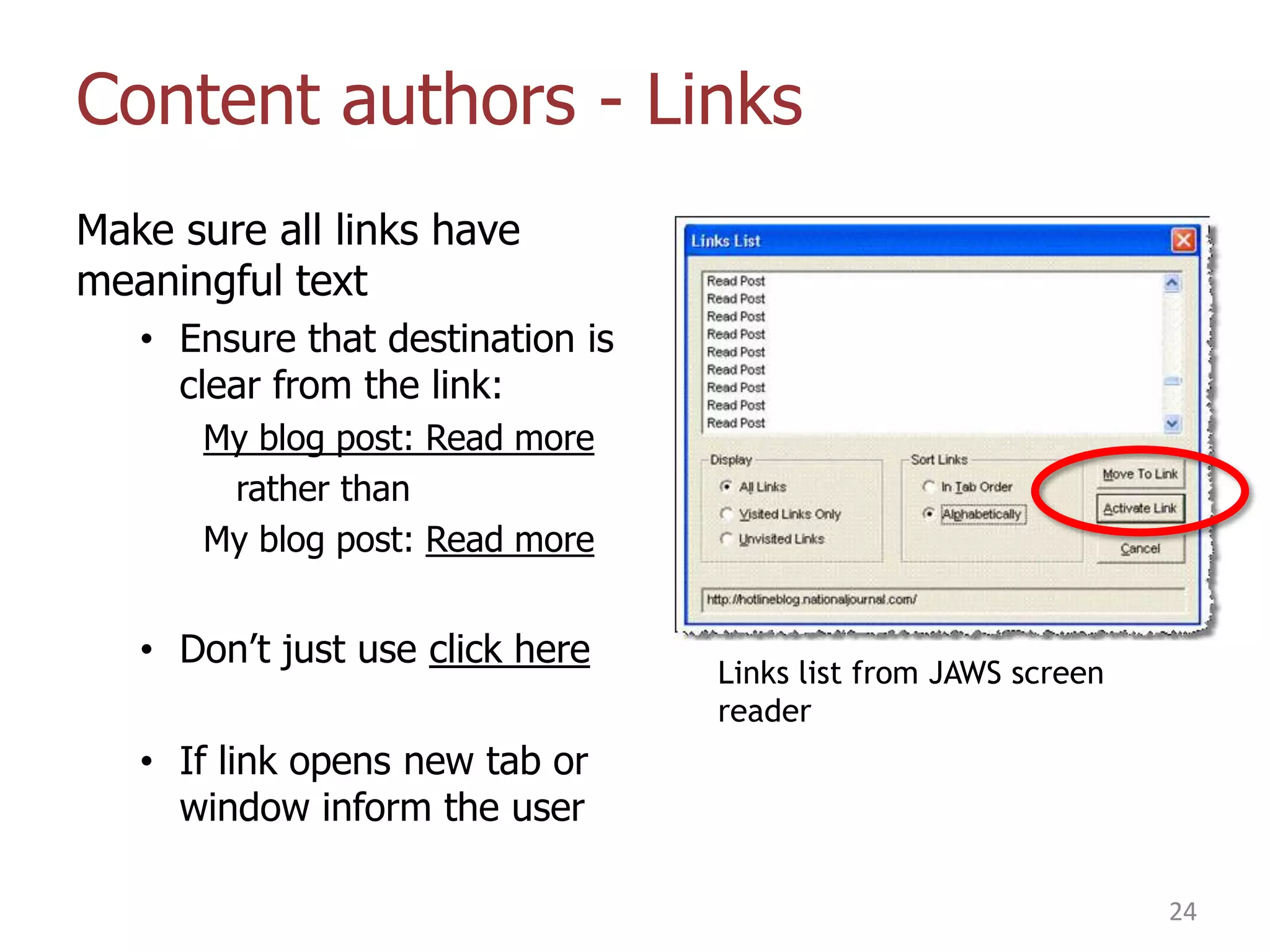
Make sure all links have
meaningful text
• Ensure that destination is
clear from the link:
My blog post: Read more
rather than
My blog post: Read more

• Don‟t just use click here

Links list from JAWS screen
reader

• If link opens new tab or
window inform the user
24
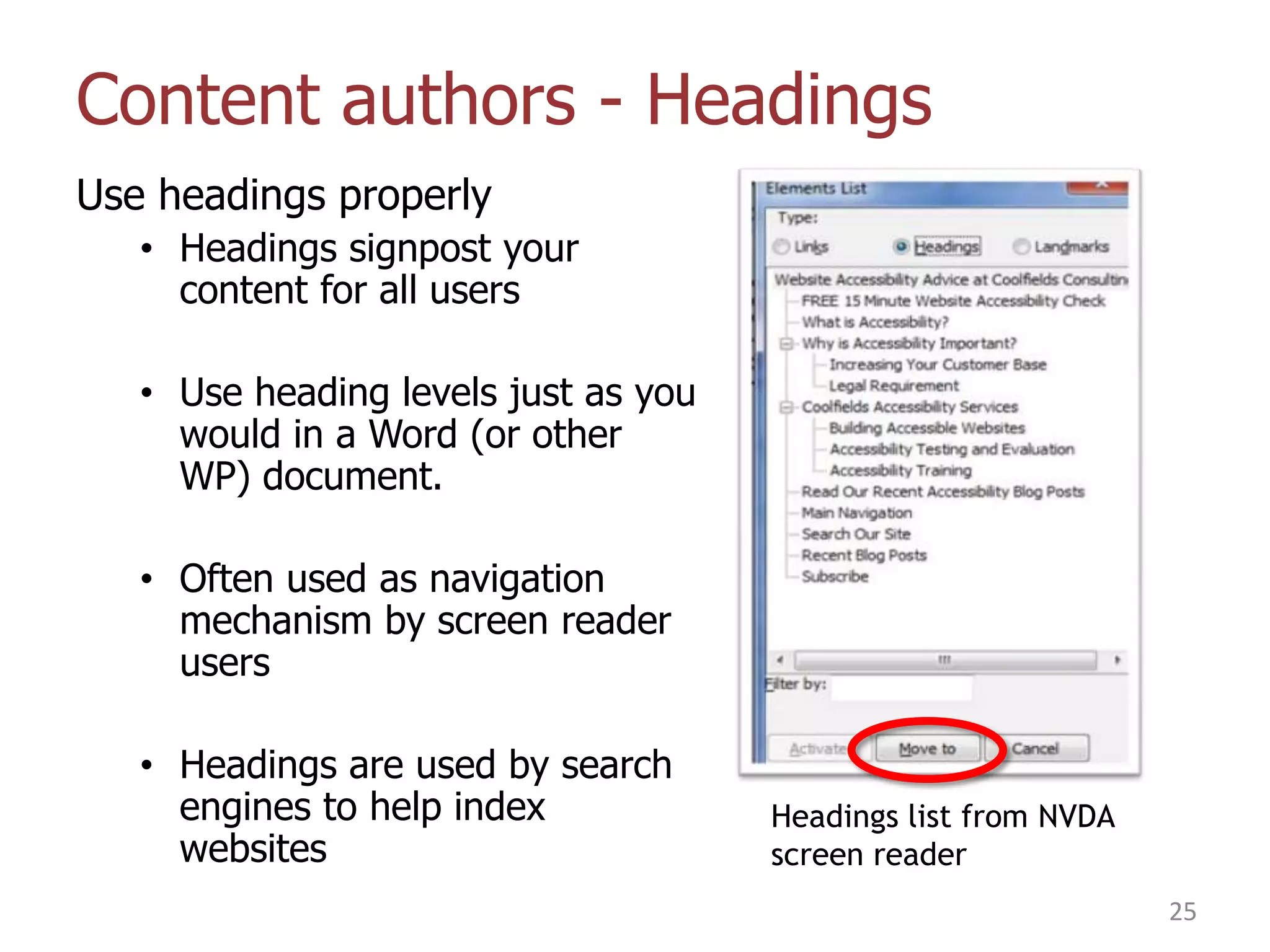
Content authors - Headings
Use headings properly
• Headings signpost your
content for all users
• Use heading levels just as you
would in a Word (or other
WP) document.
• Often used as navigation
mechanism by screen reader
users
• Headings are used by search
engines to help index
websites

Headings list from NVDA
screen reader
25
When Should I Think About
Accessibility?

Coolfields Consulting

www.coolfields.co.uk
@coolfields
Implementing accessibility
• Accessibility is a lot harder and more expensive to retrofit.
• So it needs to be designed in from the start
• Think of it as another requirement – one which may not be
explicitly asked for.
• If you‟re commissioning a website make sure your
developer has an accessibility policy.

27
So how do I know if my
website is accessible?

Coolfields Consulting

www.coolfields.co.uk
@coolfields
Quick accessibility checks - 1
You need to answer yes to all these questions:
• Can I easily access all functionality with the keyboard only?
• Can I easily access all parts of the site with the keyboard
only?
• Can I easily see where keyboard focus is?
• Does the keyboard tab order make sense?

• Do all videos have captions?
29
Quick accessibility checks - 2
You need to answer yes to all these questions:
• Can I resize text in a page without breaking the layout?
(Note: resizing and zooming are not the same thing)
• Are the page titles unique and meaningful?
• Are links obviously links?
• Do all links provide enough information to describe
destination?
• Do links which open new window warn the user first?
30
Quick accessibility checks - 3
You need to answer yes to all these questions:
• Do all images have appropriate alternate text?
• Do pages have appropriate headings and subheadings?
• Do all form fields have a corresponding label?

• Is the colour contrast sufficient?

You need to answer No to this question
• Is meaning conveyed by colour or shape only?
31
Useful links
Colour Contrast Analyzer
• http://paciellogroup.com/resources/contrastAnalyser

Wave
• standalone (http://wave.webaim.org/)
• or as Firefox add-on

How to get alternate text right
• http://owl.li/pGtKC
32
Thanks for listening –
any questions?
graham.armfield@coolfields.co.uk
@coolfields

33

Web Accessibility: What it is, Why it's important

  • 1.
    Web Accessibility: What itis, Why it's important Graham Armfield Web Accessibility Consultant WordPress Developer graham.armfield@coolfields.co.uk @coolfields Coolfields Consulting www.coolfields.co.uk @coolfields
  • 2.
    What I‟m goingto cover • • • • • • What is web accessibility? Why it‟s important Who is affected by poor accessibility? Who can influence accessibility? When to think about accessibility So is my website accessible? 2
  • 3.
    What is WebAccessibility? “Enabling the web so that everyone can access its content when they want to and how they need to” Coolfields Consulting www.coolfields.co.uk @coolfields
  • 4.
    Accessibility is notblack and white In most websites there are usually few accessibility showstoppers. But… • They do occur • Websites can be fine for some people but totally inaccessible for others Web accessibility issues make life a harder for some people. So, web accessibility is about making websites easy to use for as many people as possible. Remember, if people find your website hard to use they will probably leave. 4
  • 5.
    Why is AccessibilityImportant? What is all the fuss about? Coolfields Consulting www.coolfields.co.uk @coolfields
  • 6.
    Why is accessibilityimportant? The web is increasingly the world‟s preferred channel for: • Knowledge • Social interaction • Commerce But it‟s not always easy for: • Those with disabilities • Those who are getting older Accessibility can increase the profitability or reach of a website Accessibility is a legal requirement 6
  • 7.
    Who is Affectedby Poor Accessibility? More people than you may think. Coolfields Consulting www.coolfields.co.uk @coolfields
  • 8.
    Accessibility Myths -1 It‟s just for a minority of people… • 12 million people in UK have a recognised disability • In the UK 15 million are over 55 – 12 million over 65 • Allowing for overlap between those with disability and those over 65 there could be as many as 16.5 million people in UK who could benefit from good accessibility in websites 8
  • 9.
    Accessibility Myths -2 Accessibility is all about blind people… • 1.8 million people have a vision impairment, of which 180,000 are registered blind • 1 in 12 men have colour-blindness • 2.6 million have difficulties using their hands which could impact their use of keyboard and/or mouse • About 2 million people have a hearing impairment, of which 50,000 use British Sign Language to communicate • About 2 million people are dyslexic • 2.2 million people have difficulty with memory, concentration or learning, of which about 1 million have a learning difficulty 9
  • 10.
    Accessibility Myths -3 Yes, but my site is not meant for the blind/deaf/motor impaired* (Delete as appropriate) • People don‟t always browse and/or buy just for themselves • You can‟t make assumptions about people • Studies in US show that friends and family of people with disabilities will also avoid inaccessible sites 10
  • 11.
    Accessibility Myths -4 It‟s too expensive – not enough return on investment • People with disabilities represent a market worth £80bn per year in the UK – approx £320bn across EU • Friends and family can add significantly to that • 83% of disabled people will not return to a business that does not meet their access needs. • If a company‟s website is hard to use, people will visit a competitor‟s site which is easier to use. • Tesco – In 2001 an accessible version of their shopping site was launched at a cost £35k and yielded £13m turnover a year 11
  • 12.
    Accessibility Myths -5 If I ignore it, it‟ll go away • We are all getting older • One in four will be over 65 by 2061 • How accessible do you want the web to be in 20/30/40 years time? 12
  • 13.
    Accessibility and thelaw • Equality Act 2010 (Disability Discrimination Act in Northern Ireland) • Laws specifically refer to websites 13
  • 14.
    Accessibility Myths -6 Yes but no-one ever gets sued anyway • A number of actions started against companies but many settled „out of court‟ with confidentiality clauses attached. • In 2012 RNIB started an action publicly against BMI Baby. It was impossible to book flights and reserve seats on their website without using a mouse. » The case was settled as BMI Baby agreed to make changes. » RNIB have indicated that they may be looking at more actions in the near future. 14
  • 15.
    Types of disability/impairment Visualimpairments • • • • blindness colour blindness low vision etc Motor impairments • restricted use of hands • Parkinsons • etc Epilepsy Hearing impairments • deafness – partial or full • background noise • etc Cognitive impairments • • • • • dyslexia autism ADHD linguistic impairments etc 15
  • 16.
    Techniques to mitigateimpairment Accessibility options in browsers • Mainly Internet Explorer + Firefox • Specify colours, font styles • Adjust text size or zooming – there is a difference • Attach your own custom stylesheet (IE only) 16
  • 17.
  • 18.
    But complexity comesat a price How much for a screen reader? Open source to the rescue? • NVDA screen reader • free to download • PC only at this time • Improving all the time - http://www.nvaccess.org/ 18
  • 19.
    Screen reader examples 1.BBCNews with NVDA – medium speed 2.BBC News with NVDA – faster speed Refreshable Braille Display http://www.youtube.com/watch?v=R6XAPkiQMtw at approx 2:06 in 19
  • 20.
    iPhones, iPads andblindness • Many accessibility features built in • • Eg Voiceover – screen reader Speech recognition • The result is that many blind users swear by their iOS devices • Android devices have Talkback, getting better but not as good as Voiceover. 20
  • 21.
    Who can influenceaccessibility? Coolfields Consulting www.coolfields.co.uk @coolfields
  • 22.
    Who can influenceaccessibility? Web accessibility is all about the user interface. • Designers – who specify the layout and functionality • Developers – who build the websites to the design specified • Content authors – those who write the pages, articles and posts 22
  • 23.
    Content authors -Images Ensure correct use of alternate text (alt attribute) • Describe what image shows or what it represents • If a link, describe destination • If decorative, leave blank (alt=“”) Adding an image to a page in WordPress 23
  • 24.
    Content authors -Links Make sure all links have meaningful text • Ensure that destination is clear from the link: My blog post: Read more rather than My blog post: Read more • Don‟t just use click here Links list from JAWS screen reader • If link opens new tab or window inform the user 24
  • 25.
    Content authors -Headings Use headings properly • Headings signpost your content for all users • Use heading levels just as you would in a Word (or other WP) document. • Often used as navigation mechanism by screen reader users • Headings are used by search engines to help index websites Headings list from NVDA screen reader 25
  • 26.
    When Should IThink About Accessibility? Coolfields Consulting www.coolfields.co.uk @coolfields
  • 27.
    Implementing accessibility • Accessibilityis a lot harder and more expensive to retrofit. • So it needs to be designed in from the start • Think of it as another requirement – one which may not be explicitly asked for. • If you‟re commissioning a website make sure your developer has an accessibility policy. 27
  • 28.
    So how doI know if my website is accessible? Coolfields Consulting www.coolfields.co.uk @coolfields
  • 29.
    Quick accessibility checks- 1 You need to answer yes to all these questions: • Can I easily access all functionality with the keyboard only? • Can I easily access all parts of the site with the keyboard only? • Can I easily see where keyboard focus is? • Does the keyboard tab order make sense? • Do all videos have captions? 29
  • 30.
    Quick accessibility checks- 2 You need to answer yes to all these questions: • Can I resize text in a page without breaking the layout? (Note: resizing and zooming are not the same thing) • Are the page titles unique and meaningful? • Are links obviously links? • Do all links provide enough information to describe destination? • Do links which open new window warn the user first? 30
  • 31.
    Quick accessibility checks- 3 You need to answer yes to all these questions: • Do all images have appropriate alternate text? • Do pages have appropriate headings and subheadings? • Do all form fields have a corresponding label? • Is the colour contrast sufficient? You need to answer No to this question • Is meaning conveyed by colour or shape only? 31
  • 32.
    Useful links Colour ContrastAnalyzer • http://paciellogroup.com/resources/contrastAnalyser Wave • standalone (http://wave.webaim.org/) • or as Firefox add-on How to get alternate text right • http://owl.li/pGtKC 32
  • 33.
    Thanks for listening– any questions? graham.armfield@coolfields.co.uk @coolfields 33

Editor's Notes

  • #9 PWD = People with disabilityAlso, many people with impairments that affect how they use the internet would not consider that they have a disability.
  • #12 PWD = People with disabilityAlso, many people with impairments that affect how they use the internet would not consider that they have a disability.Tesco – accessible site no longer exists as a separate entity. The techniques used were included in the main Tesco online site.Most of my clients are small businesses who are selling products or services. They want to maximise their reach within potential customers.
  • #16 TypesVisualBlindness (total/partial), colour blindness low visionMotor Restricted use of limbs/handsParkinsonsetcMany cannot use a mouse or struggle to use one with sufficient precisionHearingPartial to full deafnessSensitivity to background noiseEpilepsyCognitiveDyslexiaAttention deficitAutismLinguistic impairmentsEtc
  • #17 Those with impairments are unlikely to be using Google Chrome – it doesn’t expose as many useful accessibility features and doesn’t follow all useful web standards – eg in-page link focus.
  • #18 I have a visual impairment – I’m shortsighted. My assistive technology is a pair of glassesAssistive technology can be software based – magnification or screen reader or speech recognition softwareOr hardware based – braille reader, various switches
  • #19 Continue spectacles analogy – my short range prescription is now so far from my long range prescription that I need bifocals. These are significantly more expensive than standard lenses.Same is true for ATJaws is the industry standard screen reader. How much do you think it costs? And for upgrades too? How much is a refreshing braille display?Fortunately NVDA is available for free. It’s not quite as good as JAWS but is improving all the time. JAWS is much better for non-browser based applications like Word, Excel etc
  • #24 Imagine you need to dec=scribe the image to someone over the phoneBackground imagesNo alternate textWill not be voiced so meaning is not conveyed
  • #25 It is possible to hide verbose messages from sighted users but have them available for screen readers
  • #26 Good to add all contact in semantic waysSemantic elementsOften used as navigation mechanism by screen reader usersBreak up content into more manageable chunksTry to nest correctlyAlso good for SEONavigation mechanism – think about newspapersBreaking up content – helps those with attention deficit issues and other cognitive impairments