theweathernetwork.com
&
Meteomedia.com
A NEW DAY – A NEW SITE
Brief History
> The Weather Network and MeteoMedia began broadcasting in 1988
> In 1991, Pelmorex Media Inc. purchased The Weather Network and
MeteoMedia
> In 1996, we launched theweathernetwork.com and meteomedia.com
> 2002 we launched a mobile website
> In 2008 we launched our first mobile app and an app on Facebook
> In 2009 we launched our last major upgrade to the websites prior to April 2013
> Our sites serve both English and French Canadian markets and are enjoyed
by close to 40% of all of the online users in Canada
What did we do?
> Brand new infrastructure
> Introduced an extendable and flexible Content Management System to publish
the sites
> Put on brand new design and usability to the sites
> Launched new product for the sites
> ALL AT ONCE!! (We may be a little crazy!)
Why?
> Meet Needs of our Customers
> Showcase all of our rich content
> Legacy systems were limiting us
> Grow our business
Key Lessons Learned
1. Clear Objectives
- What are the problems that you are trying to solve?
Key Lessons Learned
2. What Does the Research Say?
- What are your competitors doing?
- Consumer Feedback
- Social Media
- Are your problems, really problems?
Key Lessons Learned
3. User Journey
- Why are users coming to your site or app?
- What are the questions they are trying to answer?
- What are they doing now while they are there and what do you want them
to do?
Key Lessons Learned
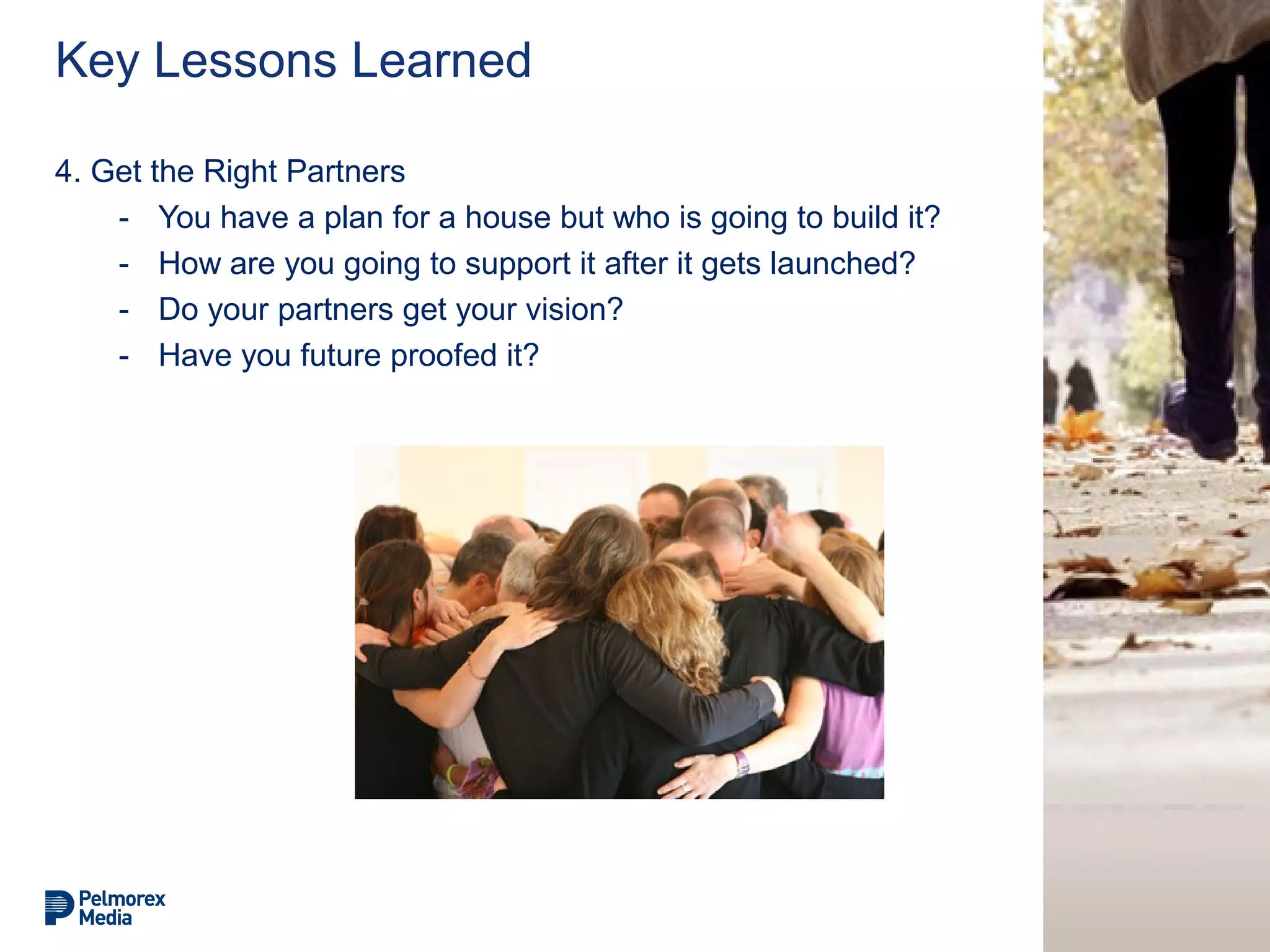
4. Get the Right Partners
- You have a plan for a house but who is going to build it?
- How are you going to support it after it gets launched?
- Do your partners get your vision?
- Have you future proofed it?
Key Lessons Learned
5. User Feedback is Key to Success
- Your users know what they want, let them tell you
- Surprise them too – in a good way!
- Surveys, Beta Tests, Advertiser Feedback
Key Lessons Learned
6. Take a Deep Breath and Dive In!
- Prepare for the aftermath
- How are you going to solve issues?
- How are you going to communicate improvements?
Carrie Lysenko
@carrielysenko
clysenko@pelmorex.com
The Weather Network
A Brief Technical Overview of our Site
Redesign
Moe Abeidat – Director, Software Development
Matt Mejaski – Manager, Software Development – Web Development
www.TheWeatherNetwork.com
Technical History
Late 90’s – HTML Frames
Late 90’s – HTML Frames – City Page
Official New “Old Site” – “php” version
Old Site – Architecture – continued
> Large number of web servers spread across multiple server farms
> File-based caching on each web server, which led to highly inefficient disk I/O –
difficult to use industry standard caching tools
Old Site – Architecture – continued
CSS
PHP
HTML
JS
> No modularity - a monolithic application that mixed every
different coding practice you can think of
> Include statements after include statements after include
statements
> Made a mess for anyone to debug, troubleshoot, and enhance
Perl
Old Site – Architecture – continued
> Almost 100% of changes had to go through developers
HR/Web Producers/Sales/Marketing
New Site – Technical Solution
> Solution needed to address:
1. More levers (control) to business users –
less dependency on development
2. Clean supportable – human readable code
3. Scale – effectively (cost) and efficiently
New Site – Technical Solution
> 1 - More control to business users – less dependency on development –
quicker time to market/production:
> CMS:
> Build in-house – again?
> Buy
> Initial understanding of technology choices for selected CMS:
> vs.
- Skill Migration!
- PHP vs. Anything else.
New Site – Technical Solution
> 2 - Clean supportable – human readable code
> Frameworks – why?
3 - Scale – effectively (cost) and efficiently
> How?
> Options
New Site – Built in 6 months!
> Project Execution Options:
- 1) Outsource completely to 1+ vendor:
- Pros:
- Lower risk of technology/experience related issues
- Higher confidence in on-time delivery
- Cons:
- Lack of in-house experience
- Higher cost long term with vendor lock in.
- control of your own destiney?
New Site – Built in 6 months!
> Project Execution Options:
- 2) Take the lead, flanked by the right vendors
- Pros:
- Guaranteed experience and expertise builder
- Lower long term cost
- Control your own destiny
- Cons:
- High risk of missing timelines
- High risk of “Frankenstein” Implementation
Lessons Learned
> Control your own destiney – technically speaking
> Never be afraid to ask questions
> Trust in your people
> Put the right skillset to the right task
> How does a project become a year late?
New Site – Built in 6 months!
> The real how?
CMS
> We added an enterprise level CMS to the mix:
- It allows our content to be:
- Translated
- Re-used, and
- Templated
across numerous platforms and sites.
> We define content and modules that can be rendered differently on
- Websites
- Mobile Websites
- Mobile Applications
> A clear separation of content and design helps to re-use the content in many
areas, and alter their design as necessary
Flexibility for the Business
> With the introduction of the CMS, we have enabled our business
users to switch and pull many levers, allowing for:
- Greater page metadata control for SEO
- The ability to quickly and easily add new components to
pages, and to reorder components on the page
- The flexibility for scheduled publishing/unpublishing of content
- To reuse modules on different pages, creating unique
offerings
> Translations
- We also have the ability to control all languages in one place
- It also allows for translation of URLs for different domains.
This allows us to share content between
TheWeatherNetwork.com and MeteoMedia.com, but have
different page URL's that are relevant for their language.
- e.g. The 7 Day Weather Forecast page is
http://www.theweathernetwork.com/weather/canada/ontario/oa
kville, and
http://www.meteomedia.com/meteo/canada/ontario/oakville
PHP Web Servers
> We added a reverse proxy cache that:
- Eliminates file based caching on each server
- Protects our PHP servers from overload with high traffic
- Allows modular based caching where different pieces of the page can have
their own time to live
> Decreased the number of web servers by 60%
The PHP Code
> Totally rewritten from the ground up
> Stayed with a LAMP stack
> Used the CodeIgniter framework as a base to help standardize and speed up
development
> Integrated an HMVC (Hierarchical MVC) framework to make each module on
the page it's own MVC component.
> This allows each module on a page to be developed independently, which:
- Reduces development complexity
- Makes testing and automation easier
- Allows for easy module re-use on different areas of the site
Implementation of the Design
We use Mustache templates (http://mustache.github.io/)
>These are logic-less templates, which provide:
- A clear separation between business logic and template design
- Simple markup to maintain clean HTML
- Templates that can be compiled and rendered in both PHP and JavaScript
(depending on the need that arises)
We also use LESS CSS (http://lesscss.org/)
>This allows us to create dynamic stylesheets, with variabilized parameters
>It also allows for nesting and mixing styles within other styles, creating a clean
CSS code-base that is then compiled into browser-ready CSS.
Silicon Halton Meetup #44 - Special Presentation By The Weather Network

Silicon Halton Meetup #44 - Special Presentation By The Weather Network

  • 1.
  • 2.
    Brief History > TheWeather Network and MeteoMedia began broadcasting in 1988 > In 1991, Pelmorex Media Inc. purchased The Weather Network and MeteoMedia > In 1996, we launched theweathernetwork.com and meteomedia.com > 2002 we launched a mobile website > In 2008 we launched our first mobile app and an app on Facebook > In 2009 we launched our last major upgrade to the websites prior to April 2013 > Our sites serve both English and French Canadian markets and are enjoyed by close to 40% of all of the online users in Canada
  • 3.
    What did wedo? > Brand new infrastructure > Introduced an extendable and flexible Content Management System to publish the sites > Put on brand new design and usability to the sites > Launched new product for the sites > ALL AT ONCE!! (We may be a little crazy!)
  • 4.
    Why? > Meet Needsof our Customers > Showcase all of our rich content > Legacy systems were limiting us > Grow our business
  • 5.
    Key Lessons Learned 1.Clear Objectives - What are the problems that you are trying to solve?
  • 6.
    Key Lessons Learned 2.What Does the Research Say? - What are your competitors doing? - Consumer Feedback - Social Media - Are your problems, really problems?
  • 7.
    Key Lessons Learned 3.User Journey - Why are users coming to your site or app? - What are the questions they are trying to answer? - What are they doing now while they are there and what do you want them to do?
  • 8.
    Key Lessons Learned 4.Get the Right Partners - You have a plan for a house but who is going to build it? - How are you going to support it after it gets launched? - Do your partners get your vision? - Have you future proofed it?
  • 9.
    Key Lessons Learned 5.User Feedback is Key to Success - Your users know what they want, let them tell you - Surprise them too – in a good way! - Surveys, Beta Tests, Advertiser Feedback
  • 10.
    Key Lessons Learned 6.Take a Deep Breath and Dive In! - Prepare for the aftermath - How are you going to solve issues? - How are you going to communicate improvements?
  • 11.
  • 12.
    The Weather Network ABrief Technical Overview of our Site Redesign Moe Abeidat – Director, Software Development Matt Mejaski – Manager, Software Development – Web Development
  • 13.
  • 14.
    Late 90’s –HTML Frames
  • 15.
    Late 90’s –HTML Frames – City Page
  • 16.
    Official New “OldSite” – “php” version
  • 17.
    Old Site –Architecture – continued > Large number of web servers spread across multiple server farms > File-based caching on each web server, which led to highly inefficient disk I/O – difficult to use industry standard caching tools
  • 18.
    Old Site –Architecture – continued CSS PHP HTML JS > No modularity - a monolithic application that mixed every different coding practice you can think of > Include statements after include statements after include statements > Made a mess for anyone to debug, troubleshoot, and enhance Perl
  • 19.
    Old Site –Architecture – continued > Almost 100% of changes had to go through developers HR/Web Producers/Sales/Marketing
  • 20.
    New Site –Technical Solution > Solution needed to address: 1. More levers (control) to business users – less dependency on development 2. Clean supportable – human readable code 3. Scale – effectively (cost) and efficiently
  • 21.
    New Site –Technical Solution > 1 - More control to business users – less dependency on development – quicker time to market/production: > CMS: > Build in-house – again? > Buy > Initial understanding of technology choices for selected CMS: > vs. - Skill Migration! - PHP vs. Anything else.
  • 22.
    New Site –Technical Solution > 2 - Clean supportable – human readable code > Frameworks – why? 3 - Scale – effectively (cost) and efficiently > How? > Options
  • 23.
    New Site –Built in 6 months! > Project Execution Options: - 1) Outsource completely to 1+ vendor: - Pros: - Lower risk of technology/experience related issues - Higher confidence in on-time delivery - Cons: - Lack of in-house experience - Higher cost long term with vendor lock in. - control of your own destiney?
  • 24.
    New Site –Built in 6 months! > Project Execution Options: - 2) Take the lead, flanked by the right vendors - Pros: - Guaranteed experience and expertise builder - Lower long term cost - Control your own destiny - Cons: - High risk of missing timelines - High risk of “Frankenstein” Implementation
  • 25.
    Lessons Learned > Controlyour own destiney – technically speaking > Never be afraid to ask questions > Trust in your people > Put the right skillset to the right task > How does a project become a year late?
  • 26.
    New Site –Built in 6 months! > The real how?
  • 27.
    CMS > We addedan enterprise level CMS to the mix: - It allows our content to be: - Translated - Re-used, and - Templated across numerous platforms and sites. > We define content and modules that can be rendered differently on - Websites - Mobile Websites - Mobile Applications > A clear separation of content and design helps to re-use the content in many areas, and alter their design as necessary
  • 28.
    Flexibility for theBusiness > With the introduction of the CMS, we have enabled our business users to switch and pull many levers, allowing for: - Greater page metadata control for SEO - The ability to quickly and easily add new components to pages, and to reorder components on the page - The flexibility for scheduled publishing/unpublishing of content - To reuse modules on different pages, creating unique offerings > Translations - We also have the ability to control all languages in one place - It also allows for translation of URLs for different domains. This allows us to share content between TheWeatherNetwork.com and MeteoMedia.com, but have different page URL's that are relevant for their language. - e.g. The 7 Day Weather Forecast page is http://www.theweathernetwork.com/weather/canada/ontario/oa kville, and http://www.meteomedia.com/meteo/canada/ontario/oakville
  • 29.
    PHP Web Servers >We added a reverse proxy cache that: - Eliminates file based caching on each server - Protects our PHP servers from overload with high traffic - Allows modular based caching where different pieces of the page can have their own time to live > Decreased the number of web servers by 60%
  • 30.
    The PHP Code >Totally rewritten from the ground up > Stayed with a LAMP stack > Used the CodeIgniter framework as a base to help standardize and speed up development > Integrated an HMVC (Hierarchical MVC) framework to make each module on the page it's own MVC component. > This allows each module on a page to be developed independently, which: - Reduces development complexity - Makes testing and automation easier - Allows for easy module re-use on different areas of the site
  • 31.
    Implementation of theDesign We use Mustache templates (http://mustache.github.io/) >These are logic-less templates, which provide: - A clear separation between business logic and template design - Simple markup to maintain clean HTML - Templates that can be compiled and rendered in both PHP and JavaScript (depending on the need that arises) We also use LESS CSS (http://lesscss.org/) >This allows us to create dynamic stylesheets, with variabilized parameters >It also allows for nesting and mixing styles within other styles, creating a clean CSS code-base that is then compiled into browser-ready CSS.