


Title


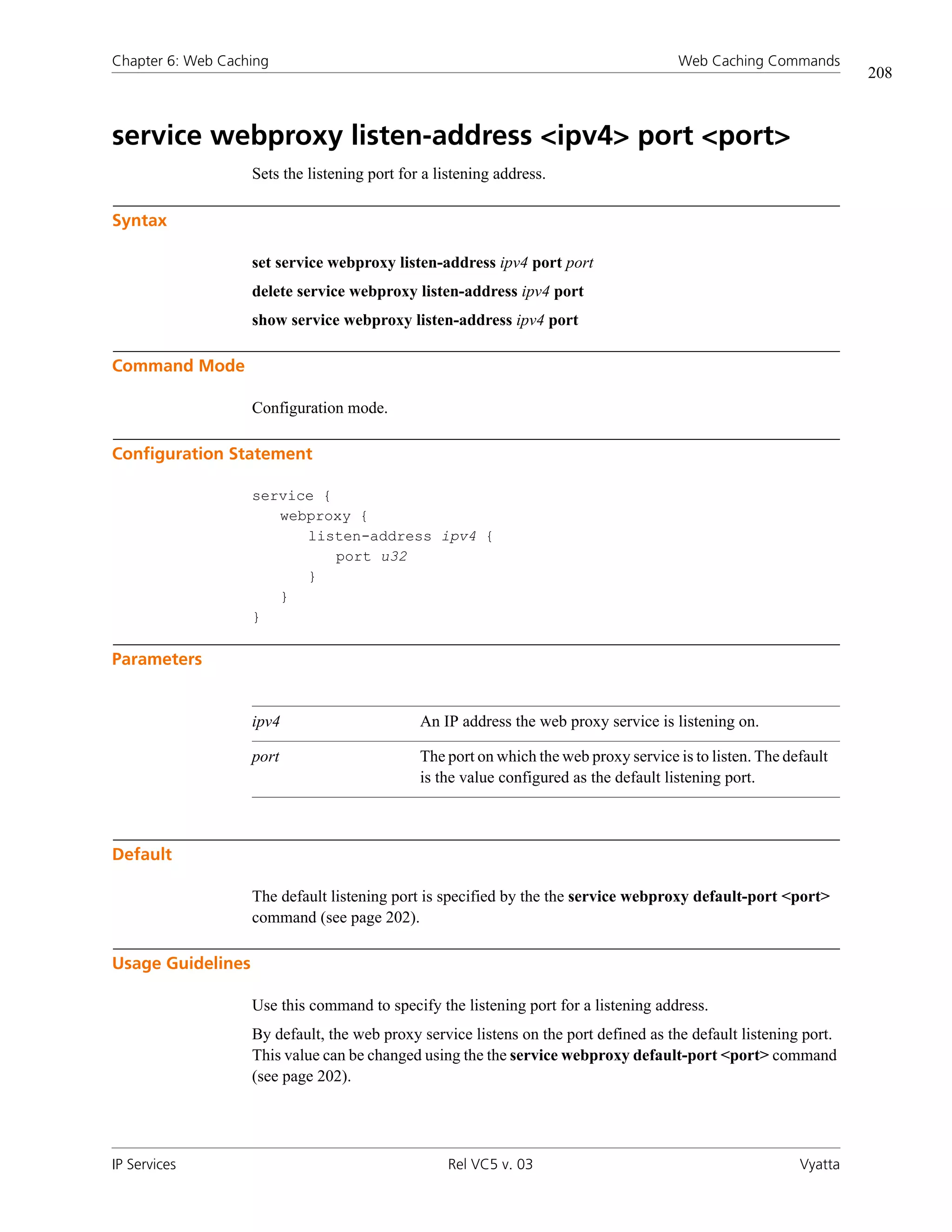
VYATTA, INC.   |   Vyatta System


IP Services
REFERENCE GUIDE
SSH
Telnet
DHCP
DNS
NAT
Web Caching


                                                             Vyatta
                                                         Suite 200
                                              1301 Shoreway Road
                                                Belmont, CA 94002
                                                        vyatta.com
                                                     650 413 7200
                                   1 888 VYATTA 1 (US and Canada)
Copyright   COPYRIGHT
            Copyright © 2005–2009 Vyatta, Inc. All rights reserved.

            Vyatta reserves the right to make changes to software, hardware, and documentation without notice. For the most recent version of documentation,
            visit the Vyatta web site at vyatta.com.


            PROPRIETARY NOTICES
            Vyatta is a registered trademark of Vyatta, Inc.

            VMware, VMware ESX, and VMware server are trademarks of VMware, Inc.

            All other trademarks are the property of their respective owners.

            ISSUE DATE: February 2009

            DOCUMENT REVISION. VC5 v03

            RELEASED WITH: VC5.0.2

            PART NO. A0-0114-10-0002
iii


Table of Contents


Quick Reference to Commands . . . . . . . . . . . . . . . . . . . . . . . . . . . . . . . . . . . . . . . . . . . . . . . . . . . . . . . viii


Quick List of Examples . . . . . . . . . . . . . . . . . . . . . . . . . . . . . . . . . . . . . . . . . . . . . . . . . . . . . . . . . . . . . . . xi


Preface . . . . . . . . . . . . . . . . . . . . . . . . . . . . . . . . . . . . . . . . . . . . . . . . . . . . . . . . . . . . . . . . . . . . . . . . . . . xiii
Intended Audience . . . . . . . . . . . . . . . . . . . . . . . . . . . . . . . . . . . . . . . . . . . . . . . . . . . . . . . . . . . . . . . . . . . . . . . . . . . . xiv

Organization of This Guide . . . . . . . . . . . . . . . . . . . . . . . . . . . . . . . . . . . . . . . . . . . . . . . . . . . . . . . . . . . . . . . . . . . . . . xiv

Document Conventions . . . . . . . . . . . . . . . . . . . . . . . . . . . . . . . . . . . . . . . . . . . . . . . . . . . . . . . . . . . . . . . . . . . . . . . . . xv
      Advisory Paragraphs . . . . . . . . . . . . . . . . . . . . . . . . . . . . . . . . . . . . . . . . . . . . . . . . . . . . . . . . . . . . . . . . . . . . . . . . xv
      Typographic Conventions . . . . . . . . . . . . . . . . . . . . . . . . . . . . . . . . . . . . . . . . . . . . . . . . . . . . . . . . . . . . . . . . . . . . xvi

Vyatta Publications . . . . . . . . . . . . . . . . . . . . . . . . . . . . . . . . . . . . . . . . . . . . . . . . . . . . . . . . . . . . . . . . . . . . . . . . . . . .xvii


Chapter 1 SSH . . . . . . . . . . . . . . . . . . . . . . . . . . . . . . . . . . . . . . . . . . . . . . . . . . . . . . . . . . . . . . . . . . . . . 1
SSH Configuration . . . . . . . . . . . . . . . . . . . . . . . . . . . . . . . . . . . . . . . . . . . . . . . . . . . . . . . . . . . . . . . . . . . . . . . . . . . . . 2

SSH Commands . . . . . . . . . . . . . . . . . . . . . . . . . . . . . . . . . . . . . . . . . . . . . . . . . . . . . . . . . . . . . . . . . . . . . . . . . . . . . . . 3
      service ssh . . . . . . . . . . . . . . . . . . . . . . . . . . . . . . . . . . . . . . . . . . . . . . . . . . . . . . . . . . . . . . . . . . . . . . . . . . . . . . . . 4
      service ssh allow-root <state> . . . . . . . . . . . . . . . . . . . . . . . . . . . . . . . . . . . . . . . . . . . . . . . . . . . . . . . . . . . . . . . . . 5
      service ssh port <port> . . . . . . . . . . . . . . . . . . . . . . . . . . . . . . . . . . . . . . . . . . . . . . . . . . . . . . . . . . . . . . . . . . . . . . 6
      service ssh protocol-version <version> . . . . . . . . . . . . . . . . . . . . . . . . . . . . . . . . . . . . . . . . . . . . . . . . . . . . . . . . . . . 7


Chapter 2 Telnet . . . . . . . . . . . . . . . . . . . . . . . . . . . . . . . . . . . . . . . . . . . . . . . . . . . . . . . . . . . . . . . . . . . 9
Telnet Configuration . . . . . . . . . . . . . . . . . . . . . . . . . . . . . . . . . . . . . . . . . . . . . . . . . . . . . . . . . . . . . . . . . . . . . . . . . . . 10

Telnet Commands . . . . . . . . . . . . . . . . . . . . . . . . . . . . . . . . . . . . . . . . . . . . . . . . . . . . . . . . . . . . . . . . . . . . . . . . . . . . . 11
      service telnet . . . . . . . . . . . . . . . . . . . . . . . . . . . . . . . . . . . . . . . . . . . . . . . . . . . . . . . . . . . . . . . . . . . . . . . . . . . . . 12
      service telnet allow-root <state> . . . . . . . . . . . . . . . . . . . . . . . . . . . . . . . . . . . . . . . . . . . . . . . . . . . . . . . . . . . . . . 13
      service telnet port <port> . . . . . . . . . . . . . . . . . . . . . . . . . . . . . . . . . . . . . . . . . . . . . . . . . . . . . . . . . . . . . . . . . . . 14
      telnet <address> . . . . . . . . . . . . . . . . . . . . . . . . . . . . . . . . . . . . . . . . . . . . . . . . . . . . . . . . . . . . . . . . . . . . . . . . . . 15


Chapter 3 DHCP . . . . . . . . . . . . . . . . . . . . . . . . . . . . . . . . . . . . . . . . . . . . . . . . . . . . . . . . . . . . . . . . . . . 17
DHCP Commands . . . . . . . . . . . . . . . . . . . . . . . . . . . . . . . . . . . . . . . . . . . . . . . . . . . . . . . . . . . . . . . . . . . . . . . . . . . . . 18
iv


      clear dhcp client process . . . . . . . . . . . . . . . . . . . . . . . . . . . . . . . . . . . . . . . . . . . . . . . . . . . . . . . . . . . . . . . . . . . . 20
      clear dhcp lease ip <ipv4> . . . . . . . . . . . . . . . . . . . . . . . . . . . . . . . . . . . . . . . . . . . . . . . . . . . . . . . . . . . . . . . . . . . 21
      clear dhcp leases . . . . . . . . . . . . . . . . . . . . . . . . . . . . . . . . . . . . . . . . . . . . . . . . . . . . . . . . . . . . . . . . . . . . . . . . . . 22
      service dhcp-relay . . . . . . . . . . . . . . . . . . . . . . . . . . . . . . . . . . . . . . . . . . . . . . . . . . . . . . . . . . . . . . . . . . . . . . . . . 23
      service dhcp-relay interface <interface> . . . . . . . . . . . . . . . . . . . . . . . . . . . . . . . . . . . . . . . . . . . . . . . . . . . . . . . . . 25
      service dhcp-relay relay-options . . . . . . . . . . . . . . . . . . . . . . . . . . . . . . . . . . . . . . . . . . . . . . . . . . . . . . . . . . . . . . . 27
      service dhcp-relay server <ipv4> . . . . . . . . . . . . . . . . . . . . . . . . . . . . . . . . . . . . . . . . . . . . . . . . . . . . . . . . . . . . . . . 29
      service dhcp-server . . . . . . . . . . . . . . . . . . . . . . . . . . . . . . . . . . . . . . . . . . . . . . . . . . . . . . . . . . . . . . . . . . . . . . . . . 31
      service dhcp-server disabled <state> . . . . . . . . . . . . . . . . . . . . . . . . . . . . . . . . . . . . . . . . . . . . . . . . . . . . . . . . . . . 32
      service dhcp-server shared-network-name <name> . . . . . . . . . . . . . . . . . . . . . . . . . . . . . . . . . . . . . . . . . . . . . . . . 33
      service dhcp-server shared-network-name <name> subnet <ipv4net> . . . . . . . . . . . . . . . . . . . . . . . . . . . . . . . . . . 34
      service dhcp-server shared-network-name <name> subnet <ipv4net> authoritative <state> . . . . . . . . . . . . . . . . . 36
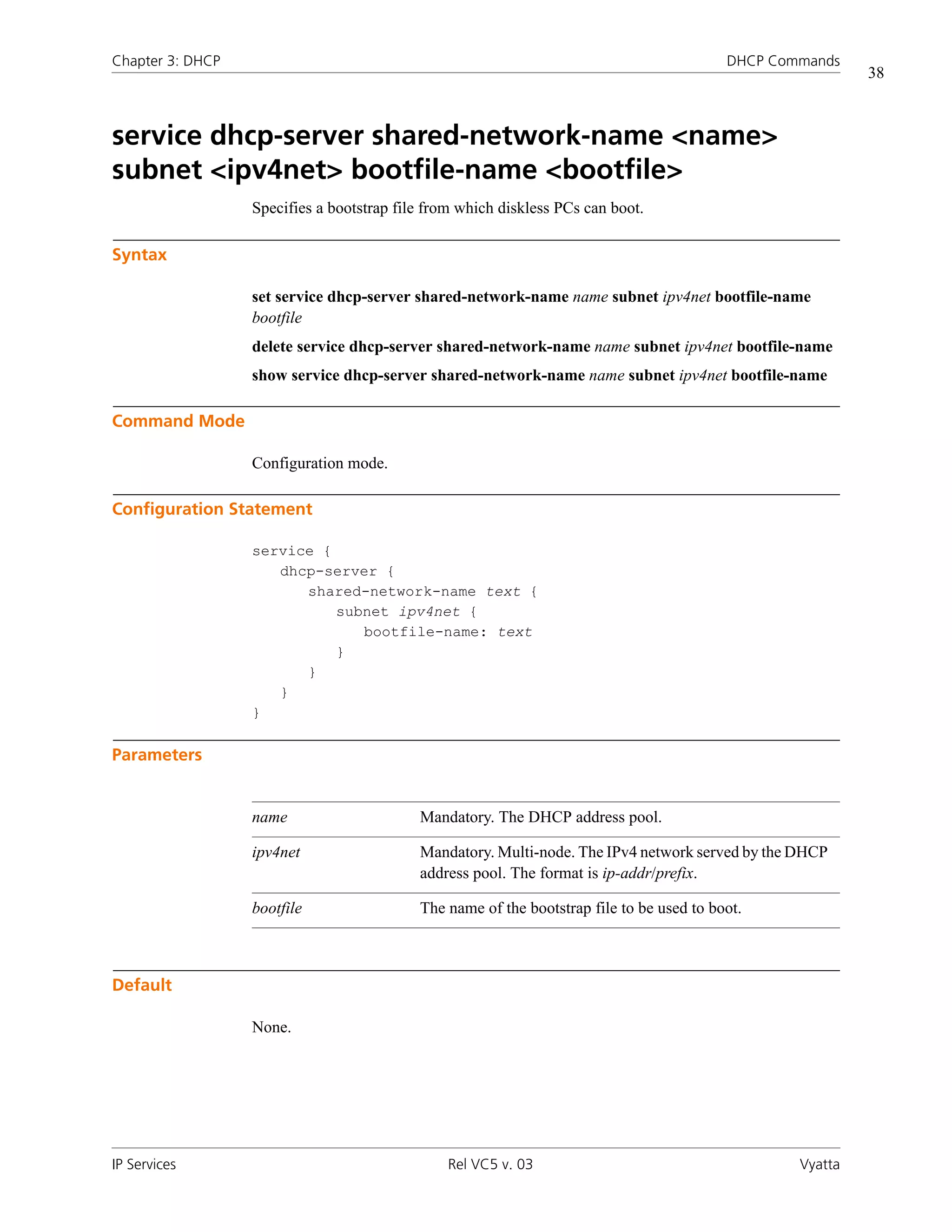
      service dhcp-server shared-network-name <name> subnet <ipv4net> bootfile-name <bootfile> . . . . . . . . . . . . . . 38
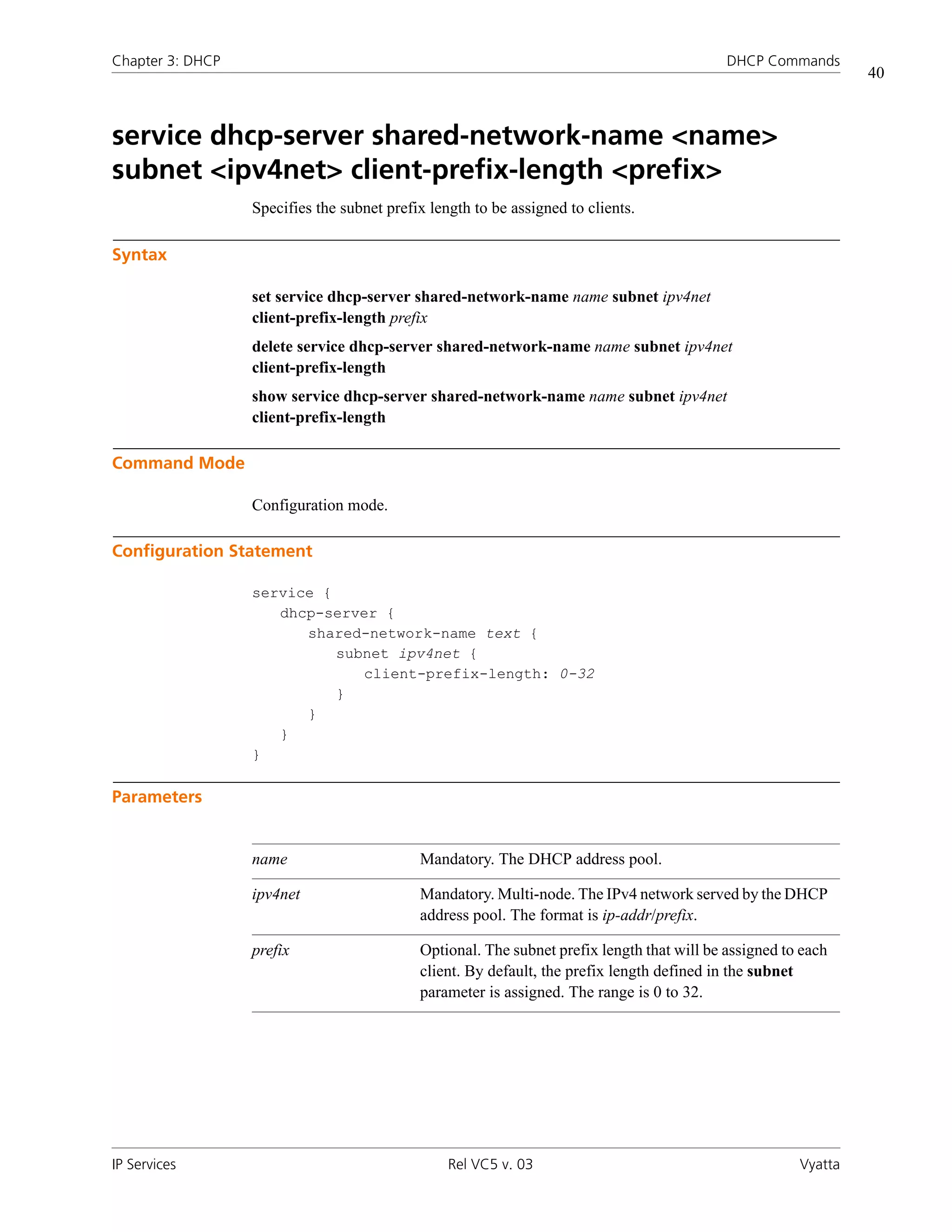
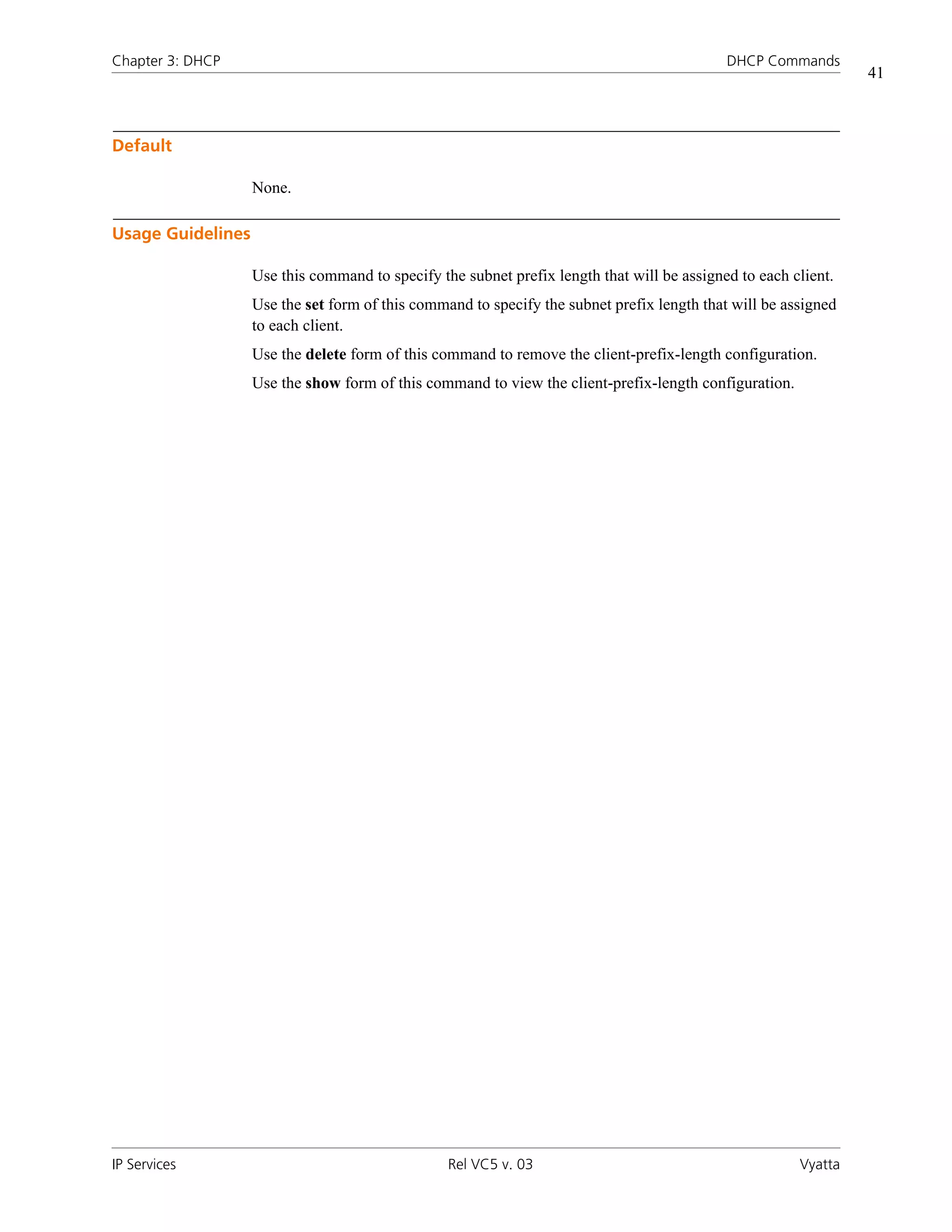
      service dhcp-server shared-network-name <name> subnet <ipv4net> client-prefix-length <prefix> . . . . . . . . . . . . 40
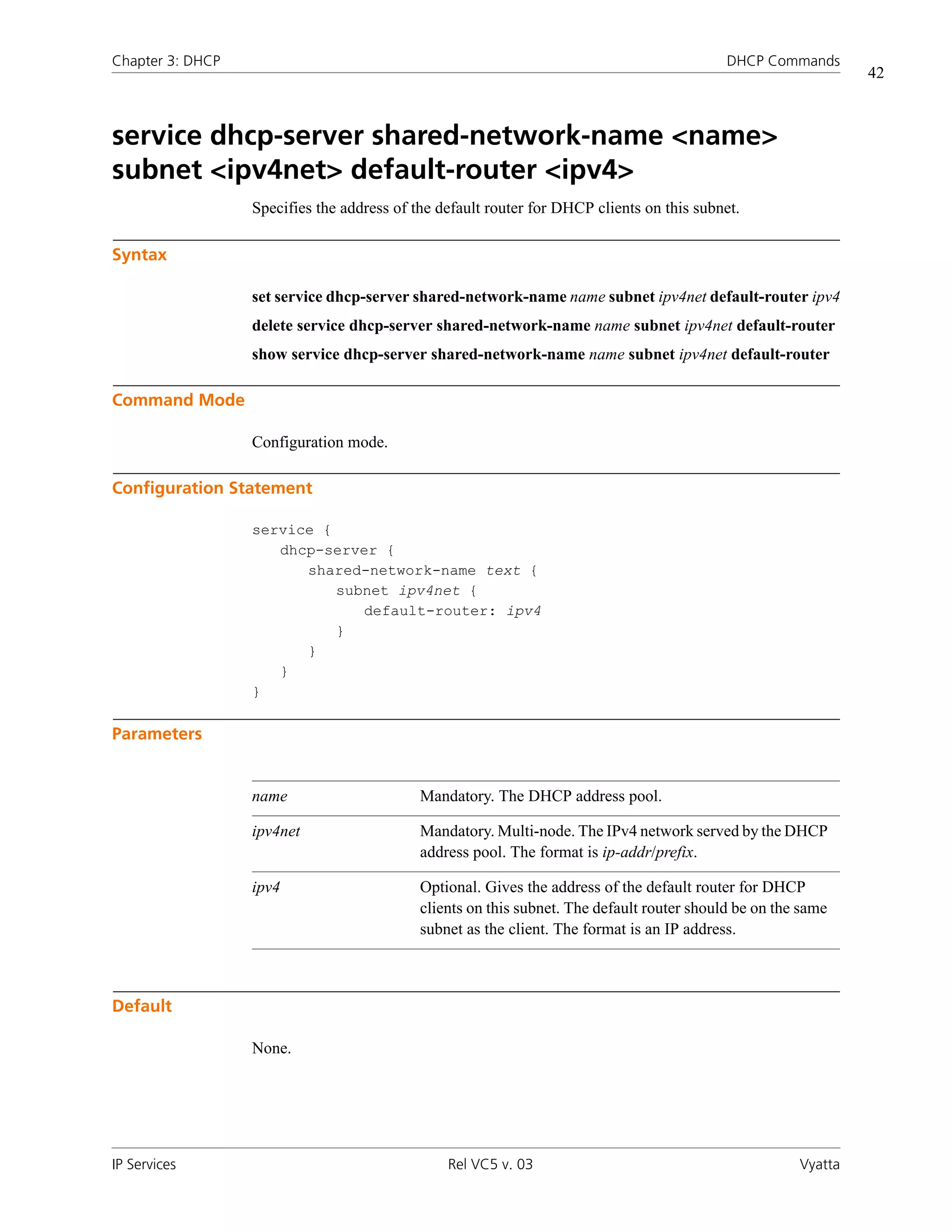
      service dhcp-server shared-network-name <name> subnet <ipv4net> default-router <ipv4> . . . . . . . . . . . . . . . . . 42
      service dhcp-server shared-network-name <name> subnet <ipv4net> dns-server <ipv4> . . . . . . . . . . . . . . . . . . . . 44
      service dhcp-server shared-network-name <name> subnet <ipv4net> domain-name <domain-name> . . . . . . . . . 46
      service dhcp-server shared-network-name <name> subnet <ipv4net> exclude <ipv4> . . . . . . . . . . . . . . . . . . . . . . 48
      service dhcp-server shared-network-name <name> subnet <ipv4net> failover . . . . . . . . . . . . . . . . . . . . . . . . . . . . 50
      service dhcp-server shared-network-name <name> subnet <ipv4net> failover local-address <ipv4> . . . . . . . . . . . . 52
      service dhcp-server shared-network-name <name> subnet <ipv4net> failover name <peer-name> . . . . . . . . . . . . 54
      service dhcp-server shared-network-name <name> subnet <ipv4net> failover peer-address <ipv4> . . . . . . . . . . . . 56
      service dhcp-server shared-network-name <name> subnet <ipv4net> failover status <status> . . . . . . . . . . . . . . . . 58
      service dhcp-server shared-network-name <name> subnet <ipv4net> ip-forwarding enable <state> . . . . . . . . . . . 60
      service dhcp-server shared-network-name <name> subnet <ipv4net> lease <seconds> . . . . . . . . . . . . . . . . . . . . . 62
      service dhcp-server shared-network-name <name> subnet <ipv4net> ntp-server <ipv4> . . . . . . . . . . . . . . . . . . . . 64
      service dhcp-server shared-network-name <name> subnet <ipv4net> pop-server <ipv4> . . . . . . . . . . . . . . . . . . . . 66
      service dhcp-server shared-network-name <name> subnet <ipv4net> server-identifier <ipv4> . . . . . . . . . . . . . . . . 68
      service dhcp-server shared-network-name <name> subnet <ipv4net> smtp-server <ipv4> . . . . . . . . . . . . . . . . . . . 70
      service dhcp-server shared-network-name <name> subnet <ipv4net> start <ipv4> stop <ipv4> . . . . . . . . . . . . . . . 72
      service dhcp-server shared-network-name <name> subnet <ipv4net> static-mapping . . . . . . . . . . . . . . . . . . . . . . 74
      service dhcp-server shared-network-name <name> subnet <ipv4net> static-route destination-subnet <ipv4net> . . 76
      service dhcp-server shared-network-name <name> subnet <ipv4net> static-route router <ipv4> . . . . . . . . . . . . . . 78
      service dhcp-server shared-network-name <name> subnet <ipv4net> tftp-server-name <servername> . . . . . . . . . 80
      service dhcp-server shared-network-name <name> subnet <ipv4net> time-offset <seconds> . . . . . . . . . . . . . . . . 82
      service dhcp-server shared-network-name <name> subnet <ipv4net> time-server <ipv4> . . . . . . . . . . . . . . . . . . . 84
      service dhcp-server shared-network-name <name> subnet <ipv4net> wins-server <ipv4> . . . . . . . . . . . . . . . . . . . 86
      service dhcp-server shared-network-name <name> subnet <ipv4net> wpad-url <url> . . . . . . . . . . . . . . . . . . . . . . 88
      show dhcp client leases . . . . . . . . . . . . . . . . . . . . . . . . . . . . . . . . . . . . . . . . . . . . . . . . . . . . . . . . . . . . . . . . . . . . . 90
      show dhcp leases . . . . . . . . . . . . . . . . . . . . . . . . . . . . . . . . . . . . . . . . . . . . . . . . . . . . . . . . . . . . . . . . . . . . . . . . . . 91
      show dhcp statistics . . . . . . . . . . . . . . . . . . . . . . . . . . . . . . . . . . . . . . . . . . . . . . . . . . . . . . . . . . . . . . . . . . . . . . . . 92


Chapter 4 DNS . . . . . . . . . . . . . . . . . . . . . . . . . . . . . . . . . . . . . . . . . . . . . . . . . . . . . . . . . . . . . . . . . . . . 94
DNS Configuration . . . . . . . . . . . . . . . . . . . . . . . . . . . . . . . . . . . . . . . . . . . . . . . . . . . . . . . . . . . . . . . . . . . . . . . . . . . . 95


IP Services                                                                    Rel VC5 v. 03                                                                        Vyatta
v


      DNS Overview . . . . . . . . . . . . . . . . . . . . . . . . . . . . . . . . . . . . . . . . . . . . . . . . . . . . . . . . . . . . . . . . . . . . . . . . . . . . 95

             System DNS . . . . . . . . . . . . . . . . . . . . . . . . . . . . . . . . . . . . . . . . . . . . . . . . . . . . . . . . . . . . . . . . . . . . . . . . . 95

             Dynamic DNS . . . . . . . . . . . . . . . . . . . . . . . . . . . . . . . . . . . . . . . . . . . . . . . . . . . . . . . . . . . . . . . . . . . . . . . . 95

             DNS Forwarding . . . . . . . . . . . . . . . . . . . . . . . . . . . . . . . . . . . . . . . . . . . . . . . . . . . . . . . . . . . . . . . . . . . . . . 96
      DNS Configuration Examples . . . . . . . . . . . . . . . . . . . . . . . . . . . . . . . . . . . . . . . . . . . . . . . . . . . . . . . . . . . . . . . . . 96

             Configuring Access to a Name Server . . . . . . . . . . . . . . . . . . . . . . . . . . . . . . . . . . . . . . . . . . . . . . . . . . . . . 97

             Configuring Dynamic DNS . . . . . . . . . . . . . . . . . . . . . . . . . . . . . . . . . . . . . . . . . . . . . . . . . . . . . . . . . . . . . . 97

             Configuring DNS Forwarding . . . . . . . . . . . . . . . . . . . . . . . . . . . . . . . . . . . . . . . . . . . . . . . . . . . . . . . . . . . 100

             Statically Configured Entries and DNS Forwarding . . . . . . . . . . . . . . . . . . . . . . . . . . . . . . . . . . . . . . . . . . . 103

DNS Commands . . . . . . . . . . . . . . . . . . . . . . . . . . . . . . . . . . . . . . . . . . . . . . . . . . . . . . . . . . . . . . . . . . . . . . . . . . . . . 105
      clear dns forwarding all . . . . . . . . . . . . . . . . . . . . . . . . . . . . . . . . . . . . . . . . . . . . . . . . . . . . . . . . . . . . . . . . . . . . 107
      clear dns forwarding cache . . . . . . . . . . . . . . . . . . . . . . . . . . . . . . . . . . . . . . . . . . . . . . . . . . . . . . . . . . . . . . . . . 108
      service dns dynamic interface <interface> . . . . . . . . . . . . . . . . . . . . . . . . . . . . . . . . . . . . . . . . . . . . . . . . . . . . . . 109
      service dns dynamic interface <interface> service <service> . . . . . . . . . . . . . . . . . . . . . . . . . . . . . . . . . . . . . . . . . 111
      service dns dynamic interface <interface> service <service> host-name <hostname> . . . . . . . . . . . . . . . . . . . . . . 113
      service dns dynamic interface <interface> service <service> login <service-login> . . . . . . . . . . . . . . . . . . . . . . . . 115
      service dns dynamic interface <interface> service <service> password <service-password> . . . . . . . . . . . . . . . . . 117
      service dns forwarding cache-size <size> . . . . . . . . . . . . . . . . . . . . . . . . . . . . . . . . . . . . . . . . . . . . . . . . . . . . . . . 119
      service dns forwarding dhcp <interface> . . . . . . . . . . . . . . . . . . . . . . . . . . . . . . . . . . . . . . . . . . . . . . . . . . . . . . . 121
      service dns forwarding listen-on <interface> . . . . . . . . . . . . . . . . . . . . . . . . . . . . . . . . . . . . . . . . . . . . . . . . . . . . 123
      service dns forwarding name-server <ipv4> . . . . . . . . . . . . . . . . . . . . . . . . . . . . . . . . . . . . . . . . . . . . . . . . . . . . . 125
      service dns forwarding system . . . . . . . . . . . . . . . . . . . . . . . . . . . . . . . . . . . . . . . . . . . . . . . . . . . . . . . . . . . . . . . 127
      show dns dynamic status . . . . . . . . . . . . . . . . . . . . . . . . . . . . . . . . . . . . . . . . . . . . . . . . . . . . . . . . . . . . . . . . . . . 129
      show dns forwarding nameservers . . . . . . . . . . . . . . . . . . . . . . . . . . . . . . . . . . . . . . . . . . . . . . . . . . . . . . . . . . . . 131
      show dns forwarding statistics . . . . . . . . . . . . . . . . . . . . . . . . . . . . . . . . . . . . . . . . . . . . . . . . . . . . . . . . . . . . . . . 132
      update dns dynamic interface <interface> . . . . . . . . . . . . . . . . . . . . . . . . . . . . . . . . . . . . . . . . . . . . . . . . . . . . . . 134


Chapter 5 NAT . . . . . . . . . . . . . . . . . . . . . . . . . . . . . . . . . . . . . . . . . . . . . . . . . . . . . . . . . . . . . . . . . . . 135
NAT Configuration . . . . . . . . . . . . . . . . . . . . . . . . . . . . . . . . . . . . . . . . . . . . . . . . . . . . . . . . . . . . . . . . . . . . . . . . . . . 136
      NAT Overview . . . . . . . . . . . . . . . . . . . . . . . . . . . . . . . . . . . . . . . . . . . . . . . . . . . . . . . . . . . . . . . . . . . . . . . . . . . 136

             Benefits of NAT . . . . . . . . . . . . . . . . . . . . . . . . . . . . . . . . . . . . . . . . . . . . . . . . . . . . . . . . . . . . . . . . . . . . . . 137

             Types of NAT . . . . . . . . . . . . . . . . . . . . . . . . . . . . . . . . . . . . . . . . . . . . . . . . . . . . . . . . . . . . . . . . . . . . . . . 138

             Interaction Between NAT, Routing, Firewall, and DNS . . . . . . . . . . . . . . . . . . . . . . . . . . . . . . . . . . . . . . . . 140

             Interaction between NAT and Firewall . . . . . . . . . . . . . . . . . . . . . . . . . . . . . . . . . . . . . . . . . . . . . . . . . . . . 143
      Concepts for Configuring NAT . . . . . . . . . . . . . . . . . . . . . . . . . . . . . . . . . . . . . . . . . . . . . . . . . . . . . . . . . . . . . . . 146

             NAT Rules . . . . . . . . . . . . . . . . . . . . . . . . . . . . . . . . . . . . . . . . . . . . . . . . . . . . . . . . . . . . . . . . . . . . . . . . . . 147

             NAT Type . . . . . . . . . . . . . . . . . . . . . . . . . . . . . . . . . . . . . . . . . . . . . . . . . . . . . . . . . . . . . . . . . . . . . . . . . . 147

             Filters: Protocols, Source, and Destination . . . . . . . . . . . . . . . . . . . . . . . . . . . . . . . . . . . . . . . . . . . . . . . . . 147

             Address Conversion: “Inside” and “Outside” Addresses . . . . . . . . . . . . . . . . . . . . . . . . . . . . . . . . . . . . . . . 149


IP Services                                                                     Rel VC5 v. 03                                                                       Vyatta
vi


             “Inbound” and “Outbound” Interfaces . . . . . . . . . . . . . . . . . . . . . . . . . . . . . . . . . . . . . . . . . . . . . . . . . . . . . 150
      NAT Configuration Examples . . . . . . . . . . . . . . . . . . . . . . . . . . . . . . . . . . . . . . . . . . . . . . . . . . . . . . . . . . . . . . . . 151

             Source NAT (One-to-One) . . . . . . . . . . . . . . . . . . . . . . . . . . . . . . . . . . . . . . . . . . . . . . . . . . . . . . . . . . . . . 151

             Source NAT (Many-to-One) . . . . . . . . . . . . . . . . . . . . . . . . . . . . . . . . . . . . . . . . . . . . . . . . . . . . . . . . . . . . 153

             Source NAT (Many-to-Many) . . . . . . . . . . . . . . . . . . . . . . . . . . . . . . . . . . . . . . . . . . . . . . . . . . . . . . . . . . . 154

             Source NAT (One-to-Many) . . . . . . . . . . . . . . . . . . . . . . . . . . . . . . . . . . . . . . . . . . . . . . . . . . . . . . . . . . . . 156

             Masquerade . . . . . . . . . . . . . . . . . . . . . . . . . . . . . . . . . . . . . . . . . . . . . . . . . . . . . . . . . . . . . . . . . . . . . . . . 157

             Destination NAT (One-to-One) . . . . . . . . . . . . . . . . . . . . . . . . . . . . . . . . . . . . . . . . . . . . . . . . . . . . . . . . . . 159

             Destination NAT (One-to-Many) . . . . . . . . . . . . . . . . . . . . . . . . . . . . . . . . . . . . . . . . . . . . . . . . . . . . . . . . . 162

             Bi-Directional NAT . . . . . . . . . . . . . . . . . . . . . . . . . . . . . . . . . . . . . . . . . . . . . . . . . . . . . . . . . . . . . . . . . . . . 164

             Masquerade NAT and VPN . . . . . . . . . . . . . . . . . . . . . . . . . . . . . . . . . . . . . . . . . . . . . . . . . . . . . . . . . . . . . 165

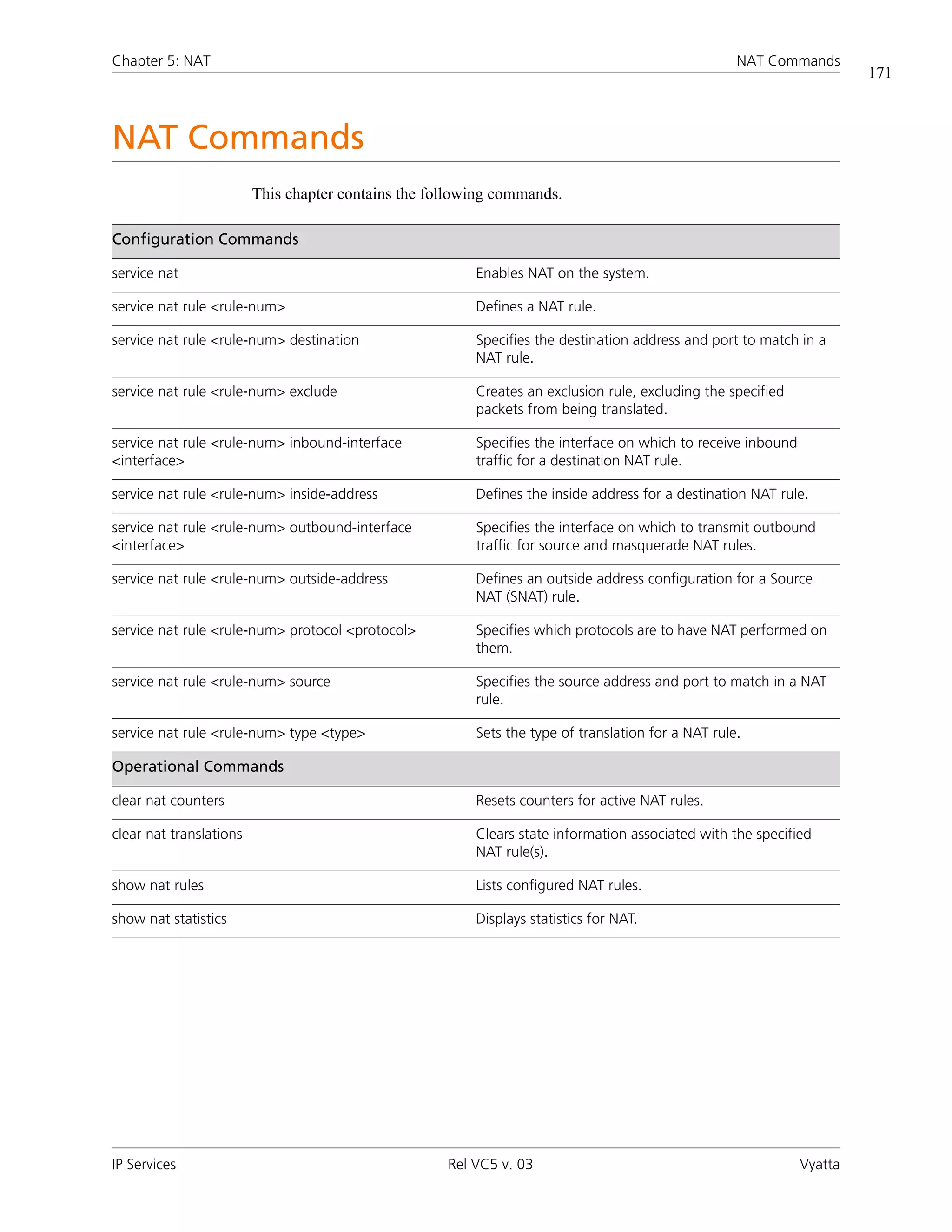
NAT Commands . . . . . . . . . . . . . . . . . . . . . . . . . . . . . . . . . . . . . . . . . . . . . . . . . . . . . . . . . . . . . . . . . . . . . . . . . . . . . 171
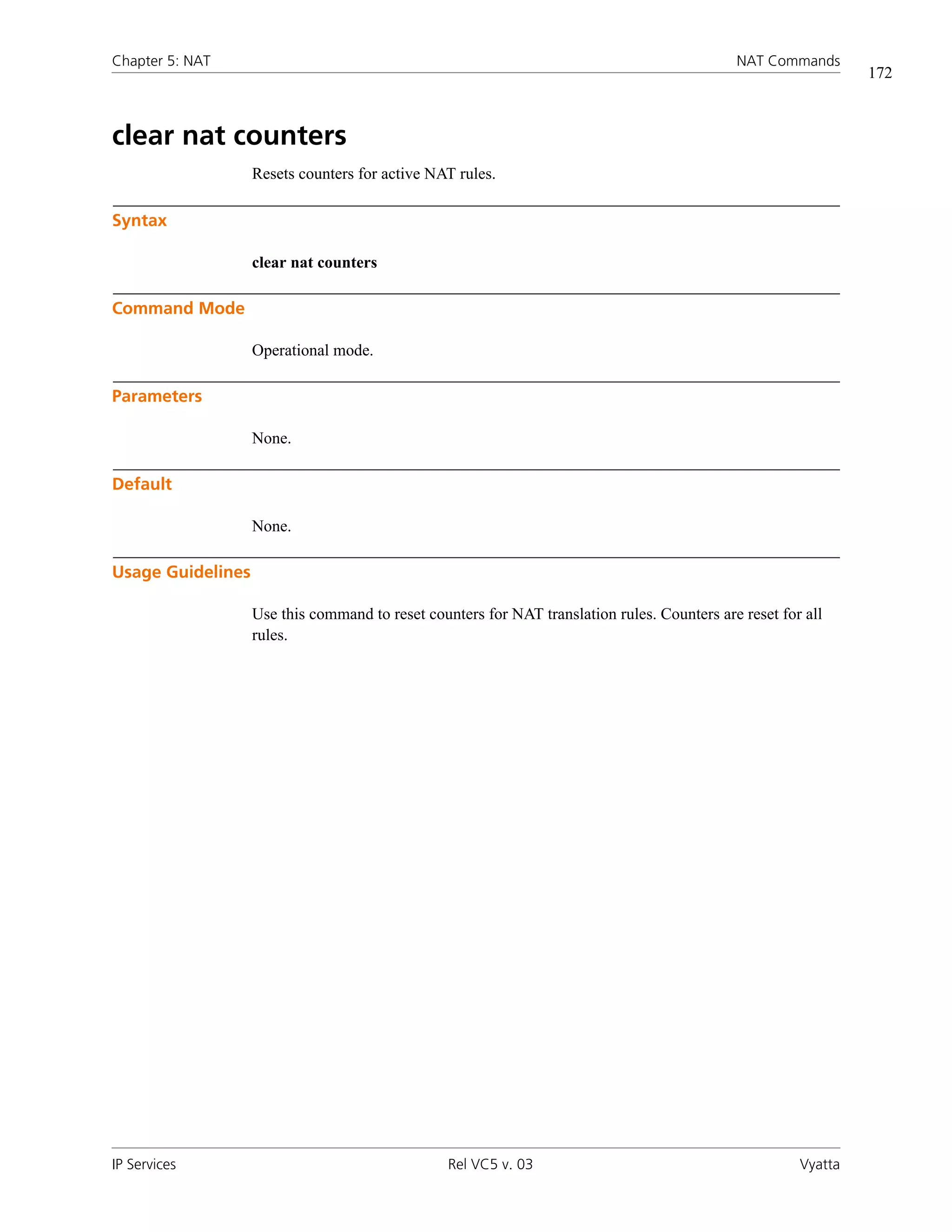
      clear nat counters . . . . . . . . . . . . . . . . . . . . . . . . . . . . . . . . . . . . . . . . . . . . . . . . . . . . . . . . . . . . . . . . . . . . . . . . 172
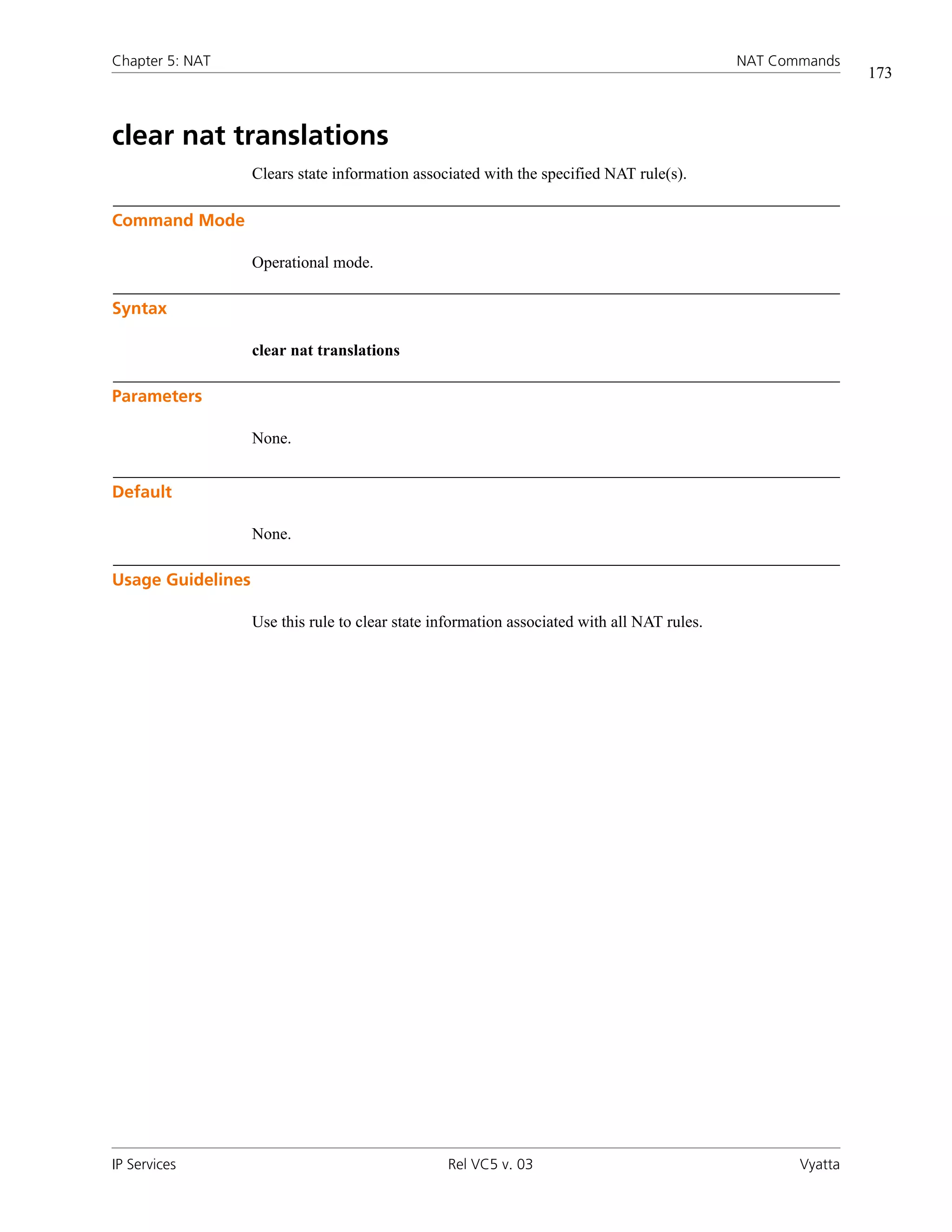
      clear nat translations . . . . . . . . . . . . . . . . . . . . . . . . . . . . . . . . . . . . . . . . . . . . . . . . . . . . . . . . . . . . . . . . . . . . . . 173
      service nat . . . . . . . . . . . . . . . . . . . . . . . . . . . . . . . . . . . . . . . . . . . . . . . . . . . . . . . . . . . . . . . . . . . . . . . . . . . . . . 174
      service nat rule <rule-num> . . . . . . . . . . . . . . . . . . . . . . . . . . . . . . . . . . . . . . . . . . . . . . . . . . . . . . . . . . . . . . . . . 175
      service nat rule <rule-num> destination . . . . . . . . . . . . . . . . . . . . . . . . . . . . . . . . . . . . . . . . . . . . . . . . . . . . . . . . 177
      service nat rule <rule-num> exclude . . . . . . . . . . . . . . . . . . . . . . . . . . . . . . . . . . . . . . . . . . . . . . . . . . . . . . . . . . . 179
      service nat rule <rule-num> inbound-interface <interface> . . . . . . . . . . . . . . . . . . . . . . . . . . . . . . . . . . . . . . . . . 181
      service nat rule <rule-num> inside-address . . . . . . . . . . . . . . . . . . . . . . . . . . . . . . . . . . . . . . . . . . . . . . . . . . . . . . 183
      service nat rule <rule-num> outbound-interface <interface> . . . . . . . . . . . . . . . . . . . . . . . . . . . . . . . . . . . . . . . . 185
      service nat rule <rule-num> outside-address . . . . . . . . . . . . . . . . . . . . . . . . . . . . . . . . . . . . . . . . . . . . . . . . . . . . 187
      service nat rule <rule-num> protocol <protocol> . . . . . . . . . . . . . . . . . . . . . . . . . . . . . . . . . . . . . . . . . . . . . . . . . 189
      service nat rule <rule-num> source . . . . . . . . . . . . . . . . . . . . . . . . . . . . . . . . . . . . . . . . . . . . . . . . . . . . . . . . . . . 191
      service nat rule <rule-num> type <type> . . . . . . . . . . . . . . . . . . . . . . . . . . . . . . . . . . . . . . . . . . . . . . . . . . . . . . . 193
      show nat rules . . . . . . . . . . . . . . . . . . . . . . . . . . . . . . . . . . . . . . . . . . . . . . . . . . . . . . . . . . . . . . . . . . . . . . . . . . . 195
      show nat statistics . . . . . . . . . . . . . . . . . . . . . . . . . . . . . . . . . . . . . . . . . . . . . . . . . . . . . . . . . . . . . . . . . . . . . . . . 196


Chapter 6 Web Caching . . . . . . . . . . . . . . . . . . . . . . . . . . . . . . . . . . . . . . . . . . . . . . . . . . . . . . . . . . . 197
Web Caching Configuration . . . . . . . . . . . . . . . . . . . . . . . . . . . . . . . . . . . . . . . . . . . . . . . . . . . . . . . . . . . . . . . . . . . . 198
      Web Caching Overview . . . . . . . . . . . . . . . . . . . . . . . . . . . . . . . . . . . . . . . . . . . . . . . . . . . . . . . . . . . . . . . . . . . . 198
      Web Caching Configuration Example . . . . . . . . . . . . . . . . . . . . . . . . . . . . . . . . . . . . . . . . . . . . . . . . . . . . . . . . . . 198

             Configuring Web Caching . . . . . . . . . . . . . . . . . . . . . . . . . . . . . . . . . . . . . . . . . . . . . . . . . . . . . . . . . . . . . . 199

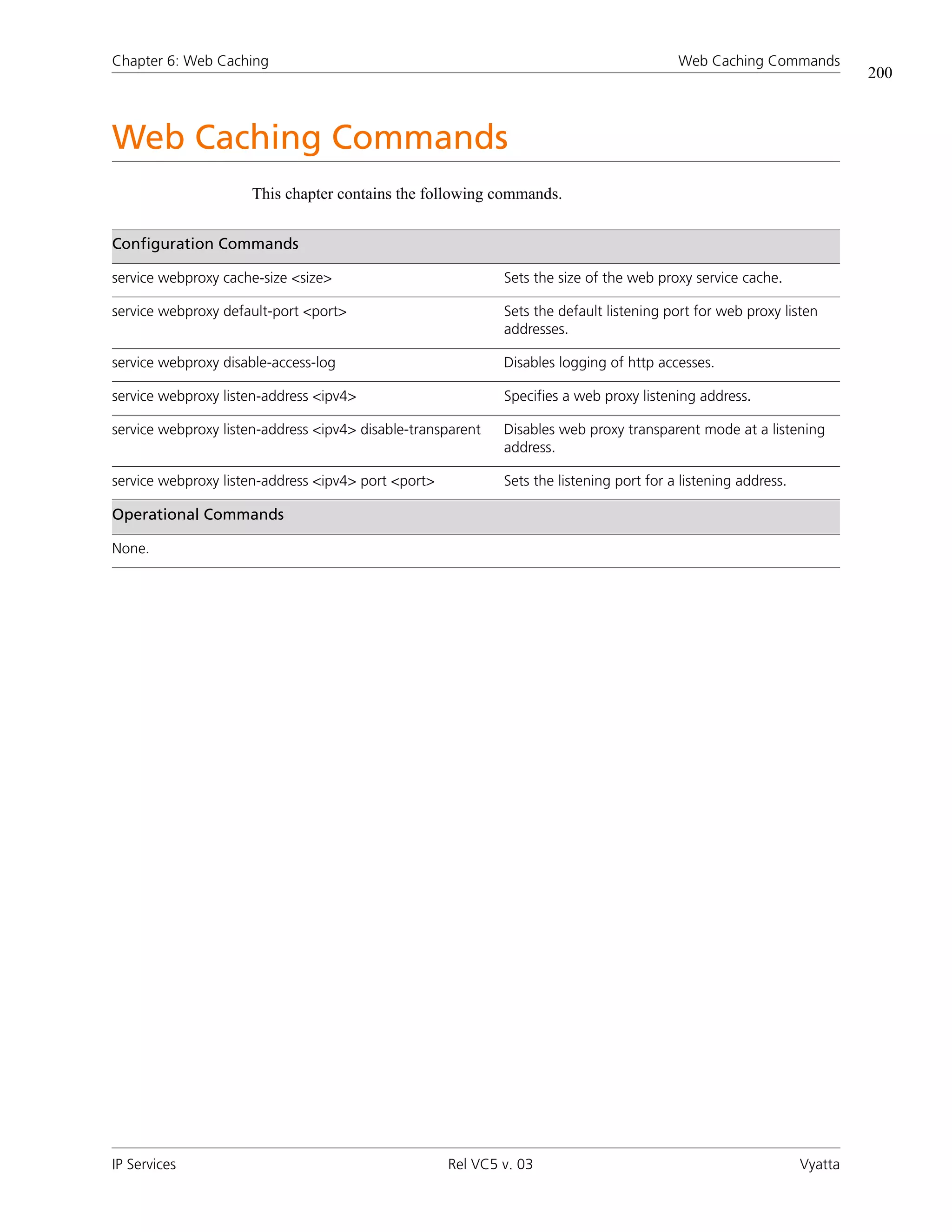
Web Caching Commands . . . . . . . . . . . . . . . . . . . . . . . . . . . . . . . . . . . . . . . . . . . . . . . . . . . . . . . . . . . . . . . . . . . . . . 200
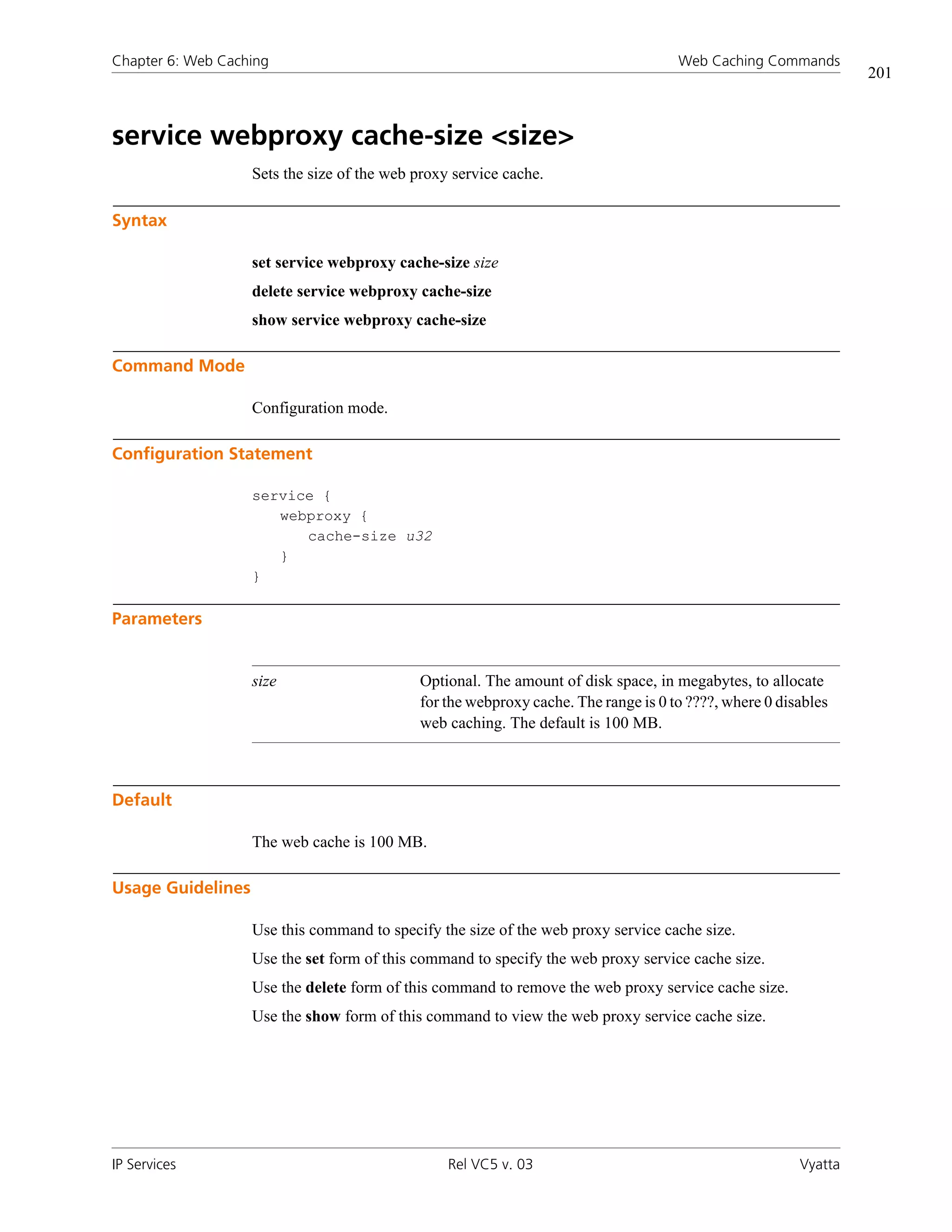
      service webproxy cache-size <size> . . . . . . . . . . . . . . . . . . . . . . . . . . . . . . . . . . . . . . . . . . . . . . . . . . . . . . . . . . . 201
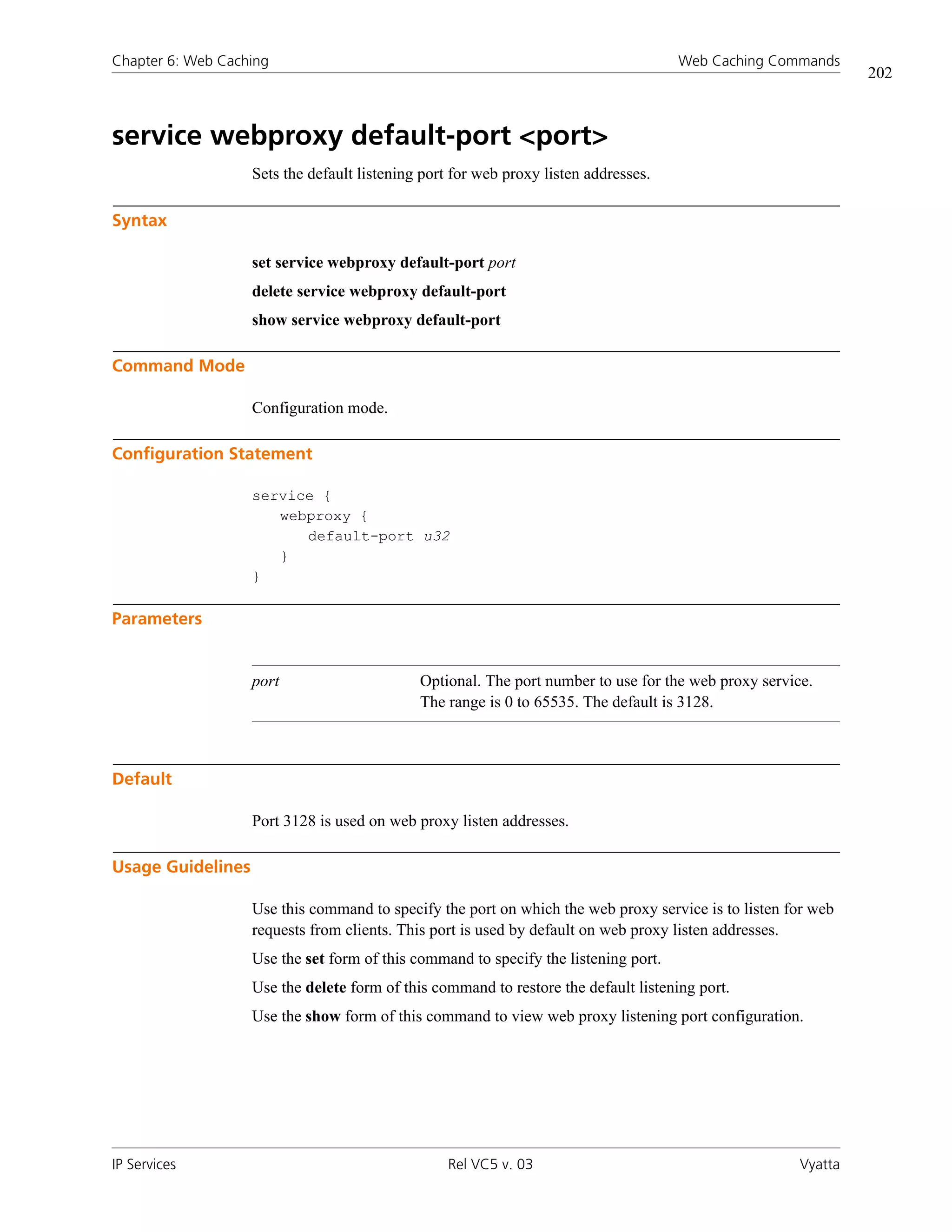
      service webproxy default-port <port> . . . . . . . . . . . . . . . . . . . . . . . . . . . . . . . . . . . . . . . . . . . . . . . . . . . . . . . . . 202
      service webproxy disable-access-log . . . . . . . . . . . . . . . . . . . . . . . . . . . . . . . . . . . . . . . . . . . . . . . . . . . . . . . . . . . 203
      service webproxy listen-address <ipv4> . . . . . . . . . . . . . . . . . . . . . . . . . . . . . . . . . . . . . . . . . . . . . . . . . . . . . . . . 204
      service webproxy listen-address <ipv4> disable-transparent . . . . . . . . . . . . . . . . . . . . . . . . . . . . . . . . . . . . . . . . . 206
      service webproxy listen-address <ipv4> port <port> . . . . . . . . . . . . . . . . . . . . . . . . . . . . . . . . . . . . . . . . . . . . . . . 208


IP Services                                                                      Rel VC5 v. 03                                                                         Vyatta
vii


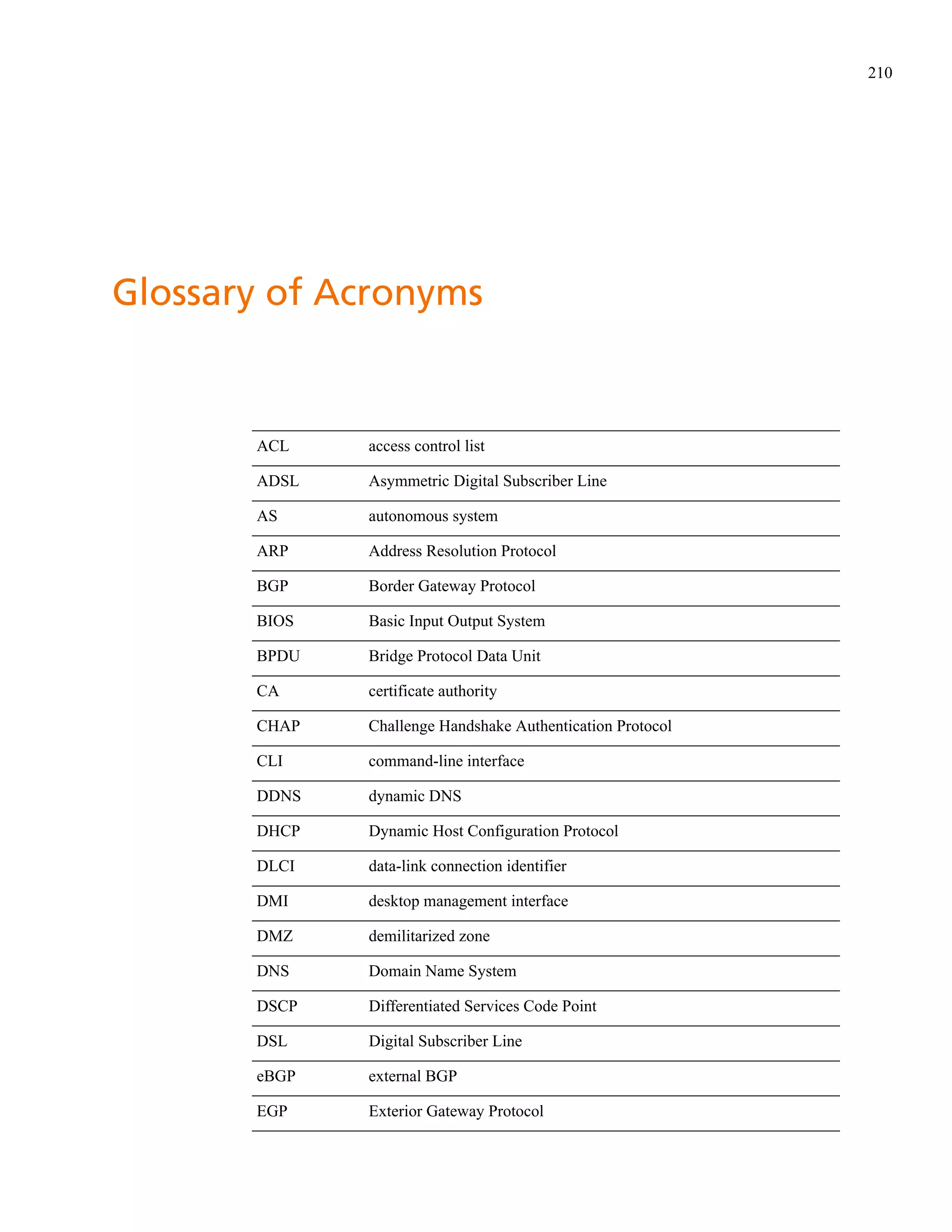
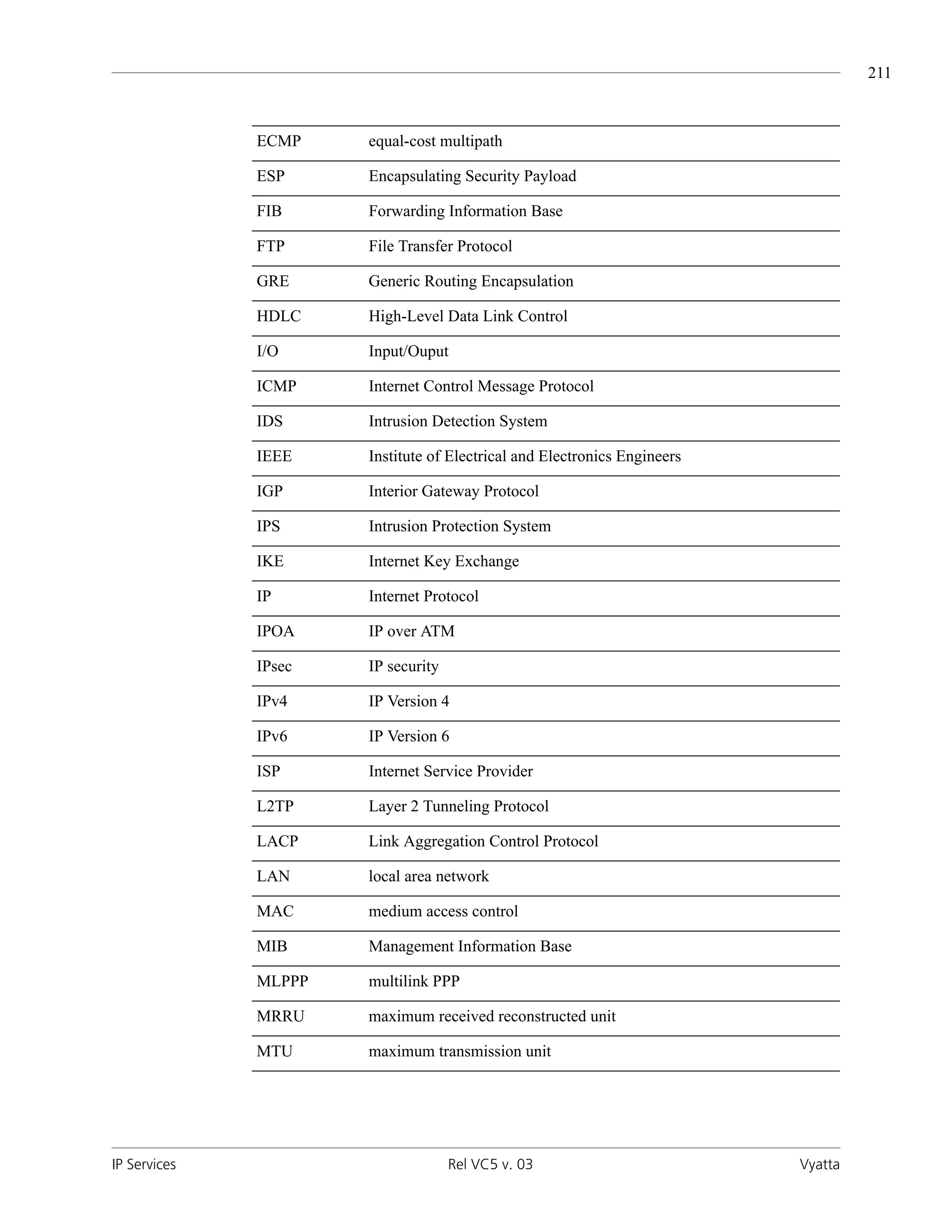
Glossary of Acronyms . . . . . . . . . . . . . . . . . . . . . . . . . . . . . . . . . . . . . . . . . . . . . . . . . . . . . . . . . . . . . . 210


IP Services                                                         Rel VC5 v. 03                                                          Vyatta
viii


Quick Reference to Commands


Use this section to help you quickly locate a command.
clear dhcp client process . . . . . . . . . . . . . . . . . . . . . . . . . . . . . . . . . . . . . . . . . . . . . . . . . . . . . . . . . . . . . . . . . . . . . . . . 20
clear dhcp lease ip <ipv4> . . . . . . . . . . . . . . . . . . . . . . . . . . . . . . . . . . . . . . . . . . . . . . . . . . . . . . . . . . . . . . . . . . . . . . . 21
clear dhcp leases . . . . . . . . . . . . . . . . . . . . . . . . . . . . . . . . . . . . . . . . . . . . . . . . . . . . . . . . . . . . . . . . . . . . . . . . . . . . . . 22
clear dns forwarding all . . . . . . . . . . . . . . . . . . . . . . . . . . . . . . . . . . . . . . . . . . . . . . . . . . . . . . . . . . . . . . . . . . . . . . . . 107
clear dns forwarding cache . . . . . . . . . . . . . . . . . . . . . . . . . . . . . . . . . . . . . . . . . . . . . . . . . . . . . . . . . . . . . . . . . . . . . 108
clear nat counters . . . . . . . . . . . . . . . . . . . . . . . . . . . . . . . . . . . . . . . . . . . . . . . . . . . . . . . . . . . . . . . . . . . . . . . . . . . . 172
clear nat translations . . . . . . . . . . . . . . . . . . . . . . . . . . . . . . . . . . . . . . . . . . . . . . . . . . . . . . . . . . . . . . . . . . . . . . . . . . 173
service dhcp-relay . . . . . . . . . . . . . . . . . . . . . . . . . . . . . . . . . . . . . . . . . . . . . . . . . . . . . . . . . . . . . . . . . . . . . . . . . . . . . 23
service dhcp-relay interface <interface> . . . . . . . . . . . . . . . . . . . . . . . . . . . . . . . . . . . . . . . . . . . . . . . . . . . . . . . . . . . . 25
service dhcp-relay relay-options . . . . . . . . . . . . . . . . . . . . . . . . . . . . . . . . . . . . . . . . . . . . . . . . . . . . . . . . . . . . . . . . . . . 27
service dhcp-relay server <ipv4> . . . . . . . . . . . . . . . . . . . . . . . . . . . . . . . . . . . . . . . . . . . . . . . . . . . . . . . . . . . . . . . . . . 29
service dhcp-server . . . . . . . . . . . . . . . . . . . . . . . . . . . . . . . . . . . . . . . . . . . . . . . . . . . . . . . . . . . . . . . . . . . . . . . . . . . . 31
service dhcp-server disabled <state> . . . . . . . . . . . . . . . . . . . . . . . . . . . . . . . . . . . . . . . . . . . . . . . . . . . . . . . . . . . . . . . 32
service dhcp-server shared-network-name <name> . . . . . . . . . . . . . . . . . . . . . . . . . . . . . . . . . . . . . . . . . . . . . . . . . . . . 33
service dhcp-server shared-network-name <name> subnet <ipv4net> . . . . . . . . . . . . . . . . . . . . . . . . . . . . . . . . . . . . . . 34
service dhcp-server shared-network-name <name> subnet <ipv4net> authoritative <state> . . . . . . . . . . . . . . . . . . . . . 36
service dhcp-server shared-network-name <name> subnet <ipv4net> bootfile-name <bootfile> . . . . . . . . . . . . . . . . . . 38
service dhcp-server shared-network-name <name> subnet <ipv4net> client-prefix-length <prefix> . . . . . . . . . . . . . . . . 40
service dhcp-server shared-network-name <name> subnet <ipv4net> default-router <ipv4> . . . . . . . . . . . . . . . . . . . . . 42
service dhcp-server shared-network-name <name> subnet <ipv4net> dns-server <ipv4> . . . . . . . . . . . . . . . . . . . . . . . 44
service dhcp-server shared-network-name <name> subnet <ipv4net> domain-name <domain-name> . . . . . . . . . . . . . 46
service dhcp-server shared-network-name <name> subnet <ipv4net> exclude <ipv4> . . . . . . . . . . . . . . . . . . . . . . . . . 48
service dhcp-server shared-network-name <name> subnet <ipv4net> failover . . . . . . . . . . . . . . . . . . . . . . . . . . . . . . . . 50
service dhcp-server shared-network-name <name> subnet <ipv4net> failover local-address <ipv4> . . . . . . . . . . . . . . . 52
service dhcp-server shared-network-name <name> subnet <ipv4net> failover name <peer-name> . . . . . . . . . . . . . . . . 54
service dhcp-server shared-network-name <name> subnet <ipv4net> failover peer-address <ipv4> . . . . . . . . . . . . . . . 56
service dhcp-server shared-network-name <name> subnet <ipv4net> failover status <status> . . . . . . . . . . . . . . . . . . . 58
service dhcp-server shared-network-name <name> subnet <ipv4net> ip-forwarding enable <state> . . . . . . . . . . . . . . . 60
service dhcp-server shared-network-name <name> subnet <ipv4net> lease <seconds> . . . . . . . . . . . . . . . . . . . . . . . . . 62
service dhcp-server shared-network-name <name> subnet <ipv4net> ntp-server <ipv4> . . . . . . . . . . . . . . . . . . . . . . . . 64
service dhcp-server shared-network-name <name> subnet <ipv4net> pop-server <ipv4> . . . . . . . . . . . . . . . . . . . . . . . 66
service dhcp-server shared-network-name <name> subnet <ipv4net> server-identifier <ipv4> . . . . . . . . . . . . . . . . . . . 68
ix


service dhcp-server shared-network-name <name> subnet <ipv4net> smtp-server <ipv4> . . . . . . . . . . . . . . . . . . . . . . 70
service dhcp-server shared-network-name <name> subnet <ipv4net> start <ipv4> stop <ipv4> . . . . . . . . . . . . . . . . . . 72
service dhcp-server shared-network-name <name> subnet <ipv4net> static-mapping . . . . . . . . . . . . . . . . . . . . . . . . . . 74
service dhcp-server shared-network-name <name> subnet <ipv4net> static-route destination-subnet <ipv4net> . . . . . 76
service dhcp-server shared-network-name <name> subnet <ipv4net> static-route router <ipv4> . . . . . . . . . . . . . . . . . 78
service dhcp-server shared-network-name <name> subnet <ipv4net> tftp-server-name <servername> . . . . . . . . . . . . . 80
service dhcp-server shared-network-name <name> subnet <ipv4net> time-offset <seconds> . . . . . . . . . . . . . . . . . . . . 82
service dhcp-server shared-network-name <name> subnet <ipv4net> time-server <ipv4> . . . . . . . . . . . . . . . . . . . . . . . 84
service dhcp-server shared-network-name <name> subnet <ipv4net> wins-server <ipv4> . . . . . . . . . . . . . . . . . . . . . . . 86
service dhcp-server shared-network-name <name> subnet <ipv4net> wpad-url <url> . . . . . . . . . . . . . . . . . . . . . . . . . . 88
service dns dynamic interface <interface> . . . . . . . . . . . . . . . . . . . . . . . . . . . . . . . . . . . . . . . . . . . . . . . . . . . . . . . . . . 109
service dns dynamic interface <interface> service <service> . . . . . . . . . . . . . . . . . . . . . . . . . . . . . . . . . . . . . . . . . . . . . 111
service dns dynamic interface <interface> service <service> host-name <hostname> . . . . . . . . . . . . . . . . . . . . . . . . . . 113
service dns dynamic interface <interface> service <service> login <service-login> . . . . . . . . . . . . . . . . . . . . . . . . . . . . 115
service dns dynamic interface <interface> service <service> password <service-password> . . . . . . . . . . . . . . . . . . . . . 117
service dns forwarding cache-size <size> . . . . . . . . . . . . . . . . . . . . . . . . . . . . . . . . . . . . . . . . . . . . . . . . . . . . . . . . . . . 119
service dns forwarding dhcp <interface> . . . . . . . . . . . . . . . . . . . . . . . . . . . . . . . . . . . . . . . . . . . . . . . . . . . . . . . . . . . 121
service dns forwarding listen-on <interface> . . . . . . . . . . . . . . . . . . . . . . . . . . . . . . . . . . . . . . . . . . . . . . . . . . . . . . . . 123
service dns forwarding name-server <ipv4> . . . . . . . . . . . . . . . . . . . . . . . . . . . . . . . . . . . . . . . . . . . . . . . . . . . . . . . . . 125
service dns forwarding system . . . . . . . . . . . . . . . . . . . . . . . . . . . . . . . . . . . . . . . . . . . . . . . . . . . . . . . . . . . . . . . . . . . 127
service nat . . . . . . . . . . . . . . . . . . . . . . . . . . . . . . . . . . . . . . . . . . . . . . . . . . . . . . . . . . . . . . . . . . . . . . . . . . . . . . . . . 174
service nat rule <rule-num> . . . . . . . . . . . . . . . . . . . . . . . . . . . . . . . . . . . . . . . . . . . . . . . . . . . . . . . . . . . . . . . . . . . . 175
service nat rule <rule-num> destination . . . . . . . . . . . . . . . . . . . . . . . . . . . . . . . . . . . . . . . . . . . . . . . . . . . . . . . . . . . 177
service nat rule <rule-num> exclude . . . . . . . . . . . . . . . . . . . . . . . . . . . . . . . . . . . . . . . . . . . . . . . . . . . . . . . . . . . . . . 179
service nat rule <rule-num> inbound-interface <interface> . . . . . . . . . . . . . . . . . . . . . . . . . . . . . . . . . . . . . . . . . . . . . 181
service nat rule <rule-num> inside-address . . . . . . . . . . . . . . . . . . . . . . . . . . . . . . . . . . . . . . . . . . . . . . . . . . . . . . . . . 183
service nat rule <rule-num> outbound-interface <interface> . . . . . . . . . . . . . . . . . . . . . . . . . . . . . . . . . . . . . . . . . . . . 185
service nat rule <rule-num> outside-address . . . . . . . . . . . . . . . . . . . . . . . . . . . . . . . . . . . . . . . . . . . . . . . . . . . . . . . . 187
service nat rule <rule-num> protocol <protocol> . . . . . . . . . . . . . . . . . . . . . . . . . . . . . . . . . . . . . . . . . . . . . . . . . . . . 189
service nat rule <rule-num> source . . . . . . . . . . . . . . . . . . . . . . . . . . . . . . . . . . . . . . . . . . . . . . . . . . . . . . . . . . . . . . . 191
service nat rule <rule-num> type <type> . . . . . . . . . . . . . . . . . . . . . . . . . . . . . . . . . . . . . . . . . . . . . . . . . . . . . . . . . . . 193
service ssh . . . . . . . . . . . . . . . . . . . . . . . . . . . . . . . . . . . . . . . . . . . . . . . . . . . . . . . . . . . . . . . . . . . . . . . . . . . . . . . . . . . . 4
service ssh allow-root <state> . . . . . . . . . . . . . . . . . . . . . . . . . . . . . . . . . . . . . . . . . . . . . . . . . . . . . . . . . . . . . . . . . . . . . 5
service ssh port <port> . . . . . . . . . . . . . . . . . . . . . . . . . . . . . . . . . . . . . . . . . . . . . . . . . . . . . . . . . . . . . . . . . . . . . . . . . . 6
service ssh protocol-version <version> . . . . . . . . . . . . . . . . . . . . . . . . . . . . . . . . . . . . . . . . . . . . . . . . . . . . . . . . . . . . . . . 7
service telnet . . . . . . . . . . . . . . . . . . . . . . . . . . . . . . . . . . . . . . . . . . . . . . . . . . . . . . . . . . . . . . . . . . . . . . . . . . . . . . . . . 12
service telnet allow-root <state> . . . . . . . . . . . . . . . . . . . . . . . . . . . . . . . . . . . . . . . . . . . . . . . . . . . . . . . . . . . . . . . . . . 13
service telnet port <port> . . . . . . . . . . . . . . . . . . . . . . . . . . . . . . . . . . . . . . . . . . . . . . . . . . . . . . . . . . . . . . . . . . . . . . . 14
service webproxy cache-size <size> . . . . . . . . . . . . . . . . . . . . . . . . . . . . . . . . . . . . . . . . . . . . . . . . . . . . . . . . . . . . . . . 201
service webproxy default-port <port> . . . . . . . . . . . . . . . . . . . . . . . . . . . . . . . . . . . . . . . . . . . . . . . . . . . . . . . . . . . . . 202
service webproxy disable-access-log . . . . . . . . . . . . . . . . . . . . . . . . . . . . . . . . . . . . . . . . . . . . . . . . . . . . . . . . . . . . . . 203
service webproxy listen-address <ipv4> . . . . . . . . . . . . . . . . . . . . . . . . . . . . . . . . . . . . . . . . . . . . . . . . . . . . . . . . . . . . 204
service webproxy listen-address <ipv4> disable-transparent . . . . . . . . . . . . . . . . . . . . . . . . . . . . . . . . . . . . . . . . . . . . . 206
service webproxy listen-address <ipv4> port <port> . . . . . . . . . . . . . . . . . . . . . . . . . . . . . . . . . . . . . . . . . . . . . . . . . . 208


IP Services                                                                        Rel VC5 v. 03                                                                           Vyatta
x


show dhcp client leases . . . . . . . . . . . . . . . . . . . . . . . . . . . . . . . . . . . . . . . . . . . . . . . . . . . . . . . . . . . . . . . . . . . . . . . . . 90
show dhcp leases . . . . . . . . . . . . . . . . . . . . . . . . . . . . . . . . . . . . . . . . . . . . . . . . . . . . . . . . . . . . . . . . . . . . . . . . . . . . . 91
show dhcp statistics . . . . . . . . . . . . . . . . . . . . . . . . . . . . . . . . . . . . . . . . . . . . . . . . . . . . . . . . . . . . . . . . . . . . . . . . . . . 92
show dns dynamic status . . . . . . . . . . . . . . . . . . . . . . . . . . . . . . . . . . . . . . . . . . . . . . . . . . . . . . . . . . . . . . . . . . . . . . 129
show dns forwarding nameservers . . . . . . . . . . . . . . . . . . . . . . . . . . . . . . . . . . . . . . . . . . . . . . . . . . . . . . . . . . . . . . . 131
show dns forwarding statistics . . . . . . . . . . . . . . . . . . . . . . . . . . . . . . . . . . . . . . . . . . . . . . . . . . . . . . . . . . . . . . . . . . 132
show nat rules . . . . . . . . . . . . . . . . . . . . . . . . . . . . . . . . . . . . . . . . . . . . . . . . . . . . . . . . . . . . . . . . . . . . . . . . . . . . . . 195
show nat statistics . . . . . . . . . . . . . . . . . . . . . . . . . . . . . . . . . . . . . . . . . . . . . . . . . . . . . . . . . . . . . . . . . . . . . . . . . . . . 196
telnet <address> . . . . . . . . . . . . . . . . . . . . . . . . . . . . . . . . . . . . . . . . . . . . . . . . . . . . . . . . . . . . . . . . . . . . . . . . . . . . . . 15
update dns dynamic interface <interface> . . . . . . . . . . . . . . . . . . . . . . . . . . . . . . . . . . . . . . . . . . . . . . . . . . . . . . . . . . 134


IP Services                                                                     Rel VC5 v. 03                                                                        Vyatta
xi


Quick List of Examples


Use this list to help you locate examples you’d like to try or look at.
Example 2-2 “telnet 192.168.1.77”: Displaying the Telnet session being established . . . . . . . . . . . . . . . . . . . . . . . . . . 16

Example 3-1 ”show dhcp leases” . . . . . . . . . . . . . . . . . . . . . . . . . . . . . . . . . . . . . . . . . . . . . . . . . . . . . . . . . . . . . . . . . 91

Example 3-2 ”show dhcp statistics” . . . . . . . . . . . . . . . . . . . . . . . . . . . . . . . . . . . . . . . . . . . . . . . . . . . . . . . . . . . . . . . 92

Example 4-5 Displaying information for hosts configured for DDNS . . . . . . . . . . . . . . . . . . . . . . . . . . . . . . . . . . . . . . 129

Example 4-6 Displaying DNS forwarding name server information . . . . . . . . . . . . . . . . . . . . . . . . . . . . . . . . . . . . . . . 131

Example 4-7 Displaying DNS forwarding statistics . . . . . . . . . . . . . . . . . . . . . . . . . . . . . . . . . . . . . . . . . . . . . . . . . . . 132

Example 5-1 Creating a NAT rule . . . . . . . . . . . . . . . . . . . . . . . . . . . . . . . . . . . . . . . . . . . . . . . . . . . . . . . . . . . . . . . 147

Example 5-2 Creating a source NAT (SNAT) rule . . . . . . . . . . . . . . . . . . . . . . . . . . . . . . . . . . . . . . . . . . . . . . . . . . . . 147

Example 5-3 Filtering packets by protocol . . . . . . . . . . . . . . . . . . . . . . . . . . . . . . . . . . . . . . . . . . . . . . . . . . . . . . . . . 148

Example 5-4 Filtering packets by source address . . . . . . . . . . . . . . . . . . . . . . . . . . . . . . . . . . . . . . . . . . . . . . . . . . . . 148

Example 5-5 Filtering packets by source network address . . . . . . . . . . . . . . . . . . . . . . . . . . . . . . . . . . . . . . . . . . . . . 148

Example 5-6 Filtering packets by destination address . . . . . . . . . . . . . . . . . . . . . . . . . . . . . . . . . . . . . . . . . . . . . . . . . 148

Example 5-7 Setting an inside IP address . . . . . . . . . . . . . . . . . . . . . . . . . . . . . . . . . . . . . . . . . . . . . . . . . . . . . . . . . . 149

Example 5-8 Setting a range of inside addresses . . . . . . . . . . . . . . . . . . . . . . . . . . . . . . . . . . . . . . . . . . . . . . . . . . . . 149

Example 5-9 Setting an outside address . . . . . . . . . . . . . . . . . . . . . . . . . . . . . . . . . . . . . . . . . . . . . . . . . . . . . . . . . . 150

Example 5-10 Setting a range of outside addresses . . . . . . . . . . . . . . . . . . . . . . . . . . . . . . . . . . . . . . . . . . . . . . . . . . 150

Example 5-11 Setting the inbound interface . . . . . . . . . . . . . . . . . . . . . . . . . . . . . . . . . . . . . . . . . . . . . . . . . . . . . . . 150

Example 5-12 Setting the outbound interface . . . . . . . . . . . . . . . . . . . . . . . . . . . . . . . . . . . . . . . . . . . . . . . . . . . . . . 150

Example 5-23 Single NAT exclusion rule: correct behavior . . . . . . . . . . . . . . . . . . . . . . . . . . . . . . . . . . . . . . . . . . . . . 167

Example 5-24 Multiple NAT exclusion rules: unexpected behavior . . . . . . . . . . . . . . . . . . . . . . . . . . . . . . . . . . . . . . . 167

Example 5-25 Single NAT exclusion rule: correct behavior - using exclude . . . . . . . . . . . . . . . . . . . . . . . . . . . . . . . . . 168

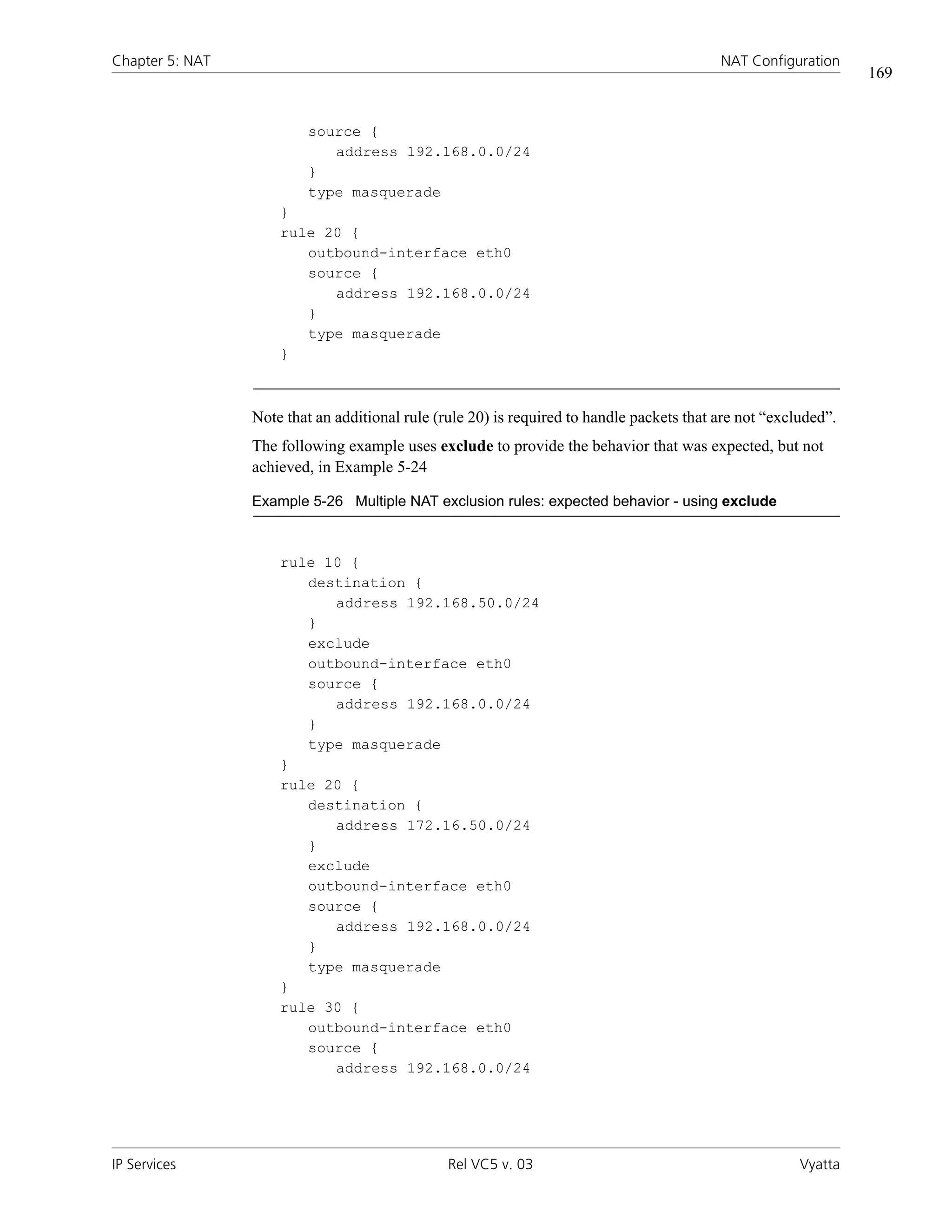
Example 5-26 Multiple NAT exclusion rules: expected behavior - using exclude . . . . . . . . . . . . . . . . . . . . . . . . . . . . . 169
xii


IP Services   Rel VC5 v. 03   Vyatta
xiii


Preface


          This guide explains how to deploy IP services on the Vyatta system. It describes
          the available commands and provides configuration examples.
          This preface provides information about using this guide. The following topics are
          covered:
          •   Intended Audience
          •   Organization of This Guide
          •   Document Conventions
          •   Vyatta Publications
Intended Audience
                                                                                                             xiv


Intended Audience
              This guide is intended for experienced system and network administrators. Depending on
              the functionality to be used, readers should have specific knowledge in the following areas:
              •   Networking and data communications
              •   TCP/IP protocols
              •   General router configuration
              •   Routing protocols
              •   Network administration
              •   Network security


Organization of This Guide
              This guide has the following aid to help you find the information you are looking for:
              •   Quick Reference to Commands
                  Use this section to help you quickly locate a command.
              •   Quick List of Examples
                  Use this list to help you locate examples you’d like to try or look at.

              This guide has the following chapters and appendixes:

              Chapter                            Description                                        Page

              Chapter 1: SSH                     This chapter explains how to set up Secure Shell       1
                                                 (SSH) access on the Vyatta system.

              Chapter 2: Telnet                  This chapter explains how to set up Telnet             9
                                                 access on the Vyatta system.

              Chapter 3: DHCP                    This chapter describes how to implement DHCP          17
                                                 on the Vyatta system.

              Chapter 4: DNS                     This chapter explains how to use Domain Name          94
                                                 System (DNS) on the Vyatta system.

              Chapter 5: NAT                     This chapter explains how to set up network         135
                                                 address translation (NAT) on the Vyatta system.

              Chapter 6: Web Caching             This chapter explains how to set up web             197
                                                 caching on the Vyatta system.


IP Services                                 Rel VC5 v. 03                                           Vyatta
Document Conventions
                                                                                                               xv


              Glossary of Acronyms                                                                    210


Document Conventions
              This guide contains advisory paragraphs and uses typographic conventions.


Advisory Paragraphs
              This guide uses the following advisory paragraphs:
              Warnings alert you to situations that may pose a threat to personal safety, as in the
              following example:

              WARNING Risk of injury. Switch off power at the main breaker before attempting to
              connect the remote cable to the service power at the utility box.

              Cautions alert you to situations that might cause harm to your system or damage to
              equipment, or that may affect service, as in the following example:

              CAUTION Risk of loss of service. Restarting a running system will interrupt service.


              Notes provide information you might need to avoid problems or configuration errors:
              NOTE     You must create and configure network interfaces before enabling them for
              routing protocols.


IP Services                                 Rel VC5 v. 03                                             Vyatta
Document Conventions
                                                                                                           xvi


Typographic Conventions
              This document uses the following typographic conventions:


               Courier             Examples, command-line output, and representations of
                                   configuration nodes.
               boldface            In an example, your input: something you type at a command line.
               Courier

               boldface            In-line commands, keywords, and file names .
               italics             Arguments and variables, where you supply a value.
               <key>               A key on your keyboard. Combinations of keys are joined by plus
                                   signs (“+”). An example is <Ctrl>+<Alt>+<Del>.
               [ arg1 | arg2]      Enumerated options for completing a syntax. An example is
                                   [enable | disable].
               num1–numN           A inclusive range of numbers. An example is 1–65535, which
                                   means 1 through 65535.
               arg1..argN          A range of enumerated values. An example is eth0..eth3, which
                                   means eth0, eth1, eth2, and eth3.
               arg [arg ...]       A value that can optionally represent a list of elements (a
               arg,[arg,...]       space-separated list in the first case, and a comma-separated list in
                                   the second case).


IP Services                               Rel VC5 v. 03                                           Vyatta
Vyatta Publications
                                                                                                             xvii


Vyatta Publications
              More information about the Vyatta system is available in the Vyatta technical library, and
              on www.vyatta.com and www.vyatta.org.
              Full product documentation is provided in the Vyatta technical library. To see what
              documentation is available for your release, see the Vyatta Documentation Map. This
              guide is posted with every release of Vyatta software and provides a great starting point
              for finding what you need.


IP Services                                 Rel VC5 v. 03                                          Vyatta
1


Chapter 1: SSH


          This chapter explains how to set up Secure Shell (SSH) access on the Vyatta
          system.
          This chapter presents the following topics:
          •   SSH Configuration
          •   SSH Commands
Chapter 1: SSH                                                                              SSH Configuration
                                                                                                                 2


SSH Configuration
                    Configuring SSH is optional, but creating the SSH service will provide secure remote
                    access to the Vyatta system.
                    Example 1-1 enables SSH on the default port (port 22), as shown in Figure 1-1. By default,
                    only SSH version 2 is enabled, but Example 1-1 enables SSH for all versions of SSH.

                    Figure 1-1 Enabling SSH access


                            R1                     SSH: Enabled , Port 22, all versions


                    To enable the SSH service on the Vyatta system, perform the following steps in
                    configuration mode:


Example 1-1 Enabling SSH access

Step                             Command

Create the configuration node    vyatta@R1# set service ssh protocol-version all
for the SSH service.             [edit]

Commit the information           vyatta@R1# commit
                                 OK
                                 [edit]

Show the configuration.          vyatta@R1# show service ssh
                                    protocol-version: "all"

                                 [edit]


IP Services                                       Rel VC5 v. 03                                         Vyatta
Chapter 1: SSH                                                                                  SSH Commands
                                                                                                                   3


SSH Commands
                      This chapter contains the following commands.


Configuration Commands

service ssh                                               Enables SSH as an access protocol on the Vyatta
                                                          system.

service ssh allow-root <state>                            Specifies whether or not to allow root logins on SSH
                                                          connections.

service ssh port <port>                                   Specifies the port the system will use for the SSH
                                                          service.

service ssh protocol-version <version>                    Specifies which versions of SSH are enabled.

Operational Commands

None


IP Services                                       Rel VC5 v. 03                                           Vyatta
Chapter 1: SSH                                                                             SSH Commands
                                                                                                             4


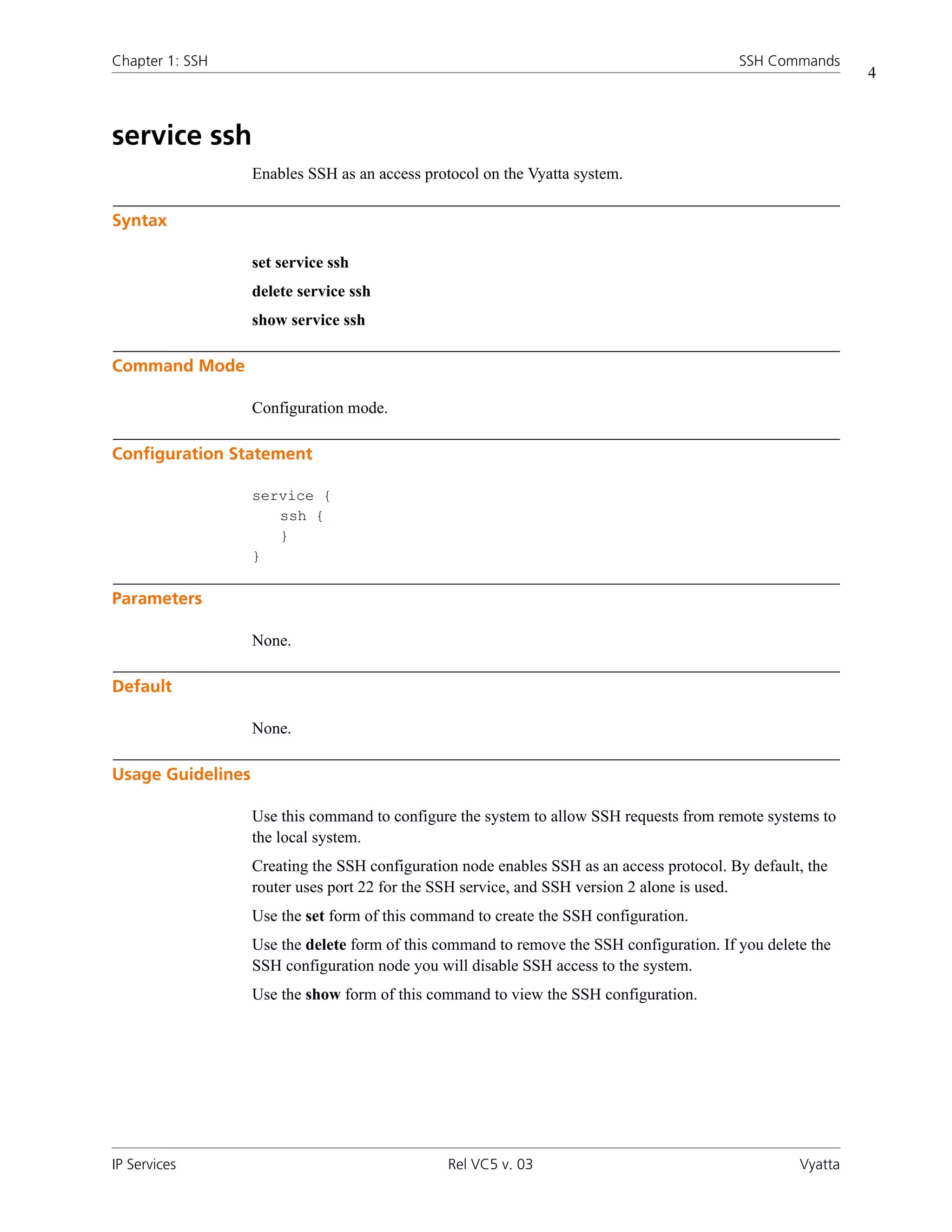
service ssh
                   Enables SSH as an access protocol on the Vyatta system.

Syntax

                   set service ssh
                   delete service ssh
                   show service ssh

Command Mode

                   Configuration mode.

Configuration Statement

                   service {
                      ssh {
                      }
                   }

Parameters

                   None.

Default

                   None.

Usage Guidelines

                   Use this command to configure the system to allow SSH requests from remote systems to
                   the local system.
                   Creating the SSH configuration node enables SSH as an access protocol. By default, the
                   router uses port 22 for the SSH service, and SSH version 2 alone is used.
                   Use the set form of this command to create the SSH configuration.
                   Use the delete form of this command to remove the SSH configuration. If you delete the
                   SSH configuration node you will disable SSH access to the system.
                   Use the show form of this command to view the SSH configuration.


IP Services                                     Rel VC5 v. 03                                       Vyatta
Chapter 1: SSH                                                                               SSH Commands
                                                                                                               5


service ssh allow-root <state>
                   Specifies whether or not to allow root logins on SSH connections.

Syntax

                   set service ssh allow-root state
                   delete service ssh allow-root
                   show service ssh allow-root

Command Mode

                   Configuration mode.

Configuration Statement

                   service {
                      ssh {
                         allow-root: [true|false]
                      }
                   }

Parameters


                   state            Specifies whether or not root logins are allowed on connections to SSH.
                                    Supported values are as follows:
                                    true: Root logins are allowed on SSH.
                                    false: Root logins are not allowed on SSH.


Default

                   Root logins are not allowed on SSH connections.

Usage Guidelines

                   Use this command to specify whether or not root logins are allowed on SSH connections.
                   Use the set form of this command to specify whether or not root logins are allowed on SSH
                   connections.
                   Use the delete form of this command to restore the default allow-root configuration.
                   Use the show form of this command to view the allow-root configuration.


IP Services                                        Rel VC5 v. 03                                      Vyatta
Chapter 1: SSH                                                                                 SSH Commands
                                                                                                                  6


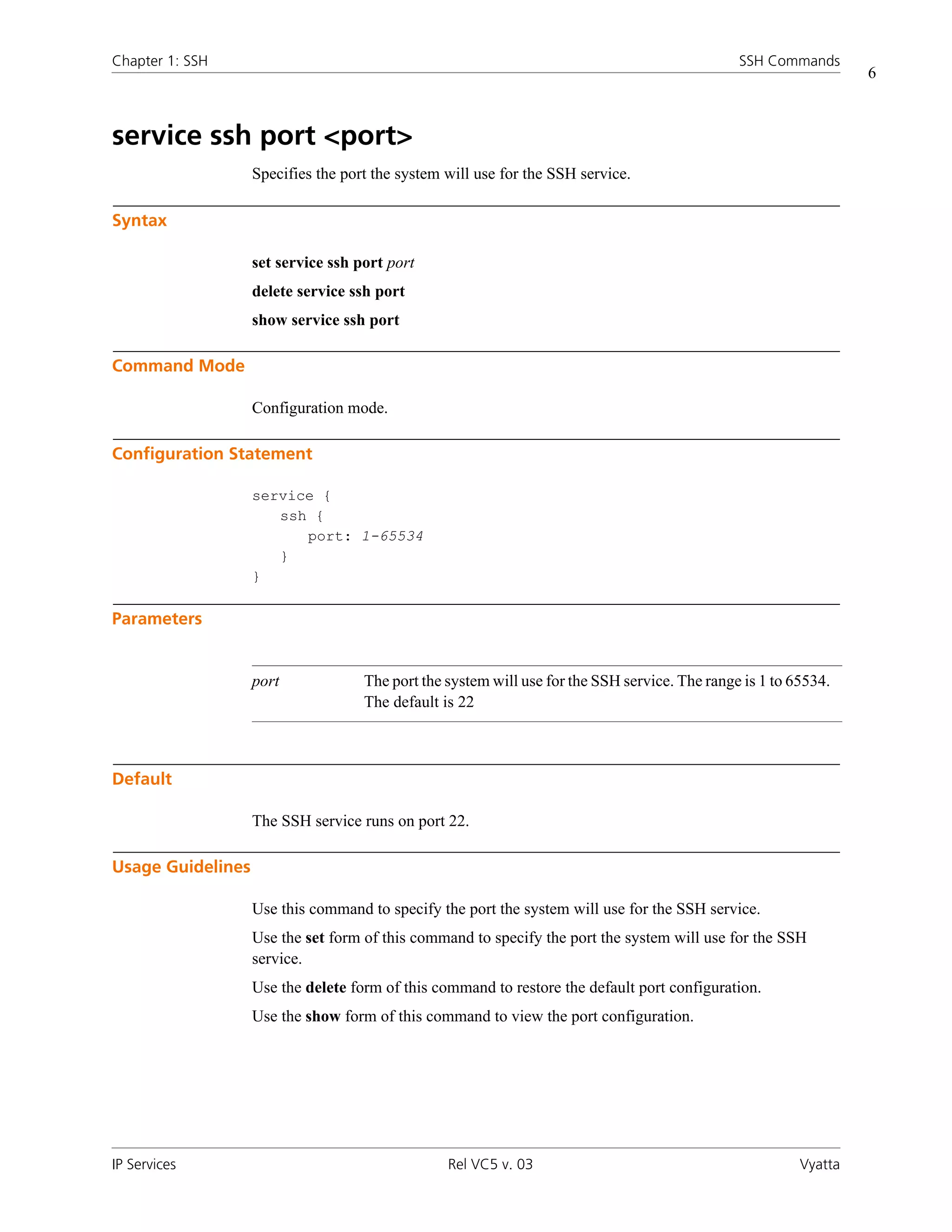
service ssh port <port>
                   Specifies the port the system will use for the SSH service.

Syntax

                   set service ssh port port
                   delete service ssh port
                   show service ssh port

Command Mode

                   Configuration mode.

Configuration Statement

                   service {
                      ssh {
                         port: 1-65534
                      }
                   }

Parameters


                   port             The port the system will use for the SSH service. The range is 1 to 65534.
                                    The default is 22


Default

                   The SSH service runs on port 22.

Usage Guidelines

                   Use this command to specify the port the system will use for the SSH service.
                   Use the set form of this command to specify the port the system will use for the SSH
                   service.
                   Use the delete form of this command to restore the default port configuration.
                   Use the show form of this command to view the port configuration.


IP Services                                      Rel VC5 v. 03                                           Vyatta
Chapter 1: SSH                                                                          SSH Commands
                                                                                                          7


service ssh protocol-version <version>
                 Specifies which versions of SSH are enabled.

Syntax

                 set service ssh protocol-version version
                 delete service ssh protocol-version
                 show service ssh protocol-version

Command Mode

                 Configuration mode.

Configuration Statement

                 service {
                    ssh {
                       protocol-version: [v1|v2|all]
                    }
                 }

Parameters


                 version         Specifies which versions of SSH are enabled. Supported values are as
                                 follows:
                                 v1: SSH version 1 alone is enabled.
                                 v2: SSH version 2 alone is enabled.
                                 all: Both SSH version 1 and SSH version 2 are both enabled.


Default

                 SSH version 2 alone is enabled.


IP Services                                   Rel VC5 v. 03                                      Vyatta
Chapter 1: SSH                                                                               SSH Commands
                                                                                                                8


Usage Guidelines

                   Use this command to specify which versions of SSH are enabled.
                   Use the set form of this command to specify which versions of SSH are enabled.
                   Use the delete form of this command to restore the default protocol-version configuration.
                   Use the show form of this command to view the protocol-version configuration.


IP Services                                     Rel VC5 v. 03                                         Vyatta
9


Chapter 2: Telnet


           This chapter explains how to set up Telnet access on the Vyatta system.
           This chapter presents the following topics:
           •   Telnet Configuration
           •   Telnet Commands
Chapter 2: Telnet                                                                          Telnet Configuration
                                                                                                                   10


Telnet Configuration
                    Configuring Telnet is optional, but creating the Telnet service will allow you to access the
                    Vyatta system remotely. Example 2-1 enables Telnet on the default port (port 23), as shown
                    in Figure 2-1.

                    Figure 2-1 Enabling Telnet access


                            R1                      Telnet : Enabled , Port 23


                    To enable the Telnet service on the Vyatta system, perform the following steps in
                    configuration mode:


Example 2-1 Enabling Telnet access

Step                             Command

Create the configuration node    vyatta@R1# set service telnet
for the Telnet service.          [edit]

Commit the information.          vyatta@R1# commit
                                 OK
                                 [edit]

Show the configuration.          vyatta@R1# show service
                                    telnet {
                                    }

                                 [edit]


IP Services                                       Rel VC5 v. 03                                           Vyatta
Chapter 2: Telnet                                                                             Telnet Commands
                                                                                                                    11


Telnet Commands
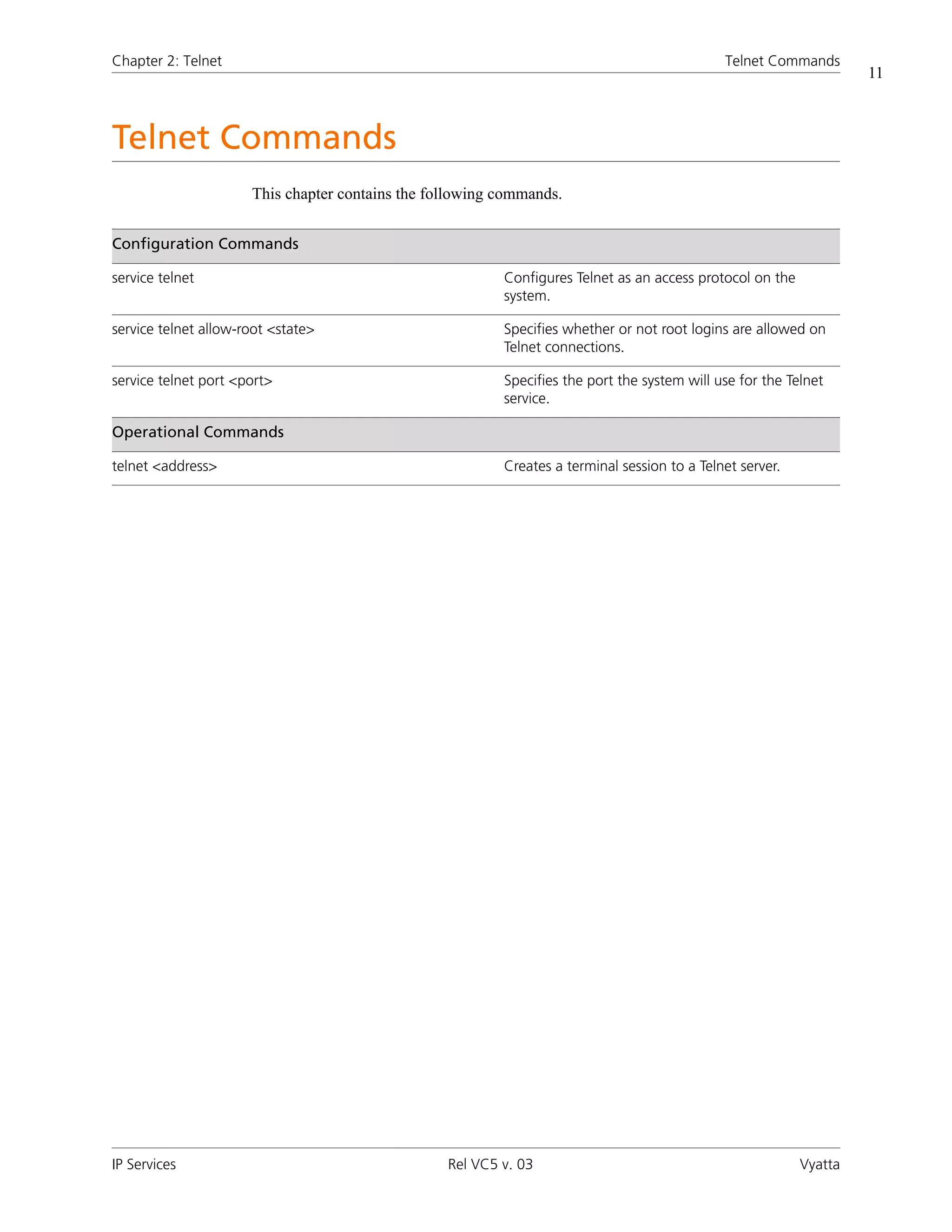
                      This chapter contains the following commands.


Configuration Commands

service telnet                                            Configures Telnet as an access protocol on the
                                                          system.

service telnet allow-root <state>                         Specifies whether or not root logins are allowed on
                                                          Telnet connections.

service telnet port <port>                                Specifies the port the system will use for the Telnet
                                                          service.

Operational Commands

telnet <address>                                          Creates a terminal session to a Telnet server.


IP Services                                       Rel VC5 v. 03                                            Vyatta
Chapter 2: Telnet                                                                             Telnet Commands
                                                                                                                   12


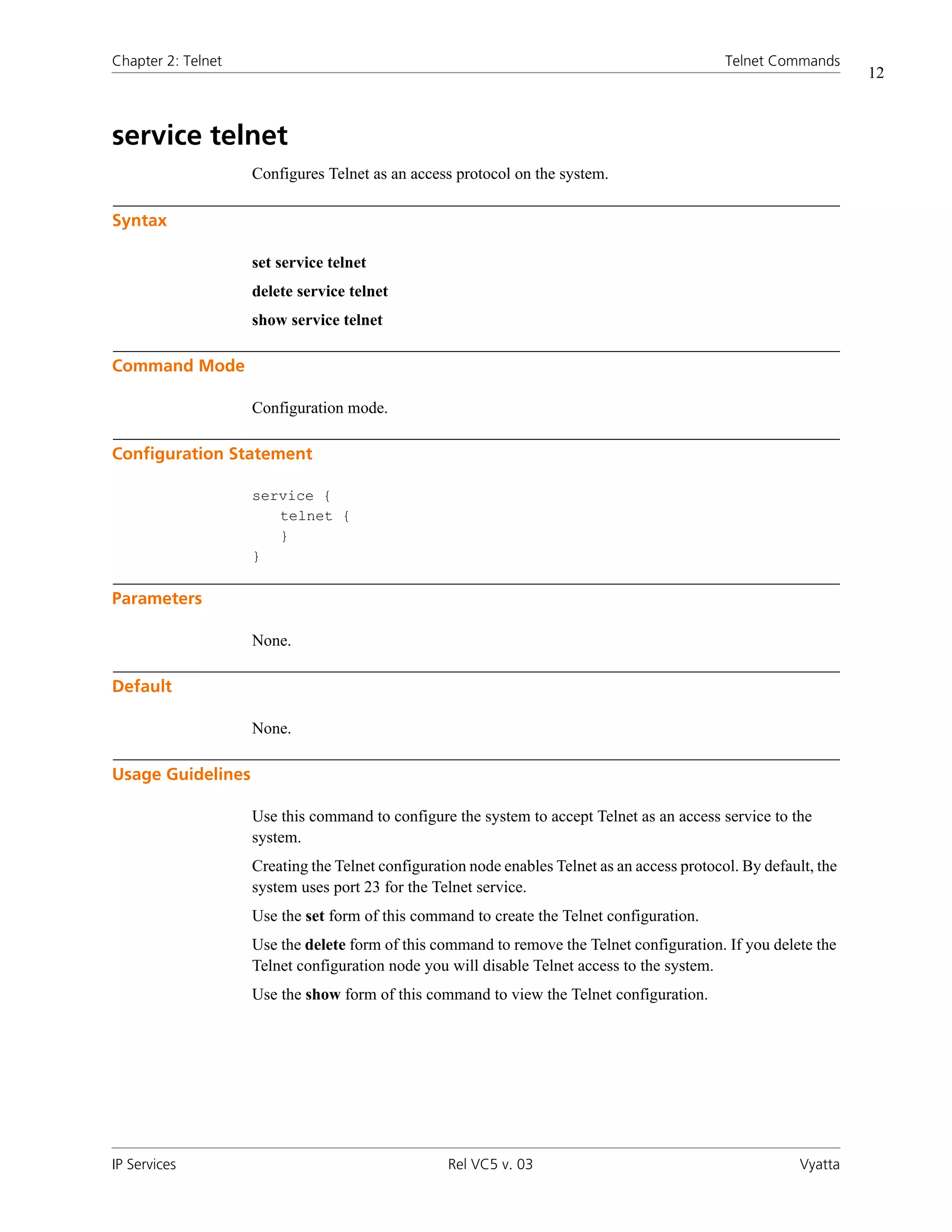
service telnet
                    Configures Telnet as an access protocol on the system.

Syntax

                    set service telnet
                    delete service telnet
                    show service telnet

Command Mode

                    Configuration mode.

Configuration Statement

                    service {
                       telnet {
                       }
                    }

Parameters

                    None.

Default

                    None.

Usage Guidelines

                    Use this command to configure the system to accept Telnet as an access service to the
                    system.
                    Creating the Telnet configuration node enables Telnet as an access protocol. By default, the
                    system uses port 23 for the Telnet service.
                    Use the set form of this command to create the Telnet configuration.
                    Use the delete form of this command to remove the Telnet configuration. If you delete the
                    Telnet configuration node you will disable Telnet access to the system.
                    Use the show form of this command to view the Telnet configuration.


IP Services                                       Rel VC5 v. 03                                           Vyatta
Chapter 2: Telnet                                                                             Telnet Commands
                                                                                                                 13


service telnet allow-root <state>
                    Specifies whether or not root logins are allowed on Telnet connections.

Syntax

                    set service telnet allow-root state
                    delete service telnet allow-root
                    show service telnet allow-root

Command Mode

                    Configuration mode.

Configuration Statement

                    service {
                       telnet {
                          allow-root: [true|false]
                       }
                    }

Parameters


                    state                     Specifies whether or not root logins are allowed on connections
                                              to Telnet. Supported values are as follows:
                                              true: Root logins are allowed on Telnet.
                                              false: Root logins are not allowed on Telnet.


Default

                    Root logins are not allowed on Telnet connections.

Usage Guidelines

                    Use this command to specify whether or not root logins are allowed on Telnet connections.
                    Use the set form of this command to specify whether or not root logins are allowed on
                    Telnet connections.
                    Use the delete form of this command to restore the default allow-root configuration.
                    Use the show form of this command to view the allow-root configuration.


IP Services                                       Rel VC5 v. 03                                         Vyatta
Chapter 2: Telnet                                                                              Telnet Commands
                                                                                                                    14


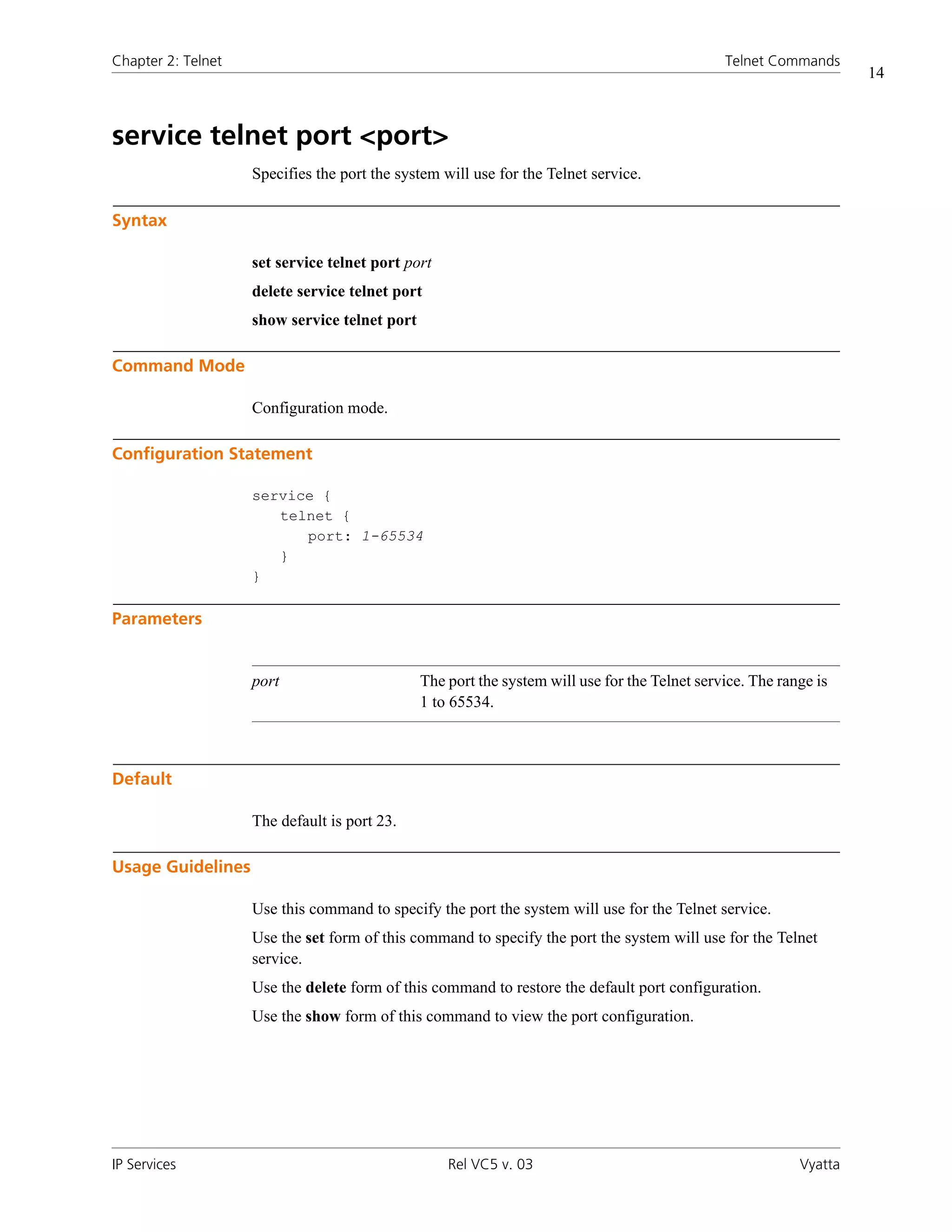
service telnet port <port>
                    Specifies the port the system will use for the Telnet service.

Syntax

                    set service telnet port port
                    delete service telnet port
                    show service telnet port

Command Mode

                    Configuration mode.

Configuration Statement

                    service {
                       telnet {
                          port: 1-65534
                       }
                    }

Parameters


                    port                       The port the system will use for the Telnet service. The range is
                                               1 to 65534.


Default

                    The default is port 23.

Usage Guidelines

                    Use this command to specify the port the system will use for the Telnet service.
                    Use the set form of this command to specify the port the system will use for the Telnet
                    service.
                    Use the delete form of this command to restore the default port configuration.
                    Use the show form of this command to view the port configuration.


IP Services                                        Rel VC5 v. 03                                           Vyatta
Chapter 2: Telnet                                                                            Telnet Commands
                                                                                                                  15


telnet <address>
                    Creates a terminal session to a Telnet server.

Syntax

                    telnet address [service]

Command Mode

                    Operational mode.

Parameters


                    address          Mandatory. The IP address or hostname of the Telnet server to
                                     connect to.

                    service          Optional. The port number or service name you wish to connect to. The
                                     range for ports is 65535. Any service name in the file /etc/services is
                                     permitted. The default is port 23.


Default

                    If no port is specified, the system connects through port 23 (the well-known port for the
                    Telnet service).

Usage Guidelines

                    Use this command to create a terminal session to a remote machine running a Telnet
                    service.


IP Services                                        Rel VC5 v. 03                                         Vyatta
Chapter 2: Telnet                                                                           Telnet Commands
                                                                                                              16


Examples

                    Example 2-2 shows a telnet session being established to 192.168.1.77.

                    Example 2-2 “telnet 192.168.1.77”: Displaying the Telnet session being established


                        vyatta@R1:~$ telnet 192.168.1.77

                        Entering character mode
                        Escape character is '^]'.


                        Welcome to Vyatta
                        vyatta login:


IP Services                                      Rel VC5 v. 03                                       Vyatta
17


Chapter 3: DHCP


          This chapter describes how to implement DHCP on the Vyatta system.
          This chapter presents the following topics:
          •   DHCP Commands
Chapter 3: DHCP                                                                                DHCP Commands
                                                                                                                    18


DHCP Commands
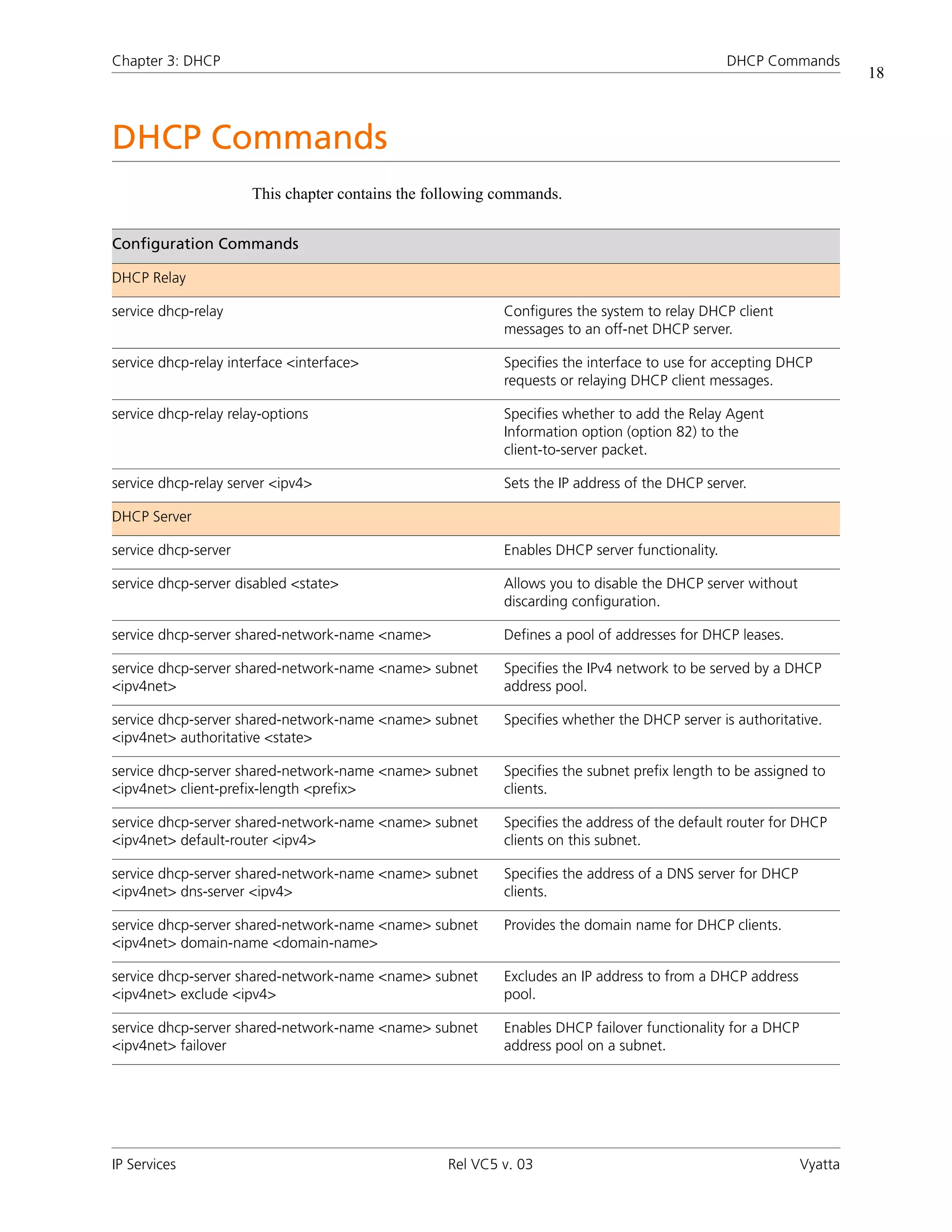
                      This chapter contains the following commands.


Configuration Commands

DHCP Relay

service dhcp-relay                                        Configures the system to relay DHCP client
                                                          messages to an off-net DHCP server.

service dhcp-relay interface <interface>                  Specifies the interface to use for accepting DHCP
                                                          requests or relaying DHCP client messages.

service dhcp-relay relay-options                          Specifies whether to add the Relay Agent
                                                          Information option (option 82) to the
                                                          client-to-server packet.

service dhcp-relay server <ipv4>                          Sets the IP address of the DHCP server.

DHCP Server

service dhcp-server                                       Enables DHCP server functionality.

service dhcp-server disabled <state>                      Allows you to disable the DHCP server without
                                                          discarding configuration.

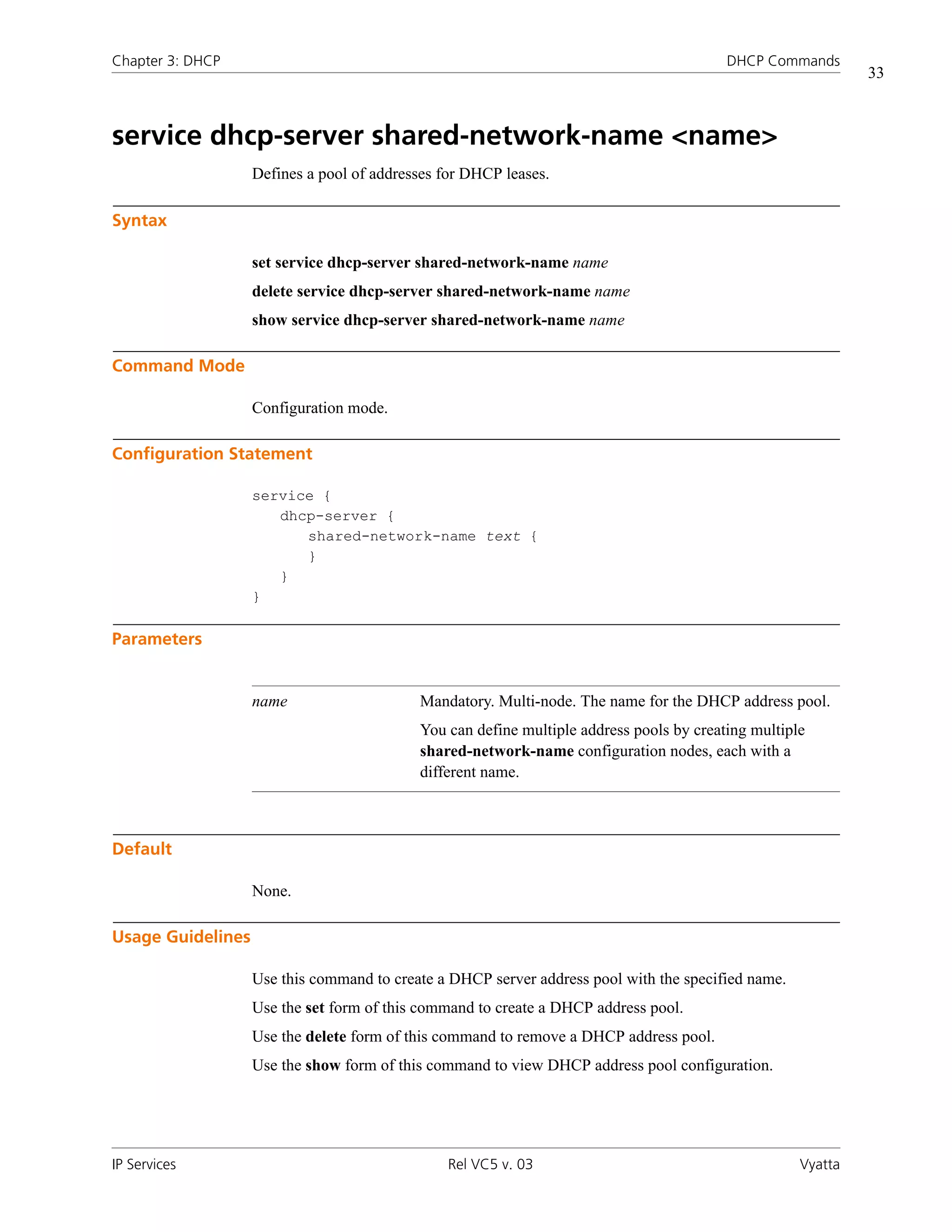
service dhcp-server shared-network-name <name>            Defines a pool of addresses for DHCP leases.

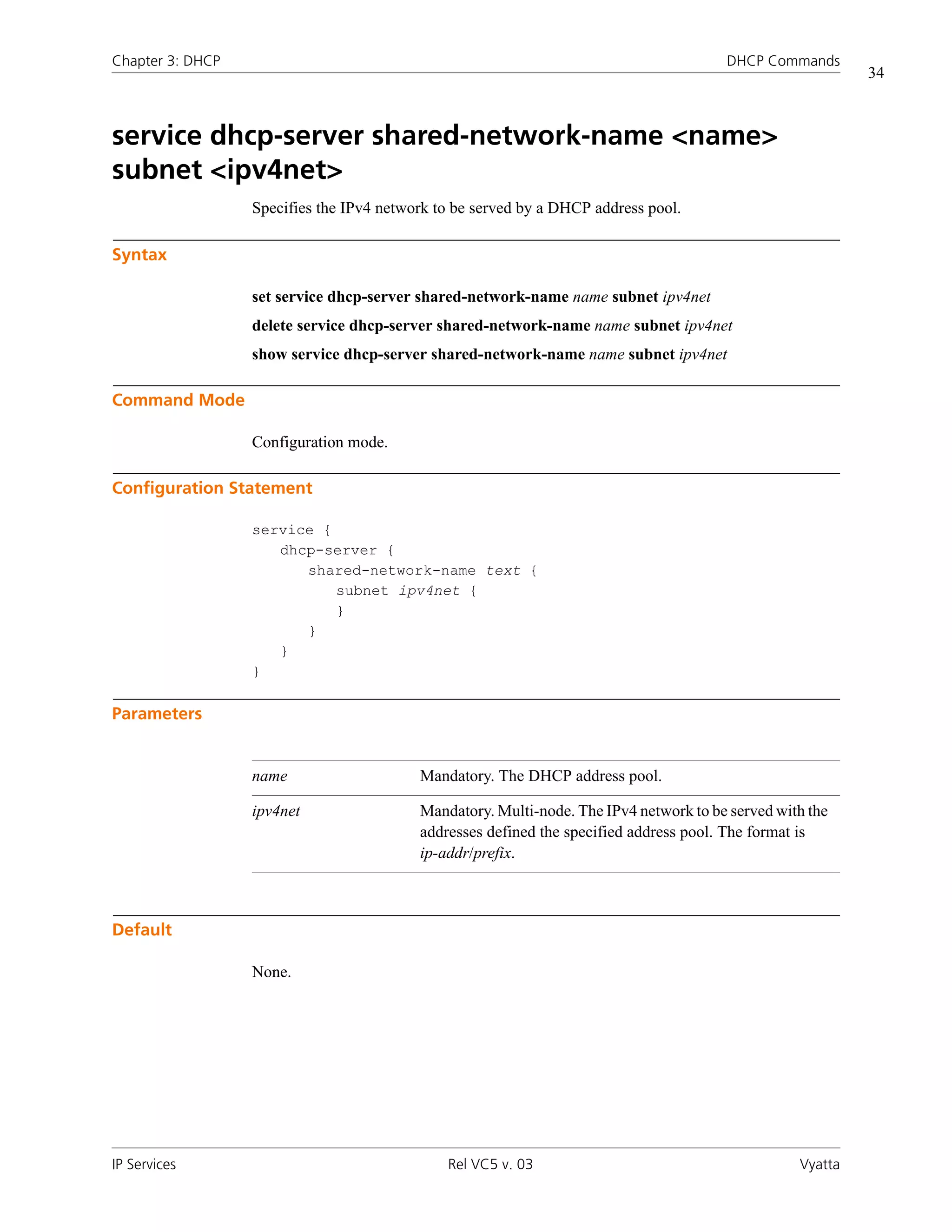
service dhcp-server shared-network-name <name> subnet     Specifies the IPv4 network to be served by a DHCP
<ipv4net>                                                 address pool.

service dhcp-server shared-network-name <name> subnet     Specifies whether the DHCP server is authoritative.
<ipv4net> authoritative <state>

service dhcp-server shared-network-name <name> subnet     Specifies the subnet prefix length to be assigned to
<ipv4net> client-prefix-length <prefix>                   clients.

service dhcp-server shared-network-name <name> subnet     Specifies the address of the default router for DHCP
<ipv4net> default-router <ipv4>                           clients on this subnet.

service dhcp-server shared-network-name <name> subnet     Specifies the address of a DNS server for DHCP
<ipv4net> dns-server <ipv4>                               clients.

service dhcp-server shared-network-name <name> subnet     Provides the domain name for DHCP clients.
<ipv4net> domain-name <domain-name>

service dhcp-server shared-network-name <name> subnet     Excludes an IP address to from a DHCP address
<ipv4net> exclude <ipv4>                                  pool.

service dhcp-server shared-network-name <name> subnet     Enables DHCP failover functionality for a DHCP
<ipv4net> failover                                        address pool on a subnet.


IP Services                                       Rel VC5 v. 03                                            Vyatta
Chapter 3: DHCP                                                                              DHCP Commands
                                                                                                                     19


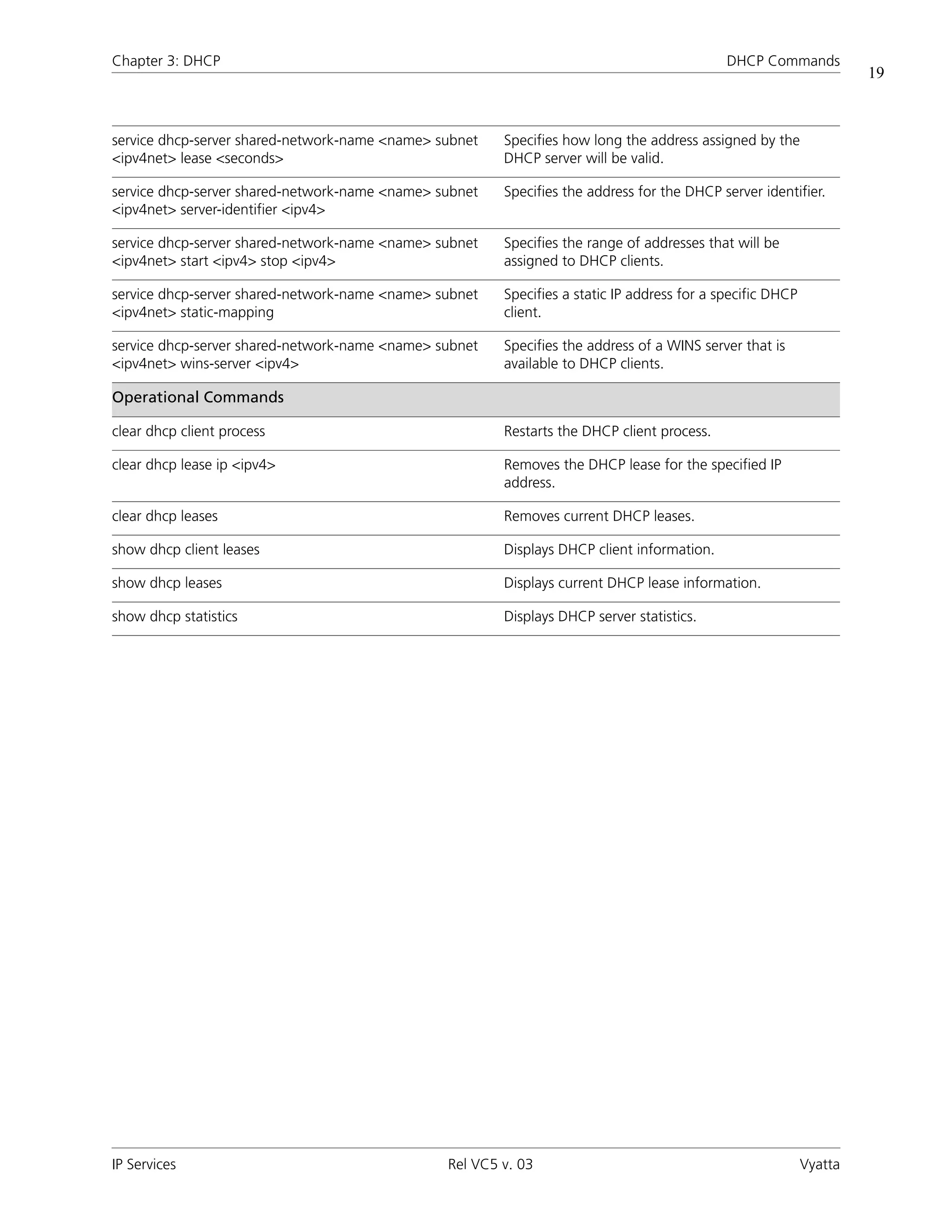
service dhcp-server shared-network-name <name> subnet   Specifies how long the address assigned by the
<ipv4net> lease <seconds>                               DHCP server will be valid.

service dhcp-server shared-network-name <name> subnet   Specifies the address for the DHCP server identifier.
<ipv4net> server-identifier <ipv4>

service dhcp-server shared-network-name <name> subnet   Specifies the range of addresses that will be
<ipv4net> start <ipv4> stop <ipv4>                      assigned to DHCP clients.

service dhcp-server shared-network-name <name> subnet   Specifies a static IP address for a specific DHCP
<ipv4net> static-mapping                                client.

service dhcp-server shared-network-name <name> subnet   Specifies the address of a WINS server that is
<ipv4net> wins-server <ipv4>                            available to DHCP clients.

Operational Commands

clear dhcp client process                               Restarts the DHCP client process.

clear dhcp lease ip <ipv4>                              Removes the DHCP lease for the specified IP
                                                        address.

clear dhcp leases                                       Removes current DHCP leases.

show dhcp client leases                                 Displays DHCP client information.

show dhcp leases                                        Displays current DHCP lease information.

show dhcp statistics                                    Displays DHCP server statistics.


IP Services                                     Rel VC5 v. 03                                               Vyatta
Chapter 3: DHCP                                                                       DHCP Commands
                                                                                                       20


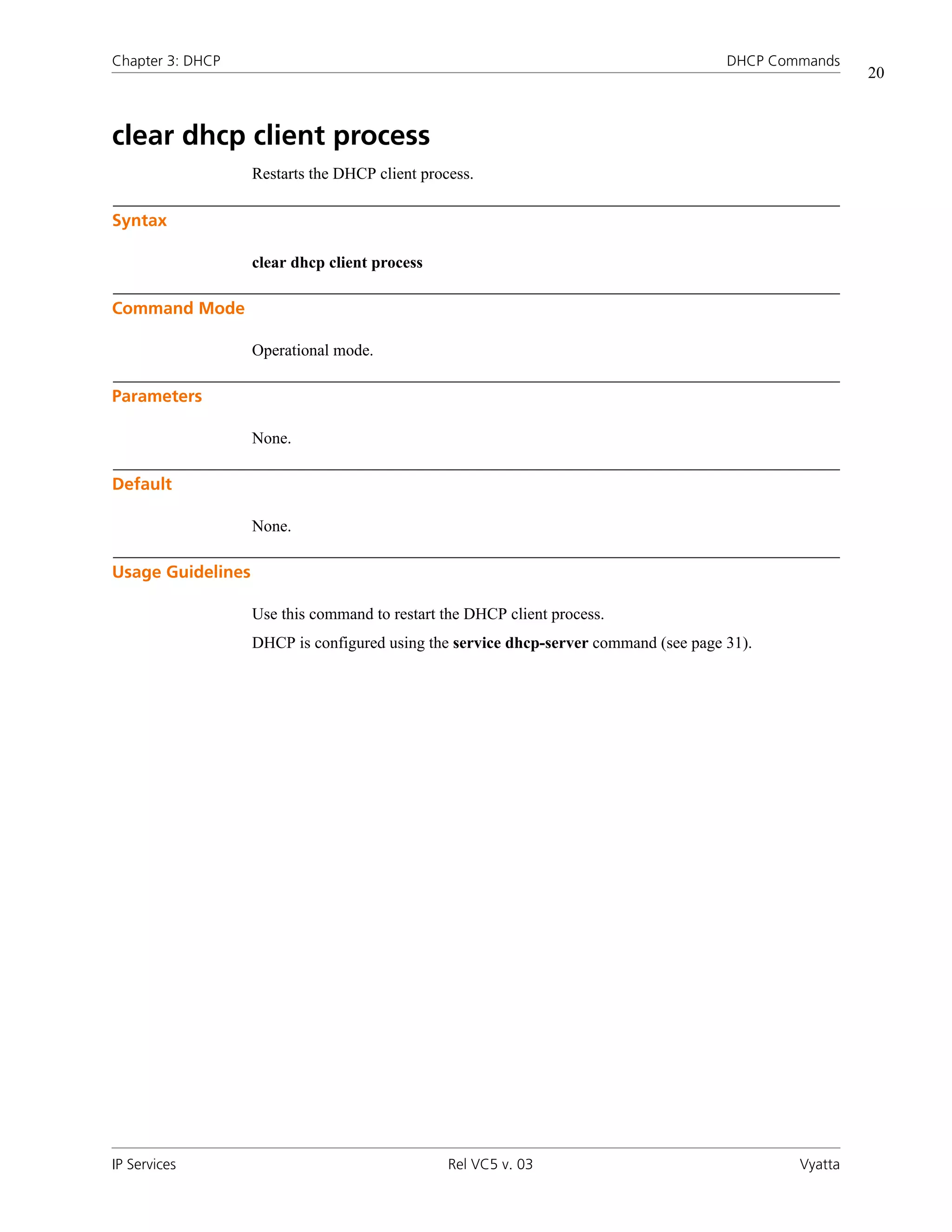
clear dhcp client process
                   Restarts the DHCP client process.

Syntax

                   clear dhcp client process

Command Mode

                   Operational mode.

Parameters

                   None.

Default

                   None.

Usage Guidelines

                   Use this command to restart the DHCP client process.
                   DHCP is configured using the service dhcp-server command (see page 31).


IP Services                                     Rel VC5 v. 03                                 Vyatta
Chapter 3: DHCP                                                                          DHCP Commands
                                                                                                          21


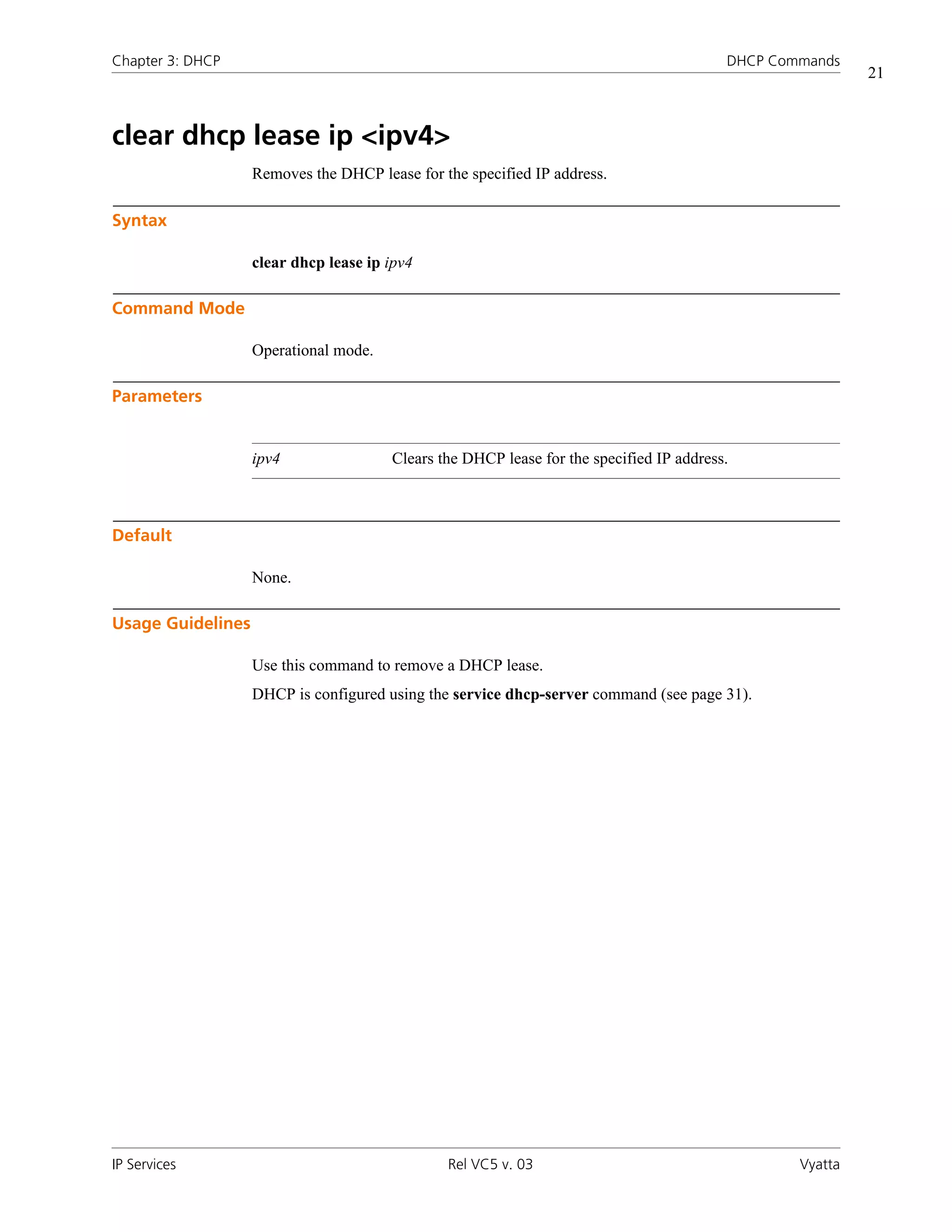
clear dhcp lease ip <ipv4>
                   Removes the DHCP lease for the specified IP address.

Syntax

                   clear dhcp lease ip ipv4

Command Mode

                   Operational mode.

Parameters


                   ipv4                Clears the DHCP lease for the specified IP address.


Default

                   None.

Usage Guidelines

                   Use this command to remove a DHCP lease.
                   DHCP is configured using the service dhcp-server command (see page 31).


IP Services                                    Rel VC5 v. 03                                     Vyatta
Chapter 3: DHCP                                                                       DHCP Commands
                                                                                                       22


clear dhcp leases
                   Removes current DHCP leases.

Syntax

                   clear dhcp leases

Command Mode

                   Operational mode.

Parameters

                   None.

Default

                   None.

Usage Guidelines

                   Use this command to remove all DHCP leases.
                   DHCP is configured using the service dhcp-server command (see page 31).


IP Services                                   Rel VC5 v. 03                                   Vyatta
Chapter 3: DHCP                                                                              DHCP Commands
                                                                                                                 23


service dhcp-relay
                   Configures the system to relay DHCP client messages to an off-net DHCP server.

Syntax

                   set service dhcp-relay
                   delete service dhcp-relay
                   show service dhcp-relay

Command Mode

                   Configuration mode.

Configuration Statement

                   service {
                      dhcp-relay {
                      }
                   }

Parameters

                   None.

Default

                   None.

Usage Guidelines

                   Use this command to configure the system as a DHCP relay agent.
                   A DHCP relay agent receives DHCP packets from DHCP clients and forwards them to a
                   DHCP server. This allows you to place DHCP clients and DHCP servers on different
                   networks; that is, across router interfaces.
                   The relay agent is configured with addresses of DHCP servers to which they should relay
                   client DHCP message. The relay agent intercepts the broadcast, sets the gateway address
                   (the giaddr field of the DHCP packet) and, if configured, inserts the Relay Agent
                   Information option (option 82) in the packet and forwards it to the DHCP server.
                   The DHCP server echoes the option back verbatim to the relay agent in server-to-client
                   replies, and the relay agent strips the option before forwarding the reply to the client.


IP Services                                      Rel VC5 v. 03                                          Vyatta
Chapter 3: DHCP                                                                          DHCP Commands
                                                                                                          24


                  Use the set form of this command to define DHCP relay configuration.
                  Use the delete form of this command to remove DHCP relay configuration.
                  Use the show form of this command to view DHCP relay configuration.


IP Services                                   Rel VC5 v. 03                                      Vyatta
Chapter 3: DHCP                                                                          DHCP Commands
                                                                                                                25


service dhcp-relay interface <interface>
                  Specifies the interface to use for accepting DHCP requests or relaying DHCP client
                  messages.

Syntax

                  set dhcp-relay interface interface
                  delete dhcp-relay interface interface
                  show dhcp-relay interface

Command Mode

                  Configuration mode.

Configuration Statement

                  service {
                     dhcp-relay {
                        interface text {
                        }
                     }
                  }

Parameters


                  interface       Mandatory. Multi-node. The interface to use to accept DHCP requests or
                                  relay DHCP client messages. If the interface through which requests are
                                  received is different from the interface used to reach the DHCP server
                                  specified in the request, both interfaces must be configured.
                                  You can assign multiple interfaces to be used for DHCP by creating
                                  multiple interface configuration nodes.


Default

                  None.


IP Services                                    Rel VC5 v. 03                                           Vyatta
Chapter 3: DHCP                                                                           DHCP Commands
                                                                                                              26


Usage Guidelines

                   Use this command to specify the interface to use to accept DHCP requests or relay DHCP
                   client messages.
                   Use the set form of this command to specify the interface to use to accept DHCP requests
                   or relay DHCP client messages.
                   Use the delete form of this command to remove the specified value.
                   Use the show form of this command to view the specified value.


IP Services                                     Rel VC5 v. 03                                        Vyatta
Chapter 3: DHCP                                                                            DHCP Commands
                                                                                                                 27


service dhcp-relay relay-options
                  Specifies whether to add the Relay Agent Information option (option 82) to the
                  client-to-server packet.

Syntax

                  set service dhcp-relay relay-options [hop-count count | max-size size | port port |
                  relay-agents-packets policy]
                  delete service dhcp-relay relay-options [hop-count | max-size | port |
                  relay-agents-packets]
                  show service dhcp-relay relay-options [hop-count | max-size | port |
                  relay-agents-packets]

Command Mode

                  Configuration mode.

Configuration Statement

                  service {
                     dhcp-relay {
                        relay-options {
                            hop-count: 1-255
                            max-size: 64-1400
                            port: 1-65535
                            relay-agents-packets: [discard|forward]
                        }
                     }
                  }

Parameters


                  hop-count count              Optional. Sets the time-to-live, in seconds, for outgoing
                                               relayed messages. The range is 1 to 255. The default is 10.


IP Services                                    Rel VC5 v. 03                                            Vyatta
Chapter 3: DHCP                                                                             DHCP Commands
                                                                                                                 28


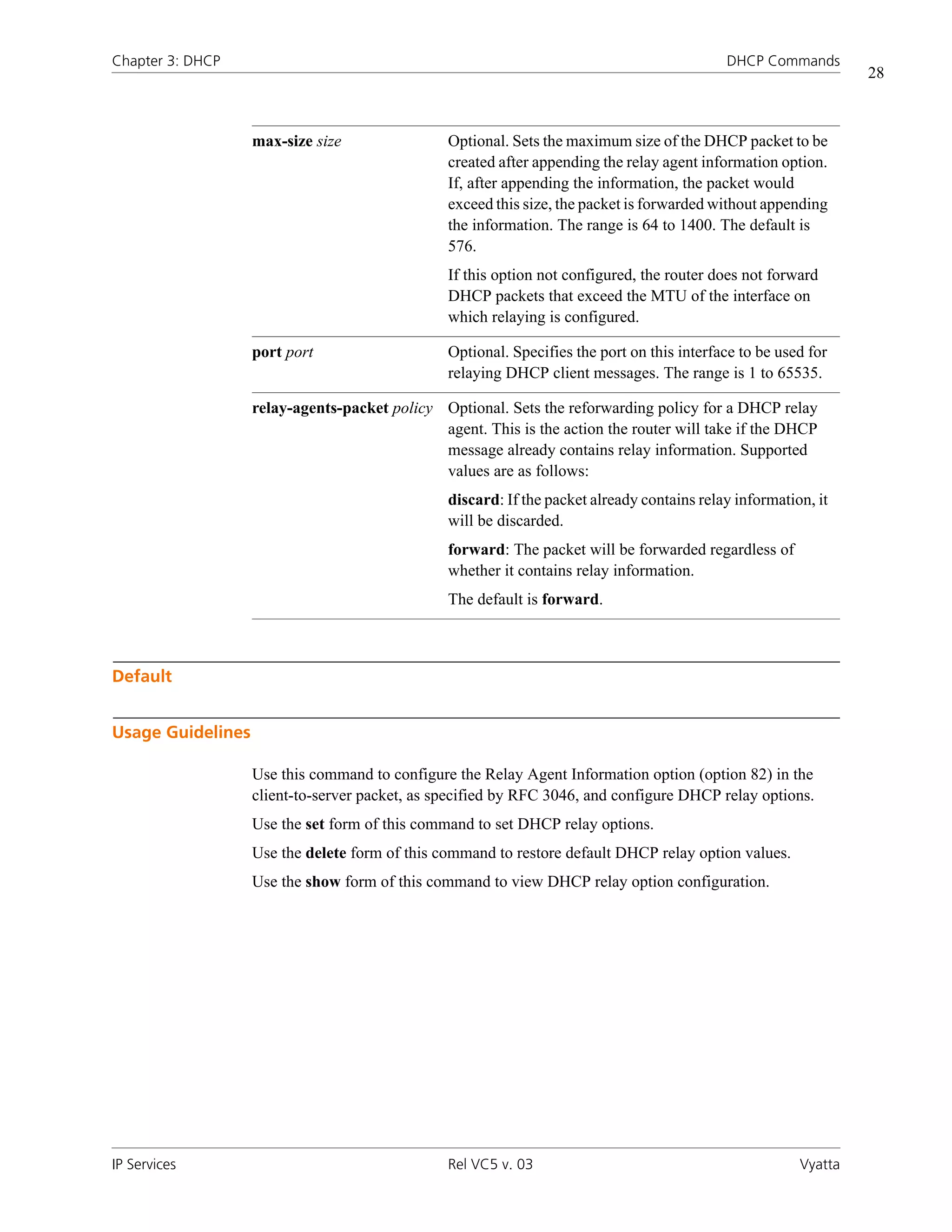
                   max-size size                Optional. Sets the maximum size of the DHCP packet to be
                                                created after appending the relay agent information option.
                                                If, after appending the information, the packet would
                                                exceed this size, the packet is forwarded without appending
                                                the information. The range is 64 to 1400. The default is
                                                576.
                                                If this option not configured, the router does not forward
                                                DHCP packets that exceed the MTU of the interface on
                                                which relaying is configured.

                   port port                    Optional. Specifies the port on this interface to be used for
                                                relaying DHCP client messages. The range is 1 to 65535.

                   relay-agents-packet policy Optional. Sets the reforwarding policy for a DHCP relay
                                              agent. This is the action the router will take if the DHCP
                                              message already contains relay information. Supported
                                              values are as follows:
                                                discard: If the packet already contains relay information, it
                                                will be discarded.
                                                forward: The packet will be forwarded regardless of
                                                whether it contains relay information.
                                                The default is forward.


Default


Usage Guidelines

                   Use this command to configure the Relay Agent Information option (option 82) in the
                   client-to-server packet, as specified by RFC 3046, and configure DHCP relay options.
                   Use the set form of this command to set DHCP relay options.
                   Use the delete form of this command to restore default DHCP relay option values.
                   Use the show form of this command to view DHCP relay option configuration.


IP Services                                     Rel VC5 v. 03                                           Vyatta
Chapter 3: DHCP                                                                       DHCP Commands
                                                                                                          29


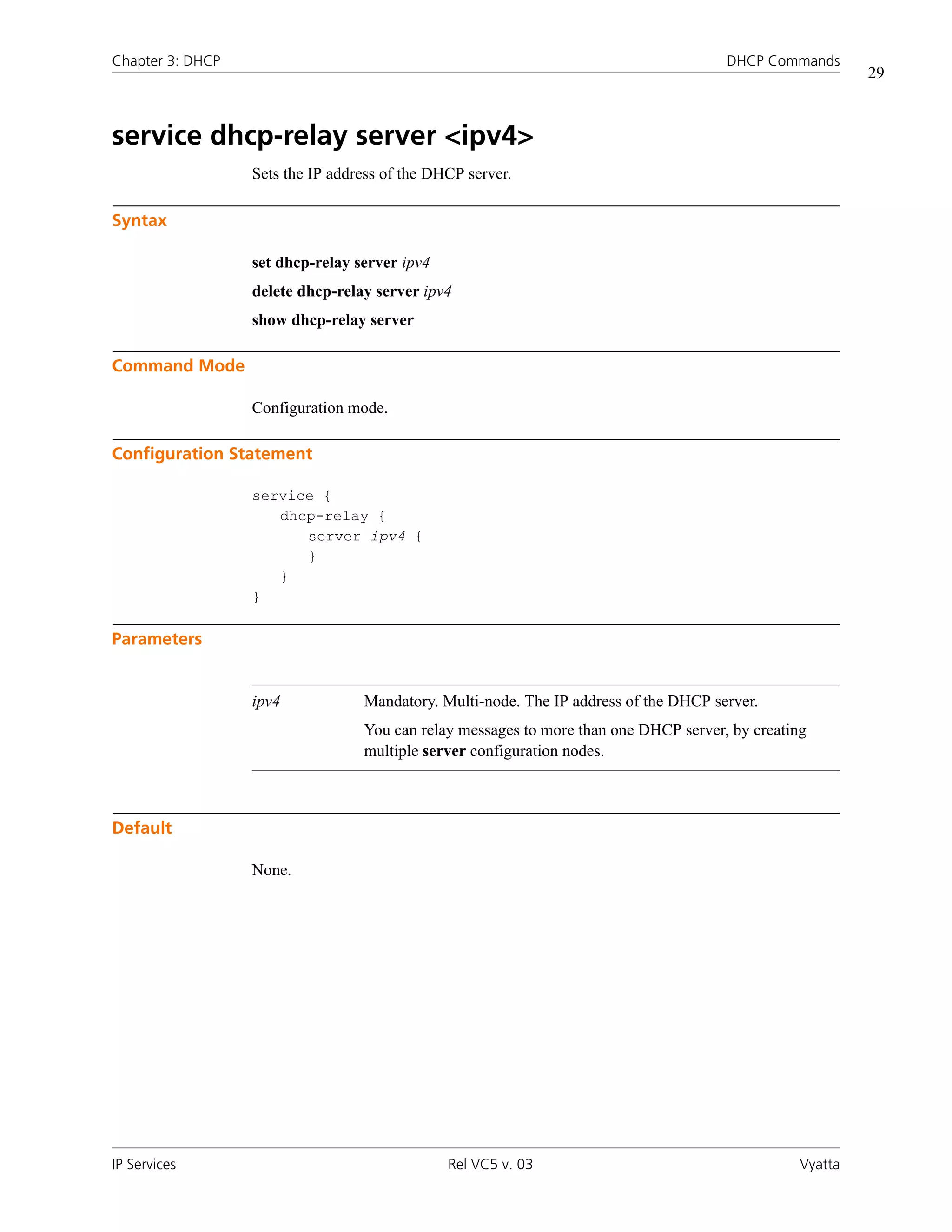
service dhcp-relay server <ipv4>
                  Sets the IP address of the DHCP server.

Syntax

                  set dhcp-relay server ipv4
                  delete dhcp-relay server ipv4
                  show dhcp-relay server

Command Mode

                  Configuration mode.

Configuration Statement

                  service {
                     dhcp-relay {
                        server ipv4 {
                        }
                     }
                  }

Parameters


                  ipv4            Mandatory. Multi-node. The IP address of the DHCP server.
                                  You can relay messages to more than one DHCP server, by creating
                                  multiple server configuration nodes.


Default

                  None.


IP Services                                    Rel VC5 v. 03                                     Vyatta
Chapter 3: DHCP                                                                          DHCP Commands
                                                                                                             30


Usage Guidelines

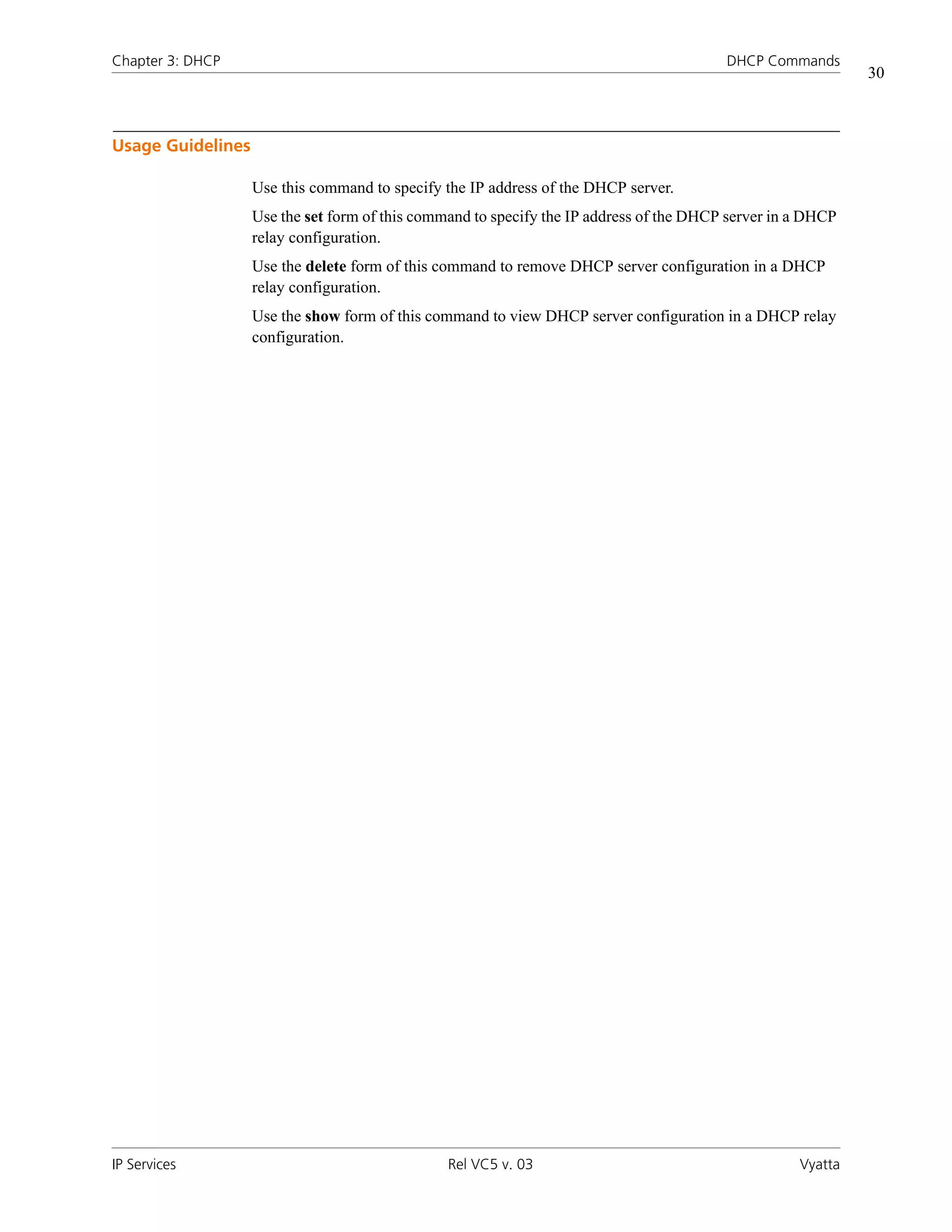
                   Use this command to specify the IP address of the DHCP server.
                   Use the set form of this command to specify the IP address of the DHCP server in a DHCP
                   relay configuration.
                   Use the delete form of this command to remove DHCP server configuration in a DHCP
                   relay configuration.
                   Use the show form of this command to view DHCP server configuration in a DHCP relay
                   configuration.


IP Services                                     Rel VC5 v. 03                                       Vyatta
Chapter 3: DHCP                                                                             DHCP Commands
                                                                                                                31


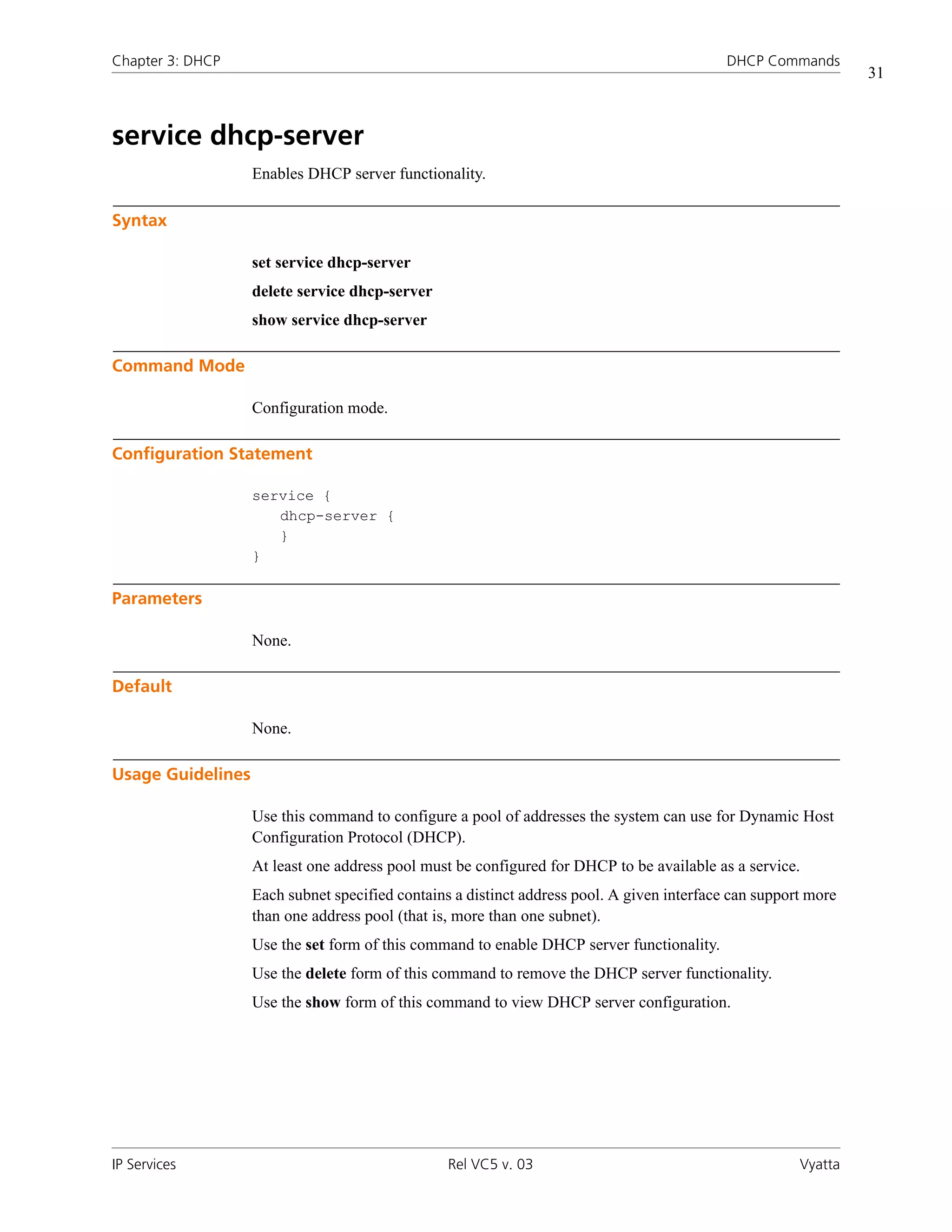
service dhcp-server
                   Enables DHCP server functionality.

Syntax

                   set service dhcp-server
                   delete service dhcp-server
                   show service dhcp-server

Command Mode

                   Configuration mode.

Configuration Statement

                   service {
                      dhcp-server {
                      }
                   }

Parameters

                   None.

Default

                   None.

Usage Guidelines

                   Use this command to configure a pool of addresses the system can use for Dynamic Host
                   Configuration Protocol (DHCP).
                   At least one address pool must be configured for DHCP to be available as a service.
                   Each subnet specified contains a distinct address pool. A given interface can support more
                   than one address pool (that is, more than one subnet).
                   Use the set form of this command to enable DHCP server functionality.
                   Use the delete form of this command to remove the DHCP server functionality.
                   Use the show form of this command to view DHCP server configuration.


IP Services                                      Rel VC5 v. 03                                         Vyatta
Chapter 3: DHCP                                                                           DHCP Commands
                                                                                                              32


service dhcp-server disabled <state>
                   Allows you to disable the DHCP server without discarding configuration.

Syntax

                   set dhcp-server disabled state
                   delete dhcp-server disabled
                   show dhcp-server disabled

Command Mode

                   Configuration mode.

Configuration Statement

                   service {
                      dhcp-server {
                         disabled: [true|false]
                      }
                   }

Parameters


                   state            The administrative state of the DHCP server. Supported values are as
                                    follows:
                                    true: Disables DHCP server without discarding configuration.
                                    false: Enables the DHCP server.


Default

                   DHCP server functionality is disabled.

Usage Guidelines

                   Use this command to disable the DHCP server without discarding configuration.
                   Use the set form of this command to specify whether the DHCP server should be disabled
                   or not.
                   Use the delete form of this command to restore the default state.
                   Use the show form of this command to view DHCP server configuration.


IP Services                                      Rel VC5 v. 03                                       Vyatta
Chapter 3: DHCP                                                                          DHCP Commands
                                                                                                             33


service dhcp-server shared-network-name <name>
                   Defines a pool of addresses for DHCP leases.

Syntax

                   set service dhcp-server shared-network-name name
                   delete service dhcp-server shared-network-name name
                   show service dhcp-server shared-network-name name

Command Mode

                   Configuration mode.

Configuration Statement

                   service {
                      dhcp-server {
                         shared-network-name text {
                         }
                      }
                   }

Parameters


                   name                    Mandatory. Multi-node. The name for the DHCP address pool.
                                           You can define multiple address pools by creating multiple
                                           shared-network-name configuration nodes, each with a
                                           different name.


Default

                   None.

Usage Guidelines

                   Use this command to create a DHCP server address pool with the specified name.
                   Use the set form of this command to create a DHCP address pool.
                   Use the delete form of this command to remove a DHCP address pool.
                   Use the show form of this command to view DHCP address pool configuration.


IP Services                                    Rel VC5 v. 03                                        Vyatta
Chapter 3: DHCP                                                                        DHCP Commands
                                                                                                           34


service dhcp-server shared-network-name <name>
subnet <ipv4net>
                  Specifies the IPv4 network to be served by a DHCP address pool.

Syntax

                  set service dhcp-server shared-network-name name subnet ipv4net
                  delete service dhcp-server shared-network-name name subnet ipv4net
                  show service dhcp-server shared-network-name name subnet ipv4net

Command Mode

                  Configuration mode.

Configuration Statement

                  service {
                     dhcp-server {
                        shared-network-name text {
                            subnet ipv4net {
                            }
                        }
                     }
                  }

Parameters


                  name                    Mandatory. The DHCP address pool.

                  ipv4net                 Mandatory. Multi-node. The IPv4 network to be served with the
                                          addresses defined the specified address pool. The format is
                                          ip-addr/prefix.


Default

                  None.


IP Services                                   Rel VC5 v. 03                                       Vyatta
Chapter 3: DHCP                                                                            DHCP Commands
                                                                                                               35


Usage Guidelines

                   Use this command to specify the IPv4 network to be served with the addresses that are
                   defined in this named rule. DHCP requests from devices on this subnet are served static
                   address assignments or an address from the defined range.
                   Use the set form of this command to specify the DHCP address pool subnet.
                   Use the delete form of this command to remove DHCP address pool subnet configuration.
                   Use the show form of this command to view tDHCP address pool subnet configuration.


IP Services                                     Rel VC5 v. 03                                         Vyatta
Chapter 3: DHCP                                                                           DHCP Commands
                                                                                                             36


service dhcp-server shared-network-name <name>
subnet <ipv4net> authoritative <state>
                  Specifies whether the DHCP server is authoritative.

Syntax

                  set service dhcp-server shared-network-name name subnet ipv4net authoritative state
                  delete service dhcp-server shared-network-name name subnet ipv4net authoritative
                  show service dhcp-server shared-network-name name subnet ipv4net authoritative

Command Mode

                  Configuration mode.

Configuration Statement

                  service {
                     dhcp-server {
                        shared-network-name text {
                            subnet ipv4net {
                               authoritative: [enable|disable]
                            }
                        }
                     }
                  }

Parameters


                  name                     Mandatory. The DHCP address pool.

                  ipv4net                  Mandatory. Multi-node. The IPv4 network served by the DHCP
                                           address pool. The format is ip-addr/prefix.

                  authoritative            Optional. Specifies whether the DHCP server is the
                                           authoritative server. Supported values are as follows:
                                           enable: Enables authoritative state.
                                           disable: Disables authoritative state.
                                           The default is disable.


IP Services                                    Rel VC5 v. 03                                        Vyatta
Chapter 3: DHCP                                                                                 DHCP Commands
                                                                                                                     37


Default

                   The DHCP server is not authoritative.

Usage Guidelines

                   Use this command to set the server as the authoritative DHCP server.
                   Setting the server as authoritative sets the server as a master server and allows it to protect
                   itself from rogue DHCP servers or misconfigured DHCP clients. If the server is
                   authoritative, it sends a DHCPNAK to a misconfigured client; otherwise, the client cannot
                   update its IP address until after the old lease expires.
                   Use the set form of this command to enable or disable the authoritative state for a DHCP
                   server.
                   Use the delete form of this command to restore the default authoritative state.
                   Use the show form of this command to view the authoritative DHCP configuration.


IP Services                                       Rel VC5 v. 03                                             Vyatta
Chapter 3: DHCP                                                                           DHCP Commands
                                                                                                           38


service dhcp-server shared-network-name <name>
subnet <ipv4net> bootfile-name <bootfile>
                  Specifies a bootstrap file from which diskless PCs can boot.

Syntax

                  set service dhcp-server shared-network-name name subnet ipv4net bootfile-name
                  bootfile
                  delete service dhcp-server shared-network-name name subnet ipv4net bootfile-name
                  show service dhcp-server shared-network-name name subnet ipv4net bootfile-name

Command Mode

                  Configuration mode.

Configuration Statement

                  service {
                     dhcp-server {
                        shared-network-name text {
                            subnet ipv4net {
                               bootfile-name: text
                            }
                        }
                     }
                  }

Parameters


                  name                     Mandatory. The DHCP address pool.

                  ipv4net                  Mandatory. Multi-node. The IPv4 network served by the DHCP
                                           address pool. The format is ip-addr/prefix.

                  bootfile                 The name of the bootstrap file to be used to boot.


Default

                  None.


IP Services                                     Rel VC5 v. 03                                     Vyatta
Chapter 3: DHCP                                                                             DHCP Commands
                                                                                                             39


Usage Guidelines

                   Use this command to specify a bootstrap file from which diskless PCs may boot.
                   Use the set form of this command to specify the bootstrap file.
                   Use the delete form of this command to remove boot file configuration.
                   Use the show form of this command to view boot file configuration.


IP Services                                      Rel VC5 v. 03                                      Vyatta
Chapter 3: DHCP                                                                             DHCP Commands
                                                                                                                40


service dhcp-server shared-network-name <name>
subnet <ipv4net> client-prefix-length <prefix>
                  Specifies the subnet prefix length to be assigned to clients.

Syntax

                  set service dhcp-server shared-network-name name subnet ipv4net
                  client-prefix-length prefix
                  delete service dhcp-server shared-network-name name subnet ipv4net
                  client-prefix-length
                  show service dhcp-server shared-network-name name subnet ipv4net
                  client-prefix-length

Command Mode

                  Configuration mode.

Configuration Statement

                  service {
                     dhcp-server {
                        shared-network-name text {
                            subnet ipv4net {
                               client-prefix-length: 0-32
                            }
                        }
                     }
                  }

Parameters


                  name                      Mandatory. The DHCP address pool.

                  ipv4net                   Mandatory. Multi-node. The IPv4 network served by the DHCP
                                            address pool. The format is ip-addr/prefix.

                  prefix                    Optional. The subnet prefix length that will be assigned to each
                                            client. By default, the prefix length defined in the subnet
                                            parameter is assigned. The range is 0 to 32.


IP Services                                      Rel VC5 v. 03                                         Vyatta
Chapter 3: DHCP                                                                             DHCP Commands
                                                                                                                41


Default

                   None.

Usage Guidelines

                   Use this command to specify the subnet prefix length that will be assigned to each client.
                   Use the set form of this command to specify the subnet prefix length that will be assigned
                   to each client.
                   Use the delete form of this command to remove the client-prefix-length configuration.
                   Use the show form of this command to view the client-prefix-length configuration.


IP Services                                      Rel VC5 v. 03                                         Vyatta
Chapter 3: DHCP                                                                             DHCP Commands
                                                                                                                42


service dhcp-server shared-network-name <name>
subnet <ipv4net> default-router <ipv4>
                  Specifies the address of the default router for DHCP clients on this subnet.

Syntax

                  set service dhcp-server shared-network-name name subnet ipv4net default-router ipv4
                  delete service dhcp-server shared-network-name name subnet ipv4net default-router
                  show service dhcp-server shared-network-name name subnet ipv4net default-router

Command Mode

                  Configuration mode.

Configuration Statement

                  service {
                     dhcp-server {
                        shared-network-name text {
                            subnet ipv4net {
                               default-router: ipv4
                            }
                        }
                     }
                  }

Parameters


                  name                      Mandatory. The DHCP address pool.

                  ipv4net                   Mandatory. Multi-node. The IPv4 network served by the DHCP
                                            address pool. The format is ip-addr/prefix.

                  ipv4                      Optional. Gives the address of the default router for DHCP
                                            clients on this subnet. The default router should be on the same
                                            subnet as the client. The format is an IP address.


Default

                  None.


IP Services                                     Rel VC5 v. 03                                          Vyatta
Chapter 3: DHCP                                                                            DHCP Commands
                                                                                                               43


Usage Guidelines

                   Use this command to specify the address of the default router for DHCP clients on this
                   subnet.
                   Use the set form of this command to specify the address of the default router for DHCP
                   clients on this subnet.
                   Use the delete form of this command to remove the default-router configuration.
                   Use the show form of this command to view the default-router configuration.


IP Services                                     Rel VC5 v. 03                                         Vyatta
Chapter 3: DHCP                                                                         DHCP Commands
                                                                                                            44


service dhcp-server shared-network-name <name>
subnet <ipv4net> dns-server <ipv4>
                  Specifies the address of a DNS server for DHCP clients.

Syntax

                  set service dhcp-server shared-network-name name subnet ipv4net dns-server ipv4
                  delete service dhcp-server shared-network-name name subnet ipv4net dns-server ipv4
                  show service dhcp-server shared-network-name name subnet ipv4net dns-server

Command Mode

                  Configuration mode.

Configuration Statement

                  service {
                     dhcp-server {
                        shared-network-name text {
                            subnet ipv4net {
                               dns-server: ipv4
                            }
                        }
                     }
                  }

Parameters


                  name                     Mandatory. The DHCP address pool.

                  ipv4net                  Mandatory. Multi-node. The IPv4 network served by the DHCP
                                           address pool. The format is ip-addr/prefix.

                  ipv4                     Optional. Multi-node. The IPv4 address of the DNS server .
                                           You can specify more than one DNS server by issuing this
                                           statement multiple times.


Default

                  None.


IP Services                                    Rel VC5 v. 03                                       Vyatta
Chapter 3: DHCP                                                                             DHCP Commands
                                                                                                                45


Usage Guidelines

                   Use this command to specify the address of a DNS server that is available to DHCP clients.
                   Use the set form of this command to specify the address of a DNS server that is available
                   to DHCP clients.
                   Use the delete form of this command to remove DNS server configuration.
                   Use the show form of this command to view DNS server configuration.


IP Services                                      Rel VC5 v. 03                                         Vyatta
Chapter 3: DHCP                                                                       DHCP Commands
                                                                                                          46


service dhcp-server shared-network-name <name>
subnet <ipv4net> domain-name <domain-name>
                  Provides the domain name for DHCP clients.

Syntax

                  set service dhcp-server shared-network-name name subnet ipv4net domain-name
                  domain-name
                  delete service dhcp-server shared-network-name name subnet ipv4net domain-name
                  show service dhcp-server shared-network-name name subnet ipv4net domain-name

Command Mode

                  Configuration mode.

Configuration Statement

                  service {
                     dhcp-server {
                        shared-network-name text {
                            subnet ipv4net {
                               domain-name: text
                            }
                        }
                     }
                  }

Parameters


                  name                   Mandatory. The DHCP address pool.

                  ipv4net                Mandatory. Multi-node. The IPv4 network served by the DHCP
                                         address pool. The format is ip-addr/prefix.

                  domain-name            Optional. The domain name to be given to DHCP clients on this
                                         subnet. A domain name can include letters, numbers, hyphens
                                         (“-”), and one period (“.”). For example, “vyatta.com”.


Default

                  None.


IP Services                                  Rel VC5 v. 03                                       Vyatta
Chapter 3: DHCP                                                                          DHCP Commands
                                                                                                              47


Usage Guidelines

                   Use this command to specify the domain name to be used by DHCP clients on this subnet.
                   Use the set form of this command to specify the client domain name.
                   Use the delete form of this command to remove client domain name configuration.
                   Use the show form of this command to view client domain name configuration.


IP Services                                     Rel VC5 v. 03                                        Vyatta
Chapter 3: DHCP                                                                        DHCP Commands
                                                                                                           48


service dhcp-server shared-network-name <name>
subnet <ipv4net> exclude <ipv4>
                  Excludes an IP address to from a DHCP address pool.

Syntax

                  set service dhcp-server shared-network-name name subnet ipv4net exclude ipv4
                  delete service dhcp-server shared-network-name name subnet ipv4net exclude ipv4
                  show service dhcp-server shared-network-name name subnet ipv4net exclude

Command Mode

                  Configuration mode.

Configuration Statement

                  service {
                     dhcp-server {
                        shared-network-name text {
                            subnet ipv4net {
                               exclude: ipv4
                            }
                        }
                     }
                  }

Parameters


                  name                    Mandatory. The DHCP address pool.

                  ipv4net                 Mandatory. Multi-node. The IPv4 network served by the DHCP
                                          address pool. The format is ip-addr/prefix.

                  ipv4                    Optional. Multi-node. The IP address to be excluded from the
                                          lease range.
                                          You can exclude more than one IP address by creating multiple
                                          exclude configuration nodes.


Default

                  None.


IP Services                                   Rel VC5 v. 03                                       Vyatta
Chapter 3: DHCP                                                                           DHCP Commands
                                                                                                              49


Usage Guidelines

                   Use this command to exclude IP address from a DHCP address pool. Excluded addresses
                   are never leased to DHCP clients.
                   Use the set form of this command to exclude an IP address from the lease range.
                   Use the delete form of this command to remove an IP address from the exclusion list.
                   Use the show form of this command to view excluded addresses.


IP Services                                     Rel VC5 v. 03                                        Vyatta
Chapter 3: DHCP                                                                        DHCP Commands
                                                                                                         50


service dhcp-server shared-network-name <name>
subnet <ipv4net> failover
                  Enables DHCP failover functionality for a DHCP address pool on a subnet.

Syntax

                  set service dhcp-server shared-network-name name subnet ipv4net failover
                  delete service dhcp-server shared-network-name name subnet ipv4net failover
                  show service dhcp-server shared-network-name name subnet ipv4net failover

Command Mode

                  Configuration mode.

Configuration Statement

                  service {
                     dhcp-server {
                        shared-network-name text {
                            subnet ipv4net {
                               failover {
                                  local-address: ipv4
                               }
                            }
                        }
                     }
                  }

Parameters


                  name                    Mandatory. The DHCP address pool.

                  ipv4net                 Mandatory. Multi-node. The IPv4 network served by the DHCP
                                          address pool. The format is ip-addr/prefix.


Default

                  None.


IP Services                                   Rel VC5 v. 03                                     Vyatta
Chapter 3: DHCP                                                                                DHCP Commands
                                                                                                                    51


Usage Guidelines

                   Use this command to enable DHCP failover for an address pool on a given network.
                   In a failover configuration, two DHCP servers act as failover peers, with one of the peers
                   designated as the primary and the other as the secondary. For DHCP failover to work:
                   •   Both peers must be Vyatta systems, and must be running the same version of Vyatta
                       software.
                   •   Each server must be configured to point to the other as the failover peer.
                   •   The time on the servers must be exactly synchronized.
                   The system times should be synchronized before configuring DHCP failover. Use of NTP
                   time synchronization is highly recommended. However, if difficulties arise due to incorrect
                   system times, disable NTP, reset the times correctly, and then re-enable NTP.
                   Note that DHCP leases are only assigned in failover configurations if proper
                   communication is established between the two failover peers. If the configuration is
                   incorrect (if, for example, one failover peer is configured but the other is not), DHCP leases
                   will not be dispersed.
                   Use the set form of this command to define DHCP failover configuration
                   Use the delete form of this command to remove DHCP failover configuration.
                   Use the show form of this command to view DCHP failover configuration.


IP Services                                       Rel VC5 v. 03                                            Vyatta
Chapter 3: DHCP                                                                           DHCP Commands
                                                                                                           52


service dhcp-server shared-network-name <name>
subnet <ipv4net> failover local-address <ipv4>
                  Specifies the DHCP failover IP address for the local failover peer.

Syntax

                  set service dhcp-server shared-network-name name subnet ipv4net failover
                  local-address ipv4
                  delete service dhcp-server shared-network-name name subnet ipv4net failover
                  local-address
                  show service dhcp-server shared-network-name name subnet ipv4net failover
                  local-address

Command Mode

                  Configuration mode.

Configuration Statement

                  service {
                     dhcp-server {
                        shared-network-name text {
                            subnet ipv4net {
                               failover {
                                  local-address: ipv4
                                  name: text
                                  peer-address: ipv4
                                  status: [primary|secondary]
                               }
                            }
                        }
                     }
                  }

Parameters


                  name                      Mandatory. The DHCP address pool.

                  ipv4net                   Mandatory. Multi-node. The IPv4 network served by the DHCP
                                            address pool. The format is ip-addr/prefix.

                  ipv4                      The IP address for the local failover peer.


IP Services                                     Rel VC5 v. 03                                     Vyatta
Chapter 3: DHCP                                                                            DHCP Commands
                                                                                                              53


Default

                   None.

Usage Guidelines

                   Use this command to specify the DHCP failover IP address for the local failover peer.
                   Use the set form of this command to set the DHCP failover IP address.
                   Use the delete form of this command to remove local failover IP address configuration.
                   Use the show form of this command to view local failover IP address configuration.


IP Services                                     Rel VC5 v. 03                                        Vyatta
Chapter 3: DHCP                                                                         DHCP Commands
                                                                                                          54


service dhcp-server shared-network-name <name>
subnet <ipv4net> failover name <peer-name>
                  Specifies the DHCP failover peer name for the local peer.

Syntax

                  set service dhcp-server shared-network-name name subnet ipv4net failover name
                  peer-name
                  delete service dhcp-server shared-network-name name subnet ipv4net failover name
                  show service dhcp-server shared-network-name name subnet ipv4net failover name

Command Mode

                  Configuration mode.

Configuration Statement

                  service {
                     dhcp-server {
                        shared-network-name text {
                            subnet ipv4net {
                               failover {
                                  name: text
                               }
                            }
                        }
                     }
                  }

Parameters


                  name                     Mandatory. The DHCP address pool.

                  ipv4net                  Mandatory. Multi-node. The IPv4 network served by the DHCP
                                           address pool. The format is ip-addr/prefix.

                  peer-name                The DHCP failover peer name for the local peer.


Default

                  None.


IP Services                                    Rel VC5 v. 03                                     Vyatta
Chapter 3: DHCP                                                                           DHCP Commands
                                                                                                               55


Usage Guidelines

                   Use this command to specify a name for the local peer in a DHCP failover pair.
                   Use the set form of this command to specify the DHCP failover peer name.
                   Use the delete form of this command to remove the local peer name configuration.
                   Use the show form of this command to view local peer name configuration.


IP Services                                     Rel VC5 v. 03                                         Vyatta
Chapter 3: DHCP                                                                              DHCP Commands
                                                                                                              56


service dhcp-server shared-network-name <name>
subnet <ipv4net> failover peer-address <ipv4>
                  Specifies the DHCP failover IP address for the local peer.

Syntax

                  set service dhcp-server shared-network-name name subnet ipv4net failover
                  peer-address ipv4
                  delete service dhcp-server shared-network-name name subnet ipv4net failover
                  peer-address
                  show service dhcp-server shared-network-name name subnet ipv4net failover
                  peer-address

Command Mode

                  Configuration mode.

Configuration Statement

                  service {
                     dhcp-server {
                        shared-network-name text {
                            subnet ipv4net {
                               failover {
                                  peer-address: ipv4
                               }
                            }
                        }
                     }
                  }

Parameters


                  name                     Mandatory. The DHCP address pool.

                  ipv4net                  Mandatory. Multi-node. The IPv4 network served by the DHCP
                                           address pool. The format is ip-addr/prefix.

                  ipv4                     Specifies the IP address for the failover peer.


IP Services                                     Rel VC5 v. 03                                        Vyatta
Chapter 3: DHCP                                                                           DHCP Commands
                                                                                                              57


Default

                   None.

Usage Guidelines

                   Use this command to specify the DHCP failover IP address for the local peer.
                   Use the set form of this command to specify the DHCP failover IP address for the local
                   peer.
                   Use the delete form of this command to remove the IP address configuration.
                   Use the show form of this command to view the IP address configuration.


IP Services                                     Rel VC5 v. 03                                        Vyatta
Chapter 3: DHCP                                                                            DHCP Commands
                                                                                                               58


service dhcp-server shared-network-name <name>
subnet <ipv4net> failover status <status>
                  Specifies the DHCP failover status for this peer.

Syntax

                  set service dhcp-server shared-network-name name subnet ipv4net failover status
                  status
                  delete service dhcp-server shared-network-name name subnet ipv4net failover status
                  show service dhcp-server shared-network-name name subnet ipv4net failover status

Command Mode

                  Configuration mode.

Configuration Statement

                  service {
                     dhcp-server {
                        shared-network-name text {
                            subnet ipv4net {
                               failover {
                                  status: [primary|secondary]
                               }
                            }
                        }
                     }
                  }

Parameters


                  name                      Mandatory. The DHCP address pool.

                  ipv4net                   Mandatory. Multi-node. The IPv4 network served by the DHCP
                                            address pool. The format is ip-addr/prefix.

                  status                    Indicates whether this peer is the primary or secondary peer in
                                            the failover configuration. Supported values are as follows:
                                            primary: The local system is primary peer.
                                            secondary: The local system is the secondary peer.


IP Services                                     Rel VC5 v. 03                                         Vyatta
Chapter 3: DHCP                                                                           DHCP Commands
                                                                                                              59


Default

                   None.

Usage Guidelines

                   Use this command to specify the DHCP failover status of this system.
                   Use the set form of this command to specify whether this system is primary or secondary.
                   Use the delete form of this command to remove failover status configuration.
                   Use the show form of this command to view failover status configuration.


IP Services                                     Rel VC5 v. 03                                        Vyatta
Chapter 3: DHCP                                                                            DHCP Commands
                                                                                                               60


service dhcp-server shared-network-name <name>
subnet <ipv4net> ip-forwarding enable <state>
                  Specifies whether the client should configure its IP layer for packet forwarding.

Syntax

                  set service dhcp-server shared-network-name name subnet ipv4net ip-forwarding
                  enable state
                  delete service dhcp-server shared-network-name name subnet ipv4net ip-forwarding
                  enable
                  show service dhcp-server shared-network-name name subnet ipv4net ip-forwarding
                  enable

Command Mode

                  Configuration mode.

Configuration Statement

                  service {
                     dhcp-server {
                        shared-network-name text {
                            subnet ipv4net {
                               ip-forwarding {
                                  enable: [true|false]
                               }
                            }
                        }
                     }
                  }

Parameters


                  name                      Mandatory. The DHCP address pool.

                  ipv4net                   Mandatory. Multi-node. The IPv4 network served by the DHCP
                                            address pool. The format is ip-addr/prefix.


IP Services                                     Rel VC5 v. 03                                         Vyatta
Chapter 3: DHCP                                                                               DHCP Commands
                                                                                                                  61


                   state                     Specifies whether or not the client should configure its IP layer
                                             for packet forwarding. Supported values are as follows:
                                             true: The client should configure its IP later for packet
                                             forwarding.
                                             false: The client should not configure its IP later for packet
                                             forwarding.
                                             The default false.


Default

                   The DHCP server does not direct clients to configure for packet forwarding.

Usage Guidelines

                   Use this command to specify whether the DHCP server directs clients to configure the IP
                   layer for packet forwarding.
                   Use the set form of this command to specify whether the client should configure its IP layer
                   for packet forwarding.
                   Use the delete form of this command to restore the default configuration.
                   Use the show form of this command to view IP forwarding configuration.


IP Services                                      Rel VC5 v. 03                                           Vyatta
Chapter 3: DHCP                                                                          DHCP Commands
                                                                                                             62


service dhcp-server shared-network-name <name>
subnet <ipv4net> lease <seconds>
                  Specifies how long the address assigned by the DHCP server will be valid.

Syntax

                  set service dhcp-server shared-network-name name subnet ipv4net lease seconds
                  delete service dhcp-server shared-network-name name subnet ipv4net lease
                  show service dhcp-server shared-network-name name subnet ipv4net lease

Command Mode

                  Configuration mode.

Configuration Statement

                  service {
                     dhcp-server {
                        shared-network-name text {
                            subnet ipv4net {
                               lease: u32
                            }
                        }
                     }
                  }

Parameters


                  name                     Mandatory. The DHCP address pool.

                  ipv4net                  Mandatory. Multi-node. The IPv4 network served by the DHCP
                                           address pool. The format is ip-addr/prefix.

                  seconds                  Optional. Specifies how long the address assigned by the
                                           DHCP server will be valid, in seconds. The range is 120 to
                                           4294967296.


Default

                  The default is 86400 (24 hours).


IP Services                                    Rel VC5 v. 03                                        Vyatta
Chapter 3: DHCP                                                                             DHCP Commands
                                                                                                             63


Usage Guidelines

                   Use this command to specify how long the address assigned by the DHCP server will be
                   valid.
                   Use the set form of this command to specify how long the address assigned by the DHCP
                   server will be valid.
                   Use the delete form of this command to remove the lease configuration.
                   Use the show form of this command to view the lease configuration.


IP Services                                     Rel VC5 v. 03                                       Vyatta
Chapter 3: DHCP                                                                            DHCP Commands
                                                                                                               64


service dhcp-server shared-network-name <name>
subnet <ipv4net> ntp-server <ipv4>
                  Specifies the address of an NTP (Network Time Protocol) server available to clients.

Syntax

                  set service dhcp-server shared-network-name name subnet ipv4net ntp-server ipv4
                  delete service dhcp-server shared-network-name name subnet ipv4net ntp-server ipv4
                  show service dhcp-server shared-network-name name subnet ipv4net ntp-server

Command Mode

                  Configuration mode.

Configuration Statement

                  service {
                     dhcp-server {
                        shared-network-name text {
                            subnet ipv4net {
                               ntp-server: ipv4
                            }
                        }
                     }
                  }

Parameters


                  name                     Mandatory. The DHCP address pool.

                  ipv4net                  Mandatory. Multi-node. The IPv4 network served by the DHCP
                                           address pool. The format is ip-addr/prefix.

                  ipv4                     Optional. Specifies the IP address of an NTP server available to
                                           clients. Multiple NTP server addresses can be specified in
                                           separate commands. The list of NTP servers should be specified
                                           in order of preference.


Default

                  None.


IP Services                                    Rel VC5 v. 03                                          Vyatta
Chapter 3: DHCP                                                                           DHCP Commands
                                                                                                              65


Usage Guidelines

                   Use this command to specify the address of an NTP (Network Time Protocol) server
                   available to clients.
                   Use the set form of this command to specify the address of an NTP server available to
                   clients.
                   Use the delete form of this command to remove the NTP server configuration.
                   Use the show form of this command to view the NTP server configuration.


IP Services                                     Rel VC5 v. 03                                        Vyatta
Chapter 3: DHCP                                                                             DHCP Commands
                                                                                                                   66


service dhcp-server shared-network-name <name>
subnet <ipv4net> pop-server <ipv4>
                  Specifies the address of a POP3 (Post Office Protocol 3) server available to clients.

Syntax

                  set service dhcp-server shared-network-name name subnet ipv4net pop-server ipv4
                  delete service dhcp-server shared-network-name name subnet ipv4net pop-server ipv4
                  show service dhcp-server shared-network-name name subnet ipv4net pop-server

Command Mode

                  Configuration mode.

Configuration Statement

                  service {
                     dhcp-server {
                        shared-network-name text {
                            subnet ipv4net {
                               pop-server: ipv4
                            }
                        }
                     }
                  }

Parameters


                  name                      Mandatory. The DHCP address pool.

                  ipv4net                   Mandatory. Multi-node. The IPv4 network served by the DHCP
                                            address pool. The format is ip-addr/prefix.

                  ipv4                      Optional. Specifies the IP address of an POP3 server available
                                            to clients. Multiple POP3 server addresses can be specified in
                                            separate commands. The list of POP3 servers should be
                                            specified in order of preference.


Default

                  None.


IP Services                                     Rel VC5 v. 03                                             Vyatta
Chapter 3: DHCP                                                                           DHCP Commands
                                                                                                              67


Usage Guidelines

                   Use this command to specify the address of an POP3 (Post Office Protocol 3) server
                   available to clients.
                   Use the set form of this command to specify the address of an POP3 server available to
                   clients.
                   Use the delete form of this command to remove the POP3 server configuration.
                   Use the show form of this command to view the POP3 server configuration.


IP Services                                     Rel VC5 v. 03                                        Vyatta
Chapter 3: DHCP                                                                           DHCP Commands
                                                                                                              68


service dhcp-server shared-network-name <name>
subnet <ipv4net> server-identifier <ipv4>
                  Specifies the address for the DHCP server identifier.

Syntax

                  set service dhcp-server shared-network-name name subnet ipv4net server-identifier
                  ipv4
                  delete service dhcp-server shared-network-name name subnet ipv4net
                  server-identifier
                  show service dhcp-server shared-network-name name subnet ipv4net server-identifier

Command Mode

                  Configuration mode.

Configuration Statement

                  service {
                     dhcp-server {
                        shared-network-name text {
                            subnet ipv4net {
                               server-identifier ipv4
                            }
                        }
                     }
                  }

Parameters


                  name                     Mandatory. The DHCP address pool.

                  ipv4net                  Mandatory. Multi-node. The IPv4 network served by the DHCP
                                           address pool. The format is ip-addr/prefix.

                  ipv4                     Optional. Specifies the address for the DHCP server identifier.


Default

                  None.


IP Services                                     Rel VC5 v. 03                                        Vyatta
Chapter 3: DHCP                                                                              DHCP Commands
                                                                                                                  69


Usage Guidelines

                   Use this command to specify the address for the DHCP server identifier.
                   The server identifier option is a field in a DHCP message that identifies the DHCP server
                   as the destination address from clients to servers. When the DHCP server includes this field
                   in a DHCPOffer, the client can use it to distinguish between multiple lease offers. The
                   server identifier must be an address that is reachable from the client.
                   Use the set form of this command to specify the address for the DHCP server identifier.
                   Use the delete form of this command to remove the address for the DHCP server identifier.
                   Use the show form of this command to view the DHCP server identifier configuration.


IP Services                                      Rel VC5 v. 03                                           Vyatta
Chapter 3: DHCP                                                                          DHCP Commands
                                                                                                             70


service dhcp-server shared-network-name <name>
subnet <ipv4net> smtp-server <ipv4>
                  Specifies the address of a SMTP (Simple Mail Transfer Protocol) server available to
                  clients.

Syntax

                  set service dhcp-server shared-network-name name subnet ipv4net smtp-server ipv4
                  delete service dhcp-server shared-network-name name subnet ipv4net smtp-server
                  ipv4
                  show service dhcp-server shared-network-name name subnet ipv4net smtp-server

Command Mode

                  Configuration mode.

Configuration Statement

                  service {
                     dhcp-server {
                        shared-network-name text {
                            subnet ipv4net {
                               smtp-server: ipv4
                            }
                        }
                     }
                  }

Parameters


                  name                     Mandatory. The DHCP address pool.

                  ipv4net                  Mandatory. Multi-node. The IPv4 network served by the DHCP
                                           address pool. The format is ip-addr/prefix.

                  ipv4                     Optional. Specifies the IP address of an SMTP server available
                                           to clients. Multiple SMTP server addresses can be specified in
                                           separate commands. The list of SMTP servers should be
                                           specified in order of preference.


IP Services                                    Rel VC5 v. 03                                        Vyatta
Chapter 3: DHCP                                                                          DHCP Commands
                                                                                                             71


Default

                   None.

Usage Guidelines

                   Use this command to specify the address of an SMTP (Simple Mail Transfer Protocol)
                   server available to clients.
                   Use the set form of this command to specify the address of an SMTP server available to
                   clients.
                   Use the delete form of this command to remove the SMTP server configuration.
                   Use the show form of this command to view the SMTP server configuration.


IP Services                                     Rel VC5 v. 03                                       Vyatta
Chapter 3: DHCP                                                                             DHCP Commands
                                                                                                              72


service dhcp-server shared-network-name <name>
subnet <ipv4net> start <ipv4> stop <ipv4>
                  Specifies the range of addresses that will be assigned to DHCP clients.

Syntax

                  set service dhcp-server shared-network-name name subnet ipv4net start ipv4 stop ipv4
                  delete service dhcp-server shared-network-name name subnet ipv4net start [ipv4
                  [stop]]
                  show service dhcp-server shared-network-name name subnet ipv4net start [ipv4]

Command Mode

                  Configuration mode.

Configuration Statement

                  service {
                     dhcp-server {
                        shared-network-name text {
                            subnet ipv4net {
                               start ipv4 {
                                  stop: ipv4
                               }
                            }
                        }
                     }
                  }

Parameters


                  name                     Mandatory. The DHCP address pool.

                  ipv4net                  Mandatory. Multi-node. The IPv4 network served by the DHCP
                                           address pool. The format is ip-addr/prefix.

                  start                    Optional. Multi-node. The start address in an address range.
                                           This is the first address in the range that can be assigned.
                                           You can define multiple address ranges within an address pool,
                                           by creating multiple start configuration nodes.


IP Services                                     Rel VC5 v. 03                                        Vyatta
Chapter 3: DHCP                                                                             DHCP Commands
                                                                                                                 73


                   stop                      Mandatory. The stop address in this address range. This is the
                                             last address in the range that can be assigned.


Default

                   None.

Usage Guidelines

                   Use this command to specify the range of addresses that will be assigned to DHCP clients.
                   Use the set form of this command to specify the range of addresses that will be assigned to
                   DHCP clients.
                   Use the delete form of this command to remove the address range configuration.
                   Use the show form of this command to view the address range configuration.


IP Services                                      Rel VC5 v. 03                                          Vyatta
Chapter 3: DHCP                                                                        DHCP Commands
                                                                                                           74


service dhcp-server shared-network-name <name>
subnet <ipv4net> static-mapping
                  Specifies a static IP address for a specific DHCP client.

Syntax

                  set service dhcp-server shared-network-name name subnet ipv4net static-mapping
                  mapname {ip-address ipv4| mac-address mac}
                  delete service dhcp-server shared-network-name name subnet ipv4net static-mapping
                  mapname [ip-address|mac-address]
                  show service dhcp-server shared-network-name name subnet ipv4net static-mapping
                  mapname [ip-address|mac-address]

Command Mode

                  Configuration mode.

Configuration Statement

                  service {
                     dhcp-server {
                        shared-network-name text {
                            subnet ipv4net {
                               static-mapping text {
                                  ip-address: ipv4
                                  mac-address: text
                               }
                            }
                        }
                     }
                  }

Parameters


                  name                      Mandatory. The DHCP address pool.

                  ipv4net                   Mandatory. Multi-node. The IPv4 network served by the DHCP
                                            address pool. The format is ip-addr/prefix.


IP Services                                     Rel VC5 v. 03                                     Vyatta
Chapter 3: DHCP                                                                             DHCP Commands
                                                                                                                  75


                   mapname                  Optional. Multi-node. Allows you to statically map an IP
                                            address within an address pool to the MAC address of a device
                                            on the network.
                                            You can define multiple static mappings of this type by creating
                                            multiple static-mapping configuration nodes.

                   ipv4                     Mandatory. The IP address to be statically assigned to the
                                            device.

                   mac                      Mandatory. The MAC address to be statically mapped to the
                                            specified IP address.


Default

                   None.

Usage Guidelines

                   Use this command to specify a static IP address for a specific DHCP client based on its
                   MAC address.
                   Use the set form of this command to specify a static IP address for a specific DHCP client
                   based on its MAC address.
                   Use the delete form of this command to remove the static mapping configuration.
                   Use the show form of this command to view the static mapping configuration.


IP Services                                      Rel VC5 v. 03                                           Vyatta
Chapter 3: DHCP                                                                                 DHCP Commands
                                                                                                                     76


service dhcp-server shared-network-name <name>
subnet <ipv4net> static-route destination-subnet
<ipv4net>
                  Specifies the destination subnet of a static route for clients to store in their routing cache.

Syntax

                  set service dhcp-server shared-network-name name subnet ipv4net static-route
                  destination-subnet ipv4net2
                  delete service dhcp-server shared-network-name name subnet ipv4net static-route
                  destination-subnet
                  show service dhcp-server shared-network-name name subnet ipv4net static-route
                  destination-subnet

Command Mode

                  Configuration mode.

Configuration Statement

                  service {
                     dhcp-server {
                        shared-network-name text {
                            subnet ipv4net {
                               static-route {
                                  destination-subnet: ipv4net
                            }
                        }
                     }
                  }

Parameters


                  name                       Mandatory. The DHCP address pool.

                  ipv4net                    Mandatory. Multi-node. The IPv4 network served by the DHCP
                                             address pool. The format is ip-addr/prefix.

                  ipv4net2                   Specifies the destination IP subnet of a static route for clients to
                                             store in their routing table.


IP Services                                       Rel VC5 v. 03                                             Vyatta
Chapter 3: DHCP                                                                               DHCP Commands
                                                                                                                  77


Default

                   None.

Usage Guidelines

                   Use this command to specify the destination subnet of a static route for clients to store in
                   their routing cache. The other part of the static route is defined by the the service
                   dhcp-server shared-network-name <name> subnet <ipv4net> static-route router
                   <ipv4> command (see page 78). Only one static route can be defined for a given subnet.
                   Use the set form of this command to specify the destination subnet of a static route for
                   clients to store in their routing cache.
                   Use the delete form of this command to remove the destination subnet configuration.
                   Use the show form of this command to view the destination subnet configuration.


IP Services                                       Rel VC5 v. 03                                          Vyatta
Chapter 3: DHCP                                                                                 DHCP Commands
                                                                                                                     78


service dhcp-server shared-network-name <name>
subnet <ipv4net> static-route router <ipv4>
                  Specifies the router for the destination of a static route for clients to store in their routing
                  cache.

Syntax

                  set service dhcp-server shared-network-name name subnet ipv4net static-route router
                  ipv4
                  delete service dhcp-server shared-network-name name subnet ipv4net static-route
                  router
                  show service dhcp-server shared-network-name name subnet ipv4net static-route
                  router

Command Mode

                  Configuration mode.

Configuration Statement

                  service {
                     dhcp-server {
                        shared-network-name text {
                            subnet ipv4net {
                               static-route {
                                  router: ipv4
                            }
                        }
                     }
                  }

Parameters


                  name                       Mandatory. The DHCP address pool.

                  ipv4net                    Mandatory. Multi-node. The IPv4 network served by the DHCP
                                             address pool. The format is ip-addr/prefix.

                  ipv4                       Specifies the IP address of the router for the destination of a
                                             static route for clients to store in their routing cache.


IP Services                                       Rel VC5 v. 03                                             Vyatta
Chapter 3: DHCP                                                                                DHCP Commands
                                                                                                                    79


Default

                   None.

Usage Guidelines

                   Use this command to specify the router for the destination of a static route for clients to
                   store in their routing cache. The other part of the static route is defined by the the service
                   dhcp-server shared-network-name <name> subnet <ipv4net> static-route
                   destination-subnet <ipv4net> command (see page 76).
                   Use the set form of this command to specify the router for the destination of a static route
                   for clients to store in their routing cache.
                   Use the delete form of this command to remove the router configuration.
                   Use the show form of this command to view the router configuration.


IP Services                                       Rel VC5 v. 03                                            Vyatta
Chapter 3: DHCP                                                                             DHCP Commands
                                                                                                                 80


service dhcp-server shared-network-name <name>
subnet <ipv4net> tftp-server-name <servername>
                  Specifies the name of a TFTP (Trivial File Transfer Protocol) server available to clients.

Syntax

                  set service dhcp-server shared-network-name name subnet ipv4net tftp-server-name
                  servername
                  delete service dhcp-server shared-network-name name subnet ipv4net
                  tftp-server-name
                  show service dhcp-server shared-network-name name subnet ipv4net
                  tftp-server-name

Command Mode

                  Configuration mode.

Configuration Statement

                  service {
                     dhcp-server {
                        shared-network-name text {
                            subnet ipv4net {
                               tftp-server-name: ipv4
                            }
                        }
                     }
                  }

Parameters


                  name                      Mandatory. The DHCP address pool.

                  ipv4net                   Mandatory. Multi-node. The IPv4 network served by the DHCP
                                            address pool. The format is ip-addr/prefix.

                  servername                Specifies the name of a TFTP server available to clients.


Default

                  None.


IP Services                                     Rel VC5 v. 03                                           Vyatta
Chapter 3: DHCP                                                                           DHCP Commands
                                                                                                              81


Usage Guidelines

                   Use this command to specify the name of a TFTP (Trivial File Transfer Protocol) server
                   available to clients.
                   Use the set form of this command to specify the name of a TFTP (Trivial File Transfer
                   Protocol) server available to clients.
                   Use the delete form of this command to remove the TFTP server configuration.
                   Use the show form of this command to view the TFTP server configuration.


IP Services                                     Rel VC5 v. 03                                        Vyatta
Chapter 3: DHCP                                                                           DHCP Commands
                                                                                                              82


service dhcp-server shared-network-name <name>
subnet <ipv4net> time-offset <seconds>
                  Specifies the offset of the client’s subnet in seconds from UTC (Coordinated Universal
                  Time).

Syntax

                  set service dhcp-server shared-network-name name subnet ipv4net time-offset seconds
                  delete service dhcp-server shared-network-name name subnet ipv4net time-offset
                  show service dhcp-server shared-network-name name subnet ipv4net time-offset

Command Mode

                  Configuration mode.

Configuration Statement

                  service {
                     dhcp-server {
                        shared-network-name text {
                            subnet ipv4net {
                               time-offset: u32
                            }
                        }
                     }
                  }

Parameters


                  name                     Mandatory. The DHCP address pool.

                  ipv4net                  Mandatory. Multi-node. The IPv4 network served by the DHCP
                                           address pool. The format is ip-addr/prefix.

                  seconds                  Specifies the offset of the client’s subnet in seconds from UTC
                                           (Coordinated Universal Time).


Default

                  None.


IP Services                                    Rel VC5 v. 03                                         Vyatta
Chapter 3: DHCP                                                                               DHCP Commands
                                                                                                                   83


Usage Guidelines

                   Use this command to specify the offset of the client’s subnet in seconds from UTC
                   (Coordinated Universal Time).
                   Use the set form of this command to specify the offset of the client’s subnet in seconds from
                   UTC (Coordinated Universal Time).
                   Use the delete form of this command to remove the time offset configuration.
                   Use the show form of this command to view the time offset configuration.


IP Services                                       Rel VC5 v. 03                                           Vyatta
Chapter 3: DHCP                                                                           DHCP Commands
                                                                                                              84


service dhcp-server shared-network-name <name>
subnet <ipv4net> time-server <ipv4>
                  Specifies the address of an RFC868 time server available to clients.

Syntax

                  set service dhcp-server shared-network-name name subnet ipv4net time-server ipv4
                  delete service dhcp-server shared-network-name name subnet ipv4net time-server
                  ipv4
                  show service dhcp-server shared-network-name name subnet ipv4net time-server

Command Mode

                  Configuration mode.

Configuration Statement

                  service {
                     dhcp-server {
                        shared-network-name text {
                            subnet ipv4net {
                               time-server: ipv4
                            }
                        }
                     }
                  }

Parameters


                  name                     Mandatory. The DHCP address pool.

                  ipv4net                  Mandatory. Multi-node. The IPv4 network served by the DHCP
                                           address pool. The format is ip-addr/prefix.

                  ipv4                     Optional. Specifies the IP address of an RFC868 time server
                                           available to clients. Multiple time server addresses can be
                                           specified in separate commands. The list of time servers should
                                           be specified in order of preference.


IP Services                                     Rel VC5 v. 03                                        Vyatta
Chapter 3: DHCP                                                                               DHCP Commands
                                                                                                                    85


Default

                   None.

Usage Guidelines

                   Use this command to specify the address of an RFC 868 time server available to clients.
                   Use the set form of this command to specify the address of a time server available to clients.
                   Use the delete form of this command to remove the time server configuration.
                   Use the show form of this command to view the time server configuration.


IP Services                                       Rel VC5 v. 03                                           Vyatta
Chapter 3: DHCP                                                                           DHCP Commands
                                                                                                           86


service dhcp-server shared-network-name <name>
subnet <ipv4net> wins-server <ipv4>
                  Specifies the address of a WINS server that is available to DHCP clients.

Syntax

                  set service dhcp-server shared-network-name name subnet ipv4net wins-server ipv4
                  delete service dhcp-server shared-network-name name subnet ipv4net wins-server
                  ipv4
                  show service dhcp-server shared-network-name name subnet ipv4net wins-server

Command Mode

                  Configuration mode.

Configuration Statement

                  service {
                     dhcp-server {
                        shared-network-name text {
                            subnet ipv4net {
                               wins-server: ipv4
                            }
                        }
                     }
                  }

Parameters


                  name                     Mandatory. The DHCP address pool.

                  ipv4net                  Mandatory. Multi-node. The IPv4 network served by the DHCP
                                           address pool. The format is ip-addr/prefix.

                  ipv4                     Optional. Multi-node. Gives the address of a NetBIOS
                                           Windows Internet Naming Server (WINS) available to DHCP
                                           clients on this subnet. The WINS server provides a name
                                           resolution services the Microsoft DHCP clients can use to
                                           correlate host names to IP addresses.
                                           You can specify more than one WINS server by issuing this
                                           statement multiple times. The format is an IP address.


IP Services                                    Rel VC5 v. 03                                      Vyatta
Chapter 3: DHCP                                                                             DHCP Commands
                                                                                                                87


Default

                   None.

Usage Guidelines

                   Use this command to specify the address of a WINS server that is available to DHCP
                   clients.
                   Use the set form of this command to specify the address of a WINS server that is available
                   to DHCP clients.
                   Use the delete form of this command to remove the wins-server configuration.
                   Use the show form of this command to view the wins-server configuration.


IP Services                                      Rel VC5 v. 03                                         Vyatta
Chapter 3: DHCP                                                                     DHCP Commands
                                                                                                        88


service dhcp-server shared-network-name <name>
subnet <ipv4net> wpad-url <url>
                  Specifies the Web Proxy Autodiscovery (WPAD) URL

Syntax

                  set service dhcp-server shared-network-name name subnet ipv4net wpad-url url
                  delete service dhcp-server shared-network-name name subnet ipv4net wpad-url
                  show service dhcp-server shared-network-name name subnet ipv4net wpad-url

Command Mode

                  Configuration mode.

Configuration Statement

                  service {
                     dhcp-server {
                        shared-network-name text {
                            subnet ipv4net {
                               wpad-url: text
                            }
                        }
                     }
                  }

Parameters


                  name                   Mandatory. The DHCP address pool.

                  ipv4net                Mandatory. Multi-node. The IPv4 network served by the DHCP
                                         address pool. The format is ip-addr/prefix.

                  url                    Optional. Specifies the Web Proxy Autodiscovery (WPAD)
                                         URL


Default

                  None.


IP Services                                  Rel VC5 v. 03                                     Vyatta
Chapter 3: DHCP                                                                      DHCP Commands
                                                                                                        89


Usage Guidelines

                   Use this command to specify the Web Proxy Autodiscovery (WPAD) URL
                   Use the set form of this command to specify the Web Proxy Autodiscovery (WPAD) URL
                   Use the delete form of this command to remove the WPAD URL configuration.
                   Use the show form of this command to view the WPAD URL configuration.


IP Services                                   Rel VC5 v. 03                                    Vyatta
Chapter 3: DHCP                                                                            DHCP Commands
                                                                                                                 90


show dhcp client leases
                   Displays DHCP client information.

Syntax

                   show dhcp client leases [interface ethx]

Command Mode

                   Operational mode.

Parameters


                   ethx                         Shows client information for the specified interface.


Usage Guidelines

                   Use this command to see current DHCP client information.
                   When used with no option, this command displays all client information. When an interface
                   is provided, this command displays client information for the specified interface.
                   DHCP is configured using the the service dhcp-server command (see page 31).


IP Services                                     Rel VC5 v. 03                                           Vyatta
Chapter 3: DHCP                                                                             DHCP Commands
                                                                                                                 91


show dhcp leases
                   Displays current DHCP lease information.

Syntax

                   show dhcp leases [pool pool-name]

Command Mode

                   Operational mode.

Parameters


                   pool-name                     Shows lease information for the specified address pool.


Usage Guidelines

                   Use this command to see current lease information for DHCP subscribers.
                   When used with no option, this command displays all current lease information. When
                   address pool is provided, this command displays lease information for the specified address
                   pool.
                   DHCP is configured using the the service dhcp-server command (see page 31).


Examples

                   Example 3-1 shows sample output of show dhcp leases with no option.

Example 3-1 ”show dhcp leases”


    vyatta@R1> show dhcp leases

    IP address          Hardware Address           Lease expiration             Pool        Client Name
    ----------          ----------------           ----------------             ----        -----------
    192.168.11.101      00:12:3f:e3:af:67          2007/06/23 16:28:26          POOL1       Laptop 9

    vyatta@R1>


IP Services                                      Rel VC5 v. 03                                          Vyatta
Chapter 3: DHCP                                                                              DHCP Commands
                                                                                                                  92


show dhcp statistics
                    Displays DHCP server statistics.

Syntax

                    show dhcp statistics [pool pool-name]

Command Mode

                    Operational mode.

Parameters


                    pool-name        Shows DHCP statistics for the specified address pool


Usage Guidelines

                    Use this command to see current lease information for DHCP subscribers.
                    When used with no option, this command displays all current lease information. When
                    address pool is provided, this command displays lease information for the specified address
                    pool.
                    DHCP is configured using the the service dhcp-server command (see page 31).

Examples

                    Example 3-2 shows sample output of show dhcp statistics with no option.

Example 3-2 ”show dhcp statistics”


    vyatta@R1> show dhcp statistics

    Total DHCP requests for all pools:                 2
    Total DHCP responses for all pools:                0


IP Services                                       Rel VC5 v. 03                                          Vyatta
Chapter 3: DHCP                                   DHCP Commands
                                                                   93


    pool                 pool size   # leased   # avail
    ----                 ---------   --------   -------
    POOL1                100         1          99

    vyatta@R1>


IP Services       Rel VC5 v. 03                           Vyatta
94


Chapter 4: DNS


          This chapter explains how to use Domain Name System (DNS) on the Vyatta
          system.
          This chapter presents the following topics:
          •   DNS Configuration
          •   DNS Commands
Chapter 4: DNS                                                                            DNS Configuration
                                                                                                                95


DNS Configuration
                 This section presents the following topics:
                 •   DNS Overview
                 •   DNS Configuration Examples


DNS Overview
                 The Domain Name System (DNS) is an Internet directory service providing mappings
                 between human-readable domain names and numeric IP addresses. DNS mappings are
                 recorded in resource records that are stored on name servers distributed throughout the
                 Internet. A device needing to access a host across the Internet sends a DNS query to a name
                 server. The name server consults its resource records and returns an answer with the IP
                 address of the specified name.
                 The DNS system forms its own network on the Internet. If the requested record is not local
                 to the consulted name server, the name server consults another name server, and so on, until
                 the requested information is located and returned.
                 There are billions of resource records in the DNS system. To keep the data manageable, the
                 records are divided into zones, which contain resource records for a DNS domain or
                 subdomain.
                 The Vyatta system supports three main DNS-related features:
                 •   System DNS
                 •   Dynamic DNS
                 •   DNS Forwarding


                 System DNS
                 In system DNS, you define the list of name servers that the Vyatta system can use to resolve
                 hostnames to IP addresses. This list is created using the system name-server command.
                 (The system name-server command is described in the Vyatta Basic System Reference
                 Guide; for your convenience, an example of system DNS is provided in this chapter in
                 “Example 4-1 Configuring static access to a DNS name server.”)


                 Dynamic DNS
                 Originally, DNS mappings were statically specified in “zone files,” which were
                 periodically loaded onto DNS servers. This worked reasonably well at a time when most
                 hosts were configured with static IP addresses. However, since the 1990s, many network


IP Services                                    Rel VC5 v. 03                                           Vyatta
Chapter 4: DNS                                                                              DNS Configuration
                                                                                                                  96


                 endpoints have been assigned IP addresses using dynamic protocols such as Dynamic Host
                 Configuration Protocol. Until 1997, devices with DHCP-assigned IP addresses essentially
                 could not participate in the DNS system.
                 In 1997, the Internet Engineering Task Force (IETF) published RFC 2136, Dynamic
                 Updates in the Domain Name System, describing the dynamic DNS update protocol.
                 Dynamic DNS (DDNS) provides a mechanism for DNS entries to be established and
                 removed dynamically. Devices using dynamic DNS can notify a domain name server in real
                 time of changes to host name, IP address, or other DNS-related information.
                 This feature is particularly useful for systems where a dynamic IP address is provided by
                 the Internet Service Provider (ISP). Whenever the IP address changes, the Vyatta system
                 updates a DDNS service provider with the change. The DDNS provider is responsible for
                 propagating this change to other DNS servers. The Vyatta system supports a number of
                 DDNS providers.


                 DNS Forwarding
                 In many environments using consumer-level ISP connections, the ISP both assigns the
                 client router with its IP address and notifies the client router of the DNS server to use. In
                 many cases, the IP address of the DNS server itself is assigned through DHCP and changes
                 periodically; the ISP notifies the client router of the change in DNS server IP address
                 through periodic updates. This makes it problematic to statically configure a DNS server
                 IP address on the client router’s DHCP server for its LAN clients.
                 In cases like these, the Vyatta system can use DNS forwarding (also called DNS relay) to
                 maintain connectivity between hosts on its network and the ISP’s DNS server.
                 When DNS forwarding is used, the client router offers its own client-side IP address (which
                 is static) as the DNS server address to the hosts on its network, so that all client DNS
                 requests are made to the client router’s client-side address. When DNS requests are made,
                 the client router forwards them to the ISP DNS server; answers are directed back to the
                 client router and forwarded through to the client hosts. If the ISP changes the address of its
                 DNS server, the client router simply records the new address of the server. The server
                 address remains unchanged from the point of view of the LAN clients.
                 Another advantage to DNS forwarding is that DNS requests are cached in the Vyatta system
                 (until either the time-to-live value in the DNS record expires or the cache fills). Subsequent
                 requests for a cached entry are responded to locally, with a corresponding reduction in
                 WAN traffic.


DNS Configuration Examples
                 This section presents the following topics:
                 •   Configuring Access to a Name Server
                 •   Configuring Dynamic DNS


IP Services                                     Rel VC5 v. 03                                            Vyatta
Chapter 4: DNS                                                                               DNS Configuration
                                                                                                                   97


                     •    Configuring DNS Forwarding
                     •    Statically Configured Entries and DNS Forwarding
                     This section includes the following examples:
                     •    Example 4-1 Configuring static access to a DNS name server
                     •    Example 4-2 Setting up dynamic DNS
                     •    Example 4-3 Setting up DNS forwarding


                     Configuring Access to a Name Server
                     In order to be able to translate host names (such as www.vyatta.com) to IP addresses (such
                     as 69.59.150.141), the system must be able to access a DNS server.
                     Configuring access to a DNS server is a function of basic system management, and is
                     described in the Vyatta Basic System Reference Guide. For your convenience, the
                     configuration example is repeated here.
                     Example 4-1 configures a static IP address for the DNS server at address 12.34.56.100. To
                     configure the Vyatta system in this way, perform the following steps.

Example 4-1 Configuring static access to a DNS name server

Step                                Command

Specify the IP address of the DNS   vyatta@R1# set system name-server 12.34.56.100
server.                             [edit]


                     Configuring Dynamic DNS
                     Figure 4-1 shows a typical DDNS scenario. In this scenario:
                     •    The Vyatta system (R1) is connected to an ISP via eth0.
                     •    The network domain is company.com.
                     •    The Vyatta system hostname is r1.company.com.
                     •    The company’s web server is located behind the Vyatta system. Its hostname is
                          www.company.com.
                     •    The ISP is providing dynamic IP addresses to its clients through DHCP.
                     •    The IP address of the Vyatta system’s eth0 interface changes over time due to the
                          dynamic assignment by the ISP.


IP Services                                        Rel VC5 v. 03                                          Vyatta
Chapter 4: DNS                                                                             DNS Configuration
                                                                                                               98


                 •   The company’s web server is behind a Network Address Translation (NAT) device on
                     the Vyatta system, so its IP address (as viewed from the Internet) changes when the ISP
                     assigns a new address to the eth0 interface.
                 •   Because the web server’s address changes, responses to DNS queries for
                     www.company.com must also change to the new IP address. DDNS resolves this
                     problem.
                 DDNS allows the Vyatta system (R1) to update the DNS system with the new IP address
                 information for any local hostnames (for example, r1.company.com, and
                 www.company.com) whenever the IP address on eth0 changes. The set-up process is as
                 follows:
                 1   Sign up for DDNS service from one of the supported service providers:
                     DNS Park: www.dnspark.com
                     DSL Reports: www.dslreports.com
                     DynDNS: www.dyndns.com
                     easyDNS: www.easydns.com
                     namecheap: www.namecheap.com
                     SiteSolutions: www.sitelutions.com
                     zoneedit: www.zoneedit.com.
                     Instructions for sign-up are available at the individual providers.
                 2   Configure the Vyatta system (R1 in the example) with service provider information
                     such as the service name, a login ID, and a password so that it knows how to log in and
                     send updates to the DDNS service provider.
                 3   Configure the Vyatta system with the hostnames that must be updated in the DNS
                     system when the IP address on eth0 changes.
                 NOTE    Depending on the service provider, hostnames may or may not need to include
                 the domain name (e.g. “www” versus “www.company.com”).


IP Services                                    Rel VC5 v. 03                                          Vyatta
Chapter 4: DNS                                                                               DNS Configuration
                                                                                                                  99


                      Figure 4-1 Dynamic DNS
                                                                     DDNS update


                                                                                             Dynamic DNS
                                                                                            Service Provider


                                                     R1
                                                                              INTERNET
                             r1.company.com                   eth0

                                                eth1
                                                              DHCP from ISP


                                company.com domain


                                            www.company.com


                       Company web server


                      Example 4-2 sets up DDNS for DDNS service provider DynDNS. This example assumes
                      that you have already signed up with DynDNS). To configure the Vyatta system in this way,
                      perform the following steps in configuration mode.

Example 4-2 Setting up dynamic DNS

Step                                  Command

Set the service provider.             vyatta@R1# set service dns dynamic interface eth0 service
                                      dyndns
                                      [edit]

Set the DDNS service provider         vyatta@R1# set service dns dynamic interface eth0 service
login id (e.g. vtest).                dyndns login vtest
                                      [edit]

Set the DDNS service provider         vyatta@R1# set service dns dynamic interface eth0 service
password (e.g. testpwd).              dyndns password testpwd
                                      [edit]

Specify r1 as a hostname whose        vyatta@R1# set service dns dynamic interface eth0 service
DNS entry needs to be updated         dyndns host-name r1.company.com
when the IP address on eth0           [edit]
changes.


IP Services                                               Rel VC5 v. 03                                  Vyatta
Chapter 4: DNS                                                                                DNS Configuration
                                                                                                                  100


Example 4-2 Setting up dynamic DNS

Specify www as a hostname        vyatta@R1# set service dns dynamic interface eth0 service
whose DNS entry needs to be      dyndns host-name www.company.com
updated when the IP address on   [edit]
eth0 changes.

Commit the change                vyatta@R1# commit
                                 OK
                                 [edit]

Show the dynamic DNS             vyatta@R1# show service dns dynamic
configuration.                   interface eth0 {
                                    service dyndns {
                                        host-name r1.company.com
                                        host-name www.company.com
                                        login vtest
                                        password testpwd
                                    }
                                 }
                                 [edit]


                    At this point, whenever the IP address on eth0 changes, the Vyatta system automatically
                    logs onto the DynDNS service using login ID vtest and password testpwd. It sends an
                    update for hostnames r1.company.com and www.company.com specifying the new IP
                    address required to reach those hosts on the company.com domain. External users that
                    query DNS for r1.company.com or www.company.com will subsequently be answered
                    with the new address from the DNS system.


                    Configuring DNS Forwarding
                    There are two main steps to configuring the Vyatta system for DNS forwarding:
                    1   Specifying the DNS name servers to forward to
                    2   Specifying the interfaces on which to listen for DNS requests

                    Specifying DNS Name Servers
                    There are three places for which name server locations can be obtained:
                    •   From the system name server list, defined using the set system name-server
                        command.
                    •   By DHCP.
                    •   By listing additional name servers using the set service dns forwarding dhcp
                        command


IP Services                                      Rel VC5 v. 03                                           Vyatta
Chapter 4: DNS                                                                           DNS Configuration
                                                                                                               101


                 By default, the Vyatta system forwards DNS requests to name servers on the system name
                 server list plus name servers obtained through DHCP. You can override the default behavior
                 by specifying any or all of the following:
                 •   Specifically use system-defined name servers. To do this, use the set service dns
                     forwarding system command.
                 •   Specifically use name servers received for the interface that is using DHCP client to
                     get an IP. To do this use the set service dns forwarding dhcp command.
                 •   List additional name servers using the set service dns forwarding name-server
                     command.
                 These three options can be used in any combination; however, using any of them eliminates
                 the default DNS forwarding behavior.
                 When DNS forwarding starts or restarts, it broadcasts a message to all the name servers in
                 the pool and selects the first name server to answer. This name server is used unless it
                 becomes unreachable, in which case the system sends another broadcast message to the
                 remaining name servers in the pool.

                 Specifying the Listening Interfaces
                 The listening interfaces are the interfaces to which internal clients will forward DNS
                 reqests. The DNS forwarding service listens for these requests and forwards them to the
                 name server.
                 To set the listening interface, use the set service dns forwarding listen-on command. You
                 can specify more than one interface by issuing this command multiple times.

                 DNS Forwarding Scenario
                 Once these steps are complete DNS forwarding is set up. At this point, the Vyatta DHCP
                 server can be used to distribute the DNS forwarding interface address to DHCP clients. (For
                 information about setting up a DHCP server on the Vyatta system, see “Chapter 3: DHCP.”
                 Figure 4-3 shows a typical scenario where DNS forwarding would be deployed. In this
                 scenario:
                 •   The ISP is providing dynamic IP addresses to its customers, including a Vyatta system
                     (R1) via DHCP.
                 •   The Vyatta system (R1) is providing DHCP service to clients on its local network.
                 •   Local clients send DNS requests to the Vyatta device.
                 •   The DNS forwarding service on the Vyatta device forwards the requests to the ISP’s
                     DNS server.


IP Services                                    Rel VC5 v. 03                                         Vyatta
Chapter 4: DNS                                                                                    DNS Configuration
                                                                                                                      102


                      Figure 4-2 Scenario using DNS forwarding

                                                                             Forwarded request


                                             DNS request


                                                                                                    DNS Server
                                                              R1                                      1.2.3.4
                                              192.168.1.254
                                                                                       INTERNET
                                                    eth1              eth0


                        Client PC
                                          DHCP from R1               DHCP from ISP
                                     DNS Server = 192.168.1.254    DNS Server = 1.2.3.4


                      Example 4-3 sets up the key parts of the Vyatta system for the scenario above. To configure
                      the Vyatta system in this way, perform the following steps in configuration mode.

Example 4-3 Setting up DNS forwarding

Step                                Command

Set IP address/prefix on eth1       vyatta@R1# set interfaces ethernet eth1 address
                                    192.168.1.254/24
                                    [edit]

Set eth0 as a DHCP client           vyatta@R1# set interfaces ethernet eth0 address dhcp
                                    [edit]

Set up the DHCP Server on R1 by     vyatta@R1# set service dhcp-server shared-network-name
creating the configuration node     ETH1_POOL subnet 192.168.1.0/24 start 192.168.1.100 stop
for ETH1_POOL on subnet             192.168.1.199
192.168.1.0/24. Specify the start   [edit]
and stop IP addresses for the
pool.

Specify the default router for      vyatta@R1# set service dhcp-server shared-network-name
ETH1_POOL.                          ETH1_POOL subnet 192.168.1.0/24 default-router
                                    192.168.1.254
                                    [edit]

Create a DNS server list using      vyatta@R1# set service dns forwarding dhcp eth0
DNS server information provided     [edit]
by the ISP’s DHCP Server (on
eth0).


IP Services                                           Rel VC5 v. 03                                          Vyatta
Chapter 4: DNS                                                                                 DNS Configuration
                                                                                                                     103


Example 4-3 Setting up DNS forwarding

Listen for DNS requests on eth1       vyatta@R1# set service dns forwarding listen-on eth1
                                      [edit]

Specify a DNS server for              vyatta@R1# set service dhcp-server shared-network-name
ETH1_POOL (in this case it will       ETH1_POOL subnet 192.168.1.0/24 dns-server 192.168.1.254
act as a DNS Forwarder).              [edit]

Commit the change                     vyatta@R1# commit
                                      [edit]

Show the DNS-related                  vyatta@R1# show service dns
configuration.                        forwarding {
                                         dhcp eth0
                                         listen-on eth1
                                      }
                                      [edit]


                      Statically Configured Entries and DNS
                      Forwarding
                      Due to difficulties interworking with network address translation (NAT) on the corporate
                      gateway, it is sometimes difficult to obtain correct IP addresses for hosts on the corporate
                      network. To work around this problem, you can create static entries on a local Vyatta
                      system using the system static-host-mapping command. Any entries configured in this
                      way are compared with incoming DNS queries prior to the query being passed to DNS
                      forwarding. If a match is found, the corresponding IP address is returned.
                      Example 4-4 sets up the system to return an IP address of 12.34.56.78 if it receives a DNS
                      query for either “vyatta.com” or “vdut1”

Example 4-4 Setting up static entries

Step                                  Command

Create the static host mapping        vyatta@R1# set system static-host-mapping host-name
configuration node.                   vyatta.com
                                      [edit]

Provide an alias host name (this is   vyatta@R1# set system static-host-mapping host-name
optional).                            vyatta.com alias vdut1
                                      [edit]

Specify the IP address to be          vyatta@R1# set system static-host-mapping host-name
returned in response to the DNS       vyatta.com inet 12.34.56.78
query.                                [edit]


IP Services                                         Rel VC5 v. 03                                           Vyatta
Chapter 4: DNS                                                                 DNS Configuration
                                                                                                   104


Example 4-4 Setting up static entries

Commit the change                 vyatta@R1# commit
                                  [edit]

Show the static host mapping      vyatta@R1# show system static-host-mapping
configuration.                     host-name vyatta.com{
                                     alias vdut1
                                     inet 12.34.56.78
                                   }
                                  [edit]


IP Services                                   Rel VC5 v. 03                               Vyatta
Chapter 4: DNS                                                                                      DNS Commands
                                                                                                                       105


DNS Commands
                      This chapter contains the following commands


Configuration Commands                                        Description

Dynamic DNS Configuration Commands

service dns dynamic interface <interface>                     Enables support for DDNS on an interface.

service dns dynamic interface <interface> service <service>   Specifies a DDNS service provider.

service dns dynamic interface <interface> service <service>   Specifies the host name to update the DNS record
host-name <hostname>                                          for with DDNS service provider.

service dns dynamic interface <interface> service <service>   Specifies the login ID to use to log on to a DDNS
login <service-login>                                         service provider.

service dns dynamic interface <interface> service <service>   Specifies the password to use to log on to a DDNS
password <service-password>                                   service provider.

DNS Forwarding Configuration Commands

service dns forwarding cache-size <size>                      Specifies the size of the DNS forwarding service
                                                              cache.

service dns forwarding dhcp <interface>                       Specifies an interface on which DHCP updates to
                                                              name server information will be received.

service dns forwarding listen-on <interface>                  Specifies an interface on which to listen for DNS
                                                              requests.

service dns forwarding name-server <ipv4>                     Specifies a name server to forward DNS requests to.

service dns forwarding system                                 Specifies DNS forwarding to system configured
                                                              name servers.

Operational Commands                                          Description

clear dns forwarding all                                      Clears all counters related to DNS forwarding and
                                                              clears the DNS forwarding cache.

clear dns forwarding cache                                    Removes all entries in the DNS forwarding cache.

show dns dynamic status                                       Displays update status for all hosts configured for
                                                              dynamic DNS updates.

show dns forwarding nameservers                               Displays name servers being used for DNS
                                                              forwarding.

show dns forwarding statistics                                Displays counters related to DNS forwarding.


IP Services                                          Rel VC5 v. 03                                            Vyatta
Chapter 4: DNS                                                                        DNS Commands
                                                                                                         106


update dns dynamic interface <interface>           Sends a forced update to a DDNS service provider
                                                   on the specified interface.


IP Services                                Rel VC5 v. 03                                        Vyatta
Chapter 4: DNS                                                                              DNS Commands
                                                                                                              107


clear dns forwarding all
                   Clears all counters related to DNS forwarding and clears the DNS forwarding cache.

Syntax

                   clear dns forwarding all

Command Mode

                   Operational mode.

Parameters

                   None.

Default

                   None.

Usage Guidelines

                   Use this command to clear all counters related to DNS forwarding. All entries in the DNS
                   forwarding cache are also removed.


IP Services                                     Rel VC5 v. 03                                        Vyatta
Chapter 4: DNS                                                                           DNS Commands
                                                                                                         108


clear dns forwarding cache
                   Removes all entries in the DNS forwarding cache.

Syntax

                   clear dns forwarding cache

Command Mode

                   Operational mode.

Parameters

                   None.

Default

                   None.

Usage Guidelines

                   Use this command to remove all entries in the DNS forwarding cache.


IP Services                                     Rel VC5 v. 03                                   Vyatta
Chapter 4: DNS                                                                        DNS Commands
                                                                                                       109


service dns dynamic interface <interface>
                 Enables support for DDNS on an interface.

Syntax

                 set service dns dynamic interface interface
                 delete service dns dynamic interface interface
                 show service dns dynamic interface interface

Command Mode

                 Configuration mode.

Configuration Statement

                 service {
                    dns {
                       dynamic {
                           interface text {
                           }
                       }
                    }
                 }

Parameters


                 interface               Multi-node. The interface to support DDNS.
                                         You can have more than one interface supporting DDNS, by
                                         creating multiple interface configuration nodes.


Default

                 None.


IP Services                                  Rel VC5 v. 03                                    Vyatta
Chapter 4: DNS                                                                            DNS Commands
                                                                                                             110


Usage Guidelines

                   Use this command to specify which interfaces will support dynamic DNS (DDNS).
                   Use the set form of this command to enable DDNS on an interface.
                   Use the delete form of this command to disable DDNS on an interface and remove all its
                   dynamic DNS configuration.
                   Use the show form of this command to view DDNS configuration.


IP Services                                    Rel VC5 v. 03                                        Vyatta
Chapter 4: DNS                                                                          DNS Commands
                                                                                                           111


service dns dynamic interface <interface> service
<service>
                 Specifies a DDNS service provider.

Syntax

                 set service dns dynamic interface interface service service
                 delete service dns dynamic interface interface service service
                 show service dns dynamic interface interface service service

Command Mode

                 Configuration mode.

Configuration Statement

                 service {
                    dns {
                       dynamic {
                           interface text {
                              service text {}
                           }
                       }
                    }
                 }

Parameters


                 interface                Multi-node. The interface supporting DDNS.

                 service                  Multi-node. The name of a DDNS service provider. Supported
                                          values are as follows: dnspark, dslreports, dyndns, easydns,
                                          namecheap, sitelutions, and zoneedit.
                                          You can specify more than one DDNS provider per interface by
                                          creating multiple service configuration nodes.


Default

                 None.


IP Services                                   Rel VC5 v. 03                                       Vyatta
Chapter 4: DNS                                                                              DNS Commands
                                                                                                             112


Usage Guidelines

                   Use this command to specify the organizations providing the dynamic DNS (DDNS)
                   service to the Vyatta system.
                   Use the set form of this command to specify the DDNS service provider.
                   Use the delete form of this command to remove a DDNS service provider from the
                   configuration.
                   Use the show form of this command to view the DDNS service provider information.


IP Services                                    Rel VC5 v. 03                                        Vyatta
Chapter 4: DNS                                                                          DNS Commands
                                                                                                             113


service dns dynamic interface <interface> service
<service> host-name <hostname>
                 Specifies the host name to update the DNS record for with DDNS service provider.

Syntax

                 set service dns dynamic interface interface service service host-name hostname
                 delete service dns dynamic interface interface service service host-name hostname
                 show service dns dynamic interface interface service service host-name

Command Mode

                 Configuration mode.

Configuration Statement

                 service {
                    dns {
                       dynamic {
                           interface text {
                              service text {
                                 host-name text
                              }
                           }
                       }
                    }
                 }

Parameters


                 interface               Multi-node. The interface supporting DDNS.

                 service                 Multi-node. The name of a DDNS service provider. Supported
                                         values are as follows: dnspark, dslreports, dyndns, easydns,
                                         namecheap, sitelutions, and zoneedit.

                 hostname                The host name to update DNS record for at the Dynamic DNS
                                         provider.


IP Services                                  Rel VC5 v. 03                                          Vyatta
Chapter 4: DNS                                                                            DNS Commands
                                                                                                            114


Default

                   None.

Usage Guidelines

                   Use this command to specify the host name to update DNS record for at the Dynamic DNS
                   provider.
                   Use the set form of this command to specify the host name.
                   Use the delete form of this command to remove the host name from the configuration.
                   Use the show form of this command to view host name configuration.


IP Services                                     Rel VC5 v. 03                                      Vyatta
Chapter 4: DNS                                                                            DNS Commands
                                                                                                               115


service dns dynamic interface <interface> service
<service> login <service-login>
                 Specifies the login ID to use to log on to a DDNS service provider.

Syntax

                 set service dns dynamic interface interface service service login service-login
                 delete service dns dynamic interface interface service service login
                 show service dns dynamic interface interface service service login

Command Mode

                 Configuration mode.

Configuration Statement

                 service {
                    dns {
                       dynamic {
                           interface text {
                              service text {
                                 login text
                              }
                           }
                       }
                    }
                 }

Parameters


                 interface                Multi-node. The interface supporting DDNS.

                 service                  Multi-node. The name of a DDNS service provider. Supported
                                          values are as follows: dnspark, dslreports, dyndns, easydns,
                                          namecheap, sitelutions, and zoneedit.

                 login                    The login ID for the system to use when logging on to the
                                          DDNS service provider’s system.


IP Services                                    Rel VC5 v. 03                                          Vyatta
Chapter 4: DNS                                                                             DNS Commands
                                                                                                              116


Default

                   None.

Usage Guidelines

                   Use this command to specify the login ID the system should use when it logs on to the
                   system of a dynamic DNS (DDNS) service provider.
                   Use the set form of this command to specify the login ID for a DDNS service provider.
                   Use the delete form of this command to remove the login ID for a DDNS service provider.
                   Use the show form of this command to view DDNS service provider login ID
                   configuration.


IP Services                                     Rel VC5 v. 03                                        Vyatta
Chapter 4: DNS                                                                           DNS Commands
                                                                                                           117


service dns dynamic interface <interface> service
<service> password <service-password>
                 Specifies the password to use to log on to a DDNS service provider.

Syntax

                 set service dns dynamic interface interface service service password service-password
                 delete service dns dynamic interface interface service service password
                 show service dns dynamic interface interface service service password

Command Mode

                 Configuration mode.

Configuration Statement

                 service {
                    dns {
                       dynamic {
                           interface text {
                              service text {
                                 password text
                              }
                           }
                       }
                    }
                 }

Parameters


                 interface                Multi-node. The interface supporting DDNS.

                 service                  Multi-node. The name of a DDNS service provider. Supported
                                          values are as follows: dnspark, dslreports, dyndns, easydns,
                                          namecheap, sitelutions, and zoneedit.

                 password                 The password for the system to use when logging on to the
                                          DDNS service provider’s system.


IP Services                                   Rel VC5 v. 03                                       Vyatta
Chapter 4: DNS                                                                             DNS Commands
                                                                                                             118


Default

                   None.

Usage Guidelines

                   Use this command to specify the password the system should use when it logs on to the
                   system of a dynamic DNS (DDNS) service provider.
                   Use the set form of this command to specify the password for a DDNS service provider.
                   Use the delete form of this command to remove the password for a DDNS service provider.
                   Use the show form of this command to view DDNS service provider password
                   configuration.


IP Services                                     Rel VC5 v. 03                                       Vyatta
Chapter 4: DNS                                                                           DNS Commands
                                                                                                           119


service dns forwarding cache-size <size>
                 Specifies the size of the DNS forwarding service cache.

Syntax

                 set service dns forwarding cache-size size
                 delete service dns forwarding cache-size
                 show service dns forwarding cache-size

Command Mode

                 Configuration mode.

Configuration Statement

                 service {
                    dns {
                       forwarding {
                           cache-size u32
                       }
                    }
                 }

Parameters


                 size                     Optional. The maximum number of DNS entries to be held in
                                          the DNS forwarding cache. The range is 0 to 10000, where 0
                                          means an unlimited number of entries are stored. The default
                                          is 150.


Default

                 A maximum of 150 DNS entries are stored in the DNS forwarding cache.


IP Services                                   Rel VC5 v. 03                                       Vyatta
Chapter 4: DNS                                                                             DNS Commands
                                                                                                             120


Usage Guidelines

                   Use this command to specify the DNS forwarding service cache size.
                   Use the set form of this command to set the DNS forwarding service cache size.
                   Use the delete form of this command to restore the DNS forwarding service cache size to
                   the default.
                   Use the show form of this command to view DNS forwarding service cache size
                   configuration.


IP Services                                     Rel VC5 v. 03                                       Vyatta
Chapter 4: DNS                                                                            DNS Commands
                                                                                                             121


service dns forwarding dhcp <interface>
                 Specifies an interface on which DHCP updates to name server information will be received.

Syntax

                 set service dns forwarding dhcp interface
                 delete service dns forwarding dhcp interface
                 show service dns forwarding dhcp interface

Command Mode

                 Configuration mode.

Configuration Statement

                 service {
                    dns {
                       forwarding {
                           dhcp text
                       }
                    }
                 }

Parameters


                 interface                Multi-node. An interface that is to receive name server
                                          information updates from a DHCP server.


Default

                 The system forwards DNS requests to all configured name servers and all name servers
                 specified through DHCP.


IP Services                                   Rel VC5 v. 03                                         Vyatta
Chapter 4: DNS                                                                                  DNS Commands
                                                                                                                    122


Usage Guidelines

                   Use this command to specify an interface that is to act as a DHCP client and receive updates
                   to DNS name server information. The Vyatta system will use this information to forward
                   DNS requests from its local clients to the name server.
                   In order to be configured to listen for updates to name server information, the interface must
                   be configured to obtain its own IP address through DHCP; that is, it must be configured as
                   a DHCP client. For information about configuring the IP address of a physical interface,
                   see the Vyatta Interfaces Reference Guide.
                   By default, the DNS forwarding service creates a pool of name servers to which it forwards
                   DNS requests; this comprises any name servers statically configured for the system (using
                   the system name-server), and those of which it is notified through DHCP. This command
                   is used to override the default behavior: when an interface is specified using this command,
                   the system will attend to DHCP name server information updates arriving on the specified
                   interface.
                   This command can be combined with service dns forwarding name-server <ipv4> and/or
                   service dns forwarding system to provide a larger pool of candidate name servers.
                   Use the set form of this command to specify an interface to be used as the source for DHCP
                   name server updates.
                   Use the delete form of this command to restore the default method of receiving name server
                   updates.
                   Use the show form of this command to view DNS forwarding DHCP update configuration.


IP Services                                       Rel VC5 v. 03                                           Vyatta
Chapter 4: DNS                                                                            DNS Commands
                                                                                                             123


service dns forwarding listen-on <interface>
                 Specifies an interface on which to listen for DNS requests.

Syntax

                 set service dns forwarding listen-on interface
                 delete service dns forwarding listen-on interface
                 show service dns forwarding listen-on interface

Command Mode

                 Configuration mode.

Configuration Statement

                 service {
                    dns {
                       forwarding {
                           listen-on text {}
                       }
                    }
                 }

Parameters


                 interface                Mandatory. Multi-node. The interface on which to listen for
                                          client-side DNS requests.
                                          You can specify more than one interface to receive client-side
                                          DNS requests, by creating multiple listen-on configuration
                                          nodes.


Default

                 None.


IP Services                                    Rel VC5 v. 03                                        Vyatta
Chapter 4: DNS                                                                              DNS Commands
                                                                                                               124


Usage Guidelines

                   Use this command to specify interfaces on which to listen for client DNS requests. Only
                   queries received on interfaces specified with this command will receive DNS answers. At
                   least one interface must be specified for DNS forwarding to operate.
                   Use the set form of this command to specify an interface on which to listen for DNS
                   requests.
                   Use the delete form of this command to stop an interface from listening for DNS requests.
                   Use the show form of this command to view DNS request listening configuration.


IP Services                                     Rel VC5 v. 03                                        Vyatta
Chapter 4: DNS                                                                           DNS Commands
                                                                                                           125


service dns forwarding name-server <ipv4>
                 Specifies a name server to forward DNS requests to.

Syntax

                 set service dns forwarding name-server ipv4
                 delete service dns forwarding name-server ipv4
                 show service dns forwarding name-server ipv4

Command Mode

                 Configuration mode.

Configuration Statement

                 service {
                    dns {
                       forwarding {
                           name-server ipv4
                       }
                    }
                 }

Parameters


                 ipv4                     Optional. Multi-node. The IPv4 address of a name server to
                                          which to forward DNS requests.
                                          You can forward DNS requests to more than one name server
                                          by creating multiple name-server configuration nodes.


Default

                 None.


IP Services                                   Rel VC5 v. 03                                       Vyatta
Chapter 4: DNS                                                                                DNS Commands
                                                                                                                 126


Usage Guidelines

                   Use this command to specify a name server to which client DNS requests should be
                   forwarded.
                   Use of this command is optional. By default, the DNS forwarding service creates a default
                   pool of name servers comprised of those statically configured specified using the system
                   name-server command plus those of which it was notified using DHCP. This command is
                   used to override the defaults: when this command is issued, the system forwards DNS
                   requests to the specified name server(s).
                   This command can be combined with service dns forwarding dhcp <interface> and/or
                   service dns forwarding system to provide a larger pool of candidate name servers.
                   Use the set form of this command to specify a name server to forward DNS requests to.
                   Use the delete form of this command to remove a name server from the list of name servers
                   to forward DNS requests to. If the last specified server is removed, the default forwarding
                   behavior is restored.
                   Use the show form of this command to see which name servers DNS requests will be
                   forwarded to.


IP Services                                      Rel VC5 v. 03                                          Vyatta
Chapter 4: DNS                                                                             DNS Commands
                                                                                                              127


service dns forwarding system
                   Specifies DNS forwarding to system configured name servers.

Syntax

                   set service dns forwarding system
                   delete service dns forwarding system
                   show service dns forwarding

Command Mode

                   Configuration mode.

Configuration Statement

                   service {
                      dns {
                         forwarding {
                             system
                         }
                      }
                   }

Parameters

                   None

Default

                   None.

Usage Guidelines

                   Use this command to direct the system to forward DNS requests to name servers statically
                   configured using the system name-server command.
                   By default, the DNS forwarding service forwards DNS requests to a pool of name servers
                   comprised of the statically configured name servers plus those of which it was notified
                   using DHCP. This command is used to override the defaults: when this command is issued,
                   DNS requests are forwarded to statically configured name servers.
                   This command can be combined with service dns forwarding dhcp <interface> and/or
                   service dns forwarding name-server <ipv4> to provide a larger pool of candidate name
                   servers.


IP Services                                     Rel VC5 v. 03                                        Vyatta
Chapter 4: DNS                                                                          DNS Commands
                                                                                                           128


                 Use the set form of this command to specify the system-set name servers to forward DNS
                 requests to.
                 Use the delete form of this command to restore the default DNS forwarding behavior.
                 Use the show form of this command to view DNS forwarding configuration.


IP Services                                   Rel VC5 v. 03                                       Vyatta
Chapter 4: DNS                                                                                DNS Commands
                                                                                                               129


show dns dynamic status
                   Displays update status for all hosts configured for dynamic DNS updates.

Syntax

                   show dns dynamic status

Command Mode

                   Operational mode.

Parameters

                   None

Usage Guidelines

                   Use this command to display the update status for all host names configured to be updated
                   by dynamic DNS (DDNS).

Examples

                   Example 4-5 shows sample output of show dns dynamic status.

                   Example 4-5 Displaying information for hosts configured for DDNS

                       vyatta@R1> show dns dynamic status
                       show dns dynamic status
                       interface    : eth2
                       ip address   : 1.2.3.4
                       host-name    : test1.getmyip.com
                       last update : Thu Sep 11 19:30:43 2008
                       update-status: good

                       interface    :      eth2
                       ip address   :      1.2.3.5
                       host-name    :      test2.getmyip.com
                       last update :       Thu Sep 11 19:30:43 2008
                       update-status:      good


IP Services                                     Rel VC5 v. 03                                         Vyatta
Chapter 4: DNS                                               DNS Commands
                                                                             130


                 interface    :   eth3
                 ip address   :   1.3.4.5
                 host-name    :   test4
                 last update :    Thu Sep 11 19:34:16 2008
                 update-status:   good
                 vyatta@R1>


IP Services                          Rel VC5 v. 03                  Vyatta
Chapter 4: DNS                                                                              DNS Commands
                                                                                                               131


show dns forwarding nameservers
                   Displays name servers being used for DNS forwarding.

Syntax

                   show dns forwarding nameservers

Command Mode

                   Operational mode.

Parameters

                   None

Usage Guidelines

                   Use this command to display the name servers that are currently being used for DNS
                   forwarding as well as those that are available but are not being used for DNS forwarding.

Examples

                   Example 4-6 shows sample output of show dns forwarding nameservers.

                   Example 4-6 Displaying DNS forwarding name server information


                       vyatta@R1> show dns forwarding nameservers
                       -----------------------------------------------
                          Nameservers configured for DNS forwarding
                       -----------------------------------------------
                       10.0.0.30 available via 'system'

                       -----------------------------------------------
                          Nameservers NOT configured for DNS forwarding
                       -----------------------------------------------
                       10.0.0.31 available via 'dhcp eth3'

                       vyatta@R1>


IP Services                                     Rel VC5 v. 03                                         Vyatta
Chapter 4: DNS                                                                               DNS Commands
                                                                                                                132


show dns forwarding statistics
                   Displays counters related to DNS forwarding.

Syntax

                   show dns forwarding statistics

Command Mode

                   Operational mode.

Parameters

                   None

Usage Guidelines

                   Use this command to display statistics related to DNS forwarding. The statistics restart
                   each time there is a change in name servers from any source (dhcp, system, or statically
                   configured), a change in static host mapping (using the system static-host-mapping
                   command), or a change made to the DNS forwarding configuration.

Examples

                   Example 4-7 shows sample output of show dns forwarding statistics.

                   Example 4-7 Displaying DNS forwarding statistics


                       vyatta@R1> show dns forwarding statistics
                       ----------------
                       Cache statistics
                       ----------------
                       Cache size: 150
                       Queries forwarded: 5
                       Queries answered locally: 2
                       Total DNS entries inserted into cache: 23
                       DNS entries removed from cache before expiry: 0

                       ---------------------
                       Nameserver statistics
                       ---------------------
                       Server: 10.0.0.30


IP Services                                      Rel VC5 v. 03                                         Vyatta
Chapter 4: DNS                                     DNS Commands
                                                                   133


                 Queries sent: 5
                 Queries retried or failed: 0

                 vyatta@R1>


IP Services                        Rel VC5 v. 03          Vyatta
Chapter 4: DNS                                                                              DNS Commands
                                                                                                               134


update dns dynamic interface <interface>
                   Sends a forced update to a DDNS service provider on the specified interface.

Syntax

                   update dns dynamic interface text

Command Mode

                   Operational mode.

Parameters


                   interface        The interface from which to send the forced update.


Usage Guidelines

                   Use this command to manually initiate a forced update to a dynamic DNS (DDNS) service
                   provider. The forced update provides the DDNS service provider with the current status of
                   the specified interface.
                   Note that this command should be used sparingly as frequent unnecessary updates could
                   cause the host name to be blocked by the DDNS service provider.


IP Services                                     Rel VC5 v. 03                                         Vyatta
135


Chapter 5: NAT


          This chapter explains how to set up network address translation (NAT) on the
          Vyatta system.
          This chapter presents the following topics:
          •   NAT Configuration
          •   NAT Commands
Chapter 5: NAT                                                                                NAT Configuration
                                                                                                                  136


NAT Configuration
                 This section presents the following topics:
                 •   NAT Overview
                 •   Concepts for Configuring NAT
                 •   NAT Configuration Examples


NAT Overview
                 This section presents the following topics:
                 •   Benefits of NAT
                 •   Types of NAT
                 •   Interaction Between NAT, Routing, Firewall, and DNS
                 Network Address Translation (NAT) is a service that provides modification of address
                 and/or port information within network packets as they pass through a computer or network
                 device. The device performing NAT on the packets can be the source of the packets, the
                 destination of the packets, or an intermediate device on the path between the source and
                 destination devices; see .

                 Figure 5-1 A NAT device


                 External (untrusted ) network                   Internal (trusted) network


                     IP Packet                      NAT           IP Packet
                     Dest-addr = 12.34.56.78                      Dest-addr = 10.0.0.4


                 NAT was originally designed to help conserve the number of IP addresses used by the
                 growing number of devices accessing the Internet, but it also has important applications in
                 network security.
                 The computers on an internal network can use any of the addresses set aside by the Internet
                 Assigned Numbers Authority (IANA) for private addressing (see also RFC 1918). These
                 reserved IP addresses are not in use on the Internet, so an external machine cannot directly
                 route to them. The following addresses are reserved for private use:
                 •   10.0.0.0 to 10.255.255.255 (CIDR: 10.0.0.0/8)
                 •   172.16.0.0 to 172.31.255.255 (CIDR: 172.16.0.0/12)


IP Services                                      Rel VC5 v. 03                                           Vyatta
Chapter 5: NAT                                                                             NAT Configuration
                                                                                                                  137


                 •   192.168.0.0 to 192.168.255.255 (CIDR: 192.268.0.0/16)
                 A NAT-enabled router hides the IP addresses of an internal network from the external
                 network, by replacing the internal, private IP addresses with public IP addresses that have
                 been provided to it. These public IP addresses are the only addresses that are ever exposed
                 to the external network. The router can manage a pool of multiple public IP addresses, from
                 which it can dynamically choose when performing address replacement.
                 Be aware that, although NAT can minimize the possibility that internal computers make
                 unsafe connections to the external network, it provides no protection to a computer that, for
                 one reason or another, connects to an untrusted machine. Therefore, you should always
                 combine NAT with packet filtering and other features of a complete security policy to fully
                 protect your network.


                 Benefits of NAT
                 NAT confers several advantages:
                 •   NAT conserves public Internet address space.
                     Any number of hosts within a local network can use private IP addresses, instead of
                     consuming public IP addresses. The addresses of packets that are transmitted from this
                     network to the public Internet are translated to the appropriate public IP address. This
                     means that the same private IP address space can be re-used within any number of
                     private networks, as shown in Re-using private address space Figure 5-2.

                 Figure 5-2 Re-using private address space


                                 Internet


                                                                                            10.0.0.0/8


                                                                           10.0.0.0/8

                                                    10.0.0.0/8
                          10.0.0.0/8


                 •   NAT enhances security.
                     IP addresses within the private (internal) network are hidden from the public (external)
                     network. This makes it more difficult for hackers to initiate an attack on an internal
                     host. However, private network hosts are still vulnerable to attack, and therefore NAT
                     is typically combined with firewall functionality.


IP Services                                     Rel VC5 v. 03                                            Vyatta
Chapter 5: NAT                                                                             NAT Configuration
                                                                                                                    138


                 Figure 5-3 NAT combined with firewall


                           Hacker                                                      Secret Workstation
                         87.65.43.21                                                       10.0.0.99


                                                ?
                                             No Route           Routing Table
                                                               10.x.x.x not listed


                                                                 Internet

                     External (untrusted ) netw ork                                   Internal (trusted) netw ork


                 •      NAT is seamless.
                        Standard client/server network services work without modification through a
                        NAT-enabled device.
                 •      NAT facilitates network migration from one address space to another.
                        The address space within a NATted private network is independent of the public IP
                        address. This means that the private network can be moved to a new public IP address
                        without changing network configurations within the private network. Likwise, the
                        addressing within the private network can change without affecting the public IP
                        address.
                 •      NAT simplifies routing.
                        NAT reduces the need to implement more complicated routing schemes within larger
                        local networks.


                 Types of NAT
                 There are three main types of NAT:
                 •      Source NAT. This is also called S-NAT or SNAT.
                 •      Destination NAT. This is also called D-NAT or DNAT.
                 •      Bi-directional NAT. When both SNAT and DNAT are configured, the result is
                        bi-directional NAT.


                 SOURCE NAT (SNAT)
                 SNAT is the most common form of NAT. SNAT is used when an internal host needs to
                 initiate a session to an external host.


IP Services                                             Rel VC5 v. 03                                      Vyatta
Chapter 5: NAT                                                                                       NAT Configuration
                                                                                                                         139


Tip: SNAT takes       SNAT is implemented at the egress from an internal (trusted) network to an external
place after routing   (untrusted) network. SNAT takes place after routing occurs. SNAT changes the source
occurs.
                      address of the packets that pass from the internal to the external network, as shown in
                      Figure 5-4.

                      Figure 5-4 Source NAT (SNAT)


                       External (untrusted ) network                    Internal (trusted) network


                            Source-addr = 12.34.56.78
                                                             SNAT          Source-addr = 10.0.0.4
                            Dest-addr = 96.97.98.99                        Dest-addr = 96.97.98.99


                      A special form of source NAT, called “masquerade” also exists. With “masquerade” the
                      source address of the outgoing packet is replaced with the primary IP address of the
                      outbound interface.


                      DESTINATION NAT (DNAT)
                      DNAT is used when an external host needs to initiate a session with an internal host; for
                      example, when a subscriber accesses a news service.
Tip: DNAT takes       DNAT is implemented at the ingress from a external (untrusted) network to an internal
place before          (trusted) network and takes place before routing occurs. DNAT changes the destination
routing occurs.
                      address of packets passing from the external to the internal network, as shown in
                      Figure 5-5.

                      Figure 5-5 Destination NAT (DNAT)


                      External (untrusted ) network                     Internal (trusted) network


                                                          DNAT
                          Source-addr = 96.97.98.99                     Source-addr = 96.97.98.99
                          Dest-addr = 12.34.56.78                       Dest-addr = 10.0.0.4


IP Services                                             Rel VC5 v. 03                                           Vyatta
Chapter 5: NAT                                                                                  NAT Configuration
                                                                                                                    140


                 BI-DIRECTIONAL NAT
                 When both SNAT and DNAT are configured at the same time, the result is called
                 bi-directional NAT. Bi-directional NAT is used when internal hosts need to initiate sessions
                 with external hosts AND external hosts need to initiate sessions with internal hosts.
                 Figure 5-6 shows bi-directional NAT.

                 Figure 5-6 Bi-directional NAT


                 External (untrusted ) network                     Internal (trusted) network


                                                      SNAT
                       Source-addr = 12.34.56.78                      Source-addr = 10.0.0.4


                                                      DNAT
                    Dest-addr = 12.34.56.78                        Dest-addr = 10.0.0.4


                 Interaction Between NAT, Routing, Firewall,
                 and DNS
                 One of the most important things to understand when working with NAT is the processing
                 order of the various services that might be configured within the Vyatta system. If
                 processing order is not considered, the results achieved may not be as intended.
                 For example, if you are using NAT you should take care not to set up the firewall to filter
                 packets based on particular external addresses. Such a rule would not have the intended
                 result, because the addresses of external packets would have all been changed to internal
                 addresses by NAT.


IP Services                                        Rel VC5 v. 03                                           Vyatta
Chapter 5: NAT                                                                                              NAT Configuration
                                                                                                                                141


                       INTERACTION BETWEEN NAT AND ROUTING
                       When considering NAT in relation to routing, it is important to be aware that routing
                       operates on the real (internal) addresses. The scenarios in this section illustrate this point.

                       Scenario 1: Packets Passing Through the VYATTA SYSTEM
                       In this scenario, packets are originated at external and internal hosts and passed through the
                       Vyatta system. Note the following:
Tip: DNAT routing      DNAT operates on the packets prior to the routing decision. This means that routing
decisions are based    decisions based on the destination address are made relative to the converted destination
on converted
                       address—not the original destination address; see Figure 5-7.
destination address.

                       Figure 5-7 Pass-through DNAT routing decisions


                                                       Dest-addr = 12.34.56.78


                                                                  Dest-addr = 10.0.0.4


                           Network                      Routing           Dest =                                  Network
                                             DNAT                                         Firewall   SNAT
                              A                                           Local?     No
                                                                                                                     B
                                                                              Yes


                                                                         Firewall


                                                        Routing           Local
                                             SNAT
                                                                         Process


                                                                   Vyatta system


Tip: SNAT routing      On the other hand, routing decisions are made prior to SNAT. This means that routing
decisions are based    decisions based on source address are made on the original source address—not the
on original source
                       converted source address; see Figure 5-8.
address.


IP Services                                           Rel VC5 v. 03                                                    Vyatta
Chapter 5: NAT                                                                                            NAT Configuration
                                                                                                                              142


                 Figure 5-8 Pass-through SNAT routing decisions

                                                               Source-addr = 10.0.0.20


                                                   Source-addr = 12.34.56.99


                     Network                     Routing        Dest =                                          Network
                                      DNAT                                        Firewall     SNAT
                        A                                       Local?       No                                    B
                                                                     Yes


                                                                Firewall


                                                Routing          Local
                                      SNAT
                                                                Process


                                                           Vyatta system


                 Scenario 2: Packets Originating at the Vyatta SYSTEM
                 In this scenario, packets are originated by a process within the Vyatta system. Here, only
                 SNAT is involved; DNAT never occurs.
                 Again, because routing decisions are made prior to SNAT, routing decisions based on
                 source address are made on the original source address—not the converted source address;
                 see Figure 5-9.

                 Figure 5-9 Vyatta system-originated SNAT routing decisions


                                                           Vyatta system


                     Network                     Routing         Dest =                                         Network
                                      DNAT                                        Firewall         SNAT
                        A                                        Local?      No
                                                                                                                   B
                                                                     Yes


                                                                Firewall


                                                Routing          Local
                                      SNAT
                                                                Process


                                                                         Source-addr = 10.0.0.20


                                                             Source-addr = 12.34.56.78


IP Services                                    Rel VC5 v. 03                                                         Vyatta
Chapter 5: NAT                                                                                             NAT Configuration
                                                                                                                               143


                       Scenario 3: Packets Destined for the Vyatta SYSTEM
                       In this scenario, packets are destined for a process within the Vyatta system. Here, only
                       DNAT is involved; SNAT never occurs.
                       Again, because DNAT operates on the packets prior to the routing decision, routing
                       decisions based on destination address are made on the converted destination address—not
                       the original destination address; see Figure 5-10.

                       Figure 5-10 Vyatta system-destined DNAT routing decisions


                                                       Dest-addr = 12.34.56.78


                                                                 Dest-addr = 10.0.0.20


                           Network                      Routing         Dest =                                   Network
                                             DNAT                                        Firewall   SNAT
                              A                                         Local?     No
                                                                                                                    B
                                                                             Yes


                                                                        Firewall


                                                       Routing           Local
                                             SNAT
                                                                        Process


                                                                  Vyatta system


                       Interaction between NAT and Firewall
                       When considering NAT in relation to the firewall, it is important to be aware that the
                       firewall, like routing, operates on the real (internal) addresses. The following scenarios
                       illustrate this point.

                       Scenario 1: Packets Passing Through the Vyatta System
                       In this scenario, packets are originated at external and internal hosts and passed through the
                       Vyatta system. Note the following:
Tip: DNAT firewall     DNAT operates on the packets prior to the application of firewall rules. This means that
rules are applied on   firewall decisions based on the destination address are made relative to the converted
converted
                       destination address—not the original destination address; see Figure 5-11.
destination address.


IP Services                                           Rel VC5 v. 03                                                   Vyatta
Chapter 5: NAT                                                                                           NAT Configuration
                                                                                                                             144


                       Figure 5-11 Pass-through DNAT firewall decisions


                                                     Dest-addr = 12.34.56.78


                                                               Dest-addr = 10.0.0.4


                           Network                    Routing          Dest =                                 Network
                                            DNAT                                       Firewall   SNAT
                              A                                        Local?     No
                                                                                                                 B
                                                                           Yes


                                                                      Firewall


                                                     Routing           Local
                                           SNAT
                                                                      Process


                                                                Vyatta system


Tip: SNAT firewall     On the other hand, firewall rules are applied prior to SNAT. This means that firewall
rules are applied on   decisions based on source address are made on the original source address—not the
original source
                       converted source address; see Figure 5-12.
address.

                       Figure 5-12 Pass-through SNAT firewall decisions


                                                                      Source-addr = 10.0.0.20


                                                        Source-addr = 12.34.56.99


                           Network                    Routing          Dest =                                 Network
                                            DNAT                                       Firewall   SNAT
                              A                                        Local?     No
                                                                                                                 B
                                                                           Yes


                                                                      Firewall


                                                     Routing           Local
                                           SNAT
                                                                      Process


                                                                Vyatta system


IP Services                                          Rel VC5 v. 03                                                  Vyatta
Chapter 5: NAT                                                                                         NAT Configuration
                                                                                                                           145


                 Scenario 2: Packets Originating at the Vyatta System
                 In this scenario, packets are originated by a process within the Vyatta system. Here, only
                 SNAT is involved; DNAT never occurs. Note that, because the session originates from an
                 internal process the firewall is not involved.

                 Figure 5-13 Vyatta system-originated SNAT bypasses firewall


                                                          Vyatta system


                     Network                    Routing         Dest =                                       Network
                                      DNAT                                     Firewall         SNAT
                        A                                       Local?    No                                    B
                                                                    Yes


                                                               Firewall


                                                Routing         Local
                                      SNAT
                                                               Process


                                                                      Source-addr = 10.0.0.20


                                                            Source-addr = 12.34.56.78


                 Scenario 3: Packets destined for the Vyatta System
                 In this scenario, packets are destined for a process within the Vyatta system. Here, only
                 DNAT is involved; SNAT never occurs.
                 Again, because DNAT operates on the packets prior to application of firewall rules,
                 firewall decisions based on destination address are made on the converted destination
                 address—not the original destination address; see Figure 5-14.


IP Services                                    Rel VC5 v. 03                                                      Vyatta
Chapter 5: NAT                                                                                      NAT Configuration
                                                                                                                        146


                 Figure 5-14 Vyatta system-destined DNAT firewall decisions


                                                Dest-addr = 12.34.56.78


                                                          Dest-addr = 10.0.0.20


                     Network                     Routing         Dest =                                   Network
                                      DNAT                                        Firewall   SNAT
                        A                                        Local?     No                               B
                                                                      Yes


                                                                 Firewall


                                                Routing           Local
                                      SNAT
                                                                 Process


                                                           Vyatta system


                 INTERACTION BETWEEN NAT AND DNS
                 NAT and DNS can be combined in various scenarios involving load balancing. These can
                 include additional load-balancing switches that operate at higher protocol layers (Layers 4
                 through 7). For example, a large bank may have many web servers with transactions
                 load-balanced across them.
                 In these cases the NAT configuration must be carefully considered to achieve the desired
                 results. Discussion of DNS and load-balancing scenarios is beyond the scope of this
                 chapter.


Concepts for Configuring NAT
                 NAT is configured as as series of NAT “rules”. Each rule instructs NAT to perform a
                 network address translation that you require.
                 This section presents the following topics:
                 •   NAT Rules
                 •   NAT Type
                 •   Filters: Protocols, Source, and Destination
                 •   Address Conversion: “Inside” and “Outside” Addresses
                 •   “Inbound” and “Outbound” Interfaces


IP Services                                    Rel VC5 v. 03                                                   Vyatta
Chapter 5: NAT                                                                              NAT Configuration
                                                                                                                  147


                   NAT Rules
                   NAT rules are numbered, and are evaluated in numerical order.
                   Note that once configured, a NAT rule number is its permanent identifier. The number of
                   the NAT rule cannot be changed in the same way that the rule’s attributes can be changed.
                   To change the number of a NAT rule, you must delete the rule and re-create it using the new
                   number.
Tip: Leave space   For this reason, it makes sense to create your NAT rules leaving “space” between the
between NAT rule   numbers. For example, you might initial create your set of NAT rules numbered 10, 20, 30,
numbers.
                   and 40. This way, if you need to insert a new rule later on, and you want it to execute in a
                   particular sequence, you can insert it between existing rules without having to delete and
                   recreate any other rules.
                   To create or modify a NAT rule, you use the set command on the service nat configuration
                   node, providing the number that will be the rule identifier; see Example 5-1:

                   Example 5-1 Creating a NAT rule


                       vyatta@vyatta#set service nat rule 10


                   NAT Type
                   There are three NAT types defined: source, destination, and masquerade. You specify the
                   rule type during configuration. Example 5-2 sets NAT Rule 10 to provide source NAT.

                   Example 5-2 Creating a source NAT (SNAT) rule


                       vyatta@vyatta#set service nat rule 10 type source


                   Filters: Protocols, Source, and Destination
                   Filters control which packets will have the NAT rules applied to them. There are three
                   different filters that can be applied within a NAT rule: protocols, source, and destination.


                   THE “PROTOCOLS” FILTER
                   The protocols filter specifies which protocol types the NAT rule will be applied to. Only
                   packets of the specified protocol are NATted. The default is all protocols.
                   Example 5-3 sets Rule 10 to apply to TCP protocol packets.


IP Services                                      Rel VC5 v. 03                                           Vyatta
Chapter 5: NAT                                                                              NAT Configuration
                                                                                                                  148


                 Example 5-3 Filtering packets by protocol


                     vyatta@vyatta#set service nat rule 10 protocols tcp


                 THE “SOURCE” FILTER
                 The source filter filters packets based on their source address and/or port. Only packets
                 with a source address/port matching that defined in the filter are NATted. (Port information
                 is optional.)
                 If the source filter is not specified, by default the rule will match packets with any source
                 address or port.
                 Example 5-4 sets Rule 10 to apply to packets with a source address of 10.0.0.4.

                 Example 5-4 Filtering packets by source address


                     vyatta@vyatta#set service nat rule 10 source address 10.0.0.4


                 Example 5-5 sets Rule 15 to apply to packets with a source network of 10.0.0.0/24.

                 Example 5-5 Filtering packets by source network address


                     vyatta@vyatta#set service nat rule 15 source address 10.0.0.0/24


                 In addition to “address” the other parameter associated with the “source” filter is “port”.


                 THE “DESTINATION” FILTER
                 The destination filter filters packets based on their destination address/port. Only packets
                 with a destination address/port matching that defined within the filter are NATted. (Port
                 information is optional.)
                 If the destination filter is not specified, by default the rule will match packets with any
                 source address or port.
                 Example 5-6 sets Rule 20 to apply to packets with a destination address of 12.34.56.78.

                 Example 5-6 Filtering packets by destination address


                     vyatta@vyatta#set service nat rule 20 destination address
                     12.34.56.78


IP Services                                     Rel VC5 v. 03                                            Vyatta
Chapter 5: NAT                                                                             NAT Configuration
                                                                                                                149


                 In addition to “address” the other parameter associated with the “destination” filter is
                 “port”.


                 Address Conversion: “Inside” and “Outside”
                 Addresses
                 The inside-address and outside-address specify the address conversions that take place
                 within the NAT rule. They define the information that is substituted into the packet for the
                 original addresses.


                 INSIDE-ADDRESS
                 The inside-address is used with DNAT. The inside-address specifies the address that is
                 substituted for the destination IP address of the incoming packet. Port translation is also
                 available and can be specified as part of the inside-address.
                 Example 5-7 sets Rule 20 to substitute 10.0.0.4 as the destination IP address of inbound
                 packets matching its criteria.

                 Example 5-7 Setting an inside IP address


                     vyatta@vyatta#set service nat rule 20 inside-address address
                     10.0.0.4


                 Example 5-8 sets Rule 25 to substitute addresses 10.0.0.0 through 10.0.0.3 as the range of
                 destination IP addresses for inbound packets that match its criteria.

                 Example 5-8 Setting a range of inside addresses


                     vyatta@vyatta#set service nat rule 25 inside-address
                     10.0.0.0-10.0.0.3


                 OUTSIDE-ADDRESS
                 The outside-address is used with SNAT. The outside-address specifies the address that is
                 substituted for the source IP address of the outgoing packet. Port translation is also
                 available and can be specified as part of the outside-address.
                 Note the following:
                 •   Outside-address is mandatory for SNAT rules
                 •   Outside-address must be one of the addresses defined on the outbound interface.


IP Services                                     Rel VC5 v. 03                                          Vyatta
Chapter 5: NAT                                                                            NAT Configuration
                                                                                                                150


                 •   Outside address cannot be set for rules of type masquerade. This is because
                     masquerade always uses the primary IP address of the outbound interface. However,
                     outside ports can be set for type masquerade.
                 Example 5-9 sets Rule 10 to substitute 12.34.56.78 as the source IP address of outbound
                 packets matching its criteria.

                 Example 5-9 Setting an outside address


                     vyatta@vyatta#set service nat rule 10 outside-address address
                     12.34.56.78


                 Example 5-10 sets Rule 15 to substitute addresses 12.34.56.64 through 12.34.56.79 as the
                 source IP addresses of outbound packets that match its criteria.

                 Example 5-10 Setting a range of outside addresses


                     vyatta@vyatta#set service nat rule 15 outside-address
                     12.34.56.64-12.34.56.79


                 “Inbound” and “Outbound” Interfaces
                 For each NAT rule you may specify through which interface packets will enter or exit. Note
                 the following:
                 •   For destination type, you would specify the inbound-interface. This is the interface
                     through which inbound traffic first enters the NAT device.
                 •   For source type you would specify the outbound-interface. This is the interface
                     through which outbound traffic exits the NAT device.
                 •   For masquerade type you must specify the outbound interface. This is the interface
                     through which outbound traffic exits the NAT device.
                 Example 5-11 sets Rule 20 to listen on interface eth0 for inbound traffic.

                 Example 5-11 Setting the inbound interface


                     vyatta@vyatta#set service nat rule 20 inbound-interface eth0


                 Example 5-12 sets Rule 10 to send outbound traffic to interface eth1.

                 Example 5-12 Setting the outbound interface


IP Services                                    Rel VC5 v. 03                                           Vyatta
Chapter 5: NAT                                                                          NAT Configuration
                                                                                                             151


                     vyatta@vyatta#set service nat rule 10 outbound-interface eth1


NAT Configuration Examples
                 This section presents the following scenarios:
                 •   Source NAT (One-to-One)
                 •   Source NAT (Many-to-One)
                 •   Source NAT (Many-to-Many)
                 •   Source NAT (One-to-Many)
                 •   Masquerade
                 •   Destination NAT (One-to-One)
                 •   Destination NAT (One-to-Many)
                 •   Bi-Directional NAT
                 •   Masquerade NAT and VPN
                 NOTE    Each NAT rule in these examples could be independently deployed on a system.
                 They are not intended to be deployed together. For that reason, all rules in the examples
                 are given the same rule number (Rule 10).


                 Source NAT (One-to-One)
                 Figure 5-15 shows an example of SNAT where a single “inside” source address is
                 translated to a single “outside” source address. In this example:
                 •   An internal news server (NNTP) that needs to connect to an external news server
                 •   The external news server accepts connections only from known clients.
                 •   The internal news server does not receive connections from outside the local network.


IP Services                                    Rel VC5 v. 03                                        Vyatta
Chapter 5: NAT                                                                                    NAT Configuration
                                                                                                                      152


                      Figure 5-15 Source NAT (one-to-one)

                                       10.0.0.4


                                                                           eth0
                                                                                              INTERNET


                                                                   SNAT
                                 Source-addr = 10.0.0.4                     Source-addr = 12.34.56.78
                                 Dest-addr = 96.97.98.99                    Dest-addr = 96.97.98.99


                      To configure NAT in this way, perform the following steps in configuration mode.


Example 5-13 Source NAT (one-to-one)

Step                                 Command

Create Rule 10. Rule 10 is an        vyatta@vyatta# set service nat rule 10 type source
SNAT rule.                           [edit]

Apply this rule to packets coming    vyatta@vyatta# set service nat rule 10 source address
from address 10.0.0.4.               10.0.0.4
                                     [edit]

Send traffic out through interface   vyatta@vyatta# set service nat rule 10
eth0. Use 12.34.56.78 as the         outbound-interface eth0
source address in outgoing           [edit]
packets. Note that the               vyatta@vyatta# set service nat rule 10 outside-address
outside-address must be one of       address 12.34.56.78
the addresses defined on the         [edit]
outbound interface.

Commit the change.                   vyatta@vyatta# commit
                                     OK
                                     [edit]


IP Services                                                Rel VC5 v. 03                                     Vyatta
Chapter 5: NAT                                                                                  NAT Configuration
                                                                                                                    153


Example 5-13 Source NAT (one-to-one)

Show the configuration.           vyatta@vyatta# show service nat rule 10
                                     outbound-interface eth0
                                     outside-address {
                                          address 12.34.56.78
                                     }
                                     source {
                                          address 10.0.0.4
                                     }
                                     type source
                                  [edit]


                     Source NAT (Many-to-One)
                     Figure 5-16 shows an example of SNAT where many different “inside” addresses are
                     dynamically translated to a single “outside” address. In this example, all hosts on the
                     10.0.0.0/24 subnet will show the same source address externally.

                     Figure 5-16 Source NAT (many-to-one)

                      10.0.0.4 10.0.0.5 10.0.0.6 10.0.0.7


                                                                             eth0
                                                                                                 INTERNET
                                   10.0.0.0/24


                                                                     SNAT
                                    Source-addr = 10.0.0.X                     Source-addr = 12.34.56.78
                                    Dest-addr = 96.97.98.99                    Dest-addr = 96.97.98.99


                     To configure NAT in this way, perform the following steps in configuration mode.


Example 5-14 Source NAT (many-to-one)

Step                              Command

Create Rule 10. Rule 10 is an     vyatta@vyatta# set service nat rule 10 type source
SNAT rule.                        [edit]


IP Services                                          Rel VC5 v. 03                                         Vyatta
Chapter 5: NAT                                                                              NAT Configuration
                                                                                                                154


Example 5-14 Source NAT (many-to-one)

Apply this rule to packets coming    vyatta@vyatta# set service nat rule 10 source address
from any host on network             10.0.0.0/24
10.0.0.0/24.                         [edit]

Send traffic out through interface   vyatta@vyatta# set service nat rule 10
eth0. Use 12.34.56.78 as the         outbound-interface eth0
source address in outgoing           [edit]
packets. Note that the               vyatta@vyatta# set service nat rule 10 outside-address
outside-address must be one of       address 12.34.56.78
the addresses defined on the         [edit]
outbound interface.

Commit the change.                   vyatta@vyatta# commit
                                     OK
                                     [edit]

Show the configuration.              vyatta@vyatta# show service nat rule 10
                                        outbound-interface eth0
                                        outside-address {
                                             address 12.34.56.78
                                        }
                                        source {
                                             address 10.0.0.0/24
                                        }
                                        type source
                                     [edit]


                      Source NAT (Many-to-Many)
                      In many-to-many translations, a number of private addresses are NATted to a number of
                      public addresses. Figure 5-17 shows a large private address space (/8) NATted to a few
                      external addresses (/28 or /30).


IP Services                                        Rel VC5 v. 03                                       Vyatta
Chapter 5: NAT                                                                               NAT Configuration
                                                                                                                    155


                      Figure 5-17 Source NAT (many-to-many)


                                           10.1.0.0/16


                           10.43.0.0/16

                                                                           eth0
                                                                                             INTERNET
                                     10.197.0.0/16


                                                                   SNAT
                                     Source-addr = 10.X.X.X                 Source-addr = 12.34.56.64-79
                                     Dest-addr = 96.97.98.99                Dest-addr = 96.97.98.99


                      To configure NAT in this way, perform the following steps in configuration mode.

Example 5-15 Source NAT (many-to-many)

Step                                 Command

Create Rule 10. Rule 10 is an        vyatta@vyatta# set service nat rule 10 type source
SNAT rule.                           [edit]

Apply this rule to packets coming    vyatta@vyatta# set service nat rule 10 source address
from any host on network             10.0.0.0/8
10.0.0.0/8.                          [edit]

Send traffic out through interface   vyatta@vyatta# set service nat rule 10
eth0. Choose an address in the       outbound-interface eth0
range 12.34.56.64 through            [edit]
12.34.56.79 as the source            vyatta@vyatta# set service nat rule 10 outside-address
address in outgoing packets.         address 12.34.56.64-12.34.56.79
Note that the outside-addresses      [edit]
must be addresses defined on
the outbound interface.

Commit the change.                   vyatta@vyatta# commit
                                     OK
                                     [edit]


IP Services                                            Rel VC5 v. 03                                       Vyatta
Chapter 5: NAT                                                                                   NAT Configuration
                                                                                                                     156


Example 5-15 Source NAT (many-to-many)

Show the configuration.             vyatta@vyatta# show service nat rule 10
                                       outbound-interface eth0
                                       outside-address {
                                           address 12.34.56.64-12.34.56.79
                                       }
                                       source {
                                             address 10.0.0.0/8
                                       }
                                       type source
                                    [edit]


                     Source NAT (One-to-Many)
                     This scenario is less common. One application of this scenario might be to test an upstream
                     load-balancing device. In this scenario, a single test source device behind the NAT device
                     appears externally to be multiple devices; see Figure 5-18.

                     Figure 5-18 Source NAT (one-to-many)


                                 10.0.0.4


                                                                     eth0
                                                                                        INTERNET


                                                         SNAT
                           Source-addr = 10.0.0.4                     Source-addr = 12.34.56.64-79
                           Dest-addr = 96.97.98.99                    Dest-addr = 96.97.98.99


                     To configure NAT in this way, perform the following steps in configuration mode.


Example 5-16 Source NAT (one-to-many)

Step                                Command

Create Rule 10. Rule 10 is an       vyatta@vyatta# set service nat rule 10 type source
SNAT rule.                          [edit]


IP Services                                          Rel VC5 v. 03                                          Vyatta
Chapter 5: NAT                                                                                 NAT Configuration
                                                                                                                     157


Example 5-16 Source NAT (one-to-many)

Apply this rule to packets coming    vyatta@vyatta# set service nat rule 10 source address
from address 10.0.0.4.               10.0.0.4
                                     [edit]

Send traffic out through interface   vyatta@vyatta# set service nat rule 10
eth0. Choose an address in the       outbound-interface eth0
range 12.34.56.64 through            [edit]
12.34.56.79 as the source            vyatta@vyatta# set service nat rule 10 outside-address
address in outgoing packets.         address 12.34.56.64-12.34.56.79
Note that the outside-addresses      [edit]
must be addresses defined on
the outbound interface.

Commit the change.                   vyatta@vyatta# commit
                                     OK
                                     [edit]

Show the configuration.              vyatta@vyatta# show service nat rule 10
                                        outbound-interface eth0
                                        outside-address {
                                            address 12.34.56.64-12.34.56.79
                                        }
                                        source {
                                            address 10.0.0.4
                                        }
                                        type source
                                     [edit]


                      Masquerade
                      Masquerade NAT is used in situations where LAN devices are assigned private
                      IPaddressess and reside behind the Vyatta router, which has an outside-facing (that is,
                      Internet-facing) interface with only one public IP address. When masquerade NAT is used,
                      all traffic leaving the private network “masquerades” such that packets appear to be sourced
                      from the single public IP address. This mechanism works well for providing Internet
                      connectivity to network devices and hosts that are assigned private (RFC 1918) IP
                      addresses, since otherwise packets sourced from those IP addresses cannot traverse the
                      Internet.
                      Masquerade NAT rules consist of a set of match conditions containing:
                      •   Tthe source network (usually the private IP network assigned to LAN devices)
                      •   A destination network (usually 0.0.0.0/0, which is used to represent the Internet or
                          “any” address)
                      •   The outbound interface (the Internet-facing interface that is assigned the public IP).


IP Services                                         Rel VC5 v. 03                                           Vyatta
Chapter 5: NAT                                                                                    NAT Configuration
                                                                                                                         158


                      When a packet is matched against the masquerade NAT rule, the source address of the
                      packet is modified before it is forwarded to its destination.
                      In this scenario, a number of hosts need to initiate sessions to external resources, but only
                      one external public IP address is available. This would be the case, for example, if
                      connecting via a serial interface. Figure 5-19 shows an example of masquerade NAT.

                      Figure 5-19 Masquerade


                       10.0.0.4 10.0.0.5 10.0.0.6 10.0.0.7


                                                                               eth0
                                                                                                  INTERNET
                                     10.0.0.0/24


                                                                       SNAT
                                      Source-addr = 10.0.0.X                    Source-addr = Address of eth0
                                      Dest-addr = 96.97.98.99                   Dest-addr = 96.97.98.99


                      To configure NAT in this way, perform the following steps in configuration mode.


Example 5-17 Masquerade

Step                                 Command

Create Rule 10. Rule 10 is an        vyatta@vyatta# set service nat rule 10 type masquerade
SNAT rule.                           [edit]

Apply this rule to packets coming    vyatta@vyatta# set service nat rule 10 source address
from any host on network             10.0.0.0/24
10.0.0.0/24.                         [edit]

Send traffic out through interface   vyatta@vyatta# set service nat rule 10
eth0. Use the IP address of the      outbound-interface eth0
outbound interface as the            [edit]
outside address.

Commit the change.                   vyatta@vyatta# commit
                                     OK
                                     [edit]


IP Services                                            Rel VC5 v. 03                                            Vyatta
Chapter 5: NAT                                                                                         NAT Configuration
                                                                                                                           159


Example 5-17 Masquerade

Show the configuration.          vyatta@vyatta# show service nat rule 10
                                    outbound-interface eth0
                                    source {
                                         address 10.0.0.0/24
                                    }
                                    type masquerade
                                 [edit]


                    Destination NAT (One-to-One)
                    Destination NAT (DNAT) is used where only inbound traffic is expected.

                    Scenario 1: Packets destined for internal web server
                    For example, DNAT might be used in a scenario where a corporate web server needs to be
                    reachable from external locations but never initiates outbound sessions, as shown in
                    Figure 5-22.

                    Figure 5-20 Destination NAT (sone-to-one)


                              10.0.0.4


                                                                      eth0
                                                                                            INTERNET


                                                          DNAT
                          Source-addr = 96.97.98.99
                                                                             Source-addr = 96.97.98.99
                          Dest-addr = 10.0.0.4
                                                                             Dest-addr = 12.34.56.78
                                                                             Port = “http” (i.e. port 80)
                                                                             Protocol = tcp


IP Services                                           Rel VC5 v. 03                                               Vyatta
Chapter 5: NAT                                                                             NAT Configuration
                                                                                                                  160


                      To configure NAT in this way, perform the following steps in configuration mode.


Example 5-18 Destination NAT (one-to-one)

Step                                  Command

Create Rule 10. Rule 10 is a          vyatta@vyatta# set service nat rule 10 type destination
DNAT rule.                            [edit]

Apply this rule to all incoming tcp   vyatta@vyatta# set service nat rule 10 inbound-interface
packets on eth0 bound for             eth0
address 12.34.56.78 on the HTTP       [edit]
port.                                 vyatta@vyatta# set service nat rule 10 destination
                                      address 12.34.56.78
                                      [edit]
                                      vyatta@vyatta# set service nat rule 10 protocols tcp
                                      [edit]
                                      vyatta@vyatta# set service nat rule 10 destination port
                                      http
                                      [edit]

Forward traffic to address            vyatta@vyatta# set service nat rule 10 inside-address
10.0.0.4.                             address 10.0.0.4
                                      [edit]

Commit the change.                    vyatta@vyatta# commit
                                      OK
                                      [edit]

Show the configuration.               vyatta@vyatta# show service nat rule 10
                                         destination {
                                               address 12.34.56.78
                                             port http
                                         }
                                         inbound-interface eth0
                                         inside-address {
                                               address 10.0.0.4
                                         }
                                         protocols tcp
                                         type destination
                                      [edit]


IP Services                                        Rel VC5 v. 03                                         Vyatta
Chapter 5: NAT                                                                                                NAT Configuration
                                                                                                                                  161


                     Scenario 2: Packets destined for internal SSH server
                     In this scenario all traffic destined for the “ssh” port is passed through to a host containing
                     an SSH server, as shown in Figure 5-21.

                     Figure 5-21 Destination NAT (one-to-one): filtering port name


                                   10.0.0.5


                                                                           eth0
                                                                                                  INTERNET


                                                               DNAT
                               Source-addr = 96.97.98.99
                               Dest-addr = 10.0.0.5                               Source-addr = 96.97.98.99
                                                                                  Dest-addr = 12.34.56.78
                                                                                  Port=”ssh” (i.e. port 22)


                     To configure NAT in this way, perform the following steps in configuration mode.


Example 5-19 Destination NAT (one-to-one): filtering port name

Step                                  Command

Create Rule 10. Rule 10 is a          vyatta@vyatta# set service nat rule 10 type destination
DNAT rule.                            [edit]

Apply this rule to all incoming  vyatta@vyatta# set service nat rule 10 inbound-interface
packets on eth0 bound for the    eth0
SSH port of address 12.34.56.78. [edit]
                                 vyatta@vyatta# set service nat rule 10 protocol tcp
                                 [edit]
                                 vyatta@vyatta# set service nat rule 10 destination port
                                 ssh
                                 [edit]
                                 vyatta@vyatta# set service nat rule 10 destination
                                 address 12.34.56.78
                                 [edit]

Forward traffic to address            vyatta@vyatta# set service nat rule 10 inside-address
10.0.0.5.                             address 10.0.0.5
                                      [edit]


IP Services                                                Rel VC5 v. 03                                                 Vyatta
Chapter 5: NAT                                                                                    NAT Configuration
                                                                                                                         162


Example 5-19 Destination NAT (one-to-one): filtering port name

Commit the change.               vyatta@vyatta# commit
                                 OK
                                 [edit]

Show the configuration.          vyatta@vyatta# show service nat rule 10
                                    destination {
                                         address 12.34.56.78
                                         port ssh
                                    }
                                    inbound-interface eth0
                                    inside-address {
                                         address 10.0.0.5
                                    }
                                    protocols tcp
                                    type destination
                                 [edit]


                     Destination NAT (One-to-Many)
                     Another example where DNAT might be used in a scenario where a corporate web farm is
                     accessed through a single IP address (i.e. a single IP address translated to many IP
                     addresses dynamically), as shown in Figure 5-22.

                     Figure 5-22 Destination NAT (one-to-many)


                     10.0.0.64    ...          ...     10.0.0.79


                                                                             eth0
                                                                                                    INTERNET
                                 10.0.0.64/28


                                                                      DNAT
                                        Source-addr = 96.97.98.99                   Source-addr = 96.97.98.99
                                        Dest-addr = 10.0.0.64-79                    Dest-addr = 12.34.56.78


IP Services                                           Rel VC5 v. 03                                             Vyatta
Chapter 5: NAT                                                                             NAT Configuration
                                                                                                                  163


                      To configure NAT in this way, perform the following steps in configuration mode.

Example 5-20 Destination NAT(one-to-many)

Step                               Command

Create Rule 10. Rule 10 is a       vyatta@vyatta# set service nat rule 10 type destination
DNAT rule.                         [edit]

Apply this rule to all incoming    vyatta@vyatta# set service nat rule 10 inbound-interface
packets on eth0 bound for          eth0
address 12.34.56.78.               [edit]
                                   vyatta@vyatta# set service nat rule 10 destination
                                   address 12.34.56.78
                                   [edit]

Forward traffic to addresses in    vyatta@vyatta# set service nat rule 10 inside-address
the range 10.0.0.64 to             address 10.0.0.64-10.0.0.79
10.0.0.79.                         [edit]

Commit the change.                 vyatta@vyatta# commit
                                   OK
                                   [edit]

Show the configuration.            vyatta@vyatta# show service nat rule 10
                                      destination {
                                          address 12.34.56.78
                                      }
                                      inbound-interface eth0
                                      inside-address {
                                          address 10.0.0.64-10.0.0.79
                                      }
                                      type destination
                                   [edit]


IP Services                                        Rel VC5 v. 03                                         Vyatta
Chapter 5: NAT                                                                                  NAT Configuration
                                                                                                                     164


                     Bi-Directional NAT
                     Bi-directional NAT is simply a combination of source and destination NAT. A typical
                     scenario might use SNAT on the outbound traffic of an entire private network, and DNAT
                     for specific internal services (for example, mail, or web); see Figure 5-24.

                     Figure 5-23 Bi-Directional NAT


                       10.0.0.4 10.0.0.5 10.0.0.6 10.0.0.7


                                                                             eth0
                                                                                                INTERNET
                                    10.0.0.0/24


                                                                      SNAT
                                     Source-addr = 10.0.0.X                   Source-addr = 12.34.56.78
                                     Dest-addr = 96.97.98.99                  Dest-addr = 96.97.98.99


                                                                      DNAT
                                       Source-addr = 96.97.98.99                Source-addr = 96.97.98.99
                                       Dest-addr = 10.0.0.4                     Dest-addr = 12.34.56.78


                     To configure NAT in this way, perform the following steps in configuration mode.


Example 5-21 Bi-Directional NAT

Step                                Command

Create Rule 10. Rule 10 is an       vyatta@vyatta# set service nat rule 10 type source
SNAT rule.                          [edit]

Apply this rule to packets coming   vyatta@vyatta# set service nat rule 10 source address
from any host in the 10.0.0.0/24    10.0.0.0/24
network.                            [edit]

Send traffic through interface      vyatta@vyatta# set service nat rule 10
eth0. Use 12.34.56.78 as the        outbound-interface eth0
source address in outgoing          [edit]
packets.                            vyatta@vyatta# set service nat rule 10 outside-address
                                    address 12.34.56.78
                                    [edit]


IP Services                                           Rel VC5 v. 03                                         Vyatta
Chapter 5: NAT                                                                              NAT Configuration
                                                                                                                 165


Example 5-21 Bi-Directional NAT

Create Rule 20. Rule 20 is a       vyatta@vyatta# set service nat rule 20 type destination
DNAT rule.                         [edit]

Apply this rule to all incoming    vyatta@vyatta# set service nat rule 20 inbound-interface
packets on eth0 bound for          eth0
address 12.34.56.78.               [edit]
                                   vyatta@vyatta# set service nat rule 20 destination
                                   address 12.34.56.78
                                   [edit]

Forward traffic to address         vyatta@vyatta# set service nat rule 20 inside-address
10.0.0.4.                          address 10.0.0.4
                                   [edit]

Commit the change.                 vyatta@vyatta# commit
                                   OK
                                   [edit]

Show the configuration.            vyatta@vyatta# show service nat rule 10
                                      outbound-interface eth0
                                      outside-address {
                                          address 12.34.56.78
                                      }
                                      source {
                                          address 10.0.0.0/24
                                      }
                                      type source
                                   [edit]
                                   vyatta@vyatta# show service nat rule 20
                                      destination {
                                          address 12.34.56.78
                                      }
                                      inbound-interface eth0
                                      inside-address {
                                          address 10.0.0.4
                                      }
                                      type destination
                                   [edit]


                      Masquerade NAT and VPN
                      When a packet is matched against the masquerade NAT rule, the source address of the
                      packet is modified before it is forwarded to its destination. This means that masquerade
                      NAT rules are applied before the VPN process compares the packets against the VPN
                      configuration. If the source network configured for masquerade NAT is also configured to


IP Services                                        Rel VC5 v. 03                                        Vyatta
Chapter 5: NAT                                                                                  NAT Configuration
                                                                                                                     166


                      use a site-to-site VPN connection using the same externally facing interface, the packets
                      will not be recognized by the VPN process (since the source address has been changed) and
                      they will not be placed into the VPN tunnel for transport.
                      To account for this behavior, packets destined for the VPN tunnel must be excluded from
                      being masqueraded. This is shown in Figure 5-24.

                      Figure 5-24 Masquerade NAT and VPN


                                                   Remote Web
                                                      Server
                                                  (Reachable via
                                                   default route
                                                    0.0.0.0/0)


                                 Local Router                                         Remote Router


                                                  eth0             VPN Tunnel      eth0
                                   eth1                                                            eth1


                                 192.168.0.0/24                                           192.168.50.0/24


                      To configure NAT in this way, perform the following steps in configuration mode.


Example 5-22 Masquerade NAT configured to bypass a VPN tunnel

Step                                      Command

Create Rule 10. Rule 10 is an             vyatta@vyatta# set service nat rule 10 type masquerade
SNAT rule.                                [edit]

Apply this rule to packets coming         vyatta@vyatta# set service nat rule 10 source address
from any host on network                  192.168.0.0/24
192.168.0.0/24.                           [edit]

Apply this rule to all packets            vyatta@vyatta# set service nat rule 10 destination
except those destined for                 address !192.168.50.0/24
network 192.168.50.0/24.                  [edit]

Send traffic out through interface        vyatta@vyatta# set service nat rule 10
eth0. Use the IP address of the           outbound-interface eth0
outbound interface as the                 [edit]
outside address.


IP Services                                               Rel VC5 v. 03                                     Vyatta
Chapter 5: NAT                                                                               NAT Configuration
                                                                                                                  167


Example 5-22 Masquerade NAT configured to bypass a VPN tunnel

Commit the change.                vyatta@vyatta# commit
                                  OK
                                  [edit]

Show the configuration.           vyatta@vyatta# show service nat rule 10
                                     destination {
                                          address !192.168.50.0/24
                                     }
                                     outbound-interface eth0
                                     source {
                                          address 192.168.0.0/24
                                     }
                                     type masquerade
                                  [edit]


                     Note that you should take care using more than one “exclusion” rule (that is, a rule using
                     the negation operation [“!”] in combination). NAT rules are evaluated sequentially, and a
                     sequence of exclusion rules may result in unexpected behavior.
                     Consider the NAT rule shown in Example 5-23.

                     Example 5-23 Single NAT exclusion rule: correct behavior


                          rule 10 {
                             destination {
                                address !192.168.50.0/24
                             }
                             outbound-interface eth0
                             source {
                                address 192.168.0.0/24
                             }
                             type masquerade
                          }


                     This NAT will exclude the 192.168.50.0/24 network, as expected.
                     On the other hand, consider the set of two NAT rules shown in Example 5-24.

                     Example 5-24 Multiple NAT exclusion rules: unexpected behavior


                          rule 10 {
                             destination {
                                address !192.168.50.0/24


IP Services                                        Rel VC5 v. 03                                         Vyatta
Chapter 5: NAT                                                                                 NAT Configuration
                                                                                                                      168


                          }
                          outbound-interface eth0
                          source {
                             address 192.168.0.0/24
                          }
                          type masquerade
                     }
                     rule 20 {
                        destination {
                           address !172.16.50.0/24
                        }
                        outbound-interface eth0
                        source {
                           address 192.168.0.0/24
                        }
                        type masquerade
                     }


                 This combination rules will NOT result in the exclusion of networks 192.168.50.0/24 and
                 172.16.50.0/24. As explained above, these NAT rules are evaluated sequentially: when a
                 packet arrives, it is tested against the first rule and if it does not match, it is tested against
                 the second rule, and so on until it matches a rule.
                 In this example, a packet with a destination in 192.168.50.0/24 does NOT meet the match
                 criteria in rule 10 (which matches all packets with destination NOT in 192.168.50.0/24).
                 As a result, the packet “falls through” to rule 20. A packet with a destination in
                 192.168.50.0/24 DOES match rule 20 (because it is not in 172.16.50.0/24), and therefore
                 the packet is NATted, which is not the desired result.
                 Similarly, a packet with a destination in 172.16.50.0/24 will be matched and NATed by rule
                 10.


                 USING “EXCLUDE”
                 Another way to address this issue is to use exclude, which excludes packets that match a
                 given rule from NAT. The following example uses exclude to provide the same
                 functionality as in Example 5-23

                 Example 5-25 Single NAT exclusion rule: correct behavior - using exclude


                     rule 10 {
                        destination {
                           address 192.168.50.0/24
                        }
                        exclude
                        outbound-interface eth0


IP Services                                      Rel VC5 v. 03                                              Vyatta
Chapter 5: NAT                                                                             NAT Configuration
                                                                                                                 169


                         source {
                            address 192.168.0.0/24
                         }
                         type masquerade
                     }
                     rule 20 {
                        outbound-interface eth0
                        source {
                           address 192.168.0.0/24
                        }
                        type masquerade
                     }


                 Note that an additional rule (rule 20) is required to handle packets that are not “excluded”.
                 The following example uses exclude to provide the behavior that was expected, but not
                 achieved, in Example 5-24

                 Example 5-26 Multiple NAT exclusion rules: expected behavior - using exclude


                     rule 10 {
                        destination {
                           address 192.168.50.0/24
                        }
                        exclude
                        outbound-interface eth0
                        source {
                           address 192.168.0.0/24
                        }
                        type masquerade
                     }
                     rule 20 {
                        destination {
                           address 172.16.50.0/24
                        }
                        exclude
                        outbound-interface eth0
                        source {
                           address 192.168.0.0/24
                        }
                        type masquerade
                     }
                     rule 30 {
                        outbound-interface eth0
                        source {
                           address 192.168.0.0/24


IP Services                                     Rel VC5 v. 03                                           Vyatta
Chapter 5: NAT                                                                      NAT Configuration
                                                                                                        170


                         }
                         type masquerade
                     }


                 In this example, rule 30 handles packets that are not “excluded”


IP Services                                    Rel VC5 v. 03                                   Vyatta
Chapter 5: NAT                                                                                      NAT Commands
                                                                                                                        171


NAT Commands
                         This chapter contains the following commands.

Configuration Commands

service nat                                              Enables NAT on the system.

service nat rule <rule-num>                              Defines a NAT rule.

service nat rule <rule-num> destination                  Specifies the destination address and port to match in a
                                                         NAT rule.

service nat rule <rule-num> exclude                      Creates an exclusion rule, excluding the specified
                                                         packets from being translated.

service nat rule <rule-num> inbound-interface            Specifies the interface on which to receive inbound
<interface>                                              traffic for a destination NAT rule.

service nat rule <rule-num> inside-address               Defines the inside address for a destination NAT rule.

service nat rule <rule-num> outbound-interface           Specifies the interface on which to transmit outbound
<interface>                                              traffic for source and masquerade NAT rules.

service nat rule <rule-num> outside-address              Defines an outside address configuration for a Source
                                                         NAT (SNAT) rule.

service nat rule <rule-num> protocol <protocol>          Specifies which protocols are to have NAT performed on
                                                         them.

service nat rule <rule-num> source                       Specifies the source address and port to match in a NAT
                                                         rule.

service nat rule <rule-num> type <type>                  Sets the type of translation for a NAT rule.

Operational Commands

clear nat counters                                       Resets counters for active NAT rules.

clear nat translations                                   Clears state information associated with the specified
                                                         NAT rule(s).

show nat rules                                           Lists configured NAT rules.

show nat statistics                                      Displays statistics for NAT.


IP Services                                          Rel VC5 v. 03                                             Vyatta
Chapter 5: NAT                                                                               NAT Commands
                                                                                                                172


clear nat counters
                   Resets counters for active NAT rules.

Syntax

                   clear nat counters

Command Mode

                   Operational mode.

Parameters

                   None.

Default

                   None.

Usage Guidelines

                   Use this command to reset counters for NAT translation rules. Counters are reset for all
                   rules.


IP Services                                      Rel VC5 v. 03                                         Vyatta
Chapter 5: NAT                                                                               NAT Commands
                                                                                                             173


clear nat translations
                   Clears state information associated with the specified NAT rule(s).

Command Mode

                   Operational mode.

Syntax

                   clear nat translations

Parameters

                   None.


Default

                   None.

Usage Guidelines

                   Use this rule to clear state information associated with all NAT rules.


IP Services                                      Rel VC5 v. 03                                      Vyatta
Chapter 5: NAT                                                                           NAT Commands
                                                                                                          174


service nat
                   Enables NAT on the system.

Syntax

                   set service nat
                   delete service nat
                   show service nat

Command Mode

                   Configuration mode.

Configuration Statement

                   service {
                      nat {
                      }
                   }

Parameters

                   None.

Default

                   None.

Usage Guidelines

                   Use this command to enable Network Address Translation (NAT) on the Vyatta system.
                   Use the set form of this command to create and modify NAT configuration.
                   Use the delete form of this command to remove NAT configuration and disable NAT on
                   the system.
                   Use the show form of this command to view NAT configuration.


IP Services                                     Rel VC5 v. 03                                    Vyatta
Chapter 5: NAT                                                                                 NAT Commands
                                                                                                                  175


service nat rule <rule-num>
                   Defines a NAT rule.

Syntax

                   set service nat rule rule-num
                   delete service nat rule [rule-num]
                   show service nat rule [rule-num]

Command Mode

                   Configuration mode.

Configuration Statement

                   service {
                      nat {
                         rule 1-1024 {
                         }
                      }
                   }

Parameters


                   rule-num         Mandatory. Multi-node. A numeric identifier for the rule. The range is
                                    1–1024.


Default

                   None.

Usage Guidelines

                   Use this command to specify a NAT rule configuration.
                   NAT rules are executed in numeric order. Note that the identifier of a NAT rule (its number)
                   cannot be changed after configuration. To allow insertion of more rules in the future,
                   choose rule numbers with space between; for example, number your initial rule set 10, 20,
                   30, 40, and so on.
                   Use the set form of this command to create or modify a NAT rule.
                   Use the delete form of this command to remove a NAT rule.


IP Services                                        Rel VC5 v. 03                                         Vyatta
Chapter 5: NAT                                                                       NAT Commands
                                                                                                     176


                 Use the show form of this command to view NAT rule configuration.


IP Services                                  Rel VC5 v. 03                                  Vyatta
Chapter 5: NAT                                                                             NAT Commands
                                                                                                             177


service nat rule <rule-num> destination
                 Specifies the destination address and port to match in a NAT rule.

Syntax

                 set service nat rule rule-num destination [address address | port port]
                 delete service nat rule rule-num destination [address | port]
                 show service nat rule rule-num destination [address | port]

Command Mode

                 Configuration mode.

Configuration Statement

                 service {
                    nat {
                       rule 1-1024 {
                           destination {
                              address: text
                              port: text
                           }
                       }
                    }
                 }

Parameters


                 rule-num         Mandatory. Multi-node. A numeric identifier for the rule. The range is
                                  1–1024.


IP Services                                    Rel VC5 v. 03                                        Vyatta
Chapter 5: NAT                                                                                  NAT Commands
                                                                                                                   178


                   address          The destination address to match. The following formats are valid:
                                    ip-address: Matches the specified IP address.
                                    ip-address/prefix: A network address, where 0.0.0.0/0 matches any
                                    network.
                                    ip-address–ip-address: Matches a range of contiguous IP addresses; for
                                    example, 192.168.1.1–192.168.1.150.
                                    !ip-address: Matches all IP addresses except the one specified.
                                    !ip-address/prefix: Matches all network addresses except the one
                                    specified.
                                    !ip-address–ip-address: Matches all IP addresses except those in the
                                    specified range.

                   port             The destination port to match. The following formats are valid:
                                    port-name: Matches the name of an IP service; for example, http. You
                                    can specify any service name in the file etc/services.
                                    port-num: Matches a port number. The range is 1 to 65535.
                                    start–end: Matches the specified range of ports; for example,
                                    1001–1005.
                                    You can use a combination of these formats in a comma-separated list.
                                    You can also negate the entire list by prepending it with an exclamation
                                    mark (“!”); for example, !22,telnet,http,123,1001-1005.


Default

                   None.

Usage Guidelines

                   Use this command to specify the destination to match in a NAT rule.
                   Note that you should take care in using more than one “exclusion” rule (that is, a rule using
                   the negation operation (“!”) in combination. NAT rules are evaluated sequentially, and a
                   sequence of exclusion rules could result in unexpected behavior.
                   Use the set form of this command to create a NAT destination.
                   Use the delete form of this command to remove a NAT destination configuration.
                   Use the show form of this command to view NAT destination onfiguration.


IP Services                                       Rel VC5 v. 03                                           Vyatta
Chapter 5: NAT                                                                                 NAT Commands
                                                                                                                  179


service nat rule <rule-num> exclude
                   Creates an exclusion rule, excluding the specified packets from being translated.

Syntax

                   set service nat rule rule-num exclude
                   delete service nat rule rule-num exclude
                   show service nat rule rule-num

Command Mode

                   Configuration mode.

Configuration Statement

                   service {
                      nat {
                         rule 1-1024 {
                             exclude
                         }
                      }
                   }

Parameters


                   rule-num         Mandatory. Multi-node. A numeric identifier for the rule. The range is
                                    1–1024.


Default

                   None.

Usage Guidelines

                   Use this command to specify that packets matching this rule are to be excluded from
                   address translation. Exclusion can be used in scenarios where certain types of traffic (for
                   example VPN traffic) should not be translated.
                   Use the set form of this command to specify that packets matching this rule will be
                   excluded from NAT.
                   Use the delete form of this command to remove the configuration


IP Services                                      Rel VC5 v. 03                                           Vyatta
Chapter 5: NAT                                                                  NAT Commands
                                                                                                180


                 Use the show form of this command to view the configuration.


IP Services                                  Rel VC5 v. 03                             Vyatta
Chapter 5: NAT                                                                                 NAT Commands
                                                                                                                   181


service nat rule <rule-num> inbound-interface
<interface>
                 Specifies the interface on which to receive inbound traffic for a destination NAT rule.

Syntax

                 set service nat rule rule-num inbound-interface interface
                 delete service nat rule rule-num inbound-interface
                 show service nat rule rule-num inbound-interface

Command Mode

                 Configuration mode.

Configuration Statement

                 service {
                    nat {
                       rule 1-1024 {
                           inbound-interface: text
                       }
                    }
                 }

Parameters


                 rule-num         Mandatory. Multi-node. A numeric identifier for the rule. The range is
                                  1–1024.

                 interface        The inbound Ethernet or serial interface. Destination NAT (DNAT) will
                                  be performed on traffic received on this interface.
                                  You can specify an individual vif, rather than an entire interface. To do
                                  this, refer to the vif using int.vif notation. For example to refer to vif 40
                                  on interface eth0, use eth0.40.


Default

                 None.


IP Services                                    Rel VC5 v. 03                                              Vyatta
Chapter 5: NAT                                                                              NAT Commands
                                                                                                               182


Usage Guidelines

                   Use this command to specify the inbound Ethernet or serial interface at which destination
                   NAT (DNAT) traffic will be received. inbound Ethernet or serial interface. Destination
                   NAT will be performed on traffic received on this interface.
                   This command can only be used on destination NAT rules (that is, NAT rules with a type
                   of destination). It is not applicable to rules with a type of source or masquerade.
                   Use the set form of this command to specify inbound interface configuration
                   Use the delete form of this command to remove inbound interface configuration.
                   Use the show form of this command to view inbound interface configuration.


IP Services                                     Rel VC5 v. 03                                         Vyatta
Chapter 5: NAT                                                                              NAT Commands
                                                                                                                  183


service nat rule <rule-num> inside-address
                 Defines the inside address for a destination NAT rule.

Syntax

                 set service nat rule rule-num inside-address [address address | port port]
                 delete service nat rule rule-num inside-address [address address | port port]
                 show service nat rule rule-num inside-address [address address | port port]

Command Mode

                 Configuration mode.

Configuration Statement

                 service {
                    nat {
                       rule 1-1024 {
                           inside-address {
                              address: text
                              port: text
                           }
                       }
                    }
                 }

Parameters


                 rule-num         Mandatory. Multi-node. A numeric identifier for the rule. The range is
                                  1–1024.

                 address          The address or range of addresses to be used to translate the inside
                                  address. The following formats are valid:
                                  ip-address: Translates to the specified IP address.
                                  ip-address–ip-address: Translates to one of the IP addresses in the
                                  specified pool of contiguous IP addresses; for example,
                                  192.168.1.1–192.168.1.150.


IP Services                                    Rel VC5 v. 03                                             Vyatta
Chapter 5: NAT                                                                                 NAT Commands
                                                                                                                  184


                   port             The IP port to be used to translate the inside address. The following
                                    formats are valid:
                                    port-num: Translates to the specified port. The range is 1 to 65535.
                                    start–end: Translates to one of the ports in the specified pool of
                                    contiguous ports; for example, 1001–1005.


Default

                   None.

Usage Guidelines

                   Use this command to defines the “inside” IP address for a destination NAT (DNAT) rule.
                   Defining an inside address is mandatory for destination rules. Inside address is not used
                   with source or masquerade rules.
                   Destination rules ingress from the untrusted to the trusted network. The inside address
                   defines the IP address of the host on the trusted network. This is the address that will be
                   substituted for the original destination IP address on packets sent to the system.
                   Use the set form of this command to create an inside address configuration for a
                   Destination NAT (DNAT) rule.
                   Use the delete form of this command to remove the configuration.
                   Use the show form of this command to view the configuration.


IP Services                                       Rel VC5 v. 03                                          Vyatta
Chapter 5: NAT                                                                                 NAT Commands
                                                                                                                   185


service nat rule <rule-num> outbound-interface
<interface>
                 Specifies the interface on which to transmit outbound traffic for source and masquerade
                 NAT rules.

Syntax

                 set service nat rule rule-num outbound-interface interface
                 delete service nat rule rule-num outbound-interface
                 show service nat rule rule-num outbound-interface

Command Mode

                 Configuration mode.

Configuration Statement

                 service {
                    nat {
                       rule 1-1024 {
                           outbound-interface: text
                       }
                    }
                 }

Parameters


                 rule-num         Mandatory. Multi-node. A numeric identifier for the rule. The range is
                                  1–1024.

                 interface        Optional for source rules; mandatory for masquerade rules. Not
                                  configurable for destination rules. The outbound Ethernet or serial
                                  interface. Source NAT (SNAT) or masquerade will be performed on
                                  traffic transmitted from this interface.
                                  You can specify an individual vif, rather than an entire interface. To do
                                  this, refer to the vif using int.vif notation. For example to refer to vif 40
                                  on interface eth0, use eth0.40.


IP Services                                    Rel VC5 v. 03                                              Vyatta
Chapter 5: NAT                                                                             NAT Commands
                                                                                                               186


Default

                   None.

Usage Guidelines

                   Use this command to specify the outbound serial or Ethernet interface from which Source
                   NAT (SNAT) or masquerade traffic is to be transmitted. Source NAT (SNAT) or
                   masquerade will be performed on traffic transmitted from this interface.
                   Configuring an outbound interface is optional for source rules and mandatory for
                   masquerade rules. Outbound address cannot be configured for destination rules.
                   Use the set form of this command to specify the outbound interface.
                   Use the delete form of this command to remove outbound interface configuration.
                   Use the show form of this command to view outbound interface configuration.


IP Services                                     Rel VC5 v. 03                                         Vyatta
Chapter 5: NAT                                                                             NAT Commands
                                                                                                                187


service nat rule <rule-num> outside-address
                 Defines an outside address configuration for a Source NAT (SNAT) rule.

Syntax

                 set service nat rule rule-num outside-address [address address | port port]
                 delete service nat rule rule-num outside-address [address | port]
                 show service nat rule rule-num outside-address [address | port]

Command Mode

                 Configuration mode.

Configuration Statement

                 service {
                    nat {
                       rule 1-1024 {
                           outside-address {
                              address: text
                              port: text
                           }
                       }
                    }
                 }

Parameters


                 rule-num        Mandatory. Multi-node. A numeric identifier for the rule. The range is
                                 1–1024.

                 address         The address or range of addresses to be used to translate the outside
                                 address. The address or addresses chosen must be present on the
                                 outbound interface. The following formats are valid:
                                 ip-address: Translates to the specified IP address.
                                 ip-address–ip-address: Translates to one of the IP addresses in the
                                 specified pool of contiguous IP addresses; for example,
                                 192.168.1.1–192.168.1.150.


IP Services                                   Rel VC5 v. 03                                            Vyatta
Chapter 5: NAT                                                                                 NAT Commands
                                                                                                                  188


                   port             The IP port to be used to translate the outside address. The following
                                    formats are valid:
                                    port-num: Translates to the specified port. The range is 1 to 65535.
                                    start–end: Translates to one of the ports in the specified pool of
                                    contiguous ports; for example, 1001–1005.


Default

                   None.

Usage Guidelines

                   Use this command to set the “outside” IP address for a source NAT (SNAT) rule.
                   Setting the outside address is mandatory for source NAT rules. Setting the outside address
                   is not allowed with destination NAT rules or masquerade rules; for masquerade rules,
                   the primary address of the interface is always used.
                   Use the set form of this command to create an outside address configuration for a Source
                   NAT (SNAT) rule.
                   Use the delete form of this command to remove the configuration.
                   Use the show form of this command to view the configuration.


IP Services                                      Rel VC5 v. 03                                           Vyatta
Chapter 5: NAT                                                                            NAT Commands
                                                                                                            189


service nat rule <rule-num> protocol <protocol>
                 Specifies which protocols are to have NAT performed on them.

Syntax

                 set service nat rule rule-num protocol protocol
                 delete service nat rule rule-num protocol
                 show service nat rule rule-num protocol

Command Mode

                 Configuration mode.

Configuration Statement

                 service {
                    nat {
                       rule 1-1024 {
                           protocol: text
                       }
                    }
                 }

Parameters


                 rule-num        Mandatory. Multi-node. A numeric identifier for the rule. The range is
                                 1–1024.

                 protocol        The protocol(s) on which to perform NAT. Any protocol literals or
                                 numbers listed in /etc/protocols can be used. The keyword all is also
                                 supported.
                                 Prefixing the protocol name with the exclamation mark character (“!”)
                                 matches every protocol except the specified protocol. For example, !tcp
                                 matches all protocols except TCP.


Default

                 None.


IP Services                                   Rel VC5 v. 03                                        Vyatta
Chapter 5: NAT                                                                                  NAT Commands
                                                                                                                   190


Usage Guidelines

                   Use this command to specify the protocol(s) on which to perform NAT.
                   Note that you should take care in using more than one “exclusion” rule (that is, a rule using
                   the negation operation (“!”) in combination. NAT rules are evaluated sequentially, and a
                   sequence of exclusion rules could result in unexpected behavior.
                   Use the set form of this command to specify the protocol(s) on which to perform NAT.
                   Use the delete form of this command to remove the configuration
                   Use the show form of this command to view the configuration.


IP Services                                       Rel VC5 v. 03                                           Vyatta
Chapter 5: NAT                                                                            NAT Commands
                                                                                                             191


service nat rule <rule-num> source
                 Specifies the source address and port to match in a NAT rule.

Syntax

                 set service nat rule rule-num source [address address | port port]
                 delete service nat rule rule-num source [address | port]
                 show service nat rule rule-num source [address | port]

Command Mode

                 Configuration mode.

Configuration Statement

                 service {
                    nat {
                       rule 1-1024 {
                           source {
                              address: text
                              port: text
                           }
                       }
                    }
                 }

Parameters


                 rule-num         Mandatory. Multi-node. A numeric identifier for the rule. The range is
                                  1–1024.


IP Services                                   Rel VC5 v. 03                                         Vyatta
Chapter 5: NAT                                                                                  NAT Commands
                                                                                                                   192


                   address          The source address to match. The following formats are valid:
                                    ip-address: Matches the specified IP address.
                                    ip-address/prefix: A network address, where 0.0.0.0/0 matches any
                                    network.
                                    ip-address–ip-address: Matches a range of contiguous IP addresses; for
                                    example, 192.168.1.1–192.168.1.150.
                                    !ip-address: Matches all IP addresses except the one specified.
                                    !ip-address/prefix: Matches all network addresses except the one
                                    specified.
                                    !ip-address–ip-address: Matches all IP addresses except those in the
                                    specified range.

                   port             The source port to match. The following formats are valid:
                                    port-name: Matches the name of an IP service; for example, http. You
                                    can specify any service name in the file etc/services .
                                    port-num: Matches a port number. The range is 1 to 65535.
                                    start–end: Matches the specified range of ports; for example,
                                    1001–1005.
                                    You can use a combination of these formats in a comma-separated list.
                                    You can also negate the entire list by prepending it with an exclamation
                                    mark (“!”); for example, !22,telnet,http,123,1001-1005.


Default

                   None.

Usage Guidelines

                   Use this command to specify the source to match in a NAT rule.
                   Note that you should take care in using more than one “exclusion” rule (that is, a rule using
                   the negation operation (“!”) in combination. NAT rules are evaluated sequentially, and a
                   sequence of exclusion rules could result in unexpected behavior.
                   Use the set form of this command to create a NAT source.
                   Use the delete form of this command to remove a NAT source.
                   Use the show form of this command to view NAT source configuration.


IP Services                                       Rel VC5 v. 03                                           Vyatta
Chapter 5: NAT                                                                                NAT Commands
                                                                                                                 193


service nat rule <rule-num> type <type>
                 Sets the type of translation for a NAT rule.

Syntax

                 set service nat rule rule-num type type
                 delete service nat rule rule-num type
                 show service nat rule rule-num type

Command Mode

                 Configuration mode.

Configuration Statement

                 service {
                    nat {
                       rule 1-1024 {
                           type: [source|destination|masquerade]
                       }
                    }
                 }

Parameters


                 rule-num         Mandatory. Multi-node. A numeric identifier for the rule. The range is
                                  1–1024.

                 type             Indicates whether this rule is translating the source IP or the destination
                                  IP. Note that this is dependent on the direction of the interface. The
                                  supported values are as follows:
                                  source: This rule translates the source network address. Typically
                                  “source” rules are applied to outbound packets.
                                  destination: This rule translates the destination network address.
                                  Typically “destination” rules are applied to inbound packets.
                                  masquerade: This rule is a type of source NAT. It translates the source
                                  network address using the outbound router interface IP address as the
                                  translated address.


IP Services                                     Rel VC5 v. 03                                           Vyatta
Chapter 5: NAT                                                                                 NAT Commands
                                                                                                                  194


Default

                   None.

Usage Guidelines

                   Use this command to specify whether the rule is translating the source or destination IP
                   address.
                   You must create explicit NAT rules for each direction of traffic. For example, if you
                   configure a one-to-one source NAT rule and you want inbound traffic to match the NAT
                   rule, you must explicitly create a matching destination NAT rule.
                   Source rules egress from the trusted to the untrusted network. For source NAT rules, the
                   outside address defines the IP address that faces the untrusted network. This is the address
                   that will be substituted in for the original source IP address in packets egressing to the
                   An outside address is not required for rules with a type of masquerade, because for
                   masquerade rules the original source IP address is replaced with the IP address of the
                   outbound interface. In fact, if you configure a NAT rule with a type of masquerade, you
                   cannot define the outside IP address, because the system uses the primary address of the
                   outbound interface. If you want to use one of the other IP addresses you have assigned to
                   the interface, change the type from masquerade to source. Then you will be able to define
                   an outside address.
                   outbound address:Optional for source rules; mandatory for masquerade rules. Not
                   configurable for destination rules. The outbound Ethernet or serial interface. Source NAT
                   (SNAT) or masquerade will be performed on traffic transmitted from this interface.


                   Use the set form of this command to specify whether the rule is translating the source or
                   destination IP address.
                   Use the delete form of this command to remove the configuration
                   Use the show form of this command to view the configuration.


IP Services                                      Rel VC5 v. 03                                           Vyatta
Chapter 5: NAT                                                                             NAT Commands
                                                                                                             195


show nat rules
                   Lists configured NAT rules.

Syntax

                   show nat rules

Command Mode

                   Operational mode.

Parameters

                   None.


Usage Guidelines

                   Use this command to display the NAT rules you have configured. You can use this
                   command for troubleshooting, to confirm whether traffic is matching the NAT rules as
                   expected.


IP Services                                      Rel VC5 v. 03                                      Vyatta
Chapter 5: NAT                                                               NAT Commands
                                                                                             196


show nat statistics
                   Displays statistics for NAT.

Syntax

                   show nat statistics

Command Mode

                   Operational mode.

Parameters

                   None.

Usage Guidelines

                   Use this command to display current statistics for NAT.


IP Services                                       Rel VC5 v. 03                     Vyatta
197


Chapter 6: Web Caching


          This chapter explains how to set up web caching on the Vyatta system.
          This chapter presents the following topics:
          •   Web Caching Configuration
          •   Web Caching Commands
Chapter 6: Web Caching                                                              Web Caching Configuration
                                                                                                                   198


Web Caching Configuration
                   This section presents the following topics:
                   •     Web Caching Overview
                   •     Web Caching Configuration Example


Web Caching Overview
                   The Vyatta system can be configured to act as a web proxy server for web caching and URL
                   filtering. A client can request a web page from the Vyatta system, which connects to the
                   web server and requests the page on the client’s behalf. The Vyatta system caches the
                   response; if the page is requested again it can be served directly from the cache, saving the
                   time and bandwidth required for transacting with the web server.
                   By default, the system acts as a transparent proxy. A transparent proxy automatically
                   redirects port 80 traffic to the web proxy server.
                   The Vyatta system can also be set as non-transparent proxy. Non-transparent proxies
                   require client browsers to supply the proxy address and port before requests are redirected.
                   The clients must be configured with this information. The advantage of non-transparent
                   proxying is that the client web browser can detect that a proxy is in use, and can behave
                   accordingly. In addition, web-transmitted malware can sometimes be blocked by a
                   non-transparent web proxy, since the malware is unlikely to be aware of the proxy settings.
                   To configure the Vyatta system as a non-transparent proxy, use the service webproxy
                   listen-address <ipv4> disable-transparent command.
                   NOTE Vyatta recommends against enabling web caching on systems with flash memory
                   storage as the cache will repeatedly write to disk and wear out the flash storage medium
                   over time. Web caching should only be used in environments with a hard disk drive.


Web Caching Configuration Example
                   Figure 6-1 shows the web proxy deployment used in the examples in this section. In this
                   scenario:
                   •     Devices on the company’s internal LAN are accessing the Internet through the Vyatta
                         system (R1).
                   •     The web proxy is deployed on R1 to provide caching and URL filtering functionality
                         to employees accessing the Internet.


IP Services                                       Rel VC5 v. 03                                           Vyatta
Chapter 6: Web Caching                                                                 Web Caching Configuration
                                                                                                                        199


                    Figure 6-1 Web proxy


                                                          R1
                                                                                   INTERNET
                                                                    wan0

                                                        eth1
                                               192.168.1.254


                                         Internal LAN


                    This section presents the following example:
                    •    Example 6-1 Setting up web caching


                    Configuring Web Caching
                    Example 6-1 sets up simple web caching. In this example:
                    •    The listen address is set to the primary IP address of the internal interface.
                    •    The default cache-size is set to 100MB.
                    •    The default port is set to 3128. HTTP traffic (that is, traffic on port 80) will be
                         redirected to this port.
                    To set up web caching on the Vyatta system perform the following steps:


Example 6-1 Setting up web caching

Step                              Command

Set web proxy to listen on        vyatta@R1# set service webproxy listen-address
address 192.168.1.254 for web     192.168.1.254
requests.                         [edit]

Commit the change                 vyatta@R1# commit
                                  [edit]

Show web proxy–related            vyatta@R1# show service webproxy
configuration.                    listen-address 192.168.1.254 {
                                  }
                                  [edit]


IP Services                                         Rel VC5 v. 03                                              Vyatta
Chapter 6: Web Caching                                                                    Web Caching Commands
                                                                                                                         200


Web Caching Commands
                      This chapter contains the following commands.


Configuration Commands

service webproxy cache-size <size>                           Sets the size of the web proxy service cache.

service webproxy default-port <port>                         Sets the default listening port for web proxy listen
                                                             addresses.

service webproxy disable-access-log                          Disables logging of http accesses.

service webproxy listen-address <ipv4>                       Specifies a web proxy listening address.

service webproxy listen-address <ipv4> disable-transparent   Disables web proxy transparent mode at a listening
                                                             address.

service webproxy listen-address <ipv4> port <port>           Sets the listening port for a listening address.

Operational Commands

None.


IP Services                                          Rel VC5 v. 03                                              Vyatta
Chapter 6: Web Caching                                                              Web Caching Commands
                                                                                                                201


service webproxy cache-size <size>
                   Sets the size of the web proxy service cache.

Syntax

                   set service webproxy cache-size size
                   delete service webproxy cache-size
                   show service webproxy cache-size

Command Mode

                   Configuration mode.

Configuration Statement

                   service {
                      webproxy {
                         cache-size u32
                      }
                   }

Parameters


                   size                     Optional. The amount of disk space, in megabytes, to allocate
                                            for the webproxy cache. The range is 0 to ????, where 0 disables
                                            web caching. The default is 100 MB.


Default

                   The web cache is 100 MB.

Usage Guidelines

                   Use this command to specify the size of the web proxy service cache size.
                   Use the set form of this command to specify the web proxy service cache size.
                   Use the delete form of this command to remove the web proxy service cache size.
                   Use the show form of this command to view the web proxy service cache size.


IP Services                                      Rel VC5 v. 03                                         Vyatta
Chapter 6: Web Caching                                                               Web Caching Commands
                                                                                                               202


service webproxy default-port <port>
                   Sets the default listening port for web proxy listen addresses.

Syntax

                   set service webproxy default-port port
                   delete service webproxy default-port
                   show service webproxy default-port

Command Mode

                   Configuration mode.

Configuration Statement

                   service {
                      webproxy {
                         default-port u32
                      }
                   }

Parameters


                   port                      Optional. The port number to use for the web proxy service.
                                             The range is 0 to 65535. The default is 3128.


Default

                   Port 3128 is used on web proxy listen addresses.

Usage Guidelines

                   Use this command to specify the port on which the web proxy service is to listen for web
                   requests from clients. This port is used by default on web proxy listen addresses.
                   Use the set form of this command to specify the listening port.
                   Use the delete form of this command to restore the default listening port.
                   Use the show form of this command to view web proxy listening port configuration.


IP Services                                      Rel VC5 v. 03                                        Vyatta
Chapter 6: Web Caching                                                            Web Caching Commands
                                                                                                          203


service webproxy disable-access-log
                   Disables logging of http accesses.

Syntax

                   set service webproxy disable-access-log
                   delete service webproxy disable-access-log
                   show service webproxy disable-access-log

Command Mode

                   Configuration mode.

Configuration Statement

                   service {
                      webproxy {
                         disable-access-log
                      }
                   }

Parameters

                   None.

Default

                   HTTP accesses are logged.

Usage Guidelines

                   Use this command to disable loggin of HTTP accesses.
                   Use the set form of this command to disable logging.
                   Use the delete form of this command to restore the default.
                   Use the show form of this command to view the configuration.


IP Services                                      Rel VC5 v. 03                                   Vyatta
Chapter 6: Web Caching                                                              Web Caching Commands
                                                                                                                204


service webproxy listen-address <ipv4>
                   Specifies a web proxy listening address.

Syntax

                   set service webproxy listen-address ipv4 port port
                   delete service webproxy listen-address ipv4 port
                   show service webproxy listen-address ipv4 port

Command Mode

                   Configuration mode.

Configuration Statement

                   service {
                      webproxy {
                         listen-address ipv4 {
                             port u32
                         }
                      }
                   }

Parameters


                   ipv4                     Multi-node. The IP address the web proxy service listens on.
                                            You can set the system to listen for client web requests at more
                                            than one IP address by creating multiple listen-address
                                            configuration nodes.


Default

                   None.


IP Services                                     Rel VC5 v. 03                                          Vyatta
Chapter 6: Web Caching                                                              Web Caching Commands
                                                                                                               205


Usage Guidelines

                   Use this command to specify an IP address on which the web proxy service will listen for
                   client web requests. By default, the system listens on the port specified by the service
                   webproxy default-port <port> command (see page 202). This can be changed using the
                   the service webproxy listen-address <ipv4> port <port> command (see page 208).
                   The listen address should only be used on internal/trusted networks, since a proxy can be
                   used to hide the client’s true IP address.
                   Use the set form of this command to set a listening address for the web proxy service.
                   Use the delete form of this command to remove a listening address for the web proxy
                   service.
                   Use the show form of this command to view web proxy listening address configuration.


IP Services                                      Rel VC5 v. 03                                        Vyatta
Chapter 6: Web Caching                                                             Web Caching Commands
                                                                                                            206


service webproxy listen-address <ipv4>
disable-transparent
                   Disables web proxy transparent mode at a listening address.

Syntax

                   set service webproxy listen-address ipv4 disable-transparent
                   delete service webproxy listen-address ipv4 disable-transparent
                   show service webproxy listen-address ipv4

Command Mode

                   Configuration mode.

Configuration Statement

                   service {
                      webproxy {
                         listen-address ipv4 {
                             disable-transparent
                         }
                      }
                   }

Parameters


                   ipv4                     An IP address the web proxy service is listening on.

                   disable-transparent      Disables transparent mode.


Default

                   Transparent mode is enabled.


IP Services                                       Rel VC5 v. 03                                    Vyatta
Chapter 6: Web Caching                                                                Web Caching Commands
                                                                                                                   207


Usage Guidelines

                   Use this command to disable web proxy transparent mode for the specified listening
                   address.
                   In transparent mode, all traffic arriving on port 80 and destined for the Internet is
                   automatically forwarded through the web proxy. This allows immediate proxy forwarding
                   without configuring client browsers.
                   Non-transparent proxying requires that the client browsers be configured with the proxy
                   settings before requests are redirected. The advantage of this is that the client web browser
                   can detect that a proxy is in use and can behave accordingly. In addition, web-transmitted
                   malware can sometimes be blocked by a non-transparent web proxy, since they are not
                   aware of the proxy settings.
                   Use the set form of this command to disable web proxy transparent mode for the specified
                   listening address.
                   Use the delete form of this command to re-enable transparent mode.
                   Use the show form of this command to view the configuration for the specified listening
                   address.


IP Services                                       Rel VC5 v. 03                                           Vyatta
Chapter 6: Web Caching                                                                 Web Caching Commands
                                                                                                                   208


service webproxy listen-address <ipv4> port <port>
                   Sets the listening port for a listening address.

Syntax

                   set service webproxy listen-address ipv4 port port
                   delete service webproxy listen-address ipv4 port
                   show service webproxy listen-address ipv4 port

Command Mode

                   Configuration mode.

Configuration Statement

                   service {
                      webproxy {
                         listen-address ipv4 {
                             port u32
                         }
                      }
                   }

Parameters


                   ipv4                       An IP address the web proxy service is listening on.

                   port                       The port on which the web proxy service is to listen. The default
                                              is the value configured as the default listening port.


Default

                   The default listening port is specified by the the service webproxy default-port <port>
                   command (see page 202).

Usage Guidelines

                   Use this command to specify the listening port for a listening address.
                   By default, the web proxy service listens on the port defined as the default listening port.
                   This value can be changed using the the service webproxy default-port <port> command
                   (see page 202).


IP Services                                       Rel VC5 v. 03                                           Vyatta
Chapter 6: Web Caching                                                               Web Caching Commands
                                                                                                                 209


                   Use the set form of this command to specify the listening port for a listening address.
                   Use the delete form of this command to restore the default listening port.
                   Use the show form of this command to view listening port configuration.


IP Services                                      Rel VC5 v. 03                                          Vyatta
210


Glossary of Acronyms


       ACL    access control list

       ADSL   Asymmetric Digital Subscriber Line

       AS     autonomous system

       ARP    Address Resolution Protocol

       BGP    Border Gateway Protocol

       BIOS   Basic Input Output System

       BPDU   Bridge Protocol Data Unit

       CA     certificate authority

       CHAP   Challenge Handshake Authentication Protocol

       CLI    command-line interface

       DDNS   dynamic DNS

       DHCP   Dynamic Host Configuration Protocol

       DLCI   data-link connection identifier

       DMI    desktop management interface

       DMZ    demilitarized zone

       DNS    Domain Name System

       DSCP   Differentiated Services Code Point

       DSL    Digital Subscriber Line

       eBGP   external BGP

       EGP    Exterior Gateway Protocol
211


              ECMP    equal-cost multipath

              ESP     Encapsulating Security Payload

              FIB     Forwarding Information Base

              FTP     File Transfer Protocol

              GRE     Generic Routing Encapsulation

              HDLC    High-Level Data Link Control

              I/O     Input/Ouput

              ICMP    Internet Control Message Protocol

              IDS     Intrusion Detection System

              IEEE    Institute of Electrical and Electronics Engineers

              IGP     Interior Gateway Protocol

              IPS     Intrusion Protection System

              IKE     Internet Key Exchange

              IP      Internet Protocol

              IPOA    IP over ATM

              IPsec   IP security

              IPv4    IP Version 4

              IPv6    IP Version 6

              ISP     Internet Service Provider

              L2TP    Layer 2 Tunneling Protocol

              LACP    Link Aggregation Control Protocol

              LAN     local area network

              MAC     medium access control

              MIB     Management Information Base

              MLPPP   multilink PPP

              MRRU    maximum received reconstructed unit

              MTU     maximum transmission unit


IP Services                         Rel VC5 v. 03                         Vyatta
212


              NAT       Network Address Translation

              ND        Neighbor Discovery

              NIC       network interface card

              NTP       Network Time Protocol

              OSPF      Open Shortest Path First

              OSPFv2    OSPF Version 2

              OSPFv3    OSPF Version 3

              PAM       Pluggable Authentication Module

              PAP       Password Authentication Protocol

              PCI       peripheral component interconnect

              PKI       Public Key Infrastructure

              PPP       Point-to-Point Protocol

              PPPoA     PPP over ATM

              PPPoE     PPP over Ethernet

              PPTP      Point-to-Point Tunneling Protocol

              PVC       permanent virtual circuit

              QoS       quality of service

              RADIUS    Remote Authentication Dial-In User Service

              RIB       Routing Information Base

              RIP       Routing Information Protocol

              RIPng     RIP next generation

              Rx        receive

              SNMP      Simple Network Management Protocol

              SONET     Synchronous Optical Network

              SSH       Secure Shell

              STP       Spanning Tree Protocol

              TACACS+   Terminal Access Controller Access Control System Plus


IP Services                         Rel VC5 v. 03                               Vyatta
213


              TCP    Transmission Control Protocol

              ToS    Type of Service

              Tx     transmit

              UDP    User Datagram Protocol

              vif    virtual interface

              VLAN   virtual LAN

              VPN    Virtual Private Network

              VRRP   Virtual Router Redundancy Protocol

              WAN    wide area network


IP Services                      Rel VC5 v. 03            Vyatta

Vyatta Ip Services Ref Vc5 V03

  • 1.
    Title VYATTA, INC. | Vyatta System IP Services REFERENCE GUIDE SSH Telnet DHCP DNS NAT Web Caching Vyatta Suite 200 1301 Shoreway Road Belmont, CA 94002 vyatta.com 650 413 7200 1 888 VYATTA 1 (US and Canada)
  • 2.
    Copyright COPYRIGHT Copyright © 2005–2009 Vyatta, Inc. All rights reserved. Vyatta reserves the right to make changes to software, hardware, and documentation without notice. For the most recent version of documentation, visit the Vyatta web site at vyatta.com. PROPRIETARY NOTICES Vyatta is a registered trademark of Vyatta, Inc. VMware, VMware ESX, and VMware server are trademarks of VMware, Inc. All other trademarks are the property of their respective owners. ISSUE DATE: February 2009 DOCUMENT REVISION. VC5 v03 RELEASED WITH: VC5.0.2 PART NO. A0-0114-10-0002
  • 3.
    iii Table of Contents QuickReference to Commands . . . . . . . . . . . . . . . . . . . . . . . . . . . . . . . . . . . . . . . . . . . . . . . . . . . . . . . viii Quick List of Examples . . . . . . . . . . . . . . . . . . . . . . . . . . . . . . . . . . . . . . . . . . . . . . . . . . . . . . . . . . . . . . . xi Preface . . . . . . . . . . . . . . . . . . . . . . . . . . . . . . . . . . . . . . . . . . . . . . . . . . . . . . . . . . . . . . . . . . . . . . . . . . . xiii Intended Audience . . . . . . . . . . . . . . . . . . . . . . . . . . . . . . . . . . . . . . . . . . . . . . . . . . . . . . . . . . . . . . . . . . . . . . . . . . . . xiv Organization of This Guide . . . . . . . . . . . . . . . . . . . . . . . . . . . . . . . . . . . . . . . . . . . . . . . . . . . . . . . . . . . . . . . . . . . . . . xiv Document Conventions . . . . . . . . . . . . . . . . . . . . . . . . . . . . . . . . . . . . . . . . . . . . . . . . . . . . . . . . . . . . . . . . . . . . . . . . . xv Advisory Paragraphs . . . . . . . . . . . . . . . . . . . . . . . . . . . . . . . . . . . . . . . . . . . . . . . . . . . . . . . . . . . . . . . . . . . . . . . . xv Typographic Conventions . . . . . . . . . . . . . . . . . . . . . . . . . . . . . . . . . . . . . . . . . . . . . . . . . . . . . . . . . . . . . . . . . . . . xvi Vyatta Publications . . . . . . . . . . . . . . . . . . . . . . . . . . . . . . . . . . . . . . . . . . . . . . . . . . . . . . . . . . . . . . . . . . . . . . . . . . . .xvii Chapter 1 SSH . . . . . . . . . . . . . . . . . . . . . . . . . . . . . . . . . . . . . . . . . . . . . . . . . . . . . . . . . . . . . . . . . . . . . 1 SSH Configuration . . . . . . . . . . . . . . . . . . . . . . . . . . . . . . . . . . . . . . . . . . . . . . . . . . . . . . . . . . . . . . . . . . . . . . . . . . . . . 2 SSH Commands . . . . . . . . . . . . . . . . . . . . . . . . . . . . . . . . . . . . . . . . . . . . . . . . . . . . . . . . . . . . . . . . . . . . . . . . . . . . . . . 3 service ssh . . . . . . . . . . . . . . . . . . . . . . . . . . . . . . . . . . . . . . . . . . . . . . . . . . . . . . . . . . . . . . . . . . . . . . . . . . . . . . . . 4 service ssh allow-root <state> . . . . . . . . . . . . . . . . . . . . . . . . . . . . . . . . . . . . . . . . . . . . . . . . . . . . . . . . . . . . . . . . . 5 service ssh port <port> . . . . . . . . . . . . . . . . . . . . . . . . . . . . . . . . . . . . . . . . . . . . . . . . . . . . . . . . . . . . . . . . . . . . . . 6 service ssh protocol-version <version> . . . . . . . . . . . . . . . . . . . . . . . . . . . . . . . . . . . . . . . . . . . . . . . . . . . . . . . . . . . 7 Chapter 2 Telnet . . . . . . . . . . . . . . . . . . . . . . . . . . . . . . . . . . . . . . . . . . . . . . . . . . . . . . . . . . . . . . . . . . . 9 Telnet Configuration . . . . . . . . . . . . . . . . . . . . . . . . . . . . . . . . . . . . . . . . . . . . . . . . . . . . . . . . . . . . . . . . . . . . . . . . . . . 10 Telnet Commands . . . . . . . . . . . . . . . . . . . . . . . . . . . . . . . . . . . . . . . . . . . . . . . . . . . . . . . . . . . . . . . . . . . . . . . . . . . . . 11 service telnet . . . . . . . . . . . . . . . . . . . . . . . . . . . . . . . . . . . . . . . . . . . . . . . . . . . . . . . . . . . . . . . . . . . . . . . . . . . . . 12 service telnet allow-root <state> . . . . . . . . . . . . . . . . . . . . . . . . . . . . . . . . . . . . . . . . . . . . . . . . . . . . . . . . . . . . . . 13 service telnet port <port> . . . . . . . . . . . . . . . . . . . . . . . . . . . . . . . . . . . . . . . . . . . . . . . . . . . . . . . . . . . . . . . . . . . 14 telnet <address> . . . . . . . . . . . . . . . . . . . . . . . . . . . . . . . . . . . . . . . . . . . . . . . . . . . . . . . . . . . . . . . . . . . . . . . . . . 15 Chapter 3 DHCP . . . . . . . . . . . . . . . . . . . . . . . . . . . . . . . . . . . . . . . . . . . . . . . . . . . . . . . . . . . . . . . . . . . 17 DHCP Commands . . . . . . . . . . . . . . . . . . . . . . . . . . . . . . . . . . . . . . . . . . . . . . . . . . . . . . . . . . . . . . . . . . . . . . . . . . . . . 18
  • 4.
    iv clear dhcp client process . . . . . . . . . . . . . . . . . . . . . . . . . . . . . . . . . . . . . . . . . . . . . . . . . . . . . . . . . . . . . . . . . . . . 20 clear dhcp lease ip <ipv4> . . . . . . . . . . . . . . . . . . . . . . . . . . . . . . . . . . . . . . . . . . . . . . . . . . . . . . . . . . . . . . . . . . . 21 clear dhcp leases . . . . . . . . . . . . . . . . . . . . . . . . . . . . . . . . . . . . . . . . . . . . . . . . . . . . . . . . . . . . . . . . . . . . . . . . . . 22 service dhcp-relay . . . . . . . . . . . . . . . . . . . . . . . . . . . . . . . . . . . . . . . . . . . . . . . . . . . . . . . . . . . . . . . . . . . . . . . . . 23 service dhcp-relay interface <interface> . . . . . . . . . . . . . . . . . . . . . . . . . . . . . . . . . . . . . . . . . . . . . . . . . . . . . . . . . 25 service dhcp-relay relay-options . . . . . . . . . . . . . . . . . . . . . . . . . . . . . . . . . . . . . . . . . . . . . . . . . . . . . . . . . . . . . . . 27 service dhcp-relay server <ipv4> . . . . . . . . . . . . . . . . . . . . . . . . . . . . . . . . . . . . . . . . . . . . . . . . . . . . . . . . . . . . . . . 29 service dhcp-server . . . . . . . . . . . . . . . . . . . . . . . . . . . . . . . . . . . . . . . . . . . . . . . . . . . . . . . . . . . . . . . . . . . . . . . . . 31 service dhcp-server disabled <state> . . . . . . . . . . . . . . . . . . . . . . . . . . . . . . . . . . . . . . . . . . . . . . . . . . . . . . . . . . . 32 service dhcp-server shared-network-name <name> . . . . . . . . . . . . . . . . . . . . . . . . . . . . . . . . . . . . . . . . . . . . . . . . 33 service dhcp-server shared-network-name <name> subnet <ipv4net> . . . . . . . . . . . . . . . . . . . . . . . . . . . . . . . . . . 34 service dhcp-server shared-network-name <name> subnet <ipv4net> authoritative <state> . . . . . . . . . . . . . . . . . 36 service dhcp-server shared-network-name <name> subnet <ipv4net> bootfile-name <bootfile> . . . . . . . . . . . . . . 38 service dhcp-server shared-network-name <name> subnet <ipv4net> client-prefix-length <prefix> . . . . . . . . . . . . 40 service dhcp-server shared-network-name <name> subnet <ipv4net> default-router <ipv4> . . . . . . . . . . . . . . . . . 42 service dhcp-server shared-network-name <name> subnet <ipv4net> dns-server <ipv4> . . . . . . . . . . . . . . . . . . . . 44 service dhcp-server shared-network-name <name> subnet <ipv4net> domain-name <domain-name> . . . . . . . . . 46 service dhcp-server shared-network-name <name> subnet <ipv4net> exclude <ipv4> . . . . . . . . . . . . . . . . . . . . . . 48 service dhcp-server shared-network-name <name> subnet <ipv4net> failover . . . . . . . . . . . . . . . . . . . . . . . . . . . . 50 service dhcp-server shared-network-name <name> subnet <ipv4net> failover local-address <ipv4> . . . . . . . . . . . . 52 service dhcp-server shared-network-name <name> subnet <ipv4net> failover name <peer-name> . . . . . . . . . . . . 54 service dhcp-server shared-network-name <name> subnet <ipv4net> failover peer-address <ipv4> . . . . . . . . . . . . 56 service dhcp-server shared-network-name <name> subnet <ipv4net> failover status <status> . . . . . . . . . . . . . . . . 58 service dhcp-server shared-network-name <name> subnet <ipv4net> ip-forwarding enable <state> . . . . . . . . . . . 60 service dhcp-server shared-network-name <name> subnet <ipv4net> lease <seconds> . . . . . . . . . . . . . . . . . . . . . 62 service dhcp-server shared-network-name <name> subnet <ipv4net> ntp-server <ipv4> . . . . . . . . . . . . . . . . . . . . 64 service dhcp-server shared-network-name <name> subnet <ipv4net> pop-server <ipv4> . . . . . . . . . . . . . . . . . . . . 66 service dhcp-server shared-network-name <name> subnet <ipv4net> server-identifier <ipv4> . . . . . . . . . . . . . . . . 68 service dhcp-server shared-network-name <name> subnet <ipv4net> smtp-server <ipv4> . . . . . . . . . . . . . . . . . . . 70 service dhcp-server shared-network-name <name> subnet <ipv4net> start <ipv4> stop <ipv4> . . . . . . . . . . . . . . . 72 service dhcp-server shared-network-name <name> subnet <ipv4net> static-mapping . . . . . . . . . . . . . . . . . . . . . . 74 service dhcp-server shared-network-name <name> subnet <ipv4net> static-route destination-subnet <ipv4net> . . 76 service dhcp-server shared-network-name <name> subnet <ipv4net> static-route router <ipv4> . . . . . . . . . . . . . . 78 service dhcp-server shared-network-name <name> subnet <ipv4net> tftp-server-name <servername> . . . . . . . . . 80 service dhcp-server shared-network-name <name> subnet <ipv4net> time-offset <seconds> . . . . . . . . . . . . . . . . 82 service dhcp-server shared-network-name <name> subnet <ipv4net> time-server <ipv4> . . . . . . . . . . . . . . . . . . . 84 service dhcp-server shared-network-name <name> subnet <ipv4net> wins-server <ipv4> . . . . . . . . . . . . . . . . . . . 86 service dhcp-server shared-network-name <name> subnet <ipv4net> wpad-url <url> . . . . . . . . . . . . . . . . . . . . . . 88 show dhcp client leases . . . . . . . . . . . . . . . . . . . . . . . . . . . . . . . . . . . . . . . . . . . . . . . . . . . . . . . . . . . . . . . . . . . . . 90 show dhcp leases . . . . . . . . . . . . . . . . . . . . . . . . . . . . . . . . . . . . . . . . . . . . . . . . . . . . . . . . . . . . . . . . . . . . . . . . . . 91 show dhcp statistics . . . . . . . . . . . . . . . . . . . . . . . . . . . . . . . . . . . . . . . . . . . . . . . . . . . . . . . . . . . . . . . . . . . . . . . . 92 Chapter 4 DNS . . . . . . . . . . . . . . . . . . . . . . . . . . . . . . . . . . . . . . . . . . . . . . . . . . . . . . . . . . . . . . . . . . . . 94 DNS Configuration . . . . . . . . . . . . . . . . . . . . . . . . . . . . . . . . . . . . . . . . . . . . . . . . . . . . . . . . . . . . . . . . . . . . . . . . . . . . 95 IP Services Rel VC5 v. 03 Vyatta
  • 5.
    v DNS Overview . . . . . . . . . . . . . . . . . . . . . . . . . . . . . . . . . . . . . . . . . . . . . . . . . . . . . . . . . . . . . . . . . . . . . . . . . . . . 95 System DNS . . . . . . . . . . . . . . . . . . . . . . . . . . . . . . . . . . . . . . . . . . . . . . . . . . . . . . . . . . . . . . . . . . . . . . . . . 95 Dynamic DNS . . . . . . . . . . . . . . . . . . . . . . . . . . . . . . . . . . . . . . . . . . . . . . . . . . . . . . . . . . . . . . . . . . . . . . . . 95 DNS Forwarding . . . . . . . . . . . . . . . . . . . . . . . . . . . . . . . . . . . . . . . . . . . . . . . . . . . . . . . . . . . . . . . . . . . . . . 96 DNS Configuration Examples . . . . . . . . . . . . . . . . . . . . . . . . . . . . . . . . . . . . . . . . . . . . . . . . . . . . . . . . . . . . . . . . . 96 Configuring Access to a Name Server . . . . . . . . . . . . . . . . . . . . . . . . . . . . . . . . . . . . . . . . . . . . . . . . . . . . . 97 Configuring Dynamic DNS . . . . . . . . . . . . . . . . . . . . . . . . . . . . . . . . . . . . . . . . . . . . . . . . . . . . . . . . . . . . . . 97 Configuring DNS Forwarding . . . . . . . . . . . . . . . . . . . . . . . . . . . . . . . . . . . . . . . . . . . . . . . . . . . . . . . . . . . 100 Statically Configured Entries and DNS Forwarding . . . . . . . . . . . . . . . . . . . . . . . . . . . . . . . . . . . . . . . . . . . 103 DNS Commands . . . . . . . . . . . . . . . . . . . . . . . . . . . . . . . . . . . . . . . . . . . . . . . . . . . . . . . . . . . . . . . . . . . . . . . . . . . . . 105 clear dns forwarding all . . . . . . . . . . . . . . . . . . . . . . . . . . . . . . . . . . . . . . . . . . . . . . . . . . . . . . . . . . . . . . . . . . . . 107 clear dns forwarding cache . . . . . . . . . . . . . . . . . . . . . . . . . . . . . . . . . . . . . . . . . . . . . . . . . . . . . . . . . . . . . . . . . 108 service dns dynamic interface <interface> . . . . . . . . . . . . . . . . . . . . . . . . . . . . . . . . . . . . . . . . . . . . . . . . . . . . . . 109 service dns dynamic interface <interface> service <service> . . . . . . . . . . . . . . . . . . . . . . . . . . . . . . . . . . . . . . . . . 111 service dns dynamic interface <interface> service <service> host-name <hostname> . . . . . . . . . . . . . . . . . . . . . . 113 service dns dynamic interface <interface> service <service> login <service-login> . . . . . . . . . . . . . . . . . . . . . . . . 115 service dns dynamic interface <interface> service <service> password <service-password> . . . . . . . . . . . . . . . . . 117 service dns forwarding cache-size <size> . . . . . . . . . . . . . . . . . . . . . . . . . . . . . . . . . . . . . . . . . . . . . . . . . . . . . . . 119 service dns forwarding dhcp <interface> . . . . . . . . . . . . . . . . . . . . . . . . . . . . . . . . . . . . . . . . . . . . . . . . . . . . . . . 121 service dns forwarding listen-on <interface> . . . . . . . . . . . . . . . . . . . . . . . . . . . . . . . . . . . . . . . . . . . . . . . . . . . . 123 service dns forwarding name-server <ipv4> . . . . . . . . . . . . . . . . . . . . . . . . . . . . . . . . . . . . . . . . . . . . . . . . . . . . . 125 service dns forwarding system . . . . . . . . . . . . . . . . . . . . . . . . . . . . . . . . . . . . . . . . . . . . . . . . . . . . . . . . . . . . . . . 127 show dns dynamic status . . . . . . . . . . . . . . . . . . . . . . . . . . . . . . . . . . . . . . . . . . . . . . . . . . . . . . . . . . . . . . . . . . . 129 show dns forwarding nameservers . . . . . . . . . . . . . . . . . . . . . . . . . . . . . . . . . . . . . . . . . . . . . . . . . . . . . . . . . . . . 131 show dns forwarding statistics . . . . . . . . . . . . . . . . . . . . . . . . . . . . . . . . . . . . . . . . . . . . . . . . . . . . . . . . . . . . . . . 132 update dns dynamic interface <interface> . . . . . . . . . . . . . . . . . . . . . . . . . . . . . . . . . . . . . . . . . . . . . . . . . . . . . . 134 Chapter 5 NAT . . . . . . . . . . . . . . . . . . . . . . . . . . . . . . . . . . . . . . . . . . . . . . . . . . . . . . . . . . . . . . . . . . . 135 NAT Configuration . . . . . . . . . . . . . . . . . . . . . . . . . . . . . . . . . . . . . . . . . . . . . . . . . . . . . . . . . . . . . . . . . . . . . . . . . . . 136 NAT Overview . . . . . . . . . . . . . . . . . . . . . . . . . . . . . . . . . . . . . . . . . . . . . . . . . . . . . . . . . . . . . . . . . . . . . . . . . . . 136 Benefits of NAT . . . . . . . . . . . . . . . . . . . . . . . . . . . . . . . . . . . . . . . . . . . . . . . . . . . . . . . . . . . . . . . . . . . . . . 137 Types of NAT . . . . . . . . . . . . . . . . . . . . . . . . . . . . . . . . . . . . . . . . . . . . . . . . . . . . . . . . . . . . . . . . . . . . . . . 138 Interaction Between NAT, Routing, Firewall, and DNS . . . . . . . . . . . . . . . . . . . . . . . . . . . . . . . . . . . . . . . . 140 Interaction between NAT and Firewall . . . . . . . . . . . . . . . . . . . . . . . . . . . . . . . . . . . . . . . . . . . . . . . . . . . . 143 Concepts for Configuring NAT . . . . . . . . . . . . . . . . . . . . . . . . . . . . . . . . . . . . . . . . . . . . . . . . . . . . . . . . . . . . . . . 146 NAT Rules . . . . . . . . . . . . . . . . . . . . . . . . . . . . . . . . . . . . . . . . . . . . . . . . . . . . . . . . . . . . . . . . . . . . . . . . . . 147 NAT Type . . . . . . . . . . . . . . . . . . . . . . . . . . . . . . . . . . . . . . . . . . . . . . . . . . . . . . . . . . . . . . . . . . . . . . . . . . 147 Filters: Protocols, Source, and Destination . . . . . . . . . . . . . . . . . . . . . . . . . . . . . . . . . . . . . . . . . . . . . . . . . 147 Address Conversion: “Inside” and “Outside” Addresses . . . . . . . . . . . . . . . . . . . . . . . . . . . . . . . . . . . . . . . 149 IP Services Rel VC5 v. 03 Vyatta
  • 6.
    vi “Inbound” and “Outbound” Interfaces . . . . . . . . . . . . . . . . . . . . . . . . . . . . . . . . . . . . . . . . . . . . . . . . . . . . . 150 NAT Configuration Examples . . . . . . . . . . . . . . . . . . . . . . . . . . . . . . . . . . . . . . . . . . . . . . . . . . . . . . . . . . . . . . . . 151 Source NAT (One-to-One) . . . . . . . . . . . . . . . . . . . . . . . . . . . . . . . . . . . . . . . . . . . . . . . . . . . . . . . . . . . . . 151 Source NAT (Many-to-One) . . . . . . . . . . . . . . . . . . . . . . . . . . . . . . . . . . . . . . . . . . . . . . . . . . . . . . . . . . . . 153 Source NAT (Many-to-Many) . . . . . . . . . . . . . . . . . . . . . . . . . . . . . . . . . . . . . . . . . . . . . . . . . . . . . . . . . . . 154 Source NAT (One-to-Many) . . . . . . . . . . . . . . . . . . . . . . . . . . . . . . . . . . . . . . . . . . . . . . . . . . . . . . . . . . . . 156 Masquerade . . . . . . . . . . . . . . . . . . . . . . . . . . . . . . . . . . . . . . . . . . . . . . . . . . . . . . . . . . . . . . . . . . . . . . . . 157 Destination NAT (One-to-One) . . . . . . . . . . . . . . . . . . . . . . . . . . . . . . . . . . . . . . . . . . . . . . . . . . . . . . . . . . 159 Destination NAT (One-to-Many) . . . . . . . . . . . . . . . . . . . . . . . . . . . . . . . . . . . . . . . . . . . . . . . . . . . . . . . . . 162 Bi-Directional NAT . . . . . . . . . . . . . . . . . . . . . . . . . . . . . . . . . . . . . . . . . . . . . . . . . . . . . . . . . . . . . . . . . . . . 164 Masquerade NAT and VPN . . . . . . . . . . . . . . . . . . . . . . . . . . . . . . . . . . . . . . . . . . . . . . . . . . . . . . . . . . . . . 165 NAT Commands . . . . . . . . . . . . . . . . . . . . . . . . . . . . . . . . . . . . . . . . . . . . . . . . . . . . . . . . . . . . . . . . . . . . . . . . . . . . . 171 clear nat counters . . . . . . . . . . . . . . . . . . . . . . . . . . . . . . . . . . . . . . . . . . . . . . . . . . . . . . . . . . . . . . . . . . . . . . . . 172 clear nat translations . . . . . . . . . . . . . . . . . . . . . . . . . . . . . . . . . . . . . . . . . . . . . . . . . . . . . . . . . . . . . . . . . . . . . . 173 service nat . . . . . . . . . . . . . . . . . . . . . . . . . . . . . . . . . . . . . . . . . . . . . . . . . . . . . . . . . . . . . . . . . . . . . . . . . . . . . . 174 service nat rule <rule-num> . . . . . . . . . . . . . . . . . . . . . . . . . . . . . . . . . . . . . . . . . . . . . . . . . . . . . . . . . . . . . . . . . 175 service nat rule <rule-num> destination . . . . . . . . . . . . . . . . . . . . . . . . . . . . . . . . . . . . . . . . . . . . . . . . . . . . . . . . 177 service nat rule <rule-num> exclude . . . . . . . . . . . . . . . . . . . . . . . . . . . . . . . . . . . . . . . . . . . . . . . . . . . . . . . . . . . 179 service nat rule <rule-num> inbound-interface <interface> . . . . . . . . . . . . . . . . . . . . . . . . . . . . . . . . . . . . . . . . . 181 service nat rule <rule-num> inside-address . . . . . . . . . . . . . . . . . . . . . . . . . . . . . . . . . . . . . . . . . . . . . . . . . . . . . . 183 service nat rule <rule-num> outbound-interface <interface> . . . . . . . . . . . . . . . . . . . . . . . . . . . . . . . . . . . . . . . . 185 service nat rule <rule-num> outside-address . . . . . . . . . . . . . . . . . . . . . . . . . . . . . . . . . . . . . . . . . . . . . . . . . . . . 187 service nat rule <rule-num> protocol <protocol> . . . . . . . . . . . . . . . . . . . . . . . . . . . . . . . . . . . . . . . . . . . . . . . . . 189 service nat rule <rule-num> source . . . . . . . . . . . . . . . . . . . . . . . . . . . . . . . . . . . . . . . . . . . . . . . . . . . . . . . . . . . 191 service nat rule <rule-num> type <type> . . . . . . . . . . . . . . . . . . . . . . . . . . . . . . . . . . . . . . . . . . . . . . . . . . . . . . . 193 show nat rules . . . . . . . . . . . . . . . . . . . . . . . . . . . . . . . . . . . . . . . . . . . . . . . . . . . . . . . . . . . . . . . . . . . . . . . . . . . 195 show nat statistics . . . . . . . . . . . . . . . . . . . . . . . . . . . . . . . . . . . . . . . . . . . . . . . . . . . . . . . . . . . . . . . . . . . . . . . . 196 Chapter 6 Web Caching . . . . . . . . . . . . . . . . . . . . . . . . . . . . . . . . . . . . . . . . . . . . . . . . . . . . . . . . . . . 197 Web Caching Configuration . . . . . . . . . . . . . . . . . . . . . . . . . . . . . . . . . . . . . . . . . . . . . . . . . . . . . . . . . . . . . . . . . . . . 198 Web Caching Overview . . . . . . . . . . . . . . . . . . . . . . . . . . . . . . . . . . . . . . . . . . . . . . . . . . . . . . . . . . . . . . . . . . . . 198 Web Caching Configuration Example . . . . . . . . . . . . . . . . . . . . . . . . . . . . . . . . . . . . . . . . . . . . . . . . . . . . . . . . . . 198 Configuring Web Caching . . . . . . . . . . . . . . . . . . . . . . . . . . . . . . . . . . . . . . . . . . . . . . . . . . . . . . . . . . . . . . 199 Web Caching Commands . . . . . . . . . . . . . . . . . . . . . . . . . . . . . . . . . . . . . . . . . . . . . . . . . . . . . . . . . . . . . . . . . . . . . . 200 service webproxy cache-size <size> . . . . . . . . . . . . . . . . . . . . . . . . . . . . . . . . . . . . . . . . . . . . . . . . . . . . . . . . . . . 201 service webproxy default-port <port> . . . . . . . . . . . . . . . . . . . . . . . . . . . . . . . . . . . . . . . . . . . . . . . . . . . . . . . . . 202 service webproxy disable-access-log . . . . . . . . . . . . . . . . . . . . . . . . . . . . . . . . . . . . . . . . . . . . . . . . . . . . . . . . . . . 203 service webproxy listen-address <ipv4> . . . . . . . . . . . . . . . . . . . . . . . . . . . . . . . . . . . . . . . . . . . . . . . . . . . . . . . . 204 service webproxy listen-address <ipv4> disable-transparent . . . . . . . . . . . . . . . . . . . . . . . . . . . . . . . . . . . . . . . . . 206 service webproxy listen-address <ipv4> port <port> . . . . . . . . . . . . . . . . . . . . . . . . . . . . . . . . . . . . . . . . . . . . . . . 208 IP Services Rel VC5 v. 03 Vyatta
  • 7.
    vii Glossary of Acronyms. . . . . . . . . . . . . . . . . . . . . . . . . . . . . . . . . . . . . . . . . . . . . . . . . . . . . . . . . . . . . . 210 IP Services Rel VC5 v. 03 Vyatta
  • 8.
    viii Quick Reference toCommands Use this section to help you quickly locate a command. clear dhcp client process . . . . . . . . . . . . . . . . . . . . . . . . . . . . . . . . . . . . . . . . . . . . . . . . . . . . . . . . . . . . . . . . . . . . . . . . 20 clear dhcp lease ip <ipv4> . . . . . . . . . . . . . . . . . . . . . . . . . . . . . . . . . . . . . . . . . . . . . . . . . . . . . . . . . . . . . . . . . . . . . . . 21 clear dhcp leases . . . . . . . . . . . . . . . . . . . . . . . . . . . . . . . . . . . . . . . . . . . . . . . . . . . . . . . . . . . . . . . . . . . . . . . . . . . . . . 22 clear dns forwarding all . . . . . . . . . . . . . . . . . . . . . . . . . . . . . . . . . . . . . . . . . . . . . . . . . . . . . . . . . . . . . . . . . . . . . . . . 107 clear dns forwarding cache . . . . . . . . . . . . . . . . . . . . . . . . . . . . . . . . . . . . . . . . . . . . . . . . . . . . . . . . . . . . . . . . . . . . . 108 clear nat counters . . . . . . . . . . . . . . . . . . . . . . . . . . . . . . . . . . . . . . . . . . . . . . . . . . . . . . . . . . . . . . . . . . . . . . . . . . . . 172 clear nat translations . . . . . . . . . . . . . . . . . . . . . . . . . . . . . . . . . . . . . . . . . . . . . . . . . . . . . . . . . . . . . . . . . . . . . . . . . . 173 service dhcp-relay . . . . . . . . . . . . . . . . . . . . . . . . . . . . . . . . . . . . . . . . . . . . . . . . . . . . . . . . . . . . . . . . . . . . . . . . . . . . . 23 service dhcp-relay interface <interface> . . . . . . . . . . . . . . . . . . . . . . . . . . . . . . . . . . . . . . . . . . . . . . . . . . . . . . . . . . . . 25 service dhcp-relay relay-options . . . . . . . . . . . . . . . . . . . . . . . . . . . . . . . . . . . . . . . . . . . . . . . . . . . . . . . . . . . . . . . . . . . 27 service dhcp-relay server <ipv4> . . . . . . . . . . . . . . . . . . . . . . . . . . . . . . . . . . . . . . . . . . . . . . . . . . . . . . . . . . . . . . . . . . 29 service dhcp-server . . . . . . . . . . . . . . . . . . . . . . . . . . . . . . . . . . . . . . . . . . . . . . . . . . . . . . . . . . . . . . . . . . . . . . . . . . . . 31 service dhcp-server disabled <state> . . . . . . . . . . . . . . . . . . . . . . . . . . . . . . . . . . . . . . . . . . . . . . . . . . . . . . . . . . . . . . . 32 service dhcp-server shared-network-name <name> . . . . . . . . . . . . . . . . . . . . . . . . . . . . . . . . . . . . . . . . . . . . . . . . . . . . 33 service dhcp-server shared-network-name <name> subnet <ipv4net> . . . . . . . . . . . . . . . . . . . . . . . . . . . . . . . . . . . . . . 34 service dhcp-server shared-network-name <name> subnet <ipv4net> authoritative <state> . . . . . . . . . . . . . . . . . . . . . 36 service dhcp-server shared-network-name <name> subnet <ipv4net> bootfile-name <bootfile> . . . . . . . . . . . . . . . . . . 38 service dhcp-server shared-network-name <name> subnet <ipv4net> client-prefix-length <prefix> . . . . . . . . . . . . . . . . 40 service dhcp-server shared-network-name <name> subnet <ipv4net> default-router <ipv4> . . . . . . . . . . . . . . . . . . . . . 42 service dhcp-server shared-network-name <name> subnet <ipv4net> dns-server <ipv4> . . . . . . . . . . . . . . . . . . . . . . . 44 service dhcp-server shared-network-name <name> subnet <ipv4net> domain-name <domain-name> . . . . . . . . . . . . . 46 service dhcp-server shared-network-name <name> subnet <ipv4net> exclude <ipv4> . . . . . . . . . . . . . . . . . . . . . . . . . 48 service dhcp-server shared-network-name <name> subnet <ipv4net> failover . . . . . . . . . . . . . . . . . . . . . . . . . . . . . . . . 50 service dhcp-server shared-network-name <name> subnet <ipv4net> failover local-address <ipv4> . . . . . . . . . . . . . . . 52 service dhcp-server shared-network-name <name> subnet <ipv4net> failover name <peer-name> . . . . . . . . . . . . . . . . 54 service dhcp-server shared-network-name <name> subnet <ipv4net> failover peer-address <ipv4> . . . . . . . . . . . . . . . 56 service dhcp-server shared-network-name <name> subnet <ipv4net> failover status <status> . . . . . . . . . . . . . . . . . . . 58 service dhcp-server shared-network-name <name> subnet <ipv4net> ip-forwarding enable <state> . . . . . . . . . . . . . . . 60 service dhcp-server shared-network-name <name> subnet <ipv4net> lease <seconds> . . . . . . . . . . . . . . . . . . . . . . . . . 62 service dhcp-server shared-network-name <name> subnet <ipv4net> ntp-server <ipv4> . . . . . . . . . . . . . . . . . . . . . . . . 64 service dhcp-server shared-network-name <name> subnet <ipv4net> pop-server <ipv4> . . . . . . . . . . . . . . . . . . . . . . . 66 service dhcp-server shared-network-name <name> subnet <ipv4net> server-identifier <ipv4> . . . . . . . . . . . . . . . . . . . 68
  • 9.
    ix service dhcp-server shared-network-name<name> subnet <ipv4net> smtp-server <ipv4> . . . . . . . . . . . . . . . . . . . . . . 70 service dhcp-server shared-network-name <name> subnet <ipv4net> start <ipv4> stop <ipv4> . . . . . . . . . . . . . . . . . . 72 service dhcp-server shared-network-name <name> subnet <ipv4net> static-mapping . . . . . . . . . . . . . . . . . . . . . . . . . . 74 service dhcp-server shared-network-name <name> subnet <ipv4net> static-route destination-subnet <ipv4net> . . . . . 76 service dhcp-server shared-network-name <name> subnet <ipv4net> static-route router <ipv4> . . . . . . . . . . . . . . . . . 78 service dhcp-server shared-network-name <name> subnet <ipv4net> tftp-server-name <servername> . . . . . . . . . . . . . 80 service dhcp-server shared-network-name <name> subnet <ipv4net> time-offset <seconds> . . . . . . . . . . . . . . . . . . . . 82 service dhcp-server shared-network-name <name> subnet <ipv4net> time-server <ipv4> . . . . . . . . . . . . . . . . . . . . . . . 84 service dhcp-server shared-network-name <name> subnet <ipv4net> wins-server <ipv4> . . . . . . . . . . . . . . . . . . . . . . . 86 service dhcp-server shared-network-name <name> subnet <ipv4net> wpad-url <url> . . . . . . . . . . . . . . . . . . . . . . . . . . 88 service dns dynamic interface <interface> . . . . . . . . . . . . . . . . . . . . . . . . . . . . . . . . . . . . . . . . . . . . . . . . . . . . . . . . . . 109 service dns dynamic interface <interface> service <service> . . . . . . . . . . . . . . . . . . . . . . . . . . . . . . . . . . . . . . . . . . . . . 111 service dns dynamic interface <interface> service <service> host-name <hostname> . . . . . . . . . . . . . . . . . . . . . . . . . . 113 service dns dynamic interface <interface> service <service> login <service-login> . . . . . . . . . . . . . . . . . . . . . . . . . . . . 115 service dns dynamic interface <interface> service <service> password <service-password> . . . . . . . . . . . . . . . . . . . . . 117 service dns forwarding cache-size <size> . . . . . . . . . . . . . . . . . . . . . . . . . . . . . . . . . . . . . . . . . . . . . . . . . . . . . . . . . . . 119 service dns forwarding dhcp <interface> . . . . . . . . . . . . . . . . . . . . . . . . . . . . . . . . . . . . . . . . . . . . . . . . . . . . . . . . . . . 121 service dns forwarding listen-on <interface> . . . . . . . . . . . . . . . . . . . . . . . . . . . . . . . . . . . . . . . . . . . . . . . . . . . . . . . . 123 service dns forwarding name-server <ipv4> . . . . . . . . . . . . . . . . . . . . . . . . . . . . . . . . . . . . . . . . . . . . . . . . . . . . . . . . . 125 service dns forwarding system . . . . . . . . . . . . . . . . . . . . . . . . . . . . . . . . . . . . . . . . . . . . . . . . . . . . . . . . . . . . . . . . . . . 127 service nat . . . . . . . . . . . . . . . . . . . . . . . . . . . . . . . . . . . . . . . . . . . . . . . . . . . . . . . . . . . . . . . . . . . . . . . . . . . . . . . . . 174 service nat rule <rule-num> . . . . . . . . . . . . . . . . . . . . . . . . . . . . . . . . . . . . . . . . . . . . . . . . . . . . . . . . . . . . . . . . . . . . 175 service nat rule <rule-num> destination . . . . . . . . . . . . . . . . . . . . . . . . . . . . . . . . . . . . . . . . . . . . . . . . . . . . . . . . . . . 177 service nat rule <rule-num> exclude . . . . . . . . . . . . . . . . . . . . . . . . . . . . . . . . . . . . . . . . . . . . . . . . . . . . . . . . . . . . . . 179 service nat rule <rule-num> inbound-interface <interface> . . . . . . . . . . . . . . . . . . . . . . . . . . . . . . . . . . . . . . . . . . . . . 181 service nat rule <rule-num> inside-address . . . . . . . . . . . . . . . . . . . . . . . . . . . . . . . . . . . . . . . . . . . . . . . . . . . . . . . . . 183 service nat rule <rule-num> outbound-interface <interface> . . . . . . . . . . . . . . . . . . . . . . . . . . . . . . . . . . . . . . . . . . . . 185 service nat rule <rule-num> outside-address . . . . . . . . . . . . . . . . . . . . . . . . . . . . . . . . . . . . . . . . . . . . . . . . . . . . . . . . 187 service nat rule <rule-num> protocol <protocol> . . . . . . . . . . . . . . . . . . . . . . . . . . . . . . . . . . . . . . . . . . . . . . . . . . . . 189 service nat rule <rule-num> source . . . . . . . . . . . . . . . . . . . . . . . . . . . . . . . . . . . . . . . . . . . . . . . . . . . . . . . . . . . . . . . 191 service nat rule <rule-num> type <type> . . . . . . . . . . . . . . . . . . . . . . . . . . . . . . . . . . . . . . . . . . . . . . . . . . . . . . . . . . . 193 service ssh . . . . . . . . . . . . . . . . . . . . . . . . . . . . . . . . . . . . . . . . . . . . . . . . . . . . . . . . . . . . . . . . . . . . . . . . . . . . . . . . . . . . 4 service ssh allow-root <state> . . . . . . . . . . . . . . . . . . . . . . . . . . . . . . . . . . . . . . . . . . . . . . . . . . . . . . . . . . . . . . . . . . . . . 5 service ssh port <port> . . . . . . . . . . . . . . . . . . . . . . . . . . . . . . . . . . . . . . . . . . . . . . . . . . . . . . . . . . . . . . . . . . . . . . . . . . 6 service ssh protocol-version <version> . . . . . . . . . . . . . . . . . . . . . . . . . . . . . . . . . . . . . . . . . . . . . . . . . . . . . . . . . . . . . . . 7 service telnet . . . . . . . . . . . . . . . . . . . . . . . . . . . . . . . . . . . . . . . . . . . . . . . . . . . . . . . . . . . . . . . . . . . . . . . . . . . . . . . . . 12 service telnet allow-root <state> . . . . . . . . . . . . . . . . . . . . . . . . . . . . . . . . . . . . . . . . . . . . . . . . . . . . . . . . . . . . . . . . . . 13 service telnet port <port> . . . . . . . . . . . . . . . . . . . . . . . . . . . . . . . . . . . . . . . . . . . . . . . . . . . . . . . . . . . . . . . . . . . . . . . 14 service webproxy cache-size <size> . . . . . . . . . . . . . . . . . . . . . . . . . . . . . . . . . . . . . . . . . . . . . . . . . . . . . . . . . . . . . . . 201 service webproxy default-port <port> . . . . . . . . . . . . . . . . . . . . . . . . . . . . . . . . . . . . . . . . . . . . . . . . . . . . . . . . . . . . . 202 service webproxy disable-access-log . . . . . . . . . . . . . . . . . . . . . . . . . . . . . . . . . . . . . . . . . . . . . . . . . . . . . . . . . . . . . . 203 service webproxy listen-address <ipv4> . . . . . . . . . . . . . . . . . . . . . . . . . . . . . . . . . . . . . . . . . . . . . . . . . . . . . . . . . . . . 204 service webproxy listen-address <ipv4> disable-transparent . . . . . . . . . . . . . . . . . . . . . . . . . . . . . . . . . . . . . . . . . . . . . 206 service webproxy listen-address <ipv4> port <port> . . . . . . . . . . . . . . . . . . . . . . . . . . . . . . . . . . . . . . . . . . . . . . . . . . 208 IP Services Rel VC5 v. 03 Vyatta
  • 10.
    x show dhcp clientleases . . . . . . . . . . . . . . . . . . . . . . . . . . . . . . . . . . . . . . . . . . . . . . . . . . . . . . . . . . . . . . . . . . . . . . . . . 90 show dhcp leases . . . . . . . . . . . . . . . . . . . . . . . . . . . . . . . . . . . . . . . . . . . . . . . . . . . . . . . . . . . . . . . . . . . . . . . . . . . . . 91 show dhcp statistics . . . . . . . . . . . . . . . . . . . . . . . . . . . . . . . . . . . . . . . . . . . . . . . . . . . . . . . . . . . . . . . . . . . . . . . . . . . 92 show dns dynamic status . . . . . . . . . . . . . . . . . . . . . . . . . . . . . . . . . . . . . . . . . . . . . . . . . . . . . . . . . . . . . . . . . . . . . . 129 show dns forwarding nameservers . . . . . . . . . . . . . . . . . . . . . . . . . . . . . . . . . . . . . . . . . . . . . . . . . . . . . . . . . . . . . . . 131 show dns forwarding statistics . . . . . . . . . . . . . . . . . . . . . . . . . . . . . . . . . . . . . . . . . . . . . . . . . . . . . . . . . . . . . . . . . . 132 show nat rules . . . . . . . . . . . . . . . . . . . . . . . . . . . . . . . . . . . . . . . . . . . . . . . . . . . . . . . . . . . . . . . . . . . . . . . . . . . . . . 195 show nat statistics . . . . . . . . . . . . . . . . . . . . . . . . . . . . . . . . . . . . . . . . . . . . . . . . . . . . . . . . . . . . . . . . . . . . . . . . . . . . 196 telnet <address> . . . . . . . . . . . . . . . . . . . . . . . . . . . . . . . . . . . . . . . . . . . . . . . . . . . . . . . . . . . . . . . . . . . . . . . . . . . . . . 15 update dns dynamic interface <interface> . . . . . . . . . . . . . . . . . . . . . . . . . . . . . . . . . . . . . . . . . . . . . . . . . . . . . . . . . . 134 IP Services Rel VC5 v. 03 Vyatta
  • 11.
    xi Quick List ofExamples Use this list to help you locate examples you’d like to try or look at. Example 2-2 “telnet 192.168.1.77”: Displaying the Telnet session being established . . . . . . . . . . . . . . . . . . . . . . . . . . 16 Example 3-1 ”show dhcp leases” . . . . . . . . . . . . . . . . . . . . . . . . . . . . . . . . . . . . . . . . . . . . . . . . . . . . . . . . . . . . . . . . . 91 Example 3-2 ”show dhcp statistics” . . . . . . . . . . . . . . . . . . . . . . . . . . . . . . . . . . . . . . . . . . . . . . . . . . . . . . . . . . . . . . . 92 Example 4-5 Displaying information for hosts configured for DDNS . . . . . . . . . . . . . . . . . . . . . . . . . . . . . . . . . . . . . . 129 Example 4-6 Displaying DNS forwarding name server information . . . . . . . . . . . . . . . . . . . . . . . . . . . . . . . . . . . . . . . 131 Example 4-7 Displaying DNS forwarding statistics . . . . . . . . . . . . . . . . . . . . . . . . . . . . . . . . . . . . . . . . . . . . . . . . . . . 132 Example 5-1 Creating a NAT rule . . . . . . . . . . . . . . . . . . . . . . . . . . . . . . . . . . . . . . . . . . . . . . . . . . . . . . . . . . . . . . . 147 Example 5-2 Creating a source NAT (SNAT) rule . . . . . . . . . . . . . . . . . . . . . . . . . . . . . . . . . . . . . . . . . . . . . . . . . . . . 147 Example 5-3 Filtering packets by protocol . . . . . . . . . . . . . . . . . . . . . . . . . . . . . . . . . . . . . . . . . . . . . . . . . . . . . . . . . 148 Example 5-4 Filtering packets by source address . . . . . . . . . . . . . . . . . . . . . . . . . . . . . . . . . . . . . . . . . . . . . . . . . . . . 148 Example 5-5 Filtering packets by source network address . . . . . . . . . . . . . . . . . . . . . . . . . . . . . . . . . . . . . . . . . . . . . 148 Example 5-6 Filtering packets by destination address . . . . . . . . . . . . . . . . . . . . . . . . . . . . . . . . . . . . . . . . . . . . . . . . . 148 Example 5-7 Setting an inside IP address . . . . . . . . . . . . . . . . . . . . . . . . . . . . . . . . . . . . . . . . . . . . . . . . . . . . . . . . . . 149 Example 5-8 Setting a range of inside addresses . . . . . . . . . . . . . . . . . . . . . . . . . . . . . . . . . . . . . . . . . . . . . . . . . . . . 149 Example 5-9 Setting an outside address . . . . . . . . . . . . . . . . . . . . . . . . . . . . . . . . . . . . . . . . . . . . . . . . . . . . . . . . . . 150 Example 5-10 Setting a range of outside addresses . . . . . . . . . . . . . . . . . . . . . . . . . . . . . . . . . . . . . . . . . . . . . . . . . . 150 Example 5-11 Setting the inbound interface . . . . . . . . . . . . . . . . . . . . . . . . . . . . . . . . . . . . . . . . . . . . . . . . . . . . . . . 150 Example 5-12 Setting the outbound interface . . . . . . . . . . . . . . . . . . . . . . . . . . . . . . . . . . . . . . . . . . . . . . . . . . . . . . 150 Example 5-23 Single NAT exclusion rule: correct behavior . . . . . . . . . . . . . . . . . . . . . . . . . . . . . . . . . . . . . . . . . . . . . 167 Example 5-24 Multiple NAT exclusion rules: unexpected behavior . . . . . . . . . . . . . . . . . . . . . . . . . . . . . . . . . . . . . . . 167 Example 5-25 Single NAT exclusion rule: correct behavior - using exclude . . . . . . . . . . . . . . . . . . . . . . . . . . . . . . . . . 168 Example 5-26 Multiple NAT exclusion rules: expected behavior - using exclude . . . . . . . . . . . . . . . . . . . . . . . . . . . . . 169
  • 12.
    xii IP Services Rel VC5 v. 03 Vyatta
  • 13.
    xiii Preface This guide explains how to deploy IP services on the Vyatta system. It describes the available commands and provides configuration examples. This preface provides information about using this guide. The following topics are covered: • Intended Audience • Organization of This Guide • Document Conventions • Vyatta Publications
  • 14.
    Intended Audience xiv Intended Audience This guide is intended for experienced system and network administrators. Depending on the functionality to be used, readers should have specific knowledge in the following areas: • Networking and data communications • TCP/IP protocols • General router configuration • Routing protocols • Network administration • Network security Organization of This Guide This guide has the following aid to help you find the information you are looking for: • Quick Reference to Commands Use this section to help you quickly locate a command. • Quick List of Examples Use this list to help you locate examples you’d like to try or look at. This guide has the following chapters and appendixes: Chapter Description Page Chapter 1: SSH This chapter explains how to set up Secure Shell 1 (SSH) access on the Vyatta system. Chapter 2: Telnet This chapter explains how to set up Telnet 9 access on the Vyatta system. Chapter 3: DHCP This chapter describes how to implement DHCP 17 on the Vyatta system. Chapter 4: DNS This chapter explains how to use Domain Name 94 System (DNS) on the Vyatta system. Chapter 5: NAT This chapter explains how to set up network 135 address translation (NAT) on the Vyatta system. Chapter 6: Web Caching This chapter explains how to set up web 197 caching on the Vyatta system. IP Services Rel VC5 v. 03 Vyatta
  • 15.
    Document Conventions xv Glossary of Acronyms 210 Document Conventions This guide contains advisory paragraphs and uses typographic conventions. Advisory Paragraphs This guide uses the following advisory paragraphs: Warnings alert you to situations that may pose a threat to personal safety, as in the following example: WARNING Risk of injury. Switch off power at the main breaker before attempting to connect the remote cable to the service power at the utility box. Cautions alert you to situations that might cause harm to your system or damage to equipment, or that may affect service, as in the following example: CAUTION Risk of loss of service. Restarting a running system will interrupt service. Notes provide information you might need to avoid problems or configuration errors: NOTE You must create and configure network interfaces before enabling them for routing protocols. IP Services Rel VC5 v. 03 Vyatta
  • 16.
    Document Conventions xvi Typographic Conventions This document uses the following typographic conventions: Courier Examples, command-line output, and representations of configuration nodes. boldface In an example, your input: something you type at a command line. Courier boldface In-line commands, keywords, and file names . italics Arguments and variables, where you supply a value. <key> A key on your keyboard. Combinations of keys are joined by plus signs (“+”). An example is <Ctrl>+<Alt>+<Del>. [ arg1 | arg2] Enumerated options for completing a syntax. An example is [enable | disable]. num1–numN A inclusive range of numbers. An example is 1–65535, which means 1 through 65535. arg1..argN A range of enumerated values. An example is eth0..eth3, which means eth0, eth1, eth2, and eth3. arg [arg ...] A value that can optionally represent a list of elements (a arg,[arg,...] space-separated list in the first case, and a comma-separated list in the second case). IP Services Rel VC5 v. 03 Vyatta
  • 17.
    Vyatta Publications xvii Vyatta Publications More information about the Vyatta system is available in the Vyatta technical library, and on www.vyatta.com and www.vyatta.org. Full product documentation is provided in the Vyatta technical library. To see what documentation is available for your release, see the Vyatta Documentation Map. This guide is posted with every release of Vyatta software and provides a great starting point for finding what you need. IP Services Rel VC5 v. 03 Vyatta
  • 18.
    1 Chapter 1: SSH This chapter explains how to set up Secure Shell (SSH) access on the Vyatta system. This chapter presents the following topics: • SSH Configuration • SSH Commands
  • 19.
    Chapter 1: SSH SSH Configuration 2 SSH Configuration Configuring SSH is optional, but creating the SSH service will provide secure remote access to the Vyatta system. Example 1-1 enables SSH on the default port (port 22), as shown in Figure 1-1. By default, only SSH version 2 is enabled, but Example 1-1 enables SSH for all versions of SSH. Figure 1-1 Enabling SSH access R1 SSH: Enabled , Port 22, all versions To enable the SSH service on the Vyatta system, perform the following steps in configuration mode: Example 1-1 Enabling SSH access Step Command Create the configuration node vyatta@R1# set service ssh protocol-version all for the SSH service. [edit] Commit the information vyatta@R1# commit OK [edit] Show the configuration. vyatta@R1# show service ssh protocol-version: "all" [edit] IP Services Rel VC5 v. 03 Vyatta
  • 20.
    Chapter 1: SSH SSH Commands 3 SSH Commands This chapter contains the following commands. Configuration Commands service ssh Enables SSH as an access protocol on the Vyatta system. service ssh allow-root <state> Specifies whether or not to allow root logins on SSH connections. service ssh port <port> Specifies the port the system will use for the SSH service. service ssh protocol-version <version> Specifies which versions of SSH are enabled. Operational Commands None IP Services Rel VC5 v. 03 Vyatta
  • 21.
    Chapter 1: SSH SSH Commands 4 service ssh Enables SSH as an access protocol on the Vyatta system. Syntax set service ssh delete service ssh show service ssh Command Mode Configuration mode. Configuration Statement service { ssh { } } Parameters None. Default None. Usage Guidelines Use this command to configure the system to allow SSH requests from remote systems to the local system. Creating the SSH configuration node enables SSH as an access protocol. By default, the router uses port 22 for the SSH service, and SSH version 2 alone is used. Use the set form of this command to create the SSH configuration. Use the delete form of this command to remove the SSH configuration. If you delete the SSH configuration node you will disable SSH access to the system. Use the show form of this command to view the SSH configuration. IP Services Rel VC5 v. 03 Vyatta
  • 22.
    Chapter 1: SSH SSH Commands 5 service ssh allow-root <state> Specifies whether or not to allow root logins on SSH connections. Syntax set service ssh allow-root state delete service ssh allow-root show service ssh allow-root Command Mode Configuration mode. Configuration Statement service { ssh { allow-root: [true|false] } } Parameters state Specifies whether or not root logins are allowed on connections to SSH. Supported values are as follows: true: Root logins are allowed on SSH. false: Root logins are not allowed on SSH. Default Root logins are not allowed on SSH connections. Usage Guidelines Use this command to specify whether or not root logins are allowed on SSH connections. Use the set form of this command to specify whether or not root logins are allowed on SSH connections. Use the delete form of this command to restore the default allow-root configuration. Use the show form of this command to view the allow-root configuration. IP Services Rel VC5 v. 03 Vyatta
  • 23.
    Chapter 1: SSH SSH Commands 6 service ssh port <port> Specifies the port the system will use for the SSH service. Syntax set service ssh port port delete service ssh port show service ssh port Command Mode Configuration mode. Configuration Statement service { ssh { port: 1-65534 } } Parameters port The port the system will use for the SSH service. The range is 1 to 65534. The default is 22 Default The SSH service runs on port 22. Usage Guidelines Use this command to specify the port the system will use for the SSH service. Use the set form of this command to specify the port the system will use for the SSH service. Use the delete form of this command to restore the default port configuration. Use the show form of this command to view the port configuration. IP Services Rel VC5 v. 03 Vyatta
  • 24.
    Chapter 1: SSH SSH Commands 7 service ssh protocol-version <version> Specifies which versions of SSH are enabled. Syntax set service ssh protocol-version version delete service ssh protocol-version show service ssh protocol-version Command Mode Configuration mode. Configuration Statement service { ssh { protocol-version: [v1|v2|all] } } Parameters version Specifies which versions of SSH are enabled. Supported values are as follows: v1: SSH version 1 alone is enabled. v2: SSH version 2 alone is enabled. all: Both SSH version 1 and SSH version 2 are both enabled. Default SSH version 2 alone is enabled. IP Services Rel VC5 v. 03 Vyatta
  • 25.
    Chapter 1: SSH SSH Commands 8 Usage Guidelines Use this command to specify which versions of SSH are enabled. Use the set form of this command to specify which versions of SSH are enabled. Use the delete form of this command to restore the default protocol-version configuration. Use the show form of this command to view the protocol-version configuration. IP Services Rel VC5 v. 03 Vyatta
  • 26.
    9 Chapter 2: Telnet This chapter explains how to set up Telnet access on the Vyatta system. This chapter presents the following topics: • Telnet Configuration • Telnet Commands
  • 27.
    Chapter 2: Telnet Telnet Configuration 10 Telnet Configuration Configuring Telnet is optional, but creating the Telnet service will allow you to access the Vyatta system remotely. Example 2-1 enables Telnet on the default port (port 23), as shown in Figure 2-1. Figure 2-1 Enabling Telnet access R1 Telnet : Enabled , Port 23 To enable the Telnet service on the Vyatta system, perform the following steps in configuration mode: Example 2-1 Enabling Telnet access Step Command Create the configuration node vyatta@R1# set service telnet for the Telnet service. [edit] Commit the information. vyatta@R1# commit OK [edit] Show the configuration. vyatta@R1# show service telnet { } [edit] IP Services Rel VC5 v. 03 Vyatta
  • 28.
    Chapter 2: Telnet Telnet Commands 11 Telnet Commands This chapter contains the following commands. Configuration Commands service telnet Configures Telnet as an access protocol on the system. service telnet allow-root <state> Specifies whether or not root logins are allowed on Telnet connections. service telnet port <port> Specifies the port the system will use for the Telnet service. Operational Commands telnet <address> Creates a terminal session to a Telnet server. IP Services Rel VC5 v. 03 Vyatta
  • 29.
    Chapter 2: Telnet Telnet Commands 12 service telnet Configures Telnet as an access protocol on the system. Syntax set service telnet delete service telnet show service telnet Command Mode Configuration mode. Configuration Statement service { telnet { } } Parameters None. Default None. Usage Guidelines Use this command to configure the system to accept Telnet as an access service to the system. Creating the Telnet configuration node enables Telnet as an access protocol. By default, the system uses port 23 for the Telnet service. Use the set form of this command to create the Telnet configuration. Use the delete form of this command to remove the Telnet configuration. If you delete the Telnet configuration node you will disable Telnet access to the system. Use the show form of this command to view the Telnet configuration. IP Services Rel VC5 v. 03 Vyatta
  • 30.
    Chapter 2: Telnet Telnet Commands 13 service telnet allow-root <state> Specifies whether or not root logins are allowed on Telnet connections. Syntax set service telnet allow-root state delete service telnet allow-root show service telnet allow-root Command Mode Configuration mode. Configuration Statement service { telnet { allow-root: [true|false] } } Parameters state Specifies whether or not root logins are allowed on connections to Telnet. Supported values are as follows: true: Root logins are allowed on Telnet. false: Root logins are not allowed on Telnet. Default Root logins are not allowed on Telnet connections. Usage Guidelines Use this command to specify whether or not root logins are allowed on Telnet connections. Use the set form of this command to specify whether or not root logins are allowed on Telnet connections. Use the delete form of this command to restore the default allow-root configuration. Use the show form of this command to view the allow-root configuration. IP Services Rel VC5 v. 03 Vyatta
  • 31.
    Chapter 2: Telnet Telnet Commands 14 service telnet port <port> Specifies the port the system will use for the Telnet service. Syntax set service telnet port port delete service telnet port show service telnet port Command Mode Configuration mode. Configuration Statement service { telnet { port: 1-65534 } } Parameters port The port the system will use for the Telnet service. The range is 1 to 65534. Default The default is port 23. Usage Guidelines Use this command to specify the port the system will use for the Telnet service. Use the set form of this command to specify the port the system will use for the Telnet service. Use the delete form of this command to restore the default port configuration. Use the show form of this command to view the port configuration. IP Services Rel VC5 v. 03 Vyatta
  • 32.
    Chapter 2: Telnet Telnet Commands 15 telnet <address> Creates a terminal session to a Telnet server. Syntax telnet address [service] Command Mode Operational mode. Parameters address Mandatory. The IP address or hostname of the Telnet server to connect to. service Optional. The port number or service name you wish to connect to. The range for ports is 65535. Any service name in the file /etc/services is permitted. The default is port 23. Default If no port is specified, the system connects through port 23 (the well-known port for the Telnet service). Usage Guidelines Use this command to create a terminal session to a remote machine running a Telnet service. IP Services Rel VC5 v. 03 Vyatta
  • 33.
    Chapter 2: Telnet Telnet Commands 16 Examples Example 2-2 shows a telnet session being established to 192.168.1.77. Example 2-2 “telnet 192.168.1.77”: Displaying the Telnet session being established vyatta@R1:~$ telnet 192.168.1.77 Entering character mode Escape character is '^]'. Welcome to Vyatta vyatta login: IP Services Rel VC5 v. 03 Vyatta
  • 34.
    17 Chapter 3: DHCP This chapter describes how to implement DHCP on the Vyatta system. This chapter presents the following topics: • DHCP Commands
  • 35.
    Chapter 3: DHCP DHCP Commands 18 DHCP Commands This chapter contains the following commands. Configuration Commands DHCP Relay service dhcp-relay Configures the system to relay DHCP client messages to an off-net DHCP server. service dhcp-relay interface <interface> Specifies the interface to use for accepting DHCP requests or relaying DHCP client messages. service dhcp-relay relay-options Specifies whether to add the Relay Agent Information option (option 82) to the client-to-server packet. service dhcp-relay server <ipv4> Sets the IP address of the DHCP server. DHCP Server service dhcp-server Enables DHCP server functionality. service dhcp-server disabled <state> Allows you to disable the DHCP server without discarding configuration. service dhcp-server shared-network-name <name> Defines a pool of addresses for DHCP leases. service dhcp-server shared-network-name <name> subnet Specifies the IPv4 network to be served by a DHCP <ipv4net> address pool. service dhcp-server shared-network-name <name> subnet Specifies whether the DHCP server is authoritative. <ipv4net> authoritative <state> service dhcp-server shared-network-name <name> subnet Specifies the subnet prefix length to be assigned to <ipv4net> client-prefix-length <prefix> clients. service dhcp-server shared-network-name <name> subnet Specifies the address of the default router for DHCP <ipv4net> default-router <ipv4> clients on this subnet. service dhcp-server shared-network-name <name> subnet Specifies the address of a DNS server for DHCP <ipv4net> dns-server <ipv4> clients. service dhcp-server shared-network-name <name> subnet Provides the domain name for DHCP clients. <ipv4net> domain-name <domain-name> service dhcp-server shared-network-name <name> subnet Excludes an IP address to from a DHCP address <ipv4net> exclude <ipv4> pool. service dhcp-server shared-network-name <name> subnet Enables DHCP failover functionality for a DHCP <ipv4net> failover address pool on a subnet. IP Services Rel VC5 v. 03 Vyatta
  • 36.
    Chapter 3: DHCP DHCP Commands 19 service dhcp-server shared-network-name <name> subnet Specifies how long the address assigned by the <ipv4net> lease <seconds> DHCP server will be valid. service dhcp-server shared-network-name <name> subnet Specifies the address for the DHCP server identifier. <ipv4net> server-identifier <ipv4> service dhcp-server shared-network-name <name> subnet Specifies the range of addresses that will be <ipv4net> start <ipv4> stop <ipv4> assigned to DHCP clients. service dhcp-server shared-network-name <name> subnet Specifies a static IP address for a specific DHCP <ipv4net> static-mapping client. service dhcp-server shared-network-name <name> subnet Specifies the address of a WINS server that is <ipv4net> wins-server <ipv4> available to DHCP clients. Operational Commands clear dhcp client process Restarts the DHCP client process. clear dhcp lease ip <ipv4> Removes the DHCP lease for the specified IP address. clear dhcp leases Removes current DHCP leases. show dhcp client leases Displays DHCP client information. show dhcp leases Displays current DHCP lease information. show dhcp statistics Displays DHCP server statistics. IP Services Rel VC5 v. 03 Vyatta
  • 37.
    Chapter 3: DHCP DHCP Commands 20 clear dhcp client process Restarts the DHCP client process. Syntax clear dhcp client process Command Mode Operational mode. Parameters None. Default None. Usage Guidelines Use this command to restart the DHCP client process. DHCP is configured using the service dhcp-server command (see page 31). IP Services Rel VC5 v. 03 Vyatta
  • 38.
    Chapter 3: DHCP DHCP Commands 21 clear dhcp lease ip <ipv4> Removes the DHCP lease for the specified IP address. Syntax clear dhcp lease ip ipv4 Command Mode Operational mode. Parameters ipv4 Clears the DHCP lease for the specified IP address. Default None. Usage Guidelines Use this command to remove a DHCP lease. DHCP is configured using the service dhcp-server command (see page 31). IP Services Rel VC5 v. 03 Vyatta
  • 39.
    Chapter 3: DHCP DHCP Commands 22 clear dhcp leases Removes current DHCP leases. Syntax clear dhcp leases Command Mode Operational mode. Parameters None. Default None. Usage Guidelines Use this command to remove all DHCP leases. DHCP is configured using the service dhcp-server command (see page 31). IP Services Rel VC5 v. 03 Vyatta
  • 40.
    Chapter 3: DHCP DHCP Commands 23 service dhcp-relay Configures the system to relay DHCP client messages to an off-net DHCP server. Syntax set service dhcp-relay delete service dhcp-relay show service dhcp-relay Command Mode Configuration mode. Configuration Statement service { dhcp-relay { } } Parameters None. Default None. Usage Guidelines Use this command to configure the system as a DHCP relay agent. A DHCP relay agent receives DHCP packets from DHCP clients and forwards them to a DHCP server. This allows you to place DHCP clients and DHCP servers on different networks; that is, across router interfaces. The relay agent is configured with addresses of DHCP servers to which they should relay client DHCP message. The relay agent intercepts the broadcast, sets the gateway address (the giaddr field of the DHCP packet) and, if configured, inserts the Relay Agent Information option (option 82) in the packet and forwards it to the DHCP server. The DHCP server echoes the option back verbatim to the relay agent in server-to-client replies, and the relay agent strips the option before forwarding the reply to the client. IP Services Rel VC5 v. 03 Vyatta
  • 41.
    Chapter 3: DHCP DHCP Commands 24 Use the set form of this command to define DHCP relay configuration. Use the delete form of this command to remove DHCP relay configuration. Use the show form of this command to view DHCP relay configuration. IP Services Rel VC5 v. 03 Vyatta
  • 42.
    Chapter 3: DHCP DHCP Commands 25 service dhcp-relay interface <interface> Specifies the interface to use for accepting DHCP requests or relaying DHCP client messages. Syntax set dhcp-relay interface interface delete dhcp-relay interface interface show dhcp-relay interface Command Mode Configuration mode. Configuration Statement service { dhcp-relay { interface text { } } } Parameters interface Mandatory. Multi-node. The interface to use to accept DHCP requests or relay DHCP client messages. If the interface through which requests are received is different from the interface used to reach the DHCP server specified in the request, both interfaces must be configured. You can assign multiple interfaces to be used for DHCP by creating multiple interface configuration nodes. Default None. IP Services Rel VC5 v. 03 Vyatta
  • 43.
    Chapter 3: DHCP DHCP Commands 26 Usage Guidelines Use this command to specify the interface to use to accept DHCP requests or relay DHCP client messages. Use the set form of this command to specify the interface to use to accept DHCP requests or relay DHCP client messages. Use the delete form of this command to remove the specified value. Use the show form of this command to view the specified value. IP Services Rel VC5 v. 03 Vyatta
  • 44.
    Chapter 3: DHCP DHCP Commands 27 service dhcp-relay relay-options Specifies whether to add the Relay Agent Information option (option 82) to the client-to-server packet. Syntax set service dhcp-relay relay-options [hop-count count | max-size size | port port | relay-agents-packets policy] delete service dhcp-relay relay-options [hop-count | max-size | port | relay-agents-packets] show service dhcp-relay relay-options [hop-count | max-size | port | relay-agents-packets] Command Mode Configuration mode. Configuration Statement service { dhcp-relay { relay-options { hop-count: 1-255 max-size: 64-1400 port: 1-65535 relay-agents-packets: [discard|forward] } } } Parameters hop-count count Optional. Sets the time-to-live, in seconds, for outgoing relayed messages. The range is 1 to 255. The default is 10. IP Services Rel VC5 v. 03 Vyatta
  • 45.
    Chapter 3: DHCP DHCP Commands 28 max-size size Optional. Sets the maximum size of the DHCP packet to be created after appending the relay agent information option. If, after appending the information, the packet would exceed this size, the packet is forwarded without appending the information. The range is 64 to 1400. The default is 576. If this option not configured, the router does not forward DHCP packets that exceed the MTU of the interface on which relaying is configured. port port Optional. Specifies the port on this interface to be used for relaying DHCP client messages. The range is 1 to 65535. relay-agents-packet policy Optional. Sets the reforwarding policy for a DHCP relay agent. This is the action the router will take if the DHCP message already contains relay information. Supported values are as follows: discard: If the packet already contains relay information, it will be discarded. forward: The packet will be forwarded regardless of whether it contains relay information. The default is forward. Default Usage Guidelines Use this command to configure the Relay Agent Information option (option 82) in the client-to-server packet, as specified by RFC 3046, and configure DHCP relay options. Use the set form of this command to set DHCP relay options. Use the delete form of this command to restore default DHCP relay option values. Use the show form of this command to view DHCP relay option configuration. IP Services Rel VC5 v. 03 Vyatta
  • 46.
    Chapter 3: DHCP DHCP Commands 29 service dhcp-relay server <ipv4> Sets the IP address of the DHCP server. Syntax set dhcp-relay server ipv4 delete dhcp-relay server ipv4 show dhcp-relay server Command Mode Configuration mode. Configuration Statement service { dhcp-relay { server ipv4 { } } } Parameters ipv4 Mandatory. Multi-node. The IP address of the DHCP server. You can relay messages to more than one DHCP server, by creating multiple server configuration nodes. Default None. IP Services Rel VC5 v. 03 Vyatta
  • 47.
    Chapter 3: DHCP DHCP Commands 30 Usage Guidelines Use this command to specify the IP address of the DHCP server. Use the set form of this command to specify the IP address of the DHCP server in a DHCP relay configuration. Use the delete form of this command to remove DHCP server configuration in a DHCP relay configuration. Use the show form of this command to view DHCP server configuration in a DHCP relay configuration. IP Services Rel VC5 v. 03 Vyatta
  • 48.
    Chapter 3: DHCP DHCP Commands 31 service dhcp-server Enables DHCP server functionality. Syntax set service dhcp-server delete service dhcp-server show service dhcp-server Command Mode Configuration mode. Configuration Statement service { dhcp-server { } } Parameters None. Default None. Usage Guidelines Use this command to configure a pool of addresses the system can use for Dynamic Host Configuration Protocol (DHCP). At least one address pool must be configured for DHCP to be available as a service. Each subnet specified contains a distinct address pool. A given interface can support more than one address pool (that is, more than one subnet). Use the set form of this command to enable DHCP server functionality. Use the delete form of this command to remove the DHCP server functionality. Use the show form of this command to view DHCP server configuration. IP Services Rel VC5 v. 03 Vyatta
  • 49.
    Chapter 3: DHCP DHCP Commands 32 service dhcp-server disabled <state> Allows you to disable the DHCP server without discarding configuration. Syntax set dhcp-server disabled state delete dhcp-server disabled show dhcp-server disabled Command Mode Configuration mode. Configuration Statement service { dhcp-server { disabled: [true|false] } } Parameters state The administrative state of the DHCP server. Supported values are as follows: true: Disables DHCP server without discarding configuration. false: Enables the DHCP server. Default DHCP server functionality is disabled. Usage Guidelines Use this command to disable the DHCP server without discarding configuration. Use the set form of this command to specify whether the DHCP server should be disabled or not. Use the delete form of this command to restore the default state. Use the show form of this command to view DHCP server configuration. IP Services Rel VC5 v. 03 Vyatta
  • 50.
    Chapter 3: DHCP DHCP Commands 33 service dhcp-server shared-network-name <name> Defines a pool of addresses for DHCP leases. Syntax set service dhcp-server shared-network-name name delete service dhcp-server shared-network-name name show service dhcp-server shared-network-name name Command Mode Configuration mode. Configuration Statement service { dhcp-server { shared-network-name text { } } } Parameters name Mandatory. Multi-node. The name for the DHCP address pool. You can define multiple address pools by creating multiple shared-network-name configuration nodes, each with a different name. Default None. Usage Guidelines Use this command to create a DHCP server address pool with the specified name. Use the set form of this command to create a DHCP address pool. Use the delete form of this command to remove a DHCP address pool. Use the show form of this command to view DHCP address pool configuration. IP Services Rel VC5 v. 03 Vyatta
  • 51.
    Chapter 3: DHCP DHCP Commands 34 service dhcp-server shared-network-name <name> subnet <ipv4net> Specifies the IPv4 network to be served by a DHCP address pool. Syntax set service dhcp-server shared-network-name name subnet ipv4net delete service dhcp-server shared-network-name name subnet ipv4net show service dhcp-server shared-network-name name subnet ipv4net Command Mode Configuration mode. Configuration Statement service { dhcp-server { shared-network-name text { subnet ipv4net { } } } } Parameters name Mandatory. The DHCP address pool. ipv4net Mandatory. Multi-node. The IPv4 network to be served with the addresses defined the specified address pool. The format is ip-addr/prefix. Default None. IP Services Rel VC5 v. 03 Vyatta
  • 52.
    Chapter 3: DHCP DHCP Commands 35 Usage Guidelines Use this command to specify the IPv4 network to be served with the addresses that are defined in this named rule. DHCP requests from devices on this subnet are served static address assignments or an address from the defined range. Use the set form of this command to specify the DHCP address pool subnet. Use the delete form of this command to remove DHCP address pool subnet configuration. Use the show form of this command to view tDHCP address pool subnet configuration. IP Services Rel VC5 v. 03 Vyatta
  • 53.
    Chapter 3: DHCP DHCP Commands 36 service dhcp-server shared-network-name <name> subnet <ipv4net> authoritative <state> Specifies whether the DHCP server is authoritative. Syntax set service dhcp-server shared-network-name name subnet ipv4net authoritative state delete service dhcp-server shared-network-name name subnet ipv4net authoritative show service dhcp-server shared-network-name name subnet ipv4net authoritative Command Mode Configuration mode. Configuration Statement service { dhcp-server { shared-network-name text { subnet ipv4net { authoritative: [enable|disable] } } } } Parameters name Mandatory. The DHCP address pool. ipv4net Mandatory. Multi-node. The IPv4 network served by the DHCP address pool. The format is ip-addr/prefix. authoritative Optional. Specifies whether the DHCP server is the authoritative server. Supported values are as follows: enable: Enables authoritative state. disable: Disables authoritative state. The default is disable. IP Services Rel VC5 v. 03 Vyatta
  • 54.
    Chapter 3: DHCP DHCP Commands 37 Default The DHCP server is not authoritative. Usage Guidelines Use this command to set the server as the authoritative DHCP server. Setting the server as authoritative sets the server as a master server and allows it to protect itself from rogue DHCP servers or misconfigured DHCP clients. If the server is authoritative, it sends a DHCPNAK to a misconfigured client; otherwise, the client cannot update its IP address until after the old lease expires. Use the set form of this command to enable or disable the authoritative state for a DHCP server. Use the delete form of this command to restore the default authoritative state. Use the show form of this command to view the authoritative DHCP configuration. IP Services Rel VC5 v. 03 Vyatta
  • 55.
    Chapter 3: DHCP DHCP Commands 38 service dhcp-server shared-network-name <name> subnet <ipv4net> bootfile-name <bootfile> Specifies a bootstrap file from which diskless PCs can boot. Syntax set service dhcp-server shared-network-name name subnet ipv4net bootfile-name bootfile delete service dhcp-server shared-network-name name subnet ipv4net bootfile-name show service dhcp-server shared-network-name name subnet ipv4net bootfile-name Command Mode Configuration mode. Configuration Statement service { dhcp-server { shared-network-name text { subnet ipv4net { bootfile-name: text } } } } Parameters name Mandatory. The DHCP address pool. ipv4net Mandatory. Multi-node. The IPv4 network served by the DHCP address pool. The format is ip-addr/prefix. bootfile The name of the bootstrap file to be used to boot. Default None. IP Services Rel VC5 v. 03 Vyatta
  • 56.
    Chapter 3: DHCP DHCP Commands 39 Usage Guidelines Use this command to specify a bootstrap file from which diskless PCs may boot. Use the set form of this command to specify the bootstrap file. Use the delete form of this command to remove boot file configuration. Use the show form of this command to view boot file configuration. IP Services Rel VC5 v. 03 Vyatta
  • 57.
    Chapter 3: DHCP DHCP Commands 40 service dhcp-server shared-network-name <name> subnet <ipv4net> client-prefix-length <prefix> Specifies the subnet prefix length to be assigned to clients. Syntax set service dhcp-server shared-network-name name subnet ipv4net client-prefix-length prefix delete service dhcp-server shared-network-name name subnet ipv4net client-prefix-length show service dhcp-server shared-network-name name subnet ipv4net client-prefix-length Command Mode Configuration mode. Configuration Statement service { dhcp-server { shared-network-name text { subnet ipv4net { client-prefix-length: 0-32 } } } } Parameters name Mandatory. The DHCP address pool. ipv4net Mandatory. Multi-node. The IPv4 network served by the DHCP address pool. The format is ip-addr/prefix. prefix Optional. The subnet prefix length that will be assigned to each client. By default, the prefix length defined in the subnet parameter is assigned. The range is 0 to 32. IP Services Rel VC5 v. 03 Vyatta
  • 58.
    Chapter 3: DHCP DHCP Commands 41 Default None. Usage Guidelines Use this command to specify the subnet prefix length that will be assigned to each client. Use the set form of this command to specify the subnet prefix length that will be assigned to each client. Use the delete form of this command to remove the client-prefix-length configuration. Use the show form of this command to view the client-prefix-length configuration. IP Services Rel VC5 v. 03 Vyatta
  • 59.
    Chapter 3: DHCP DHCP Commands 42 service dhcp-server shared-network-name <name> subnet <ipv4net> default-router <ipv4> Specifies the address of the default router for DHCP clients on this subnet. Syntax set service dhcp-server shared-network-name name subnet ipv4net default-router ipv4 delete service dhcp-server shared-network-name name subnet ipv4net default-router show service dhcp-server shared-network-name name subnet ipv4net default-router Command Mode Configuration mode. Configuration Statement service { dhcp-server { shared-network-name text { subnet ipv4net { default-router: ipv4 } } } } Parameters name Mandatory. The DHCP address pool. ipv4net Mandatory. Multi-node. The IPv4 network served by the DHCP address pool. The format is ip-addr/prefix. ipv4 Optional. Gives the address of the default router for DHCP clients on this subnet. The default router should be on the same subnet as the client. The format is an IP address. Default None. IP Services Rel VC5 v. 03 Vyatta
  • 60.
    Chapter 3: DHCP DHCP Commands 43 Usage Guidelines Use this command to specify the address of the default router for DHCP clients on this subnet. Use the set form of this command to specify the address of the default router for DHCP clients on this subnet. Use the delete form of this command to remove the default-router configuration. Use the show form of this command to view the default-router configuration. IP Services Rel VC5 v. 03 Vyatta
  • 61.
    Chapter 3: DHCP DHCP Commands 44 service dhcp-server shared-network-name <name> subnet <ipv4net> dns-server <ipv4> Specifies the address of a DNS server for DHCP clients. Syntax set service dhcp-server shared-network-name name subnet ipv4net dns-server ipv4 delete service dhcp-server shared-network-name name subnet ipv4net dns-server ipv4 show service dhcp-server shared-network-name name subnet ipv4net dns-server Command Mode Configuration mode. Configuration Statement service { dhcp-server { shared-network-name text { subnet ipv4net { dns-server: ipv4 } } } } Parameters name Mandatory. The DHCP address pool. ipv4net Mandatory. Multi-node. The IPv4 network served by the DHCP address pool. The format is ip-addr/prefix. ipv4 Optional. Multi-node. The IPv4 address of the DNS server . You can specify more than one DNS server by issuing this statement multiple times. Default None. IP Services Rel VC5 v. 03 Vyatta
  • 62.
    Chapter 3: DHCP DHCP Commands 45 Usage Guidelines Use this command to specify the address of a DNS server that is available to DHCP clients. Use the set form of this command to specify the address of a DNS server that is available to DHCP clients. Use the delete form of this command to remove DNS server configuration. Use the show form of this command to view DNS server configuration. IP Services Rel VC5 v. 03 Vyatta
  • 63.
    Chapter 3: DHCP DHCP Commands 46 service dhcp-server shared-network-name <name> subnet <ipv4net> domain-name <domain-name> Provides the domain name for DHCP clients. Syntax set service dhcp-server shared-network-name name subnet ipv4net domain-name domain-name delete service dhcp-server shared-network-name name subnet ipv4net domain-name show service dhcp-server shared-network-name name subnet ipv4net domain-name Command Mode Configuration mode. Configuration Statement service { dhcp-server { shared-network-name text { subnet ipv4net { domain-name: text } } } } Parameters name Mandatory. The DHCP address pool. ipv4net Mandatory. Multi-node. The IPv4 network served by the DHCP address pool. The format is ip-addr/prefix. domain-name Optional. The domain name to be given to DHCP clients on this subnet. A domain name can include letters, numbers, hyphens (“-”), and one period (“.”). For example, “vyatta.com”. Default None. IP Services Rel VC5 v. 03 Vyatta
  • 64.
    Chapter 3: DHCP DHCP Commands 47 Usage Guidelines Use this command to specify the domain name to be used by DHCP clients on this subnet. Use the set form of this command to specify the client domain name. Use the delete form of this command to remove client domain name configuration. Use the show form of this command to view client domain name configuration. IP Services Rel VC5 v. 03 Vyatta
  • 65.
    Chapter 3: DHCP DHCP Commands 48 service dhcp-server shared-network-name <name> subnet <ipv4net> exclude <ipv4> Excludes an IP address to from a DHCP address pool. Syntax set service dhcp-server shared-network-name name subnet ipv4net exclude ipv4 delete service dhcp-server shared-network-name name subnet ipv4net exclude ipv4 show service dhcp-server shared-network-name name subnet ipv4net exclude Command Mode Configuration mode. Configuration Statement service { dhcp-server { shared-network-name text { subnet ipv4net { exclude: ipv4 } } } } Parameters name Mandatory. The DHCP address pool. ipv4net Mandatory. Multi-node. The IPv4 network served by the DHCP address pool. The format is ip-addr/prefix. ipv4 Optional. Multi-node. The IP address to be excluded from the lease range. You can exclude more than one IP address by creating multiple exclude configuration nodes. Default None. IP Services Rel VC5 v. 03 Vyatta
  • 66.
    Chapter 3: DHCP DHCP Commands 49 Usage Guidelines Use this command to exclude IP address from a DHCP address pool. Excluded addresses are never leased to DHCP clients. Use the set form of this command to exclude an IP address from the lease range. Use the delete form of this command to remove an IP address from the exclusion list. Use the show form of this command to view excluded addresses. IP Services Rel VC5 v. 03 Vyatta
  • 67.
    Chapter 3: DHCP DHCP Commands 50 service dhcp-server shared-network-name <name> subnet <ipv4net> failover Enables DHCP failover functionality for a DHCP address pool on a subnet. Syntax set service dhcp-server shared-network-name name subnet ipv4net failover delete service dhcp-server shared-network-name name subnet ipv4net failover show service dhcp-server shared-network-name name subnet ipv4net failover Command Mode Configuration mode. Configuration Statement service { dhcp-server { shared-network-name text { subnet ipv4net { failover { local-address: ipv4 } } } } } Parameters name Mandatory. The DHCP address pool. ipv4net Mandatory. Multi-node. The IPv4 network served by the DHCP address pool. The format is ip-addr/prefix. Default None. IP Services Rel VC5 v. 03 Vyatta
  • 68.
    Chapter 3: DHCP DHCP Commands 51 Usage Guidelines Use this command to enable DHCP failover for an address pool on a given network. In a failover configuration, two DHCP servers act as failover peers, with one of the peers designated as the primary and the other as the secondary. For DHCP failover to work: • Both peers must be Vyatta systems, and must be running the same version of Vyatta software. • Each server must be configured to point to the other as the failover peer. • The time on the servers must be exactly synchronized. The system times should be synchronized before configuring DHCP failover. Use of NTP time synchronization is highly recommended. However, if difficulties arise due to incorrect system times, disable NTP, reset the times correctly, and then re-enable NTP. Note that DHCP leases are only assigned in failover configurations if proper communication is established between the two failover peers. If the configuration is incorrect (if, for example, one failover peer is configured but the other is not), DHCP leases will not be dispersed. Use the set form of this command to define DHCP failover configuration Use the delete form of this command to remove DHCP failover configuration. Use the show form of this command to view DCHP failover configuration. IP Services Rel VC5 v. 03 Vyatta
  • 69.
    Chapter 3: DHCP DHCP Commands 52 service dhcp-server shared-network-name <name> subnet <ipv4net> failover local-address <ipv4> Specifies the DHCP failover IP address for the local failover peer. Syntax set service dhcp-server shared-network-name name subnet ipv4net failover local-address ipv4 delete service dhcp-server shared-network-name name subnet ipv4net failover local-address show service dhcp-server shared-network-name name subnet ipv4net failover local-address Command Mode Configuration mode. Configuration Statement service { dhcp-server { shared-network-name text { subnet ipv4net { failover { local-address: ipv4 name: text peer-address: ipv4 status: [primary|secondary] } } } } } Parameters name Mandatory. The DHCP address pool. ipv4net Mandatory. Multi-node. The IPv4 network served by the DHCP address pool. The format is ip-addr/prefix. ipv4 The IP address for the local failover peer. IP Services Rel VC5 v. 03 Vyatta
  • 70.
    Chapter 3: DHCP DHCP Commands 53 Default None. Usage Guidelines Use this command to specify the DHCP failover IP address for the local failover peer. Use the set form of this command to set the DHCP failover IP address. Use the delete form of this command to remove local failover IP address configuration. Use the show form of this command to view local failover IP address configuration. IP Services Rel VC5 v. 03 Vyatta
  • 71.
    Chapter 3: DHCP DHCP Commands 54 service dhcp-server shared-network-name <name> subnet <ipv4net> failover name <peer-name> Specifies the DHCP failover peer name for the local peer. Syntax set service dhcp-server shared-network-name name subnet ipv4net failover name peer-name delete service dhcp-server shared-network-name name subnet ipv4net failover name show service dhcp-server shared-network-name name subnet ipv4net failover name Command Mode Configuration mode. Configuration Statement service { dhcp-server { shared-network-name text { subnet ipv4net { failover { name: text } } } } } Parameters name Mandatory. The DHCP address pool. ipv4net Mandatory. Multi-node. The IPv4 network served by the DHCP address pool. The format is ip-addr/prefix. peer-name The DHCP failover peer name for the local peer. Default None. IP Services Rel VC5 v. 03 Vyatta
  • 72.
    Chapter 3: DHCP DHCP Commands 55 Usage Guidelines Use this command to specify a name for the local peer in a DHCP failover pair. Use the set form of this command to specify the DHCP failover peer name. Use the delete form of this command to remove the local peer name configuration. Use the show form of this command to view local peer name configuration. IP Services Rel VC5 v. 03 Vyatta
  • 73.
    Chapter 3: DHCP DHCP Commands 56 service dhcp-server shared-network-name <name> subnet <ipv4net> failover peer-address <ipv4> Specifies the DHCP failover IP address for the local peer. Syntax set service dhcp-server shared-network-name name subnet ipv4net failover peer-address ipv4 delete service dhcp-server shared-network-name name subnet ipv4net failover peer-address show service dhcp-server shared-network-name name subnet ipv4net failover peer-address Command Mode Configuration mode. Configuration Statement service { dhcp-server { shared-network-name text { subnet ipv4net { failover { peer-address: ipv4 } } } } } Parameters name Mandatory. The DHCP address pool. ipv4net Mandatory. Multi-node. The IPv4 network served by the DHCP address pool. The format is ip-addr/prefix. ipv4 Specifies the IP address for the failover peer. IP Services Rel VC5 v. 03 Vyatta
  • 74.
    Chapter 3: DHCP DHCP Commands 57 Default None. Usage Guidelines Use this command to specify the DHCP failover IP address for the local peer. Use the set form of this command to specify the DHCP failover IP address for the local peer. Use the delete form of this command to remove the IP address configuration. Use the show form of this command to view the IP address configuration. IP Services Rel VC5 v. 03 Vyatta
  • 75.
    Chapter 3: DHCP DHCP Commands 58 service dhcp-server shared-network-name <name> subnet <ipv4net> failover status <status> Specifies the DHCP failover status for this peer. Syntax set service dhcp-server shared-network-name name subnet ipv4net failover status status delete service dhcp-server shared-network-name name subnet ipv4net failover status show service dhcp-server shared-network-name name subnet ipv4net failover status Command Mode Configuration mode. Configuration Statement service { dhcp-server { shared-network-name text { subnet ipv4net { failover { status: [primary|secondary] } } } } } Parameters name Mandatory. The DHCP address pool. ipv4net Mandatory. Multi-node. The IPv4 network served by the DHCP address pool. The format is ip-addr/prefix. status Indicates whether this peer is the primary or secondary peer in the failover configuration. Supported values are as follows: primary: The local system is primary peer. secondary: The local system is the secondary peer. IP Services Rel VC5 v. 03 Vyatta
  • 76.
    Chapter 3: DHCP DHCP Commands 59 Default None. Usage Guidelines Use this command to specify the DHCP failover status of this system. Use the set form of this command to specify whether this system is primary or secondary. Use the delete form of this command to remove failover status configuration. Use the show form of this command to view failover status configuration. IP Services Rel VC5 v. 03 Vyatta
  • 77.
    Chapter 3: DHCP DHCP Commands 60 service dhcp-server shared-network-name <name> subnet <ipv4net> ip-forwarding enable <state> Specifies whether the client should configure its IP layer for packet forwarding. Syntax set service dhcp-server shared-network-name name subnet ipv4net ip-forwarding enable state delete service dhcp-server shared-network-name name subnet ipv4net ip-forwarding enable show service dhcp-server shared-network-name name subnet ipv4net ip-forwarding enable Command Mode Configuration mode. Configuration Statement service { dhcp-server { shared-network-name text { subnet ipv4net { ip-forwarding { enable: [true|false] } } } } } Parameters name Mandatory. The DHCP address pool. ipv4net Mandatory. Multi-node. The IPv4 network served by the DHCP address pool. The format is ip-addr/prefix. IP Services Rel VC5 v. 03 Vyatta
  • 78.
    Chapter 3: DHCP DHCP Commands 61 state Specifies whether or not the client should configure its IP layer for packet forwarding. Supported values are as follows: true: The client should configure its IP later for packet forwarding. false: The client should not configure its IP later for packet forwarding. The default false. Default The DHCP server does not direct clients to configure for packet forwarding. Usage Guidelines Use this command to specify whether the DHCP server directs clients to configure the IP layer for packet forwarding. Use the set form of this command to specify whether the client should configure its IP layer for packet forwarding. Use the delete form of this command to restore the default configuration. Use the show form of this command to view IP forwarding configuration. IP Services Rel VC5 v. 03 Vyatta
  • 79.
    Chapter 3: DHCP DHCP Commands 62 service dhcp-server shared-network-name <name> subnet <ipv4net> lease <seconds> Specifies how long the address assigned by the DHCP server will be valid. Syntax set service dhcp-server shared-network-name name subnet ipv4net lease seconds delete service dhcp-server shared-network-name name subnet ipv4net lease show service dhcp-server shared-network-name name subnet ipv4net lease Command Mode Configuration mode. Configuration Statement service { dhcp-server { shared-network-name text { subnet ipv4net { lease: u32 } } } } Parameters name Mandatory. The DHCP address pool. ipv4net Mandatory. Multi-node. The IPv4 network served by the DHCP address pool. The format is ip-addr/prefix. seconds Optional. Specifies how long the address assigned by the DHCP server will be valid, in seconds. The range is 120 to 4294967296. Default The default is 86400 (24 hours). IP Services Rel VC5 v. 03 Vyatta
  • 80.
    Chapter 3: DHCP DHCP Commands 63 Usage Guidelines Use this command to specify how long the address assigned by the DHCP server will be valid. Use the set form of this command to specify how long the address assigned by the DHCP server will be valid. Use the delete form of this command to remove the lease configuration. Use the show form of this command to view the lease configuration. IP Services Rel VC5 v. 03 Vyatta
  • 81.
    Chapter 3: DHCP DHCP Commands 64 service dhcp-server shared-network-name <name> subnet <ipv4net> ntp-server <ipv4> Specifies the address of an NTP (Network Time Protocol) server available to clients. Syntax set service dhcp-server shared-network-name name subnet ipv4net ntp-server ipv4 delete service dhcp-server shared-network-name name subnet ipv4net ntp-server ipv4 show service dhcp-server shared-network-name name subnet ipv4net ntp-server Command Mode Configuration mode. Configuration Statement service { dhcp-server { shared-network-name text { subnet ipv4net { ntp-server: ipv4 } } } } Parameters name Mandatory. The DHCP address pool. ipv4net Mandatory. Multi-node. The IPv4 network served by the DHCP address pool. The format is ip-addr/prefix. ipv4 Optional. Specifies the IP address of an NTP server available to clients. Multiple NTP server addresses can be specified in separate commands. The list of NTP servers should be specified in order of preference. Default None. IP Services Rel VC5 v. 03 Vyatta
  • 82.
    Chapter 3: DHCP DHCP Commands 65 Usage Guidelines Use this command to specify the address of an NTP (Network Time Protocol) server available to clients. Use the set form of this command to specify the address of an NTP server available to clients. Use the delete form of this command to remove the NTP server configuration. Use the show form of this command to view the NTP server configuration. IP Services Rel VC5 v. 03 Vyatta
  • 83.
    Chapter 3: DHCP DHCP Commands 66 service dhcp-server shared-network-name <name> subnet <ipv4net> pop-server <ipv4> Specifies the address of a POP3 (Post Office Protocol 3) server available to clients. Syntax set service dhcp-server shared-network-name name subnet ipv4net pop-server ipv4 delete service dhcp-server shared-network-name name subnet ipv4net pop-server ipv4 show service dhcp-server shared-network-name name subnet ipv4net pop-server Command Mode Configuration mode. Configuration Statement service { dhcp-server { shared-network-name text { subnet ipv4net { pop-server: ipv4 } } } } Parameters name Mandatory. The DHCP address pool. ipv4net Mandatory. Multi-node. The IPv4 network served by the DHCP address pool. The format is ip-addr/prefix. ipv4 Optional. Specifies the IP address of an POP3 server available to clients. Multiple POP3 server addresses can be specified in separate commands. The list of POP3 servers should be specified in order of preference. Default None. IP Services Rel VC5 v. 03 Vyatta
  • 84.
    Chapter 3: DHCP DHCP Commands 67 Usage Guidelines Use this command to specify the address of an POP3 (Post Office Protocol 3) server available to clients. Use the set form of this command to specify the address of an POP3 server available to clients. Use the delete form of this command to remove the POP3 server configuration. Use the show form of this command to view the POP3 server configuration. IP Services Rel VC5 v. 03 Vyatta
  • 85.
    Chapter 3: DHCP DHCP Commands 68 service dhcp-server shared-network-name <name> subnet <ipv4net> server-identifier <ipv4> Specifies the address for the DHCP server identifier. Syntax set service dhcp-server shared-network-name name subnet ipv4net server-identifier ipv4 delete service dhcp-server shared-network-name name subnet ipv4net server-identifier show service dhcp-server shared-network-name name subnet ipv4net server-identifier Command Mode Configuration mode. Configuration Statement service { dhcp-server { shared-network-name text { subnet ipv4net { server-identifier ipv4 } } } } Parameters name Mandatory. The DHCP address pool. ipv4net Mandatory. Multi-node. The IPv4 network served by the DHCP address pool. The format is ip-addr/prefix. ipv4 Optional. Specifies the address for the DHCP server identifier. Default None. IP Services Rel VC5 v. 03 Vyatta
  • 86.
    Chapter 3: DHCP DHCP Commands 69 Usage Guidelines Use this command to specify the address for the DHCP server identifier. The server identifier option is a field in a DHCP message that identifies the DHCP server as the destination address from clients to servers. When the DHCP server includes this field in a DHCPOffer, the client can use it to distinguish between multiple lease offers. The server identifier must be an address that is reachable from the client. Use the set form of this command to specify the address for the DHCP server identifier. Use the delete form of this command to remove the address for the DHCP server identifier. Use the show form of this command to view the DHCP server identifier configuration. IP Services Rel VC5 v. 03 Vyatta
  • 87.
    Chapter 3: DHCP DHCP Commands 70 service dhcp-server shared-network-name <name> subnet <ipv4net> smtp-server <ipv4> Specifies the address of a SMTP (Simple Mail Transfer Protocol) server available to clients. Syntax set service dhcp-server shared-network-name name subnet ipv4net smtp-server ipv4 delete service dhcp-server shared-network-name name subnet ipv4net smtp-server ipv4 show service dhcp-server shared-network-name name subnet ipv4net smtp-server Command Mode Configuration mode. Configuration Statement service { dhcp-server { shared-network-name text { subnet ipv4net { smtp-server: ipv4 } } } } Parameters name Mandatory. The DHCP address pool. ipv4net Mandatory. Multi-node. The IPv4 network served by the DHCP address pool. The format is ip-addr/prefix. ipv4 Optional. Specifies the IP address of an SMTP server available to clients. Multiple SMTP server addresses can be specified in separate commands. The list of SMTP servers should be specified in order of preference. IP Services Rel VC5 v. 03 Vyatta
  • 88.
    Chapter 3: DHCP DHCP Commands 71 Default None. Usage Guidelines Use this command to specify the address of an SMTP (Simple Mail Transfer Protocol) server available to clients. Use the set form of this command to specify the address of an SMTP server available to clients. Use the delete form of this command to remove the SMTP server configuration. Use the show form of this command to view the SMTP server configuration. IP Services Rel VC5 v. 03 Vyatta
  • 89.
    Chapter 3: DHCP DHCP Commands 72 service dhcp-server shared-network-name <name> subnet <ipv4net> start <ipv4> stop <ipv4> Specifies the range of addresses that will be assigned to DHCP clients. Syntax set service dhcp-server shared-network-name name subnet ipv4net start ipv4 stop ipv4 delete service dhcp-server shared-network-name name subnet ipv4net start [ipv4 [stop]] show service dhcp-server shared-network-name name subnet ipv4net start [ipv4] Command Mode Configuration mode. Configuration Statement service { dhcp-server { shared-network-name text { subnet ipv4net { start ipv4 { stop: ipv4 } } } } } Parameters name Mandatory. The DHCP address pool. ipv4net Mandatory. Multi-node. The IPv4 network served by the DHCP address pool. The format is ip-addr/prefix. start Optional. Multi-node. The start address in an address range. This is the first address in the range that can be assigned. You can define multiple address ranges within an address pool, by creating multiple start configuration nodes. IP Services Rel VC5 v. 03 Vyatta
  • 90.
    Chapter 3: DHCP DHCP Commands 73 stop Mandatory. The stop address in this address range. This is the last address in the range that can be assigned. Default None. Usage Guidelines Use this command to specify the range of addresses that will be assigned to DHCP clients. Use the set form of this command to specify the range of addresses that will be assigned to DHCP clients. Use the delete form of this command to remove the address range configuration. Use the show form of this command to view the address range configuration. IP Services Rel VC5 v. 03 Vyatta
  • 91.
    Chapter 3: DHCP DHCP Commands 74 service dhcp-server shared-network-name <name> subnet <ipv4net> static-mapping Specifies a static IP address for a specific DHCP client. Syntax set service dhcp-server shared-network-name name subnet ipv4net static-mapping mapname {ip-address ipv4| mac-address mac} delete service dhcp-server shared-network-name name subnet ipv4net static-mapping mapname [ip-address|mac-address] show service dhcp-server shared-network-name name subnet ipv4net static-mapping mapname [ip-address|mac-address] Command Mode Configuration mode. Configuration Statement service { dhcp-server { shared-network-name text { subnet ipv4net { static-mapping text { ip-address: ipv4 mac-address: text } } } } } Parameters name Mandatory. The DHCP address pool. ipv4net Mandatory. Multi-node. The IPv4 network served by the DHCP address pool. The format is ip-addr/prefix. IP Services Rel VC5 v. 03 Vyatta
  • 92.
    Chapter 3: DHCP DHCP Commands 75 mapname Optional. Multi-node. Allows you to statically map an IP address within an address pool to the MAC address of a device on the network. You can define multiple static mappings of this type by creating multiple static-mapping configuration nodes. ipv4 Mandatory. The IP address to be statically assigned to the device. mac Mandatory. The MAC address to be statically mapped to the specified IP address. Default None. Usage Guidelines Use this command to specify a static IP address for a specific DHCP client based on its MAC address. Use the set form of this command to specify a static IP address for a specific DHCP client based on its MAC address. Use the delete form of this command to remove the static mapping configuration. Use the show form of this command to view the static mapping configuration. IP Services Rel VC5 v. 03 Vyatta
  • 93.
    Chapter 3: DHCP DHCP Commands 76 service dhcp-server shared-network-name <name> subnet <ipv4net> static-route destination-subnet <ipv4net> Specifies the destination subnet of a static route for clients to store in their routing cache. Syntax set service dhcp-server shared-network-name name subnet ipv4net static-route destination-subnet ipv4net2 delete service dhcp-server shared-network-name name subnet ipv4net static-route destination-subnet show service dhcp-server shared-network-name name subnet ipv4net static-route destination-subnet Command Mode Configuration mode. Configuration Statement service { dhcp-server { shared-network-name text { subnet ipv4net { static-route { destination-subnet: ipv4net } } } } Parameters name Mandatory. The DHCP address pool. ipv4net Mandatory. Multi-node. The IPv4 network served by the DHCP address pool. The format is ip-addr/prefix. ipv4net2 Specifies the destination IP subnet of a static route for clients to store in their routing table. IP Services Rel VC5 v. 03 Vyatta
  • 94.
    Chapter 3: DHCP DHCP Commands 77 Default None. Usage Guidelines Use this command to specify the destination subnet of a static route for clients to store in their routing cache. The other part of the static route is defined by the the service dhcp-server shared-network-name <name> subnet <ipv4net> static-route router <ipv4> command (see page 78). Only one static route can be defined for a given subnet. Use the set form of this command to specify the destination subnet of a static route for clients to store in their routing cache. Use the delete form of this command to remove the destination subnet configuration. Use the show form of this command to view the destination subnet configuration. IP Services Rel VC5 v. 03 Vyatta
  • 95.
    Chapter 3: DHCP DHCP Commands 78 service dhcp-server shared-network-name <name> subnet <ipv4net> static-route router <ipv4> Specifies the router for the destination of a static route for clients to store in their routing cache. Syntax set service dhcp-server shared-network-name name subnet ipv4net static-route router ipv4 delete service dhcp-server shared-network-name name subnet ipv4net static-route router show service dhcp-server shared-network-name name subnet ipv4net static-route router Command Mode Configuration mode. Configuration Statement service { dhcp-server { shared-network-name text { subnet ipv4net { static-route { router: ipv4 } } } } Parameters name Mandatory. The DHCP address pool. ipv4net Mandatory. Multi-node. The IPv4 network served by the DHCP address pool. The format is ip-addr/prefix. ipv4 Specifies the IP address of the router for the destination of a static route for clients to store in their routing cache. IP Services Rel VC5 v. 03 Vyatta
  • 96.
    Chapter 3: DHCP DHCP Commands 79 Default None. Usage Guidelines Use this command to specify the router for the destination of a static route for clients to store in their routing cache. The other part of the static route is defined by the the service dhcp-server shared-network-name <name> subnet <ipv4net> static-route destination-subnet <ipv4net> command (see page 76). Use the set form of this command to specify the router for the destination of a static route for clients to store in their routing cache. Use the delete form of this command to remove the router configuration. Use the show form of this command to view the router configuration. IP Services Rel VC5 v. 03 Vyatta
  • 97.
    Chapter 3: DHCP DHCP Commands 80 service dhcp-server shared-network-name <name> subnet <ipv4net> tftp-server-name <servername> Specifies the name of a TFTP (Trivial File Transfer Protocol) server available to clients. Syntax set service dhcp-server shared-network-name name subnet ipv4net tftp-server-name servername delete service dhcp-server shared-network-name name subnet ipv4net tftp-server-name show service dhcp-server shared-network-name name subnet ipv4net tftp-server-name Command Mode Configuration mode. Configuration Statement service { dhcp-server { shared-network-name text { subnet ipv4net { tftp-server-name: ipv4 } } } } Parameters name Mandatory. The DHCP address pool. ipv4net Mandatory. Multi-node. The IPv4 network served by the DHCP address pool. The format is ip-addr/prefix. servername Specifies the name of a TFTP server available to clients. Default None. IP Services Rel VC5 v. 03 Vyatta
  • 98.
    Chapter 3: DHCP DHCP Commands 81 Usage Guidelines Use this command to specify the name of a TFTP (Trivial File Transfer Protocol) server available to clients. Use the set form of this command to specify the name of a TFTP (Trivial File Transfer Protocol) server available to clients. Use the delete form of this command to remove the TFTP server configuration. Use the show form of this command to view the TFTP server configuration. IP Services Rel VC5 v. 03 Vyatta
  • 99.
    Chapter 3: DHCP DHCP Commands 82 service dhcp-server shared-network-name <name> subnet <ipv4net> time-offset <seconds> Specifies the offset of the client’s subnet in seconds from UTC (Coordinated Universal Time). Syntax set service dhcp-server shared-network-name name subnet ipv4net time-offset seconds delete service dhcp-server shared-network-name name subnet ipv4net time-offset show service dhcp-server shared-network-name name subnet ipv4net time-offset Command Mode Configuration mode. Configuration Statement service { dhcp-server { shared-network-name text { subnet ipv4net { time-offset: u32 } } } } Parameters name Mandatory. The DHCP address pool. ipv4net Mandatory. Multi-node. The IPv4 network served by the DHCP address pool. The format is ip-addr/prefix. seconds Specifies the offset of the client’s subnet in seconds from UTC (Coordinated Universal Time). Default None. IP Services Rel VC5 v. 03 Vyatta
  • 100.
    Chapter 3: DHCP DHCP Commands 83 Usage Guidelines Use this command to specify the offset of the client’s subnet in seconds from UTC (Coordinated Universal Time). Use the set form of this command to specify the offset of the client’s subnet in seconds from UTC (Coordinated Universal Time). Use the delete form of this command to remove the time offset configuration. Use the show form of this command to view the time offset configuration. IP Services Rel VC5 v. 03 Vyatta
  • 101.
    Chapter 3: DHCP DHCP Commands 84 service dhcp-server shared-network-name <name> subnet <ipv4net> time-server <ipv4> Specifies the address of an RFC868 time server available to clients. Syntax set service dhcp-server shared-network-name name subnet ipv4net time-server ipv4 delete service dhcp-server shared-network-name name subnet ipv4net time-server ipv4 show service dhcp-server shared-network-name name subnet ipv4net time-server Command Mode Configuration mode. Configuration Statement service { dhcp-server { shared-network-name text { subnet ipv4net { time-server: ipv4 } } } } Parameters name Mandatory. The DHCP address pool. ipv4net Mandatory. Multi-node. The IPv4 network served by the DHCP address pool. The format is ip-addr/prefix. ipv4 Optional. Specifies the IP address of an RFC868 time server available to clients. Multiple time server addresses can be specified in separate commands. The list of time servers should be specified in order of preference. IP Services Rel VC5 v. 03 Vyatta
  • 102.
    Chapter 3: DHCP DHCP Commands 85 Default None. Usage Guidelines Use this command to specify the address of an RFC 868 time server available to clients. Use the set form of this command to specify the address of a time server available to clients. Use the delete form of this command to remove the time server configuration. Use the show form of this command to view the time server configuration. IP Services Rel VC5 v. 03 Vyatta
  • 103.
    Chapter 3: DHCP DHCP Commands 86 service dhcp-server shared-network-name <name> subnet <ipv4net> wins-server <ipv4> Specifies the address of a WINS server that is available to DHCP clients. Syntax set service dhcp-server shared-network-name name subnet ipv4net wins-server ipv4 delete service dhcp-server shared-network-name name subnet ipv4net wins-server ipv4 show service dhcp-server shared-network-name name subnet ipv4net wins-server Command Mode Configuration mode. Configuration Statement service { dhcp-server { shared-network-name text { subnet ipv4net { wins-server: ipv4 } } } } Parameters name Mandatory. The DHCP address pool. ipv4net Mandatory. Multi-node. The IPv4 network served by the DHCP address pool. The format is ip-addr/prefix. ipv4 Optional. Multi-node. Gives the address of a NetBIOS Windows Internet Naming Server (WINS) available to DHCP clients on this subnet. The WINS server provides a name resolution services the Microsoft DHCP clients can use to correlate host names to IP addresses. You can specify more than one WINS server by issuing this statement multiple times. The format is an IP address. IP Services Rel VC5 v. 03 Vyatta
  • 104.
    Chapter 3: DHCP DHCP Commands 87 Default None. Usage Guidelines Use this command to specify the address of a WINS server that is available to DHCP clients. Use the set form of this command to specify the address of a WINS server that is available to DHCP clients. Use the delete form of this command to remove the wins-server configuration. Use the show form of this command to view the wins-server configuration. IP Services Rel VC5 v. 03 Vyatta
  • 105.
    Chapter 3: DHCP DHCP Commands 88 service dhcp-server shared-network-name <name> subnet <ipv4net> wpad-url <url> Specifies the Web Proxy Autodiscovery (WPAD) URL Syntax set service dhcp-server shared-network-name name subnet ipv4net wpad-url url delete service dhcp-server shared-network-name name subnet ipv4net wpad-url show service dhcp-server shared-network-name name subnet ipv4net wpad-url Command Mode Configuration mode. Configuration Statement service { dhcp-server { shared-network-name text { subnet ipv4net { wpad-url: text } } } } Parameters name Mandatory. The DHCP address pool. ipv4net Mandatory. Multi-node. The IPv4 network served by the DHCP address pool. The format is ip-addr/prefix. url Optional. Specifies the Web Proxy Autodiscovery (WPAD) URL Default None. IP Services Rel VC5 v. 03 Vyatta
  • 106.
    Chapter 3: DHCP DHCP Commands 89 Usage Guidelines Use this command to specify the Web Proxy Autodiscovery (WPAD) URL Use the set form of this command to specify the Web Proxy Autodiscovery (WPAD) URL Use the delete form of this command to remove the WPAD URL configuration. Use the show form of this command to view the WPAD URL configuration. IP Services Rel VC5 v. 03 Vyatta
  • 107.
    Chapter 3: DHCP DHCP Commands 90 show dhcp client leases Displays DHCP client information. Syntax show dhcp client leases [interface ethx] Command Mode Operational mode. Parameters ethx Shows client information for the specified interface. Usage Guidelines Use this command to see current DHCP client information. When used with no option, this command displays all client information. When an interface is provided, this command displays client information for the specified interface. DHCP is configured using the the service dhcp-server command (see page 31). IP Services Rel VC5 v. 03 Vyatta
  • 108.
    Chapter 3: DHCP DHCP Commands 91 show dhcp leases Displays current DHCP lease information. Syntax show dhcp leases [pool pool-name] Command Mode Operational mode. Parameters pool-name Shows lease information for the specified address pool. Usage Guidelines Use this command to see current lease information for DHCP subscribers. When used with no option, this command displays all current lease information. When address pool is provided, this command displays lease information for the specified address pool. DHCP is configured using the the service dhcp-server command (see page 31). Examples Example 3-1 shows sample output of show dhcp leases with no option. Example 3-1 ”show dhcp leases” vyatta@R1> show dhcp leases IP address Hardware Address Lease expiration Pool Client Name ---------- ---------------- ---------------- ---- ----------- 192.168.11.101 00:12:3f:e3:af:67 2007/06/23 16:28:26 POOL1 Laptop 9 vyatta@R1> IP Services Rel VC5 v. 03 Vyatta
  • 109.
    Chapter 3: DHCP DHCP Commands 92 show dhcp statistics Displays DHCP server statistics. Syntax show dhcp statistics [pool pool-name] Command Mode Operational mode. Parameters pool-name Shows DHCP statistics for the specified address pool Usage Guidelines Use this command to see current lease information for DHCP subscribers. When used with no option, this command displays all current lease information. When address pool is provided, this command displays lease information for the specified address pool. DHCP is configured using the the service dhcp-server command (see page 31). Examples Example 3-2 shows sample output of show dhcp statistics with no option. Example 3-2 ”show dhcp statistics” vyatta@R1> show dhcp statistics Total DHCP requests for all pools: 2 Total DHCP responses for all pools: 0 IP Services Rel VC5 v. 03 Vyatta
  • 110.
    Chapter 3: DHCP DHCP Commands 93 pool pool size # leased # avail ---- --------- -------- ------- POOL1 100 1 99 vyatta@R1> IP Services Rel VC5 v. 03 Vyatta
  • 111.
    94 Chapter 4: DNS This chapter explains how to use Domain Name System (DNS) on the Vyatta system. This chapter presents the following topics: • DNS Configuration • DNS Commands
  • 112.
    Chapter 4: DNS DNS Configuration 95 DNS Configuration This section presents the following topics: • DNS Overview • DNS Configuration Examples DNS Overview The Domain Name System (DNS) is an Internet directory service providing mappings between human-readable domain names and numeric IP addresses. DNS mappings are recorded in resource records that are stored on name servers distributed throughout the Internet. A device needing to access a host across the Internet sends a DNS query to a name server. The name server consults its resource records and returns an answer with the IP address of the specified name. The DNS system forms its own network on the Internet. If the requested record is not local to the consulted name server, the name server consults another name server, and so on, until the requested information is located and returned. There are billions of resource records in the DNS system. To keep the data manageable, the records are divided into zones, which contain resource records for a DNS domain or subdomain. The Vyatta system supports three main DNS-related features: • System DNS • Dynamic DNS • DNS Forwarding System DNS In system DNS, you define the list of name servers that the Vyatta system can use to resolve hostnames to IP addresses. This list is created using the system name-server command. (The system name-server command is described in the Vyatta Basic System Reference Guide; for your convenience, an example of system DNS is provided in this chapter in “Example 4-1 Configuring static access to a DNS name server.”) Dynamic DNS Originally, DNS mappings were statically specified in “zone files,” which were periodically loaded onto DNS servers. This worked reasonably well at a time when most hosts were configured with static IP addresses. However, since the 1990s, many network IP Services Rel VC5 v. 03 Vyatta
  • 113.
    Chapter 4: DNS DNS Configuration 96 endpoints have been assigned IP addresses using dynamic protocols such as Dynamic Host Configuration Protocol. Until 1997, devices with DHCP-assigned IP addresses essentially could not participate in the DNS system. In 1997, the Internet Engineering Task Force (IETF) published RFC 2136, Dynamic Updates in the Domain Name System, describing the dynamic DNS update protocol. Dynamic DNS (DDNS) provides a mechanism for DNS entries to be established and removed dynamically. Devices using dynamic DNS can notify a domain name server in real time of changes to host name, IP address, or other DNS-related information. This feature is particularly useful for systems where a dynamic IP address is provided by the Internet Service Provider (ISP). Whenever the IP address changes, the Vyatta system updates a DDNS service provider with the change. The DDNS provider is responsible for propagating this change to other DNS servers. The Vyatta system supports a number of DDNS providers. DNS Forwarding In many environments using consumer-level ISP connections, the ISP both assigns the client router with its IP address and notifies the client router of the DNS server to use. In many cases, the IP address of the DNS server itself is assigned through DHCP and changes periodically; the ISP notifies the client router of the change in DNS server IP address through periodic updates. This makes it problematic to statically configure a DNS server IP address on the client router’s DHCP server for its LAN clients. In cases like these, the Vyatta system can use DNS forwarding (also called DNS relay) to maintain connectivity between hosts on its network and the ISP’s DNS server. When DNS forwarding is used, the client router offers its own client-side IP address (which is static) as the DNS server address to the hosts on its network, so that all client DNS requests are made to the client router’s client-side address. When DNS requests are made, the client router forwards them to the ISP DNS server; answers are directed back to the client router and forwarded through to the client hosts. If the ISP changes the address of its DNS server, the client router simply records the new address of the server. The server address remains unchanged from the point of view of the LAN clients. Another advantage to DNS forwarding is that DNS requests are cached in the Vyatta system (until either the time-to-live value in the DNS record expires or the cache fills). Subsequent requests for a cached entry are responded to locally, with a corresponding reduction in WAN traffic. DNS Configuration Examples This section presents the following topics: • Configuring Access to a Name Server • Configuring Dynamic DNS IP Services Rel VC5 v. 03 Vyatta
  • 114.
    Chapter 4: DNS DNS Configuration 97 • Configuring DNS Forwarding • Statically Configured Entries and DNS Forwarding This section includes the following examples: • Example 4-1 Configuring static access to a DNS name server • Example 4-2 Setting up dynamic DNS • Example 4-3 Setting up DNS forwarding Configuring Access to a Name Server In order to be able to translate host names (such as www.vyatta.com) to IP addresses (such as 69.59.150.141), the system must be able to access a DNS server. Configuring access to a DNS server is a function of basic system management, and is described in the Vyatta Basic System Reference Guide. For your convenience, the configuration example is repeated here. Example 4-1 configures a static IP address for the DNS server at address 12.34.56.100. To configure the Vyatta system in this way, perform the following steps. Example 4-1 Configuring static access to a DNS name server Step Command Specify the IP address of the DNS vyatta@R1# set system name-server 12.34.56.100 server. [edit] Configuring Dynamic DNS Figure 4-1 shows a typical DDNS scenario. In this scenario: • The Vyatta system (R1) is connected to an ISP via eth0. • The network domain is company.com. • The Vyatta system hostname is r1.company.com. • The company’s web server is located behind the Vyatta system. Its hostname is www.company.com. • The ISP is providing dynamic IP addresses to its clients through DHCP. • The IP address of the Vyatta system’s eth0 interface changes over time due to the dynamic assignment by the ISP. IP Services Rel VC5 v. 03 Vyatta
  • 115.
    Chapter 4: DNS DNS Configuration 98 • The company’s web server is behind a Network Address Translation (NAT) device on the Vyatta system, so its IP address (as viewed from the Internet) changes when the ISP assigns a new address to the eth0 interface. • Because the web server’s address changes, responses to DNS queries for www.company.com must also change to the new IP address. DDNS resolves this problem. DDNS allows the Vyatta system (R1) to update the DNS system with the new IP address information for any local hostnames (for example, r1.company.com, and www.company.com) whenever the IP address on eth0 changes. The set-up process is as follows: 1 Sign up for DDNS service from one of the supported service providers: DNS Park: www.dnspark.com DSL Reports: www.dslreports.com DynDNS: www.dyndns.com easyDNS: www.easydns.com namecheap: www.namecheap.com SiteSolutions: www.sitelutions.com zoneedit: www.zoneedit.com. Instructions for sign-up are available at the individual providers. 2 Configure the Vyatta system (R1 in the example) with service provider information such as the service name, a login ID, and a password so that it knows how to log in and send updates to the DDNS service provider. 3 Configure the Vyatta system with the hostnames that must be updated in the DNS system when the IP address on eth0 changes. NOTE Depending on the service provider, hostnames may or may not need to include the domain name (e.g. “www” versus “www.company.com”). IP Services Rel VC5 v. 03 Vyatta
  • 116.
    Chapter 4: DNS DNS Configuration 99 Figure 4-1 Dynamic DNS DDNS update Dynamic DNS Service Provider R1 INTERNET r1.company.com eth0 eth1 DHCP from ISP company.com domain www.company.com Company web server Example 4-2 sets up DDNS for DDNS service provider DynDNS. This example assumes that you have already signed up with DynDNS). To configure the Vyatta system in this way, perform the following steps in configuration mode. Example 4-2 Setting up dynamic DNS Step Command Set the service provider. vyatta@R1# set service dns dynamic interface eth0 service dyndns [edit] Set the DDNS service provider vyatta@R1# set service dns dynamic interface eth0 service login id (e.g. vtest). dyndns login vtest [edit] Set the DDNS service provider vyatta@R1# set service dns dynamic interface eth0 service password (e.g. testpwd). dyndns password testpwd [edit] Specify r1 as a hostname whose vyatta@R1# set service dns dynamic interface eth0 service DNS entry needs to be updated dyndns host-name r1.company.com when the IP address on eth0 [edit] changes. IP Services Rel VC5 v. 03 Vyatta
  • 117.
    Chapter 4: DNS DNS Configuration 100 Example 4-2 Setting up dynamic DNS Specify www as a hostname vyatta@R1# set service dns dynamic interface eth0 service whose DNS entry needs to be dyndns host-name www.company.com updated when the IP address on [edit] eth0 changes. Commit the change vyatta@R1# commit OK [edit] Show the dynamic DNS vyatta@R1# show service dns dynamic configuration. interface eth0 { service dyndns { host-name r1.company.com host-name www.company.com login vtest password testpwd } } [edit] At this point, whenever the IP address on eth0 changes, the Vyatta system automatically logs onto the DynDNS service using login ID vtest and password testpwd. It sends an update for hostnames r1.company.com and www.company.com specifying the new IP address required to reach those hosts on the company.com domain. External users that query DNS for r1.company.com or www.company.com will subsequently be answered with the new address from the DNS system. Configuring DNS Forwarding There are two main steps to configuring the Vyatta system for DNS forwarding: 1 Specifying the DNS name servers to forward to 2 Specifying the interfaces on which to listen for DNS requests Specifying DNS Name Servers There are three places for which name server locations can be obtained: • From the system name server list, defined using the set system name-server command. • By DHCP. • By listing additional name servers using the set service dns forwarding dhcp command IP Services Rel VC5 v. 03 Vyatta
  • 118.
    Chapter 4: DNS DNS Configuration 101 By default, the Vyatta system forwards DNS requests to name servers on the system name server list plus name servers obtained through DHCP. You can override the default behavior by specifying any or all of the following: • Specifically use system-defined name servers. To do this, use the set service dns forwarding system command. • Specifically use name servers received for the interface that is using DHCP client to get an IP. To do this use the set service dns forwarding dhcp command. • List additional name servers using the set service dns forwarding name-server command. These three options can be used in any combination; however, using any of them eliminates the default DNS forwarding behavior. When DNS forwarding starts or restarts, it broadcasts a message to all the name servers in the pool and selects the first name server to answer. This name server is used unless it becomes unreachable, in which case the system sends another broadcast message to the remaining name servers in the pool. Specifying the Listening Interfaces The listening interfaces are the interfaces to which internal clients will forward DNS reqests. The DNS forwarding service listens for these requests and forwards them to the name server. To set the listening interface, use the set service dns forwarding listen-on command. You can specify more than one interface by issuing this command multiple times. DNS Forwarding Scenario Once these steps are complete DNS forwarding is set up. At this point, the Vyatta DHCP server can be used to distribute the DNS forwarding interface address to DHCP clients. (For information about setting up a DHCP server on the Vyatta system, see “Chapter 3: DHCP.” Figure 4-3 shows a typical scenario where DNS forwarding would be deployed. In this scenario: • The ISP is providing dynamic IP addresses to its customers, including a Vyatta system (R1) via DHCP. • The Vyatta system (R1) is providing DHCP service to clients on its local network. • Local clients send DNS requests to the Vyatta device. • The DNS forwarding service on the Vyatta device forwards the requests to the ISP’s DNS server. IP Services Rel VC5 v. 03 Vyatta
  • 119.
    Chapter 4: DNS DNS Configuration 102 Figure 4-2 Scenario using DNS forwarding Forwarded request DNS request DNS Server R1 1.2.3.4 192.168.1.254 INTERNET eth1 eth0 Client PC DHCP from R1 DHCP from ISP DNS Server = 192.168.1.254 DNS Server = 1.2.3.4 Example 4-3 sets up the key parts of the Vyatta system for the scenario above. To configure the Vyatta system in this way, perform the following steps in configuration mode. Example 4-3 Setting up DNS forwarding Step Command Set IP address/prefix on eth1 vyatta@R1# set interfaces ethernet eth1 address 192.168.1.254/24 [edit] Set eth0 as a DHCP client vyatta@R1# set interfaces ethernet eth0 address dhcp [edit] Set up the DHCP Server on R1 by vyatta@R1# set service dhcp-server shared-network-name creating the configuration node ETH1_POOL subnet 192.168.1.0/24 start 192.168.1.100 stop for ETH1_POOL on subnet 192.168.1.199 192.168.1.0/24. Specify the start [edit] and stop IP addresses for the pool. Specify the default router for vyatta@R1# set service dhcp-server shared-network-name ETH1_POOL. ETH1_POOL subnet 192.168.1.0/24 default-router 192.168.1.254 [edit] Create a DNS server list using vyatta@R1# set service dns forwarding dhcp eth0 DNS server information provided [edit] by the ISP’s DHCP Server (on eth0). IP Services Rel VC5 v. 03 Vyatta
  • 120.
    Chapter 4: DNS DNS Configuration 103 Example 4-3 Setting up DNS forwarding Listen for DNS requests on eth1 vyatta@R1# set service dns forwarding listen-on eth1 [edit] Specify a DNS server for vyatta@R1# set service dhcp-server shared-network-name ETH1_POOL (in this case it will ETH1_POOL subnet 192.168.1.0/24 dns-server 192.168.1.254 act as a DNS Forwarder). [edit] Commit the change vyatta@R1# commit [edit] Show the DNS-related vyatta@R1# show service dns configuration. forwarding { dhcp eth0 listen-on eth1 } [edit] Statically Configured Entries and DNS Forwarding Due to difficulties interworking with network address translation (NAT) on the corporate gateway, it is sometimes difficult to obtain correct IP addresses for hosts on the corporate network. To work around this problem, you can create static entries on a local Vyatta system using the system static-host-mapping command. Any entries configured in this way are compared with incoming DNS queries prior to the query being passed to DNS forwarding. If a match is found, the corresponding IP address is returned. Example 4-4 sets up the system to return an IP address of 12.34.56.78 if it receives a DNS query for either “vyatta.com” or “vdut1” Example 4-4 Setting up static entries Step Command Create the static host mapping vyatta@R1# set system static-host-mapping host-name configuration node. vyatta.com [edit] Provide an alias host name (this is vyatta@R1# set system static-host-mapping host-name optional). vyatta.com alias vdut1 [edit] Specify the IP address to be vyatta@R1# set system static-host-mapping host-name returned in response to the DNS vyatta.com inet 12.34.56.78 query. [edit] IP Services Rel VC5 v. 03 Vyatta
  • 121.
    Chapter 4: DNS DNS Configuration 104 Example 4-4 Setting up static entries Commit the change vyatta@R1# commit [edit] Show the static host mapping vyatta@R1# show system static-host-mapping configuration. host-name vyatta.com{ alias vdut1 inet 12.34.56.78 } [edit] IP Services Rel VC5 v. 03 Vyatta
  • 122.
    Chapter 4: DNS DNS Commands 105 DNS Commands This chapter contains the following commands Configuration Commands Description Dynamic DNS Configuration Commands service dns dynamic interface <interface> Enables support for DDNS on an interface. service dns dynamic interface <interface> service <service> Specifies a DDNS service provider. service dns dynamic interface <interface> service <service> Specifies the host name to update the DNS record host-name <hostname> for with DDNS service provider. service dns dynamic interface <interface> service <service> Specifies the login ID to use to log on to a DDNS login <service-login> service provider. service dns dynamic interface <interface> service <service> Specifies the password to use to log on to a DDNS password <service-password> service provider. DNS Forwarding Configuration Commands service dns forwarding cache-size <size> Specifies the size of the DNS forwarding service cache. service dns forwarding dhcp <interface> Specifies an interface on which DHCP updates to name server information will be received. service dns forwarding listen-on <interface> Specifies an interface on which to listen for DNS requests. service dns forwarding name-server <ipv4> Specifies a name server to forward DNS requests to. service dns forwarding system Specifies DNS forwarding to system configured name servers. Operational Commands Description clear dns forwarding all Clears all counters related to DNS forwarding and clears the DNS forwarding cache. clear dns forwarding cache Removes all entries in the DNS forwarding cache. show dns dynamic status Displays update status for all hosts configured for dynamic DNS updates. show dns forwarding nameservers Displays name servers being used for DNS forwarding. show dns forwarding statistics Displays counters related to DNS forwarding. IP Services Rel VC5 v. 03 Vyatta
  • 123.
    Chapter 4: DNS DNS Commands 106 update dns dynamic interface <interface> Sends a forced update to a DDNS service provider on the specified interface. IP Services Rel VC5 v. 03 Vyatta
  • 124.
    Chapter 4: DNS DNS Commands 107 clear dns forwarding all Clears all counters related to DNS forwarding and clears the DNS forwarding cache. Syntax clear dns forwarding all Command Mode Operational mode. Parameters None. Default None. Usage Guidelines Use this command to clear all counters related to DNS forwarding. All entries in the DNS forwarding cache are also removed. IP Services Rel VC5 v. 03 Vyatta
  • 125.
    Chapter 4: DNS DNS Commands 108 clear dns forwarding cache Removes all entries in the DNS forwarding cache. Syntax clear dns forwarding cache Command Mode Operational mode. Parameters None. Default None. Usage Guidelines Use this command to remove all entries in the DNS forwarding cache. IP Services Rel VC5 v. 03 Vyatta
  • 126.
    Chapter 4: DNS DNS Commands 109 service dns dynamic interface <interface> Enables support for DDNS on an interface. Syntax set service dns dynamic interface interface delete service dns dynamic interface interface show service dns dynamic interface interface Command Mode Configuration mode. Configuration Statement service { dns { dynamic { interface text { } } } } Parameters interface Multi-node. The interface to support DDNS. You can have more than one interface supporting DDNS, by creating multiple interface configuration nodes. Default None. IP Services Rel VC5 v. 03 Vyatta
  • 127.
    Chapter 4: DNS DNS Commands 110 Usage Guidelines Use this command to specify which interfaces will support dynamic DNS (DDNS). Use the set form of this command to enable DDNS on an interface. Use the delete form of this command to disable DDNS on an interface and remove all its dynamic DNS configuration. Use the show form of this command to view DDNS configuration. IP Services Rel VC5 v. 03 Vyatta
  • 128.
    Chapter 4: DNS DNS Commands 111 service dns dynamic interface <interface> service <service> Specifies a DDNS service provider. Syntax set service dns dynamic interface interface service service delete service dns dynamic interface interface service service show service dns dynamic interface interface service service Command Mode Configuration mode. Configuration Statement service { dns { dynamic { interface text { service text {} } } } } Parameters interface Multi-node. The interface supporting DDNS. service Multi-node. The name of a DDNS service provider. Supported values are as follows: dnspark, dslreports, dyndns, easydns, namecheap, sitelutions, and zoneedit. You can specify more than one DDNS provider per interface by creating multiple service configuration nodes. Default None. IP Services Rel VC5 v. 03 Vyatta
  • 129.
    Chapter 4: DNS DNS Commands 112 Usage Guidelines Use this command to specify the organizations providing the dynamic DNS (DDNS) service to the Vyatta system. Use the set form of this command to specify the DDNS service provider. Use the delete form of this command to remove a DDNS service provider from the configuration. Use the show form of this command to view the DDNS service provider information. IP Services Rel VC5 v. 03 Vyatta
  • 130.
    Chapter 4: DNS DNS Commands 113 service dns dynamic interface <interface> service <service> host-name <hostname> Specifies the host name to update the DNS record for with DDNS service provider. Syntax set service dns dynamic interface interface service service host-name hostname delete service dns dynamic interface interface service service host-name hostname show service dns dynamic interface interface service service host-name Command Mode Configuration mode. Configuration Statement service { dns { dynamic { interface text { service text { host-name text } } } } } Parameters interface Multi-node. The interface supporting DDNS. service Multi-node. The name of a DDNS service provider. Supported values are as follows: dnspark, dslreports, dyndns, easydns, namecheap, sitelutions, and zoneedit. hostname The host name to update DNS record for at the Dynamic DNS provider. IP Services Rel VC5 v. 03 Vyatta
  • 131.
    Chapter 4: DNS DNS Commands 114 Default None. Usage Guidelines Use this command to specify the host name to update DNS record for at the Dynamic DNS provider. Use the set form of this command to specify the host name. Use the delete form of this command to remove the host name from the configuration. Use the show form of this command to view host name configuration. IP Services Rel VC5 v. 03 Vyatta
  • 132.
    Chapter 4: DNS DNS Commands 115 service dns dynamic interface <interface> service <service> login <service-login> Specifies the login ID to use to log on to a DDNS service provider. Syntax set service dns dynamic interface interface service service login service-login delete service dns dynamic interface interface service service login show service dns dynamic interface interface service service login Command Mode Configuration mode. Configuration Statement service { dns { dynamic { interface text { service text { login text } } } } } Parameters interface Multi-node. The interface supporting DDNS. service Multi-node. The name of a DDNS service provider. Supported values are as follows: dnspark, dslreports, dyndns, easydns, namecheap, sitelutions, and zoneedit. login The login ID for the system to use when logging on to the DDNS service provider’s system. IP Services Rel VC5 v. 03 Vyatta
  • 133.
    Chapter 4: DNS DNS Commands 116 Default None. Usage Guidelines Use this command to specify the login ID the system should use when it logs on to the system of a dynamic DNS (DDNS) service provider. Use the set form of this command to specify the login ID for a DDNS service provider. Use the delete form of this command to remove the login ID for a DDNS service provider. Use the show form of this command to view DDNS service provider login ID configuration. IP Services Rel VC5 v. 03 Vyatta
  • 134.
    Chapter 4: DNS DNS Commands 117 service dns dynamic interface <interface> service <service> password <service-password> Specifies the password to use to log on to a DDNS service provider. Syntax set service dns dynamic interface interface service service password service-password delete service dns dynamic interface interface service service password show service dns dynamic interface interface service service password Command Mode Configuration mode. Configuration Statement service { dns { dynamic { interface text { service text { password text } } } } } Parameters interface Multi-node. The interface supporting DDNS. service Multi-node. The name of a DDNS service provider. Supported values are as follows: dnspark, dslreports, dyndns, easydns, namecheap, sitelutions, and zoneedit. password The password for the system to use when logging on to the DDNS service provider’s system. IP Services Rel VC5 v. 03 Vyatta
  • 135.
    Chapter 4: DNS DNS Commands 118 Default None. Usage Guidelines Use this command to specify the password the system should use when it logs on to the system of a dynamic DNS (DDNS) service provider. Use the set form of this command to specify the password for a DDNS service provider. Use the delete form of this command to remove the password for a DDNS service provider. Use the show form of this command to view DDNS service provider password configuration. IP Services Rel VC5 v. 03 Vyatta
  • 136.
    Chapter 4: DNS DNS Commands 119 service dns forwarding cache-size <size> Specifies the size of the DNS forwarding service cache. Syntax set service dns forwarding cache-size size delete service dns forwarding cache-size show service dns forwarding cache-size Command Mode Configuration mode. Configuration Statement service { dns { forwarding { cache-size u32 } } } Parameters size Optional. The maximum number of DNS entries to be held in the DNS forwarding cache. The range is 0 to 10000, where 0 means an unlimited number of entries are stored. The default is 150. Default A maximum of 150 DNS entries are stored in the DNS forwarding cache. IP Services Rel VC5 v. 03 Vyatta
  • 137.
    Chapter 4: DNS DNS Commands 120 Usage Guidelines Use this command to specify the DNS forwarding service cache size. Use the set form of this command to set the DNS forwarding service cache size. Use the delete form of this command to restore the DNS forwarding service cache size to the default. Use the show form of this command to view DNS forwarding service cache size configuration. IP Services Rel VC5 v. 03 Vyatta
  • 138.
    Chapter 4: DNS DNS Commands 121 service dns forwarding dhcp <interface> Specifies an interface on which DHCP updates to name server information will be received. Syntax set service dns forwarding dhcp interface delete service dns forwarding dhcp interface show service dns forwarding dhcp interface Command Mode Configuration mode. Configuration Statement service { dns { forwarding { dhcp text } } } Parameters interface Multi-node. An interface that is to receive name server information updates from a DHCP server. Default The system forwards DNS requests to all configured name servers and all name servers specified through DHCP. IP Services Rel VC5 v. 03 Vyatta
  • 139.
    Chapter 4: DNS DNS Commands 122 Usage Guidelines Use this command to specify an interface that is to act as a DHCP client and receive updates to DNS name server information. The Vyatta system will use this information to forward DNS requests from its local clients to the name server. In order to be configured to listen for updates to name server information, the interface must be configured to obtain its own IP address through DHCP; that is, it must be configured as a DHCP client. For information about configuring the IP address of a physical interface, see the Vyatta Interfaces Reference Guide. By default, the DNS forwarding service creates a pool of name servers to which it forwards DNS requests; this comprises any name servers statically configured for the system (using the system name-server), and those of which it is notified through DHCP. This command is used to override the default behavior: when an interface is specified using this command, the system will attend to DHCP name server information updates arriving on the specified interface. This command can be combined with service dns forwarding name-server <ipv4> and/or service dns forwarding system to provide a larger pool of candidate name servers. Use the set form of this command to specify an interface to be used as the source for DHCP name server updates. Use the delete form of this command to restore the default method of receiving name server updates. Use the show form of this command to view DNS forwarding DHCP update configuration. IP Services Rel VC5 v. 03 Vyatta
  • 140.
    Chapter 4: DNS DNS Commands 123 service dns forwarding listen-on <interface> Specifies an interface on which to listen for DNS requests. Syntax set service dns forwarding listen-on interface delete service dns forwarding listen-on interface show service dns forwarding listen-on interface Command Mode Configuration mode. Configuration Statement service { dns { forwarding { listen-on text {} } } } Parameters interface Mandatory. Multi-node. The interface on which to listen for client-side DNS requests. You can specify more than one interface to receive client-side DNS requests, by creating multiple listen-on configuration nodes. Default None. IP Services Rel VC5 v. 03 Vyatta
  • 141.
    Chapter 4: DNS DNS Commands 124 Usage Guidelines Use this command to specify interfaces on which to listen for client DNS requests. Only queries received on interfaces specified with this command will receive DNS answers. At least one interface must be specified for DNS forwarding to operate. Use the set form of this command to specify an interface on which to listen for DNS requests. Use the delete form of this command to stop an interface from listening for DNS requests. Use the show form of this command to view DNS request listening configuration. IP Services Rel VC5 v. 03 Vyatta
  • 142.
    Chapter 4: DNS DNS Commands 125 service dns forwarding name-server <ipv4> Specifies a name server to forward DNS requests to. Syntax set service dns forwarding name-server ipv4 delete service dns forwarding name-server ipv4 show service dns forwarding name-server ipv4 Command Mode Configuration mode. Configuration Statement service { dns { forwarding { name-server ipv4 } } } Parameters ipv4 Optional. Multi-node. The IPv4 address of a name server to which to forward DNS requests. You can forward DNS requests to more than one name server by creating multiple name-server configuration nodes. Default None. IP Services Rel VC5 v. 03 Vyatta
  • 143.
    Chapter 4: DNS DNS Commands 126 Usage Guidelines Use this command to specify a name server to which client DNS requests should be forwarded. Use of this command is optional. By default, the DNS forwarding service creates a default pool of name servers comprised of those statically configured specified using the system name-server command plus those of which it was notified using DHCP. This command is used to override the defaults: when this command is issued, the system forwards DNS requests to the specified name server(s). This command can be combined with service dns forwarding dhcp <interface> and/or service dns forwarding system to provide a larger pool of candidate name servers. Use the set form of this command to specify a name server to forward DNS requests to. Use the delete form of this command to remove a name server from the list of name servers to forward DNS requests to. If the last specified server is removed, the default forwarding behavior is restored. Use the show form of this command to see which name servers DNS requests will be forwarded to. IP Services Rel VC5 v. 03 Vyatta
  • 144.
    Chapter 4: DNS DNS Commands 127 service dns forwarding system Specifies DNS forwarding to system configured name servers. Syntax set service dns forwarding system delete service dns forwarding system show service dns forwarding Command Mode Configuration mode. Configuration Statement service { dns { forwarding { system } } } Parameters None Default None. Usage Guidelines Use this command to direct the system to forward DNS requests to name servers statically configured using the system name-server command. By default, the DNS forwarding service forwards DNS requests to a pool of name servers comprised of the statically configured name servers plus those of which it was notified using DHCP. This command is used to override the defaults: when this command is issued, DNS requests are forwarded to statically configured name servers. This command can be combined with service dns forwarding dhcp <interface> and/or service dns forwarding name-server <ipv4> to provide a larger pool of candidate name servers. IP Services Rel VC5 v. 03 Vyatta
  • 145.
    Chapter 4: DNS DNS Commands 128 Use the set form of this command to specify the system-set name servers to forward DNS requests to. Use the delete form of this command to restore the default DNS forwarding behavior. Use the show form of this command to view DNS forwarding configuration. IP Services Rel VC5 v. 03 Vyatta
  • 146.
    Chapter 4: DNS DNS Commands 129 show dns dynamic status Displays update status for all hosts configured for dynamic DNS updates. Syntax show dns dynamic status Command Mode Operational mode. Parameters None Usage Guidelines Use this command to display the update status for all host names configured to be updated by dynamic DNS (DDNS). Examples Example 4-5 shows sample output of show dns dynamic status. Example 4-5 Displaying information for hosts configured for DDNS vyatta@R1> show dns dynamic status show dns dynamic status interface : eth2 ip address : 1.2.3.4 host-name : test1.getmyip.com last update : Thu Sep 11 19:30:43 2008 update-status: good interface : eth2 ip address : 1.2.3.5 host-name : test2.getmyip.com last update : Thu Sep 11 19:30:43 2008 update-status: good IP Services Rel VC5 v. 03 Vyatta
  • 147.
    Chapter 4: DNS DNS Commands 130 interface : eth3 ip address : 1.3.4.5 host-name : test4 last update : Thu Sep 11 19:34:16 2008 update-status: good vyatta@R1> IP Services Rel VC5 v. 03 Vyatta
  • 148.
    Chapter 4: DNS DNS Commands 131 show dns forwarding nameservers Displays name servers being used for DNS forwarding. Syntax show dns forwarding nameservers Command Mode Operational mode. Parameters None Usage Guidelines Use this command to display the name servers that are currently being used for DNS forwarding as well as those that are available but are not being used for DNS forwarding. Examples Example 4-6 shows sample output of show dns forwarding nameservers. Example 4-6 Displaying DNS forwarding name server information vyatta@R1> show dns forwarding nameservers ----------------------------------------------- Nameservers configured for DNS forwarding ----------------------------------------------- 10.0.0.30 available via 'system' ----------------------------------------------- Nameservers NOT configured for DNS forwarding ----------------------------------------------- 10.0.0.31 available via 'dhcp eth3' vyatta@R1> IP Services Rel VC5 v. 03 Vyatta
  • 149.
    Chapter 4: DNS DNS Commands 132 show dns forwarding statistics Displays counters related to DNS forwarding. Syntax show dns forwarding statistics Command Mode Operational mode. Parameters None Usage Guidelines Use this command to display statistics related to DNS forwarding. The statistics restart each time there is a change in name servers from any source (dhcp, system, or statically configured), a change in static host mapping (using the system static-host-mapping command), or a change made to the DNS forwarding configuration. Examples Example 4-7 shows sample output of show dns forwarding statistics. Example 4-7 Displaying DNS forwarding statistics vyatta@R1> show dns forwarding statistics ---------------- Cache statistics ---------------- Cache size: 150 Queries forwarded: 5 Queries answered locally: 2 Total DNS entries inserted into cache: 23 DNS entries removed from cache before expiry: 0 --------------------- Nameserver statistics --------------------- Server: 10.0.0.30 IP Services Rel VC5 v. 03 Vyatta
  • 150.
    Chapter 4: DNS DNS Commands 133 Queries sent: 5 Queries retried or failed: 0 vyatta@R1> IP Services Rel VC5 v. 03 Vyatta
  • 151.
    Chapter 4: DNS DNS Commands 134 update dns dynamic interface <interface> Sends a forced update to a DDNS service provider on the specified interface. Syntax update dns dynamic interface text Command Mode Operational mode. Parameters interface The interface from which to send the forced update. Usage Guidelines Use this command to manually initiate a forced update to a dynamic DNS (DDNS) service provider. The forced update provides the DDNS service provider with the current status of the specified interface. Note that this command should be used sparingly as frequent unnecessary updates could cause the host name to be blocked by the DDNS service provider. IP Services Rel VC5 v. 03 Vyatta
  • 152.
    135 Chapter 5: NAT This chapter explains how to set up network address translation (NAT) on the Vyatta system. This chapter presents the following topics: • NAT Configuration • NAT Commands
  • 153.
    Chapter 5: NAT NAT Configuration 136 NAT Configuration This section presents the following topics: • NAT Overview • Concepts for Configuring NAT • NAT Configuration Examples NAT Overview This section presents the following topics: • Benefits of NAT • Types of NAT • Interaction Between NAT, Routing, Firewall, and DNS Network Address Translation (NAT) is a service that provides modification of address and/or port information within network packets as they pass through a computer or network device. The device performing NAT on the packets can be the source of the packets, the destination of the packets, or an intermediate device on the path between the source and destination devices; see . Figure 5-1 A NAT device External (untrusted ) network Internal (trusted) network IP Packet NAT IP Packet Dest-addr = 12.34.56.78 Dest-addr = 10.0.0.4 NAT was originally designed to help conserve the number of IP addresses used by the growing number of devices accessing the Internet, but it also has important applications in network security. The computers on an internal network can use any of the addresses set aside by the Internet Assigned Numbers Authority (IANA) for private addressing (see also RFC 1918). These reserved IP addresses are not in use on the Internet, so an external machine cannot directly route to them. The following addresses are reserved for private use: • 10.0.0.0 to 10.255.255.255 (CIDR: 10.0.0.0/8) • 172.16.0.0 to 172.31.255.255 (CIDR: 172.16.0.0/12) IP Services Rel VC5 v. 03 Vyatta
  • 154.
    Chapter 5: NAT NAT Configuration 137 • 192.168.0.0 to 192.168.255.255 (CIDR: 192.268.0.0/16) A NAT-enabled router hides the IP addresses of an internal network from the external network, by replacing the internal, private IP addresses with public IP addresses that have been provided to it. These public IP addresses are the only addresses that are ever exposed to the external network. The router can manage a pool of multiple public IP addresses, from which it can dynamically choose when performing address replacement. Be aware that, although NAT can minimize the possibility that internal computers make unsafe connections to the external network, it provides no protection to a computer that, for one reason or another, connects to an untrusted machine. Therefore, you should always combine NAT with packet filtering and other features of a complete security policy to fully protect your network. Benefits of NAT NAT confers several advantages: • NAT conserves public Internet address space. Any number of hosts within a local network can use private IP addresses, instead of consuming public IP addresses. The addresses of packets that are transmitted from this network to the public Internet are translated to the appropriate public IP address. This means that the same private IP address space can be re-used within any number of private networks, as shown in Re-using private address space Figure 5-2. Figure 5-2 Re-using private address space Internet 10.0.0.0/8 10.0.0.0/8 10.0.0.0/8 10.0.0.0/8 • NAT enhances security. IP addresses within the private (internal) network are hidden from the public (external) network. This makes it more difficult for hackers to initiate an attack on an internal host. However, private network hosts are still vulnerable to attack, and therefore NAT is typically combined with firewall functionality. IP Services Rel VC5 v. 03 Vyatta
  • 155.
    Chapter 5: NAT NAT Configuration 138 Figure 5-3 NAT combined with firewall Hacker Secret Workstation 87.65.43.21 10.0.0.99 ? No Route Routing Table 10.x.x.x not listed Internet External (untrusted ) netw ork Internal (trusted) netw ork • NAT is seamless. Standard client/server network services work without modification through a NAT-enabled device. • NAT facilitates network migration from one address space to another. The address space within a NATted private network is independent of the public IP address. This means that the private network can be moved to a new public IP address without changing network configurations within the private network. Likwise, the addressing within the private network can change without affecting the public IP address. • NAT simplifies routing. NAT reduces the need to implement more complicated routing schemes within larger local networks. Types of NAT There are three main types of NAT: • Source NAT. This is also called S-NAT or SNAT. • Destination NAT. This is also called D-NAT or DNAT. • Bi-directional NAT. When both SNAT and DNAT are configured, the result is bi-directional NAT. SOURCE NAT (SNAT) SNAT is the most common form of NAT. SNAT is used when an internal host needs to initiate a session to an external host. IP Services Rel VC5 v. 03 Vyatta
  • 156.
    Chapter 5: NAT NAT Configuration 139 Tip: SNAT takes SNAT is implemented at the egress from an internal (trusted) network to an external place after routing (untrusted) network. SNAT takes place after routing occurs. SNAT changes the source occurs. address of the packets that pass from the internal to the external network, as shown in Figure 5-4. Figure 5-4 Source NAT (SNAT) External (untrusted ) network Internal (trusted) network Source-addr = 12.34.56.78 SNAT Source-addr = 10.0.0.4 Dest-addr = 96.97.98.99 Dest-addr = 96.97.98.99 A special form of source NAT, called “masquerade” also exists. With “masquerade” the source address of the outgoing packet is replaced with the primary IP address of the outbound interface. DESTINATION NAT (DNAT) DNAT is used when an external host needs to initiate a session with an internal host; for example, when a subscriber accesses a news service. Tip: DNAT takes DNAT is implemented at the ingress from a external (untrusted) network to an internal place before (trusted) network and takes place before routing occurs. DNAT changes the destination routing occurs. address of packets passing from the external to the internal network, as shown in Figure 5-5. Figure 5-5 Destination NAT (DNAT) External (untrusted ) network Internal (trusted) network DNAT Source-addr = 96.97.98.99 Source-addr = 96.97.98.99 Dest-addr = 12.34.56.78 Dest-addr = 10.0.0.4 IP Services Rel VC5 v. 03 Vyatta
  • 157.
    Chapter 5: NAT NAT Configuration 140 BI-DIRECTIONAL NAT When both SNAT and DNAT are configured at the same time, the result is called bi-directional NAT. Bi-directional NAT is used when internal hosts need to initiate sessions with external hosts AND external hosts need to initiate sessions with internal hosts. Figure 5-6 shows bi-directional NAT. Figure 5-6 Bi-directional NAT External (untrusted ) network Internal (trusted) network SNAT Source-addr = 12.34.56.78 Source-addr = 10.0.0.4 DNAT Dest-addr = 12.34.56.78 Dest-addr = 10.0.0.4 Interaction Between NAT, Routing, Firewall, and DNS One of the most important things to understand when working with NAT is the processing order of the various services that might be configured within the Vyatta system. If processing order is not considered, the results achieved may not be as intended. For example, if you are using NAT you should take care not to set up the firewall to filter packets based on particular external addresses. Such a rule would not have the intended result, because the addresses of external packets would have all been changed to internal addresses by NAT. IP Services Rel VC5 v. 03 Vyatta
  • 158.
    Chapter 5: NAT NAT Configuration 141 INTERACTION BETWEEN NAT AND ROUTING When considering NAT in relation to routing, it is important to be aware that routing operates on the real (internal) addresses. The scenarios in this section illustrate this point. Scenario 1: Packets Passing Through the VYATTA SYSTEM In this scenario, packets are originated at external and internal hosts and passed through the Vyatta system. Note the following: Tip: DNAT routing DNAT operates on the packets prior to the routing decision. This means that routing decisions are based decisions based on the destination address are made relative to the converted destination on converted address—not the original destination address; see Figure 5-7. destination address. Figure 5-7 Pass-through DNAT routing decisions Dest-addr = 12.34.56.78 Dest-addr = 10.0.0.4 Network Routing Dest = Network DNAT Firewall SNAT A Local? No B Yes Firewall Routing Local SNAT Process Vyatta system Tip: SNAT routing On the other hand, routing decisions are made prior to SNAT. This means that routing decisions are based decisions based on source address are made on the original source address—not the on original source converted source address; see Figure 5-8. address. IP Services Rel VC5 v. 03 Vyatta
  • 159.
    Chapter 5: NAT NAT Configuration 142 Figure 5-8 Pass-through SNAT routing decisions Source-addr = 10.0.0.20 Source-addr = 12.34.56.99 Network Routing Dest = Network DNAT Firewall SNAT A Local? No B Yes Firewall Routing Local SNAT Process Vyatta system Scenario 2: Packets Originating at the Vyatta SYSTEM In this scenario, packets are originated by a process within the Vyatta system. Here, only SNAT is involved; DNAT never occurs. Again, because routing decisions are made prior to SNAT, routing decisions based on source address are made on the original source address—not the converted source address; see Figure 5-9. Figure 5-9 Vyatta system-originated SNAT routing decisions Vyatta system Network Routing Dest = Network DNAT Firewall SNAT A Local? No B Yes Firewall Routing Local SNAT Process Source-addr = 10.0.0.20 Source-addr = 12.34.56.78 IP Services Rel VC5 v. 03 Vyatta
  • 160.
    Chapter 5: NAT NAT Configuration 143 Scenario 3: Packets Destined for the Vyatta SYSTEM In this scenario, packets are destined for a process within the Vyatta system. Here, only DNAT is involved; SNAT never occurs. Again, because DNAT operates on the packets prior to the routing decision, routing decisions based on destination address are made on the converted destination address—not the original destination address; see Figure 5-10. Figure 5-10 Vyatta system-destined DNAT routing decisions Dest-addr = 12.34.56.78 Dest-addr = 10.0.0.20 Network Routing Dest = Network DNAT Firewall SNAT A Local? No B Yes Firewall Routing Local SNAT Process Vyatta system Interaction between NAT and Firewall When considering NAT in relation to the firewall, it is important to be aware that the firewall, like routing, operates on the real (internal) addresses. The following scenarios illustrate this point. Scenario 1: Packets Passing Through the Vyatta System In this scenario, packets are originated at external and internal hosts and passed through the Vyatta system. Note the following: Tip: DNAT firewall DNAT operates on the packets prior to the application of firewall rules. This means that rules are applied on firewall decisions based on the destination address are made relative to the converted converted destination address—not the original destination address; see Figure 5-11. destination address. IP Services Rel VC5 v. 03 Vyatta
  • 161.
    Chapter 5: NAT NAT Configuration 144 Figure 5-11 Pass-through DNAT firewall decisions Dest-addr = 12.34.56.78 Dest-addr = 10.0.0.4 Network Routing Dest = Network DNAT Firewall SNAT A Local? No B Yes Firewall Routing Local SNAT Process Vyatta system Tip: SNAT firewall On the other hand, firewall rules are applied prior to SNAT. This means that firewall rules are applied on decisions based on source address are made on the original source address—not the original source converted source address; see Figure 5-12. address. Figure 5-12 Pass-through SNAT firewall decisions Source-addr = 10.0.0.20 Source-addr = 12.34.56.99 Network Routing Dest = Network DNAT Firewall SNAT A Local? No B Yes Firewall Routing Local SNAT Process Vyatta system IP Services Rel VC5 v. 03 Vyatta
  • 162.
    Chapter 5: NAT NAT Configuration 145 Scenario 2: Packets Originating at the Vyatta System In this scenario, packets are originated by a process within the Vyatta system. Here, only SNAT is involved; DNAT never occurs. Note that, because the session originates from an internal process the firewall is not involved. Figure 5-13 Vyatta system-originated SNAT bypasses firewall Vyatta system Network Routing Dest = Network DNAT Firewall SNAT A Local? No B Yes Firewall Routing Local SNAT Process Source-addr = 10.0.0.20 Source-addr = 12.34.56.78 Scenario 3: Packets destined for the Vyatta System In this scenario, packets are destined for a process within the Vyatta system. Here, only DNAT is involved; SNAT never occurs. Again, because DNAT operates on the packets prior to application of firewall rules, firewall decisions based on destination address are made on the converted destination address—not the original destination address; see Figure 5-14. IP Services Rel VC5 v. 03 Vyatta
  • 163.
    Chapter 5: NAT NAT Configuration 146 Figure 5-14 Vyatta system-destined DNAT firewall decisions Dest-addr = 12.34.56.78 Dest-addr = 10.0.0.20 Network Routing Dest = Network DNAT Firewall SNAT A Local? No B Yes Firewall Routing Local SNAT Process Vyatta system INTERACTION BETWEEN NAT AND DNS NAT and DNS can be combined in various scenarios involving load balancing. These can include additional load-balancing switches that operate at higher protocol layers (Layers 4 through 7). For example, a large bank may have many web servers with transactions load-balanced across them. In these cases the NAT configuration must be carefully considered to achieve the desired results. Discussion of DNS and load-balancing scenarios is beyond the scope of this chapter. Concepts for Configuring NAT NAT is configured as as series of NAT “rules”. Each rule instructs NAT to perform a network address translation that you require. This section presents the following topics: • NAT Rules • NAT Type • Filters: Protocols, Source, and Destination • Address Conversion: “Inside” and “Outside” Addresses • “Inbound” and “Outbound” Interfaces IP Services Rel VC5 v. 03 Vyatta
  • 164.
    Chapter 5: NAT NAT Configuration 147 NAT Rules NAT rules are numbered, and are evaluated in numerical order. Note that once configured, a NAT rule number is its permanent identifier. The number of the NAT rule cannot be changed in the same way that the rule’s attributes can be changed. To change the number of a NAT rule, you must delete the rule and re-create it using the new number. Tip: Leave space For this reason, it makes sense to create your NAT rules leaving “space” between the between NAT rule numbers. For example, you might initial create your set of NAT rules numbered 10, 20, 30, numbers. and 40. This way, if you need to insert a new rule later on, and you want it to execute in a particular sequence, you can insert it between existing rules without having to delete and recreate any other rules. To create or modify a NAT rule, you use the set command on the service nat configuration node, providing the number that will be the rule identifier; see Example 5-1: Example 5-1 Creating a NAT rule vyatta@vyatta#set service nat rule 10 NAT Type There are three NAT types defined: source, destination, and masquerade. You specify the rule type during configuration. Example 5-2 sets NAT Rule 10 to provide source NAT. Example 5-2 Creating a source NAT (SNAT) rule vyatta@vyatta#set service nat rule 10 type source Filters: Protocols, Source, and Destination Filters control which packets will have the NAT rules applied to them. There are three different filters that can be applied within a NAT rule: protocols, source, and destination. THE “PROTOCOLS” FILTER The protocols filter specifies which protocol types the NAT rule will be applied to. Only packets of the specified protocol are NATted. The default is all protocols. Example 5-3 sets Rule 10 to apply to TCP protocol packets. IP Services Rel VC5 v. 03 Vyatta
  • 165.
    Chapter 5: NAT NAT Configuration 148 Example 5-3 Filtering packets by protocol vyatta@vyatta#set service nat rule 10 protocols tcp THE “SOURCE” FILTER The source filter filters packets based on their source address and/or port. Only packets with a source address/port matching that defined in the filter are NATted. (Port information is optional.) If the source filter is not specified, by default the rule will match packets with any source address or port. Example 5-4 sets Rule 10 to apply to packets with a source address of 10.0.0.4. Example 5-4 Filtering packets by source address vyatta@vyatta#set service nat rule 10 source address 10.0.0.4 Example 5-5 sets Rule 15 to apply to packets with a source network of 10.0.0.0/24. Example 5-5 Filtering packets by source network address vyatta@vyatta#set service nat rule 15 source address 10.0.0.0/24 In addition to “address” the other parameter associated with the “source” filter is “port”. THE “DESTINATION” FILTER The destination filter filters packets based on their destination address/port. Only packets with a destination address/port matching that defined within the filter are NATted. (Port information is optional.) If the destination filter is not specified, by default the rule will match packets with any source address or port. Example 5-6 sets Rule 20 to apply to packets with a destination address of 12.34.56.78. Example 5-6 Filtering packets by destination address vyatta@vyatta#set service nat rule 20 destination address 12.34.56.78 IP Services Rel VC5 v. 03 Vyatta
  • 166.
    Chapter 5: NAT NAT Configuration 149 In addition to “address” the other parameter associated with the “destination” filter is “port”. Address Conversion: “Inside” and “Outside” Addresses The inside-address and outside-address specify the address conversions that take place within the NAT rule. They define the information that is substituted into the packet for the original addresses. INSIDE-ADDRESS The inside-address is used with DNAT. The inside-address specifies the address that is substituted for the destination IP address of the incoming packet. Port translation is also available and can be specified as part of the inside-address. Example 5-7 sets Rule 20 to substitute 10.0.0.4 as the destination IP address of inbound packets matching its criteria. Example 5-7 Setting an inside IP address vyatta@vyatta#set service nat rule 20 inside-address address 10.0.0.4 Example 5-8 sets Rule 25 to substitute addresses 10.0.0.0 through 10.0.0.3 as the range of destination IP addresses for inbound packets that match its criteria. Example 5-8 Setting a range of inside addresses vyatta@vyatta#set service nat rule 25 inside-address 10.0.0.0-10.0.0.3 OUTSIDE-ADDRESS The outside-address is used with SNAT. The outside-address specifies the address that is substituted for the source IP address of the outgoing packet. Port translation is also available and can be specified as part of the outside-address. Note the following: • Outside-address is mandatory for SNAT rules • Outside-address must be one of the addresses defined on the outbound interface. IP Services Rel VC5 v. 03 Vyatta
  • 167.
    Chapter 5: NAT NAT Configuration 150 • Outside address cannot be set for rules of type masquerade. This is because masquerade always uses the primary IP address of the outbound interface. However, outside ports can be set for type masquerade. Example 5-9 sets Rule 10 to substitute 12.34.56.78 as the source IP address of outbound packets matching its criteria. Example 5-9 Setting an outside address vyatta@vyatta#set service nat rule 10 outside-address address 12.34.56.78 Example 5-10 sets Rule 15 to substitute addresses 12.34.56.64 through 12.34.56.79 as the source IP addresses of outbound packets that match its criteria. Example 5-10 Setting a range of outside addresses vyatta@vyatta#set service nat rule 15 outside-address 12.34.56.64-12.34.56.79 “Inbound” and “Outbound” Interfaces For each NAT rule you may specify through which interface packets will enter or exit. Note the following: • For destination type, you would specify the inbound-interface. This is the interface through which inbound traffic first enters the NAT device. • For source type you would specify the outbound-interface. This is the interface through which outbound traffic exits the NAT device. • For masquerade type you must specify the outbound interface. This is the interface through which outbound traffic exits the NAT device. Example 5-11 sets Rule 20 to listen on interface eth0 for inbound traffic. Example 5-11 Setting the inbound interface vyatta@vyatta#set service nat rule 20 inbound-interface eth0 Example 5-12 sets Rule 10 to send outbound traffic to interface eth1. Example 5-12 Setting the outbound interface IP Services Rel VC5 v. 03 Vyatta
  • 168.
    Chapter 5: NAT NAT Configuration 151 vyatta@vyatta#set service nat rule 10 outbound-interface eth1 NAT Configuration Examples This section presents the following scenarios: • Source NAT (One-to-One) • Source NAT (Many-to-One) • Source NAT (Many-to-Many) • Source NAT (One-to-Many) • Masquerade • Destination NAT (One-to-One) • Destination NAT (One-to-Many) • Bi-Directional NAT • Masquerade NAT and VPN NOTE Each NAT rule in these examples could be independently deployed on a system. They are not intended to be deployed together. For that reason, all rules in the examples are given the same rule number (Rule 10). Source NAT (One-to-One) Figure 5-15 shows an example of SNAT where a single “inside” source address is translated to a single “outside” source address. In this example: • An internal news server (NNTP) that needs to connect to an external news server • The external news server accepts connections only from known clients. • The internal news server does not receive connections from outside the local network. IP Services Rel VC5 v. 03 Vyatta
  • 169.
    Chapter 5: NAT NAT Configuration 152 Figure 5-15 Source NAT (one-to-one) 10.0.0.4 eth0 INTERNET SNAT Source-addr = 10.0.0.4 Source-addr = 12.34.56.78 Dest-addr = 96.97.98.99 Dest-addr = 96.97.98.99 To configure NAT in this way, perform the following steps in configuration mode. Example 5-13 Source NAT (one-to-one) Step Command Create Rule 10. Rule 10 is an vyatta@vyatta# set service nat rule 10 type source SNAT rule. [edit] Apply this rule to packets coming vyatta@vyatta# set service nat rule 10 source address from address 10.0.0.4. 10.0.0.4 [edit] Send traffic out through interface vyatta@vyatta# set service nat rule 10 eth0. Use 12.34.56.78 as the outbound-interface eth0 source address in outgoing [edit] packets. Note that the vyatta@vyatta# set service nat rule 10 outside-address outside-address must be one of address 12.34.56.78 the addresses defined on the [edit] outbound interface. Commit the change. vyatta@vyatta# commit OK [edit] IP Services Rel VC5 v. 03 Vyatta
  • 170.
    Chapter 5: NAT NAT Configuration 153 Example 5-13 Source NAT (one-to-one) Show the configuration. vyatta@vyatta# show service nat rule 10 outbound-interface eth0 outside-address { address 12.34.56.78 } source { address 10.0.0.4 } type source [edit] Source NAT (Many-to-One) Figure 5-16 shows an example of SNAT where many different “inside” addresses are dynamically translated to a single “outside” address. In this example, all hosts on the 10.0.0.0/24 subnet will show the same source address externally. Figure 5-16 Source NAT (many-to-one) 10.0.0.4 10.0.0.5 10.0.0.6 10.0.0.7 eth0 INTERNET 10.0.0.0/24 SNAT Source-addr = 10.0.0.X Source-addr = 12.34.56.78 Dest-addr = 96.97.98.99 Dest-addr = 96.97.98.99 To configure NAT in this way, perform the following steps in configuration mode. Example 5-14 Source NAT (many-to-one) Step Command Create Rule 10. Rule 10 is an vyatta@vyatta# set service nat rule 10 type source SNAT rule. [edit] IP Services Rel VC5 v. 03 Vyatta
  • 171.
    Chapter 5: NAT NAT Configuration 154 Example 5-14 Source NAT (many-to-one) Apply this rule to packets coming vyatta@vyatta# set service nat rule 10 source address from any host on network 10.0.0.0/24 10.0.0.0/24. [edit] Send traffic out through interface vyatta@vyatta# set service nat rule 10 eth0. Use 12.34.56.78 as the outbound-interface eth0 source address in outgoing [edit] packets. Note that the vyatta@vyatta# set service nat rule 10 outside-address outside-address must be one of address 12.34.56.78 the addresses defined on the [edit] outbound interface. Commit the change. vyatta@vyatta# commit OK [edit] Show the configuration. vyatta@vyatta# show service nat rule 10 outbound-interface eth0 outside-address { address 12.34.56.78 } source { address 10.0.0.0/24 } type source [edit] Source NAT (Many-to-Many) In many-to-many translations, a number of private addresses are NATted to a number of public addresses. Figure 5-17 shows a large private address space (/8) NATted to a few external addresses (/28 or /30). IP Services Rel VC5 v. 03 Vyatta
  • 172.
    Chapter 5: NAT NAT Configuration 155 Figure 5-17 Source NAT (many-to-many) 10.1.0.0/16 10.43.0.0/16 eth0 INTERNET 10.197.0.0/16 SNAT Source-addr = 10.X.X.X Source-addr = 12.34.56.64-79 Dest-addr = 96.97.98.99 Dest-addr = 96.97.98.99 To configure NAT in this way, perform the following steps in configuration mode. Example 5-15 Source NAT (many-to-many) Step Command Create Rule 10. Rule 10 is an vyatta@vyatta# set service nat rule 10 type source SNAT rule. [edit] Apply this rule to packets coming vyatta@vyatta# set service nat rule 10 source address from any host on network 10.0.0.0/8 10.0.0.0/8. [edit] Send traffic out through interface vyatta@vyatta# set service nat rule 10 eth0. Choose an address in the outbound-interface eth0 range 12.34.56.64 through [edit] 12.34.56.79 as the source vyatta@vyatta# set service nat rule 10 outside-address address in outgoing packets. address 12.34.56.64-12.34.56.79 Note that the outside-addresses [edit] must be addresses defined on the outbound interface. Commit the change. vyatta@vyatta# commit OK [edit] IP Services Rel VC5 v. 03 Vyatta
  • 173.
    Chapter 5: NAT NAT Configuration 156 Example 5-15 Source NAT (many-to-many) Show the configuration. vyatta@vyatta# show service nat rule 10 outbound-interface eth0 outside-address { address 12.34.56.64-12.34.56.79 } source { address 10.0.0.0/8 } type source [edit] Source NAT (One-to-Many) This scenario is less common. One application of this scenario might be to test an upstream load-balancing device. In this scenario, a single test source device behind the NAT device appears externally to be multiple devices; see Figure 5-18. Figure 5-18 Source NAT (one-to-many) 10.0.0.4 eth0 INTERNET SNAT Source-addr = 10.0.0.4 Source-addr = 12.34.56.64-79 Dest-addr = 96.97.98.99 Dest-addr = 96.97.98.99 To configure NAT in this way, perform the following steps in configuration mode. Example 5-16 Source NAT (one-to-many) Step Command Create Rule 10. Rule 10 is an vyatta@vyatta# set service nat rule 10 type source SNAT rule. [edit] IP Services Rel VC5 v. 03 Vyatta
  • 174.
    Chapter 5: NAT NAT Configuration 157 Example 5-16 Source NAT (one-to-many) Apply this rule to packets coming vyatta@vyatta# set service nat rule 10 source address from address 10.0.0.4. 10.0.0.4 [edit] Send traffic out through interface vyatta@vyatta# set service nat rule 10 eth0. Choose an address in the outbound-interface eth0 range 12.34.56.64 through [edit] 12.34.56.79 as the source vyatta@vyatta# set service nat rule 10 outside-address address in outgoing packets. address 12.34.56.64-12.34.56.79 Note that the outside-addresses [edit] must be addresses defined on the outbound interface. Commit the change. vyatta@vyatta# commit OK [edit] Show the configuration. vyatta@vyatta# show service nat rule 10 outbound-interface eth0 outside-address { address 12.34.56.64-12.34.56.79 } source { address 10.0.0.4 } type source [edit] Masquerade Masquerade NAT is used in situations where LAN devices are assigned private IPaddressess and reside behind the Vyatta router, which has an outside-facing (that is, Internet-facing) interface with only one public IP address. When masquerade NAT is used, all traffic leaving the private network “masquerades” such that packets appear to be sourced from the single public IP address. This mechanism works well for providing Internet connectivity to network devices and hosts that are assigned private (RFC 1918) IP addresses, since otherwise packets sourced from those IP addresses cannot traverse the Internet. Masquerade NAT rules consist of a set of match conditions containing: • Tthe source network (usually the private IP network assigned to LAN devices) • A destination network (usually 0.0.0.0/0, which is used to represent the Internet or “any” address) • The outbound interface (the Internet-facing interface that is assigned the public IP). IP Services Rel VC5 v. 03 Vyatta
  • 175.
    Chapter 5: NAT NAT Configuration 158 When a packet is matched against the masquerade NAT rule, the source address of the packet is modified before it is forwarded to its destination. In this scenario, a number of hosts need to initiate sessions to external resources, but only one external public IP address is available. This would be the case, for example, if connecting via a serial interface. Figure 5-19 shows an example of masquerade NAT. Figure 5-19 Masquerade 10.0.0.4 10.0.0.5 10.0.0.6 10.0.0.7 eth0 INTERNET 10.0.0.0/24 SNAT Source-addr = 10.0.0.X Source-addr = Address of eth0 Dest-addr = 96.97.98.99 Dest-addr = 96.97.98.99 To configure NAT in this way, perform the following steps in configuration mode. Example 5-17 Masquerade Step Command Create Rule 10. Rule 10 is an vyatta@vyatta# set service nat rule 10 type masquerade SNAT rule. [edit] Apply this rule to packets coming vyatta@vyatta# set service nat rule 10 source address from any host on network 10.0.0.0/24 10.0.0.0/24. [edit] Send traffic out through interface vyatta@vyatta# set service nat rule 10 eth0. Use the IP address of the outbound-interface eth0 outbound interface as the [edit] outside address. Commit the change. vyatta@vyatta# commit OK [edit] IP Services Rel VC5 v. 03 Vyatta
  • 176.
    Chapter 5: NAT NAT Configuration 159 Example 5-17 Masquerade Show the configuration. vyatta@vyatta# show service nat rule 10 outbound-interface eth0 source { address 10.0.0.0/24 } type masquerade [edit] Destination NAT (One-to-One) Destination NAT (DNAT) is used where only inbound traffic is expected. Scenario 1: Packets destined for internal web server For example, DNAT might be used in a scenario where a corporate web server needs to be reachable from external locations but never initiates outbound sessions, as shown in Figure 5-22. Figure 5-20 Destination NAT (sone-to-one) 10.0.0.4 eth0 INTERNET DNAT Source-addr = 96.97.98.99 Source-addr = 96.97.98.99 Dest-addr = 10.0.0.4 Dest-addr = 12.34.56.78 Port = “http” (i.e. port 80) Protocol = tcp IP Services Rel VC5 v. 03 Vyatta
  • 177.
    Chapter 5: NAT NAT Configuration 160 To configure NAT in this way, perform the following steps in configuration mode. Example 5-18 Destination NAT (one-to-one) Step Command Create Rule 10. Rule 10 is a vyatta@vyatta# set service nat rule 10 type destination DNAT rule. [edit] Apply this rule to all incoming tcp vyatta@vyatta# set service nat rule 10 inbound-interface packets on eth0 bound for eth0 address 12.34.56.78 on the HTTP [edit] port. vyatta@vyatta# set service nat rule 10 destination address 12.34.56.78 [edit] vyatta@vyatta# set service nat rule 10 protocols tcp [edit] vyatta@vyatta# set service nat rule 10 destination port http [edit] Forward traffic to address vyatta@vyatta# set service nat rule 10 inside-address 10.0.0.4. address 10.0.0.4 [edit] Commit the change. vyatta@vyatta# commit OK [edit] Show the configuration. vyatta@vyatta# show service nat rule 10 destination { address 12.34.56.78 port http } inbound-interface eth0 inside-address { address 10.0.0.4 } protocols tcp type destination [edit] IP Services Rel VC5 v. 03 Vyatta
  • 178.
    Chapter 5: NAT NAT Configuration 161 Scenario 2: Packets destined for internal SSH server In this scenario all traffic destined for the “ssh” port is passed through to a host containing an SSH server, as shown in Figure 5-21. Figure 5-21 Destination NAT (one-to-one): filtering port name 10.0.0.5 eth0 INTERNET DNAT Source-addr = 96.97.98.99 Dest-addr = 10.0.0.5 Source-addr = 96.97.98.99 Dest-addr = 12.34.56.78 Port=”ssh” (i.e. port 22) To configure NAT in this way, perform the following steps in configuration mode. Example 5-19 Destination NAT (one-to-one): filtering port name Step Command Create Rule 10. Rule 10 is a vyatta@vyatta# set service nat rule 10 type destination DNAT rule. [edit] Apply this rule to all incoming vyatta@vyatta# set service nat rule 10 inbound-interface packets on eth0 bound for the eth0 SSH port of address 12.34.56.78. [edit] vyatta@vyatta# set service nat rule 10 protocol tcp [edit] vyatta@vyatta# set service nat rule 10 destination port ssh [edit] vyatta@vyatta# set service nat rule 10 destination address 12.34.56.78 [edit] Forward traffic to address vyatta@vyatta# set service nat rule 10 inside-address 10.0.0.5. address 10.0.0.5 [edit] IP Services Rel VC5 v. 03 Vyatta
  • 179.
    Chapter 5: NAT NAT Configuration 162 Example 5-19 Destination NAT (one-to-one): filtering port name Commit the change. vyatta@vyatta# commit OK [edit] Show the configuration. vyatta@vyatta# show service nat rule 10 destination { address 12.34.56.78 port ssh } inbound-interface eth0 inside-address { address 10.0.0.5 } protocols tcp type destination [edit] Destination NAT (One-to-Many) Another example where DNAT might be used in a scenario where a corporate web farm is accessed through a single IP address (i.e. a single IP address translated to many IP addresses dynamically), as shown in Figure 5-22. Figure 5-22 Destination NAT (one-to-many) 10.0.0.64 ... ... 10.0.0.79 eth0 INTERNET 10.0.0.64/28 DNAT Source-addr = 96.97.98.99 Source-addr = 96.97.98.99 Dest-addr = 10.0.0.64-79 Dest-addr = 12.34.56.78 IP Services Rel VC5 v. 03 Vyatta
  • 180.
    Chapter 5: NAT NAT Configuration 163 To configure NAT in this way, perform the following steps in configuration mode. Example 5-20 Destination NAT(one-to-many) Step Command Create Rule 10. Rule 10 is a vyatta@vyatta# set service nat rule 10 type destination DNAT rule. [edit] Apply this rule to all incoming vyatta@vyatta# set service nat rule 10 inbound-interface packets on eth0 bound for eth0 address 12.34.56.78. [edit] vyatta@vyatta# set service nat rule 10 destination address 12.34.56.78 [edit] Forward traffic to addresses in vyatta@vyatta# set service nat rule 10 inside-address the range 10.0.0.64 to address 10.0.0.64-10.0.0.79 10.0.0.79. [edit] Commit the change. vyatta@vyatta# commit OK [edit] Show the configuration. vyatta@vyatta# show service nat rule 10 destination { address 12.34.56.78 } inbound-interface eth0 inside-address { address 10.0.0.64-10.0.0.79 } type destination [edit] IP Services Rel VC5 v. 03 Vyatta
  • 181.
    Chapter 5: NAT NAT Configuration 164 Bi-Directional NAT Bi-directional NAT is simply a combination of source and destination NAT. A typical scenario might use SNAT on the outbound traffic of an entire private network, and DNAT for specific internal services (for example, mail, or web); see Figure 5-24. Figure 5-23 Bi-Directional NAT 10.0.0.4 10.0.0.5 10.0.0.6 10.0.0.7 eth0 INTERNET 10.0.0.0/24 SNAT Source-addr = 10.0.0.X Source-addr = 12.34.56.78 Dest-addr = 96.97.98.99 Dest-addr = 96.97.98.99 DNAT Source-addr = 96.97.98.99 Source-addr = 96.97.98.99 Dest-addr = 10.0.0.4 Dest-addr = 12.34.56.78 To configure NAT in this way, perform the following steps in configuration mode. Example 5-21 Bi-Directional NAT Step Command Create Rule 10. Rule 10 is an vyatta@vyatta# set service nat rule 10 type source SNAT rule. [edit] Apply this rule to packets coming vyatta@vyatta# set service nat rule 10 source address from any host in the 10.0.0.0/24 10.0.0.0/24 network. [edit] Send traffic through interface vyatta@vyatta# set service nat rule 10 eth0. Use 12.34.56.78 as the outbound-interface eth0 source address in outgoing [edit] packets. vyatta@vyatta# set service nat rule 10 outside-address address 12.34.56.78 [edit] IP Services Rel VC5 v. 03 Vyatta
  • 182.
    Chapter 5: NAT NAT Configuration 165 Example 5-21 Bi-Directional NAT Create Rule 20. Rule 20 is a vyatta@vyatta# set service nat rule 20 type destination DNAT rule. [edit] Apply this rule to all incoming vyatta@vyatta# set service nat rule 20 inbound-interface packets on eth0 bound for eth0 address 12.34.56.78. [edit] vyatta@vyatta# set service nat rule 20 destination address 12.34.56.78 [edit] Forward traffic to address vyatta@vyatta# set service nat rule 20 inside-address 10.0.0.4. address 10.0.0.4 [edit] Commit the change. vyatta@vyatta# commit OK [edit] Show the configuration. vyatta@vyatta# show service nat rule 10 outbound-interface eth0 outside-address { address 12.34.56.78 } source { address 10.0.0.0/24 } type source [edit] vyatta@vyatta# show service nat rule 20 destination { address 12.34.56.78 } inbound-interface eth0 inside-address { address 10.0.0.4 } type destination [edit] Masquerade NAT and VPN When a packet is matched against the masquerade NAT rule, the source address of the packet is modified before it is forwarded to its destination. This means that masquerade NAT rules are applied before the VPN process compares the packets against the VPN configuration. If the source network configured for masquerade NAT is also configured to IP Services Rel VC5 v. 03 Vyatta
  • 183.
    Chapter 5: NAT NAT Configuration 166 use a site-to-site VPN connection using the same externally facing interface, the packets will not be recognized by the VPN process (since the source address has been changed) and they will not be placed into the VPN tunnel for transport. To account for this behavior, packets destined for the VPN tunnel must be excluded from being masqueraded. This is shown in Figure 5-24. Figure 5-24 Masquerade NAT and VPN Remote Web Server (Reachable via default route 0.0.0.0/0) Local Router Remote Router eth0 VPN Tunnel eth0 eth1 eth1 192.168.0.0/24 192.168.50.0/24 To configure NAT in this way, perform the following steps in configuration mode. Example 5-22 Masquerade NAT configured to bypass a VPN tunnel Step Command Create Rule 10. Rule 10 is an vyatta@vyatta# set service nat rule 10 type masquerade SNAT rule. [edit] Apply this rule to packets coming vyatta@vyatta# set service nat rule 10 source address from any host on network 192.168.0.0/24 192.168.0.0/24. [edit] Apply this rule to all packets vyatta@vyatta# set service nat rule 10 destination except those destined for address !192.168.50.0/24 network 192.168.50.0/24. [edit] Send traffic out through interface vyatta@vyatta# set service nat rule 10 eth0. Use the IP address of the outbound-interface eth0 outbound interface as the [edit] outside address. IP Services Rel VC5 v. 03 Vyatta
  • 184.
    Chapter 5: NAT NAT Configuration 167 Example 5-22 Masquerade NAT configured to bypass a VPN tunnel Commit the change. vyatta@vyatta# commit OK [edit] Show the configuration. vyatta@vyatta# show service nat rule 10 destination { address !192.168.50.0/24 } outbound-interface eth0 source { address 192.168.0.0/24 } type masquerade [edit] Note that you should take care using more than one “exclusion” rule (that is, a rule using the negation operation [“!”] in combination). NAT rules are evaluated sequentially, and a sequence of exclusion rules may result in unexpected behavior. Consider the NAT rule shown in Example 5-23. Example 5-23 Single NAT exclusion rule: correct behavior rule 10 { destination { address !192.168.50.0/24 } outbound-interface eth0 source { address 192.168.0.0/24 } type masquerade } This NAT will exclude the 192.168.50.0/24 network, as expected. On the other hand, consider the set of two NAT rules shown in Example 5-24. Example 5-24 Multiple NAT exclusion rules: unexpected behavior rule 10 { destination { address !192.168.50.0/24 IP Services Rel VC5 v. 03 Vyatta
  • 185.
    Chapter 5: NAT NAT Configuration 168 } outbound-interface eth0 source { address 192.168.0.0/24 } type masquerade } rule 20 { destination { address !172.16.50.0/24 } outbound-interface eth0 source { address 192.168.0.0/24 } type masquerade } This combination rules will NOT result in the exclusion of networks 192.168.50.0/24 and 172.16.50.0/24. As explained above, these NAT rules are evaluated sequentially: when a packet arrives, it is tested against the first rule and if it does not match, it is tested against the second rule, and so on until it matches a rule. In this example, a packet with a destination in 192.168.50.0/24 does NOT meet the match criteria in rule 10 (which matches all packets with destination NOT in 192.168.50.0/24). As a result, the packet “falls through” to rule 20. A packet with a destination in 192.168.50.0/24 DOES match rule 20 (because it is not in 172.16.50.0/24), and therefore the packet is NATted, which is not the desired result. Similarly, a packet with a destination in 172.16.50.0/24 will be matched and NATed by rule 10. USING “EXCLUDE” Another way to address this issue is to use exclude, which excludes packets that match a given rule from NAT. The following example uses exclude to provide the same functionality as in Example 5-23 Example 5-25 Single NAT exclusion rule: correct behavior - using exclude rule 10 { destination { address 192.168.50.0/24 } exclude outbound-interface eth0 IP Services Rel VC5 v. 03 Vyatta
  • 186.
    Chapter 5: NAT NAT Configuration 169 source { address 192.168.0.0/24 } type masquerade } rule 20 { outbound-interface eth0 source { address 192.168.0.0/24 } type masquerade } Note that an additional rule (rule 20) is required to handle packets that are not “excluded”. The following example uses exclude to provide the behavior that was expected, but not achieved, in Example 5-24 Example 5-26 Multiple NAT exclusion rules: expected behavior - using exclude rule 10 { destination { address 192.168.50.0/24 } exclude outbound-interface eth0 source { address 192.168.0.0/24 } type masquerade } rule 20 { destination { address 172.16.50.0/24 } exclude outbound-interface eth0 source { address 192.168.0.0/24 } type masquerade } rule 30 { outbound-interface eth0 source { address 192.168.0.0/24 IP Services Rel VC5 v. 03 Vyatta
  • 187.
    Chapter 5: NAT NAT Configuration 170 } type masquerade } In this example, rule 30 handles packets that are not “excluded” IP Services Rel VC5 v. 03 Vyatta
  • 188.
    Chapter 5: NAT NAT Commands 171 NAT Commands This chapter contains the following commands. Configuration Commands service nat Enables NAT on the system. service nat rule <rule-num> Defines a NAT rule. service nat rule <rule-num> destination Specifies the destination address and port to match in a NAT rule. service nat rule <rule-num> exclude Creates an exclusion rule, excluding the specified packets from being translated. service nat rule <rule-num> inbound-interface Specifies the interface on which to receive inbound <interface> traffic for a destination NAT rule. service nat rule <rule-num> inside-address Defines the inside address for a destination NAT rule. service nat rule <rule-num> outbound-interface Specifies the interface on which to transmit outbound <interface> traffic for source and masquerade NAT rules. service nat rule <rule-num> outside-address Defines an outside address configuration for a Source NAT (SNAT) rule. service nat rule <rule-num> protocol <protocol> Specifies which protocols are to have NAT performed on them. service nat rule <rule-num> source Specifies the source address and port to match in a NAT rule. service nat rule <rule-num> type <type> Sets the type of translation for a NAT rule. Operational Commands clear nat counters Resets counters for active NAT rules. clear nat translations Clears state information associated with the specified NAT rule(s). show nat rules Lists configured NAT rules. show nat statistics Displays statistics for NAT. IP Services Rel VC5 v. 03 Vyatta
  • 189.
    Chapter 5: NAT NAT Commands 172 clear nat counters Resets counters for active NAT rules. Syntax clear nat counters Command Mode Operational mode. Parameters None. Default None. Usage Guidelines Use this command to reset counters for NAT translation rules. Counters are reset for all rules. IP Services Rel VC5 v. 03 Vyatta
  • 190.
    Chapter 5: NAT NAT Commands 173 clear nat translations Clears state information associated with the specified NAT rule(s). Command Mode Operational mode. Syntax clear nat translations Parameters None. Default None. Usage Guidelines Use this rule to clear state information associated with all NAT rules. IP Services Rel VC5 v. 03 Vyatta
  • 191.
    Chapter 5: NAT NAT Commands 174 service nat Enables NAT on the system. Syntax set service nat delete service nat show service nat Command Mode Configuration mode. Configuration Statement service { nat { } } Parameters None. Default None. Usage Guidelines Use this command to enable Network Address Translation (NAT) on the Vyatta system. Use the set form of this command to create and modify NAT configuration. Use the delete form of this command to remove NAT configuration and disable NAT on the system. Use the show form of this command to view NAT configuration. IP Services Rel VC5 v. 03 Vyatta
  • 192.
    Chapter 5: NAT NAT Commands 175 service nat rule <rule-num> Defines a NAT rule. Syntax set service nat rule rule-num delete service nat rule [rule-num] show service nat rule [rule-num] Command Mode Configuration mode. Configuration Statement service { nat { rule 1-1024 { } } } Parameters rule-num Mandatory. Multi-node. A numeric identifier for the rule. The range is 1–1024. Default None. Usage Guidelines Use this command to specify a NAT rule configuration. NAT rules are executed in numeric order. Note that the identifier of a NAT rule (its number) cannot be changed after configuration. To allow insertion of more rules in the future, choose rule numbers with space between; for example, number your initial rule set 10, 20, 30, 40, and so on. Use the set form of this command to create or modify a NAT rule. Use the delete form of this command to remove a NAT rule. IP Services Rel VC5 v. 03 Vyatta
  • 193.
    Chapter 5: NAT NAT Commands 176 Use the show form of this command to view NAT rule configuration. IP Services Rel VC5 v. 03 Vyatta
  • 194.
    Chapter 5: NAT NAT Commands 177 service nat rule <rule-num> destination Specifies the destination address and port to match in a NAT rule. Syntax set service nat rule rule-num destination [address address | port port] delete service nat rule rule-num destination [address | port] show service nat rule rule-num destination [address | port] Command Mode Configuration mode. Configuration Statement service { nat { rule 1-1024 { destination { address: text port: text } } } } Parameters rule-num Mandatory. Multi-node. A numeric identifier for the rule. The range is 1–1024. IP Services Rel VC5 v. 03 Vyatta
  • 195.
    Chapter 5: NAT NAT Commands 178 address The destination address to match. The following formats are valid: ip-address: Matches the specified IP address. ip-address/prefix: A network address, where 0.0.0.0/0 matches any network. ip-address–ip-address: Matches a range of contiguous IP addresses; for example, 192.168.1.1–192.168.1.150. !ip-address: Matches all IP addresses except the one specified. !ip-address/prefix: Matches all network addresses except the one specified. !ip-address–ip-address: Matches all IP addresses except those in the specified range. port The destination port to match. The following formats are valid: port-name: Matches the name of an IP service; for example, http. You can specify any service name in the file etc/services. port-num: Matches a port number. The range is 1 to 65535. start–end: Matches the specified range of ports; for example, 1001–1005. You can use a combination of these formats in a comma-separated list. You can also negate the entire list by prepending it with an exclamation mark (“!”); for example, !22,telnet,http,123,1001-1005. Default None. Usage Guidelines Use this command to specify the destination to match in a NAT rule. Note that you should take care in using more than one “exclusion” rule (that is, a rule using the negation operation (“!”) in combination. NAT rules are evaluated sequentially, and a sequence of exclusion rules could result in unexpected behavior. Use the set form of this command to create a NAT destination. Use the delete form of this command to remove a NAT destination configuration. Use the show form of this command to view NAT destination onfiguration. IP Services Rel VC5 v. 03 Vyatta
  • 196.
    Chapter 5: NAT NAT Commands 179 service nat rule <rule-num> exclude Creates an exclusion rule, excluding the specified packets from being translated. Syntax set service nat rule rule-num exclude delete service nat rule rule-num exclude show service nat rule rule-num Command Mode Configuration mode. Configuration Statement service { nat { rule 1-1024 { exclude } } } Parameters rule-num Mandatory. Multi-node. A numeric identifier for the rule. The range is 1–1024. Default None. Usage Guidelines Use this command to specify that packets matching this rule are to be excluded from address translation. Exclusion can be used in scenarios where certain types of traffic (for example VPN traffic) should not be translated. Use the set form of this command to specify that packets matching this rule will be excluded from NAT. Use the delete form of this command to remove the configuration IP Services Rel VC5 v. 03 Vyatta
  • 197.
    Chapter 5: NAT NAT Commands 180 Use the show form of this command to view the configuration. IP Services Rel VC5 v. 03 Vyatta
  • 198.
    Chapter 5: NAT NAT Commands 181 service nat rule <rule-num> inbound-interface <interface> Specifies the interface on which to receive inbound traffic for a destination NAT rule. Syntax set service nat rule rule-num inbound-interface interface delete service nat rule rule-num inbound-interface show service nat rule rule-num inbound-interface Command Mode Configuration mode. Configuration Statement service { nat { rule 1-1024 { inbound-interface: text } } } Parameters rule-num Mandatory. Multi-node. A numeric identifier for the rule. The range is 1–1024. interface The inbound Ethernet or serial interface. Destination NAT (DNAT) will be performed on traffic received on this interface. You can specify an individual vif, rather than an entire interface. To do this, refer to the vif using int.vif notation. For example to refer to vif 40 on interface eth0, use eth0.40. Default None. IP Services Rel VC5 v. 03 Vyatta
  • 199.
    Chapter 5: NAT NAT Commands 182 Usage Guidelines Use this command to specify the inbound Ethernet or serial interface at which destination NAT (DNAT) traffic will be received. inbound Ethernet or serial interface. Destination NAT will be performed on traffic received on this interface. This command can only be used on destination NAT rules (that is, NAT rules with a type of destination). It is not applicable to rules with a type of source or masquerade. Use the set form of this command to specify inbound interface configuration Use the delete form of this command to remove inbound interface configuration. Use the show form of this command to view inbound interface configuration. IP Services Rel VC5 v. 03 Vyatta
  • 200.
    Chapter 5: NAT NAT Commands 183 service nat rule <rule-num> inside-address Defines the inside address for a destination NAT rule. Syntax set service nat rule rule-num inside-address [address address | port port] delete service nat rule rule-num inside-address [address address | port port] show service nat rule rule-num inside-address [address address | port port] Command Mode Configuration mode. Configuration Statement service { nat { rule 1-1024 { inside-address { address: text port: text } } } } Parameters rule-num Mandatory. Multi-node. A numeric identifier for the rule. The range is 1–1024. address The address or range of addresses to be used to translate the inside address. The following formats are valid: ip-address: Translates to the specified IP address. ip-address–ip-address: Translates to one of the IP addresses in the specified pool of contiguous IP addresses; for example, 192.168.1.1–192.168.1.150. IP Services Rel VC5 v. 03 Vyatta
  • 201.
    Chapter 5: NAT NAT Commands 184 port The IP port to be used to translate the inside address. The following formats are valid: port-num: Translates to the specified port. The range is 1 to 65535. start–end: Translates to one of the ports in the specified pool of contiguous ports; for example, 1001–1005. Default None. Usage Guidelines Use this command to defines the “inside” IP address for a destination NAT (DNAT) rule. Defining an inside address is mandatory for destination rules. Inside address is not used with source or masquerade rules. Destination rules ingress from the untrusted to the trusted network. The inside address defines the IP address of the host on the trusted network. This is the address that will be substituted for the original destination IP address on packets sent to the system. Use the set form of this command to create an inside address configuration for a Destination NAT (DNAT) rule. Use the delete form of this command to remove the configuration. Use the show form of this command to view the configuration. IP Services Rel VC5 v. 03 Vyatta
  • 202.
    Chapter 5: NAT NAT Commands 185 service nat rule <rule-num> outbound-interface <interface> Specifies the interface on which to transmit outbound traffic for source and masquerade NAT rules. Syntax set service nat rule rule-num outbound-interface interface delete service nat rule rule-num outbound-interface show service nat rule rule-num outbound-interface Command Mode Configuration mode. Configuration Statement service { nat { rule 1-1024 { outbound-interface: text } } } Parameters rule-num Mandatory. Multi-node. A numeric identifier for the rule. The range is 1–1024. interface Optional for source rules; mandatory for masquerade rules. Not configurable for destination rules. The outbound Ethernet or serial interface. Source NAT (SNAT) or masquerade will be performed on traffic transmitted from this interface. You can specify an individual vif, rather than an entire interface. To do this, refer to the vif using int.vif notation. For example to refer to vif 40 on interface eth0, use eth0.40. IP Services Rel VC5 v. 03 Vyatta
  • 203.
    Chapter 5: NAT NAT Commands 186 Default None. Usage Guidelines Use this command to specify the outbound serial or Ethernet interface from which Source NAT (SNAT) or masquerade traffic is to be transmitted. Source NAT (SNAT) or masquerade will be performed on traffic transmitted from this interface. Configuring an outbound interface is optional for source rules and mandatory for masquerade rules. Outbound address cannot be configured for destination rules. Use the set form of this command to specify the outbound interface. Use the delete form of this command to remove outbound interface configuration. Use the show form of this command to view outbound interface configuration. IP Services Rel VC5 v. 03 Vyatta
  • 204.
    Chapter 5: NAT NAT Commands 187 service nat rule <rule-num> outside-address Defines an outside address configuration for a Source NAT (SNAT) rule. Syntax set service nat rule rule-num outside-address [address address | port port] delete service nat rule rule-num outside-address [address | port] show service nat rule rule-num outside-address [address | port] Command Mode Configuration mode. Configuration Statement service { nat { rule 1-1024 { outside-address { address: text port: text } } } } Parameters rule-num Mandatory. Multi-node. A numeric identifier for the rule. The range is 1–1024. address The address or range of addresses to be used to translate the outside address. The address or addresses chosen must be present on the outbound interface. The following formats are valid: ip-address: Translates to the specified IP address. ip-address–ip-address: Translates to one of the IP addresses in the specified pool of contiguous IP addresses; for example, 192.168.1.1–192.168.1.150. IP Services Rel VC5 v. 03 Vyatta
  • 205.
    Chapter 5: NAT NAT Commands 188 port The IP port to be used to translate the outside address. The following formats are valid: port-num: Translates to the specified port. The range is 1 to 65535. start–end: Translates to one of the ports in the specified pool of contiguous ports; for example, 1001–1005. Default None. Usage Guidelines Use this command to set the “outside” IP address for a source NAT (SNAT) rule. Setting the outside address is mandatory for source NAT rules. Setting the outside address is not allowed with destination NAT rules or masquerade rules; for masquerade rules, the primary address of the interface is always used. Use the set form of this command to create an outside address configuration for a Source NAT (SNAT) rule. Use the delete form of this command to remove the configuration. Use the show form of this command to view the configuration. IP Services Rel VC5 v. 03 Vyatta
  • 206.
    Chapter 5: NAT NAT Commands 189 service nat rule <rule-num> protocol <protocol> Specifies which protocols are to have NAT performed on them. Syntax set service nat rule rule-num protocol protocol delete service nat rule rule-num protocol show service nat rule rule-num protocol Command Mode Configuration mode. Configuration Statement service { nat { rule 1-1024 { protocol: text } } } Parameters rule-num Mandatory. Multi-node. A numeric identifier for the rule. The range is 1–1024. protocol The protocol(s) on which to perform NAT. Any protocol literals or numbers listed in /etc/protocols can be used. The keyword all is also supported. Prefixing the protocol name with the exclamation mark character (“!”) matches every protocol except the specified protocol. For example, !tcp matches all protocols except TCP. Default None. IP Services Rel VC5 v. 03 Vyatta
  • 207.
    Chapter 5: NAT NAT Commands 190 Usage Guidelines Use this command to specify the protocol(s) on which to perform NAT. Note that you should take care in using more than one “exclusion” rule (that is, a rule using the negation operation (“!”) in combination. NAT rules are evaluated sequentially, and a sequence of exclusion rules could result in unexpected behavior. Use the set form of this command to specify the protocol(s) on which to perform NAT. Use the delete form of this command to remove the configuration Use the show form of this command to view the configuration. IP Services Rel VC5 v. 03 Vyatta
  • 208.
    Chapter 5: NAT NAT Commands 191 service nat rule <rule-num> source Specifies the source address and port to match in a NAT rule. Syntax set service nat rule rule-num source [address address | port port] delete service nat rule rule-num source [address | port] show service nat rule rule-num source [address | port] Command Mode Configuration mode. Configuration Statement service { nat { rule 1-1024 { source { address: text port: text } } } } Parameters rule-num Mandatory. Multi-node. A numeric identifier for the rule. The range is 1–1024. IP Services Rel VC5 v. 03 Vyatta
  • 209.
    Chapter 5: NAT NAT Commands 192 address The source address to match. The following formats are valid: ip-address: Matches the specified IP address. ip-address/prefix: A network address, where 0.0.0.0/0 matches any network. ip-address–ip-address: Matches a range of contiguous IP addresses; for example, 192.168.1.1–192.168.1.150. !ip-address: Matches all IP addresses except the one specified. !ip-address/prefix: Matches all network addresses except the one specified. !ip-address–ip-address: Matches all IP addresses except those in the specified range. port The source port to match. The following formats are valid: port-name: Matches the name of an IP service; for example, http. You can specify any service name in the file etc/services . port-num: Matches a port number. The range is 1 to 65535. start–end: Matches the specified range of ports; for example, 1001–1005. You can use a combination of these formats in a comma-separated list. You can also negate the entire list by prepending it with an exclamation mark (“!”); for example, !22,telnet,http,123,1001-1005. Default None. Usage Guidelines Use this command to specify the source to match in a NAT rule. Note that you should take care in using more than one “exclusion” rule (that is, a rule using the negation operation (“!”) in combination. NAT rules are evaluated sequentially, and a sequence of exclusion rules could result in unexpected behavior. Use the set form of this command to create a NAT source. Use the delete form of this command to remove a NAT source. Use the show form of this command to view NAT source configuration. IP Services Rel VC5 v. 03 Vyatta
  • 210.
    Chapter 5: NAT NAT Commands 193 service nat rule <rule-num> type <type> Sets the type of translation for a NAT rule. Syntax set service nat rule rule-num type type delete service nat rule rule-num type show service nat rule rule-num type Command Mode Configuration mode. Configuration Statement service { nat { rule 1-1024 { type: [source|destination|masquerade] } } } Parameters rule-num Mandatory. Multi-node. A numeric identifier for the rule. The range is 1–1024. type Indicates whether this rule is translating the source IP or the destination IP. Note that this is dependent on the direction of the interface. The supported values are as follows: source: This rule translates the source network address. Typically “source” rules are applied to outbound packets. destination: This rule translates the destination network address. Typically “destination” rules are applied to inbound packets. masquerade: This rule is a type of source NAT. It translates the source network address using the outbound router interface IP address as the translated address. IP Services Rel VC5 v. 03 Vyatta
  • 211.
    Chapter 5: NAT NAT Commands 194 Default None. Usage Guidelines Use this command to specify whether the rule is translating the source or destination IP address. You must create explicit NAT rules for each direction of traffic. For example, if you configure a one-to-one source NAT rule and you want inbound traffic to match the NAT rule, you must explicitly create a matching destination NAT rule. Source rules egress from the trusted to the untrusted network. For source NAT rules, the outside address defines the IP address that faces the untrusted network. This is the address that will be substituted in for the original source IP address in packets egressing to the An outside address is not required for rules with a type of masquerade, because for masquerade rules the original source IP address is replaced with the IP address of the outbound interface. In fact, if you configure a NAT rule with a type of masquerade, you cannot define the outside IP address, because the system uses the primary address of the outbound interface. If you want to use one of the other IP addresses you have assigned to the interface, change the type from masquerade to source. Then you will be able to define an outside address. outbound address:Optional for source rules; mandatory for masquerade rules. Not configurable for destination rules. The outbound Ethernet or serial interface. Source NAT (SNAT) or masquerade will be performed on traffic transmitted from this interface. Use the set form of this command to specify whether the rule is translating the source or destination IP address. Use the delete form of this command to remove the configuration Use the show form of this command to view the configuration. IP Services Rel VC5 v. 03 Vyatta
  • 212.
    Chapter 5: NAT NAT Commands 195 show nat rules Lists configured NAT rules. Syntax show nat rules Command Mode Operational mode. Parameters None. Usage Guidelines Use this command to display the NAT rules you have configured. You can use this command for troubleshooting, to confirm whether traffic is matching the NAT rules as expected. IP Services Rel VC5 v. 03 Vyatta
  • 213.
    Chapter 5: NAT NAT Commands 196 show nat statistics Displays statistics for NAT. Syntax show nat statistics Command Mode Operational mode. Parameters None. Usage Guidelines Use this command to display current statistics for NAT. IP Services Rel VC5 v. 03 Vyatta
  • 214.
    197 Chapter 6: WebCaching This chapter explains how to set up web caching on the Vyatta system. This chapter presents the following topics: • Web Caching Configuration • Web Caching Commands
  • 215.
    Chapter 6: WebCaching Web Caching Configuration 198 Web Caching Configuration This section presents the following topics: • Web Caching Overview • Web Caching Configuration Example Web Caching Overview The Vyatta system can be configured to act as a web proxy server for web caching and URL filtering. A client can request a web page from the Vyatta system, which connects to the web server and requests the page on the client’s behalf. The Vyatta system caches the response; if the page is requested again it can be served directly from the cache, saving the time and bandwidth required for transacting with the web server. By default, the system acts as a transparent proxy. A transparent proxy automatically redirects port 80 traffic to the web proxy server. The Vyatta system can also be set as non-transparent proxy. Non-transparent proxies require client browsers to supply the proxy address and port before requests are redirected. The clients must be configured with this information. The advantage of non-transparent proxying is that the client web browser can detect that a proxy is in use, and can behave accordingly. In addition, web-transmitted malware can sometimes be blocked by a non-transparent web proxy, since the malware is unlikely to be aware of the proxy settings. To configure the Vyatta system as a non-transparent proxy, use the service webproxy listen-address <ipv4> disable-transparent command. NOTE Vyatta recommends against enabling web caching on systems with flash memory storage as the cache will repeatedly write to disk and wear out the flash storage medium over time. Web caching should only be used in environments with a hard disk drive. Web Caching Configuration Example Figure 6-1 shows the web proxy deployment used in the examples in this section. In this scenario: • Devices on the company’s internal LAN are accessing the Internet through the Vyatta system (R1). • The web proxy is deployed on R1 to provide caching and URL filtering functionality to employees accessing the Internet. IP Services Rel VC5 v. 03 Vyatta
  • 216.
    Chapter 6: WebCaching Web Caching Configuration 199 Figure 6-1 Web proxy R1 INTERNET wan0 eth1 192.168.1.254 Internal LAN This section presents the following example: • Example 6-1 Setting up web caching Configuring Web Caching Example 6-1 sets up simple web caching. In this example: • The listen address is set to the primary IP address of the internal interface. • The default cache-size is set to 100MB. • The default port is set to 3128. HTTP traffic (that is, traffic on port 80) will be redirected to this port. To set up web caching on the Vyatta system perform the following steps: Example 6-1 Setting up web caching Step Command Set web proxy to listen on vyatta@R1# set service webproxy listen-address address 192.168.1.254 for web 192.168.1.254 requests. [edit] Commit the change vyatta@R1# commit [edit] Show web proxy–related vyatta@R1# show service webproxy configuration. listen-address 192.168.1.254 { } [edit] IP Services Rel VC5 v. 03 Vyatta
  • 217.
    Chapter 6: WebCaching Web Caching Commands 200 Web Caching Commands This chapter contains the following commands. Configuration Commands service webproxy cache-size <size> Sets the size of the web proxy service cache. service webproxy default-port <port> Sets the default listening port for web proxy listen addresses. service webproxy disable-access-log Disables logging of http accesses. service webproxy listen-address <ipv4> Specifies a web proxy listening address. service webproxy listen-address <ipv4> disable-transparent Disables web proxy transparent mode at a listening address. service webproxy listen-address <ipv4> port <port> Sets the listening port for a listening address. Operational Commands None. IP Services Rel VC5 v. 03 Vyatta
  • 218.
    Chapter 6: WebCaching Web Caching Commands 201 service webproxy cache-size <size> Sets the size of the web proxy service cache. Syntax set service webproxy cache-size size delete service webproxy cache-size show service webproxy cache-size Command Mode Configuration mode. Configuration Statement service { webproxy { cache-size u32 } } Parameters size Optional. The amount of disk space, in megabytes, to allocate for the webproxy cache. The range is 0 to ????, where 0 disables web caching. The default is 100 MB. Default The web cache is 100 MB. Usage Guidelines Use this command to specify the size of the web proxy service cache size. Use the set form of this command to specify the web proxy service cache size. Use the delete form of this command to remove the web proxy service cache size. Use the show form of this command to view the web proxy service cache size. IP Services Rel VC5 v. 03 Vyatta
  • 219.
    Chapter 6: WebCaching Web Caching Commands 202 service webproxy default-port <port> Sets the default listening port for web proxy listen addresses. Syntax set service webproxy default-port port delete service webproxy default-port show service webproxy default-port Command Mode Configuration mode. Configuration Statement service { webproxy { default-port u32 } } Parameters port Optional. The port number to use for the web proxy service. The range is 0 to 65535. The default is 3128. Default Port 3128 is used on web proxy listen addresses. Usage Guidelines Use this command to specify the port on which the web proxy service is to listen for web requests from clients. This port is used by default on web proxy listen addresses. Use the set form of this command to specify the listening port. Use the delete form of this command to restore the default listening port. Use the show form of this command to view web proxy listening port configuration. IP Services Rel VC5 v. 03 Vyatta
  • 220.
    Chapter 6: WebCaching Web Caching Commands 203 service webproxy disable-access-log Disables logging of http accesses. Syntax set service webproxy disable-access-log delete service webproxy disable-access-log show service webproxy disable-access-log Command Mode Configuration mode. Configuration Statement service { webproxy { disable-access-log } } Parameters None. Default HTTP accesses are logged. Usage Guidelines Use this command to disable loggin of HTTP accesses. Use the set form of this command to disable logging. Use the delete form of this command to restore the default. Use the show form of this command to view the configuration. IP Services Rel VC5 v. 03 Vyatta
  • 221.
    Chapter 6: WebCaching Web Caching Commands 204 service webproxy listen-address <ipv4> Specifies a web proxy listening address. Syntax set service webproxy listen-address ipv4 port port delete service webproxy listen-address ipv4 port show service webproxy listen-address ipv4 port Command Mode Configuration mode. Configuration Statement service { webproxy { listen-address ipv4 { port u32 } } } Parameters ipv4 Multi-node. The IP address the web proxy service listens on. You can set the system to listen for client web requests at more than one IP address by creating multiple listen-address configuration nodes. Default None. IP Services Rel VC5 v. 03 Vyatta
  • 222.
    Chapter 6: WebCaching Web Caching Commands 205 Usage Guidelines Use this command to specify an IP address on which the web proxy service will listen for client web requests. By default, the system listens on the port specified by the service webproxy default-port <port> command (see page 202). This can be changed using the the service webproxy listen-address <ipv4> port <port> command (see page 208). The listen address should only be used on internal/trusted networks, since a proxy can be used to hide the client’s true IP address. Use the set form of this command to set a listening address for the web proxy service. Use the delete form of this command to remove a listening address for the web proxy service. Use the show form of this command to view web proxy listening address configuration. IP Services Rel VC5 v. 03 Vyatta
  • 223.
    Chapter 6: WebCaching Web Caching Commands 206 service webproxy listen-address <ipv4> disable-transparent Disables web proxy transparent mode at a listening address. Syntax set service webproxy listen-address ipv4 disable-transparent delete service webproxy listen-address ipv4 disable-transparent show service webproxy listen-address ipv4 Command Mode Configuration mode. Configuration Statement service { webproxy { listen-address ipv4 { disable-transparent } } } Parameters ipv4 An IP address the web proxy service is listening on. disable-transparent Disables transparent mode. Default Transparent mode is enabled. IP Services Rel VC5 v. 03 Vyatta
  • 224.
    Chapter 6: WebCaching Web Caching Commands 207 Usage Guidelines Use this command to disable web proxy transparent mode for the specified listening address. In transparent mode, all traffic arriving on port 80 and destined for the Internet is automatically forwarded through the web proxy. This allows immediate proxy forwarding without configuring client browsers. Non-transparent proxying requires that the client browsers be configured with the proxy settings before requests are redirected. The advantage of this is that the client web browser can detect that a proxy is in use and can behave accordingly. In addition, web-transmitted malware can sometimes be blocked by a non-transparent web proxy, since they are not aware of the proxy settings. Use the set form of this command to disable web proxy transparent mode for the specified listening address. Use the delete form of this command to re-enable transparent mode. Use the show form of this command to view the configuration for the specified listening address. IP Services Rel VC5 v. 03 Vyatta
  • 225.
    Chapter 6: WebCaching Web Caching Commands 208 service webproxy listen-address <ipv4> port <port> Sets the listening port for a listening address. Syntax set service webproxy listen-address ipv4 port port delete service webproxy listen-address ipv4 port show service webproxy listen-address ipv4 port Command Mode Configuration mode. Configuration Statement service { webproxy { listen-address ipv4 { port u32 } } } Parameters ipv4 An IP address the web proxy service is listening on. port The port on which the web proxy service is to listen. The default is the value configured as the default listening port. Default The default listening port is specified by the the service webproxy default-port <port> command (see page 202). Usage Guidelines Use this command to specify the listening port for a listening address. By default, the web proxy service listens on the port defined as the default listening port. This value can be changed using the the service webproxy default-port <port> command (see page 202). IP Services Rel VC5 v. 03 Vyatta
  • 226.
    Chapter 6: WebCaching Web Caching Commands 209 Use the set form of this command to specify the listening port for a listening address. Use the delete form of this command to restore the default listening port. Use the show form of this command to view listening port configuration. IP Services Rel VC5 v. 03 Vyatta
  • 227.
    210 Glossary of Acronyms ACL access control list ADSL Asymmetric Digital Subscriber Line AS autonomous system ARP Address Resolution Protocol BGP Border Gateway Protocol BIOS Basic Input Output System BPDU Bridge Protocol Data Unit CA certificate authority CHAP Challenge Handshake Authentication Protocol CLI command-line interface DDNS dynamic DNS DHCP Dynamic Host Configuration Protocol DLCI data-link connection identifier DMI desktop management interface DMZ demilitarized zone DNS Domain Name System DSCP Differentiated Services Code Point DSL Digital Subscriber Line eBGP external BGP EGP Exterior Gateway Protocol
  • 228.
    211 ECMP equal-cost multipath ESP Encapsulating Security Payload FIB Forwarding Information Base FTP File Transfer Protocol GRE Generic Routing Encapsulation HDLC High-Level Data Link Control I/O Input/Ouput ICMP Internet Control Message Protocol IDS Intrusion Detection System IEEE Institute of Electrical and Electronics Engineers IGP Interior Gateway Protocol IPS Intrusion Protection System IKE Internet Key Exchange IP Internet Protocol IPOA IP over ATM IPsec IP security IPv4 IP Version 4 IPv6 IP Version 6 ISP Internet Service Provider L2TP Layer 2 Tunneling Protocol LACP Link Aggregation Control Protocol LAN local area network MAC medium access control MIB Management Information Base MLPPP multilink PPP MRRU maximum received reconstructed unit MTU maximum transmission unit IP Services Rel VC5 v. 03 Vyatta
  • 229.
    212 NAT Network Address Translation ND Neighbor Discovery NIC network interface card NTP Network Time Protocol OSPF Open Shortest Path First OSPFv2 OSPF Version 2 OSPFv3 OSPF Version 3 PAM Pluggable Authentication Module PAP Password Authentication Protocol PCI peripheral component interconnect PKI Public Key Infrastructure PPP Point-to-Point Protocol PPPoA PPP over ATM PPPoE PPP over Ethernet PPTP Point-to-Point Tunneling Protocol PVC permanent virtual circuit QoS quality of service RADIUS Remote Authentication Dial-In User Service RIB Routing Information Base RIP Routing Information Protocol RIPng RIP next generation Rx receive SNMP Simple Network Management Protocol SONET Synchronous Optical Network SSH Secure Shell STP Spanning Tree Protocol TACACS+ Terminal Access Controller Access Control System Plus IP Services Rel VC5 v. 03 Vyatta
  • 230.
    213 TCP Transmission Control Protocol ToS Type of Service Tx transmit UDP User Datagram Protocol vif virtual interface VLAN virtual LAN VPN Virtual Private Network VRRP Virtual Router Redundancy Protocol WAN wide area network IP Services Rel VC5 v. 03 Vyatta