Chapter 4
The Von Neumann
Model
Copyright © The McGraw-Hill Companies, Inc. Permission required for reproduction or display.
4-2
The Stored Program Computer
1943: ENIAC
• Presper Eckert and John Mauchly -- first general electronic computer.
(or was it John V. Atanasoff in 1939?)
• Hard-wired program -- settings of dials and switches.
1944: Beginnings of EDVAC
• among other improvements, includes program stored in memory
1945: John von Neumann
• wrote a report on the stored program concept,
known as the First Draft of a Report on EDVAC
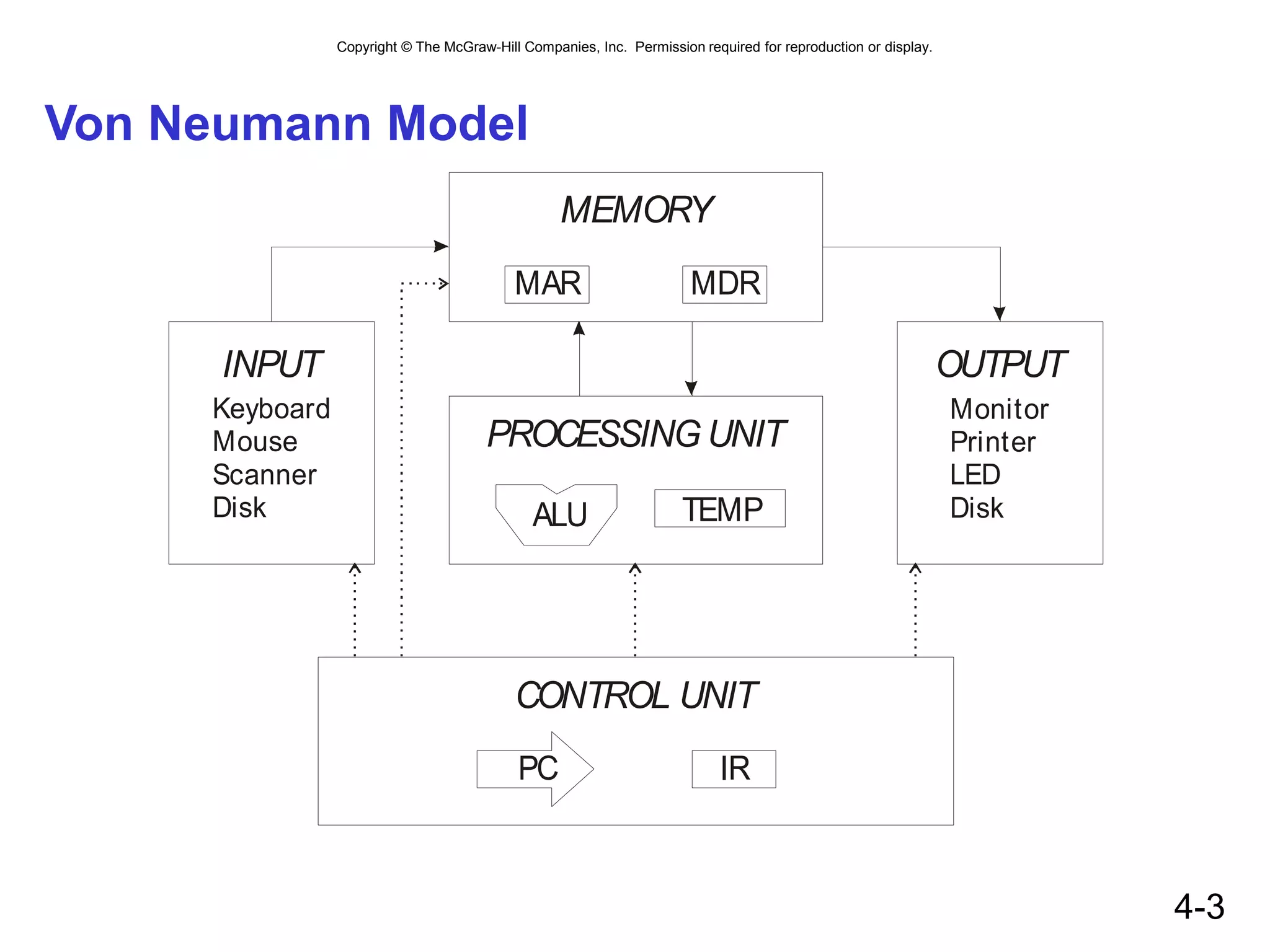
The basic structure proposed in the draft became known
as the “von Neumann machine” (or model).
• a memory, containing instructions and data
• a processing unit, for performing arithmetic and logical operations
• a control unit, for interpreting instructions
For more history, see http://www.maxmon.com/history.htm
Copyright © The McGraw-Hill Companies, Inc. Permission required for reproduction or display.
4-3
Von Neumann Model
MEMORY
CONTROL UNIT
MAR MDR
IR
PROCESSING UNIT
ALU TEMP
PC
OUTPUT
Monitor
Printer
LED
Disk
INPUT
Keyboard
Mouse
Scanner
Disk
Copyright © The McGraw-Hill Companies, Inc. Permission required for reproduction or display.
4-4
Memory
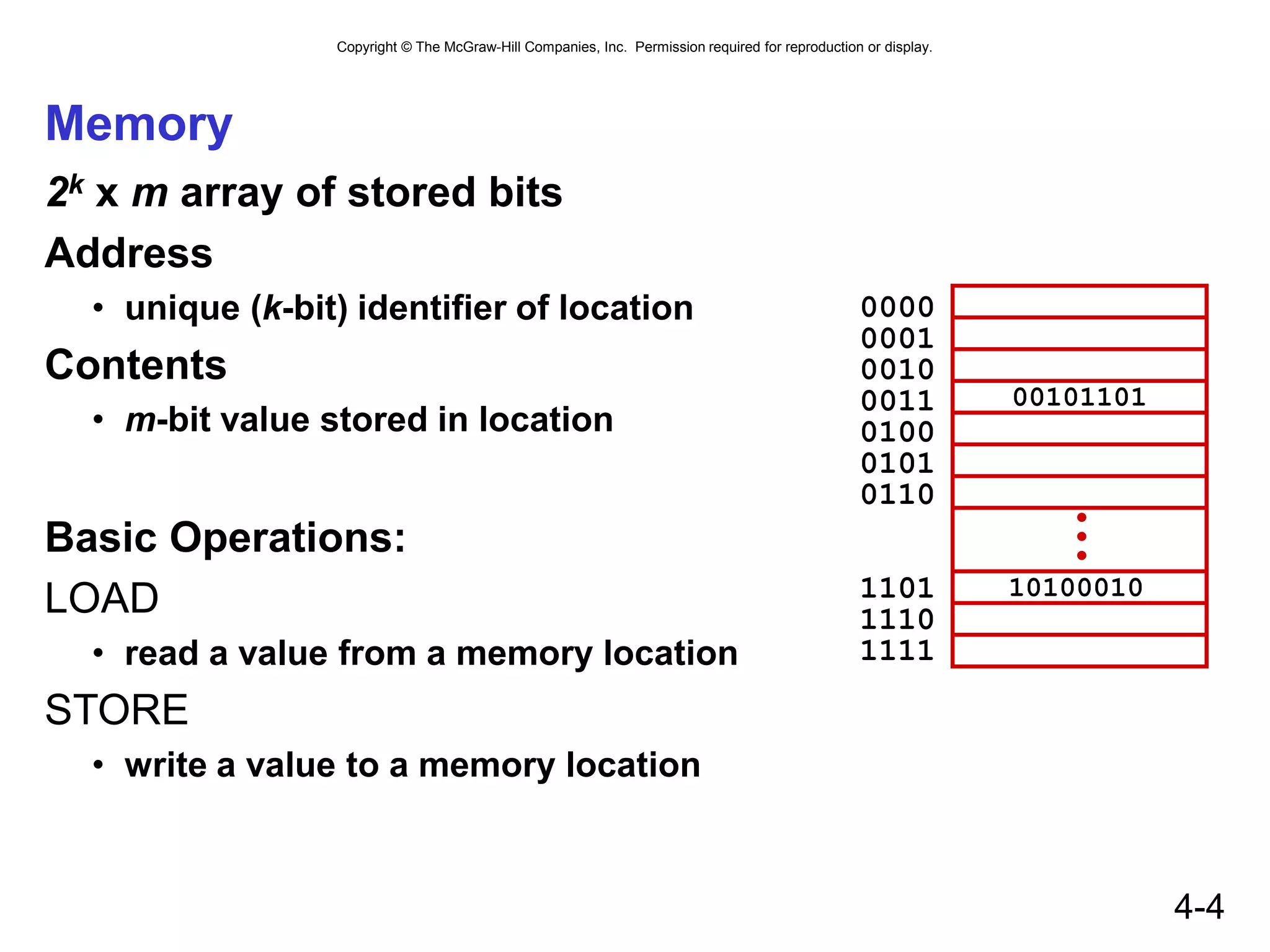
2k x m array of stored bits
Address
• unique (k-bit) identifier of location
Contents
• m-bit value stored in location
Basic Operations:
LOAD
• read a value from a memory location
STORE
• write a value to a memory location
•
•
•
0000
0001
0010
0011
0100
0101
0110
1101
1110
1111
00101101
10100010
Copyright © The McGraw-Hill Companies, Inc. Permission required for reproduction or display.
4-5
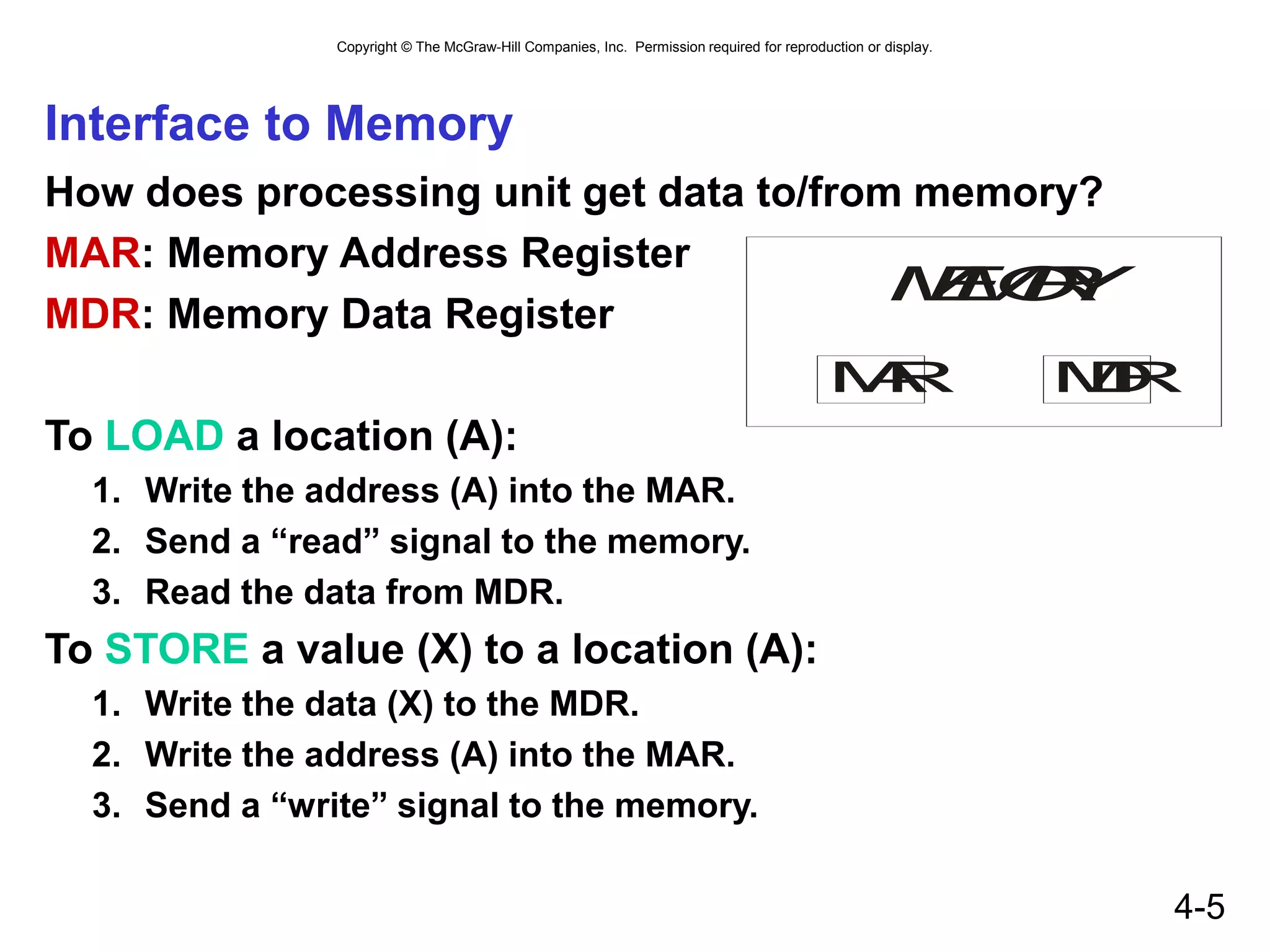
Interface to Memory
How does processing unit get data to/from memory?
MAR: Memory Address Register
MDR: Memory Data Register
To LOAD a location (A):
1. Write the address (A) into the MAR.
2. Send a “read” signal to the memory.
3. Read the data from MDR.
To STORE a value (X) to a location (A):
1. Write the data (X) to the MDR.
2. Write the address (A) into the MAR.
3. Send a “write” signal to the memory.
M
E
M
O
R
Y
M
A
R M
D
R
Copyright © The McGraw-Hill Companies, Inc. Permission required for reproduction or display.
4-6
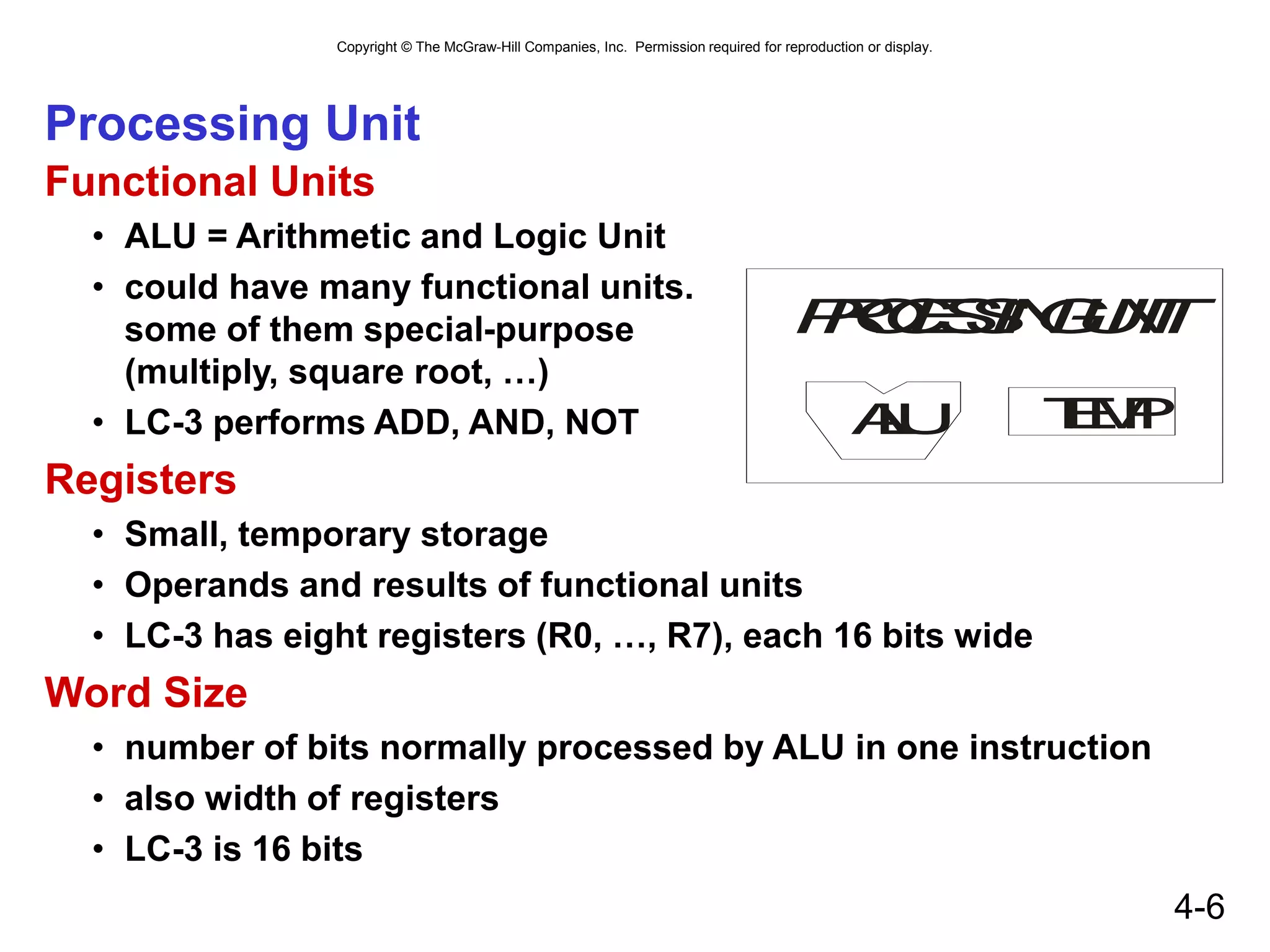
Processing Unit
Functional Units
• ALU = Arithmetic and Logic Unit
• could have many functional units.
some of them special-purpose
(multiply, square root, …)
• LC-3 performs ADD, AND, NOT
Registers
• Small, temporary storage
• Operands and results of functional units
• LC-3 has eight registers (R0, …, R7), each 16 bits wide
Word Size
• number of bits normally processed by ALU in one instruction
• also width of registers
• LC-3 is 16 bits
P
R
O
C
E
S
S
I
N
G
U
N
I
T
A
L
U T
E
M
P
Copyright © The McGraw-Hill Companies, Inc. Permission required for reproduction or display.
4-7
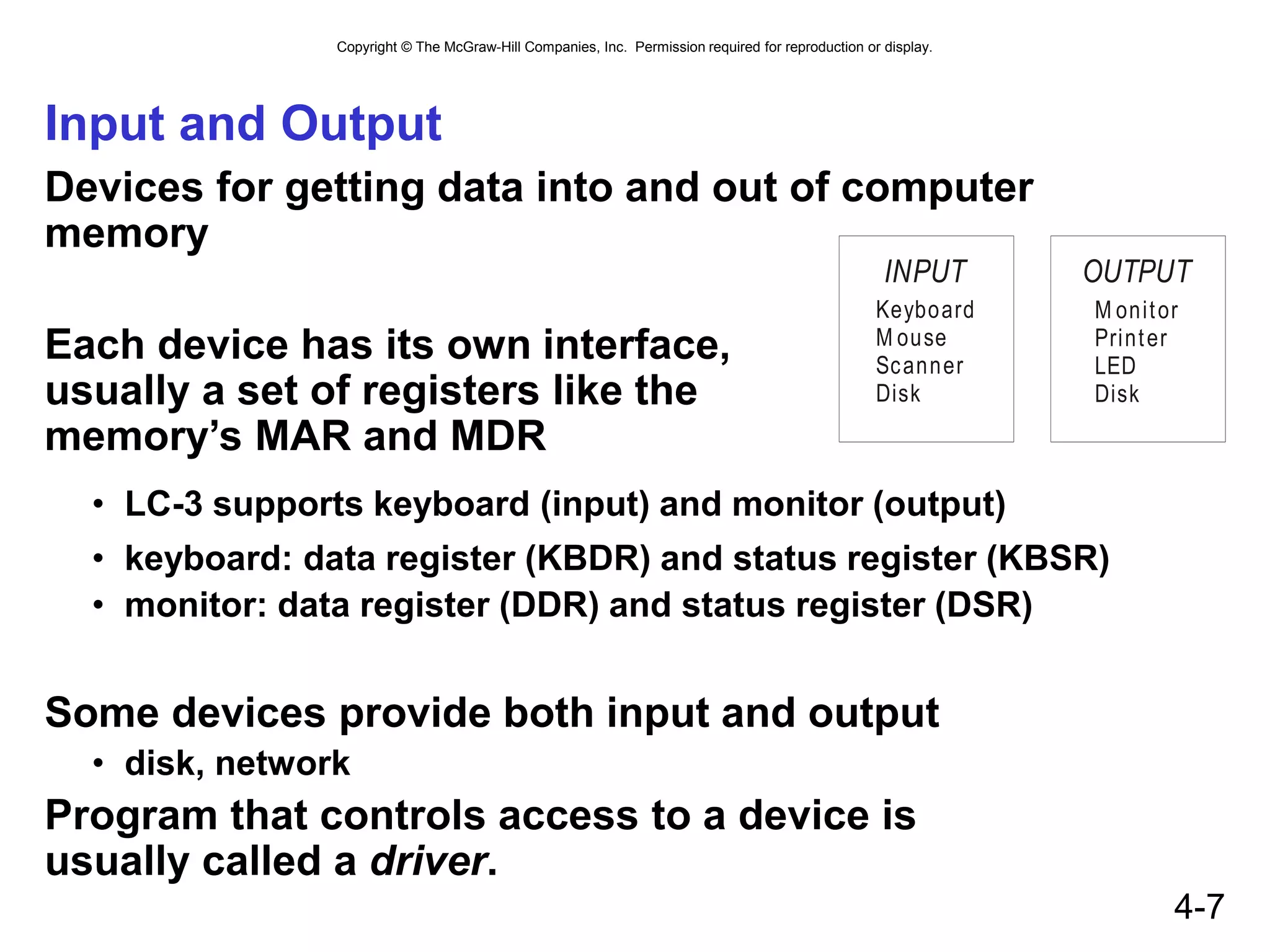
Input and Output
Devices for getting data into and out of computer
memory
Each device has its own interface,
usually a set of registers like the
memory’s MAR and MDR
• LC-3 supports keyboard (input) and monitor (output)
• keyboard: data register (KBDR) and status register (KBSR)
• monitor: data register (DDR) and status register (DSR)
Some devices provide both input and output
• disk, network
Program that controls access to a device is
usually called a driver.
INPUT
Keyboard
M ouse
Scanner
Disk
OUTPUT
M onitor
Printer
LED
Disk
Copyright © The McGraw-Hill Companies, Inc. Permission required for reproduction or display.
4-8
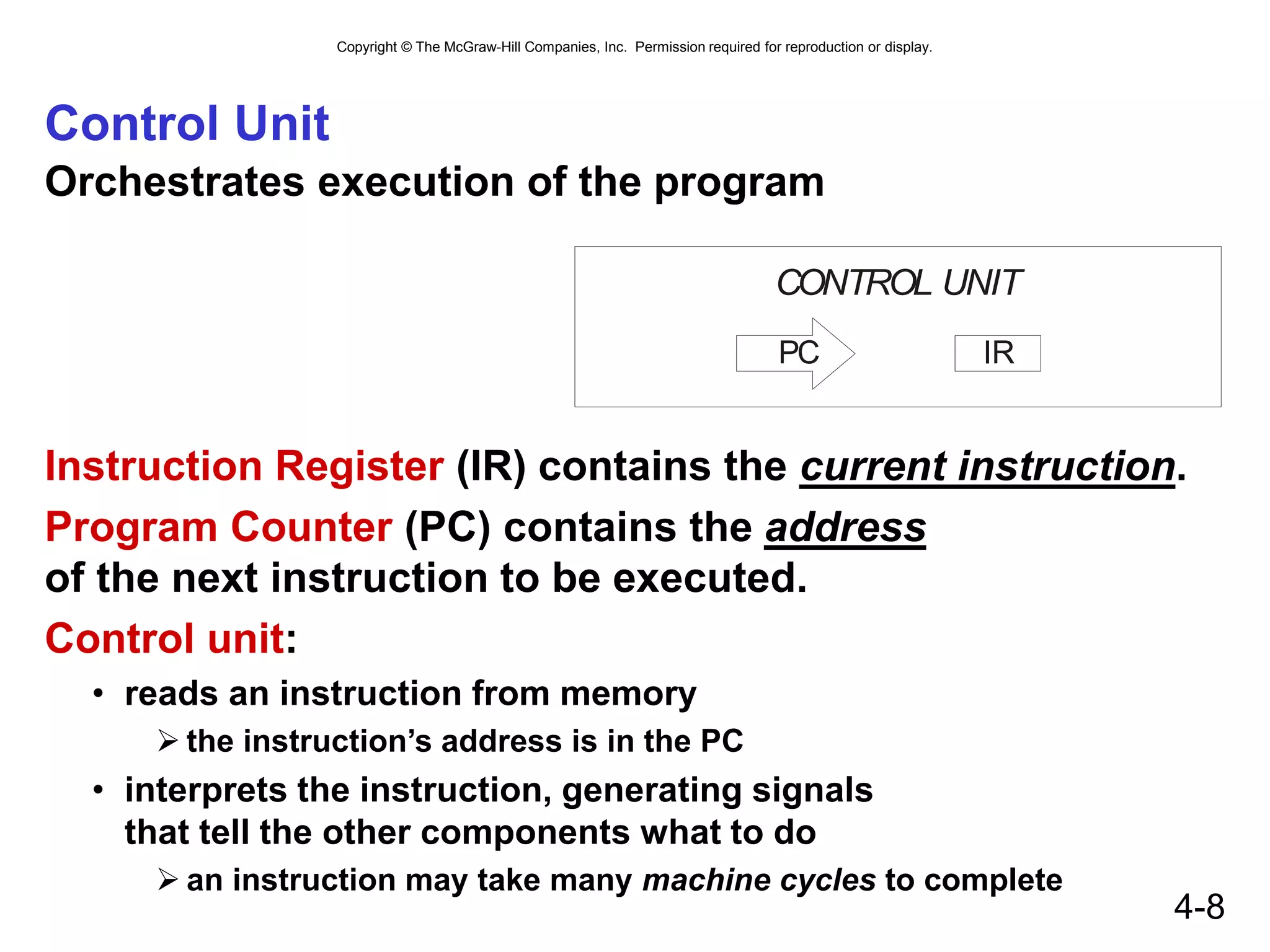
Control Unit
Orchestrates execution of the program
Instruction Register (IR) contains the current instruction.
Program Counter (PC) contains the address
of the next instruction to be executed.
Control unit:
• reads an instruction from memory
 the instruction’s address is in the PC
• interprets the instruction, generating signals
that tell the other components what to do
 an instruction may take many machine cycles to complete
CONTROL UNIT
IR
PC
Copyright © The McGraw-Hill Companies, Inc. Permission required for reproduction or display.
4-9
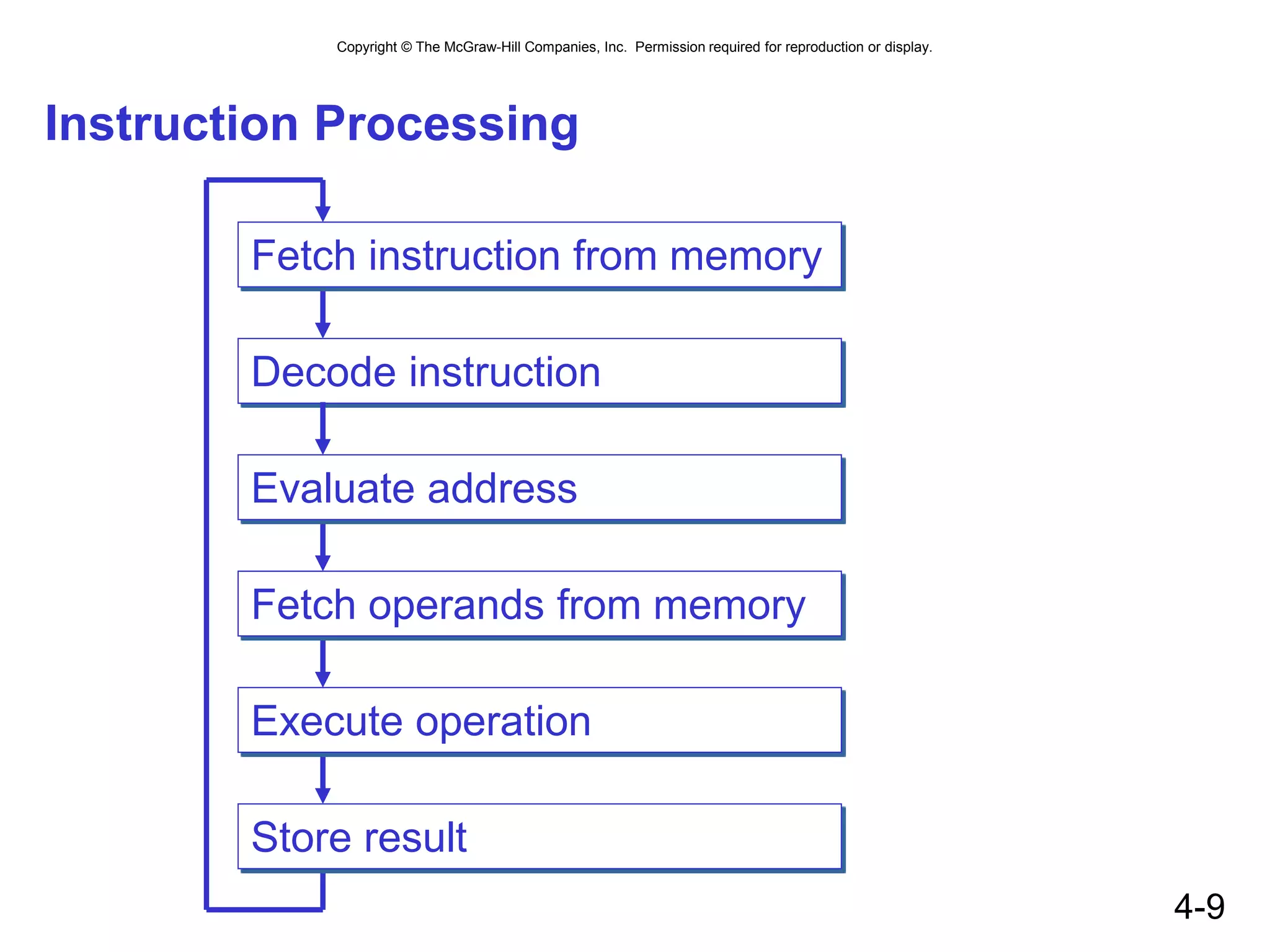
Instruction Processing
Decode instruction
Evaluate address
Fetch operands from memory
Execute operation
Store result
Fetch instruction from memory
Copyright © The McGraw-Hill Companies, Inc. Permission required for reproduction or display.
4-10
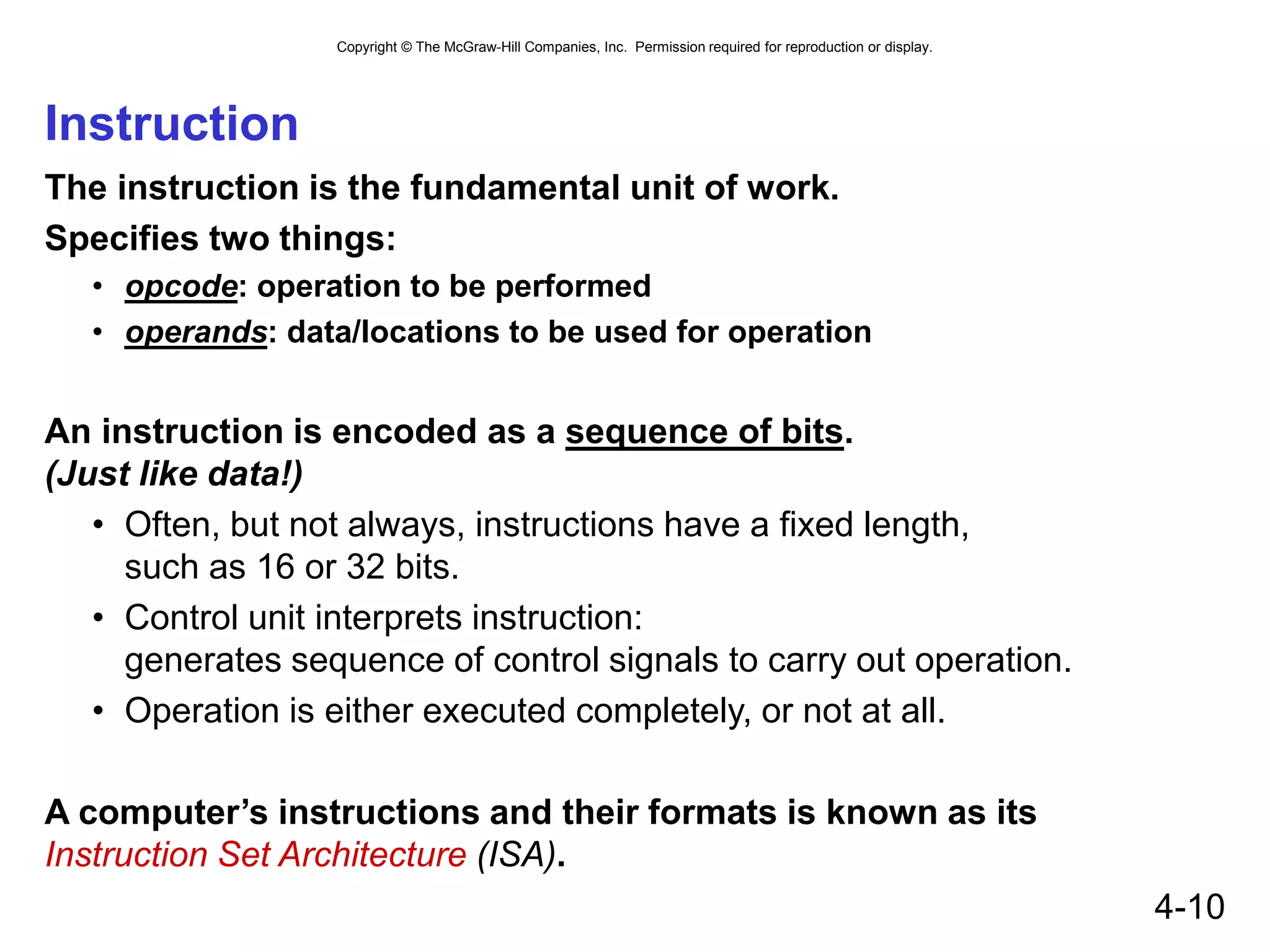
Instruction
The instruction is the fundamental unit of work.
Specifies two things:
• opcode: operation to be performed
• operands: data/locations to be used for operation
An instruction is encoded as a sequence of bits.
(Just like data!)
• Often, but not always, instructions have a fixed length,
such as 16 or 32 bits.
• Control unit interprets instruction:
generates sequence of control signals to carry out operation.
• Operation is either executed completely, or not at all.
A computer’s instructions and their formats is known as its
Instruction Set Architecture (ISA).
Copyright © The McGraw-Hill Companies, Inc. Permission required for reproduction or display.
4-11
Example: LC-3 ADD Instruction
LC-3 has 16-bit instructions.
• Each instruction has a four-bit opcode, bits [15:12].
LC-3 has eight registers (R0-R7) for temporary storage.
• Sources and destination of ADD are registers.
“Add the contents of R2 to the contents of R6,
and store the result in R6.”
Copyright © The McGraw-Hill Companies, Inc. Permission required for reproduction or display.
4-12
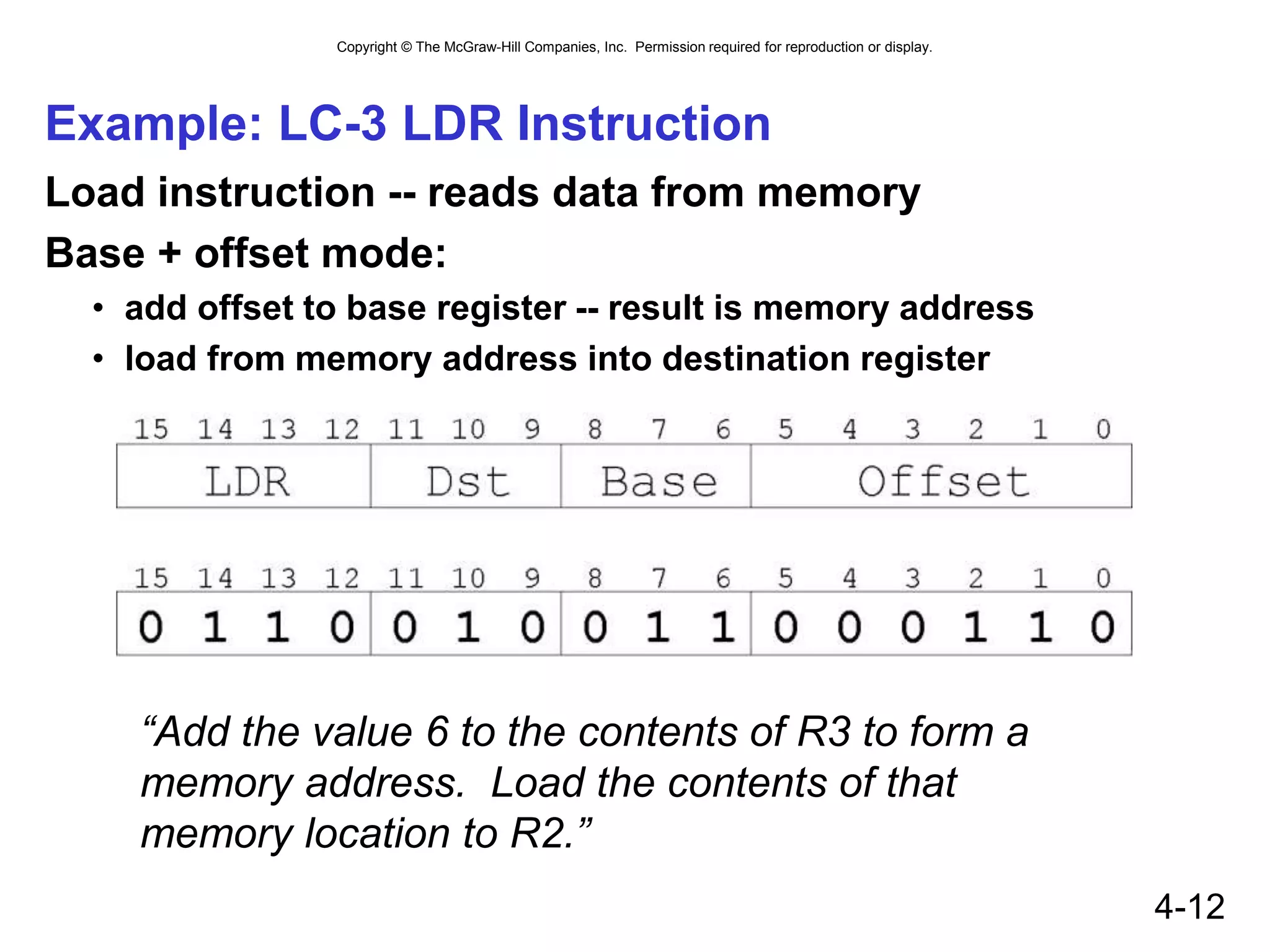
Example: LC-3 LDR Instruction
Load instruction -- reads data from memory
Base + offset mode:
• add offset to base register -- result is memory address
• load from memory address into destination register
“Add the value 6 to the contents of R3 to form a
memory address. Load the contents of that
memory location to R2.”
Copyright © The McGraw-Hill Companies, Inc. Permission required for reproduction or display.
4-13
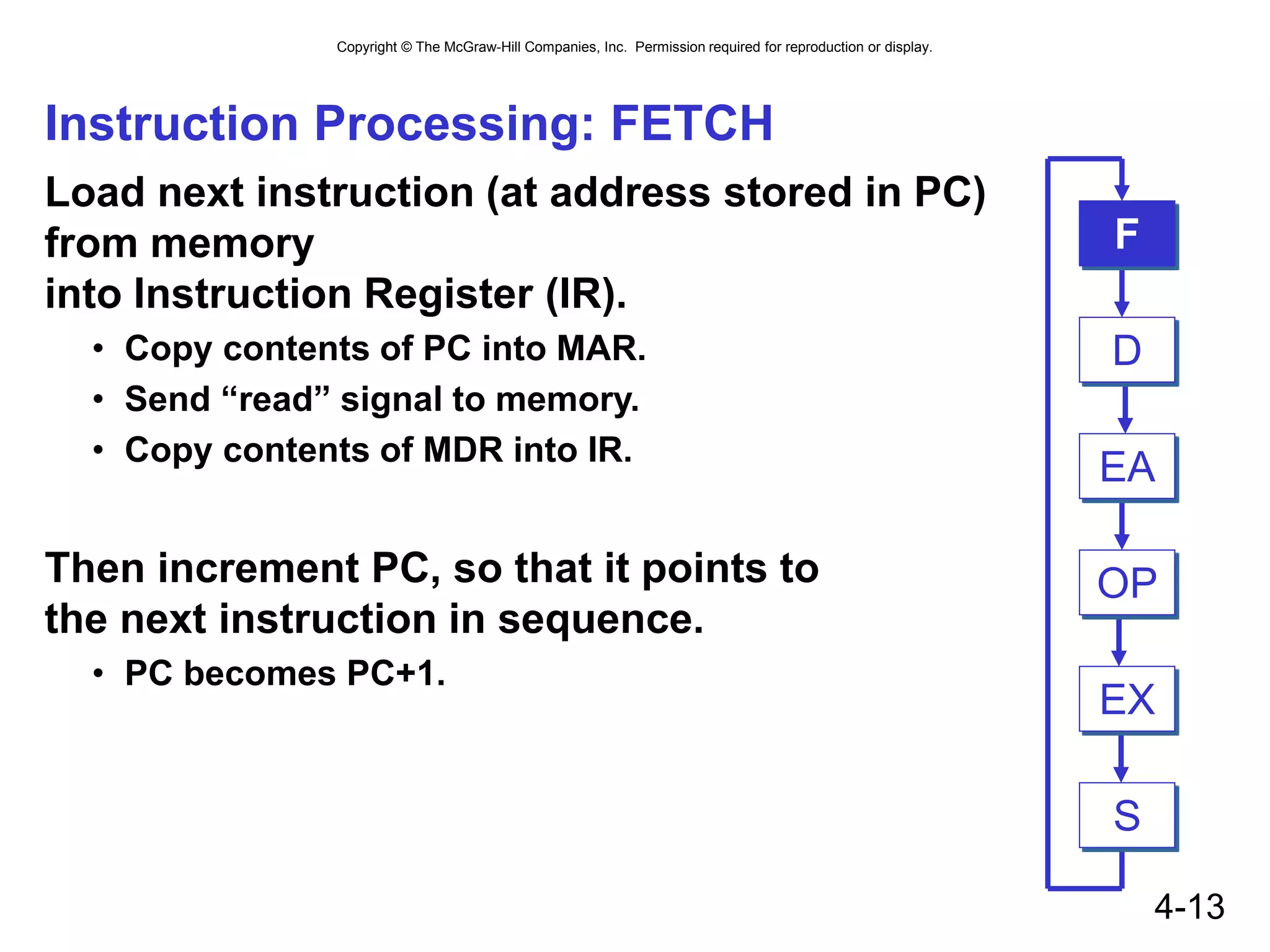
Instruction Processing: FETCH
Load next instruction (at address stored in PC)
from memory
into Instruction Register (IR).
• Copy contents of PC into MAR.
• Send “read” signal to memory.
• Copy contents of MDR into IR.
Then increment PC, so that it points to
the next instruction in sequence.
• PC becomes PC+1.
EA
OP
EX
S
F
D
Copyright © The McGraw-Hill Companies, Inc. Permission required for reproduction or display.
4-14
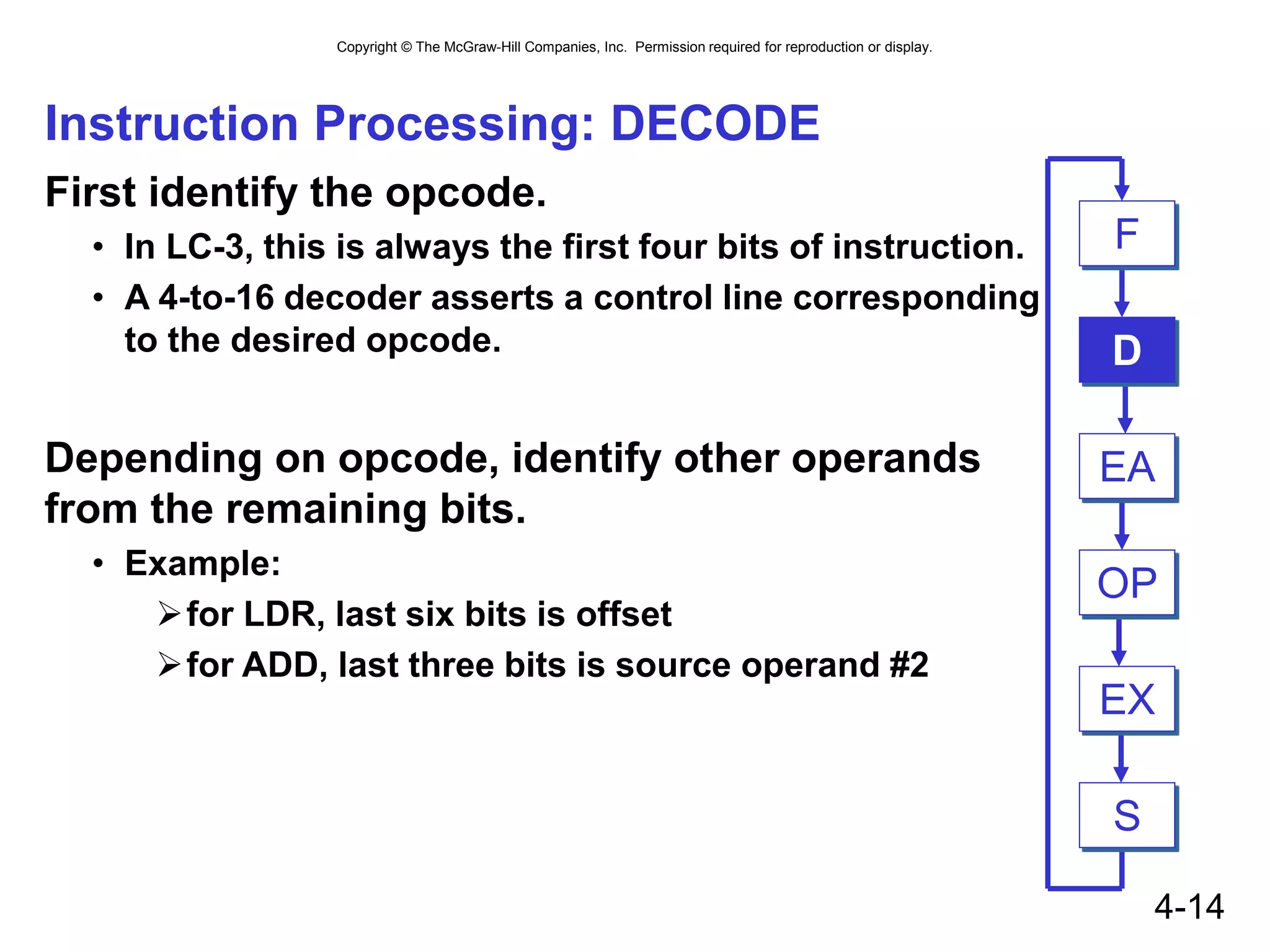
Instruction Processing: DECODE
First identify the opcode.
• In LC-3, this is always the first four bits of instruction.
• A 4-to-16 decoder asserts a control line corresponding
to the desired opcode.
Depending on opcode, identify other operands
from the remaining bits.
• Example:
for LDR, last six bits is offset
for ADD, last three bits is source operand #2
EA
OP
EX
S
F
D
Copyright © The McGraw-Hill Companies, Inc. Permission required for reproduction or display.
4-15
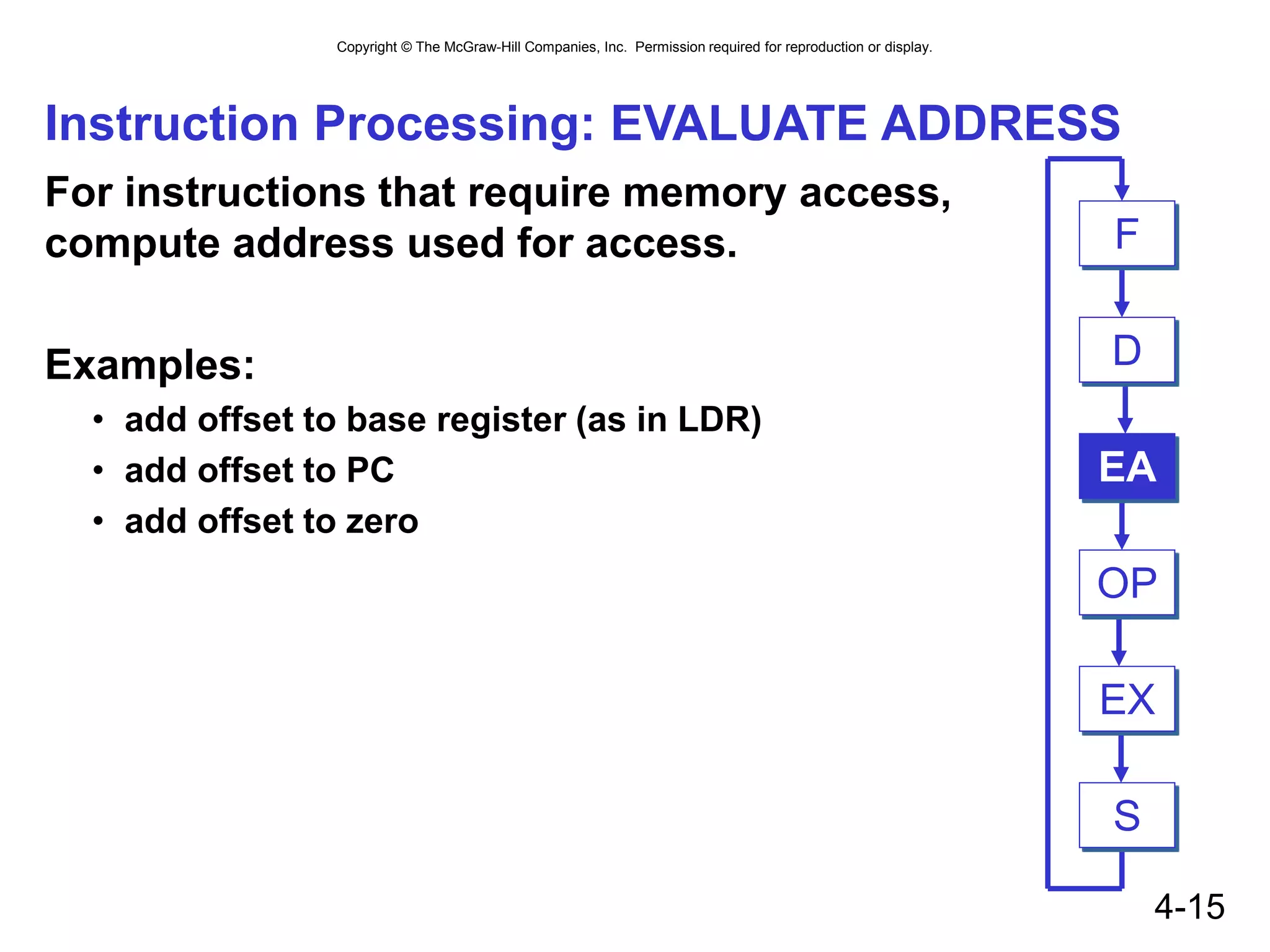
Instruction Processing: EVALUATE ADDRESS
For instructions that require memory access,
compute address used for access.
Examples:
• add offset to base register (as in LDR)
• add offset to PC
• add offset to zero
EA
OP
EX
S
F
D
Copyright © The McGraw-Hill Companies, Inc. Permission required for reproduction or display.
4-16
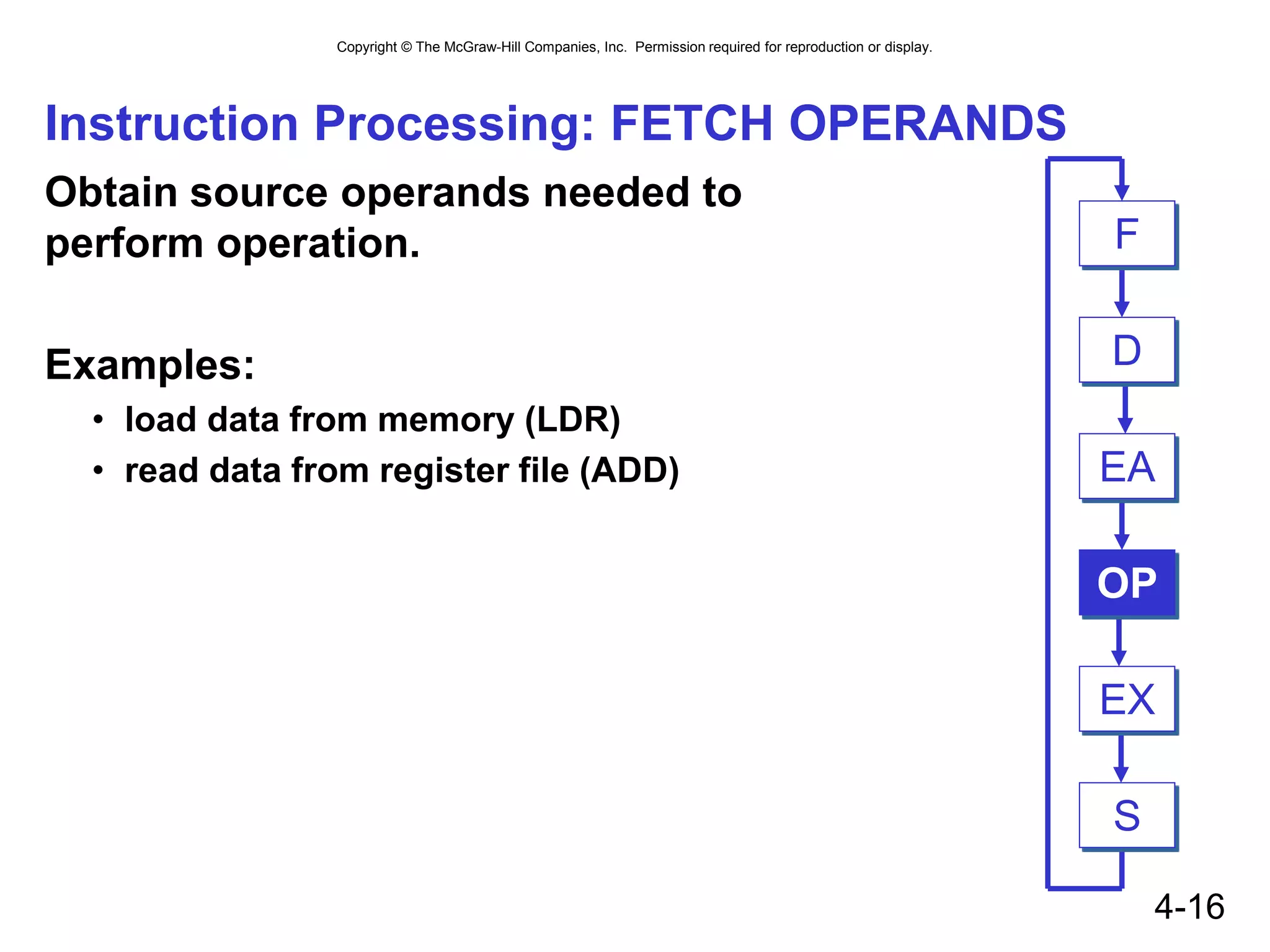
Instruction Processing: FETCH OPERANDS
Obtain source operands needed to
perform operation.
Examples:
• load data from memory (LDR)
• read data from register file (ADD) EA
OP
EX
S
F
D
Copyright © The McGraw-Hill Companies, Inc. Permission required for reproduction or display.
4-17
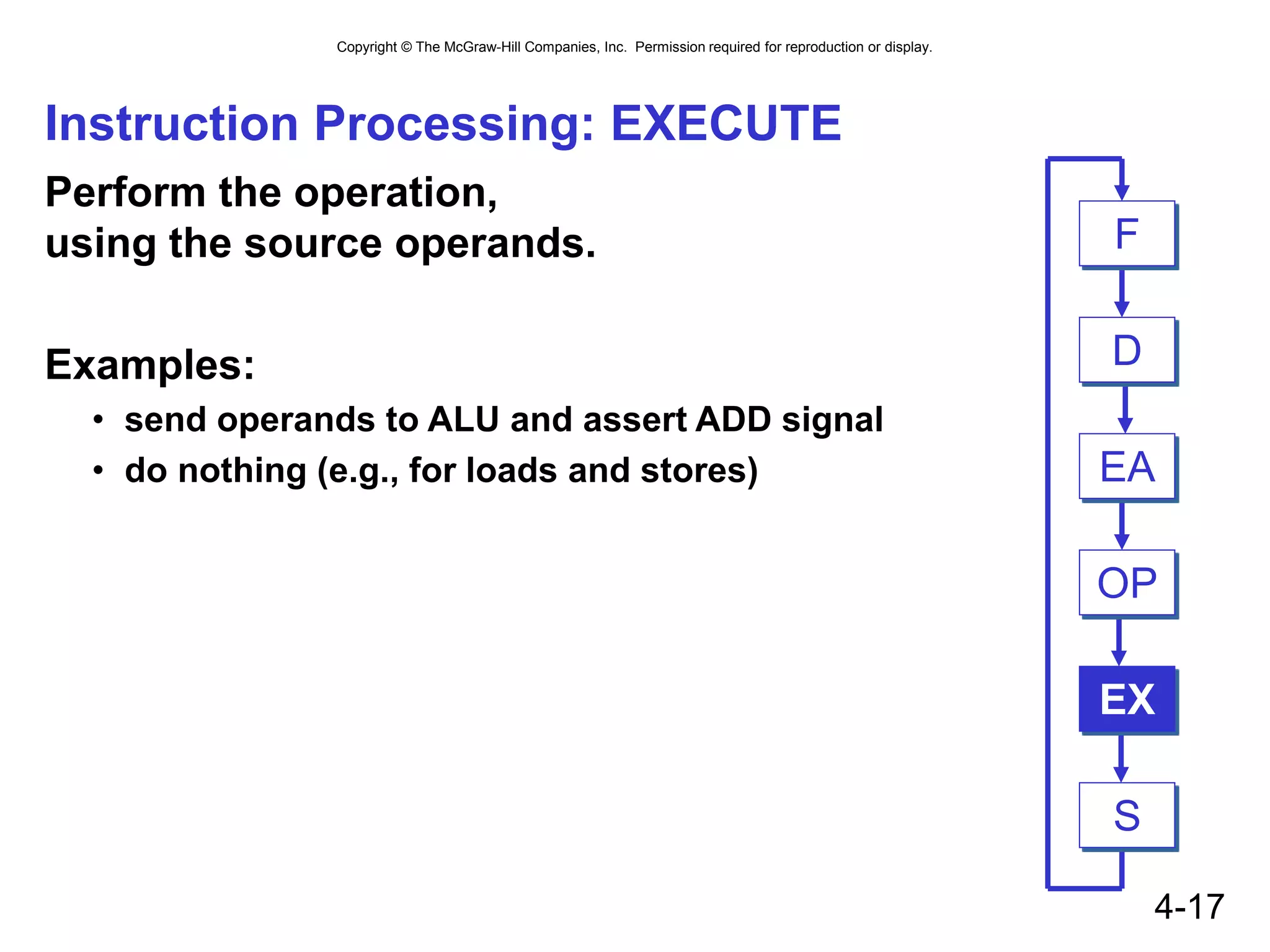
Instruction Processing: EXECUTE
Perform the operation,
using the source operands.
Examples:
• send operands to ALU and assert ADD signal
• do nothing (e.g., for loads and stores) EA
OP
EX
S
F
D
Copyright © The McGraw-Hill Companies, Inc. Permission required for reproduction or display.
4-18
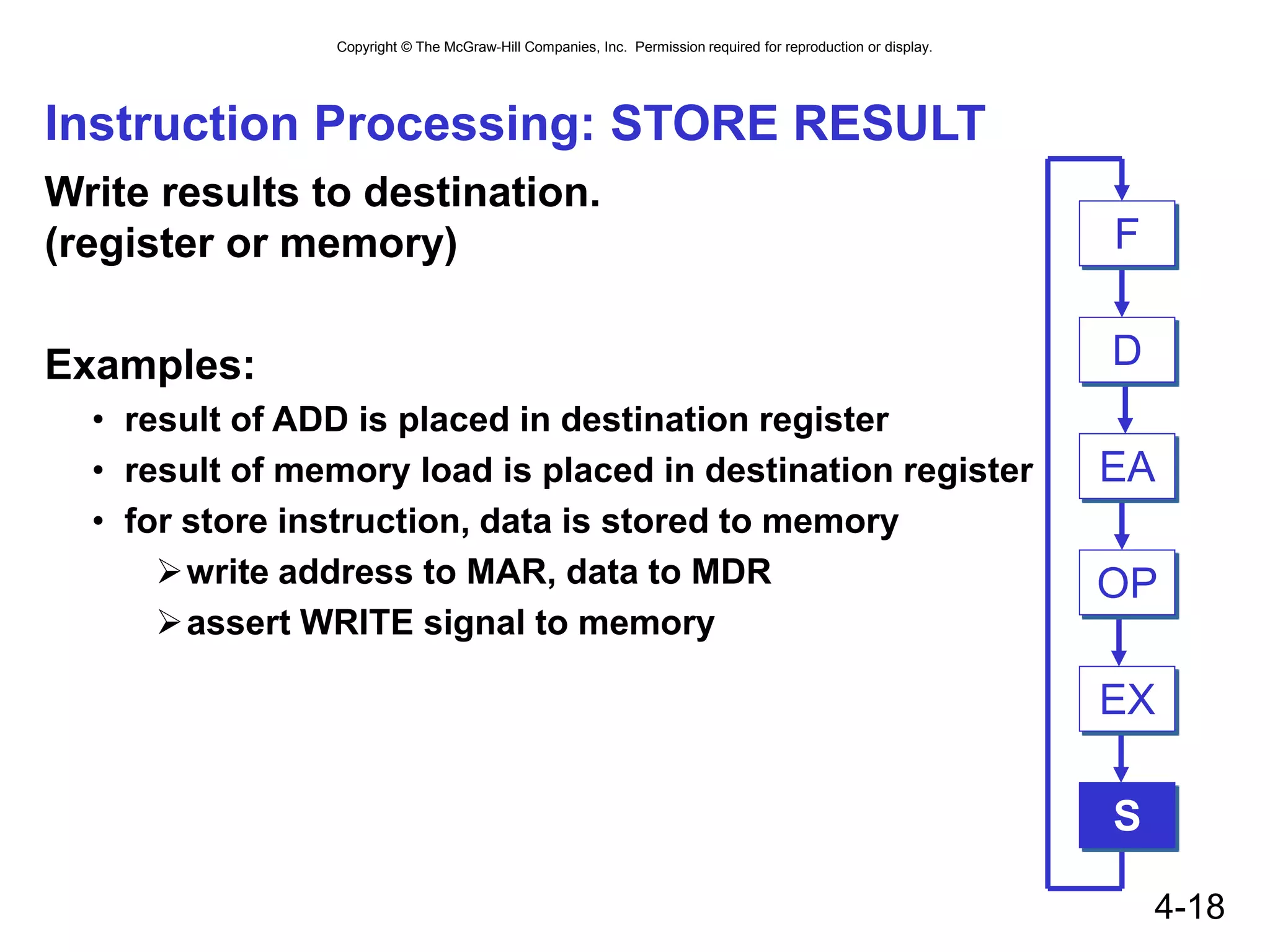
Instruction Processing: STORE RESULT
Write results to destination.
(register or memory)
Examples:
• result of ADD is placed in destination register
• result of memory load is placed in destination register
• for store instruction, data is stored to memory
write address to MAR, data to MDR
assert WRITE signal to memory
EA
OP
EX
S
F
D
Copyright © The McGraw-Hill Companies, Inc. Permission required for reproduction or display.
4-19
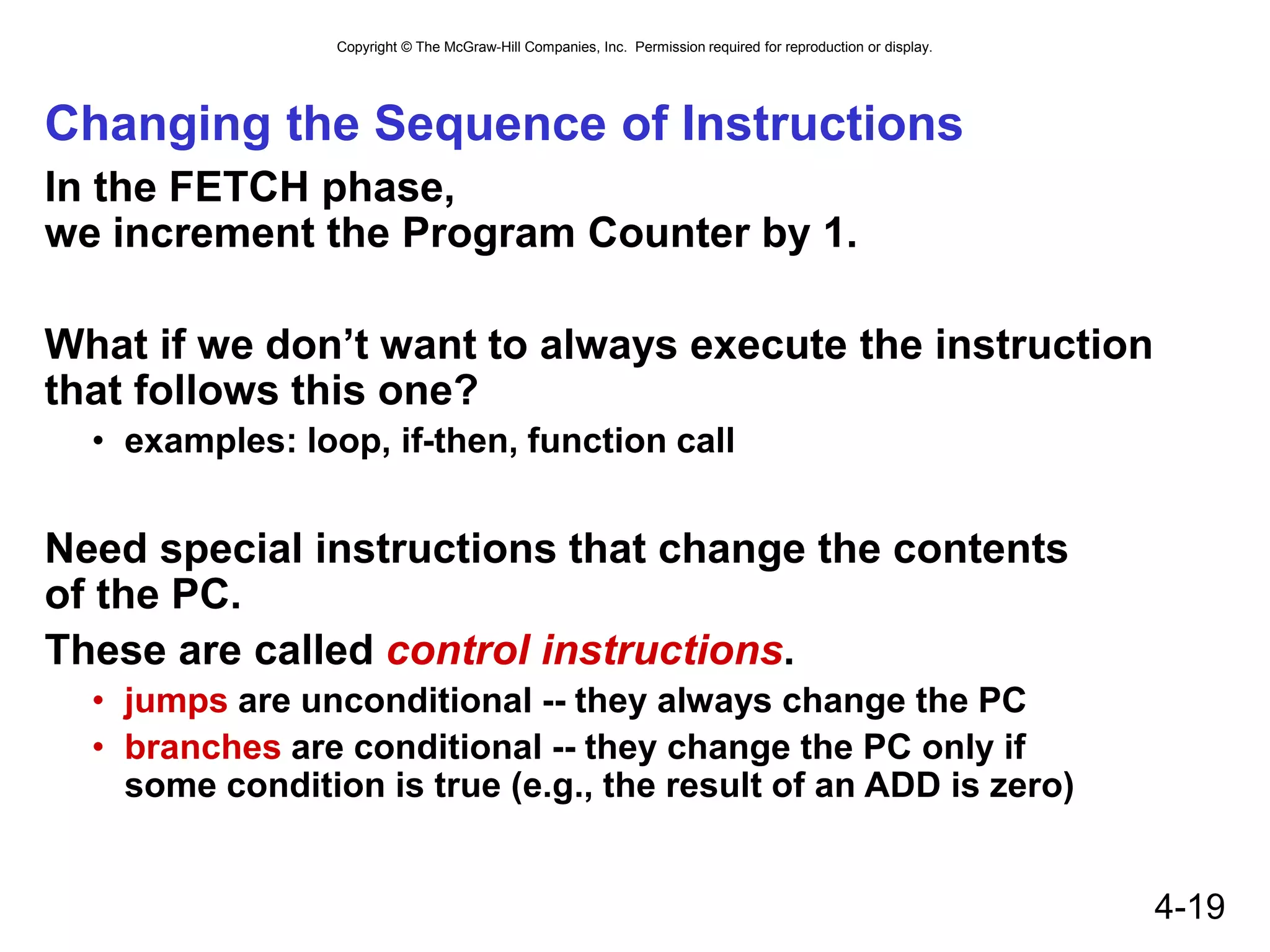
Changing the Sequence of Instructions
In the FETCH phase,
we increment the Program Counter by 1.
What if we don’t want to always execute the instruction
that follows this one?
• examples: loop, if-then, function call
Need special instructions that change the contents
of the PC.
These are called control instructions.
• jumps are unconditional -- they always change the PC
• branches are conditional -- they change the PC only if
some condition is true (e.g., the result of an ADD is zero)
Copyright © The McGraw-Hill Companies, Inc. Permission required for reproduction or display.
4-20
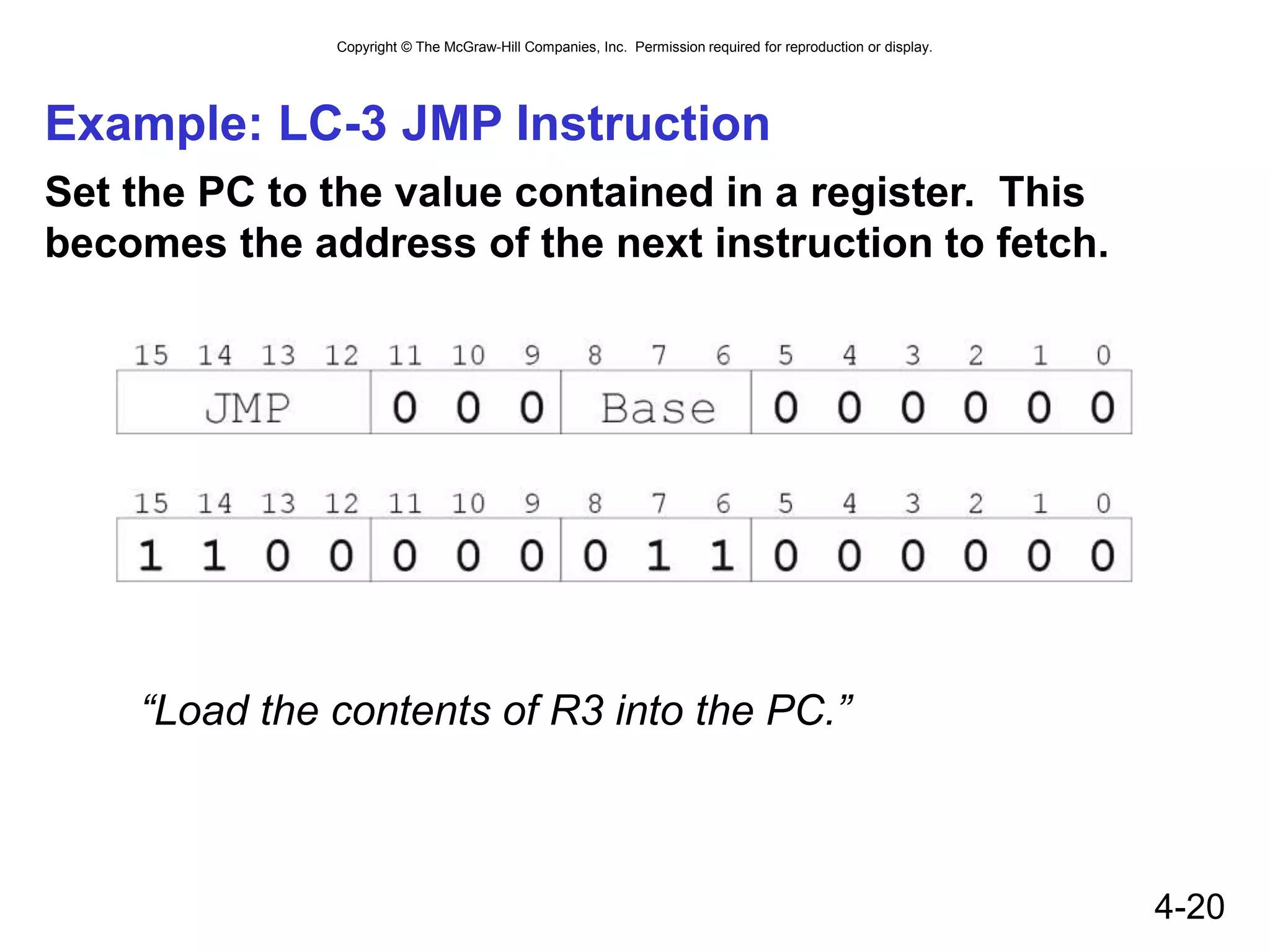
Example: LC-3 JMP Instruction
Set the PC to the value contained in a register. This
becomes the address of the next instruction to fetch.
“Load the contents of R3 into the PC.”
Copyright © The McGraw-Hill Companies, Inc. Permission required for reproduction or display.
4-21
Instruction Processing Summary
Instructions look just like data -- it’s all interpretation.
Three basic kinds of instructions:
• computational instructions (ADD, AND, …)
• data movement instructions (LD, ST, …)
• control instructions (JMP, BRnz, …)
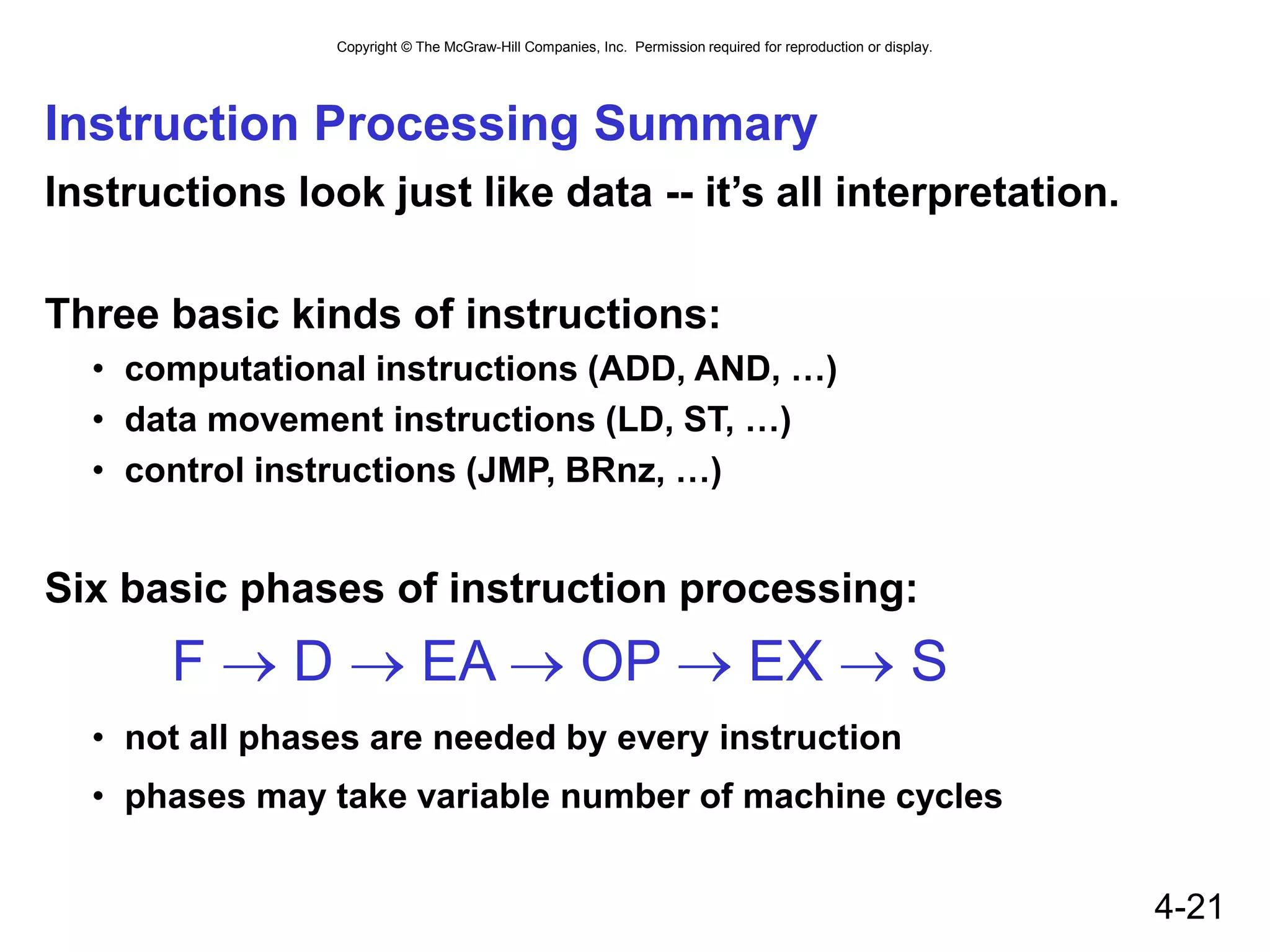
Six basic phases of instruction processing:
F  D  EA  OP  EX  S
• not all phases are needed by every instruction
• phases may take variable number of machine cycles
Copyright © The McGraw-Hill Companies, Inc. Permission required for reproduction or display.
4-22
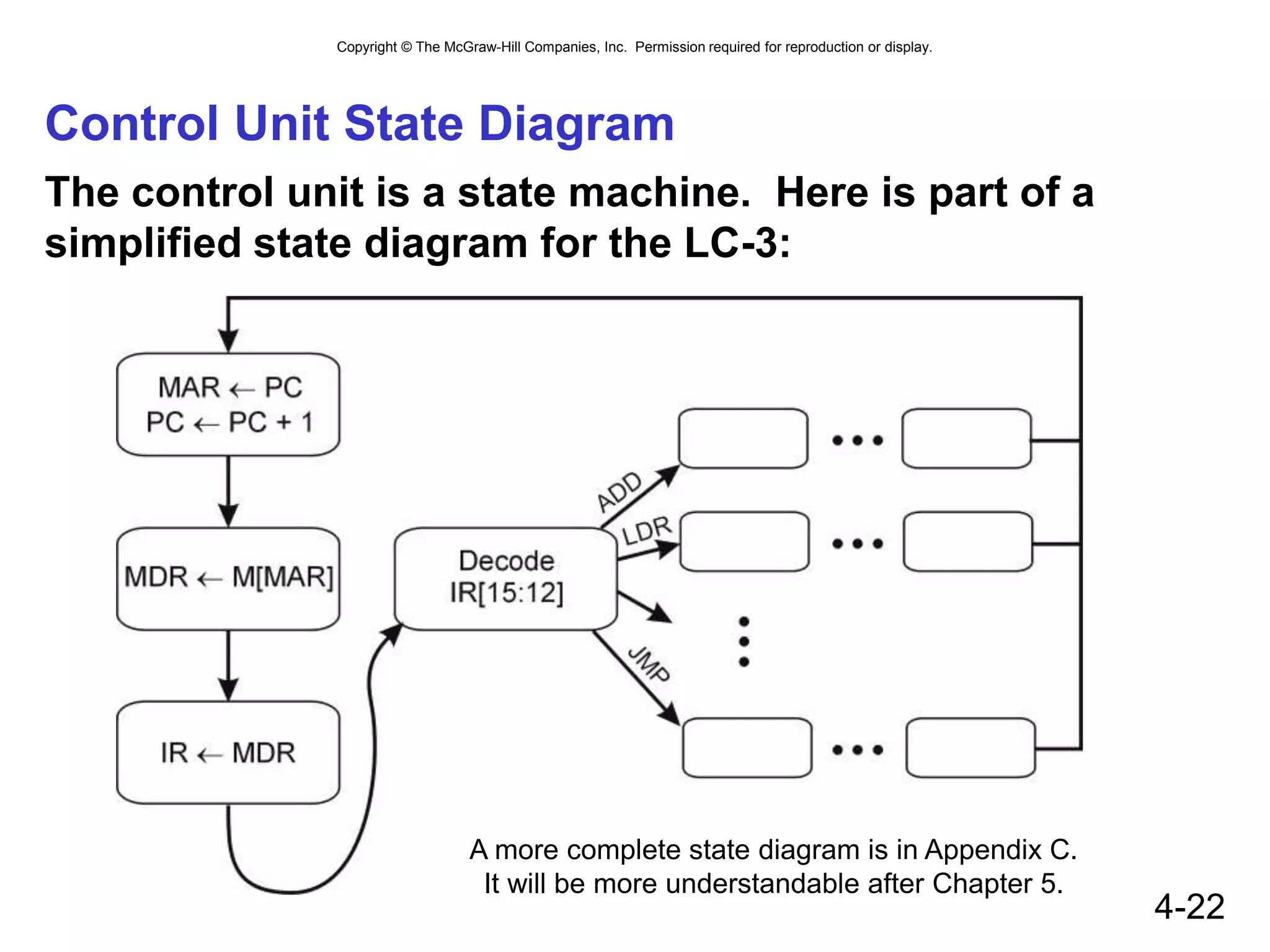
Control Unit State Diagram
The control unit is a state machine. Here is part of a
simplified state diagram for the LC-3:
A more complete state diagram is in Appendix C.
It will be more understandable after Chapter 5.
Copyright © The McGraw-Hill Companies, Inc. Permission required for reproduction or display.
4-23
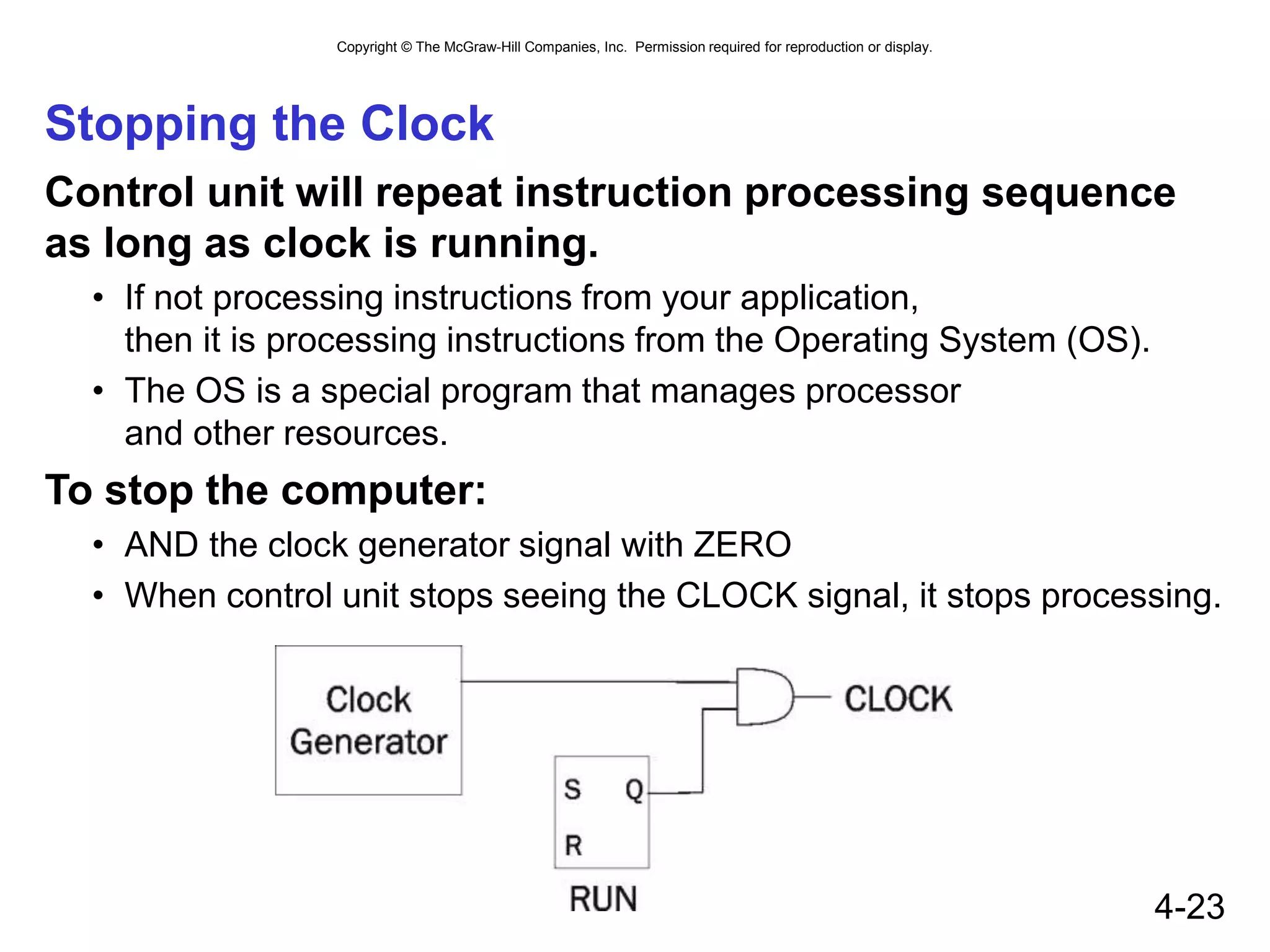
Stopping the Clock
Control unit will repeat instruction processing sequence
as long as clock is running.
• If not processing instructions from your application,
then it is processing instructions from the Operating System (OS).
• The OS is a special program that manages processor
and other resources.
To stop the computer:
• AND the clock generator signal with ZERO
• When control unit stops seeing the CLOCK signal, it stops processing.

Von neuman architecture

  • 1.
    Chapter 4 The VonNeumann Model
  • 2.
    Copyright © TheMcGraw-Hill Companies, Inc. Permission required for reproduction or display. 4-2 The Stored Program Computer 1943: ENIAC • Presper Eckert and John Mauchly -- first general electronic computer. (or was it John V. Atanasoff in 1939?) • Hard-wired program -- settings of dials and switches. 1944: Beginnings of EDVAC • among other improvements, includes program stored in memory 1945: John von Neumann • wrote a report on the stored program concept, known as the First Draft of a Report on EDVAC The basic structure proposed in the draft became known as the “von Neumann machine” (or model). • a memory, containing instructions and data • a processing unit, for performing arithmetic and logical operations • a control unit, for interpreting instructions For more history, see http://www.maxmon.com/history.htm
  • 3.
    Copyright © TheMcGraw-Hill Companies, Inc. Permission required for reproduction or display. 4-3 Von Neumann Model MEMORY CONTROL UNIT MAR MDR IR PROCESSING UNIT ALU TEMP PC OUTPUT Monitor Printer LED Disk INPUT Keyboard Mouse Scanner Disk
  • 4.
    Copyright © TheMcGraw-Hill Companies, Inc. Permission required for reproduction or display. 4-4 Memory 2k x m array of stored bits Address • unique (k-bit) identifier of location Contents • m-bit value stored in location Basic Operations: LOAD • read a value from a memory location STORE • write a value to a memory location • • • 0000 0001 0010 0011 0100 0101 0110 1101 1110 1111 00101101 10100010
  • 5.
    Copyright © TheMcGraw-Hill Companies, Inc. Permission required for reproduction or display. 4-5 Interface to Memory How does processing unit get data to/from memory? MAR: Memory Address Register MDR: Memory Data Register To LOAD a location (A): 1. Write the address (A) into the MAR. 2. Send a “read” signal to the memory. 3. Read the data from MDR. To STORE a value (X) to a location (A): 1. Write the data (X) to the MDR. 2. Write the address (A) into the MAR. 3. Send a “write” signal to the memory. M E M O R Y M A R M D R
  • 6.
    Copyright © TheMcGraw-Hill Companies, Inc. Permission required for reproduction or display. 4-6 Processing Unit Functional Units • ALU = Arithmetic and Logic Unit • could have many functional units. some of them special-purpose (multiply, square root, …) • LC-3 performs ADD, AND, NOT Registers • Small, temporary storage • Operands and results of functional units • LC-3 has eight registers (R0, …, R7), each 16 bits wide Word Size • number of bits normally processed by ALU in one instruction • also width of registers • LC-3 is 16 bits P R O C E S S I N G U N I T A L U T E M P
  • 7.
    Copyright © TheMcGraw-Hill Companies, Inc. Permission required for reproduction or display. 4-7 Input and Output Devices for getting data into and out of computer memory Each device has its own interface, usually a set of registers like the memory’s MAR and MDR • LC-3 supports keyboard (input) and monitor (output) • keyboard: data register (KBDR) and status register (KBSR) • monitor: data register (DDR) and status register (DSR) Some devices provide both input and output • disk, network Program that controls access to a device is usually called a driver. INPUT Keyboard M ouse Scanner Disk OUTPUT M onitor Printer LED Disk
  • 8.
    Copyright © TheMcGraw-Hill Companies, Inc. Permission required for reproduction or display. 4-8 Control Unit Orchestrates execution of the program Instruction Register (IR) contains the current instruction. Program Counter (PC) contains the address of the next instruction to be executed. Control unit: • reads an instruction from memory  the instruction’s address is in the PC • interprets the instruction, generating signals that tell the other components what to do  an instruction may take many machine cycles to complete CONTROL UNIT IR PC
  • 9.
    Copyright © TheMcGraw-Hill Companies, Inc. Permission required for reproduction or display. 4-9 Instruction Processing Decode instruction Evaluate address Fetch operands from memory Execute operation Store result Fetch instruction from memory
  • 10.
    Copyright © TheMcGraw-Hill Companies, Inc. Permission required for reproduction or display. 4-10 Instruction The instruction is the fundamental unit of work. Specifies two things: • opcode: operation to be performed • operands: data/locations to be used for operation An instruction is encoded as a sequence of bits. (Just like data!) • Often, but not always, instructions have a fixed length, such as 16 or 32 bits. • Control unit interprets instruction: generates sequence of control signals to carry out operation. • Operation is either executed completely, or not at all. A computer’s instructions and their formats is known as its Instruction Set Architecture (ISA).
  • 11.
    Copyright © TheMcGraw-Hill Companies, Inc. Permission required for reproduction or display. 4-11 Example: LC-3 ADD Instruction LC-3 has 16-bit instructions. • Each instruction has a four-bit opcode, bits [15:12]. LC-3 has eight registers (R0-R7) for temporary storage. • Sources and destination of ADD are registers. “Add the contents of R2 to the contents of R6, and store the result in R6.”
  • 12.
    Copyright © TheMcGraw-Hill Companies, Inc. Permission required for reproduction or display. 4-12 Example: LC-3 LDR Instruction Load instruction -- reads data from memory Base + offset mode: • add offset to base register -- result is memory address • load from memory address into destination register “Add the value 6 to the contents of R3 to form a memory address. Load the contents of that memory location to R2.”
  • 13.
    Copyright © TheMcGraw-Hill Companies, Inc. Permission required for reproduction or display. 4-13 Instruction Processing: FETCH Load next instruction (at address stored in PC) from memory into Instruction Register (IR). • Copy contents of PC into MAR. • Send “read” signal to memory. • Copy contents of MDR into IR. Then increment PC, so that it points to the next instruction in sequence. • PC becomes PC+1. EA OP EX S F D
  • 14.
    Copyright © TheMcGraw-Hill Companies, Inc. Permission required for reproduction or display. 4-14 Instruction Processing: DECODE First identify the opcode. • In LC-3, this is always the first four bits of instruction. • A 4-to-16 decoder asserts a control line corresponding to the desired opcode. Depending on opcode, identify other operands from the remaining bits. • Example: for LDR, last six bits is offset for ADD, last three bits is source operand #2 EA OP EX S F D
  • 15.
    Copyright © TheMcGraw-Hill Companies, Inc. Permission required for reproduction or display. 4-15 Instruction Processing: EVALUATE ADDRESS For instructions that require memory access, compute address used for access. Examples: • add offset to base register (as in LDR) • add offset to PC • add offset to zero EA OP EX S F D
  • 16.
    Copyright © TheMcGraw-Hill Companies, Inc. Permission required for reproduction or display. 4-16 Instruction Processing: FETCH OPERANDS Obtain source operands needed to perform operation. Examples: • load data from memory (LDR) • read data from register file (ADD) EA OP EX S F D
  • 17.
    Copyright © TheMcGraw-Hill Companies, Inc. Permission required for reproduction or display. 4-17 Instruction Processing: EXECUTE Perform the operation, using the source operands. Examples: • send operands to ALU and assert ADD signal • do nothing (e.g., for loads and stores) EA OP EX S F D
  • 18.
    Copyright © TheMcGraw-Hill Companies, Inc. Permission required for reproduction or display. 4-18 Instruction Processing: STORE RESULT Write results to destination. (register or memory) Examples: • result of ADD is placed in destination register • result of memory load is placed in destination register • for store instruction, data is stored to memory write address to MAR, data to MDR assert WRITE signal to memory EA OP EX S F D
  • 19.
    Copyright © TheMcGraw-Hill Companies, Inc. Permission required for reproduction or display. 4-19 Changing the Sequence of Instructions In the FETCH phase, we increment the Program Counter by 1. What if we don’t want to always execute the instruction that follows this one? • examples: loop, if-then, function call Need special instructions that change the contents of the PC. These are called control instructions. • jumps are unconditional -- they always change the PC • branches are conditional -- they change the PC only if some condition is true (e.g., the result of an ADD is zero)
  • 20.
    Copyright © TheMcGraw-Hill Companies, Inc. Permission required for reproduction or display. 4-20 Example: LC-3 JMP Instruction Set the PC to the value contained in a register. This becomes the address of the next instruction to fetch. “Load the contents of R3 into the PC.”
  • 21.
    Copyright © TheMcGraw-Hill Companies, Inc. Permission required for reproduction or display. 4-21 Instruction Processing Summary Instructions look just like data -- it’s all interpretation. Three basic kinds of instructions: • computational instructions (ADD, AND, …) • data movement instructions (LD, ST, …) • control instructions (JMP, BRnz, …) Six basic phases of instruction processing: F  D  EA  OP  EX  S • not all phases are needed by every instruction • phases may take variable number of machine cycles
  • 22.
    Copyright © TheMcGraw-Hill Companies, Inc. Permission required for reproduction or display. 4-22 Control Unit State Diagram The control unit is a state machine. Here is part of a simplified state diagram for the LC-3: A more complete state diagram is in Appendix C. It will be more understandable after Chapter 5.
  • 23.
    Copyright © TheMcGraw-Hill Companies, Inc. Permission required for reproduction or display. 4-23 Stopping the Clock Control unit will repeat instruction processing sequence as long as clock is running. • If not processing instructions from your application, then it is processing instructions from the Operating System (OS). • The OS is a special program that manages processor and other resources. To stop the computer: • AND the clock generator signal with ZERO • When control unit stops seeing the CLOCK signal, it stops processing.