View Manager Administration

Individual Desktops
Automated Desktop pools
Manual Desktop Pools
Entitling a Desktop or a Pool
Searching Desktops and Entitled Users and
Groups
Disabling View manager and Deleting
Objects

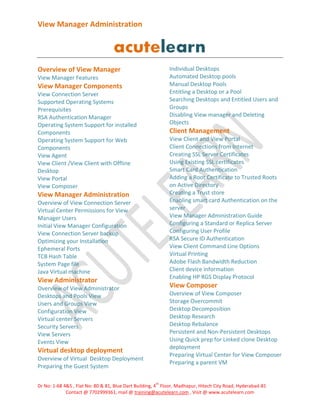
Overview of View Manager
View Manager Features

View Manager Components
View Connection Server
Supported Operating Systems
Prerequisites
RSA Authentication Manager
Operating System Support for installed
Components
Operating System Support for Web
Components
View Agent
View Client /View Client with Offline
Desktop
View Portal
View Composer

Client Management
View Client and View Portal
Client Connections from Internet
Creating SSL Server Certificates
Using Existing SSL certificates
Smart Card Authentication
Adding a Root Certificate to Trusted Roots
on Active Directory
Creating a Trust store
Enabling smart card Authentication on the
server
View Manager Administration Guide
Configuring a Standard or Replica Server
Configuring User Profile
RSA Secure ID Authentication
View Client Command Line Options
Virtual Printing
Adobe Flash Bandwidth Reduction
Client device information
Enabling HP RGS Display Protocol

View Manager Administration
Overview of View Connection Server
Virtual Center Permissions for View
Manager Users
Initial View Manager Configuration
View Connection Server backup
Optimizing your Installation
Ephemeral Ports
TCB Hash Table
System Page file
Java Virtual machine

View Administrator

View Composer

Overview of View Administrator
Desktops and Pools View
Users and Groups View
Configuration View
Virtual center Servers
Security Servers
View Servers
Events View

Overview of View Composer
Storage Overcommit
Desktop Decomposition
Desktop Research
Desktop Rebalance
Persistent and Non-Persistent Desktops
Using Quick prep for Linked clone Desktop
deployment
Preparing Virtual Center for View Composer
Preparing a parent VM

Virtual desktop deployment
Overview of Virtual Desktop Deployment
Preparing the Guest System
th

Dr No: 1-68 4&5 , Flat No: 80 & 81, Blue Dart Building, 4 Floor, Madhapur, Hitech City Road, Hyderabad-81
Contact @ 7702999361, mail @ training@acutelearn.com , Visit @ www.acutelearn.com
View Manager Administration

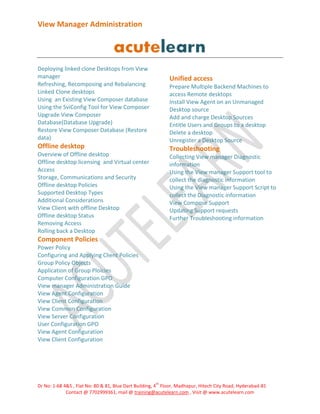
Deploying linked clone Desktops from View
manager
Refreshing, Recomposing and Rebalancing
Linked Clone desktops
Using an Existing View Composer database
Using the SviConfig Tool for View Composer
Upgrade View Composer
Database(Database Upgrade)
Restore View Composer Database (Restore
data)

Unified access
Prepare Multiple Backend Machines to
access Remote desktops
Install View Agent on an Unmanaged
Desktop source
Add and charge Desktop Sources
Entitle Users and Groups to a desktop
Delete a desktop
Unregister a Desktop Source

Offline desktop

Troubleshooting

Overview of Offline desktop
Offline desktop licensing and Virtual center
Access
Storage, Communications and Security
Offline desktop Policies
Supported Desktop Types
Additional Considerations
View Client with offline Desktop
Offline desktop Status
Removing Access
Rolling back a Desktop

Collecting View manager Diagnostic
information
Using the View manager Support tool to
collect the diagnostic information
Using the View manager Support Script to
collect the Diagnostic information
View Compose Support
Updating Support requests
Further Troubleshooting information

Component Policies
Power Policy
Configuring and Applying Client Policies
Group Policy Objects
Application of Group Ploicies
Computer Configuration GPO
View manager Administration Guide
View Agent Configuration
View Client Configuration
View Common Configuration
View Server Configuration
User Configuration GPO
View Agent Configuration
View Client Configuration

th

Dr No: 1-68 4&5 , Flat No: 80 & 81, Blue Dart Building, 4 Floor, Madhapur, Hitech City Road, Hyderabad-81
Contact @ 7702999361, mail @ training@acutelearn.com , Visit @ www.acutelearn.com

Vm ware view manager training in hyderabad

  • 1.
    View Manager Administration IndividualDesktops Automated Desktop pools Manual Desktop Pools Entitling a Desktop or a Pool Searching Desktops and Entitled Users and Groups Disabling View manager and Deleting Objects Overview of View Manager View Manager Features View Manager Components View Connection Server Supported Operating Systems Prerequisites RSA Authentication Manager Operating System Support for installed Components Operating System Support for Web Components View Agent View Client /View Client with Offline Desktop View Portal View Composer Client Management View Client and View Portal Client Connections from Internet Creating SSL Server Certificates Using Existing SSL certificates Smart Card Authentication Adding a Root Certificate to Trusted Roots on Active Directory Creating a Trust store Enabling smart card Authentication on the server View Manager Administration Guide Configuring a Standard or Replica Server Configuring User Profile RSA Secure ID Authentication View Client Command Line Options Virtual Printing Adobe Flash Bandwidth Reduction Client device information Enabling HP RGS Display Protocol View Manager Administration Overview of View Connection Server Virtual Center Permissions for View Manager Users Initial View Manager Configuration View Connection Server backup Optimizing your Installation Ephemeral Ports TCB Hash Table System Page file Java Virtual machine View Administrator View Composer Overview of View Administrator Desktops and Pools View Users and Groups View Configuration View Virtual center Servers Security Servers View Servers Events View Overview of View Composer Storage Overcommit Desktop Decomposition Desktop Research Desktop Rebalance Persistent and Non-Persistent Desktops Using Quick prep for Linked clone Desktop deployment Preparing Virtual Center for View Composer Preparing a parent VM Virtual desktop deployment Overview of Virtual Desktop Deployment Preparing the Guest System th Dr No: 1-68 4&5 , Flat No: 80 & 81, Blue Dart Building, 4 Floor, Madhapur, Hitech City Road, Hyderabad-81 Contact @ 7702999361, mail @ training@acutelearn.com , Visit @ www.acutelearn.com
  • 2.
    View Manager Administration Deployinglinked clone Desktops from View manager Refreshing, Recomposing and Rebalancing Linked Clone desktops Using an Existing View Composer database Using the SviConfig Tool for View Composer Upgrade View Composer Database(Database Upgrade) Restore View Composer Database (Restore data) Unified access Prepare Multiple Backend Machines to access Remote desktops Install View Agent on an Unmanaged Desktop source Add and charge Desktop Sources Entitle Users and Groups to a desktop Delete a desktop Unregister a Desktop Source Offline desktop Troubleshooting Overview of Offline desktop Offline desktop licensing and Virtual center Access Storage, Communications and Security Offline desktop Policies Supported Desktop Types Additional Considerations View Client with offline Desktop Offline desktop Status Removing Access Rolling back a Desktop Collecting View manager Diagnostic information Using the View manager Support tool to collect the diagnostic information Using the View manager Support Script to collect the Diagnostic information View Compose Support Updating Support requests Further Troubleshooting information Component Policies Power Policy Configuring and Applying Client Policies Group Policy Objects Application of Group Ploicies Computer Configuration GPO View manager Administration Guide View Agent Configuration View Client Configuration View Common Configuration View Server Configuration User Configuration GPO View Agent Configuration View Client Configuration th Dr No: 1-68 4&5 , Flat No: 80 & 81, Blue Dart Building, 4 Floor, Madhapur, Hitech City Road, Hyderabad-81 Contact @ 7702999361, mail @ training@acutelearn.com , Visit @ www.acutelearn.com