VISUAL PROGRAMMING
DYNAMIC LINK LIBRARY(DLL)
 To write modular software.
 Classes are Build-Time Modular, DLLs are
Runtime Modular.
 Build smaller DLL modules and test them
individually.
 For example, put a c++ class in DLL, which might
be as small as 12kb after compiling and linking.
Client prg can load and link your DLL very quickly
when they run.
 Microsoft Windows itself uses DLLs for its major
function.
How Import Are Matched to
Export
 A DLL contains a table of exported function.
 The function table also contains the addresses of the
functions within the DLL.
 One EXE file an import functions from one or more
DLLs.
 DLLs call inside other DLLs.
 DLL can have both import and export.
 In the DLL code, explicitly declare the exported
functions like this:
 _declspec(dllexport)int MyFunction(int n);
 On client side, declare the corresponding imports like
this:
 _declspec(dllimport)int MyFunction(int n);
How the Client program finds a DLL
 If linked explicitly with LoadLibrary(), the DLLs can
be specified in full pathname. If not, or if linked
implicitly, windows follows this search sequence to
locate your DLL.
 1.The directory containing the EXE file.
 2. The process’s current directory.
 3. The Windows system directory.
 4. The Windows directory.
 5. The directories listed in the path environment
variable.
 Built a DLL, and run DLL from client program.
MFC DLLs
 AppWizard allows building two kinds of DLLs
with MFC library support.
 Extension DLLs.
 Regular DLLs.
Extension DLL
 It supports a C++ interface.
 The DLL can export whole classes, hence the
client can construct objects of those classes or
derive classes from them.
 It dynamically links to the code in the DLL version
of the MFC library. Hence it requires that the client
program be dynamically linked to MFC library.
 Both the client program and the extension DLL be
synchronized to the same version of the MFC
DLLs.
 This type of DLLs are quite small, size 10kb,
which loads quickly.
Regular DLL
 If there is a need for DLL that can be loaded bt
any win32 programming environment, use a
regular DLL.
 A big restriction here is that the regular DLL
can export only C-style functions.
 It can’t export C++ classes, member function,
or overloaded functions because every C++
compiler has its own method of decorating
names.
 Use C++ classes inside the regular DLL.
 To build this type of DLL, it can choose to
statically link or dynamically link to the MFC
Example for creating a regular DLL for
calculating the square root and use it in the
project
 Create a new application by selecting file-
>new->project
 Select MFC Appwizard(dll).
 Project name: ex1
 Press ok button.
 In AppWizard
 Application type: Regular DLL using Shared MFC.
 Select finished button.
 The form screen will appear.
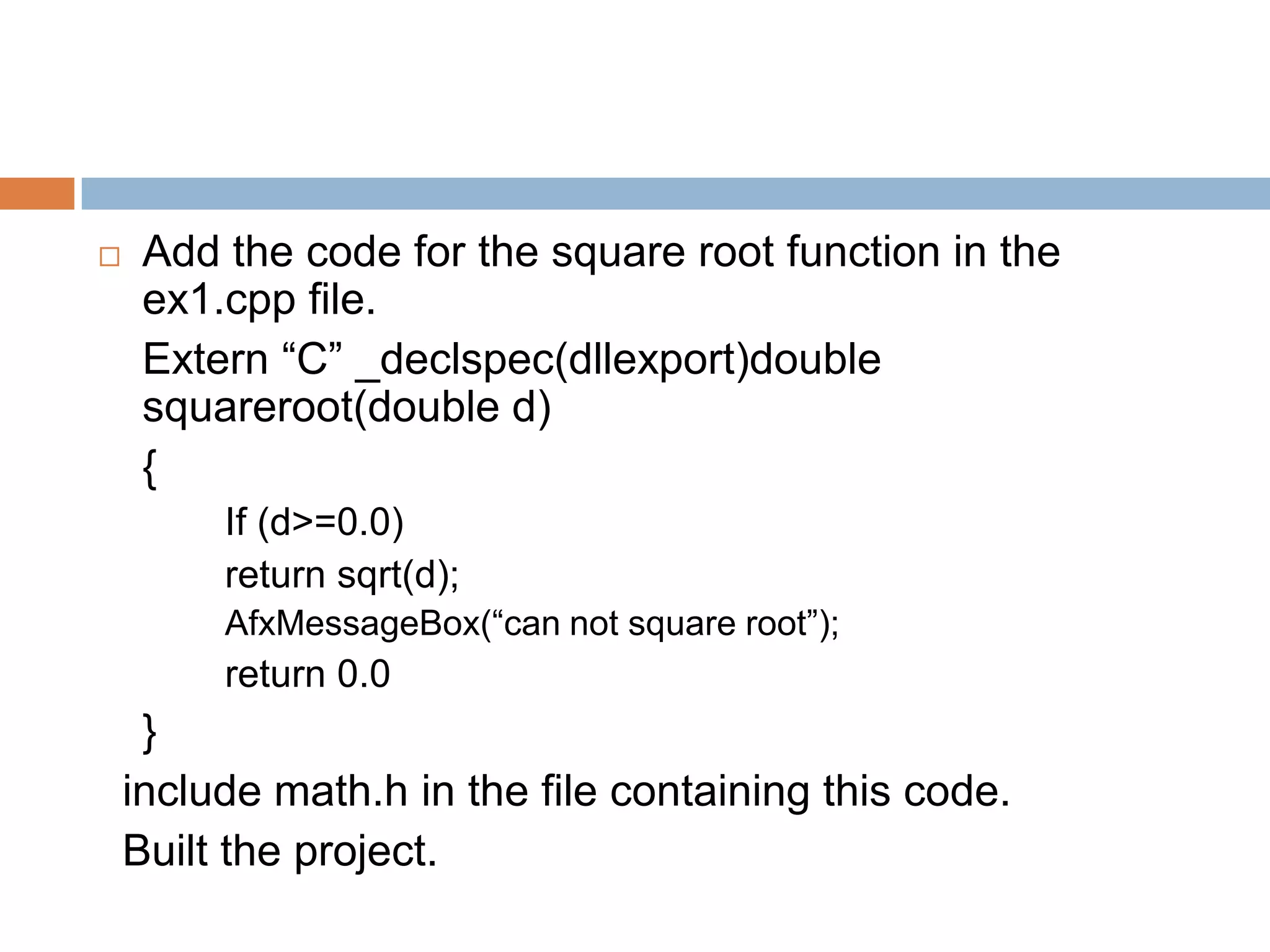
 Add the code for the square root function in the
ex1.cpp file.
Extern “C” _declspec(dllexport)double
squareroot(double d)
{
If (d>=0.0)
return sqrt(d);
AfxMessageBox(“can not square root”);
return 0.0
}
include math.h in the file containing this code.
Built the project.
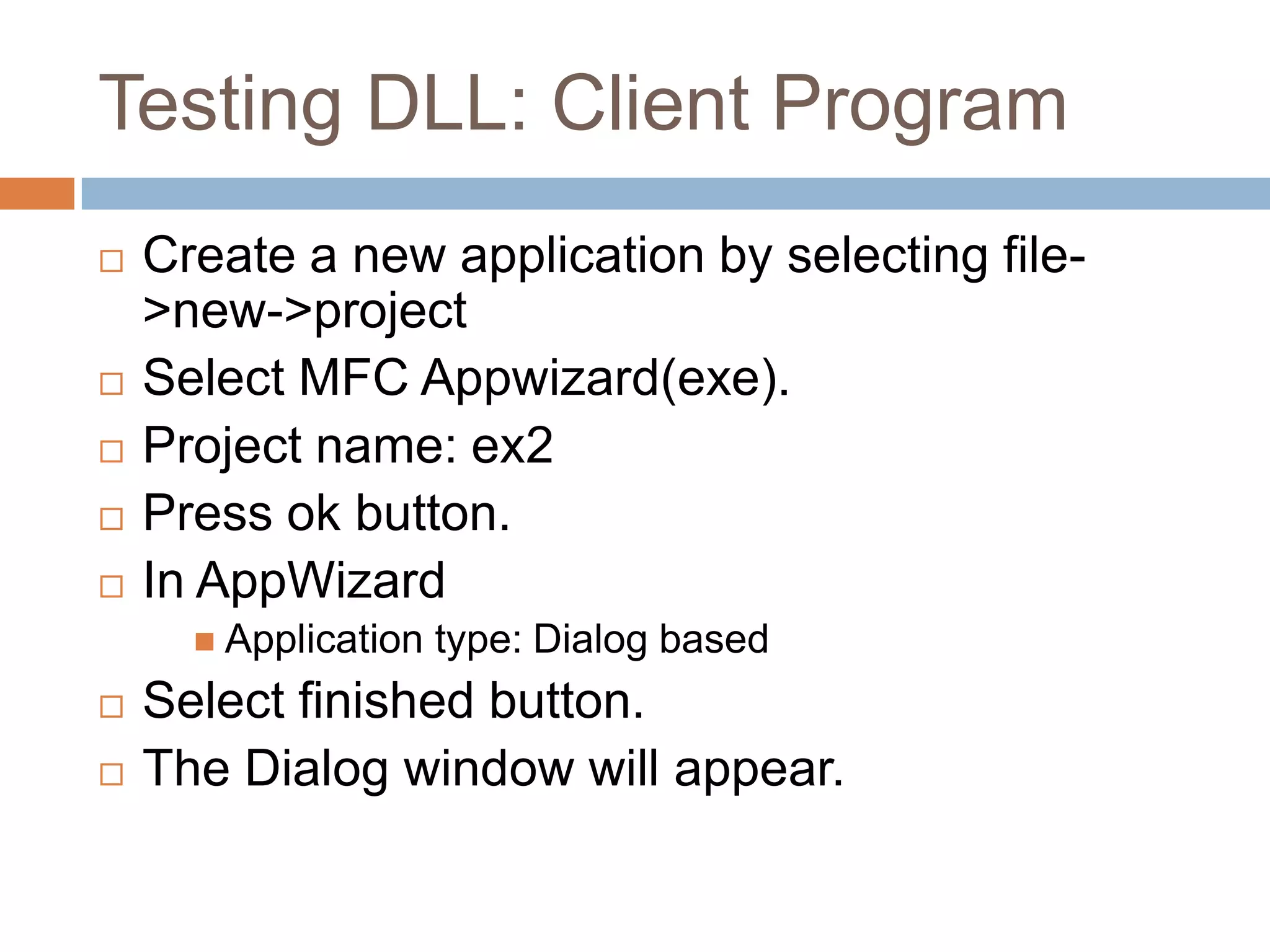
Testing DLL: Client Program
 Create a new application by selecting file-
>new->project
 Select MFC Appwizard(exe).
 Project name: ex2
 Press ok button.
 In AppWizard
 Application type: Dialog based
 Select finished button.
 The Dialog window will appear.
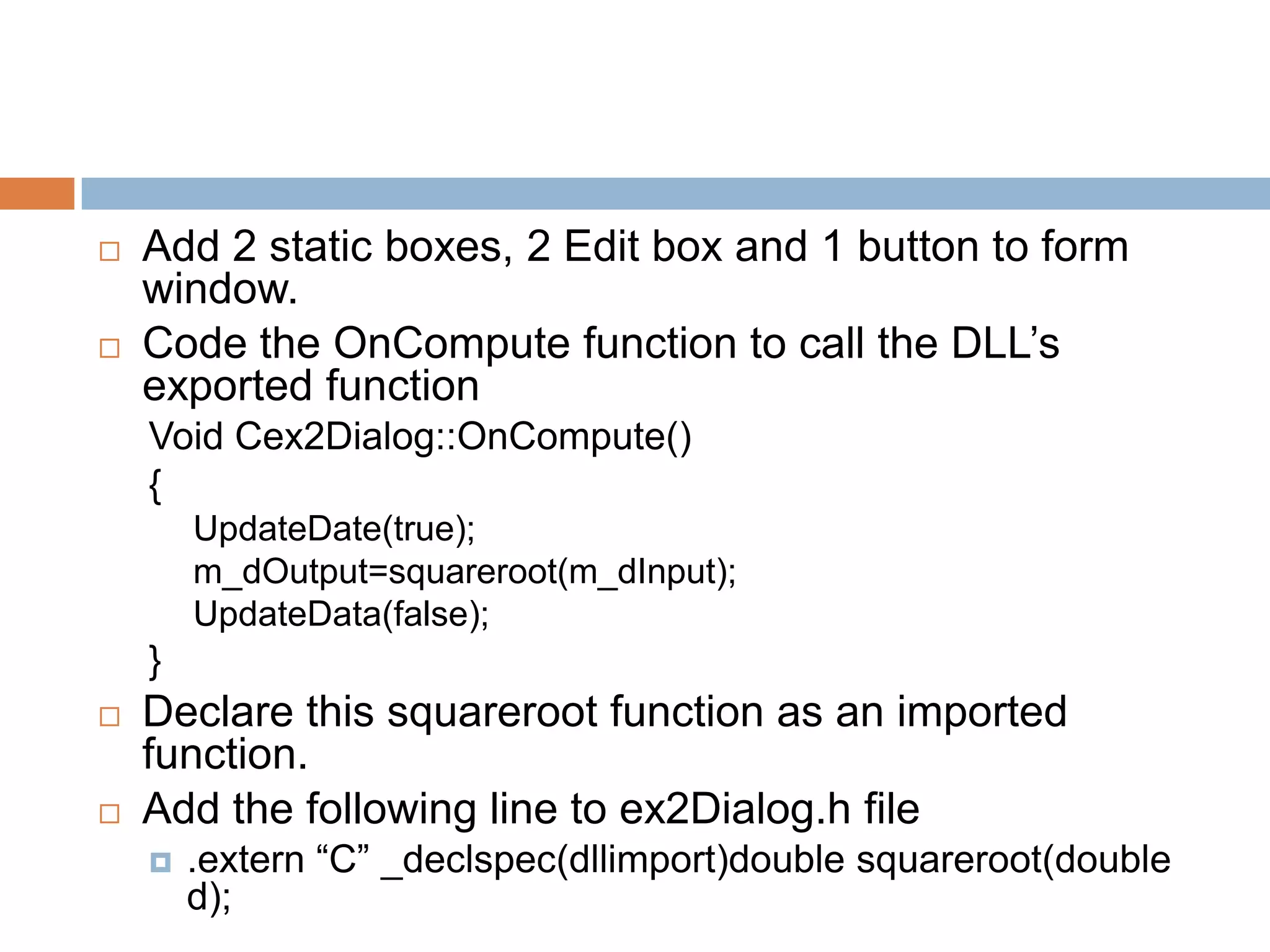
 Add 2 static boxes, 2 Edit box and 1 button to form
window.
 Code the OnCompute function to call the DLL’s
exported function
Void Cex2Dialog::OnCompute()
{
UpdateDate(true);
m_dOutput=squareroot(m_dInput);
UpdateData(false);
}
 Declare this squareroot function as an imported
function.
 Add the following line to ex2Dialog.h file
 .extern “C” _declspec(dllimport)double squareroot(double
d);
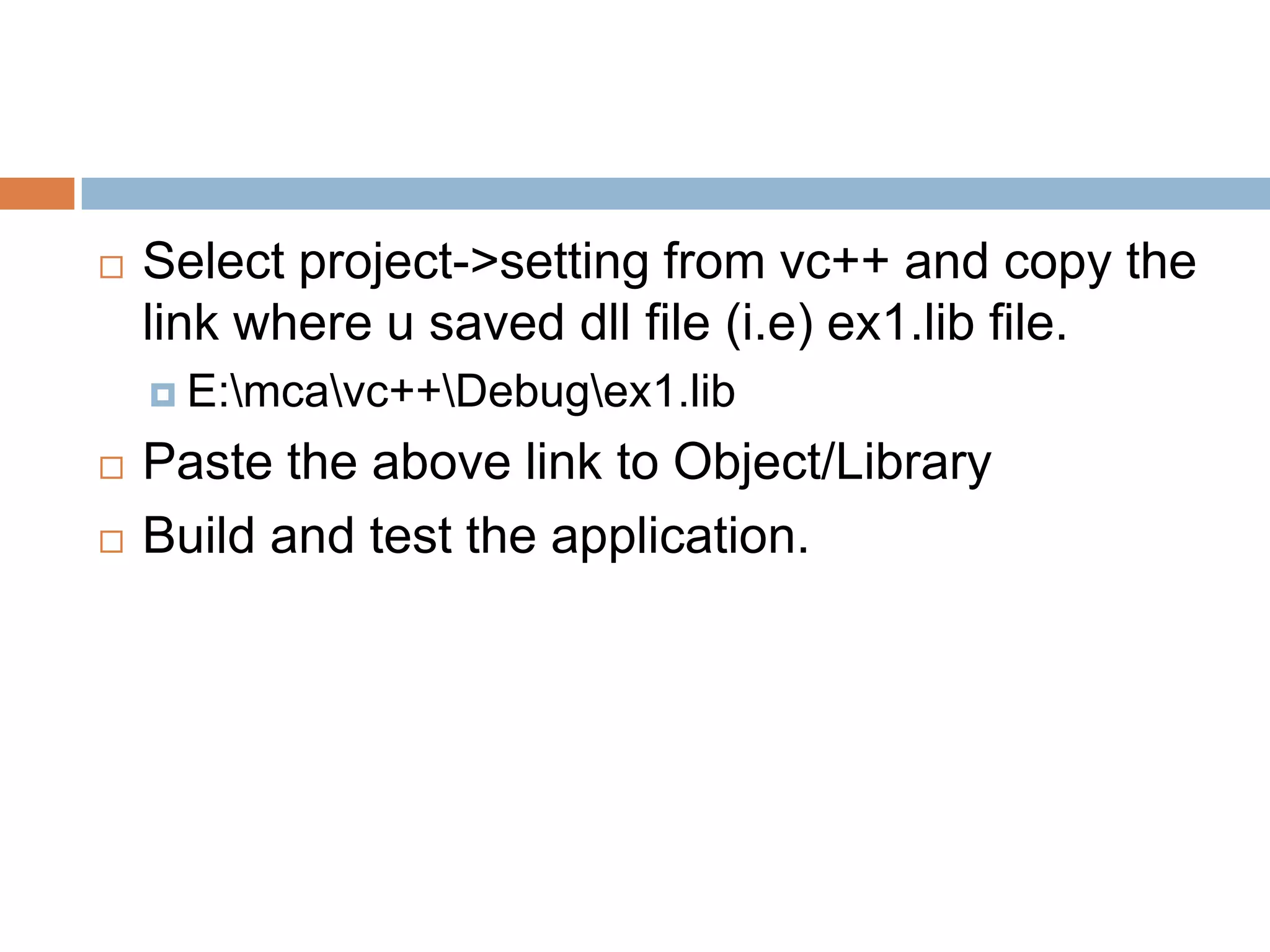
 Select project->setting from vc++ and copy the
link where u saved dll file (i.e) ex1.lib file.
 E:mcavc++Debugex1.lib
 Paste the above link to Object/Library
 Build and test the application.
DATABASE MANAGEMENT WITH
ODBC
Introduction
 Database is used to store data abd provide
access to manipulate the data.
 Use of standard file format.
 Provides multiple user interaction.
VC++ Support for Database
Access
 ODBC- set of DLLs, Based on SQL,
independent of any DB protocol.
 DAO- Based on COM interfaces.
 OLE DB- based on COM interfaces.
Advantages of Database
Management
 Use of standard file format.
 Indexed file access.
 Data integrity.
 Multi- user access control.
ODBC ARCHITECTURE
 Use the ODBC API to access data from a
variety of different data sources.
 Contains Driver manger for performing the
database activities.
 It supports various database drivers
 Microsoft SQL server.
 Oracle.
 Microsoft Access.
 Microsoft FoxPro.
 Implemented by C native API.
MFC CLASSES FOR ODBC
 There are 3 different Built in classes provided
by MFC
 CDatabase
 CRecordSet
 CRecordView
CRecordSet Functions
 There are several functions are available. They
are,
 CRecordSet::GetSQL()
 GetTableName()
 GetODBCFieldCount()
 Close()
 Open()
 Navigating the data in recordset
 MoveNext()
 MovePrev()
 MoveLast()
 MoveFirst()
 CanScroll()
 To Manipulating the data’s in record set
 Delete()
 AddNew()
 CanAppend()
 Edit()
 Update()
Recordset Selection
 Visual C++ provides 3 types of Recordser.
They are differ in speed versus features,
 Snapshot Record set.
 Dynaset Record set.
 Table Record set.
One Simple Example program
 Create a database and give the ODBC
connectivity.
 Database: student
 DNS source name: student
 Start VC++
 Create a new application by selecting file-
>new.
 Project type: MFC AppWizard(exe).
 Project name: recvew
 Press ok button
 In AppWizard,
 Choose single Document
 Select the option “Database view without File
support” And click on the Database source
button-> select the table create previously in the
database and set the Dynaset property.
 Select the CrecordView as the view Class’s Base
Class.
 Select finish button.
 Now a dialog will apper.
 Place two edit and two static control.
 View-> class wizard -> member variables tab-
> select the variables as following.
 IDC_EDIT1 m_pSet->m_rollno
 IDC_EDIT2 m_pSet->m_name.
 Resource view-> Add four more manus to the
record menu as follows
 Add record, Delete Record, Update Record, Clear
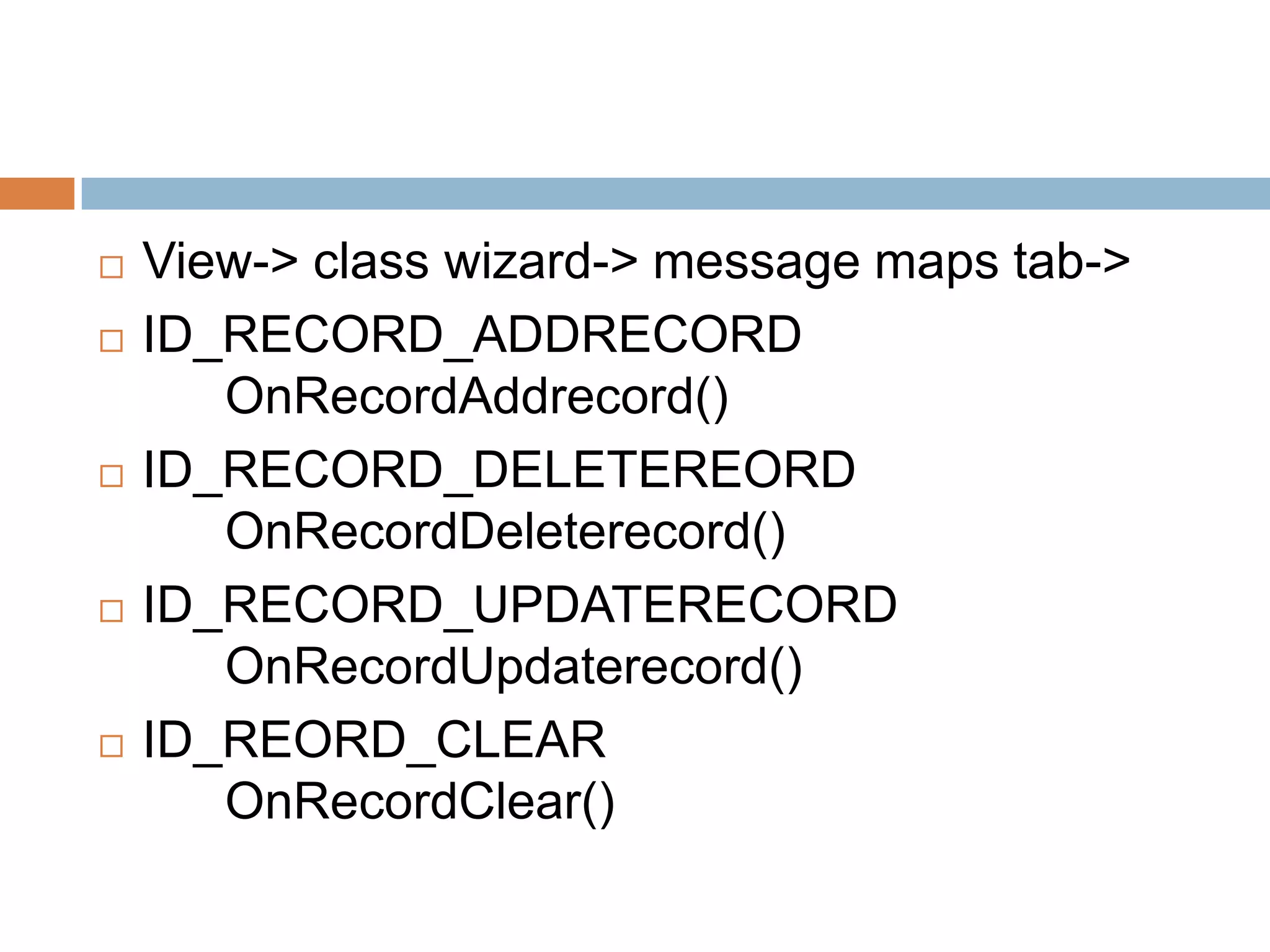
 View-> class wizard-> message maps tab->
 ID_RECORD_ADDRECORD
OnRecordAddrecord()
 ID_RECORD_DELETEREORD
OnRecordDeleterecord()
 ID_RECORD_UPDATERECORD
OnRecordUpdaterecord()
 ID_REORD_CLEAR
OnRecordClear()
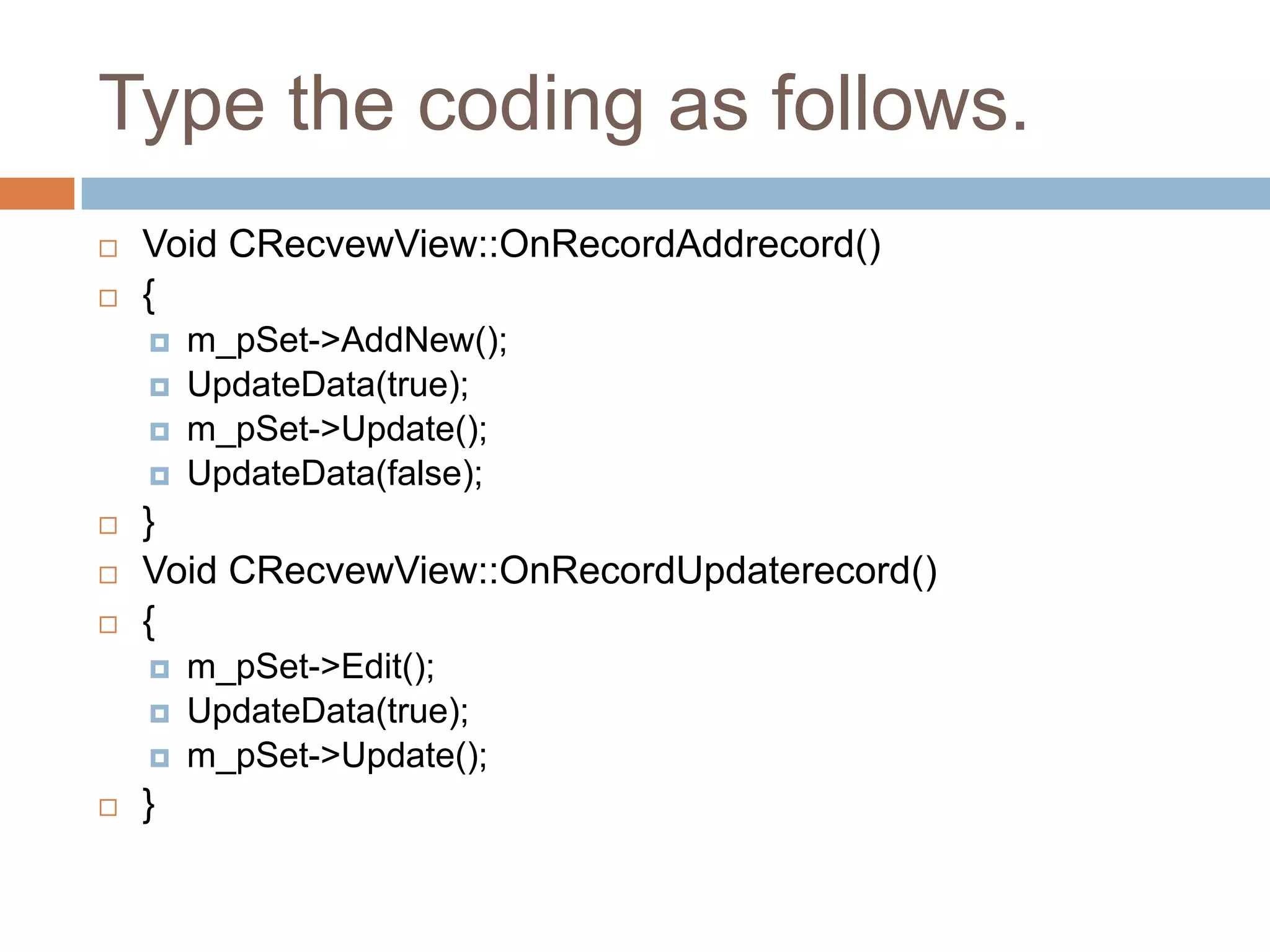
Type the coding as follows.
 Void CRecvewView::OnRecordAddrecord()
 {
 m_pSet->AddNew();
 UpdateData(true);
 m_pSet->Update();
 UpdateData(false);
 }
 Void CRecvewView::OnRecordUpdaterecord()
 {
 m_pSet->Edit();
 UpdateData(true);
 m_pSet->Update();
 }
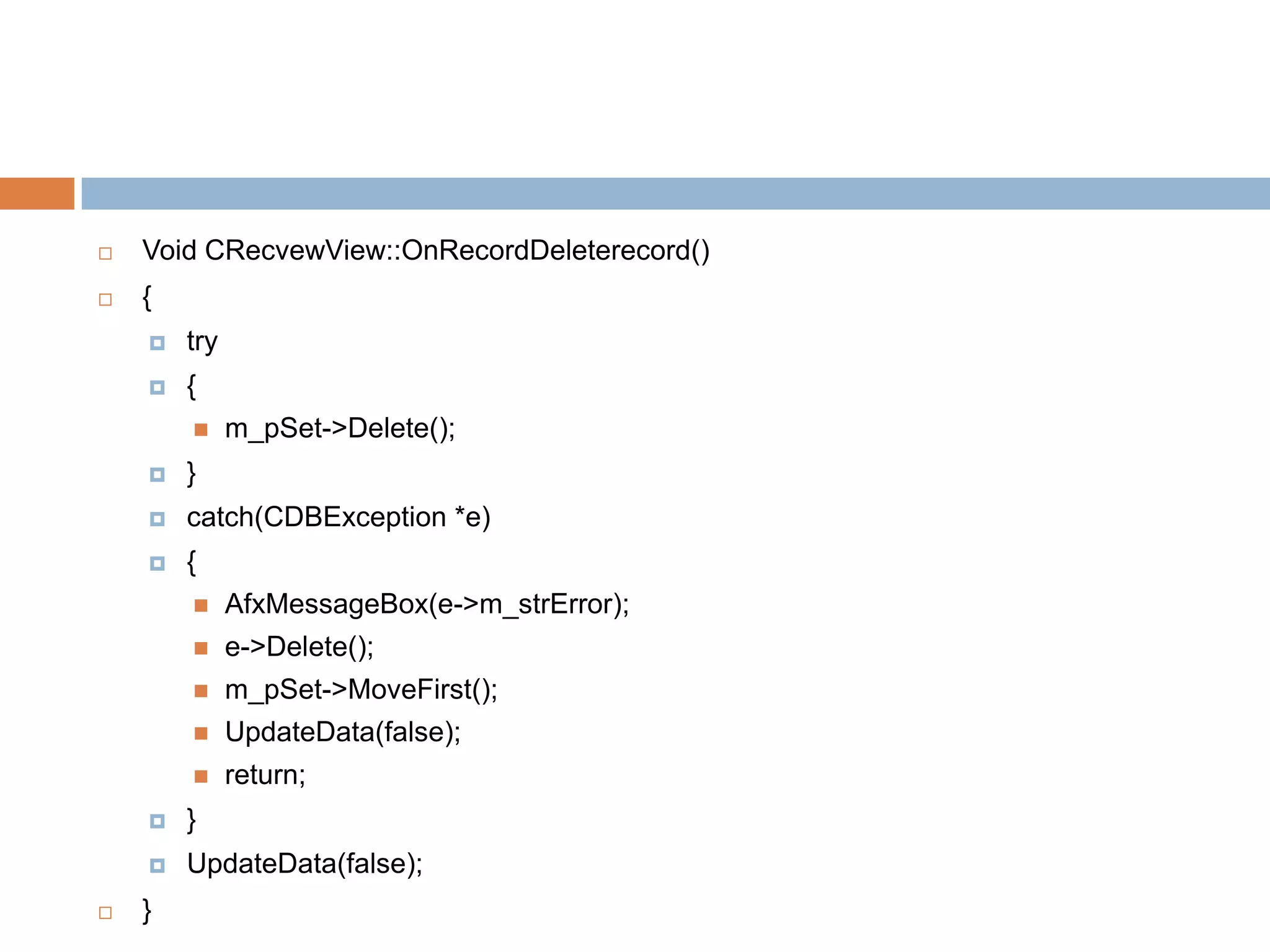
 Void CRecvewView::OnRecordDeleterecord()
 {
 try
 {
 m_pSet->Delete();
 }
 catch(CDBException *e)
 {
 AfxMessageBox(e->m_strError);
 e->Delete();
 m_pSet->MoveFirst();
 UpdateData(false);
 return;
 }
 UpdateData(false);
 }
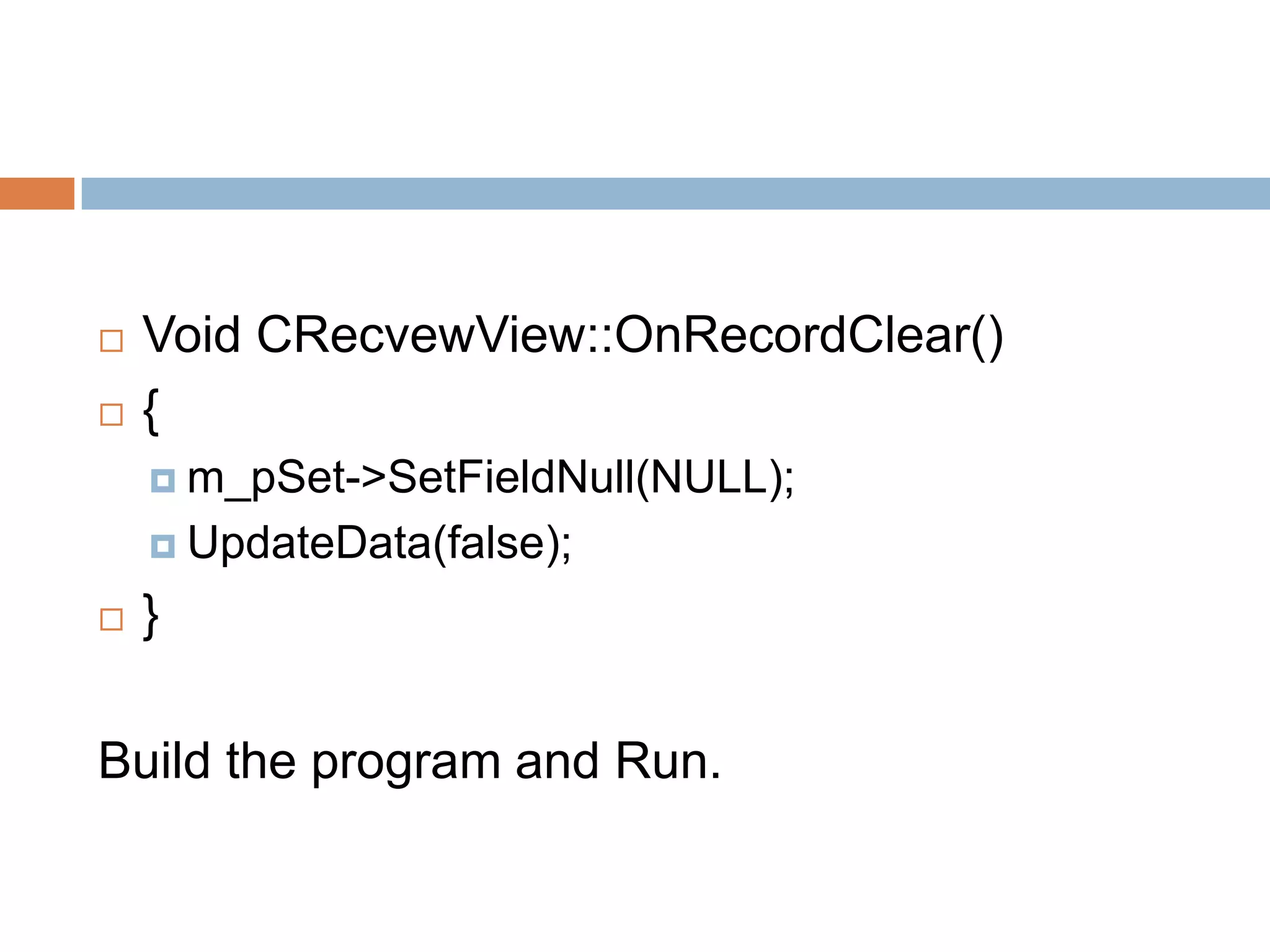
 Void CRecvewView::OnRecordClear()
 {
 m_pSet->SetFieldNull(NULL);
 UpdateData(false);
 }
Build the program and Run.

Visual programming

  • 1.
  • 2.
    DYNAMIC LINK LIBRARY(DLL) To write modular software.  Classes are Build-Time Modular, DLLs are Runtime Modular.  Build smaller DLL modules and test them individually.  For example, put a c++ class in DLL, which might be as small as 12kb after compiling and linking. Client prg can load and link your DLL very quickly when they run.  Microsoft Windows itself uses DLLs for its major function.
  • 3.
    How Import AreMatched to Export  A DLL contains a table of exported function.  The function table also contains the addresses of the functions within the DLL.  One EXE file an import functions from one or more DLLs.  DLLs call inside other DLLs.  DLL can have both import and export.  In the DLL code, explicitly declare the exported functions like this:  _declspec(dllexport)int MyFunction(int n);  On client side, declare the corresponding imports like this:  _declspec(dllimport)int MyFunction(int n);
  • 4.
    How the Clientprogram finds a DLL  If linked explicitly with LoadLibrary(), the DLLs can be specified in full pathname. If not, or if linked implicitly, windows follows this search sequence to locate your DLL.  1.The directory containing the EXE file.  2. The process’s current directory.  3. The Windows system directory.  4. The Windows directory.  5. The directories listed in the path environment variable.  Built a DLL, and run DLL from client program.
  • 5.
    MFC DLLs  AppWizardallows building two kinds of DLLs with MFC library support.  Extension DLLs.  Regular DLLs.
  • 6.
    Extension DLL  Itsupports a C++ interface.  The DLL can export whole classes, hence the client can construct objects of those classes or derive classes from them.  It dynamically links to the code in the DLL version of the MFC library. Hence it requires that the client program be dynamically linked to MFC library.  Both the client program and the extension DLL be synchronized to the same version of the MFC DLLs.  This type of DLLs are quite small, size 10kb, which loads quickly.
  • 7.
    Regular DLL  Ifthere is a need for DLL that can be loaded bt any win32 programming environment, use a regular DLL.  A big restriction here is that the regular DLL can export only C-style functions.  It can’t export C++ classes, member function, or overloaded functions because every C++ compiler has its own method of decorating names.  Use C++ classes inside the regular DLL.  To build this type of DLL, it can choose to statically link or dynamically link to the MFC
  • 8.
    Example for creatinga regular DLL for calculating the square root and use it in the project  Create a new application by selecting file- >new->project  Select MFC Appwizard(dll).  Project name: ex1  Press ok button.  In AppWizard  Application type: Regular DLL using Shared MFC.  Select finished button.  The form screen will appear.
  • 9.
     Add thecode for the square root function in the ex1.cpp file. Extern “C” _declspec(dllexport)double squareroot(double d) { If (d>=0.0) return sqrt(d); AfxMessageBox(“can not square root”); return 0.0 } include math.h in the file containing this code. Built the project.
  • 10.
    Testing DLL: ClientProgram  Create a new application by selecting file- >new->project  Select MFC Appwizard(exe).  Project name: ex2  Press ok button.  In AppWizard  Application type: Dialog based  Select finished button.  The Dialog window will appear.
  • 11.
     Add 2static boxes, 2 Edit box and 1 button to form window.  Code the OnCompute function to call the DLL’s exported function Void Cex2Dialog::OnCompute() { UpdateDate(true); m_dOutput=squareroot(m_dInput); UpdateData(false); }  Declare this squareroot function as an imported function.  Add the following line to ex2Dialog.h file  .extern “C” _declspec(dllimport)double squareroot(double d);
  • 12.
     Select project->settingfrom vc++ and copy the link where u saved dll file (i.e) ex1.lib file.  E:mcavc++Debugex1.lib  Paste the above link to Object/Library  Build and test the application.
  • 13.
  • 14.
    Introduction  Database isused to store data abd provide access to manipulate the data.  Use of standard file format.  Provides multiple user interaction.
  • 15.
    VC++ Support forDatabase Access  ODBC- set of DLLs, Based on SQL, independent of any DB protocol.  DAO- Based on COM interfaces.  OLE DB- based on COM interfaces.
  • 16.
    Advantages of Database Management Use of standard file format.  Indexed file access.  Data integrity.  Multi- user access control.
  • 17.
    ODBC ARCHITECTURE  Usethe ODBC API to access data from a variety of different data sources.  Contains Driver manger for performing the database activities.  It supports various database drivers  Microsoft SQL server.  Oracle.  Microsoft Access.  Microsoft FoxPro.  Implemented by C native API.
  • 18.
    MFC CLASSES FORODBC  There are 3 different Built in classes provided by MFC  CDatabase  CRecordSet  CRecordView
  • 19.
    CRecordSet Functions  Thereare several functions are available. They are,  CRecordSet::GetSQL()  GetTableName()  GetODBCFieldCount()  Close()  Open()  Navigating the data in recordset  MoveNext()  MovePrev()  MoveLast()  MoveFirst()  CanScroll()
  • 20.
     To Manipulatingthe data’s in record set  Delete()  AddNew()  CanAppend()  Edit()  Update()
  • 21.
    Recordset Selection  VisualC++ provides 3 types of Recordser. They are differ in speed versus features,  Snapshot Record set.  Dynaset Record set.  Table Record set.
  • 22.
    One Simple Exampleprogram  Create a database and give the ODBC connectivity.  Database: student  DNS source name: student  Start VC++  Create a new application by selecting file- >new.  Project type: MFC AppWizard(exe).  Project name: recvew  Press ok button
  • 23.
     In AppWizard, Choose single Document  Select the option “Database view without File support” And click on the Database source button-> select the table create previously in the database and set the Dynaset property.  Select the CrecordView as the view Class’s Base Class.  Select finish button.  Now a dialog will apper.
  • 24.
     Place twoedit and two static control.  View-> class wizard -> member variables tab- > select the variables as following.  IDC_EDIT1 m_pSet->m_rollno  IDC_EDIT2 m_pSet->m_name.  Resource view-> Add four more manus to the record menu as follows  Add record, Delete Record, Update Record, Clear
  • 25.
     View-> classwizard-> message maps tab->  ID_RECORD_ADDRECORD OnRecordAddrecord()  ID_RECORD_DELETEREORD OnRecordDeleterecord()  ID_RECORD_UPDATERECORD OnRecordUpdaterecord()  ID_REORD_CLEAR OnRecordClear()
  • 26.
    Type the codingas follows.  Void CRecvewView::OnRecordAddrecord()  {  m_pSet->AddNew();  UpdateData(true);  m_pSet->Update();  UpdateData(false);  }  Void CRecvewView::OnRecordUpdaterecord()  {  m_pSet->Edit();  UpdateData(true);  m_pSet->Update();  }
  • 27.
     Void CRecvewView::OnRecordDeleterecord() {  try  {  m_pSet->Delete();  }  catch(CDBException *e)  {  AfxMessageBox(e->m_strError);  e->Delete();  m_pSet->MoveFirst();  UpdateData(false);  return;  }  UpdateData(false);  }
  • 28.
     Void CRecvewView::OnRecordClear() {  m_pSet->SetFieldNull(NULL);  UpdateData(false);  } Build the program and Run.